LA-CEF-NAF - Lens Adapter Vello - Free user manual and instructions
Find the device manual for free LA-CEF-NAF Vello in PDF.


| Product Type | Lens Adapter |
| Brand | Vello |
| Model | LA-CEF-NAF |
| Compatibility (Lens) | Canon EF/EF-S mount lenses |
| Compatibility (Camera) | Nikon F mount cameras (DSLR, mirrorless with adapter) |
| Construction Material | Metal alloy with brass mount |
| Dimensions (Diameter) | Approx. 2.9 inches (74 mm) |
| Dimensions (Length) | Approx. 0.8 inches (20 mm) |
| Weight | Approx. 2.1 oz (60 g) |
| Aperture Control | Manual aperture ring on adapter (for Canon EF lenses without aperture ring) |
| Autofocus | Not supported (manual focus only) |
| Electronic Contacts | No electronic pass-through (no EXIF, no aperture communication) |
| Infinity Focus | Yes, precise adjustment via set screw |
| Mount Lock | Secure locking mechanism with release button |
| Cleaning | Use a soft brush or blower to remove dust; wipe with a microfiber cloth |
| Safety Warning | Avoid dropping; do not force mount; keep away from moisture |
| Repair / Spare Parts | Contact Vello support for replacement parts; not user-serviceable |
| Warranty | 1-year limited warranty |
Frequently Asked Questions - LA-CEF-NAF Vello
User questions about LA-CEF-NAF Vello
0 question about this device. Answer the ones you know or ask your own.
Ask a new question about this device
Download the instructions for your Lens Adapter in PDF format for free! Find your manual LA-CEF-NAF - Vello and take your electronic device back in hand. On this page are published all the documents necessary for the use of your device. LA-CEF-NAF by Vello.
USER MANUAL LA-CEF-NAF Vello
natural_image
Close-up of a metallic tire track with a red circular marker on the wheel rim (no text or symbols visible)LENS ADAPTER MANUAL
LA-CEF-NAF
INTRODUCTION
Thank you for choosing a Vello Lens Adapter. Vello Lens Adapters allow you to use lenses from manufacturers other than the maker of your camera body. For example, you can pair Nikon ^ lenses with a Canon ^ camera. Or, with a Vello T-mount Adapter you can mount your camera to a telescope. Vello Lens Adapters are manufactured to fit securely to the lens but not so tightly that they are difficult to remove. Please follow the instructions below to mount and remove your Vello Lens Adapter.
Although the lens will fit physically, automatic diaphragm (AE metering), and other functions dependent on communication between the camera body and lens, will be disrupted by a lens adapter. You will need to set exposures manually or meter in aperture priority (stop-down) mode. If the lens does not have a manual aperture collar, the aperture will be stopped to its smallest f/stop. Focusing to infinity is retained.
WARRANTY: Vello provides a limited warranty that this product is free from defects in materials and workmanship to the original purchaser under normal use for a period of one (1) year from the original purchase date. Vello's responsibility with respect to this limited warranty shall be limited solely to repair or replacement, at its option, of any product which fails during normal consumer use. This warranty does not extend to damage or failure which results from misuse, neglect, accident, alteration, abuse, improper installation or maintenance. EXCEPT AS PROVIDED HEREIN, VELLO MAKES NEITHER ANY EXPRESS WARRANTIES NOR ANY IMPLIED WARRANTIES, INCLUDING BUT NOT LIMITED TO ANY IMPLIED WARRANTY OF MERCHANTABILITY OR FITNESS FOR A PARTICULAR PURPOSE. To obtain a replacement during the time of this warranty please return the defective item with proof of purchase along with an RMA number to the place of purchase. This warranty gives you specific legal rights, and you may also have other rights which vary from state to state.
All images are for illustrative purposes only.
www.vellogear.com
© Copyright 2011 Vello
TO MOUNT THE LENS ADAPTER
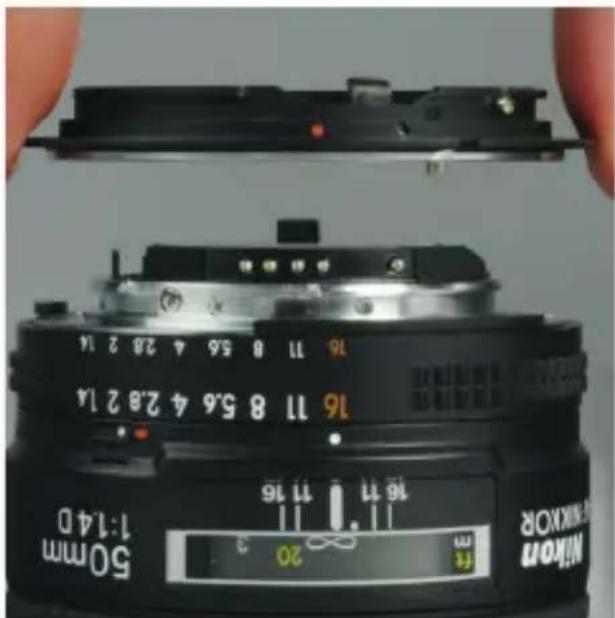
- With the lens on a stable surface, align the adapter with the lens.
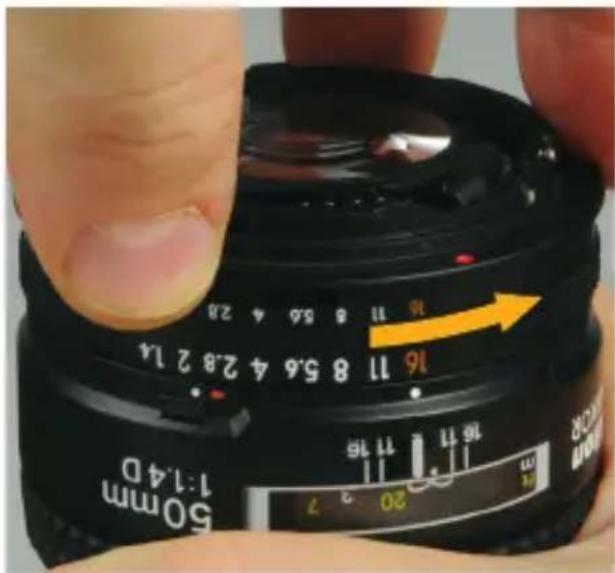
- Turn the adapter counterclockwise until the locking pin clicks.
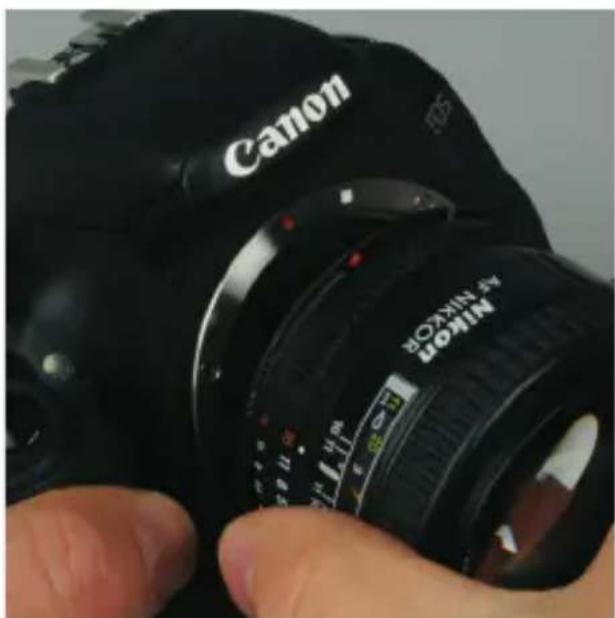
natural_image
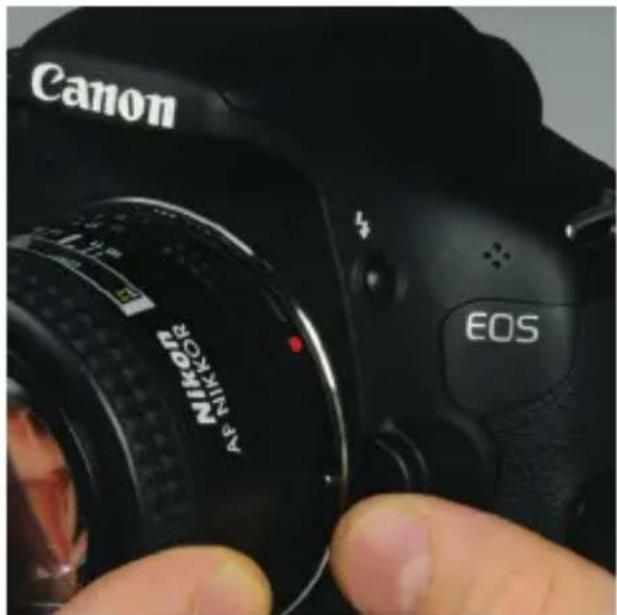
Close-up of a Canon DSLR camera with visible lens and adjustment knobs (no text or symbols on the device itself)- Line up the alignment dot on the adapter with the alignment dot on the camera.
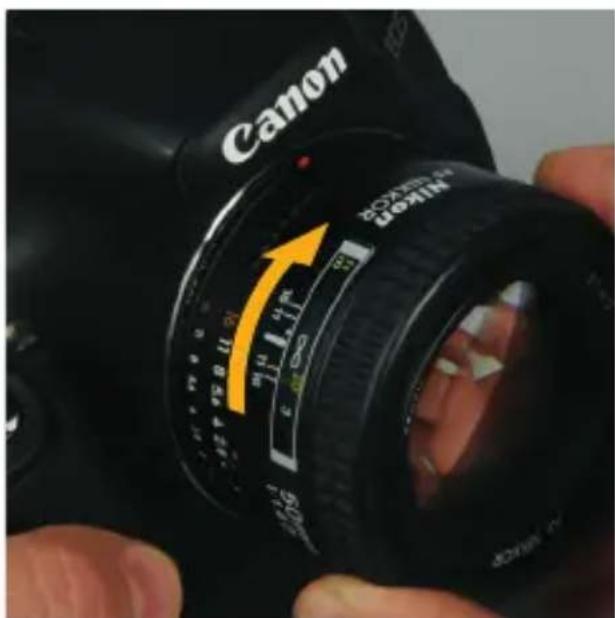
- Rotate the lens/adapter assembly clockwise until it clicks.
TO REMOVE THE LENS ADAPTER
If you prefer, you can leave lens adapters attached to your lenses.
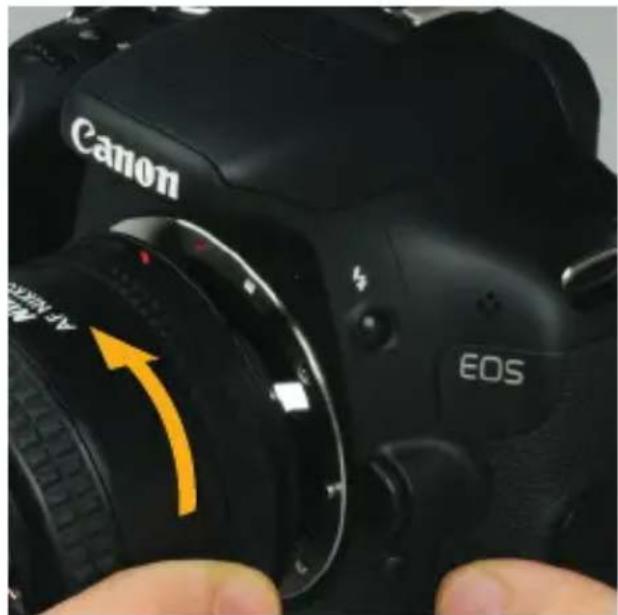
- Press the lens release on the camera.
natural_image
Close-up of a Canon DSLR camera with visible lens and control buttons, no readable text or symbols beyond brand name and 'EOS' branding.- Rotate the lens counter-clockwise to release and remove.
natural_image
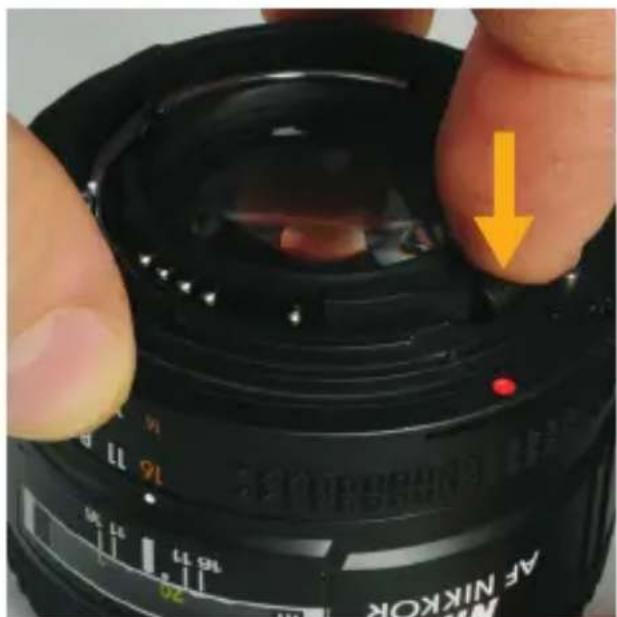
Close-up of a black AF NIKOK camera lens with adjustment knob and orange arrow indicating force (no text or symbols on the lens itself)- Place the lens on a stable surface. Fully press and hold the release pin on the adapter.
natural_image
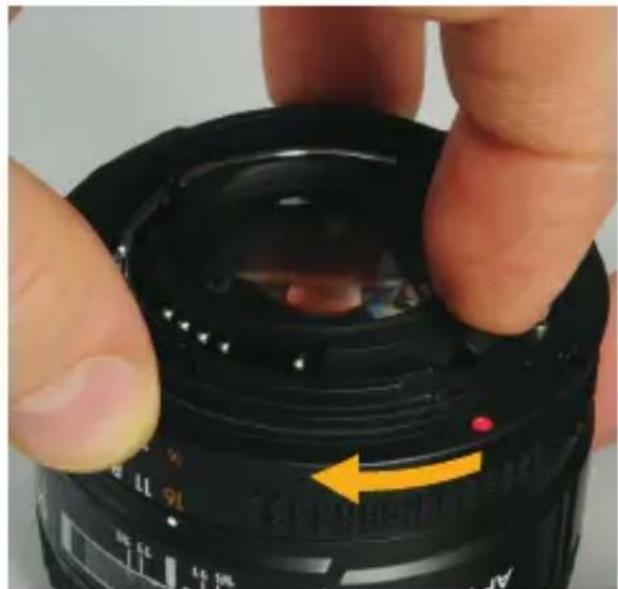
Close-up of a black DSLR camera lens with a hand adjusting the lens (no visible text or symbols)- Rotate the adapter clockwise to release.
Brand : Vello
Model : LA-CEF-NAF
Category : Lens Adapter