
PAC-97CO - Air conditioner Infiniton - Free user manual and instructions
Find the device manual for free PAC-97CO Infiniton in PDF.


| Product Type | Portable Air Conditioner (Monoblock) |
| Model | PAC-97CO |
| Brand | Infiniton |
| Cooling Capacity | 9000 BTU/h (approx.) |
| Heating Capacity | Not available on cooling-only model |
| Power Supply | 220-240V ~ 50Hz |
| Power Consumption (Cooling) | ~1000W (approx.) |
| Fuse Rating | 3.15A / 250VAC (5x20mm) |
| Dimensions (W x D x H) | ~350 x 500 x 700 mm (approx.) |
| Weight | ~25 kg (approx.) |
| Refrigerant | R410A (common, check label) |
| Modes | Cooling, Fan, Dry, Heat (select models), Sleep, Timer |
| Fan Speeds | Low / High |
| Temperature Range | 16°C - 30°C (cooling/heating) |
| Display | LED for temperature and timer |
| Remote Control | Yes (2x AAA batteries, not included) |
| Air Exhaust Duct Length | Up to 1500 mm (stretchable) |
| Drainage | Self-evaporating system with manual drain when full (FL alarm) |
| Filter | Washable mesh filter (clean every 2 weeks) |
| Casters | Yes, for mobility |
| Noise Level | ~52 dB (approx.) |
| Safety Features | Auto-restart 3 min delay, anti-freeze protection, overheat protection |
| Error Codes | E1 (coil temp sensor), E2 (room temp sensor), E4 (anti-freeze) |
| Accessories Included | Window sealing kit, exhaust duct, remote, manual |
| Warranty | Check enclosed warranty card |
Frequently Asked Questions - PAC-97CO Infiniton
User questions about PAC-97CO Infiniton
0 question about this device. Answer the ones you know or ask your own.
Ask a new question about this device
Download the instructions for your Air conditioner in PDF format for free! Find your manual PAC-97CO - Infiniton and take your electronic device back in hand. On this page are published all the documents necessary for the use of your device. PAC-97CO by Infiniton.
USER MANUAL PAC-97CO Infiniton
natural_image
White industrial air conditioner unit with black top panel and blue internal shelves (no visible text or symbols)Thanks for choosing this superb air conditioner.
Please read carefully this manual before using.
Any problems, please consult professional serviceman for help.
Contents
Users Know-how
Precautions....1
Safety Warnings.... 3
Tips 6
Product Overview
Main Components....7
Control Panel and Remote Control....8
Operation
Place and Install....9
How to Operate....14
Clean and Maintenance
Drainage....15
Care....15
Common Failures and Diagnosis
Intelligent Error Detection....18
Repair....18
Technical Data
Fuse Parameter....18
Appearance and Size....19
Warranty Card....20
USER KNOWLEDGE
The meaning of this user manual is shown below.
| Please avoid such operations, in case of any safety and health risks. | |
| Such instructions are to be followed, for safety and health concerns. |
Precaution
For household use only
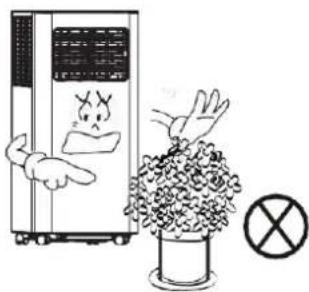
For indoor use only; please place the A/C in a dry environment.
natural_image
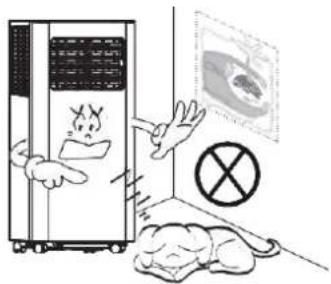
Illustration of a refrigerator with angry faces and a crossed-out 'X' symbol, next to a mouse and a dog (no text or symbols present)In case of a blocked air exchange, never stack any items around the machine.
natural_image
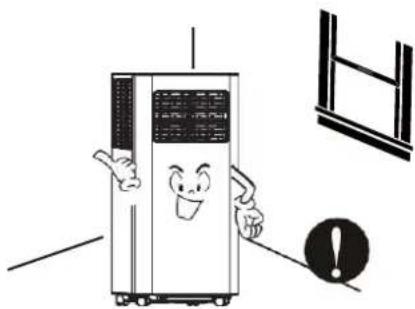
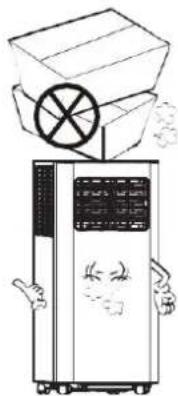
Cartoon illustration of a smiling refrigerator with arms and legs, accompanied by an exclamation mark (no text or symbols on the refrigerator itself)To avoid damages, never place any heavy items on the machine.
natural_image
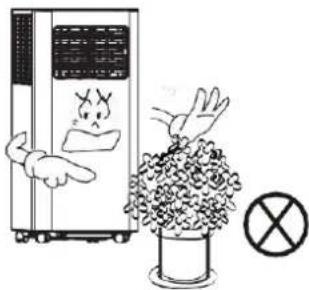
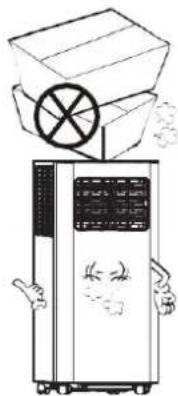
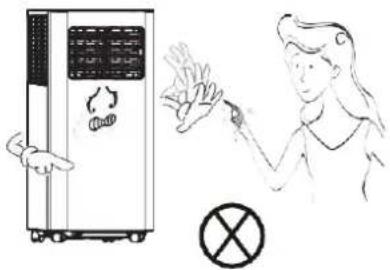
Illustration of a portable air conditioner unit with a box and circular component above it, no text or symbols present.Do not operate the machine with wet hands or in a humid environment.
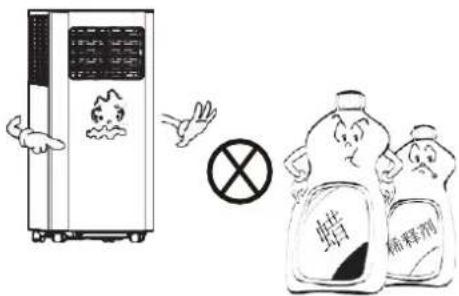
Please wipe the machine with a soft cloth, instead of wax, diluent or irritant detergent.
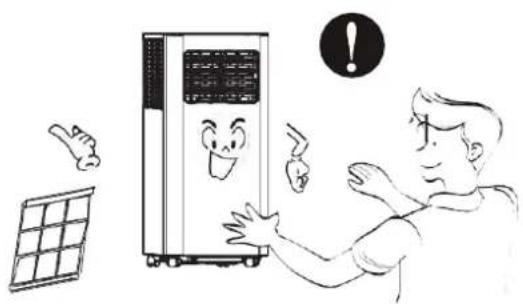
Clean the filter once every two weeks
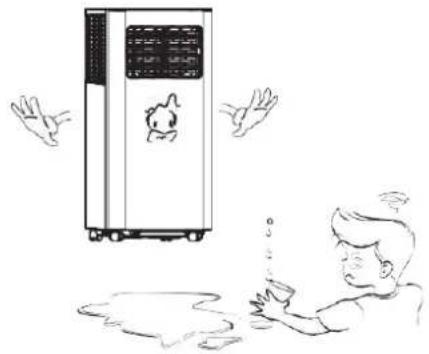
For your health, never drink condensed water discharged from the machine.
natural_image
Illustration of a person reacting to a large air conditioner unit with a smiling face, accompanied by a solar panel and an exclamation mark (no text or symbols on the main image)Please unplug the power cord, if the machine will not be used for a long time.
natural_image
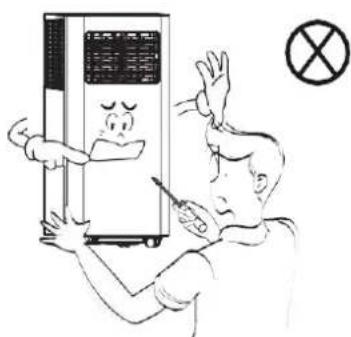
Illustration of a person reacting to a large industrial machine with a cartoon character inside, no text or symbols present.Nonprofessionals are not allowed to dismantle or repair the machine.
Safety Warnings
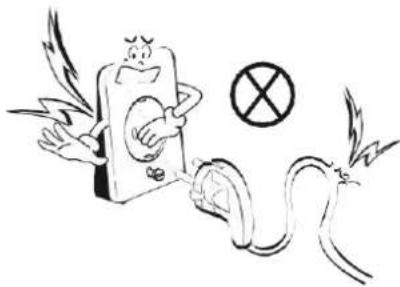
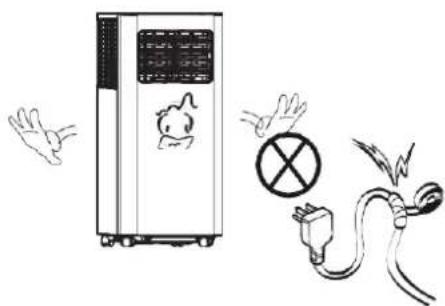
Damaged power cord or plug shall not be used. Never plug to a loose socket.
Never damage the power cord, or use unlicensed power cord. Make sure voltage is right.
natural_image
Cartoon illustration of a winged figure holding a phone with a crossed-out symbol, next to a snake and a lightning bolt (no text or symbols)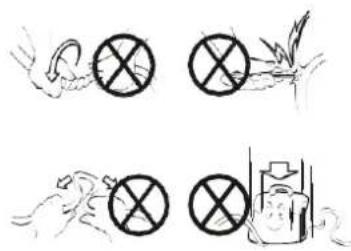
natural_image
Four black-and-white line drawings showing hands holding circular symbols, a bird flying, a hand holding a device, and a fish emerging from water (no text or symbols)Do not modify or extend the power cord.
A grounded outlet is suggested for the machine.
natural_image
Illustration of an air purifier next to a hand gesture and a fuse with a crossed-out symbol (no text or labels)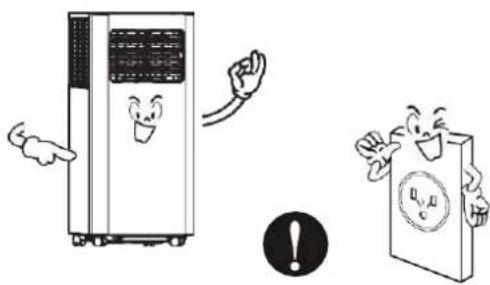
natural_image
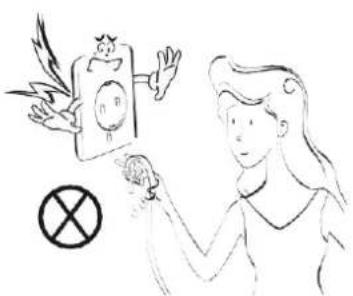
Illustration of a server unit and a book with a warning symbol (no text or labels)In case of electric shock, never plug/unplug with wet hands.
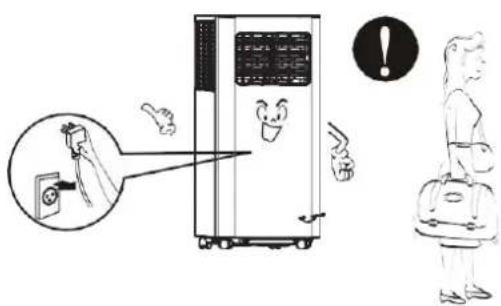
To unplug, pull the plug end instead of wires.
natural_image
Illustration of a person interacting with a device and a prohibition symbol (no text or labels)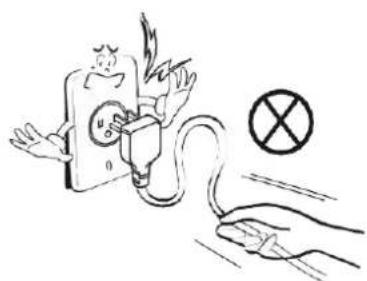
natural_image
Illustration of a plug plug being charged with a fuse, with a crossed-out prohibition symbol nearby (no text or labels)Never control on/off status by directly plugging/unplugging.
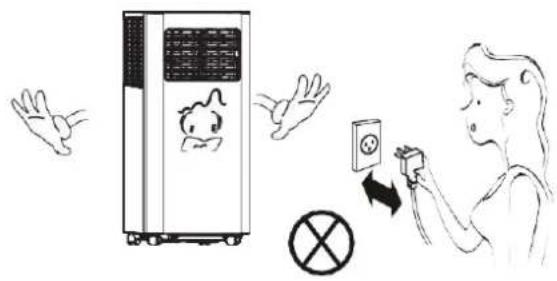
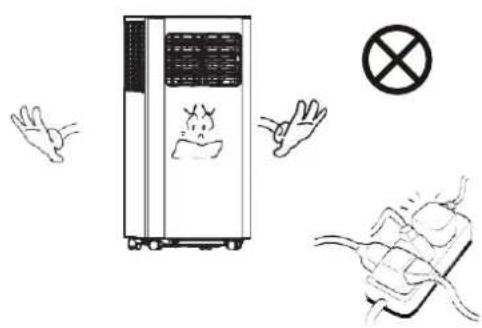
Never overload the socket.
Please turn off the machine before unplugging.
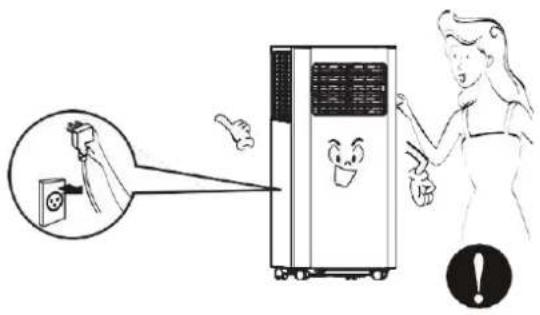
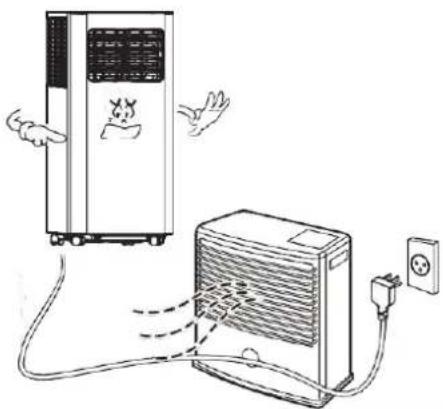
Keep away from heat sources or direct sunlight exposure.
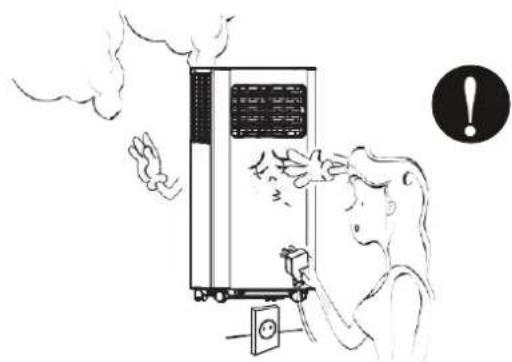
If there is any actue noise, smell or smoke, turn off and unplug for diagnosis.
natural_image
Illustration of a portable air conditioner connected to an electric heater with power outlet (no text or symbols)In case of electric shock, never damage the power cord by placing heavy objects on it.
natural_image
Illustration of a person reacting to a device emitting smoke, with an exclamation mark in the corner (no text or symbols on the diagram itself)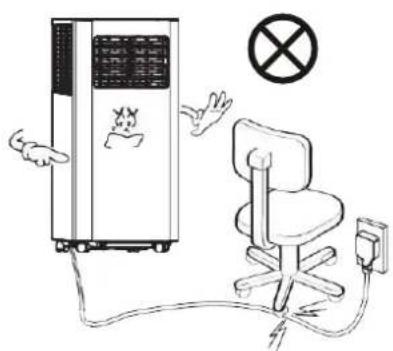
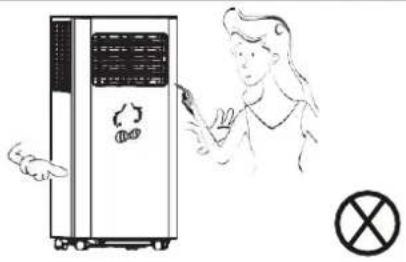
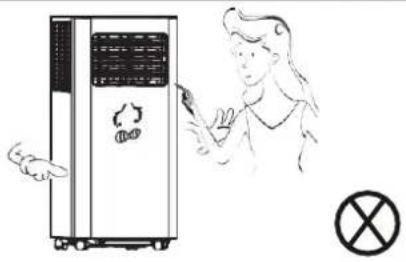
Never insert fingers or any hard objects into the louver.
natural_image
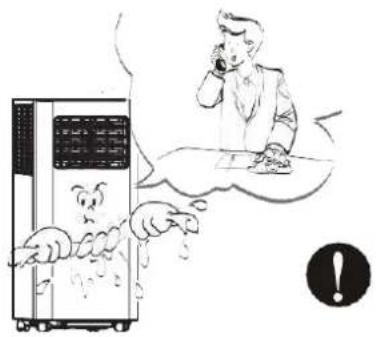
Illustration of a person holding a device next to a portable air conditioner unit, with a crossed-out symbol nearby (no text or labels)If water enters, turn off and unplug in time; and call for check and repair from a professional serviceman.
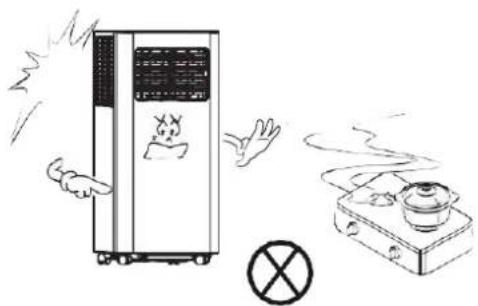
If gas leakage happens, open the window for ventilation before plugging the machine.
natural_image
Illustration of a steam cooker emitting exhaust smoke, with a warning symbol and no text present.Keep electrical parts away from water.
natural_image
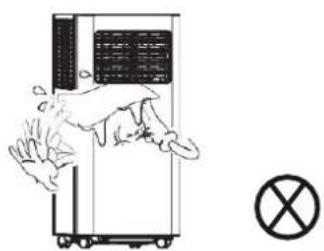
Simple line drawing of a person falling inside a device with a cross symbol below (no text or labels)Please turn off and unplug before wiping, cleaning or replacing components.
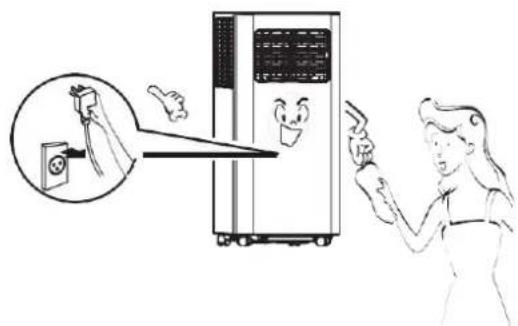
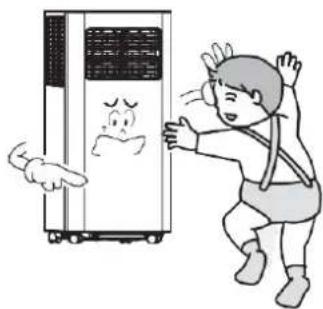
The appliance can be used by children of or above 8 years old and persons with reduced physical, sensory or phycological capabilities, if they have been given supervision and instruction concerning proper use and hazards of the appliance.
natural_image
Illustration of a child interacting with a refrigerator while another person looks on (no text or symbols present)Tips
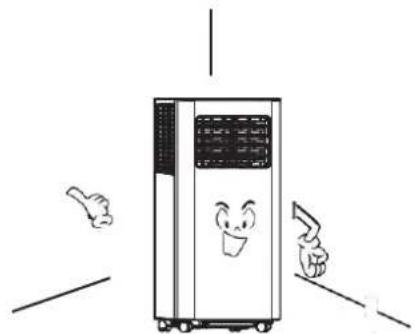
For a proper work of compressor, place the machine vertically on an even ground.
natural_image
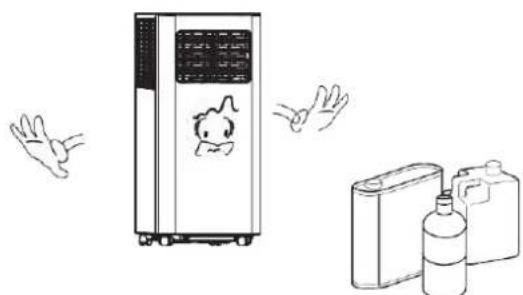
Cartoon illustration of a large industrial air conditioner unit with smiling face and two arms pointing outward (no text or symbols)Never use the appliance near gasoline or other flammable objects.
natural_image
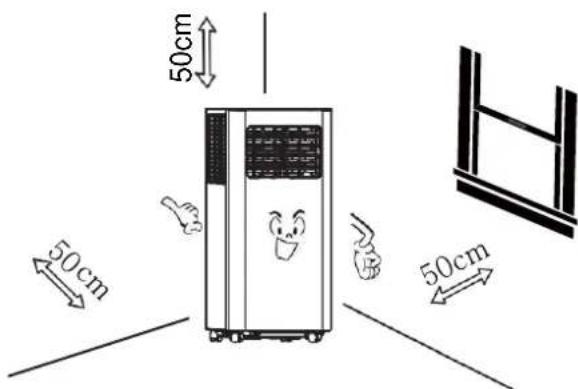
Illustration of a portable air conditioner unit, hand gestures, and two water bottles (no text or symbols)For a proper ventilation, keep the machine at least 50cm from objects nearby.
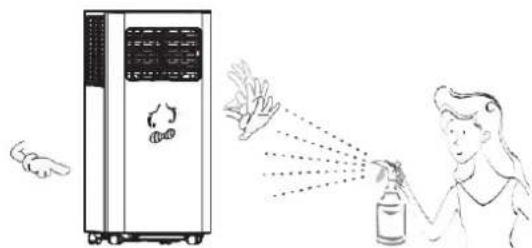
Keep the appliance from spraying agent or any solvent, or plastics may deform and electrical parts may even be damaged.
natural_image
Illustration of a person spraying a spray bottle near a portable air conditioner unit (no text or symbols)Main Components
1 Handle
2 Air Inlet Grille (Up)
3 Control Panel
4 Casters
⑤ Louver
6 Air Outlet Grille
7 Drainage Hole
8 Air Inlet Grille (Down)
10 Window Sealing Kit
9 Air Exhaust Duct Assembly
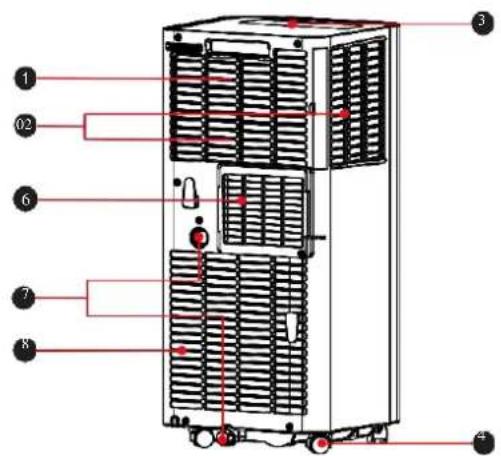
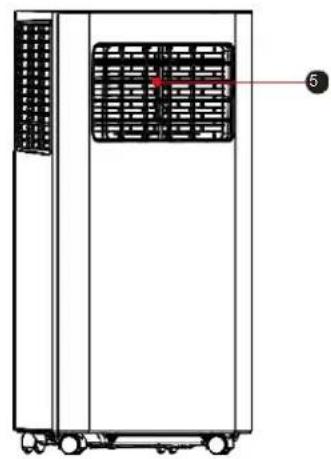
natural_image
Technical line drawing of a vertical industrial machine with ventilation grilles and wheels (no text or symbols)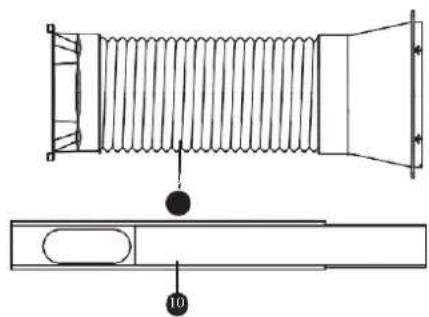
natural_image
Technical line drawing of a coiled spring component with a side view showing internal structure (no text or symbols)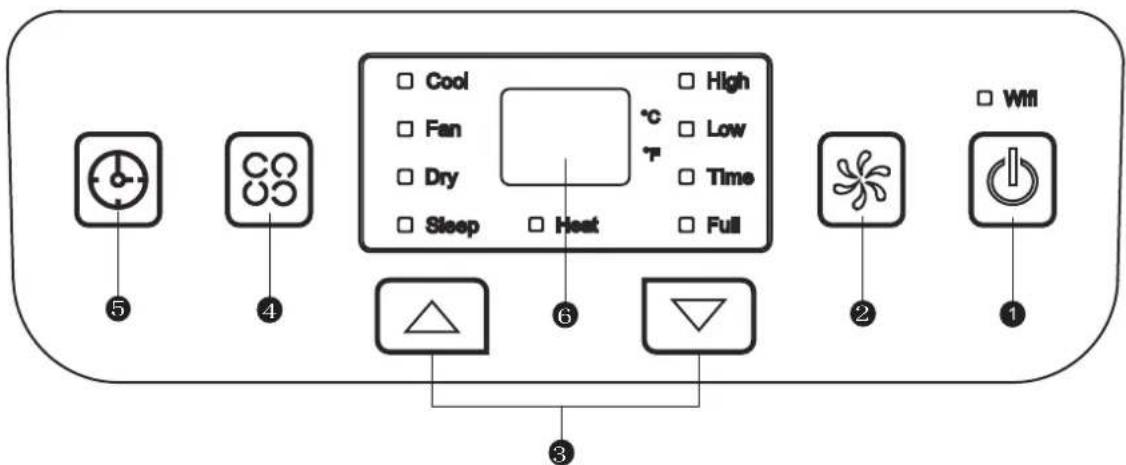
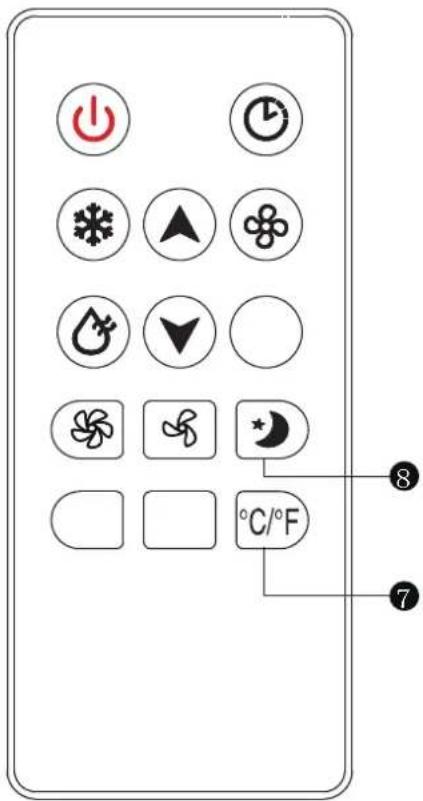
1 Power Button
Press the button for ON/OFF
2 Fan Speed Button
Press the key to choose high/low speed
3 UP/Down Button for Temperature and Timer
Under cooling mode, press the keys could increase or decrease setting temperature; In timer mode, press the keys could set time to turn on. By pressing the keys together, switch between ^ C and ^ F can be made.
4 Mode Button
Press the key to choose cooling, heat, fan, dry.
Notes: heat mode is not available for cooling only appliance.
5 only appliance Timer Button
Press the key at standby mode would set ON time Press the key at ON mode would set OFF time
6 Temperature and Timer Display
The window will indicate temperature and time.
7 Temperature Switch Button
The button is to switch between °C and °F
8 Sleep button
The button is to choose sleep mode.
Operation
Place & Install
Place
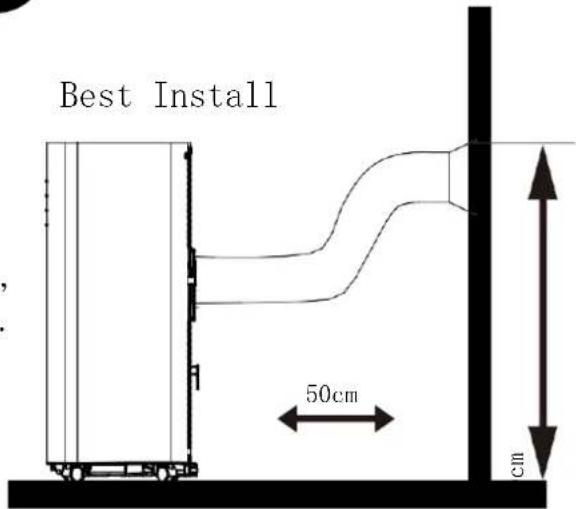
● Place the machine on the horizontal floor near the window.
● For proper ventilation and best machine performance, keep the appliance at least 50cm from objects nearby.
Install
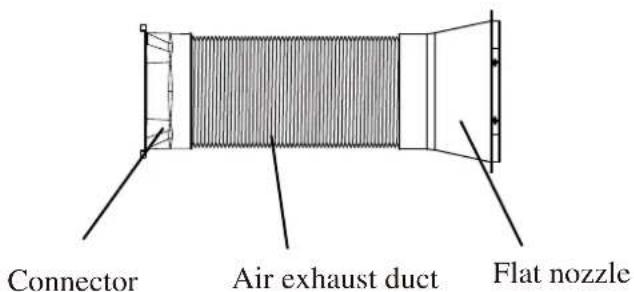
Air Exhaust Duct Assembly
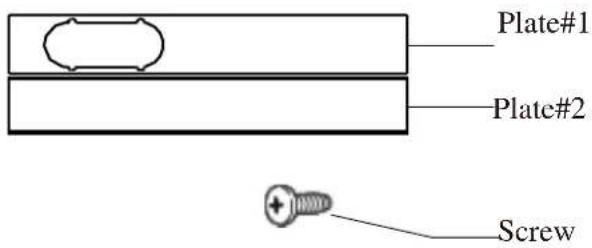
Optional Window Sealing Kit
Screw-fixture Type
Clip-fixture Type
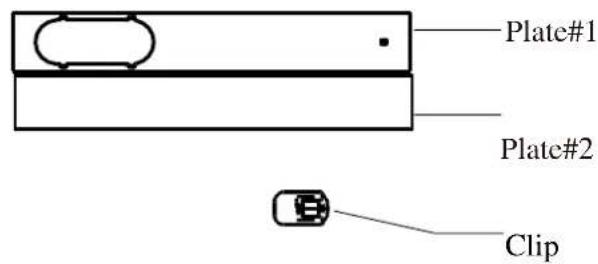
natural_image
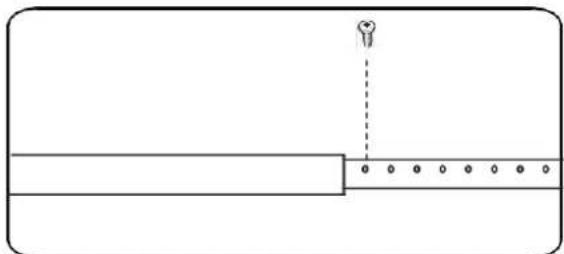
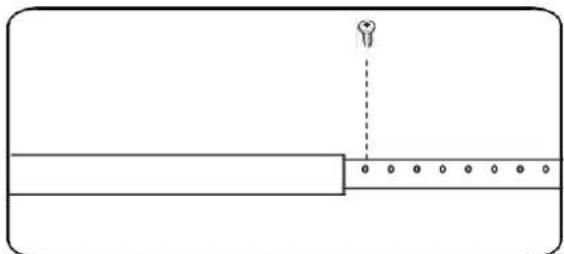
Simple line drawing of a rectangular container with a vertical dashed line and dot pattern at the bottom (no text or symbols)Fix the screw Firmly
Step 1:
Screw-fixture type
- Measure window size;
- Adjust Length of the plate according to window size;
- Fix the plate with a screw
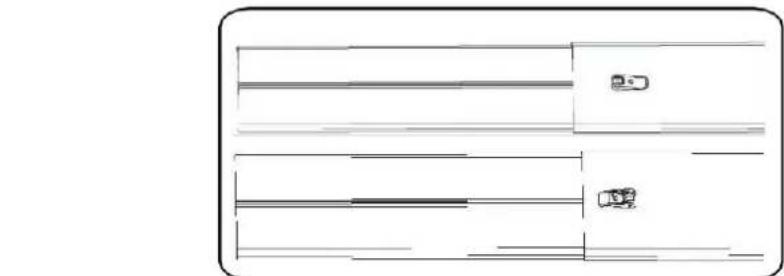
Clip-fixture Type
- Measure window size;
- Adjust Length of the plate according to window size;
- Lock the plate
Step 2:
Fix the plate to window
natural_image
Top-down schematic of a vehicle or road system layout with no visible text, numbers, or symbols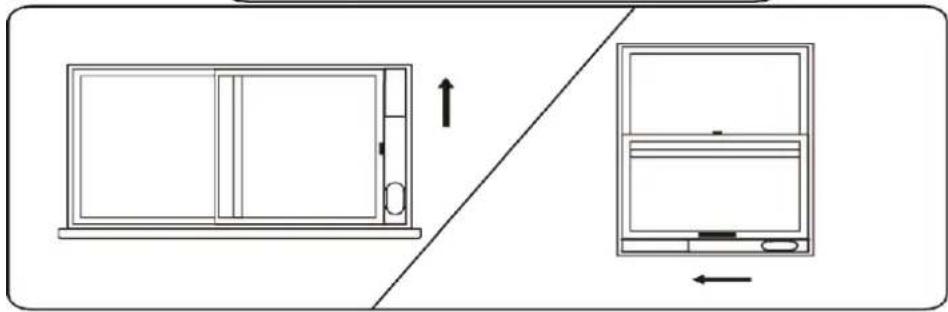
natural_image
Diagram showing a front panel and side view of a device with directional arrows (no text or symbols)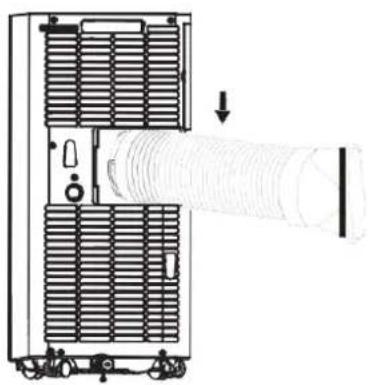
natural_image
Technical line drawing of a mechanical device with internal components and a cylindrical shaft (no text or symbols)Step 3:
Swirl the exhaust pipe assembly (exhaust fitting end) into the rear panel outlet (counterclockwise).
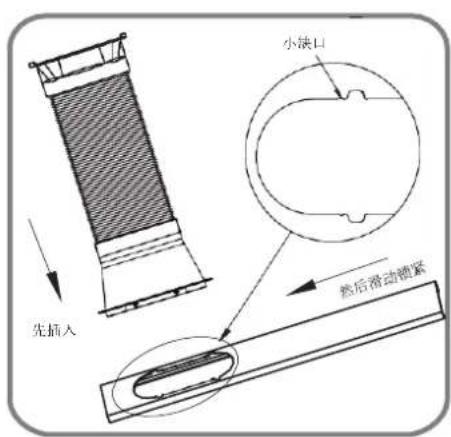
Insert the exhaust pipe assembly (exhaust port end) into the window seal panel assembly and screw it up.
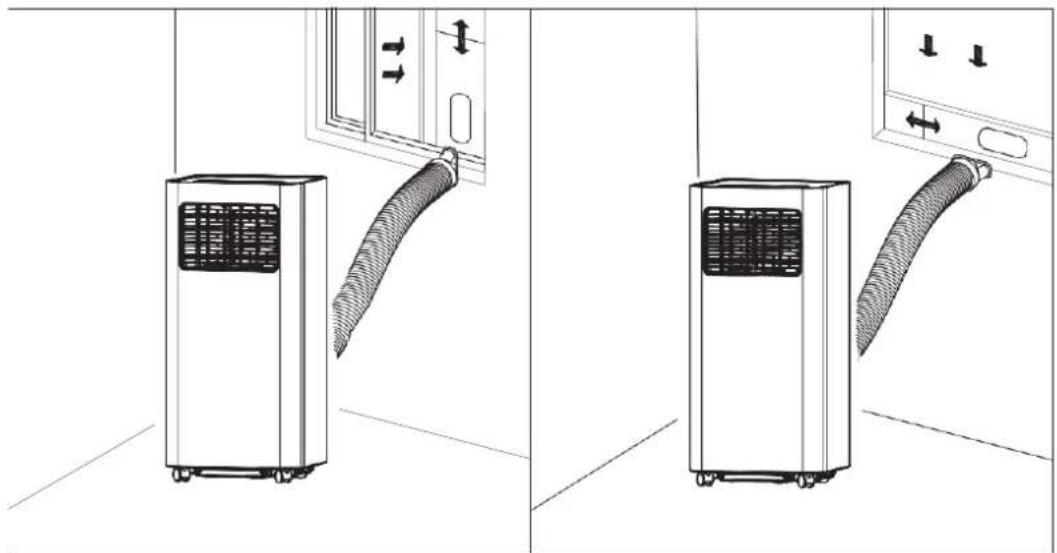
natural_image
Diagram showing two views of a small air conditioner unit with attached hose, mounted on a wall (no text or symbols present)Impression Drawing of Completion
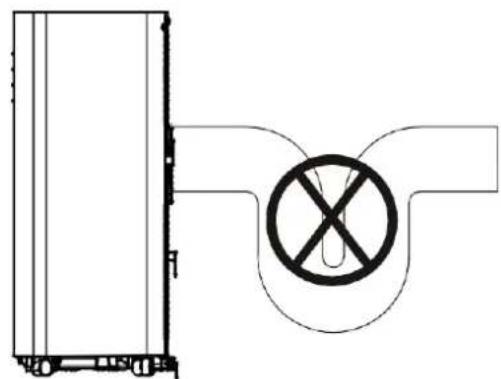
Incorrect installation
It's important to keep the exhaust duct smooth. Incorrect installation will affect work of the A/C.
● Prevent the exhaust duct from sharp bending.
● Ensure air can flow smoothly in the duct.
natural_image
Pure technical diagram showing a vertical panel connected to a circular component with a prohibition symbol (no text or labels)Warning
The exhaust duct is designed especially for this model. Don't replace or lengthen it; otherwise, it will result in failure.
Notice:
The air exhaust duct can stretch up to 1500mm. To avoid bending, stretch it as short as possible
REMOTE CONTROL
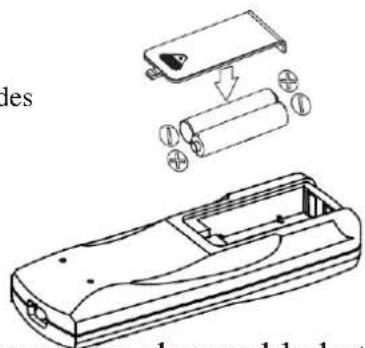
Please install the battery correctly before using the remote control. The specific steps are as follows:
1 Slide to open the battery cover on the back;
2 Insert 2*AAA (DC1.5V) new batteries and install electrodes correctly when inserted;
3 Fit the batteries in place.
Warning:
① Only AAA DC 1.5V batteries are allowed, never use chargeable batteries or other types of batteries.
② Replace both batteries; never mix new battery with old one.
③ Please remove batteries if the appliance is not to be used for a long time.
Warning:
① Never use leaked batteries;
② Chemicals in batteries could result in such health hazards as burns. If liquid in batteries splashes to skin or clothes, please wash with clean water in time. If batteries are swallowed, please rinse mouth immediately with clean water and then go to the doctor.

natural_image
Illustration of a hand pouring liquid from a pipe into a rolled document (no text or symbols)Cooling Mode
Operation
- Under cooling mode, cooling indicator will light on.
• Temperature Setting is from 16°C to 30°C. - Press Fan Speed Button to choose from low/ high fan speed.
Fan Mode
• Under Fan mode, indicator will be on.
- Press Fan Speed Button to choose from low/ high fan speed.
• Temperature cannot be set under this mode.
Dry Mode
- Dry indicator will be on under this mode.
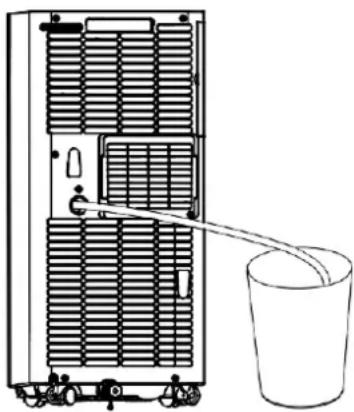
- Remove water plug (see right), insert one end of pipe to drainage hose, the other end would be in water tank or water channel.
- If ambient Temp. ≥ 17^ (or 62^ ) compressor starts and follow below sequence: if ambient Temp. ≤ 15^ (or 59^ ) compressor stops; when it reaches ≥ 17^ , compressor starts again. (There would be a 3-min delay for Compressor protection)
• Fan runs with a fixed low speed.
- Temp. is fixed.
(Notes: Under dry mode, please dismantle air exhaust duct, or performance will be affected and water full alarm “FL” will buzz.)
natural_image
Diagram of a server rack with a bucket inserted, showing internal ventilation and a pointer for scale (no text or labels)Heating Mode (not available for cooling only model)
• Under this mode, heating indicator will light up.
- Press UP/DOWN button to select Temp. between 16°C and 30°C.
- Press Fan Speed button to set low/ high speed.
Timer Mode
- In standby mode, press Timer button to set ON time. A range of 0 to 24 Hours could be set with UP/DOWN button. Timer indicator will light up in this mode.
- Under running state, press Timer button to set OFF time. A range of 0 to 24 Hours could be set with UP/DOWN button. Timer indicator will light up in this mode.
Clean and Maintenance
Drainage
With self-evaporating system, the appliance could perform better and save energy in a way of cooling down condensor by reusing condense water.
The appliance would display 'FL' with buzz sound, if built-in water container is full.
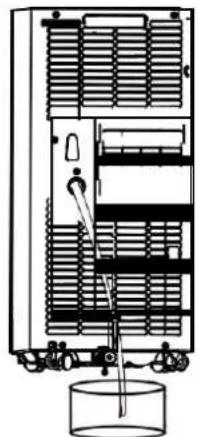
After compressor stops, please drain water as follows:
1 Unplug and dismantle air exhaust duct;
② Move the appliance to a right place;
③ Pull out the water plug, and drain all water;
4 Re-insert the water plug;
⑤ Re-install the air exhaust duct, restart the appliance.
Maintenance
natural_image
Technical line drawing of a multi-level industrial machine with internal components and a cylindrical tank (no text or symbols)Warning: In case of electric shock, turn off and unplug before repair or maintenance.
Body Clean
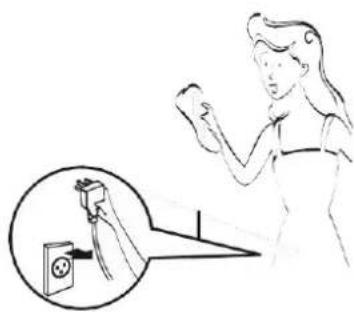
① Unplug before cleaning.
② Clean with soft and half-wet cloth. In case of damage to appearance or the appliance, never use chemical reagent, such as benzene, alcohol and gasoline.
③ Never let splash water enter the appliance.
natural_image
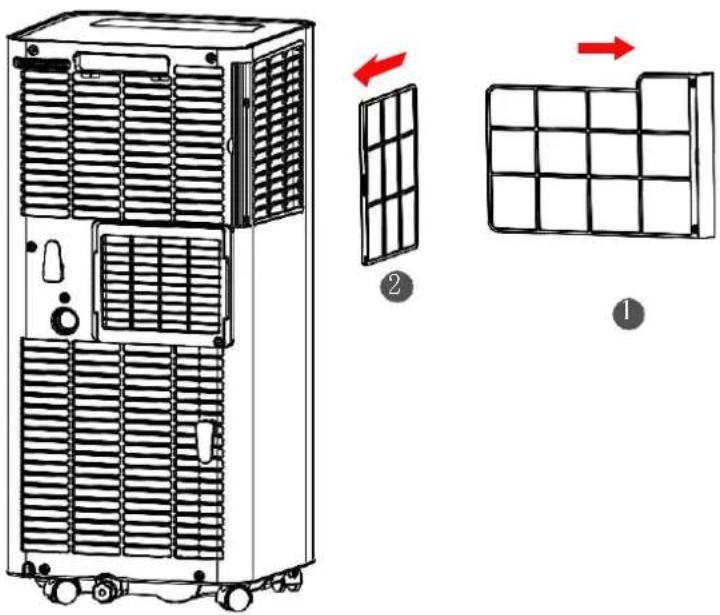
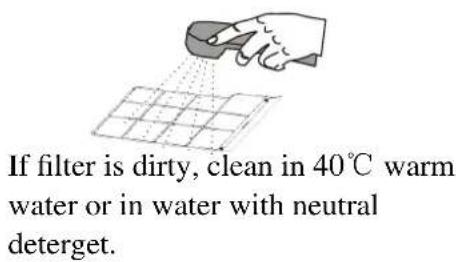
Illustration of a person using a handheld device to interact with an electrical outlet (no text or symbols present)Filter is to be cleaned once every two weeks. If air quality indoor is poor, it has to be washed more often, or performance of the appliance would be lowered due to blocked filter screen. Please follow below instructions for cleaning:
Take off air-inlet grille as indicated in the photo; pull out the filters.
Clean the filter in 40^ warm water or water with neutral detergent; dry the filter in a cooling area.
Re-install the filter and grille after drying completed; restart the appliance.
natural_image
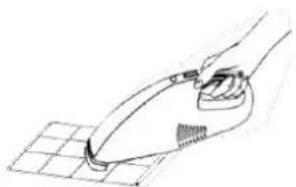
Line drawing of a hand using a handheld vacuum cleaner to clean or brush on a grid-patterned surface (no text or symbols)If filter is not that dirty, clean the dust with a vacuum cleaner.
Warning:
Do not wash with filter in water above 40^ C, or with irritating detergent such as alcohol, gasoline and benzene.
In case of deformation, filters are to be kept away from heat sources and dried naturally in a cooling area.
Never operate the appliance when filter is not installed.
Seasonal Maintenance
If the appliance will not be in use for a long time, please maintain by following below steps:
① Pull out water plug for drainage.
② Run in Fan mode for at least 2 hours to dry internal parts.
③ Turn off and unplug.
4 Clean the filter and reinstall.
⑤ Dismantle the air exhaust duct and keep it well.
⑥ Take off batteries.
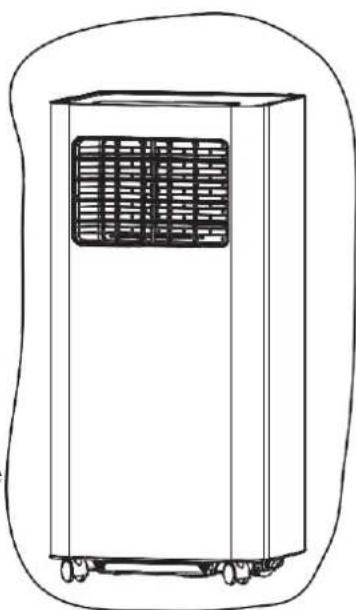
⑦ Wrap the appliance in a plastic bag and keep in a dry and cooling place
If the appliance haven't been used for a long time, please pay attention to the following when to be used again:
① Make sure water plug and filter are installed.
② Never use damaged power cord; Check before use.
③ Insert batteries.
④ Assemble other parts according to the instruction.
natural_image
Line drawing of a portable air conditioner unit with ventilation grille and wheels (no text or symbols)Common Failures and Diagnosis
Intelligent Error Detection
| Error-detecting code | Multi-functional defection |
| E1 | Error of the coil's temperature sensor |
| E2 | Error of indoor temperature sensor |
| E4 | Anti-freezing protection: temperature of the coil is too low and the whole A/C is off. When temperature exceeds 8°C ,the protection is released and previous working state is recovered. |
The following table lists the common faults and maintenance methods of this series of portable A/C. When the machine is in abnormal operation, the following
table can be used for simple diagnosis and maintenance. If it still can not be solved, please contact professional maintenance personnel.
| TROUBLE | CAUSE | SOLUTION |
| The A/C doesn’t work | No display | Reset circuit breaker on AC cord |
| The display “panel” displays “FL” | Restart the A/C after power off and draining, then it will become normal | |
| Time OFF function is started | The A/C can be restarted 3 minutes after being turning off | |
| The A/C starts frequently | Direct sunlight | Draw the curtain |
| Doors and windows keep open; there are lots of people or heat source in room | Close doors and windows, remove heat source | |
| Filter screen is very dirty | Clean or replace it | |
| Air inlet or air outlet is blocked | Remove the stem | |
| Big noise of the A/C | The A/C is placed unevenly | Place it at even and firm ground, avoid shaking |
| The compressor doesn’t work | Its delay protection is started | Wait for 3min, turn on after temperature decreases |
Technical Data
Fuse Parameter
Size: 5×20mm
Voltage: 250VAC
Current: 3.15A
Appearance & Size
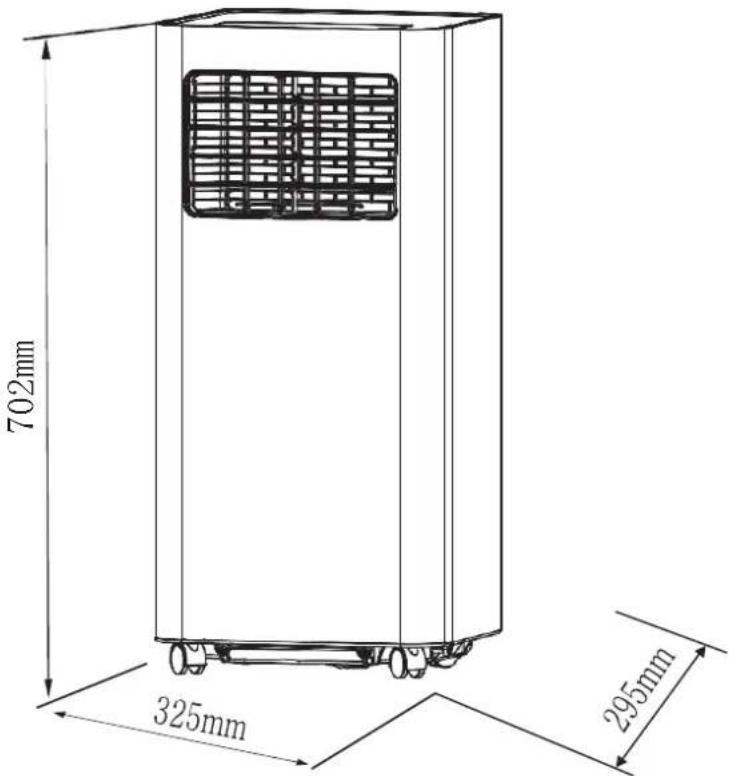
Data are for reference only;
If any changes, Yoau may not inform in advance.
INFINITON
natural_image
White industrial air conditioner unit with black top panel and blue ventilation slots (no visible text or symbols)natural_image
Illustration of a refrigerator with angry faces and a crossed-out 'X' symbol, next to a mouse and a dog (no text or symbols present)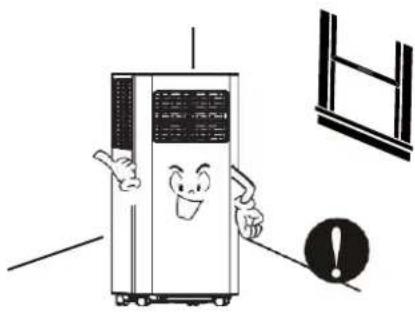
natural_image
Cartoon illustration of a smiling refrigerator with arms and legs, next to a window and an exclamation mark (no text or symbols)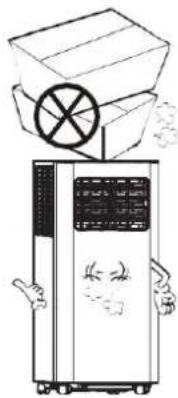
natural_image
Illustration of a refrigerator with a box and circular emblem above it, no text or symbols presentnatural_image
Illustration of a person reacting to a large air conditioner unit with a smiling face, accompanied by a solar panel and an exclamation mark (no text or symbols on the main image)natural_image
Illustration of a person lying on the floor next to a large industrial air conditioner unit with a cartoon character inside (no text or symbols)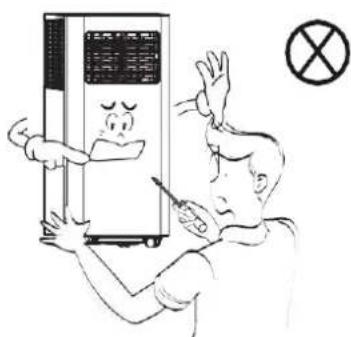
natural_image
Cartoon illustration of a winged character holding a phone with a crossed-out symbol nearby (no text or labels)natural_image
Illustration of a portable air purifier with warning symbols and an electrical plug (no text or labels)natural_image
Illustration of a person holding a device with wings and a small figure emerging from it, next to a crossed-out symbol (no text or labels)natural_image
Four hand-drawn diagrams showing a hand holding a ring, a water drop, a bird, and a container with a bag (no text or symbols)natural_image
Illustration of a server unit and a document with a warning symbol (no text or labels)natural_image
Illustration of a person reacting to a smokestack emitting exhaust, with an exclamation mark in the corner (no text or symbols on the diagram itself)natural_image
Illustration of a portable air conditioner connected to an electric heater with power outlet (no text or symbols)natural_image
Illustration of a person holding a device next to a server rack with a smokestack (no text or symbols)natural_image
Illustration of a portable air conditioner emitting exhaust smoke next to a gas stove with a cooking pot (no text or symbols)natural_image
Illustration of a hand reaching toward an air conditioner unit with a prohibition symbol (no text or labels)natural_image
Cartoon illustration of a child reacting to a distressed refrigerator with a surprised face (no text or symbols)Consejos
natural_image
Cartoon illustration of a server unit with smiling face and two hands pointing at it (no text or symbols)natural_image
Illustration of a portable air conditioner unit, a hand gesture, and two containers with bottles (no text or symbols)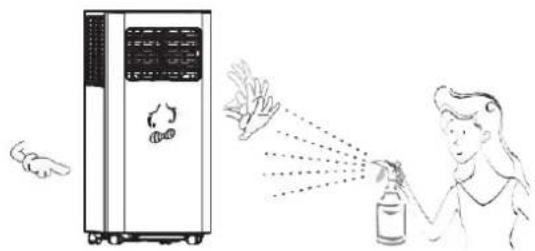
natural_image
Illustration showing a hand spraying spray onto a device next to a person's bottle (no text or symbols present)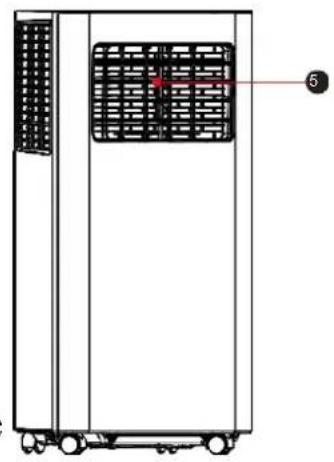
natural_image
Technical line drawing of a rectangular industrial machine with internal grid and wheels (no text or symbols)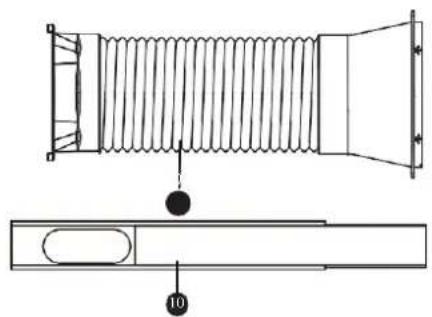
natural_image
Technical line drawing of a coiled spring assembly with a side view showing internal components (no text or symbols)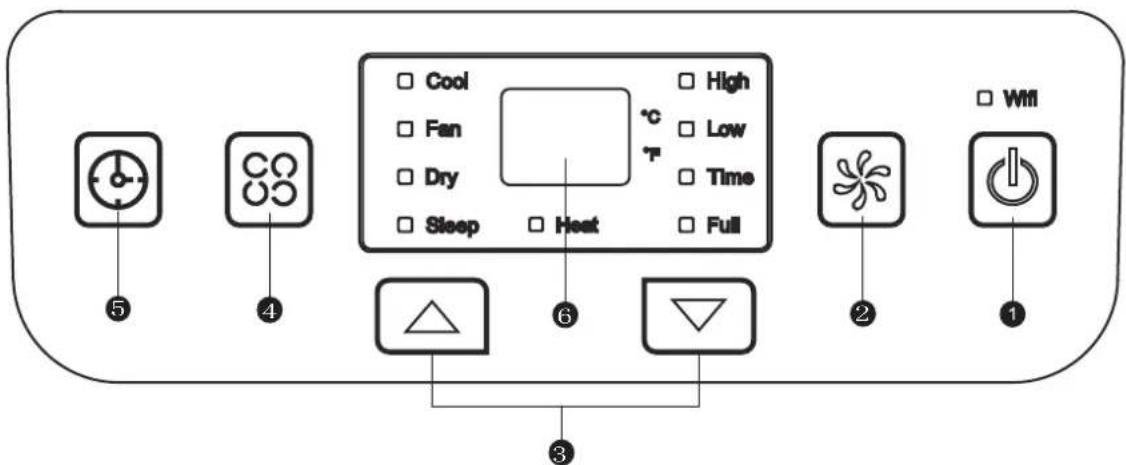
Operación
Colocar e instalar
Colocar
natural_image
Simple line drawing of a rectangular container with a vertical dashed line and dot pattern at the bottom (no text or symbols)Fix the screw Firmly
Paso 1:
natural_image
Top-down schematic of a vehicle or road system layout with no visible text, numbers, or symbols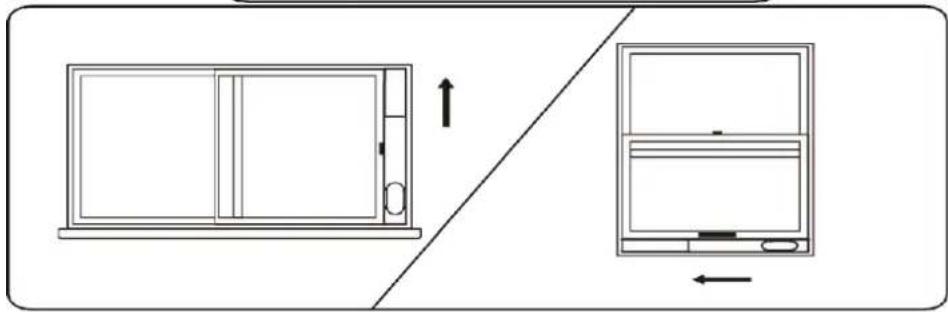
natural_image
Diagram showing a front panel with an arrow indicating upward motion, and a side view of a device with an arrow pointing left (no text or symbols present)natural_image
Technical line drawing of a mechanical device with internal components and a cylindrical shaft (no text or symbols)Paso 3:
natural_image
Diagram showing two views of a small air conditioner unit with attached hose, mounted on a wall (no text or symbols present)natural_image
Technical line drawing of a mechanical component with a circular cross symbol and no text or labelsAdvertencia
Advertencia:
natural_image
Illustration of hands using a tool to write or print a sheet of paper (no text or symbols present)Modo frío
Operación
natural_image
Diagram of a vertical industrial machine with a bucket inserted, showing internal structure and no text or symbols.natural_image
Technical line drawing of a mechanical device with internal components and a cylindrical base (no text or symbols)natural_image
Illustration of a person using a handheld device to interact with an electrical outlet (no text or symbols present)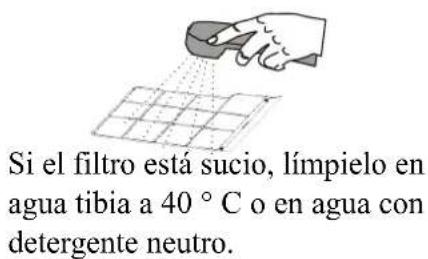
natural_image
Line drawing of a hand using a handheld tool to clean or brush on a grid surface (no text or symbols)natural_image
Line drawing of a portable air conditioner unit with cooling fan and wheels (no text or symbols)natural_image
White industrial air conditioner unit with black top panel and blue internal shelves (no visible text or symbols)natural_image
Cartoon illustration of a smiling refrigerator with arms and legs, accompanied by a warning symbol (no text or labels)Para evitar danos, nunca coloque itens pesados sobre a máquina.
natural_image
Illustration of a portable air conditioner unit with a box and circular component above it, no text or symbols present.natural_image
Illustration of a person reacting to a large air conditioner unit with a smiling face, accompanied by a solar panel and an exclamation mark (no text or symbols on the main image)natural_image
Illustration of a person reacting to a large industrial machine with a cartoon character inside, no text or symbols present.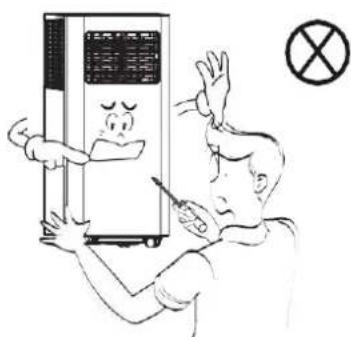
Avisos de segurança
natural_image
Cartoon illustration of a winged figure holding a phone with a crossed-out symbol nearby (no text or labels)natural_image
Illustration of an air purifier next to a fuse and a warning symbol (no text or labels)natural_image
Illustration of a woman holding a small object with wings and a cross symbol, no text or symbols presentnatural_image
Four hand-drawn diagrams showing a hand holding a ring, a cross symbol, a bird, a hand washing clothes, and a container with a person (no text or symbols)natural_image
Illustration of a server unit and a book with a warning symbol (no text or labels)natural_image
Illustration of a plug plug connected to a hand holding a resistor, with a crossed-out symbol nearby (no text or labels)natural_image
Illustration of a person reacting to a device emitting smoke, with an exclamation mark in the corner (no text or symbols on the diagram itself)natural_image
Illustration of a portable air conditioner connected to a server with wiring and power outlet (no text or symbols)Nunca insira dedos ou objetos duros na persiana.
natural_image
Illustration of a person holding a device next to a portable air conditioner unit, with a crossed-out symbol nearby (no text or labels)natural_image
Illustration of a steam cooker emitting exhaust smoke, with a warning symbol and no text present.natural_image
Simple line drawing of a person falling inside a container with a checkmark symbol (no text or labels)natural_image
Illustration of a child interacting with a refrigerator while another person looks on (no text or symbols present)Dicas
natural_image
Cartoon illustration of a smiling industrial machine with two hands pointing at it (no text or symbols)natural_image
Illustration of a portable air conditioner unit, a hand gesture, and two containers with bottles (no text or symbols)natural_image
Illustration showing a hand spraying disinfectant from a spray bottle to a server rack (no text or symbols)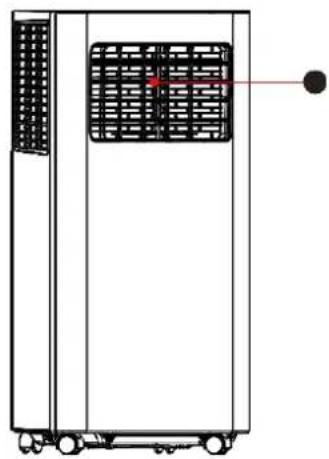
natural_image
Technical line drawing of a vertical industrial machine with cooling fans and wheels (no text or symbols)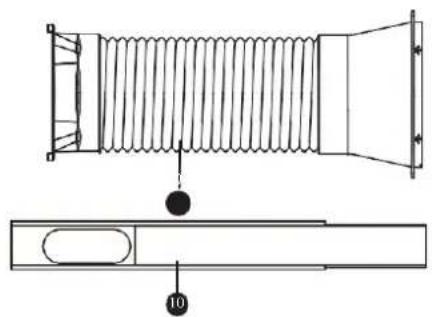
natural_image
Technical line drawing of a coiled spring component with a base plate and labeled part (10), no text or symbols present.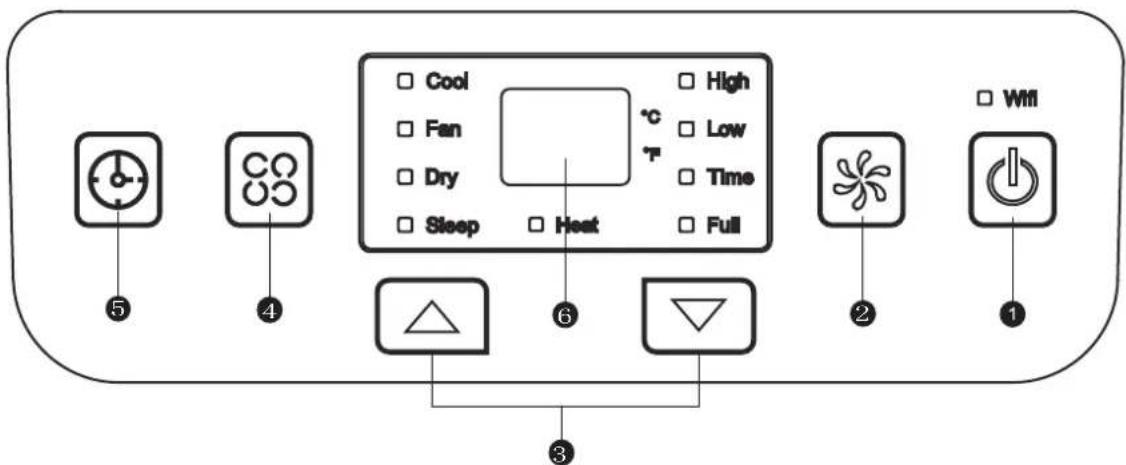
Operação
Coloque e instale
Colocar
natural_image
Simple line drawing of a rectangular container with a vertical dashed line and dot pattern at the bottom (no text or symbols)Fix the screw Firmly
Passo 1:
natural_image
Top-down schematic of a vehicle or road system layout with no visible text, numbers, or symbols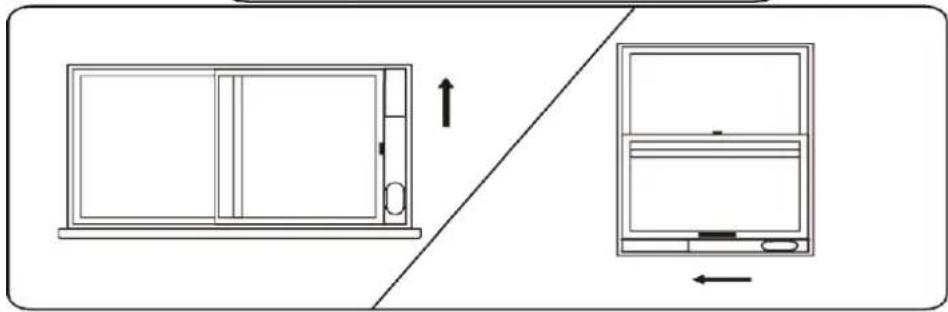
natural_image
Diagram showing a front panel and side view of a device with directional arrows (no text or symbols)natural_image
Technical line drawing of a vertical industrial machine with internal cooling fins and a coiled duct (no text or symbols)Etapa 3:
natural_image
Diagram showing two views of a small air conditioner unit with attached hose, mounted on a wall (no text or symbols present)natural_image
Technical line drawing of a mechanical component with a circular cross symbol and no text or labelsAtenção
natural_image
Illustration of hands using a tool to lift a cylindrical object, with a small house on top (no text or symbols)natural_image
Diagram of a server rack with a bucket pouring liquid into it (no text or symbols)natural_image
Technical line drawing of a multi-level industrial machine with cooling fans and a cylindrical tank (no text or symbols)natural_image
Illustration of a person using an electrical outlet to interact with a device (no text or symbols present)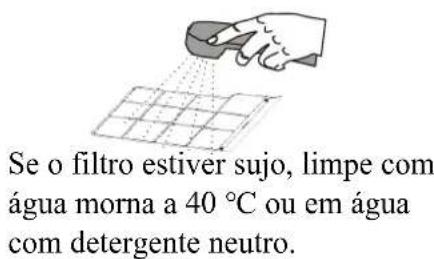
natural_image
Line drawing of a hand using a handheld vacuum cleaner to clean or brush on a grid-patterned surface (no text or symbols)natural_image
Line drawing of a portable air conditioner unit with ventilation grille and wheels (no text or symbols)- Contents
- Users Know-how
- Product Overview
- Operation
- Clean and Maintenance
- Common Failures and Diagnosis
- Technical Data
- Warranty Card....20
- USER KNOWLEDGE
- Precaution
- Safety Warnings
- Tips
- Main Components
- Power Button
- Fan Speed Button
- UP/Down Button for Temperature and Timer
- Mode Button
- only appliance Timer Button
- Temperature and Timer Display
- Temperature Switch Button
- Sleep button
- Place & Install
- Place
- Install
- Step 1:
- Screw-fixture type
- Clip-fixture Type
- Step 2:
- Step 3:
- Incorrect installation
- Warning
- Notice:
- REMOTE CONTROL
- Warning:
- Cooling Mode
- Fan Mode
- Dry Mode
- Heating Mode (not available for cooling only model)
- Timer Mode
- Drainage
- Maintenance
- Body Clean
- Seasonal Maintenance
- Intelligent Error Detection
- Fuse Parameter
- Appearance & Size
- INFINITON
- Consejos
- Operación
- Colocar e instalar
- Colocar
- Paso 1:
- Paso 3:
- Advertencia
- Advertencia:
- Modo frío
- Avisos de segurança
- Dicas
- Operação
- Coloque e instale
- Passo 1:
- Etapa 3:
- Atenção
Brand : Infiniton
Model : PAC-97CO
Category : Air conditioner