
Reyno GTX 786 - Webcam TRUST - Free user manual and instructions
Find the device manual for free Reyno GTX 786 TRUST in PDF.


Pick your language and provide your email: we'll send you a specifically translated version.
| Product Type | Webcam |
| Brand | Trust |
| Model | Reyno GTX 786 |
| Resolution | 1920 x 1080 (Full HD) |
| Frame Rate | 30 fps |
| Microphone | Built-in stereo microphone |
| Field of View | 90° |
| Connection Type | USB 2.0 |
| Cable Length | 1.5 meters |
| Mounting | Adjustable clip with tripod thread |
| Compatibility | Windows, macOS, Chrome OS |
| Dimensions | 10.0 x 6.5 x 5.0 cm |
| Weight | 120 grams |
| Power Source | USB bus-powered |
| Special Features | Auto light correction, privacy shutter |
| Image Sensor | CMOS |
| Focus Type | Fixed focus |
| Included Accessories | User manual, quick start guide |
| Warranty | 2 years |
Frequently Asked Questions - Reyno GTX 786 TRUST
How do I install the Trust Reyno GTX 786 webcam?
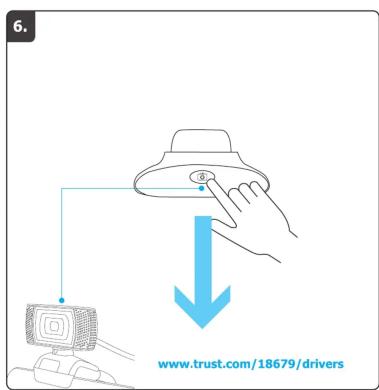
Simply plug the webcam into a USB port on your computer. The device should be automatically recognized. For optimal performance, download the latest drivers from the Trust website.
Does the webcam work with Windows 10 and Windows 11?
Yes, the Trust Reyno GTX 786 is fully compatible with Windows 10 and Windows 11. It also works with macOS and Chrome OS.
How can I adjust the field of view?
The webcam has a 90° fixed field of view. You can tilt the camera manually using the adjustable clip to frame your shot.
What is the maximum video resolution supported?
The webcam supports Full HD 1080p resolution at 30 frames per second. It also supports lower resolutions like 720p.
Does the webcam have a built-in microphone?
Yes, it has a built-in stereo microphone for clear audio during video calls.
How do I clean the webcam lens?
Use a soft, dry microfiber cloth to gently wipe the lens. Avoid using liquids or abrasive cleaners to prevent damage.
Can I use the webcam with third-party applications like Zoom or Skype?
Yes, the webcam is compatible with all major video conferencing applications such as Zoom, Skype, Microsoft Teams, and Google Meet.
How do I enable the privacy shutter?
The webcam features a physical privacy shutter on the lens. Slide it to cover the lens when not in use.
What should I do if my computer does not detect the webcam?
First, try a different USB port. Restart your computer. If the issue persists, check Device Manager for unknown devices and update drivers from the Trust website.
Is the webcam compatible with a tripod?
Yes, the base has a standard tripod thread (1/4 inch) so you can mount it on any tripod.
User questions about Reyno GTX 786 TRUST
0 question about this device. Answer the ones you know or ask your own.
Ask a new question about this device
No questions yet. Be the first to ask one.
Download the instructions for your Webcam in PDF format for free! Find your manual Reyno GTX 786 - TRUST and take your electronic device back in hand. On this page are published all the documents necessary for the use of your device. Reyno GTX 786 by TRUST.
USER MANUAL Reyno GTX 786 TRUST







Manual assistant
Powered by Anthropic
Waiting for your message
Product information
Brand : TRUST
Model : Reyno GTX 786
Category : Webcam