
A-USB3-HDMI-02 - Cable Cablexpert - Free user manual and instructions
Find the device manual for free A-USB3-HDMI-02 Cablexpert in PDF.


| Product Type | USB 3.0 to HDMI Adapter |
| Brand | Cablexpert |
| Model | A-USB3-HDMI-02 |
| Connector Input | USB 3.0 Type-A Male |
| Connector Output | HDMI Female |
| Cable Length | Approx. 0.15 m (integrated) or dongle form |
| Dimensions (approx.) | 5.5 x 2.0 x 1.2 cm |
| Weight | 18 g |
| Power Supply | USB bus powered (no external power needed) |
| Max Resolution | 1920 x 1080 @ 60 Hz |
| Supported OS | Windows 7 SP1+, Windows 8/10/11, macOS, Android |
| Function | Extend or mirror display from USB port to HDMI monitor |
| Driver Installation | Auto-run from built-in mass storage or manual download |
| Compliance | USB 3.0 SuperSpeed (backward compatible with USB 2.0) |
| Color | Black |
| Certifications | CE, FCC, RoHS |
| Package Contents | USB to HDMI adapter, driver CD not included (driver online) |
| Warranty | 1 year limited |
| Operating Temperature | 0°C to 45°C |
| Storage Temperature | -20°C to 70°C |
Frequently Asked Questions - A-USB3-HDMI-02 Cablexpert
User questions about A-USB3-HDMI-02 Cablexpert
0 question about this device. Answer the ones you know or ask your own.
Ask a new question about this device
Download the instructions for your Cable in PDF format for free! Find your manual A-USB3-HDMI-02 - Cablexpert and take your electronic device back in hand. On this page are published all the documents necessary for the use of your device. A-USB3-HDMI-02 by Cablexpert.
USER MANUAL A-USB3-HDMI-02 Cablexpert
- Plug the USB Display dongle
- Run the driver setup software in USB Mass Storage Device
| OS Driver | |
| Windows xx.exe | |
| MacOS xx.dmg | |
| Android xx.apk |
- Reboot the system
Drivers Download
USB Display Driver For Win7 / Win8 / WinVista / Win10 / Win11
Latest Release
MSDisplay_MultiDev_v1.0.0.18.0.exe
Older releases
MSDisplay_MultiDev_v1.0.1.60.exe
MSDisplay_MultiDev_v1.0.1.4.exe
MSDisplay_MultiDev_v1.0.1.3.exe
USB Display Driver For WinXP
Latest Release
MSDisplay_v1.0.0.0_XP.exe
Older releases
USB Display Driver For MacOS
Latest Release
MSDisplay_MacOS_v1.0.2b_20201125.dmg
Older releases
MSDisplay_MacOS_v1.0.2_20200926.dmg
MSDisplay_MacOS_v1.0.1.0_20200309.dmg
USB Display Driver For Android
Latest Release
MSDisplay_Android_v2.0.0.3.apk
Older releases
MS9120_V1.0.1.6_release.apk
FAQ
- The driver was killed by antivirus software
- Temporary close antivirus, or add the file into the antivirus software 'Exceptions' or 'Trust' list
- Is it support Win7?
- Need Win7 SP1 or above
- Black screen with mouse only with MacOS?
- System Preferences -> Security & Privacy -> Privacy -> Screen Recording, find screen_capturee_msdisply and check that
- Portrait mode doesn't work on Windows?
- Can not support
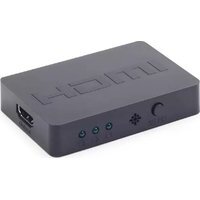
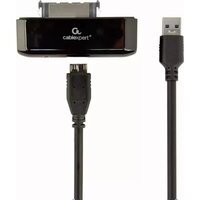
Brand : Cablexpert
Model : A-USB3-HDMI-02
Category : Cable