
SWRHN-62L - Car audio accessory CRUX - Free user manual and instructions
Find the device manual for free SWRHN-62L CRUX in PDF.


| Product Type | Steering Wheel Control Interface |
| Model | SWRHN-62L |
| Brand | CRUX |
| Dimensions | 2.5 x 1.5 x 0.8 inches |
| Weight | 0.1 lbs |
| Power Supply | 12V DC (vehicle battery) |
| Compatibility | Most CAN bus vehicles |
| Primary Function | Retain factory steering wheel audio controls |
| Advanced Features | Programmable button mapping, SWC learning |
| Installation | Plug and play, no wire cutting required |
| Firmware Update | Via USB (PC) |
| Indicators | LED for power and programming status |
| Operating Temperature | -20°C to 70°C |
| Maintenance | Keep dry; clean with soft dry cloth |
| Safety | Overcurrent protection, reverse polarity protection |
| Included Items | Main unit, wiring harness, instruction manual |
| Repair | Not user-serviceable; contact dealer |
| Spare Parts | Available via CRUX distributors |
| Warranty | 1 year limited |
| Certifications | CE, RoHS |
Frequently Asked Questions - SWRHN-62L CRUX
User questions about SWRHN-62L CRUX
0 question about this device. Answer the ones you know or ask your own.
Ask a new question about this device
Download the instructions for your Car audio accessory in PDF format for free! Find your manual SWRHN-62L - CRUX and take your electronic device back in hand. On this page are published all the documents necessary for the use of your device. SWRHN-62L by CRUX.
USER MANUAL SWRHN-62L CRUX
- Retains factory features in select Honda vehicles while functioning with an aftermarket radio.
- Pre-programmed to retain factory Steering Wheel Controls.
- Retains Factory Auxiliary Input.
- EIA color coded wiring for easy installation.
NOTES:
- Does not support amplified systems.
- Does not retain Rear Seat Entertainment system (RSE).
- Does not retain factory navigation system.
PARTS INCLUDED:


natural_image
Coiled electrical connector with multiple colored wires (no text or symbols visible)

SWRHN-62L MODULE SWRHN-62L HARNESS ANTENNA ADAPTER SWC CABLE
INSTALLATION DIAGRAM:
LED TROUBLESHOOTING ON MODULE
| LED LIGHT | LED MODULE FEEDBACK | |
| BLUE LED OFF | NO POWER | CHECK VOLTAGE |
| RED LED FLASHES | WHEN PRESSING SWC BUTTONS | |

flowchart
graph TD
    A["12V Constant"] --> B["Yellow"]
    C["+12V ACC"] --> D["Red"]
    E["Ground"] --> F["Black"]
    G["Amplifier Turn On"] --> H["Blue/White"]
    I["Illumination (-) (Not Used)"] --> J["Orange/White"]
    K["Illumination (+)"] --> L["Orange"]
    M["Right Front (+)"] --> N["Gray"]
    O["Right Front (-)"] --> P["Gray/Black"]
    Q["Left Front (+)"] --> R["White"]
    S["Left Front (-)"] --> T["White/Black"]
    U["Right Rear (+)"] --> V["Violet"]
    W["Right Rear (-)"] --> X["Violet/Black"]
    Y["Left Rear (+)"] --> Z["Green"]
    AA["Left Rear (-)"] --> AB["Green/Black"]
    AC["TO FACTORY HARNESS"] --> AD["Blue / Power Antenna"]
    AE["SWC MODULE"] --> AF["12-Pin Black Connector"]
    AG["3.5MM SWC CABLE"] --> AH["Plug in the 3.5MM SWC cable to the 4-pin port on the module. See "DIP SWITCH SETTINGS" section."]
    AI["AFTERMARKET RADIO"] --> AJ["Aftermarket Radio Selector (See Chart)"]
    AK["HONDA SWC SETTING (OFF ON ON OFF)"] --> AL["ON RADIO | VEHICLE"]
    AM["4-Pin Connector"] --> AN["BLUE / YELLOW (for Kenwood & JVC)"]
    AO["Insulate with tape if not being used"] --> AP["Blue / YELLOW (for Kenwood & JVC)"]

DIP SWITCH SETTINGS:
AFTERMARKET RADIO DIP SWITCH SETTINGS:
| RADIO BRAND: | DIP: | 1 | 2 | 3 | 4 | |||||||||||||||||||||||||||||||||||||||||||||||||||||||||||||||||||||||||||||||||||||||||||||||||
| Atoto, Dual, Farenheit, Jensen, Pioneer Power Acoustik, Soundstream Blaupunkt, Most off-brand Radios Alpine Clarion Kenwood JVC Boss, Old Sony New Sony | OFF OFF ONOFF OFF ONOFF OFF ONOFF OFF ONOFF ON ONOFF ON ONOFF ON ONOFF ON OFFON OFFON OFFON OFFON OFFON OFFON OFFON OFFON OFFON OFFON OFFON OFFON OFFON OFFON OFFON OFFON OFFON OFFON OFFON OFFON OFFON OFFON OFFON OFFON OFFON OFFON OFFON OFFON OFFON OFFON OFFON OFFON OFFON OFFON OFFON OFFON OFFON OFFON OFFON OFFON OFFON OFFON OFFON OFFON OFFON OFFON OFFON OFFON OFFON OFFON OFFUN OFFON OFFON OFFON OFFON OFFON OFFON OFFON OFFON OFFON OFFON OFFON OFFON OFFON OFFON OFFON OFFON OFFON OFFON OFFON OFFON OFFON OFFON OFFON OFFON OFFON OFFON OFFON OFFON OFFON OFFON OFFON OFFON OFFON OFFON OFFON OFFON OFFON OFFON OFFON OFFON OFFON OFFON OFFON OFFON OFFON OFFON OFFON OFFON OFFON OFFN OFFON OFFON OFFON OFFON OFFON OFFON OFFON OFFON OFFON OFFON OFFON OFFON OFFON OFFON OFFON OFFON OFFON OFFON OFFON OFFON OFFON OFFON OFFON OFFON OFFON OFFON OFFON OFFON OFFON OFFON OFFON OFFON OFFON OFFON OFFON OFFON OFFON OFFON OFFON OFFON OFFON OFFON OFFON OFFON OFFON OFFON OFFON OFFON OFFON OFFNON OFFON OFFON OFFON OFFON OFFON OFFON OFFON OFFON OFFON OFFON OFFON OFFON OFFON OFFON OFFON OFFON OFFON OFFON OFFON OFFON OFFON OFFON OFFON OFFON OFFON OFFON OFFON OFFON OFFON OFFON OFFON OFFON OFFON OFFON OFFON OFFON OFFON OFFON OFFON OFFON OFFON OFFON OFFON OFFON OFFON OFFON OFFON OFFON OFFON OFFCON OFFCON OFFCON OFFCON OFFCON OFFCON OFFCON OFFCON OFFCON OFFCON OFFCON OFFCON OFFCON OFFCON OFFCON OFFCON OFFCON OFFCON OFFCON OFFCON OFFCON OFFCON OFFCON OFFCON OFFCON OFFCON OFFCON OFFCON OFFCON OFFCON OFFCON OFFCON OFFCON OFFCON OFFCON OFFCON OFFCON OFFCON OFFCON OFFCON OFFCON OFFCON OFFCON OFFCON OFFCON OFFCON OFFCON OFFCON OFFCON OFFCON OFF CON OFFCON OFFCON OFFCON OFFCON OFFCON OFFCON OFFCON OFFCON OFFCON OFFCON OFFCON OFFCON OFFCON OFFCON OFFCON OFFCON OFFCON OFFCON OFFCON OFFCON OFFCON OFFCON OFFCON OFFCON OFFCON OFFCON OFFCON OFFCON OFFCON OFFCON OFFCON OFFCON OFFCON OFFCON OFFCON OFFCON OFFCON OFFCON OFFCON OFFCON OFFCON OFFCON OFFCON OFFCON OFFCON OFFCON OFFCON OFFCON OFFCON OFFCon Farenheit, Jensen, Pioneer Power Acoustik, Soundstream Blaupunkt, Most off-brand Radios Alpine Clarion Kenwood JVC Boss, Old Sony New Sony |

NOTE: For Atoto, Blaupunkt, Dual, Farenheit, Power Acoustik, Soundstream, and most off-brand radios, check the aftermarket radio's manual to see if the SWC buttons need to be programmed.
HONDA STEERING WHEEL CONTROL DIP SWITCH SETTING:
| DIP: 5 | 6 | 7 | 8 | |
| Honda | OFF | ON | ON | OFF |

3.5MM SWC CABLE
Plug in the 3.5MM to 4-Pin SWC cable and set the DIP switches to the aftermarket radio you are using.
NOTE: Insulate the Blue/Yellow wire or 3.5mm plug if not being used.
For aftermarket radios that have wires for SWC connections, cut off the 3.5mm plug on the Crux SWC Cable and connect the SWC wires as follows:

natural_image
Pure diagram of a mechanical or electrical component with three arms and a central shaft (no text or symbols)RED to SWC Key 1
WHITE to SWC Key 2
SHIELD to SWC Ground
Note that there are some radios that only have SWC1 and SWC2, in this case “shield” does not need to be connected.
VEHICLE APPLICATIONS:
Honda
| 2008 – 2012 | Accord DX/EX/LX* |
| 2011 – 2013 | CRZ |
| 2009 – 2013 | Fit |
| 2008 – 2011 | Odyssey |
| 2009 – 2013 | Pilot* |
| 2009 – 2013 | Ridgeline |
*Does NOT retain factory radio display.

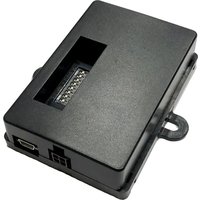
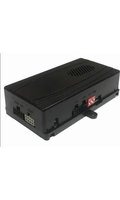
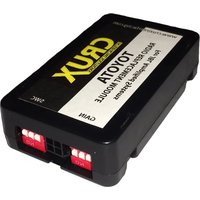


Brand : CRUX
Model : SWRHN-62L
Category : Car audio accessory