
SWRHN-62D - Car kit CRUX - Free user manual and instructions
Find the device manual for free SWRHN-62D CRUX in PDF.


| Type de produit | Car Kit |
| Marque | CRUX |
| Modèle | SWRHN-62D |
| Dimensions (L x l x H) | Approx. 10 x 5 x 2 cm |
| Poids | Approx. 100 g |
| Alimentation | 12V DC (cigarette lighter) |
| Consommation électrique | < 1A |
| Connectivité | Bluetooth 4.0+ |
| Portée Bluetooth | Up to 10 meters |
| Fonctions principales | Mains libres, streaming audio, recharge USB |
| Entrée audio | Bluetooth |
| Sortie audio | Haut-parleur intégré, sortie FM ou AUX |
| Ports | USB (charge), prise AUX 3.5 mm |
| Compatibilité | Majorité des smartphones et GPS |
| Entretien et nettoyage | Essuyer avec un chiffon doux et sec |
| Sécurité | Ne pas utiliser en conduisant sans système mains libres |
| Pièces détachées et réparabilité | Non réparable par l'utilisateur; contacter le SAV |
| Température de fonctionnement | -10°C à 60°C |
| Informations générales | Kit voiture CRUX pour appels et musique sans fil |
Frequently Asked Questions - SWRHN-62D CRUX
User questions about SWRHN-62D CRUX
0 question about this device. Answer the ones you know or ask your own.
Ask a new question about this device
Download the instructions for your Car kit in PDF format for free! Find your manual SWRHN-62D - CRUX and take your electronic device back in hand. On this page are published all the documents necessary for the use of your device. SWRHN-62D by CRUX.
USER MANUAL SWRHN-62D CRUX
- Retains factory features in select Honda vehicles while functioning with an aftermarket radio.
- Pre-programmed to retain factory Steering Wheel Controls.
- Retains Factory Auxiliary Input.
- Includes Honda antenna adapter.
- EIA color coded wiring for easy installation.
PARTS INCLUDED:


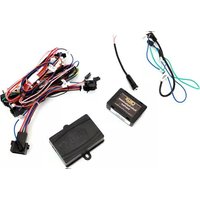
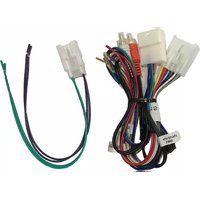
SWRHN-62D MODULE SWRHN-62D HARNESS ANTENNA ADAPTER SWC CABLE
INSTALLATION DIAGRAM:
LED TROUBLESHOOTING ON MODULE
| LED LIGHT | LED MODULE FEEDBACK | |
| BLUE LED OFF | NO POWER | CHECK VOLTAGE |
| RED LED FLASHES | WHEN PRESSING SWC BUTTONS | |
![graph TD A["12V Constant"] --> B["Yellow"] C["+12V ACC"] --> D["Red"] E["Ground"] --> F["Black"] G["Amplifier Turn On"] --> H["Blue/White"] I["Illumination (-) (Not Used)"] --> J["Orange/White"] K["Illumination (+)"] --> L["Orange"] M["Right Front (+)"] --> N["Gray"] O["Right Front (-)"] --> P["Gray…](/content/2026/05/953880/images/9fd3fb8543a3fdae47291193e913ab8d577fbe1c8b1d663a748e62d9b4ba1343.jpg)

1 of 2
rev.081022
DIP SWITCH SETTINGS:
AFTERMARKET RADIO DIP SWITCH SETTINGS:
| RADIO BRAND: | DIP: | 1 | 2 | 3 | 4 |
| Atoto, Dual, Farenheit, Jensen, Pioneer | OFF | OFF | ON | ON | |
| Power Acoustik, Soundstream | OFF | OFF | ON | ON | |
| Blaupunkt, Most off-brand Radios | OFF | OFF | ON | ON | |
| Alpine | OFF | OFF | OFF | OFF | |
| Clarion | OFF | ON | ON | OFF | |
| Kenwood | OFF | ON | ON | ON | |
| JVC | OFF | ON | OFF | ON | |
| Boss, Old Sony | OFF | ON | OFF | OFF | |
| New Sony | OFF | OFF | ON | OFF | |

NOTE: For Atoto, Blaupunkt, Dual, Farenheit, Power Acoustik, Soundstream, and most off-brand radios, check the aftermarket radio's manual to see if the SWC buttons need to be programmed.
HONDA STEERING WHEEL CONTROL DIP SWITCH SETTING:
| DIP: 5 | 6 | 7 | 8 | |
| Honda | OFF | ON | ON | OFF |

3.5MM SWC CABLE
Plug in the 3.5MM to 4-Pin SWC cable and set the DIP switches to the aftermarket radio you are using. Use the Blue/Yellow wire for Kenwood and JVC SWC connection.
NOTE: Insulate the Blue/Yellow wire or 3.5mm plug if not being used.
For aftermarket radios that have wires for SWC connections, cut off the 3.5mm plug on the Crux SWC Cable and connect the SWC wires as follows:

RED to SWC Key 1 WHITE to SWC Key 2 SHIELD to SWC Ground
Note that there are some radios that only have SWC1 and SWC2, in this case “shield” does not need to be connected.
VEHICLE APPLICATIONS:
Honda
2003 - 2007 Accord DX/EX/LX
2005 - 2006 CRV
2003 - 2011 Element
2005 - 2007 Odyssey
2003 - 2008 Pilot
2006 - 2008 Ridgeline

Brand : CRUX
Model : SWRHN-62D
Category : Car kit