CS-GM31L - Car kit CRUX - Free user manual and instructions
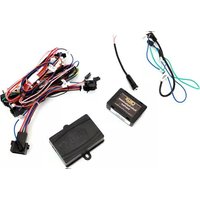
Find the device manual for free CS-GM31L CRUX in PDF.


Pick your language and provide your email: we'll send you a specifically translated version.
| Product Type | Car Interface Kit |
| Compatible Models | Selected General Motors vehicles (2010-2018) |
| Dimensions (L x W x H) | 4.5 x 2.5 x 1.0 inches |
| Weight | 0.3 lbs |
| Input Voltage | 12V DC |
| Connector Type | OBD-II or T-harness (depending on vehicle) |
| Primary Function | Retain factory features when aftermarket radio is installed |
| Supported Features | Steering wheel controls, chimes, RAP (retained accessory power), reverse camera |
| Operating Temperature | -4°F to 158°F (-20°C to 70°C) |
| Material | ABS plastic, circuit board with conformal coating |
| Installation | Plug-and-play, no cutting/splicing required |
| Maintenance | Wipe with dry, lint-free cloth; avoid liquids |
| Safety Certifications | CE, RoHS compliant |
| Spare Parts / Repairability | Contact CRUX support for replacement harnesses or repairs |
| Warranty | 1 year limited warranty |
| Brand | CRUX |
| Model | CS-GM31L |
Frequently Asked Questions - CS-GM31L CRUX
What vehicles is the CRUX CS-GM31L compatible with?
The CRUX CS-GM31L is designed for selected General Motors vehicles from 2010 to 2018, including Chevrolet, GMC, Buick, and Cadillac models. Always verify compatibility with your specific vehicle before purchase.
Does the CS-GM31L retain steering wheel controls?
Yes, the CS-GM31L retains factory steering wheel controls when used with an aftermarket radio that supports wired remotes.
Will the factory backup camera work with this kit?
Yes, the kit supports factory reverse cameras and will display the camera feed on compatible aftermarket radios.
Is installation plug-and-play?
Yes, installation is plug-and-play. No cutting or splicing of wires is required. Simply connect the harness to your vehicle's factory connectors and to the aftermarket radio.
What does the CS-GM31L kit include?
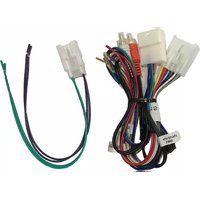
The kit includes the interface module, wiring harness, and detailed installation instructions. Some vehicles may require additional adapters (not included).
How do I troubleshoot if my aftermarket radio does not power on?
First, check all connections. Ensure the ignition is on. Verify that the harness is fully seated. If the issue persists, test the vehicle's fuse for the radio circuit and contact CRUX support.
Can I use this kit with an amplifier?
Yes, the CS-GM31L does not interfere with aftermarket amplifiers. It passes audio signals through to the radio normally.
Does the kit support OnStar or factory Bluetooth?
The CS-GM31L is designed primarily for audio and control retention. Factory OnStar and Bluetooth functions may require additional modules (e.g., GM-LAN9).
How do I update the firmware of the CS-GM31L?
Firmware updates are not user-upgradable. Contact CRUX technical support for any necessary updates.
What is the warranty on the CS-GM31L?
CRUX offers a 1-year limited warranty against defects in materials and workmanship. Retain your receipt for warranty claims.
User questions about CS-GM31L CRUX
0 question about this device. Answer the ones you know or ask your own.
Ask a new question about this device
No questions yet. Be the first to ask one.
Download the instructions for your Car kit in PDF format for free! Find your manual CS-GM31L - CRUX and take your electronic device back in hand. On this page are published all the documents necessary for the use of your device. CS-GM31L by CRUX.
USER MANUAL CS-GM31L CRUX



Manual assistant
Powered by Anthropic
Waiting for your message
Product information
Brand : CRUX
Model : CS-GM31L
Category : Car kit