Thermostat Mini - Thermostat Hive - Free user manual and instructions
Find the device manual for free Thermostat Mini Hive in PDF.


| Product Type | Smart Thermostat |
| Brand | Hive |
| Model | Thermostat Mini |
| Dimensions | 80 mm diameter, 28 mm depth |
| Weight | 180 g |
| Power Source | 2 x AA batteries (included) |
| Battery Life | Approximately 12 months |
| Connectivity | Zigbee |
| Compatibility | Hive Hub, Hive app (iOS/Android) |
| Display | LCD screen with backlight |
| Temperature Range | 5°C to 30°C |
| Accuracy | ±0.5°C |
| Features | Programmable scheduling, remote control, geofencing, holiday mode, boost function |
| Installation | Wall mount or table stand (included) |
| Maintenance | Clean with a dry soft cloth; avoid liquids |
| Safety | Low voltage device; follow local electrical codes for installation |
| Spare Parts | Batteries, mounting plate, screws |
| Repairability | Battery replacement only; no user-serviceable parts inside |
| Warranty | 2 years (subject to terms) |
| Included Contents | Thermostat Mini, 2 AA batteries, mounting plate, screws, user manual |
Frequently Asked Questions - Thermostat Mini Hive
User questions about Thermostat Mini Hive
0 question about this device. Answer the ones you know or ask your own.
Ask a new question about this device
Download the instructions for your Thermostat in PDF format for free! Find your manual Thermostat Mini - Hive and take your electronic device back in hand. On this page are published all the documents necessary for the use of your device. Thermostat Mini by Hive.
USER MANUAL Thermostat Mini Hive
Welcome to Hive Active Heating
Hive Active Heating is the clever way to control your heating, and if you have a hot water tank, your hot water too. This guide tells you everything you need to know.
Hot tip: If you've bought Hive Active Heatin, for help controlling your heating and hot water remotely visit hivehome.com

area
| X | Y | |---|---| | 0 | 100 | | 1 | 95 | | 2 | 90 | | 3 | 85 | | 4 | 80 | | 5 | 75 | | 6 | 70 | | 7 | 65 | | 8 | 60 | | 9 | 55 | | 10 | 50 | | 11 | 45 | | 12 | 40 | | 13 | 35 | | 14 | 30 | | 15 | 25 | | 16 | 20 | | 17 | 15 | | 18 | 10 | | 19 | 5 | | 20 | 0 |Contents
Heating page 4
Hot water page 6
Other features page 8
Multizone page 9
Troubleshooting page 11
Getting started
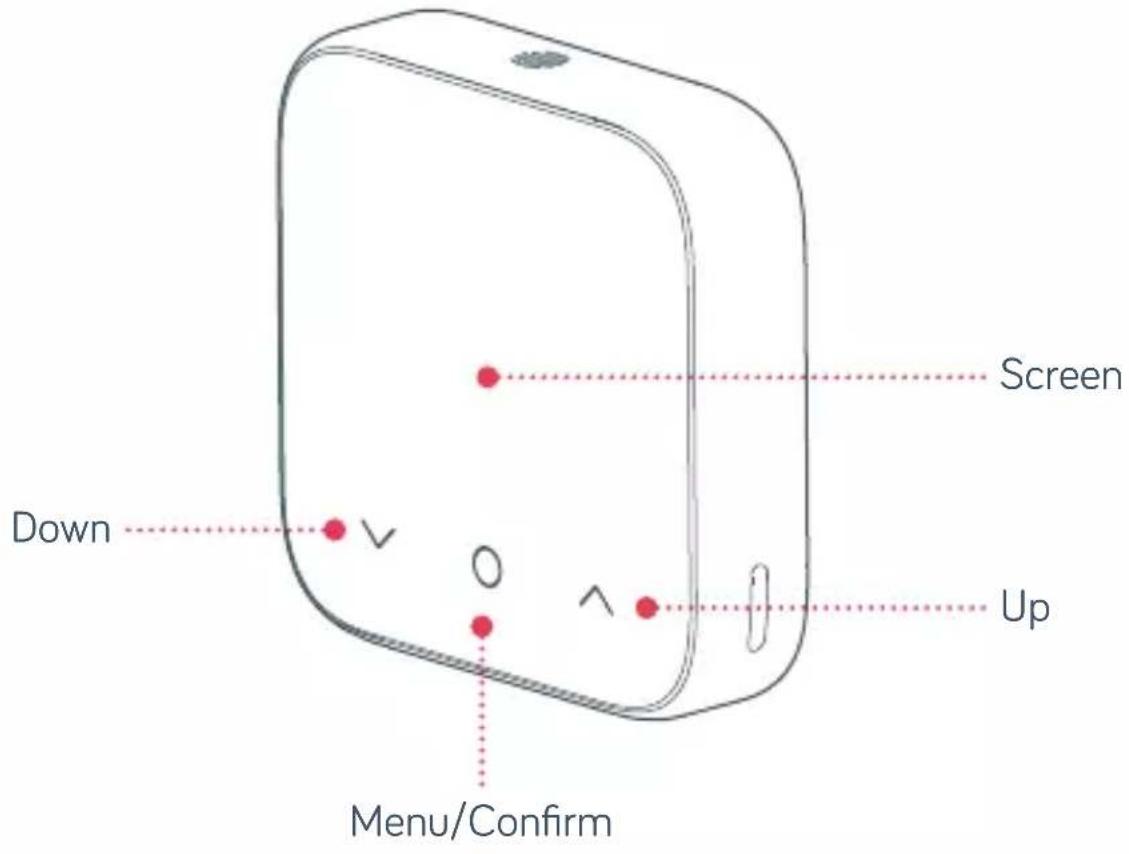
How to change the temperature:
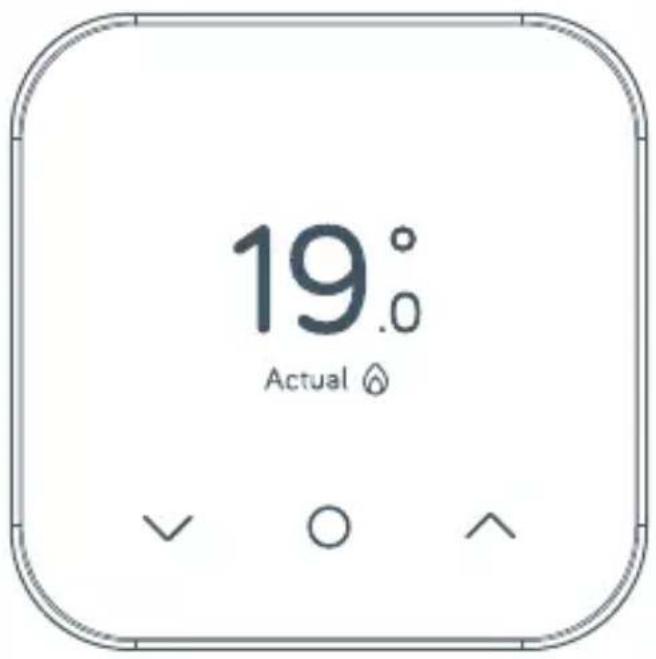
① Tap the up arrow to increase the target temperature
② Your heating will come on if the target temperature is above the actual temperature (you'll see ⚙ when the heating is on)
3 Tap the down arrow to lower the target temperature
Heating
How to change mode:
Your thermostat has 4 heating modes Schedule, Manual, Boost and Off
1 Tap any icon to wake up the thermostat
② Once the screen turns on press the Menu/Confirm ○ icon
3 Here you'll see the different modes: Schedule, Manual, Boost and Off (if you have Heating & Hot Water, you will first be presented with a screen to Choose Function Heating Hot Water. Use ∧ or ∨ to select the function and tap on Menu/Confirm ○ to select)
4 Select the mode you want by using the up or down arrow and tapping the Menu/Confirm ○ icon to confirm selection
Schedule turns your heating on and off when you want it to and can be more energy efficient
Manual makes sure your home maintains a constant temperature
Boost increases your heating for a set amount of time chosen
Off leaves your heating in Frost Protection - so your heating will only come on if your home drops below 7°C. You'll see ✪ on the screen to remind you that Frost Protection is enabled.
Settingup a heatin schedule:
To set-up your heating schedule for the Hive Mini Thermostat, you will need to do so via the app.
To view our help article on setting up schedules for heating and hot water via the Hive app, this can be found under the support section of our website, or directly at the link below:
https://community.hivehome.com/s/article/How-do-I-set-up-heating-and-hot-water-schedules-using-the-Hive-app
Hot water
Hot water features are not shown on combi boilers (boilers without a separate hot water tank) as they automatically heat water when it's needed.
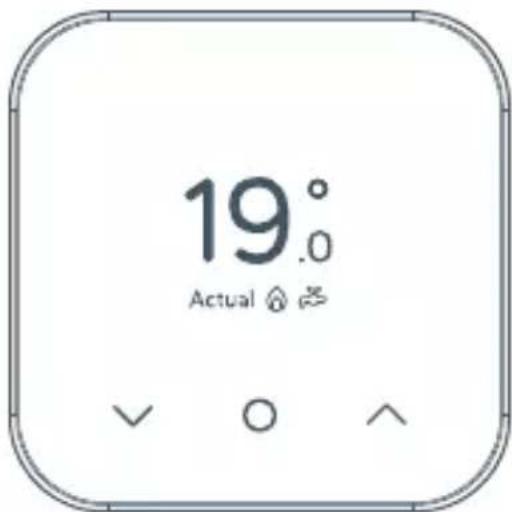
How to turn your hot water on or off
① Wake your thermostat by tapping any of the icons on the screen
② Once the screen turns on press the Menu/Confirm ○ icon
③ Use the Up ∧ or Down ∨ icon to choose between Heating & Hot Water function, then tap Menu/Confirm ○ to select Hot Water
4 Choose between On, Schedule, Boost or Off using the Up ^ or Down ∨ icons
5 Tap Menu/Confirm○ to confirm
Hot tip: If you only want hot water at certain times of the day, using Schedule mode could be more energy efficient.
Settingup a new hot water schedule:
To set-up your Hot Water schedule for the Hive Mini Thermostat, you will need to do so via the app.
To view our help article on setting up schedules for heating and hot water via the Hive app, this can be found under the support section of our website, or directly at the link below:
https://community.hivehome.com/s/article/How-do-I-set-up-heating-and-hot-water-schedules-using-the-Hive-app
How to boost your heating or hot water for a short time:
On the Hive Thermostat Mini, you can send a boost command through your Hive app, ranging from 15 minutes right up to 6 hours.
You can also boost directly from your Hive Mini device for a duration ranging from 15 minutes up to 6 hours.
Once the set boost duration has finished, your thermostat will resume it's previous setting of either manual set temperature, schedule or off in frost protection mode.
You can find out more about our boost functionality in the app here: https://community.hivehome.com/s/article/How-do-I-boost-my-heating-or-hot-water-using-the-Hive-app
Hive Multizone
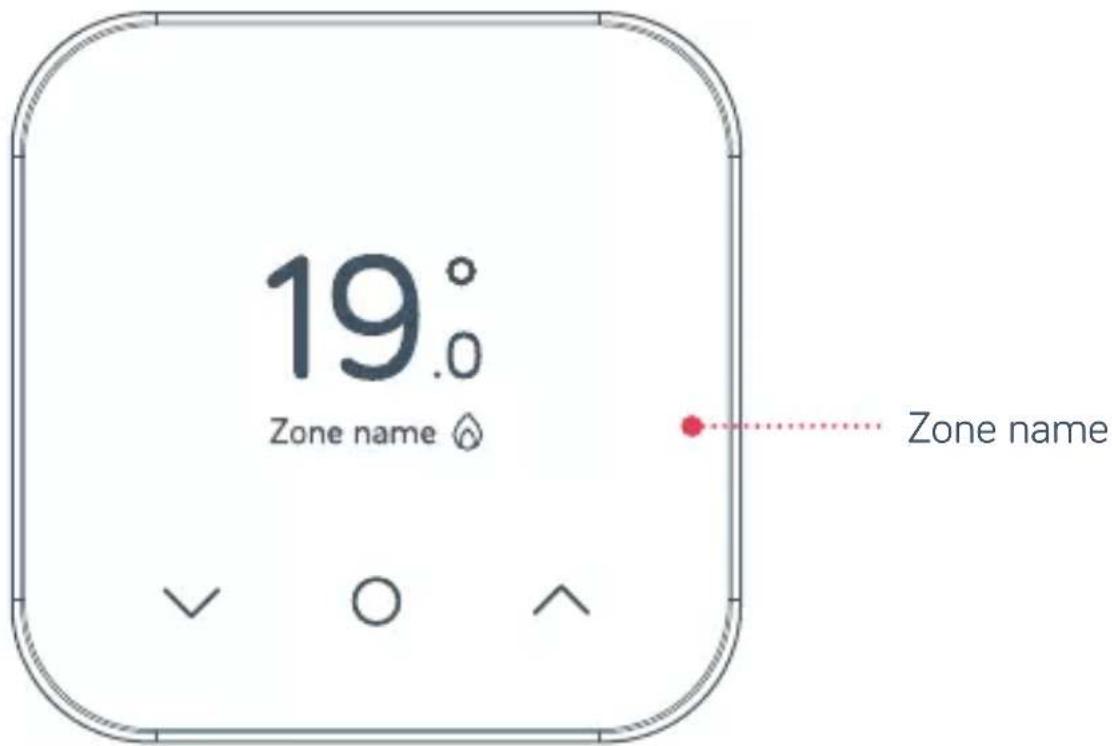
Multizone lets you control up to six existing plumbed heating zones in your home. Each zone needs its own Hive thermostat and receiver.
If you are a Hive Multizone customer, to change the zone name of each thermostat login to the Hive app or online dashboard and select Manage Devices.
Troubleshooting
If you need to identify which of your Hive thermostats belongs to which receiver follow these steps:
① Turn the heating off in every zone using the app or thermostats
② When you look at the receivers the ‘central heating’ light should be switched off on each receiver
3 Turn the heating on in one zone only by using the app or thermostat. The ‘central heating’ light on one receiver will turn green showing that this thermostat is paired to this receiver
4 Repeat these steps to identify which receivers your other thermostats are paired with.
For more information on Hive Multizone, please visit hivehome.com/support
Troubleshooting
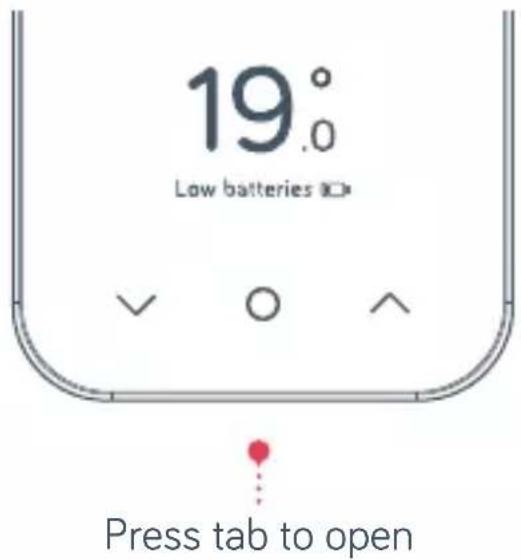
A red battery symbol means your batteries need to be replaced with four new AAA batteries.
How to change the batteries:
① Pull the front of the Thermostat away from the backplate
2 Lift your thermostat off the hooks that hold it against the wall and turn it over to access the batteries
③ Simply pop the batteries out and put the new ones in
4 Re-hook the top of your thermostat and then press the bottom until it clicks to secure it to the wall
No signal
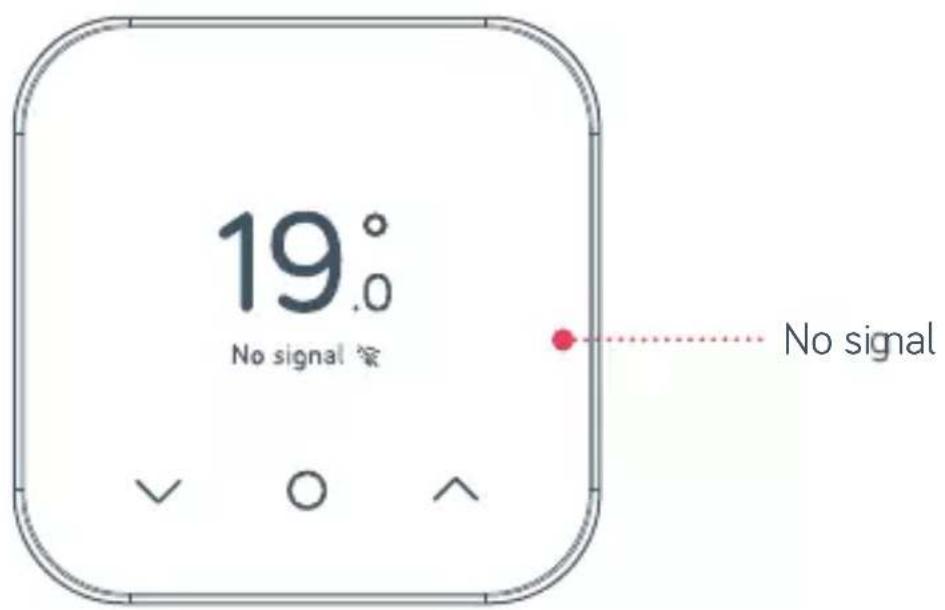
If this message shows along with this symbol ⚙ – it means your thermostat and receiver aren't communicating.
For more information visit hivehome.com/support or get in touch with the Hive team by going to hivehome.com/contact-us
Hot tip: Even without a signal you can still manually switch your heating and hot water on and off by pressin the buttons on the Hive receiver (usually beside your boiler) when its 'Status' light is red.
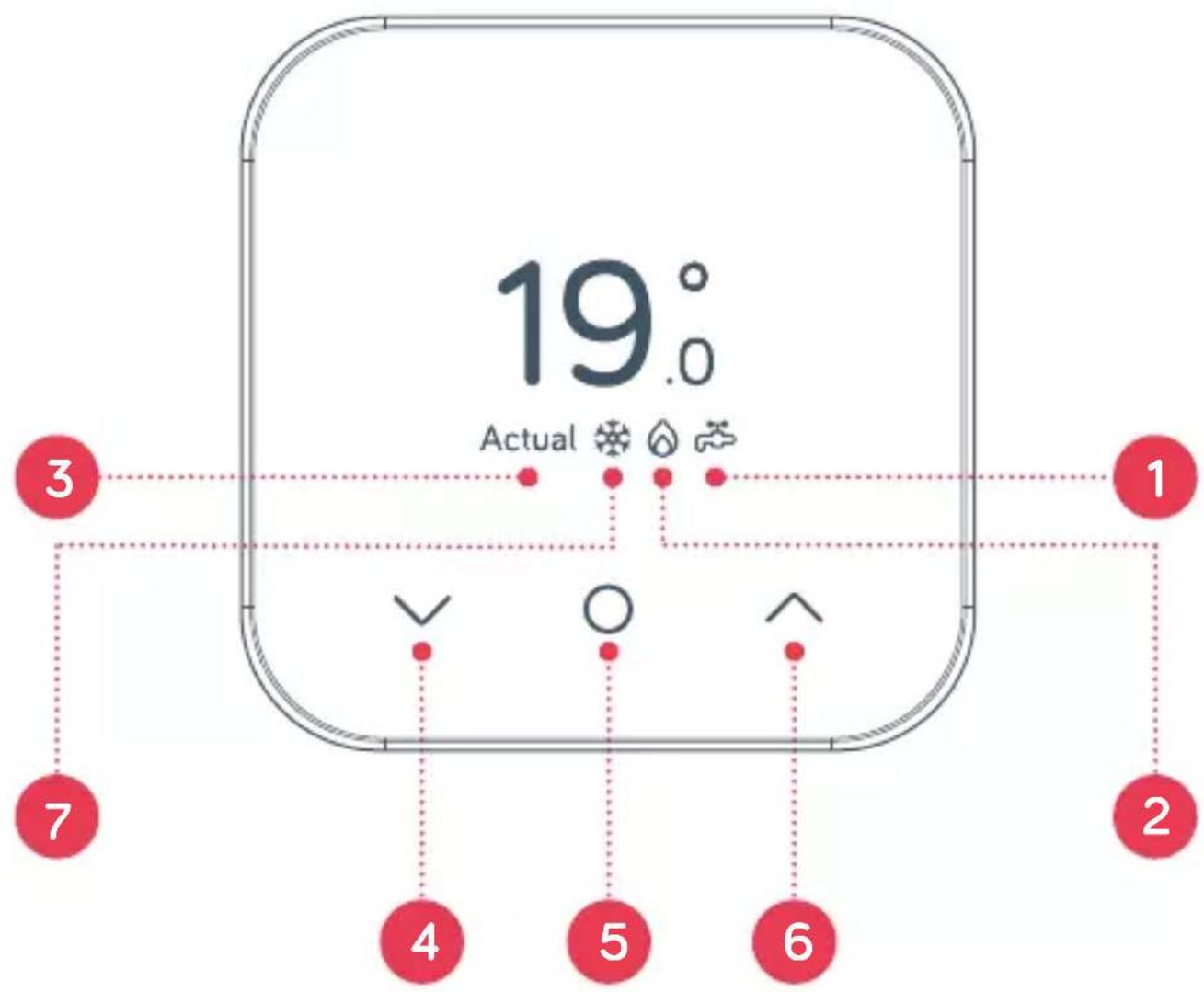
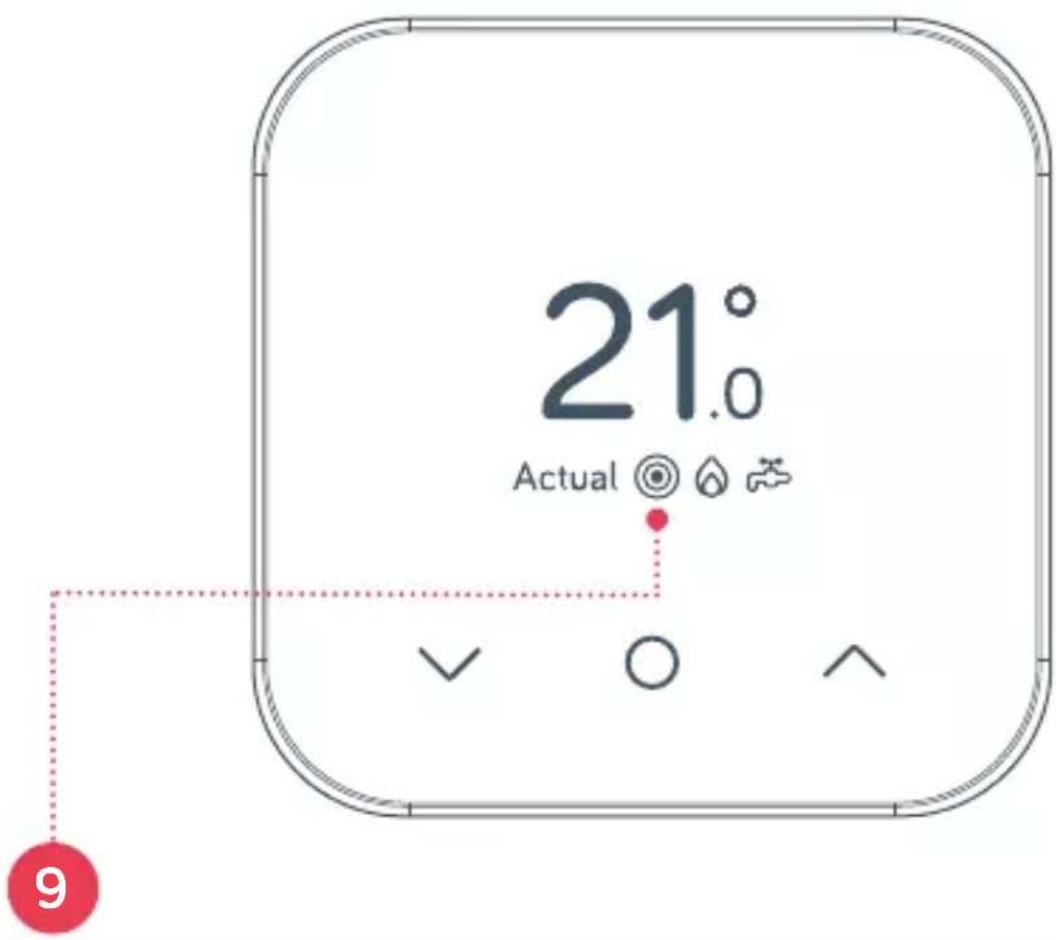
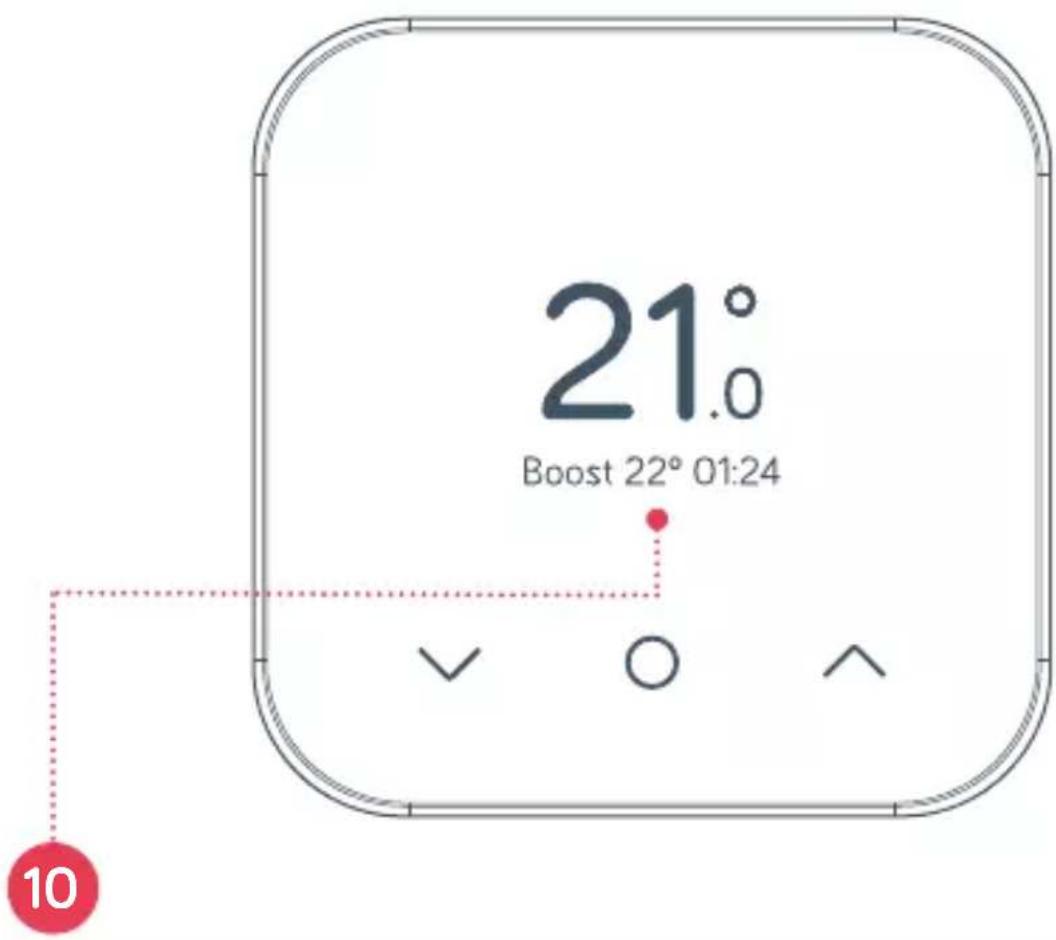
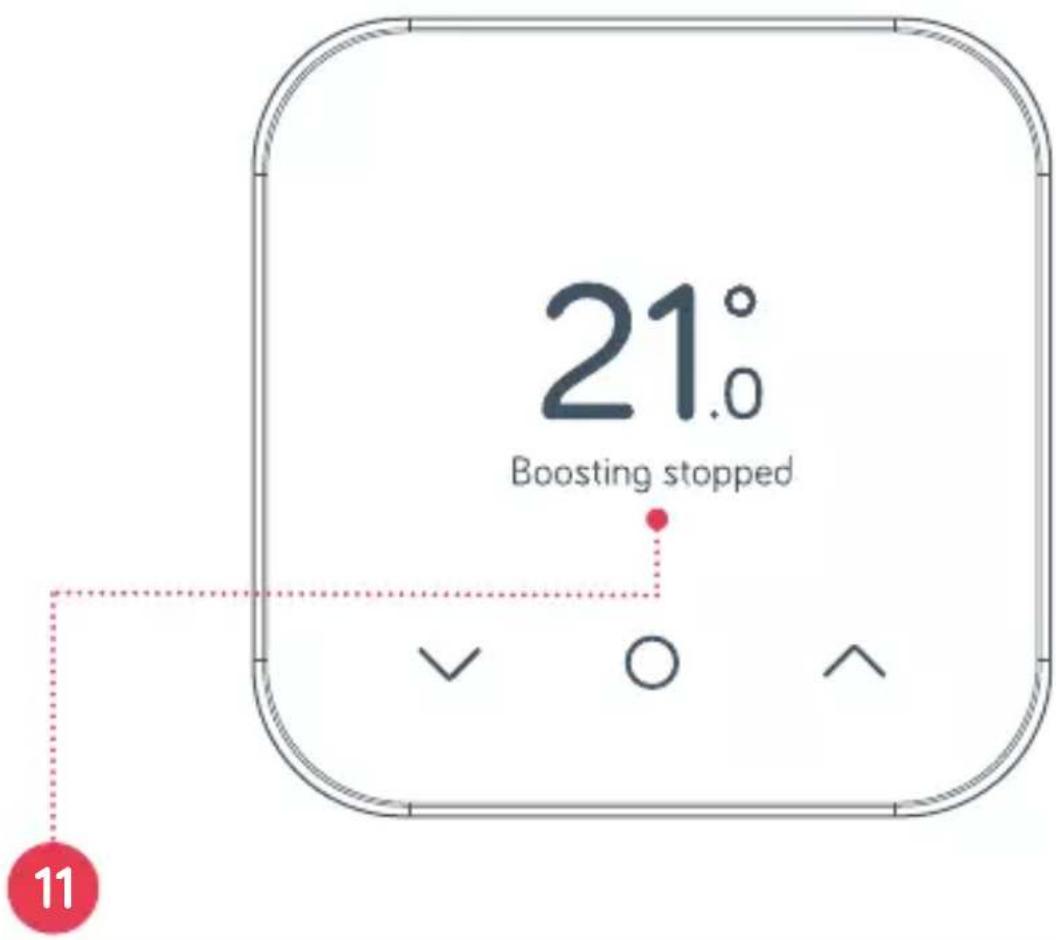
Icons you might see on your thermostat
1 Hot Water mode on
2 Heating mode on
3 Actual temperature Actual
4 Down button
5 Menu button
6 Up button
7 Frost protection
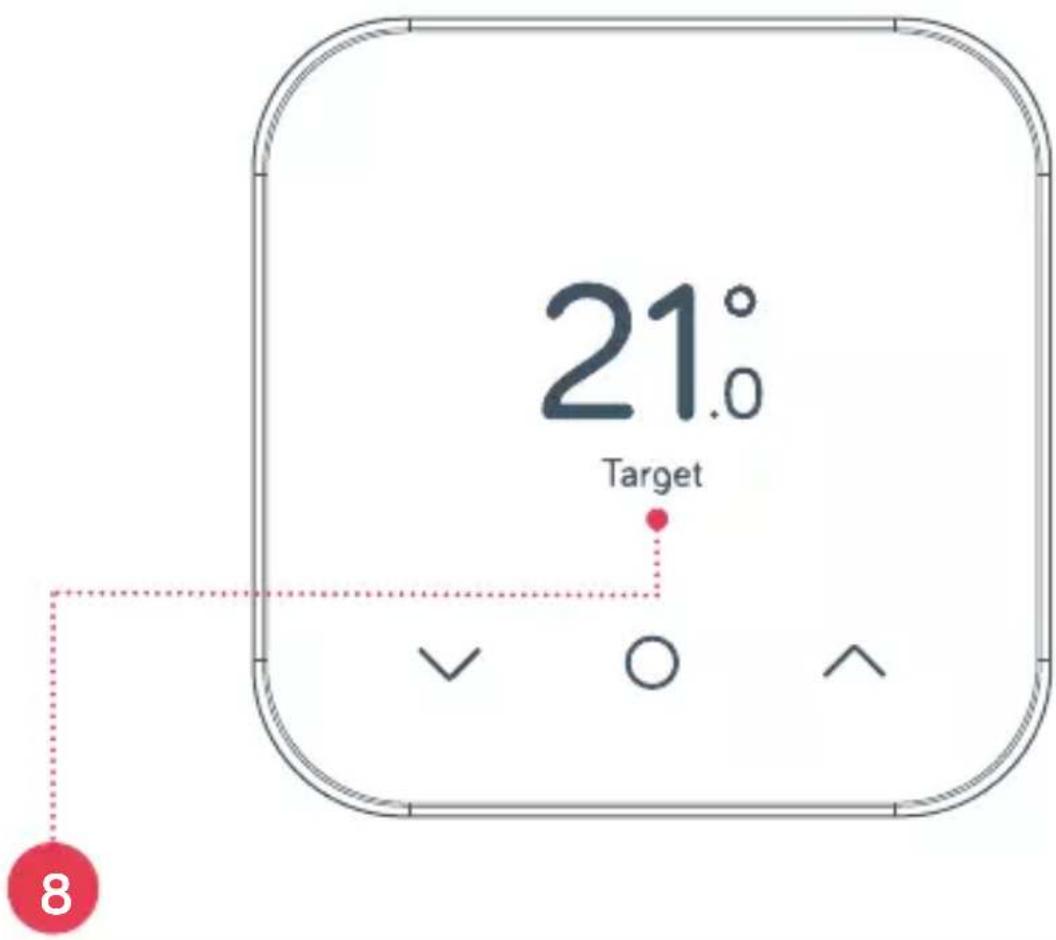
8 Target temperature Target
9 Boost mode on
10 Boosting to target for duration Boost 22° 01:24
11 Boosting has ended Boostin stopped 9
Can we help?
You can view our handy how-to-use videos along with hints and tips at hivehome.com/support
If for any reason you need to return your Hive Active Heating simply return your box and its contents to the retailer. Any return is subject to the retailer's refund policy so please don't forget to check the retailer's refund policy too.
Centrica Connected Home Limited declares that the radio equipment types SLT6, SLR1c and SLR2c comply with UK SI 2017 No.1206 and EU Directive 2014/53/EU.
Full declaration text available at: hivehome.com/compliance Max. radiated power: <20dBm. Frequency: 2400 - 2483.5 Mhz
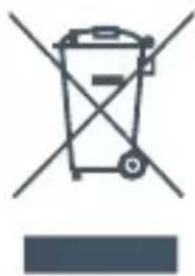
To avoid environmental and health problems due to hazardous substances in electrical and electronic goods, appliances marked with a crossed out wheeled bin should not be placed into your household rubbish bin. Instead, when they are unable to be re-used, they should be recycled. Your local authority will be able to advise you on the location of the nearest recycling centre that is authorised to accept this type of waste. Please recycle responsibly.
natural_image
Symbol of a trash bin with crossed lines indicating no waste or restriction, accompanied by a solid blue rectangle below (no text or labels)© 2023 Centrica Connected Home Limited. Registered in England (No.5782908) SL4 5GD, UK. Bord Gáis Energy. Registered in Ireland (No. 463078) DO2 HH27, Ireland. All rights reserved. IG70003650517V1
- Welcome to Hive Active Heating
- Contents
- Getting started
- How to change the temperature:
- Heating
- How to change mode:
- Settingup a heatin schedule:
- Hot water
- How to turn your hot water on or off
- Settingup a new hot water schedule:
- How to boost your heating or hot water for a short time:
- Hive Multizone
- Troubleshooting
- How to change the batteries:
- No signal
- Icons you might see on your thermostat
- Can we help?
Brand : Hive
Model : Thermostat Mini
Category : Thermostat