Signal Booster - Signal Amplifier Hive - Free user manual and instructions
Find the device manual for free Signal Booster Hive in PDF.


| Product Type | Signal Booster / Amplifier |
| Brand | Hive |
| Model | Signal Booster |
| Dimensions (approx.) | 6.3 x 4.7 x 1.2 inches (160 x 120 x 30 mm) |
| Weight | 0.6 lbs (270 g) |
| Power Supply | AC 100-240V, 50/60Hz, DC output 5V/2A |
| Frequency Bands | 700-2700 MHz (covers LTE, 3G, 4G) |
| Gain | Up to 65 dB |
| Coverage Area | Up to 3000 sq ft (280 sq m) |
| Number of Antennas | 2 (1 indoor, 1 outdoor) |
| Connector Type | N-Type (outdoor), SMA (indoor) |
| Main Functions | Amplifies weak cellular signals for better voice and data |
| LED Indicators | Power, uplink, downlink signal strength |
| Compatibility | All major carriers (AT&T, Verizon, T-Mobile, etc.) |
| Maintenance & Cleaning | Wipe with a soft, dry cloth. Do not use liquids. |
| Safety Precautions | Keep away from water and extreme temperatures. Use only supplied power adapter. |
| Spare Parts | Replacement antennas, power adapter available separately. |
| Repairability | Contact Hive support for service; no user-serviceable parts inside. |
| General Information | Designed for home or office use to improve cellular reception. |
Frequently Asked Questions - Signal Booster Hive
User questions about Signal Booster Hive
0 question about this device. Answer the ones you know or ask your own.
Ask a new question about this device
Download the instructions for your Signal Amplifier in PDF format for free! Find your manual Signal Booster - Hive and take your electronic device back in hand. On this page are published all the documents necessary for the use of your device. Signal Booster by Hive.
USER MANUAL Signal Booster Hive
natural_image
White square electronic device with circular dial and small circular button (no visible text or symbols)
natural_image
Abstract orange geometric pattern on dark background (no text or symbols)HIVE
Hive Signal Booster
Your Hive Signal Booster will help your other Hive devices talk to each other, by extending the range of your system.
Getting started:

Choose a location
Your Hive Signal Booster should be plugged into a mains power socket about half way between your Hive Hub and the device that has low signal strength or can't connect.

Plug your Hive Signal Booster in and switch the power socket on
The light on the front will begin to flash amber whilst the Hive Signal Booster searches for your hub.
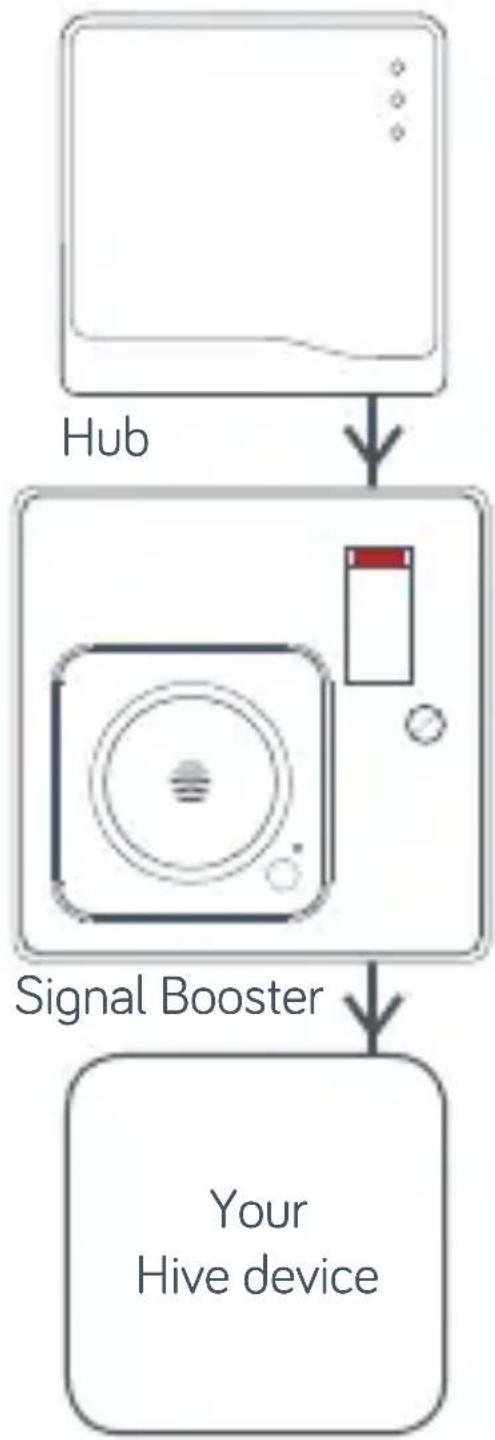
flowchart
graph TD
    A["Hub"] --> B["Signal Booster"]
    B --> C["Your Hive device"]

Add your Hive Signal Booster
You can do this using your Hive app or the online dashboard.
Using the Hive app:
- Open the Hive app on your smartphone or tablet, you may be asked to log-in.
- Tap the Menu button and then Install device. Your hub will then start looking for your Hive Signal Booster.
Using the online dashboard:
• Log into your account at hivehome.com
• Under Settings select Install devices. Your hub will then start looking for your Hive Signal Booster.
Once your Hive Signal Booster appears on the screen, you can name it and press Save to complete setup.

That's it!
The LED light on your Hive Signal Booster will now be green and your Hive devices will automatically talk to your hub.
Remember: Once your Hive Signal Booster is installed, please leave the power to it switched on, including the extension cable if you're using one.
Usage
Your Hive Signal Booster is designed for UK household wiring, and for indoor use only. Under normal use conditions this product should be kept at least 20cm away from the body of the user.
Maintenance
Disconnect your Hive Signal Booster before cleaning and keep it away from water and other liquids at all times. The Hive Signal Booster does not contain any serviceable parts so do not attempt to open it.
Can we help?
You can view our handy how-to-use videos along with hints and tips at hivehome.com/support
If for any reason you need to return your Hive Signal Booster, simply return your box and its contents to the retailer. Any return is subject to the retailer's refund policy so please don't forget to check the retailer's refund policy too.
© 2017 Centrica Connected Home Limited. Registered in England (No. 5782908). Registered office: Millstream, Maidenhead Road, Windsor, Berkshire SL4 5GD. All rights reserved.
Centrica Connected Home Limited declares that the radio equipment type SLB2b complies with Directive 2014/53/EU. Full declaration text available at: hivehome.com/compliance
Max. radiated power: <10 dBm. Frequency: 2405 - 2480 MHz

natural_image
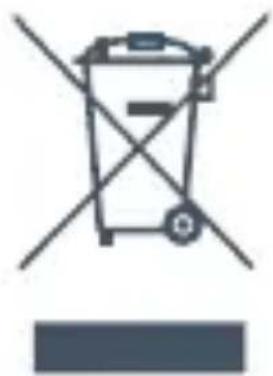
Hive logo with white wave-like design on red background (no text or symbols)To avoid environmental and health problems due to hazardous substances in electrical and electronic goods, appliances marked with a crossed out wheeled bin should not be placed into your household rubbish bin. Instead, when they are unable to be re-used, they should be recycled. Your local authority will be able to advise you on the location of the nearest recycling centre that is authorised to accept this type of waste. Please recycle responsibly.
natural_image
Simple line drawing of a trash bin with crossed lines indicating no waste or discharge (no text or symbols)UG70012250517V2
A British Gas innovation
Brand : Hive
Model : Signal Booster
Category : Signal Amplifier