Brite R440 - Smartwatch LifeTrak - Free user manual and instructions
Find the device manual for free Brite R440 LifeTrak in PDF.


| Product Type | Smartwatch / Activity Tracker |
| Brand | LifeTrak |
| Model | Brite R440 |
| Display Type | Digital LCD |
| Water Resistance | 30 meters (not waterproof) |
| Battery Type | Rechargeable |
| Connectivity | Bluetooth 4.0 BLE |
| Sensors | Accelerometer, ECG heart rate, Blue light sensor |
| Main Functions | Step counter, distance, calories, sleep tracking, heart rate, LightTrak alerts, intelligent wake-up alarm, inactivity alarm, workout mode, hourly/weekly activity graphs |
| Heart Rate Monitoring | Finger touch (ECG) and BLE chest belt (sold separately) |
| Sleep Tracking | Automatic detection; manual start/stop via double-click START/STOP |
| LightTrak | Monitors blue light exposure; Daylight and Nitelight alerts |
| Workout Storage | Up to 10 recorded workouts |
| App Compatibility | LifeTrak App (iOS/Android) |
| Sync | Manual sync via Bluetooth |
| Button Layout | MODE, START/STOP, VIEW; backlight via double-click VIEW |
| Alarms | Intelligent Wake-Up, Daylight, Nitelight, Inactivity |
| Goal Setting | Steps, distance, calories, sleep |
| User Settings | Gender, birthday, height, weight, unit format |
| Step Calibration | Default, Option A (light steps), Option B (heavy steps) |
| Distance Calibration | Adjustable from -25% to +25% |
| Cleaning | Clean sensor and back plate with mild soap and water |
| Safety | Not a medical device; consult doctor before exercise; pacemaker caution |
| Support | Email: support@LifeTrakUSA.com; Web: www.lifetrakusa.com/support/help-center/ |
Frequently Asked Questions - Brite R440 LifeTrak
User questions about Brite R440 LifeTrak
0 question about this device. Answer the ones you know or ask your own.
Ask a new question about this device
Download the instructions for your Smartwatch in PDF format for free! Find your manual Brite R440 - LifeTrak and take your electronic device back in hand. On this page are published all the documents necessary for the use of your device. Brite R440 by LifeTrak.
USER MANUAL Brite R440 LifeTrak
LifeTrak®
Quick Start Guide
Brite R440
Activity Type

sleep

distance
calories

steps
Welcome to LifeTrak. Let's take a quick tour of the basic features.
- To turn on your fitness tracker, press and hold any button.
Learn more
- For support, tips, product information and full instructions, please visit: www.lifetrakusa.com/support/help-center/
NOTE: Actual model / screen images may vary from images shown.
NOTE: This is NOT a medical device. Please visit our website to view cautions and warranty information in the full instruction manual.
CUSTOMER SERVICE
If you have questions about your
LifeTrak activity tracker, please contact our customer service team
support@LifeTrakUSA.com
Copyright © 2016 LifeTrak, Inc. All rights reserved. Duplication or copying of all or part of this manual without the express written consent of LifeTrak, Inc. is prohibited.
TABLE OF CONTENTS
Button Layout.... 1
Setting Alarms....2
Intelligent Wake-Up Alarm 3 - 4
LightTrak Alarms 5 - 6
Inactivity Alarm 7
Setting Goals....8
Setting Time....9
Setting User Info....10
Sleep Tracker....11 - 12
Modes of Operation : Workout....13
Heart Rate Monitor (Two Ways) : Finger Touch vs BLE Chest Belt 14 - 16
Pair Your Chest Belt....17
Set HR Log Rate....18
Sessions.... 19
View Recorded Data.... 20
Storage Remaining.... 21
Delete Recorded Data.... 22
Modes of Operation : Hourly Display.... 23 - 24
Modes of Operation : Weekly Display 25
Advanced Settings.... 26 - 28
Sync Fitness Data / LifeTrak App.... 29 - 30
FCC / IC Cautions 31 - 32
Helpful Hints.... 33 - 36
Warnings & Cautions...... BACK COVER
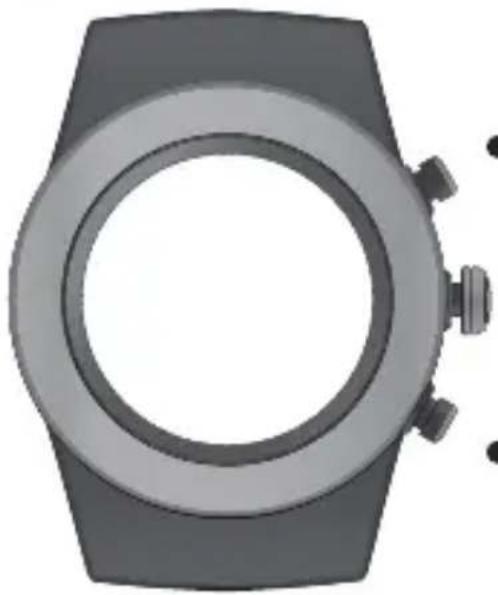
BUTTON LAYOUT
natural_image
Top-down view of a modern wristwatch (no text or symbols visible)MODE
Press to change modes:
Press & hold to read your heart rate
START / STOP
Press to start and stop in Workout Mode
BACKLIGHT
1
To activate the backlight, double-click VIEW
NOTE:
The buttons are NOT intended for use under water. If used, water could leak in and cause damage.
SETTING ALARMS
Alarms can be adjusted on your fitness tracker or the LifeTrak App (via Settings)
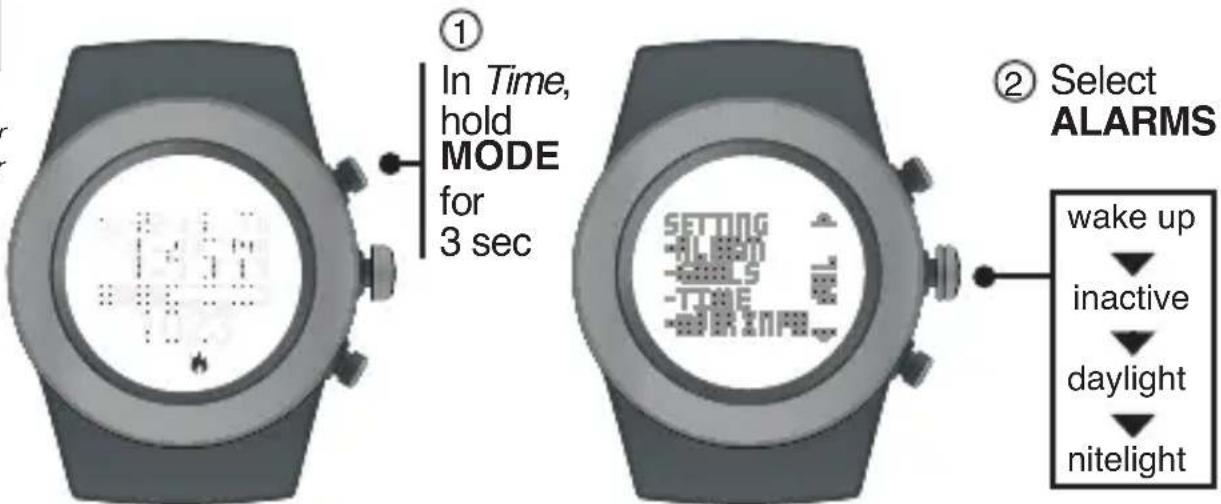
INSIDE SETTING MODE
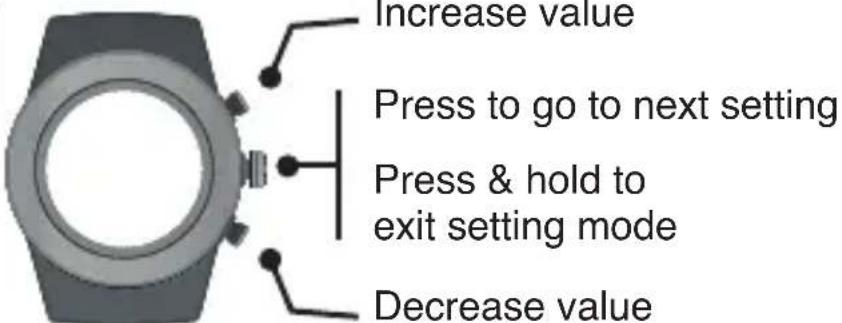
INTELLIGENT WAKE-UP
Your LifeTrak Brite R440 features Intelligent Wake-Up with Vibra-Alert. This vibration alarm can be set to wake you at your optimal time.
Alarm Indicator
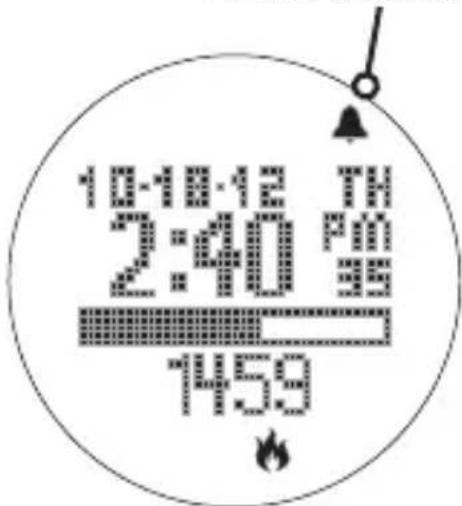
The Intelligent Wake-Up feature can be adjusted on your fitness tracker (instructions on next page) or on the LifeTrak App (via Settings).
After setting the alarm time, you have the option of setting an Intelligent Wake-Up window (0-59 mins) which will activate prior to the alarm time. During this window, the vibration alarm will activate only if you are no longer in a deep sleep stage.
If you are still in a deep sleep stage during the Intelligent Wake-Up window, the vibration alarm will activate at the set alarm time.
INTELLIGENT WAKE-UP
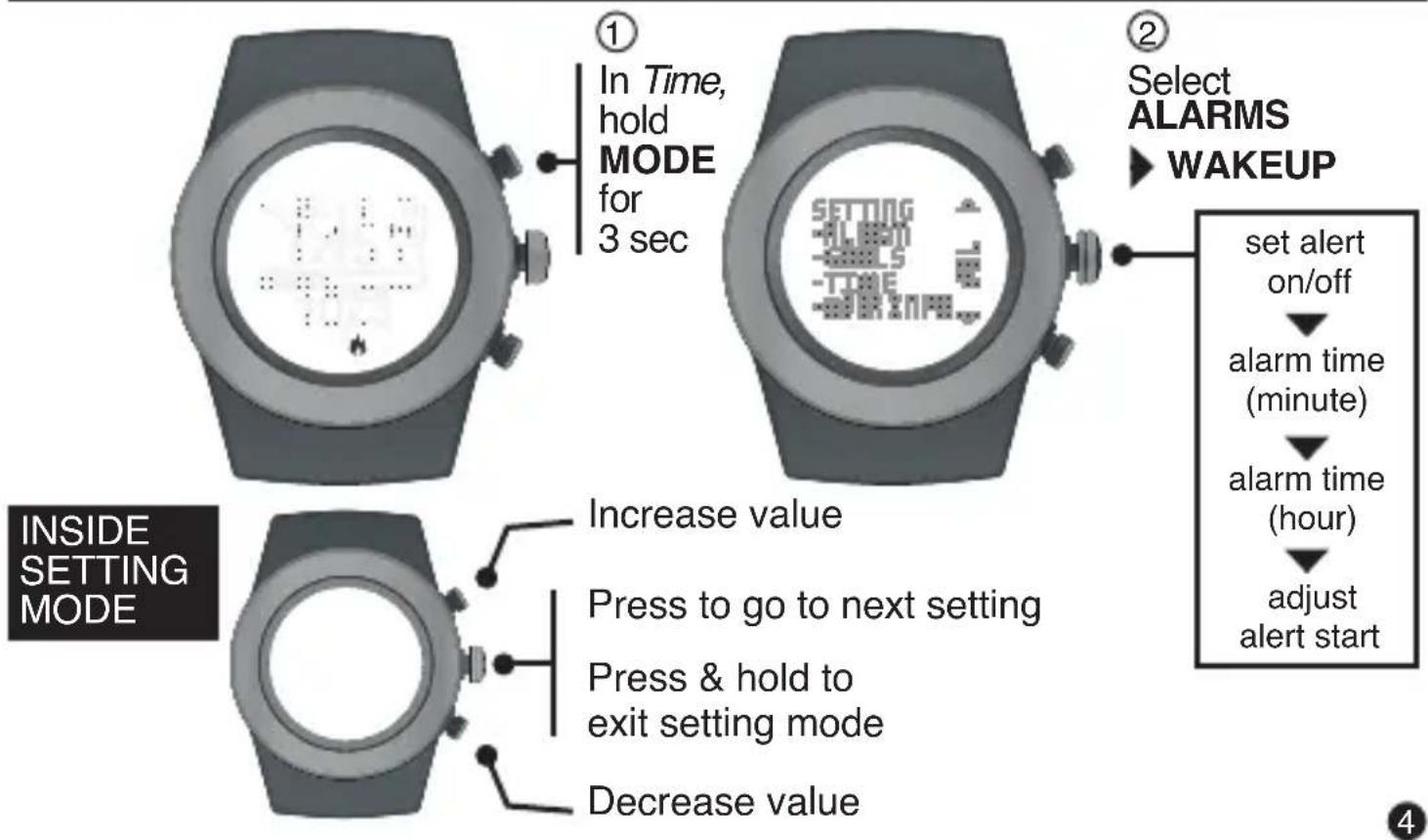
flowchart
graph TD
    A["① In Time, hold MODE for 3 sec"] --> B["② Select ALARMS WAKEUP"]
    B --> C["set alert on/off"]
    C --> D["alarm time (minute)"]
    D --> E["alarm time (hour)"]
    E --> F["adjust alert start"]
    G["INSIDE SETTING MODE"] --> H["Increase value"]
    G --> I["Press to go to next setting"]
    G --> J["Press & hold to exit setting mode"]
    G --> K["Decrease value"]
LIGHTTRAK ALERT
LightTrak Alerts can be adjusted on your fitness tracker or the LifeTrak App (via Settings)
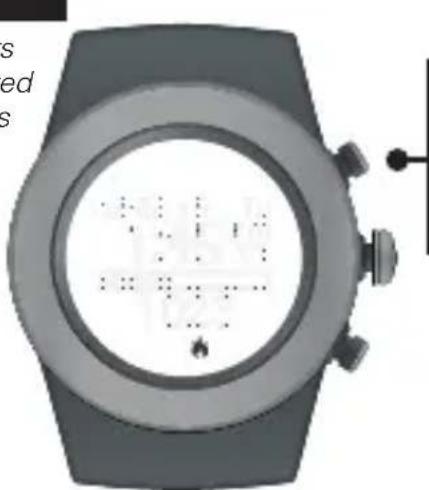
Daylight alert will vibrate if you should get more light during the day.
natural_image
Top-down view of a smartwatch with a circular display showing internal components (no visible text or symbols)① In Time, hold MODE for 3 sec
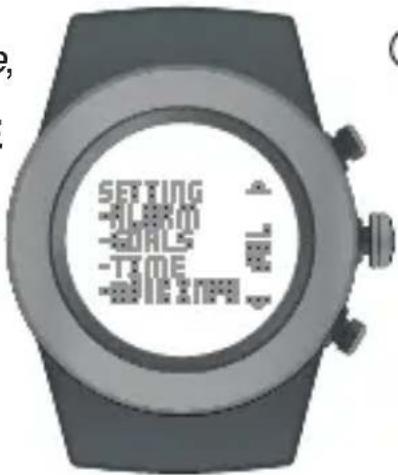
② Select ALARMS ▶ DAYLIGHT
set alert on/off ↓ exposure level ↓ duration
INSIDE SETTING MODE
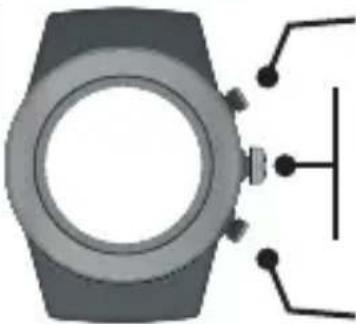
natural_image
Top-down view of a smartwatch with connected components (no text or symbols visible)Increase value
Press to go to next setting
Press & hold to exit setting mode
Decrease value
LIGHTTRAK ALERT
LightTrak Alerts can be adjusted on your fitness tracker or the LifeTrak App (via Settings)
Nitelight alert will vibrate if you should reduce light prior to bedtime.
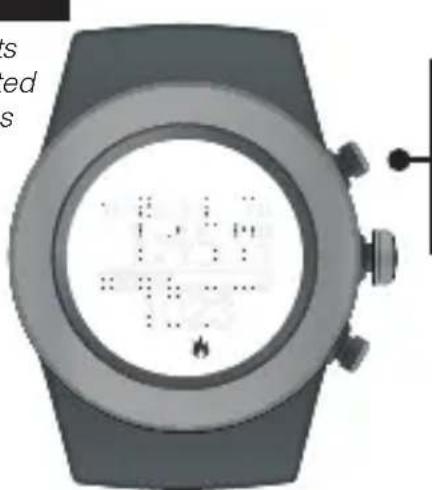
natural_image
Close-up of a smartwatch with display screen and control buttons (no visible text or symbols)① In Time, hold MODE for 3 sec
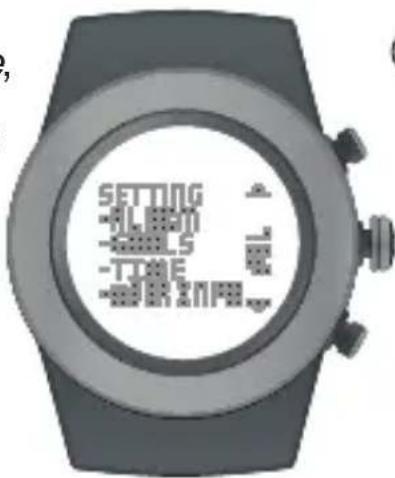
② Select ALARMS ▶ NITELIGHT
set alert on/off ↓ exposure level ↓ duration
INSIDE SETTING MODE
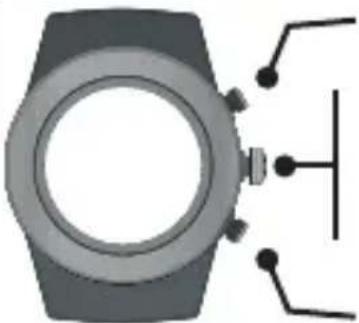
natural_image
Illustration of a smartwatch with a control panel and connector terminals (no text or symbols)Increase value
Press to go to next setting
Press & hold to exit setting mode
Decrease value
INACTIVITY ALERT
Inactivity Alerts can be adjusted on your fitness tracker or the LifeTrak App (via Settings)
Helps motivate you with alerts if you have been inactive.
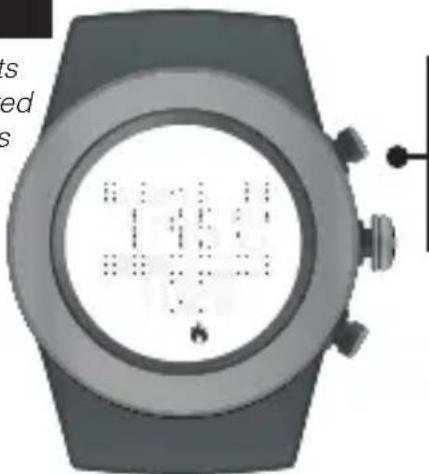
natural_image
Top-down view of a smartwatch with a circular dial and control buttons (no visible text or symbols)① In Time, hold MODE for 3 sec
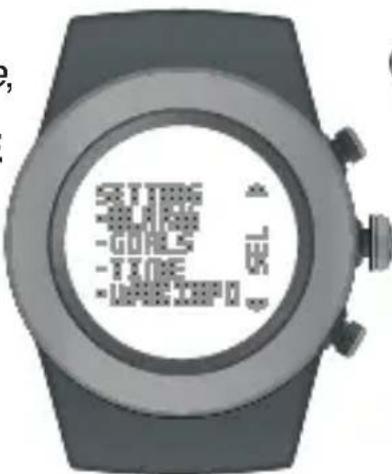
② Select ALARMS INACTIVE
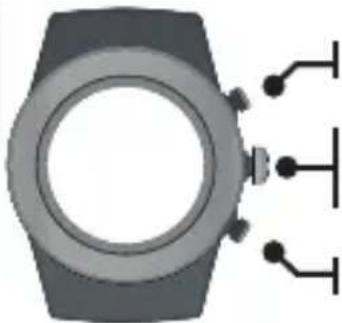
INSIDE SETTING MODE
natural_image
Diagram of a smartwatch with three connected terminals (no text or symbols)Increase value
Press: go to next setting Press & hold: exit setting mode
Decrease value
set alert on/off set inactive time length (min/hr) set step threshold start time end time
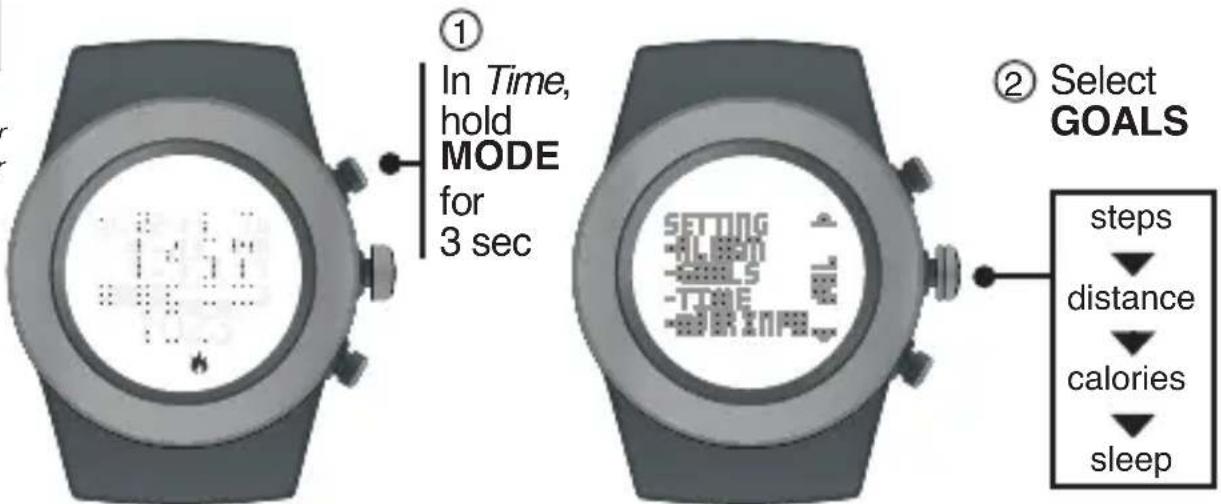
SETTING GOALS
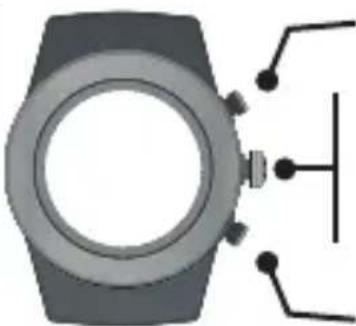
Goals can be adjusted on your fitness tracker or the LifeTrak App (via Settings)
flowchart
graph LR
    A["1 In Time, hold MODE for 3 sec"] --> B["2 Select GOALS"]
    B --> C["steps"]
    C --> D["distance"]
    C --> E["calories"]
    C --> F["sleep"]
INSIDE SETTING MODE
natural_image
Illustration of a smartwatch with a sensor and antenna (no text or symbols)Increase value
Press to go to next setting
Press & hold to exit setting mode
Decrease value
SETTING TIME
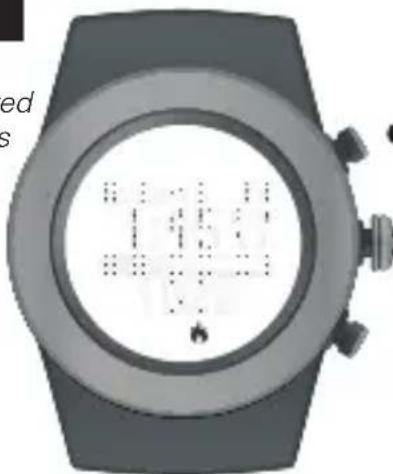
Time Setup can be adjusted on your fitness tracker or the LifeTrak App (via Settings)
natural_image
Top-down view of a modern wristwatch with display screen showing abstract patterns (no readable text or symbols)①
In Time, hold MODE
for 3 sec
②
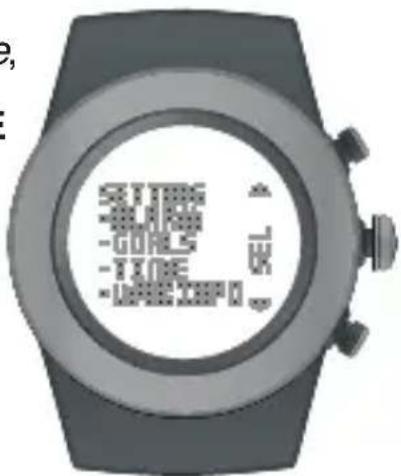
Select TIME
seconds
minutes

hour

year

month

date

month-day
format

12/24 hr format
INSIDE SETTING MODE
natural_image
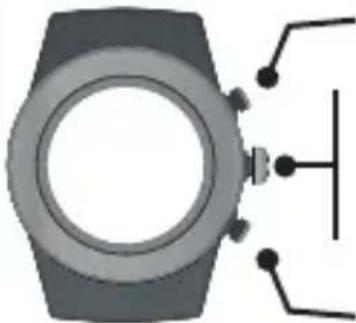
Diagram of a smartwatch with control buttons and a vertical line, no text or symbols presentIncrease value
Press to go to next setting
Press & hold to exit setting mode
Decrease value
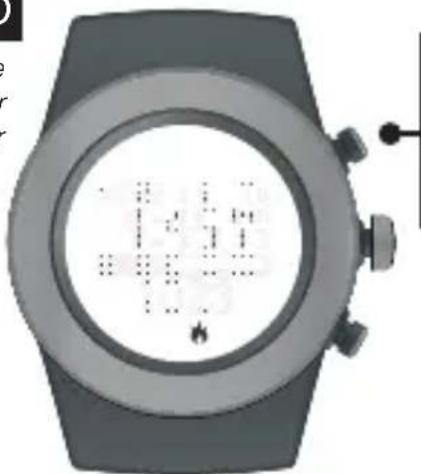
SETTING USER INFO
User Info can be adjusted on your fitness tracker or the LifeTrak App (via Settings)
natural_image
Close-up of a modern wristwatch with digital display showing time, battery, and control buttons (no readable text or symbols)① In Time, hold MODE for 3 sec
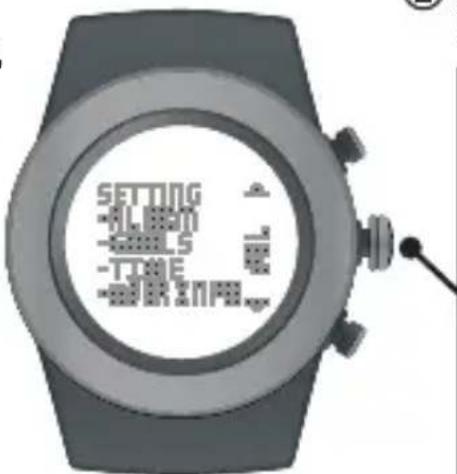
② Select USER INFO
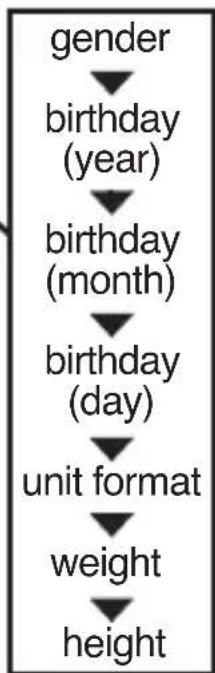
flowchart
graph TD
    A["gender"] --> B["birthday (year)"]
    B --> C["birthday (month)"]
    C --> D["birthday (day)"]
    D --> E["unit format"]
    E --> F["weight"]
    F --> G,height
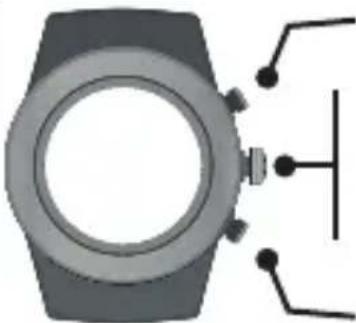
INSIDE SETTING MODE
natural_image
Illustration of a smartwatch with connected components (no text or symbols)Increase value
Press to go to next setting
Press & hold to exit setting mode
Decrease value
SLEEP TRACKER
The sleep tracker monitors the duration and quality of sleep. It automatically detects the beginning and end of your sleep session.
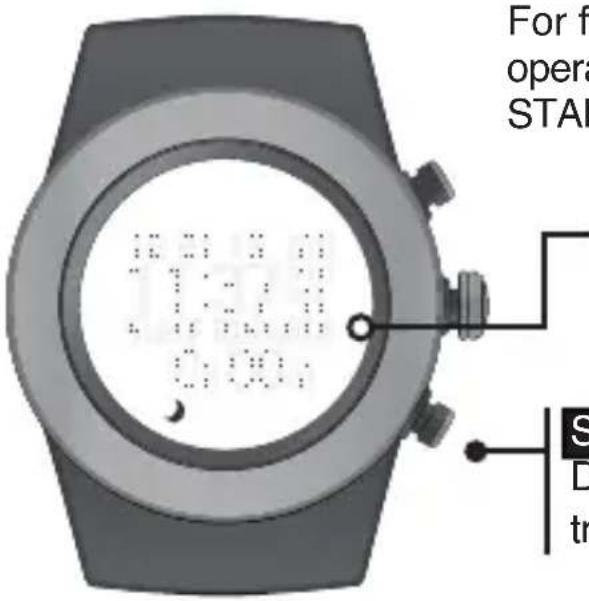
For full control, you can also manually operate the feature by double-clicking START/ STOP while in Time Mode.
Sleep tracker indicator (only in manual sleep mode)
START / STOP
Double-click to manually start / stop the sleep tracker (must be in Time mode)
SLEEP TRACKER
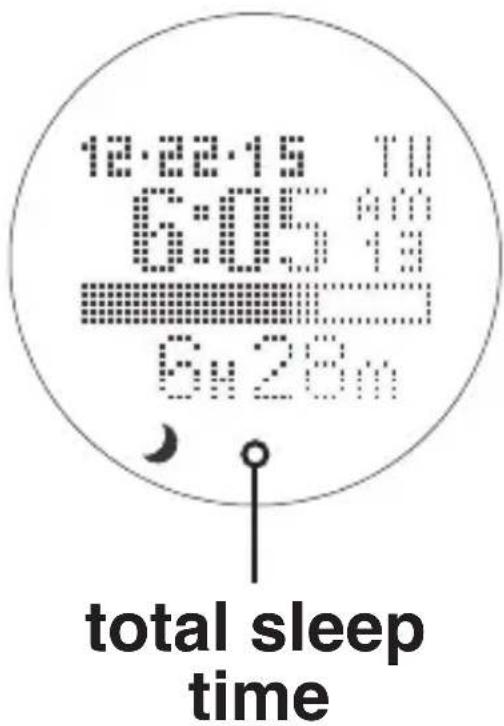
Total sleep time is accumulated during all sleep sessions that end on a particular day. For example, if you fell asleep last night and woke up this morning, your sleep duration will be added to today's total sleep time.
However, if you fell asleep last night at 10:00 p.m. and woke up at 11:00 p.m., that hour of sleep would be added to yesterday's total sleep time.
NOTE: Once you wake up, the total sleep time will update after a brief period.
MODES OF OPERATION : WORKOUT
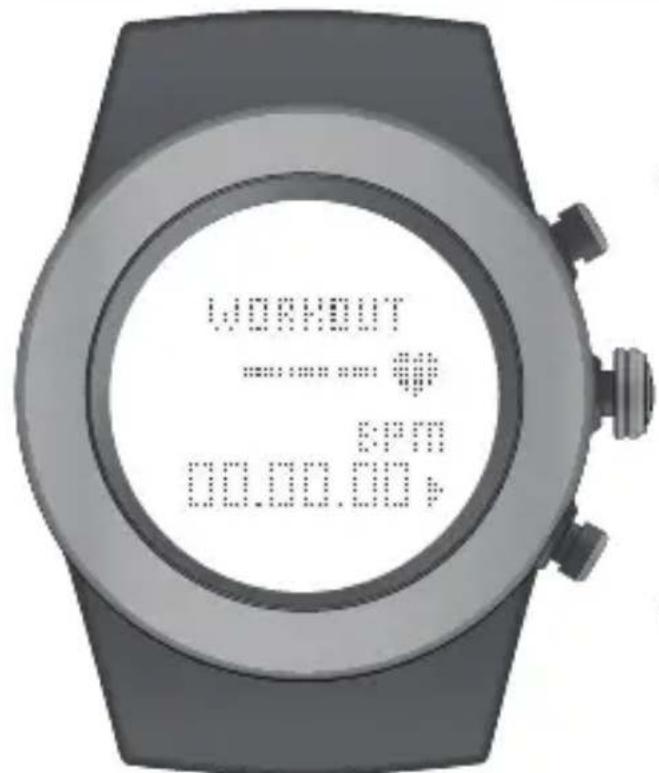
From Time Mode,
press MODE
until you reach
Workout Mode
VIEW
Press to view:
continuous heart rate (via chest belt),
distance, calories, steps
START / STOP
Press to start / stop your workout
Press & Hold to reset and record data
NOTE: Workout must be stopped
before you can record
HEART RATE MONITOR
Your heart is at the center of everything you do – fueling your life and driving your passions. Monitoring your heart rate and using it in activity tracking is the most accurate way to set your fitness goals and help you reach them.
Why measure heart rate?
- Taking your heart rate will help you stay in your workout zones and help calculate your calorie burn more accurately.
MEASURE YOUR HEART RATE TWO WAYS
1. VIA CHEST BELT
The Brite R440 is BLE chest belt compatible (sold separately). This additional feature lets you record continuous heart rate readings to your watch, so you can capture complete heart rate and calorie burn data during your workout. To help you track your results, you can also sync your cardio data to the LifeTrak app after your workout - so you know if you need to push harder next time.
2. VIA FINGER TOUCH
Don't want to wear a chest belt, but you want a heart rate reading? Get your ECG heart rate reading at the press of a button - no chest strap needed!
- Wear snugly around your wrist.
- Gently press and hold VIEW for 3 to 8 seconds until your heart rate appears.
Heart Rate (beats per minute)
% of Maximum Heart Rate
VIEW
Press & hold to read your heart rate
Pulse Indicator
This feature will NOT be available when you are using your compatible BLE chest belt in Workout Mode.
CONTINUOUS HEART RATE (BLE CHEST BELT)
Place your compatible* Bluetooth® chest belt (chest belt not included) around your rib cage, just below your pectoral muscles.
Adjust the elastic strap so it is tight enough not to move during your workout, but not so tight that it restricts breathing.
For optimal results, wear the chest belt for a few minutes and allow it to 'warm up' before starting your workout.
*Please visit the LifeTrak website www.lifetrakusa.com to purchase or view a list of compatible BLE heart rate chest belts / transmitters.
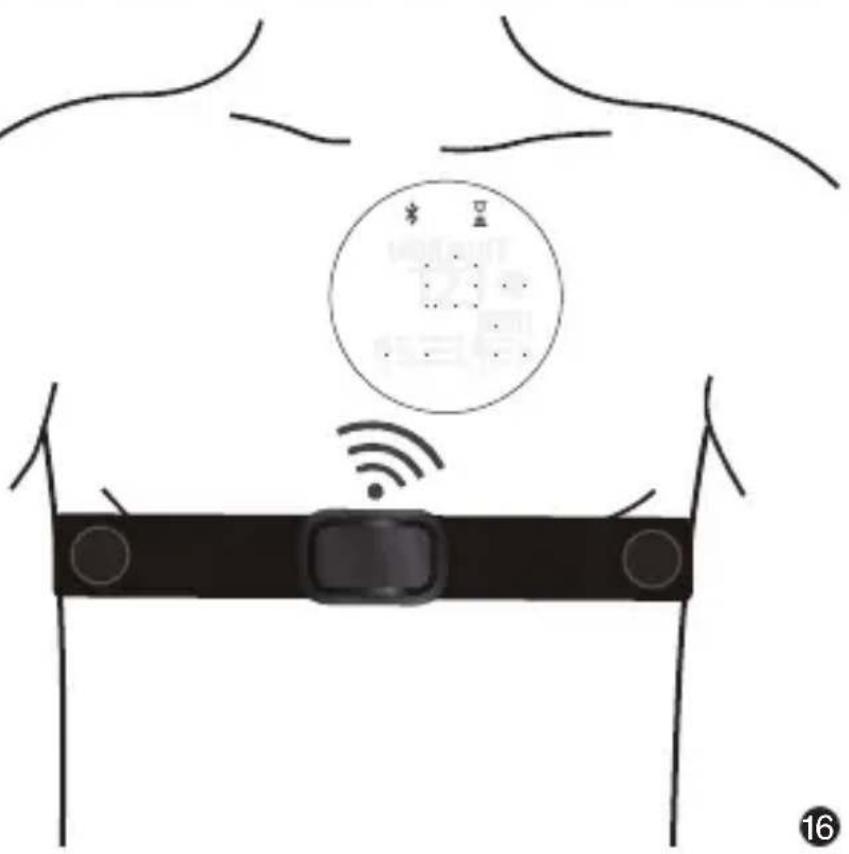
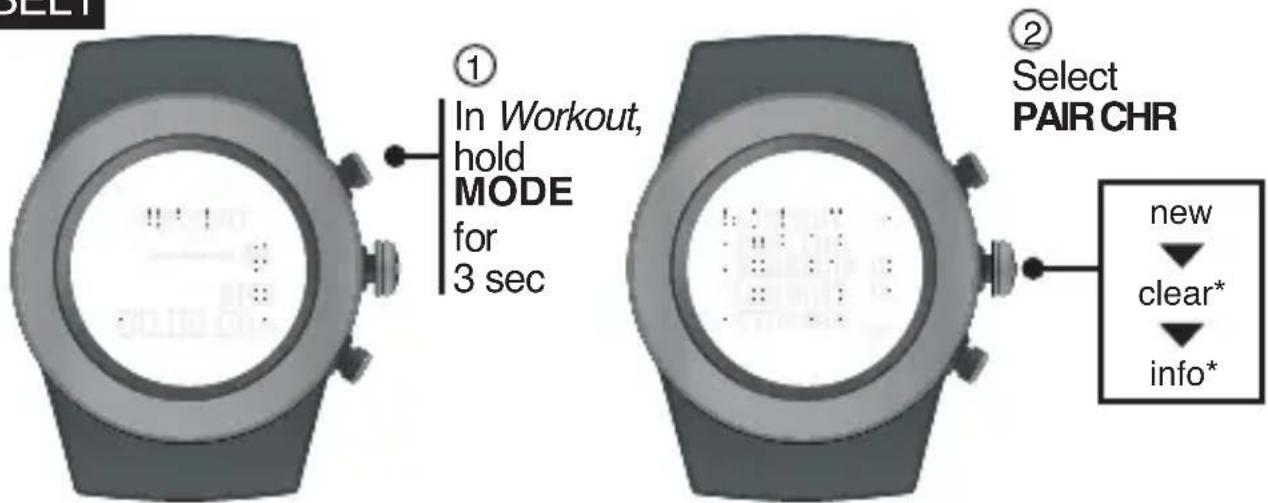
PAIR YOUR CHEST BELT
You must be wearing your BLE chest belt to PAIR to your Brite R440
INSIDE SETTING MODE
natural_image
Illustration of a smartwatch with a vertical line extending from its side (no text or symbols)Press to start the pairing process
Press & hold to exit setting mode
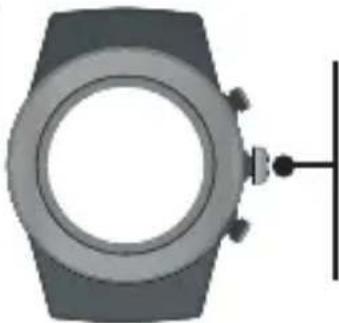
* Clear and Info will not appear the first time you PAIR your BLE chest belt. After your BLE chest belt successfully pairs, you can then unpair (clear) or view chest belt (info).
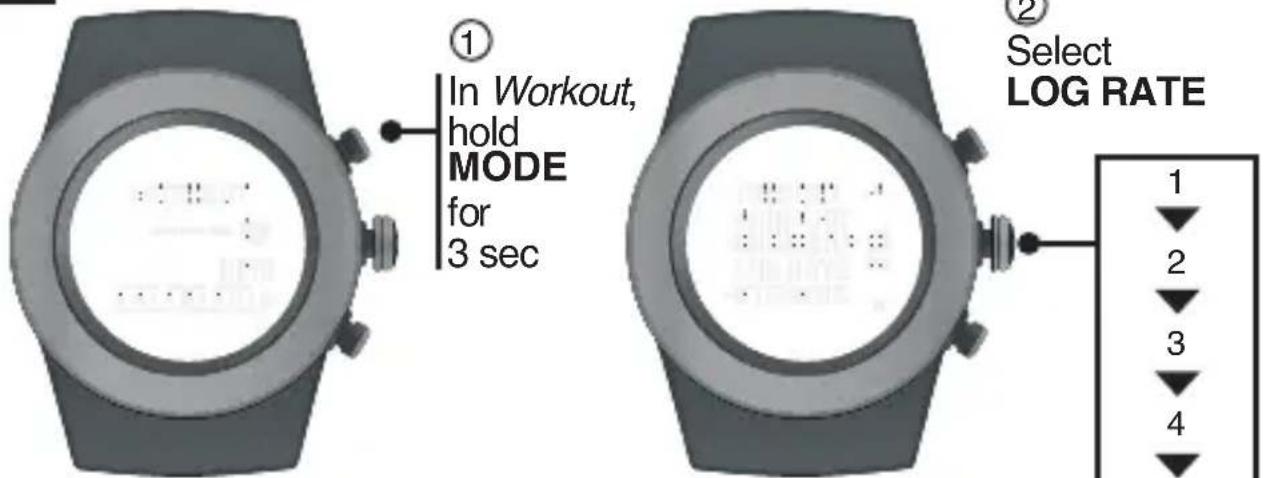
SET HR LOG RATE
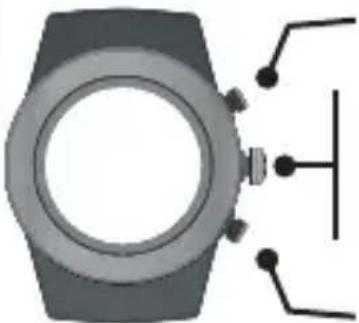
This is how often your heart rate readings will be logged. Select 1-5 seconds.
INSIDE SETTING MODE
natural_image
Top-down view of a smartwatch with indicator lights (no text or symbols visible)Increase value
Press to go to next setting
Press & hold to exit setting mode
Decrease value
After resetting your workout data, it will be saved automatically. You can view the last 10 workout sessions on your Brite R440.
All recorded sessions will be available for review once uploaded to the app.
Record Number Date Recorded
Note: You MUST reset & record your Workout BEFORE you sync to your app. If you simply pause your workout without recording, the data will not sync to your app.
Note: Workout is automatically stopped if there is no movement for 30 minutes.
WORKOUT : VIEW RECORDED DATA
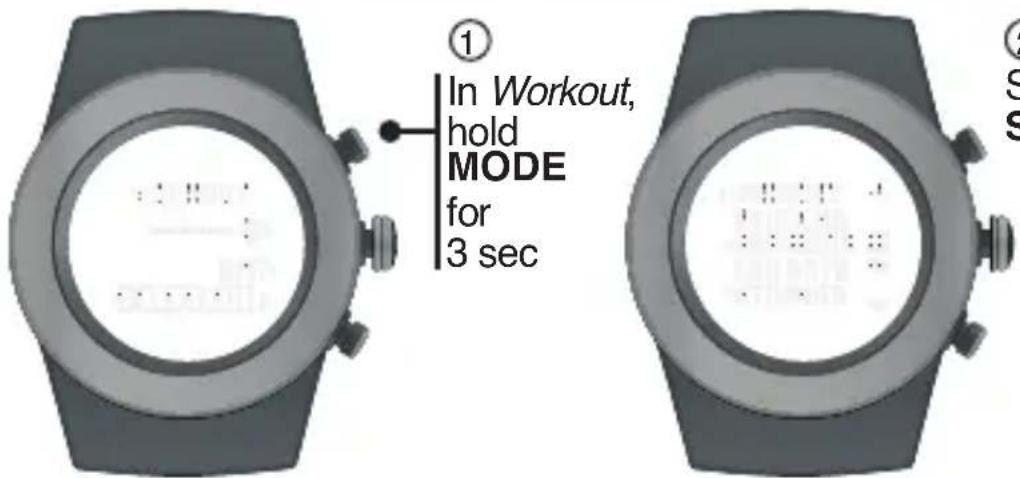
② Select SESSIONS
*Only continuous heart rate readings (via chest belt) are recorded during workouts
INSIDE SETTING MODE
natural_image
Diagram of a smartwatch with connected components (no text or symbols)Toggle through sessions (1-10)
Press to review workout data: *Heart Rate, Exercise Time, Steps, Distance, Calories
Press & hold to exit setting mode Toggle through sessions (1-10)
WORKOUT : STORAGE REMAINING
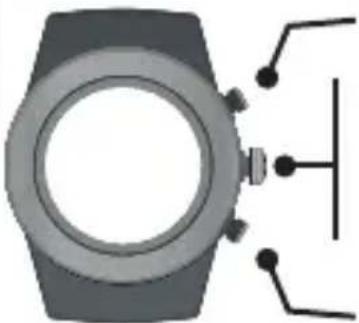
The R440 can store up to 10 recorded workouts. You can review your remaining workout storage to determine if you need to sync your workouts to the LifeTrak app & delete data from your watch before your next workout.
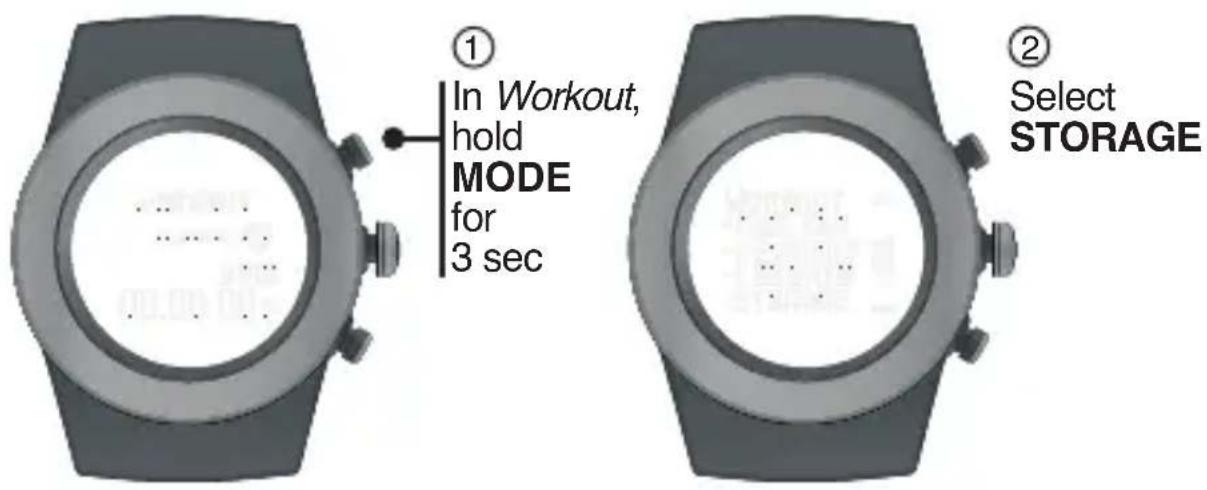
- Your workout will automatically stop if the memory becomes full (during your workout) - If the memory is already full (pre-workout), the workout will not start
WORKOUT : DELETE DATA
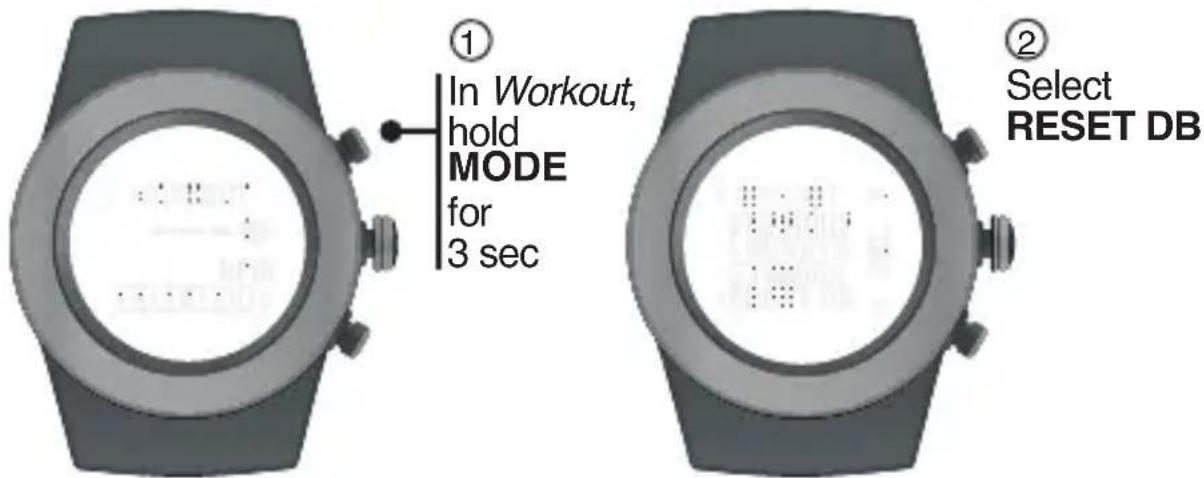
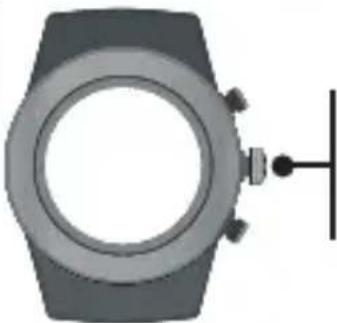
In Workout, hold MODE for 3 sec
Select RESET DB
INSIDE
SETTING
MODE
natural_image
Illustration of a wristwatch with a circular dial and a vertical line extending from its side (no text or symbols)Press to delete all recorded workout data.
Only your recorded workout sessions will be deleted from your watch. Your daily and weekly information will NOT be deleted. If you want to track your workouts on the app - make sure you SYNC BEFORE YOU DELETE!!!
MODES OF OPERATION : HOURLY DISPLAY
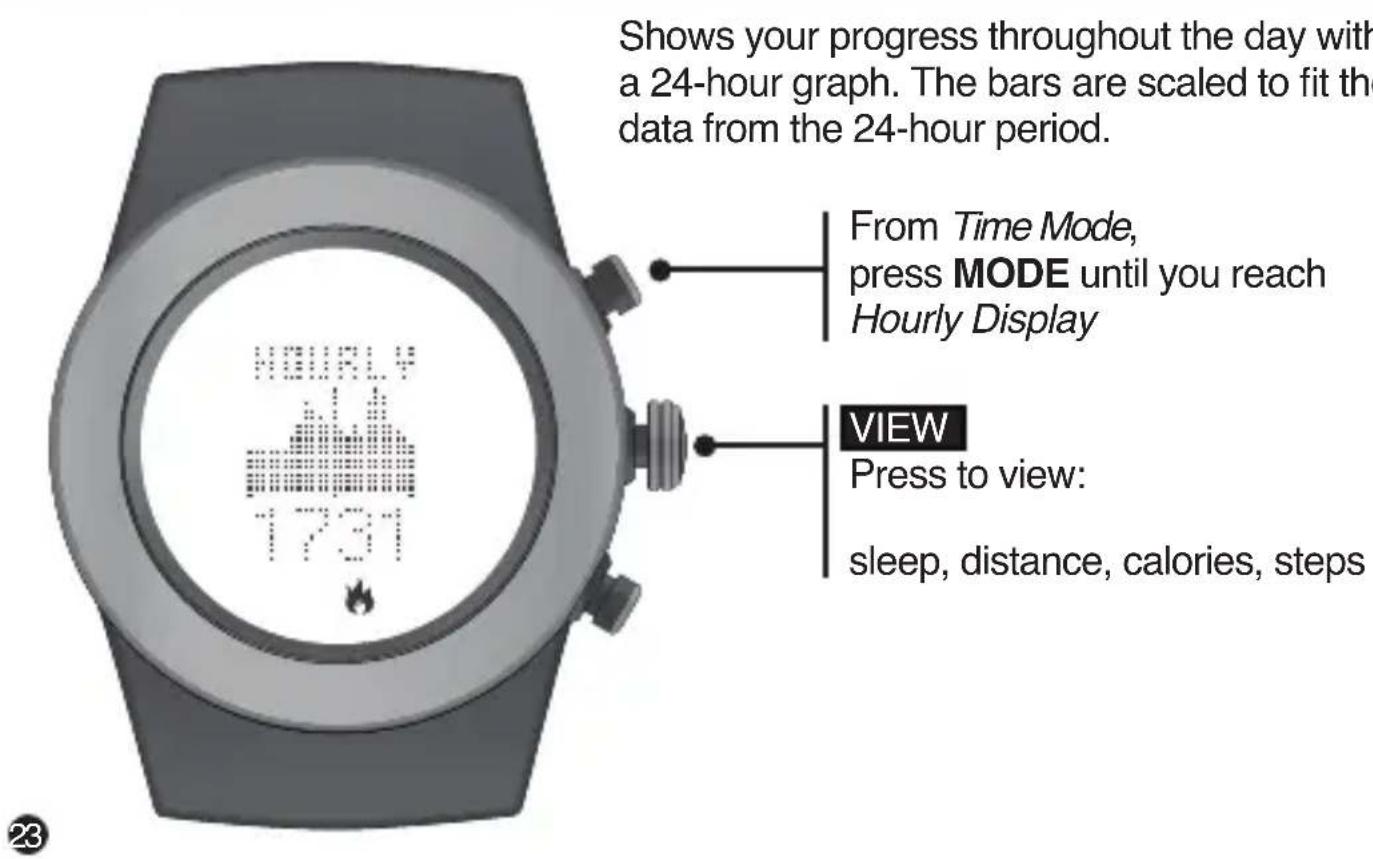
HOURLY DISPLAY : ACTIGRAPHY
The hourly actigraphy view provides a summary of your sleep and activity levels.
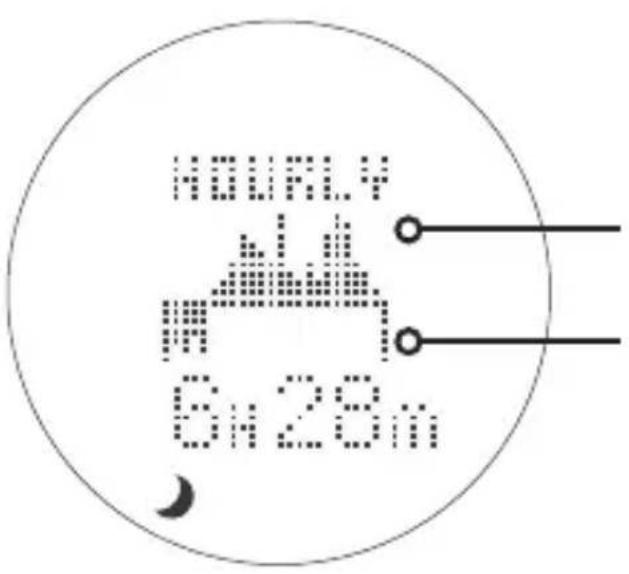
Active: Displays your activity levels while awake. Bars represent three categories: Normal, Active and Very Active.
Active graph
Sleep graph
Sleep: Displays your sleep levels. Bars represent three categories: Light, Medium and Deep Sleep.
From Time Mode,
Press MODE until you reach
Weekly Display ("Today")
Press to view:
distance, calories, steps, sleep
Press to browse through the past 7 days
NOTE: Use the LifeTrak app to see trends and insights over weeks, months and years.
ADVANCED SETTINGS
The calibrations are already programmed with ideal settings. But if you must adjust it, there is a setting option you can access.
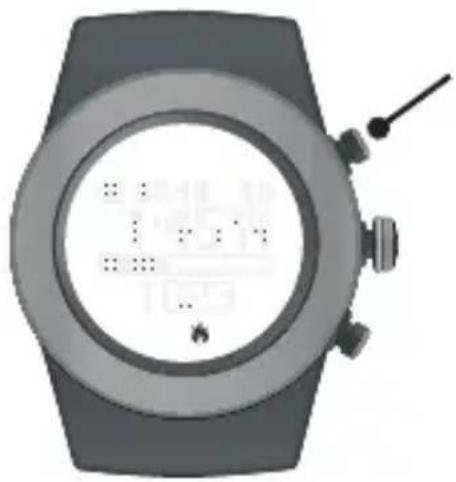
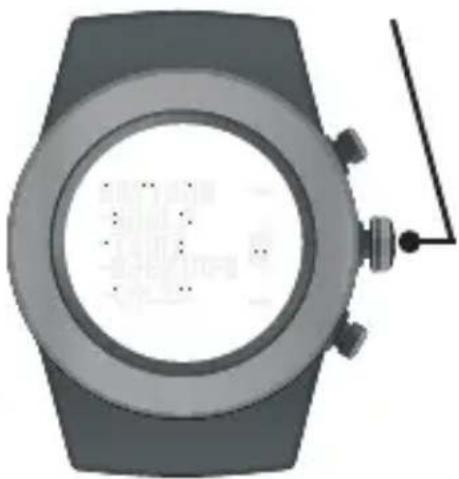
① In Time Mode, hold MODE for 3 sec
② Press & hold START / STOP for 3 sec. "CALIB" will appear in the display.
③ Scroll down & Select CALIB
natural_image
Top-down view of a smartwatch with a digital display showing status bar and control buttons (no readable text or symbols)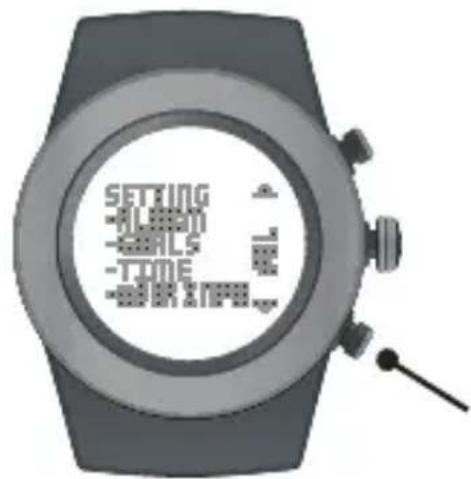
natural_image
Top-down view of a smartwatch with a circular dial and attached antenna (no visible text or symbols)ADVANCED : STEP CALIBRATION
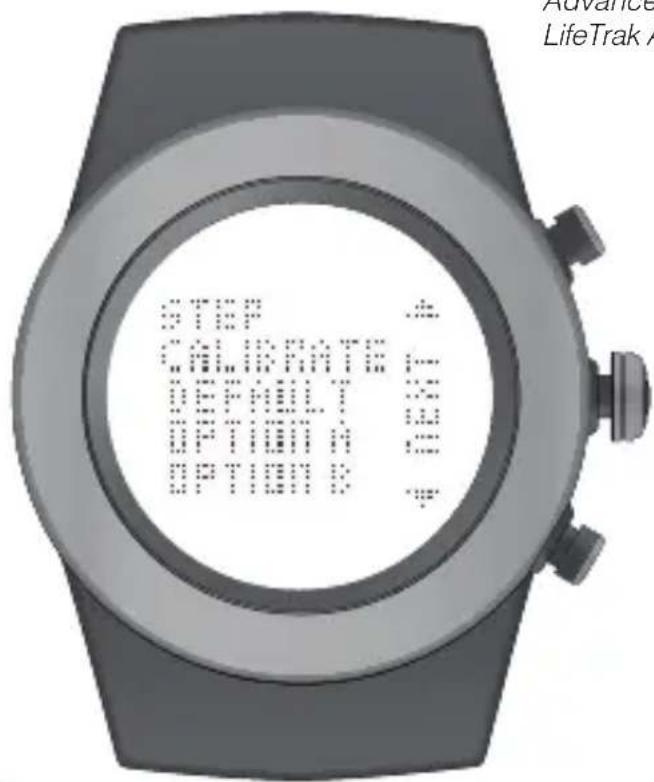
Advanced Settings can be adjusted on your fitness tracker or the LifeTrak App (via Settings)
Default: Optimal setting for most people and conditions. This is the recommended setting.
Option A: For those with low impact movements (e.g., person who treads lightly)
Option B: For those with high impact movements (e.g., person who treads heavily)
Advanced Settings can be adjusted on your fitness tracker or the LifeTrak App (via Settings)
After selecting one of the three STEP CALIBRATION options (Default, Option A or Option B), you will also be able to adjust the distance calibration, if desired.
The DISTANCE CALIBRATION range is from -25% to +25%.
Adjust as needed and once complete, press DONE.
SYNC FITNESS DATA
- Make sure Bluetooth is active on your smartphone / tablet.
- Install the LifeTrak App on your compatible smartphone / tablet, then open the app.
- Follow prompts in the LifeTrak App to connect your device
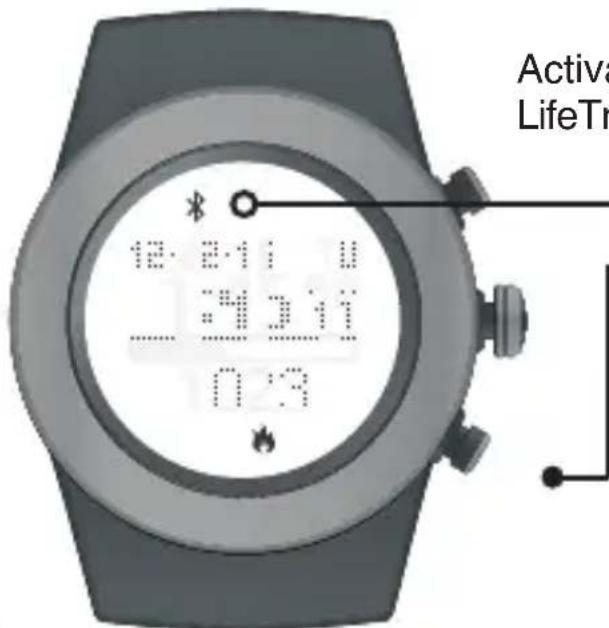
Activate the Bluetooth on your LifeTrak Brite R440:
Bluetooth Indicator
START / STOP
From TIME MODE, PRESS & HOLD to begin pairing. Button can be released once the Bluetooth icon appears in the display.
NOTE: For best results, keep your devices within 7 feet / 2 meters of each other when pairing.
SYNC FITNESS DATA

Indicator Status (activity tracker)
Solid: Bluetooth is on and linking to a device
No icon: Bluetooth is off / not working
You will need to sync your fitness data manually with a simple two-step process each time you wish to transfer the data.
To transfer your fitness data, simply
- Open your app and click on the reload button in the top-right corner.
- Press & Hold START / STOP on your Brite R440 to activate Bluetooth and start the sync process.
Remember: Bluetooth must be active on your LifeTrak Brite R440 and your smartphone / tablet to complete the data transfer (sync).
FCC CAUTION
§ 15.19 Labelling requirements
This device complies with part 15 of the FCC Rules.
Operation is subject to the following two conditions:
(1) This device may not cause harmful interference, and
(2) this device must accept any interference received, including interference that may cause undesired operation.
§ 15.21 Changes or modification warning
Any Changes or modifications not expressly approved by the party responsible for compliance could void the user's authority to operate the equipment.
*RF warning for Portable device:
The device has been evaluated to meet general RF exposure requirement. The device can be used in portable exposure condition without restriction.
IC CAUTION
This device complies with Industry Canada licence-exempt RSS standard(s). Operation is subject to the following two conditions:
(1) This device may not cause interference, and
(2) This device must accept any interference, including interference that may cause undesired operation of the device.
This Class [B] digital apparatus complies with Canadian ICES-003.
If you are having difficulty acquiring your heart rate, try the following:
- Make sure your LifeTrak fitness tracker is snugly strapped to your wrist. A loose fit makes it more difficult to properly measure your heart rate.
- Upon putting on for the first time, allow a one-minute "warm up" before trying to acquire your heart rate.
- When touching the heart sensor button (VIEW), make sure you are using the soft, flat pads of your fingers, not the tips of your fingers.
- Touch gently with enough pressure to activate the heart sensor button (VIEW). Pressing too hard can make it difficult to measure your heart rate.
- Make sure the back metal plate is lying flat on your skin.
- Make sure your wrist and fingers are clean and free from dirt, oils, or lotions.
- Clean the heart sensor button (VIEW) and back metal plate with a mild soap and water, or similar cleaning solution.
- Moisten with water the pads of the fingers you are using to contact the heart sensor button (VIEW).
- Moisten the surface between the back metal plate and the skin on your wrist with water.
HELPFUL HINTS ABOUT HEART RATE ZONES
WARNING: Before starting a new exercise routine, please consult your doctor or health care professional to help you determine your maximum heart rate, upper and lower limits, exercise frequency and duration appropriate for your age, condition and specific goals.
You can get your Maximum Heart Rate (MHR) from a MHR test (consult your doctor), or you can estimate it using the following formula:
Women Maximum Heart Rate = 226 - age Men Maximum Heart Rate = 220 - age
Here are some common Heart Rate Zones:
Light 50% - 60% MHR
Fat Burn 60% - 70% MHR
Endurance 70% - 80% MHR
Performance 80% - 90% MHR
Peak 90% - 100% MHR
Example based on a 35 year old male
220 - 35 (age) = 185 (MHR)
To calculate the HR ZONES, multiply
185 (MHR) by the percentages to the
left. This will help you determine the
LO and HI levels of each zone.
For a Medium Intensity (Endurance):
185 x 0.7 = 130 (LO) and
185 × 0.8 = 148 (HI)
HELPFUL HINTS ABOUT ALL-DAY CALORIE TRACKING
- Your body is always burning calories, even when sleeping or not in motion. Our All-Day Calorie Tracker accounts for these calories burned.
- You will see calories burned even when you're not wearing your LifeTrak. This is normal as it is estimating the calories your body typically burns throughout the day.
- You get more accurate calorie burn information by calculating in your heart rate readings, so remember to take your heart rate throughout the day and more frequently during your exercise.
HELPFUL HINTS ABOUT LIGHTTRAK
- Monitoring your exposure to overall blue light levels can help you improve mood, fight fatigue and keep your circadian rhythm running smoothly. The Brite R440 tracks your light levels and provides alerts to let you know when to get more or less light. You can view charts and durations on the LifeTrak app.
HELPFUL HINTS ABOUT INACTIVITY ALARM
- The Brite R440 will let you know when you have been inactive. Activate this alarm to receive a vibration alert letting you know when you should get moving.
WARNINGS & CAUTIONS
THIS IS NOT A MEDICAL DEVICE.
WARNING: Before starting any exercise program, please visit your doctor for a complete physical and to discuss your exercise plans.
PLEASE READ all of the information in this instruction manual before using the unit. Make sure you fully understand the functions and limitations of this product before using it.
NOTICE TO PEOPLE WEARING PACEMAKERS: While the heart rate monitor is a passive system and should have no direct effect on a pacemaker, we strongly recommend anyone fitted with such a device contact their physician or cardiologist before using this product or starting an exercise program.
NEVER expose the heart rate monitor to chemicals or cleaning solvents. Exposure to insect repellent and sunscreen may also damage the unit.
NOTICE: While the heart rate monitor (watch) is 30M water resistant, IT IS NOT WATERPROOF. Do NOT press buttons under water - this will cause damage.
- LifeTrak®
- Learn more
- CUSTOMER SERVICE
- TABLE OF CONTENTS
- MODE
- START / STOP
- BACKLIGHT
- NOTE:
- SETTING ALARMS
- INSIDE SETTING MODE
- INTELLIGENT WAKE-UP
- LIGHTTRAK ALERT
- Daylight alert will vibrate if you should get more light during the day.
- Nitelight alert will vibrate if you should reduce light prior to bedtime.
- INACTIVITY ALERT
- SETTING GOALS
- SETTING TIME
- SETTING USER INFO
- SLEEP TRACKER
- MODES OF OPERATION : WORKOUT
- VIEW
- HEART RATE MONITOR
- Why measure heart rate?
- MEASURE YOUR HEART RATE TWO WAYS
- VIA CHEST BELT
- VIA FINGER TOUCH
- CONTINUOUS HEART RATE (BLE CHEST BELT)
- PAIR YOUR CHEST BELT
- You must be wearing your BLE chest belt to PAIR to your Brite R440
- SET HR LOG RATE
- WORKOUT : VIEW RECORDED DATA
- WORKOUT : STORAGE REMAINING
- WORKOUT : DELETE DATA
- MODES OF OPERATION : HOURLY DISPLAY
- HOURLY DISPLAY : ACTIGRAPHY
- ADVANCED SETTINGS
- ADVANCED : STEP CALIBRATION
- SYNC FITNESS DATA
- Bluetooth Indicator
- FCC CAUTION
- § 15.19 Labelling requirements
- § 15.21 Changes or modification warning
- IC CAUTION
- HELPFUL HINTS ABOUT HEART RATE ZONES
- Women Maximum Heart Rate = 226 - age Men Maximum Heart Rate = 220 - age
- Example based on a 35 year old male
- HELPFUL HINTS ABOUT ALL-DAY CALORIE TRACKING
- HELPFUL HINTS ABOUT LIGHTTRAK
- HELPFUL HINTS ABOUT INACTIVITY ALARM
- WARNINGS & CAUTIONS
- THIS IS NOT A MEDICAL DEVICE.
Brand : LifeTrak
Model : Brite R440
Category : Smartwatch