
DV-PF33U - DVD player HITACHI - Free user manual and instructions
Find the device manual for free DV-PF33U HITACHI in PDF.


| Product Type | DVD Player |
| Brand | Hitachi |
| Model | DV-PF33U |
| Power Supply | AC 120V, 60Hz |
| Disc Compatibility | DVD, DVD-R/RW, CD, CD-R/RW, VCD, SVCD |
| Video Outputs | Composite Video, S-Video, Component Video (YPbPr) |
| Audio Outputs | Stereo RCA, Coaxial Digital, Optical Digital |
| Playback Features | Play, Pause, Stop, Skip, Repeat, Zoom, Slow Motion |
| Remote Control | Included (batteries not included) |
| Dimensions (W x D x H) | 430 x 250 x 50 mm |
| Weight | 2.5 kg |
| Disc Loading | Front-loading tray |
| Video System | NTSC |
| Audio DAC | 24-bit/96kHz |
| Maintenance | Use a lens cleaning disc periodically; unplug before cleaning exterior |
| Safety | Do not expose to moisture or heat; ensure proper ventilation |
| Spare Parts | Remote control and power cord available; use only Hitachi-approved parts |
| Repairability | Service by qualified technician; do not attempt internal repairs |
| Accessories Included | Remote control, audio/video cables, user manual |
Frequently Asked Questions - DV-PF33U HITACHI
User questions about DV-PF33U HITACHI
0 question about this device. Answer the ones you know or ask your own.
Ask a new question about this device
Download the instructions for your DVD player in PDF format for free! Find your manual DV-PF33U - HITACHI and take your electronic device back in hand. On this page are published all the documents necessary for the use of your device. DV-PF33U by HITACHI.
USER MANUAL DV-PF33U HITACHI
To obtain the best performance and ensure years of trouble-free use, please read this instruction manual completely.
WARNING:
TO REDUCE THE RISK OF FIRE OR ELECTRIC SHOCK, DO NOT EXPOSE THIS APPLIANCE TO RAIN OR MOISTURE.

CAUTION
RISK OF ELECTRIC SHOCK DO NOT OPEN

CAUTION:
TO REDUCE THE RISK OF ELECTRIC SHOCK, DO NOT REMOVE COVER (OR BACK). NO USER SERVICEABLE PARTS INSIDE. REFER SERVICING TO QUALIFIED SERVICE PERSONNEL.

The lightning flash with arrowhead symbol, within an equilateral triangle, is intended to alert the user to the presence of uninsulated “dangerous voltage” within the product’s enclosure that may be of sufficient magnitude to constitute a risk of electric shock to persons.

The exclamation point within an equilateral triangle is intended to alert the user to the presence of important operating and maintenance (servicing) instructions in the literature accompanying the appliance.
LASER SAFETY
This unit employs a laser. Only a qualified service person should remove the cover or attempt to service this device, due to possible eye injury.
CAUTION: USE OF CONTROLS OR ADJUSTMENTS OR PERFORMANCE OF PROCEDURES OTHER THAN THOSE SPECIFIED HEREIN MAY RESULT IN HAZARDOUS RADIATION EXPOSURE.
CAUTION: VISIBLE AND INVISIBLE LASER RADIATION WHEN OPEN AND INTERLOCK DEFEATED. DO NOT STARE INTO BEAM.
LOCATION: INSIDE, NEAR THE DECK MECHANISM.
FCC WARNING- This equipment may generate or use radio frequency energy. Changes or modifications to this equipment may cause harmful interference unless the modifications are expressly approved in the instruction manual. The user could lose the authority to operate this equipment if an unauthorized change or modification is made.
RADIO-TV INTERFERENCE
This equipment has been tested and found to comply with the limits for a Class B digital device, pursuant to Part 15 of the FCC Rules. These limits are designed to provide reasonable protection against harmful interference in a residential installation. This equipment generates, uses, and can radiate radio frequency energy and, if not installed and used in accordance with the instructions, may cause harmful interference to radio communications. However, there is no guarantee that interference will not occur in a particular installation. If this equipment does cause harmful interference to radio or television reception, which can be determined by turning the equipment off and on, the user is encouraged to try to correct the interference by one or more of the following measures:
1) Reorient or relocate the receiving antenna.
2) Increase the separation between the equipment and receiver.
3) Connect the equipment into an outlet on a circuit different from that to which the receiver is connected.
4) Consult the dealer or an experienced radio/TV technician for help.
This Class B digital apparatus complies with Canadian ICES-003.
-
Read Instructions - All the safety and operating instructions should be read before the appliance is operated.
-
Retain Instructions- The safety and operating instructions should be retained for future reference.
-
Heed Warnings - All warnings on the appliance and in the operating instructions should be adhered to.
-
Follow Instructions - All operating and use instructions should be followed.
-
Cleaning - Unplug this video product from the wall outlet before cleaning. Do not use liquid cleaners or aerosol cleaners. Use a damp cloth for cleaning. EXCEPTION: A product that is meant for uninterrupted service and, that for some specific reason, such as the possibility of the loss of an authorization code for a CATV converter, is not intended to be unplugged by the user for cleaning or any other purpose, may exclude the reference to unplugging the appliance in the cleaning description otherwise required in item 5.
-
Attachments - Do not use attachments not recommended by the video product manufacturer as they may cause hazards.
-
Water and Moisture- Do not use this video product near water, for example, near a bath tub, wash bowl, kitchen sink, or laundry tub, in a wet basement, or near a swimming pool, and the like.
-
Accessories - Do not place this video product on an unstable cart, stand, tripod, bracket, or table. The video product may fall, causing serious injury to a child or adult, and serious damage to the appliance. Use only with a cart, stand, tripod, bracket, or table recommended by the manufacturer, or sold with the video product. Any mounting of the appliance should follow the manufacturer's instructions and should use a mounting accessory recommended by the manufacturer. An appliance and cart combination should be moved with care. Quick stops, excessive force, and uneven surfaces may cause the appliance and cart combination to overturn.
-
Ventilation - Slots and openings in the cabinet are provided for ventilation and to ensure reliable operation of the video product and to protect it from overheating, and these openings must not be blocked or covered. The openings should never be blocked by placing the video product on a bed, sofa, rug, or other similar surface. This video product should not be placed in a built-in installation such as a bookcase or rack unless proper ventilation is provided or the manufacturer's instructions have been adhered to.
-
Power Sources - This video product should be operated only from the type of power source indicated on the marking label. If you are not sure of the type of power supply to your home, consult your appliance dealer or local power company. For products intended to operate from battery power, or other sources, refer to the operating instructions.
-
Grounding or Polarization - This video product is equipped with a polarized alternating-current line plug (a plug having one blade wider than the other). This plug will fit into the power outlet only one way. This is a safety feature. If you are unable to insert the plug fully into the outlet, try reversing the plug. If the plug should still fail to fit, contact your electrician to replace your obsolete outlet. Do not defeat the safety purpose of the polarized plug.
-
Power Cord Protection - Power supply cords should be routed so that they are not likely to be walked on or pinched by items placed upon or against them, paying particular attention to cords at plugs, convenience receptacles, and the point where they exit from the appliance.
-
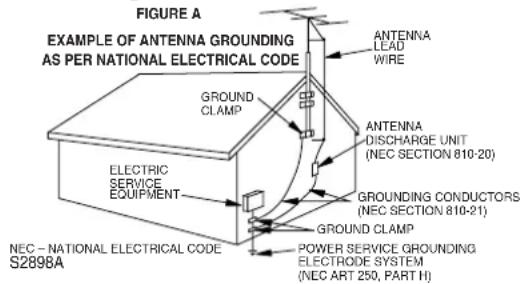
Outdoor Antenna Grounding - If an outside antenna or cable system is connected to the video product, be sure the antenna or cable system is grounded so as to provide some protection against voltage surges and built-up static charges. Article 810 of the National Electrical Code, ANSI/NFPA No. 70, provides information with regard to proper ground-
ing of the mast and supporting structure, grounding of the lead-in wire to an antenna discharge unit, size of grounding conductors, location of antenna-discharge unit, connection to grounding electrodes, and requirements for the grounding electrode. (Fig. A)
-
Lightning - For added protection for this video product during a lightning storm, or when it is left unattended and unused for long periods of time, unplug it from the wall outlet and disconnect the antenna or cable system. This will prevent damage to the video product due to lightning and power-line surges.
-
Power Lines - An outside antenna system should not be located in the vicinity of overhead power lines or other electric light or power circuits, or where it can fall into such power lines or circuits. When installing an outside antenna system, extreme care should be taken to keep from touching such power lines or circuits as contact with them might be fatal.
-
Overloading - Do not overload wall outlets and extension cords as this can result in a risk of fire or electric shock.
-
Object and Liquid Entry - Never push objects of any kind into this video product through any openings as they may touch dangerous voltage points or short-out parts that could result in a fire or electric shock. Never spill liquid of any kind on the video product.
-
Servicing - Do not attempt to service this video product yourself as opening or removing covers may expose you to dangerous voltage or other hazards. Refer all servicing to qualified service personnel.
-
Damage Requiring Service - Unplug this video product from the wall outlet and refer servicing to qualified service personnel under the following conditions:
a. When the power-supply cord or plug is damaged.
b. If liquid has been spilled, or objects have fallen into the video product.
c. If the video product has been exposed to rain or water.
d. If the video product does not operate normally by following the operating instructions. Adjust only those controls that are covered by the operating instructions as an improper adjustment of other controls may result in damage and will often require extensive work by a qualified technician to restore the video product to its normal operation.
e. If the video product has been dropped or damaged in any way.
f. When the video product exhibits a distinct change in performance this indicates a need for service.
-
Replacement Parts - When replacement parts are required, be sure the service technician has used replacement parts specified by the manufacturer or have the same characteristics as the original part. Unauthorized substitutions may result in fire, electric shock or other hazards.
-
Safety Check - Upon completion of any service or repairs to this video product, ask the service technician to perform safety checks to determine that the video product is in proper operating condition.
-
Heat - This video product should be situated away from heat sources such as radiators, heat registers, stoves, or other products (including amplifiers) that produce heat.
A NOTE ABOUT RECYCLING
This product's packaging materials are recyclable and can be reused. Please dispose of all materials in accordance with your local recycling regulations.
Batteries should never be thrown away or incinerated but disposed of in accordance with your local regulations concerning chemical wastes.
The serial number of this product may be found on the back of the DVD/VCR. This serial number is unique to your machine. You should record the number and other vital information here and retain this book as a permanent record of your purchase to aid identification in case of theft. Serial numbers are not kept on file.
| Date of Purchase | |
| Dealer Purchase from | |
| Dealer Address | |
| Dealer Phone No. | |
| Model No. | |
| Serial No. |
ABOUT COPYRIGHT
Unauthorized copying, broadcasting, public performance and lending of discs are prohibited.
This product incorporates copyright protection technology that is protected by method claims of certain U.S. patents and other intellectual property rights owned by Macrovision Corporation and other rights owners. Use of this copyright protection technology must be authorized by Macrovision Corporation, and is intended for home and other limited viewing uses only unless otherwise authorized by Macrovision Corporation. Reverse engineering or disassembly is prohibited.
SUPPLIED ACCESSORIES
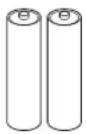
| Remote control | Two AA batteries A/V | cables | RF Cable |
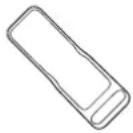 |  | 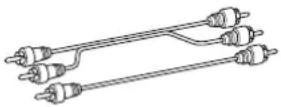 | 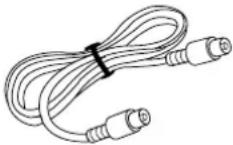 |
| DV-RMPF33U(TS18321) | (approx. 3 feet (100 cm) long) (TE14751) | (5857952) |
SYMBOLS USED IN THIS MANUAL
The following symbols below appear in some headings and notes in this manual, with the following meanings
VCR
: Description refers to playback of video cassette tapes.
DVD
: Description refers to playback of DVD video discs.
CD
: Description refers to playback of audio CDs.
MP3
: Description refers to playback of MP3 discs.
QUICK
: Description refers to the items to be set in the QUICK mode.
TABLE OF CONTENTS
■ LASER SAFETY....2
■ IMPORTANT SAFEGUARDS .... 3 ABOUT COPYRIGHT .... 4 SUPPLIED ACCESSORIES .... 4 SYMBOLS USED IN THIS MANUAL .... 4
■ FEATURES .... 6
■ PRECAUTIONS....7
■ ABOUT THE DISCS....7 PLAYABLE DISCS....7 DISC TYPES....7
■ OPERATING CONTROLS AND FUNCTIONS....8 DISPLAY....12 DISPLAYS DURING OPERATION....12 LOADING THE BATTERIES....12
■ VCR/DVD SWITCHING....12
■HOOKUPS .... 13 DVD/VCR TO TV CONNECTION.... 13 RF OUTPUT CHANNEL.... 13 CONNECTION TO AN AUDIO SYSTEM.... 14 CONNECTION TO A TV (FOR VIDEO).... 15 REMOTE CONTROL OF THE TV.... 16
SETUP....17 AUTOMATIC CHANNEL SET UP....17 TO CHANGE THE ON-SCREEN LANGUAGE....18 CLOCK SET UP....18
■ PLAYBACK FUNCTION....19 NORMAL PLAYBACK....19 AUTO REPEAT PLAYBACK....19 SEARCH FUNCTIONS....19
■ RECORDING FUNCTION....20 NORMAL RECORDING....20 IRT (Instant Recording Timer)....20 TIMER RECORDING....20 HINTS FOR TIMER RECORDING....21
■ SPECIAL FEATURES .... 22 COPYING A VIDEO TAPE.... 22 MTS (Multi-Channel Television Sound) SYSTEM.... 22 AUTO REWIND.... 23 REAL TIME TAPE COUNTER.... 23
■ PLAYING A DISC....23 BASIC PLAYBACK....23 GENERAL FEATURES....23 PAUSE....23 DISC MENUS....24 TITLE MENU....24
STEP BY STEP PLAYBACK 24
RESUME 24
FAST FORWARD / REVERSE SEARCH 24
SLOW FORWARD / SLOW REVERSE ..... 24
ZOOM 25
TRACK 25
TITLE / CHAPTER SEARCH....25
TIME SEARCH....25
MARKER SETUP SCREEN 26
REPEAT 26
PROGRAM 27
RANDOM PLAYBACK 27
MP3 PLAYBACK 27
ON-SCREEN INFORMATION 28
TRACK SELECTION 28
RANDOM PLAYBACK 28
PROGRAM 28
AUDIO LANGUAGE 28
STEREO SOUND MODE 28
SUBTITLE LANGUAGE....29
CAMERA ANGLE 29
CHANGING THE ON-SCREEN DISPLAY 29
PARENTAL CONTROL 29
■ DVD SETUP....30
AUDIO SETTINGS....30
BLACK LEVEL SETTING 31
VIRTUAL SURROUND 31
DISPLAY SETTING 31
LANGUAGE SETTING 32
■ TROUBLESHOOTING GUIDE....33
■ MAINTENANCE 34
DISC HANDLING 34
■ SPECIFICATIONS....35
INDICE
■ CONTROLES DEL FUNCIONAMIENETO Y SUS FUNCIONES....36
- Progressive Scan system
- Dolby Digital sound
This DVD/VCR can handle Dolby Digital surround sound with 5.1 channels when connected to a Dolby Digital decoder.
- Still/fast/slow/step playback
- Random playback for audio CD and MP3
- Program playback for audio CD and MP3
• DVD menus in a desired language
- Screen saver/Auto power-off functions
The screen saver program starts when there is no input from the DVD/VCR for five minutes in the stop mode. When the screen saver program is activated for 30 minutes, the power is automatically turned off.
- Subtitles in a desired language
- Selecting a camera angle
- Choices for audio language and sound mode
- Parental lock
• Automatic detection of discs
This DVD/VCR automatically detects if the loaded disc is DVD, audio CD or MP3 on disc.
- Playing an MP3 disc
- Direct Search
- On-screen display
Information about the current operation can be displayed on the TV screen, allowing you to confirm the currently active functions (such as program playback), on the TV screen using the remote control.
- Search
Chapter search / Title search / Track search / Time search
- Repeat
Chapter / Title / Track / Group / All / A-B
- Zoom
- Marker
The part designated by user can be called back.
- Resume Play
- Virtual Surround
- Component Video Out Jacks
Jacks located on the back of the DVD/VCR which are used to send high-quality video to a TV via Component Video In Jacks.
- Bit rate indication
• DRC (Dynamic range control)
You can control the range of sound volume.
- Black Level Setting
VCR Mode
Hardware specifications
- Auto Head Cleaner
- 4 Head HiFi Stereo
- Trilingual on-screen menu display selectable in English, French, or Spanish
- 181 channel capability PLL frequency synthesizer tuner with direct station call (A cable converter box may be necessary to view scrambled cable channels.)
Automatic functions
• Auto power on system
Automatically turns the VCR on when you insert the cassette.
• Digital Auto Tracking (DTR)
Playback
- Auto Repeat
● 2 Step Picture Search Operation
- Index Search
- Time Search
Recording
● 1 Year, 8 events (including Daily and Weekly Timer Recording)
- IRT (Instant Recording Timer)
Manufactured under license from Dolby Laboratories. "Dolby" and the double-D symbol are trademarks of Dolby Laboratories.
Selecting Progressive Scan (480p or Interlaced 480i) Playback
- If your TV is compatible with progressive scanning (480p), connect the TV to the Component Video Output jacks of the DVD/VCR and set the INTERLACE/PROGRESSIVE SCAN SELECTOR on the back of the DVD/VCR to P(PROGRESSIVE). Next, set your TV to the progressive scan mode. If your TV is not compatible with progressive scan, set the INTERLACE/PROGRESSIVE SCAN SELECTOR to I(INTERLACE).
- Use a commercially available adaptor if the video input jacks of your TVs or monitors are the BNC type.
- If you switch PROGRESSIVE/INTERLACE when the power is on the DVD/VCR will automatically be turned off. When you turn on the DVD/VCR again, the last selected scanning system will be employed.
- If you select P(PROGRESSIVE) in INTERLACE/PROGRESSIVE SCAN SELECTOR, DVD video signal is not output from DVD/VCR VIDEO OUT jack.
What is Progressive Scanning?
- Unlike conventional interlace scanning, the progressive scan system provides less flickering and images in higher resolution than that of traditional (480i) television signals.
PRECAUTIONS
INSTALLATION LOCATION
For safety and optimum performance of your DVD/VCR:
• Install the DVD/VCR in a horizontal and stable position. Do not place anything directly on top of the DVD/VCR. Do not place the DVD/VCR directly on top of the TV.
- Shield it from direct sunlight and keep it away from sources of intense heat. Avoid dusty or humid places. Avoid places with insufficient ventilation for proper heat dissipation. Do not block the ventilation holes on the sides of the DVD/VCR. Avoid locations subject to strong vibration or strong magnetic fields.
AVOID THE HAZARDS OF
ELECTRICAL SHOCK AND FIRE
- Do not handle the power cord with wet hands.
- Do not pull on the power cord when disconnecting it from AC wall
outlet. Grasp it by the plug.
- If, by accident, water is spilled on your DVD/VCR, unplug the power cord immediately and take the unit to our Authorized Service Center for servicing.
- Do not put your fingers or objects into the DVD/VCR cassette holder.
MOISTURE CONDENSATION WARNING
Moisture condensation may occur inside the unit when it is moved from a cold place to a warm place, or after heating a cold room or under conditions of high humidity. Do not use the DVD/VCR at least for 2 hours until its inside is dry.
ABOUT THE DISCS
PLAYABLE DISCS
The following discs can be played back on this DVD/VCR.
• DVD video
• DVD-R*
- Audio CD
- CD-R/RW*
• MP3*
* Depending on the types or the writing method of the medium some discs can not be played.
- Some DVD-R or CD-R/RW discs made on personal computers, or on DVD recorders may not be played back properly due to factors such as scratches, dirt or special properties of the disc.
- Discs made on personal computers may not be played back properly due to different environments or the settings of the application you use. We recommend always to use the standardized, properly formatted discs. (Please contact the sales agency for more detail).
This player conforms to the NTSC color system. You cannot play discs recorded in other color systems such as PAL or SECAM.
- Some discs include region codes as shown below.


- The number inside the symbol refers to a region of the world, and a disc encoded in a specific region format can only be played back on DVD/VCR with the same region code.
The following discs cannot be played back on this DVD/VCR.
• DVD with region codes other than 1 or ALL.
• DVD-ROM
• DVD-RAM
- CD-ROM
• VSD
• CDV (Only plays back the audio part.)
• CD-G (Only plays back the sound.)
• CD-I
• SACD
- Photo CD
• Video CD
Any other discs without compatibility indications.
DISC TYPES
[DVD]
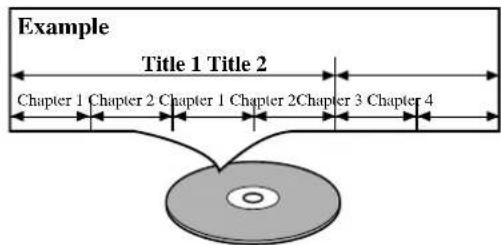
Data on a DVD is divided into sections called "titles", and then into subsections called "chapters", each of which is given a title or chapter number. Playback conditions are preset on some DVD video discs, and these playback conditions take priority over user operations on this DVD/VCR. If a function you selected does not run as desired, refer to the manual accompanying the disc.
[ AUDIO CD]
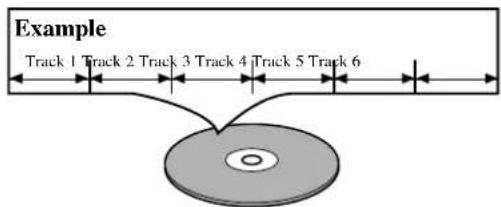
Data on an audio CD is divided into sections called "tracks", each of which is given a track number.
[MP3]
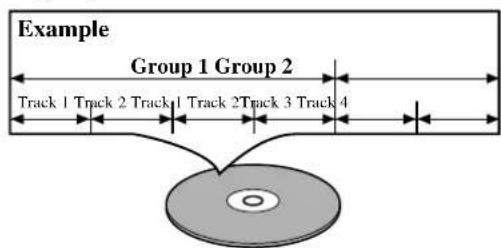
Data on an MP3 is divided into sections called "groups", and then into subsections called "tracks", each of which is given a group or track number.
OPERATING CONTROLS AND FUNCTIONS
FRONT PANEL
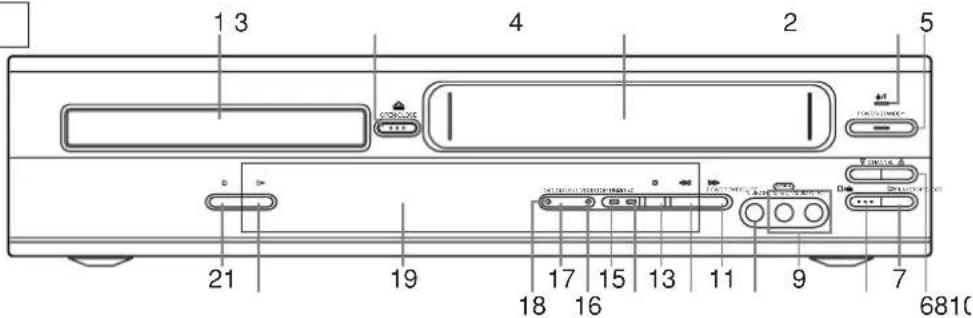
REMOTE CONTROL
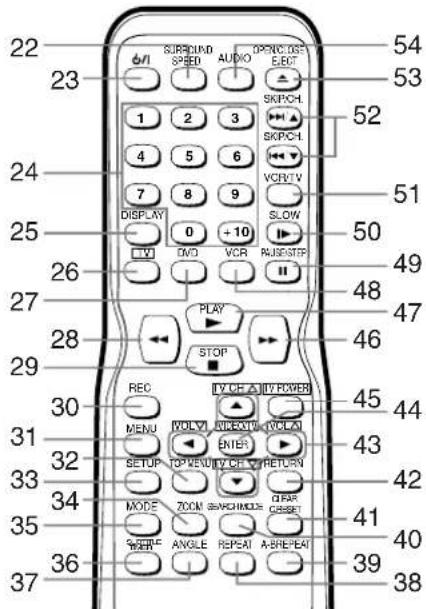
- Disc loading tray
- OPEN/CLOSE Button [page 23]
Press to insert discs into or remove them from the tray. - CASSETTE COMPARTMENT
- POWER Light
Lights up when the power is on. - POWER/STANDBY Button [page 17] Press to turn the power on and off.
- CHANNEL Buttons [page 19]
In VCR mode, press to change TV channels on the VCR; press to adjust the tracking during normal or slow motion playback; press to remove vertical jitter in a Still picture. - PLAY Button(VCR) [page 19] Press to begin playback.
- STOP/EJECT Button (VCR) [page 19] EJECT Button
Press to remove the tape from the VCR.
STOP Button
Press to stop the tape motion.
- AUDIO In Jacks
Connect audio cables coming from the audio out jacks of a camcorder, another VCR, or an audio source here.
- VIDEO In Jack
Connect a video cable coming from the video out jack of a camcorder, another VCR, or a video source (laser disc player, camcorder, etc.) here.
- F.FWD Button (VCR) [page 19]
Press to rapidly advance the tape, or view the picture rapidly in forward during playback. (Forward Search).
- REW Button (VCR) [page 19]
Press to rewind the tape, or to view the picture rapidly in reverse during the playback mode (Rewind Search).
- REC/IRT Button
Press once to start a recording. Press repeatedly to start a Instant Recording Timer.
- REC Light [page 20]
Lights up during recording.
- TIMER Light [page 20]
This light glows when the DVD/VCR is in standby mode or off for a timer recording or during an Instant Recording Timer. It flashes if TIMER is pressed for a timer recording, but there is no tape in the DVD/VCR. It flashes when all timer recordings or Instant Recording Timer are finished.
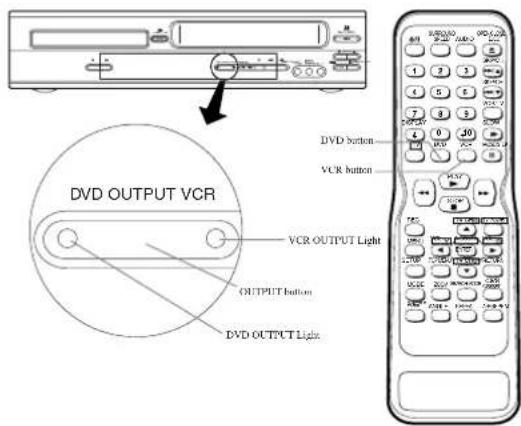
16 VCR OUTPUT Light (Green) [page 12]
This light appears when the VCR output mode is selected. You can only watch tapes when the green VCR OUTPUT light is on. To make the green VCR OUTPUT light come on, VCR on the remote control or OUTPUT on the front panel.
- OUTPUT Button [page 12]
Press to select DVD mode or VCR mode.
- You can switch the output mode either by pressing OUTPUT on the front panel, or by pressing DVD or VCR on the remote control. However, if you press OUTPUT on the front panel first, you need to re-select the corresponding mode by pressing DVD or VCR on the remote control.
- DVD OUTPUT Light (Green) [page 12]
This light appears when the DVD output mode is selected. You can only watch DVDs when the green DVD OUTPUT Light is on. To make the green DVD OUTPUT light come on, press DVD on the remote control or OUTPUT on the front panel.
-
Display, Remote Sensor Window
-
PLAY Button (DVD) [page 23]
Press to begin playback.
- STOP Button (DVD) [page 23]
Stops operation of the disc
- SURROUND Button [page 31]
Press to activate the 3D sound.
SPEED Button [page 20]
Press to select the VCR's recording speed (SP or SLP)
- ⏻/I(POWER/STANDBY) Button
Press to turn the power on and off.
(As to the indication of the Operate switch, "I" shows ON and "O/I" shows electrical power stand-by.)
- Number Buttons
● DVD mode [page 25]
Press to directly select a Track (Audio CD) for playback.
● VCR mode [page 17]
Press to select TV channels on the VCR.
To select channels, enter channel numbers as a two-digit number for the quickest results. For example, to select channel 6, press 0 then 6.
25. DISPLAY Button
●DVD mode [page 29]
Press to access or remove the display screen during DVD or Audio CD playback.
●VCR modé [page 22]
Press to access or remove the VCR's on-screen status display.
26. TV Button
Press to exclusively control the TV.
27. DVD Button [page 12]
Press to select DVD mode for the remote control.
- You can switch the OUTPUT mode either by pressing OUTPUT on the front panel, or by pressing DVD or VCR on the remote control. However, if you press OUTPUT on the front panel first, you need to re-select the corresponding mode by pressing DVD or VCR on the remote control.
28.◀◀Button
●DVD mode
Press to view the DVD picture in fast reverse motion or to reverse playback of an Audio CD.
●VCR mode
Press to rewind the tape, or to view the picture rapidly in reverse during the playback mode (Rewind Search).
29. STOP Button
DVD mode
Press to stop the disc motion.
●VCR modé
Press to stop the tape motion.
30. REC Button
Press once to start a recording.
31. MENU Button
●DVD mode [page 24]
Press to display the menu of the Disc.
●VCR modé [page 17]
Press to access the VCR menu.
32. TOP MENU Button [page 24]
Press to call up the title menu.
33. SETUP Button [page 30]
Press to enter the setup mode.
34. ZOOM Button [pagé 25]
Enlarges part of a DVD-reproduced image.
35. MODE Button [page 27]
Activates program playback or random playback mode when playing CDs or MP3. Sets Black level and virtual surround.
36. SUBTITLE Button [page 29]
Press to select the desired subtitle language.
TIMER Button [page 21]
Press to put the VCR into standby mode for a timer recording.
37. ANGLE Button [page 29]
Press to change the camera angle to see the sequence being played back from a different angle.
38. REPEAT Button [page 26]
Repeats playback of the current disc, title, chapter or track.
39. A-B REPEAT Button [page 26]
Repeats playback of a selected section.
40. SEARCH MODE Button
●DVD mode [page 25]
Press to access or remove the Search display, which allows you to go directly to a specific Title/Chapter/Track/Time.
●VCR mode [page 19]
Press to perform a Time Search or an Index Search.
41. CLEAR/C.RESET Button
●DVD mode [page 25]
Press to reset the setting.
●VCR mode [page 18]
Press to reset the counter. Press to exit from the MENU screen.
42. RETURN Button
Returns to the previous operation.
43. T V CH ▼/▲Buttons
Press to exclusively control the TV channels.
VOL ▼/▲Buttons
Press to exclusively control the TV volume.
●DVD mode
▼/▲/ ▶/◀ Buttons
Move the cursor and determines its position.
●VCR mode
▼/▲Buttons
Press to enter digits when setting program (For example: setting clock or timer program). Press to select the setting modes from the on screen menu.
▶ Button
When setting program (For example: setting clock or timer program), press to determine your selection and proceed to the next step you want to input. Press to determine the setting modes from the on screen menu. Press to add or delete channel numbers during channel preset.
◀Button
Press to cancel a setting of timer program. Press to correct digits when setting program (For example: setting clock or timer program). Press to add or delete channel numbers during channel preset.
44. ENTER Button
Press to accept a setting.
VIDEO/TV Button
Press to select the external input mode or TV mode of the TV.
45. TV POWER Button[Page 16]
To exclusively turn ON/OFF the TV.
46.▶▶Button
●DVD mode
Press to fast forward the Disc. Press PAUSE/STEP, then press this button to begin slow motion playback. Press this button repeatedly to change the forward speed of slow motion.
●VCR mode
Press to rapidly advance the tape, or view the picture rapidly in forward during playback (Forward Search).
47. PLAY Button
●DVD mode
Press to begin playback.
●VCR mode
Press to begin playback.
48. VCR Button [page 12]
Press to select VCR mode for the remote control.
- You can switch the OUTPUT mode either by pressing OUTPUT on the front panel, or by pressing DVD or VCR on the remote control. However, if you press OUTPUT on the front panel first, you need to re-select the corresponding mode by pressing DVD or VCR on the remote control.
49. PAUSE/STEP Button
●DVD mode [page 23]
Press to pause Disc playback. Press repeatedly to advance the DVD picture step by step (or one frame at a time).
●VCR mode [page 19]
While recording, press to temporarily stop the recording (pause). Press a second time to resume normal recording. You can not pause an Instant Recording Timer. Or, press during tape playback to freeze the picture. Press to advance the picture one frame at a time during still mode.
50. SLOW Button [page 19]
During tape playback, press to view the video tape in slow motion. Press again to resume normal playback. This button does not affect DVD playback.
51. VCR/TV Button [page 20]
Use to select VCR or TV position.
This DVD/VCR does not have VCR/TV light. If noise appears on your TV when you turn on DVD/VCR(VCR mode), press this button.
●VCR Position
To view playback, to monitor video recordings or to
watch TV using the VCR tuner.
•TV Position
To watch TV or to view one program while recording another.
52. SKIP/CH Buttons
●DVD mode
Press to skip Chapters or Tracks.
VCR mode
Press to change TV channels on the VCR.
53. OPEN/CLOSE Button
Press to open or close the disc loading tray. EJECT Button
Press to eject the video cassette from the VCR.
54. AUDIO Button [page 28]
Press to select a desired audio language or sound mode.
Caution: Do not touch the inner pins of the jacks on the rear panel. Electrostatic discharge may cause permanent damage to the DVD/VCR.
Notes
- To use the remote control to operate the DVD/VCR and its features, press DVD on the remote control before pressing other DVD. Verify that the green DVD OUTPUT Light is on.
- To use the remote control to operate the VCR and its features, press VCR on the remote control before pressing other VCR. Verify that the green VCR OUTPUT Light is on.
Tour of the Remote Control
Buttons on remote control work in different ways for DVD, CD and VCR : Refer to the following table for correct use.
| DVD VCRCD | |||
| POWER/STANDBY Button | Turns the DVD/VCR on and off. | Turns the player on and off. | Turns the DVD/VCR on and off. |
| A-B REPEAT Button | Marks a segment to repeat between A and B. | Marks a segment to repeat between A and B. | — |
| REPEAT Button | Allows you to repeat play a Chapter or Title. | Allows you to repeat play a Track or Disc. | — |
| MODE Button | To set black level on/off.To set surround on/off. | Allows you to program a specific order or random playback. | — |
| ZOOM Button | To magnify part of picture (x2/x4) | — | — |
| ANGLE Button | Accesses various camera angles on a disc. | — | — |
| SUBTITLE/TIMER Button | Accesses various subtitles on a disc. | — | Press to put the VCR into standby mode for a timer recording. |
| AUDIO Button | Accesses various audio functions on a disc. | To select STEREO, L-CH or R-CH. | — |
| DISPLAY Button | Displays the current disc mode. | Displays the current disc mode. | Displays the current time, tape counter, channel. |
| SURROUND/SPEED Button | To activate the 3D sound. | — | Displays the current time, tape counter, channel. |
| SEARCH MODE Button | To search chapter or time.To rapidly return to a location of disc.Search the makers. | To search track or time.To rapidly return to a location of disc.Search the makers. | To select the recording speed. |
| OPEN/CLOSE/EJECT Button | To open or close the disc tray. | To open or close the disc tray. | Press to eject the video cassette from the VCR. |
| NUMBER Buttons | To select chapter directly. | To select track directly, use display function, or input program order. | To select channel. |
| CLEAR/C.RESET Button | Clear the makers.Clear the number that is entered incorrectly. | Clear the makers.Removes status No. in program input.Clear the number that is entered incorrectly. | To reset the tape counter. |
| MENU Button | Brings up the Menu on a disc. | — | Brings up the VCR Menu. |
| TOP MENU | Brings up the Top Menu on a disc. | — | — |
| RETURN Button | Returns to a previous menu. | — | — |
Tour of the Remote Control
| DVD VCRCD | |||
| ENTER/Arrow Button(UP/DOWN or LEFT/RIGHT Button) | Moves the cursor and determines its position. | Moves the cursor and determines its position. | — |
| SETUP Button | Brings up the DVD player's Setup menu. | Brings up the DVD player's Setup menu. | — |
| SKIP Buttons | To skip Chapters. | To skip Tracks. | — |
| CH Buttons | — | — | To change channels. |
| SEARCH Buttons | Allows you to search forward/backward through a disc (×2, ×8, ×30, ×60). | Allows you to search forward/backward through a disc (×16). | Allows you to forward/backward through a tape.To return(advance) to a previous(next) VCR Menu. |
| STOP Button | To stop playback. | To stop playback. | To stop playback or record.To select an item in the VCR Menu. |
| PLAY Button | Begin disc play. | Begin disc play. | Begin tape play.To select an item in the VCR Menu. |
| PAUSE/STEP Button | Pause disc play.Advances playback one frame at a time. | Pause disc play. | Pause tape play or record.Advances playback one frame at a time. |
| TV POWER Button | To exclusively turn ON/OFF the TV. | To exclusively turn ON/OFF the TV. | To exclusively turn ON/OFF the TV. |
| VIDEO/TV Button | Press to select the external input mode or TV mode of the TV. | Press to select the external input mode or TV mode of the TV. | Press to select the external input mode or TV mode of the TV. |
| VOL Button | Press to exclusively control the TV volume. | Press to exclusively control the TV volume. | Press to exclusively control the TV volume. |
| TV Button | To exclusively control the TV. | To exclusively control the TV. | To exclusively control the TV. |
| CH Button | Press to exclusively control the TV channels. | Press to exclusively control the TV channels. | Press to exclusively control the TV channels. |
| DVD Button | To select the DVD output mode.To use the remote control in DVD mode. | — | — |
| VCR/TV Button | — | — | To select VCR or TV position. |
| VCR Button | — | — | To select the VCR output mode.To use the remote control in VCR mode. |
| SLOW Button | — | — | To view the tape in slow motion. |
| REC Button | — | — | To start a recording. |
DISPLAY DISPLAYS
DVD
Lights up when a DVD is inserted into the tray.
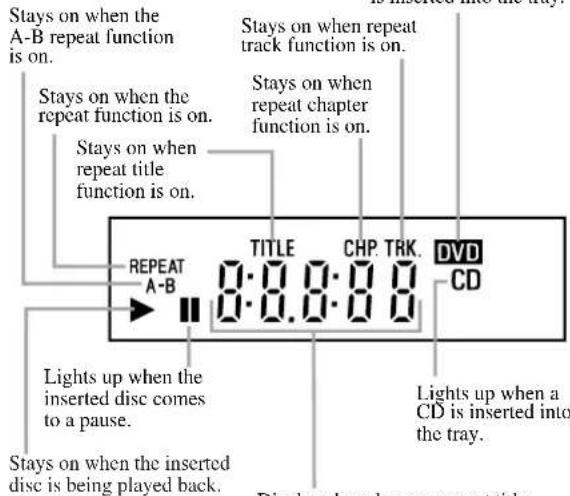
Displays how long a current title or track has been played back. When a chapter or track has switched, the number of the a title, chapter or track is displayed.
VCR
Stays on during playback when the repeat function is on.
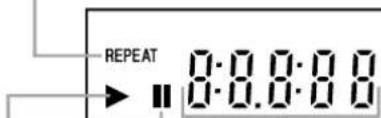
Lights up when the playback is in a still or in a slow mode.
Stays on when the inserted cassette is being played back.
Works as a tape counter(hour,minute only). Also displays a channel number, tape speed, remaining time for IRT and current time.
URING OPERATION
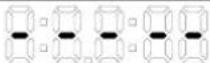 | No disc inserted/ can not read | |
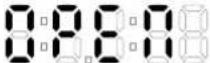 | Tray open | |
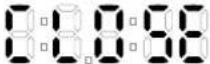 | Tray closed | |
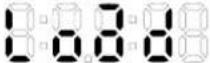 | Loading the Disc | |
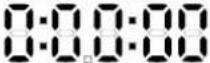 | When a disc is beingPlay back |
LOADING THE BATTERIES
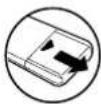
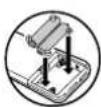
- Open the battery compartment cover.
- Insert two AA batteries, with each one oriented correctly.
- Close the cover.

Notes
- Do not mix alkaline and manganese batteries.
- Do not mix old and new batteries.
VCR/DVD SWITCHING
Since this product comprises VCR and DVD players, it is necessary to select the correct output mode.
SWITCHING TO VCR MODE
Press VCR on the remote control. (Verify that the VCR OUTPUT Light is lit.)
SWITCHING TO DVD MODE
Press DVD on the remote control. (Verify that the DVD OUTPUT Light is lit.)
Notes
- Pressing only OUTPUT on the front panel does not switch the mode of the remote control. You always need to select the correct mode on the remote control too.
HOOKUPS
REAR VIEW
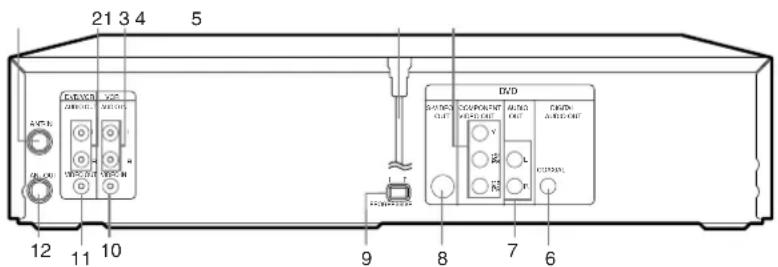
- ANT-IN (Antenna In) Jack
Connect your antenna, Cable Box, or Direct Broadcast System.
- DVD/VCR AUDIO OUT Jacks
Connect the supplied audio cables here and to the Audio In jacks of a television or other audio equipment.
- AUDIO IN Jacks (VCR only)
Connect audio cables coming from the audio out jacks of a camcorder, another VCR, or an audio source here.
- AC Power Cord
Connect to a standard AC outlet to supply power to the DVD/VCR.
- COMPONENT VIDEO OUT Jacks (DVD only)
Connect optional component video cables here and to the component Video In jacks of a television.
- COAXIAL Jack (DVD only)
Connect an optional coaxial digital audio cable here and to the Coaxial Digital Audio In jack of a decoder or audio receiver.
- DVD AUDIO OUT Jacks (DVD only)
Connect the supplied audio cables here and to the Audio In jacks of a television or other audio equipment (DVD only).
- S-VIDEO OUT Jack (DVD only)
Connect an optional S-Video cable here and to the S-Video In jack of a television.
- INTERLACE/PROGRESSIVE SCAN SELECTOR
to select interlace or progressive scanning.
- VIDEO IN Jack (VCR only)
Connect a cable coming from the video out jack of a cam-corder, another VCR, or an audio-visual source (laser disc player, video disc player, etc.) here.
- DVD/VCR VIDEO OUT Jack
Connect the yellow video cable (supplied) here and to the TV's Video In jack.
If you select P(PROGRESSIVE) in INTERLACE/PROGRESSIVE SCAN SELECTOR,
DVD video signal is not output to your TV.
- ANT-OUT (Antenna Out) Jack
Use the supplied RF coaxial cable to connect this jack to the ANTENNA IN Jack on your TV.
Notes
- The S-VIDEO OUT jack, COAXIAL jack, and COMPONENT VIDEO OUT jack are only useful in DVD mode.
CAUTION:
- Be sure to turn off the DVD/VCR and equipment to be connected before connecting.
- Read through the operation manual for the equipment to be connected.
- Be sure that the colors of the jacks and plugs match up when using VIDEO/AUDIO cables.
- Be sure to keep the DVD/VCR connection cables separate from the TV antenna cable when you install the DVD/VCR, because it may cause electrical interference when you are watching television programs.
DVD/VCR TO TV CONNECTION
- Disconnect the AC power cord of the TV from the AC outlet.
- Disconnect the antenna or cable from the TV.
- Connect the antenna or cable to the ANT-IN jack of the DVD/VCR.
- Connect the DVD/VCR to the TV using the RF cable.
- Plug the AC power cords of the DVD/VCR and TV into the AC outlets.
![[VHF/UHF combination antenna] [Indoor antenna] [Back of the DVD/VCR] [Back of the UHF/VHF combination TV] [Indoor antenna] [Back of the DVD/VCR] [Indoor antenna] [Back of the UHF/VHF combination TV] [Indoor antenna] [Back of the UHF/VCF] [Back of the UHF/VCF] [Back of the UHF/VCF] [Back of the UHF/VCF] [Back of the UHF/VCF] [Back of the UHF/VCF] [Back of the UHF/VCF] [Back of the UHF/VCF] [Back of the UHF/VCF] [Back of the UHF/VCF] [Back of the UHF/VCF] [Back of the UHF/VCF]](/content/2026/05/948018/images/8040ecfebcc9c8380f6685e1b7b3ff4fce20ad6ef9962b1747fec44b25d6d271.jpg)
RF OUTPUT CHANNEL
If your TV does not have A/V terminals:
- Connect the DVD/VCR to a TV using RF cable (see DVD/VCR TO TV CONNECTION).
- Select channel 3 on your TV.
-
Press PLAY.
-
If noise appears, change the RF output channel of the VCR to channel 4 by pressing PLAY for 3 seconds during playback.
- There is case that the RF output channel does not change by situation (For example, when you adjust tracking using CHANNEL(.∇/Δ) In this case, stop the playback, and start the play-back again. After that, press PLAY on the VCR for 3 seconds.
- If there is a power failure or the DVD/VCR is unplugged for more than 30 seconds, the RF output channel setting will return to CH3.
Note to CATV system installer
This reminder is provided to call the CATV system installer's attention to Article 820-40 of the NEC that provides guidelines for proper grounding and, in particular, specifies that the cable ground should be connected to the grounding system of the building, as close to the point of cable entry as practical.
CONNECTION TO AN AUDIO SYSTEM
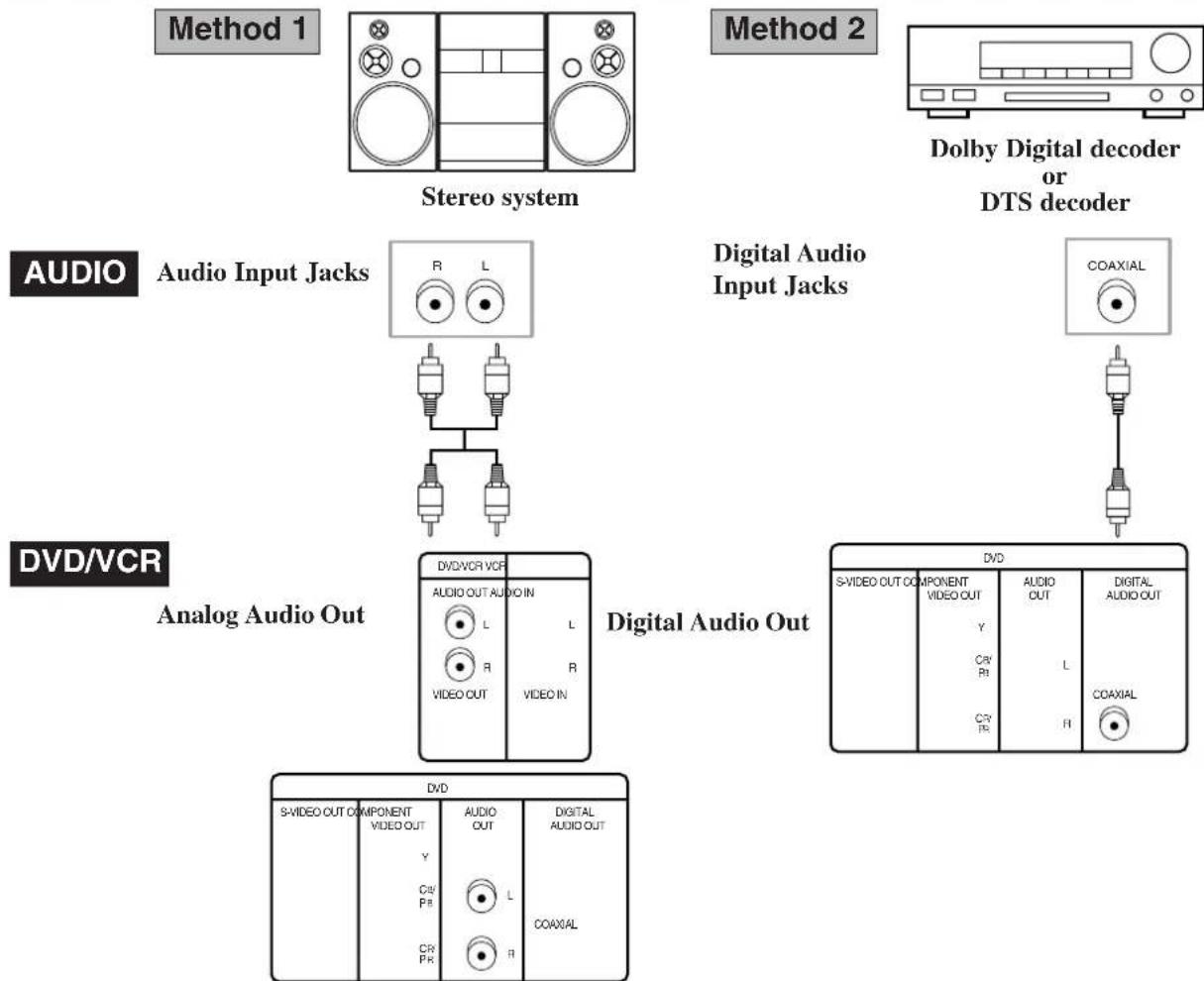
flowchart
graph TD
    A["Method 1: Stereo system"] --> B["Method 2: Dolby Digital decoder or DTS decoder"]
    B --> C["Digital Audio Input Jacks"]
    C --> D["Analog Audio Out"]
    D --> E["Digital Audio Out"]
    E --> F["DVD/VCR VCF"]
    E --> G["DVD"]
    F --> H["DVD OUT COMPONENT VIDEO OUT"]
    F --> I["DVD OUT AUDIO OUT"]
    F --> J["DVD OUT COAXIAL"]
    style A fill:#f9f,stroke:#333
    style B fill:#ccf,stroke:#333
    style C fill:#cfc,stroke:#333
    style D fill:#fcc,stroke:#333
    style E fill:#cff,stroke:#333
    style F fill:#ffc,stroke:#333
• Method 1 DVD/VCR + Stereo system
• Method 2 DVD/VCR + Dolby Digital decoder or DTS decoder
Notes
- If output Dolby Digital audio, connect to a Dolby Digital decoder, and set Dolby Digital to BITSTREAM for audio output in the setup mode. (See page 30)
- Unless connected to a Dolby Digital decoder, set Dolby Digital to PCM for audio output in the setup mode. Playing a DVD using incorrect settings may generate noise distortion, and may also damage the speakers. (See page 30)
- The audio source on a disc in a 5.1 channel Dolby Digital surround format cannot be recorded as digital sound by an MD or DAT deck.
- Set Dolby Digital to PCM for audio output in the setup mode for method 1 only. Playing a DVD using incorrect settings may generate noise distortion, and may also damage the speakers. (Refer to page 30 to set BITSTREAM for Dolby Digital)
CONNECTION TO A TV (FOR VIDEO)
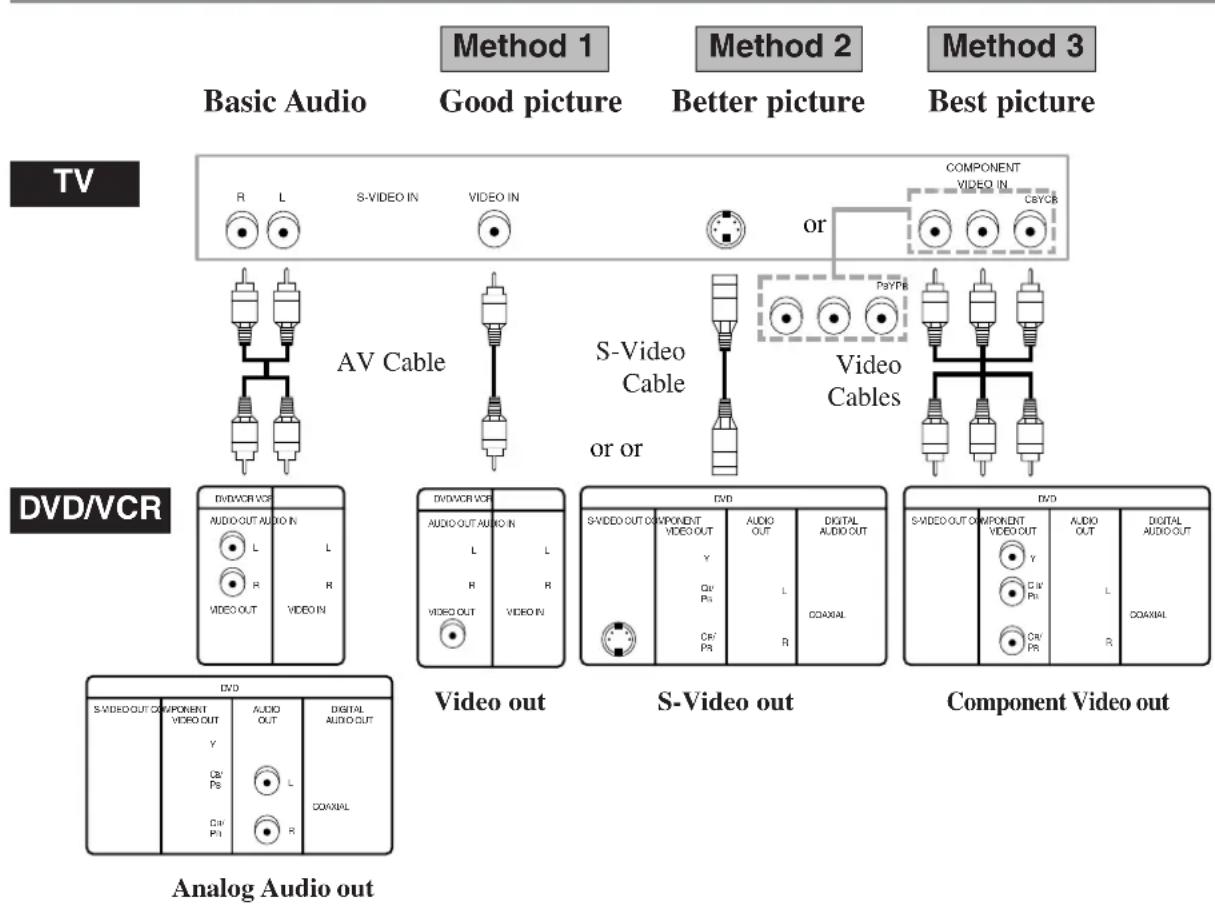
• Method 1 DVD/VCR + TV with Video Input Jack
• Method 2 DVD/VCR + TV with S-Video Input Jack
• Method 3 DVD/VCR + TV with Component Video Jacks
Notes
- Connect the DVD/VCR directly to a TV. If the A/V cables are connected to a VCR, pictures may be distorted due to the copy protection system.
- If your TV is compatible with progressive scanning (480p), connect the TV to the component video output jacks of the DVD/VCR, and make sure INTERLACE/PROGRESSIVE SCAN SELECTOR is set to P.
- When P(PROGRESSIVE)is selected at the INTERLACE/PROGRESSIVE SCAN SELECTOR, no video signal will be output from the VIDEO OUT or S-VIDEO OUT Jack.
REMOTE CONTROL OF THE TV
You can use the DVD/VCR remote control to control your TV by following the steps below.
PROGRAMMING THE REMOTE CONTROL FOR THE TV
1 Turn off the TV.
2 Program the remote control
Aim the DVD/VCR's remote control at your TV set. Hold down the TV POWER button while you press the number corresponding to your brand of television as shown in the chart.
For example; If you have a Hitachi television, press the TV POWER and 1 at the same time. If this button combination sends a signal that matches with your TV, the TV will turn on, and you'll know the remote is set to control the television.
NOTES:
- If that button combination does not change the TV channel, go through the whole list of button combinations one by one until you find one that does change your TV channel.
- Also, if your brand of TV is not listed in the chart, try all the number buttons. One of them may work for you.
- If the TV channel still doesn't change after going through all the button combinations listed, it is likely that you will not be able to program this remote control for your TV.
CONTROLLING THE TV
Once programmed, the DVD/VCR's remote control is ready to control the TV.
NOTE: Be aware that not all of your TV's functions may work even though the remote control is correctly programmed.
To operate the TV
Always select the TV mode by pressing TV before using the DVD/VCR remote as your TV's remote control.
- You can turn on your TV by pressing the TV POWER button.
- You can change the channels with the TV CH (/) and the volumes with VOL (/) .
To operate the DVD/VCR
Press the VIDEO/TV to operate your DVD/VCR with the remote.
NOTE: VIDEO/TV button is not corresponded to TV which can switch to TV input mode directly.
| TV Brands Press the TV and This Number | |
| HITACHI 1 | |
| SONY 2 | |
| RCA 3 | |
| SANYO 4 | |
| ZENITH 5 | |
| PANASONIC1 6 | |
| PANASONIC2 7 | |
| SHARP1 8 | |
| SHARP2 9 | |
| TOSHIBA | 0 |
| JVC | CLEAR |
| MITUBISHI | +10 |
| MAGNAVOX | SUBTITLE |
| FUNAI | AUDIO |
| GOLDSTAR | DISPLAY |
SETUP
AUTOMATIC CHANNEL SET UP
VCR
You can automatically program the tuner to scan only the channels you receive in your area.
- Channel memory programming is NOT needed when you connect the VCR to a cable box or a satellite box as in "DVD/VCR TO TV CONNECTION" on page 13. In this case, select channel 3 on your TV. Then, the channel you want to record or view may be selected at the cable box or satellite box.
- If noise appears, change the RF output channel of the VCR to channel 4 by pressing PLAY for 3 seconds during playback. Then select the same channel (CH4) on your TV.
- Follow the steps below once. Repeat only if there is a power failure or if the VCR is unplugged for more than 30 seconds. (In these cases, the programmed channels are erased.)
- You must follow the steps below before attempting to play or record a video tape. If you want to play or record a video tape BEFORE programming the tuner, you can cancel it by pressing CLEAR/C.RESET.
1 You need to connect the antenna or cable to the VCR first. Then, connect the DVD /VCR power plug to a standard AC outlet.
2 Turn on the TV and set the TV to channel 3.
- If noise appears, change the RF output channel of the VCR to channel 4 by pressing PLAY for 3 seconds during playback. Then select the same channel (CH4) on your TV. (See “RF Output Channel” on page 13 for the detail.)
3 Turn on the VCR by pressing ⏻/l. the POWER light will come on.
4 Select the On Screen Language ("ENG-
LISH", "FRANCAIS" or "ESPAÑOL") by pressing ▲ or ▼. Then, press ▶.
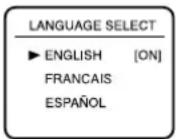
5 Begin channel preset by pressing ▶ once.
The tuner scans and memorizes all active channels in your area.
- The VCR distinguishes between standard TV channels and cable channels.
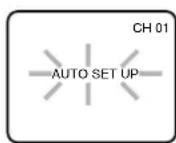
6 After scanning, the tuner stops on the lowest memorized channel. The TV screen returns to TV mode.
- If “AUTO SET UP” appears on the TV screen again, check the cable connections. Press ▶ once again and the VCR will begin preset again.
TO SELECT A DESIRED CHANNEL
You can select the desired channel by using CHANNEL (▲/▼) or by directly pressing Number on the remote control.
Note for using the Number:
- When selecting cable channels which are higher than 99, enter channel numbers as a three-digit number.(For example: 117, press 1,1,7)
- You must precede single-digit channel numbers with a zero (For example: 02, 03, 04 and so on).
TO PRESET THE CHANNELS AGAIN
1 Press MENU until the main menu appears. (If you have already set the clock, you only have to press it once. If not, you have to press it twice).
2 Select "CHANNEL SET UP" by pressing ▲ or ▼. Then, press ▶.
3 Select "AUTO SET UP" by pressing ▲ or ▼. Then, press ▶.
- After scanning, the tuner stops on the lowest memorized channel.
TO ADD/DELETE CHANNELS
When scanning, some channels may be skipped due to a weak signal. In such cases, you can add the channels to the VCR memory manually.
1 Press MENU until the main menu
appears.(If you have already set the clock, you only have to press it once. If not you have to press it twice).
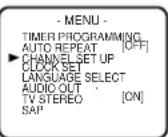
2 Select "CHANNEL SET UP" by pressing ▲ or ▼. Then, press ▶.
3 Select "MANUAL SET UP" by pressing ▲ or ▼. Then, press ▶.
4 Enter the desired channel number by pressing ▲ or ▼.
5 Add or Delete it from memory by pressing ▶ or ◀ so that "ADD" or "DELETE" flashes on the TV screen accordingly.
6 Exit the Preset mode by pressing CLEAR/C.RESET.
TO CHANGE THE ON-SCREEN LANGUAGE
VCR
1 Press MENU twice to call up the main menu. (If you have already set the clock, you only have to press it once).
2 Select "LANGUAGE SELECT" by pressing ▲ or ▼. Then, press ▶.
3 Select "ENGLISH", "FRANCAIS" or "ESPAÑOL" by pressing ▲or ▼. Then, press CLEAR/C.RESET.
- If you accidentally select Spanish or French and need English: Press MENU and choose SELEC. IDIOMA, or SELECTION LANGUE. Press ▶, and select ENGLISH by pressing ▲or ▼. Finally, press CLEAR/C.RESET.
CLOCK SET UP
VCR
1 Select main menu by pressing MENU.
- If the clock is not set, the CLOCK SET menu appears first. In this case, follow step [3].
2 Select "CLOCK SET" by pressing ▲ or ▼. Then, press ▶.
3 Set the clock.
1) Set the month
Press ▲ or ▼ repeatedly.
Then, press ▶.
2) Set the day
Press ▲ or ▼ repeatedly.
Then, press ▶.
3) Set the year
Press ▲ or ▼ repeatedly.
Then, press ▶
The day of the week will appear automatically.
4) Set the hour
Press ▲ or ▼ repeatedly.
Then, press ▶.
5) Set the minute
Press ▲ or ▼ repeatedly.
Then, press ▶.
6) Set AM or PM
Press ▲ or ▼ repeatedly.
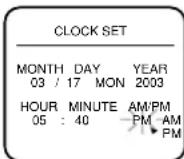
- To go back one step, press ◀.
4 Start the clock by pressing CLEAR/C.RESET or ▶.
PLAYBACK FUNCTION
NORMAL PLAYBACK
VCR
1 Insert a prerecorded tape. The DVD/VCR will turn on.
- If the safety tab has been removed, the VCR will start playback automatically.
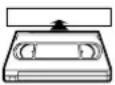
- If a cassette is in DVD/VCR, STOP symbol appears in TV screen when turning on the DVD/VCR(VCR mode).
2 Turn on the TV and set the TV to channel 3.
- If noise appears, change the RF output channel of the VCR to channel 4 by pressing PLAY for 3 seconds during playback. Then select the same channel (CH4) on your TV. (See “RF Output Channel” on page 13 for the detail.)
- If you connect a TV to the DVD/VCR in AV cable, set the TV to channel AUX.
3 Begin playback by pressing PLAY.
- Tracking adjustment will be done automatically (Digital Tracking function) when you start playback. To adjust the tracking manually, press SKIP/CH on the remote or CHANNEL ( / ) on the VCR.
- When a tape has reached the end, the VCR will rewind the tape to the beginning and eject the tape automatically.
4 To stop playback, press STOP.
- If no corresponding symbols appear on the display when you press buttons such as PLAY, RECORD, ▶▶ or ◀◀, that means no cassette tape is in the VCR. Please insert a tape.
Counter Reset
- You can reset the counter by pressing CLEAR/C.RESET on the remote control.
STILL/SLOW
You can freeze the picture on TV screen by pressing PAUSE/STEP during playback.
- You can advance the picture one frame at a time by pressing PAUSE/STEP during the Still mode.
- You cannot manually adjust the tracking of a still picture. However, if the picture begins to vibrate vertically during the still mode, you can stabilize the picture by pressing CHANNEL (▲/▼).
- If the picture is distorted or rolling vertically, adjust the vertical hold control on your TV, if so equipped.
- You can watch in the slow motion by pressing SLOW during playback or the still mode.
- If a noise bar appears on the TV screen, you can reduce it by pressing CHANNEL (▲/▼).
- After the VCR has been in Still/Slow mode for 5 minutes, it will stop automatically to protect the tape and the video head from damage.
- To return to playback, press PLAY.
AUTO REPEAT PLAYBACK
VCR
This feature allows you to play a tape over and over.
1 Select main menu by pressing MENU.
2 Select "AUTO REPEAT" by pressing ▲ or ▼.
3 Begin auto repeat playback by pressing ▶ so that ON appears next to "AUTO REPEAT".
- If the on-screen menu still remains, press CLEAR/C.RESET to exit the menu.
- To cancel the Auto repeat mode, press ▶ at step [3] so that OFF appears next to "AUTO REPEAT".
SEARCH FUNCTIONS
VCR
PICTURE SEARCH
If you want to skip or repeat a scene during playback, press ▶▶ or ◀◀.
- Press it again and the VCR will now search at super high speed. (in the LP/SLP modes only).
INDEX SEARCH
An index mark will be assigned at the beginning of each recordings you make. You may skip to a specific marked point by following the steps below.
1 Press SEARCH MODE so that the Index Search menu appears.
2 Enter the number of recordings you wish to skip by pressing ▲ or ▼ within 30 seconds.
3 Press▶ or ◀ to start index search.
- If you want to go in the forward direction, press ▶. If you want to go in the reverse direction, press ◀.
- If you want to stop search function, press STOP.
- After index search, the VCR will play the tape automatically.
TIME SEARCH
This feature allows you to go to a specific point on a tape by entering the exact amount of time you wish to skip in order to reach the point.
1 Press SEARCH-MODE so that the Time Search menu appears.
2 Enter your desired time to skip by pressing ▲or ▼ within 30 seconds.
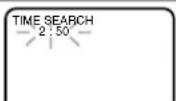
3 Press ▶ or ◀ to start time search.
- If you want to go in the forward direction, press ▶.
- If you want to go in the reverse direction, press ◀.
- If you want to stop search function, press STOP.
- After time search, the VCR will play the tape automatically.
RECORDING FUNCTION
VCR
It may be UNLAWFUL to record copyrighted material without the consent of the copyright owner.
Accidental Erasure Prevention
To prevent accidental recording on a recorded cassette, remove its record safety tab. To record on it later, cover the hole with cellophane tape.
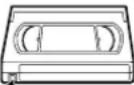
Record safety tab
Before recording, make sure:
- The desired channel is selected by pressing Number on the remote control or CHANNEL (▲/▼). (If you connected the VCR to a cable box or satellite box as in "DVD/VCR TO TV CONNECTION" on page 13, select channel 3 on your TV. Then, select the channel you want to record with the cable box or satellite box. In this case, you can ONLY record and view the SAME channel.)
- If noise appears, change the RF output channel of the VCR to channel 4 by pressing PLAY for 3 seconds during playback. Then select the same channel (CH4) on your TV.
- There is a tape with a safety tab in the VCR.
- The desired recording speed is selected in SP (standard play) or SLP (super long play) mode by pressing SPEED on the remote control.
| Tape Speed | Recording/Playback Time | |||
| Type of tape T60 | T120 T160 | |||
| SP mode 1 hour | 2 hours 2-2/3 hours | |||
| SLP mode 3 hours | 6 hours 8 hours | |||
• TV STEREO or SAP is selected.
NORMAL RECORDING
VCR
1 Begin the recording by pressing RECORD. The REC Light comes on.
- To temporarily stop recording or to resume it, press PAUSE/STEP. After the VCR has been in Pause mode for 5 minutes, it will stop automatically to protect the tape and the video head from damage.
2 Press STOP when the recording is completed.
Note
- When you wish to watch another program while recording, select desired channel on your TV. If noise appears press VCR/TV.
IRT (Instant Recording Timer)
VCR
This feature allows you to set the recording length simply by pressing REC/IRT on the VCR.
3 Press REC/IRT to begin IRT. The REC, TIMER Light comes on. Change the recording length by pressing REC/IRT repeatedly.
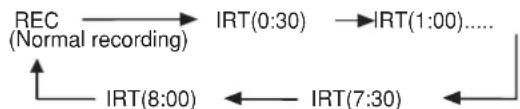
flowchart
graph TD
    A["REC\n(Normal recording)"] --> B["IRT(0:30)"]
    B --> C["IRT(1:00)...."]
    D["IRT(8:00)"] <--> E["IRT(7:30)"]
    E <--> F["..."]
- If a tape ends during IRT, the VCR will stop, eject the tape, and switch to the DVD mode automatically as the TIMER light blinks. (If the DVD power is off, the VCR will become STANDBY status).
- When IRT is finished, the VCR turns off automatically. To use the VCR again, press TIMER on the remote, or STOP/EJECT on the DVD/VCR.
TIMER RECORDING
VCR
You may set the VCR to start recording while you are away. You can set eight programs to record on specific days, daily or weekly within 1 year period.
If you have not yet set the clock, "CLOCK SET" appears. If so, follow the steps [3] and [4] in "CLOCK SET" section on page 18. Then, set the timer recording.
1 Insert a tape with its safety tab into the DVD/VCR.
2 Select main menu by pressing MENU.
3 Select "TIMER PROGRAMMING" by press-
ing ▲ or ▼. Then, press ▶. The set up screen is displayed.
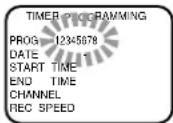
4 Set the timer.
- To go back one step, press ◀.
1) Set the program number (1-8)
Program number which is not set up flashes. Press ▲ or ▼ repeatedly for the desired program number. Then, press ▶.
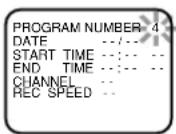
2) Set the frequency of the recording
For once: Press ▲ or ▼ to point to "ONCE".
For daily (Monday\~Friday): Press ▲ or ▼ to point to "DAILY".
For weekly: Press ▲ or ▼ to point to "WEEKLY".
Then, press ▶.
PROGRAM NUMBER 4 ▶ ONCE DAILY WEEKLY
3) Set the date
First, press ▲ or ▼ for the month.
Then, press ▶. Next, press ▲ or
▼ for the day. Then, press ▶.
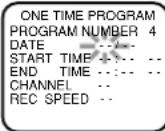
4) Set the start time
First, press ▲ or ▼ for the hour. Then, press ▶. Next, press ▲ or ▼ for the minute. Then, press ▶. And then, press ▲ or ▼ for AM or PM.
| ONE TIME PROGRAM | |
| PROGRAM NUMBER 4 | |
| DATE 05/12 MON | |
| START TIME | -- -- |
| END TIME | -- -- |
| CHANNEL | -- |
| REC SPEED | -- |
5) Set the end time
Follow the instructions of "Set the start time" to set the end time.
| ONE TIME PROGRAM |
| PROGRAM NUMBER 4 |
| DATE 05/12 MON |
| START TIME 07:30 PM |
| END TIME |
| CHANNEL |
| REC SPEED |
6) Set the channel number
Press ▲ or ▼ repeatedly for the desired channel number. Then, press ▶.
| ONE TIME PROGRAM |
| PROGRAM NUMBER 4 |
| DATE 05/12 MON |
| START TIME 07:30 PM |
| END TIME 08:30 PM |
| CHANNEL -- |
| REC SPEED -- |
If you connected the DVD/VCR to a cable box or satellite box as in "DVD/VCR TO TV CONNECTION" on page 14, select the DVD/VCR to channel 3 or 4 the same channel as RF output channel of the DVD/VCR. Then, select the channel you want to record with the cable box or satellite box. Leave the cable box or satellite box on for timer recording.
7) Set the tape speed
Press ▲ or ▼ repeatedly for the desired tape speed. Then, press ▶.
| ONE TIME PROGRAM | |
| PROGRAM NUMBER 4 | |
| DATE 05/12 MON | |
| START TIME 07:30 PM | |
| END TIME 08:30 PM | |
| CHANNEL 18 | |
| REC SPEED SP | |
| SP | |
| SLP | |
5 To set another program, repeat step [4]. To exit, press CLEAR/C.RESET.
6 Press TIMER to set the timer.
- The TIMER light on the VCR comes on. TIMER RECORDING WILL NOT BE ACTIVATED UNLESS YOU PRESS TIMER.
- If there is a power failure or the DVD/VCR is unplugged for more than 30 seconds, the clock setting and all timer settings will be lost.
- If a tape ends during TIMER RECORDING, the DVD/VCR will stop, eject the tape, and switch to the DVD mode automatically as the TIMER light blinks. (If the DVD power is off, the VCR will become STANDBY status).
-
If a tape is not in the DVD/VCR or does not have a safety tab, the TIMER light flashes and timer recording will not operate. Please insert a recordable tape.
-
When all timer recordings are finished, the TIMER light will flash. To use the DVD/VCR again as usual, press TIMER to disable the flashing TIMER light, then press VCR/TV to select the VCR position. Select either VCR or DVD mode, then continue with the other features as described in this manual.
- When timer recordings are set, the TIMER light will come on. To use the DVD/VCR as usual until the time for the recording, press TIMER so that TIMER light disappears. Press VCR/TV to choose the VCR position. Select either VCR or DVD mode, then continue with the other features as described in this manual.
If you want to use the DVD player during a VCR timer recording or while the TIMER light is on or flashes.
- You can use the DVD player while the TIMER light is on or flashes, or during a timer recording. Press Ⓗ/l to turn on the DVD player. ;Press DVD on the remote control to choose DVD mode, then continue with the other DVD features as described in this manual. You don't have to set the TIMER off to use the DVD only.
TO STOP AN AUTOMATIC TIMER PRO- GRAM ALREADY STARTED
Press STOP/EJECT on the DVD/VCR. TO CHECK, CORRECT, OR CANCEL AN AUTOMATIC TIMER PROGRAM
1 Press TIMER.
- If the VCR's power is off, press ⏻/ instead of TIMER, then go on to the next step.
- If the DVD output mode is selected, you have to switch it to the VCR mode by pressing the VCR on the remote control or the OUTPUT on the VCR.
2 Select main menu by pressing MENU.
3 Select "TIMER PROGRAMMING" by pressing ▲ or ▼. Then, press ▶.
4 Select the program number you want to check by pressing ▲ or ▼.
- The details of the selected program appears on the TV screen.
- Go to the digit you want to change by pressing ▶ or ◀. Then, enter correct numbers by pressing ▲ or ▼.
- You may cancel the entire program by pressing while the program number flashes.
5 Press CLEAR/C.RESET to exit.
6 Press TIMER to return to timer stand-by mode.
SPECIAL FEATURES
You can make copies of video tapes made by friends or relatives for your enjoyment.
Warning:
Unauthorized recordings of copyrighted video tapes may be an infringement of copyright laws.
Connect the recording DVD/VCR (this unit), the playing VCR (another source) and your TV using the following diagram.
- You can use the AUDIO/VIDEO input jacks on the front panel of the DVD/VCR instead of using the jacks on the back.
![[Recording DVD/VCR] (this unit) Coaxial cable (supplied) [TV set] (Use for monitoring) ANT in Audio/Video cables (not supplied) [Playing VCR] (another source)](/content/2026/05/948018/images/5c017461b7b8ad177421ced8fe62170b6eca0ec36e517cf8a67cfa4cde2918b6.jpg)
1 Insert a pre-recorded tape into the playing VCR.
2 Insert a tape with a safety tab into the recording VCR.
3 Press SPEED on the recording VCR to select the desired recording speed (SP/SLP).
4 Select the "L1" or "L2" position on the recording DVD/VCR by pressing the CHANNEL (▲/▼).
- When you use the A/V input jacks on the back of the DVD/VCR, select "L1" position by pressing [0], [0], [1] on the remote control or the CHANNEL(▲▼) Buttons.
- When you use the A/V input jacks on the front of the DVD/VCR, select "L2" position by pressing [0], [0], [2] on the remote control or the CHANNEL(▲▼) Buttons.
Note
“L1” and “L2” are found before the lowest memorized channel. (Example: CH2)
5 Press REC/IRT on the recording VCR.
6 Begin playback of the tape in the playing VCR.
- For best results during dubbing, use the DVD/VCR's front panel controls whenever possible. The remote control might affect the playing VCR's operation.
- Always use video-quality shielded cables with RCA-type connectors. Standard audio cables are not recommended.
- You can use a video disc player, satellite receiver, camcorder or other audio/video component with A/V outputs in place of the playing VCR.
TO MONITOR THE RECORDING
1 Turn on the TV and set the TV to channel 3.
- If noise appears, change the RF output channel of the VCR to channel 4 by pressing PLAY for 3 seconds during playback. Then select the same channel (CH4) on your TV. (See “RF Output Channel” on page 13 for the detail).
2 Press VCR/TV on the remote control of the recording DVD/VCR.
MTS (Multi-Channel Television Sound) SYSTEM
VCR
When you play a VHS tape, or receive a broadcast on the VCR tuner channel you are watching, the current status will appear when you press DISPLAY on the remote control. When you record a MTS broadcast signal, you need to set it to MTS mode.
1)* Press MENU and select "TV STEREO" or "SAP" by pressing ▲ or ▼. Then, press ▶ for fix mode. To exit, press CLEAR/C.RESET.
- Although a program may be broadcast in both stereo and sub audio, you must select the Recording mode to TV STEREO or SAP before you record a broadcast.
2)* Press MENU and select "AUDIO OUT" by pressing ▲ or ▼. Then, press ▶. Next, select "HIFI" or "MONO" by pressing ▲ or ▼. To exit, press CLEAR/C.RESET. - While the VCR is set in HIFI stereo mode, HIFI appears on the TV screen. While the VCR is set in monaural (MONO) mode, HIFI disappears from the TV screen.
MTS RECORDING/MONITOR MODE
| Type of broadcast | Display on the TV screen | STEREO/SAP Selection | Hi-Fi audio track (2-channel) | Normal audio track | |
| Regular (monaural audio) | -None- | -Invalid- | L-channel | R-channel | Mono |
| Mono | Mono | ||||
| Sterco broadcast | STEREO L+R | -Invalid- | L | R | |
| Bilingual broadcast | SAP | TV STEREO* | Main audio program | Main audio program | Main audio program |
| SAP* | Sub audio program | Sub audio program | Sub audio program | ||
| Stereo & Bilingual broadcast | STEREO SAP | TV STEREO* | L | R | L+R |
| SAP* | Sub audio program | Sub audio program | Sub audio program | ||
* You must select the recording mode to TV STEREO or SAP before you record a broadcast.
AUTO REWIND
When a tape reaches the end during recording, playback, or fast-forward, the tape will automatically rewind to the beginning. After rewinding finishes, the DVD/VCR will eject the tape and switch itself off.
- The DVD/VCR will not rewind the tape automatically during timer recording or Instant Recording Timer.
REAL TIME TAPE COUNTER
- This shows the elapsed recording or playback time in hours, minutes, and seconds. (The displayed time will not change during blank portions of the tape. The front display of DVD/VCR will show in hour, minute only.)
- The indication will appear when the tape is rewound further than “0:00:00” on the tape counter.
PLAYING A DISC
BASIC PLAYBACK
DVD CD
Getting started
- Turn on the power of the TV, amplifier and any other components which are connected to the DVD/VCR.
- Make sure the TV and audio receiver (commercially available) are set to the correct channel.
- Select DVD mode by pressing DVD on the remote control or output on the front panel.
1 Press ⏻/l.
- “Load” will appear briefly on the display panel.
- Check that the DVD OUTPUT Light is lit. If not, press the DVD button on the Remote control to switch to DVD mode.
2 Press OPEN/CLOSE to open disc loading tray.
3 Place the chosen disc in the tray, with the label facing up.
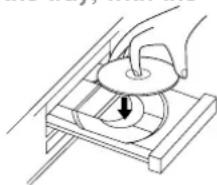
natural_image
Illustration of a hand using a tool to press a circular component on a wooden base (no text or symbols)4 Press PLAY.
- The tray will close automatically, and playback will then start from the first chapter or track of the disc. If the playback does not start automatically, press PLAY.
- When you playback the DVD which a title menu is recorded, it may appear on the screen. In this case, refer to “TITLE MENU” on page 24.
Notes
- A “prohibited icon” Ⓧ may appear at the top-right on the TV screen during operation, warning that a prohibited operation has been encountered by the DVD/VCR or the disc.
- With DVDs that use titles for playback program signals, playback may start from the second title, or it may skip these titles.
- During the playback of a two layered disc, pictures may stop for a moment. This happens when the 1st layer switches to the 2nd layer. This is not a malfunction.
- If a disc is dirty or has scratches, the pictures may appear distorted and the playback operation may stop. In such cases, clean the disc and unplug the power cord and then plug it again before resuming playback.
GENERAL FEATURES
DVD may contain menus to navigate the disc and access special features. Press appropriate numerical button or use Arrow (▼/▲/►/◄) to highlight your selection in the DVD main menu and press ENTER to confirm.
Note
- Unless stated, all operations described are based on remote control use. Some operations can be carried out using the menu bar on the TV screen.
PAUSE
DVD CD
1 During playback, press PAUSE/STEP.
- Playback will pause and sound will be muted.
2 To continue playback, press PLAY.
5 Press STOP to stop playback.
DISC MENUS
DVD
1 Press MENU.
• The DVD main menu will appear.
2 If the feature is not available, symbol may appear on the TV screen.
3 If disc menu is available on the disc, audio language, subtitle options, chapters for the title and other options will appear for selection.
4 Press Arrow (▼/▲/►/-◄) to select an item, and ENTER to confirm selection.
TITLE MENU
DVD
1 Press TOP MENU.
- The title menu will appear.
2 If the feature is not available, symbol may appear on the TV screen.
3 Press Arrow (▼/▲/►/◄) to select an item, and ENTER to confirm selection.
CALLING UP A MENU SCREEN DURING PLAYBACK
For DVDs
- Press MENU to call up the DVD menu.
- Press TOP MENU to call up the title menu.
Note
- Contents of menus and corresponding menu operations may vary between discs. Refer to the manual accompanying the disc for details.
STEP BY STEP PLAYBACK
DVD
1 During playback, press PAUSE/STEP.
- Playback will pause and sound will be muted.
2 The disc goes forward by one frame each time PAUSE/STEP is pressed.
3 To exit step by step playback, press PLAY.
RESUME
DVD CD
1 During playback, press STOP.
- Resume message will appear on the TV screen.
2 Press PLAY, playback will resume from the point at which playback was stopped.
- To cancel resume, press STOP twice.
- If turn off the DVD/VCR, resume function cancelled.
Note
- The resume playback takes a little longer to take place compared to the normal playback.
FAST FORWARD/REVERSE SEARCH
DVD □ MP3CD
1 During playback, press ▶▶ or ◀◀ repeatedly to select the required forward or reverse speed: x2, x8, x50, x100.
- For audio CDs, the speed is fixed at ×16.
- For MP3, the speed is fixed at ×8.
2 To return to normal playback, press PLAY.
SLOW FORWARD / SLOW REVERSE
DVD
1 During playback, press PAUSE/STEP.
2 Press ▶▶ or ◀◀.
3 Press ▶▶ or ◀◀ repeatedly to select the required speed: 1/16, 1/8, 1/2 of the normal playback.
4 To return to normal playback, press PLAY.
- Slow playback is not available with audio CDs.
ZOOM
DVD
The Zoom function allows you to enlarge the video image and to pan through the enlarged image.
1 Press ZOOM during playback.
- Playback will continue.
2 Press ZOOM repeatedly to select the required zoom factor: x2, x4 or OFF.
3 Use the Arrow (▲/▼/◄/►) to move the zoomed picture across the screen.
4 To exit zoom mode, press ZOOM to OFF.
Notes
- Zooming function does not work while disc menu is shown.
- x4 zoom is not available on some discs.
TRACK
CD
There are three ways to begin playback on an Audio CD at a specific Track.
Using the Numerical buttons
1 Press Numerical buttons to enter the desired Track number.
- Playback will start at the selected track.
- For single digit tracks (1-9), press a single number (eg. track 3, press 3).
- To play track 26, press +10, 2, 6 on the numerical button.
Using SEARCH MODE
1 Press SEARCH MODE.
- The track search display appears.
2 Within 30 seconds, select a desired track number using numerical buttons.
- For single digits press 0 first.
- Playback will start at the selected track.
- Press CLEAR/C.RESET to erase the incorrect input.
Using SKIP |◀◀, ▶▶▶
During playback, press SKIP ▶▶to move the next track. Press it repeatedly to skip subsequent tracks. Press SKIP ◀◀▶to go back to beginning of the current track. Press it repeatedly to go to the previous tracks.
- Track number will appear briefly on the DVD/VCR display panel.
- If SKIP is pressed while the playback is paused, the playback will be paused again after skipping to the next track.
Note
- SKIP |◀◀▶▶| are not available when playback is stopped.
TITLE / CHAPTER SEARCH
DVD
1 Press SEARCH MODE once for the Chapter search, twice for the Title search during playback.
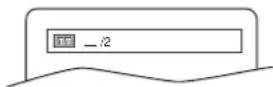
2 Enter the desired chapter/title number using numerical buttons.
- Playback will start at the selected Chapter or Title.
- Press CLEAR/C.RESET to erase the incorrect input.
- For single digits press 0 first.
TIME SEARCH
DVD CD
1 During playback, press SEARCH MODE three times (CD: twice) to display the Time Search on the TV screen.
2 Within 30 seconds, enter a desired disc time using numerical buttons.
- Playback will start at the specified time.
3 Press CLEAR/C.RESET to erase the incorrect input.
MARKER SETUP SCREEN
DVD CD
Use markers to memorise your favourite places on a disc.
1 Press SEARCH MODE four times (CD: three times) during playback.
- The display screen and Markers will appear on the TV screen.
2 Press Arrow (◄/►) to select 1, 2, 3, 4, 5, 6, 7, 8, 9, or 10 and ensure that “- : - - : - -” appears in the display.
3 When reaches the desired point, press ENTER.
- The Title or Track and elapsed playing time will appear in the TV screen.
4 To return to the Marker later, press SEARCH MODE four times (CD: three times) during playback and Arrow (◀/▶) to choose the desired marker, then press ENTER.
Notes
- Opening the disc tray or turning off the power or select AC at step 2 and press ENTER will erase all Markers.
- To clear a marker, using Arrow (◀/▶), position the cursor on to the marker number to be cleared and press CLEAR/C.RESET.
- You can mark up to 10 points.
5 Press SEARCH MODE or RETURN to exit.
REPEAT
REPEAT is available only during playback.
REPEAT TITLE / CHAPTER
DVD
To activate the repeat function, press REPEAT during playback.
- The repeat mode changes as described below every time you press the button.

flowchart
graph LR
    A["CHAPTER TITLE"] --> B["(current chapter repeat)"]
    B --> C["(current title repeat)"]
    C --> D["(repeat off)"]
Notes
- Repeat Title/Chapter is not available with some scenes.
- The REPEAT setting will be cleared when moving to other title or chapter.
REPEAT TRACK
CD
To activate the repeat function, press REPEAT during playback.
- The repeat mode changes as described below every time you press the button.

flowchart
graph LR
    A["TRACK ALL OFF"] --> B["(current track repeat)"]
    B --> C["(entire disc repeat)"]
    C --> D["(repeat off)"]
    D --> E
Notes
- Track Repeat setting will be cleared when moving to other track.
- Repeat playback does not function during A-B REPEAT playback.
MP3
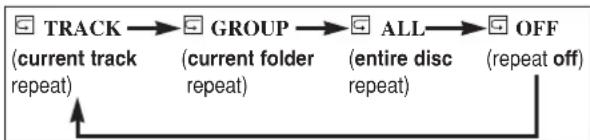
flowchart
graph LR
    A["TRACK"] --> B["GROUP"]
    B --> C["ALL"]
    C --> D["OFF"]
    D --> E["repeat off"]
    F["(current track repeat)"] --> A
    G["(current folder repeat)"] --> B
    H["(entire disc repeat)"] --> C
A-B REPEAT
DVD CD
1 Press A-B REPEAT at your chosen starting point.
- A- appears briefly on the TV screen.
2 Press A-B REPEAT again at your chosen end point.
- A-B appears briefly on the TV screen, and the repeat sequence begins.
3 To exit the sequence, press A-B REPEAT.
Notes
- The A-B REPEAT section can only be set within the current title (for DVDs), or current track (for audio CDs).
- A-B REPEAT is not available with some scenes in DVD.
- To cancel the A point which was set, press CLEAR/C.RESET.
- A-B REPEAT playback does not function during title, chapter, track or all repeat playback.
PROGRAM
CD
You may determine the order in which tracks will play.
1 In stop mode, press MODE.
- The PROGRAM screen will appear.
2 Press ▲ or ▼ to select a track, then press
ENTER.
- Press CLEAR/C.RESET to erase the most recently entered program.
![PROGRAM CD [AUDIO] TITN: 0:03:30 1 3:30 2 4:30 3 5:30 4 6:30 5 7:30 6 8:30 7 9:30 1/2 1 3:30 1 3:30 1/1 START PLAY CLOUD](/content/2026/05/948018/images/c3efdc82aff357b253011e4674ace80bf07bb606056824349e257420dd74985b.jpg)
3 Press PLAY to play the programmed tracks.
Notes
- While the program is being played back, the STOP works as follows.
- Press STOP once and then PLAY again, playback will restart from the point where STOP was pressed. (Program continued)
- Press STOP twice and then PLAY again, playback will restart from the track in the usual way. (Program cleared)
- Up to 99 programs can be entered.
- If you like to repeat the current track in the program, press REPEAT repeatedly until ☑TRACK appears during playback. If you like to repeat the entire program press REPEAT repeatedly until ☑ALL appears during playback.
TO CLEAR THE PROGRAM
- Open the disc loading tray, and the the program will be cleared.
RANDOM PLAYBACK
CD
This shuffles the playing order of tracks instead of playback in the original sequence.
1 In stop mode, press MODE twice.
- RANDOM screen appears.
![RANDOM CO [AUDIO] TOTAL 0.45 GB RANDOM PROGRAM —no indication— OK](/content/2026/05/948018/images/0e8e3c085bd9cc23ec680a3f40f0cee129dd6461637391b9c4c8dca7a8faf10e.jpg)
2 Press PLAY to start random playback.
Note
- If you like to repeat the current track in the random selection, press REPEAT repeatedly until ☐ TRACK appears during playback. If you like to repeat the entire random selection press REPEAT repeatedly until ⚫ ALL appears during playback.
MP3 PLAYBACK
MP3
When a CD with MP3 files is inserted in the DVD/VCR, the MP3 menu will appear on the TV screen, and number of tracks is displayed on the front panel.
1 In stop mode, press Arrow ( / ) to select the desired group track.
- If a group is selected, press ▶ or ENTER to go on to the track selection screen. Press Arrow (▲/▼) to choose a track, then press ▶ or ENTER.
- If a track is selected, press
▶ or ENTER to start playing tracks. Starting from the one you’ve just chosen the subsequent tracks will be played.
- Choose FIRST PLAY to start playback from the beginning of the listed tracks.
- Press TOP MENU to return to the first item.
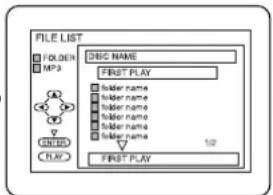
2 Press STOP to stop playback.
Notes
- Folders are known as Groups; files are known as Tracks.
- MP3 files are accompanied by ☐on.
• Maximum of 255 folders can be recognized.
• Maximum of 256 files can be recognized. - Up to 8 hierarchies can be created.
This player recommends the use of files recorded at the below specifications:
• Sampling frequency: 44.1kHz or 48kHz - Constant bit rate: 112kbps \~ 320kbps.
ON-SCREEN INFORMATION
MP3
You can check the MP3 files during playback.
1 Press DISPLAY.
- The name of the file currently in play will be displayed.
2 Press DISPLAY again to show the track number, the repeat status, and the playback status at the top of the screen.
- will be displayed when repeat play has been selected.
T - indicates Track repeat
G - indicates Group (folder) repeat
A - indicates ALL repeat
3 Press DISPLAY again to exit.
TRACK SELECTION
MP3
1 Press SEARCH MODE during playback.
- The FILE LIST will appear.
2 Select a desired track using Arrow
(△/▽/◀/▶).
- Press ▶ when you want to go to the next hierarchy.
- Press ◀ when you want to go back to the previous hierarchy.
3 Press PLAY to start playing.
Notes
- Press SEARCH MODE to EXIT.
- Some selections may take a while to be recognized.
RANDOM PLAYBACK
MP3
1 Press MODE twice while playback is stopped.
2 Press PLAY to play the tracks in random order.
PROGRAM
MP3
This feature allows you to program a mp3 disc to play in a desired sequence.
1 Press MODE during playback is stopped.
• The PROGRAM screen will appear.
2 Press Arrow (▲/▼) to select a track, then press ENTER, to save it in a program.
- Press CLEAR/C.RESET to erase the incorrect input.
3 Press PLAY to start programmed playback.
AUDIO LANGUAGE
DVD
The DVD/VCR allows you to select a language during DVD disc (if multi language available) playback.
1 Press AUDIO during playback.
2 Press AUDIO repeatedly to select your desired language.
Notes
- Pressing AUDIO may not work on some DVDs with multiple audio languages (e.g. DVDs which allow audio language setting on the disc menu).
STEREO SOUND MODE
CD
1 Press AUDIO repeatedly during playback to select between STEREO, L-CH or R-CH.
- STEREO - both right and left channels are active (stereo) L-CH - only left channel is active R-CH - only right channel is active
Note
- If the Virtual Surround setting is 1 or 2, the sound mode will be fixed to STEREO, and can not be changed.
- If you use DIGITAL AUDIO OUT jack, the sound mode of Audio CDs can not be changed.
SUBTITLE LANGUAGE
DVD
The DVD allows you to select a language for subtitles during DVD disc (if available) playback.
1 Press SUBTITLE during playback.
2 Press SUBTITLE repeatedly to select your desired subtitle language.
- The subtitle language will be displayed on the display bar at the top of the screen.
3 To turn off subtitles, press SUBTITLE repeatedly until OFF appears.
Notes
- Some discs allow audio language setting/subtitle language setting on the disc menu. (Operation varies between discs, so refer to the manual accompanying the disc.)
- If the desired language is not shown after pressing SUBTITLE several times, the disc does not have subtitles in that language.
- If you choose a Language that has a 3 letter language code, the code will be displayed every time you change the Subtitle language setting. If you choose any other languages, ‘---’ will be displayed instead. (Refer to page 32.)
- It may take time to display the subtitles in the selected language.
CAMERA ANGLE
DVD
Some DVD discs contain scenes which have been shot simultaneously from various angles. You can change the camera angle when the (☐) mark appears on the screen.
1 Press ANGLE during playback.
- The selected angle will be displayed on the display bar at the top of the screen.
2 Press ANGLE repeatedly to select your desired angle.
CHANGING THE ON-SCREEN DISPLAY
DVD CD
You can check the information about the current disc by pressing DISPLAY on the remote control.
For DVDs
1 Press DISPLAY during playback to show current Chapter.
- The elapsed and remaining playing time of the current chapter will be displayed.
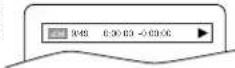
2 Press DISPLAY again to show current Title.
- The elapsed and remaining playing time of the current title will be displayed.
3 Press DISPLAY third time.
- The BIT RATE and the current repeat setting will be displayed.
- If you are playing a dual layered disc, the layer number will also be displayed (L0: Layer 0 is playing. L1: Layer 1 is playing).
4 Press DISPLAY the fourth time to remove the display.
For audio CDs
1 Press DISPLAY during playback, the current Track will be displayed on the TV screen.
- The elapsed and remaining playing time of the current track will be displayed.
2 Press DISPLAY again to show current Total Track.
- The elapsed and remaining playing time of the current total track will be displayed.
3 Press DISPLAY third time to remove the display.
PARENTAL CONTROL
DVD
Parental Control limits the disc viewing that exceed your settings. (with a password or playback will stop.) This feature allows you to prevent discs with alternative scenes from being played by your children. PARENTAL LEVEL
Parental Level allows you to set the rating level of your DVD discs. Playback will stop if the disc's ratings exceed the level you set.
1 Press SETUP in STOP mode.
2 Press ▶ to select CUSTOM, then press ENTER.
3 Press Arrow (◀/▶) to select PARENTAL, then press ENTER.
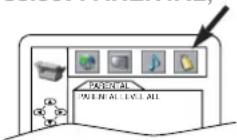
4 Enter your four-digit password then press ENTER.
5 Press Arrow (▲/▼) to select PARENTAL LEVEL, then press ENTER.
6 Press Arrow ( / ) to select the desired level.
7 Press SETUP to exit
Notes
- When doing this for the first time, enter any 4 digits. (except for 4737) That number will be used as the password from the second time onward.
-
To change the password, press Arrow (▲/▼) to select CHANGE, then press ENTER. Enter the four-digit pass-word, then press ENTER.
-
With some DVDs, it may be difficult to find if they are compatible with parental lock. Be sure to check if the parental lock function operates in the way that you have set.
- Record the password in case you forget it.
1 Press 4, 7, 3, 7 at step 4.
- Password will be cleared and parental level will be set to ALL.
2 Proceed the above Steps 4-6 again.
CONTROL LEVELS
• ALL
All parental lock is cancelled.
- Level 8
DVD software of any grade (adult/general/children) can be played back.
- Levels 7 to 2
Only DVD software intended for general use and children can be played back.
- Level 1
Only DVD software intended for children can be played back, with those intended for adult and general use prohibited.
DVD SETUP
AUDIO SETTINGS
Choose the appropriate Audio settings for your equipment as it only affect during the playback of DVD discs.
1 Press SETUP in STOP mode.
2 Press ▶ to select CUSTOM, then press ENTER.
- CUSTOM mode will appear.
3 Press Arrow (◄/►) to select AUDIO, then
press ENTER to con- firm.
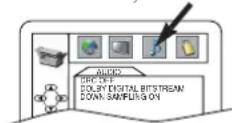
4 Press Arrow (▲/▼) to select the below items, then press ENTER.
DRC (Dynamic Range Control):
- To compress the range of sound volume.
- The default setting is OFF.
- This function is effective only for the sound recorded by Dolby Digital recording.
Dolby Digital: QUICK
Set to BITSTREAM when the unit is connected to a Dolby Digital Decoder.
(BITSTREAM: Output by Dolby Digital)
(PCM: Convert the Dolby Digital to PCM)
- The default setting is BITSTREAM. DOWN SAMPLING:
- Set to ON when outputting in 48 kHz.
- The default setting is ON.
When playing disc with copyright Protection
- If you select OFF, copyright protection will be activated and sound will be down sampled at 48kHz.
4 Press SETUP to exit.
BLACK LEVEL SETTING
DVD
Adjust the Black Level Settings to make the black parts of the picture as bright as you preferred.
1 Press MODE during playback.
2 Press ENTER to switch ON/OFF. ON: Makes the dark parts brighter. OFF: Shows the original picture as recorded.
3 Press MODE twice or RETURN to exit.
VIRTUAL SURROUND
DVD
MP3CD
You can enjoy stereophonic visual space on your existing stereo system.
1 Press SURROUND during playback.
2 Press SURROUND to set it 1 (Natural effect) or 2 (Emphasized effect) or OFF.
3 Press MODE or RETURN to exit.
Note (for CD play only)
- Virtual Surround will not be effective if the sound mode is set to something other than STEREO.
DISPLAY SETTING
DVD
You can change certain aspects of the DVD display screens, on-screen messages and the display panel on the front of the DVD/VCR.
1 Press SETUP in STOP mode.
2 Press ▶ to select CUSTOM, then press ENTER.
- CUSTOM mode will appear.
3 Press Arrow (◀/▶) to select DISPLAY, then
press ENTER to con- firm.
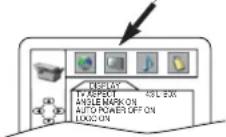
4 Press Arrow (▲/▼) to select the below items, then press ENTER.
TV ASPECT: QUICK
- Press Arrow (▲/▼) for an item selection, then press ENTER.
- Select 4:3 LETTER BOX for a black bars appears on top and bottom of the screen.
- Select 4:3 PAN - SCAN for a full height picture with both sides trimmed.
- Select 16:9 WIDE if a wide-screen TV is connected to the DVD/VCR.
- The default setting is 4:3 LETTER BOX.
ANGLE MARK:
- Press ENTER repeatedly to turn Angle mark ON or OFF.
- The default setting is ON.
AUTO POWER OFF:
- Press ENTER repeatedly to turn Auto Power off ON or OFF.
- The default setting is ON and it will turn the DVD/VCR to off automatically after 35 minutes of no use.
LOGO:
- Press ENTER to switch ON (opening picture)/OFF(black).
- The default setting is ON.
5 Press SETUP to exit.
Notes
- Be sure to press SETUP, or the setting will not work.
LANGUAGE SETTING
DVD
Language options are not available with some discs.
1 Press SETUP in STOP mode.
2 Press ▶ to select CUSTOM, then press ENTER.
- CUSTOM mode will appear.
3 Press Arrow (◄/►) to select LANGUAGE,
then press ENTER to confirm.
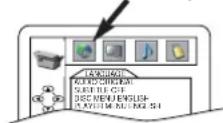
4 Press Arrow (▲/▼) to select the below items, then press ENTER.
- If you want to return to LANGUAGE SETTING MENU, press Arrow(◀).
AUDIO:
- Sets the audio language.
SUBTITLE:
- Sets the subtitle language.
DISC MENU:
- Sets the language for DVD menu.
PLAYER MENU: QUICK
- Sets the language for the On-screen display.
5 Press Arrow (▲/▼) to select a setting, then press ENTER.
- If OTHERS is selected on the AUDIO, SUBTITLE or DISC MENU screen, press four-digit number to enter the code for the desired language. (Refer to the language code list below.)
- Only the languages supported by the disc can be selected.
6 Press SETUP to exit.
Note
- Language Setting for Audio and Subtitle is not available with some discs. Then use the Audio and the Subtitle button. Details are on pages 28 and 29.
| Language | Code | Language | Code | Language | Code | Language | Code |
| A-B | Frisian | 5271 | Malay | 5965 | Somali | 6561 | |
| Abkhazian 4748 | Galician | 5358 | Malayalam | 5958 | Spanish [SPA] | 5165 | |
| Afar 4747 | Georgian | 5747 | Maltese | 5966 | Sundanese | 6567 | |
| Afrikaans 4752 | German [GER] | 5051 | Maori | 5955 | Swahili | 6569 | |
| Albanian 6563 | Greek [GRE] | 5158 | Marathi | 5964 | Swedish [SWE] | 6568 | |
| Amharic | 4759 | Greenlandic | 5758 | Moldavian | 5961 | T | |
| Arabic | 4764 | Guarani | 5360 | Mongolian | 5960 | Tagalog | 6658 |
| Armenian | 5471 | Gujarati | 5367 | Nauru | 6047 | Tajik | 6653 |
| Assamese 4765 | Hausa | 5447 | Nepali | 6051 | Tamil | 6647 | |
| Aymara | 4771 | Hebrew | 5569 | Norwegian [NOR] 6061 | Tatar | 6666 | |
| Azerbaijani | 4772 | Hindi | 5455 | O-R | Telugu | 6651 | |
| Bashkir | 4847 | Hungarian [HUN] | 5467 | Occitan | 6149 | Thai | 6654 |
| Basque | 5167 | I-K | Oriya | 6164 | Tibetan | 4861 | |
| Bengali;Bangla | 4860 | Icelandic [ICE] | 5565 | Oromo(Afan) | 6159 | Tigrinya | 6655 |
| Bhutani | 5072 | Indonesian | 5560 | Panjabi | 6247 | Tonga | 6661 |
| Bihari | 4854 | Interlingua 5547 | Pashto;Pushto | 6265 | Tsonga | 6665 | |
| Bislama | 4855 | Interlingue 5551 | Persian | 5247 | Turkish [TUR] | 6664 | |
| Breton | 4864 | Inupiak | 5557 | Polish | 6258 | Turkmen | 6657 |
| Bulgarian | 4853 | Irish [IRI] | 5347 | Portuguese [POR] | 6266 | Twi | 6669 |
| Burmese | 5971 | Italian [ITA] | 5566 | Quechua | 6367 | U-Z | |
| Byelorussian | 4851 | Japanese [JPN] 5647 | Rhaeto-Romance 6459 | Ukrainian | 6757 | ||
| C-E | Javanese | 5669 | Romanian [RUM] | 6461 | Urdu | 6764 | |
| Cambodian | 5759 | Kannada | 5760 | Russian [RUS] | 6467 | Uzbek | 6772 |
| Catalan | 4947 | Kashmiri 5765 | S | Vietnamese | 6855 | ||
| Chinese [CHI] | 7254 | Kazakh | 5757 | Samoan | 6559 | Volapuk | 6861 |
| Corsican | 4961 | Kinyarwanda | 6469 | Sangho | 6553 | Welsh | 4971 |
| Croatian | 5464 | Kirghiz | 5771 | Sanskrit | 6547 | Wolof | 6961 |
| Czech | 4965 | Kirundi | 6460 | Scots Gaelic | 5350 | Xhosa | 7054 |
| Danish [DAN] | 5047 | Korean [KOR] | 5761 | Serbian | 6564 | Yiddish | 5655 |
| Dutch [DUT] | 6058 | Kurdish | 5767 | Serbo-Croatian | 6554 | Yoruba | 7161 |
| English [ENG] | 5160 | L-N | Sesotho | 6566 | Zulu | 7267 | |
| Esperanto | 5161 | Laothian | 5861 | Setswana | 6660 | ||
| Estonian 5166 | Latin | 5847 | Shona | 6560 | |||
| F-H | Latvian;Lettish | 5868 | Sindhi | 6550 | |||
| Faroese | 5261 | Lingala | 5860 | Singhalese | 6555 | ||
| Fiji | 5256 | Lithuanian | 5866 | Siswat | 6565 | ||
| Finnish [FIN] | 5255 | Macedonian | 5957 | Slovak | 6557 | ||
| French [FRE] | 5264 | Malagasy | 5953 | Slovenian | 6558 |
If you choose a Language that has a 3 letter language code, the code will be displayed every time you change the Audio or Subtitle language setting on pages 28 and 29. If you choose any other languages, ‘---’ will be displayed instead. (3 letter language code is written in bracket.)
TROUBLESHOOTING GUIDE
If the DVD/VCR does not perform properly when operated as instructed in this Owner's Manual, check the DVD/VCR consulting the following checklist.
| DVDVCR | PROBLEM CORRECTIVE ACTION | |
| No power. | Make sure the power plug is connected to an AC outlet.Make sure the power is turned on. | |
| The DVD/VCR does not respond to the remote control. | Check if the power plug is connected to an AC outlet.Check the batteries in the remote control.Aim the remote control directly at the remote sensor. If necessary, remove all the obstacles between the sensor and the remote.You have to be within 23 feet of the DVD/VCR.Check if the correct mode is selected. If not switch the mode by pressing DVD or VCR ,whichever you need, on the remote control.Check if a cassette tape is in the VCR. | |
| VCR | Timer recording is impossible. | Make sure the timer recording is set correctly.Make sure the DVD/VCR clock is set correctly. |
| Cannot go into Record mode. | Make sure the tape has a safety tab. If needed, cover the hole with cellophane tape.Put the DVD/VCR in VCR mode. Press VCR on the remote control so that the green VCR OUT-PUT light is lit. | |
| Playback picture is partially noisyCannot view a tape but the audio is OK. | Adjust tracking control for a better picture by pressing CHANNEL (▲/▼) on the DVD/VCR.Head cleaning may be necessary. Refer to “AUTO HEAD CLEANING”.Make sure the DVD/VCR is not in the Menu mode. | |
| No, or poor, playback picture. | Change the RF output channel to CH4. Then select the same channel on the TV.Fine tune your TV. | |
| TV programs cannot be seen normally. | Re-check the ANT. IN and ANT. OUT connections. See page 13.Press VCR/TV.Press VCR on the remote control to put it in the VCR mode. Check if the green VCR OUTPUT light is lit. Then, set it to the TV position by pressing VCR/TV. | |
| Video or color fades in and outwhen making a copy of a video tape. | You cannot copy a copyrighted video tape. You are experiencing copy guard protection. | |
| Cannot remove the tape. | Check if the DVD/VCR is in the VCR mode. If not, press VCR on the remote control to switch the mode. | |
| DVD | No picture. | Connect the video cables firmly.Insert a correct video disc that plays on this DVD/VCR.Press DVD on the remote control. Check if the DVD OUTPUT Light is lit. Then try other DVD feature.Check if the progressive switch is set correctly according to your TV. |
| Disc cannot be played. | Insert the disc.Clean the disc.Placc the disc correctly, with the label side up.Cancel the parental lock or change the control level. | |
| No sound. | Connect the audio cables firmly.Turn the power of the audio component on.Correct the audio output settings.Correct the input settings on the audio component. | |
| No DTS audio is output. | This DVD/VCR does not support DTS audio. This is not a malfunction. | |
| Distorted picture. | Connect the DVD/VCR directly to the TV.There are some cases where pictures may be slightly distorted, which are not a sign of a malfunction.Although pictures may stop for a moment, this is not a malfunction. | |
| Audio or subtitle language does not match the set up. | The selected language is not available for audio or subtitles on the DVD disc.This is not a malfunction | |
| The camera angle cannot be changed. | The DVD disc does not contain sequences recorded from different camera angles.This is not a malfunction | |
| Audio or subtitle language cannot be changed. | The DVD disc does not contain audio source or subtitles in the selected language.This is not a malfunction. | |
| “Prohibited icon” appears on the screen, prohibiting an operation. | That operation is prohibited by the DVD/VCR or the disc.This is not a malfunction. | |
Notes
Some functions are not available in specific modes, but this is not a malfunction. Read the description in this Owner's Manual for details on correct operations.
- Playback from a desired track and random playback are not available during program playback.
MAINTENANCE
SERVICING
- Should your DVD/VCR become inoperative, do not try to correct the problem by yourself. There are no user-serviceable parts inside. Turn off, unplug the power cord, and please call our help line at 1-800-448-2244 to locate an Authorized Service Center.
CLEANING THE CABINET
- Use a soft cloth slightly moistened with a mild detergent solution. Do not use a solution containing alcohol, spirits, ammonia or abrasives.
CLEANING DISCS
- When a disc becomes dirty, clean it with a cleaning cloth. Wipe the disc from the center out. Do not wipe in a circular motion.
- Do not use solvents such as benzine, thinner, commercially available cleaners, detergent, abrasive cleaning agents or antistatic spray intended for analogue records.
CLEANING THE DISC LENS
- If the DVD/VCR still does not perform properly when it is operated while referring to the relevant sections and to "TROUBLESHOOTING GUIDE" in this Owner's Manual, the laser optical pickup unit may be dirty. Consult your dealer or an Authorized Service Center for inspection and cleaning of the laser optical pickup unit.
AUTO HEAD CLEANING
- Automatically cleans video heads as you insert or remove a cassette, so you can see a clear picture.
-
Playback picture may become blurred or interrupted while the TV program reception is clear. Dirt accumulated on the video heads after long periods of use, or the usage of rental or worn tapes can cause this problem. If a streaky or snowy picture appears during playback, the video heads in your DVD/VCR may need to be cleaned.
-
Please visit your local Audio/Video store and purchase a good quality VHS Video Head Cleaner.
-
If a Video Head Cleaner does not solve the problem, please call our help line at 1-800-448-2244 to locate an Authorized Service Center.
NOTES:
- Remember to read the instructions included with the video head cleaner before use.
- Clean video heads only when problems occur.
DISC HANDLING
- Use discs which have the following logos on them. (Optical audio digital discs.)





- Handle the discs so that fingerprints and dust do not adhere to the surfaces of the discs.
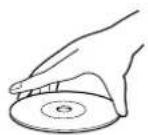
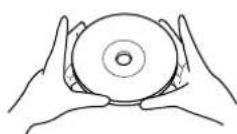
- Always store the disc in its protective case when it is not used.
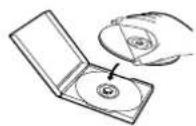
- To clean-off, use a soft cloth.
- Do not use a hard cloth since this will mar the disc.
- Wipe the disc in a straight line from center to edge.
- Never wipe with a circular motion.
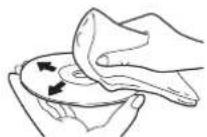
- Do not use detergent or abrasive cleaning agents.
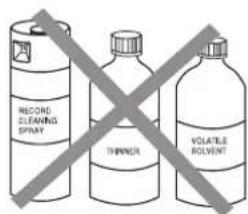
Make your contribution to the environment!!!
• Used up batteries do not belong in the dust bin.
- You can dispose of them at a collection point for used up batteries or special waste.
Contact your council for details.

SPECIFICATIONS
Product type: DVD/VCR Combo (DVD player with Video Cassette Recorder)
Discs: DVD video
Audio CD
Video Cassette tape
Converter output: VHF Channel 3 or 4.
Power source: 120 V AC +/- 10%, 60 Hz +/- 0.5%
Power consumption: 24 W (standby: 7.0 W)
Operating temperature: 41^(5^) to 104^(40^)
Dimensions: W 17-1/8" (435 mm)
H 3-7/8" (99 mm)
D 8-5/8" (218 mm)
Weight: 8.1 lbs (3.7 kg)
- Designs and specifications are subject to change without notice.
- If there is a discrepancy between languages, the default language will be English.
To locate an authorized HITACHI service facility in the continental U.S.A
DIAL TOLL FREE
7 days a week,24 hours a day
HITACHI
1-800-448-2244
Hitachi has made every effort to assure you hours of trouble free operation from your unit. However, should you require service, a network of Hitachi Authorized Service Facilities has been established in all 50 states and Puerto Rico. Each facility will provide you with convenient and expedient assistance. Our service "Hot line" operator will direct you to the Hitachi Authorized Service Facility nearest you. Just present proof of purchase and/or delivery receipts to the Hitachi Authorized Service Facility and service will be rendered in accordance with the terms of the limited warranty as stated on your warranty card or operating guide.
Should you have any questions regarding in-warranty service, operation or technical assistance, please contact:
during the business hours Monday - Friday EST 9:00am\~7:00pm Saturday EST 9:00am\~5:00pm
durant les heures de bureau: Lundi au Vedredi 9:00am\~7:00pm (h.n.e.) Samedi 9:00am\~5:00pm (h.n.e.)
DECLARATION OF CONFORMITY
with FCC Rules for Electromagnetic Compatibility Products: DVD PLAYER with VIDEO CASSETTE RECORDER Models: DV-PF33U Trade Name: HITACHI
This device complies with part 15 of FCC Rules. Operation is subject to the following two conditions: (1) this device may not cause harmful interference, and (2) this device must accept any interference received, including interference that may cause undesired operation. Responsible Party: HITACHI AMERICA, LTD. HOME ELECTRONICS DIVISION 1855 Dornoch Court, San Diego, CA 92154-7255 U.S.A Tel:619-661-0227
WARRANTY
NOT FINAL
WARRANTY
NOT FINAL
- WARNING:
- CAUTION
- CAUTION:
- LASER SAFETY
- RADIO-TV INTERFERENCE
- A NOTE ABOUT RECYCLING
- ABOUT COPYRIGHT
- SUPPLIED ACCESSORIES
- SYMBOLS USED IN THIS MANUAL
- VCR
- DVD
- CD
- MP3
- QUICK
- TABLE OF CONTENTS
- INDICE
- VCR Mode
- Selecting Progressive Scan (480p or Interlaced 480i) Playback
- What is Progressive Scanning?
- PRECAUTIONS
- INSTALLATION LOCATION
- AVOID THE HAZARDS OF
- ELECTRICAL SHOCK AND FIRE
- MOISTURE CONDENSATION WARNING
- ABOUT THE DISCS
- PLAYABLE DISCS
- DISC TYPES
- [DVD]
- [ AUDIO CD]
- [MP3]
- OPERATING CONTROLS AND FUNCTIONS
- FRONT PANEL
- REMOTE CONTROL
- STOP Button
- SPEED Button [page 20]
- DISPLAY Button
- ●DVD mode [page 29]
- ●VCR modé [page 22]
- TV Button
- DVD Button [page 12]
- 28.◀◀Button
- ●DVD mode
- ●VCR mode
- STOP Button
- DVD mode
- ●VCR modé
- REC Button
- MENU Button
- ●DVD mode [page 24]
- ●VCR modé [page 17]
- TOP MENU Button [page 24]
- SETUP Button [page 30]
- ZOOM Button [pagé 25]
- MODE Button [page 27]
- SUBTITLE Button [page 29]
- TIMER Button [page 21]
- ANGLE Button [page 29]
- REPEAT Button [page 26]
- A-B REPEAT Button [page 26]
- SEARCH MODE Button
- ●DVD mode [page 25]
- ●VCR mode [page 19]
- CLEAR/C.RESET Button
- ●VCR mode [page 18]
- RETURN Button
- T V CH ▼/▲Buttons
- VOL ▼/▲Buttons
- ▼/▲/ ▶/◀ Buttons
- ▼/▲Buttons
- ▶ Button
- ◀Button
- ENTER Button
- VIDEO/TV Button
- TV POWER Button[Page 16]
- 46.▶▶Button
- PLAY Button
- VCR Button [page 12]
- PAUSE/STEP Button
- ●DVD mode [page 23]
- SLOW Button [page 19]
- VCR/TV Button [page 20]
- ●VCR Position
- •TV Position
- SKIP/CH Buttons
- OPEN/CLOSE Button
- AUDIO Button [page 28]
- Notes
- Tour of the Remote Control
- DISPLAY DISPLAYS
- URING OPERATION
- LOADING THE BATTERIES
- VCR/DVD SWITCHING
- SWITCHING TO VCR MODE
- SWITCHING TO DVD MODE
- HOOKUPS
- REAR VIEW
- DVD/VCR TO TV CONNECTION
- RF OUTPUT CHANNEL
- Note to CATV system installer
- REMOTE CONTROL OF THE TV
- PROGRAMMING THE REMOTE CONTROL FOR THE TV
- Turn off the TV.
- Program the remote control
- NOTES:
- CONTROLLING THE TV
- To operate the TV
- To operate the DVD/VCR
- SETUP
- AUTOMATIC CHANNEL SET UP
- TO SELECT A DESIRED CHANNEL
- TO PRESET THE CHANNELS AGAIN
- TO ADD/DELETE CHANNELS
- TO CHANGE THE ON-SCREEN LANGUAGE
- CLOCK SET UP
- 1) Set the month
- 2) Set the day
- 3) Set the year
- 4) Set the hour
- 5) Set the minute
- 6) Set AM or PM
- PLAYBACK FUNCTION
- NORMAL PLAYBACK
- Counter Reset
- STILL/SLOW
- AUTO REPEAT PLAYBACK
- SEARCH FUNCTIONS
- PICTURE SEARCH
- INDEX SEARCH
- TIME SEARCH
- RECORDING FUNCTION
- Accidental Erasure Prevention
- Before recording, make sure:
- NORMAL RECORDING
- Note
- IRT (Instant Recording Timer)
- TIMER RECORDING
- 1) Set the program number (1-8)
- 2) Set the frequency of the recording
- 3) Set the date
- 4) Set the start time
- 5) Set the end time
- 6) Set the channel number
- 7) Set the tape speed
- If you want to use the DVD player during a VCR timer recording or while the TIMER light is on or flashes.
- TO STOP AN AUTOMATIC TIMER PRO- GRAM ALREADY STARTED
- Press TIMER.
- SPECIAL FEATURES
- TO MONITOR THE RECORDING
- MTS (Multi-Channel Television Sound) SYSTEM
- AUTO REWIND
- REAL TIME TAPE COUNTER
- PLAYING A DISC
- BASIC PLAYBACK
- Getting started
- Press ⏻/l.
- Press PLAY.
- GENERAL FEATURES
- PAUSE
- DISC MENUS
- TITLE MENU
- CALLING UP A MENU SCREEN DURING PLAYBACK
- For DVDs
- STEP BY STEP PLAYBACK
- RESUME
- FAST FORWARD/REVERSE SEARCH
- SLOW FORWARD / SLOW REVERSE
- ZOOM
- TRACK
- Using the Numerical buttons
- Using SEARCH MODE
- Using SKIP |◀◀, ▶▶▶
- TITLE / CHAPTER SEARCH
- MARKER SETUP SCREEN
- REPEAT
- REPEAT TITLE / CHAPTER
- REPEAT TRACK
- A-B REPEAT
- PROGRAM
- TO CLEAR THE PROGRAM
- RANDOM PLAYBACK
- MP3 PLAYBACK
- ON-SCREEN INFORMATION
- TRACK SELECTION
- AUDIO LANGUAGE
- STEREO SOUND MODE
- SUBTITLE LANGUAGE
- CAMERA ANGLE
- CHANGING THE ON-SCREEN DISPLAY
- For audio CDs
- PARENTAL CONTROL
- CONTROL LEVELS
- • ALL
- - Level 8
- - Levels 7 to 2
- - Level 1
- DVD SETUP
- AUDIO SETTINGS
- BLACK LEVEL SETTING
- VIRTUAL SURROUND
- Note (for CD play only)
- DISPLAY SETTING
- TV ASPECT: QUICK
- ANGLE MARK:
- AUTO POWER OFF:
- LOGO:
- Press SETUP to exit.
- LANGUAGE SETTING
- TROUBLESHOOTING GUIDE
- MAINTENANCE
- SERVICING
- CLEANING THE CABINET
- CLEANING DISCS
- CLEANING THE DISC LENS
- AUTO HEAD CLEANING
- DISC HANDLING
- Make your contribution to the environment!!!
- SPECIFICATIONS
- DIAL TOLL FREE
- HITACHI
- DECLARATION OF CONFORMITY
- WARRANTY
- NOT FINAL
Brand : HITACHI
Model : DV-PF33U
Category : DVD player