Punch Marine PM600X4 - Receiver Rockford Fosgate - Free user manual and instructions
Find the device manual for free Punch Marine PM600X4 Rockford Fosgate in PDF.


User questions about Punch Marine PM600X4 Rockford Fosgate
0 question about this device. Answer the ones you know or ask your own.
Ask a new question about this device
Download the instructions for your Receiver in PDF format for free! Find your manual Punch Marine PM600X4 - Rockford Fosgate and take your electronic device back in hand. On this page are published all the documents necessary for the use of your device. Punch Marine PM600X4 by Rockford Fosgate.
USER MANUAL Punch Marine PM600X4 Rockford Fosgate
flowchart
graph TD
    A["Source Unit"] --> B["Rockford Fosgate"]
    B --> C["Amplifier Quick Setup"]
    C --> D["Battery"]
    D --> E["Switched 12V to REM"]
    E --> F["Connect to chassis ground of vehicle"]
    F --> G["Optional Accessory PLC2"]
    G --> H["CAUTION"]
    H --> I["Be sure to connect speakers and Punch Level Control - PLC (if equipped) after amplifier output clip adjustment. (see reverse)"]
    I --> J["Speaker 1: Left, Right, Left, Right"]
    I --> K["Speaker 2: Left, Right, Left, Right"]
    I --> L["Speaker 3: Left, Right, Left, Right"]
    I --> M["Speaker 4: Left, Right, Left, Right"]
    I --> N["Speaker 5: Left, Right, Left, Right"]
    I --> O["Speaker 6: Left, Right, Left, Right"]
    I --> P["Speaker 7: Left, Right, Left, Right"]
    I --> Q["Speaker 8: Left, Right, Left, Right"]
    I --> R["Speaker 9: Left, Right, Left, Right"]
    I --> S["Speaker 10: Left, Right, Left, Right"]
    I --> T["Speaker 11: Left, Right, Left, Right"]
    I --> U["Speaker 12: Left, Right, Left, Right"]
    I --> V["Speaker 13: Left, Right, Left, Right"]
    I --> W["Speaker 14: Left, Right, Left, Right"]
    I --> X["Speaker 15: Left, Right, Left, Right"]
    I --> Y["Speaker 16: Left, Right, Left, Right"]
    I --> Z["Speaker 17: Left, Right, Left, Right"]
    I --> AA["Speaker 18: Left, Right, Left, Right"]
    I --> AB["Speaker 19: Left, Right, Left, Right"]
    I --> AC["Speaker 20: Left, Right, Left, Right"]
Step 1 - Input
Input Clip Indicator Setup
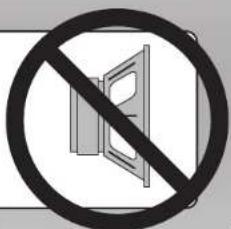
Be sure to disconnect all speakers from the amplifier

CAUTION
Failure to comply may cause damage to connected components and/or amplifier.
text_image
Prohibition sign with crossed-out door and diagonal line, indicating no barrier to the door or window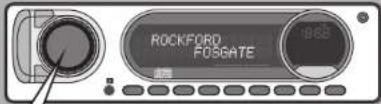
text_image
ROCKFORD FOSGATEStep 2 - Input
Turn on the source unit with volume set to zero.
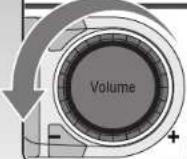
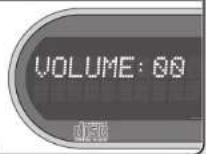
Step 3 - Input
Adjust the Bass & Treble levels on the source unit to flat.
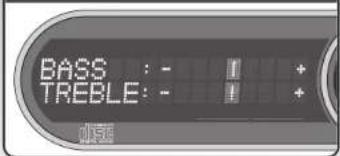
text_image
BASS : - TREBLE: -Amplifier Clip Indicator Setup
Step 4 - Input
Insert test tone or music CD to play for setup.
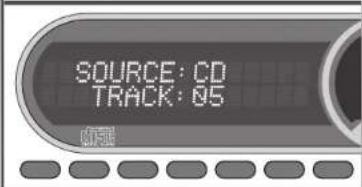
text_image
SOURCE: CD TRACK: 05Note: Use the 40Hz @ 0dB tone (Track 5) for mono amplifier applications or the 1kHz @ 0dB tone (Track 7) for multi-channel amplifier applications. Be sure your x-over is switched to the appropriate filter setting.
Step 5 - Input
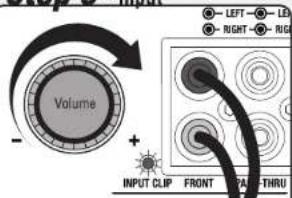
text_image
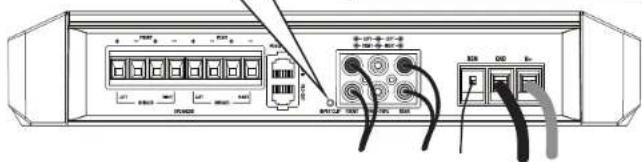
Volume INPUT CLIP FRONT PAL THRU - LEFT - LED - RIGHT - RIGAIncrease the source unit volume until the Input Clip Indicator illuminates red.
Note: Input Clip can be viewed remotely with optional PLC2.
Step 6 - Input
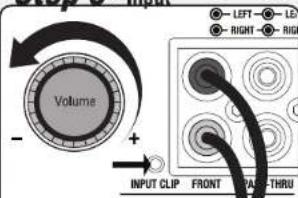
text_image
Volume INPUT CLIP FRONT THRU - LEFT - LE - RIGHT - RIGHTDecrease the source unit volume slightly until the light turns completely off. This establishes your maximum source unit volume for adjusting the Output Clip Indicator.
Note: Some source units will not clip.
text_image
Diagram of a network device rear panel showing ports, connectors, and cable connections with Chinese labelsStep 7 - Output
Be sure to disconnect Punch Level Control - PLC (if equipped) from the amplifier.
Step 8 - Output
Output Clip Indicator Setup
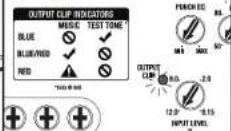
Adjust the Input Level knob until the Output Clip Indicator illuminates to the appropriate color. Repeat for all channel levels of input.
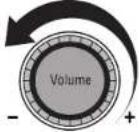
Turn the source unit volume down.
Step 9 - Output

Step 10 - Output
Reconnect all speakers and Punch Level Control - PLC (if equipped) to the amplifier. Be sure to maintain proper speaker polarity.
text_image
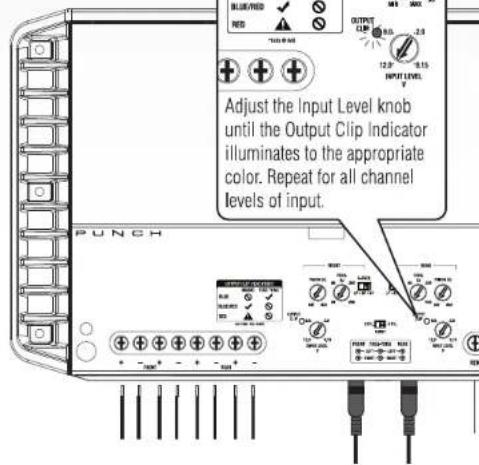
Adjust the Input Level knob until the Output Clip Indicator illuminates to the appropriate color. Repeat for all channel levels of input.

Rockford Fosgate