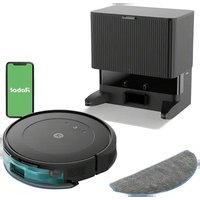
R870020 - Robot vacuum IROBOT - Free user manual and instructions
Find the device manual for free R870020 IROBOT in PDF.


Pick your language and provide your email: we'll send you a specifically translated version.
| Brand | iRobot |
| Model | R870020 |
| Product Type | Robot Vacuum Cleaner |
| Dimensions (Diameter x Height) | 13.8 x 3.6 inches |
| Weight | 8.5 lbs |
| Power Supply | 14.4V NiMH Battery |
| Charging Time | 3 hours |
| Run Time | Up to 90 minutes |
| Cleaning System | 3-Stage Cleaning with AeroVac Bin |
| Sensors | Cliff Sensors, Dirt Detect, Obstacle Sensors |
| Navigation | iAdapt Responsive Navigation |
| Auto-Recharge | Yes |
| Bin Capacity | 0.5 liters |
| Filter Type | High-Efficiency Filter |
| Remote Control | Infrared Remote Included |
| Maintenance | Clean brushes and bin weekly; replace filters and side brush every 3-6 months |
| Safety Features | Low-profile design, auto-shutoff when lifted, anti-tangle technology |
| Replaceable Parts | Filter, Side Brush, Battery, Front Caster Wheel |
| Warranty | 1 year limited |
| Compatibility | Works with hard floors and low-pile carpets |
Frequently Asked Questions - R870020 IROBOT
How do I reset my iRobot Roomba R870020?
Press and hold the CLEAN button for 10 seconds until the robot beeps. Release the button. The robot will reset and restart.
How often should I clean the brushes?
Clean the brushes after every use to remove hair and debris. For best performance, replace the side brush every 3-6 months.
Why is my Roomba not charging?
Ensure the charging contacts on the robot and the home base are clean. Try moving the home base to a clear location. If the issue persists, the battery may need replacement.
How do I connect Roomba to Wi-Fi?
The R870020 model does not have Wi-Fi connectivity. It is a non-smart robot vacuum that operates autonomously without an app.
What does the red light on the CLEAN button mean?
A solid red light indicates a low battery or charging. A flashing red light indicates an error; consult the manual for specific error codes.
Can Roomba go over thick carpets?
Roomba R870020 is designed for hard floors and low-pile carpets. It may struggle on high-pile or shag carpets due to reduced traction.
How do I replace the battery?
Remove the battery compartment cover on the bottom of the robot, unplug the old battery, and replace with a new iRobot Roomba 14.4V NiMH battery (model 17070 or equivalent).
What is the dirt detect feature?
Dirt Detect uses acoustic sensors to detect concentrated areas of dirt. The robot will clean that area more thoroughly with a back-and-forth motion.
How do I clean the cliff sensors?
Use a dry cloth to gently wipe the cliff sensors located on the bottom edge of the robot. Avoid using liquids or compressed air.
Why is Roomba making a loud noise?
Loud noise often indicates debris stuck in the brushes or wheels. Turn off the robot, remove the brushes and clean out any hair or objects. Also check for blockages in the vacuum inlet.
User questions about R870020 IROBOT
0 question about this device. Answer the ones you know or ask your own.
Ask a new question about this device
No questions yet. Be the first to ask one.
Download the instructions for your Robot vacuum in PDF format for free! Find your manual R870020 - IROBOT and take your electronic device back in hand. On this page are published all the documents necessary for the use of your device. R870020 by IROBOT.