
SWR-100 - Car kit CRUX - Free user manual and instructions
Find the device manual for free SWR-100 CRUX in PDF.


User questions about SWR-100 CRUX
0 question about this device. Answer the ones you know or ask your own.
Ask a new question about this device
Download the instructions for your Car kit in PDF format for free! Find your manual SWR-100 - CRUX and take your electronic device back in hand. On this page are published all the documents necessary for the use of your device. SWR-100 by CRUX.
USER MANUAL SWR-100 CRUX
- Retains Steering Wheel Controls via built-in, pre-programmed interface.
- Provides +12 volt accessory output.
- Auto detect on CAN Bus vehicles.
- Retains VR Command (Voice Recognition) function on select OEM steering wheel controls to activate CarPlay and Android Auto compatible devices.
- Works on the new generation Sony Radio with CarPlay function.
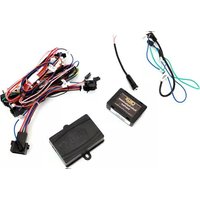
PARTS INCLUDED:

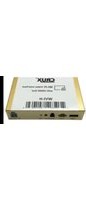
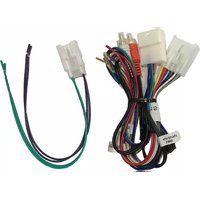
SWR-100 Module SWR-100 Harness SWC Cable


SUPPORTED RADIOS:
Alpine
Boss
Blaupunkt
Clarion
Dual
Fahrenheit
Jensen
JVC
Kenwood
Pioneer
Power Acoustik
Sony
Soundstream
Most Off-Brand Radios
INSTALLATION DIAGRAM:

*For vehicles with analog SWC, connect the Red/White wire to ACC to power the module.
For vehicle specific wiring diagram and connection, please visit: www.crxinterfacing.com/wiring or click on the QR code.


SWC CONNECTION:
For aftermarket radios with a 3.5mm jack for the SWC, use the SWC cable below.
(Old Sony, New Sony (with CarPlay/Android Auto), Pioneer, Jensen, Dual, Fahrenheit, New Soundstream)

For GM vehicles with LIN Bus, tap the GREEN (LIN Bus) wire to the GREEN/BLACK wire on the factory SWC.
![graph LR A["SWC CABLE"] --> B["Kenwood/JVC (BLUE / YELLOW)"] B --> C["LIN BUS (Green)"] C --> D["Vehicle GREEN/BLACK Wire"] D --> E["Located beneath the steering wheel column"]](/content/2026/05/942104/images/4a9c99d8281b39f9cd995c58267c98c9767d27cddf4d2d25807a13a5b3493918.jpg)
For radios with wires (2 or 3 wire) connections for SWC, use the female 3.5mm adapter. (Boss, Power Acoustik, select Sounstream)

For Kenwood and JVC radios with a BLUE/YELLOW wire connection for SWC, tap to the BLUE/YELLOW wire of the SWC adapter..
![graph LR A["BLUE/YELLOW\nKenwood/JVC SWR"] --> B["•"] B --> C["Kenwood/JVC\nSWR"] D["AFTERMARKET RADIO"] --> E["CRUX INTERFACING"]](/content/2026/05/942104/images/8c18876d4f7d2f867845bc1a72404416e9028826d4d825bdcc480b06a5ed375b.jpg)
2 of 2

Brand : CRUX
Model : SWR-100
Category : Car kit