
AR8D17 - Humidifier ARDES - Free user manual and instructions
Find the device manual for free AR8D17 ARDES in PDF.


| Type | Dehumidifier / Humidifier (Air purifier) |
| Brand | Ardes |
| Model | AR8D17 |
| Power Supply | 220-240 V ~ 50 Hz |
| Power Consumption | Approx. 220 W (estimated) |
| Water Tank Capacity | Not specified in manual (typical 2 L) |
| Continuous Drainage | Yes, via hose (11 mm inner diameter, not included) |
| Filters | Dust filter (washable) + Active carbon filter (replaceable, non-washable) |
| Humidity Settings | CNT (continuous), 40%, 50%, 60%, 70% |
| Fan Speeds | Low (LO) and High (HI) |
| Turbo Function | Yes, for continuous moisture removal (helps dry laundry) |
| Air Clean Function | Yes, circulates air/removes odors without dehumidifying |
| Timer | 24-hour timer for auto on/off (1-hour steps) |
| Display | Shows ambient humidity and temperature (momentary) |
| Safety Features | Water full indicator, auto shut-off when tank full, tilt protection (max 45°) |
| Usage Restrictions | Children 8+ with supervision; do not use near water sources or flammable substances |
| Cleaning | Wipe with soft damp cloth; never immerse; dust filter washable with warm water; carbon filter replaceable |
| Warranty | 24 months |
Frequently Asked Questions - AR8D17 ARDES
User questions about AR8D17 ARDES
0 question about this device. Answer the ones you know or ask your own.
Ask a new question about this device
Download the instructions for your Humidifier in PDF format for free! Find your manual AR8D17 - ARDES and take your electronic device back in hand. On this page are published all the documents necessary for the use of your device. AR8D17 by ARDES.
USER MANUAL AR8D17 ARDES
natural_image
Line drawing of a portable air conditioner unit with a curved tube and ventilation grille (no text or symbols)This appliance can be used by children aged from 8 years and above and persons with reduced physical, sensory or mental capabilities or lack of experience and knowledge if they have been given supervision or instruction concerning use of the appliance in a safe way and understand the hazards involved.
Children shall not play with the appliance.
Cleaning and user maintenance shall not be made by children without supervision.
If the power cable gets damaged, it has to be replaced only at a service centre approved by the manufacturer.
Warnings
GB
ATTENTION : read this booklet carefully it contains important instructions for a safe installation, use and maintenance.
Important instructions to be kept for future reference.
Keep handy the guarantee, receipt of payment and these instructions for future use and reference.
After removing the packaging, check the appliance for any signs of damage.
In case of visible damage, do not use it and contact a qualified technician. Do not leave parts of the packaging with in the reach of children. This appliance is not a children's toy: it is an electrical device and must be treated with the necessary caution.
Before connecting the appliance, make sure that the power supply voltage matches the indication on the data plate.
If the plug and socket are not compatible, the socket has to be replaced with a suitable type by skilled persons.
Do not use adapters or extension cables which do not meet current safety standards or that exceed the current carrying capacity limits.
When you don't use the appliance disconnect it from the power supply and assure that the interruptor is off.
Do not tug on the power cable or on the appliance itself to remove the plug from the socket.
The use of any electrical appliance requires that a number of basic rules are observed, namely:
- Never touch the appliance with wet or humid hands.
- Do not leave the appliance exposed to weathering (rain, sunlight).
- Do not subject it to rough handling.
In case of a breakdown or malfunctioning of the appliance, disconnect it at once.
Do not attempt to repair it, but take it to a service centre approved by the manufacturer.
If you decide you do not want to use this appliance any longer, disable it by cutting the power cable - of course, after disconnecting it from the socket.
The power cable should be extended to its full lenght to avoid over heating.
For safety reasons, the appliance should never be opened.
The appliance has been designed and manufactured to operate in the home.
Any other use is considered inappropriate and dangerous.
Do not insert objects through the safety grill or the air inlets.
Do not use the heater close to sinks, bathtubs, showers and swimming-pools.
Do not use the heater in presence of flammable substances (petrol, paints, etc.).
Do not place the cord near sources of heat.
Technical informations
GB
1 - Control panel
A - On/Off push button
B - display
C - temperature push button
D - Turbo function
E - speed push button and indicator light
F - power indicator
G - humidity push button and indicator light
H - water full indicator light
I - timer push button and indicator light
L - AIR CLEAN push button and indicator light
2 - Air outlet
3 - Handle
4 - Water tank
5 - Dust filter
6 - Active carbon filter
7 - Hole for continuous drainage
This product has been manufactured in conformity to current 2014/35/EU and 2014/30/EU
Technical data indicated on the appliance.
CE
Before connecting or disconnecting the appliance, make sure that the product is in off position.
To turn the appliance on put the plug in the socket and push On/Off push button; the power indicator will light on in the control panel. The appliance is provided with display that show ambient humidity, timer (if setted) and ambient temperature.
Push HUMIDITY push button to set the working mode needed: CNT (continuous working), 40% humidity, 50% humidity, 60% humidity or 70% humidity. The relative indicator light will turn on.
Push SPEED push button to set the ventilation speed: HI (high) or LO (low). The relative indicator light will turn on.
Push the TURBO function push button to turn on the turbo ventilation function; the relative indicator light will turn on. This function dry the moisture in the air continuously and it could help to dry the laundry. To turn this function off push again the TURBO push button.
The appliance is equipped with 24 hours timer that allow to set the automatic start or automatic off of the product. To set the automatic start: when the product is in stand-by mode push TIMER push button; timer indicator light will turn on and the time remaining before the appliance will be turned on blink on the display. To adjust the timer, repeatedly push TIMER push button then wait a few seconds for the setting to be memorised. On the control panel timer indicator light will be on, indicating that the timer for auto on is set. When the programmed time is reached, the appliance is turned on with the settings used during the previous period of operation.
To set automatic off: when the product is on, push TIMER push button; timer indicator light will turn on and the time remaining before the appliance will be turned off blink on the display. To adjust the timer, repeatedly push TIMER push button then wait a few seconds for the setting to be memorised. After few seconds the display will show ambient humidity and timer indicator light will be on in the control panel, indicating that the timer for auto off is set. When the programmed time is reached, the appliance is turned off automatically.
To deactivate timer function repeatedly push TIMER push button until the display will show "0" (zero). If the timer function is set to push timer push button one time to check in the display the remaining time. Timer steps (value show on the display): 0H, 1H, 2H, 3H, 4H, 5H....until 24H (1 hour step).
Push TEMPERATURE push button to check the ambient temperature on the display. After few seconds the display will show again the ambient humidity.
If you don't want to dry the air, just want to circulate the air or remove the odours inside the room, please press AIR CLEAN push button.
To turn the appliance off push again On/Off push button.
When the water tank is full the water full indicator light turn on for alarm and the compressor stop to work automatically for self-protection.
How to drain the water tank:
To move the water tank, pull it out squarely from the unit, empty the water tank and replace it in the unit. Make sure it is properly positioned, in order for the 'water full' indicator light will off and your dehumidifier is operating. Please note, in case, the water tank has not been positioned well, the water full indicator will turn red.
Continuous drainage:
When the dehumidifier is operated at very high humidity levels, the water tank will require more frequent drainage. In this situation, it may be more convenient to set the unit up for continuous drainage:
- Pull out the water tank
- Connect the hole for continuous drainage with water tube of 11 mm inner diameter (not provided with the appliance). Ensure the water will always drain away freely and the tube will remain in right place.
- Put the water tank back to its position

natural_image
Line drawing of a portable air conditioner unit with ventilation grilles and a handle (no text or symbols)CAUTION: in very cold weather conditions, precautions should be taken to prevent the water tube from freezing.
ATTENTION: Do not tilt the appliance by more than 45^ or turn it upside down, whether it is stationary or being transported.
ATTENTION: Before turning on the appliance, let it settle for at least two (2) hours after installation.
Maintenance
GB
Disconnect the plug from the socket before cleaning it.
In order to clean the body of the appliance, use a soft or slight damp cloth.
Never use abrasives or chemical solvents. Do not use very wet substances, liquids or cloths to prevent water from entering into the apparatus and irreparably damaging it.
NEVER IMMERSE THE APPLIANCE INTO THE WATER.
Cleaning the filter:
This dehumidifier is equipped with 2 filters

Dust filter:
Take out the protective grid from the product and extract the dust filter from the body. To remove the dust use a vacuum cleaner or tap the filter lightly. If the filter is particularly dirty, use a warm water to clean it. Make sure the filter is completely dry before replace it on the appliance.
CAUTION: do not expose the filter to sunlight.
Active carbon filter:
It capture the particles of dust and prevent the production of bacteria. The active carbon filter placed under the dust filter is not washable.
Its life span is variable and depends on the ambient conditions where the unit is used. The filter should be checked periodically and replaced if necessary.
If not use the unit for an extended period of time turn the appliance off and disconnect the plug from the socket; completely empty the water tank and wipe it clean; store the unit in the its original packaging far away from the sunlight.
CZ
natural_image
Line drawing of a portable air conditioner unit with a handle and ventilation panel (no text or symbols)Terms and Conditions
The guarantee is valid for 24 months.
This guarantee applies only if it has been duly filled in and is submitted with the receipt showing the date of purchase.
The guarantee covers the replacement or repair of parts making up the appliance which were faulty at source due to manufacturing faults.
After the guarantee has expired, the appliance will be repaired against payment.
The manufacturer declines any responsibility for damage to persons, animals or property due to misuse of the appliance and failure to observe the directions contained in the instructions.
Limits
All rights under this guarantee and any responsibility on our part will be voided if the appliance has been:
- mishandled by unauthorized persons
- improperly used, stored or transported.
The guarantee does not cover damage to the outward appearance or any other that does not prevent regular operation.
If any faults should be found despite the care taken in selecting the materials and in creating the product, or if any information or advice are required, please contact your local dealer.

USER INFORMATION
pursuant to art. 26 of Italian Legislative Decree no. 49 of 2 April 2014
"Implementation of Directive 2012/19/EU on Waste Electrical and Electronic Equipment (WEEE)", pertaining to reduced use of hazardous substances in electrical and electronic equipment, as well as to waste disposal".
The symbol of the crossed-out wheelie bin on the equipment or on its packaging indicates that the product must be disposed of separately from other waste at the end of its service life.
The user must therefore take the dismissed equipment to suitable separate collection centres for electrical and electronic waste, or return it to the dealer in case they purchase a new device of equivalent type, at a one-to-one-ratio.
Suitable segregated collection of the equipment for subsequent recycling, treatment or environmentally-friendly disposal helps prevent damage to the environment and to human health, and encourages the re-use and/or recycling of the materials that make up the equipment.
Abusive disposal of the product by the user shall result in the application of administrative fines in accordance with the laws in force.


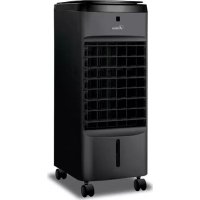
Brand : ARDES
Model : AR8D17
Category : Humidifier