
BML-16-N - Headphones BRIGMTON - Free user manual and instructions
Find the device manual for free BML-16-N BRIGMTON in PDF.


| Product Type | Wireless Earbuds (TWS) |
| Brand | Brigmton |
| Model | BML-16-N |
| Bluetooth Version | 5.0 |
| Battery Life (Earbuds) | Approx. 4 hours |
| Battery Life (with Case) | Up to 12 hours extra |
| Charging Time | Approx. 1.5 hours |
| Driver Size | 10 mm |
| Frequency Response | 20 Hz – 20 kHz |
| Impedance | 32 Ω |
| Weight (Single Earbud) | 4 g |
| Weight (Charging Case) | 30 g |
| Dimensions (Earbud) | 2.5 × 1.5 × 1.5 cm |
| Dimensions (Case) | 6 × 4 × 2 cm |
| Controls | Physical buttons (multifunction) |
| Water Resistance | None (IPX0) |
| Compatibility | Bluetooth-enabled devices |
| Included Accessories | Charging case, USB cable, manual |
| Color Options | Black, White |
| Safety Compliance | CE, RoHS |
| Maintenance | Clean with dry cloth; avoid liquid |
| Repairability | Not user-serviceable; contact support |
| General Notes | Charge every 3 months if unused |
Frequently Asked Questions - BML-16-N BRIGMTON
User questions about BML-16-N BRIGMTON
0 question about this device. Answer the ones you know or ask your own.
Ask a new question about this device
Download the instructions for your Headphones in PDF format for free! Find your manual BML-16-N - BRIGMTON and take your electronic device back in hand. On this page are published all the documents necessary for the use of your device. BML-16-N by BRIGMTON.
USER MANUAL BML-16-N BRIGMTON
natural_image
Black wireless earbuds with blue ear filters, open and closed (no text or symbols visible)
natural_image
White wireless earbuds with open case, no visible text or symbols
CONTROLES Y AJUSTE
natural_image
Close-up of a black electronic device with a small circular button (no visible text or symbols)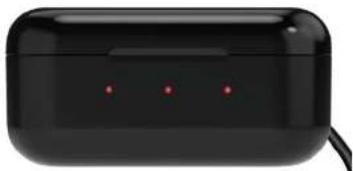
natural_image
Black wireless earbuds with three red indicator lights (no text or symbols visible)natural_image
Black wireless earbuds with three small dots on front (no visible text or symbols)natural_image
Black electronic device with a red dot on the front panel (no visible text or symbols)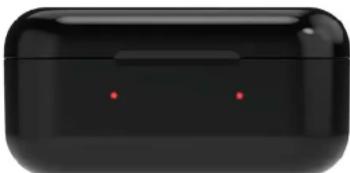
natural_image
Black wireless earbuds with two red dots on the front face (no text or symbols visible)natural_image
Black wireless earbuds with two blue dots on front (no text or symbols visible)natural_image
Black wireless earbuds with blue ear filters, open and closed (no text or symbols visible)
natural_image
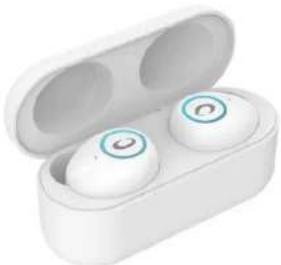
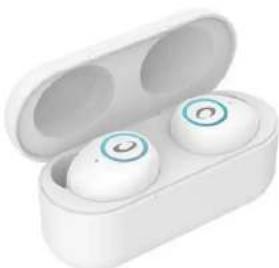
White wireless earbuds with open case, no visible text or symbols
CONTROLS AND ADJUSTMENT
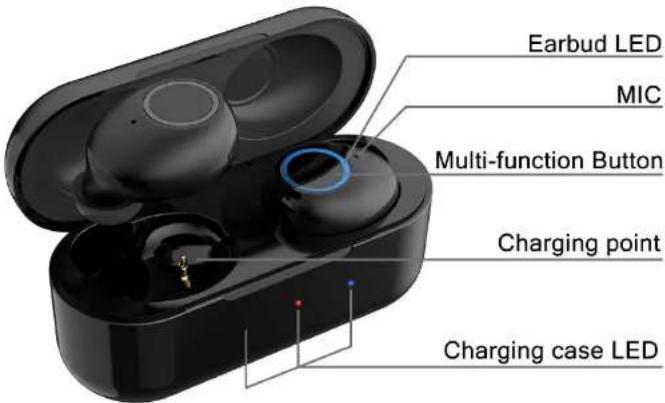
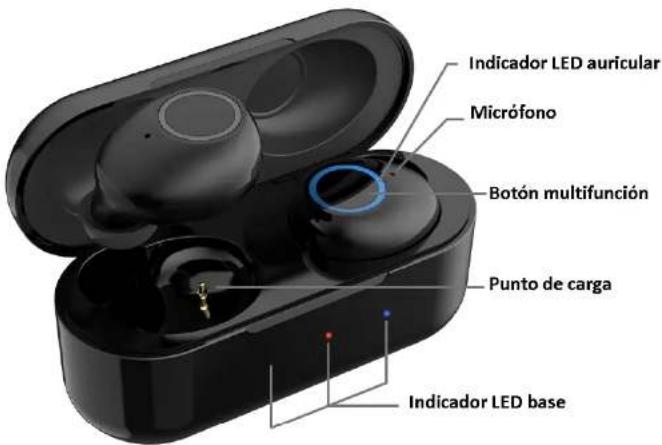
Charging port
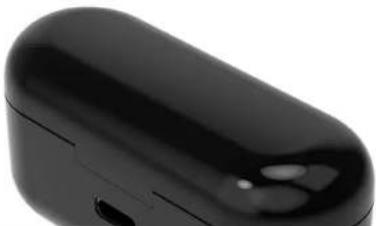
natural_image
Close-up of a black wireless earbuds with a small port and lens (no visible text or symbols)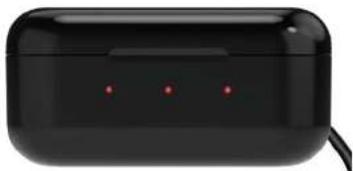
natural_image
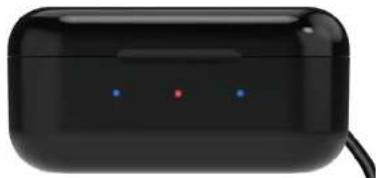
Black electronic device with three red LED indicators on its body (no visible text or symbols)- When the headphones are fully charged, blue-red-blue will be displayed:
natural_image
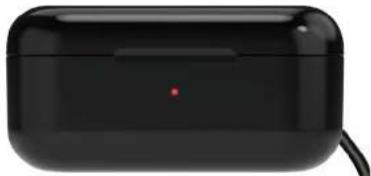
Black wireless earbuds with three small dots on front (no visible text or symbols)After 10 seconds, the blue lights will disappear and only the base will remain in charge, with only a red light appearing:
natural_image
Black wireless earbuds with a red indicator light on the front panel (no visible text or symbols)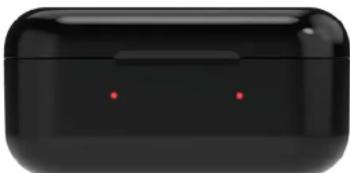
natural_image
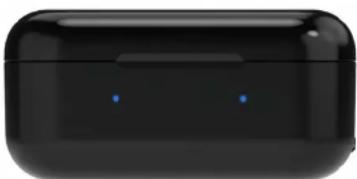
Black wireless earbuds with two red dots on the front panel (no text or symbols visible)Once they are fully charged, the lights will be shown in blue:
natural_image
Black wireless earbuds with two blue dots on front (no text or symbols visible)The blue lights will be paid after 10 seconds.
NOTES: If you do not use the headphones for a long period of time, charge the base and headphones at least once every 3 months. Unplug the charger once they are charged.
SWITCHED ON
To turn on the headphones, open the base cover. They will turn on and connect automatically. To turn them on from the off position press for 3 seconds each of the buttons on each handset. It will light blue.
- Open the lid of the charging case, remove only one of the headphones and close the lid of the cargo box. You can also take out the two headphones and turn off one by pressing the desired headset for 5 seconds.
- Open the bluetooth of your device, search and click on the model. That single headset will connect to your device.
NOTE: If you only use the left earphone, you can use the left button to raise and lower the volume and pass the tracks. If you only use the right earphone, you can use the right button to raise and lower the volume and pass the tracks.
OTHER FUNCTIONS
Music: To play or pause a song, press on any of the two headphones.
Volume:
+: Quick press 2 TIMES the left button.
-: Quick press 3 TIMES the left button.
Tracks: To pass the track:
Next: Quick press 2 TIMES the right button.
Previous: Quick press 3 TIMES the right button.
Calls: When a call comes in, click on any of the buttons to pick up. To reject a call, press and hold any of the buttons for two seconds. To hang up during the call, press on any of the two buttons.
Activate Siri / Others: Press and hold for two seconds.
Each action will be marked with a "beep" sound.
"Features can change without notice"
BRIGMTON
surfing technology
IMPORTED
FERSON ELECTRÓNICA, S.A.
CIF: A-41111881
SANTA CLARA DE CUBA 12
SEVILLA
ESPAÑA
DECLARATION OF CONFORMITY
Ferson Electrónica, S.A. declares under our responsibility that the equipment meets the requirements indicated in the following directives:
ECM DIRECTIVES
EN 60950-1:2006+A11:2009+A1:2010+A12:2011+A2:2013
IEC 60950-1
ETSI EN 300 328 V2.2.0 (2017-11)
ETSI EN 301 489-1 V2.2.0 (2017-03)
ETSI EN 301 489-17 V3.2.0 (2017-03)
EN 55032:2015
EN 55035: 2017
EN 62479: 2010
EU2015/863
BRIGMTON
surfing technology
Brand : BRIGMTON
Model : BML-16-N
Category : Headphones