
ME83D-1 - Oven SAMSUNG - Free user manual and instructions
Find the device manual for free ME83D-1 SAMSUNG in PDF.


| Product Type | Microwave Oven |
| Brand | Samsung |
| Model | ME83D-1 |
| Power Source | 230 V ~ 50 Hz |
| Power Consumption | 1150 W |
| Output Power | 100 W / 800 W (IEC-705) |
| Operating Frequency | 2450 MHz |
| Outside Dimensions (W x H x D) | 489 x 275 x 346 mm |
| Oven Cavity Dimensions (W x H x D) | 330 x 211 x 324 mm |
| Volume | 23 L |
| Net Weight | Approx. 12 kg |
| Cooking Modes | Microwave, Auto Power Defrost, Instant Reheat/Cook, Multi-stage Cooking |
| Power Levels | 6 levels: HIGH (800 W), MEDIUM HIGH (600 W), MEDIUM (450 W), MEDIUM LOW (300 W), DEFROST (180 W), LOW (100 W) |
| Control Panel | Push-button with digital display, clock, energy save mode, child lock |
| Turntable | Glass turntable with roller ring, diameter not specified |
| Interior Light | Yes, replaceable by qualified engineer only |
| Safety Features | Child safety lock, auto shut-off when empty, door interlock system, overheat protection |
| Cleaning & Maintenance | Wipe interior and exterior with soft damp cloth; clean door seals; turntable and roller ring dishwasher-safe; avoid abrasive cleaners |
| Spare Parts Included | Roller ring, turntable, coupler (depending on model) |
| Repairability | Repairs only by qualified Samsung service technician; do not remove outer casing |
| Certifications | Group 2 Class B ISM equipment |
Frequently Asked Questions - ME83D-1 SAMSUNG
User questions about ME83D-1 SAMSUNG
0 question about this device. Answer the ones you know or ask your own.
Ask a new question about this device
Download the instructions for your Oven in PDF format for free! Find your manual ME83D-1 - SAMSUNG and take your electronic device back in hand. On this page are published all the documents necessary for the use of your device. ME83D-1 by SAMSUNG.
USER MANUAL ME83D-1 SAMSUNG
DO NOT TURN ON, DO NOT EAT.

DO NOT TURN ON.

wood


- AUTOMATIC INTENSIVE REHEATING FUNCTION SELECTOR
- WEIGHT SELECTOR
- CLOCK SETTING
- QUICK PREHEATING READY FUNCTION SELECTOR
- 130s BUTTON
- START BUTTON
- MICROWAVE POWER LEVEL BUTTON
- ENERGY SAVING BUTTON
- TIME SETTING BUTTON
- END/CANCEL BUTTON
ACCESSORIES
• Byproduct recovery and oil extraction.
COOKING PREPARATION
Owner's Instructions & Cooking Guide
Please be advised that the Samsung warranty does NOT cover service calls to explain product operation, correct improper installation, or perform normal cleaning or maintenance.

This manual is made with 100% recycled paper.
imagine the possibilities
Thank you for purchasing this Samsung product. To receive more complete service, please register your product at
www.samsung.com/register


Safety information
Using this instruction booklet
You have just purchased a SAMSUNG microwave oven. Your Owner's instructions contain variable information on cooking with your microwave oven:
• Safety precautions • Suitable accessories and cookware • Useful packing tips - Cooking tips
Legend for symbols and icons

Hazards or unsafe practices that may result in severe personal injury or death.

Hazards or unsafe practices that may result in minor personal injury or property damage.

Warning; Fire hazard Warning; Not surface

Warning; Electricity Warning; Explosive material

Do NOT attempt. Do NOT touch

Do NOT disassemble. Follow directions explicitly.

Unplug the power plug from the wall socket.

Call the service center for help.

Important
Important safety instructions
Read carefully and keep for future reference.
Make sure that these safety precautions are obeyed at all times.
Before using the oven, confirm that the following instructions are followed.
WARNING
(Microwave function only)
WARNING: If the door or door seals are damaged, the oven must not be operated until it has been repaired by a competent person. WARNING: It is hazardous for anyone other than a competent person to carry out any service or repair operation that involves the removal of a cover which gives protection against exposure to microwave energy. WARNING: Liquids and other foods must not be heated in sealed containers since they are liable to explode. This appliance is intended to be used in household only.


WARNING: Only allow children to use the oven without supervision when adequate instructions have been given so that the child is able to use the oven in a safe way and understands the hazards of improper use. WARNING: This appliance can be used by children aged from 8 years and above and persons with reduced physical, sensory or mental capabilities or lack of experience and knowledge if they have been given supervision or instruction concerning use of the appliance in a safe way and understand the hazards involved. Children shall not play with the appliance. Cleaning and user maintenance shall not be made by children unless they are aged from 8 years and above and supervised. Only use utensils that are suitable for use in microwave ovens. When heating food in plastic or paper containers, keep an eye on the oven due to the possibility of ignitions.
The microwave oven is intended for heating food and beverages. Drying of food or clothing and heating of warming pads, slippers, sponges, damp cloth and similar may lead to risk of injury, ignition or fire. If smoke is emitted, switch off or unplug the appliance and keep the door closed in order to stifle any flames. WARNING: Microwave heating of beverages can result in delayed eruptive boiling, therefore care must be taken when handling the container. WARNING: The contents of feeding bottles and baby food jars shall be stirred or shaken and the temperature checked before consumption, in order to avoid burns. Eggs in their shell and whole hard-boiled eggs should not be heated in microwave ovens since they may explode, even after microwave heating has ended. The oven should be cleaned regularly and any food deposits removed.

English-3



During use the appliance becomes hot. Care should be taken to avoid touching heating elements inside the oven. WARNING: Accessible parts may become hot during use. Young children should be kept away. A steam cleaner is not to be used. WARNING: Ensure that the appliance is switched off before replacing the lamp to avoid the possibility of electric shock. WARNING: The appliance and its accessible parts become hot during use. Care should be taken to avoid touching heating elements. Children less than 8 years of age shall be kept away unless continuously supervised. The temperature of accessible surfaces may be high when the appliance is operating. The door or the outer surface may get hot when the appliance is operating. - Keep the appliance and its cord out of reach of children less than 8 years.
This appliance can be used by children aged from 8 years and above and persons with reduced physical, sensory or mental capabilities or lack of experience and knowledge if they have been given supervision or instruction concerning use of the appliance in a safe way and understand the hazards involved. Children shall not play with the appliance. Cleaning and user maintenance shall not be made by children without supervision. Do not use harsh abrasive cleaners or sharp metal scrapers to clean the oven door glass since they can scratch the surface, which may result in shattering of the glass. Appliances are not intended to be operated by means of an external timer or separate remote-control system. This product is a Group 2 Class B ISM equipment. The definition of group 2 which contains all ISM equipment in which radio-frequency energy is intentionally generated and/or used in the form of electromagnetic radiation for the treatment of material, and


EDM and arc welding equipment. For Class B equipment is equipment suitable for use in domestic establishments and in establishments directly connected to a low voltage power supply network which supplies buildings used for domestic purposes.
Installing Your Microwave Oven
Place the oven on a flat level surface 85 cm above the floor. The surface should be strong enough to safely bear the weight of the oven.
- When you install your oven, make sure there is adequate ventilation for your oven by leaving at least 10 cm (4 inches) of space behind and on the side of the oven and 20 cm (8 inches) of space above.

- Remove all packing materials inside the oven.
- Install the roller ring and turntable. Check that the turntable rotates freely. (Turntable type model only)
- This microwave oven has to be positioned so that the plug is accessible. If the supply cord is damaged, it must be
replaced by the manufacturer, its service agent or similarly qualified persons in order to avoid a hazard. For your personal safety, plug the cable into a proper AC earthed socket.
Do not install the microwave oven in hot or damp surroundings like next to a traditional oven or radiator. The power supply specifications of the oven must be respected and any extension cable used must be of the same standard as the power cable supplied with the oven. Wipe the interior and the door seal with a damp cloth before using your microwave oven for the first time.
Cleaning Your Microwave Oven
The following parts of your microwave oven should be cleaned regularly to prevent grease and food particles from building up:
• Inside and outside surfaces - Door and door seals - Turntable and Roller rings (Turntable type model only) ALWAYS ensure that the door seals are clean and the door closes properly.



Failure to maintain the oven in a clean condition could lead to deterioration of the surface that could adversely affect the life of the appliance and possibly result in a hazardous situation. 1. Clean the outside surfaces with a soft cloth and warm, soapy water. Rinse and dry. 2. Remove any splashes or stains on the inside surfaces of oven with a soapy cloth. Rinse and dry. 3. To loosen hardened food particles and remove smells, place a cup of diluted lemon juice in the oven and heat for ten minutes at maximum power. 4. Wash the dishwasher-safe plate whenever necessary. DO NOT spill water in the vents. NEVER use any abrasive products or chemical solvents. Take particular care when cleaning the door seals to ensure that no particles: - Accumulate - Prevent the door from closing correctly √ Clean the microwave oven cavity right
after each use with a mild detergent solution, but let the microwave oven cool down before cleaning in order to avoid injury.
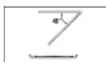
When cleaning the upper part inside the cavity, it will be convenient to turn heater downward by 45° and clean it. (Swing heater model only)
Storing and Repairing Your Microwave Oven
A few simple precautions should be taken when storing or having your microwave oven serviced.
The oven must not be used if the door or door seals are damaged:
- Broken hinge • Deteriorated seals • Distorted or bent oven casing
Only a qualified microwave service technician should perform repair
NEVER remove the outer casing from the oven. If the oven is faulty and needs servicing or you are in doubt about its condition:
English-7



- Unplug it from the wall socket
- Contact the nearest after-sales service centre. If you wish to store your oven away temporarily, choose a dry, dust-free place. Reason: Dust and damp may adversely affect the working parts in the oven. This microwave oven is not intended for commercial use. The light bulb should not be replaced in person for safety reasons. Please contact the nearest authorised Samsung customer care centre to arrange for a qualified engineer to replace the bulb.
| WARNING | |||
| Only cushioned staff should be allowed to modify or repair the appliance. | √ | √ | √ |
| Do not heat liquids and other food in seated containers for microwave function. | √ | √ | √ |
| For your safety, do not use high-pressure water cleaners or steam jet cleaners. | √ | √ | √ |
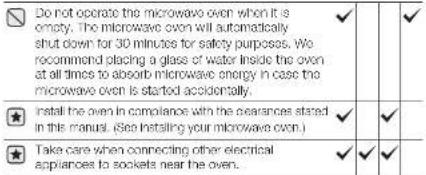
| Do not install this appliance; near heater, inflammable material; in a humid, oily or dusty location, in a location expected to direct sunlight and water or where gas may leak on un level ground. | √ | √ | √ |
| This appliance must be properly grounded in accordance with local and national codes. | √ | √ | √ |
| Remove all foreign substances such as dust or water from the power plug terminals and contact points using a dry cloth on a regular basis. | √ | √ | √ | √ | |
| Do not pull or excessively bond or place heavy objecton the power card. | √ | √ | √ | √ | |
| In the event of a gas leak (such as propane gas, L.P. gas, etc.), ventilate immediately without touching the power plug. | √ | √ | √ | √ | |
| Do not touch the power plug with wet hands. | √ | √ | √ | √ | |
| Do not turn the appliance off by undlugging the power plug while an operation is in progress. | √ | √ | √ | √ | |
| Do not insert fingers or foreign substances, if any foreign substance such as water has entered the appliance, unplug the power plug and contact your next; service centre. | √ | √ | √ | √ | |
| Do not apply excessive pressure or impact to the appliance. | √ | √ | √ | √ | |
| Do not pace the oven over a fragile object such as a sink or glass object. | √ | √ | |||
| Do not use benzene, thinner, alcohol, steam cleaner or high pressure cleaner to clean the appliance. | √ | √ | √ | √ | |
| Ensure that the power voltage, frequency and current are the same as those of the product specifications. | √ | √ | √ | ||
| Plug the power plug into the wall socket firmly. Do not use a multiple plug adapter, an extension card or an electric transformer. | √ | √ | √ | ||
| Do not hook the power cord on a metal object, insert the power cord between the objects or behind the oven. | √ | √ | √ |



| Do not use a damaged power plug, damaged power core or loose wall socket. When the power plug or power cord is damaged, contact your nearest service centre. | √ | √ | √ | √ | |
| Do not pour or directly spray water onto the oven. | √ | √ | |||
| Do not place objects on the oven, inside or on the door of the oven. | √ | √ | √ | ||
| Do not spray volatile material such as insecticide onto the surface of the oven. | √ | √ | |||
| Do not store farmable materials in the oven. Take special care when heating dishes or drinks that contain alcohol as alcohol vapours may contact a hot part of the oven. | √ | √ | √ | ||
| Keep children away from the door when opening or closing it as they may bump themselves on the door or catch their fingers in the door. | √ | √ | √ | √ | |
| WARNING: Microwave heating of beverages can result in delayed eruptive boiling therefore care must be taken when handling the container; To prevent this situation ALWAYS allow a standing time of at least 20 seconds after the oven has been switched off so that the temperature can equalize. Stir during heating, if necessary, and ALWAYS stir after heating. In the event of scalding, follow these FIRST AID instructions:Immerse the scaded area in cold water for at least 10 minutes.Cover with a clean, dry dressing.Do not apply any creams, oils or tobons. | √ | √ | √ | √ |
| CAUTION | |||
| Only use ovensils that are suitable for use in microwave ovens; DO NOT use any metallic containers, Dinnerware with gold or silver trimmings, Skewers, forks, etc. Remove wire twist ties from paper or plastic bags. Reason: Electric arcing or sparking may occur and may damage the oven. | √ | √ | |
| Do not use your microwave oven to dry papers or clothes. | √ | √ | |
| Use shorter times for smaller amounts of food to prevent overhoeating and cuming food. | √ | √ | |
| Do not immerse the power cable or power plug in water and keep the power cable away from heat. | √ | ||
| Eggs in their shell and whole hard-coiled eggs should not be heated in microwave ovens since they may expiece, even after microwave heating has ended; Also do not heat airtight or vacuum-sealed bottles, jars, containers, puts innels, tomatoes etc. | √ | ||
| Do not cover the ventilation slots with cloth or paper. They may catch fire as hot air escapes from the oven. The oven may also overnight and switch itself off automatically, and will remain off until it cocks sufficiently. | √ | √ | |
| Always use oven mints when removing a dish from the oven to avoid unintentional burns. | √ | ||
| Sir liquids halfway during heating or after heating ends and allow the liquid stand at least 20 seconds after heating to prevent eruptive boiling. | √ | ||
| Stand at arms length from the oven when opening the door to avoid getting scalded by escaping hot air or steam. | √ | ||


Precautions to avoid possible exposure to excessive microwave energy (microwave function only).
Failure to observe the following safety precautions may result in harmful exposure to microwave energy.
(a) Under no circumstances should any attempt be made to operate the oven with the door open or to tamper with the safety interlocks (door latches) or to insert anything into the safety interlock holes. (b) Do NOT place any object between the oven door and front face or allow food or cleaner residues to accumulate on sealing surfaces. Ensure that the door and door sealing surfaces are kept clean by wiping after use first with a damp cloth and then with a soft dry cloth. (c) Do NOT operate the oven if it is damaged until it has been repaired by a qualified microwave service technician trained by the manufacturer. It is particularly important that the oven door closes properly and that there is no damage to the
(1) door bent
(2) door hinges (broken or loose) (3) door seals and sealing surfaces (d) The oven should not be adjusted or repaired by anyone other than a properly qualified microwave service technician trained by the manufacturer.
Samsung will charge a repair fee for replacing an accessory or repairing a cosmetic defect if the damage to the unit and/or damage to or loss of the accessory was caused by the customer. Items this stipulation covers include:
(a) A dented, scratched, or broken door, handle, out-panel, or control panel. (b) A broken or missing tray, guide roller, coupler, or wire rack.
- Use this appliance only for its intended purpose as described in this instruction manual. Warnings and important safety instructions in this manual do not cover all possible conditions and situations that may occur. It is your responsibility to use common sense, caution, and care when installing, maintaining, and operating your appliance.
- Because these following operating instructions cover various models, the characteristics of your microwave oven may differ slightly from those described in this manual and not all warning signs may be applicable. If you have any questions or concerns, contact your nearest service centre or find help and information online at www.samsung.com.
- This microwave oven is intended for heating food. It is intended for domestic home use only. Do not heat any type of textiles or cushions filled with grains, which could cause burns and fire. The manufacturer cannot be held liable for damage caused by improper or incorrect use of the appliance.
- Failure to maintain the oven in a clean condition could lead to deterioration of the surface that could adversely affect the life of the appliance and possibly result in a hazardous situation.

Correct disposal of this product (waste electrical & electronic equipment)
(Applicable in countries with separate collection systems)
This marking on the product, accessories or literature indicates that the product and its electronic accessories (e.g. charger, headset, USB cable) should not be disposed of with other household waste at the end of their working life. To prevent possible harm to the environment or human health from uncontrolled waste disposal, please separate these items from other types of waste and recycle them responsibly to promote the sustainable reuse of material resources. Household users should contact either the retailer where they purchased this product, or their local government office, for details of where and how they can take these items for environmentally safe recycling.
Business users should contact their supplier and check the terms and conditions of the purchase contract. This product and its electronic accessories should not be mixed with other commercial wastes for disposal.


Contents
Oven features 11
Oven 11
Control panel 12
Accessories 12
Oven use 13
How a microwave oven works....13
Checking that your oven is operating correctly....13
Setting the time 13
Cooking/Renoating....14
Power levels 14
Stopping the cooking....14
Adjusting the cooking time....15
Setting the energy save mode 15
Using the instant reheat/cook features....15
Using the instant reheat/cook programmes....15
Using the auto power defrost feature....18
Using the auto power defrost programmes....16
Multistage cooking....16
Switching the beeper off....17
Safety-locking your microwave oven....17
Cookware guide....18
Troubleshooting and error code 19
Troubleshooting....19
Error code 19
Technical specifications 20
Oven features
- Door
- Ventilation holes
- Light
- Display
- Door latches
- Turntable
- COUPLER
- ROLLER RING
- SAFETY INTERLOCK HOLES
- OPEN DOOR PUSH BUTTON
- CONTROL PANEL
01 OVEN FEATURES
English-11


CONTROL PANEL
- AUTO POWER DEFROST FEATURE SELECTION
- INSTANT REHEAT/COOK FEATURES SELECTION
- MICROWAVE MODE BUTTON
- TIME SETTING BUTTON
- STOP/CANCEL BUTTON
- WEIGHT SELECTION
- CLOCK SETTING
- +30s BUTTON
- START BUTTON
- ENERGY SAVE BUTTON
ACCESSORIES
Depending on the model that you have purchased, you are supplied with several accessories that can be used in a variety of ways.
- Roller ring, to be placed in the centre of the oven. Purpose: The roller ring supports the turntable.
- Turntable, to be placed on the roller ring with the centre fitting to the coupler. Purpose: The turntable serves as the main cooking surface; it can be easily removed for cleaning. DO NOT operate the microwave oven without the roller ring and turntable.


OVEN USE
Microwaves are high-frequency electromagnetic waves; the energy released enables food to be cooked or reheated without changing either the form or the colour.
You can use your microwave oven to:
Defrost
Instant Reheat/Cook
Cook
Cooking Principle.
- The microwaves generated by the magnetron are distributed uniformly as the food rotates on the turntable. The food is thus cooked evenly.
- The microwaves are absorbed by the food up to a depth of about 1 inch (2.5 cm). Cooking then continues as the heat is dissipated within the food.
- Cooking times vary according to the recipient used and the properties of the food:
• Quantity and density
• Water content
- Initial temperature (refrigerated or not)
As the centre of the food is cooked by heat dissipation, cooking continues even when you have taken the food out of the oven. Standing times specified in recipes and in this booklet must therefore be respected to ensure:
• Even cooking of the food right to the centre • The same temperature throughout the food

CHECKING THAT YOUR OVEN IS OPERATING CORRECTLY
The following simple procedure enables you to check that your oven is working correctly at all times. Open the oven door by pushing the large button in the bottom right-hand corner of the control panel. First, place a bowl of water on the turntable. Then, close the door.
- Press the Power Level button and set the time to 4.5 minutes by pressing the 1 min button the appropriate number of times.
- Press the Start button.
Result: The oven heats the water for 4 to 5 minutes. The water should then be boiling.

The oven must be plugged into an appropriate wall socket. The turntable must be in position in the oven. If a power level other than the maximum is used, the water takes longer to boil.
SETTING THE TIME
Your microwave oven has an inbuilt clock. When power is supplied, "0", "88:88", or "12:00" is automatically displayed on the display. Please set the current time. The time can be displayed in either the 12-hour or 24-hour notation. You must set the clock:
- When you first install your microwave oven - After a power failure
Do not forget to reset the clock when you switch to and from summer and winter time.
Auto energy saving function If you do not select any function when the appliance is in the middle of setting or operating with temporary stop condition, the function is canceled and the clock will be displayed after 25 minutes. The oven lamp will be turned off after 5 minutes with the door open.


- To display the time in the...
24-hour notation
12-hour notation
Press the Clock button once or twice
- Set the hour with the h button and the minutes with the min button.
- When the right time is displayed, press the Clock button again to start the clock.
Result: The time is displayed whenever you are not using the microwave oven


COOKING/REHEATING
The following procedure explains how to cook or reheat food. ALWAYS check your cooking settings before leaving the oven unattended. First, place the food in the centre of the turntable and close the door.
- Press the Power Level button.
Result: The 800 W (maximum cooking power) indications are displayed:
Select the appropriate power level by pressing the Power Level button again until the corresponding wattage is displayed. Refer to the power level table on the side page.
- Set the cooking time by pressing the 10 min. 1 min and 10 s button.
- Press the Start button.
Result: The oven light comes on and the turntable starts rotating. Cooking starts and when it has finished the oven keeps four times.

POWER LEVELS
You can choose among the power levels below.
| Power Level Output | |
| HIGH 800 W | |
| MEDIUM HIGH 600 W | |
| MEDIUM 450 W | |
| MEDIUM LOW 300 W | |
| DEFROST 180 W | |
| LOW 100 W |
If you select higher power level, the cooking time must be decreased. If you select lower power level, the cooking time must be increased.
STOPPING THE COOKING
You can stop cooking at any time to check the food.
- To stop temporarily:
Open the door.
Result: Cooking stops. To resume cooking, close the door and press Start again.

- To stop completely:
Press the Stop button.
Result: The cooking stops. If you wish to cancel the cooking settings, press the Stop button again.
You can cancel any setting before starting cooking by simply pressing Stop button.


ADJUSTING THE COOKING TIME
You can increase the cooking time by pressing the +30s button once for each 30 seconds to be added.
- Press the +30s button once for each 30 seconds to be added.
- Press the Start button.
+30 s

SETTING THE ENERGY SAVE MODE
The oven has an Energy save mode. This facility saves electricity when the oven is not in use.
- Press the Energy Save button.
• To remove Energy save mode, open the door and then display shows current time. The oven is ready
USING THE INSTANT REHEAT/COOK FEATURES
With the instant reheat/cook feature, the cooking time is set automatically. You can select the food servings by pressing the appropriate instant reheat/cook features. Cook button the required number of times. First, place the food in the centre of the turntable and close the door.
- Press the Instant reheat/cook button which you want the required number of times.
- Press the Start button.
Result: When it has finished:
1) The oven beeps four times.
2) The end reminder signal will beep 3 times. (once every minute)
3) The current time is displayed again.
Use only recipients that are microwave-safe.
USING THE INSTANT REHEAT/COOK PROGRAMMES
The following table presents the various Instant Reheat Programmes, quantities, standing times and appropriate recommendations.
| Food/Button Serving size | Standing time | Recommendations |
| Ready Meals | 300-350 g400-450 g | 3 min. Put on a ceramic plate and cover it with microwave cling film. This programme is suitable for meals consisting of 3 components (e.g. meat with sauce, vegetables and side dish like potatoes, rice or pasta). |
| Frozen Ready MealsX X | 300-350 g400-450 g | 4 min. Take frozen ready meal and check it dish a suitable for microwave. Pierce film of ready meal. Put the frozen ready meal in the centre. This programme is suitable for frozen ready meals consisting of 3 components (e.g. meat with sauce, vegetables and a side dish like potatoes, rice or pasta). |
| Drinks(Coffee, milk, tea, water with room temperature)W | 150 ml(1 cup)250 ml(1 mug) | 1-2 min. Pour into a ceramic cup and throat uncovered.Place cup (150 ml or mug (250 ml) in the centre of lumblea.Sir carefully before and after standing lime. |
02 OVEN USE

English-15


USING THE AUTO POWER DEFROST FEATURE
The auto power defrost feature enables you to defrost meat, poultry, or fish. The defrost time and power level are set automatically. You simply select the programme and the weight.
Use only dishes that are microwave-safe.
First, place the frozen food in the centre of the turntable and close the door.
- Press the Power Defrost button.
Result: The following indication is displayed:


- Select the food weight by pressing the Kg or 100g button. It is possible to set up to a maximum of 1500 g.
Kg 100g
- Press the Start button.
Result:
- Defrosting begins.
• The oven beeps halfway through
defrosting to remind you to turn the food over.
- Press Start button again to finish defrosting.
You can also defrost food manually. To do so, select the microwave cooking/reheating function with a power level of 180 W. Refer to the section entitled "Cooking/Reheating" on page 14 for further details.
USING THE AUTO POWER DEFROST PROGRAMMES
The following table presents the Power Defrost programme, quantities, standing times and appropriate recommendations. Remove all kind of package material before defrosting. Place meat, poultry and fish on a flat ceramic plate.
| Food Serving size (g) | Standing time (min.) | Recommendations |
| Meat 200-1500 15-60 | Shield the edges with aluminum foil. Turn the pieces over, when the oven bounces. This programme is suitable for meat such as steaks, chops or minced meat, chicken pieces, whole chicken or fish fillets. | |
| Poultry Fish |
MULTISTAGE COOKING
Your microwave oven can be programmed to cook food up to three stages.
Example: You wish to defrost food and cook it without having to reset the oven after each stage. You can thus defrost and cook a 500 g fish in three stages:
- Defrosting
- Cook I • Cook II
You can set between two and three stages in multistage cooking. If you set three stages, the first stage must be defrosting. Don't press Start button until you've set the final stage.
- Press the Power Defrost button once or more times.
- Set the weight by pressing the Kg or 100g buttons the appropriate number of times (500 g in the example).

Kg 100g


To cook food in the microwave oven, the microwaves must be able to penetrate the food, without being reflected or absorbed by the dish used. Care must therefore be taken when choosing the cookware. If the cookware is marked microwave-safe, you do not need to worry. The following table lists various types of cookware and indicates whether and how they should be used in a microwave oven.
| Cookware Microwave-safe | Comments | |
| Aluminum foil | √ ✗ | Can be used in small quantities to protect areas against overcooking. Awang can do call if the fall is too close to the oven wall or if too much fall is used. |
| Browning plate | √ | Do not preheat for more than eight minutes. |
| China and earthenware | √ | Potashin, pulloxy, glassd earthenware and bone china are usually suitable, unless discomfort with a metal trim. |
| Disposable polyester cardboard dishes | √ | Some frozen foods are packaged in loose dishes. |
| Fast-food packaging | ||
| • Polystyrene cups containers | √ | Can be used to warm food. Overhealing may cause: the polystyrene to melt. |
| • Paper bags or newspaper | ✗ | May catch tre |
| • Recycled paper or metal trims | ✗ | May cause drying. |
| Glassware | ||
| • Oven-to-table ware | √ | Can be used, unless discomfort with a metal trim. |
| • Fine glassware | √ | Can be used to warm foods or liquids. Dedicate glues may break or crack if treated suddenly. |
| Cookware Microwave-safe | Comments | |
| Glass jars | √ | Must remove the lid. Suitable for warming only. |
| Metal | ||
| Dishes | x | May cause strong or tre. |
| Freezer bag twist tiea | x | |
| Paper | ||
| Plates, cups, napkins and kitchen paper | √ | For short cooking times and warming. Also to absorb excess moisture. |
| Focycod paper | x | May cause strong. |
| Plastic | ||
| Containers | √ | Particularly if heat-resistant thermoplastic. Some other plastics may warp or discour at high temperatures. Du no need mcloning plastic. |
| Cling tim | √ | Can be used to retain moisture. Should not touch the food. Take care when removing the film as hot steam will escape. |
| Froozor bags | √ x | Only if bolable or oven-proof. Should no be slight. Prick with a break, if necessary. |
| Wax or grease-proof paper | √ | Can be used to retain moisture and prevent scattering. |
√ : Recommended √x : Use caution x : Unsafe


Troubleshooting and error code
TROUBLESHOOTING
If you have any of the problems listed below, try the solutions given.
This is normal.
• Condensation inside the oven.
• Air flow around the door and outer casing.
• Light reflection around the door and outer casing.
• Steam escaping from around the door or vents.
The oven does not start when you press the (①) button.
• Is the door completely closed?
The food is not cooked at all.
- Have you set the timer correctly and/or pressed the button?
• Is the door closed?
- Have you overloaded the electrical circuit and caused a fuse to blow or a breaker to trip?
The food is either overcooked or undercooked.
- Was the appropriate cooking time set for the type of food?
- Was an appropriate power level chosen?
Sparking and cracking occur inside the oven (arcing).
• Have you used a dish with metal trimmings?
• Have you left a fork or other metal utensil inside the oven?
• Is aluminum foil too close to the inside walls?
The light bulb is not working.
- The light bulb should not be replaced in person for safety reasons. Please contact the nearest authorized Samsung customer care center to arrange for a qualified engineer to replace the bulb.
The oven causes interference with radios or televisions.
- Slight interference may be observed on televisions or radios when the oven is operating. This is normal. To solve this problem, install the oven away from televisions, radios, and antennas.
- If interference is detected by the oven's microprocessor, the display may be reset. To solve this problem, disconnect the power plug and reconnect it. Reset the time.
If the above guidelines do not enable you to solve the problem, then contact your local SAMSUNG customer service center. Please have the following information ready.
- The model and serial numbers, normally printed on the rear of the oven.
- Your warranty details
• A clear description of the problem
Then contact your local dealer or SAMSUNG aftersales service.
ERROR CODE
"SE" message indicates.
- The 'SE' message is Clean the keys and check if there is water on the surface around key. Turn off the microwave oven and try setting again. If it occurs again, call your local SAMSUNG Customer Care Centre.
03 COOKWARE GUIDE & TROUBLESHOOTING


Technical specifications
SAMSUNG strives to improve its products at all times. Both the design specifications and these user instructions are thus subject to change without notice.
| Model ME83D | |
| Power source 230 V - 50 Hz | |
| Power consumption Microwave 1150 W | |
| Output power 100 W / 800 W (IEC-705) | |
| Operating frequency 2450 MHz | |
| Magnetron OM755(31) | |
| Cooling method Cooling tan motor | |
| Dimensions (W x H x D) | |
| Outside | 489 x 275 x 346 mm |
| Oven cavity | 330 x 211 x 324 mm |
| Volume 23 liter | |
| WeightNet 12 kg approx | |
QUESTIONS OR COMMENTS
| COUNTRY | CALL | OR VISIT US ONLINE AT |
| BOSNVA | 001-130 1938 | www.sosnva.com |
| BULBANIA | 07001-33 11, normal off | |
| CHOCATIA | 062 - SAMSUNVE (050-720-783) | |
| CELIC I | 000 - SWSUUNG (000-720-783) | |
| HUNGKOWI | 06400-SWSUUNG (020-7834) | |
| KACLOPOMA | 023-207 777 | |
| METHI NIKIKHO | 020-105 681 | |
| POLAND | 0314-128 MWSUNG (117-670)11:140-22 09745-32.1111111111111111111111111111111111111111111111111111111111111111111111111111111111111111111111111111 | www.sosnva.com |
| ROVANIA | 000126 SWSUNG (05000 794 7834)TOTAL FREE FAI | www.sosnva.com |
| SERMA | 0201-113-31 193804111111111111111111111111111111111111111111111111111111111111111111111111111111111111111111111111111 | |
| SLOMONIA | 0000-SWSUNG (0500-720-783) | |
| LITHIANA | 54000-7777 | www.sosnva.com |
| LATYA | 0000-7297 | www.sosnva.com |
| PELOHNA | 000-7967 | www.sosnva.com |
| RUSSKA | 5400-588-65-58 | www.sosnva.com |
English-20 DE68-04225B

- ACCESSORIES
- OWNER'S INSTRUCTIONS & COOKING GUIDE
- IMAGINE THE POSSIBILITIES
- SAFETY INFORMATION
- USING THIS INSTRUCTION BOOKLET
- LEGEND FOR SYMBOLS AND ICONS
- IMPORTANT SAFETY INSTRUCTIONS
- READ CAREFULLY AND KEEP FOR FUTURE REFERENCE
- WARNING
- (MICROWAVE FUNCTION ONLY)
- INSTALLING YOUR MICROWAVE OVEN
- CLEANING YOUR MICROWAVE OVEN
- STORING AND REPAIRING YOUR MICROWAVE OVEN
- PRECAUTIONS TO AVOID POSSIBLE EXPOSURE TO EXCESSIVE MICROWAVE ENERGY (MICROWAVE FUNCTION ONLY)
- CORRECT DISPOSAL OF THIS PRODUCT (WASTE ELECTRICAL & ELECTRONIC EQUIPMENT)
- CONTENTS
- OVEN FEATURES
- OVEN USE
- CHECKING THAT YOUR OVEN IS OPERATING CORRECTLY
- SETTING THE TIME
- COOKING/REHEATING
- POWER LEVELS
- STOPPING THE COOKING
- ADJUSTING THE COOKING TIME
- SETTING THE ENERGY SAVE MODE
- USING THE INSTANT REHEAT/COOK FEATURES
- USING THE INSTANT REHEAT/COOK PROGRAMMES
- USING THE AUTO POWER DEFROST FEATURE
- USING THE AUTO POWER DEFROST PROGRAMMES
- MULTISTAGE COOKING
- TROUBLESHOOTING AND ERROR CODE
- TROUBLESHOOTING
- ERROR CODE
- TECHNICAL SPECIFICATIONS
Brand : SAMSUNG
Model : ME83D-1
Category : Oven