Essential A330 - Tablet E-Boda - Free user manual and instructions
Find the device manual for free Essential A330 E-Boda in PDF.


| Type | Tablet |
| Brand | E-Boda |
| Model | Essential A330 |
| Dimensions | 192 x 116.5 x 11.2 mm |
| Weight | 292.6 g |
| Operating System | Android 4.2 |
| Display | 7-inch capacitive multi-touch, 1024x600 pixels |
| CPU | Dual Core up to 1.0 GHz |
| GPU | Mali-400 MP |
| RAM | 512 MB DDR3 |
| Internal Storage | 8 GB |
| Expandable Storage | microSD/TF up to 32 GB |
| Battery | Li-ion rechargeable, 2800 mAh |
| Front Camera | 0.3 MP |
| Connectivity | Wi-Fi 802.11 b/g/n, USB 2.0, 3.5mm audio jack |
| Power Supply | AC adapter (DC 5V, included) |
| Video Playback | Up to 1080p HD, supports H.264, MPEG4, XviD, etc. |
| Audio Playback | MP3, WMA, WAV, OGG, FLAC, AAC |
| Photo Viewing | JPEG, GIF, PNG, BMP |
| Reset | Recessed reset button (use paperclip) |
| Spare Parts / Repairability | No user-serviceable parts; contact qualified service personnel for repair |
| Safety | Do not expose to rain/moisture; do not open cover; use only specified charger |
| Care and Cleaning | Keep away from heat, humidity, dust; clean with soft dry cloth; do not use alcohol, benzene, or thinner |
| Package Contents | Tablet, AC adapter, micro USB cable, warranty card, quick start guide |
Frequently Asked Questions - Essential A330 E-Boda
User questions about Essential A330 E-Boda
0 question about this device. Answer the ones you know or ask your own.
Ask a new question about this device
Download the instructions for your Tablet in PDF format for free! Find your manual Essential A330 - E-Boda and take your electronic device back in hand. On this page are published all the documents necessary for the use of your device. Essential A330 by E-Boda.
USER MANUAL Essential A330 E-Boda
Choose your language
- English
- Romanian
- Bulgarian
- Hungarian
E-BODA

CAUTION
RISK OF ELECTROCUTION DO NOT OPEN

DO NOT OPEN COVER TO PREVENT RISK OF ELECTRIC SHOCK.
NOT INCLUDED PARTS THAT CAN BE REPAIRED BY THE USER.
FOR SERVICE CONSULT QUALIFIED PERSONNEL.

Symbol with lightning flash with arrowhead, within an equilateral triangle is intended to alert the user to the presence of uninsulated dangerous voltage inside the product that may be of sufficient magnitude to constitute a risk of electric shock.

Exclamation point within an equilateral triangle is intended to alert the user to the presence instructions for use and maintenance (servicing) instructions in the literature accompanying the appliance.
WARNING: TO PREVENT THE RISK OF FIRE OR ELECTRIC SHOCK, DO NOT EXPOSE THIS UNIT TO RAIN OR MOISTURE.
CAUTION: TO PREVENT RISK OF ELECTRIC SHOCK, MAKE SURE THE PLUG IS INSERTED INTO THE WALL OUTLET.
E-BODA
OVERVIEW:
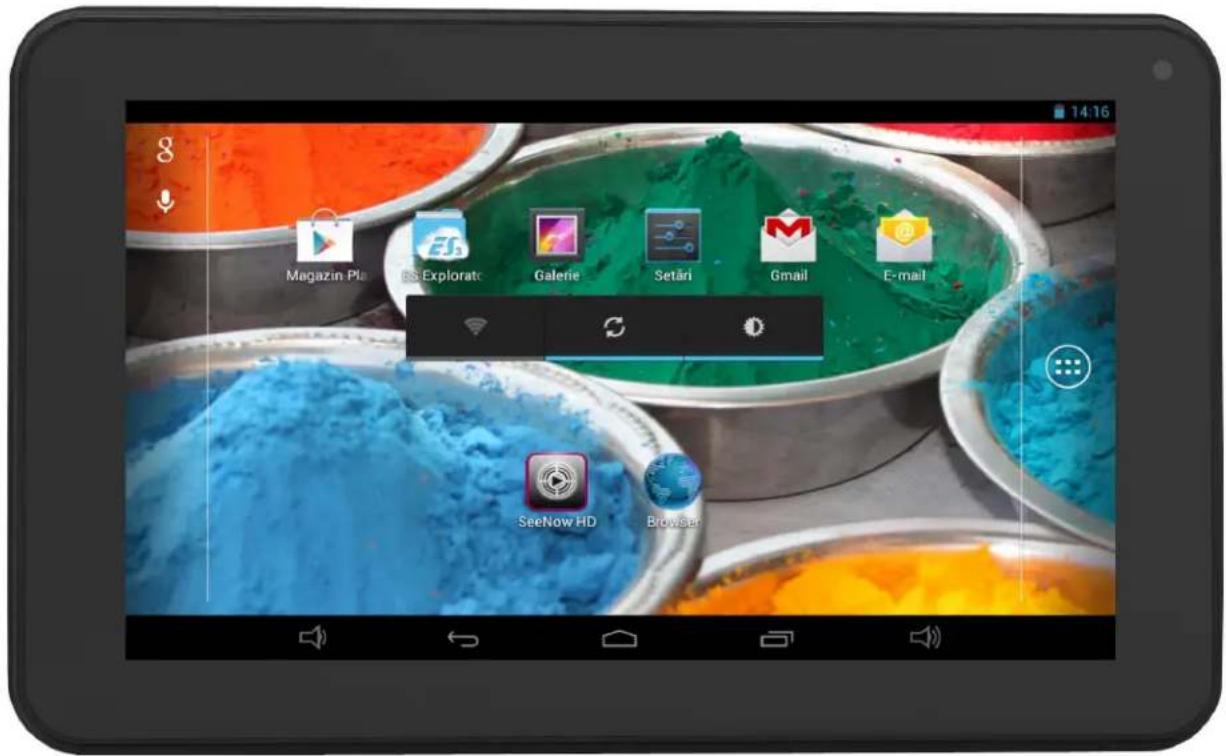
- Android™ PC Tablet 4.2 with capacitive screen and intuitive 5 multi-touch points.
- Dual Core up to 1,0 GHz, GPU Mali-400 MP.
- Play content 1080p HD on the TV or monitor.
- Camera 0.3 MP (front).

CONVENTIONS USED IN THIS MANUAL:
At various points in this manual you will see highlighted text. Please return to this section for an explanation:
NOTE Important notes are highlighted in blue.
TIPS Tips on best pracce are highlighted in green.
CAUTION Important warnings and alerts are highlighted in red.
PACKAGE CONTENT:
Check the package contents of the list. If anything is missing or damaged, please do not use the device and inform your provider as soon as possible.
• 1 ESSENTIAL A330
• 1 AC Power Adapter
• 1 Micro USB cable
• 1 Product Warranty
• 1 Quick Start Guide
E-BODA
KEY POINTS:
This manual includes security measures and correct operating methods. For personal safety, please make sure to read this manual before using. Thank you!
The machine adopts capacitive touch screen, you can just touch it by finger or click with capacitive pen for operation. (Never use the sharp objects to click the screen, or the touch screen may be damaged).
▶ Do not put the device at any high temperature, high humidity or dusty place.
▶ Do not drop or crash the device to prevent the violent impacting between the display and the capacitive touch screen. Or the customers have to take the consequence by themselves.
▶ Please choose the suitable volume and never make the too loud volume. If you feel uncomfortable please turn down the volume or stop to use the device soon.
▶ Please charge if you meet those situations as below:
A. Low battery on the battery icon.
C. The keys do not work.
B. The system turns off automatically.
D. is battery charging.
NOTE: Don't use the different type charger or it may make the device burned. We assume no liability for the damage. Please contact with our agent if you need the original adaptor.
In the charging process, the device may be warning up a little (not too hot), this is normal phenomenon, but it won't effect the use.
▶ Do not disconnect the device while formatting, downloading or uploading, or it may make the error.
▶ Our company won't bear the duty for the loss of the memory erasing on account of the damage, repair or some other reason. Please operate the device according to the user manual rightly and backup the important data in time.
▶ Do not dismantle this device by yourself, and do not polish it with alcohol, dilution, or benzene.
▶ Do not use this device where electronics is forbidden, such as on the airplane.
▶ Do not use this device while walking and driving, avoiding traffic accident.
▶ USB is for transferring data but also for charging.
▶ Virus can damage this device. So please use proper computer antivirus and keep it updated.
▶ For any support needed for this device please contact the company or the authorized distributor. Any unauthorized dismantling of the device will make the warranty null and void.
CAUTION
We reserve the right to keep the change of the products, the specicaon and design is subject to change without noce!
E-BODA
DEVICE DESCRIPTION:
① Touch screen: You can click and drag in the touch screen.
★② Camera : You can take photos and videos etc..
③ POWER :
- Turn on/off the device by long pressing this button.
-- When the power indicator is on, press the power key.
the device will turn on. (It will take some time)
-- Press for 3 seconds when it is off.
The system would indicate MID Option. Click "Power off"
to shut it down. Press the return key to stay.
- Press the Power key for a short time, you can shut /start the screen.
④ 📞 : Earphone jack: 3.5mm standard earphone jack.
⑤ : Mini USB, Mini-5pin connector.
⑥ -©- DC jack: Connect the power cable to charge to the device.
⑦ Volume+ : Turn up the volume.
⑧ Volume- : Turn down the volume.
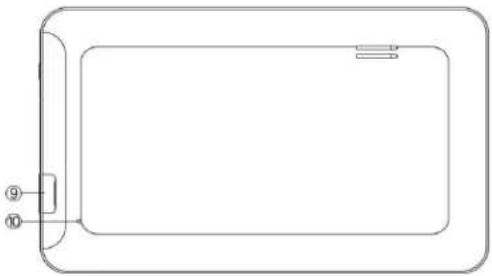
⑨ Micro SD/TF card : SD/TF card slot
⑩ RESET : Reset the device.

natural_image
Simple line drawing of a rectangular device with a side panel and two labeled ports (no text or symbols)TIPS
- When the baery is low, it will power o automacally.
- Shutdown illegally, when you restart, device would scan and repair the disk. The screen will stay at the progress bar for a long me.
- Denion of "Press":
Short Press: Press the button less than 2 seconds.
Long Press: Press the button more than 3 seconds.
If there is no special explanation, "Press" means Short Press.
NOTE
The pictures in the user manual are just for your reference, about the “★” item, please according to the real products.
E-BODA
SETTING UP FOR THE FIRST TIME:
▶ Charging your device:
- For first-time use, you need to charge the device for ten hours. After that you can recharge the device as needed.
- Connect the DC-in jack to your device and plug the AC adapter into any AC outlet.
- For first-time use, you need to charge the device for ten hours. After that you can recharge the device as needed.
- Connect the DC-in jack to your device and plug the AC adapter into any AC outlet.
▶ Charging your device:

natural_image
Diagram showing a tablet connected to a power adapter and a wall socket (no text or symbols)TIPS
- This device adopts built-in polymer baery. Only the specied charger should be used.
- It is normal for the device's surface to become warm during charging or long periods of use. All devices are factory tested before release.
- If you do not use this set for a long me, please charge/release it once one month to avoid deep discharge. The damage caused by baery over-consuming is not included in the warranty.
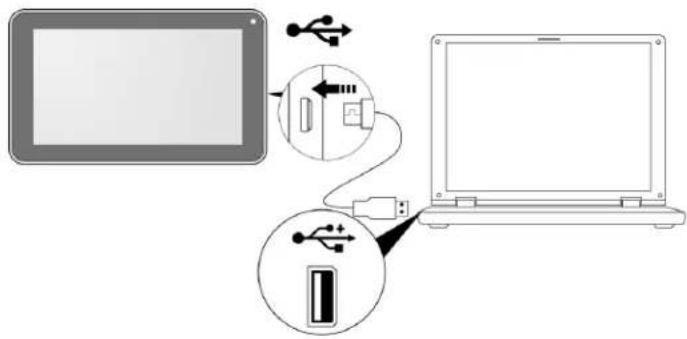
▶ Connecting to a PC:
- You can connect with PC by USB cable attached with the device.
- You can transfer your personal data to the PC.
- Connect the PC and the device, it will change to the USB mode, in this state, realize the files transfer function between the PC and the device.
E-BODA
▶ Connecting a USB device:
- USB devices are supported, such as a keyboard, through the USB port.
- View media files on USB storage with installed photo, music or video applications.

CAUTION
Before removing this USB storage, make sure your device is not accessing data from the USB storage.
▶ Inserting the MicroSD/TF card: You may install a Micro SD/TF card to expand your device's storage space.
- Turn off the device by pressing and holding the power button.
- Insert the Micro SD/TF card as shown.

NOTE
Ensure that the Micro SD/TF card is inserted all the way into the card slot.
CAUTION
Before removing this card, make sure your device is not accessing data on the card.
▶ Resetting the device: You may have to perform a reset if your device fails to respond when buttons are pressed or the screen is tapped. If your device does not respond to screen input. To reset your device use a small thin object (such as a paperclip) to press the recessed reset button.

E-BODA
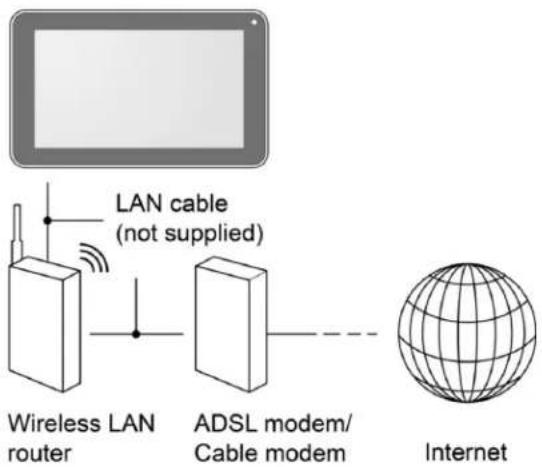
▶ Connecting to the Network:
Wi-Fi wireless setup:
- Enter the setting interface, and turn on the Wi-Fi item.
- The device will automatically search any accessible nearby wireless networks.
COMMONLY USED SETTINGS:
Press the setup icon to enter the setting.
▶ Wi-Fi: Click ON or OFF to open or close Wi-Fi.
When open Wi-Fi, the system will scan the wifi signal around automatically. Meanwhile, users could add network manually as well.

E-BODA
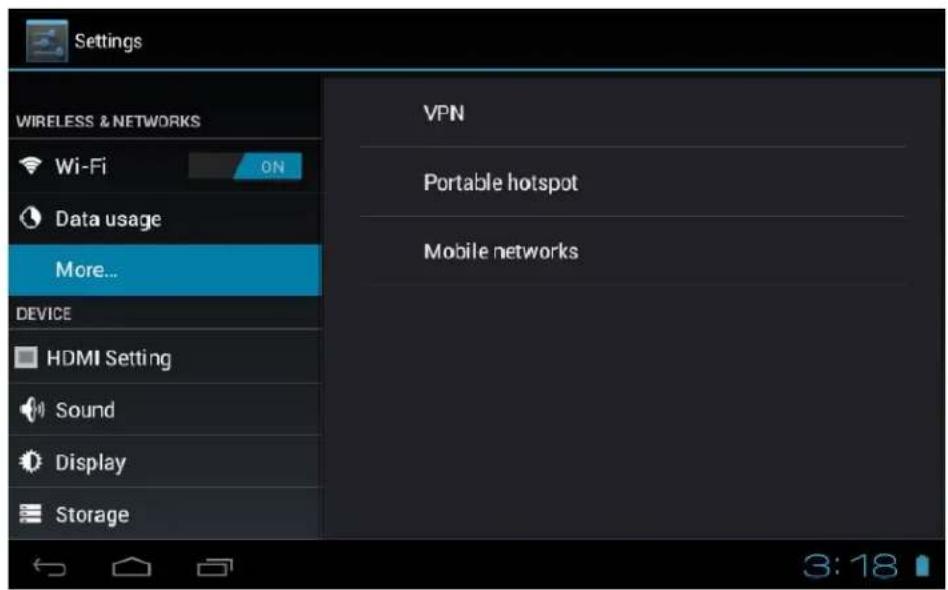
▶ More...:
- VPN: The user can preset the 3G operators information.
- Portable hotspot: You must connect the cable to network (by RJ45 connector) then you can enter the option to open or close the "Portable Wi-Fi hotspot", you can also take this device as a Wi-Fi Router.
- Mobile networks:
Connect a USB 3G Dongle setting : To insert a USB 3G dongle, the device will connect the Internet automatically. A 3G icon will be displayed on the screen.
(Please make sure the 3G SIM card is matching with the 3G dongle well)
TIPS
1: Aer turning on "Portable Wi-Fi hotspot", Wi-Fi will close automacally.
2: When you use 3G to connect internet, you must shut o Wi-Fi rst.
E-BODA
▶ Display:
Rotate screen setting:
Enter setting menu: Display → Auto-rotate screen, you can open /close the screen autorotation function.

▶ Language & input:
- Language: Users can choose OSD Languages.
- KEYBOARD & INPUT METHODS: select language method.

TIPS In this state, users can switch the input method.
E-BODA
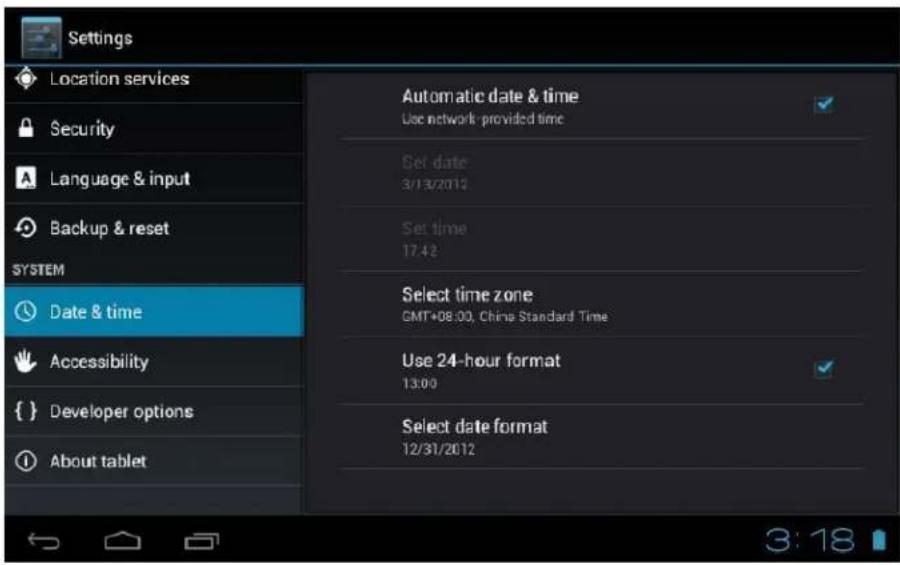
▶ Date & time:
When the internet is connected, turn on "Automatic date & time", the device can obtain the real date and time from the internet.
E-BODA
TROUBLESHOOTING:
- Can not power on:
- Connect the power cable to charge to the device, aer a while and then check again.
- If it sll can not power on, please contact with our distributor or service centre.
- Serious noise:
- Check if the music le is damaged.
- If the music les are damaged, it may cause serious noise and jumping sound.
- Can not download or copy:
- Check if it is connecng correctly between the device and PC.
- Check the spare space of the memory.
- Check the USB cable.
- USB connect is fail :
- Make sure that the USB device is securely connected to the USB jack.
- Check if the USB device or a cable is damaged.
- If the USB device is connected via a USB hub, connect the USB device directly to the device.
- Cannot connect the device to the wireless LAN router :
- Check if the wireless LAN router is on.
- Depending on the surrounding environment, such as the wall material, radio wave receiving condion, or obstacles between the device and the wireless LAN router, the communicaon distance may be shortened. Move the device and the wireless LAN router closer to each other.
- Devices that use a 2.4GHz frequency band, such as a microwave, Bluetooth, or digital cordless device, may interrupt the communicaon. Move the device away from such devices, or turn o such devices.
E-BODA
ESSENTIAL A330
| Hardware | |
| Unit size (mm) | 192x116,5x11,2mm |
| Unit weight: | 292,6 g |
| CPU: | Dual Core pana la 1,0 GHz |
| RAM: | 512 Mb DDR3 |
| Built-in storage capacity: | 8GB |
| Expansion storage space: | suporta până la 32 GB |
| Display: | 7" capaciv mul-tacl |
| Resoluon: | 1024x600 |
| Baery type: | Liu, reîncărcabilă |
| Baery capacity: | 2800 mAH |
| USB port: | USB 2.0/1.1 |
| Speaker: | Încorporată |
| Wireless connecvity: | Wi-Fi 802,11 b/g/n |
| Soware | |
| OS: | AndroidTM 4.2 |
| Search Engine: | Pre-instalat |
| Video support: | H.264, VC-1, MPEG-2, MPEG4, XviD/DivX, Real 8\9\10, AVI, RM, RMVB, PMP, FLV, MP4, M4V, VOB, WMV, 3GP, MKV |
| Audio support: | MP3, WMA, WAV, OGG, FLAC, ALAC, APE, AAC, AC-3 |
| Photo support: | JPEG,GIF,PNG,BMP |
| 3D games: | Redare OpenGL |
For details about ESSENTIAL A330 users opinions and their experiences please visit: http://eboda.forumer.com/index.php
E-BODA
CE marking is a mandatory conformity mark for products placed on the market in the European Economic Area. CE Marking on a product ensures that the product complies with the essential requirements of the applicable EC directives.

This product is marked with distinctive selective sorting electronic waste. This symbol indicates that the product should be supported by a system of selective collection of waste according to EU Directive 2002/96/EC, so that it can be recycled or dismantled to minimize environmental impact.
Attention! Electronic products unsorted selectively affect the environment and human health, as they may contain hazardous substances
BATTERIES:
Attention!
It is forbidden to throw batteries in the trash. Dispose of used batteries recycling centers.
Incorrect use of batteries may cause leakage or corrosion.
Do not install batteries in the wrong direction.
It is dangerous to charge / strike / open or short-circuit the batteries.
Do not leave used batteries in the product.
If you do not use the product longer, remove the batteries. Change the batteries when the clock is not working properly.
If you spill battery fluid inside the product clean and replace the batteries.
The batteries contained in the package does not contain heavy metals.

ROHS (Restriction on Hazardous Substances). This directive is a regulation that was implemented on July 1, 2006 and relates to restrictions on the marketing of products and electrical and electronic equipment containing hazardous substances such as lead, hexavalent chromium, cadmium, polibromatul
biphenyl (PBB), diphenyl ethers polibromuratiat (PBDE).
E-BODA

ATENTIE
RISC DE ELECTROCUTARE A NU SE DESCHIDE

A NU SE DESCHIDE CAPACUL PENTRU A PREVENI RISCUL UNUI ŞOC ELECTRIC.
NU SUNT INCLUSE PIESE CARE POT FI DEPANATE DE CÂTRE UTILIZATOR.
ADRESATI-VĂ PERSONALULUI CALIFICAT PENTRU SERVICE.

- MENIU SETĂRI....27
- CONECTARE LA RETEA ....28
- APLICATII....30
8.1 MENIU APLICATII....30
8.2 APLICATII ŞI WIDGET-URI 31
8.6 ADĂUGAȚI MAI MULTE APLICATII.... 31
8.7 ADĂUGATI COMANDA RAPIDĂ LA ECRANUL PRINCIPAL 32
8.8 ŞTERGEREA UNEI COMENZI RAPIDE DE PE ECRANUL PRINCIPAL.... 32
8.9 DEZINSTALARE APLICATII 32
- MOTOR DE CĂUTARE 33
- REDARE VIDEO ....34
- Exndere memorie....20
- Camera incorporata....21
- Conectare la calculator....22
- Specicai produs....24
1. GHID DE PORNIRE RAPIDĂ
3. CONVENTII UTILIZATE ÎN ACEST MANUAL
natural_image
Green Android robot logo with stylized design elements (no text or symbols)natural_image
Three hand gestures with arrows indicating motion (no text or symbols)5.4 - DEBLOCARE ECRAN
natural_image
Three tablet devices displaying colorful food products with app icons, no visible text or symbols on the devices themselves.natural_image
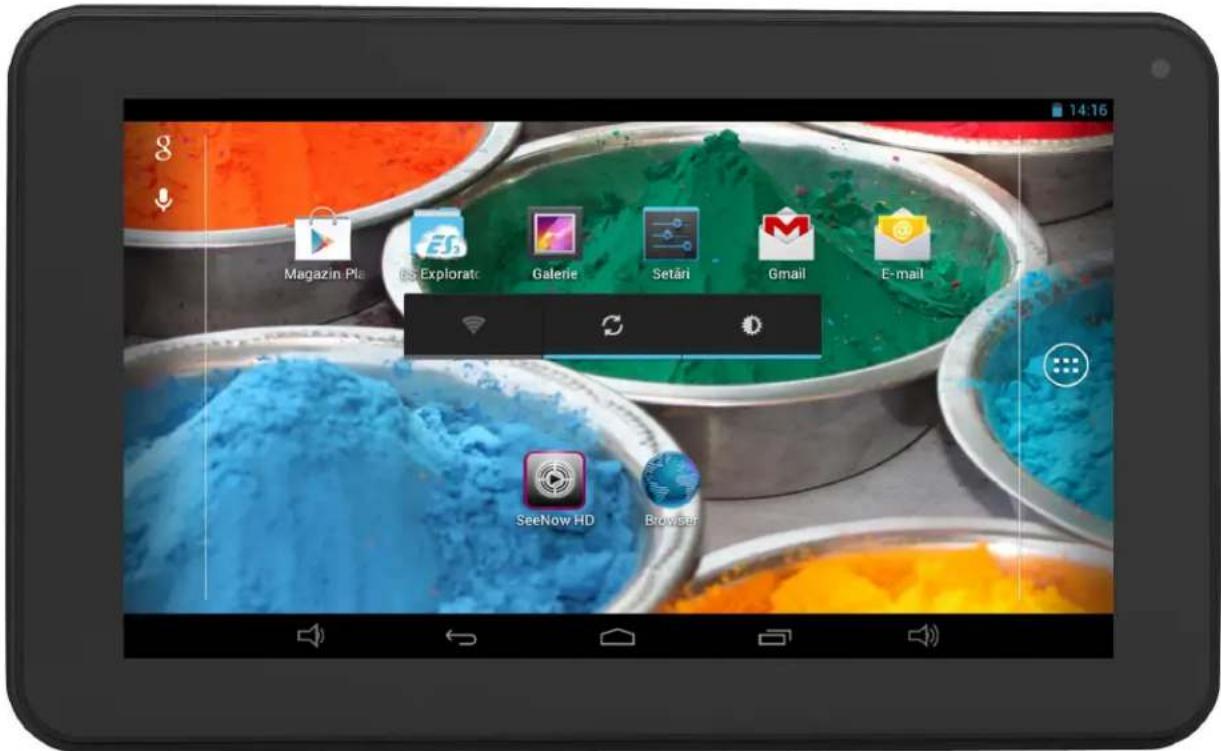
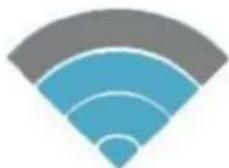
Blue Wi-Fi symbol icon with concentric arcs (no text or symbols)Semnal total
Semnal moderat
natural_image
Abstract Wi-Fi signal icon with blue concentric arcs and gray gradient bands (no text or symbols)Semnal slab

natural_image
Abstract graphic of a Wi-Fi signal icon with concentric arcs (no text or symbols)E-BODA
Model: Essential A330
Marca: E-Boda;
Director General Emilia Burcea

14. SPECIFICATII PRODUS
ESSENTIAL A330
natural_image
Green Android logo icon with no text or symbolsnatural_image
Three tablet devices displaying colorful food products with app icons, no visible text or symbols on the devices themselves.natural_image
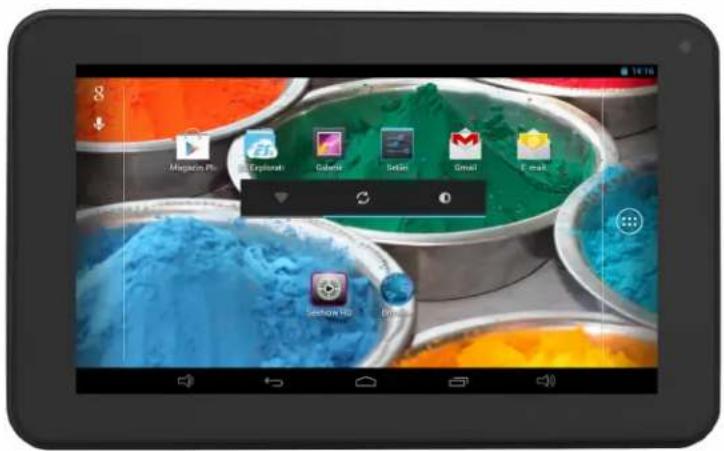
Blue Wi-Fi symbol icon with concentric arcs, no text or symbols presentСилен сигнал

natural_image
Abstract Wi-Fi signal icon with blue and gray concentric arcs (no text or symbols)Умерен сигнал
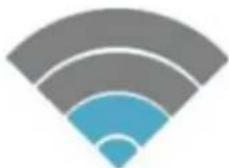
Слаб сигнал
E-BODA
3. A KÉZIKÖNYBEN HASZNÁLT JELZÉSEK
4. A CSOMAG TARTALMA
natural_image
Green Android robot logo with stylized design (no text or symbols)natural_image
Three hand gestures with arrows indicating motion (no text or symbols)5.4 – KÉPERNYÓZÁR FELOLDÁSA
natural_image
Three tablet devices displaying colorful food products with app icons, no visible text or symbols on the devices themselves.natural_image
Blue Wi-Fi symbol icon with concentric arcs (no text or symbols)Teljes jelerösség
Közepes jelerősség
Gyenge jelerösség
E-BODA
8.2 ALKALMAZÁSOK ÉS WIDGETEK
Alkalmazások:
- Choose your language
- E-BODA
- CAUTION
- OVERVIEW:
- CONVENTIONS USED IN THIS MANUAL:
- PACKAGE CONTENT:
- KEY POINTS:
- DEVICE DESCRIPTION:
- TIPS
- NOTE
- SETTING UP FOR THE FIRST TIME:
- COMMONLY USED SETTINGS:
- ▶ More...:
- ▶ Display:
- ▶ Language & input:
- ▶ Date & time:
- TROUBLESHOOTING:
- ESSENTIAL A330
- BATTERIES:
- Attention!
- ATENTIE
- GHID DE PORNIRE RAPIDĂ
- CONVENTII UTILIZATE ÎN ACEST MANUAL
- - DEBLOCARE ECRAN
- SPECIFICATII PRODUS
- A KÉZIKÖNYBEN HASZNÁLT JELZÉSEK
- A CSOMAG TARTALMA
- – KÉPERNYÓZÁR FELOLDÁSA
- ALKALMAZÁSOK ÉS WIDGETEK
- Alkalmazások:
Brand : E-Boda
Model : Essential A330
Category : Tablet