
ORA 101 - Refrigerator Orima - Free user manual and instructions
Find the device manual for free ORA 101 Orima in PDF.


| Product Type | Refrigerator with freezer compartment |
| Brand | Orima |
| Model | ORA 101 |
| Power Supply | 220-240 V ~ 50 Hz |
| Refrigerant | R600a (environmentally friendly, explosive if leaked) |
| Climate Class | T (16-43°C), ST (16-38°C), N (16-32°C), SN (10-32°C) |
| Temperature Control | Thermostat knob, positions 1 to 5 |
| Freezer Temperature | Down to -12°C |
| Defrosting | Automatic in refrigerator compartment; manual in freezer compartment |
| Ice Making | Ice tray included |
| Door Open Indicator | Red (open) / White (closed) |
| Light Bulb | Max 15 W (replaceable) |
| Adjustable Legs | Yes, front legs |
| Condenser Cleaning | Recommended every 6 months |
| Safety Features | Grounded plug required; do not use extension cords; keep ventilation openings clear; do not store explosive substances |
| Spare Parts | Light bulb (15W), ice tray, shelves, crisper, egg shelf |
| Repairability | Authorized service for door reversal and LED replacement |
| Energy Saving Tips | Provided in manual (e.g., place in cool room, cover drinks, defrost frozen food in fridge) |
| Certifications | EN62552, IEC60335-1 / IEC60335-2-24 |
Frequently Asked Questions - ORA 101 Orima
User questions about ORA 101 Orima
0 question about this device. Answer the ones you know or ask your own.
Ask a new question about this device
Download the instructions for your Refrigerator in PDF format for free! Find your manual ORA 101 - Orima and take your electronic device back in hand. On this page are published all the documents necessary for the use of your device. ORA 101 by Orima.
USER MANUAL ORA 101 Orima
natural_image
Black-and-white photo of a young woman holding a small glass with a flame (no text or symbols visible)
natural_image
Black-and-white portrait of a person with short hair and flowing hair, no visible text or symbols
natural_image
Woman in white shirt pointing to a smoke trail (no text or symbols visible)
natural_image
Black-and-white photo of a smiling woman holding a glass, no visible text or symbols
natural_image
Black-and-white close-up of a smiling woman with hands near their face, surrounded by soft white foam-like bubbles (no text or symbols visible)

natural_image
Black-and-white photo of a woman in a white dress sitting cross-legged outdoors under a cloudy sky (no text or symbols visible)
Orima®
electrodomésticos
MANUAL DE INSTRUÇÕES
INSTRUCTION MANUAL
FRIGORIFICO
FRIGORIFICO
REFRIGERATOR
natural_image
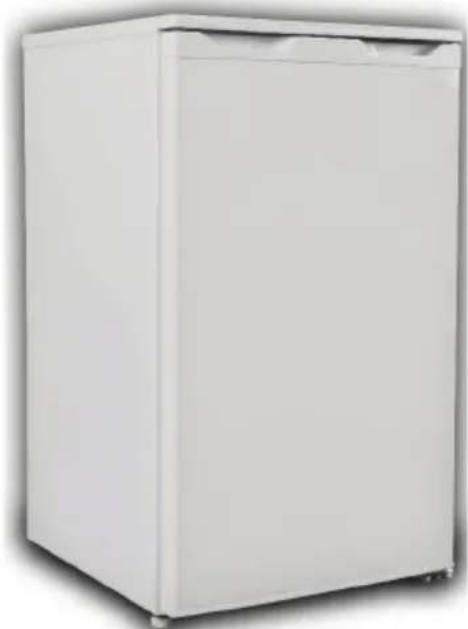
White refrigerator with closed lid and frontrest, shown in studio setting (no text or symbols visible)ORA101
natural_image
Symbol of a trash bin crossed with diagonal lines, no text or labels presentnatural_image
Illustration of three hands performing a manual cable manipulation technique (no text or symbols present)natural_image
Cartoon character peeking out of a door, no text or symbols present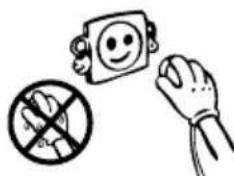
natural_image
Illustration of a hand holding a computer monitor with a smiling face, crossed out by a crossed-out prohibition symbol (no text or labels)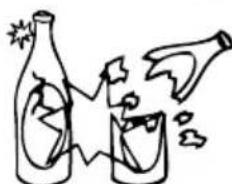
natural_image
Simple line drawing of two bottles and a glass with explosion effects (no text or symbols)natural_image
Cartoon illustration of a distressed container character holding a box labeled 'KG', with no readable text or symbols.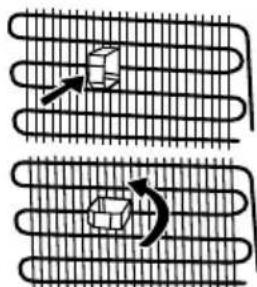
natural_image
Diagram showing two coiled heat exchangers with arrows indicating motion (no text or symbols)natural_image
Simple line drawing of a smiling face inside a square frame with a hand holding the right (no text or symbols)2ªPARTE AS MÚLTIPLAS FUNÇÕES E POSSIBILIDADES
Funcionamento do Termóstato
natural_image
Line drawing of a handheld hair dryer with spiral blades and a circular button (no text or symbols)natural_image
Close-up of a white rectangular object with a green vertical line and arrow pointing to it, no visible text or symbols.natural_image
Line drawing of a hand pouring liquid into a tray with circular wells (no text or symbols)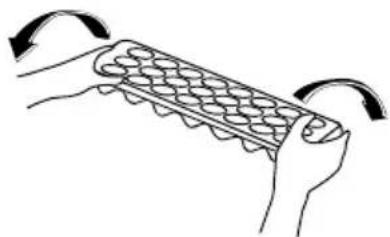
natural_image
Illustration of hands holding a grid-like object with curved arrows indicating rotation (no text or symbols)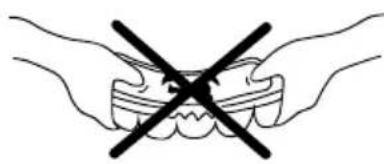
natural_image
Illustration of two hands holding teeth with a black X symbol indicating a dental or dental procedure (no text or labels)3ªPARTE LIMPEZA E MANUTENÇÃO
- Desligue da rede eléctrica antes de limpar.
natural_image
Simple line drawing of a hand holding a smiling square with a smiley face (no text or symbols)natural_image
Cartoon illustration of a hand using a tool to clean or brush a piece of paper (no text or symbols present)natural_image
Cartoon illustration of a refrigerator with a smiling face, accompanied by a small bottle and a cup (no text or symbols)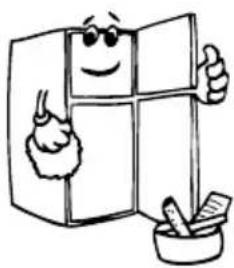
natural_image
Cartoon illustration of a smiling refrigerator with thumbs up and a mortar, no text or symbols presentnatural_image
Simple line drawing of a kitchen appliance with a red X mark indicating prohibition (no text or symbols)natural_image
Illustration of a hand cleaning a metal grate (no text or symbols)Descongelação
natural_image
Technical line drawing of a structural component and its magnified cross-section showing internal components (no text or symbols)natural_image
Technical line drawing of a handheld power tool with two views: one showing internal components and the other showing internal coils (no text or symbols)natural_image
Simple line drawing of two children playing a game with a large block (no text or symbols)Old and out-of-order fridges 30
Safety warnings 30
Installing and operating your fridge 31
Before Using your Fridge 32
THE VARIOUS FUNCTION AND POSSIBILITIES ...... 32
Thermostat Setting 32
Accessories 33
"Door Open" Indicator; 33
Making Ice cubes; 33
CLEANING AND MAINTENANCE 34
Defrosting 35
Replacing The Light Bulb 36
TRANSPORTATION AND CHANGING OF INSTALLATION POSITION .... 36
Repositioning the door 36
BEFORE CALLING YOUR AFTER SALES SERVICE 37
Tips For Saving Energy 38
THE PARTS OF THE APPLIANCE AND THE COMPARTMENTS ......39
PART- 1. BEFORE USING THE APPLIANCE
General warnings
WARNING: Keep ventilation openings, in the appliance enclosure or in the built-in structure, clear of obstruction.
WARNING: Do not use mechanical devices or other means to accelerate the defrosting process, other than those recommended by the manufacturer.
WARNING: Do not use electrical appliances inside the food storage compartments of the appliance, unless they are of the type recommended by the manufacturer.
WARNING: Do not damage the refrigerant circuit.
WARNING: To avoid a hazard due to the instability of the appliance, it must be fixed in accordance with the instructions.
- If your appliance uses R600a as a refrigerant – you can learn this information from the label on the cooler- you should be careful during shipment and installation to prevent your appliance’s cooler elements from being damaged. Although R600a is an environmentally friendly and natural gas. As it is explosive, in the event of a leak due to damage to the cooler elements, move your fridge from open flame or heat sources and ventilate the room where the appliance is located for a few minutes.
- While carrying and positioning the fridge, do not damage the cooler gas circuit.
- Do not store explosive substances such as aerosol cans with a flammable propellant in this appliance.
- This appliance is intended to be used in household and similar applications such as;
- staff kitchen areas in shops, offices and other working environments
- farm houses and by clients in hotels, motels and other residenti type environments
- bed and breakfast type environments;
- catering and similar non-retail applications
- If the socket does not match the refrigerator plug, it must be replaced by the manufacturer, its service agent or similarly qualified persons in order to avoid a hazard.
- A specially grounded plug has been connected to the power cable of your refrigerator. This plug should be used with a specially grounded socket of 16 amperes. If there is no such socket in your house, please have it installed by an authorized electrician.
- This appliance can be used by children aged from 8 years and above and persons with reduced physical, sensory or mental capabilities or lack of experience and knowledge if they have been given supervision or instruction concerning use of the appliance in a safe way and understand the hazard involved. Children shall not play with the appliance. Cleaning and user maintenance, shall not be made by children without supervision.
- If the supply cord is damaged, it must be replaced by the manufacturer, its service agent or similar qualified persons in order to avoid a hazard.
Old and out-of-order fridges
- If your old fridge has a lock, break or remove the lock before discarding it, because children may get trapped inside it and may cause an accident.
- Old fridges and freezers contain isolation material and refrigerant with CFC. Therefore, take care not to harm environment when you are discarding your old fridges.
natural_image
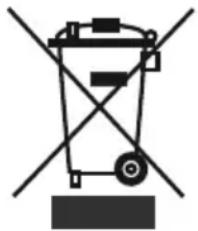
Symbol of a trash bin crossed with no text or labels, representing waste sorting or disposal (no text present)The symbol on the product or on its packaging indicates that This product may not be treated as household waste. Instead it shall be handed over to the applicable collection point for the recycling of electrical and electronic equipment. By ensuring this product is disposed of correctly, you will help prevent potential negative consequences for the environment and human health, which could otherwise be caused by inappropriate waste handling of this product. For more detailed information about recycling of this product, please contact your local city office, your household waste disposal service or the shop where you purchased the product. These instructions are only valid in the EU member states.
Notes:
- Please read the instruction manual carefully before installing and using your appliance. We are not responsible for the damage occurred due to misuse.
- Follow all instructions on your appliance and instruction manual, and keep this manual in a safe place to resolve the problems that may occur in the future.
- This appliance is produced to be used in homes and it can only be used in domestic environments and for the specified purposes. It is not suitable for commercial or common use. Such use will cause the guarantee of the appliance to be cancelled and our company will not be responsible for the losses to be occurred.
- This appliance is produced to be used in houses and it is only suitable for cooling / storing foods. It is not suitable for commercial or common use and/or for storing substances except for food. Our company is not responsible for the losses to be occurred in the contrary case.
Safety warnings
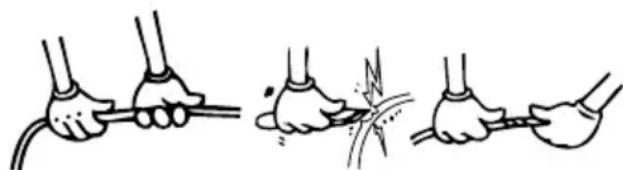
- Do not use multiple receptacles or extension cord.
- Do not plug in damaged, torn or old plugs.
- Do not pull, bend or damage the cord.
natural_image
Illustration of three hands performing a manual cable or wire manipulation technique (no text or symbols present)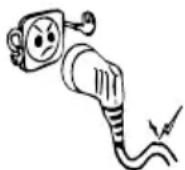
natural_image
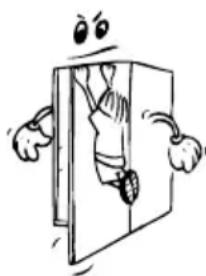
Cartoon illustration of a character peeking out of a door, with arms and legs visible (no text or symbols)- This appliance is designed for use by adults, do not allow children to play with the appliance or let them hang off the door.
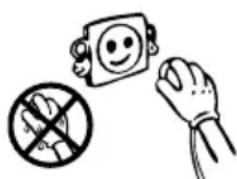
- Do not plug-in or out the plug from the receptacle with wet hands to prevent electrocution!
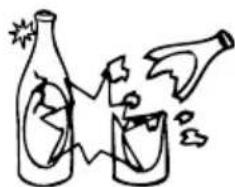
- Do not place glass bottles or beverage cans in the freezer department. Bottles or cans may explode.
natural_image
Illustration of a hand holding a prohibition symbol, a smiling face icon, and a crossed-out hand gesture (no text or labels)- Do not place explosive or flammable material in your fridge for your safety. Place drinks with higher alcohol amount vertically and by closing their necks tightly in the fridge department.
- When taking ice made in the freezer department, do not touch it, ice may cause ice burns and/or cuts.
- Do not touch frozen goods with wet hands! Do not eat ice-cream and ice cubes immediately after you have taken them out of the freezer department!
- Do not re-freeze frozen goods after they have melted. This may cause health issues like food poisoning.
- Do not cover the body or top of fridge with lace. This affects the performance of your fridge.
- Fix the accessories in the fridge during transportation to prevent damage to accessories.
natural_image
Simple line drawing of two bottles and a glass with explosion effects (no text or symbols)
Installing and operating your fridge
Before starting to use your fridge, you should pay attention to the following points:
- Operating voltage for your fridge is 220-240 V at 50Hz.
• We do not take the responsibility of the damages that occur due to ungrounded usage.
- Place your fridge in a place that it would not be exposed to direct sunlight.
- Your appliance should be at least 50 cm away from stoves, Gas ovens and heater cores, and should be at least 5 cm away from electrical ovens.
- Your fridge should never be used outdoors or left under the rain.
- When your fridge is placed next to a deep freezer, there should be at least 2 cm between them to prevent humidity on the outer surface.
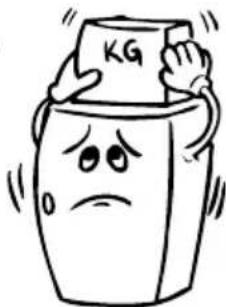
- Do not place anything on your fridge, and install your fridge in a suitable place so that at least 15 cm is available on the upper side.
natural_image
Cartoon illustration of a distressed container character holding a box labeled 'KG', with no readable text or symbols beyond the label.- The adjustable front legs should be adjusted to make sure your appliance is level and stable. You can adjust the legs by turning them clockwise (or in the opposite direction). This should be done before placing food in the fridge.
- Before using your fridge, wipe all parts back with warm water added with a tea spoonful of sodium bicarbonate, and then rinse with clean water and dry. Place all parts after cleaning.
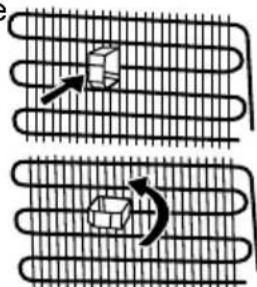
• Install the plastic distance guide (the part with black vanes at the rear) by turning it 90^ as shown in the figure to prevent the condenser from touching the wall.
natural_image
Diagram showing two curved heat exchanger-like structures with internal components and directional arrows indicating flow or movement (no text or symbols)- Refrigerator should be placed against a wall with a free distance not exceeding 75 mm.
Before Using your Fridge
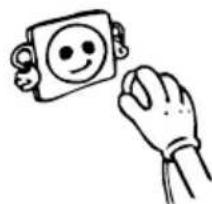
- When it is operated for the first time or after transportation, keep your fridge in the upright position for 3 hours and plug it on to allow efficient operation. Otherwise, you may damage the compressor.
natural_image
Simple line drawing of a hand holding a smiling emoji on a square (no text or symbols)- Your fridge may have a smell when it is operated for the first time; the smell will fade away when your fridge starts to cool.
PART-2. THE VARIOUS FUNCTION AND POSSIBILITIES
Thermostat Setting
natural_image
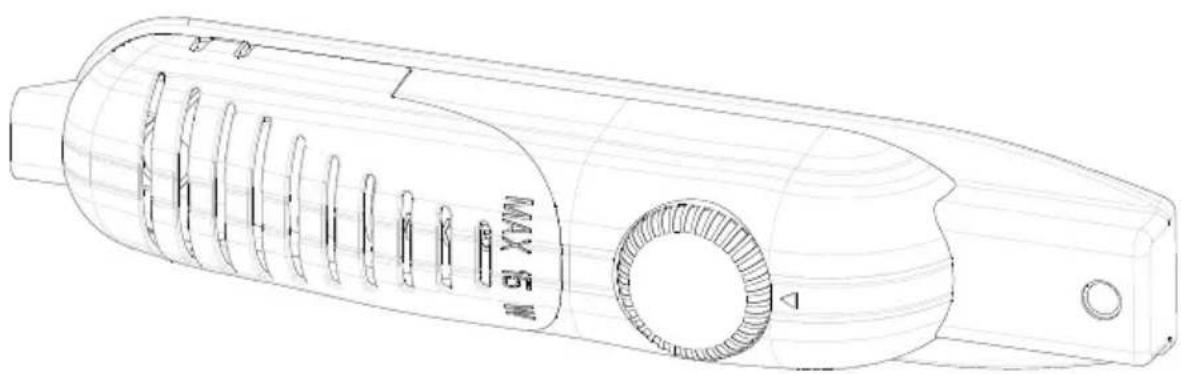
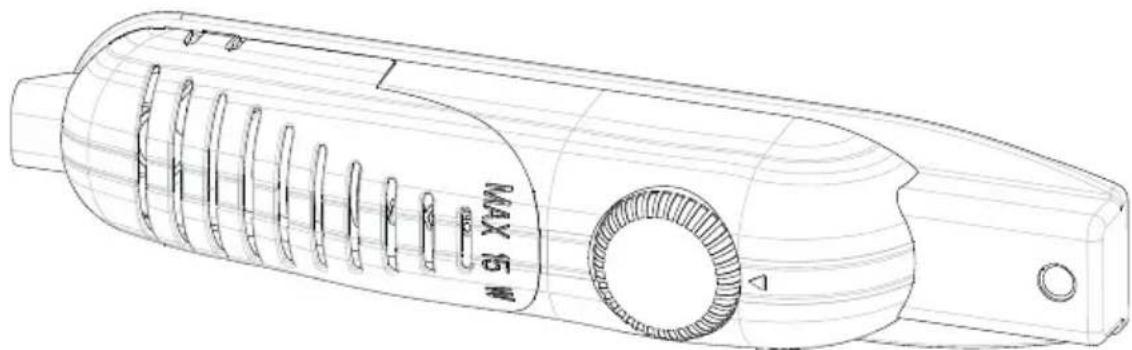
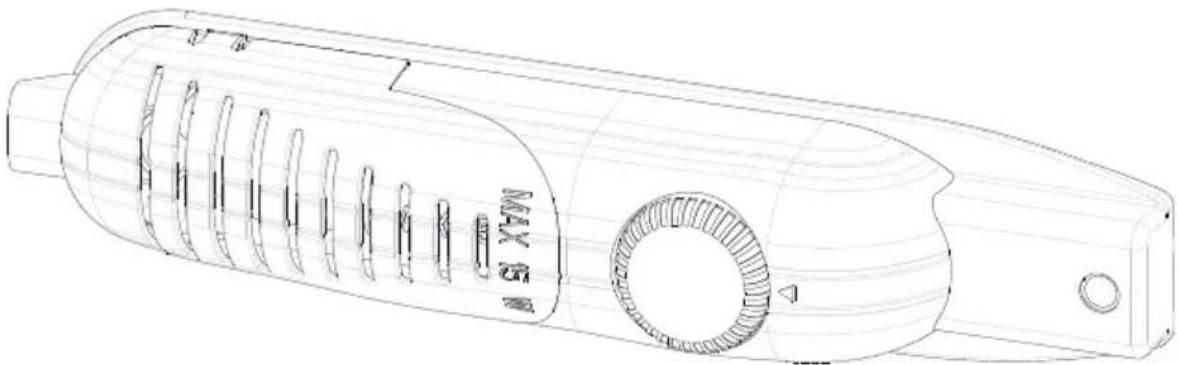
Technical line drawing of a handheld hair dryer with spiral blades and a circular button (no text or symbols)Thermostat automatically regulates the inside temperature of the refrigerator compartment and freezer compartment. By rotating the knob from position 1. to 5., colder temperatures can be obtained.
Important note: Do not try to rotate knob beyond 1 position it will stop your appliance.
- For short-term storage of food in the freezer compartment, you can set the knob between minimum and medium position.(1-3)
- For long-term storage of food in the freezer compartment, you can set knop medium position.(3-4)
Note that; the ambient temperature, temperature of the freshly stored food and how often the door is opened, affects the temperature in the refrigerator compartment. If required, change the temperature setting.
- When you first switch on the appliance, for starting a suitable cooling, the appliance should work 24 hours continuously until it cools down to sufficient temperature.
- In this time do not open the door so often and place a lot of food inside the appliance.
- If the unit is switched off or unplugged, you must allow at least 5 minutes before restarting or re-plugged the unit in order not to damage the compressor.
• The freezer of the refrigerator can cool up to -12^ C.
Accessories
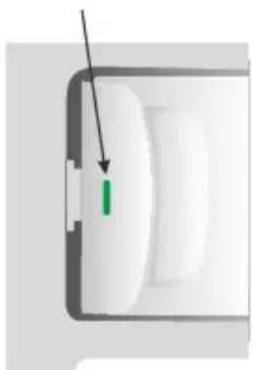
"Door Open" Indicator;
natural_image
Close-up of a white electronic device with a green indicator light and black arrow pointing to it (no text or symbols visible)- The « Door Open » indicator on the handle shows whether the door has closed properly or whether it is still open.
- If the indicator is red, the door is still open.
- If the indicator is white, the door is properly closed.
- Observe that the freezer's door should always be kept closed. This will prevent food products from defrosting; it will avoid heavy ice and frost build-up inside the freezer and an unnecessary increase in energy consumption.
Making Ice cubes;
Ice tray ;
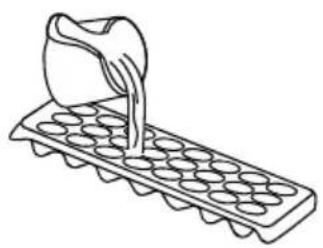
- Fill the ice tray with water and place in freezer compartment.
• After the water completely turned into ice, you can twist the tray as shown below to get the ice cube.
natural_image
Line drawing of a hand pouring liquid into a tray with circular wells (no text or symbols)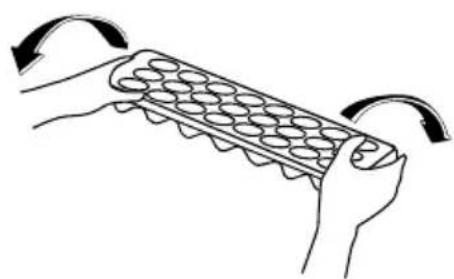
natural_image
Illustration of hands holding a grid-like object with curved arrows indicating rotation (no text or symbols)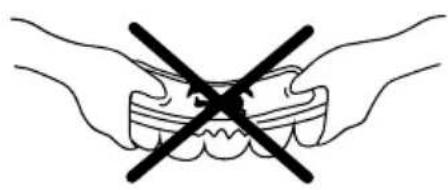
natural_image
Illustration of two hands holding teeth with a black X symbol indicating a dental or dental procedure (no text or labels)PART-3. CLEANING AND MAINTENANCE
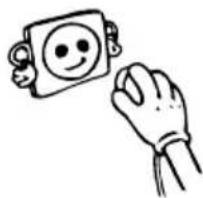
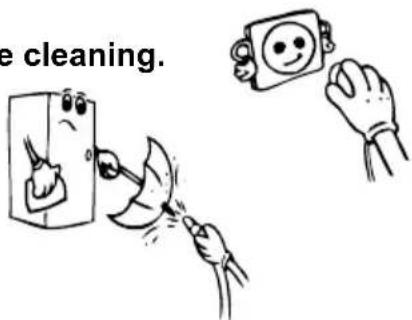
- Disconnect unit from the power supply before cleaning.
- Do not clean the appliance by pouring water.
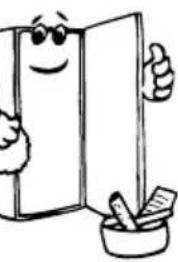
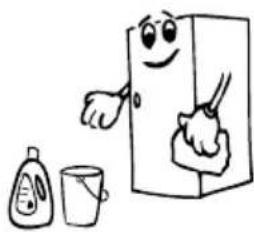
- The refrigerator compartment should be cleaned periodically using a solution of bicarbonate of soda and lukewarm water.
natural_image
Cartoon illustration of a smiling book character giving a thumbs-up next to a mortar and pestle (no text or symbols)- Clean the accessories separately with soap and water Do not clean them in the washing machine.
- Do not use abrasive products, detergents or soaps. After washing, rinse with clean water and dry carefully. When the cleaning operations have been completed reconnect the plug of the unit with dry hands.
- You should clean the condenser with broom at least twice a year in order to provide energy saving and increase the productivity.
natural_image
Cartoon illustration of a smiling refrigerator with a spoon, accompanied by a small bottle and cup (no text or symbols)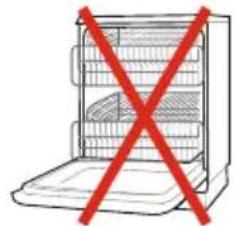
natural_image
Illustration of a refrigerator with an open lid and red prohibition symbol (no text or labels)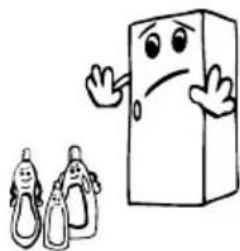
natural_image
Cartoon illustration of a smiling book character waving, with two baby silhouettes nearby (no text or symbols)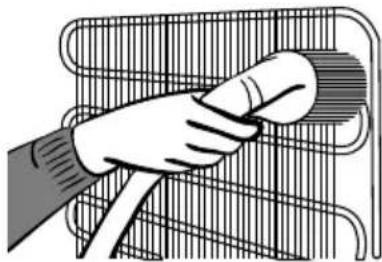
natural_image
Illustration of a hand cleaning a wire rack with a circular object on top (no text or symbols)Defrosting
For cooler compartment ;
natural_image
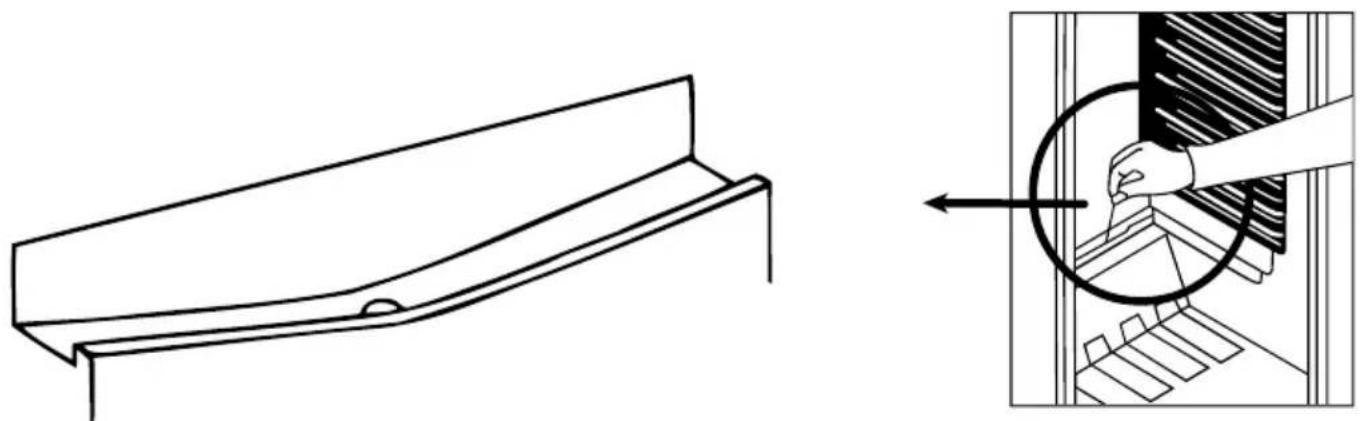
Technical line drawing of a structural component before and after assembly, showing internal components (no text or symbols)- Defrosting occurs automatically in refrigerator compartment during operation; the defrost water is collected by the evaporating tray and evaporates automatically.
- The evaporating tray and the defrost water drain hole should be cleaned periodically with defrost drain plug to prevent the water from collecting on the bottom of the refrigerator instead of flowing out.
- You can also pour 12 glass of the water to drain hole to clean inside.
For freezer compartment;
The frost, accumulated in the freezer compartment, should be removed periodically. The freezer compartment should be cleaned in the way as the refrigerator compartment, with the defrost operations of the compartment at least twice a year.
For this;
- The day before you defrost, set the thermostat dial to 5. position to freeze the foods completely.
- During defrosting, frozen foods should be wrapped in several layers of paper and kept in a cool place. The inevitable rise in temperature will shorten their storage life. Remember to use these foods within a relatively short period of time.
- Switch the refrigerator off at the socket outlet and pull the main plug
- Leave the door open and to accelerate the defrosting process one or more basins of warm water can be placed in the freezer compartment.
- Dry the inside of the unit and water tray, refit the tray plug and set the thermostat knob to 5 position.
Replacing The Light Bulb
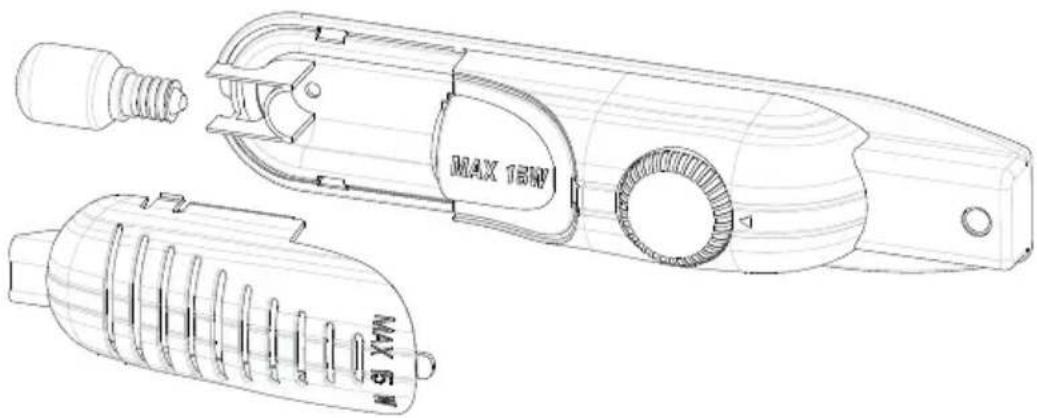
When replacing the light of the refrigerator compartment;
- Unplug the unit from the power supply,
- Press the hooks on the sides of the light cover top and remove the light cover
- Change the present light bulb with a new one of not more than 15 W.
- Replace the light cover and after waiting 5 minutes plug the unit.
Replacing The Light Led (If the illumination is occurred via LED strip)
Please call the service man.
PART- 4.
TRANSPORTATION AND CHANGING OF INSTALLATION POSITION
Transportation and Changing of Installation Position
- The original packages and foamed polystyrene (PS) can be concealed if required.
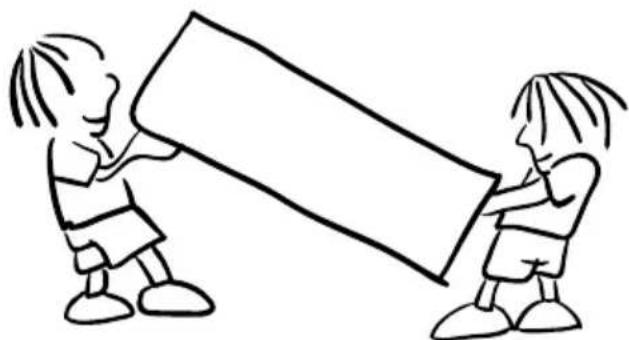
- In transportation the appliance should be tied with a wide stripe or a strong rope. The rules written on the corrugated box must be applied while transporting.
- Before transporting or changing old installation position, all the moving objects (ie,shelves,crisper...) should be taken out or fixed with bands in order to prevent the shake.
natural_image
Simple line drawing of two children playing a large block together (no text or symbols)Repositioning the door
- It is not possible to change the opening direction of your refrigerator door, if the door handle on your refrigerator is installed from the front surface of the door.
- It is possible to change the opening direction of the door on models without any handles.
- If the door opening direction of your refrigerator may be changed, you should contact the nearest Authorised Service to have the opening direction changed.
PART-5. BEFORE CALLING YOUR AFTER SALES SERVICE
If your refrigerator is not working properly, it may be a minor problem, therefore check the following, before calling an electrician to save time and money.
What to do if your refrigerator does not operate ;
Check that ;
- There is no power,
- The general switch in your home is not disconnected,
- The thermostat setting is on “•” position,
- The socket is not sufficient. To check this, plug in another appliance that you know which is working into the same socket.
What to do if your refrigerator performs poorly ;
Check that ;
- You have not overloaded the appliance,
• The doors are closed perfectly,
• There is no dust on the condenser, - There is enough place at the rear and side walls.
If there is noise ;
The cooling gas which circulates in the refrigerator circuit may make a slight noise(bubbling sound) even when the compressor is not running. Do not worry this is quite normal. If these sounds are different check that;
• The appliance is well leveled,
- Nothing is touching the rear ,
- The stuffs on the appliance are vibrating.
If there is water in the lower part of the refrigerator ;
Check that ;
The drain hole for defrost water is not clogged(Use defrost drain plug to clean the drain hole)
If your fridge is not cooling enough;
Your fridge is designed to operate in the ambient temperature intervals stated in the standards, according to the climate class stated in the information label. We do not recommend operating your fridge out of stated temperatures value limits in terms of cooling effectiveness.
| Climate Class Ambient Temperature (°C) | |
| T | Between 16 and 43 (°C) |
| ST Between 16 and 38 (°C) | |
| N Between 16 and 32 (°C) | |
| SN | Between 10 and 32 (°C) |
Recommendations
- In order to increase space and improve the appearance, the « cooling section » of refrigerators is positioned inside the back wall of the refrigerator compartment. When the appliance is running, this wall is covered with frost or water drops, according to weather the compressor is running or not. Do not worry. This is quite normal. The appliance should be defrosted only if an excessively thick layer forms on the wall.
- If the appliance is not used for long time (for example during the summer holidays) set to thermostat knob to “•” position. Defrost and clean the refrigerator leaving the door open to prevent the formation of midew and smell.
Conformity Information
- This appliance is designed for use at an ambient temperature within the 16^ - 38^ range.
- The appliance is designed in compliance with the EN62552, IEC60335-1 / IEC60335-2-24, 2004/108/EC standards.
Tips For Saving Energy
1- Install the appliance in a cool, well ventilated room, but not in direct sunlight and not near heat source (radiator, cooker.. etc). Otherwise use an insulating plate.
2- Allow ward food and drinks to cool down outside the appliance.
3- When thawing frozen food, place it in the refrigerator compartment. The low temperature of the frozen food will help to cool the refrigerator compartment when it is thawing. So it causes energy saving. If the frozen food is put out, it causes wastage of energy.
4- When placing, drinks and slops they must be covered. Otherwise humidity increases at the appliance. Therefore the working time gets longer. Also covering drinks and slops helps to save smell and taste.
5- When placing food and drinks, open the appliance door as briefly as possible.
6- Keep close the covers of any different temperature compartment in the appliance (crisper, chiller ...etc ).
7- Door gasket must be clean and pliable. Replace gaskets if worn.
THE PARTS OF THE APPLIANCE AND THE COMPARTMENTS
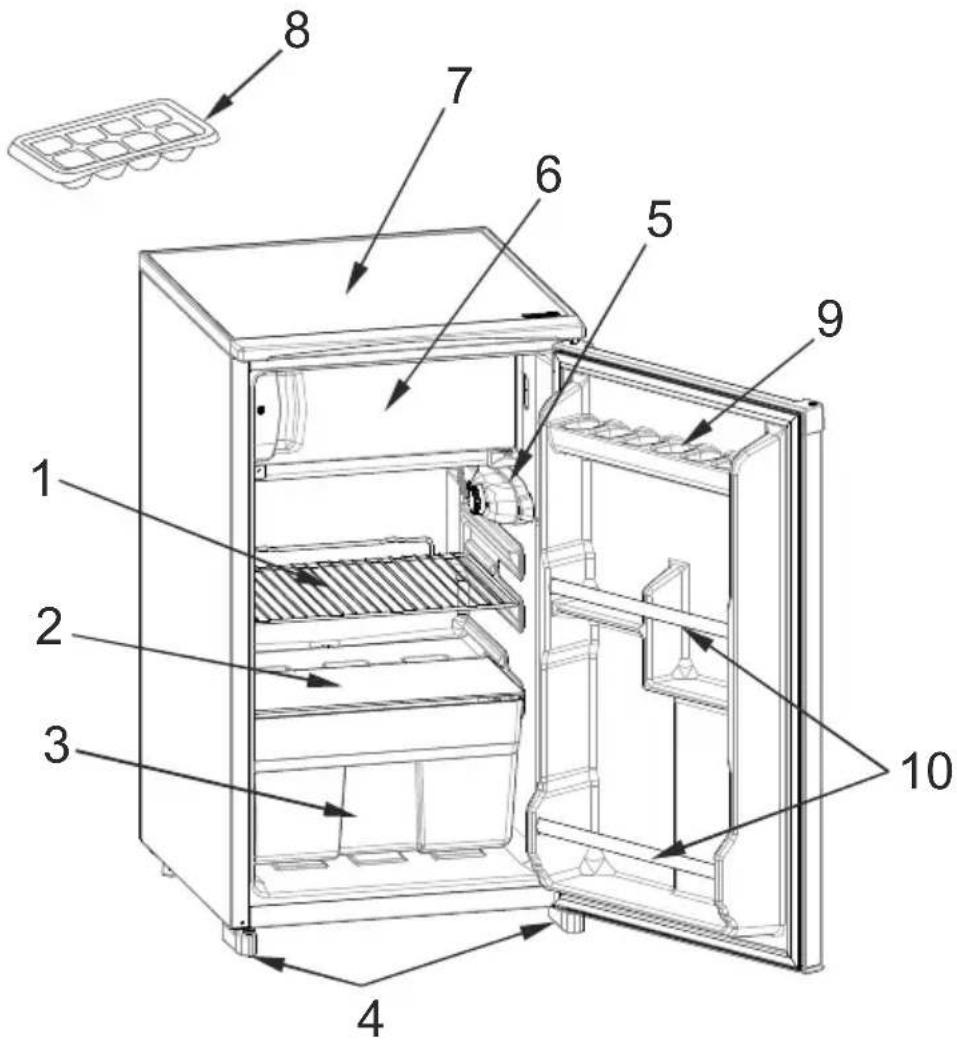
This presentation is only for information about the parts of the appliance. Parts may vary according to the appliance model.
1) REFRIGERATOR SHELF
2) CRISPER COVER (SAFETY GLASS -In some models-)
3) CRISPER
4) LEVELING FEET
5) THERMOSTAT BOX
6) FREEZER COMPARTMENT
7) TOP TABLE
8) ICE TRAY
9) EGG SHELF
10) BOTTLE SHELF
Índice
ANTES DE USAR EL FRIGORÍFICO ....15
natural_image
Pure electrical circuit lines without any symbolsnatural_image
Illustration of four hands performing a manual cable or wire manipulation technique (no text or symbols present)natural_image
Illustration of three safety symbols: a cartoon character hanging from a door, a crossed-out prohibition sign, and a bottle with broken glass (no text or labels)natural_image
Simple line drawing of a hand holding a smiling emoji on a square (no text or symbols)PARTE - 2. LAS DISTINTAS FUNCIONES Y POSIBILIDADES
Ajuste Del Termostato
natural_image
Line drawing of a handheld hair dryer with spiral blades and a circular button (no text or symbols)natural_image
Close-up of a white rectangular object with a green vertical line and an arrow pointing to it, no visible text or symbols.natural_image
Illustration showing three steps of a dental procedure: using an abacus, moving a tray with teeth, and removing teeth into a tooth (no text or symbols present)PARTE - 3. LIMPIEZA Y MANTENIMIENTO
natural_image
Cartoon illustration of a smiling refrigerator with thumbs up and a bowl of food (no text or symbols)natural_image
Cartoon illustration of a hand using a tool to clean or store items from a door (no text or symbols present)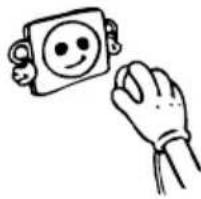
natural_image
Simple line drawing of a hand holding a smiling square with a smile, next to a rectangular object (no text or symbols)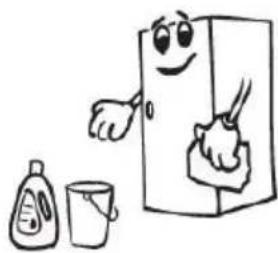
natural_image
Cartoon illustration of a smiling refrigerator with hands cleaning it, accompanied by a small bottle and cup (no text or symbols)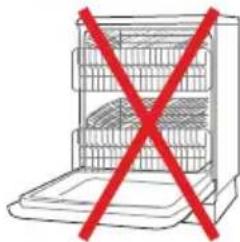
natural_image
Diagram of a multi-level kitchen appliance with a red X symbol crossed out, no text or labels present.natural_image
Illustration of a hand cleaning a metal rack with a cloth (no text or symbols)natural_image
Technical line drawing of a mechanical component and its magnified cross-section showing internal components (no text or symbols)natural_image
Technical line drawing of a hairpin tool with MAX 180W and MAX 51 labels (no text or symbols on the diagram itself)natural_image
Simple line drawing of two children playing a large block together (no text or symbols)- Orima®
- MANUAL DE INSTRUÇÕES
- INSTRUCTION MANUAL
- 2ªPARTE AS MÚLTIPLAS FUNÇÕES E POSSIBILIDADES
- Funcionamento do Termóstato
- 3ªPARTE LIMPEZA E MANUTENÇÃO
- Descongelação
- THE VARIOUS FUNCTION AND POSSIBILITIES ...... 32
- CLEANING AND MAINTENANCE 34
- TRANSPORTATION AND CHANGING OF INSTALLATION POSITION .... 36
- BEFORE CALLING YOUR AFTER SALES SERVICE 37
- THE PARTS OF THE APPLIANCE AND THE COMPARTMENTS ......39
- PART- 1. BEFORE USING THE APPLIANCE
- General warnings
- Old and out-of-order fridges
- Notes:
- Safety warnings
- Installing and operating your fridge
- Before Using your Fridge
- PART-2. THE VARIOUS FUNCTION AND POSSIBILITIES
- Thermostat Setting
- Accessories
- "Door Open" Indicator;
- Making Ice cubes;
- Ice tray ;
- PART-3. CLEANING AND MAINTENANCE
- Defrosting
- For freezer compartment;
- For this;
- Replacing The Light Bulb
- PART- 4.
- TRANSPORTATION AND CHANGING OF INSTALLATION POSITION
- Repositioning the door
- PART-5. BEFORE CALLING YOUR AFTER SALES SERVICE
- What to do if your refrigerator does not operate ;
- Check that ;
- What to do if your refrigerator performs poorly ;
- If there is noise ;
- If there is water in the lower part of the refrigerator ;
- If your fridge is not cooling enough;
- Recommendations
- Conformity Information
- Tips For Saving Energy
- THE PARTS OF THE APPLIANCE AND THE COMPARTMENTS
- Índice
- ANTES DE USAR EL FRIGORÍFICO ....15
- PARTE - 2. LAS DISTINTAS FUNCIONES Y POSIBILIDADES
- Ajuste Del Termostato
- PARTE - 3. LIMPIEZA Y MANTENIMIENTO
Brand : Orima
Model : ORA 101
Category : Refrigerator