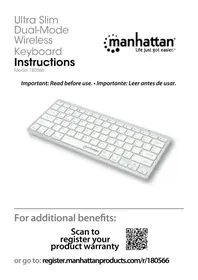
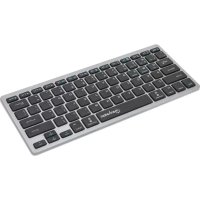
172554 - Keyboard MANHATTAN - Free user manual and instructions
Find the device manual for free 172554 MANHATTAN in PDF.


Pick your language and provide your email: we'll send you a specifically translated version.
| Product Type | Wired Keyboard |
| Brand | Manhattan |
| Model | 172554 |
| Interface | USB-A |
| Cable Length | 1.5 m |
| Layout | US (QWERTY) |
| Number of Keys | 104 |
| Key Type | Membrane |
| Multimedia Keys | Yes (Shortcut keys) |
| Dimensions (W x D x H) | 440 x 140 x 25 mm |
| Weight | 600 g |
| Power Source | USB Bus Power |
| Compatible Operating Systems | Windows, Mac, Linux |
| Material | Plastic |
| Cleaning Instructions | Use soft dry cloth; avoid liquids |
| Safety Certifications | CE, FCC |
| Repairability | Limited; no user-serviceable parts |
Frequently Asked Questions - 172554 MANHATTAN
How do I connect the keyboard to my computer?
Simply plug the USB-A connector into an available USB port on your computer. The keyboard should be recognized automatically; no additional drivers are required for most operating systems.
Why is my keyboard not working?
First, check the USB connection. Try a different USB port or computer. If it still doesn't work, test the keyboard on another device to rule out a hardware fault. Also ensure your operating system is compatible (Windows, Mac, Linux).
How do I clean the keyboard?
Unplug the keyboard. Use a soft dry cloth to wipe the surface. For key crevices, you can use compressed air or a soft brush. Avoid using water, cleaning solvents, or submerging the keyboard.
Can I use this keyboard with a Mac?
Yes, the keyboard is compatible with Mac computers. The layout is US QWERTY; you may need to adjust key mapping in System Preferences if some modifier keys (e.g., Alt vs Command) behave differently.
The keys are sticking or not responding. What should I do?
Turn the keyboard upside down and gently tap to remove debris. If keys are still sticking, use compressed air to clean under the caps. For persistent issues, contact support; the keyboard may need replacement.
What is the cable length?
The cable is 1.5 meters (approximately 5 feet) long, providing flexibility in positioning your keyboard relative to your computer.
Does this keyboard have a warranty?
Manhattan typically offers a limited lifetime warranty on keyboards. Check your documentation or contact Manhattan support for specific warranty terms and conditions.
Can I replace the keycaps?
Yes, the keycaps are removable. You can replace them with compatible standard keycaps (e.g., Cherry MX cross-shaped stems). However, the keys are membrane type, so the switch stems may differ from mechanical keyboards.
Why are my multimedia keys not working?
Ensure the keyboard is properly connected. Some multimedia functions require the Fn key to be pressed in combination (e.g., Fn+F1). Also check that your operating system supports the specific multimedia commands.
Is the keyboard spill-resistant?
This keyboard is not designed to be spill-resistant. If liquid is spilled into it, unplug immediately, drain as much liquid as possible, and let it dry completely for at least 24 hours before attempting to use it again.
User questions about 172554 MANHATTAN
0 question about this device. Answer the ones you know or ask your own.
Ask a new question about this device
No questions yet. Be the first to ask one.
Download the instructions for your Keyboard in PDF format for free! Find your manual 172554 - MANHATTAN and take your electronic device back in hand. On this page are published all the documents necessary for the use of your device. 172554 by MANHATTAN.