CDR2240 - Hi-Fi System Reflexion - Free user manual and instructions
Find the device manual for free CDR2240 Reflexion in PDF.


| Product Type | Hi-Fi System |
| Brand | Reflexion |
| Model | CDR2240 |
| Power Supply | AC 230V ~ 50Hz or 6 x C batteries (not included) |
| Power Consumption | 10 W |
| Max Music Power | 8 W |
| FM Frequency Range | 87.5 - 108 MHz |
| AUX Input | 3.5 mm jack |
| CD Player | Yes (supports repeat, program) |
| Controls | On/Off, Function, Volume, Tuning, Play/Pause, Stop, Next/Previous, Fast Forward/Rewind, Repeat, Program |
| Display | Indicates function and repeat mode |
| Operating Temperature | 0°C - +35°C |
| Included Accessories | Device, user manual, power cord |
| Safety Certifications | EU declaration of conformity (2014/53/EU) |
| Warranty | 24 months (accessories: 6 months) |
| Disposal | Separate collection for electronic waste (WEEE symbol) |
Frequently Asked Questions - CDR2240 Reflexion
User questions about CDR2240 Reflexion
0 question about this device. Answer the ones you know or ask your own.
Ask a new question about this device
Download the instructions for your Hi-Fi System in PDF format for free! Find your manual CDR2240 - Reflexion and take your electronic device back in hand. On this page are published all the documents necessary for the use of your device. CDR2240 by Reflexion.
USER MANUAL CDR2240 Reflexion
natural_image
Line drawing of a vintage camera with textured back panel and circular lens (no text or symbols)FM Frequenz FM 87.5-108MHz
AUX in Buchse 3.5mm
natural_image
Line drawing of a vintage camera with textured back panel and circular lens (no text or symbols)Read this booklet carefully before use and keep the manual for future reference.
SAFTY INSTRUCTIONS

The exclamation point in the triangle indicates that the user has important operating and maintenance (service) instructions in this manual that must be followed.
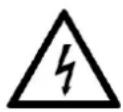
The lightning bolt symbol in the triangle alerts the user to "dangerous voltages" on some components inside the unit.
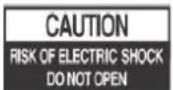
To avoid the risk of electric shock, never open the housing. Inside, there are no user-repairable parts. Repairs may only be carried out by an authorized specialist workshop.
230v\~
This device is designed for 230V \~ 50Hz mains voltage. If the device is not used for a long time, remove the plug from the socket.

Do not expose the unit to moisture or rain.

Do not turn on the system until you have checked all connections.

Set up the device so that an undisturbed supply of fresh air is always ensured. Never place the unit on rugs and curtains, or place it in bookshelves.

Do not expose the device to direct sunlight or heat sources.

READ ALL INSTRUCTIONS BEFORE USE.
When using this portable CD radio with FM function, always follow basic safety precautions, especially when children are present.
NOTE: To completely disconnect the system when not in use for a long time, disconnect the power plug from the wall outlet and press the toggle switch to turn off the unit.
SAFETY INSTRUCTIONS
1) Read this Instruction Manual before you attempt to connect or operate the appliance.
2) Using the device differently than described in this manual will void the warranty and may result in damage and injury to the device and user.
3) Keep these instructions in good condition. Heed all warnings. Follow all instructions.
4) Save this Instruction Manual for future reference.
5) The apparatus shall not be exposed to dripping or splashing and no objects filled with liquids, such as vases, shall be placed on the product. Dry location use only.
6) No naked flame source, such as candles, should be placed on the product.
7) Children should be supervised to ensure that they do not play with the appliance.
8) Ventilation should not be impeded by covering the ventilation openings.
9) Ensure that the unit is plugged into an AC 100-240V 60/50Hz power outlet. Using higher voltage may cause the unit to malfunction or even fire catching. Turn off the unit before unplugging it from power source to completely switch it off.
10) Do not plug/ unplug the power plug into/from an electrical outlet with wet hands.
11) If the power plug does not fit into your outlet, do not force the plug into an electrical socket if it does not fit.
12) Use replacement parts, which are specified by the manufacturer.
13) Install the unit in accordance with the manufacturer's instructions.
14) Place the unit where there is good ventilation. Place the system on a flat, hard and stable surface. Do not expose to temperatures above 40^ C. Allow at least 30 cm clearance from the rear and the top of the unit and 5 cm from each side.
15) Press the buttons of the unit gently. Pressing them too hard can damage the unit.
16) Dispose of used batteries in an environmental-responsible manner.
17) Always ensure that the product is unplugged from the electrical outlet before moving or cleaning. Clean it with dry cloth only.
18) Unplug the product during lightning, storms or when it will not be used for long periods of time.
19) This product has no user-serviceable parts. Do not attempt to repair this product yourself. Only qualified service personnel should perform servicing. Take the product to the electronics repair shop of your choice for inspection and repair.
20) NEVER let anyone, especially children, push anything into holes, slots or any other openings in the unit's casing as this could result in a fatal electric shock.
21) Don't mount this product on a wall or ceiling.
22) Do not place the unit near TVs, speakers and other objects that generate strong magnetic fields.
23) Do not leave the unit unattended when it is in use.
- Plug the supplied power cord into the device with one side and into your power outlet with the other.
- Press the [ON / OFF] (4) button on the top of the unit to turn on the CDR2240.
Note:
Please note that the voltage specifications of the socket correspond to the voltage specifications of the device.
With batteries
- Open the [BATTERY COVER] (11) on the rear panel.
- Insert 6x C batteries into the compartment and close the [BATTERY COVER] (11).
- Press the [ON / OFF] button (4) on the top of the unit to turn on the CDR2240.
Note:
• Pay attention to the correct polarity when inserting the batteries.
- Batteries are not included.
- Please always replace all batteries at the same time with only new batteries of the same type.
- Remove all batteries when the Portable CD Player is not used for a long time.
- Place the Portable CD Player only on level and fixed furniture to prevent it from falling down and avoiding possible damage.
- Do not expose the device to direct sunlight and keep the device away from water, spray or moisture.
Do not plug the radio into an electrical outlet unless you are sure that the outlet meets the voltage specifications of the device.
General
| Function | Operation |
| Turn on device | Press the [ON / OFF] button (4) |
| Change function mode: | Press the [FUNCTION] button (5) |
| FM Mode / CD Mode(AUX IN) | |
| Adjust Volume: | Turn the [VOLUME] knob (1) |
| CD playback stop | Press the [■] button (8) |
| CD Playback Play/Pause | Press the [▶||] button (9) |
| Next title | Press [▶▶|] button (7) |
| Previous title | Press [ | ◀◀] button (6) |
| Fast forward | Hold down the button (7) [▶▶|] |
| Fast rewinding | Hold down the button (6) [ | ◀◀] |
CD Functions
| Function | Display | Operation |
| Change repeat function: | Press the button (3) [REPEAT] until the desired function appears in the display. | |
| • Repeat a title | “REP 1” | To deactivate the repeat function, press the button (3) [REPEAT] until "REP 1" and "REP ALL" are no longer visible in the display. |
| • Repeat all tracks | REP ALL" | |
| Program CD playlist | “01” flash | 1. Stop the CD playback with [■] (8) button.2. Press the [PROG] button (2).3. Select a title using the [▶▶|] button (7) or [ | ◀◀] (6).4. Press the [PROG] button (2) to select a track. Repeat the steps to customize the CD playlist.5. Press the [▶■] button (9) to start playback of the playlist.6. Press the [■] button (8) to delete the playlist. |
AUX IN Function
| Function | Display | Operation |
| Switch to the CD function | „00“ flash | Press the [FUNCTION] button (5) |
| Connect external device | Plug a 3.5mm audio cable into the AUX IN jack | |
| Playback | Playback and volume are transmitted via the externally connected device e.g. Operated MP3 player | |
| Change the volume | The CDR2240 and the connected device control the volume. |
Radio Function
| Function | Operation |
| The frequency is set manually | Turn the [Tuning] knob (10) to set a radio station |
If no signal is detected, the radio may need to be set to a better reception position. Then switch off the radio or try to set the desired radio station again at another reception position.
TECHNICAL SPECIFICATIONS
General
Power AC230V 50HZ
Power consumption 10W
Max Music power 8W
FM Frequency FM 87.5-108MHz
AUX IN jack 3.5mm
Operating temperature 0°C - +35°C
Battery operation 6x "C" (not included)
Delivery
Device 1
User manual 1
Power cord 1
Note: Specifications are subject to change without notice.
Disposal methods
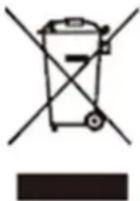
This symbol on the product or in the instructions means that the appliance, electrical and electronic appliances must be disposed of separately from your household waste at the end of their service life. There are separate collection systems for recycling in the EU. For more information, contact the local authority or your local distributor where you purchased the product.
Simplified EU Declaration of Conformity
Hereby, UltraMedia GmbH & Co. Handels KG declares that the CDR2240 radio equipment complies with Directive 2014/53 / EU.
The full text of the EU Declaration of Conformity is available at the following Internet address.
We hope you enjoy the device.
Your UltraMedia team
Warranty Terms

The Company UltraMedia GmbH & Co. Handels KG
assumes a warranty of 24 months for this product.
The warranty does not cover wearing parts, aesthetic parts, products with a damaged warranty seal or unreadable / existing serial number, as well as damage caused by improper operation and / or misuse, use of non-original spare parts, inappropriate packaging or for any other reason which are not attributable to "reflection" products.
On accessories, such as the remote control, the power supply, etc., we grant a warranty of 6 months from the date of purchase.
It is essential to observe the warnings in the operating instructions.
In the event of a warranty claim, send the device, if possible, in the original packaging with complete accessories, a cover letter from you with address and telephone / fax number and / or email address and a copy of your proof of purchase free of charge (sender takes over the transport) to the above Address. Non-free packages can not be accepted. For transport damages of devices, which are not sent in the original packaging, UltraMedia assumes no liability! Before any shipment of the device please contact us, should there be any questions, please contact us. Some issues can also be resolved through service support by phone or email.
After repair we will send you the device free of charge (UltraMedia will pay for the transport).
Brand : Reflexion
Model : CDR2240
Category : Hi-Fi System