
SLA 250 - Laminator SENCOR - Free user manual and instructions
Find the device manual for free SLA 250 SENCOR in PDF.


| Product Type | Laminator with Trimmer and Puncher |
| Brand | Sencor |
| Model | SLA 250 |
| Dimensions | 380 mm × 140 mm × 75 mm |
| Weight | 1.1 kg |
| Power Supply | AC 220–240 V, 50 Hz |
| Power Consumption | 100 W |
| Ready Time | 3–5 minutes |
| Maximum Entry Width | 230 mm (A4) |
| Pouch Thickness | 2 × 75–125 microns |
| Laminating Speed | 300 mm/min |
| Status Indicators | Ready (Green), Power (Red) |
| Functions | Laminating, Paper Cutting, Hole Punching |
| Safety Features | Jam Release (ABS) Button, automatic shut-off when switched off |
| Cleaning and Maintenance | Wipe with dry cloth; use mild soap for stubborn dirt; store in cool, dry place |
Frequently Asked Questions - SLA 250 SENCOR
User questions about SLA 250 SENCOR
0 question about this device. Answer the ones you know or ask your own.
Ask a new question about this device
Download the instructions for your Laminator in PDF format for free! Find your manual SLA 250 - SENCOR and take your electronic device back in hand. On this page are published all the documents necessary for the use of your device. SLA 250 by SENCOR.
USER MANUAL SLA 250 SENCOR
natural_image
Line drawing of a rectangular electronic device casing with mounting holes and a central lid (no text or symbols)User's manual
Návod k obsluze
Návod na obsluhu
Használati útmutató
Instrukcja obsługi
Laminator with Trimmer and Puncher
Thank you for choosing SENCOR Laminator. Please read this manual carefully before your lamination project, and keep it for future use.
Helpful Tips & Safety Precautions
To operate the laminator properly and prevent personal injury or damage to property, read and follow all tips and precautions before use.
- The laminator is not intended for use by children.
- Operate the laminator on a flat, stable and secure surface.
- This machine is only designed for use with thermal laminating pouches/fllms for laminating paper or paper-like items.
- Do not touch the inlet, housing, and vent holes when the machine is running.
- Always use compatible laminating pouches/fi lms (2 × 75-125mic).
- Do not pull the pouch during lamination process.
- Do not disassemble the laminator.
- Do not drop or impact the machine.
WARNING - Electrical Safety
- Do not use the different type of power source, it may result in fire or electric shock. Please use the indicated type of power source on the laminator or in the manual.
- To reduce the risk of electric shock or fire, do not use the machine near water, moisture or heat sources.
- Do not operate the machine with wet hands.
- Do not use the laminator with a damaged cord or after the laminator malfunctions or is dropped or damaged in any manner, please contact your customer service for a replacement.
- Do not pull, twist, or wrap the cord.
- Turn off the laminator and unplug it while not in use.
Laminator Parts
- Paper Trimmer/Cutter
- Slide Rail
- On/Off Switch
- Status Indicators (Ready /Power)
- Inlet
- Cutting Plate
- Jam Release (ABS) Button
- Hole Punch
- Outlet
- Power Cord
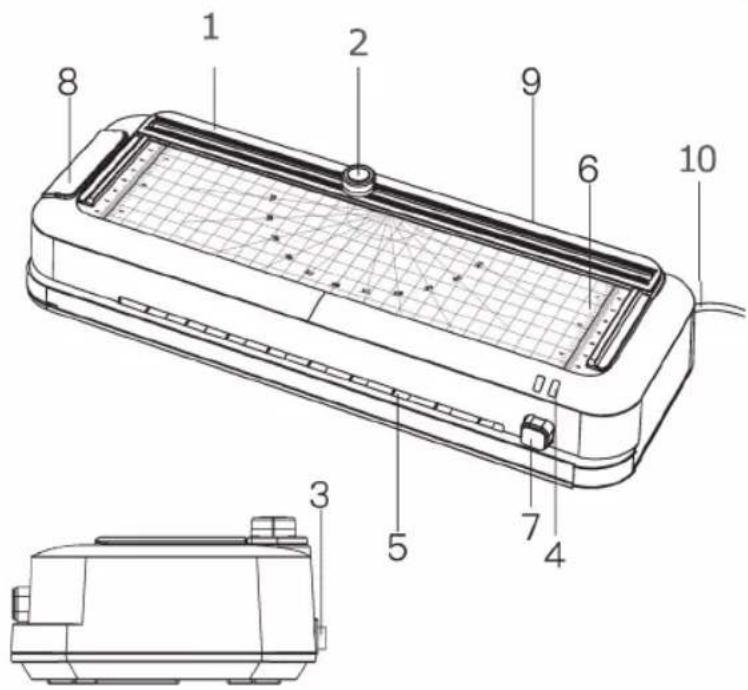
Operating Instructions
Laminator
- Plug the power cord into a standard power outlet (AC 220-240V, 50Hz)
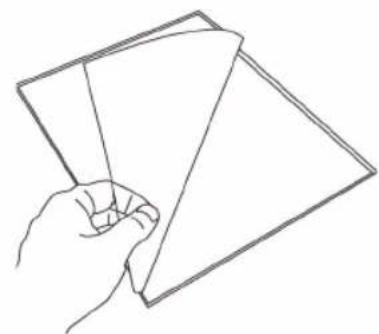
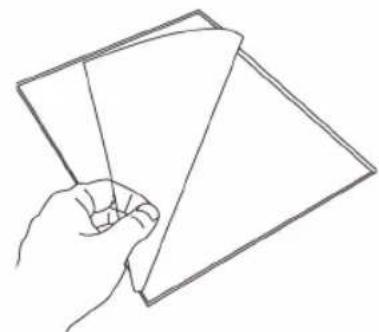
- Insert the document to be laminated into a compatible laminating pouch (2 × 75-125mic)
Note:
- This machine is only designed for use with thermal laminating pouches/fi lms.
-
Be sure to leave approx. 3-5mm margins to the edges of the laminating pouch.
-
Move the On/Off Switch to "75 Mic" or "125 Mic" according to your needs. The red Power Indicator is on.
natural_image
Line drawing of a hand holding two sheets of paper (no text or symbols)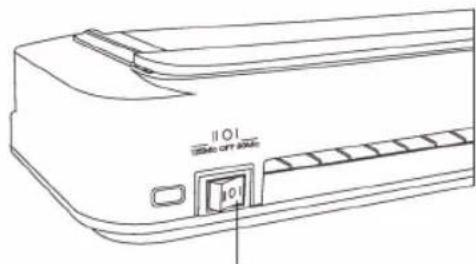
80 Mic
- After 3-5 minutes for preheating, the Ready Indicator is illuminated in green. It means the preheating is completed and the machine is ready for laminating.
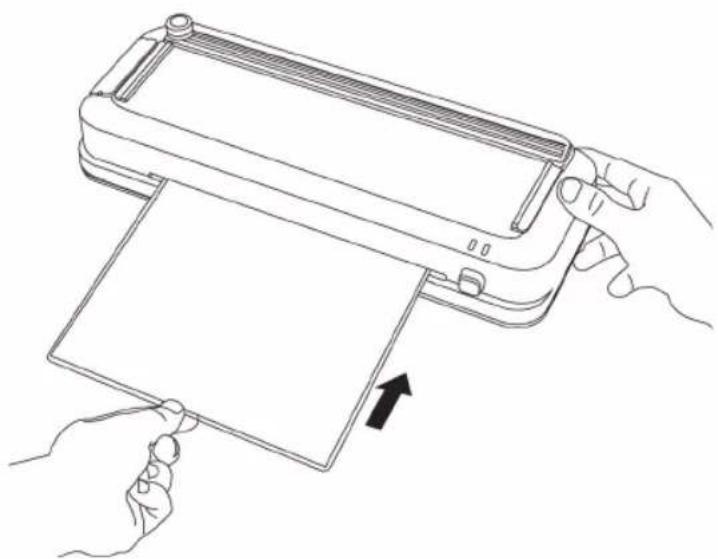
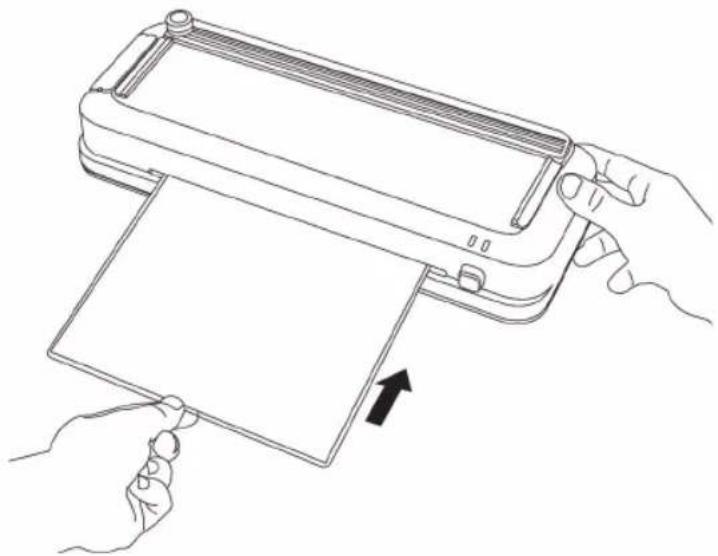
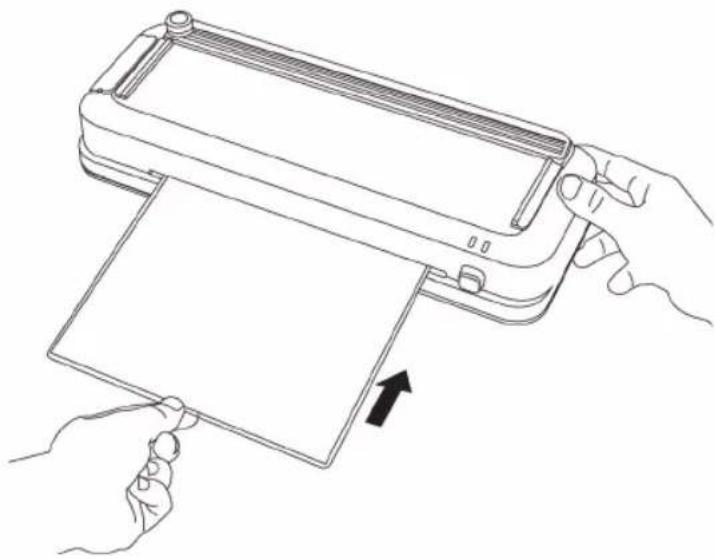
- Insert the pouch with the document into the inlet. The sealed-edge of the pouch should be inserted first.
natural_image
Line drawing of hands holding a device with an arrow indicating motion (no text or symbols)Note:
To avoid wrinkling, never insert the open end of the pouch into the inlet first.
EN-2
- The pouch will automatically exit the outlet.
Note:
- The laminating pouch is very hot and soft when exiting the outlet, handle with care.
- You may place a book on the laminated document to flatten and smoothen it.
- When your laminating task is fi nished, switch off the laminator and unplug the power cord.
Note:
- Do not touch the inlet, outlet, and housing after laminating, they are hot.
- Allow the machine cool down for a while before clean or store it.
Clearing a Paper Jam
To remove the jammed paper/pouch from the machine:
- Move the On/Off Switch to "OFF".
- Press and hold the Jam Release (ABS) Button.
- Pull the pouch with the document out.
- Release the Jam Release (ABS) Button.
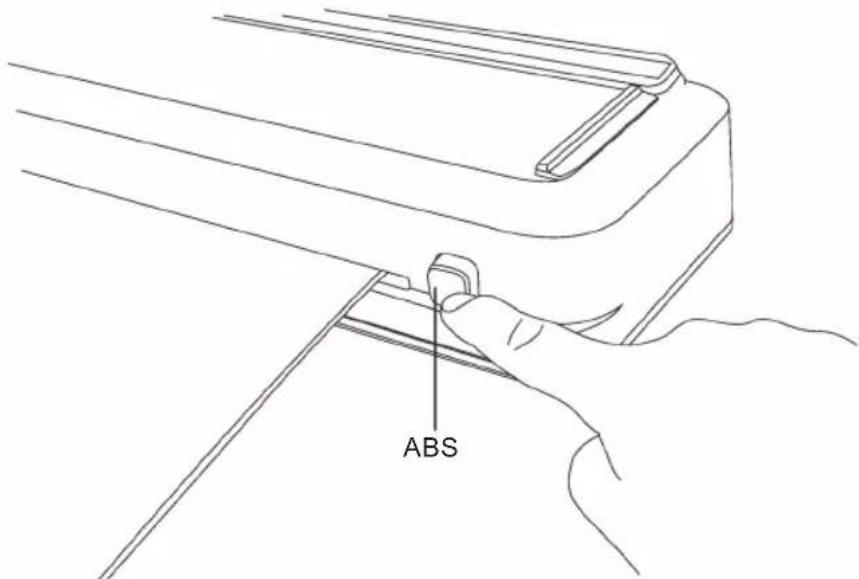
Note:
- It is normal for a laminator to smell when using for the first time.
The odor comes from the rubber rollers of the machine. - To test the machine, please laminate a single sheet of paper without the pouch before your laminating task. The machine works well if it runs a smooth operation. Use the ABS Button if the paper gets stuck. Contact us for help if the machine or ABS Button does not work.
Paper Cutter
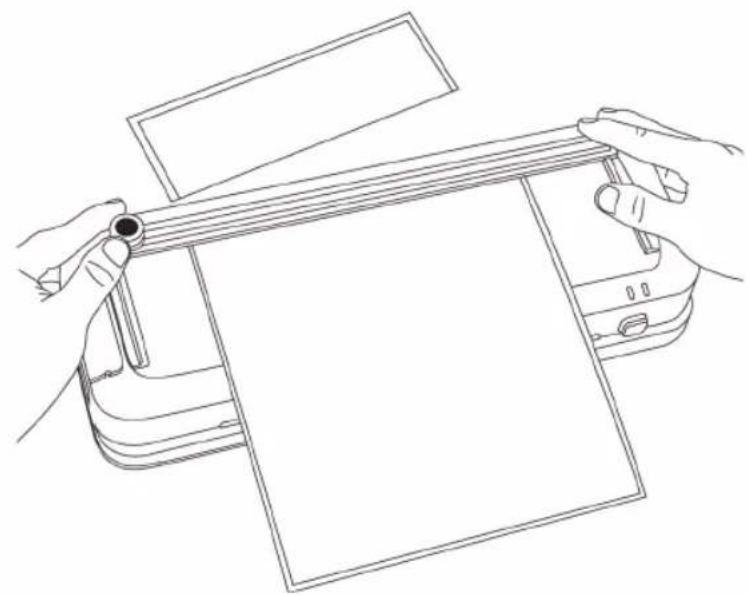
The paper cutter can be used to cut paper, card, photo, laminating pouch, etc.
- Insert the item to be cut.
- Firmly press the paper cutter, slide it along the slide rail.
- Remove the item directly from the cutting plate.
Note:
Never touch the edge of the blade.
natural_image
Line drawing of hands operating a printer to press or spread materials (no text or symbols present)Hole Punch
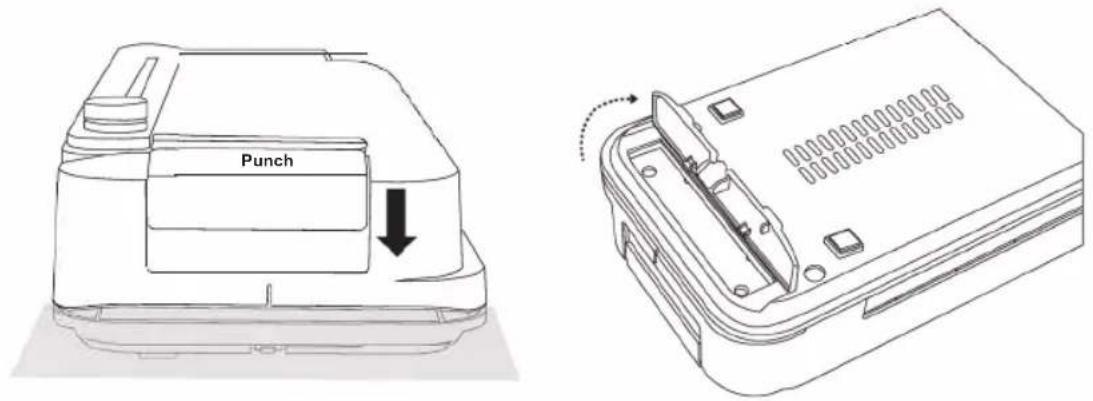
The hole punch can be used to punch paper, card, laminating pouch, etc.
- Insert the sheet to be punched into the crevice.
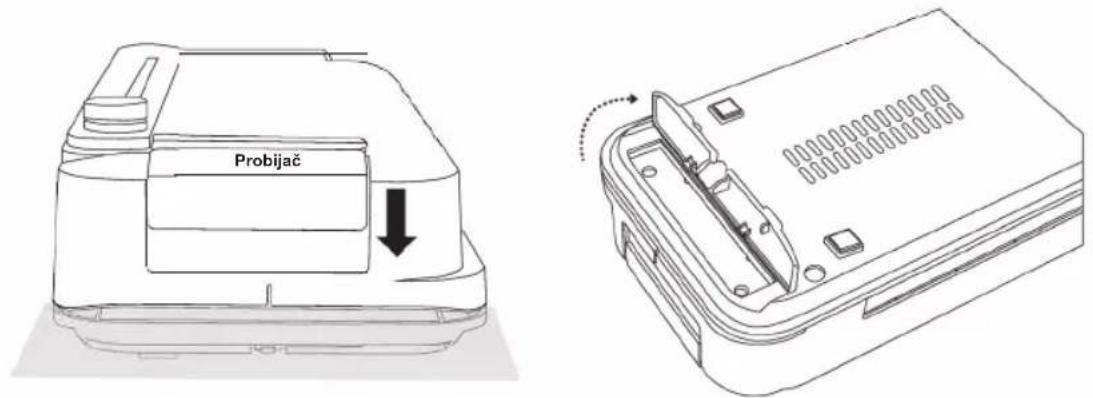
- Press the "Punch" Button down to punch holes.
- Move the lock down to open the door of chad collector, empty it regularly.
Note:
Do not touch the crevice of the hole punch.
Cleaning and Maintenance
Let the laminator to cool down and unplug it before cleaning.
Use a dry, clean cloth to remove dust. Use a damp cloth with a little mild soap to remove stubborn dirt.
Note:
Never use solvents or aggressive cleaning agents.
Store the machine in a cool and dry place.
Specifications
| Model SLA 250 | |
| Voltage AC 220–240V, 50Hz | |
| Power 100W | |
| Ready Time 3–5 min | |
| Maximum Entry Width 230mm (A4) | |
| Pouches Thickness 2 × 75–125mic | |
| Maximum Thickness(Laminator / Paper Cutter / Hole Punch) | 0.3mm |
| Laminating Speed 300mm/min | |
| Status Indicators Ready (Green), Power (Red) | |
| Dimensions 380mm × 140mm × 75mm | |
| Weight 1.1 kg |
INSTRUCTIONS AND INFORMATION REGARDING THE DISPOSAL OF USED PACKAGING MATERIALS
Dispose of packaging material at a public waste disposal site.
DISPOSAL OF USED ELECTRICAL AND ELECTRONIC APPLIANCES
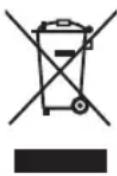
The meaning of the symbol on the product, its accessory or packaging indicates that this product shall not be treated as household waste. Please, dispose of this product at your applicable collection point for the recycling of electrical & electronic equipment waste. Alternatively in some states of the European Union or other European states you may return your products to your local retailer when buying an equivalent new product. The correct disposal of this product will help save valuable natural resources and help in preventing the potential negative impact on the environment and human health, which could be caused as a result of improper liquidation of waste. Please ask your local authorities or the nearest waste collection centre for further details. The improper disposal of this type of waste may fall subject to national regulations for fi nes.
For business entities in the European Union
If you wish to dispose of an electrical or electronic device, request the necessary information from your seller or supplier.
Disposal in other countries outside the European Union
If you wish to dispose of this product, request the necessary information about the correct disposal method from local government departments or from your seller.
CE
The product meets EU requirements.
Changes to the text, design and technical specifications may occur without prior notice and we reserve the right to make these changes.
Manufacturer: Fast ČR, a.s., U Sanitasu 1621, CZ 251 01 Říčany
SENCOR®
EN Warranty conditions
Warranty card is not a part of the device packaging.
This product is warranted for the period of 24 months from the date of purchase to the end-user. Warranty is limited to the following conditions. Warranty is referred only to the customer goods using for common domestic use. The claim for service can be applied either at dealer's shop where the product was bought, or at below mentioned authorized service shops. The end-user is obligated to set up a claim immediately when the defects appeared but only till the end of warranty period. The end user is obligated to cooperate to certify the claiming defects. Only completed and clean (according to hygienic standards) product will be accepted. In case of eligible warranty claim the warranty period will be prolonged by the period from the date of claim application till the date of taking over the product by end-user, or the date the end-user is obligated to take it over. To obtain the service under this warranty, end-user is obligated to certify his claim with duly completed following documents: receipt, certificate of warranty, certificate of installation.
This warranty is void especially if apply as follows:
■ Defects which were put on sale.
■ Wear-out or damage caused by common use.
The product was damaged by unprofessional or wrong installation, used in contrary to the applicable instruction manual, used in contrary to legal enactment and common process of use or used for another purpose which has been designed for.
■ The product was damaged by uncared-for or insufficient maintenance.
The product was damaged by dirt, accident of force majeure (natural disaster, fire, and flood).
■ Defects on functionality caused by low duality of signal, electromagnetic field interference etc.
■ The product was mechanically damaged (e.g. broken button, fall).
■ Damage caused by use of unsuitable media, fillings, expendable supplies (batteries) or by unsuitable working conditions (e.g. high temperatures, high humidity, quakes).
■ Repair, modification or other failure action to the product by unauthorized person.
■ End-user did not prove enough his right to claim (time and place of purchase).
■ Data on presented documents differs from data on products.
Cases when the claiming product cannot be identified according to the presented documents (e.g. the serial number or the warranty seal has been damaged).
Authorized service centers
Visit www.sencor. for detailed information about authorized service centers. com
Pokyny k obsluze
Laminátor
natural_image
Line drawing of a hand holding two sheets of paper (no text or symbols)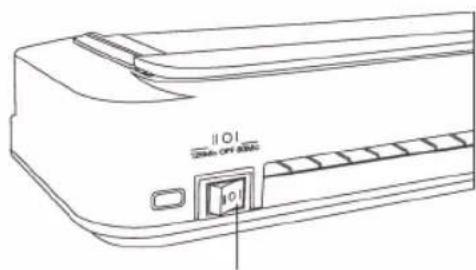
80 Mic
natural_image
Line drawing of hands holding a device with an arrow indicating movement (no text or symbols)Poznámka:
natural_image
Line drawing of hands operating a printer to press or spread materials (no text or symbols present)Děrovačka
Pokyny na obsluhu
Laminátor
natural_image
Line drawing of a hand holding two sheets of paper (no text or symbols)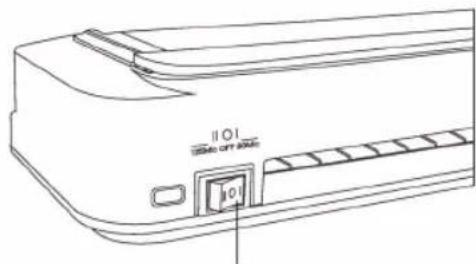
80 mic
natural_image
Line drawing of hands holding a tablet device with an arrow indicating fold (no text or symbols present)Poznámka:
Nikdy nevkladajte do vstupu otvorenú stranu puzdra, došlo by k jeho stlačeniu.
natural_image
Line drawing of hands operating a printer to press a blank sheet (no text or symbols present)Dierovačka
Kezelési utasítások
Laminálógép
natural_image
Line drawing of a hand holding two sheets of paper (no text or symbols)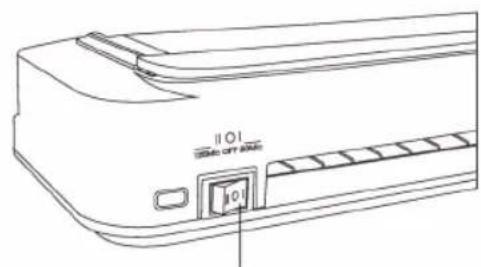
80 Mic
natural_image
Line drawing of hands holding a device with an arrow indicating motion (no text or symbols)Megjegyzés:
natural_image
Line drawing of hands operating a printer to press a blank sheet (no text or symbols present)Lyukasztó
PL-1
Instrukcja obsługi
Laminator
natural_image
Line drawing of a hand holding two sheets of paper (no text or symbols)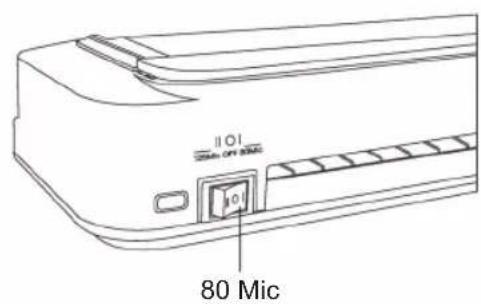
natural_image
Line drawing of hands holding a device with an arrow indicating motion (no text or symbols)Uwaga:
natural_image
Line drawing of hands holding a blank sheet on a cutting machine (no text or symbols)Dziurkacz
Uputstva za rad
natural_image
Line drawing of a hand holding two sheets of paper (no text or symbols)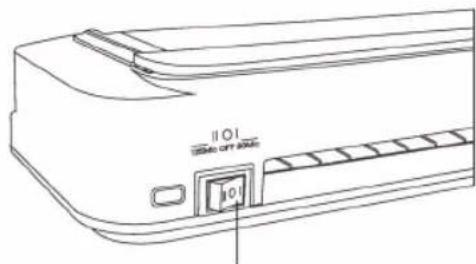
80 Mic
- Nakon 3-5 minuta za predgrevanje, indikator spremnosti svetli zelenom bojom. To znači da je predgrevanje završeno i da je mašina spremna za laminiranje.
- Umetnite kesicu sa dokumentom u otvor. Prvo treba umetnuti zapečać enu ivicu kesice.
natural_image
Line drawing of hands holding a tablet device with an arrow indicating fold (no text or symbols present)Napomena:
natural_image
Line drawing of hands operating a printer to press or spread materials (no text or symbols present)Bušač rupa
Bušač rupa može se koristiti za bušenje papira, kartice, kesica za laminiranje itd.
- Umetnite list koji će se bušiti u otvor.
- Pritisnite dugme za "bušenje" nadole da biste izbušili rupe.
- Pomerite bravu nadole da biste otvorili vrata sakupljača, redovno praznite.
Napomena:
Ne dodirujte otvor probijača.
Upute za upotrebu
Plastifi kator
- Priključite kabel napajanja u standardnu strujnu utičnicu (AC 220-240 V, 50 Hz)
- Umetnite dokument za plastificiranje u odgovarajuću vrećicu (2 × 75-125 mic)
Napomena:
- Ovaj uređaj predviđen je samo za upotrebu uz vrećice/fi lmove za toplinsko plastifi ciranje.
-
Ostavite 3-5 mm prostora prema rubovima vrećice za plastifi ciranje.
-
Prebacite prekidač u položaj "75 Mic" ili "125 Mic" po potrebi. Pali se crveni indikator napajanja.
natural_image
Line drawing of a hand holding two sheets of paper (no text or symbols)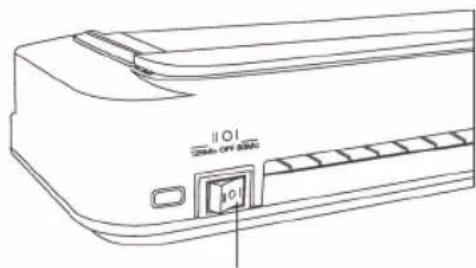
80 mic
-
Nakon 3-5 minuta predgrijavanja pali se zeleni indikator spremnosti za rad. To znači da je predgrijavanje dovršeno i da je uređaj spreman za plastifi ciranje.
-
Vrećicu s dokumentom umetnite u ulazni otvor. Prvo umetnite zabrtvljeni rub vrećice.
natural_image
Line drawing of hands holding a tablet device with an arrow indicating fold (no text or symbols present)Napomena:
Da biste izbjegli nabiranje i gužvanje, nemojte prvo umetati otvoreni rub vrećice.
natural_image
Line drawing of hands operating a printer to press or spread materials (no text or symbols present)Igla za bušenje
Igla za bušenje može se upotrijebiti za bušenje papira, kartica, vrećica za plastifi ciranje itd.
EL-1
Οδηγίες χρήσης
natural_image
Line drawing of a hand holding two sheets of paper (no text or symbols)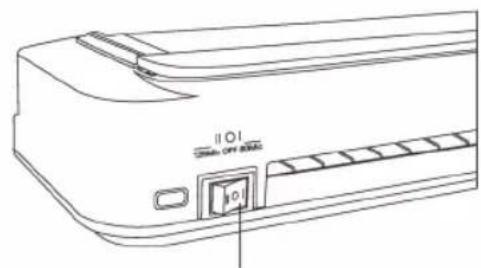
80 μικρόμετρα
natural_image
Line drawing of hands holding a tablet device with an arrow indicating fold (no text or symbols present)Σημείωση:
natural_image
Line drawing of hands operating a flatbed machine with a blank sheet, no text or symbols presentΠερφορατέρ
- Helpful Tips & Safety Precautions
- WARNING - Electrical Safety
- Laminator Parts
- Operating Instructions
- Laminator
- Note:
- Clearing a Paper Jam
- Paper Cutter
- Hole Punch
- Cleaning and Maintenance
- INSTRUCTIONS AND INFORMATION REGARDING THE DISPOSAL OF USED PACKAGING MATERIALS
- DISPOSAL OF USED ELECTRICAL AND ELECTRONIC APPLIANCES
- For business entities in the European Union
- Disposal in other countries outside the European Union
- SENCOR®
- EN Warranty conditions
- This warranty is void especially if apply as follows:
- Authorized service centers
- Pokyny k obsluze
- Laminátor
- Poznámka:
- Děrovačka
- Pokyny na obsluhu
- Dierovačka
- Kezelési utasítások
- Laminálógép
- Megjegyzés:
- Lyukasztó
- Instrukcja obsługi
- Uwaga:
- Dziurkacz
- Uputstva za rad
- Napomena:
- Bušač rupa
- Upute za upotrebu
- Plastifi kator
- Igla za bušenje
- Οδηγίες χρήσης
- Σημείωση:
- Περφορατέρ
Brand : SENCOR
Model : SLA 250
Category : Laminator