
ES-RC20 - Razor PANASONIC - Free user manual and instructions
Find the device manual for free ES-RC20 PANASONIC in PDF.


| Product Type | Card Shaver |
| Brand | Panasonic |
| Model | ES-RC20 |
| Power Source | 2 x AAA (LR03) alkaline batteries (sold separately) |
| Cutting System | Foil and inner blade |
| Outer Foil | Replaceable, recommended replacement once a year |
| Inner Blade | Replaceable, recommended replacement every two years |
| Switch | 0/1 sliding switch |
| Protective Cap | Included |
| Cleaning Brush | Included |
| Soft Case | Included |
| Battery Cover Release Button | Yes |
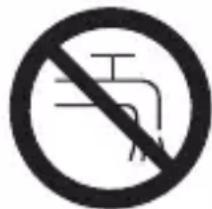
| Usage | Dry use only, keep appliance dry |
| Intended Use | Household use only |
| Safety Warning | Check outer foil for damage before use; do not use if damaged |
| Battery Disposal | Dispose of old batteries at officially assigned locations |
Frequently Asked Questions - ES-RC20 PANASONIC
User questions about ES-RC20 PANASONIC
0 question about this device. Answer the ones you know or ask your own.
Ask a new question about this device
Download the instructions for your Razor in PDF format for free! Find your manual ES-RC20 - PANASONIC and take your electronic device back in hand. On this page are published all the documents necessary for the use of your device. ES-RC20 by PANASONIC.
USER MANUAL ES-RC20 PANASONIC
natural_image
Line drawing of a closed book with a bookmark, no text or symbols presentOperating Instructions
使用說明書
사용 설명서
คู่มือการใช้งาน
Card Shaver
卡片式刮鬍刀
카드형 면도기
ที่โกนหวดแบบการ์ต
Model No.
型號
모델 번호
หมายเลขรุ่น
ES-RC20
English 2 2
中文 6 6
한글 10 10
Inu 14 14
Before operating this unit, please read these instructions completely.
操作此產品前,請先讀畢此說明書。
- Caution - The outer foil is very thin and can be damaged if not used correctly. Check that the foil is not damaged before using the shaver. Do not use the shaver if the foil etc. is damaged as you will cut your skin.
- Be sure to turn the shaver off before maintenance.
- Failure to do so may result in an accident or injury.
- Do not alter the appliance. Also, do not disassemble or repair it.
- It could result in injury. Contact the shop where you purchased the appliance or your nearest service center for repairs.
- Before use, always make sure that the foil has not become damaged or misshapen.
- Failure to do so may cause damage to skin.
- Do not apply excessive pressure to the foil.
- It could break the foil, resulting in scratching of the skin.
- Do not use the appliance for any purpose other than shaving.
- It could break or deform the foil, resulting in scratching of the skin.
- Do not short-circuit, disassemble, or discard the battery in a fire.
- It could result in burns or injury.
WARNING - Keep the appliance dry.
SPECIFICATIONS
Model: ES-RC20
Batteries: Two AAA LR03 alkaline dry-cell batteries (Sold separately)
This product is intended for household use only.
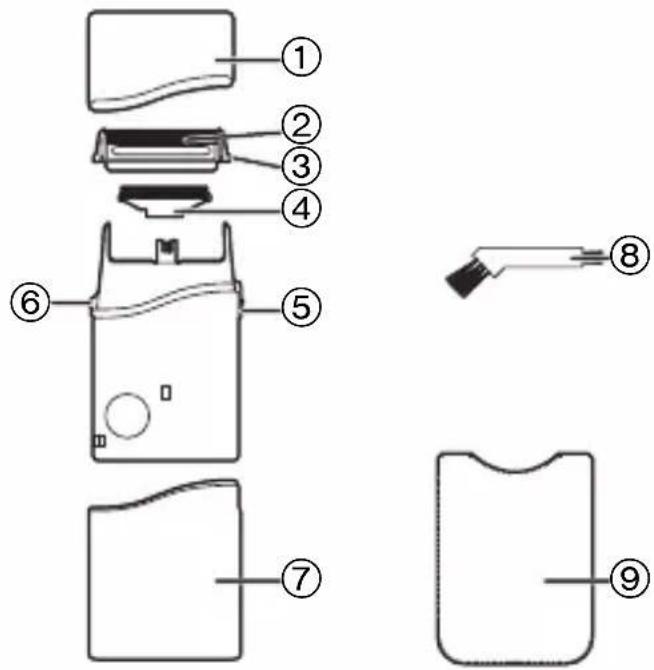
Parts identification
① Protective cap
② Outer foil
③ Outer foil release buttons
④ Inner blade
⑤ 0/1 switch
⑥ Battery cover release button
⑦ Battery cover
⑧ Cleaning brush
⑨ Soft case
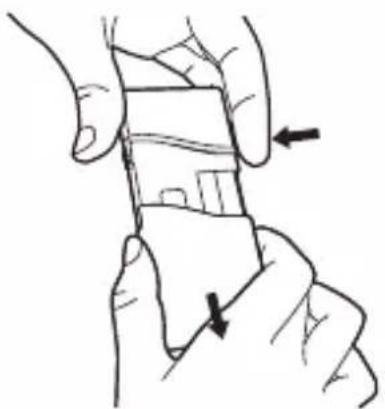
Replacing batteries
1 Slide the 0/1 switch to "0".
2 Remove the battery cover while pressing the battery cover release button.
3 Insert two AAA (LR03) alkaline batteries.
- Do not use a new battery with an old one.
- If the shaver will not be used for a long time, please remove the batteries.
• Make sure that the old batteries are disposed of at an officially assigned location.
natural_image
Illustration of a hand holding a smartphone with an arrow indicating the right-hand rule (no text or symbols present)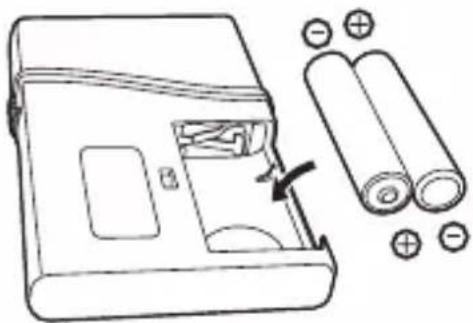
natural_image
Diagram of a battery pack with two batteries and a moving battery, showing internal components and polarity indicators (no text or symbols)Using
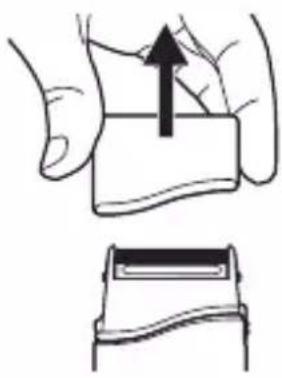
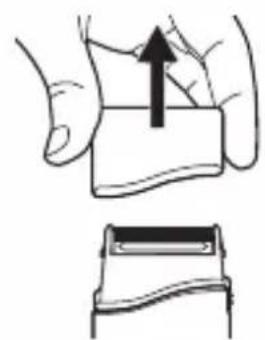
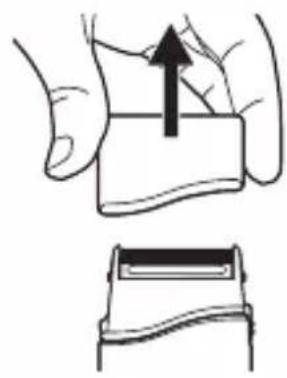
1 Remove the protective cap.
natural_image
Illustration of a hand holding a rectangular object with an upward arrow, alongside a close-up of a mechanical component (no text or symbols)2 Check that the outer foil is not deformed or damaged.
3 Slide the 0/1 switch to "1".
natural_image
Diagram of a mechanical device with a handle and lever mechanism (no text or symbols)Stretch your skin with your free hand and move the shaver back and forth in the direction of your beard.
- Attach the protective cap to prevent the damage of the outer foil after use.
Cleaning with the brush
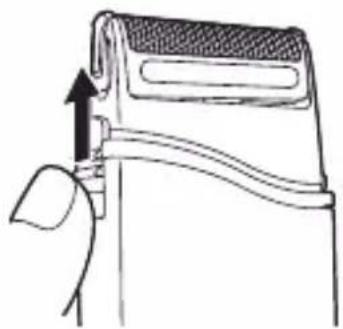
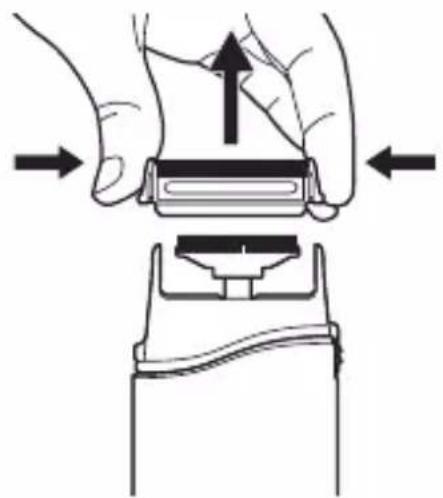
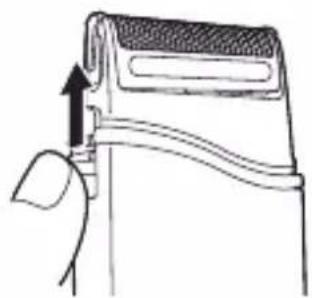
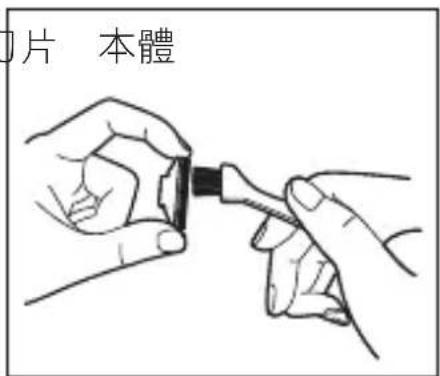
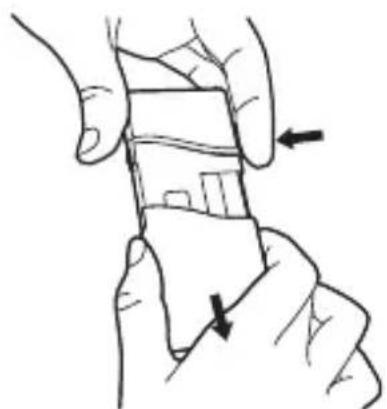
1 Remove the outer foil while pressing the outer foil release buttons.
natural_image
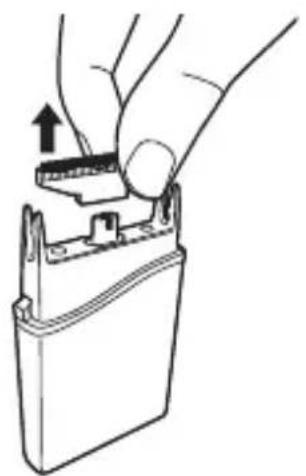
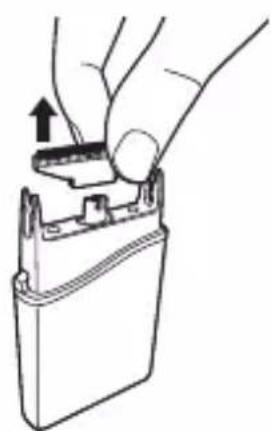
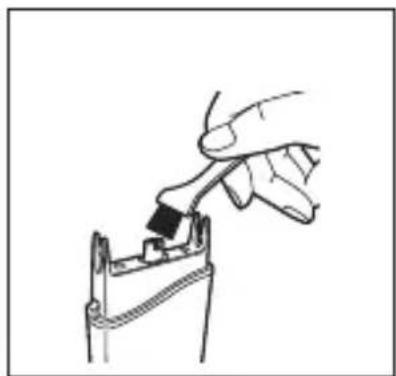
Illustration of a hand pressing a button on a device, showing force direction (no text or symbols)2 Remove the inner blade.
3 Clean with the brush as illustrated.
natural_image
Hand inserting a component into a battery pack (no text or symbols visible)English
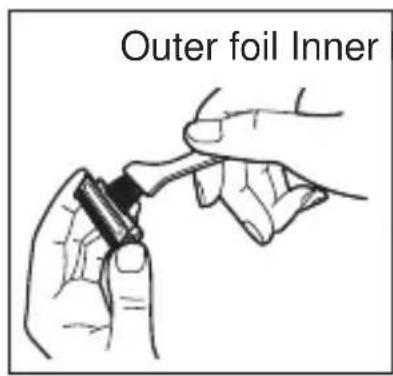
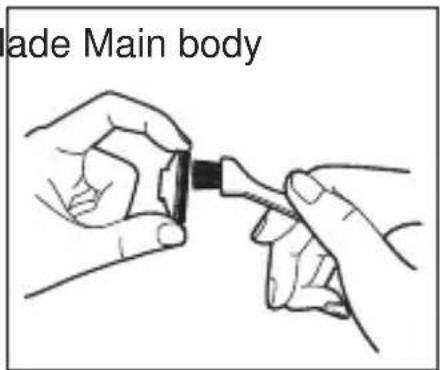
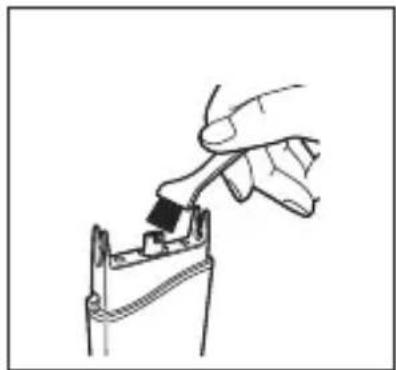
natural_image
Hand inserting a black component into a mechanical component (no text or symbols visible)Replacing the outer foil and the inner blade
| outer foil once every year | |
| inner blade once | every two years |
1 Remove the outer foil while pressing the outer foil release buttons.
2 Remove the inner blade.
3 Insert the inner blade until it clicks as illustrated.
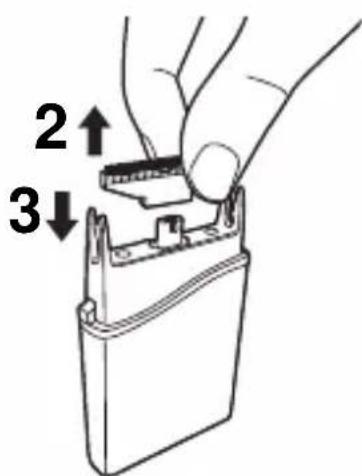
4 Insert the outer foil by pushing it downwards until it clicks.
安全注意事項
規格
型號:ES-RC20
更換電池
natural_image
Illustration of a hand holding a smartphone with two arrows indicating the movement (no text or symbols present)natural_image
Diagram of a battery pack with an open lid and two cylindrical batteries, showing charge distribution (no text or symbols)使用
1 打開保護蓋。
natural_image
Illustration of a hand pressing down on a piece of paper with an upward arrow, alongside a close-up of the same object (no text or symbols)2 確認外層網面未變形或損壞。
3 將 0/1 開關推到 “1”。
natural_image
Diagram of a mechanical device with a handle and lever mechanism (no text or symbols)natural_image
Diagram showing hand positioning of a mechanical component with arrows indicating movement (no text or symbols)2 取下內層刀片。
3 依圖示以毛刷清潔。
natural_image
Illustration of a hand holding a battery pack with an arrow indicating upward motion (no text or symbols)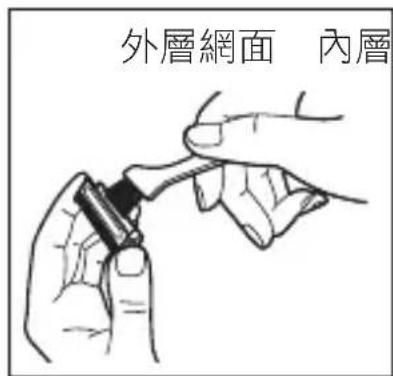
natural_image
Hand using a tool to apply a black component into a mechanical clamp (no text or symbols visible)更換外層網面及內層刀片
사양
모델:ES-RC20
배터리 교환
natural_image
Illustration of a hand holding a small object with two arrows indicating movement or force (no text or symbols present)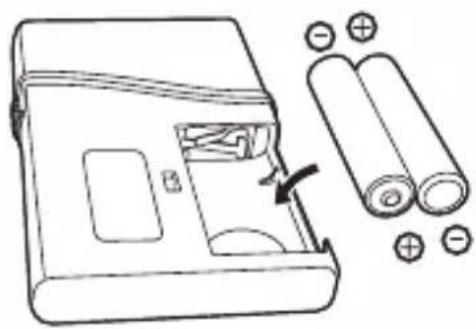
natural_image
Line drawing of a battery pack with an open lid and two rolled batteries nearby (no text or symbols)사용
1 보호 마개를 여십시오.
natural_image
Illustration of a hand holding a card with an upward arrow and a separate view of a clip (no text or symbols)natural_image
Diagram of a mechanical device with a handle and lever mechanism (no text or symbols)natural_image
Illustration of a hand pressing down on a mechanical component with directional arrows (no text or symbols)natural_image
Hand inserting a component into a battery pack (no text or symbols visible)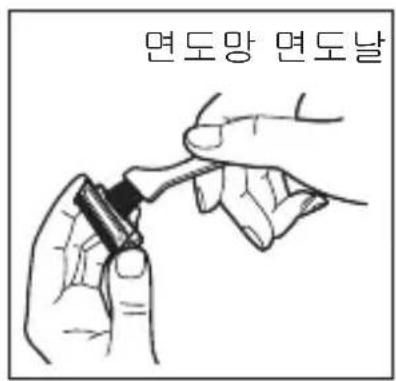
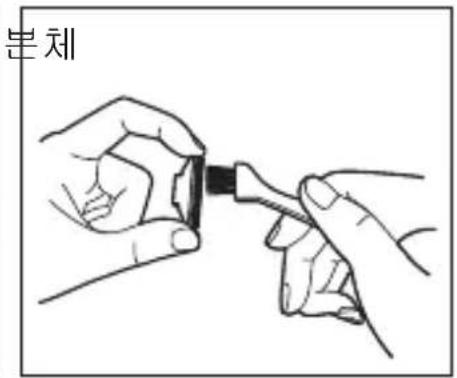
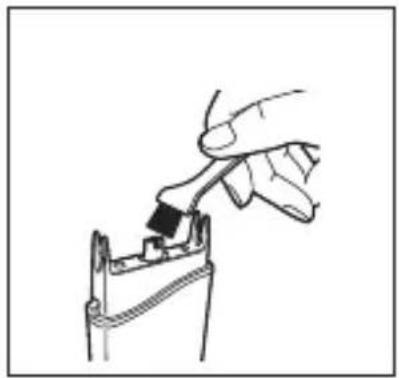
natural_image
Hand using a tool to apply a component to a mechanical part (no text or symbols visible)면도망과 면도날 교환
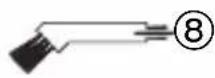
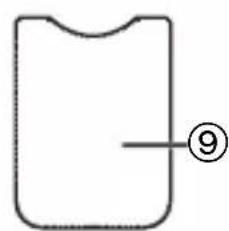
natural_image
Simple line drawing of a rectangular object with a curved top and an arrow pointing to the right side (no text or symbols)การเปลี่ยนแบตเตอรี่
natural_image
Illustration of a hand holding a smartphone with an arrow indicating the process (no text or symbols present)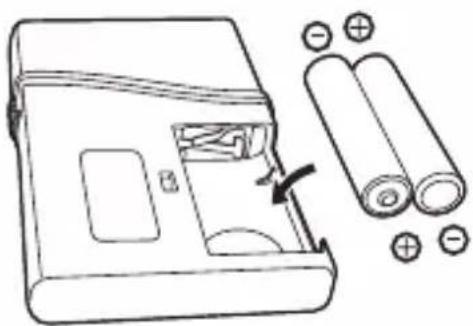
natural_image
Diagram of a battery pack with an open lid and two cylindrical batteries, showing charge distribution (no text or symbols)การใช้งาน
natural_image
Illustration of a hand holding a card with an upward arrow and a separate view of a bandage (no text or symbols)natural_image
Diagram of a mechanical device with a handle and lever mechanism (no text or symbols)natural_image
Diagram showing hand positioning of a device with an upward arrow and directional arrows indicating movement (no text or symbols)natural_image
Hand inserting a component into a battery pack (no text or symbols visible)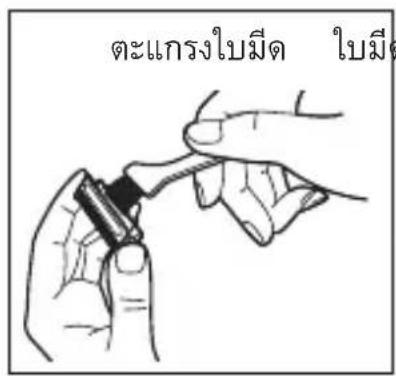
natural_image
Hand inserting a black component into a mechanical component (no text or symbols visible)natural_image
Hand holding a battery pack with an upward arrow indicating the component (no text or symbols present)natural_image
Hand using a tool to apply a black tool to a component (no text or symbols visible)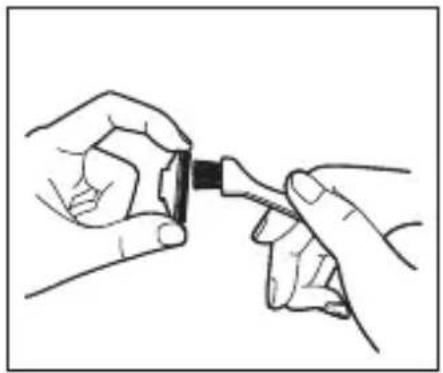
natural_image
Illustration of two hands holding a small object with a black handle, no text or symbols present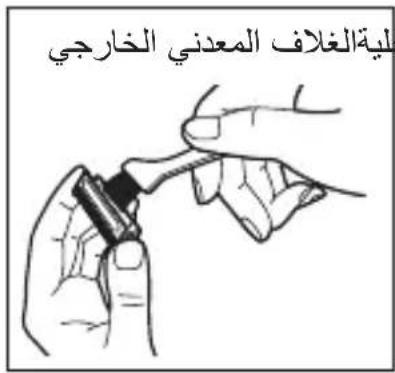
natural_image
Illustration of two hands holding a rectangular object with an upward arrow, no text or symbols presentnatural_image
Diagram of a device handle with an arrow indicating upward movement (no text or symbols present)natural_image
Illustration of hands using a tool to press or install a mechanical component, showing motion arrows (no text or symbols)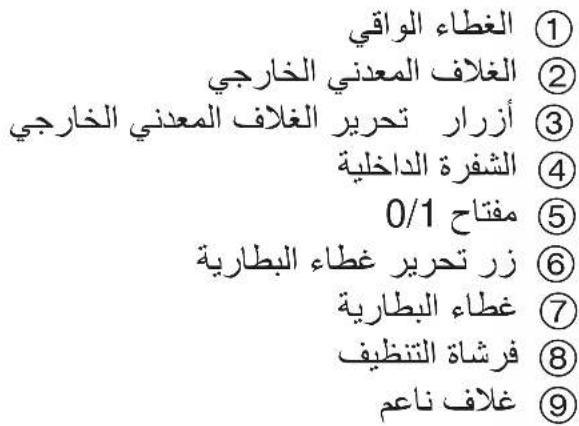
natural_image
Illustration of two hands holding a small object with arrows indicating movement or change (no text or symbols)natural_image
Diagram of a battery pack with two batteries and a battery stack, showing internal components and battery arrangement (no text or symbols)المواصفات
ES-RC20 : الطراز
natural_image
Hand holding a battery pack with an upward arrow indicating the component (no text or symbols present)natural_image
Hand inserting a black component into a mechanical clip (no text or symbols visible)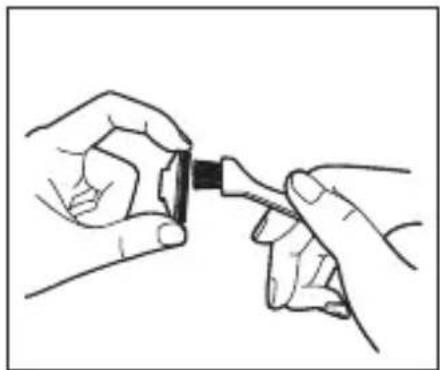
natural_image
Illustration of two hands holding a small black object connected to a cable (no text or symbols visible)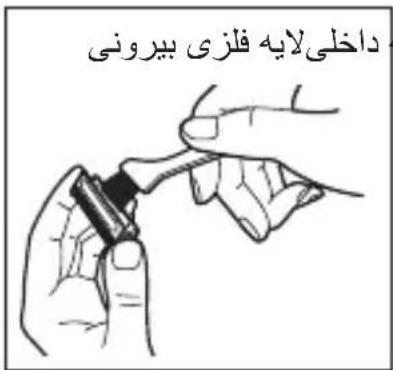
ه اصلی تیغه
natural_image
Illustration of two hands holding a rectangular object with an upward arrow, no text or symbols present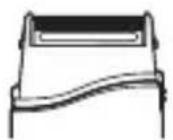
natural_image
Line drawing of a device handle with an arrow indicating upward movement (no text or symbols)بېرسى و اط Michiganان حاصل کنید که لایه فلزى بېرونى
natural_image
Diagram showing hands operating a device with an upward arrow and directional arrows indicating motion (no text or symbols)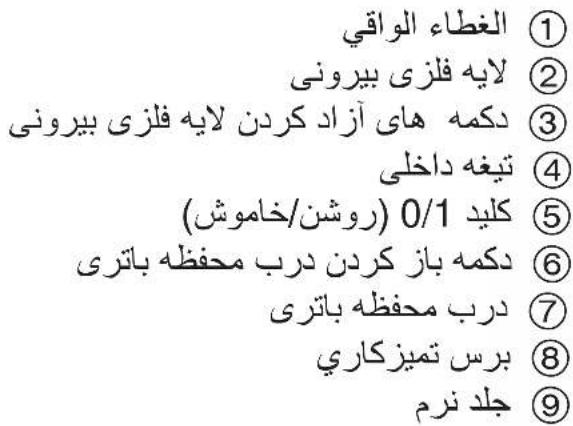
تعويض باتری ها
natural_image
Illustration of two hands holding a smartphone with arrows indicating the grip (no text or symbols present)natural_image
Diagram of a battery pack with two batteries and a battery stack, showing internal components and battery arrangement (no text or symbols)LR03 AAA (RD) ### ### ### ### ### ### ###
3

دستورالعمل های ايمنى
مشخصات فنى
ES-RC20 : مدل
natural_image
Line drawing of a closed book with a bookmark (no text or symbols)دفترچه راهنما
تعليمات التشفيل
ريش تراش کارتی
ماكينة حلاقة ببطاقة
ES-RC20 شماره مدل
رقم الطراز
24-27 فارسی
فارسی
20-23 عربي
#
Brand : PANASONIC
Model : ES-RC20
Category : Razor