
CHTW200 - Headphones Champion - Free user manual and instructions
Find the device manual for free CHTW200 Champion in PDF.


| Product Type | Bluetooth wireless earbuds |
| Model | CHTW200 |
| Brand | Champion |
| Dimensions (Charging Case) | 19.5 x 16.9 x 27.5 mm |
| Weight (per Earbud) | 5.0 g |
| Bluetooth Version | V4.2 |
| Supported Profiles | A2DP (V1.3), HFP (V1.6), HSP (V1.2), SBC, MP3, AAC |
| Radio Frequency | 2.400 GHz – 2.480 GHz |
| Range | 10 meters (open area) |
| Music Playback Time | Approx. 3 hours (at 60% volume) |
| Talk Time | Approx. 4 hours |
| Standby Time | Up to 60 hours |
| Charging Time | Up to 1.5 hours |
| Working Temperature | -10°C to 50°C |
| Input Power | DC 5V, 100 mA to 2A max |
| Charging Case Battery Capacity | Fully charges earbuds up to 3 times |
| Included Accessories | Bluetooth earbuds (pair), charging case with power bank, micro USB cable, 3 pairs of silicone earbuds, instruction manual |
| Controls | Multi-Function button on each earbud |
| LED Indicators | Blue/red for power, pairing, battery, charging status |
| Cleaning | Wipe with dry cloth; avoid liquids |
| Safety | Do not disassemble; keep away from children; avoid extreme temperatures and moisture |
Frequently Asked Questions - CHTW200 Champion
User questions about CHTW200 Champion
0 question about this device. Answer the ones you know or ask your own.
Ask a new question about this device
Download the instructions for your Headphones in PDF format for free! Find your manual CHTW200 - Champion and take your electronic device back in hand. On this page are published all the documents necessary for the use of your device. CHTW200 by Champion.
USER MANUAL CHTW200 Champion
natural_image
Black ChAMPION wireless earbuds with charging case and earbuds, no visible text or symbols on the device body.EN - English
SE - Svenska
DK - Danske
NO - Norsk
FI - Suomi
-
Read and keep well these instructions.
-
When using your headset while driving, follow local regulations in the region you are in.
-
Never disassemble or modify your headset for any reason. Doing this may cause the headset to malfunction or become combustible. Bring the headset to an authorized service center to repair it.
-
Keep your device and all accessories out of the reach of small children or animals. Small parts may cause choking or serious injury if swallowed.
-
Avoid exposing your device to very cold or very hot temperatures (below 0 °C or above 45 °C). Extreme temperatures can cause the deformation of the device and reduce the charging capacity and life of your device.
-
Do not allow your device to get wet — liquids can cause serious damage. Do not handle your device with wet hands.
-
Avoid using your device's light close to the eyes of children or animals.
-
Keep the unit and its accessories away from children to avoid hazard.
-
Do not use the device during a thunderstorm. Thunderstorms can cause the device to malfunction and increase the risk of electric shock.
-
Always store the headset with the power off and safely protected.
About the device
Packinglist
Bluetooth headset 1 pair
Instruction manual 1 pc
Micro USB cable 1 pc
Silicon earbuds 3 pair
Charging cradle with power bank 1 pc
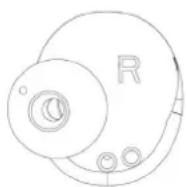
Device controls and locations
-
Multi Function button
-
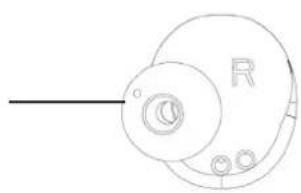
Silicon earbuds
-
LED indicator
-
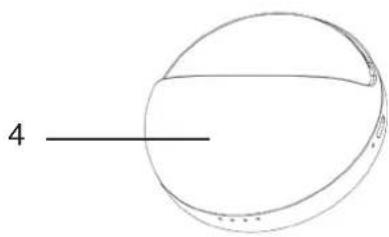
Charging case
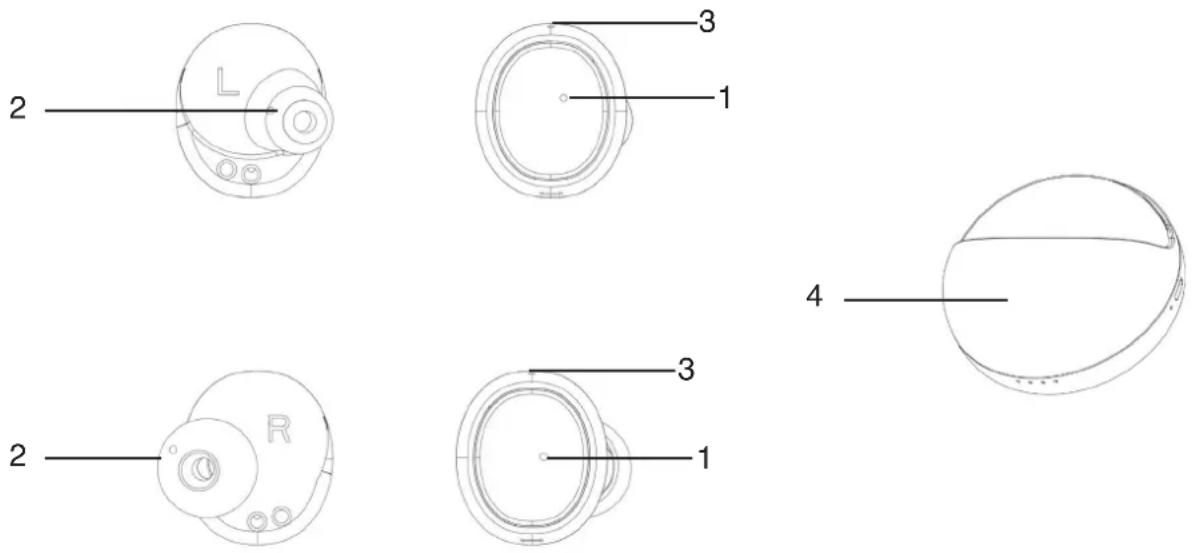
LED indications and modes
| Device mode Led indications (Blue & Red) | |
| Power on / Pairing Blue LED glitters | |
| Paired successfully Blue LED glitters and voice prompt “Pairing successful, second device connected” | |
| Playing music Blue LED color glitters slowly | |
| Low battery Red LED glitters slowly and voice prompt “low battery, please charge” | |
| Charging Red LED on | |
| Fully charged LED goes off | |
| Charging cradle mode Led | indications (Blue & Red) |
| Low battery in cradle Red LED color | glitters slowly |
| Cradle charging Each light on beha | f of twenty-five percent power |
| Headset charging Red LED on | |
| Headset fully charged Blue LED on | with external USB power.Blue LED on and goes off after 4 seconds without external USB power |
Specifications
- Bluetooth version Bluetooth V4.2
• Supported profiles A2DP(V1.3)/ HFP(V1.6) / HSP(V1.2)/SBC, MP3 ,AAC
• Radio frequency 2.400GHz-2.480GHz
• Music time About 3 hours (60% volume) - Talk time About 4 hours
- Standby time Up to 60 hours
- Charging time Up to 1.5 hour
• Distance 10 meters plus (open area) - Working temperature -10\~50 centigrade
• Product weight 5.0 grams *2pcs - Dimensions (cradle) 19.5x16.9x27.5mm
Charging and battery
Please use the original USB cable provided for charging.
Warning: Using an un-matched USB cable for charging might damage the device.
- Do not take the battery out of th device, this may result in injuries.
- Suggested input power is DC 5V, 100mA-2A max.
How to pair
EN
NOTE: The left and right headsets will automatically connect after power on in factory. The left headset for pairing will be the master headset while sub-headset for the right one.
- Keep your mobile phone close to the device. Suggested distance is less than 1 meter.
- Press "Multi Function" button of the left and right headset for 1 second, the blue LED will turn on, then the left and right headsets will automatically connect.
- Turn on the Bluetooth application on your mobile phone and click to search Bluetooth devices near your mobile. Once searched "CHWC200" device name, select it to pair. After completely paired, blue LED will turn on and voice prompt "Pairing successful, Second device connected".
| Power on / Pairing Press “M | Multi Function” button of theheadsets for 1 second at the sametime | Blue LED starts, and voiceprompt “Pairing successful,second device connected” |
| Power off Long Press “Multi | Function” buttonon one of the headsets for 5seconds | Red LED glitters twice, andvoice prompt "power off" |
| Play Click “Multi Function” button oneither one of the headsets | ||
| Pause Click “Multi Function” | button oneither one of the headsets | |
| Re-dial last phone number | Double click “Multi Function”button on either one of the headsets(without music playing mode) | |
| Answer phone call Click “M | Multi Function” button eitherof the headset when incoming call | |
| Reject phone call Double click “Multi Function” buttoneither one of the headsets whenincoming call |
Cradle charging
- After putting headsets into the cradle, please click the cradle of charging button. On the edge of USB LED of cradle will show red once charging has started. Once fully charged, the LED will show blue.
- The red LED on the edge of cradle will blink slowly when low battery.
- The cradle can fully charge the headsets up to 3 times.
- If the cradle and headsets are charged by USB outlet, here is no need to press the headset charging button. They will be charged automatically.
- The four LED in the front of cradle is the battery capacity indication light, each light shows 25% power. Long Press the cradle charging button will display the battery capacity of cradle.
Notice
If you fail to connect the headset with your mobile phone, please follow the below suggestions and instructions:
- Make sure your headset has enough power and at power on mode, and paired successfully with your mobile phone.
- Make sure the Bluetooth application of your mobile phone is at open mode.
- Make sure your mobile phone is within 10 meters distance of the headset and no objectives are between them, such as walls, electronic devices, metal things etc. Please re-operate them again if failed.
- If the headset cannot be paired to your mobile phone within 10 minutes at pairing mode, it will power off automatically.
- If the headset is disconnected with your mobile phone and is not connected to your mobile phone within 10 minutes, it will power off automatically.
Use them as two separate headsets:
The left and right headsets will automatically connect after power on in factory. The left headset for pairing will be the master headset while sub-headset will the right one. If need to use them as two separate headsets, follow the below steps:
- Turn on and pair both headsets with your mobile phone separately, then power off one of the headsets.
- If need to use them as two separate headsets at the same time, suggested distance is more than 30 meters, turn on the headset and pair with the different mobile phone.
| Power on Long Press | “Multi Function” button for 1 second | Blue LED blinks, and voice prompt “Power on” |
| Pairing Long Press | “Multi Function” button for 3 seconds | Blue and red LED blinks and voice prompt “Pairing successful, second device connected” |
| Power off Long Press | “Multi Function” button for 5 seconds | Red LED blinks twice, and voice prompt “power off” |
| Play Click “Multi Function” button | ||
| Pause Click “Multi Function” button | ||
| Re-dial last called phone number | Double click “Multi Function” button | |
| Answer phone call Click “Multi Function” button when incoming call | ||
| Reject phone calls Double click “Multi Function” button when incoming call | ||
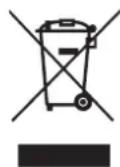
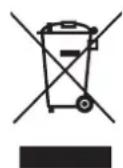
Correct Disposal of this product
This marking indicates that this product should not be disposed with other household wastes throughout the EU. To prevent possible harm to the environment or human health from uncontrolled waste disposal, recycle it responsibly to promote the sustainable reuse of material resources.


CHAMPION
Champion®
Makadamgatan 14 | 254 64 Helsingborg | Sweden
Designed in Sweden | Assembled in China

VIKTIGA SÄKERHETSÅTGÄRDER
natural_image
Pure technical line drawing of a mechanical component with no text or symbols
natural_image
Simple line drawing of a circular mechanical component with a central aperture and a labeled end (no text or symbols)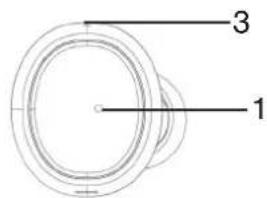
Designed in Sweden | Assembled in China

VIGTIGE SIKKERHEDSFORANSTALTNINGER
Designed in Sweden | Assembled in China

natural_image
Pure technical line drawing of a mechanical component with no text or symbols

natural_image
Simple line drawing of a sphere with a labeled dimension line (no text or symbols beyond the number 4)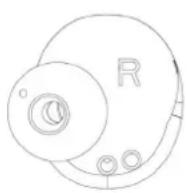

LED indikatorstatus og modus
Champion ® Makadamgatan 14 | 254 64 Helsingborg | Sweden info@championnordic.se Designed in Sweden | Assembled in China


natural_image
Pure technical line drawing of a mechanical component with no text or symbols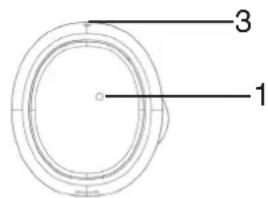


Designed in Sweden | Assembled in China



Brand : Champion
Model : CHTW200
Category : Headphones