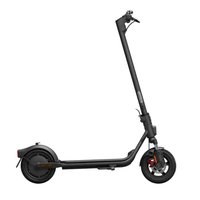
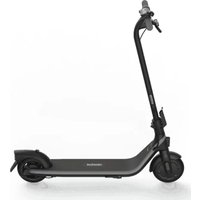
Ninebot KickScooter Air T15 - Electric scooter SEGWAY - Free user manual and instructions
Find the device manual for free Ninebot KickScooter Air T15 SEGWAY in PDF.


| Product Type | Electric Scooter |
| Brand | Segway |
| Model | Ninebot KickScooter Air T15 |
| Dimensions (Unfolded) | Approx. 1080 x 430 x 1140 mm |
| Dimensions (Folded) | Approx. 1080 x 430 x 400 mm |
| Net Weight | 10.5 kg (23.1 lbs) |
| Max Load | 100 kg (220 lbs) |
| Max Speed | 20 km/h (12.4 mph) |
| Range | Up to 20 km (12.4 miles) |
| Battery Type | Lithium-ion |
| Battery Capacity | 36V / 5.1 Ah (183.6 Wh) |
| Motor Power | 250 W (nominal) |
| Charging Time | Approx. 3.5 hours |
| Tire Type | 8.1-inch solid (puncture-proof) tires |
| Brake System | Electronic brake + foot brake |
| Folding Mechanism | Yes, one-step folding |
| Frame Material | Aluminum alloy + magnesium alloy |
| IP Rating | IPX4 (water resistant) |
| Lights | Front LED headlight, rear reflectors |
| Maintenance | Check tire pressure, tighten bolts, clean with damp cloth; avoid water pressure cleaning |
| Safety | Always wear helmet and protective gear; do not ride at night without lights; observe local traffic laws |
| Spare Parts Availability | Available through Segway authorized dealers and online stores (e.g., tires, brake pads, charger) |
| General Information | Designed for urban commuting, lightweight and portable, suitable for riders aged 14+ |
Frequently Asked Questions - Ninebot KickScooter Air T15 SEGWAY
User questions about Ninebot KickScooter Air T15 SEGWAY
0 question about this device. Answer the ones you know or ask your own.
Ask a new question about this device
Download the instructions for your Electric scooter in PDF format for free! Find your manual Ninebot KickScooter Air T15 - SEGWAY and take your electronic device back in hand. On this page are published all the documents necessary for the use of your device. Ninebot KickScooter Air T15 by SEGWAY.
USER MANUAL Ninebot KickScooter Air T15 SEGWAY
The manufacturer has recently checked the right to make changes to the product, release firmware, documents, and audio files that manual at any time. Visit www.segory.com or check the App to convert the latest user sales list. You must install the App, activate your KickScooter, and obtain the latest updates and safety instructors.
www.segway.com
CIA
ninebot KickScooter
Original instructions
Contents
1 Riding Safety 01
2 Packing List....03
3 Diagram 04
4 Folding and Unfolding....06
5 Activate the KickScooter 07
6 Learning to Ride 08
7 Charging 09
8 Warnings 11
9 Maintenance 15
10 Specifications 18
11 Certifications.... 19
12 Trademark and Legal Statement 71
13 Contact 21
Thanks for choosing the Ninebot KickScooter!
Thanks for choosing the Ninebet KickScooter (hereinafter referred to as KickScooter)!
Your KickScooter is a recreational product with mobile app, allowing you to connect with other riders.
Enjoy your ride and connect with riders worldwide!
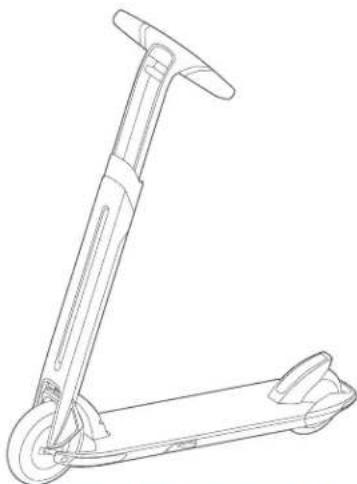
natural_image
Line drawing of a scooter with handle and wheels (no text or symbols)* The picture is for reference only. Please refer to the actual product for more details.
1 Riding Safety
- The Kockcopper is a recreational product. Before monitoring riding skills you need to practice. Neither Ninebu, Inc., (mear's Ninebot (Beijing) Tech Co., Ltd. and its subsidiaries and affiliates) nor Segway Inc. is responsible for any injuries or damage caused by a minor inexperience or failure to follow the instructions in this document.
- Please understand that you can rescue the risk by following all the instructions and warnings in this manual, but you cannot eliminate all the risks. Remember that whenever you rate the kids' school you risk injury from loss of control collisions, and to 1. When entering into public soosce always comply with the local laws and regulations. As with other vehicles, faster speeds require longer breaking distance. Sudden braking on low fractions without lead to what, also, or falls. Bo cautious and always keep a safe or steady between you and other people or vehicles when resting. Be alert and slow down when ending under families are
- Always wear a helmet when ranging. Use an approved bicycle or skateboard helmet that fills properly with the chip strap in place, and provides protection for the back of your head.
- Do not attempt your first ride in any area where you might encounter children, pedestrians, pets, vehicles, bicycles, or other obstacles and potential hazards.
- Respect pedestrians by always yielding the right of way. Pass on the left whenever possible, when approaching a pedestrian from the front, play a right and slow down. Award standing push-in bars. When appreciating from behind, announce yourself and slow down to walking speed when passing. Please obey local traffic laws and regulations if situation is different.
- In places without laws comply with the safety guidelines outlined in this manual, Neither Ninobot Inc nor Sogway Inc. is responsible for any properly damage, personal injury/death, accident, or legal disputes or used by violations of the safety instructions.
- Do not allow anyone to ride your RickScooter on his/her own or less they have carefully read this manual and followed the New Ricker Tutorial in the Apo. The safety of new riders is your responsibility, assist new riders until they are comfortable with the basic operation of the RickScooter. Make sure each new rider wears a helmet and other protective gear.
- Before each nice check for loose fasteners and damaged components, if the KickScooter makes abnormal sounds or signals an alarm, immediately stop rising. Diagnose your KickScooter via the Segway-Nireool App and call you dealer/ctributor for service.
- Bo short. Scan both far ahead and in front of your KickScoctor - your eyes are your best tool for safely avoiding obstacles and low terrain surfaces (including, to, I'm not milled it, well ground, loose yard, loose gravel, and ice).
- To reduce risk of injury, you must read and follow all "CAUTION", "WARNING" and "NOTA" notices in this document. Do not ride at an unsafe speed. Under no circumstances should you ride on roads with motor vehicles. The manufacturer recommends riders be 14 years old. Always follow those safety instructions:
A. People who should not hide the KickScooter include
1. Anyone under the influence of alcohol or drugs.
ii. Anyone who suffers from a case that puts them at risk if they engage in strenuous physical activity.
iii. Anyone who has problems with balance or with motor skills that would interfere with their ability to maintain balance.
iv. Anyone whose way is out of the related limits (see Specific Units)
v. Pregnant women.
3. Riders under the age of 18 years old should note under adult supervision.
C. Comply with local laws and regulations when riding this product. Do not ride where prohibited by local laws.
D. To ride safely, you must be able to clearly see what is in front of you and you must be clearly visible to others.
E. Do not ride in the snow in the rain, or on roads which are wet, muddy, icy, or that are slippery for any reason. Do not ride over obstacles (sand, loose grave, or silks). Doing so could result in a lack of balance or reach on and could cause a fall.
11. Do not attempt to charge your Kick Scooter if the charger or the power outlet is wet.
12. As with any electronic device, use a surge protector when charging to help protect your KickScooter from damage due to power surges and voltage spikes. Only use the Segway supplied charger. Do not use a charger from any other product models.
13. Use only Nirabot or Sepway approved parts and accessories. Do not modify your KickScooter. Modifications to your KickScooter could interfere with the operation of the KickScooter, could result in serious injury and/or damage, and could avoid the Limited Warranty.
14. Children should not play with the KickForder or parts of it nor should cleaning or maintenance be done by children. The use of the machine results in the transmission of vibrations throughout the driver's body.
18. Always place the KickScooter on its kickstand once a flat and stable surface. The KickScooter must be placed with the kickstand against the slope to prevent it from going over. Never place the KickScooter with the front-racing down the slope, which may cause your vehicle or rip cover. Once, the KickScooter is mostly parked, checks this slightly to avoid any risk of falling (by 5 up, wind or slight tilt). Do not park the KickScooter in a busy area, but rather along a wall.
16. For a better riding experience, it is recommended to conduct a regular maintenance of the product
17. Please read the user manual before charging the battery.
18. De not touch the brake system, it could cause injuries.
19. The A-weighted emission sound pressure level is less than 70 db(A). The mechanical vibration is transmitted by the KickScooter are less than 2.5 m/s ^2
2 Packing List
KickScouter KickS
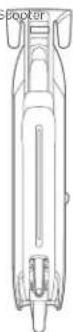
Storage Box
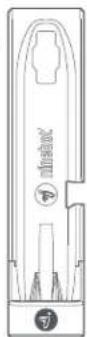
* It can be used for placing the KickScooster. Please do not discard it
Accessories
User Manual ×1
Limited Warranty ×1
Quick Start ×1
Battery Charger ×1


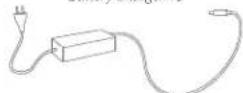
When unpacking your KickScooter, please verify that the above items are included in the package. If you are missing any components, please contact your dealer/distributor or nearest service center (see Contact in the user manual). After verifying that all components are present and in good condition, you can assemble your new KickScooter.
Please retain the box and packaging materials in case you need to ship your KickScooter in the future.
Remember to power off your KickScooter and unplug the power cord before assembling, mounting accessories, or cleaning the mainframe.
2504
3 Diagram
text_image
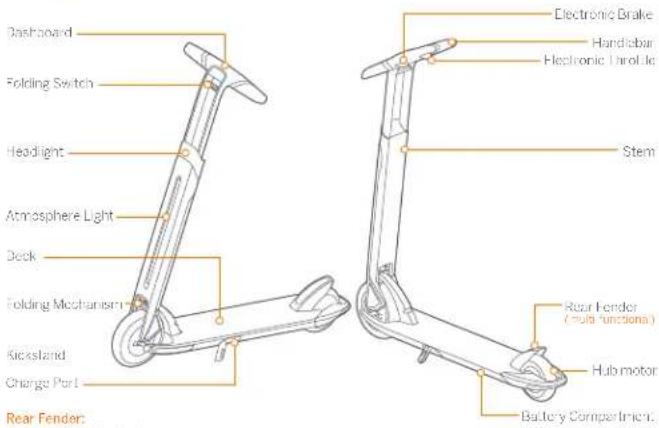
Dashboard Folding Switch Headlight Atmosphere Light Deck Folding Mechanism Kickstand Change Port Rear Fender: Electronic Brake Handiobar Electronic Throttle Stem Rear Fender (multi functions) Hub motor Battery Compartment.Rear Fender:
- Step the rear fender to power on
- When powered on and speed is less than 3 km/h, step to turn on or the headlight.
- When powered on and speed is less than 3 km/h, step twice to switch speed modes.
■ Step the rear tender 3 secs to power of
The rear fender can be used as a brake. It is recommended to use together with the electronic brake.
Atmosphere Light:
I will flash when the KickScoter is still and will be always on when riding.
^3 Please change the color via Segway-Ninebot Apo
Bell:
Press the electronic throttle and electronic brake together to sound an alarming bell.
Dashboard
text_image
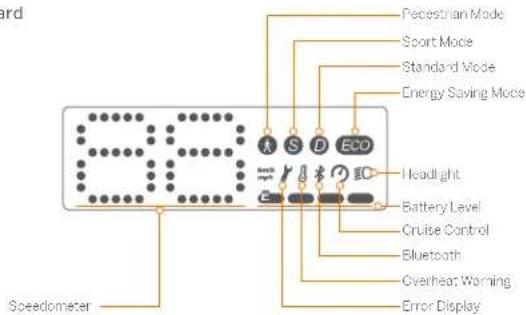
Speedometer A S D ECD Pedestrian Mode Sport Mode Standard Mode Energy Saving Mode Headlight Battery Level Cruise Control Bluetooth Overheat Warning Error DisplaySpeedometer: Display the current speed of the Kick Scooter, as well as error codes.
Modes: Step the rear tender twice to switch between the four modes.
: Pedestrian mode (Max speed is 6 km/h, making easier to push the Kick Scoeler)
Eco: Energy saving mode (Max speed is 10 km/h with smooth acceleration suitable for decirons);
D: Standard mode (Max speed is 15 km/h);
S: Sport mode (Max speed is 20 km/h, powerful, only recommended for skilled riders)
Error Display: The lit wrench icon indicates the scooter error
Overheat Warning: The thermometer icon always on indicates that the battery temperature has reached 50°C
* At this point, the vehicle can not accelerate normally and may not be charged. Do not use it until the temperature is allowed to normal range.
Bluetooth: A blinking Bluetooth icon indicates that the vehicle is ready to connect. A solid Bluetooth icon indicates that the vehicle is connected to a mobile device.
Cruise Control: Enabled when riding at a constant speed for 5 secs. You can exit the mode by braking.
Power level: Indicates the remaining battery level with 4 bars. Each bar equates to approximately 25% power level. The battery power is very low when the first battery bar is red. Please charge your kick scooter immediately.
4 Folding and Unfolding
Unfolding
-
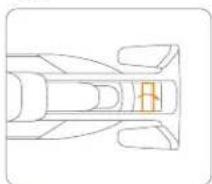
Press the folding switch and lift up the stem until you hear a click
-
Unfold the kickstand to support the scooler.
-
Rotate both sides to align the handlebar.
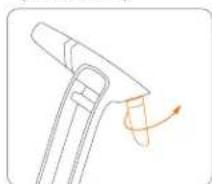
natural_image
Top-down line drawing of a car's front and side views (no text or symbols)* Please press the upper holding switch
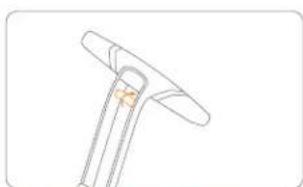
natural_image
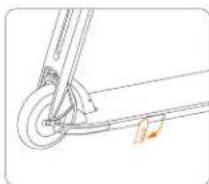
Diagram of a mechanical tool with an arrow indicating rotational motion (no text or symbols)Folding
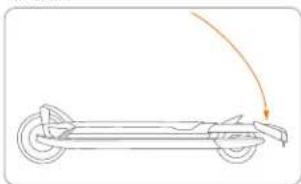
- Press the folding switch. 2. Pull down the screen in the deck with the sound
natural_image
Simple line drawing of a mechanical tool or bracket with no text or symbols* The KickScrew will power off once to see
natural_image
Diagram of a vehicle with wheels and an arc indicating motion (no text or symbols)5 Activate the KickScooter

Segway-Ninebot App
There are safety risks when learning to ride the KickScooter. You must read the Riding Safety via the App before your first ride.
For your safety, your new KickScooter is not activated and will beep constantly after Power ON.
Until activated, the KickScooter is limited to 15 km/n and cannot be ridden with full function. Install the App on your mobile device (with Bluetooth 4.1 or above), connect to the KickScooter with Bluetooth, and follow the App instructions to activate your KickScooter and enjoy the full performance.
Scan the QR code to download the App (iOS 9.0 or above, Android™ 4.3 or above).
- Install the App and register/login. Power on the King Scooter. A blinking
H. luclooth icon indicates the KickScooter is waiting for a connection.
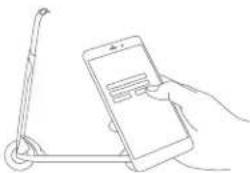
natural_image
Line drawing of a hand holding a smartphone with a scooter nearby (no text or symbols)3 Click "Vehicle" → "Search vehicle" to connect to your KickScooler.
The KickScaler will beep when the connection is successful. The Bluetooth icon will stop blinking and remain illuminated.
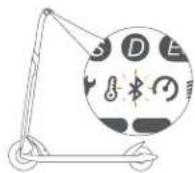
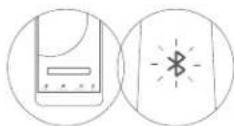
4 Follow the App instructions to active the KickScooter and learn how to ride safely. You can also check the vehicle's status in App, and interact with other users. I have fun!
6 Learning to Ride
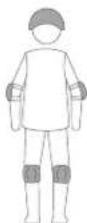
Wear an approved helmet and other protective gear to minimize any possible injury.
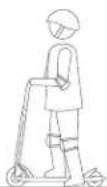
- Stand on the deck with one lock and push off with the other to start gliding
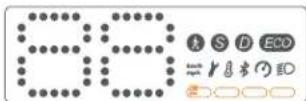
Note: Please check the indicator lamp power level. Charge the scooter if the battery level is low.
natural_image
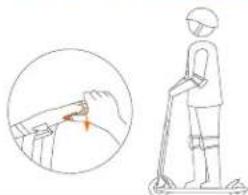
Illustration of a person using a scooter with a hand gesture and magnified detail (no text or symbols)- Stand slowly on the deck with both ice... Press the throttle on the right hand to speed up when you are balanced. Note, -or your salary, the motor will not engage until the scooter reaches 1.8 mpa (3 km/h).
For your safety, please start coasting the KickScooter to activate the motor and the accelerator. When the KickScooter is stopped, the accelerator does not work.
natural_image
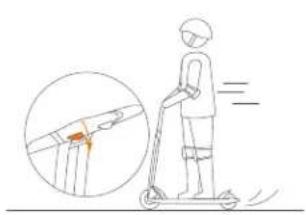
Illustration of a person riding a scooter with an inset showing a highlighted route (no text or symbols)- Slow down by releasing the throttle to stop, press the clock e brake and stamp the lender at the same time to trigger mechanical braking.
natural_image
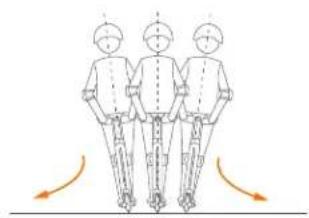
Three identical figures standing in a row with orange curved arrows indicating motion or force direction (no text or symbols)- To turn, shift your body weight and turn the handle slightly.
WARNING When braking rapidly you risk serious injury due to loss of traction and falls. Maintain a moderate speed and look out for potential hazards.
7 Charging
Charging step
- Unfold the kickstard. 2. Insert the charge plug, and unplug your
battery charger when finished
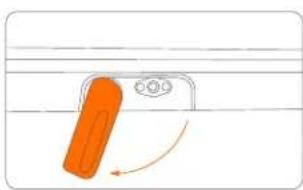
natural_image
Simple line drawing of a pencil with an orange pencil and arrow indicating rotation (no text or symbols)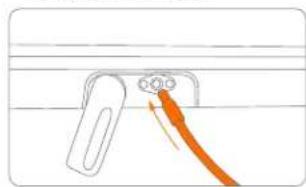
natural_image
Simple line drawing of a mechanical component with an orange arrow indicating direction (no text or symbols)Your KickScooter is fully charged when the LED on the charger changes from red (charging) to green (trickle charge).
WARNING
Do not charge if the charge port or power cord is wet.
Do not charge or use your battery if it is damaged or see trace of water. Close the charge port cover when not charging.
Do not charge outdoors.
8 Warnings
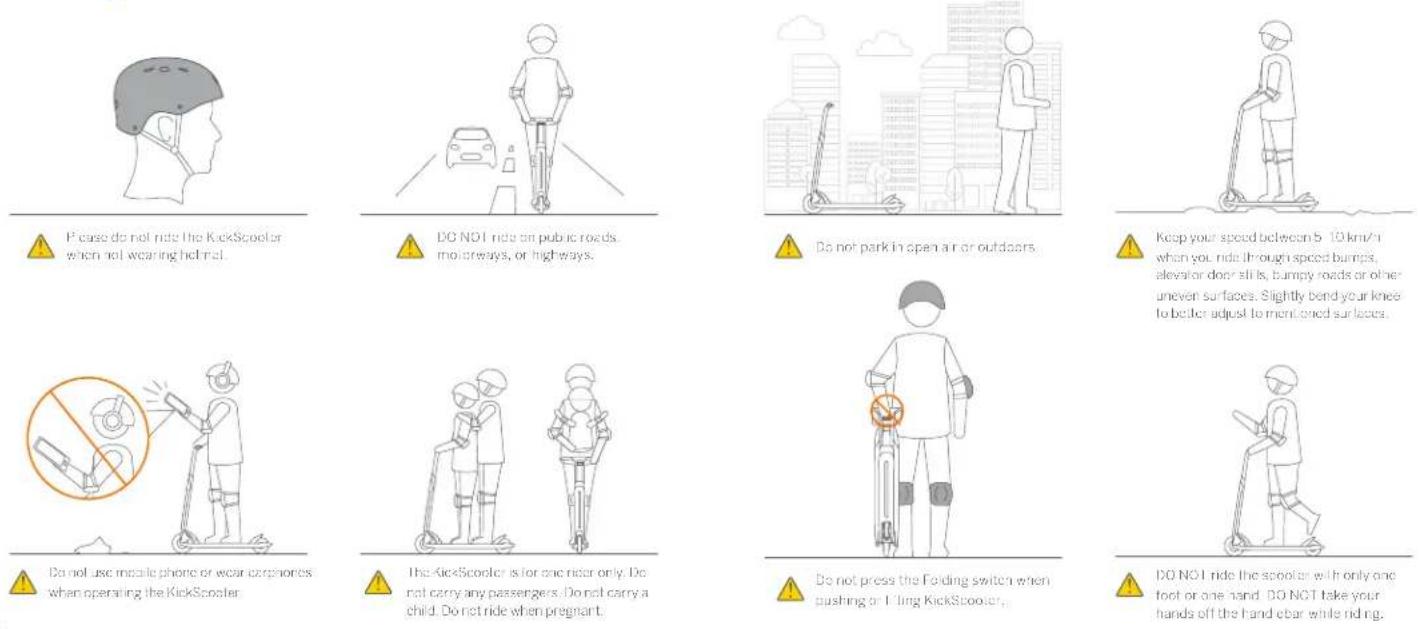

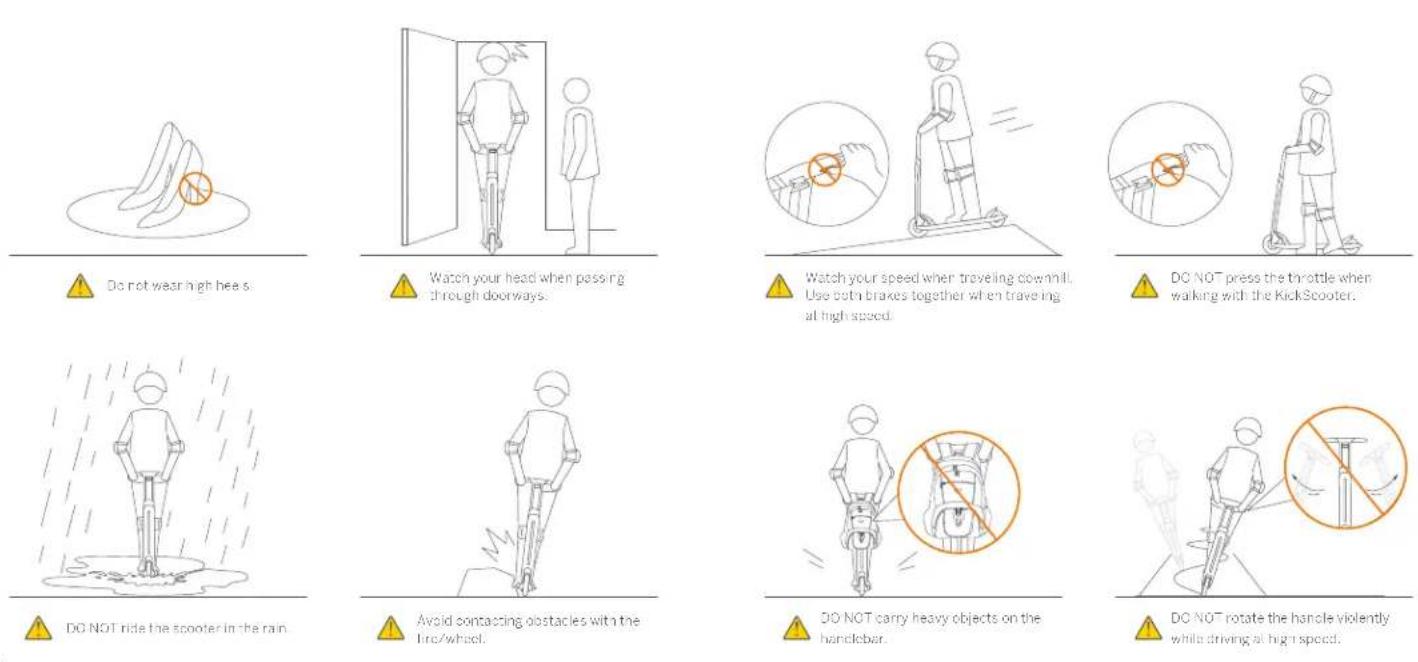

natural_image
Line drawing of a person using a walking stick to clean water (no text or symbols)[Non-Text]
DC NOT rice through puddles or other berries of water.
natural_image
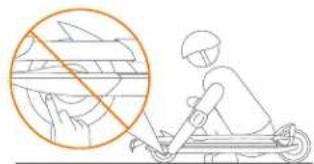
Illustration of a person riding a scooter with a circular graphic overlay showing a hand holding a bicycle (no text or symbols)[Non-Text]
DO NOT touch the huc motor after riding because it can gel hot
natural_image
Line drawing of a person riding a scooter with motion lines indicating speed (no text or symbols)[Non-Text]
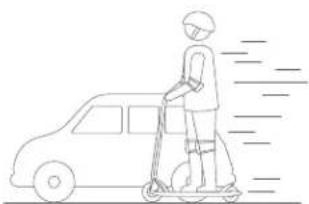
Do not overtake
natural_image
Two line drawings of a person performing a jump on a scooter, one jumping and the other sitting on a ramp (no text or symbols)!
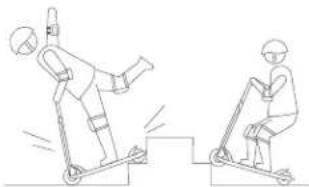
DO NOT ride up and down stairs or jump over obstacles.
9 Maintenance
Cleaning and Storage
Use a soft, well cloth to wipe the one-frame clean. Did not be hard and remove that it can be stained with a light brush and toothpaste, then cleaned with a soft wet cloth.
NOTE
Do not wash your KickScooler with alcohol, gasoline, acetone, or other corpos/ve/oatic sovents. These instances may damage the appearance and internal structure of your KickScooler? Do not wash your KickScooler with a power washer or hose.
WARNING
Make sure the KickCocker is powered CRT, the power cord is unplugged, and the number cap on the charge port is tightly sealed before cleaning; otherwise you may damage the electronic components.
Store your Kickboomer in a cool, dry place. Do not store it outdoors for extended periods of time. Exposure to sunlight and temperature extremes (both not and cold) will accelerate the aging process of the plastic components and may reduce battery life.
Replace the Tires.
Tires supplied with the product are to be mounted on the wheel by a professional repairer. Removing the wheels is complicated and incorrect assembly can lead to instability and malfunction.
Please contact an authorized repairer if the product is still under manufacturer warranty. You can ask for the list of the authorized repairers to the customer service available at www.sogway.com.
- If the product is no longer under warranty you can contact any specialized repair or your choice
- Should you have questions, you can contact customer service available at www.segway.com.
Maintenance and Removal of the Battery
Do not remove the battery. Removing the battery is complicated and can offer its operation. You can contact an authorized rope or if the product is still under warranty. If it is not, you can contact any specialized repairer of your choice. You can ask for the list of the authorized repairers to the customer service available. For any further question, you can contact the customer service.
Do not store or charge the battery at temperatures outside the stated limits (see Specifications). Do not puncture the battery. Refer to your local laws and regulations regarding battery recycling and/or disposal.
A well maintained battery can perform well even after many miles or riding. Charge the battery after each ride and avoid chaining the battery completely. When used at room temperature (70°F [22°C]) the battery range and performance, sal
its best, whereas using it at temperatures below 32^ ( 0^ ) can decrease range and performance. Typically, at -4^ ( 20^ ) range can be half that of the same battery at 70^ ( 22^ ). Battery range will recover when temperature rises. More details are available in the App.
NOTE
Typically, a fully charged battery should retain power for 120-180 days. A low power battery should retain power for 30-560 days. Remelter to charge the battery after each use. Completely training the battery may cause permanent damage to the battery. Electric vehicle inside the battery record the charge-discharge condition of the battery damage caused by over charging or under charging will not be covered by the Limited Warranty.
WARNING
Do not attempt to disassemble the battery. Do not touch battery contacts, Do not dismantle or put in the casing. Keep the battery contacts away from metal objects to prevent shot circuit. Risk of fire. No user serviceable parts. Do not charge or use your battery if it is damaged or see trace or water.

WARNING
Do not nice when the ambient temperature is outside the machine operation temperature (see Specifications) because low/high temperature will limit the maximum power/torque. Doing so could cause personal injury or property damage due to slips or falls.
Others
The external flexible cable of this transformer cannot be replaced: if the cord is damaged, the transformer must be discarded and replaced by a new one. Should you have questions, you can contact customer service available at www.segway.com.
In case of an accident, or broken, please contact an authorized repairer if the product is still under warranty. I did you can contact any specialized repairer of your choice. You can ask for the list or the authorized repairers from the customer service available at www.segway.com.
For you have been made to simplify working in the main manual. When an action appears too non-pleished, you are advised to contact an authorized or a specialized repairer or customer service.
10 Specifications
| Item Parameter | ||
| Product Model | Name | Nimobot KickScooter |
| Air 15 | ||
| Net Weight | Approx. 24.2 lbs (10.0 kg) | |
| Dimensions | Length x Width x Height | Approx. 36.9 x 15.7 x 40.0 in (306 x 308 x 1015mm) |
| Fold Length x Width x Height | Approx. 40.3 x 8.0 x 8.8 in (1076 x 202 x 225 mm2) | |
| Rider | Payload | 66.1 220.5 lbs (30.0 100.0 kg) |
| Recommended Age | 18-42 years | |
| Req. and Height | 43°-68° (130-200 cm) | |
| Machine | Max. Speed | Approx. 12.4 m/s (20 km/h) |
| Typical Rings1) | Approx. 0.3 miles (16 km2) | |
| Max. Slope | Approx. 15% | |
| Transposable Terrain | sephall/fibial pavement; obstacles < 0.4 in (1 cm); gaps < 1.2 in (3 cm) | |
| Operating Temperature | 14-104°F (-10-40°C) | |
| Storage Temperature | 4-122°F (-20-50°C) | |
| IP Rating | IPX4 | |
| Duration of Charging | Approx. 4 h | |
| Battery | Ratio Voltage | 36 V= |
| Max. Charging Voltage | 42 V= | |
| Rated Capacity | 400 mAh | |
| Rated Energy | 144 Wh | |
| Battery Management System | Over-heating, short circuit, over-current, over-discharge, and over-charge cooling | |
| Motor | Nominal Power | 0.25 kW / 250 W |
| Charger | Output Power | 0.0/1 kW / 1 kW |
| Input Voltage | 100-240V ~ | |
| Output Voltage | 42 V= | |
| Output Current | 1.7 A | |
| Features | Brake g/d | FD rear light |
| Riding Nodes | Pedestrian mode. Energy-saving mode. Standard mode and Sport mode | |
| Tire | Tires | The diameter: 0246±3 mm. Coup section width: 58±2 mm. Head pattern. I willination tree/filled with roaming FU |
[1] Typical Range: Leveled with a rising under full power, 265.2 hrs (70.0 kg) lead 77° (25°C), 7.5 mph (12 km/h) on average on pavement.
11 Certifications 12 Trademark and Legal Statement
This product is certified to ANS/CAN/01-27/7 by UV their and.
The battery supplies will UN/DOT 38.5.
The battery complies with ANSI/U 2271.
Federal Communications Commission (FCC) Compliance Statement for USA
This device complies with part 15 of the FCC rules. Operation is subject to the following two conditions: (1) This device may not cause harmful interference and (2) this device must accept any interference received, including interference that may cause undesired operation.
NOTE
The equipment has been tested and found to comply with the limits for a Class. Digital device, pursuant to our 16 of the FCC Rules. These limits are designed to provide reasonable protection against harmful interference in a social capital installation. The equipment generates, uses and can radiate radio frequency energy and, if not installed and used in
accordance with the instructions, may cause harmful interference to radio communications. However, there is no guarantee that interference will not occur in a particular installation. If this equipment does cause harmful interference to radio or television reception, which can be determined by turning the equipment off and on, the user is encouraged to try to correct the interference by one or more of the following measures:
Reorient or relocate the receiving antenna.
— Increase the separation between the equipment and receiver
— Connect the equipment into an outlet on a circuit different from that to which the receiver is connected
— Consult the dealer or an experienced/radio/TV technician for help.
This equipment supplies with FCC radiation exposure limit is set forth for an uncast Iro-led environment.
Industry Canada (IC) Compliance Statement for Canada
This device complies with Industry Canada license-exempt RSS standard (a). Operation is subject to the following two conditions: (1) this device may not cause interference, and (2) this device must accept any interference, including interference that may cause an desired operation of the device.
CANICES-3 (B)/NMB-3(B)
Neither Segway Inc, nor Ninebot is responsible for any changes or modifications not expressly approved by Segway Inc, or Ninebot. Such modifications could be the user's author by to operate the equipment.
FCC ID: XXXXX-XXXXXX
12:XXXXXXXXXXXX
Ninetob is the registered trademarks of Ninetob (Tianjin) Tech. Co., Ltd; Segway and the Rider Design are the registered trademarks of Segway Inc. Android, Google Play are trademarks of Google Inc., App Store is a service mark of Apple Inc.. The respective owners reserve the rights of their trademarks referred to in this manual.
The Kik@cooter is covered by relevant patents. For parent information go to http://www.sgway.com.
We have attempted to reduce descriptions and instruct one for all the functions of the KickScoter at the time of printing. However, due to constant improvement of product features and changes of design, your KickScoter may offer slightly from the one shown in this document. Visit the Apple App Store (iOS) or the Google Play Store (Android) to download and install the App.
Please note that there are multiple Segway and Ninspect models with different functions, and some of the functions mentioned herein may not be applicable to your unit. The manufacturer reserves the right to change the design and functionality of the KickScouter product and documentation without order notice.
© 2020 Nixbot (Boiling) Tech Co. Ltd. All rights reserved
13 Contact
Contact us if you experience issues relating to doing, maintenance and safety or errors/faults with your Kick&cooter
Americas
Segway Inc.
14 Technology Drive, Bedford, MI 0310, USA
Tel: 1603 222 6000
Fax: 1-603-222-6301
Tel: Free: 1-366-473-4929
F-mail: Sales: customeroperation@segway.com
E-mail Service: technicalsupport@esqway.com
Website: www.sogway.com
Have your KickScooter send a number on hand when contacting Segway. You can find your serial number on the underside of your KickScooter or in the App under More Settings → Basic Information.