
SW-161 - Smartwatch DENVER - Free user manual and instructions
Find the device manual for free SW-161 DENVER in PDF.


| Product type | Smart watch |
| Brand | Denver |
| Model | SW-161 |
| Dimensions (approx.) | 45 x 38 x 10 mm |
| Weight (approx.) | 50 g |
| Power supply | Rechargeable lithium-ion battery |
| Battery life (approx.) | 7 days |
| Main functions | Notifications, activity tracking, heart rate monitor, pedometer, sleep |
| Display | Color touch screen |
| Connectivity | Bluetooth 4.0 |
| Sensors | Accelerometer, heart rate sensor |
| Water resistance | IP67 (splash resistant) |
| Compatibility | Android 4.4+ and iOS 8.0+ |
| Care and cleaning | Clean with a soft, dry cloth. Avoid chemicals. |
| Safety | Use only the provided charger. Do not expose to extreme temperatures. |
| Spare parts and repairability | Battery and strap replaceable. Contact customer service for repairs. |
| General information | Brand: Denver, Model: SW-161, Warranty: 2 years |
Frequently Asked Questions - SW-161 DENVER
User questions about SW-161 DENVER
0 question about this device. Answer the ones you know or ask your own.
Ask a new question about this device
Download the instructions for your Smartwatch in PDF format for free! Find your manual SW-161 - DENVER and take your electronic device back in hand. On this page are published all the documents necessary for the use of your device. SW-161 by DENVER.
USER MANUAL SW-161 DENVER
If the user manual is not printed in your local language, then please enter our website to see if it is found online under the model you have. The website address is: www.denver-electronics.com
1. Quick start guide
Overview
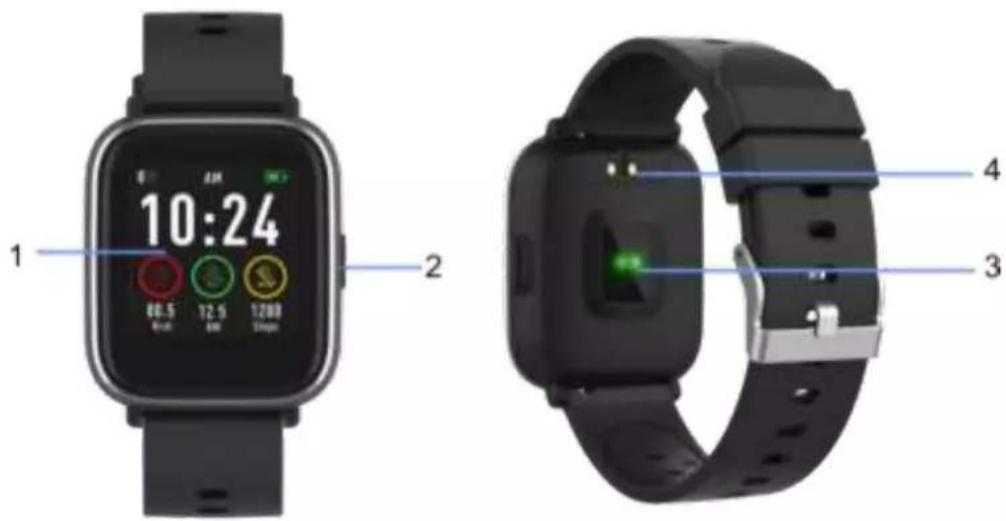
- Touch screen
- Func on bu on
- Heart rate sensor
- Charging plate
To charge the smart watch, connect the charging clip of the USB cable to the charging plate on the back of the smart watch. If successfully connected, the charging icon appears on the screen.
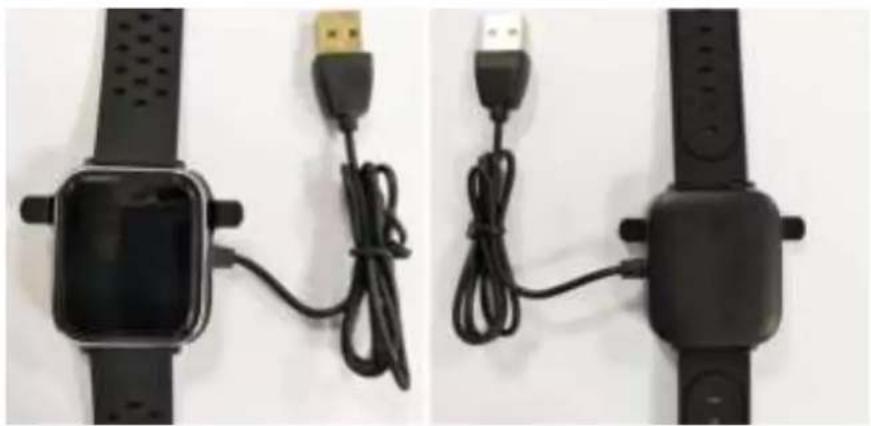
natural_image
Two black smartwatches with USB connectors and cable, placed side by side on a white surface (no text or symbols visible)ENG-1
Install "Denver Smart Life" app on the phone
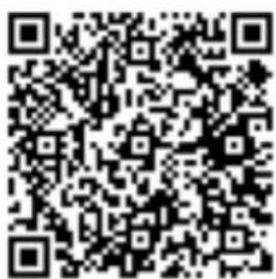
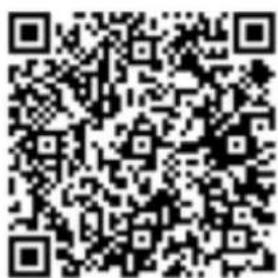
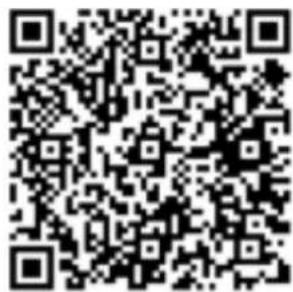
Search and install the “Denver Smart Life” app from Google Play or App Store. Or scan the following QR code to directly install the app.
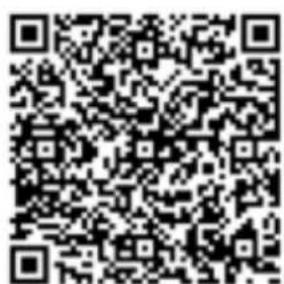
Android
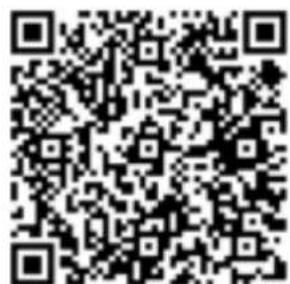
IOS
Connect the smart watch with the phone
- Enable Bluetooth on your smart phone.
- Open the “Denver Smart Life” app on your smart phone, and then ll in all the requested informa on in the “Settings” menu.
- Tap "Connect device" in the "Set ngs" menu.
- Select the smart watch icon to connect.
- Choose your device name to connect it with your phone.
Unbind smart watch with mobile phone
- Open the "Denver Smart Life" app on your smart phone.
- Tap "Disconnect device" in the "Set ngs" menu and con rm "OK".
- To disconnect your smart watch with an iPhone, click "Disconnect device" in the "Settings" menu of the "Denver Smart Life" app, and go to the Bluetooth settings on your iPhone, then access and select the "Forget This Device" option.
Opera on introduc on
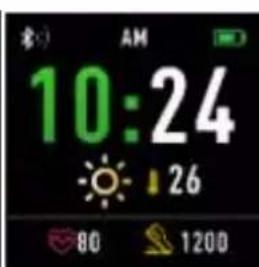
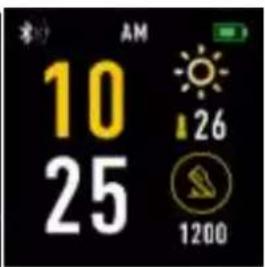
- You can raise your hand or press the func on bu on to turn on the screen.
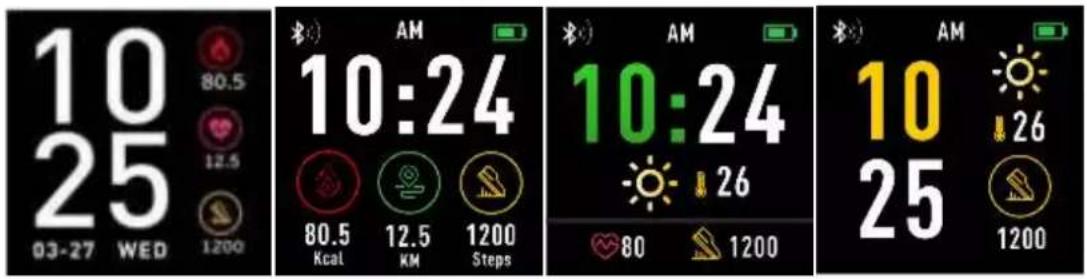
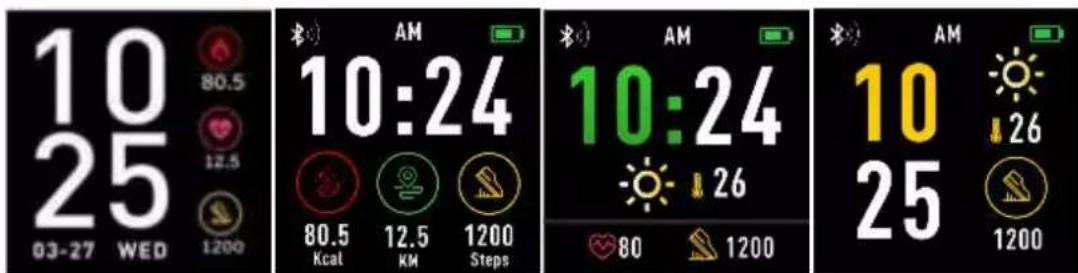
- Press and hold the watch face screen, then slide le or right to change the watch face.
- Press and hold the func on button to turn on the smart watch when powered o.
2. How to use
● Turn on: Press and hold the func on button for 3 seconds.
- Go to menu screen: Slide up/down or right/le in the watch face screen.
- Select a func on: Slide up/ down or right/le in the watch face and tap the icon.
- Con rm: Tap the icon.
- Exit the menu: Slide the screen from le to right.
- Return to the watch face: Press briefly the function button in any screen.
- Check no ca ons: Slide from le to right in the watch face screen.
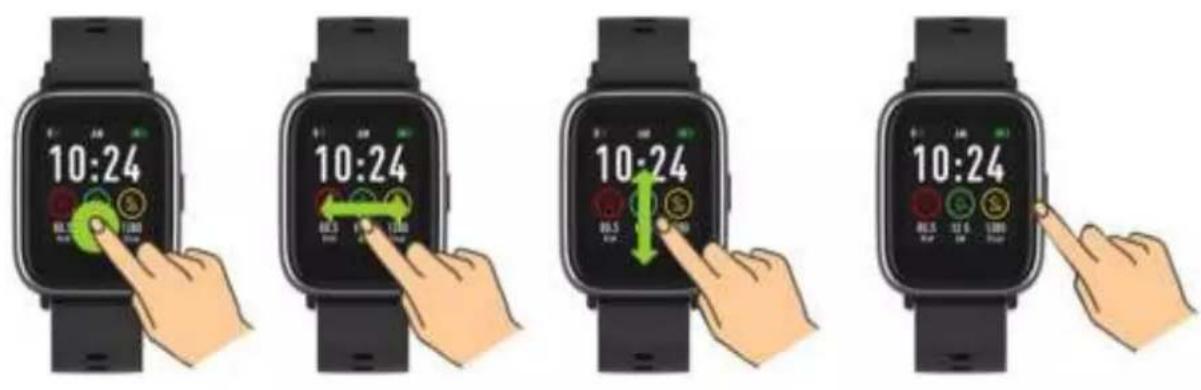
3. Menu naviga on
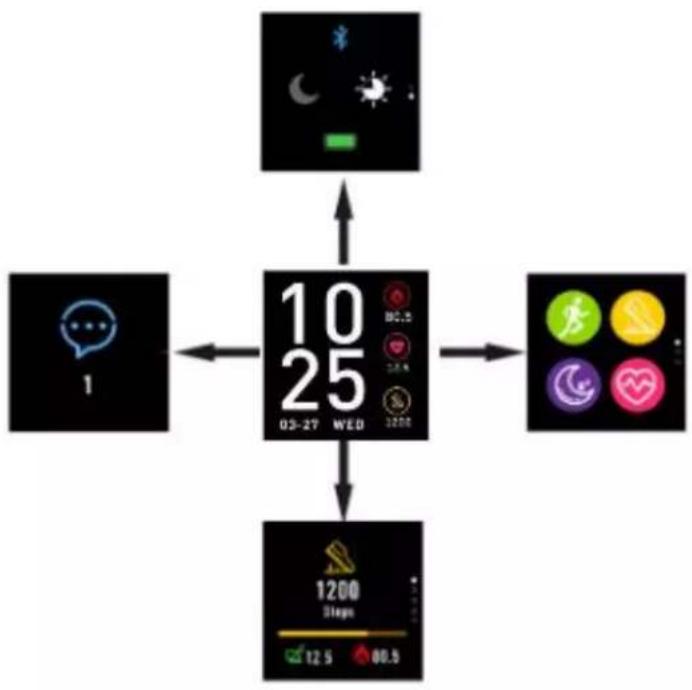
flowchart
graph TD
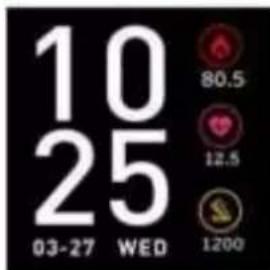
    A["1"] --> B["10/25 Wednesday"]
    C["Weather Icon"] --> B
    D["App Icon"] --> B
    E["Phone Icon"] --> B
    F["Balance Icon"] --> B
    G["Step Count Icon"] --> B
    H["Speed Icon"] --> B
    I["Balance Step Icon"] --> B
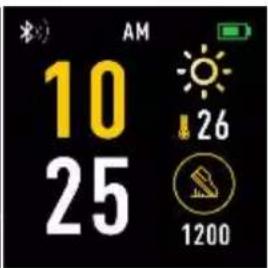
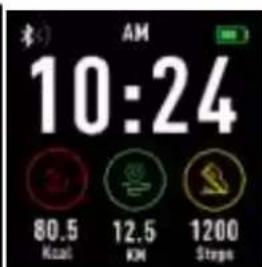
A er turning on the smart watch, the watch face screen is displayed.
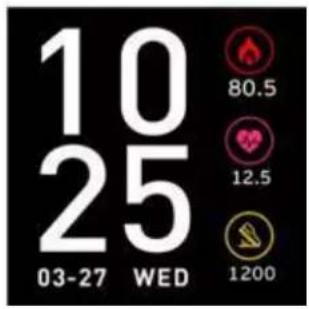
When the watch face screen is displayed:
- Go to the menu screens
a. Slide from right to le in the watch face screen to enter the menu screens.
b. Slide up and down to switch the menu screens.
c. Tap the icon to enter the sub menu. Slide from le to right to return to the previous menu.
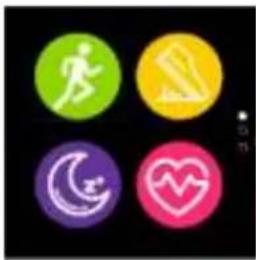
natural_image
Four colored circular icons with running, walking, running symbol, crescent moon, and heart symbols (no text or numbers)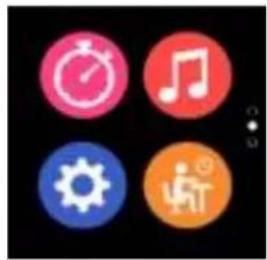
natural_image
Four colorful circular icons representing activities like clock, music note, gear, and person (no text or symbols)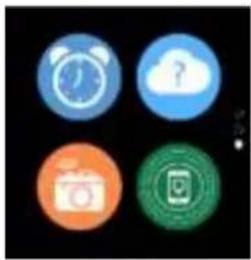
natural_image
Four circular icons on black background: alarm clock, cloud with question mark, camera, and app icon (no text or symbols)- Go to the no ca on shortcut screen Slide from le to right in the watch face screen.
natural_image
Blue speech bubble icon with three dots inside, labeled '1' below (no text or symbols on the icon itself)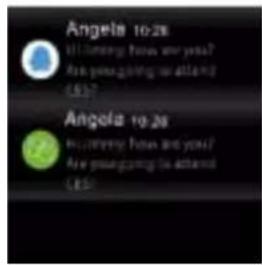
- Go to other shortcuts screen Slide up and down in the watch face screen.
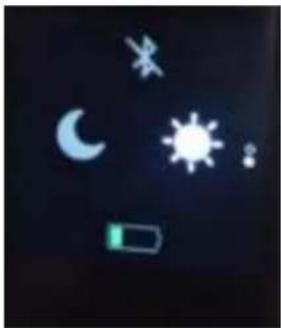
natural_image
Dark background with floating icons including crescent moon, sun, battery, and stars (no text or symbols)Func ons Watch face screen
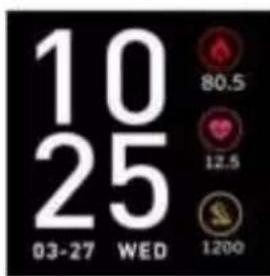
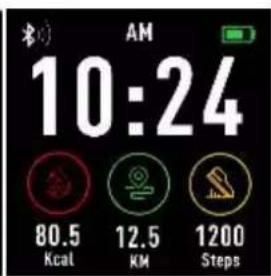
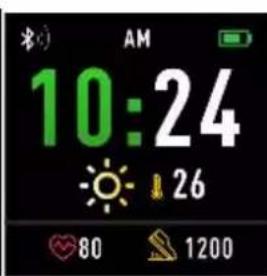
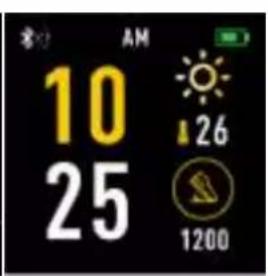
ENG-5
You can press the func on bu on to go to the watch face screen quickly.
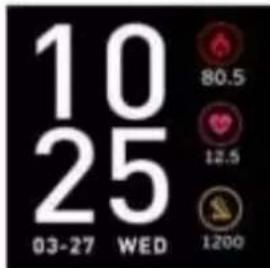
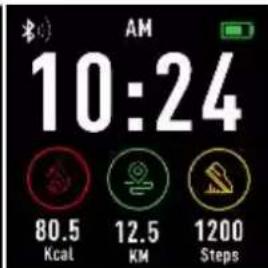
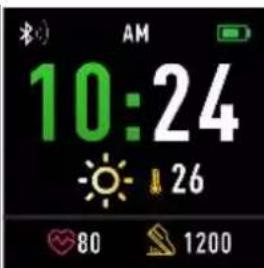
If you want to change the watch face of your smart watch, press and hold the current watch face for 3 seconds, then slide le or right to go through the different watch faces and choose the one you like.
Shortcut
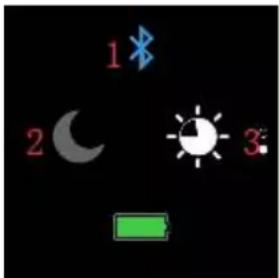
- Bluetooth
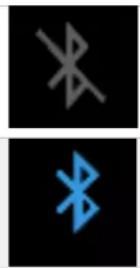
Means Bluetooth disconnected
Means Bluetooth connected
- Do Not Disturb mode
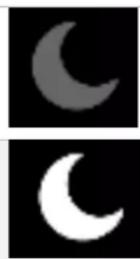
Do Not Disturb mode o
Do Not Disturb mode on
3. Screen brightness
You can tap the brightness icon to adjust the screen brightness.
Mul -Sport

Tap the sport icon to enter the mul -sport mode. The smart watch has ve sports modes: walking, running, cycling, indoor exercise and hiking. Choose a sport mode you want, and then do sports. The smart watch records your exercise data.
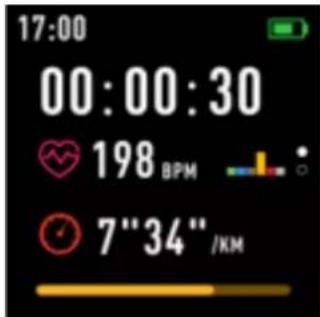
If you want to end the sports, slide the screen to right and tap the stop icon to nish your sports and save the data. The smart watch displays your exercise data. If you’ve connected your smart watch with the “Denver Smart Life” app via Bluetooth, you can also check your exercise data in the app.
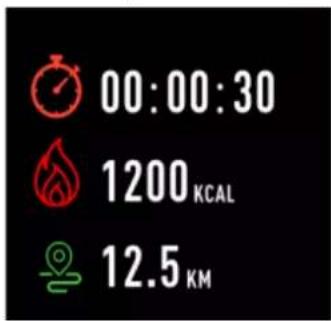
Note: if the exercise me is less than 5 minutes, the data cannot be saved.
Heart rate monitor
Select the heart rate icon to monitor the heart rate. You can check your heart rate data for the last 7 mes by tapping the screen. To exit the heart rate monitor, slide the screen to right.
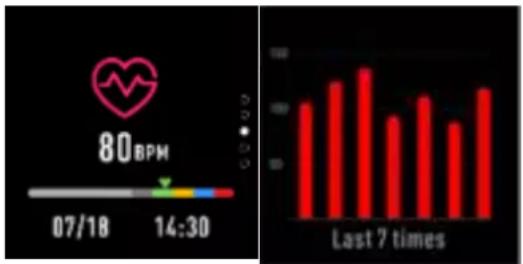
bar
| Time | Value | |---|---| | 07/18 | 60 | | 14:30 | 90 |If you’ve connected your smart watch with the “Denver Smart Life” app via Bluetooth, you can also check your heart rate data in the app.
Sleep monitor
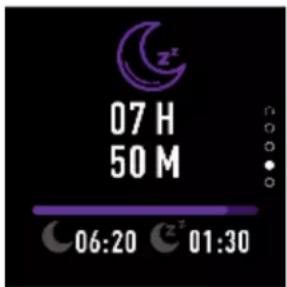
The smart watch automa cally monitors your sleep from 10p.m. to 9a.m.
Tap the sleep monitor screen, the smart watch displays the sleep data of a week.
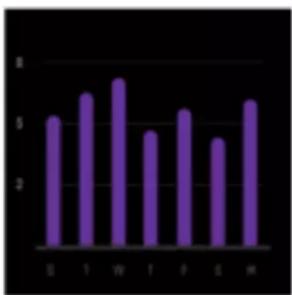
bar
| Category | Value | |---|---| | S | 5.2 | | T | 6.8 | | W | 7.5 | | F | 4.6 | | P | 5.9 | | G | 3.8 | | H | 6.5 |When you get up the next day, the smart watch displays your sleep report about the me of total sleep, light sleep and deep
sleep. If you’ve connected your smart watch with the “Denver Smart Life” app via Bluetooth, you can also check more detailed sleep report in the app.
Alarm
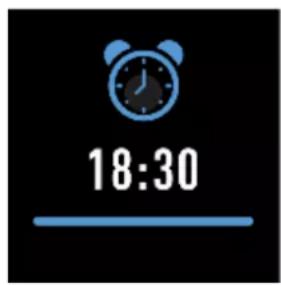
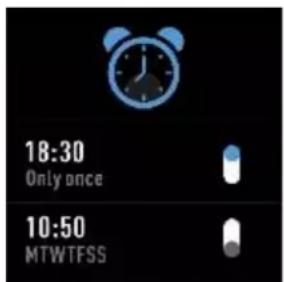

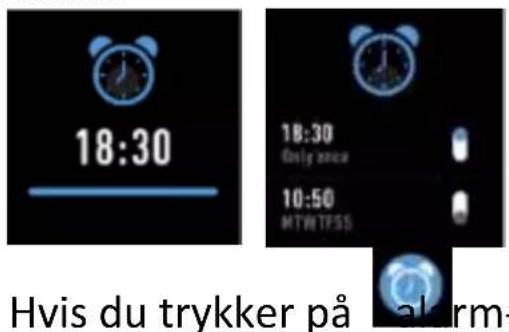
By tapping on the alarm icon, you can see the alarm mer you've set in the "Denver Smart Life" app. When alarm me is up, the alarm icon is animated and the smart watch vibrates.
No ca on
natural_image
Blue speech bubble icon on black background with number 1 below (no text or symbols on the icon itself)Slide the watch face from le to right, and then you can check your phone calls, SMS, QQ, WeChat, Whatsapp, Facebook and Twi er no ca ons, etc.
Weather
natural_image
White cloud icon with a blue question mark inside, set against a black background (no text or symbols)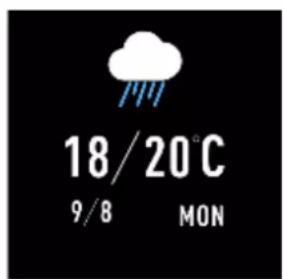
If you've connected your smart watch with the “Denver Smart Life” app via Bluetooth, the smart watch displays the weather forecast.
You can manually set the city or automatically set a city in the “Denver Smart Life” app.
Remote capture
natural_image
Orange circular icon with a white camera symbol and wireless signal waves (no text or numbers)To use this feature, make sure the camera of your smart phone is on. With the remote capture func on, you can take pictures remotely from your smart watch.
Music playback control
Tap the music icon to enter the music playback control interface.
You can select the previous/next song, and play/pause music. To exit music playback control, slide the screen from le to right.
natural_image
Three circular icons with play/pause symbols on a black background (no text or numbers)Sedentary
Tap the icon to enter the sedentary settings. You can turn the function on or o . Slide the screen to right to exit. You can also go to the “Advanced settings” under the “Settings” of the “Denver Smart Life” app to set the me intervals (minutes), start me and end me.
natural_image
Two isolated icons: a person silhouette with an orange circle and a blue pill, against a black background (no text or symbols)Se ngs
natural_image
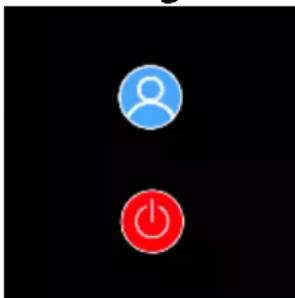
Two circular icons: a blue user silhouette and a red power button, on black background (no text or symbols)Tap the icon to enter the seconds menu
- About

Tap this icon to check the Bluetooth Mac address, device name and rmware version of your smart watch.
● Power o

Tap the icon to turn o your smart watch.
ENG-11
Please no ce - All products are subject to change without any no ce. We take reservations for errors and omissions in the manual.
ALL RIGHTS RESERVED, COPYRIGHT DENVER ELECTRONICS A/S
DENVER®
denver-electronics.com
Electric and electronic equipment and included batteries contains materials, components and substances that can be hazardous to your health and the environment, if the waste material (discarded electric and electronic equipment and batteries) is not handled correctly.
Electric and electronic equipment and batteries is marked with the crossed out trash can symbol, seen below. This symbol signifies that electric and electronic equipment and batteries should not be disposed of with other household waste, but should be disposed of separately.
As the end user it is important that you submit your used ba- eries to the appropriate and designated facility. In this manner you make sure that the ba- eries are recycled in accordance with legislature and will not harm the environment. All ci es have established collec on points, where electric and electronic equipment and ba- eries can either be submi ed free of charge at recycling sta ons and other collec on sites, or be
ENG-12
collected from the households. Additional information is available at the technical department of your city.
Hereby, Inter Sales A/S declares that the radio equipment type SW-161 is in compliance with Direc ve 2014/53/EU. The full text of the EU declara on of conformity is available at the following internet address: www.denver-electronics.com, and then click the search icon on top line of website. Write model number: SW-161. Now enter product page, and red direc ve is found under downloads/other downloads.
Operating Frequency Range: 2.402GHz—2.480GHz
Max Output Power: 4.0dBm
Warning Lithium battery inside
DENVER ELECTRONICS A/S
Omega 5A, Soe en
DK-8382 Hinnerup
Denmark
www.facebook.com/denverelectronics
DENVER®
SW-161 SMARTWATCH
Bedienungsanleitung
www.denver-electronics.com
natural_image
Three black smartwatches with USB connectors and coiled cables, displayed side by side (no text or symbols visible)GER-1
Android
iOS
natural_image
Four colorful circular icons on black background: green running silhouette, yellow heart, purple crescent moon, and pink heart (no text or symbols)
natural_image
Four colorful circular icons on black background: timer, musical note, gear, and hand (no text or symbols)
natural_image
Four circular icons on black background: alarm clock, cloud with question mark, camera, and smartphone (no text or symbols)natural_image
Blue speech bubble icon on black background with white number '1' below (no text or symbols on the speech itself)
natural_image
Weather and lighting icons including moon, sun, battery, and rocket (no text or symbols)Funk onen
Startober äche
natural_image
Yellow circular icon with a walking figure on black background (no text or symbols)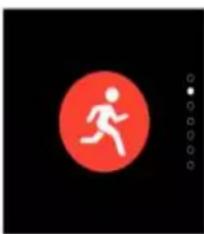
natural_image
Red circular icon with a white running figure silhouette on black background (no text or symbols)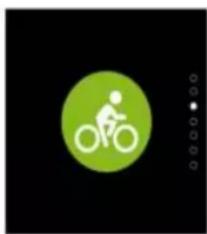
natural_image
Green circular icon with a white silhouette of a person riding a bicycle on black background (no text or symbols)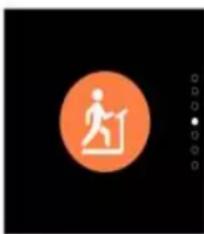
natural_image
Orange circular icon with a white walking figure silhouette on black background (no text or symbols)
natural_image
Green circular icon with a white running figure silhouette on black background (no text or symbols)bar
| Category | Value | |---|---| | S | 5.2 | | f | 6.8 | | w | 7.5 | | f | 4.7 | | f | 5.9 | | S | 4.3 | | M | 6.5 |natural_image
Blue speech bubble icon on black background with number 1 below (no text or symbols on the icon itself)natural_image
Simple cloud icon with a question mark inside, set against a black background (no text or symbols)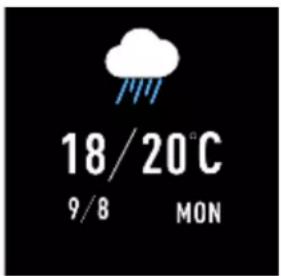
natural_image
Orange circular icon with a white camera symbol emitting signal waves (no text or numbers)natural_image
Three circular icons with play/pause buttons on black background (no text or symbols)Nicht-Bewegung
natural_image
Simple graphic with a glowing orange circle containing the Chinese character '斬' and a blue rounded rectangle below, against a black background (no text or symbols beyond the characters)Einstellungen
natural_image
Two circular icons: a blue user silhouette and a red power button, both on black background (no text or symbols)natural_image
Blue circular icon with a user silhouette on black background (no text or symbols)denver-electronics.com
natural_image
Two black smartwatches with USB connectors and connecting cables, shown from top and side views (no text or symbols visible)ESP-1
Android
iOS
natural_image
Four circular icons with running, walking, helmet, crescent moon, and heart symbols on black background (no text or numbers)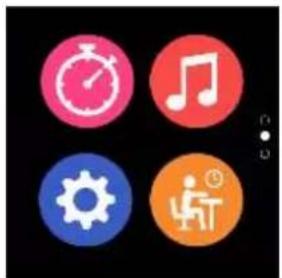
natural_image
Four colorful circular icons (clock, musical note, gear, person with legs) on black background, no text or symbols present.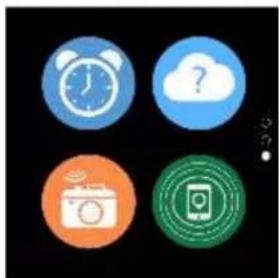
natural_image
Four circular icons representing alarm, cloud, camera, and mobile phone (no text or symbols)natural_image
Blue speech bubble icon on black background with number 1 below (no text or symbols on the icon itself)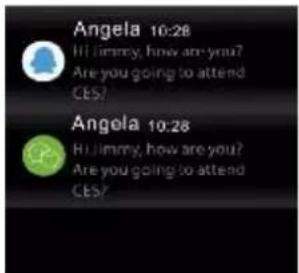
natural_image
Dark background with white symbolic icons including crescent moon, sun, battery, and lightning (no text or labels)Funciones
bar
| Time | Value | |---|---| | 07/18 | 100 | | 14:30 | 120 | | Last 7 times | 130 | | (Last 7 times) | 90 | | (Last 7 times) | 110 | | (Last 7 times) | 85 |bar
| Category | Value | |---|---| | S | 5.2 | | T | 6.8 | | W | 7.5 | | T | 4.5 | | F | 5.8 | | S | 3.9 | | H | 6.5 |natural_image
Blue speech bubble icon with dots inside, labeled '1' below (no text or symbols on the icon itself)natural_image
White cloud icon with a blue question mark inside, set against a black background (no text or symbols)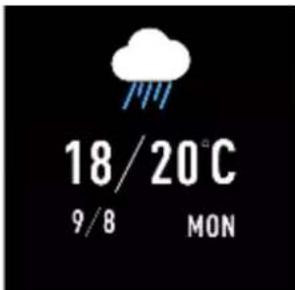
natural_image
Orange circular icon with a white camera symbol and signal waves (no text or numbers)natural_image
Three circular icons with play/pause buttons on black background (no text or symbols)Sedentaria
natural_image
Simple graphic with a person icon and a capsule-shaped object on black background (no text or symbols)Ajustes
natural_image
Two colored circular icons: a blue user silhouette and a red power button, on black background (no text or symbols)denver-electronics.com
natural_image
Two black smartwatches with USB connectors and connecting cables, shown from different angles (no text or symbols visible)NED-1
Android
iOS
flowchart
graph TD
    A["1"] --> B["10 25 03-27 WED"]
    B --> C["1200 Steps 12.5 80.5"]
    D["Weather Icon"] --> B
    E["Activity Icon"] --> B
    F["Fitness Icon"] --> B
    G["Fitness Icon"] --> C
    H["Fitness Icon"] --> C
natural_image
Four circular icons with running, walking, sleep, and heart symbols on black background (no text or numbers)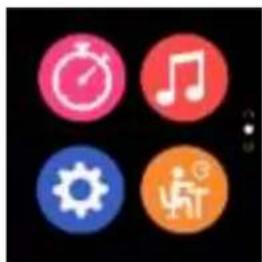
natural_image
Four colorful circular icons (clock, musical note, gear, play button) on black background, no text or symbols present.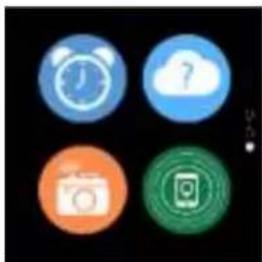
natural_image
Four circular icons on black background: alarm clock, cloud with question mark, camera, and Instagram (no text or symbols)natural_image
Blue speech bubble icon on black background with number 1 below (no text or symbols on the icon itself)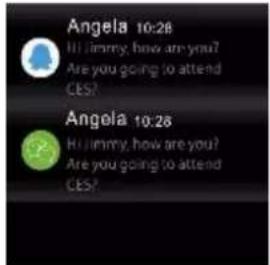
natural_image
Weather and lighting icons including moon, sun, battery, and rocket (no text or symbols)bar
| Category | Value | |---|---| | S | 5.2 | | J | 6.8 | | W | 7.5 | | F | 4.5 | | F | 5.8 | | S | 3.8 | | H | 6.5 |natural_image
Blue speech bubble icon on black background with number 1 below (no text or symbols on the icon itself)natural_image
Three circular icons with white speaker and play symbols on black background (no text or numbers)Zi end
natural_image
Two abstract circular shapes on a black background, one orange and one blue, with no visible text or symbols.Instellingen
natural_image
Two circular icons: a blue user silhouette and a red power button, both on black background (no text or symbols)Tik op het icoontje

denver-electronics.com
natural_image
Two black smartwatches with USB connectors and cable, shown from different angles (no text or symbols visible)Installera appen "Denver Smart Life" på telefonen
Android
iOS
natural_image
Four circular icons with running, pencil, moon, and heart symbols on black background (no text or numbers)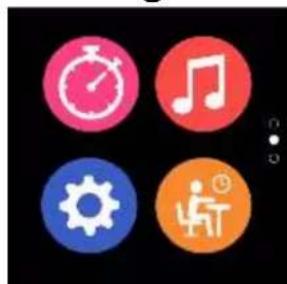
natural_image
Four circular icons representing time, music, gear, and person (no text or symbols)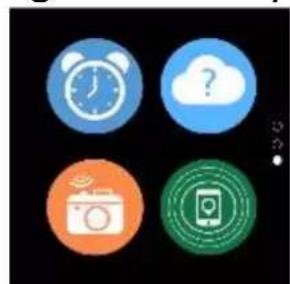
natural_image
Four circular icons representing alarm clock, cloud with question mark, smart camera, and smartphone (no text or symbols)SWE-4
natural_image
Blue speech bubble icon on black background with number 1 below (no text or symbols on the icon itself)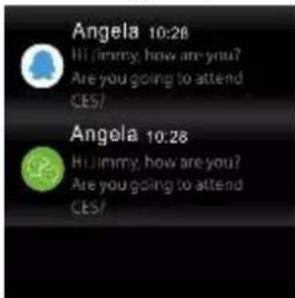
natural_image
Weather icons including moon, sun, battery, and stars on dark background (no text or symbols)Funk oner
Klockansskärm
natural_image
Yellow circular icon with a walking figure on black background (no text or symbols)
natural_image
Red circular icon with a white running figure on black background (no text or symbols)
natural_image
Green circular icon with a silhouette of a person riding a bicycle on black background (no text or symbols)
natural_image
Orange circular icon with a white human figure silhouette on black background (no text or symbols)
natural_image
Green circular icon with a white running figure silhouette on black background (no text or symbols)bar
| Category | Value | |---|---| | S | 5.2 | | T | 6.8 | | M | 7.5 | | T | 4.5 | | F | 5.8 | | S | 3.8 | | W | 6.5 |natural_image
Blue speech bubble icon with dots inside, labeled '1' below (no text or symbols on the icon itself)natural_image
Simple cloud icon with a question mark inside, set against a black background (no text or symbols)
natural_image
Orange circular icon with a white camera symbol and wireless signal waves (no text or numbers)natural_image
Three circular icons with play/pause symbols on a black background (no text or numbers)S Ilasi ande
natural_image
Two glowing objects against a black background: an orange circle with a white cross and a blue oval on the right (no text or symbols)Inställningar
natural_image
Two circular icons: a blue user silhouette and a red power button, on black background (no text or symbols)Tryck på

www.denver-electronics.com
natural_image
Two black smartwatches with USB connectors and connecting cables, shown from top and side views (no text or symbols visible)FRA-1
Android
iOS
Connector la montre intelligente au smartphone
FRA-3
flowchart
graph TD
    A["Weather Icon"] --> B["10/25 Wednesday"]
    C["Light Bulb icon"] --> B
    D["Light Circle icon"] --> B
    E["Light Circle icon with heart"] --> B
    F["Light Circle icon with walking"] --> B
    G["Light Circle icon with walking"] --> B
    H["Light Circle icon with walking"] --> B
    I["Light Circle icon with walking"] --> B
    J["Light Circle icon with walking"] --> B
    K["Light Circle icon with walking"] --> B
    L["Light Circle icon with walking"] --> B
    M["Light Circle icon with walking"] --> B
    N["Light Circle icon with walking"] --> B
    O["Light Circle icon with walking"] --> B
    P["Light Circle icon with walking"] --> B
    Q["Light Circle icon with walking"] --> B
    R["Light Circle icon with walking"] --> B
    S["Light Circle icon with walking"] --> B
    T["Light Circle icon with walking"] --> B
    U["Light Circle icon with walking"] --> B
    V["Light Circle icon with walking"] --> B
    W["Light Circle icon with walking"] --> B
    X["Light Circle icon with walking"] --> B
    Y["Light Circle icon with walking"] --> B
    Z["Light Circle icon with walking"] --> B
    AA["Light Circle icon with walking"] --> B
    AB["Light Circle icon with walking"] --> B
    AC["Light Circle icon with walking"] --> B
    AD["Light Circle icon with walking"] --> B
    AE["Light Circle icon with walking"] --> B
    AF["Light Circle icon with walking"] --> B
    AG["Light Circle icon with walking"] --> B
    AH["Light Circle icon with walking"] --> B
    AI["Light Circle icon with walking"] --> B
    AJ["Light Circle icon with walking"] --> B
    AK["Light Circle icon with walking"] --> B
    AL["Light Circle icon with walking"] --> B
    AM["Light Circle icon with walking"] --> B
    AN["Light Circle icon with walking"] --> B
    AO["Light Circle icon with walking"] --> B
    AP["Light Circle icon with walking"] --> B
    AQ["Light Circle icon with walking"] --> B
    AR["Light Circle icon with walking"] --> B
    AS["Light Circle icon with walking"] --> B
    AT["Light Circle icon with walking"] --> B
    AU["Light Circle icon with walking"] --> B
    AV["Light Circle icon with walking"] --> B
    AW["Light Circle icon with walking"] --> B
    AX["Light Circle icon with walking"] --> B
    AY["10/25 Wednesday"]
    AZ["10/25 Wednesday"]
    BA["10/25 Wednesday"]
    BB["10/25 Wednesday"]
    BC["10/25 Wednesday"]
    BD["10/25 Wednesday"]
    BE["10/25 Wednesday"]
    BF["10/25 Wednesday"]
    BG["10/25 Wednesday"]
    BH["10/25 Wednesday"]
    BI["10/25 Wednesday"]
    BJ["10/25 Wednesday"]
    BK["10/25 Wednesday"]
    BL["10/25 Wednesday"]
    BM["10/25 Wednesday"]
    BN["10/25 Wednesday"]
    BO["10/25 Wednesday"]
    BP["10/25 Wednesday"]
    BQ["10/25 Wednesday"]
    BR["10/25 Wednesday"]
    BS["10/25 Wednesday"]
    BT["10/25 Wednesday"]
    BU["10/25 Wednesday"]
    BV["10/25 Wednesday"]
    BW["10/25 Wednesday"]
    BX["10/25 Wednesday"]
    BY["10/25 Wednesday"]
    BZ["10/25 Wednesday"]
    CA["10/25 Wednesday"]
    CB["10/25 Wednesday"]
    CC["10/25 Wednesday"]
    CD["10/25 Wednesday"]
    CE["10/25 Wednesday"]
    CF["10/25 Wednesday"]
    CG["10/25 Wednesday"]
    CH["10/25 Wednesday"]
    CI["10/25 Wednesday"]
    CJ["10/25 Wednesday"]
    CK["10/25 Wednesday"]
    CL["10/25 Wednesday"]
    CM["10/25 Wednesday"]
    CN["10/25 Wednesday"]
    CO["10/25 Wednesday"]
    CP["10/25 Wednesday"]
    CS["10/25 Wednesday"]
    CT["10/25 Wednesday"]
    CU["10/25 Wednesday"]
    CV["10/25 Wednesday"]
    CW["10/25 Wednesday"]
natural_image
Three digital app icons showing running, writing, sleep, music, weather, fitness, and camera (no text or symbols)natural_image
Dark background with white symbolic icons including crescent moon, sun, battery, and stars (no text or labels)Fonc ons
Cadran de la montre
bar
| Category | Value | |---|---| | S | 5.2 | | T | 6.8 | | M | 7.5 | | T | 4.5 | | F | 5.8 | | S | 3.8 | | W | 6.5 |natural_image
Blue speech bubble icon on black background with number 1 below (no text or symbols on the icon itself)natural_image
Simple cloud icon with a question mark inside, set against a black background (no text or symbols)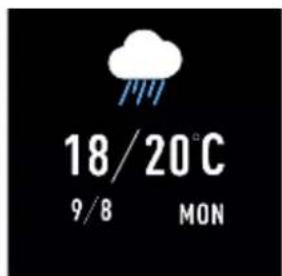
natural_image
Orange circular icon with a white camera symbol and signal waves, no text or numbers present.natural_image
Three circular icons with play/pause symbols on a black background (no text or numbers)Immobilité
natural_image
Two abstract icons: an orange circle with a human figure and a blue capsule, against a black background (no text or symbols)Paramètres
natural_image
Two colored circular icons: a blue user silhouette and a red power button, on a black background (no text or symbols)Appuyez sur l'icône
- À propos

natural_image
Blue circular icon with a user silhouette on black background (no text or symbols)natural_image
Two black smartwatches with USB connectors and connecting cables, shown from different angles (no text or symbols visible)FIN-1
Android
iOS
natural_image
Three black-and-white app icons showing running, writing, sleeping, weathering, music, gear, and camera (no text or symbols)FIN-4
natural_image
Weather and night symbols including moon, crescent moon, sun, battery, and satellite (no text or labels)natural_image
Yellow circular icon with a walking figure on black background (no text or symbols)
natural_image
Red circular icon with a white running figure on black background (no text or symbols)
natural_image
Green circular icon with a silhouette of a person riding a bicycle on black background (no text or symbols)
natural_image
Orange circular icon with a white human figure silhouette on black background (no text or symbols)
natural_image
Green circular icon with a white running figure on black background (no text or symbols)bar
| Category | Value | |---|---| | S | 5.2 | | T | 6.8 | | W | 7.5 | | F | 4.6 | | Y | 5.9 | | G | 3.8 | | H | 6.5 |natural_image
Blue speech bubble icon on black background with number 1 below (no text or symbols on the icon itself)natural_image
Simple cloud icon with a question mark inside, set against a black background (no text or symbols)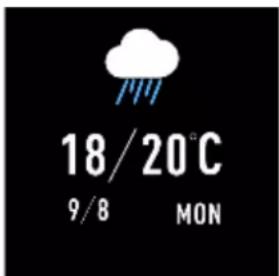
natural_image
Orange circular icon with a white camera and signal waves symbol (no text or numbers)natural_image
Three circular icons with play/pause symbols on a black background (no text or numbers)Lepo
natural_image
Two isolated circular icons with Chinese character '听' above and a blue capsule below, against black background (no text or symbols)Asetukset
natural_image
Two circular icons: a blue user silhouette and a red power button, on black background (no text or symbols)FIN-10
denver-electronics.com
natural_image
Two black smartwatches with USB connectors and connecting cables, shown from top and side views (no text or symbols visible)POL-1
Android
iOS
natural_image
Four colorful circular icons with running, walking, bicycle, moon, and heart symbols on black background (no text or numbers)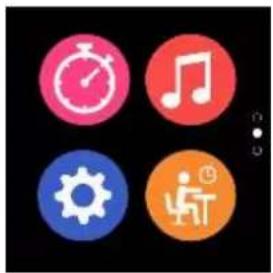
natural_image
Four colorful circular icons (clock, musical note, gear, person with hand) on black background, no text or symbols present.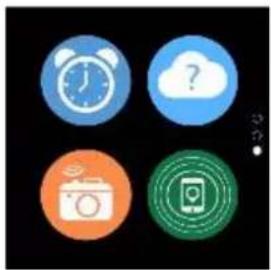
natural_image
Four circular icons representing alarm clock, cloud with question mark, camera, and smartphone (no text or symbols)natural_image
Blue speech bubble icon on black background with number 1 below (no text or symbols on the icon itself)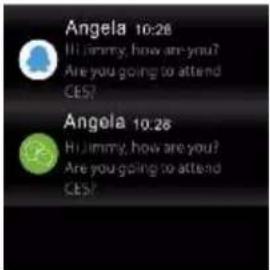
natural_image
Dark background with simple icons: crescent moon, sun, battery, and stars (no text or symbols)bar
| Category | Value | |---|---| | S | 5.2 | | T | 6.9 | | M | 7.5 | | T | 4.7 | | F | 6.3 | | G | 4.3 | | H | 6.6 |natural_image
Blue speech bubble icon with dots inside, labeled '1' below (no text or symbols on the icon itself)natural_image
Simple cloud icon with a question mark inside, set against a black background (no text or symbols)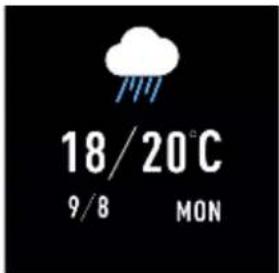
natural_image
Orange circular icon with a white camera symbol and signal waves (no text or numbers)natural_image
Three circular icons with play/pause symbols on a black background (no text or numbers)Tryb siedzący
natural_image
Two abstract icons: a person silhouette with orange head and a blue pill, against a black background (no text or symbols)Ustawienia
natural_image
Two circular icons: a blue user silhouette and a red power button, on black background (no text or symbols)denver-electronics.com
natural_image
Two black smartwatches with USB connectors and connecting cables, shown from top and side views (no text or symbols visible)DEN-1
Installér appen Denver Smart Life på telefonen
Android
iOS
Forbind smarturet I telefonen
- Ak vér Bluetooth på din smartphone.
- Åbn appen "Denver Smart Life" på din smartphone, og udfyld de nødvendige oplysninger i menuen "Indstillinger".
- Tryk på "Tilslut enhed" i menuen "Indstillinger".
- Vælg ikonet for smarturet for at opre e forbindelse.
- Vælg navnet på din enhed for at opre e forbindelse I din telefon.
natural_image
Four circular icons with running, walking, sleep, crescent moon, and heart symbols on black background (no text or numbers)
natural_image
Four colorful circular icons (clock, musical note, gear, person) on black background, no text or symbols present.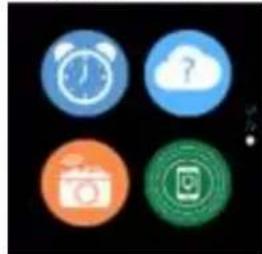
natural_image
Four colorful circular icons on black background: alarm clock, cloud with question mark, camera, and app icon (no text or symbols)DEN-4
natural_image
Blue speech bubble icon on black background with number 1 below (no text or symbols on the icon itself)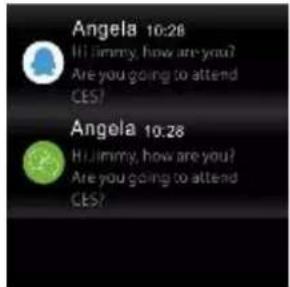
natural_image
Dark background with floating moon, crescent moon, sun, battery, and star (no text or symbols)Funk oner
Urskivens skærme
natural_image
Yellow circular icon with a white human figure in motion, set against a black background (no text or symbols)
natural_image
Red circular icon with a white running figure on black background (no text or symbols)
natural_image
Green circular icon with a white cyclist silhouette on black background (no text or symbols)
natural_image
Orange circular icon with a white walking figure silhouette on black background (no text or symbols)
natural_image
Green circular icon with a white running figure silhouette on black background (no text or symbols)
Smarturet overvåger automa sk din søvn i dsrummet 22.00 I 09.00.
bar
| Category | Value | |---|---| | S | 5.2 | | P | 6.8 | | M | 7.5 | | T | 4.5 | | F | 5.8 | | S | 3.9 | | H | 6.5 |natural_image
Blue speech bubble icon on black background with number 1 below (no text or symbols on the icon itself)natural_image
Simple cloud icon with a question mark inside, set against a black background (no text or symbols)
natural_image
Orange circular icon with a white camera symbol and signal waves, no text or symbols present.natural_image
Three circular icons with play/pause symbols on black background (no text or numbers)S Ilesidning
natural_image
Two glowing objects against a black background: an orange circular icon with a human figure and a blue capsule-shaped object (no text or symbols)Inds Ilinger
natural_image
Two circular icons: a blue user silhouette and a red power button, on black background (no text or symbols)Tryk på ikonet

- Om
denver-electronics.com
natural_image
Two black smartwatches with USB connectors and connecting cables, shown from different angles (no text or symbols visible)Android
iOS
Collegare lo smartwatch al telefono
flowchart
graph TD
    A["1"] --> B["10/25 03-27 WED"]
    B --> C["1200 Steps"]
    C --> D["12.5 88.5"]
    D --> E["1"]
    F["Weather Icon"] --> G["10/25 03-27 WED"]
    G --> H["1200 Steps"]
    H --> I["12.5 88.5"]
    I --> J["1"]
    K["Balance Icon"] --> L["10/25 03-27 WED"]
    L --> M["1200 Steps"]
    M --> N["12.5 88.5"]
    N --> O["1"]
    P["Goal Icon"] --> Q["10/25 03-27 WED"]
    Q --> R["1200 Steps"]
    R --> S["12.5 88.5"]
    S --> T["1"]
    U["Balance Icon"] --> V["10/25 03-27 WED"]
    V --> W["1200 Steps"]
    W --> X["12.5 88.5"]
    X --> Y["1"]
    Z["Goal Icon"] --> AA["10/25 03-27 WED"]
    AA --> AB["1200 Steps"]
    AB --> AC["12.5 88.5"]
    AC --> AD["1"]
    AE["Balance Icon"] --> AF["10/25 03-27 WED"]
    AF --> AG["1200 Steps"]
    AG --> AH["12.5 88.5"]
    AH --> AI["1"]
    AJ["Goal Icon"] --> AK["10/25 03-27 WED"]
    AK --> AL["1200 Steps"]
    AL --> AM["12.5 88.5"]
    AM --> AN["1"]
natural_image
Four circular icons with running, balance, crescent moon, and heart symbols on black background (no text or numbers)
natural_image
Four colored circular icons (clock, musical note, gear, person with hand) on black background, no text or symbols present.
natural_image
Four circular icons representing alarm clock, cloud, camera, and smartphone (no text or symbols)natural_image
Blue speech bubble icon with dots inside, labeled '1' below (no text or symbols on the icon itself)
natural_image
Dark background with four simple symbolic icons: crescent moon, sun, battery, and star (no text or labels)Funzioni
bar
| Category | Value | |---|---| | S | 5.2 | | T | 6.8 | | B | 7.5 | | T | 4.5 | | P | 5.8 | | S | 3.8 | | H | 6.5 |natural_image
Blue speech bubble icon on black background with number 1 below (no text or symbols on the icon itself)natural_image
Three circular icons with play/pause symbols on a black background (no text or numbers)Sedentarietà
natural_image
Two abstract shapes: an orange circle with a human figure and a blue rounded rectangle on black background (no text or symbols)Impostazioni
natural_image
Two icons: a blue user silhouette and a red power button on black background (no text or symbols)Toccare l'icona

- Informazioni

denver-electronics.com
natural_image
Two black smartwatches with USB connectors and connecting cables, shown from different angles (no text or symbols visible)POR-1
Android
iOS
natural_image
Four colorful circular icons with running, walking, speedometer, crescent moon, and heart symbols on black background (no text or numbers)
natural_image
Four colorful circular icons representing time, music, gear, and person (no text or symbols)
natural_image
Four circular icons representing alarm, cloud, camera, and mobile app (no text or symbols)natural_image
Blue speech bubble icon with dotted lines on black background, labeled '1' below (no text or symbols within the graphic)
natural_image
Dark background with simple icons including crescent moon, sun, battery, and lightning (no text or symbols)Funções
bar
| Category | Value | |---|---| | S | 5.2 | | T | 6.9 | | W | 7.5 | | F | 4.6 | | F | 5.8 | | S | 4.1 | | M | 6.5 |natural_image
Blue speech bubble icon with dotted lines on black background, labeled '1' below (no text or symbols within the graphic)natural_image
Simple cloud icon with a question mark inside, set against a black background (no text or symbols)
natural_image
Three circular icons with play and pause symbols on black background (no text or numbers)Sedentário
natural_image
Simple graphic with an orange circle containing a human figure and a blue capsule on a black background (no text or symbols)De nições
natural_image
Two circular icons: a blue user silhouette and a red power button, both on black background (no text or symbols)denver-electronics.com
www.denver-electronics.com
natural_image
Two black smartwatches with USB connectors and connecting cables, shown from different angles (no text or symbols visible)NOR-1
Installere Denver Smart Life appen på mobiltelefonen
Android
iOS
Koble smartklokken I telefonen
flowchart
graph TD
    A["1"] --> B["10/25 03-27 WED"]
    B --> C["1200 Steps"]
    C --> D["12.5"]
    C --> E["80.5"]
    D --> F["App Interface"]
    E --> F
    F --> G["Weather Icon"]
    G --> H["Weather Icon"]
    H --> I["Weather Icon"]
    I --> J["Weather Icon"]
    J --> K["Weather Icon"]
    K --> L["Weather Icon"]
    L --> M["Weather Icon"]
    M --> N["Weather Icon"]
    N --> O["Weather Icon"]
    O --> P["Weather Icon"]
    P --> Q["Weather Icon"]
    Q --> R["Weather Icon"]
    R --> S["Weather Icon"]
    S --> T["Weather Icon"]
    T --> U["Weather Icon"]
    U --> V["Weather Icon"]
    V --> W["Weather Icon"]
    W --> X["Weather Icon"]
    X --> Y["Weather Icon"]
    Y --> Z["Weather Icon"]
natural_image
Four circular icons with running, walking stick, moon, and heart symbols on black background (no text or numbers)
natural_image
Four colorful circular icons (clock, musical note, gear, worker) on black background, no text or symbols present.
natural_image
Four circular icons representing alarm clock, cloud with question mark, camera, and smartphone (no text or symbols)natural_image
Blue speech bubble icon with three dots inside, labeled '1' below (no text or symbols on the icon itself)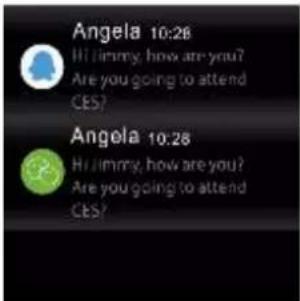
natural_image
Dark background with simple icons: crescent moon, sun, battery, and lightning (no text or symbols)natural_image
Yellow circular icon with a white human figure walking on black background (no text or symbols)
natural_image
Red circular icon with a white running figure silhouette on black background (no text or symbols)
natural_image
Green circular icon with a white silhouette of a person riding a bicycle on black background (no text or symbols)
natural_image
Orange circular icon with a walking figure silhouette on black background (no text or symbols)
natural_image
Green circular icon with white silhouette of a running person (no text or symbols)Merk: Hvis treningsøkten har vart mindre enn 5 minu, kan ingen data lagres.
Pulsmonitor
bar
| Time | Value | |---|---| | 07/18 | 100 | | 14:30 | 120 | | Last 7 times | 130 | | (Not labeled) | 95 | | (Not labeled) | 105 | | (Not labeled) | 90 | | (Not labeled) | 115 |bar
| Category | Value | |---|---| | S | 5.2 | | T | 6.8 | | M | 7.5 | | T | 4.7 | | F | 5.9 | | S | 4.3 | | M | 6.5 |Når du står opp neste dag, vil smartklokken vise deg en søvnapport som viser totalt antall mer du har sovet fordelt i le søvn og dyp søvn. Hvis du har koblet I smartklokken din med "Denver Smart Life"-appen via Bluetooth, nner du også en detaljert søvnapport i appen.
Alarm
natural_image
Blue speech bubble icon with dotted lines on black background, labeled '1' below (no text or symbols within the graphic)natural_image
Orange circular icon with a white camera symbol and signal waves (no text or numbers)natural_image
Three circular icons with play/pause symbols on a black background (no text or numbers)S Ilesi ng
natural_image
Two abstract circular and oval shapes on a dark background, one orange with a white symbol, the other blue (no text or symbols)Inns Ilinger
natural_image
Two circular icons: a blue user silhouette and a red power button, both on black background (no text or symbols)- Quick start guide
- Overview
- Install "Denver Smart Life" app on the phone
- Connect the smart watch with the phone
- Unbind smart watch with mobile phone
- Opera on introduc on
- How to use
- Menu naviga on
- Screen brightness
- Mul -Sport
- Heart rate monitor
- Sleep monitor
- Remote capture
- Music playback control
- Sedentary
- Se ngs
- DENVER®
- Bedienungsanleitung
- Funk onen
- Startober äche
- Nicht-Bewegung
- Einstellungen
- Funciones
- Sedentaria
- Ajustes
- Zi end
- Installera appen "Denver Smart Life" på telefonen
- Funk oner
- Klockansskärm
- S Ilasi ande
- Inställningar
- Connector la montre intelligente au smartphone
- Fonc ons
- Immobilité
- Paramètres
- Lepo
- Asetukset
- Tryb siedzący
- Ustawienia
- Installér appen Denver Smart Life på telefonen
- Forbind smarturet I telefonen
- Urskivens skærme
- S Ilesidning
- Inds Ilinger
- Collegare lo smartwatch al telefono
- Funzioni
- Sedentarietà
- Funções
- Sedentário
- Installere Denver Smart Life appen på mobiltelefonen
- Koble smartklokken I telefonen
- Pulsmonitor
- S Ilesi ng
Brand : DENVER
Model : SW-161
Category : Smartwatch