
K20D - Digital Camera PENTAX - Free user manual and instructions
Find the device manual for free K20D PENTAX in PDF.


| Product type | Digital SLR camera |
| Dimensions (W x H x D) | 141.5 x 101 x 70 mm |
| Weight | 715 g (with battery and card) |
| Power supply | Rechargeable lithium-ion battery D-LI50; charger D-BC50; optional AC adapter D-AC50 |
| Sensor | CMOS 23.4 x 15.6 mm, 14.6 effective megapixels |
| Image stabilization | Sensor shift (SR) up to 4 stops |
| Autofocus | 11 AF points (9 cross-type), modes AF.S, AF.C, MF |
| LCD screen | 2.7 inches, 230,000 dots, wide viewing angle |
| Viewfinder | Optical, magnification 0.95x, coverage 95% |
| Recording formats | JPEG (4 levels), RAW (PEF/DNG), RAW+JPEG |
| Burst mode | Up to 21 fps |
| Shutter speed | 30 s to 1/4000 s, Bulb |
| ISO sensitivity | 100-6400 (expandable to 100-6400) |
| Built-in flash | Guide number 13 (ISO 100), modes: auto, red-eye reduction, slow sync, rear curtain |
| Weather resistance | Water and dust splashes |
| Maintenance and cleaning | Sensor cleaning by vibration; use a blower for the lens; have professional cleaning done at an authorized center |
| Safety | Do not disassemble, avoid water; use only the specified battery and charger |
| Spare parts and repairability | Battery D-LI50, charger D-BC50, adapter D-AC50, remote control F, external flash AF200FG/AF360FGZ/AF540FGZ, grip D-BG2 |
| General information | Brand: PENTAX; Model: K20D; Launch year: 2008; Country of manufacture: Japan |
Frequently Asked Questions - K20D PENTAX
User questions about K20D PENTAX
0 question about this device. Answer the ones you know or ask your own.
Ask a new question about this device
Download the instructions for your Digital Camera in PDF format for free! Find your manual K20D - PENTAX and take your electronic device back in hand. On this page are published all the documents necessary for the use of your device. K20D by PENTAX.
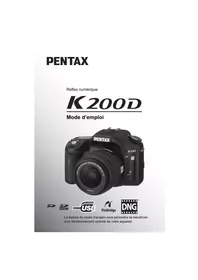
USER MANUAL K20D PENTAX
natural_image
Black Pentax DSLR camera with visible lens and control buttons (no text-heavy elements)




Appareil photo....17
Mode capture....18
Mode lecture 20
Shake Reduction (SR)
natural_image
Technical line drawing of a mechanical component with a recessed rectangular body and a flat top (no text or symbols)natural_image
Simple line drawing of a circular ring or washer (no text or symbols)natural_image
Line drawing of a USB cable with connector connectors (no text or symbols)Câble USB I-USB17
natural_image
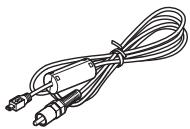
Line drawing of a coiled cable with two connectors (no text or symbols)Câble vidéo I-VC28
natural_image
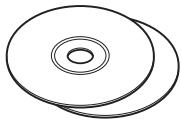
Two overlapping circular discs with concentric rings, no text or symbols presentnatural_image
Line drawing of a medical or electrical device with two coiled cables and a rectangular component (no text or symbols)Courroie O-ST53
natural_image
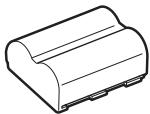
Line drawing of a cylindrical electronic component with mounting base (no text or symbols)Batterie D-LI50 lithium-ion rechargeable
natural_image
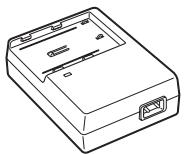
Line drawing of a rectangular electronic device casing with ports and mounting brackets (no text or symbols)natural_image
Coiled black cable with two terminal connectors (no text or symbols visible)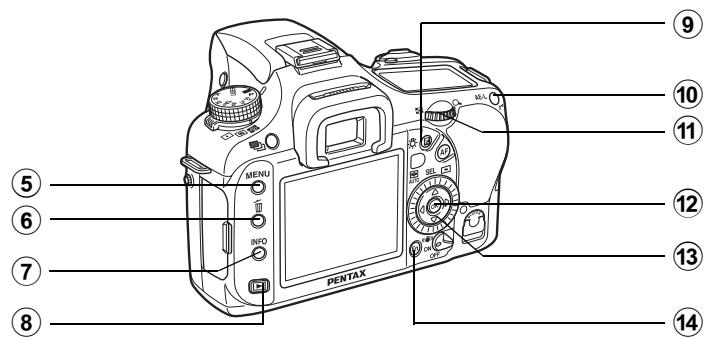
① Bouton vert
natural_image
Diagram of a rope knot with directional arrows indicating motion (no text or symbols)2

natural_image
Line drawing of a DSLR camera with lens and control panel (no text or symbols)2
natural_image
Line drawing of a DSLR camera with attached cable and adjustment knob (no text or symbols)natural_image
Diagram of a device's internal structure showing a door panel and a separate panel with an arrow indicating direction (no text or symbols present)
3 Fermez la trappe.

natural_image
Diagram of a DSLR camera with a rotating lens and an arrow indicating rotation (no text or symbols present)4
natural_image
Illustration of a Pentax DSLR camera with lens and scroll arrows indicating motion (no text or symbols)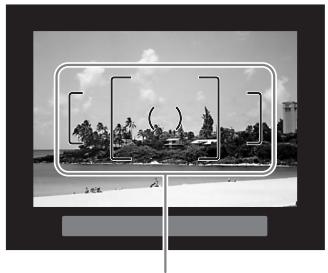
natural_image
Black-and-white beach scene with palm trees and a distant hilltop, framed by a rectangular frame (no text or symbols visible)Mire AF

natural_image
Diagram of a car interior showing a highlighted component with an arrow indicating direction (no text or symbols present)natural_image
Illustration of a person using a camera to adjust their face (no text or symbols present)Position horizontale
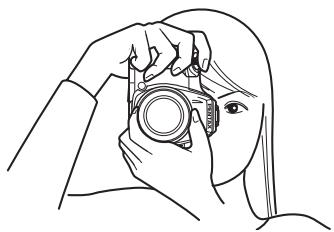
natural_image
Line drawing of a person holding a camera, no text or symbols presentPosition verticale

natural_image
Illustration of a person using a DSLR camera to interact (no text or symbols present)natural_image
Illustration of a person holding a DSLR camera, no text or symbols present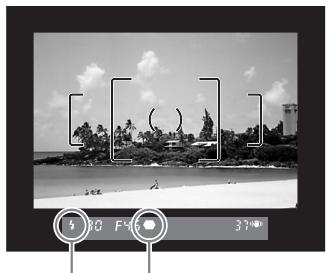
natural_image
Black-and-white beach photo with palm trees and clear sky, no visible text or symbolsnatural_image
Illustration of a person holding a DSLR camera, with an arrow pointing to the camera (no text or symbols present)
natural_image
Two black-and-white photos: top shows a Pentax DSLR camera with an arrow pointing to the screen; bottom shows a garden path and a building labeled 'Supprimer' (no other text or symbols visible)natural_image
Simple diagram showing a downward arrow pressing into a rectangular block on a surface, with no text or symbols present.natural_image
Diagram showing a downward arrow pressing into a rectangular block on a surface, with no text or symbols present.natural_image
Illustration of a person holding a DSLR camera with a curved arrow indicating rotation (no text or symbols)![[ [ ( ) ] ]](/content/2020/04/87279/images/c964ff5c4206d91bf4b5c2af3d1abc48e6b49ea07cd36191c7ea5c0339b50f46.jpg)
Grand angle
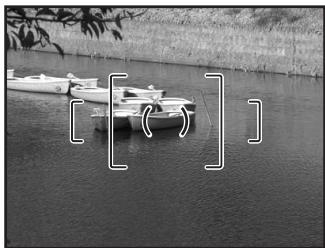
natural_image
Black-and-white photo of small boats floating on a calm riverbank, with tree branches in the background (no text or symbols visible)Téléobjectif

natural_image
Cartoon illustration of a girl with long hair looking downward, surrounded by floating objects (no text or symbols)natural_image
Illustration of a girl with long hair looking at a tree trunk (no text or symbols)natural_image
Black-and-white photo of three fruits on a checkered tablecloth (no text or symbols)natural_image
Black-and-white photo of three apples on a checkered tablecloth (no text or symbols)

natural_image
Black-and-white beach scene with palm trees, rocks, and a distant structure under cloudy sky (no text or symbols visible)Aucun aff. d'info
INFO

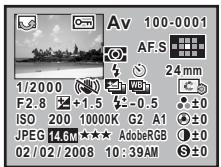
natural_image
Illustration of a fountain with water spray and trees in the background (no text or symbols)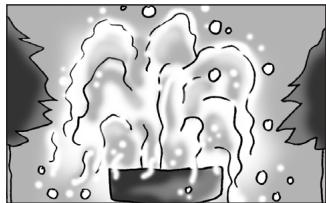
natural_image
Illustration of a steaming container with bubbles rising, surrounded by snow-covered trees (no text or symbols)natural_image
Black and white close-up of a leaf with visible vein structure (no text or symbols)natural_image
Black-and-white close-up of poppy flowers and daisies (no text or symbols)Profondeur de champ


Hyper-program


natural_image
Technical diagram of a mechanical component with directional arrow indicating movement (no text or symbols)
Signal d'exposition
Signal d'exposition
natural_image
Technical diagram of a mechanical component with a central knob and directional arrow (no text or symbols)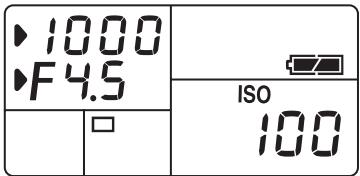

natural_image
Line drawing of a mechanical component with a downward arrow indicating a specific part (no text or symbols present)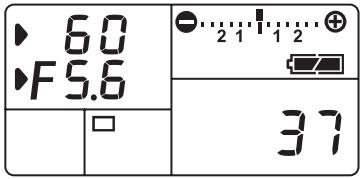

Barre IL
Associer avec AE-L


natural_image
Line drawing of a camera with a rotary dial and buttons, labeled 'MENU' at the bottom (no other text or symbols)natural_image
Pure geometric diagram with grid and central circle (no text or symbols)
natural_image
3D wireframe surface plot showing a smooth, peaked curve (no text or symbols)natural_image
Simple diagram with a central circle and two adjacent rectangular regions, no text or symbols present.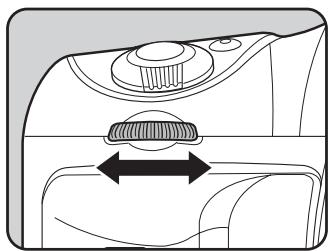
natural_image
Technical diagram of a mechanical component with a central knob and directional arrow (no text or symbols)natural_image
Illustration of a person holding a DSLR camera, no text or symbols presentnatural_image
Black-and-white beach scene with palm trees and ocean, no visible text or symbolsnatural_image
Illustration of a person standing beside a large industrial structure with smokestacks and water, no visible text or symbolsnatural_image
Illustration of a woman standing in front of a bridge structure, no text or symbols present
natural_image
Line drawing of a person holding a DSLR camera, no text or symbols presentnatural_image
Black-and-white beach scene with palm trees and distant buildings under a cloudy sky (no visible text or symbols)natural_image
Line drawing of a person using a PERTAX DSLR camera (no text or symbols)natural_image
Illustration of a woman sitting at a table with flowers and a vase, no text or symbols presentnatural_image
Close-up of a camera control dial with no visible text or symbols (pure technical diagram)
natural_image
Beach scene with palm trees and parked cars, no visible text or symbols8
natural_image
Line drawing of a DSLR camera with lens and control mount (no text or symbols)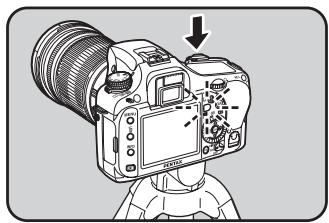
natural_image
Line drawing of a DSLR camera with lens and head mount (no text or symbols)natural_image
Diagram of a car interior showing a highlighted component with an arrow indicating direction (no text or symbols present)natural_image
Illustration of a camera with a 5-meter scale indicator and a hand pointing to it (no text or symbols on the device itself)natural_image
Diagram of a car interior showing a mechanical component with an arrow indicating direction (no text or symbols present)natural_image
Black-and-white landscape illustration featuring a winding river, rolling hills, and scattered trees under a cloudy sky (no text or symbols)Exposition normale
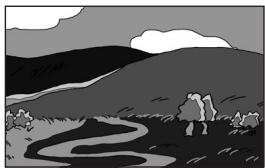
natural_image
Black-and-white landscape illustration featuring a winding river, hills, and trees under a cloudy sky (no text or symbols)Sous-exposition
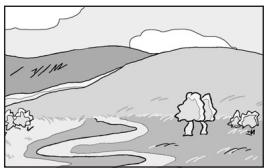
natural_image
Simple landscape sketch with hills, trees, and a winding river (no text or symbols)Surexposition
| Incrémnt bracket (intervalle des pas) | 1/2 IL | ±0.5, ±1.0, ±1.5, ±2.0 |
| 1/3 IL | ±0.3, ±0.7, ±1.0, ±1.3, ±1.7, ±2.0 |
natural_image
Side view illustration of a car with motion blur effect (no text or symbols)Synchro lente
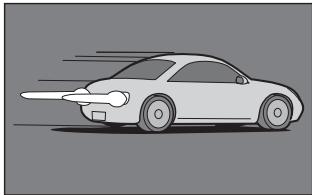
natural_image
Illustration of a car with motion lines indicating speed or airflow (no text or symbols)Synchro 2e rideau
$$ L 1 = 1 3 \div 2, 8 = \text { environ } 4, 6 (m) $$
$$ \mathrm{L} 2 = 4, 6 \div 5 = \text { environ } 0, 9 (\mathrm{m}) $$
$$ F = 1 3 \div 3 = 4, 3 $$
natural_image
Line drawing of a DSLR camera setup with tripod-mounted camera and coiled cable (no text or symbols)natural_image
Line drawing of three camera setup configurations: tripod-mounted, two DSLR camera with coiled cable, and one DSLR camera with attached cable (no text or symbols)
natural_image
Black-and-white beach scene with lounge chairs, palm trees, and distant hills (no visible text or symbols)natural_image
Black-and-white photo of a wooden pier at sea with a gazebo on the shore, no visible text or symbols in the main scene.natural_image
Black-and-white photo of a traditional pavilion by a wooden pier over water, no visible text or symbolsnatural_image
Black-and-white photo of a wooden pier at sea with a gazebo on the shore, no visible text or symbols in the main scene.natural_image
Black-and-white photo of a wooden pier at sea with a gazebo on the water, no visible text or symbols in the main scene.natural_image
Black-and-white photo of a wooden pier at dusk, showing two identical views with no text or symbols.3
natural_image
Abstract grayscale shape resembling a mountain or peak against a dark gray background (no text or symbols)Image sombre
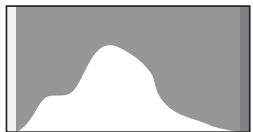
natural_image
Abstract white silhouette on a gray background, no text or symbols presentImage correcte
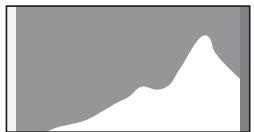
natural_image
Abstract grayscale shape resembling a mountain or peak against a dark background (no text or symbols)Image lumineuse
natural_image
Diagram of a camera frame with no visible text, numbers, or symbolsnatural_image
Illustration of a hand using a tool to adjust or install a mechanical component (no text or symbols visible)natural_image
Close-up of a black electronic device casing with ports and buttons (no visible text or symbols)natural_image
Black PERTAX camera flash unit with no visible text or symbols on bodyAF540FGZ
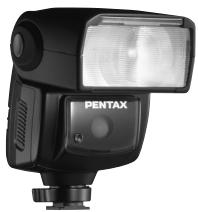
natural_image
Black Pentax flash unit with visible lens and control buttons (no text or symbols on body)AF360FGZ
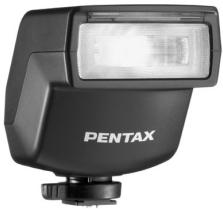
natural_image
Black Pentax flash unit with no visible text or symbols on bodyAF200FG
natural_image
Close-up of a black plastic electronic component with ventilation slots and a metallic top (no visible text or symbols)natural_image
Close-up of a black Pentax optical device with metallic components and a circular lens (no visible text or symbols)natural_image
Black handheld device with a small mechanical clamp and 'EPIX' branding (no visible text or symbols on the device itself)Pour viseur
natural_image
Black plastic mechanical component with a circular hole and rectangular body (no text or symbols)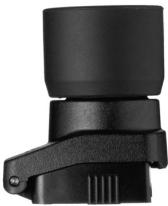
natural_image
Close-up of a black mechanical component with a cylindrical top and handle (no visible text or symbols)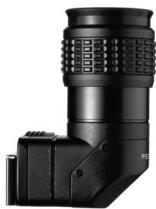
natural_image
Close-up of a black mechanical device with textured top and side connectors (no visible text or symbols)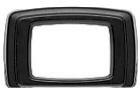
Dépoli interchangeable
LF-80: Dépoli (standard)
![[ ( ) ] L80](/content/2020/04/87279/images/7ceace32c45022a2103e9af9fac4ecce24a4eb250f213e49a2d562fa42e06c8f.jpg)
natural_image
Pure geometric diagram with crosshair and tick marks, no text or symbols presentnatural_image
Black Pentax remote control device with attached cable and connector (no visible text or symbols)Télécommande F
natural_image
Black compact device with a circular logo on the side (no visible text or symbols)natural_image
Simple line drawing of a white square and a vertical cylindrical object with a small mark (no text or symbols)Divers
Qualité JPEG (compression) : ★★★★ (premium) = 1/2.8, ★★★ (excellent) = 1/4.5, ★★ (très bon) = 1/8, ★ (bon) = 1/16
DPOF (Digital Print Order Format)
Bouton ☒ (correction IL) ..... 19, 100
Bouton 📁 (bracketing d'exposition) ..... 19, 129
Bouton ▶ (lecture) ....19, 21, 68
Menu [▶ Lecture] ...... 170
Aperçu 114
Bouton Ⓞ (protection) ...21, 189
Bouton anti-bougé photo ...... 65
Bouton 📁 (bracketing d'exposition) ..... 19, 129
Bouton ☒ (correction IL) ..... 19, 100
Bouton INFO ......19, 21, 68, 23
Bouton ▶ (lecture) .... 19, 21, 68
Bouton MENU 19, 21
Bouton OK 19,21
Bouton Ⓞ (protection) ... 21, 189
Bouton RAW 19, 158, 159
Bouton 📋 (Supprimer) ...... 21, 70
Bouton vert 18
Bracketing auto 129
Bracketing avancé 131
Bracketing d'exposition ..... 129
Informations capture ...... 23, 25
Mode hyper-manuel M 93
Mode hyper-programme P ..... 84
M Mode (hyper-manuel) .....93
Mode pose B B 96
Mode priorité obturation Tv ..... 87
Superposer zone AF ..... 28, 107
For customers in USA
STATEMENT OF FCC COMPLIANCE
This device complies with Part 15 of the FCC Rules. Operation is subject to the following two conditions: (1) This device may not cause harmful interference, and (2) this device must accept any interference received, including interference that may cause undesired operation.
Changes or modifications not approved by the party responsible for compliance could void the user's authority to operate the equipment.
This equipment has been tested and found to comply with the limits for a Class B digital device, pursuant to part 15 of the FCC Rules.
These limits are designed to provide reasonable protection against harmful interference in a residential installation. This equipment
generates, uses and can radiate frequency energy and, if not installed and used in accordance with the instructions, may cause harmful interference to radio communications. However, there is no guarantee that interference will not occur in a particular installation.
If this equipment does cause harmful interference to radio or television reception, which can be determined by turning the equipment off and on, the user is encouraged to try to correct the interference by one or more of the following measures:
- Reorient or relocate the receiving antenna.
- Increase the separation between the equipment and receiver.
- Connect the equipment into an outlet on a circuit different from that to which the receiver is connected.
* Consult the dealer or an experienced radio/TV technician for help.
For customers in Canada
This Class B digital apparatus complies with Canadian ICES-003.
Perchlorate Material-special handling may apply.
The lithium battery used in this camera contains perchlorate material, which may require special handling.
See www.dtsc.ca.gov/hazardouswaste/perchlorate
Declaration of Conformity
According to 47CFR, Parts 2 and 15 for
Class B Personal Computers and Peripherals
We: PENTAX Imaging Company A Division of PENTAX of America, Inc.
Located at: 600 12 ^th Street, Suite 300 Golden, Colorado 80401 U.S.A. Phone: 303-799-8000 FAX: 303-790-1131
Declare under sole responsibility that the product identified herein complies with 47CFR Parts 2 and 15 of the FCC rules as a Class B digital device. Each product marketed is identical to the representative unit tested and found to be compliant with the standards. Records maintained continue to reflect the equipment being produced can be expected to be within the variation accepted, due to quantity production and testing on the statistical basis as required by 47CFR §2.909. Operation is subject to the following two conditions: (1) This device may not cause harmful interference, and (2) This device must accept any interference received, including interference that may cause undesired operation. The above named party is responsible for ensuring that the equipment complies with the standards of 47CFR §15.101 to §15.109.
Product Name: PENTAX Digital Still Camera
Model Number: K20D
Contact person: Customer Service Manager
Date and Place: February, 2008, Colorado
- Shake Reduction (SR)
- 2
- Fermez la trappe.
- 4
- Profondeur de champ
- Hyper-program
- Signal d'exposition
- Barre IL
- Associer avec AE-L
- 8
- 3
- Pour viseur
- Dépoli interchangeable
- Télécommande F
- Divers
- DPOF (Digital Print Order Format)
- For customers in USA
- STATEMENT OF FCC COMPLIANCE
- For customers in Canada
- Declaration of Conformity
- Class B Personal Computers and Peripherals
Brand : PENTAX
Model : K20D
Category : Digital Camera