
OPTIO S - Compact camera PENTAX - Free user manual and instructions
Find the device manual for free OPTIO S PENTAX in PDF.


| Product type | Compact digital camera with built-in zoom |
| Effective pixels | 3.2 megapixels |
| Sensor | 1/2.5-inch CCD, 3.34 megapixels (total) |
| Lens | 5.8-17.4 mm (equiv. 35-105 mm), F2.6-F4.8 |
| Optical zoom | 3x |
| Digital zoom | Up to 4x (combined 12x) |
| Display | 1.6-inch TFT color LCD monitor |
| Viewfinder | Real-image zoom, magnification 0.28x-0.78x |
| Storage | Built-in memory 11 MB + SD/MultiMediaCard |
| File formats | JPEG (Exif 2.2), AVI, WAV |
| Image resolutions | 2048×1536, 1600×1200, 1024×768, 640×480 |
| Video | 320×240, 12 fps, max 30 s per clip with audio |
| Power source | D-LI8 rechargeable lithium-ion battery, D-BC8 charger included |
| Battery life | Approx. 160 photos (with 50% flash, display on) |
| Dimensions | 83 × 52 × 20 mm (excluding protrusions) |
| Weight | 98 g (without battery or card), 113 g ready-to-use |
| Main features | Program modes (landscape, portrait, etc.), Night Scene, Video, Panoramic Assist, 3D image, Digital Filter, Self-timer, Continuous shooting, Remote control (optional) |
| Safety | Do not disassemble, avoid water, do not expose to heat, use only specified battery |
| Care and cleaning | Wipe with a soft dry cloth, do not use solvents, protect from moisture |
| Spare parts and accessories | D-LI8 battery, D-BC8 charger, D-AC8 AC adapter (optional), USB/AV cable, wrist strap, 3D viewfinder included |
| Repairability | 12-month warranty, repair by authorized Pentax service centers, maintenance recommended every 1-2 years |
| General information | Brand PENTAX, model Optio S, manual available in French and English |
Frequently Asked Questions - OPTIO S PENTAX
User questions about OPTIO S PENTAX
0 question about this device. Answer the ones you know or ask your own.
Ask a new question about this device
Download the instructions for your Compact camera in PDF format for free! Find your manual OPTIO S - PENTAX and take your electronic device back in hand. On this page are published all the documents necessary for the use of your device. OPTIO S by PENTAX.
USER MANUAL OPTIO S PENTAX
natural_image
Line drawing of a digital camera with 'Optio' branding and 'S Opio' label, no text or symbols presentLecture/effacement/édition 79
● Lecture/effacement/édition
natural_image
Line drawing of a compact digital camera with lens and screen (no text or symbols)Appareil photo Optio S
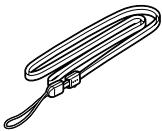
natural_image
Line drawing of a U-shaped metal clamp with attached clasp (no text or symbols)Courroie (O-ST5) (*)

natural_image
Simple line drawing of a circular object with concentric rings (no text or symbols)natural_image
Line drawing of a coiled cable with two connectors (no text or symbols)Câble AV I-AVC7 (*)
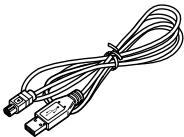
natural_image
Line drawing of a USB cable with two connectors (no text or symbols)Câble USB I-USB7 (*)
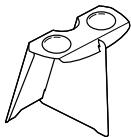
natural_image
Line drawing of a mechanical bracket or clamp (no text or symbols)natural_image
Illustration of a Pentax bank device with no visible text or symbols on its bodyBatterie lithium-ion rechargeable D-LI8 (*)
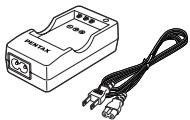
natural_image
Illustration of a PENTAX device with a black cable and two terminal ports (no text or symbols)text_image
PENTAX Digital Camera Optios Operating Manual To ensure the best performance from system, please need for Operating Manual license using the cameratext_image
Diagram showing cable installation with labeled connection point 'Opti' and magnified detail viewtext_image
P 200 [ ] 10/20/2003 11:19natural_image
Illustration of a smiling woman holding a smartphone (no text or symbols present)natural_image
Illustration of a woman holding a device with a smiling face (no text or symbols)natural_image
Illustration of four people interacting with a TV screen showing a family scene (no text or symbols present)natural_image
Illustration of a person using a computer with a monitor and tower (no text or symbols visible)natural_image
Illustration of a customer and a staff member at a service counter, both holding photo cards (no text or symbols visible)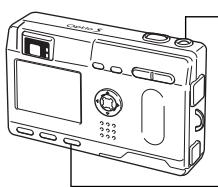
natural_image
Line drawing of a digital camera with display and control buttons (no text or symbols)text_image
Diagram of a device rear panel with numbered labels pointing to different componentsMode capture
① Bouton ↓
Change le mode flash. (⇔ p.39)
② Bouton MF
text_image
Diagram of a digital camera with numbered labels pointing to different componentsMode lecture
text_image
Diagram of a digital camera with numbered parts labeled ① to ④Mode dictaphone
① Déclencheur
flowchart
Bouton menu interface flowchart with param capture and lecture settings, including optional options for each step.
natural_image
Exterior view of a courtyard with traditional buildings and a person standing nearby (no visible text or symbols)↓

natural_image
Completely black image with no visible content, text, or symbols.↓
Affichage activé

natural_image
Simple black-and-white icon set with icons for weather, sunshine, people, and a water feature (no text or symbols)
natural_image
Black-and-white cityscape photo showing a tall tower and waterfront with streetlights and buildings in the background (no visible text or symbols)natural_image
Black-and-white cityscape featuring two tall skyscrapers with a flag sculpture in the sky (no visible text or symbols)natural_image
Exterior view of a modern office building with a tall tower and waterfront scene (no visible signage or text)
natural_image
Black-and-white photo of a courtyard with traditional buildings and bare trees, no visible text or symbolsnatural_image
Black-and-white photo of a table with a vase and flowers, no visible text or symbolsnatural_image
Black-and-white photo of a table with floral arrangements and a camera icon, no readable text or symbols present.
natural_image
Diagram of a mechanical assembly with directional arrows indicating motion (no text or symbols)natural_image
Illustration of a mechanical device with two views of a small animal, showing internal anatomy (no text or symbols)
natural_image
Black-and-white photo of a table setting with floral arrangements and teacups, no visible text or symbols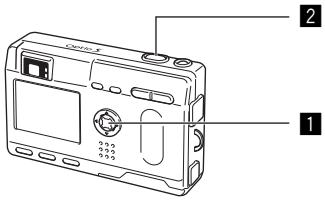
text_image
Diagram of a digital camera with labeled parts, showing front and back views with numbered annotations.
Picture Mode


USER
text_image
198 P [ ] 10/20/2003 11:19text_image
Diagram of a digital camera with labeled parts, showing front and back views with numbered annotations.
Picture Mode


USER
natural_image
Black-and-white photo of a courtyard with buildings and trees, no visible text or symbols
natural_image
Line drawing of a digital camera with control panel and display (no text or symbols)
Picture Mode


USER
natural_image
Black-and-white photo of a courtyard with buildings and a person, no visible text or symbolsnatural_image
Black-and-white photo of a courtyard with buildings and trees, no visible text or symbolsnatural_image
Black-and-white photo of a courtyard with buildings and a person, no visible text or symbols
text_image
100-0012 00:00:15 00:00:28 10/20/2003 11:19text_image
Diagram of a digital camera with labeled parts including buttons, lens, and screennatural_image
Snowy landscape with bare trees and a river, no visible text or symbolsnatural_image
Black-and-white photo of a rural courtyard with buildings and a person, featuring a camera icon and time settings (no readable text or symbols)natural_image
Black-and-white photo of a courtyard with traditional buildings and trees, no visible text or symbolsAffichage activé
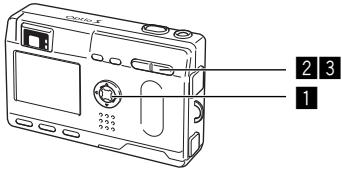
text_image
2 3 1Affichage 9 images
natural_image
Grid of nine black-and-white historical photos showing buildings, rivers, and structures (no visible text or symbols)Image sélectionnée
natural_image
Black-and-white photo of a courtyard with buildings and people, no visible text or symbolsnatural_image
Diagram showing connection between a portable camera and a server unit with cables (no text or symbols)text_image
Diagram showing connection between a Optio camera and a server rack with connected cablestext_image
File of the travel Options Edit Add Export Finish Help Save As... Save As... Delete As... Delete As... Delete As... Delete As... Delete As... Delete As... Delete As... Delete As... Delete As... Delete As... Delete As... Delete As... Delete As... Delete As... Delete As... Delete As... Delete As... Delete As... Delete As... Delete As... Delete As... Delete As... Delete As... Delete As... Delete As... Delete As... Delete As... Delete As... Delete As... Delete As... Delete As... Delete As... Delete As... Delete A B C D E F G H I J K L M N O P Q R S T U V W X Y Z A B C D E F G H I J K L M N O P Q R S T U V W X Y Z A B C D E F G H I J K L M N O P Q R S T U V W X V Wtext_image
Stitch After confirming the alignment Select a method Big Plane Cylinder Simple Stitch Focal Length 35 mm 360 degree Image Size Blending Small Gradual Medium Steep Large None Background Color White Cancel Cliquez sur [Gros plan]5 Rognez l'image.
natural_image
Black-and-white cityscape illustration with a building silhouette and tool palette overlay (no readable text or symbols)text_image
LCD photometric sticker - Panternistic Image Viewer: 768 x 195 78.1%text_image
Diagram showing connection between an Opdo camera and a device with cable, highlighting the cable's connector.Batterie lithium-ion rechargeable (D-LI8)
For customers in USA STATEMENT OF FCC COMPLIANCE
This device complies with Part 15 of the FCC Rules. Operation is subject to the following two conditions: (1) This device may not cause harmful interference, and (2) this device must accept any interference received, including interference that may cause undesired operation. Changes or modifications not approved by the party responsible for compliance could void the user's authority to operate the equipment. This equipment has been tested and found comply with the limits for a Class B digital device, pursuant to part 15 of the FCC Rules.
These limits are designed to provide reasonable protection against harmful interference in a residential installation. This equipment generates, uses and can radiate frequency energy and, if not installed and used in accordance with the instructions, may cause harmful interference to radio communications. However, there is no guarantee that interference will not occur in a particular installation.
If this equipment does cause harmful interference to radio or television reception, which can be determined by turning the equipment off and on, the user is encouraged to try to correct the interference by one or more of the following measures:
- Reorient or relocate the receiving antenna.
Increase the separation between the equipment and receiver.
Connect the equipment into an outlet on a circuit different from that to which the receiver is connected.
* Consult the dealer or an experienced radio/TV technician for help.
For customers in Canada
This Class B digital apparatus meets all requirements of the Canadian Interference - Causing Equipment Regulations.
The CE Mark is a Directive conformity mark of the European Community.
PENTAX Corporation 2-36-9, Maeno-cho, Itabashi-ku, Tokyo 174-8639, JAPAN (http://www.pentax.co.jp/)
PENTAX Europe GmbH (European Headquarters)
Julius-Vosseler-Strasse, 104, 22527 Hamburg, GERMANY
(HQ - http://www.pentaxeurope.com)
(Germany - http://www.pentax.de)
PENTAX U.K. Limited Pentax House, Heron Drive, Langley, Slough, Berks SL3 8PN, U.K.
(http://www.pentax.co.uk)
PENTAX France S.A.S. 12/14, rue Jean Poulmarch, 95106 Argenteuil Cedex, FRANCE
PENTAX Benelux B.V. (for Netherlands)
Spinveld 25, 4815 HR Breda, NETHERLANDS
(http://www.pentax.nl)
(for Belgium & Luxembourg)
Weiveldlaan 3-5, 1930 Zaventem, BELGIUM
(http://www.pentax.be)
PENTAX U.S.A., Inc 35 Inverness Drive East, Englewood, Colorado 80112, U.S.A.
(http://www.pentax.com)
PENTAX Canada Inc. 3131 Universal Drive, Mississauga, Ontario L4X 2E5, CANADA
(http://www.pentaxcanada.ca)

text_image
PENTAXfor your precious moments