L02SMS11E - Sandwich maker Logik - Free user manual and instructions
Find the device manual for free L02SMS11E Logik in PDF.
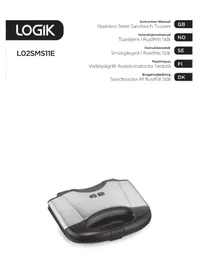


| Product Type | Sandwich Maker |
| Brand | Logik |
| Model | L02SMS11E |
| Power Consumption | 700 W |
| Mains Supply | 230 V ~ 50 Hz |
| Material | Stainless Steel |
| Cooking Plates | Non-stick coating |
| Indicators | Power indicator and temperature indicator |
| Safety Features | Handle lock, cool-touch handle, automatic thermostat control |
| Cooking Time | Approximately 3-4 minutes per sandwich |
| Cleaning | Wipe plates with damp cloth; do not immerse in water |
| Cord Storage | Wrap cord around base for storage |
| Usage | For toasting sandwiches with fillings; not for raw meat |
| Included Accessories | Instruction manual |
Frequently Asked Questions - L02SMS11E Logik
User questions about L02SMS11E Logik
0 question about this device. Answer the ones you know or ask your own.
Ask a new question about this device
Download the instructions for your Sandwich maker in PDF format for free! Find your manual L02SMS11E - Logik and take your electronic device back in hand. On this page are published all the documents necessary for the use of your device. L02SMS11E by Logik.
USER MANUAL L02SMS11E Logik
Stainless Steel Sandwich Toaster
GB
Instruction Manual
Stainless Steel Sandwich Toaster
NO
Instruction Book
Stainless Steel Sandwich Toaster
SE
User Guide
Contents
GB
Safety Warnings 5
Unpacking....15
Product Overview 16
First Time Use 16
Sandwich Making....18
Recipes for Sandwich Fillings....20
Cleaning and Maintenance....21
Specifications....21
Contents
NO
Do not touch the surface of the appliance during operation.
- This appliance can be used by children aged from 8 years and above and persons with reduced physical, sensory or mental capabilities or lack of experience and knowledge if they have been given supervision or instruction concerning use of the appliance in a safe way and understand the hazards involved. Children shall not play with the appliance. Cleaning and user maintenance shall not be made by children without supervision.
- Keep the appliance and its mains cable out of the reach of children less than 8 years old.
- Your appliance should be used in such a way that it is protected from moisture e.g., condensation, splashed water etc. Do not place or store your appliance where it can fall or be pulled into water or any other liquid. Do not reach for the appliance if it has fallen in any water or any other liquid. Unplug immediately. Stand your appliance on a stable, level surface during use. Do not allow your appliance to sit on top of the mains cable.
- Make sure that children cannot touch the appliance when hot or pull the mains cable.
- It is dangerous to insert fingers or objects other than bread into the appliance.
- Bread may burn. Your appliance must not be used near or below curtains or other combustible materials. It must be watched when in use. Do not leave your appliance unattended. Your appliance should be placed away from heat sources such as radiators, gas/electric fires and direct sunlight.
- Keep the mains cable away from any heated surfaces.
- Use the appliance only for its intended use, as described in this manual.
- Do not use outdoors.
- Never use your appliance if it is damaged in any way. Do not remove any fixed covers.
- Never use this appliance if it is not working properly, or if it has been dropped or damaged.
- If the mains cable is damaged it must be replaced by the manufacturer, its service agent, or similarly qualified persons in order to avoid a hazard.

CAUTION: Hot surface
Thank you for purchasing your new Logik Sandwich Toaster.
We recommend that you spend some time reading this instruction manual in order to fully understand all the operational features it offers.
Read all the safety instructions carefully before use and keep this instruction manual for future reference.

Unpacking
Remove all packaging from the unit. Retain the packaging. If you dispose of it please do so according to local regulations.
The following items are included:
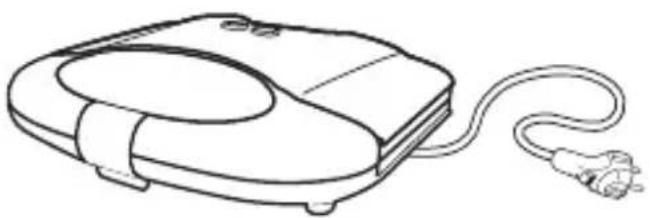
The Main Unit Instruction Manual
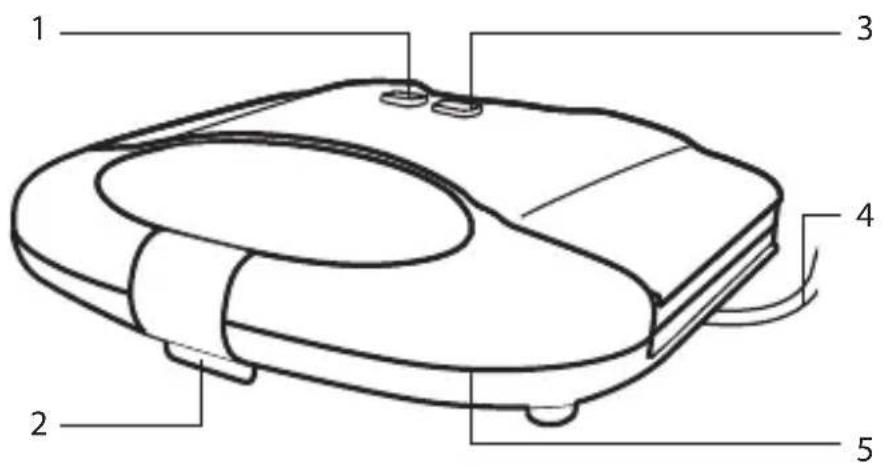
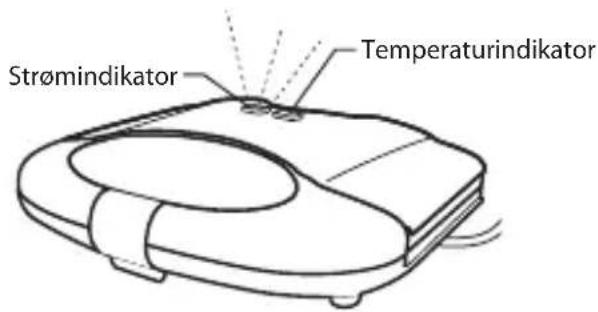
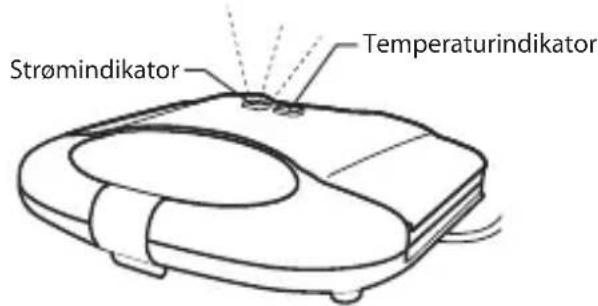
- Power Indicator
- Handle Lock
- Temperature Indicator
- Mains Cable & Plug
- Handle
First Time Use

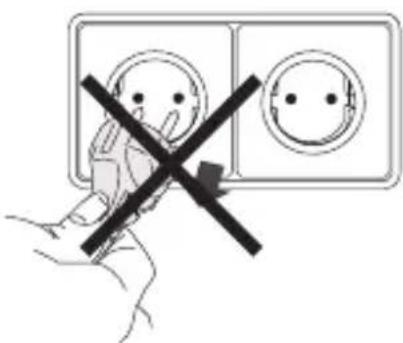
Do not connect to the mains socket yet.
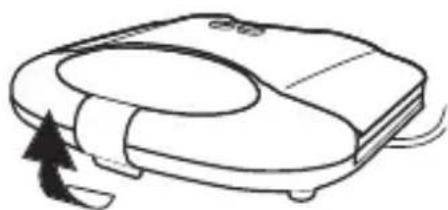
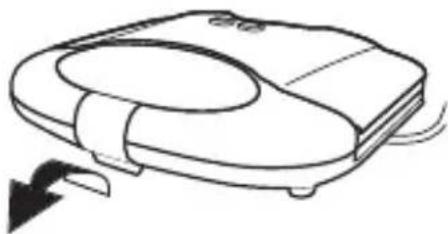
- Open up your sandwich toaster by releasing the handle locking clip and lifting up the top half of the sandwich toaster.
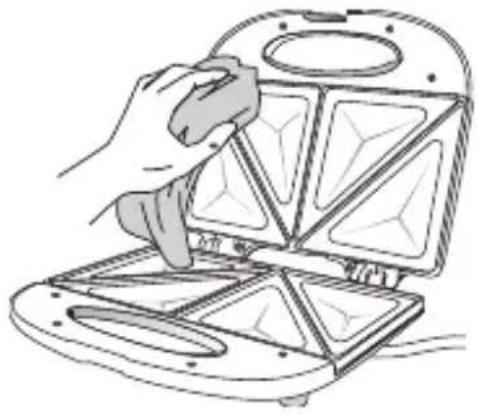
- Clean the surface of the cooking plates with a damp cloth and wipe dry.
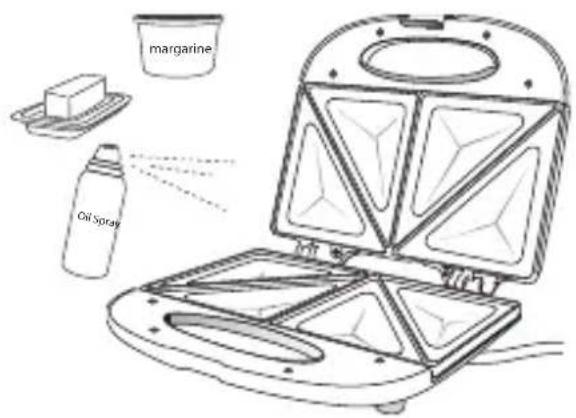
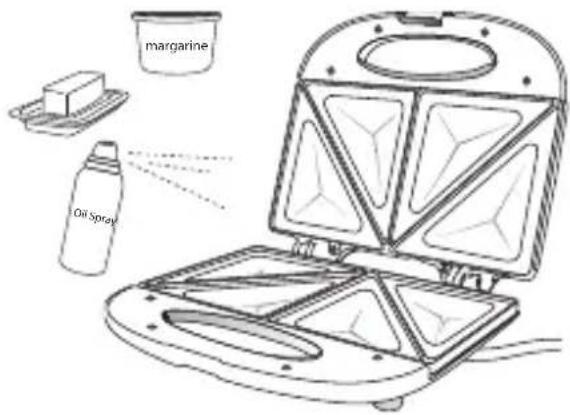
- Smear a layer of butter, margarine or cooking fat over the plates.
- Gently squeeze the handles together and close the handle lock.
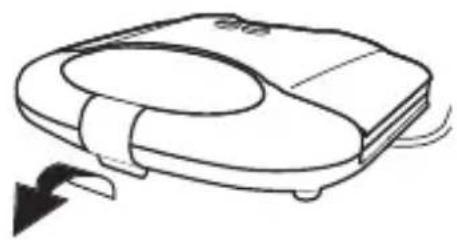
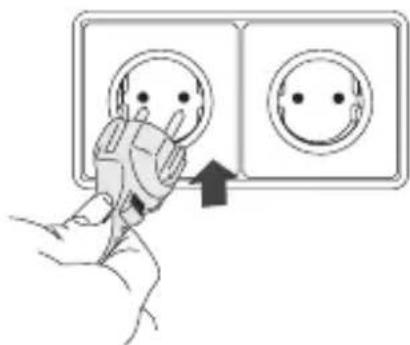
- Connect the plug to the mains socket.
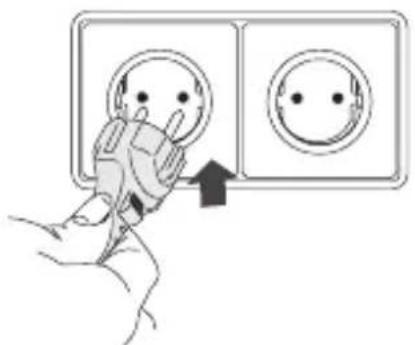
- Turn the power on at the mains socket. The power indicator will light up.
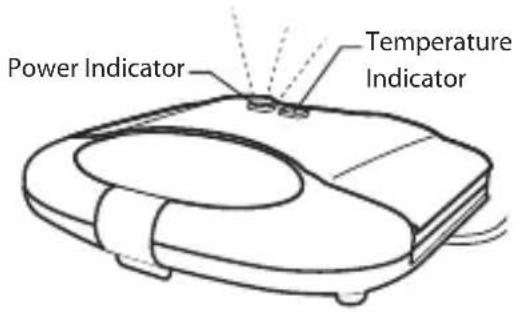
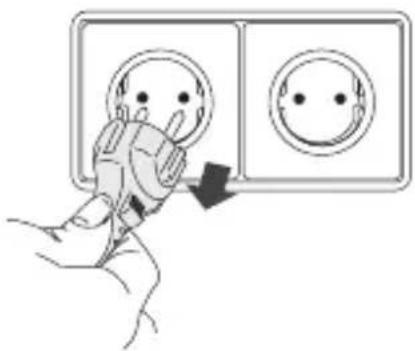
- When the temperature indicator lights up, unplug the mains plug from the mains socket.

Sandwich Making
Make sure the bread covers the cooking plates.
- Connect the plug to the mains socket and switch on.
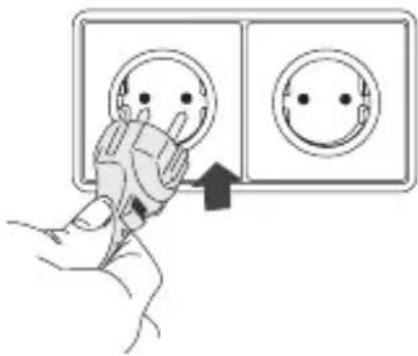
- The power indicator will illuminate and remain lit until the sandwich toaster reaches the correct cooking temperature.
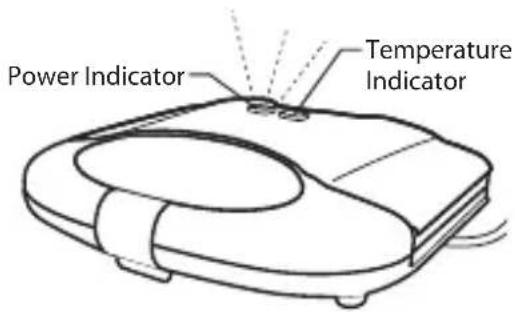
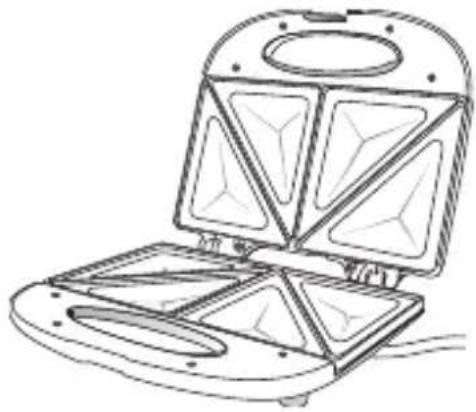
- When the temperature indicator lights up, open your sandwich toaster by releasing the handle lock and lifting up the top half of the sandwich toaster.
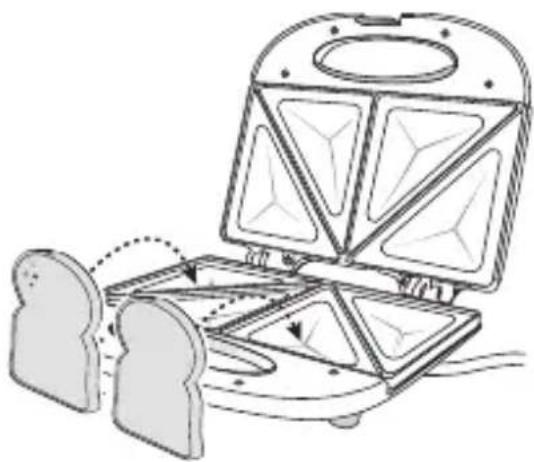
- Place your bread on the lower half of the cooking plates with the buttered side facing down.
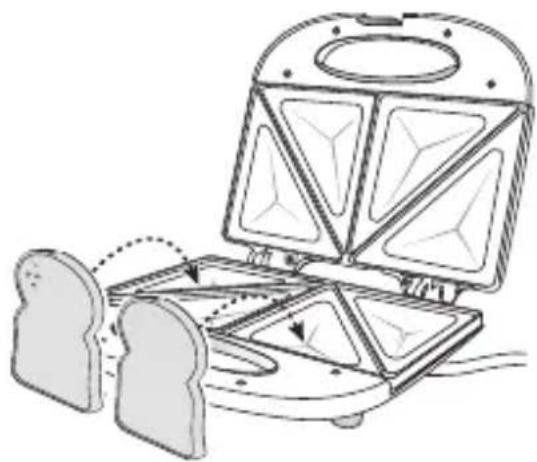
- Add fillings to the surface of the bread and then place another slice of bread on top, with the buttered side facing up.
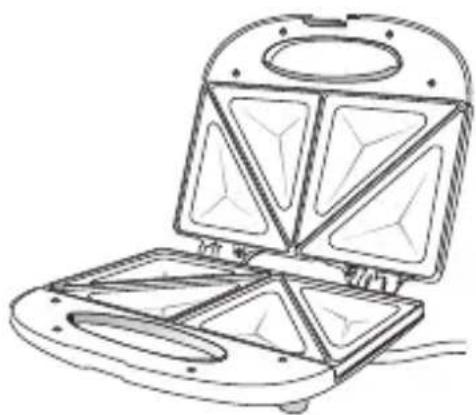
- Gently squeeze the handles together and lock the handles.
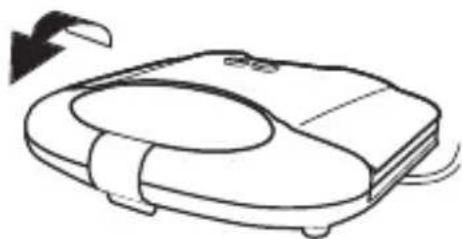
- The temperature indicator will turn on and off whilst the built-in thermostat maintains the cooking temperature.
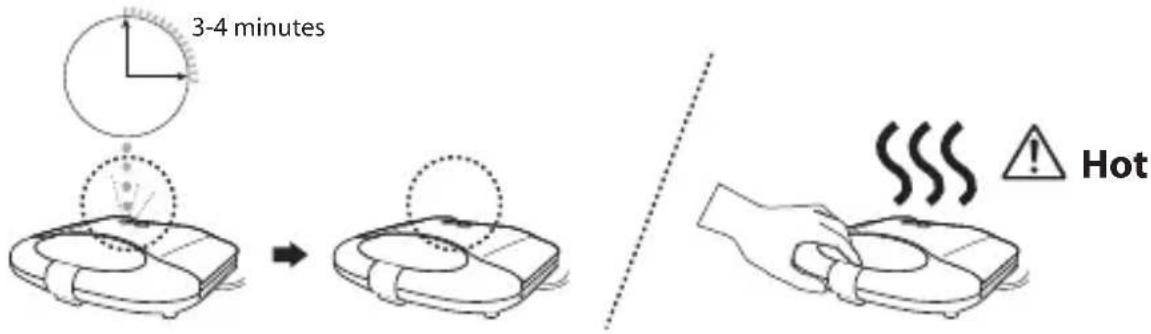

- Never use a metal object to remove your toasted sandwich as it may damage the cooking plates.
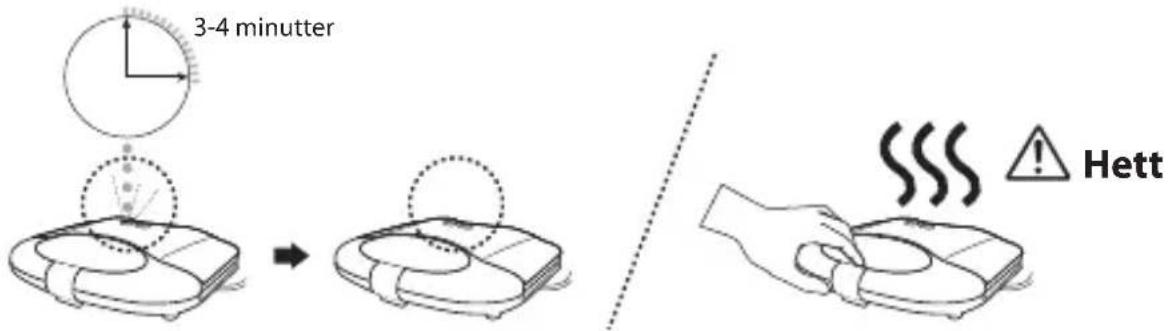
- Your toasted sandwich should be ready in approximately 3-4 minutes. When the temperature indicator lights up, open the sandwich toaster with caution as it will be hot.
- If you have finished, remember to unplug the mains plug from the mains socket.

Recipes for Sandwich Fillings
Never use raw meat as a sandwich filling. Do not reheat sandwiches that have a meat filling.
Here are some recipe examples:
• Tuna mayonnaise and sweet corn • Cheese spread, ham and apple slices - Pizza toppings, ham and grated cheddar cheese • Brie with crushed walnuts and apple slices • Avocado, crab and celery • Cheddar cheese and onion

- Sweet sandwiches are very easy to prepare.
- White bread is recommended. Try apple pie filling, sultana and cinnamon.
Cooking Hints:
Prepare the next sandwich while one is cooking.
When the temperature indicator switches off, it is the best time to cook the next sandwich. Always close the cooking plates to preserve the heat for the next sandwich.

Cleaning and Maintenance
Do not use harsh cleaners, solvents or scouring pads as they may damage the casing.
- Fully unplug the plug from the mains socket. Wait until the sandwich toaster has cooled down before cleaning.
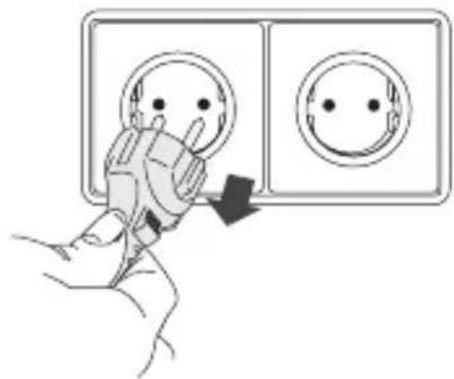
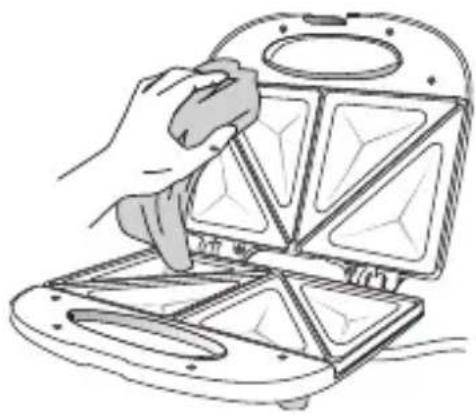
- Clean the surface of the cooking plates with a damp cloth and wipe dry. Make sure you do not allow water to seep into the controls or heating elements.
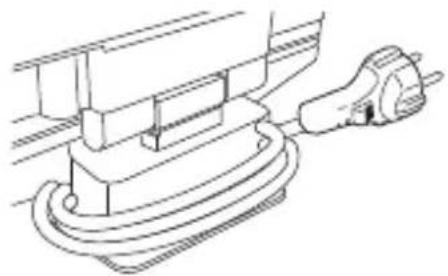
- After cleaning or when not in use, wrap the mains cable at the bottom of the sandwich toaster for storage.

Specifications
| Model L02SMS11E | |
| Mains Supply 230V~ 50Hz | |
| Power Consumption 700W |
Features and specifications are subject to change without prior notice.
NO

Sandwich layer
Make sure the bread slices cover the hot plates.
- Place the bread slices on the lower half of the hot plates with the buttered sides facing down.
- The temperature indicator turns on and off while the built-in thermostat maintains a constant cooking temperature.


Specifications

Sandwich preparation

Specifications
Device User Guide


Bread preparation

Technical specifications
| Malli L02SMS11E | |
| Jännite 230V~ 50Hz | |
| Virrankulutus 700W |

- The temperature indicator lights up until the sandwich toaster reaches the correct cooking temperature.

Specifications
| Model L02SMS11E | |
| Strømforsyning 230V~ 50Hz | |
| Strømforbrug 700W |
The symbol on the product or its packaging indicates that this product must not be disposed of with your other household waste. Instead, it is your responsibility to dispose of your waste equipment by handing it over to a designated collection point for the recycling of waste electrical and electronic equipment. The separate collection and recycling of your waste equipment at the time of disposal will help conserve natural resources and ensure that it is recycled in a manner that protects human health and the environment.
For more information about where you can drop off your waste for recycling, please contact your local authority, or where you purchased your product.
GB www.knowhow.com/knowledgebank
NO www.elkjop.no/support www.lefdal.com/support
SE www.elgiganten.se/support

Brand : Logik
Model : L02SMS11E
Category : Sandwich maker