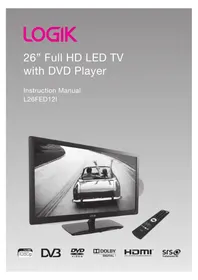
L26FED12I - Television Logik - Free user manual and instructions
Find the device manual for free L26FED12I Logik in PDF.


Pick your language and provide your email: we'll send you a specifically translated version.
| Product Type | LED Television |
| Screen Size | 26 inches (66 cm) |
| Display Resolution | HD Ready (1366 x 768) |
| Aspect Ratio | 16:9 |
| Audio Output | 2 x 5 W stereo speakers |
| Tuner | Freeview (DVB-T) |
| HDMI Connections | 2 x HDMI input |
| USB Port | 1 x USB 2.0 |
| SCART Port | 1 x SCART |
| Other Connections | RF in, composite AV, headphone jack |
| Power Supply | 220-240 V, 50 Hz |
| Power Consumption | 60 W typical |
| Standby Consumption | Less than 1 W |
| Product Dimensions (with stand) | 635 x 425 x 180 mm |
| Weight | 4.5 kg approx. |
| Wall Mount VESA | 100 x 100 mm |
| Cleaning | Wipe with a soft dry cloth; do not use harsh chemicals |
| Safety | Keep ventilation open; do not expose to rain or moisture |
| Spare Parts | Contact authorized Logik dealer for remote control or accessories |
| Repair Service | No user-serviceable parts; refer to qualified technicians |
Frequently Asked Questions - L26FED12I Logik
What is the screen resolution of the Logik L26FED12I?
The L26FED12I features a 26-inch HD Ready panel with a resolution of 1366 x 768 pixels, giving crisp HD Ready picture quality.
Can I mount the TV on a wall?
Yes, the TV supports a VESA 100 x 100 mm wall mount. Use appropriate bolts as specified in the manual and ensure the wall can support the weight.
How do I retune Freeview channels?
Press the Menu button, go to Channel Setup or Installation, select Auto Tuning to scan and store available digital channels.
What devices can I connect to this TV?
You can connect devices via HDMI, SCART, USB, composite AV, or the RF aerial input. The USB port supports media playback from flash drives.
Why is there no sound or picture?
Check that the TV is switched on, the source is correct, and the aerial or input cable is properly connected. If using a set-top box, try a different input.
How should I clean the television screen?
Use a soft, dry microfiber cloth. Do not spray water directly onto the screen; lightly dampen the cloth if necessary and wipe gently.
What is the standby power consumption?
In standby mode, the TV consumes less than 1 W, helping you save energy when not in use.
Can I play photos or movies via USB?
Yes, the USB port supports JPEG, MPEG, and MP3 file playback. Insert a flash drive and select USB Source from the input list.
Why do channels disappear or lose signal?
This may be caused by a weak aerial signal. Check the antenna cable, run Auto Tuning, or adjust the aerial position. Bad weather can also affect Freeview reception.
Where can I find a replacement remote control?
Contact the Logik customer care or an official dealer with your TV model number L26FED12I to order a replacement remote.
User questions about L26FED12I Logik
0 question about this device. Answer the ones you know or ask your own.
Ask a new question about this device
No questions yet. Be the first to ask one.
Download the instructions for your Television in PDF format for free! Find your manual L26FED12I - Logik and take your electronic device back in hand. On this page are published all the documents necessary for the use of your device. L26FED12I by Logik.
USER MANUAL L26FED12I Logik
Manual assistant
Powered by Anthropic
Waiting for your message
Product information
Brand : Logik
Model : L26FED12I
Category : Television