
DUR-807 - Barcode Reader Deltaco - Free user manual and instructions
Find the device manual for free DUR-807 Deltaco in PDF.


| Product Type | Barcode Scanner |
| Brand | Deltaco |
| Model | DUR-807 (LS6000B-U) |
| Barcode Technology | Laser |
| Interface | USB (RS232 data format), Bluetooth |
| Power Supply | 5V DC, 1A via included power adaptor |
| Battery | Rechargeable Li-Ion (inside scanner) |
| Charging Time | 6 hours for initial charge |
| Scanning Technology | Laser diode |
| Decode Capability | Code 39, Code 128, UPC/EAN, Interleaved 2 of 5, Codabar, Code 93, MSI, and more |
| Scan Modes | Single scan, multi scan, no trigger |
| Indicators | LED (red/blue) and buzzer |
| Sleep Mode | Automatic after 30 minutes of inactivity |
| Maintenance | Clean scan window with lens tissue or optical cleaning material |
| Safety Compliance | FCC Class A |
| Package Contents | Scanner, charging cradle with USB cable, power adaptor (5V/1A), user manual |
| Warranty | Limited warranty (see manual for details) |
| Supported Symbologies | Enables/disables via barcode programming |
Frequently Asked Questions - DUR-807 Deltaco
User questions about DUR-807 Deltaco
0 question about this device. Answer the ones you know or ask your own.
Ask a new question about this device
Download the instructions for your Barcode Reader in PDF format for free! Find your manual DUR-807 - Deltaco and take your electronic device back in hand. On this page are published all the documents necessary for the use of your device. DUR-807 by Deltaco.
USER MANUAL DUR-807 Deltaco
Laser Barcode Scanner Model no.
LS6000B-U
QUICK GUIDE
INTRODUCTION
LS6000B-U laser barcode scanners series have incorporated the latest wireless blue-tooth technology. The technology provides customer with the freedom of mobility, with long communication range from the charging cradle.
The bar code scanner requires establishing communications with its charging cradle (built-in dongle). After communications have been established between the scanner and charging cradle, futures bar code scans will be transmitted from the scanner to the cradle and from the cradle to the host.
For power supply, the charging cradle of LS6000B-U also works as a battery charger for the scanner. Users can plug in 5V DC power adaptor for power charge of the scanner.
Package of LS6000B-U series should contain:
- LS6000B-U Laser Barcode Scanner
(Rechargeable Li-Ion battery pack inside) - Charging Cradle with USB cable & DC plug
- Power Adaptor (5V/1A)
- User's Manual
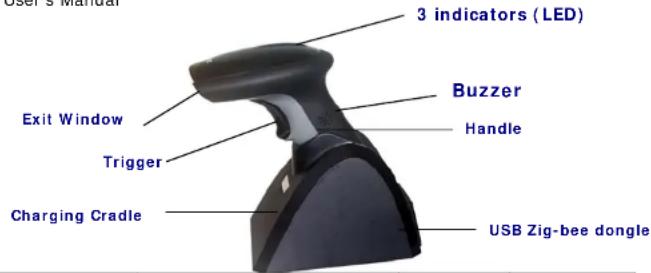
| RED | BLUE | ||
| ON Not read Good read | |||
| Continual ON | Off line / out of service range | Low | |
| Blinking | Wireless connection not linked | Charging | |
| P.S. If scanner not in use, will automatic switch to sleeping mode after 30 min. | |||
ORAI
power
* When out of service range the laser will on but will not scan. INSTALLATION
Insert the plug on the free end of the Communications Cable into the appropriate connector on the host as below described:
USB Connection (RS232 data format)

flowchart
graph LR
    A["User"] -->|Connect with host| B["Host"]
    B --> C["Computer"]

-
Please switch on and charging scanner for 6 hours at first time before install driver.
-
Install the software "PL-2303 Driver Installer.exe" to the host system for LS6000B-U series.
-
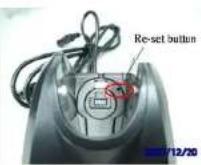
Connect scanner cradle to the USB port on the host system. Once link the red led light on scanner will off. In case it still keeps ON please re-plug the USB connector again and click on reset button shown on picture. That circle on red color.
-
Go to My Computer → One click right button of mouse → Administrate → Device Administrator → Connect Port (COM and LPT).
-
Choose Prolific USB-to-Serial Com Port, and see identify COM number, ex. COM 5.
-
Go to START → Programs → Accessories → Communications → Hyper Terminal.
Detail set up on the Hyper Terminal, please see at the Figure 1 to Figure 3.
Figure 1

Figure 2

Figure 3
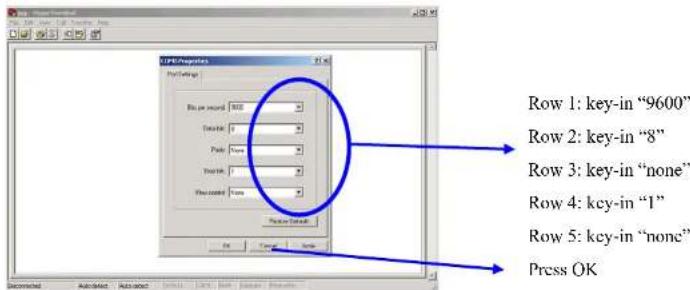
- Start to aim the scanner at a bar code, you may see data shown on the hyper terminal.
Reset Configuration to Defaults
If you are unsure of the scanner configuration or have scanned the incorrect codes, please scan the "Reset Configuration to Defaults" barcode. This will reset the scanner to its factory settings.
RESET CONFIGURATION TO DEFAULTS

STRING #1 - TERMINATION
CHAR - CR

0202011000\$0D
OUTPUT MODE - SERIAL

000601
Tip
Do not hold the scanner directly over a barcode at 90". Scanning light bounces directly back into the scanner from the barcode label is known as specular reflection which will create a "dead zone" where decoding is difficult. Practice a few times to find what range of angles works best.
Maintenance
Cleaning the scan window is the only maintenance required. A dirty window may affect scanning accuracy.
Wipe the scanner window gently with a lens tissue or other material suitable for cleaning optical material.
Do not spray water or other cleaning liquids directly onto the window.
FCC Compliance
This equipment has been tested and found to comply with the limits for a Class A digital device, pursuant to Part 15 of the FCC Rules. These limits are designed to provide reasonable protection against harmful interference when the equipment is operated in a commercial environment. This equipment generates, uses, and can radiate radio frequency energy and, if not installed and used in accordance with the instructions manual, may cause harmful interference to radio communications. Operation of this equipment in a residential area is likely to cause harmful interference in which case the user will be required to correct the interference at his own expense.
Changes or modifications not expressly approved by the party responsible for compliance could void the user's authority to operate the equipment.
Limited Warranty
No warranty of any kind is made in regard to this material, including, but not limited to, implied warranties of merchantability or fitness for any particular purpose. We are not liable for any errors contained herein or for incidental or consequential damages in connection with furnishing, performance or use of this material. We shall be under no liability in respect of any defect arising from fair wear and tear, willful damage, negligence, abnormal working conditions, failure to follow the instructions and warnings, or misuse or alteration or repair of the products without written approval.
Setup from Bar Code Label
Multi-Interface Functions - 1
OUTPUT FIRMWARE VERSION

OUTPUT MODE KEYBOARD / USB

000600
GOOD READ BEEP TONE NONE

014200
DECODE OPTIONS REVERSE IMAGE

01391
DECODE OPTIONS SEND BAR CODE ID -
DISABLE

01400
DECODE OPTIONS SEND BAR CODE ID -
RESET

RESET CONFIGURATION TO
DEFAULTS

OB
OUTPUT
MODE
OUTPUT MODE - SERIAL

000601
BUZZER /
LED
0B142
IMAGE
DECODE OPTIONS REVERSE IMANGE
- DISABLE
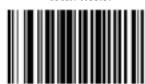
01390
CODE ID
DECODE OPTIONS SEND BAR CODE
ID - AS A PREFIX
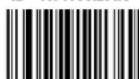
01401
DECODE OPTIONS SEND BAR CODE
ID - AS A SUFFIX
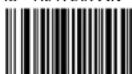
Multi-Interface Functions - 2
SCAN MODE - SINGLE SCAN
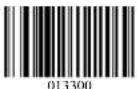
SCAN MODE MULTISCAN

READING
MODE
SCAN MODE SINGLE SCAN NO
TRIGGER
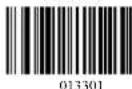
SCAN MODE MULTISCAN NO TRIGGER


LASER/CCD TIMEOUT - 5 SECONDS

LASER/CCD PULSE RATE - 7
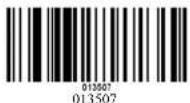
LASER/CCD TIMEOUT - 2 SECONDS
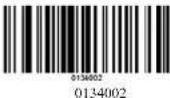
LASER/CCD PULSE RATE - 3
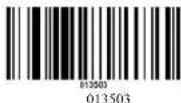
Interface - KBW
WEDGE MODE - AUTODETECT

TRANSMIT SPEED - 0
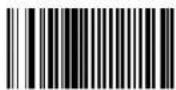
0000000
KEYBOARD COUNTRY - USA

KHYBOARD COUNTRY - FRANCE

PC
Communication
WEDGE MODE - SCAN SET 2 PASS
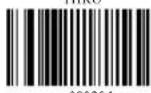
TRANSMIT
SPEED
TRANSMIT SPEED - 25
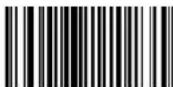
0000025
LANGUAGE
KEYBOARD COUNTRY - GERMAN

KEYBOARD COUNTRY - UNIVERSAL

Interface - Serial - 1
BAUD RATE
SERIAL BAUD RATE - 2400
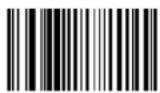
000703
SERIAL BAUD RATE - 9600

000705
SERIAL BAUD RATE - 4800

000704
SERIAL BAUD RATE - 19200

000706
SERIAL HANDSHAKE - NONE
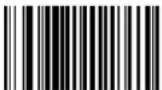
001200
SERIAL HANDSHAKE - RTS/CTS

001202
SERIAL HANDSHAKE TIMEOUT
2 SECONDS
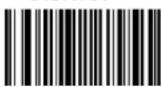
0013020
HAND
SHAKE
SERIAL HANDSHAKE XON/XOFF

001201
SERIAL HANDSHAKE - ACK/NAK
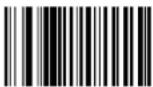
001203
SERIAL HANDSHAKE TIMEOUT
5 SECONDS
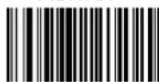
0013050
Interface - Serial - 2
SERIAL DATA BITS - 8

00081
SERIAL STOP BITS - 1
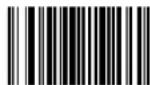
00090
SERIAL PARITY - NONE

001000
SERIAL PARITY - EVEN

001002
SERIAL PARITY - SPACE

001004
PARAMETERS
SERIAL DATA BITS - 7
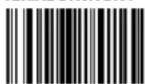
00080
SERIAL STOP BITS - 2

00091
SERIAL PARITY - ODD

001001
SERIAL. PARITY - MARK

001003
SERIAL PARITY - RESET
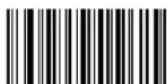
0B010
Symbologies On/Off - 1
CODE II - ENABLE

01261
CODE 11
CODE 39
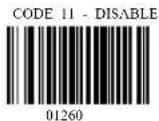
CODE 39 DISABLE

00220

00221

00231
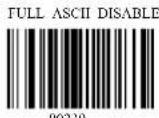
00230
Symbologies On/Off - 2
CODE 93
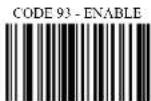
00621
CODE 128

00691

00020
CODE 128 ISBT - ENABLE

00701

00690
CODABAR - ENABLE
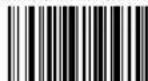
00851
CODABAR
INTERLEAVED 2
OF 5
CODABAR - DISABLE
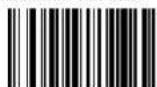
00850
I2OF5 - ENABLE
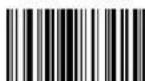
00961
12OF5 - DISABLE

00960
ID2OF5 - ENABLE

01061
INDUSTRIAL 2 OF 5
ID2OF5 - DISABLE
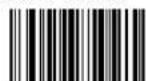
01060
Symbologies On/Off - 3
MSI

01151
UPC/EAN

00341
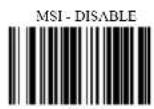
01150
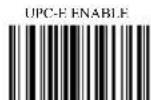
00351

00340

00361

00350

00371
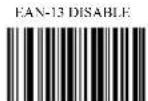
00360
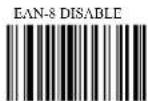
00370
Symbologies Set Up - 1
CODE 11 ID CHARACTER "m"

0131m
CODE 11 LASER/CCD REDUNDANCY -

01321
CODE 39 SS CHAR - NONE

002700
CODE 39 SEND START/STOP CHARS ENABLE
00281
CODE 39 ID CHARACTER 'a'

0031a
CODE 39 LASER/CCD REDUNDANCY ENABLE

00331
CODE 11
CODE 11 ID CHARACTER "Z"

0131Z
CODE 11 LASER/CCD REDUNDANCY -

01320
CODE 39
CODE 39 SS CHAR

002704
CODE 39 SEND START/STOP CHIARS DISABLE
00280
CODE 39 ID CHARACTER '7'
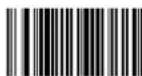
0031Z
CODE 39 LASER/CCD REDUNDANCY DISABLE

(0)330
Symbologies Set Up - 2
Symbologies Set Up - 3

CODABAR ID CHARACTER - 'k'
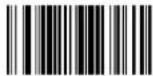
0094k
CODABAR LASER/CCD REDUNDANCY
- ENABLE

00951
I2OF5 CHECK DIGIT - DISABLE

00970
120F5 ID CHARACTER 'T'

0104i
I2OF5 LASER/CCD REDUNDANCY -
ENABLE

01051
ID2OF5 BAR START/STOP - ENABLE

01071
ID2OF5 ID CHARACTER - 'j'
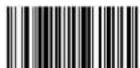
CODABAR
CODABAR ID CHARACTER = 'Z'

0094Z
CODABAR LASER/CCD
REDUNDANCY - DISABLE

00950
Interleaved 2 of 5
12OF5 CHECK DIGIT - ENABLE
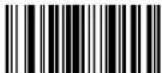
00981
120F5 ID CHARACTER 'Z'

01047
12OF5 LASER/CCD REDUNDANCY -
DISABLE
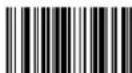
01050
Industrial 2 of 5
ID2OF5 BAR START/STOP - DISABLE
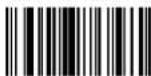
01070
ID20F5 ID CHARACTER - 77

0113j
0113Z
00481
00480
Symbologies Set Up - 4
ID2OF5 LASER/CCD REDUNDANCY - ENABLE

01141
MSI CHECK DIGIT - MOD 10

01160
MSI ISBN ID CHARACTER 'T'
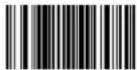
0053f
MSI LASER/CCD REDUNDANCY - ENABLE

01251
EXPAND UPC-E TO UPC-A ENABLE

00381
EXPAND UPC-A TO EAN-13 ENABLE
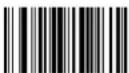
00391
CONVERT EAN-13 TO ISBN ENABLE
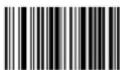
MSI
ID2OF5 LASER/CCD REDUNDANCY -
DISABLE
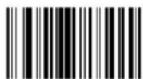
01140
MSI CHECK DIGIT - RESET
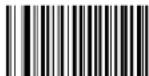
0B116
MSI ISBN ID CHARACTER 'Z'
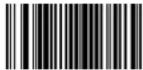
0053Z
MSI LASER/CCD REDUNDANCY -
DISABLE

01250
UPC/EAN
EXPAND UPC-E TO UPC-A DISABLE

00380
EXPAND UPC-A TO EAN-13 DISABLE

00390
CONVERT EAN-13 TO ISBN DISABLE

18
19
Symbologies Set Up - 5
SEND UPC-A CHECK DIGIT ENABLE

SEND UPC-E CHECK DIGIT ENABLE

SEND EAN-13 CHECK DIGIT ENABLE
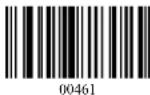
SEND EAN-8 CHECK DIGIT ENABLE
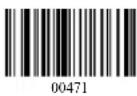
UPC-A ID CHARACTER 'b'

UPC-E ID CHARACTER 'c'

EAN-13 ID CHARACTER 'e'
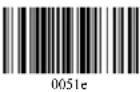
SEND UPC-A CHECK DIGIT DISABLE
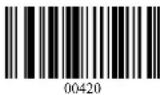
SEND UPC-E CHECK DIGIT DISABLE

SEND EAN-13 CHECK DIGIT DISABLE

SEND EAN-8 CHECK DIGIT DISABLE

UPC-A ID CHARACTER 'Z'

UPC-E ID CHARACTER 'Z'

EAN-13 ID CHIARACTER 'Z'
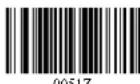
Symbologies Set Up - 6
EAN-8 ID CHARACTER 'd'

ISBN ID CHARACTER 'T'

UPC/EAN SUPPLEMENTS - DISABLE

UPC/EAN SUPPLEMENTS - 5 DIGIT ONLY
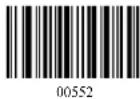
UPC/EAN LASER/CCD REDUNDANCY
ENABLE
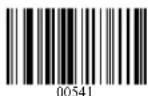
UPC/EAN
EAN-8 ID CHARACTER 'Z'

ISBN ID CHARACTER 'Z'
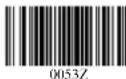
UPC/EAN SUPPLEMENTS - 2 DIGIT
ONLY
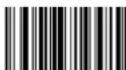
00551
UPC/EAN SUPPLEMENTS - 2 & 5 DIGIT

00553
UPC/EAN LASER/CCD REDUNDANCY
DISABLE

00540
EDIT SETUP BAR CODES
EDIT #1 STRIP 1 LEADING CHARACTER
ON ALL BAR CODES THAT START WITH
'12345'
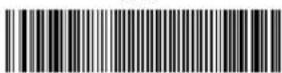
02000101000000100000000112345
EDIT 42 - STRIP 1 TRAILING CHARACTER
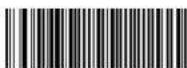
020002020000001
EDIT #1 - FILTER LEADING SPACES

020001030000032
EDIT #1 - FILTER TRAILING SPACES
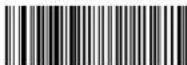
020001040000032
EDIT-FILTER ALL.'-'CHARACTERS
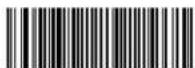
020000050000045
EDIT - INSERT LEADING ZERO

020000060000000048
EDIT #1 - OFF

0B20001
EDIT #2-OFF

0B20002
EDIT #1 - OFF

0B2D001
EDIT #1 - OFF
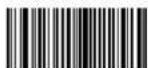
0B20001
EDIT - DISABLE FILTER OF ALL *- CHARS

0B20000050000045
EDIT - DISABLE INSERT LEADING ZERO

0B20000060000000048
MACRO/SPECIAL KEYS SETUP BAR CODES
MACRO #1 FIND '1' AND REPLACE WITH
'ONE'

02010101011ONE
MACRO #2 - FIND '2' AND REPLACE WITH
TWO FOR CODE 39 ONLY

0201023012TWO
MACRO FIND '0' AND REPLACE WITH 'A'

02010001010A
SPECIAL KEY -MAP F3 TO '0'

0162048
SPECIAL KEY MAP KEYPAD ENTER TO '2'

0182050
MACRO #1 - DISABLED
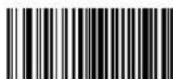
0B20101
MACRO #2 - DISABLED

0B20102
MACRO FIND '0' AND REPLACE WITH 'A' DISABLE

0B2010001010A
SPECIAL KEY - DISABLE F3 KEY MAPPING
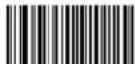
OB162
SPECIAL KEY DISABLE KEYPAD ENTER
MAPPING

0B182
TERMINATION STRING SETUP BAR CODES
STRING #1 - TERMINATION CHAR - CR
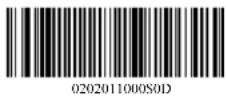
STRING #1 - TERMINATION - LF
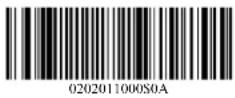
STRING #1 - TERMINATION CR+LF

STRING #1 - DISABLE

STRING #2-CODE 128 TERMINATION CHAR - CR
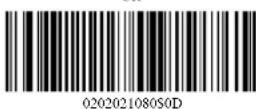
STRING 42 - CODE 128 TERMINIATION CHAR - LF
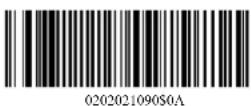
STRING #2 CODE 128 TERMINATION CHAR CR+LF
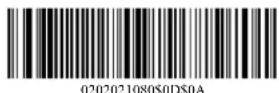
STRING #2 CODE 128 TERMINATION CHAR - REMOVED
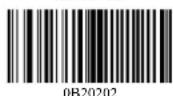
STRING-CODE 39 TERMINATION CHAR - TAB

STRING-CODE 39 TERMINATION CHAR-TAB
- REMOVED

STRING ALL CODES PREAMBLE - STX

STRING ALL CODES POSTAMBLE - ETX

Factory Default Setting
| Scanner Timing Default | |
| RS-232 communication Default | |
| Baud rate 9600 | |
| Parity | None |
| Data Bits 8 | |
| Stop Bit 1 | |
| RTS/CTS | Off |
| Terminator | |
| Keyboard Wedge Communication Default | |
| Terminal Type PC/AT | |
| Keyboard | US keyboard |
| Terminator Enter (Alpha numeric) | |
| USB Communication Default | |
| Terminator type Enter | |
| Code mode Scan Code | |
| Keyboard | US keyboard |
| Decoder Selection Default | |
| EAN/UPC | Enable |
| Code 39 Enable | |
| Code 32 Disable | |
| CODABAR | Enable |
| ITF 2 of 5 | Enable |
| MSI | Disable |
| Code 93 Enable | |
| Code 128 Enable | |
| EAN-128 | Disable |
Appendix-A
Troubleshooting & Error Beeps
a. Problem: Nothing happens when I follow the operating instructions.
| Possible Cause Possible Solution | |
| Interface cables are loose Check for loose cable connections | |
b. Problem: When I connected RS232 interface reader to PC, I could not get power up signal.
| Possible Cause Possible Solution | |
| There is no power from PC series port. | Use external power supply or take the power from PC. |
c. Problem: When I connected RS232 interface reader to PC or terminal, I got power up signal but no data transmitted.
| Possible Cause Possible Solution | |
| This may cause by wrong pin out or wrong communication protocol. | Check the pin out and communication protocol to match the PC or terminal you are using. |
d. My computer gets a keyboard error while booting up.
| Possible Cause Possible Solution | |
| The scanner is damaged or is no longer functioning. | Disconnect the scanner from your computer and use your keyboard only.Reboot your computer. If your computer still gets a keyboard error, then the problem may not be the scanner. Call technical support for assistance. |
e. Problem: Light comes on, but symbol does not decode.
| Possible Cause Possible Solution | |
| Scanner is not programmed for the correct bar-code type. | Please refer User's Guide and be sure to select the correct interface selection and ensure that the scanner is programmed to read the type of barcode you are scanning. |
| Barcode symbol is unreadable. Check the symbol to make sure it is not de-faced. Try scanning test symbols of the same barcode type. | |
| Distance between scanner and barcode is incorrect. | Move the scanner closer to or further from the barcode. |
f. Problem: The scanner beeps, but no data is displayed on my computer.
| Possible Cause Possible Solution | |
| Scanner is not programmed for the correct host type. | Please make sure the scanner is configured to the appropriate host type by scanning the corresponding programming barcode on the User's Manual. |
| The scanner is configured to send the numeric data as KEYPAD NUMERICS, or the Keyboard Country setting is set to UNIVERSAL. | Reconfigure the scanner to Send Numerics as MAIN KEYBOARD KEYS and set the Keyboard Country setting to the country setting of your computer. |
g. Problem: Scanned data is incorrectly displayed on the host.
| Possible Cause Possible Solution | |
| Scanner is not programmed to work with the host. | Be sure proper host type is selected.For RS232, ensure the scanner's communication parameters match the host's settingsFor keyboard emulation configuration, ensure the system is programmed for the correct keyboard type, and that the CAPS LOCK key is off.Be sure editing options (e.g UPC-E to UPC-A Conversion) are properly programmed. |
| The scanner's Keyboard Country setting does not match the computer's keyboard setup. | Set the scanners Keyboard Country to the same setting as the keyboard on your computer. |
h. Problem: Some of the barcode data is missing displayed on the host.
| Possible Cause Possible Solution | |
| The scanner's transmit speed is too fast. | For RS232, you can set up the scanner's transmit speed. |
i. My Caps Lock LED on my keyboard flickers when I read a bar code.
| Possible Cause Possible Solution | |
| The Keyboard Country that you are using requires shifting in and out of the shift Lock mode to send the data properly. | This is normal operation. You can reduce the flickering and speed the data transmit by sending numerics as keypad numerics, or setting the keyboard country to UNIVERSAL mode. |
Version: 2.0
Date: November 11, 2008
P/N: 79.60002.101


- Laser Barcode Scanner Model no.
- QUICK GUIDE
- INTRODUCTION
- Package of LS6000B-U series should contain:
- Reset Configuration to Defaults
- Tip
- Maintenance
- FCC Compliance
- Limited Warranty
- Setup from Bar Code Label
- Multi-Interface Functions - 1
- Multi-Interface Functions - 2
- Interface - KBW
- Interface - Serial - 1
- BAUD RATE
- Interface - Serial - 2
- PARAMETERS
- Symbologies On/Off - 1
- Symbologies On/Off - 2
- Symbologies On/Off - 3
- Symbologies Set Up - 1
- Symbologies Set Up - 2
- Symbologies Set Up - 3
- Symbologies Set Up - 4
- MSI
- UPC/EAN
- Symbologies Set Up - 5
- Symbologies Set Up - 6
- EDIT SETUP BAR CODES
- MACRO/SPECIAL KEYS SETUP BAR CODES
- TERMINATION STRING SETUP BAR CODES
- Factory Default Setting
- Appendix-A
- Troubleshooting & Error Beeps
Brand : Deltaco
Model : DUR-807
Category : Barcode Reader