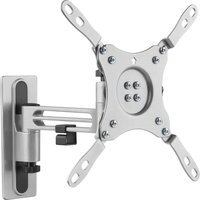
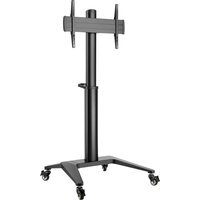
ARM-0266 - Flat screen mount Deltaco - Free user manual and instructions
Find the device manual for free ARM-0266 Deltaco in PDF.


Pick your language and provide your email: we'll send you a specifically translated version.
| Product Type | Flat screen mount |
| Brand | Deltaco |
| Model | ARM-0266 |
| Compatible Screen Sizes | 26" to 55" |
| VESA Compatibility | 100x100mm to 400x400mm |
| Maximum Weight Capacity | 30 kg (66 lbs) |
| Tilt Adjustment | +5° to -15° |
| Swivel Adjustment | ±90° |
| Rotation | 360° (landscape to portrait) |
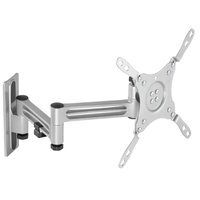
| Extension Arm | Yes, up to 500mm (19.7") |
| Wall Plate Dimensions | 250 x 150 mm |
| Mounting Type | Single arm, wall mount |
| Material | Cold-rolled steel with powder coating |
| Net Weight | 3.2 kg (7.1 lbs) |
| Gross Weight | 4.0 kg (8.8 lbs) |
| Package Dimensions | 550 x 250 x 100 mm |
| Cable Management | Yes, integrated clips for cable routing |
| Included Accessories | Wall anchor kit, screws, Allen key, manual |
| Maintenance & Cleaning | Wipe with dry cloth; check screws periodically |
| Safety | Do not exceed weight limit; install on solid wall |
| Spare Parts & Repairability | Contact Deltaco support for replacement parts |
| General Information | Designed for VESA-compliant flat screens |
Frequently Asked Questions - ARM-0266 Deltaco
What is the maximum screen size and weight this mount can support?
The Deltaco ARM-0266 supports screens from 26 to 55 inches with a maximum weight of 30 kg (66 lbs). Always verify your TV weight before mounting.
What VESA patterns are compatible with this mount?
This mount fits VESA patterns from 100x100 mm up to 400x400 mm. Common sizes like 200x200, 300x300, and 400x400 are supported.
Can the mount tilt and swivel?
Yes, it offers tilt adjustment from +5° to -15° and swivel of ±90° to reduce glare and improve viewing angles. It also rotates 360° for portrait mode.
Is cable management included?
Yes, the mount features integrated cable clips that help route and hide cables for a clean installation.
How do I install the mount on a wall?
Use the included wall anchor kit and screws. Ensure the wall is solid (concrete, brick, or wooden studs). Follow the manual for exact drilling and mounting steps.
Can this mount hold an ultrawide monitor?
If the ultrawide monitor has a VESA pattern within 100x100 to 400x400 and weighs under 30 kg, it should be compatible. However, check the center of gravity.
What tools are required for installation?
You will need a drill, level, screwdriver, and the included Allen key. The mount comes with all necessary hardware for standard walls.
Is the mount suitable for a drywall installation?
Drywall alone is not recommended. The mount must be secured to wooden studs or use suitable anchors. If unsure, consult a professional.
How do I clean and maintain the mount?
Wipe with a dry or slightly damp cloth. Avoid harsh chemicals. Periodically check and tighten screws to ensure stability.
Does Deltaco provide spare parts or repair service?
Yes, contact Deltaco support for replacement parts such as screws or brackets. The mount is not user-repairable for structural issues.
User questions about ARM-0266 Deltaco
0 question about this device. Answer the ones you know or ask your own.
Ask a new question about this device
No questions yet. Be the first to ask one.
Download the instructions for your Flat screen mount in PDF format for free! Find your manual ARM-0266 - Deltaco and take your electronic device back in hand. On this page are published all the documents necessary for the use of your device. ARM-0266 by Deltaco.
USER MANUAL ARM-0266 Deltaco
Manual assistant
Powered by Anthropic
Waiting for your message
Product information
Brand : Deltaco
Model : ARM-0266
Category : Flat screen mount