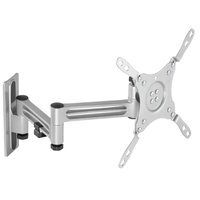
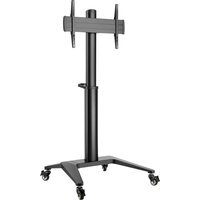
ARM-0267 - Flat screen mount Deltaco - Free user manual and instructions
Find the device manual for free ARM-0267 Deltaco in PDF.


Pick your language and provide your email: we'll send you a specifically translated version.
| Product Type | Flat Screen Mount |
| Brand | Deltaco |
| Model | ARM-0267 |
| Compatible VESA Patterns | 75x75 mm, 100x100 mm |
| Maximum Load Capacity | 15 kg (33 lbs) |
| Tilt Range | 0° to 15° |
| Swivel Range | None (fixed) |
| Distance from Wall | 20 mm (0.79 in) |
| Mounting Plate Dimensions | 200 x 200 mm (7.9 x 7.9 in) |
| Material | Steel |
| Color | Black |
| Installation Type | Wall mounted using included hardware |
| Includes Hardware | Screws, wall anchors, and spacer |
| Cable Management | Integrated cable clips |
| Level Adjustment | After installation via sliding brackets |
| Safety Features | Anti-topple design with safety screws |
| Maintenance Instructions | Wipe clean with dry cloth; check screws monthly |
| Spare Parts Availability | Screws and anchors can be ordered separately |
| Repairability | Non-repairable; replace if damaged |
| General Information | Designed for screens up to 32 inches |
Frequently Asked Questions - ARM-0267 Deltaco
What is the maximum VESA pattern supported by the Deltaco ARM-0267?
The ARM-0267 supports VESA patterns 75x75 mm and 100x100 mm.
What is the weight capacity of the ARM-0267 mount?
The maximum load capacity is 15 kg (33 lbs).
Can I tilt the TV after installation?
Yes, the mount offers a tilt range of 0° to 15° for optimal viewing angle.
Does the mount come with all necessary hardware?
Yes, the package includes screws, wall anchors, and spacers for installation.
What size TV can I mount with this product?
It is designed for screens typically up to 32 inches, but always check weight and VESA compatibility.
Is the mount suitable for a solid concrete wall?
Yes, but use appropriate wall anchors for concrete (included for drywall; for concrete, use recommended anchors).
Can I swivel the TV left or right?
No, the ARM-0267 is a fixed mount without swivel capability.
How do I adjust the level of the TV?
The mount has sliding brackets that allow minor left-right leveling after wall attachment.
What is the distance from the wall to the TV?
The TV sits approximately 20 mm (0.79 in) from the wall.
How do I clean and maintain the mount?
Wipe with a dry cloth. Periodically check that all screws remain tight (at least once a month).
User questions about ARM-0267 Deltaco
0 question about this device. Answer the ones you know or ask your own.
Ask a new question about this device
No questions yet. Be the first to ask one.
Download the instructions for your Flat screen mount in PDF format for free! Find your manual ARM-0267 - Deltaco and take your electronic device back in hand. On this page are published all the documents necessary for the use of your device. ARM-0267 by Deltaco.
USER MANUAL ARM-0267 Deltaco
Manual assistant
Powered by Anthropic
Waiting for your message
Product information
Brand : Deltaco
Model : ARM-0267
Category : Flat screen mount