
Smart Camera Outdoor 2K - Security Camera TESLA - Free user manual and instructions
Find the device manual for free Smart Camera Outdoor 2K TESLA in PDF.


| Product Type | Outdoor Security Camera |
| Brand | Tesla |
| Model | Smart Camera Outdoor 2K (TSL-CAM-BULLET3Q) |
| Resolution | 2560 x 1440 (2K) |
| Sensor | 1/2.9" 4MP CMOS |
| Lens | 3.6mm @ F2.0 |
| IR Distance | Up to 15 m |
| Power Supply | 12V/1A DC |
| Dimensions | 63 x 160 x 191 mm |
| Weight | Approx. 0.5 kg |
| Storage | MicroSD (up to 128GB), Cloud, NVR |
| Connectivity | Wi-Fi 2.4 GHz IEEE 802.11b/g/n |
| App | Tesla Smart (iOS/Android) |
| Night Vision | Yes, with white light supplement |
| Motion Detection | Yes |
| Video Flip | Yes |
| Audio | Built-in microphone and speaker |
| Weatherproof | IP65 (estimated) |
| Mounting | Wall mount with screws (included) |
| Wi-Fi Band | 2.4 GHz only |
Frequently Asked Questions - Smart Camera Outdoor 2K TESLA
User questions about Smart Camera Outdoor 2K TESLA
0 question about this device. Answer the ones you know or ask your own.
Ask a new question about this device
Download the instructions for your Security Camera in PDF format for free! Find your manual Smart Camera Outdoor 2K - TESLA and take your electronic device back in hand. On this page are published all the documents necessary for the use of your device. Smart Camera Outdoor 2K by TESLA.
USER MANUAL Smart Camera Outdoor 2K TESLA
natural_image
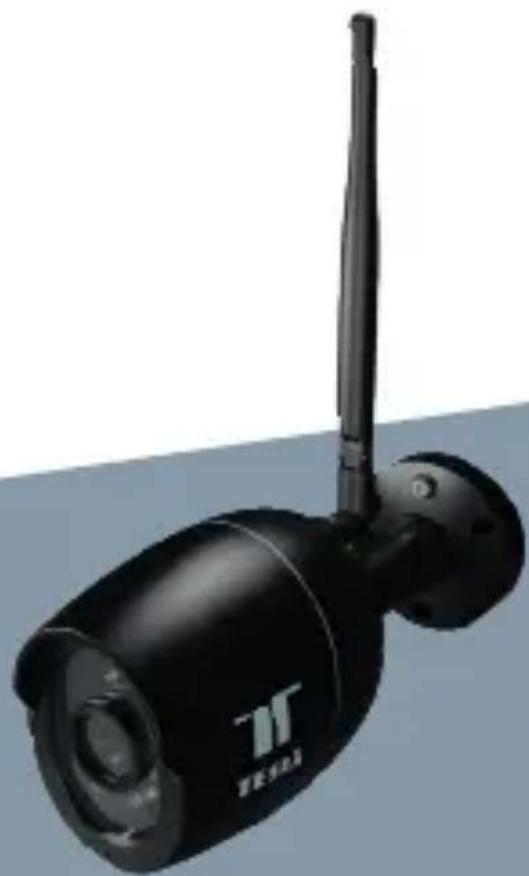
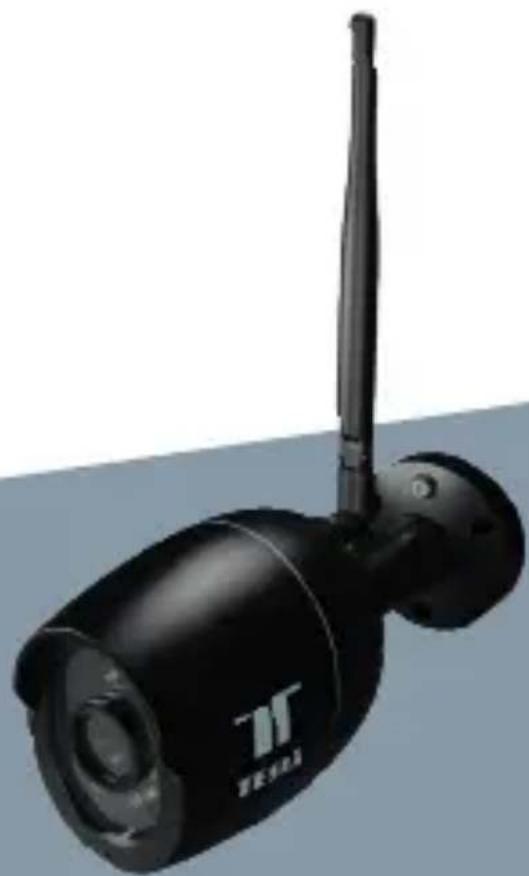
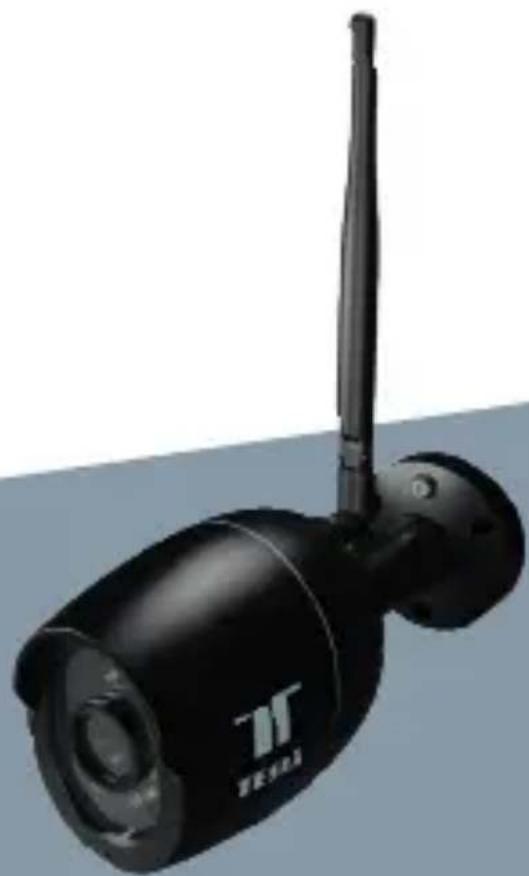
Black surveillance camera with antenna and sensor, no visible text or symbols on bodyTESLA SMART CAMERA OUTDOOR 2K
USER MANUAL
WHAT'S IN THE BOX
Please consult this checklist for all parts.
• Tesla Smart Camera Outdoor 2K
- Power adapter
- Screw package
- User manual
- Screwdriver
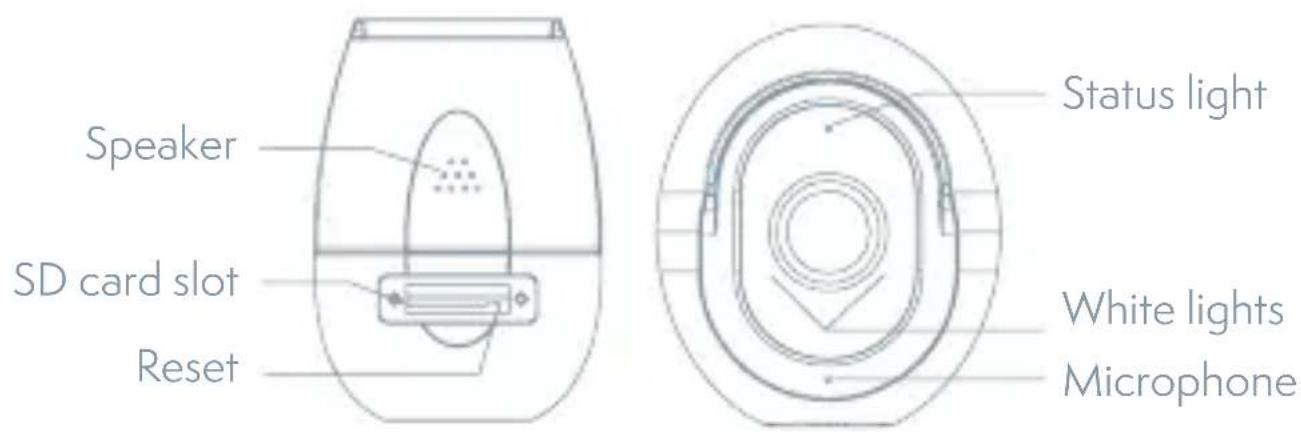
| Power DC 12V/1A | |
| Status light Red light solids on: the camera or network is abnormalBlinking red light: awaiting WiFi connection (faster blinking), awaiting WiFi connection (slow blinking)Blue light solids on: camera running correctly | |
| Microphone Captures sound for your video | |
| SD card slot Supports local SD Card storage (Max.128G) | |
| Reset Press and hold for 5 seconds to reset the camera(if you have modified settings, they will return to factory defaults) | |
| White lights Provide supplementary light during night to get colorful vision | |
natural_image
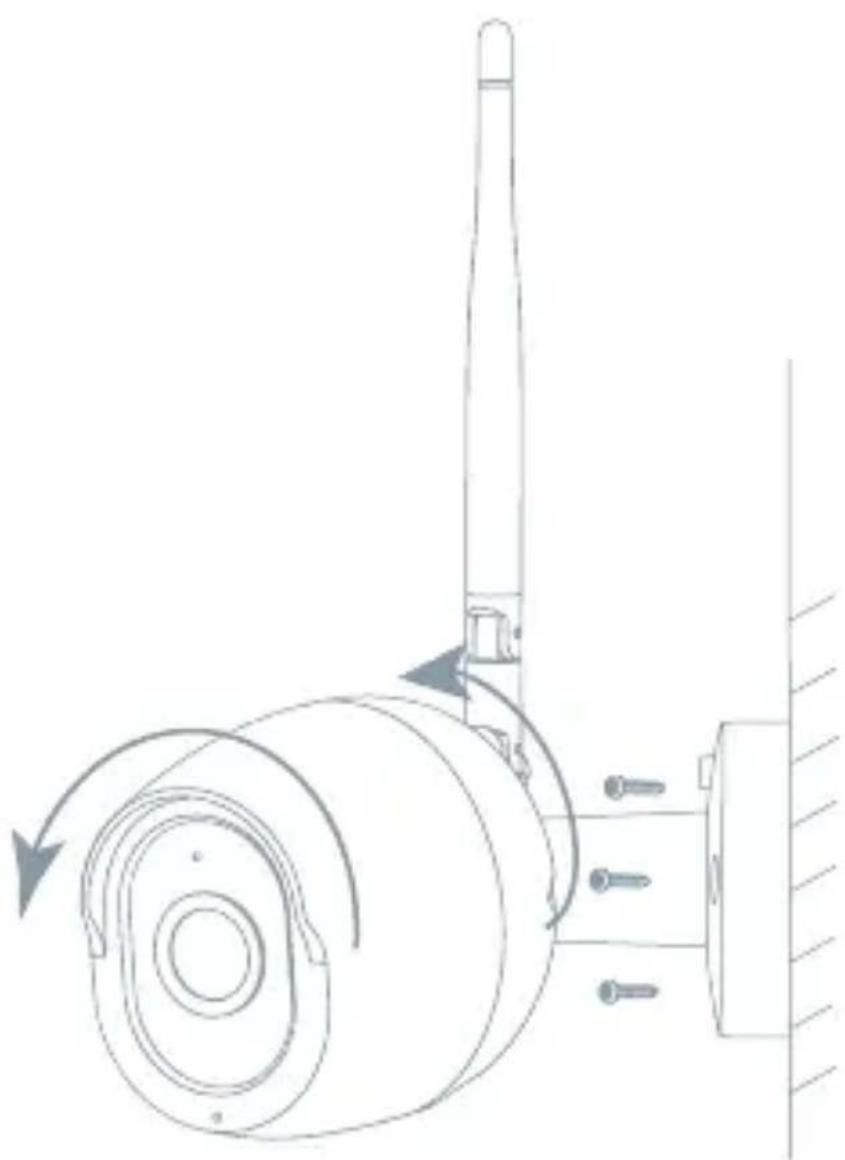
Technical line drawing of a mechanical assembly with rotating components and a vertical shaft (no text or symbols)- Fix the Camera to the wall with screws
- Adjust camera angle to a correct view (as shown in the picture)
CONNECT
Download
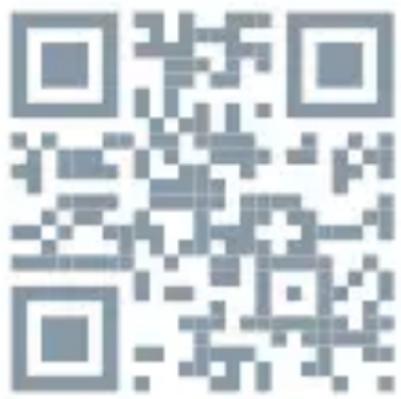
Tesla Smart is available for both iOS and Android OS. Search the name, Tesla Smart' in App Store or Android Market, or scan the QR-Code to download the App.
SET UP ROUTER
The router supports the 2.4GHz WiFi (doesn't support the 5GHz), and is connected to the WiFi network. Please set the parameters of the router before connecting the WiFi network, and record the SSID and password of your WiFi. Please keep network available
REGISTRATION PROCESS
Step 1 Open the Tesla Smart App, click „Register“, read the „Privacy Policy“ and click „Agree“.
Step 2 Input a legal and valid Mobile number or Email address and click „Continue“. Input Verification Code, then log in the app.
QR CODE CONFIGURATION
- Open the Tesla Smart App, click „Create family“, and you can customize the Family name and related settings.
- Continue to click „Security & Sensor“ >> „Smart Camera“, and then choose “Add Device” or „+“, ready to add camera.
- In „Add Device“ this interface, continue to click „next step“, and then you should input your WiFi's passwords. Note:
1) Camera only supports 2.4GHz WiFi network. 2) The number of bits in the ssid and passwords of the router should not exceed 24 digits. - In this interface, you should scan the QR code in your phone with the camera, when the camera comes out „dong dong dong“. And you can complete the configuration about 30s.
- When connecting, you should make sure your router, mobile, and
camera are as close as possible. When camera added successfully, click „√„ you could also DIY the camera's name.
SETTINGS
In „Smart Camera“ interface, click „Z„, you can set the camera common functions.
FAQ
Q: The device cannot be previewed properly?
A: Check whether the network is normal, you can place the camera close to the router, and if not, it is recommended to reset the device and add it again.
Q: Why is it still in the list of devices after resetting?
A: The reset device only resets the network configuration of the camera, but cannot change the configuration on the App, remove the camera, and must be deleted by the App.
Q: How to cut the camera network to another router?
A: First remove and reset the device on the App and then configure the device again by the App.
Q: Why doesn't the device identify the SD card?
A: It is recommended to plug in SD card after power cut. Confirm whether the SD card is normally available and the format is FAT32. And the TF card can't be identified when the internet environment is not good.
Q: Why I can't get the notifications with my cell phone App?
A: Please confirm that the App has been running on the phone, and the relevant reminder function has been opened;Message notification and authority confirmation in the mobile phone system have been opened.
FUNCTIONS
Video flip
Flip your video stream up or down for maximum flexibility.
Motion detection
Built-in motion sensors detect movement, and the camera will send you push notifications and app alerts.
Record
Record every moment using high capacity SD card storage.
Day & Night
Never miss a moment, even in complete darkness, with powerful night-vision technology.
White light supplement
When you turn on the white light function, you can get colorful vision during night.
TECHNICAL SPECIFICATION
| Product name Tesla Smart Camera Outdoor 2K | |
| Resolution 2560 x 1440 | |
| Power supply 12V/1A | |
| Sensor 1/2.9" 4MPx, CMOS | |
| IR Distance Up To 15 m | |
| Lens 3.6mm@F2.0 | |
| Dimensions 63 x 160 x 191 mm | |
| Storage MicroSD Card, Cloud, NVR | |
| App Tesla Smart for Android and iOS | |
| Connectivity Wi-Fi 2,4 GHz IEEE 802.11b/g/n | |
| Model TSL-CAM-BULLET3Q | |
INFORMATION ABOUT DISPOSAL AND RECYCLING
This product is marked with the symbol for separate collection. The product must be disposed of in accordance with the regulations for disposal of electrical and electronic equipment (Directive 2012/19/EU on waste electrical and electronic equipment). Disposal together with regular municipal waste is prohibited. Dispose of all electrical and electronic products in accordance with all local and European regulations at the designated collection points which hold the appropriate authorisation and certification in line with the local and legislative regulations. Correct disposal and recycling help to minimise impacts on the environment and human health. Further information regarding disposal can be obtained from the vendor, authorised service centre or local authorities.
EU DECLARATION OF CONFORMITY
Hereby, Tesla Global Limited declares that the radio equipment type TSL-CAM-BULLET3Q is in compliance with Directive 2014/53/EU. The full text of the EU declaration of conformity is available at the following internet address: tsl.sh/doc
Connectivity: Wi-Fi 2,4 GHz IEEE 802.11b/g/n Frequency band: 2.412 - 2.472 GHz Max. radio-frequency power (EIRP): < 20 dBm
Manufacturer
Tesla Global Limited Far East Consortium Building 121 Des Voeux Road Central Hong Kong www.teslasmart.com
TESLA
natural_image
Black surveillance camera with antenna and sensor, no visible text or symbols on bodyTESLA SMART CAMERA OUTDOOR 2K
BENUTZERHANDBUCH
natural_image
Technical line drawing of a mechanical assembly with rotating components and directional arrows (no text or symbols)ROUTER EINSTELLEN
natural_image
Black surveillance camera with antenna and sensor, no visible text or symbols on bodyTESLA SMART CAMERA OUTDOOR 2K
UŽIVATELSKÁ PŘÍRUČKA
CO NALEZNETE V BALENÍ
natural_image
Technical line drawing of a mechanical assembly with rotating components and directional arrows (no text or symbols)NASTAVIT ROUTER
natural_image
Exterior view of a black security camera with a mounted antenna (no visible text or symbols)TESLA SMART CAMERA OUTDOOR 2K
UŽIVATELŠKÁ PRÍRUČKA
ČO NÁJDETE V ŠKATULÍKE
natural_image
Technical line drawing of a mechanical assembly with rotating components and directional arrows (no text or symbols)natural_image
Exterior view of a black security camera with a mounted antenna (no visible text or symbols)TESLA SMART CAMERA OUTDOOR 2K
INSTRUKCJA UŻYTKOWNIKA
CO ZNAJDZIESZ W PUDEŁKU
natural_image
Technical line drawing of a mechanical assembly with rotating components and directional arrows (no text or symbols)USTAW ROUTER
Far East Consortium Building
121 Des Voeux Road Central
Hong Kong
www.teslasmart.com
TESLA
natural_image
Exterior view of a black security camera with a mounted antenna (no visible text or symbols)TESLA SMART CAMERA OUTDOOR 2K
HASZNÁLATI ÚTMUTATÓ
MIT TALÁL A DOBOZBAN
natural_image
Technical line drawing of a mechanical assembly with rotating components and a vertical shaft (no text or symbols)A ROUTER BEÁLLÍTÁSA
Far East Consortium Building
121 Des Voeux Road Central
Hong Kong
www.teslasmart.com
TESLA
natural_image
Black surveillance camera with antenna and sensor array (no visible text or symbols)TESLA SMART CAMERA OUTDOOR 2K
UPORABNIŠKI PRIROČNIK
KAJ VSE BOSTE NAŠLI V EMBALAŽI
natural_image
Technical line drawing of a mechanical assembly with rotating components and directional arrows (no text or symbols)Far East Consortium Building
121 Des Voeux Road Central
Hong Kong
www.teslasmart.com

TESLA SMART CAMERA OUTDOOR
Manufacturer
Tesla Global Limited
Far East Consortium Building
121 Des Voeux Road Central
Hong Kong
www.teslasmart.com


- TESLA SMART CAMERA OUTDOOR 2K
- WHAT'S IN THE BOX
- CONNECT
- Download
- SET UP ROUTER
- REGISTRATION PROCESS
- QR CODE CONFIGURATION
- SETTINGS
- FAQ
- FUNCTIONS
- Video flip
- Motion detection
- Record
- Day & Night
- White light supplement
- INFORMATION ABOUT DISPOSAL AND RECYCLING
- EU DECLARATION OF CONFORMITY
- Manufacturer
- TESLA
- ROUTER EINSTELLEN
- CO NALEZNETE V BALENÍ
- NASTAVIT ROUTER
- ČO NÁJDETE V ŠKATULÍKE
- CO ZNAJDZIESZ W PUDEŁKU
- USTAW ROUTER
- MIT TALÁL A DOBOZBAN
- A ROUTER BEÁLLÍTÁSA
- KAJ VSE BOSTE NAŠLI V EMBALAŽI
- TESLA SMART CAMERA OUTDOOR
Brand : TESLA
Model : Smart Camera Outdoor 2K
Category : Security Camera