
BTE-J10 - Headphones AKAI - Free user manual and instructions
Find the device manual for free BTE-J10 AKAI in PDF.


User questions about BTE-J10 AKAI
0 question about this device. Answer the ones you know or ask your own.
Ask a new question about this device
Download the instructions for your Headphones in PDF format for free! Find your manual BTE-J10 - AKAI and take your electronic device back in hand. On this page are published all the documents necessary for the use of your device. BTE-J10 by AKAI.
USER MANUAL BTE-J10 AKAI
natural_image
Exterior view of a Akai wireless earbuds with black case and two black USB flash units (no text or symbols visible)EN-ENGLISH
TECHNICAL SPECIFICATIONS
| Model number | BTE-J10 |
| Chipset | JL AC6983D |
| Bluetooth Version | Bluetooth V5.0+EDR |
| Bluetooth Frequency | 2.400-2.485GHz |
| Audio decoding | SBC/AAC |
| Profiles supported | HFP A2DP AVRCP AVDTP GAP SDP |
| Weight | 44g |
| Base Unit Dimensions | 73x37x28mm |
| Speaker Unit size | 10mm |
| Charging Input | 5V = 500mA |
| Microphone Sensitivity | -42±3dB |
| Frequency Response | 20Hz-20000Hz |
| Built in Battery type (Earbuds) | Lithium 40 mAh 3.7V |
| Built in Battery type(Base Unit) | Lithium 300mAh 3.7V |
| Standby Time(Earbuds) | 240 Hours |
| Playing Time(Earbuds) | 4.0 hours (Approx.) |
| Charge Time (Earbuds) | 1.5 Hours (Approx.) |
| Charge Time (Charging case) | 1.5 Hour (Approx.) |
| Bluetooth Range | 10 meters (open space with no obstacle) |
| Bluetooth Transmission power | ≤ 10 dBm |
| Supported system | iOS system & Android system |
SAFETY INFORMATION
Use earbuds while driving, please observe the national and regional regulation.
Please put all the equipment and accessories in places that cannot be touched by the child or pet, which may cause suffocation and serious consequences.
Please don't use the product under too high or too low temperature environment. (Below -10 degree or above- 45 degree)
Extreme temperatures can cause deformations, reduce the charging capacity of the device, and shorten the service life.
Do not use wet equipment or near liquid which can cause severe damage to equipment.
Please do not use wet hand operating equipment, equipment damage caused by water does not under the warranty scope.
If the earbuds play at high volume for a long time, your hearing may be hurt and suggest using the lowest volume of the phone.
PACKAGE CONTENT
USER MANUAL
EARPHONES
TYPE-C CHARGING CABLE
AWS OPERATION INSTRUCTIONS
Initial Earbuds Set Up/Pairing
Step 1: Once both earbuds are removed from the case they will automatically power on, blue light on each earbud will be on.
Step 2: Once the earbuds are turned on wait for the prompt “DuDu”, this confirms that the earbuds are synced. Once pairing the 2 earbuds, there will be no light flash in the left earbud but a blue and red light will start to flash in the right earbud.
Step 3: Go to the Bluetooth connection list on your smart phone “BTE-J10” Bluetooth name. Click to connect. Both earbuds will now flash indicating that the earbuds are connected to the Bluetooth device.
Auto Power On: Once both earbuds are removed from the case they will automatically power on, a blue light will start to flash slowly in the left earbud, and a blue and red light will start to flash in the right earbud, that means the connection process will start.
(Note: The case must be charged frequently in order for the earbuds to automatically power on. If the case is not charged, the earbuds can be manually turned on.)
Manual Power On: Press and hold the main button on the and earbud at the same time for about 3 seconds to power on. The blue light will begin to flash on the earbuds followed by a "Power On" message through the earbuds.
Auto Power Off: Place the earbuds back into the case and close the lid. Once they are put into the case, they will automatically power off and enter into the charged state when a red light flashing on each earbud.
Manual Power Off: Press and hold the main button on the and earbud at the same time for about 3 seconds. The red light will begin to flash on the earbuds followed by a “Power Off” message through the earbuds.
Music Play/Pause: Short press Ⓡ or Ⓛ button to play or pause music playing.
Volume Up/Down: Double press the main button of 📄 earbud to volume up. Double press the main button of earbud to volume down.
Music Next/Previous: Press the main button 3 times of earbud to go to the next song. Press the main button 3 times of earbud to go to the previous song.
Answer a Call: During incoming calls, once press the main button of Ⓡ or Ⓛ earbud to answer a call.
End a Call: During a call, once press the main button of Ⓡ or Ⓛ earbud to end a call.
Reject a Call: During an incoming call, long press the main button about 2 seconds of 📇 or Ⓛ earbud to reject a call.
Cancel Call: During the dialing state, once press or button to cancel a call.
Low Battery Alarm: When the earbud's power is less than 20%, they flash a red light and follow by a "Low Battery" message through the earbuds.
Low Battery Shutdown: When the earbuds run out of battery power, they will automatically shut down.
Automatic Connection: After the initial set up and connection the earbuds will automatically connect to your device next time you turn them on.
(Please ensure the Bluetooth is active on your device for automatic connection. Charging for Earbuds
Put and earbuds into the Charging Case and close the lid to start the charging process. The charging earbuds will flash red lights until fully charged. Once fully charged the red light will turn off.
Case Power Indicator
“●●●●”100% Power;
“●●●” 75% Power;
“●●” 50% Power;
“●” 25% Power;
(Note: The normal Charging Case holds 300 mAh of battery power which can charge the earbuds up to 3 times from no battery power before the case has to be charged.)
DISPOSAL OF ELECTRICAL AND ELECTRONIC EQUIPMENT
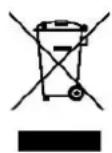
This symbol on the product or packaging means that the product should not be treated as household waste. Do not throw garbage at the end of its life, but take it to a collection center for recycling. in this way you will help to protect the environment and be able to prevent any negative consequences that it would have on the environment and human health.
To find your nearest collection center:
- Contact local authorities
- Access the website: www.mmediu.ro
- Request additional information from the store where you purchased the product.
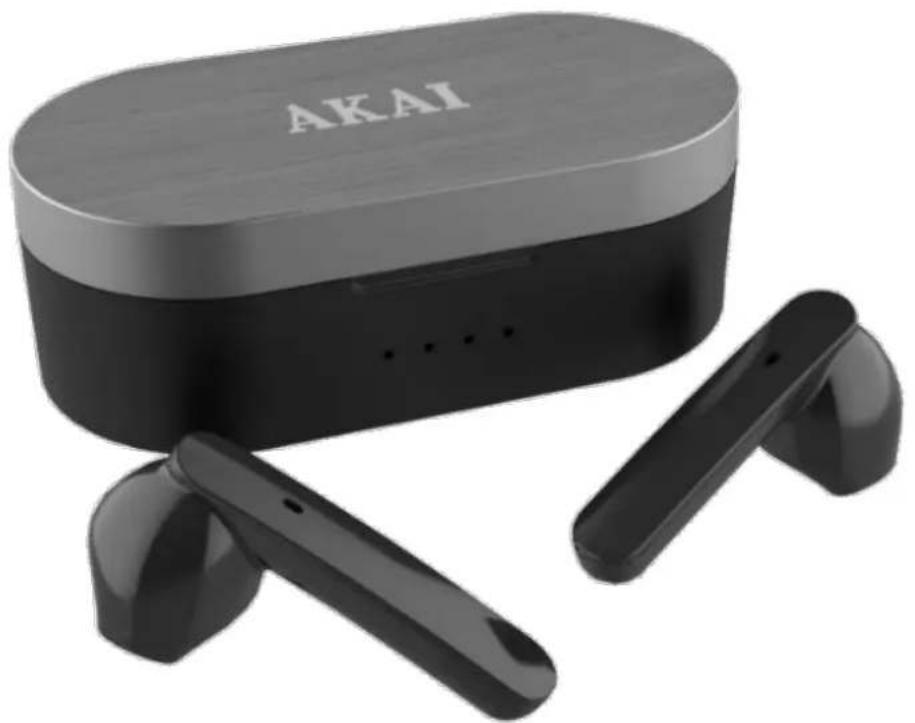
AKAI
MANUAL DE UTILIZARE
CĂȘTI FĂRĂ FIR
MODEL: BTE-J10
natural_image
Exterior view of a black Akai wireless earbuds with charging case (no text or symbols on device body)RO-ROMÂNĂ
SPECIFICAȚII TEHNICE
natural_image
Exterior view of a black Akai wireless earbuds with charging case (no text or symbols on device body)ΕΛ - ΕΛΛΗΝΙΚΑ
TEXNIKA XAPAKTHPIΣTIKA
natural_image
Exterior view of a black Akai wireless earbuds with charging case (no text or symbols visible on device body)BG-БЪЛГАРИЯ
natural_image
Exterior view of a black Akai wireless earbuds with charging case (no text or symbols on device body)HU-MAGYAR
MÜSZAKI ELŐÍRÁSOK
natural_image
Exterior view of a black Akai wireless earbuds with charging case (no text or symbols on device body)PL-POLSKI
DANE TECHNICZNE
natural_image
Exterior view of a Akai wireless earbuds with black case and two black USB flash units (no text or symbols visible)CZ-ČESKY
TECHNICKÉ UDAJE
natural_image
Exterior view of a Akai wireless earbuds with black case and white earpieces (no text or symbols visible)SK-SLOVENSKI
TECHNICKÉ ŠPECIFIKÁCIE




Brand : AKAI
Model : BTE-J10
Category : Headphones