
ERLA16DAW1 - Uncategorized DAIKIN - Free user manual and instructions
Find the device manual for free ERLA16DAW1 DAIKIN in PDF.


| Product Type | Air-to-Water Heat Pump (Monobloc) |
| Model | ERLA16DAW1 |
| Brand | Daikin |
| Dimensions (H x W x D) | approx. 800 x 1000 x 400 mm |
| Weight | approx. 90 kg |
| Power Supply | 230V / 1Ph / 50Hz |
| Nominal Heating Capacity | 16 kW |
| Refrigerant | R-32 |
| Sound Power Level | approx. 65 dB(A) |
| Operating Temperature Range | -25°C to +35°C |
| Main Functions | Heating, Cooling, Domestic Hot Water (via optional tank) |
| Controls | Wired or wireless remote controller (optional) |
| Defrost Mode | Automatic reverse cycle defrost |
| Compressor Type | Hermetic scroll |
| Outdoor Unit Fan | Axial fan with DC motor |
| IP Rating | IP24 |
| Maintenance | Clean air inlet and outlet regularly; check refrigerant pressure annually |
| Safety Features | High-pressure switch, overload protection, anti-freeze function |
| Spare Parts Availability | Genuine Daikin parts through authorized distributors |
| Repairability Index | 8.0/10 (estimated) |
| Warranty | 5 years (compressor), 2 years (unit) – check local |
Frequently Asked Questions - ERLA16DAW1 DAIKIN
User questions about ERLA16DAW1 DAIKIN
0 question about this device. Answer the ones you know or ask your own.
Ask a new question about this device
Download the instructions for your Uncategorized in PDF format for free! Find your manual ERLA16DAW1 - DAIKIN and take your electronic device back in hand. On this page are published all the documents necessary for the use of your device. ERLA16DAW1 by DAIKIN.
USER MANUAL ERLA16DAW1 DAIKIN
Installer reference guide
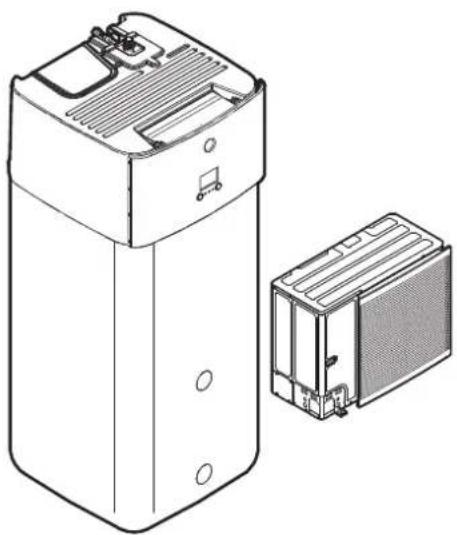
Daikin Altherma 3 R ECH₂O
natural_image
Technical line drawing of a device with two views: top shows internal components, bottom shows exterior panel (no text or symbols)https://daikintechnicaldatahub.eu

ERLA11DAV3
ERLA14DAV3
ERLA16DAV3
ERLA11DAW1
ERLA14DAW1
ERLA16DAW1
EBSH11P30DF
EBSHB11P30DF
EBSH11P50DF
EBSHB11P50DF
EBSH16P30DF
EBSHB16P30DF
EBSH16P50DF
EBSHB16P50DF
EBSX11P30DF
EBSXB11P30DF
EBSX11P50DF
EBSXB11P50DF
EBSX16P30DF
EBSXB16P30DF
EBSX16P50DF
EBSXB16P50DF
Table of contents
1 About the documentation 6
1.1 About this document 6
1.2 Meaning of warnings and symbols 7
1.3 Installer reference guide at a glance 8
2 General safety precautions 10
2.1 For the installer 10
2.1.1 General 10
2.1.2 Installation site 11
2.1.3 Refrigerant — in case of R410A or R32.... 11
2.1.4 Water 13
2.1.5 Electrical 13
3 Specific installer safety instructions 16
4 About the box 22
4.1 Overview: About the box.... 22
4.2 Outdoor unit 22
4.2.1 To handle, unpack and remove accessories – Outdoor unit 22
4.2.2 To remove the transportation stay 24
4.3 Indoor unit 25
4.3.1 To unpack the indoor unit 25
4.3.2 To remove the accessories from the indoor unit 25
4.3.3 To handle the indoor unit.... 26
5 About the units and options 27
5.1 Overview: About the units and options.... 27
5.2 Identification 27
5.2.1 Identification label: Outdoor unit 27
5.2.2 Identification label: Indoor unit 28
5.3 Combining units and options 28
5.3.1 Possible combinations of indoor unit and outdoor unit 28
5.3.2 Possible options for the outdoor unit 29
5.3.3 Possible options for the indoor unit.... 29
6 Application guidelines 33
6.1 Overview: Application guidelines 33
6.2 Setting up the space heating/cooling system 34
6.2.1 Single room 35
6.2.2 Multiple rooms – One LWT zone 39
6.2.3 Multiple rooms – Two LWT zones 44
6.3 Setting up bivalent heat sources 48
6.3.1 Setting up a direct auxiliary heat source for space heating 48
6.3.2 Setting up an indirect auxiliary heat source for domestic hot water and space heating.... 51
6.3.3 Setting up a solar system via drainback connection.... 52
6.3.4 Setting up a solar system via bivalent heat exchanger.... 53
6.3.5 Setting up an electric backup heater 53
6.4 Setting up the storage tank 54
6.4.1 System layout – Integrated storage tank 54
6.4.2 Selecting the volume and desired temperature for the storage tank 54
6.4.3 Setup and configuration – storage tank.... 55
6.4.4 DHW pump for instant hot water 56
6.4.5 DHW pump for disinfection 56
6.5 Setting up the energy metering.... 57
6.5.1 Produced heat 57
6.5.2 Consumed energy 57
6.5.3 Normal kWh rate power supply 58
6.5.4 Preferential kWh rate power supply 59
6.6 Setting up the power consumption control 60
6.6.1 Permanent power limitation 61
6.6.2 Power limitation activated by digital inputs 62
6.6.3 Power limitation process.... 63
6.6.4 BBR16 power limitation.... 63
6.7 Setting up an external temperature sensor 64
7 Unit installation
66
7.1 Preparing the installation site.... 66
7.1.1 Installation site requirements of the outdoor unit.... 66
7.1.2 Additional installation site requirements of the outdoor unit in cold climates.... 68
7.1.3 Installation site requirements of the indoor unit 69
7.1.4 Special requirements for R32 units.... 70
7.1.5 Installation patterns 72
7.2 Opening and closing the units 81
7.2.1 About opening the units.... 81
7.2.2 To open the outdoor unit 81
7.2.3 To close the outdoor unit 82
7.2.4 To open the indoor unit 82
7.2.5 To lower the switch box of the indoor unit and remove the top cover 83
7.2.6 To close the indoor unit 84
7.3 Mounting the outdoor unit 85
7.3.1 About mounting the outdoor unit 85
7.3.2 Precautions when mounting the outdoor unit 85
7.3.3 To provide the installation structure 85
7.3.4 To install the outdoor unit 86
7.3.5 To provide drainage.... 86
7.3.6 To install the discharge grille.... 88
7.4 Mounting the indoor unit 88
7.4.1 About mounting the indoor unit 88
7.4.2 Precautions when mounting the indoor unit 89
7.4.3 To install the indoor unit 89
7.4.4 To connect the drain hose to the drain 89
8 Piping installation 91
8.1 Preparing refrigerant piping 91
8.1.1 Refrigerant piping requirements.... 91
8.1.2 Refrigerant piping insulation 92
8.2 Connecting the refrigerant piping 92
8.2.1 About connecting the refrigerant piping 92
8.2.2 Precautions when connecting the refrigerant piping.... 93
8.2.3 Guidelines when connecting the refrigerant piping.... 94
8.2.4 Pipe bending guidelines 94
8.2.5 To flare the pipe end 94
8.2.6 To braze the pipe end 95
8.2.7 Using the stop valve and service port 96
8.2.8 To connect the refrigerant piping to the outdoor unit 97
8.2.9 To connect the refrigerant piping to the indoor unit 100
8.3 Checking the refrigerant piping.... 100
8.3.1 About checking the refrigerant piping.... 100
8.3.2 Precautions when checking the refrigerant piping.... 101
8.3.3 Checking refrigerant piping: Setup 101
8.3.4 To check for leaks 101
8.3.5 To perform vacuum drying.... 102
8.4 Charging refrigerant.... 103
8.4.1 About charging refrigerant.... 103
8.4.2 Precautions when charging refrigerant 104
8.4.3 Charging additional refrigerant.... 105
8.4.4 Completely recharging refrigerant.... 105
8.4.5 To fix the fluorinated greenhouse gases label.... 106
8.5 Preparing water piping 107
8.5.1 Water circuit requirements.... 107
8.5.2 To check the water volume and flow rate 110
8.6 Connecting water piping.... 111
8.6.1 About connecting the water piping 111
8.6.2 Precautions when connecting the water piping.... 112
8.6.3 To connect the water piping 112
8.6.4 To connect a pressure vessel 115
8.6.5 To fill the heating system 116
8.6.6 To fill the heat exchanger inside the storage tank 117
8.6.7 To fill the storage tank.... 117
8.6.8 To insulate the water piping 118
9 Electrical installation 120
9.1 About connecting the electrical wiring 120
9.1.1 Precautions when connecting the electrical wiring.... 120
9.1.2 Guidelines when connecting the electrical wiring.... 121
9.1.3 About electrical compliance.... 122
9.1.4 About preferential kWh rate power supply 123
9.1.5 Overview of electrical connections except external actuators 123
9.2 Connections to the outdoor unit 124
9.2.1 Specifications of standard wiring components.... 125
9.2.2 To connect the electrical wiring to the outdoor unit 125
9.3 Connections to the indoor unit 127
9.3.1 To connect the electrical wiring to the indoor unit.... 130
9.3.2 To connect the main power supply.... 132
9.3.3 To connect the backup heater power supply 134
9.3.4 To connect the backup heater to the main unit 137
9.3.5 To connect the shut-off valve 138
9.3.6 To connect the electricity meters 139
9.3.7 To connect the domestic hot water pump 140
9.3.8 To connect the alarm output 141
9.3.9 To connect the space cooling/heating ON/OFF output.... 142
9.3.10 To connect the changeover to external heat source.... 143
9.3.11 To connect the power consumption digital inputs.... 144
9.3.12 To connect the safety thermostat (normally closed contact) 146
9.3.13 To connect a Smart Grid.... 147
9.3.14 To connect the WLAN cartridge 152
9.3.15 To connect the solar input 153
9.3.16 To connect the DHW output 153
10 Finishing the outdoor unit installation 155
10.1 To check the insulation resistance of the compressor 155
10.2 To finish the outdoor unit installation.... 155
11 Configuration 156
11.1 Overview: Configuration.... 156
11.1.1 To access the most used commands 157
11.1.2 To connect the PC cable to the switch box.... 159
11.2 Configuration wizard.... 159
11.3 Possible screens.... 161
11.3.1 Possible screens: Overview 161
11.3.2 Home screen.... 162
11.3.3 Main menu screen.... 164
11.3.4 Menu screen.... 165
11.3.5 Setpoint screen.... 165
11.3.6 Detailed screen with values 166
11.3.7 Schedule screen: Example.... 167
11.4 Weather-dependent curve 171
11.4.1 What is a weather-dependent curve? 171
11.4.2 2-points curve.... 171
11.4.3 Slope-offset curve 172
11.4.4 Using weather-dependent curves.... 174
11.5 Settings menu 176
11.5.1 Malfunctioning 176
11.5.2 Room 176
11.5.3 Main zone 180
11.5.4 Additional zone.... 190
11.5.5 Space heating/cooling 195
11.5.6 Tank 204
11.5.7 User settings 209
11.5.8 Information 214
11.5.9 Installer settings 216
11.5.10 Commissioning 242
11.5.11 User profile 242
11.5.12 Operation 243
11.5.13 WLAN 243
11.6 Menu structure: Overview user settings.... 246
11.7 Menu structure: Overview installer settings 247
12 Commissioning 248
12.1 Overview: Commissioning 248
12.2 Precautions when commissioning.... 249
12.3 Checklist before commissioning.... 249
12.4 Checklist during commissioning 250
12.4.1 Minimum flow rate 250
12.4.2 Air purge function 251
12.4.3 Operation test run 253
12.4.4 Actuator test run 254
12.4.5 Underfloor heating screed dryout 255
13 Hand-over to the user 259
14 Maintenance and service 260
14.1 Overview: Maintenance and service 260
14.2 Maintenance safety precautions 260
14.3 Yearly maintenance 261
14.3.1 Yearly maintenance outdoor unit: overview 261
14.3.2 Yearly maintenance outdoor unit: instructions.... 261
14.3.3 Yearly maintenance indoor unit: overview 261
14.3.4 Yearly maintenance indoor unit: instructions 261
15 Troubleshooting 263
15.1 Overview: Troubleshooting 263
15.2 Precautions when troubleshooting 263
15.3 Solving problems based on symptoms.... 264
15.3.1 Symptom: The unit is NOT heating or cooling as expected.... 264
15.3.2 Symptom: Hot water does NOT reach the desired temperature.... 265
15.3.3 Symptom: The compressor does NOT start (space heating or domestic water heating) 265
15.3.4 Symptom: The system is making gurgling noises after commissioning 265
15.3.5 Symptom: The pump is blocked 267
15.3.6 Symptom: The pump is making noise (cavitation).... 267
15.3.7 Symptom: The pressure relief valve opens.... 268
15.3.8 Symptom: The water pressure relief valve leaks 268
15.3.9 Symptom: The space is NOT sufficiently heated at low outdoor temperatures.... 269
15.3.10 Symptom: Tank disinfection function is NOT completed correctly (AH-error).... 270
15.4 Solving problems based on error codes 270
15.4.1 To display the help text in case of a malfunction 270
15.4.2 Error codes: Overview 271
16 Disposal 275
16.1 To recover refrigerant 275
16.1.1 To open the stop valves 276
16.1.2 To manually open the electronic expansion valves 276
16.1.3 Recovery mode — In case of 3N\~ models (7-segments display) 277
16.1.4 Recovery mode — In case of 1N\~ models (7-LEDs display) 280
16.2 To drain the storage tank 282
16.2.1 To drain the storage tank without a connected pressureless solar system.... 282
16.2.2 To drain the storage tank with a connected pressureless solar system 284
17 Technical data 285
17.1 Service space: Outdoor unit 286
17.2 Piping diagram: Outdoor unit 288
17.3 Piping diagram: Indoor unit 289
17.4 Wiring diagram: Outdoor unit 290
17.5 Wiring diagram: Indoor unit 291
17.6 ESP curve: Indoor unit 297
17.7 Name plate: Indoor unit 297
18 Glossary 299
19 Field settings table 300
1 About the documentation
In this chapter
1.1 About this document.... 6
1.2 Meaning of warnings and symbols.... 7
1.3 Installer reference guide at a glance 8
1.1 About this document
Target audience
Authorised installers
Documentation set
This document is part of a documentation set. The complete set consists of:
■ General safety precautions:
- Safety instructions that you must read before installing
- Format: Paper (in the box of the indoor unit)
- Operation manual:
- Quick guide for basic usage
- Format: Paper (in the box of the indoor unit)
- User reference guide:
- Detailed step-by-step instructions and background information for basic and advanced usage
- Format: Digital files on http://www.daikineurope.com/support-and-manuals/product-information/
- Installation manual – Outdoor unit:
- Installation instructions
- Format: Paper (in the box of the outdoor unit)
- Installation manual – Indoor unit:
- Installation instructions
- Format: Paper (in the box of the indoor unit)
- Installer reference guide:
- Preparation of the installation, good practices, reference data, ...
- Format: Digital files on http://www.daikineurope.com/support-and-manuals/product-information/
- Addendum book for optional equipment:
- Additional info about how to install optional equipment
- Format: Paper (in the box of the indoor unit) + Digital files on http://www.daikineurope.com/support-and-manuals/product-information/
Latest revisions of the supplied documentation may be available on the regional Daikin website or via your dealer.
The original documentation is written in English. All other languages are translations.
Technical engineering data
- A subset of the latest technical data is available on the regional Daikin website (publicly accessible).
- The full set of latest technical data is available on the Daikin Business Portal (authentication required).
Online tools
In addition to the documentation set, some online tools are available for installers:
■ Daikin Technical Data Hub
- Central hub for technical specifications of the unit, useful tools, digital resources, and more.
- Publicly accessible via https://daikintechnicaldatahub.eu.
■ Heating Solutions Navigator
- Digital toolbox that offers a variety of tools to facilitate the installation and configuration of heating systems.
- To access Heating Solutions Navigator, registration to the Stand By Me platform is required. For more information, see https://professional.standbyme.daikin.eu.
- Daikin e-Care
- Mobile app for installers and service technicians that allows you to register, configure and troubleshoot heating systems.
- The mobile app can be downloaded for iOS and Android devices using the QR codes below. Registration to the Stand By Me platform is required to access the app.
App Store Google Play
1.2 Meaning of warnings and symbols

DANGER
Indicates a situation that results in death or serious injury.

DANGER: RISK OF ELECTROCUTION
Indicates a situation that could result in electrocution.

DANGER: RISK OF BURNING/SCALDING
Indicates a situation that could result in burning/scalding because of extreme hot or cold temperatures.

DANGER: RISK OF EXPLOSION
Indicates a situation that could result in explosion.

WARNING
Indicates a situation that could result in death or serious injury.

WARNING: FLAMMABLE MATERIAL

CAUTION
Indicates a situation that could result in minor or moderate injury.

NOTICE
Indicates a situation that could result in equipment or property damage.

INFORMATION
Indicates useful tips or additional information.
Symbols used on the unit:
| Symbol Explanation | |
 | Before installation, read the installation and operation manual, and the wiring instruction sheet. |
 | Before performing maintenance and service tasks, read the service manual. |
 | For more information, see the installer and user reference guide. |
 | The unit contains rotating parts. Be careful when servicing or inspecting the unit. |
Symbols used in the documentation:
| Symbol Explanation | |
| Indicates a figure title or a reference to it.Example: "1-3 Figure title" means "Figure 3 in chapter 1". | |
| Indicates a table title or a reference to it.Example: "1-3 Table title" means "Table 3 in chapter 1". | |
1.3 Installer reference guide at a glance
| Chapter Description | |
| About the documentation What | documentation exists for the installer |
| General safety precautions Safety | instructions that you must read before installing |
| Specific installer safety instructions | |
| About the box How to unpack the | units and remove their accessories |
| About the units and options • How to identify the units• Possible combinations of units and options | |
| Application guidelines Various installation setups of the system | |
| Unit installation What to do and know to install the system,including information on how to prepare for aninstallation | |
| Piping installation What to do and know to install the piping of thesystem, including information on how toprepare for an installation | |
| Electrical installation What to do and know to install the electricalcomponents of the system, includinginformation on how to prepare for aninstallation | |
| Configuration What to do and know to configure the systemafter it is installed | |
| Commissioning What to do and know to commission the systemafter it is configured | |
| Hand-over to the user What to give and explain to the user | |
| Maintenance and service How to maintain and service the units | |
| Troubleshooting What to do in case of problems | |
| Disposal How to dispose of the system | |
| Technical data Specifications of the system | |
| Glossary Definition of terms | |
| Field settings table Table to be filled in by the installer, and kept forfuture referenceNote: There is also an installer settings table inthe user reference guide. This table has to befilled in by the installer and handed over to theuser. | |
2 General safety precautions
In this chapter
2.1 For the installer.... 10
2.1.1 General 10
2.1.2 Installation site 11
2.1.3 Refrigerant — in case of R410A or R32 11
2.1.4 Water 13
2.1.5 Electrical 13
2.1 For the installer
2.1.1 General
If you are NOT sure how to install or operate the unit, contact your dealer.

DANGER: RISK OF BURNING/SCALDING
- Do NOT touch the refrigerant piping, water piping or internal parts during and immediately after operation. It could be too hot or too cold. Give it time to return to normal temperature. If you MUST touch it, wear protective gloves.
- Do NOT touch any accidental leaking refrigerant.

WARNING
Improper installation or attachment of equipment or accessories could result in electrical shock, short-circuit, leaks, fire or other damage to the equipment. ONLY use accessories, optional equipment and spare parts made or approved by Daikin.

WARNING
Make sure installation, testing and applied materials comply with applicable legislation (on top of the instructions described in the Daikin documentation).

CAUTION
Wear adequate personal protective equipment (protective gloves, safety glasses,...) when installing, maintaining or servicing the system.

WARNING
Tear apart and throw away plastic packaging bags so that nobody, especially children, can play with them. Possible risk: suffocation.

WARNING
Provide adequate measures to prevent that the unit can be used as a shelter by small animals. Small animals that make contact with electrical parts can cause malfunctions, smoke or fire.

CAUTION
Do NOT touch the air inlet or aluminium fins of the unit.

CAUTION
- Do NOT place any objects or equipment on top of the unit.
Do NOT sit, climb or stand on the unit.
In accordance with the applicable legislation, it might be necessary to provide a logbook with the product containing at least: information on maintenance, repair work, results of tests, stand-by periods,...
Also, at least, following information MUST be provided at an accessible place at the product:
- Instructions for shutting down the system in case of an emergency
- Name and address of fire department, police and hospital
- Name, address and day and night telephone numbers for obtaining service
In Europe, EN378 provides the necessary guidance for this logbook.
2.1.2 Installation site
- Provide sufficient space around the unit for servicing and air circulation.
- Make sure the installation site withstands the weight and vibration of the unit.
- Make sure the area is well ventilated. Do NOT block any ventilation openings.
- Make sure the unit is level.
Do NOT install the unit in the following places:
- In potentially explosive atmospheres.
- In places where there is machinery that emits electromagnetic waves. Electromagnetic waves may disturb the control system, and cause malfunction of the equipment.
- In places where there is a risk of fire due to the leakage of flammable gases (example: thinner or gasoline), carbon fibre, ignitable dust.
- In places where corrosive gas (example: sulphurous acid gas) is produced. Corrosion of copper pipes or soldered parts may cause the refrigerant to leak.
2.1.3 Refrigerant — in case of R410A or R32
If applicable. See the installation manual or installer reference guide of your application for more information.

NOTICE
Make sure refrigerant piping installation complies with applicable legislation. In Europe, EN378 is the applicable standard.

NOTICE
Make sure the field piping and connections are NOT subjected to stress.

WARNING
During tests, NEVER pressurise the product with a pressure higher than the maximum allowable pressure (as indicated on the nameplate of the unit).

WARNING
Take sufficient precautions in case of refrigerant leakage. If refrigerant gas leaks, ventilate the area immediately. Possible risks:
- Excessive refrigerant concentrations in a closed room can lead to oxygen deficiency.
- Toxic gas might be produced if refrigerant gas comes into contact with fire.

DANGER: RISK OF EXPLOSION
Pump down – Refrigerant leakage. If you want to pump down the system, and there is a leak in the refrigerant circuit:
- Do NOT use the unit's automatic pump down function, with which you can collect all refrigerant from the system into the outdoor unit. Possible consequence: Self-combustion and explosion of the compressor because of air going into the operating compressor.
- Use a separate recovery system so that the unit's compressor does NOT have to operate.

WARNING
ALWAYS recover the refrigerant. Do NOT release them directly into the environment. Use a vacuum pump to evacuate the installation.

NOTICE
After all the piping has been connected, make sure there is no gas leak. Use nitrogen to perform a gas leak detection.

NOTICE
- To avoid compressor breakdown, do NOT charge more than the specified amount of refrigerant.
- When the refrigerant system is to be opened, refrigerant MUST be treated according to the applicable legislation.

WARNING
Make sure there is no oxygen in the system. Refrigerant may ONLY be charged after performing the leak test and the vacuum drying.
Possible consequence: Self-combustion and explosion of the compressor because of oxygen going into the operating compressor.
- In case recharge is required, see the nameplate of the unit. It states the type of refrigerant and necessary amount.
- The unit is factory charged with refrigerant and depending on pipe sizes and pipe lengths some systems require additional charging of refrigerant.
- ONLY use tools exclusively for the refrigerant type used in the system, this to ensure pressure resistance and prevent foreign materials from entering into the system.
- Charge the liquid refrigerant as follows:
| If Then | |
| A siphon tube is present(i.e., the cylinder is marked with "Liquid filling siphon attached") | Charge with the cylinder upright.[cwc2] |
| A siphon tube is NOT present Charge with | the cylinder upside down.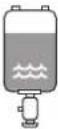 |
- Open refrigerant cylinders slowly.
- Charge the refrigerant in liquid form. Adding it in gas form may prevent normal operation.

CAUTION
When the refrigerant charging procedure is done or when pausing, close the valve of the refrigerant tank immediately. If the valve is NOT closed immediately, remaining pressure might charge additional refrigerant. Possible consequence: Incorrect refrigerant amount.
2.1.4 Water
If applicable. See the installation manual or installer reference guide of your application for more information.

NOTICE
Make sure water quality complies with EU directive 2020/2184.
2.1.5 Electrical

DANGER: RISK OF ELECTROCUTION
- Turn OFF all power supply before removing the switch box cover, connecting electrical wiring or touching electrical parts.
- Disconnect the power supply for more than 10 minutes, and measure the voltage at the terminals of main circuit capacitors or electrical components before servicing. The voltage MUST be less than 50 V DC before you can touch electrical components. For the location of the terminals, see the wiring diagram.
- Do NOT touch electrical components with wet hands.
- Do NOT leave the unit unattended when the service cover is removed.

WARNING
If NOT factory installed, a main switch or other means for disconnection, having contact separation in all poles providing full disconnection under overvoltage category III condition, MUST be installed in the fixed wiring.

WARNING
- ONLY use copper wires.
■ Make sure the field wiring complies with the applicable legislation. - All field wiring MUST be performed in accordance with the wiring diagram supplied with the product.
- NEVER squeeze bundled cables and make sure they do NOT come in contact with the piping and sharp edges. Make sure no external pressure is applied to the terminal connections.
- Make sure to install earth wiring. Do NOT earth the unit to a utility pipe, surge absorber, or telephone earth. Incomplete earth may cause electrical shock.
- Make sure to use a dedicated power circuit. NEVER use a power supply shared by another appliance.
- Make sure to install the required fuses or circuit breakers.
- Make sure to install an earth leakage protector. Failure to do so may cause electrical shock or fire.
- When installing the earth leakage protector, make sure it is compatible with the inverter (resistant to high frequency electric noise) to avoid unnecessary opening of the earth leakage protector.

CAUTION
- When connecting the power supply: connect the earth cable first, before making the current-carrying connections.
- When disconnecting the power supply: disconnect the current-carrying cables first, before separating the earth connection.
- The length of the conductors between the power supply stress relief and the terminal block itself MUST be as such that the current-carrying wires are tautened before the earth wire is in case the power supply is pulled loose from the stress relief.

NOTICE
Precautions when laying power wiring:
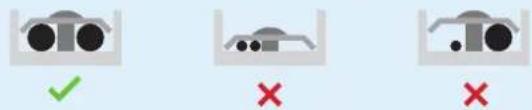
- Do NOT connect wiring of different thicknesses to the power terminal block (slack in the power wiring may cause abnormal heat).
- When connecting wiring which is the same thickness, do as shown in the figure above.
- For wiring, use the designated power wire and connect firmly, then secure to prevent outside pressure being exerted on the terminal board.
- Use an appropriate screwdriver for tightening the terminal screws. A screwdriver with a small head will damage the head and make proper tightening impossible.
- Over-tightening the terminal screws may break them.
Install power cables at least 1 meter away from televisions or radios to prevent interference. Depending on the radio waves, a distance of 1 meter may NOT be sufficient.

WARNING
■ After finishing the electrical work, confirm that each electrical component and terminal inside the electrical components box is connected securely.
■ Make sure all covers are closed before starting up the unit.

NOTICE
ONLY applicable if the power supply is three-phase, and the compressor has an ON/OFF starting method.
If there exists the possibility of reversed phase after a momentary black out and the power goes ON and OFF while the product is operating, attach a reversed phase protection circuit locally. Running the product in reversed phase can break the compressor and other parts.
3 Specific installer safety instructions
Always observe the following safety instructions and regulations.
Handling the unit (see "4.2.1 To handle, unpack and remove accessories – Outdoor unit" [▶ 22])

CAUTION
To avoid injury, do NOT touch the air inlet or aluminium fins of the unit.
Application guidelines (see "6 Application guidelines" [▶ 33])

CAUTION
If there is more than one leaving water zone, ALWAYS install a mixing valve station in the main zone to decrease (in heating)/increase (in cooling) the leaving water temperature when the additional zone has demand.

CAUTION
The solar panels MUST be installed higher than the indoor unit. A downward slope with minimum gradient of the solar piping MUST be guaranteed. This is to allow the solar system to completely drain and thereby to avoid frost damages.
Installation site (see "7.1 Preparing the installation site" [▶ 66])

WARNING
Follow the service space dimensions in this manual for correct installation of the unit.
- Outdoor unit: See "17.1 Service space: Outdoor unit" [▶ 286].
- Indoor unit: See "7.1.3 Installation site requirements of the indoor unit" [▶ 69].

WARNING
The appliance shall be stored in a room without continuously operating ignition sources (example: open flames, an operating gas appliance or an operating electric heater).

WARNING
DO NOT reuse refrigerant piping that has been used with any other refrigerant. Replace the refrigerant pipes or clean thoroughly.

CAUTION
Install the indoor unit at a minimum distance of 1 m from other heat sources ( >80^ ) (e.g. electrical heater, oil heater, chimney) and combustible materials. Otherwise the unit may be damaged or in extreme cases catch fire.
Special requirements for R32 (see "7.1.1 Installation site requirements of the outdoor unit" [▶ 66])

WARNING
- Do NOT pierce or burn refrigerant cycle parts.
- Do NOT use means to accelerate the defrosting process or to clean the equipment, other than those recommended by the manufacturer.
- Be aware that R32 refrigerant does NOT contain an odour.

WARNING
The appliance shall be stored so as to prevent mechanical damage and in a well-ventilated room without continuously operating ignition sources (example: open flames, an operating gas appliance or an operating electric heater).

WARNING
Make sure installation, servicing, maintenance and repair comply with instructions from Daikin and with applicable legislation and are executed ONLY by authorised persons.
Opening and closing the units (see "7.2 Opening and closing the units" [▶ 81])
![DAIKIN ERLA16DAW1 - Opening and closing the units (see "7.2 Opening and closing the units" [▶ 81]) - 1](/content/2026/05/854961/images/f7d0e3250caecc4c3642238bbb725a585e477f80d273a1028dc94bc86b033f67.jpg)
DANGER: RISK OF ELECTROCUTION
Do NOT leave the unit unattended when the service cover is removed.

DANGER: RISK OF ELECTROCUTION

DANGER: RISK OF BURNING/SCALDING
Mounting the outdoor unit (see "7.3 Mounting the outdoor unit" [▶ 85])
![DAIKIN ERLA16DAW1 - Mounting the outdoor unit (see "7.3 Mounting the outdoor unit" [▶ 85]) - 1](/content/2026/05/854961/images/75c7fd5a4318a8e88ab21a3e4c17eb6c9001636c1a9a4572bbe118f08fbdaaf0.jpg)
WARNING
Fixing method of the outdoor unit MUST be in accordance with the instructions from this manual. See "7.3 Mounting the outdoor unit" [▶ 85].
Mounting the indoor unit (see "7.4 Mounting the indoor unit" [▶ 88])
![DAIKIN ERLA16DAW1 - Mounting the indoor unit (see "7.4 Mounting the indoor unit" [▶ 88]) - 1](/content/2026/05/854961/images/b0025765ff94bab454ee5c5d1a2ef197202e5b9d7aa37aa7a3c56c2fdbf8d403.jpg)
WARNING
Fixing method of the indoor unit MUST be in accordance with the instructions from this manual. See "7.4 Mounting the indoor unit" [▶ 88].
Piping installation (see "8 Piping installation" [▶ 91])
![DAIKIN ERLA16DAW1 - Piping installation (see "8 Piping installation" [▶ 91]) - 1](/content/2026/05/854961/images/516cb122903ae9c1cb9c7419a757180eac1fde5c731326379399b2c8b26e8ce2.jpg)
DANGER: RISK OF ELECTROCUTION
During the filling process, water can escape from any leaking point and can cause an electrical shock if it comes into contact with live parts.
■ Before the filling process, de-energise the unit.
■ After the first filling and before switching on the unit with the mains switch, check whether all electric parts and connection points are dry.

DANGER: RISK OF BURNING/SCALDING

WARNING
Field piping method MUST be in accordance with the instructions from this manual. See "8 Piping installation" [▶ 91].
3 | Specific installer safety instructions

NOTICE
- Do NOT use mineral oil on flared part.
- Do NOT reuse piping from previous installations.
- NEVER install a drier to this R32 unit to guarantee its lifetime. The drying material may dissolve and damage the system.

NOTICE
- Incomplete flaring may cause refrigerant gas leakage.
- Do NOT re-use flares. Use new flares to prevent refrigerant gas leakage.
- Use flare nuts that are included with the unit. Using different flare nuts may cause refrigerant gas leakage.

WARNING
Provide adequate measures to prevent that the unit can be used as a shelter by small animals. Small animals that make contact with electrical parts can cause malfunctions, smoke or fire.

WARNING
Some sections of the refrigerant circuit may be isolated from other sections caused by components with specific functions (e.g. valves). The refrigerant circuit therefore features additional service ports for vacuuming, pressure relief or pressurizing the circuit.
In case it is required to perform brazing on the unit, ensure that there is no pressure remaining inside the unit. Internal pressures need to be released with ALL the service ports indicated on the figures below opened. The location is depending on model type.

WARNING
- Only use R32 as refrigerant. Other substances may cause explosions and accidents.
- R32 contains fluorinated greenhouse gases. Its global warming potential (GWP) value is 675. Do NOT vent these gases into the atmosphere.
- When charging refrigerant, ALWAYS use protective gloves and safety glasses.

WARNING
The discharge pipes from the pressure relief valves MUST terminate in a safe and visible position without forming any risk to persons in the vicinity.
Electrical installation (see "9 Electrical installation" [▶ 120])

DANGER: RISK OF ELECTROCUTION

WARNING
Electrical wiring connection method MUST be in accordance with the instructions from:
This manual. See "9 Electrical installation" [▶ 120].
- The wiring diagram of the outdoor unit, which is delivered with the unit, located at the inside of the service cover. For a translation of its legend, see "17.4 Wiring diagram: Outdoor unit" [▶ 290].
- The wiring diagram of the indoor unit, which is delivered with the unit, located on the inside of the indoor unit switch box cover. For a translation of its legend, see "17.5 Wiring diagram: Indoor unit" [▶ 291].

WARNING
ALWAYS use multicore cable for power supply cables.

WARNING
- All wiring MUST be performed by an authorised electrician and MUST comply with the applicable legislation.
■ Make electrical connections to the fixed wiring. - All components procured on-site and all electrical construction MUST comply with the applicable legislation.

WARNING
- If the power supply has a missing or wrong N-phase, equipment might break down.
- Establish proper earthing. Do NOT earth the unit to a utility pipe, surge absorber, or telephone earth. Incomplete earthing may cause electrical shock.
- Install the required fuses or circuit breakers.
- Secure the electrical wiring with cable ties so that the cables do NOT come in contact with sharp edges or piping, particularly on the high-pressure side.
- Do NOT use taped wires, stranded conductor wires, extension cords, or connections from a star system. They can cause overheating, electrical shock or fire.
- Do NOT install a phase advancing capacitor, because this unit is equipped with an inverter. A phase advancing capacitor will reduce performance and may cause accidents.

WARNING
Rotating fan. Before powering ON the outdoor unit, make sure that the discharge grille covers the fan as protection against a rotating fan. See "7.3.6 To install the discharge grille" [▶ 88].

WARNING
The backup heater MUST have a dedicated power supply and MUST be protected by the safety devices required by the applicable legislation.

CAUTION
Do NOT push or place redundant cable length in the unit.

CAUTION
To guarantee the unit is completely earthed, ALWAYS connect the backup heater power supply and the earth cable.

INFORMATION
Details of type and rating of fuses, or rating of circuit breakers are described in "9 Electrical installation" [▶ 120].
Configuration (see "11 Configuration" [▶ 156])
![DAIKIN ERLA16DAW1 - Configuration (see "11 Configuration" [▶ 156]) - 1](/content/2026/05/854961/images/a148fc7badfc1a18d408e4d0489eb8ce230dd43b1cac4798bb5af0802f330ed3.jpg)
WARNING
Be aware that the domestic hot water temperature at the hot water tap will be equal to the value selected in field setting [2-03] after a disinfection operation.
When the high domestic hot water temperature can be a potential risk for human injuries, a mixing valve (field supply) shall be installed at the domestic hot water out connection of the storage tank. This mixing valve shall secure that the hot water temperature at the hot water tap never rise above a set maximum value. This maximum allowable hot water temperature shall be selected according to the applicable legislation.

CAUTION
The disinfection function settings MUST be configured by the installer according to the applicable legislation.

CAUTION
Make sure that the disinfection function start time [5.7.3] with defined duration [5.7.5] is NOT interrupted by possible domestic hot water demand.
Commissioning (see "12 Commissioning" [▶ 248])
![DAIKIN ERLA16DAW1 - Commissioning (see "12 Commissioning" [▶ 248]) - 1](/content/2026/05/854961/images/bcb1648404bd9ed64b8706a41116cae0e642d2dcc841991f42e0299d117c69e3.jpg)
WARNING
Commissioning method MUST be in accordance with the instructions from this manual. See "12 Commissioning" [▶ 248].
Maintenance and service (see "14 Maintenance and service" [▶ 260])
![DAIKIN ERLA16DAW1 - Maintenance and service (see "14 Maintenance and service" [▶ 260]) - 1](/content/2026/05/854961/images/8a71e35d75f6dfabb635c721e02876dab2f8e2b45aff2456c4b516e42d397ac2.jpg)
DANGER: RISK OF ELECTROCUTION

DANGER: RISK OF BURNING/SCALDING

DANGER: RISK OF BURNING/SCALDING
The water in the storage tank and all the connected piping can be very hot.

WARNING
If the internal wiring is damaged, it has to be replaced by the manufacturer, its service agent or similarly qualified persons.
Troubleshooting (see "15 Troubleshooting" [▶ 263])

DANGER: RISK OF ELECTROCUTION

DANGER: RISK OF BURNING/SCALDING

WARNING
- When carrying out an inspection on the switch box of the unit, ALWAYS make sure that the unit is disconnected from the mains. Turn off the respective circuit breaker.
- When a safety device was activated, stop the unit and find out why the safety device was activated before resetting it. NEVER shunt safety devices or change their values to a value other than the factory default setting. If you are unable to find the cause of the problem, call your dealer.

WARNING
Prevent hazards due to inadvertent resetting of the thermal cut-out: power to this appliance MUST NOT be supplied through an external switching device, such as a timer, or connected to a circuit that is regularly turned ON and OFF by the utility.

WARNING
Air purging heat emitters or collectors. Before you purge air from heat emitters or collectors, check if or is displayed on the home screen of the user interface.
If not, you can purge air immediately.
If yes, make sure that the room where you want to purge air is sufficiently ventilated. Reason: Refrigerant might leak into the water circuit, and subsequently into the room when you purge air from the heat emitters or collectors.
4 About the box
In this chapter
4.1 Overview: About the box.... 22
4.2 Outdoor unit 22
4.2.1 To handle, unpack and remove accessories – Outdoor unit 22
4.2.2 To remove the transportation stay 24
4.3 Indoor unit 25
4.3.1 To unpack the indoor unit 25
4.3.2 To remove the accessories from the indoor unit 25
4.3.3 To handle the indoor unit 26
4.1 Overview: About the box
This chapter describes what you have to do after the boxes with the outdoor and indoor unit are delivered on-site.
Keep the following in mind:
- At delivery, the unit MUST be checked for damage. Any damage MUST be reported immediately to the claims agent of the carrier.
- Bring the packed unit as close as possible to its final installation position to prevent damage during transport.
- Prepare the path along which you want to bring the unit inside in advance.
4.2 Outdoor unit
4.2.1 To handle, unpack and remove accessories – Outdoor unit

CAUTION
To avoid injury, do NOT touch the air inlet or aluminium fins of the unit.
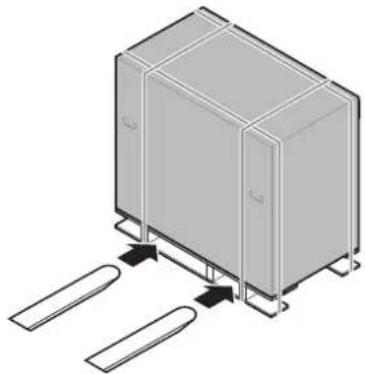
1 To handle the unit before unpacking, use a forklift or pallet truck.
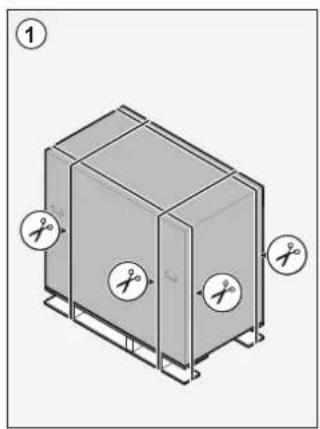
natural_image
Isometric illustration of a rectangular enclosure with two side supports and a connecting rod (no text or symbols)2 When you are near the final installation position, remove the cardboard box.
natural_image
Isometric diagram of a rectangular device with cutouts and scissors, no text or symbols present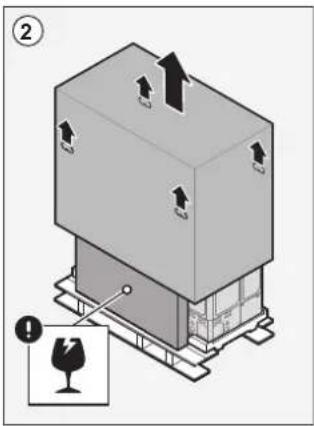
3 Remove the accessories and top packaging.

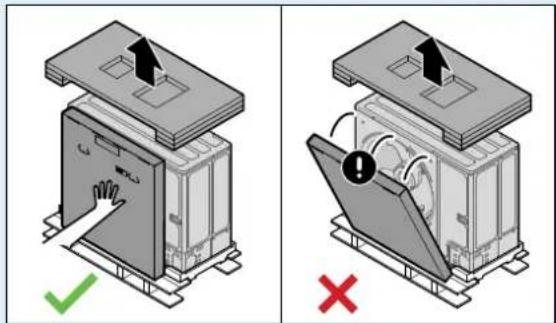
NOTICE
Unpacking – Top packaging. When you remove the top packaging, hold the box containing the discharge grille to prevent it from falling.
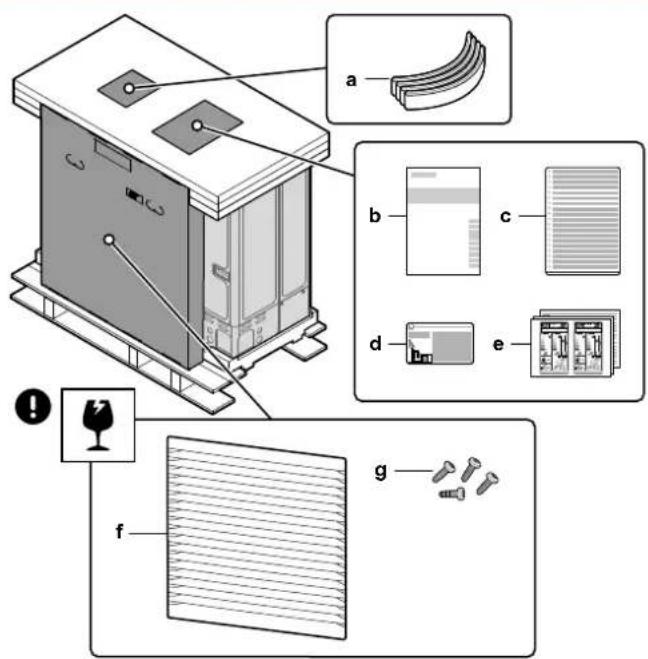
a Sling to carry the unit
b Installation manual – Outdoor unit
c Multilingual fluorinated greenhouse gases label
d Fluorinated greenhouse gases label
e Energy labels
f Discharge grille
g Screws for discharge grille
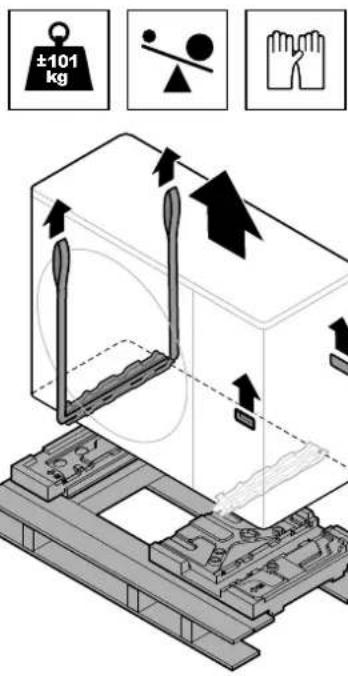
4 To handle the unit after unpacking, use the sling and the handles.
- Put the sling through the unit's left feet.
- Carry the unit using the sling (left) and the unit's handles (right), and put it onto the installation structure.
- Remove the sling, and dispose of it.
4.2.2 To remove the transportation stay

NOTICE
If the unit is operated with the transportation stay attached, abnormal vibration or noise may be generated.
The transportation stay protects the unit during transport. During installation it must be removed.
Prerequisite: Open the service cover. See "7.2.2 To open the outdoor unit" [▶ 81].
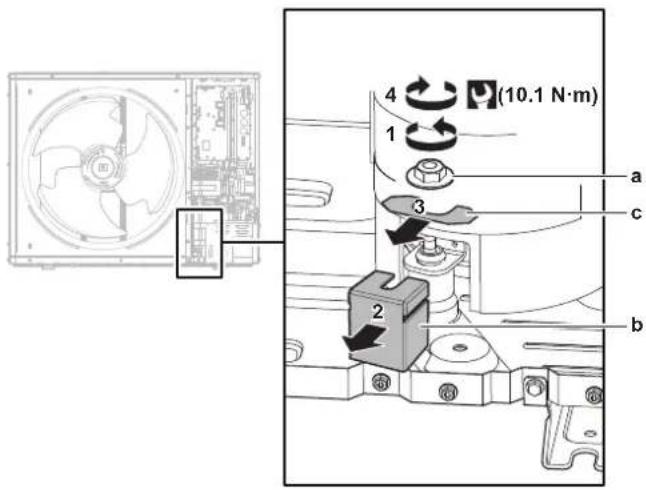
a Nut
b Transportation stay
c Spacer
1 Remove the nut (a) of the compressor mounting bolt.
2 Remove and discard the transportation stay (b).
3 Remove and discard the spacer (c).
4 Reinstall the nut (a) of the compressor mounting bolt and torque to 10.1 N·m.
4.3 Indoor unit
- At delivery, the unit MUST be checked for damage. Any damage MUST be reported immediately to the claims agent of the carrier.
- Bring the packed unit as close as possible to its final installation position to prevent damage during transport.
- Unpack the indoor unit completely according to the instructions mentioned on the unpacking instructions sheet.
4.3.1 To unpack the indoor unit
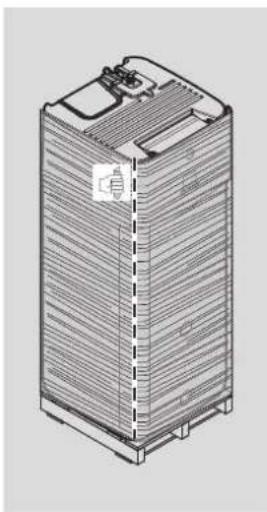
natural_image
Isometric line drawing of a multi-tiered battery or storage unit (no text or symbols visible)4.3.2 To remove the accessories from the indoor unit
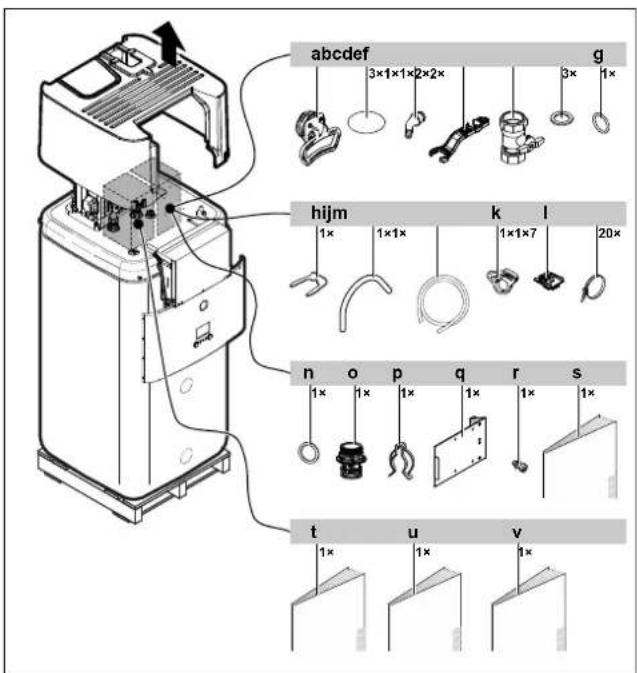
a Handles (only required for transport)
b Thread cover
c Spillover connector
d Assembly wrench
e Shut-off valve
f Flat gasket
g O-ring
h Securing clip
i Venting hose
j Drain pan hose
k Drain pan hose clamp
I Cable fixation for strain relief
m Cable tie
n O-ring
- Chimney socket
p Securing clip
q Switch box metal insert
r Screw for switch box metal insert
s General safety precautions
t Addendum book for optional equipment
u Indoor unit installation manual
v Operation manual
4.3.3 To handle the indoor unit
Use the handles at the back and at the front to carry the unit.

NOTICE
The indoor unit is top-heavy as long as the storage tank is empty. Secure the unit accordingly and only transport by using the handles.
If optional Backup Heater (EKECBU*) is installed, see the installation manual of the Backup Heater.
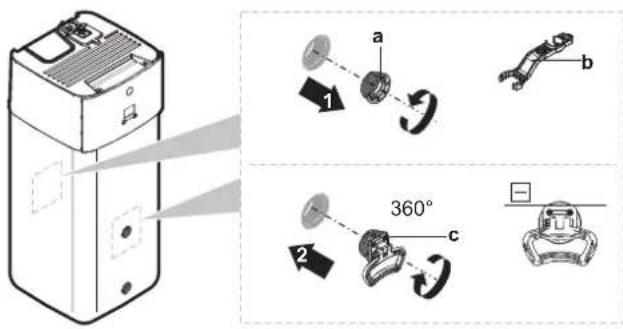
a Screw plug
b Assembly wrench
c Handle
1 Open the screw plugs on the front and back of the tank.
2 Attach the handles horizontally and turn by 360°.
3 Use the handles to carry the unit.
4 After carrying the unit remove the handles, add the screw plugs again and insert the thread covers on the plugs.
5 About the units and options
In this chapter
5.1 Overview: About the units and options 27
5.2 Identification.... 27
5.2.1 Identification label: Outdoor unit 27
5.2.2 Identification label: Indoor unit 28
5.3 Combining units and options.... 28
5.3.1 Possible combinations of indoor unit and outdoor unit 28
5.3.2 Possible options for the outdoor unit.... 29
5.3.3 Possible options for the indoor unit 29
5.1 Overview: About the units and options
This chapter contains information about:
■ Identifying the outdoor unit
■ Identifying the indoor unit
- Combining the outdoor unit with options
- Combining the indoor unit with options
5.2 Identification
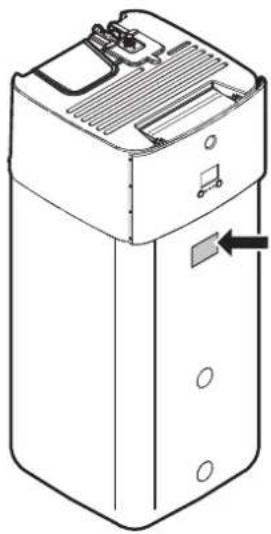
5.2.1 Identification label: Outdoor unit
Location
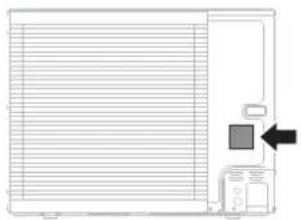
natural_image
Pure technical diagram of a mechanical component with no text or symbolsModel identification
Example: ER L A 16 DA V3
| Code Explanation | |
| ER European refrigerant split outdoor pair heat pump | |
| L Low water temperature – ambient zone 2 (see operation range) | |
| A Refrigerant R32 | |
| 16 Capacity class | |
| DA Model series | |
| V3 Power supply: | V3=1N~, 230 V AC, 50 HzW1=3N~, 400 V AC, 50 Hz |
5.2.2 Identification label: Indoor unit
Location
natural_image
Line drawing of a rectangular electronic device with ventilation slots and a labeled component (no text or symbols)Model identification
Example: E BS H B 11 P 30 DF
| Code Description | |
| E European model | |
| BS Floor-standing ref | frigerant-split unit with integrated pressureless storage tank |
| H H=Heating only | X=Heating/cooling |
| B Integrated heat ex | changer for bivalent heat generator |
| 11 Capacity class | |
| P Integrated tank m | material: Plastics |
| 30 Integrated tank v | olume |
| DF Model series | |
5.3 Combining units and options

INFORMATION
Certain options may NOT be available in your country.
5.3.1 Possible combinations of indoor unit and outdoor unit
| Indoor unit Outdoor unit | |||
| ERLA11 ERLA14 ERLA16 | |||
| EBSH/X11 O | |||
| EBSH/X16 O O | |||
5.3.2 Possible options for the outdoor unit
None.
5.3.3 Possible options for the indoor unit
Multi-zoning wired controls
You can connect the following multi-zoning wired controls:
■ Multi-zoning base unit 230 V (EKWUFHTA1V3)
■ Digital thermostat 230 V (EKWCTRDI1V3)
- Analogue thermostat 230 V (EKWCTRAN1V3)
- Actuator 230 V (EKWCVATR1V3)
For installation instructions, see the installation manual of the control, and the addendum book for optional equipment.
Room thermostat (EKRTWA, EKRTR1)
You can connect an optional room thermostat to the indoor unit. This thermostat can either be wired (EKRTWA) or wireless (EKRTR1).
For installation instructions, see the installation manual of the room thermostat and addendum book for optional equipment.
Remote sensor for wireless thermostat (EKRTETS)
You can use the remote indoor temperature sensor (EKRTETS) only in combination with the wireless thermostat (EKRTR1).
For installation instructions, see the installation manual of the room thermostat and the addendum book for optional equipment.
Demand PCB (EKRP1AHTA)
To enable the power saving consumption control by digital inputs you MUST install the demand PCB.
For installation instructions, see the installation manual of the demand PCB and addendum book for optional equipment.
Remote indoor sensor (KRCS01-1)
By default the internal sensor of the dedicated Human Comfort Interface (BRC1HHDA used as room thermostat) will be used as room temperature sensor.
As an option the remote indoor sensor can be installed to measure the room temperature on another location.
For installation instructions, see the installation manual of the remote indoor sensor and addendum book for optional equipment.

INFORMATION
- The remote indoor sensor can only be used in case the user interface is configured with room thermostat functionality.
- You can only connect either the remote indoor sensor or the remote outdoor sensor.
Remote outdoor sensor (EKRSCA1)
By default the sensor inside the outdoor unit will be used to measure the outdoor temperature.
As an option the remote outdoor sensor can be installed to measure the outdoor temperature on another location (e.g. to avoid direct sunlight) to have an improved system behaviour.
For installation instructions, see the installation manual of the remote outdoor sensor and the addendum book for optional equipment.

INFORMATION
You can only connect either the remote indoor sensor or the remote outdoor sensor.
PC cable (EKPCCAB4)
The PC cable makes a connection between the switch box of the indoor unit and a PC. It gives the possibility to update the software of the indoor unit.
For installation instructions, see the installation manual of the PC cable.
Heat pump convector (FWX\*)
For providing space heating/cooling, it is possible to use the following heat pump convectors:
■ FWXV: floor-standing model
■ FWXT: wall-mounted model
■ FWXM: concealed model
For installation instructions, see:
- The installation manual of the heat pump convector
- The installation manual of the heat pump convector options
- The addendum book for optional equipment
WLAN cartridge (BRP069A78)
You can install the wireless LAN cartridge to control the system via a smartphone app.
For installation instructions, see the installation manual of the WLAN cartridge.
WLAN module (BRP069A71)
A WLAN cartridge (to be plugged into the MMI) is delivered as indoor unit accessory. Alternatively (e.g. in case of weak signal strength), you can install the optional wireless LAN module BRP069A71.
For installation instructions, see the installation manual of the WLAN module and the addendum book for optional equipment.
Universal centralised controller (EKCC8-W)
Controller for cascade control.
Bizone kit (EKMIKPOA or EKMIKPHA)
You can install an optional bizone kit.
For installation instructions, see the installation manual of the bizone kit.
See also:
- "6.2.3 Multiple rooms – Two LWT zones" [▶ 44]
- "Bizone kit" [▶ 241]
Human Comfort Interface (BRC1HHDA) used as room thermostat
- The Human Comfort Interface (HCI) used as room thermostat can only be used in combination with the user interface connected to the indoor unit.
- The Human Comfort Interface (HCI) used as room thermostat needs to be installed in the room that you want to control.
For installation instructions, see the installation and operation manual of the Human Comfort Interface (HCI) as room thermostat, and the addendum book for optional equipment.
Smart grid relay kit (EKRELSG)
The installation of the optional Smart grid relay kit is required in case of high voltage Smart grid contacts (EKRELSG).
For installation instructions, see "9.3.13 To connect a Smart Grid" [▶ 147].
Backup Heater (EKECBU\*)
- For installations without a bivalent heat source (oil or gas), the installation of a backup heater is mandatory.
- Only one backup heater (3 kW, 6 kW or 9 kW) can be connected to the indoor unit.
- The backup heater can only be connected to the main unit with the correct inline BUH connection kit EKECBUCO*.
For installation instructions, see the installation manual of the Backup Heater, and see "9.3.3 To connect the backup heater power supply" [▶ 134] and "9.3.4 To connect the backup heater to the main unit" [▶ 137].
DB connector kit (EKECDBCO\*)
To make the connection of a solar drainback system easier, you can install a drainback connector kit.
For installation instructions, see the installation manual of the DB connector kit.
BIV connector kit (EKECBIVCO\*)
To make the connection of a bivalent heat source to the bivalent heat exchanger easier, you can install a bivalent connector kit.
For installation instructions, see the installation manual of the BIV connector kit.
Fill and drain kit (165215)
You can install the fill and drain kit to simplify the filling and draining procedure of the storage tank.
For installation instructions, see the installation manual of the fill and drain kit.
Recirculation kit (141554)
By connecting a DHW pump, instant hot water can be available at the tap. To reduce heat losses while DHW pump is working you can install a recirculation kit.
For installation instructions, see the installation manual of the recirculation kit.
Dirt Separator (156021 or 156023)
It is recommended to install a dirt separator in the system.
Solar drainback kit (EKSRPS4)
A solar drainback kit including solar pump and solar controller can be directly connected to the pressureless storage tank of the indoor unit. For installation instructions, see the installation manual of the solar drainback kit.
6 Application guidelines

INFORMATION
Cooling is only applicable in case of reversible models.
In this chapter
6.1 Overview: Application guidelines.... 33
6.2 Setting up the space heating/cooling system 34
6.2.1 Single room.... 35
6.2.2 Multiple rooms – One LWT zone 39
6.2.3 Multiple rooms – Two LWT zones 44
6.3 Setting up bivalent heat sources 48
6.3.1 Setting up a direct auxiliary heat source for space heating....48
6.3.2 Setting up an indirect auxiliary heat source for domestic hot water and space heating.... 51
6.3.3 Setting up a solar system via drainback connection 52
6.3.4 Setting up a solar system via bivalent heat exchanger 53
6.3.5 Setting up an electric backup heater 53
6.4 Setting up the storage tank 54
6.4.1 System layout – Integrated storage tank 54
6.4.2 Selecting the volume and desired temperature for the storage tank 54
6.4.3 Setup and configuration - storage tank 55
6.4.4 DHW pump for instant hot water 56
6.4.5 DHW pump for disinfection 56
6.5 Setting up the energy metering 57
6.5.1 Produced heat 57
6.5.2 Consumed energy 57
6.5.3 Normal kWh rate power supply.... 58
6.5.4 Preferential kWh rate power supply 59
6.6 Setting up the power consumption control.... 60
6.6.1 Permanent power limitation.... 61
6.6.2 Power limitation activated by digital inputs 62
6.6.3 Power limitation process 63
6.6.4 BBR16 power limitation 63
6.7 Setting up an external temperature sensor.... 64
6.1 Overview: Application guidelines
The purpose of the application guidelines is to give a glance of the possibilities of the heat pump system.

NOTICE
- The illustrations in the application guidelines are meant for reference only, and are NOT to be used as detailed hydraulic diagrams. The detailed hydraulic dimensioning and balancing are NOT shown, and are the responsibility of the installer.
- For more information about the configuration settings to optimize heat pump operation, see "11 Configuration" [▶ 156].
This chapter contains application guidelines for:
- Setting up the space heating/cooling system
- Setting up an auxiliary heat source for space heating
- Setting up the storage tank
- Setting up the energy metering
- Setting up the power consumption control
- Setting up an external temperature sensor
- Setting up a bivalent heat source for domestic hot water and space heating

NOTICE
Certain types of fan coil units –in this document referred to as "heat pump convectors"-, are able to receive input of the indoor unit operation mode (cooling or heating X12M/9 and X12M/10) and/or to send output of the heat pump convector thermostatic condition (main zone: X12M/22 and X12M/15; additional zone: X12M/22 and X12M/19).
The application guidelines illustrate the possibility of receiving or sending digital input/output. This functionality can only be used in case the heat pump convector has such features and the signals meet following requirements:
- Output of indoor unit (input to heat pump convector): cooling/heating signal=230 V (cooling=230 V, heating=0 V).
- Input to indoor unit (output of heat pump convector): thermostat ON/OFF signal=voltage-free contact (closed contact=thermo ON, open contact=thermo OFF).
6.2 Setting up the space heating/cooling system
The heat pump system supplies leaving water to heat emitters in one or more rooms.
Because the system offers a wide flexibility to control the temperature in each room, you need to answer the following questions first:
- How many rooms are heated or cooled by the heat pump system?
- Which heat emitter types are used in each room and what is their design leaving water temperature?
Once the space heating/cooling requirements are clear, we recommend to follow the setup guidelines below.

NOTICE
If an external room thermostat is used, the external room thermostat will control the room frost protection. However, the room frost protection is only possible if [C.2] Space heating/cooling=On.

INFORMATION
In case an external room thermostat is used and room frost protection needs to be guaranteed in all conditions, then you have to set Emergency [9.5.1] to Automatic.

NOTICE
An overpressure bypass valve can be integrated in the system. Keep in mind that this valve might not be shown on the illustrations.
6.2.1 Single room
Underfloor heating or radiators – Wired room thermostat
Setup
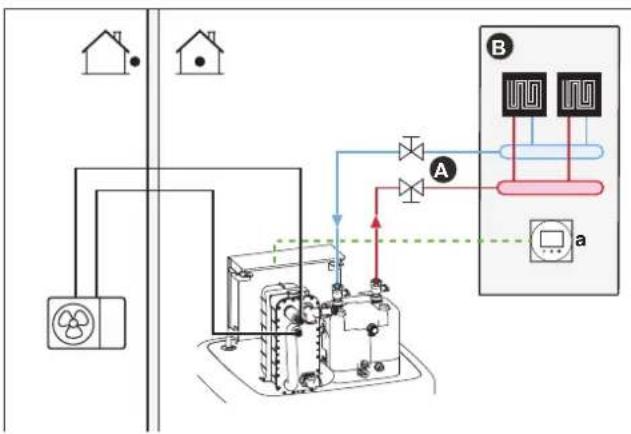
flowchart
graph TD
    A["Household"] --> B["Control Unit"]
    B --> C["Valve 1"]
    B --> D["Valve 2"]
    C --> E["Sensor 1"]
    D --> F["Sensor 2"]
    E --> G["Flow Control Unit"]
    F --> G
    G --> H["Display a"]
A Main leaving water temperature zone
B One single room
a Dedicated Human Comfort Interface (BRC1HHDA used as room thermostat)
- For more information about connecting the electrical wiring to the unit, see:
- "9.2 Connections to the outdoor unit" [▶ 124]
-
"9.3 Connections to the indoor unit" [▶ 127]
-
The underfloor heating or radiators are directly connected to the indoor unit.
- The room temperature is controlled by the dedicated Human Comfort Interface (BRC1HHDA used as room thermostat).
Configuration
| Setting Value | |
| Unit temperature control:▪ #: [2.9]▪ Code: [C-07] | 2 (Room thermostat): Unit operation is decided based on the ambient temperature of the dedicated Human Comfort Interface. |
| Number of water temperature zones:▪ #: [4.4]▪ Code: [7-02] | 0 (Single zone): Main |
Benefits
- Highest comfort and efficiency. The smart room thermostat functionality can decrease or increase the desired leaving water temperature based on the actual room temperature (modulation). This results in:
- Stable room temperature matching the desired temperature (higher comfort)
- Less ON/OFF cycles (more quiet, higher comfort and higher efficiency)
- Lowest possible leaving water temperature (higher efficiency)
- Easy. You can easily set the desired room temperature via the user interface:
- For your daily needs, you can use preset values and schedules.
- To deviate from your daily needs, you can temporarily overrule the preset values and schedules, or use the holiday mode.
Underfloor heating or radiators – Wireless room thermostat
Setup
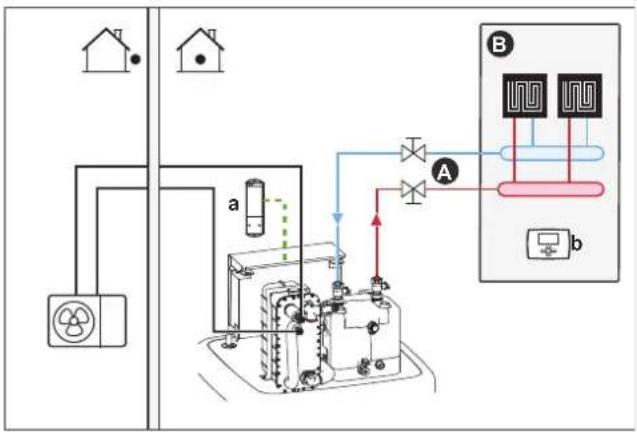
flowchart
graph TD
    A["House Unit"] --> B["Control Panel"]
    B --> C["Component 1"]
    B --> D["Component 2"]
    C --> E["Valve 1"]
    D --> F["Valve 2"]
    E --> G["Flow Control Valve"]
    F --> H["Flow Control Valve"]
    G --> I["Output"]
    H --> J["Output"]
A Main leaving water temperature zone
B One single room
a Receiver for wireless external room thermostat
b Wireless external room thermostat
- For more information about connecting the electrical wiring to the unit, see:
- "9.2 Connections to the outdoor unit" [▶ 124]
-
"9.3 Connections to the indoor unit" [▶ 127]
-
The underfloor heating or radiators are directly connected to the indoor unit.
- The room temperature is controlled by the wireless external room thermostat (optional equipment EKRTR1).
Configuration
| Setting Value | |
| Unit temperature control:• #: [2.9]• Code: [C-07] | 1 (External room thermostat): Unit operation is decided by the external thermostat. |
| Number of water temperature zones:• #: [4.4]• Code: [7-02] | 0 (Single zone): Main |
| External room thermostat for the main zone:• #: [2.A]• Code: [C-05] | 1 (1 contact): When the used external room thermostat or heat pump convector can only send a thermo ON/OFF condition. No separation between heating or cooling demand. |
Benefits
- Wireless. The Daikin external room thermostat is available in a wireless version.
- Efficiency. Although the external room thermostat only sends ON/OFF signals, it is specifically designed for the heat pump system.
- Comfort. In case of underfloor heating, the wireless external room thermostat prevents condensation on the floor during cooling operation by measuring the room humidity.
Heat pump convectors
Setup
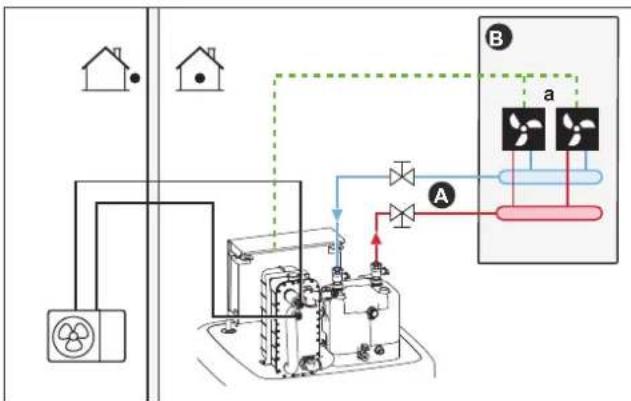
flowchart
graph TD
    A["House 1"] --> B["Valve"]
    B --> C["Control Unit"]
    C --> D["Valve"]
    D --> E["Component Unit"]
    E --> F["Output"]
    style A fill:#f9f,stroke:#333
    style B fill:#ccf,stroke:#333
    style C fill:#cfc,stroke:#333
    style D fill:#fcc,stroke:#333
    style E fill:#cff,stroke:#333
    style F fill:#ffc,stroke:#333
A Main leaving water temperature zone
B One single room
a Heat pump convectors (+ controllers)
- For more information about connecting the electrical wiring to the unit, see:
- "9.2 Connections to the outdoor unit" [▶ 124]
-
"9.3 Connections to the indoor unit" [▶ 127]
-
The heat pump convectors are directly connected to the indoor unit.
-
The desired room temperature is set via the controller of the heat pump convectors. There are different controllers and setups possible for the heat pump convectors. For more information, see:
-
The installation manual of the heat pump convectors
- The installation manual of the heat pump convector options
-
The addendum book for optional equipment
-
The space heating/cooling demand signal is sent to one digital input on the indoor unit (X12M/15 and X12M/22).
- The space operation mode is sent to the heat pump convectors by one digital output on the indoor unit (X12M/9 and X12M/10).
Configuration
| Setting Value | |
| Unit temperature control:▪ #: [2.9]▪ Code: [C-07] | 1 (External room thermostat): Unit operation is decided by the external thermostat. |
| Number of water temperature zones:▪ #: [4.4]▪ Code: [7-02] | 0 (Single zone): Main |
| External room thermostat for themainzone:▪ #: [2.A]▪ Code: [C-05] | 1 (1 contact): When the used external room thermostat or heat pump convector can only send a thermo ON/OFF condition. No separation between heating or cooling demand. |
Benefits
- Cooling. The heat pump convector offers, besides heating capacity, also excellent cooling capacity.
- Efficiency. Optimal energy efficiency because of the interlink function.
Stylish.
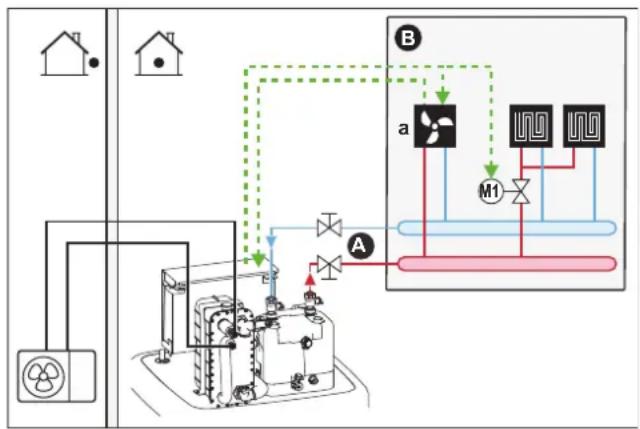
Combination: Underfloor heating + Heat pump convectors
■ Space heating is provided by:
- The underfloor heating
- The heat pump convectors
- Space cooling is provided by the heat pump convectors only. The underfloor heating is shut off by the shut-off valve.
Setup
flowchart
graph TD
    subgraph Section_B
        A["House"] --> B["Refrigerator"]
        B --> C["Drain Valve"]
        C --> D["Valve 1"]
        C --> E["Valve 2"]
        C --> F["Valve 3"]
        D --> G["Outlet"]
        E --> H["Outlet"]
        F --> I["Outlet"]
    end
    subgraph Section_A
        J["Air"] --> K["Valve 1"]
        K --> L["M1"]
        L --> M["Valve 2"]
        M --> N["Valve 3"]
        N --> O["Valve 4"]
        O --> P["Outlet"]
    end
    style Section_B fill:#f9f,stroke:#333
    style Section_A fill:#ccf,stroke:#333
A Main leaving water temperature zone
B One single room
a Heat pump convectors (+ controllers)
- For more information about connecting the electrical wiring to the unit, see:
- "9.2 Connections to the outdoor unit" [▶ 124]
-
"9.3 Connections to the indoor unit" [▶ 127]
-
The heat pump convectors are directly connected to the indoor unit.
- A shut-off valve (field supply) is installed before the underfloor heating to prevent condensation on the floor during cooling operation.
-
The desired room temperature is set via the controller of the heat pump convectors. There are different controllers and setups possible for the heat pump convectors. For more information, see:
-
The installation manual of the heat pump convectors
- The installation manual of the heat pump convector options
-
The addendum book for optional equipment
-
The space heating/cooling demand signal is sent to one digital input on the indoor unit (X12M/15 and X12M/22).
-
The space operation mode is sent by one digital output (X12M/9 and X12M/10) on the indoor unit to:
-
The heat pump convectors
- The shut-off valve
Configuration
| Setting Value | |
| Unit temperature control:• #: [2.9]• Code: [C-07] | 1 (External room thermostat): Unit operation is decided by the external thermostat. |
| Number of water temperature zones:• #: [4.4]• Code: [7-02] | 0 (Single zone): Main |
| External room thermostat for the main zone:• #: [2.A]• Code: [C-05] | 1 (1 contact): When the used external room thermostat or heat pump convector can only send a thermo ON/OFF condition. No separation between heating or cooling demand. |
Benefits
- Cooling. Heat pump convectors provide, besides heating capacity, also excellent cooling capacity.
- Efficiency. Underfloor heating has the best performance with the heat pump system.
- Comfort. The combination of the two heat emitter types provides:
- The excellent heating comfort of the underfloor heating
- The excellent cooling comfort of the heat pump convectors
6.2.2 Multiple rooms – One LWT zone
If only one leaving water temperature zone is needed because the design leaving water temperature of all heat emitters is the same, you do NOT need a mixing valve station (cost effective).
Example: If the heat pump system is used to heat up one floor where all the rooms have the same heat emitters.
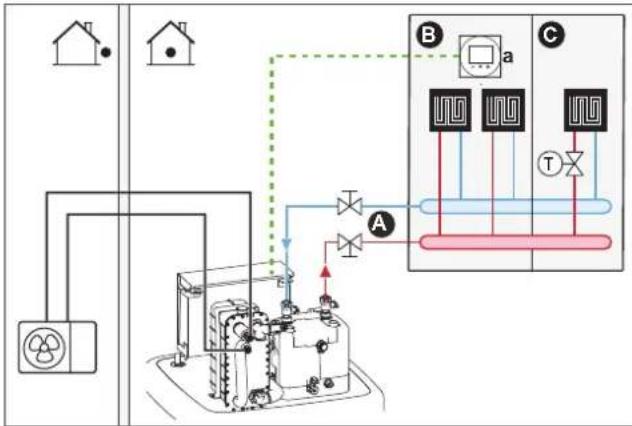
Underfloor heating or radiators – Thermostatic valves
If you are heating up rooms with underfloor heating or radiators, a very common way is to control the temperature of the main room by using a thermostat (this can either be the dedicated Human Comfort Interface (BRC1HHDA) or an external room thermostat), while the other rooms are controlled by so-called thermostatic valves, which open or close depending on the room temperature.
Setup
flowchart
graph TD
    A["House"] --> B["Control Panel"]
    B --> C["Component 1"]
    B --> D["Component 2"]
    B --> E["Component 3"]
    B --> F["Component 4"]
    B --> G["Component 5"]
    B --> H["Component 6"]
    B --> I["Component 7"]
    B --> J["Component 8"]
    B --> K["Component 9"]
    B --> L["Component 10"]
    style A fill:#f9f,stroke:#333
    style B fill:#ccf,stroke:#333
    style C fill:#cfc,stroke:#333
    style D fill:#fcc,stroke:#333
    style E fill:#cff,stroke:#333
    style F fill:#ffc,stroke:#333
    style G fill:#cfc,stroke:#333
    style H fill:#fcc,stroke:#333
    style I fill:#ffc,stroke:#333
    style J fill:#fcc,stroke:#333
    style K fill:#ffc,stroke:#333
    style L fill:#fcc,stroke:#333
A Main leaving water temperature zone
B Room 1
C Room 2
a Dedicated Human Comfort Interface (BRC1HHDA used as room thermostat)
- For more information about connecting the electrical wiring to the unit, see:
- "9.2 Connections to the outdoor unit" [▶ 124]
-
"9.3 Connections to the indoor unit" [▶ 127]
-
The underfloor heating of the main room is directly connected to the indoor unit.
- The room temperature of the main room is controlled by the dedicated Human Comfort Interface (BRC1HHDA used as room thermostat).
- A thermostatic valve is installed before the underfloor heating in each of the other rooms.

INFORMATION
Mind situations where the main room can be heated by another heating source. Example: Fireplaces.
Configuration
| Setting Value | |
| Unit temperature control:• #: [2.9]• Code: [C-07] | 2 (Room thermostat): Unit operation is decided based on the ambient temperature of the dedicated Human Comfort Interface. |
| Number of water temperature zones:• #: [4.4]• Code: [7-02] | 0 (Single zone): Main |
Benefits
- Easy. Same installation as for one room, but with thermostatic valves.
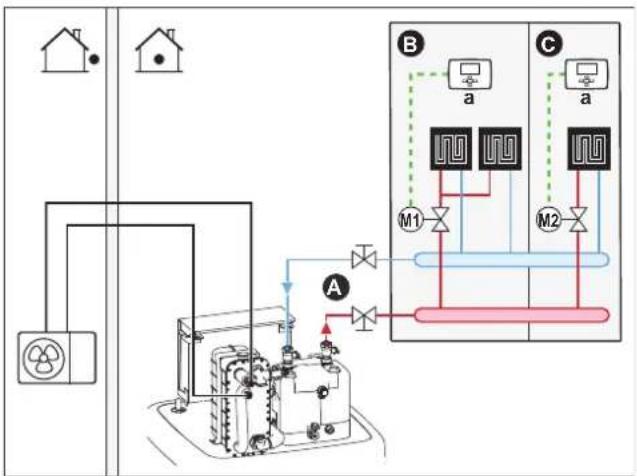
Underfloor heating or radiators – Multiple external room thermostats
Setup
flowchart
graph TD
    A["House"] --> B["Reactor Unit"]
    B --> C["Control Unit"]
    C --> D["Outlet"]
    D --> E["Reactor Unit"]
    E --> F["Reactor Unit"]
    F --> G["Reactor Unit"]
    G --> H["Reactor Unit"]
    H --> I["Reactor Unit"]
    I --> J["Reactor Unit"]
    J --> K["Reactor Unit"]
    K --> L["Reactor Unit"]
    L --> M["Reactor Unit"]
    M --> N["Reactor Unit"]
    N --> O["Reactor Unit"]
    O --> P["Reactor Unit"]
    P --> Q["Reactor Unit"]
    Q --> R["Reactor Unit"]
    R --> S["Reactor Unit"]
    S --> T["Reactor Unit"]
    T --> U["Reactor Unit"]
    U --> V["Reactor Unit"]
    V --> W["Reactor Unit"]
    W --> X["Reactor Unit"]
    X --> Y["Reactor Unit"]
    Y --> Z["Reactor Unit"]
A Main leaving water temperature zone
B Room 1
C Room 2
a External room thermostat
- For more information about connecting the electrical wiring to the unit, see:
- "9.2 Connections to the outdoor unit" [▶ 124]
- "9.3 Connections to the indoor unit" [▶ 127]
- For each room, a shut-off valve (field supplied) is installed to avoid leaving water supply when there is no heating or cooling demand.
- A bypass valve must be installed to make water recirculation possible when all shut-off valves are closed. To guarantee reliable operation, provide a minimum water flow as described in table "To check the water volume and flow rate" in "8.5 Preparing water piping" [▶ 107].
- The user interface integrated in the indoor unit decides the space operation mode. Mind that the operation mode on each room thermostat must be set to match the indoor unit.
- The room thermostats are connected to the shut-off valves, but do NOT have to be connected to the indoor unit. The indoor unit will supply leaving water all the time, with the possibility to program a leaving water schedule.
Configuration
| Setting Value | |
| Unit temperature control:• #: [2.9]• Code: [C-07] | 0 (Leaving water): Unit operation is decided based on the leaving water temperature. |
| Number of water temperature zones:• #: [4.4]• Code: [7-02] | 0 (Single zone): Main |
Benefits
Compared with underfloor heating or radiators for one room:
- Comfort. You can set the desired room temperature, including schedules, for each room via the room thermostats.
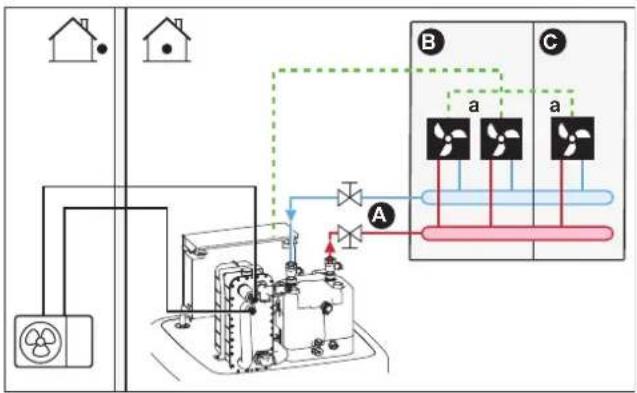
Heat pump convectors – Multiple rooms
Setup
flowchart
graph TD
    House1["House 1"] -->|Power Line| UnitA["Units"]
    House2["House 2"] -->|Power Line| UnitA
    UnitA -->|A| Fan1["Fan 1"]
    UnitA -->|B| Fan2["Fan 2"]
    Fan1 -->|a| Fan3["Fan 3"]
    Fan2 -->|a| Fan4["Fan 4"]
    Fan3 -->|b| Fan5["Fan 5"]
    Fan4 -->|b| Fan6["Fan 6"]
A Main leaving water temperature zone
B Room 1
C Room 2
a Heat pump convectors (+ controllers)
- For more information about connecting the electrical wiring to the unit, see:
- "9.2 Connections to the outdoor unit" [▶ 124]
- "9.3 Connections to the indoor unit" [▶ 127]
- The desired room temperature is set via the controller of the heat pump convectors. There are different controllers and setups possible for the heat pump convectors. For more information, see:
- The installation manual of the heat pump convectors
- The installation manual of the heat pump convector options
- The addendum book for optional equipment
- The user interface integrated in the indoor unit decides the space operation mode.
- The heating or cooling demand signals of each heat pump convector are connected in parallel to the digital input on the indoor unit (X12M/15 and X12M/22). The indoor unit will only supply leaving water temperature when there is an actual demand.

INFORMATION
To increase comfort and performance, we recommend to install the valve kit option EKVKHPC on each heat pump convector.
Configuration
| Setting Value | |
| Unit temperature control:• #: [2.9]• Code: [C-07] | 1 (External room thermostat): Unit operation is decided by the external thermostat. |
| Number of water temperature zones:• #: [4.4]• Code: [7-02] | 0 (Single zone): Main |
Benefits
Compared with heat pump convectors for one room:
- Comfort. You can set the desired room temperature, including schedules, for each room via the remote controller of the heat pump convectors.
Combination: Underfloor heating + Heat pump convectors – Multiple rooms
Setup
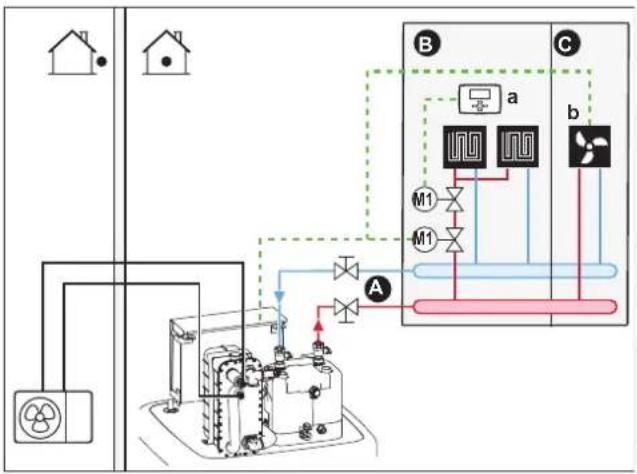
flowchart
graph TD
    A["House"] --> B["Power Supply"]
    B --> C["Control Panel"]
    C --> D["Main Control Unit"]
    D --> E["A"]
    E --> F["Fan"]
    F --> G["Output"]
    style A fill:#f9f,stroke:#333
    style B fill:#ccf,stroke:#333
    style C fill:#cfc,stroke:#333
    style D fill:#fcc,stroke:#333
    style E fill:#cff,stroke:#333
    style F fill:#ffc,stroke:#333
    style G fill:#cfc,stroke:#333
A Main leaving water temperature zone
B Room 1
C Room 2
a External room thermostat
b Heat pump convectors (+ controllers)
- For more information about connecting the electrical wiring to the unit, see:
- "9.2 Connections to the outdoor unit" [▶ 124]
-
"9.3 Connections to the indoor unit" [▶ 127]
-
For each room with heat pump convectors: The heat pump convectors are directly connected to the indoor unit.
-
For each room with underfloor heating: Two shut-off valves (field supply) are installed before the underfloor heating:
-
A shut-off valve to prevent hot water supply when the room has no heating demand
- A shut-off valve to prevent condensation on the floor during cooling operation of the rooms with heat pump convectors.
- For each room with heat pump convectors: The desired room temperature is set via the controller of the heat pump convectors. There are different controllers and setups possible for the heat pump convectors. For more information, see:
- The installation manual of the heat pump convectors
- The installation manual of the heat pump convector options
-
The addendum book for optional equipment
-
For each room with underfloor heating: The desired room temperature is set via the external room thermostat (wired or wireless).
- The user interface integrated in the indoor unit decides the space operation mode. Mind that the operation mode on each external room thermostat and controller of the heat pump convectors must be set to match the indoor unit.

INFORMATION
To increase comfort and performance, we recommend to install the valve kit option EKVKHPC on each heat pump convector.
Configuration
| Setting Value | |
| Unit temperature control:▪ #: [2.9]▪ Code: [C-07] | 0 (Leaving water): Unit operation is decided based on the leaving water temperature. |
| Number of water temperature zones:▪ #: [4.4]▪ Code: [7-02] | 0 (Single zone): Main |
6.2.3 Multiple rooms – Two LWT zones
If the heat emitters selected for each room are designed for different leaving water temperatures, you can use different leaving water temperature zones (maximum 2).
In this document:
- Main zone = Zone with the lowest design temperature in heating, and the highest design temperature in cooling
- Additional zone = Zone with the highest design temperature in heating, and the lowest design temperature in cooling

CAUTION
If there is more than one leaving water zone, ALWAYS install a mixing valve station in the main zone to decrease (in heating)/increase (in cooling) the leaving water temperature when the additional zone has demand.
Typical example:
| Room (zone) Heat emitters: Design temperature | |
| Living room (main zone) Underfloor heating:In heating: 35°CIn cooling(a): 20°C (only refreshment, no real cooling allowed) | |
| Bed rooms (additional zone) Heat pump convectors:In heating: 45°CIn cooling: 12°C |
[a] In cooling mode, you can allow the underfloor heating (main zone) to provide refreshment (no real cooling), or NOT allow it. See setup below.
Setup
Three bizone kit system variations are possible:
1 System without hydraulic separator:
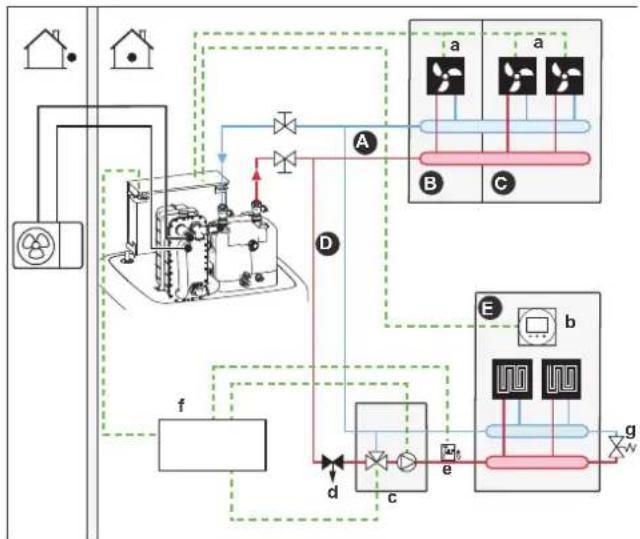
flowchart
graph TD
    A["House"] --> B["Reactor Unit"]
    B --> C["Airies Turbine"]
    C --> D["Control Unit a"]
    C --> E["Control Unit b"]
    C --> F["Control Unit c"]
    D --> G["Output"]
    E --> H["Output"]
    F --> I["Output"]
    style A fill:#f9f,stroke:#333
    style B fill:#ccf,stroke:#333
    style C fill:#cfc,stroke:#333
    style D fill:#fcc,stroke:#333
    style E fill:#cff,stroke:#333
    style F fill:#ffc,stroke:#333
    style G fill:#fcf,stroke:#333
    style H fill:#cff,stroke:#333
    style I fill:#ffc,stroke:#333
2 System with hydraulic separator for main zone:
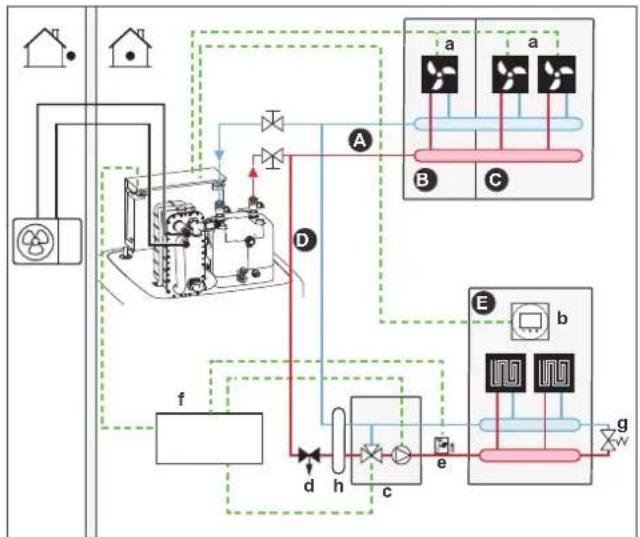
flowchart
graph TD
    A["House"] --> B["Reactor Unit"]
    B --> C["Flow Control Unit"]
    C --> D["Control Unit a"]
    C --> E["Control Unit b"]
    C --> F["Control Unit c"]
    D --> G["Outlet 1"]
    E --> H["Outlet 2"]
    F --> I["Outlet 3"]
    G --> J["Outlet 4"]
    H --> K["Outlet 5"]
    I --> L["Outlet 6"]
    J --> M["Outlet 7"]
    K --> N["Outlet 8"]
    L --> O["Outlet 9"]
    M --> P["Outlet 10"]
    N --> Q["Outlet 11"]
    O --> R["Outlet 12"]
    P --> S["Outlet 13"]
    Q --> T["Outlet 14"]
    R --> U["Outlet 15"]
    S --> V["Outlet 16"]
    T --> W["Outlet 17"]
    U --> X["Outlet 18"]
    V --> Y["Outlet 19"]
    W --> Z["Outlet 20"]
3 System with hydraulic separator for both zones:
For this system, a direct pump is required for the additional zone.
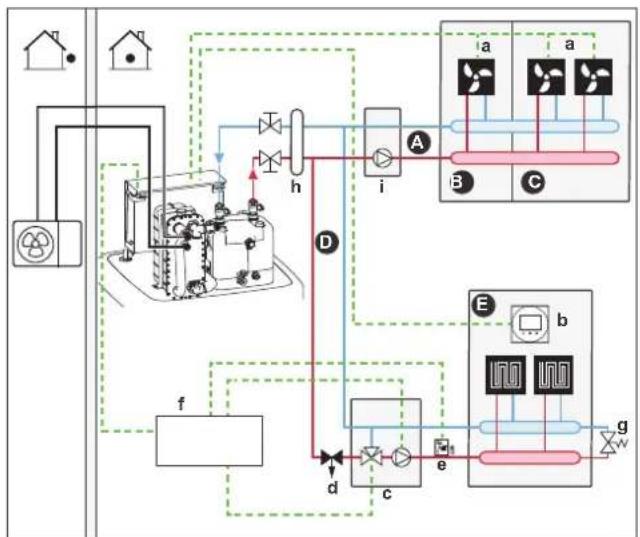
flowchart
graph TD
    A["House"] --> B["Reactor Unit"]
    B --> C["Flow Control Unit"]
    C --> D["Control Unit a"]
    C --> E["Control Unit b"]
    C --> F["Control Unit c"]
    C --> G["Control Unit d"]
    C --> H["Control Unit e"]
    C --> I["Control Unit f"]
    C --> J["Control Unit g"]
    style A fill:#f9f,stroke:#333
    style B fill:#ccf,stroke:#333
    style C fill:#cfc,stroke:#333
    style D fill:#fcc,stroke:#333
    style E fill:#cff,stroke:#333
    style F fill:#ffc,stroke:#333
    style G fill:#fcc,stroke:#333
    style H fill:#ffc,stroke:#333
    style I fill:#fcc,stroke:#333
    style J fill:#fcc,stroke:#333
A Additional leaving water temperature zone
B Room 1
C Room 2
D Main leaving water temperature zone
E Room 3
a Heat pump convectors (+ controllers)
b Dedicated Human Comfort Interface (BRC1HHDA used as room thermostat)
c Mixing valve station
d Pressure regulating valve (field supply)
e Safety thermostat (field supply)
f Bizone kit control box (EKMIKPOA)
g Bypass valve
h Hydraulic separator (balancing bottle)
i Direct pump (for additional zone) (e.g. unmixed pump group EKMIKHUA)

INFORMATION
A pressure regulating valve should be implemented before the mixing valve station. This is to guarantee the correct water flow balance between the main leaving water temperature zone and the additional leaving water temperature zone in relation to the required capacity of both water temperature zones.
- A bypass valve must be installed to make water recirculation possible when all shut-off valves are closed. To guarantee reliable operation, provide a minimum water flow as described in table "To check the water volume and flow rate" in "8.5 Preparing water piping" [▶ 107].
- For the main zone:
- The mixing valve station (including pump + mixing valve) is installed before the underfloor heating.
- The mixing valve station is controlled by the bizone kit controller (EKMIKPOA) based on the heating request of the room.
- The room temperature is controlled by the dedicated Human Comfort Interface (BRC1HHDA used as room thermostat).
- Ensure water circulation is possible in main zone when shut-off valves are closed
- In cooling mode, you can allow the underfloor heating (main zone) to provide refreshment (no real cooling), or NOT allow it.
If allowed:
Do NOT install a shut-off valve.
Set [F-OC]=0 to activate the setpoint screen of [2] Main zone and [1] Room.
Set the leaving water temperature of the main zone NOT too low (typically: 20^ C)
If NOT allowed, install a shut-off valve (field supply) and connect it to X12M/18 and X12M/14 for a normally open valve or X12M/18 and X12M/13 for a normally closed valve.
- For the additional zone:
- The heat pump convectors are directly connected to the indoor unit.
- The desired room temperature is set via the controller of the heat pump convectors. There are different controllers and setups possible for the heat pump convectors. For more information, see:
The installation manual of the heat pump convectors
The installation manual of the heat pump convector options
The addendum book for optional equipment
- The heating or cooling demand signals of each heat pump convector are connected in parallel to the digital input on the indoor unit (X12M/19 and X12M/22). The indoor unit will only supply the desired additional leaving water temperature when there is an actual demand.
- The user interface integrated in the indoor unit decides the space operation mode. Mind that the operation mode on each controller of the heat pump convectors must be set to match the indoor unit.
Configuration
| Setting Value | |
| Unit temperature control:• #: [2.9]• Code: [C-07] | 2 (Room thermostat): Unit operation is decided based on the ambient temperature of the dedicated Human Comfort Interface.Note:• Main room = dedicated Human Comfort Interface used as room thermostat functionality• Other rooms = external room thermostat functionality |
| Number of water temperature zones:• #: [4.4]• Code: [7-02] | 1 (Dual zone): Main + additional |
| In case of heat pump convectors:External room thermostat for the additional zone:• #: [3.A]• Code: [C-06] | 1 (1 contact): When the used external room thermostat or heat pump convector can only send a thermo ON/OFF condition. No separation between heating or cooling demand. |
| Bizone kit installed:• #: [9.P.1]• Code: [E-0B] | 2 (Yes): A bizone kit is installed in order to add an additional temperature zone. |
| Bizone system type:• #: [9.P.2]• Code: [E-0C] | 0 (Without hydraulic separator / no direct pump)1 (With hydraulic separator / no direct pump)2 (With hydraulic separator / with direct pump)(See 3 system variations described above) |
| Shut-off valve output Set to follow the thermo demand of the main zone. | |
| Shut-off valve If the main zone must be shut off during cooling mode to prevent condensation on the floor, set it accordingly. | |
See "Bizone kit" [▶ 241] for more information on configuration of the bizone kit.
Benefits
Comfort.
- The smart room thermostat functionality can decrease or increase the desired leaving water temperature based on the actual room temperature (modulation).
- The combination of the two heat emitter systems provides the excellent heating comfort of the underfloor heating, and the excellent cooling comfort of the heat pump convectors.
Efficiency.
- Depending on the demand, the indoor unit supplies different leaving water temperature matching the design temperature of the different heat emitters.
- Underfloor heating has the best performance with the heat pump system.
6.3 Setting up bivalent heat sources
The unit with integrated energy storage tank offers various possibilities to incorporate auxiliary and bivalent heat sources for domestic hot water and space heating. This allows to optimize the system for minimum energy consumption and maximum user comfort for each individual installation.

INFORMATION
For systems without indirect auxiliary boiler connected to the storage tank, it is mandatory to install an electric backup heater to ensure safe operation for all conditions.
If no electric backup heater is installed, the system automatically assumes availability of an indirect auxiliary boiler. In this case, storage tank set temperatures will only be reached reliably for all operating conditions if auxiliary boiler energy is actually available.
6.3.1 Setting up a direct auxiliary heat source for space heating

INFORMATION
Direct (SH) is only possible in case of 1 leaving water temperature zone with:
■ room thermostat control, OR
■ external room thermostat control.
■ Space heating can be done by:
- The indoor unit
- An auxiliary boiler (field supply) connected to the system
- When there is a heating request, the indoor unit or the auxiliary boiler starts operating. Which of these units operates, depends on the outdoor temperature (status of the changeover to external heat source). When the permission is given to the auxiliary boiler, the space heating by the indoor unit is turned OFF.
- Bivalent operation is only possible if:
- Space heating is turned ON, and
- Tank operation is turned OFF
- Domestic hot water is always produced by the storage tank connected to the indoor unit.

INFORMATION
- During heating operation of the heat pump, the heat pump operates to achieve the desired temperature set via the user interface. When weather-dependent operation is active, the water temperature is determined automatically depending on the outdoor temperature.
- During heating operation of the auxiliary boiler, the auxiliary boiler operates to achieve the desired water temperature set via the auxiliary boiler controller.
Setup
- Integrate the direct (SH) auxiliary boiler as follows:
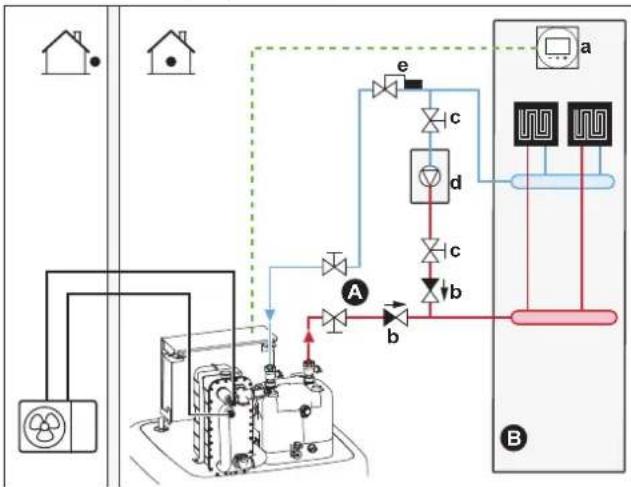
flowchart
graph TD
    A["House"] --> B["Refrigerator"]
    B --> C["Refrigerator"]
    C --> D["Valve 1"]
    D --> E["Valve 2"]
    E --> F["Valve 3"]
    F --> G["Valve 4"]
    G --> H["Control Unit"]
    H --> I["Refrigerator"]
    I --> J["Refrigerator"]
    J --> K["Valve 5"]
    K --> L["Valve 6"]
    L --> M["Valve 7"]
    M --> N["Valve 8"]
    N --> O["Control Unit"]
    O --> P["Refrigerator"]
    P --> Q["Refrigerator"]
    Q --> R["Valve 9"]
    R --> S["Control Unit"]
    S --> T["Refrigerator"]
    T --> U["Refrigerator"]
    U --> V["Valve 10"]
    V --> W["Control Unit"]
    W --> X["Refrigerator"]
A Main leaving water temperature zone
B One single room
a Dedicated Human Comfort Interface (BRC1HHDA used as room thermostat)
b Non-return valve (field supply)
c Shut-off valve (field supply)
d Auxiliary boiler (field supply)
e Aquastat valve (field supply)

NOTICE
- Make sure the auxiliary boiler and its integration in the system complies with applicable legislation.
-
Daikin is NOT responsible for incorrect or unsafe situations in the auxiliary boiler system.
-
Make sure the return water to the heat pump does NOT exceed 60°C. To do so:
- Set the desired water temperature via the auxiliary boiler controller to maximum 60°C.
- Install an aquastat valve in the return water flow of the heat pump. Set the aquastat valve to close above 60°C and to open below 60°C.
- Install non-return valves.
- The external heat source is controlled by the ON/OFF signal on the indoor unit (X12M/3 and X12M/4). See "9.3.10 To connect the changeover to external heat source" [▶ 143].
- To setup the heat emitters, see "6.2 Setting up the space heating/cooling system" [▶ 34].
Configuration
Via the user interface (configuration wizard):
- Set the use of a direct (SH) bivalent system as external heat source.
- Set the bivalent temperature and hysteresis.

NOTICE
- Make sure the bivalent hysteresis has enough differential to prevent frequent changeover between indoor unit and auxiliary boiler.
- Because the outdoor temperature is measured by the outdoor unit air thermistor, install the outdoor unit in the shadow so that it is NOT influenced or turned ON/OFF by direct sunlight.
- Frequent changeover may cause corrosion of the auxiliary boiler. Contact the manufacturer of the auxiliary boiler for more information.
Changeover to external heat source decided by an auxiliary contact
-
Only possible in external room thermostat control AND one leaving water temperature zone (see "6.2 Setting up the space heating/cooling system" [▶ 34]).
■ The auxiliary contact can be: -
An outdoor temperature thermostat
- An electricity tariff contact
- A manually operated contact
- ...
- Setup: Connect the following field wiring:
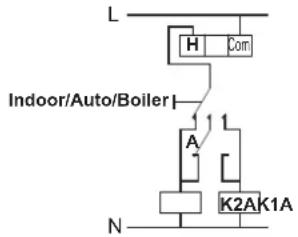
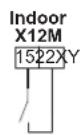
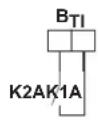
B_TI Boiler thermostat input
A Auxiliary contact (normally closed)
H Heating demand room thermostat (optional)
K1A Auxiliary relay for activation of indoor unit (field supply)
K2A Auxiliary relay for activation of boiler (field supply)
Indoor Indoor unit
Auto Automatic
Boiler Boiler

NOTICE
- Make sure the auxiliary contact has enough differential or time delay to prevent frequent changeover between indoor unit and auxiliary boiler.
- If the auxiliary contact is an outdoor temperature thermostat, install the thermostat in the shadow so that it is NOT influenced or turned ON/OFF by direct sunlight.
- Frequent changeover may cause corrosion of the auxiliary boiler. Contact the manufacturer of the auxiliary boiler for more information.
Setpoint of the auxiliary gas boiler
To prevent freeze-up of the water piping, the auxiliary gas boiler must have a fixed setpoint ≥55^ , or a weather-dependent setpoint ≥ T_min .
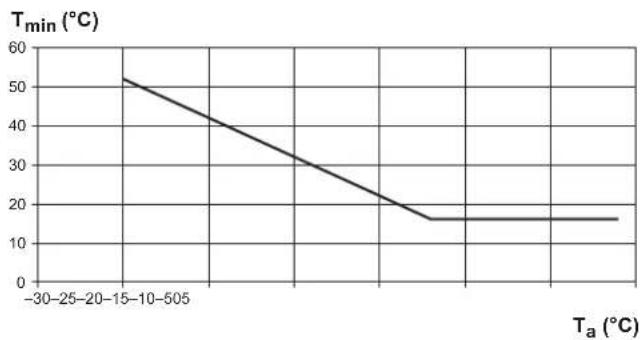
line
| Ta (°C) | Tmin (°C) | | ------- | --------- | | -30 | 52 | | 0 | 40 | | 15 | 30 | | 30 | 20 | | 50 | 16 | | 75 | 16 |T_a Outdoor temperature T_min Minimum weather-dependent setpoint for auxiliary gas boiler
6.3.2 Setting up an indirect auxiliary heat source for domestic hot water and space heating
The auxiliary boiler (field supply) is connected to the storage tank. It can do the domestic hot water heating and, if allowed by the user, space heating via tank heating support. Whether heat pump or auxiliary boiler operates, depends on outdoor and storage tank temperatures.
Setup
1 Integrate the auxiliary boiler as follows:
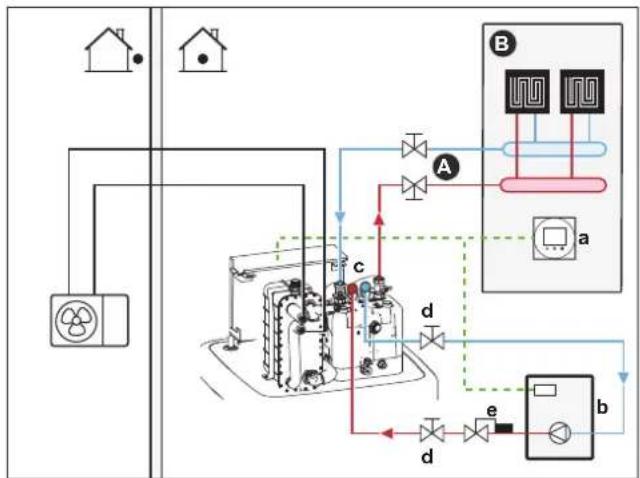
flowchart
graph TD
    A["House"] --> B["HVAC Unit a"]
    B --> C["Valve 1"]
    B --> D["Valve 2"]
    B --> E["Valve 3"]
    C --> F["Control Unit b"]
    D --> G["Control Unit c"]
    E --> H["Control Unit d"]
    F --> I["Flow Control Unit a"]
    G --> J["Flow Control Unit b"]
    H --> K["Flow Control Unit c"]
    style A fill:#f9f,stroke:#333
    style B fill:#ccf,stroke:#333
    style C fill:#cfc,stroke:#333
    style D fill:#fcc,stroke:#333
    style E fill:#cff,stroke:#333
    style F fill:#ffc,stroke:#333
    style G fill:#cfc,stroke:#333
    style H fill:#fcc,stroke:#333
    style I fill:#ffc,stroke:#333
    style J fill:#cfc,stroke:#333
A Main leaving water temperature zone
B One single room
a Dedicated Human Comfort Interface (BRC1HHDA used as room thermostat)
b Auxiliary boiler (field supply)
c BIV connector kit (EKECBIVCOA) (optional)
d Shut-off valve (field supply)
e Aquastat valve (field supply)

NOTICE
- Make sure the auxiliary boiler and its integration in the system complies with applicable legislation.
-
Daikin is NOT responsible for incorrect or unsafe situations in the auxiliary boiler system.
-
Make sure the return water to the storage tank does NOT exceed 95°C. To do so:
- Set the desired water temperature via the auxiliary boiler controller to maximum 95°C.
- Install an aquastat valve in the return water flow of the heat pump. Set the aquastat valve to close above 95°C and to open below 95°C.
- The external heat source is controlled by the ON/OFF signal on the indoor unit (X12M/3 and X12M/4). See "9.3.10 To connect the changeover to external heat source" [▶ 143].
Configuration
Via the user interface (configuration wizard):
- Set the use of an indirect bivalent system as external heat source, either for domestic hot water heating only, or also for space heating.
- Set the tank boiler hysteresis.
See "Intelligent tank manager" [▶ 237] for more information on configuration.

NOTICE
- Make sure the tank boiler hysteresis has enough differential to prevent frequent changeover between indoor unit and auxiliary boiler.
- Because the outdoor temperature is measured by the outdoor unit air thermistor, install the outdoor unit in the shadow so that it is NOT influenced or turned ON/OFF by direct sunlight.
- Frequent changeover may cause corrosion of the auxiliary boiler.
6.3.3 Setting up a solar system via drainback connection
A pressureless solar system can be directly connected to the storage tank via drainback connection.
Setup
1 Integrate the solar system as follows:
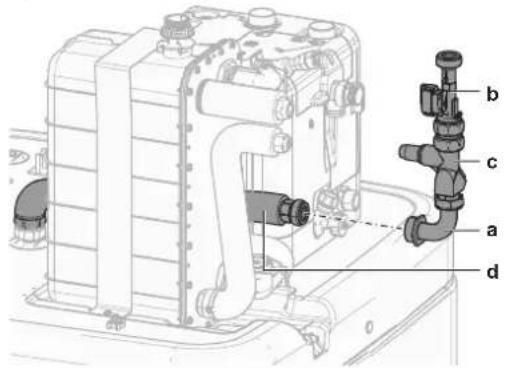
a Drainback solar flow connection (optional solar drainback kit)
b Flow sensor (optional solar drainback kit)
c Flow rate limiter (optional)
d Drainback connection

CAUTION
The solar panels MUST be installed higher than the indoor unit. A downward slope with minimum gradient of the solar piping MUST be guaranteed. This is to allow the solar system to completely drain and thereby to avoid frost damages.
Configuration
Via the user interface:
- Select, whether all other heat sources are stopped, when solar energy is provided.
- Select tank temperature, above which all other heat sources are stopped, when solar energy is provided.
See "Intelligent tank manager" [▶ 237] for more information on configuration.
6.3.4 Setting up a solar system via bivalent heat exchanger
Setup
1 Integrate the solar system as follows:
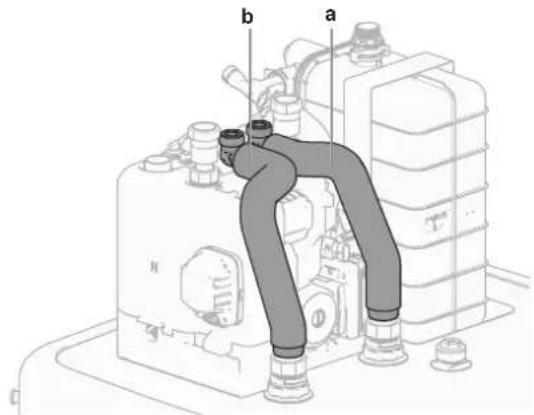
a Bivalent heat exchanger IN (red)
b Bivalent heat exchanger OUT (blue)
Configuration
Via the user interface:
- Select, whether all other heat sources are stopped, when solar energy is provided.
- Select tank temperature, above which all other heat sources are stopped, when solar energy is provided.
See "Intelligent tank manager" [▶ 237] for more information on configuration.
6.3.5 Setting up an electric backup heater

INFORMATION
For systems without indirect auxiliary boiler connected to the storage tank, it is mandatory to install an electric backup heater to ensure safe operation for all conditions.
Configuration
Via the user interface (configuration wizard):
- Set the backup heater voltage
- Set the capacity steps, if applicable
6.4 Setting up the storage tank
6.4.1 System layout – Integrated storage tank
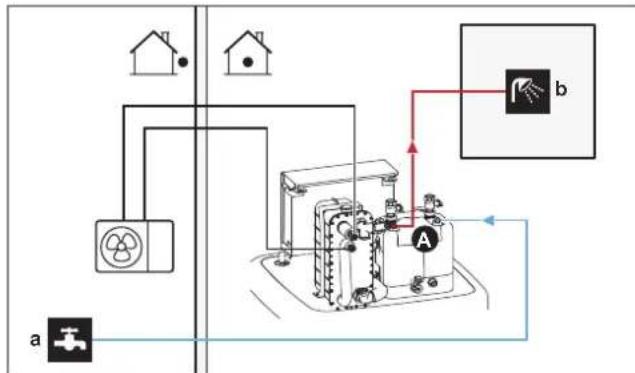
flowchart
graph TD
    House1["House 1"] --> Switch1["Switch"]
    House2["House 2"] --> Switch2["Switch"]
    Switch1 --> DeviceA["Device A"]
    Switch2 --> DeviceA
    DeviceA -->|a| Gate1["Gate"]
    DeviceA -->|b| PanelB["Panel B"]
    PanelB -->|red arrow| Switch3["Switch"]
    Switch3 --> Ground1["Ground"]
    Switch3 --> Ground2["Ground"]
A Domestic hot water
a Cold water IN
b Hot water OUT
6.4.2 Selecting the volume and desired temperature for the storage tank
People experience water as hot when its temperature is 40^ C. Therefore, the DHW consumption is always expressed as equivalent hot water volume at 40^ C. However, you can set the storage tank temperature at a higher temperature (example: 53^ C), which is then mixed with cold water (example: 15^ C). The resulting domestic hot water temperature depends on this setpoint as well as the actual storage tank temperature.
Determining the DHW consumption
Answer the following questions and calculate the DHW consumption (equivalent hot water volume at 40^ C) using typical water volumes:
| Question Typical water volume | |
| How many showers are needed per day? | 1 shower = 10 min×10 l/min = 100 l |
| How many baths are needed per day? 1 bath = 150 l | |
| How much water is needed at the kitchen sink per day? | 1 sink = 2 min×5 l/min = 10 l |
| Are there any other domestic hot water needs? | — |
Example: If the DHW consumption of a family (4 persons) per day is as follows:
3 showers
1 bath
■ 3 sink volumes
Then the DHW consumption = (3×100 l)+(1×150 l)+(3×10 l)=480 l
Possible storage tank volumes
| Type Equivalent hot water volume at 40°C | |
| Integrated storage tank Approximate values of equivalent hot water volume at 40°C for different setpoints of the storage tank in average climate300-50°C: ~190 l of mixed water at 40°C-53°C: ~220 l of mixed water at 40°C500-46°C: ~240 l of mixed water at 40°C-55°C: ~410 l of mixed water at 40°C |
Energy saving tips
- If the DHW consumption differs from day to day, you can program a weekly schedule with different desired storage tank temperatures for each day.
- The lower the desired storage tank temperature, the more cost effective. By selecting a larger storage tank, you can lower the desired storage tank temperature.
- The heat pump itself can produce domestic hot water of maximum 55°C (50°C if outdoor temperature is low). The electrical resistance of the option backup heater (EKECBU*) can increase this temperature if it is installed and activated. However, this consumes more energy. We recommend to set the desired storage tank temperature below 55°C to avoid using the electrical resistance.
- The higher the outdoor temperature, the better the performance of the heat pump.
- If energy prices are the same during the day and the night, we recommend to heat up the storage tank during the day.
- If energy prices are lower during the night, we recommend to heat up the storage tank during the night.
- When the heat pump produces domestic hot water, it cannot heat up a space. In case you need domestic hot water and space heating at the same, we recommend to produce the domestic hot water during the night when there is lower space heating demand.
6.4.3 Setup and configuration – storage tank
- For large DHW consumptions, you can heat up the storage tank several times during the day.
- To heat up the storage tank to the desired storage tank temperature, you can use the following energy sources:
- Thermodynamic cycle of the heat pump
- Electrical backup heater (optional)
- Bivalent heat source, see "6.3 Setting up bivalent heat sources" [▶ 48]
- For more information about optimizing the energy consumption for producing domestic hot water, see "11 Configuration" [▶ 156].
6.4.4 DHW pump for instant hot water
Setup
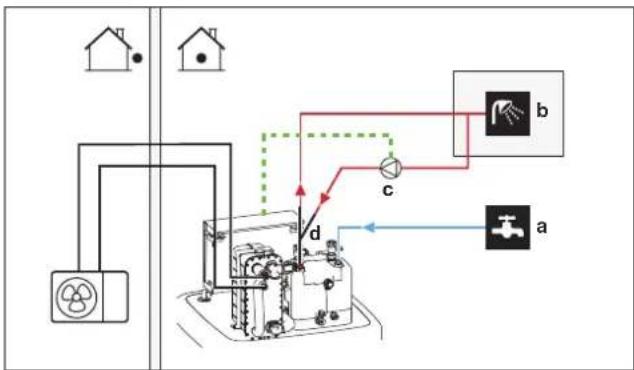
flowchart
graph TD
    A["Power Source"] --> B["Turner"]
    B --> C["Component a"]
    B --> D["Component b"]
    B --> E["Component c"]
    B --> F["Component d"]
    style A fill:#f9f,stroke:#333
    style B fill:#ccf,stroke:#333
    style C fill:#cfc,stroke:#333
    style D fill:#fcc,stroke:#333
    style E fill:#cff,stroke:#333
    style F fill:#ffc,stroke:#333
a Cold water IN
b Hot water OUT (shower (field supply))
c DHW pump (field supply)
d Recirculation connection (optional)
- By connecting a DHW pump, instant hot water can be available at the tap.
- The DHW pump and the installation are field supply and the responsibility of the installer. For the electrical wiring, see "9.3.7 To connect the domestic hot water pump" [▶ 140].
- For installation instructions of the optional recirculation connection, see the installation manual of the recirculation kit (141554).
Configuration
- For more information, see "11 Configuration" [▶ 156].
- You can program a schedule to control the DHW pump via the user interface. For more information, see the user reference guide.
a Cold water IN
b Hot water OUT (shower (field supply))
c DHW pump (field supply)
d Heater element (field supply)
e Non-return valve (field supply)
- The DHW pump is field-supplied and its installation is the responsibility of the installer. For the electrical wiring, see "9.3.7 To connect the domestic hot water pump" [▶ 140].
- If the applicable legislation requires a higher temperature than the maximum tank setpoint during disinfection (see [2-03] in the field settings table), you can connect a DHW pump and heater element as shown above.
- If applicable legislation requires disinfection of the water piping until the tapping point, you can connect a DHW pump and heater element (if needed) as shown above.
Configuration
The indoor unit can control DHW pump operation. For more information, see "11 Configuration" [▶ 156].
6.5 Setting up the energy metering
- Via the user interface, you can read out the following energy data:
- Produced heat
- Consumed energy
- You can read out the energy data:
- For space heating
- For space cooling
- For domestic hot water production
- You can read out the energy data:
- Per month
- Per year

INFORMATION
The calculated produced heat and consumed energy are an estimation, the accuracy cannot be guaranteed.
6.5.1 Produced heat

INFORMATION
The sensors used to calculate the produced heat are calibrated automatically.

INFORMATION
If glycol is present in the system ([E-0D]=1]), then the produced heat will NOT be calculated, nor will it be displayed on the user interface.
- The produced heat is calculated internally based on:
- The leaving and entering water temperature
- The flow rate
- Setup and configuration: No additional equipment needed.
6.5.2 Consumed energy
You can use the following methods to determine the consumed energy:
- Calculating
- Measuring

INFORMATION
You cannot combine calculating the consumed energy (example: for backup heater) and measuring the consumed energy (example: for outdoor unit). If you do so, the energy data will be invalid.
Calculating the consumed energy
- The consumed energy is calculated internally based on:
- The actual power input of the outdoor unit
- The set capacity of the backup heater
- The voltage
- Setup and configuration: To get accurate energy data, measure the capacity (resistance measurement) and set the capacity via the user interface for the backup heater (step 1).
Measuring the consumed energy
- Preferred method because of higher accuracy.
- Requires external power meters.
- Setup and configuration: When using electrical power meters, set the number of pulses/kWh for each power meter via the user interface.

INFORMATION
When measuring the electrical power consumption, make sure ALL power input of the system is covered by the electrical power meters.
6.5.3 Normal kWh rate power supply
General rule
One power meter that covers the entire system is sufficient.
Setup
Connect the power meter to X15M/5 and X15M/6. See "9.3.6 To connect the electricity meters" [▶ 139].
Power meter type
| In case of... Use a... power | meter |
| Single-phase outdoor unitBackup heater supplied from a single-phase grid (i.e. the backup heater model is *3V or *6V connected to a single-phase grid) | Single-phase(*3V, *6V (6V): 1N~230 V) |
| Three-phase outdoor unitBackup heater supplied from a three-phase grid (i.e. the backup heater model is *9W) | Three-phase(*9W: 3N~400 V) |
Example
Single-phase power meter Three-phase power meter
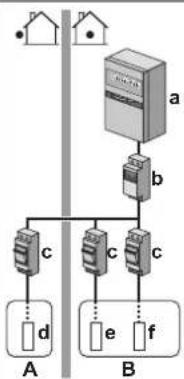
flowchart
graph TD
    subgraph Terminal A
        A1["•"] --> A2["•"]
    end
    subgraph Terminal B
        B1["•"] --> B2["•"]
        B3["•"] --> B4["•"]
        B5["•"] --> B6["•"]
        B7["•"] --> B8["•"]
        B9["•"] --> B10["•"]
    end
    A1 --> C1["c"]
    B1 --> D["d"]
    B2 --> E["e"]
    B3 --> F["f"]
    B4 --> G["c"]
    B5 --> H["c"]
    B6 --> I["c"]
    B7 --> J["f"]
    B8 --> K["f"]
A Outdoor unit
B Indoor unit
a Electrical cabinet (L₁/N)
b Power meter (L1/N)
c Fuse (L₁/N)
d Outdoor unit (L₁/N)
e Indoor unit ( L_1/N )
f Backup heater (L1/N)
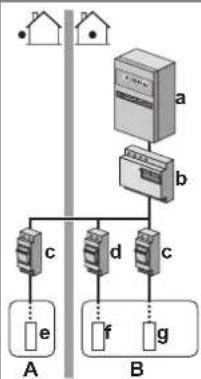
flowchart
graph TD
    subgraph Terminal A
        A1["•"] --> A2["•"]
        A3["•"] --> A4["•"]
    end
    subgraph Terminal B
        B1["•"] --> B2["•"]
        B3["•"] --> B4["•"]
        B5["•"] --> B6["•"]
        B7["•"] --> B8["•"]
        B9["•"] --> B10["•"]
        B11["•"] --> B12["•"]
        B13["•"] --> B14["•"]
        B15["•"] --> B16["•"]
        B17["•"] --> B18["•"]
        B19["•"] --> B20["•"]
        B21["•"] --> B22["•"]
        B23["•"] --> B24["•"]
        B25["•"] --> B26["•"]
        B27["•"] --> B28["•"]
        B29["•"] --> B30["•"]
        B31["•"] --> B32["•"]
        B33["•"] --> B34["•"]
        B35["•"] --> B36["•"]
        B37["•"] --> B38["•"]
        B39["•"] --> B40["•"]
        B41["•"] --> B42["•"]
        B43["•"] --> B44["•"]
        B45["•"] --> B46["•"]
        B47["•"] --> B48["•"]
        B49["•"] --> B50["•"]
        B51["•"] --> B52["•"]
        B53["•"] --> B54["•"]
        B55["•"] --> B56["•"]
        B57["•"] --> B58["•"]
        B59["•"] --> B60["•"]
        B61["•"] --> B62["•"]
        B63["•"] --> B64["•"]
        B65["•"] --> B66["•"]
        B67["•"] --> B68["•"]
        B69["•"] --> B70["•"]
        B71["•"] --> B72["•"]
        B73["•"] --> B74["•"]
        B75["•"] --> B76["•"]
        B77["•"] --> B78["•"]
        B79["•"] --> B80["•"]
        B81["•"] --> B82["•"]
        B83["•"] --> B84["•"]
        B85["•"] --> B86["•"]
        B87["•"] --> B88["•"]
        B89["•"] --> B90["•"]
A Outdoor unit
B Indoor unit
a Electrical cabinet ( L_1/L_2/L_3/N )
b Power meter ( L_1/L_2/L_3/N )
c Fuse (L 1 /L 2 /L _3 /N)
d Fuse (L₁/N)
e Outdoor unit ( L_1/L_2/L_3/N )
f Indoor unit (L1/N)
g Backup heater (L1/L2/L3/N)
Exception
- You can use a second power meter if:
- The power range of one meter is insufficient.
- The electrical meter cannot easily be installed in the electrical cabinet.
- 230 V and 400 V three-phase grids are combined (very uncommon), because of technical limitations of power meters.
- Connection and setup:
- Connect the second power meter to X15M/9 and X15M/10. See "9.3.6 To connect the electricity meters" [▶ 139].
- In the software the power consumption data of both meters is added so you do NOT have to set which meter covers which power consumption. You only need to set the number of pulses of each power meter.
- See "6.5.4 Preferential kWh rate power supply" [▶ 59] for an example with two power meters.
6.5.4 Preferential kWh rate power supply
General rule
- Power meter 1: Measures the outdoor unit.
- Power meter 2: Measures the rest (i.e. indoor unit and backup heater).
Setup
- Connect power meter 1 to X15M/5 and X15M/6.
- Connect power meter 2 to X15M/9 and X15M/10.
See "9.3.6 To connect the electricity meters" [▶ 139].
Power meter types
- Power meter 1: Single- or three-phase power meter according to the power supply of the outdoor unit.
Power meter 2:
- In case of a single-phase backup heater configuration, use a single-phase power meter.
- In other cases, use a three-phase power meter.
Example
Single-phase outdoor unit with a three-phase backup heater:
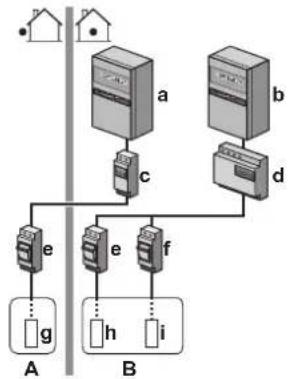
flowchart
graph TD
    subgraph Terminal A
        A1[" "] --> A2[" "]
        A2 --> A3[" "]
        A3 --> A4[" "]
        A4 --> A5[" "]
        A5 --> A6[" "]
        A6 --> A7[" "]
        A7 --> A8[" "]
        A8 --> A9[" "]
        A9 --> A10[" "]
        A10 --> A11[" "]
        A11 --> A12[" "]
        A12 --> A13[" "]
        A13 --> A14[" "]
        A14 --> A15[" "]
        A15 --> A16[" "]
        A16 --> A17[" "]
        A17 --> A18[" "]
        A18 --> A19[" "]
        A19 --> A20[" "]
        A20 --> A21[" "]
        A21 --> A22[" "]
        A22 --> A23[" "]
        A23 --> A24[" "]
        A24 --> A25[" "]
        A25 --> A26[" "]
        A26 --> A27[" "]
        A27 --> A28[" "]
        A28 --> A29[" "]
        A29 --> A30[" "]
        A30 --> A31[" "]
        A31 --> A32[" "]
        A32 --> A33[" "]
        A33 --> A34[" "]
        A34 --> A35[" "]
        A35 --> A36[" "]
        A36 --> A37[" "]
        A37 --> A38[" "]
        A38 --> A39[" "]
        A39 --> A40[" "]
        A40 --> A41[" "]
        A41 --> A42[" "]
        A42 --> A43[" "]
        A43 --> A44[" "]
        A44 --> A45[" "]
        A45 --> A46[" "]
        A46 --> A47[" "]
        A47 --> A48[" "]
        A48 --> A49[" "]
        A49 --> A50[" "]
        A50 --> A51[" "]
        A51 --> A52[" "]
        A52 --> A53[" "]
        A53 --> A54[" "]
        A54 --> A55[" "]
        A55 --> A56[" "]
        A56 --> A57[" "]
        A57 --> A58[" "]
        A58 --> A59[" "]
        A59 --> A60[" "]
        A60 --> A61[" "]
        A61 --> A62[" "]
        A62 --> A63[" "]
        A63 --> A64[" "]
        A64 --> A65[" "]
        A65 --> A66[" "]
        A66 --> A67[" "]
        A67 --> A68[" "]
        A68 --> A69[" "]
        A69 --> A70[" "]
        A70 --> A71[" "]
        A71 --> A72[" "]
        A72 --> A73[" "]
        A73 --> A74[" "]
        A74 --> A75[" "]
        A75 --> A76[" "]
A Outdoor unit
B Indoor unit
a Electrical cabinet (L √N): Preferential kWh rate power supply
b Electrical cabinet (L 1/L2/L3/N): Normal kWh rate power supply
c Power meter (L 1/N)
d Power meter (L 1/L2/L3/N)
e Fuse (L 1/N)
f Fuse (L 1/L2/L3/N)
g Outdoor unit (L 1/N)
h Indoor unit (L √N)
i Backup heater (L 1/L2/L3/N)
6.6 Setting up the power consumption control
You can use the following power consumption controls. For more information about the corresponding settings, see "Power consumption control" [▶ 227].
| # Power consumption control | |
| 1 | "6.6.1 Permanent power limitation" [▶ 61]Allows you to limit the power consumption of the entire heat pump system (sum of indoor unit and backup heater) with one permanent setting.Limitation of power in kW or current in A. |
| 2 | "6.6.2 Power limitation activated by digital inputs" [▶ 62]Allows you to limit the power consumption of the entire heat pump system (sum of indoor unit and backup heater) via 4 digital inputs.Limitation of power in kW or current in A. |
# Power consumption control
3
"6.6.4 BBR16 power limitation" [▶ 63]
- Restriction: Only available in Swedish language.
- Allows you to comply with BBR16 regulations (Swedish energy regulations).
- Limitation of power in kW.
- Can be combined with the other kW power consumption controls. If you do so, the unit uses the most restrictive control.

NOTICE
It is possible to install a field fuse with lower than recommended rating over the heat pump. For this you must modify field setting [2-0E] according to the maximum allowed current over the heat pump.
Note that field setting [2-0E] overrules all power consumption control settings. Power limiting the heat pump will reduce performance.

NOTICE
Set a minimum power consumption of ±3.6 kW to guarantee:
- Defrost operation. Otherwise, if defrosting is interrupted several times, the heat exchanger will freeze up.
■ Space heating and DHW production by allowing the backup heater step 1.
■ Anti-legionella operation.
6.6.1 Permanent power limitation
Permanent power limitation is useful to assure a maximum power or current input of the system. In some countries, legislation limits the maximum power consumption for space heating and DHW production.
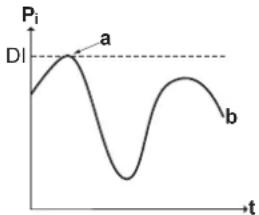
line
| t | Pi | | ---- | ------ | | Low | Low | | Peak | High | | Mid | Low | | High | High |P_i Power input
t Time
DI Digital input (power limitation level)
a Power limitation active
b Actual power input
Setup and configuration
- No additional equipment needed.
- Set the power consumption control settings in [9.9] via the user interface (see "Power consumption control" [▶ 227]):
- Select continuous limitation mode
- Select the type of limitation (power in kW or current in A)
- Set the desired power limitation level
6.6.2 Power limitation activated by digital inputs
Power limitation is also useful in combination with an energy management system.
The power or current of the entire Daikin system is limited dynamically by digital inputs (maximum four steps). Each power limitation level is set via the user interface by limiting one of the following:
- Current (in A)
■ Power input (in kW)
The energy management system (field supply) decides the activation of a certain power limitation level. Example: To limit the maximum power of the entire house (lighting, domestic appliances, space heating...).
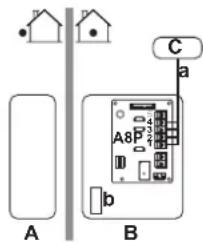
A Outdoor unit
B Indoor unit
C Energy management system
a Power limitation activation (4 digital inputs)
b Backup heater (optional)
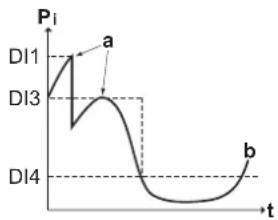
line
| t | Pi | | ---- | ---- | | DI1 | a | | DI3 | a | | DI4 | b |P_i Power input
t Time
DI Digital inputs (power limitation levels)
a Power limitation active
b Actual power input
Setup
- Demand PCB (option EKRP1AHTA) needed.
-
Maximum four digital inputs are used to activate the corresponding power limitation level:
-
DI1 = strongest limitation (lowest energy consumption)
- DI4 = weakest limitation (highest energy consumption)
■ Specification of the digital inputs:
- DI1: S9S (limit 1)
- DI2: S8S (limit 2)
- DI3: S7S (limit 3)
- DI4: S6S (limit 4)
- Refer to the wiring diagram for more information.
Configuration
- Set the power consumption control settings in [9.9] via the user interface (for the description of all settings, see "Power consumption control" [▶ 227]):
- Select limitation by digital inputs.
- Select the type of limitation (power in kW or current in A).
- Set the desired power limitation level corresponding to each digital input.

INFORMATION
In case more than 1 digital input is closed (at the same time), the digital input priority is fixed: DI4 priority>...>DI1.
6.6.3 Power limitation process
The outdoor unit has better efficiency than the electrical heater. Therefore, the electrical heater is limited and turned OFF first. The system limits power consumption in the following order:
1 Turns OFF the backup heater.
2 Limits the outdoor unit.
3 Turns OFF the outdoor unit.
Example
If the configuration is as follows: Power limitation level does NOT allow operation of backup heater (step 1).
Then power consumption is limited as follows:
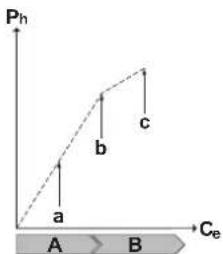
line
| Phase | Pe (Pa) | |---|---| | a | 0 | | b | 1.5 | | c | 2.0 |P_h Produced heat
C_e Consumed energy
A Outdoor unit
B Backup heater
a Limited outdoor unit operation
b Full outdoor unit operation
c Backup heater step 1 turned ON
6.6.4 BBR16 power limitation

INFORMATION
Restriction: BBR16 settings are only visible when the language of the user interface is set to Swedish.

NOTICE
2 weeks to change. After you activated BBR16, you only have 2 weeks to change its settings (BBR16 activation and BBR16 power limit). After 2 weeks, the unit freezes these settings.
Note: This is different from the permanent power limitation, which is always changeable.
Use the BBR16 power limitation when you must comply with BBR16 regulations (Swedish energy regulations).
You can combine the BBR16 power limitation with the other kW power consumption controls. If you do so, the unit uses the most restrictive control.
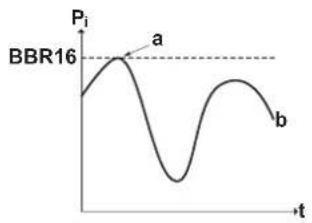
line
| t | P₁ | | ---- | ------ | | a | Peak | | b | Low |P_i Power input
t Time
BBR16 BBR16 limit level
a Power limitation active
b Actual power input
Setup and configuration
- No additional equipment needed.
- Set the power consumption control settings in [9.9] via the user interface (see "Power consumption control" [▶ 227]):
- Activate BBR16
- Set the desired power limitation level
6.7 Setting up an external temperature sensor
You can connect one external temperature sensor. It measures the indoor or outdoor ambient temperature. We recommend to use an external temperature sensor in the following cases:
Indoor ambient temperature
- In room thermostat control, the dedicated Human Comfort Interface (BRC1HHDA used as room thermostat) measures the indoor ambient temperature. Therefore, the Human Comfort Interface must be installed on a location:
- Where the average temperature in the room can be detected
- That is NOT exposed to direct sunlight
- That is NOT near a heat source
- That is NOT affected by outside air or air draught because of, for example, door opening/closing
- If this is NOT possible, we recommend to connect a remote indoor sensor (option KRCS01-1).
- Setup: For installation instructions, see the installation manual of the remote indoor sensor, and the addendum book for optional equipment.
- Configuration: Select room sensor [9.B].
Outdoor ambient temperature
- In the outdoor unit, the outdoor ambient temperature is measured. Therefore, the outdoor unit must be installed on a location:
- At the north side of the house or at the side of the house where the most heat emitters are located
- That is NOT exposed to direct sunlight
- If this is NOT possible, we recommend to connect a remote outdoor sensor (option EKRSCA1).
- Setup: For installation instructions, see the installation manual of the remote outdoor sensor, and the addendum book for optional equipment.
- Configuration: Select outdoor sensor [9.B].
- When the power saving functionality of the outdoor unit is active (see "Power saving function" [▶ 236]), the outdoor unit is turned down to reduce standby energy losses. As a result, the outdoor ambient temperature is NOT read out.
- If the desired leaving water temperature is weather dependent, the full time outdoor temperature measurement is important. This is another reason to install the optional outdoor ambient temperature sensor.

INFORMATION
The external outdoor ambient sensor data (either averaged or instantaneous) is used in the weather-dependent control curves and in the automatic heating/cooling changeover logic. To protect the outdoor unit, the internal sensor of the outdoor unit is always used.
7 Unit installation
In this chapter
7.1 Preparing the installation site 66
7.1.1 Installation site requirements of the outdoor unit 66
7.1.2 Additional installation site requirements of the outdoor unit in cold climates 68
7.1.3 Installation site requirements of the indoor unit 69
7.1.4 Special requirements for R32 units 70
7.1.5 Installation patterns 72
7.2 Opening and closing the units.... 81
7.2.1 About opening the units 81
7.2.2 To open the outdoor unit 81
7.2.3 To close the outdoor unit 82
7.2.4 To open the indoor unit 82
7.2.5 To lower the switch box of the indoor unit and remove the top cover.... 83
7.2.5 To close the indoor unit 84
7.3 Mounting the outdoor unit 85
7.3.1 About mounting the outdoor unit 85
7.3.2 Precautions when mounting the outdoor unit 85
7.3.3 To provide the installation structure 85
7.3.4 To install the outdoor unit 86
7.3.5 To provide drainage 86
7.3.6 To install the discharge grille 88
7.4 Mounting the indoor unit 88
7.4.1 About mounting the indoor unit 88
7.4.2 Precautions when mounting the indoor unit 89
7.4.3 To install the indoor unit 89
7.4.4 To connect the drain hose to the drain 89
7.1 Preparing the installation site
Choose an installation location with sufficient space for carrying the unit in and out of the site.
Do NOT install the unit in places often used as work place. In case of construction works (e.g. grinding works) where a lot of dust is created, the unit MUST be covered.

WARNING
The appliance shall be stored in a room without continuously operating ignition sources (example: open flames, an operating gas appliance or an operating electric heater).

WARNING
DO NOT reuse refrigerant piping that has been used with any other refrigerant. Replace the refrigerant pipes or clean thoroughly.
7.1.1 Installation site requirements of the outdoor unit

INFORMATION
Also read the following requirements:
- "2 General safety precautions" [▶ 10].
- "7.1.3 Installation site requirements of the indoor unit" [▶ 69] (refrigerant piping length and height difference).
Mind the spacing guidelines. See "17.1 Service space: Outdoor unit" [▶ 286].

NOTICE
- Do NOT stack the units on each other.
- Do NOT hang the unit on a ceiling.
Strong winds ( ≥ 18 km/h) blowing against the outdoor unit's air outlet causes short circuit (suction of discharge air). This may result in:
- deterioration of the operational capacity;
- frequent frost acceleration in heating operation;
- disruption of operation due to decrease of low pressure or increase of high pressure;
- a broken fan (if a strong wind blows continuously on the fan, it may start rotating very fast, until it breaks).
It is recommended to install a baffle plate when the air outlet is exposed to wind. It is recommended to install the outdoor unit with the air inlet facing the wall and NOT directly exposed to the wind.
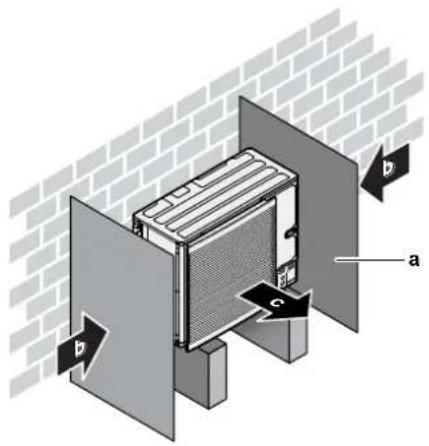
a Baffle plate
b Prevailing wind direction
c Air outlet
Do NOT install the unit in the following places:
- Sound sensitive areas (e.g. near a bedroom), so that the operation noise will cause no trouble.
Note: If the sound is measured under actual installation conditions, the measured value might be higher than the sound pressure level mentioned in Sound spectrum in the data book due to environmental noise and sound reflections.
- In places where a mineral oil mist, spray or vapour may be present in the atmosphere. Plastic parts may deteriorate and fall off or cause water leakage.
It is NOT recommended to install the unit in the following places because it may shorten the life of the unit:
■ Where the voltage fluctuates a lot
In vehicles or vessels
- Where acidic or alkaline vapour is present
Seaside installation. Make sure the outdoor unit is NOT directly exposed to sea winds. This is to prevent corrosion caused by high levels of salt in the air, which might shorten the life of the unit.
Install the outdoor unit away from direct sea winds.
Example: Behind the building.
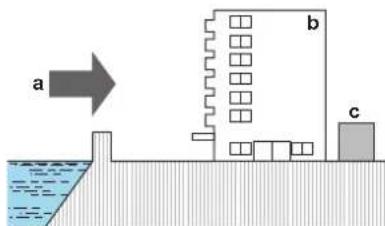
If the outdoor unit is exposed to direct sea winds, install a windbreaker.
- Height of windbreaker≥1.5×height of outdoor unit
- Mind the service space requirements when installing the windbreaker.
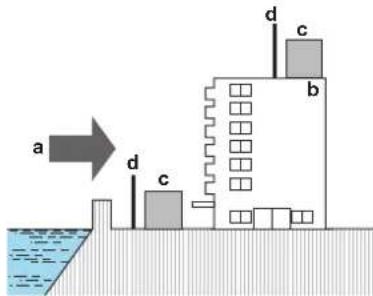
a Sea wind
b Building
c Outdoor unit
d Windbreaker
The outdoor unit is designed for outdoor installation only, and for the following ambient temperatures:
| Cooling mode 10~43°C | |
| Heating mode -25~35°C | |
| DHW production -25~35°C |
7.1.2 Additional installation site requirements of the outdoor unit in cold climates
Protect the outdoor unit against direct snowfall and take care that the outdoor unit is NEVER snowed up.
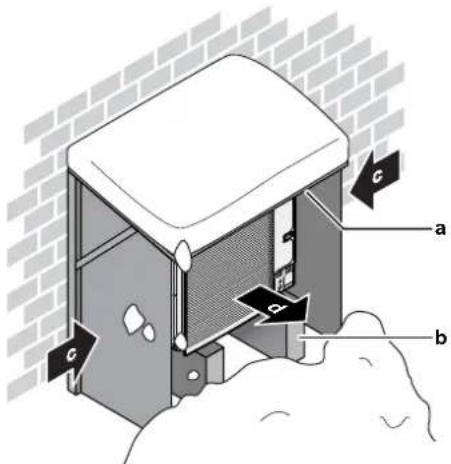
a Snow cover or shed
b Pedestal
c Prevailing wind direction
d Air outlet
In any case, provide at least 150 mm of free space below the unit. Additionally, make sure the unit is positioned at least 100 mm above the maximum expected level of snow. See "7.3 Mounting the outdoor unit" [▶ 85] for more details.
In heavy snowfall areas it is very important to select an installation site where the snow will NOT affect the unit. If lateral snowfall is possible, make sure that the heat exchanger coil is NOT affected by the snow. If necessary, install a snow cover or shed and a pedestal.
7.1.3 Installation site requirements of the indoor unit

INFORMATION
Also read the precautions and requirements in the "2 General safety precautions" [▶ 10].
- The indoor unit is designed for indoor installation only and for the following ambient temperatures:
- Space heating operation: 5\~30°C
- Space cooling operation: 5\~35°C
- Domestic hot water production: 5\~35°C. If EKECBUAF6V is installed, ambient temperature is limited to 5\~32°C.

INFORMATION
Cooling is only applicable in case of reversible models.
- Mind the following measurements guidelines:
| Maximum refrigerant piping length(a) between indoor unit and outdoor unit | 50 m |
| Minimum refrigerant piping length(a) between indoor unit and outdoor unit | 3 m |
| Maximum height difference between indoor unit and outdoor unit | 30 m |
(e) Refrigerant piping length is the one-way length of liquid piping.
- Mind the following spacing installation guidelines:

CAUTION
Install the indoor unit at a minimum distance of 1 m from other heat sources ( >80^ ) (e.g. electrical heater, oil heater, chimney) and combustible materials. Otherwise the unit may be damaged or in extreme cases catch fire.
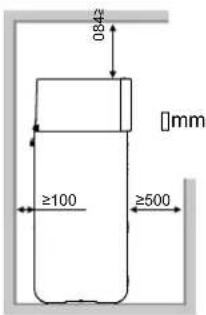
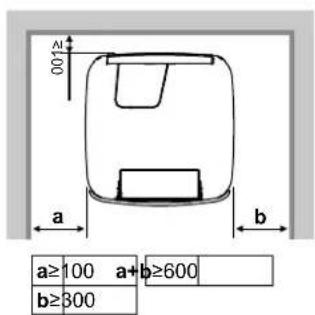

INFORMATION
If you have limited installation space, do the following before installing the unit in its final position: "7.4.4 To connect the drain hose to the drain" [▶ 89].
- The foundation must be strong enough to bear the weight of the unit. Take the weight of the unit with a storage tank full of water into account.
Make sure, in the event of a water leak, water cannot cause any damage to the installation space and surroundings.
- The foundation must be level and smooth.
Do NOT install the unit in places such as:
- In places where a mineral oil mist, spray or vapour may be present in the atmosphere. Plastic parts may deteriorate and fall off or cause water leakage.
- Sound sensitive areas (e.g. near a bedroom), so that the operation noise will cause no trouble.
- In places with high humidity (max. RH=85%), for example a bathroom.
- In places where frost is possible. Ambient temperature around the indoor unit must be >5°C.
- In places where the unit is exposed to direct sunlight for long periods of time. Extensive UV radiation can damage the unit.
7.1.4 Special requirements for R32 units
Because the total refrigerant charge in the system is ≥ 1.84kg , the room where you install the indoor unit must comply with the conditions described in "7.1.5 Installation patterns" [▶ 72].

WARNING
Do NOT pierce or burn refrigerant cycle parts.
- Do NOT use means to accelerate the defrosting process or to clean the equipment, other than those recommended by the manufacturer.
- Be aware that R32 refrigerant does NOT contain an odour.

WARNING
The appliance shall be stored so as to prevent mechanical damage and in a well-ventilated room without continuously operating ignition sources (example: open flames, an operating gas appliance or an operating electric heater) and have a room size as specified below.

NOTICE
- Do NOT re-use joints and copper gaskets which have been used already.
- Joints made in installation between parts of refrigerant system shall be accessible for maintenance purposes.

WARNING
Make sure installation, servicing, maintenance and repair comply with instructions from Daikin and with applicable legislation and are executed ONLY by authorised persons.

NOTICE
- Pipework shall be protected from physical damage.
- Installation of pipework shall be kept to a minimum.
7.1.5 Installation patterns
Depending on the type of room in which you install the indoor unit, different installation patterns are allowed:
| Room type Allowed patterns | |
| Living room, kitchen, garage, attic, basement, storage room | 1, 2, 3 |
| Technical room (i.e. room that is NEVER occupied by persons) | 1, 2, 3, 4 |
| PATTERN 1 PATTERN 2 PATTERN 3 PATTERN 4 | ||||
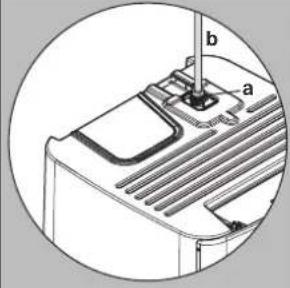 | 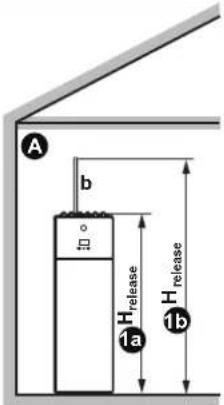 | 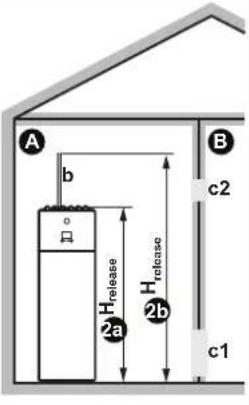 | 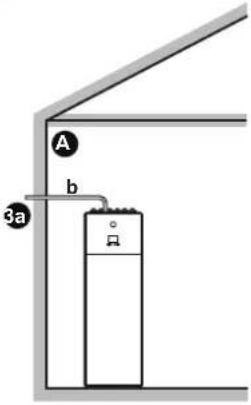 | 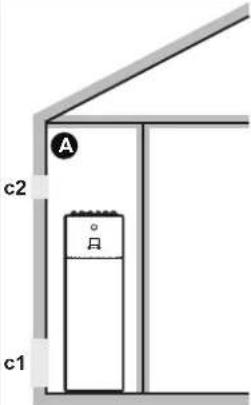 |
| Ventilation openings N/A Between room A and B | N/A Between room A and outside | |||
| Minimum floor area Room A Room A + Room B | N/A N/A | |||
| Chimney Might be needed Might be needed Connected to outside | N/A | |||
| Release in case of refrigerant leakage | Inside room A Inside room A Outside Inside room A | |||
| Restrictions | See "PATTERN 1" [▶ 74], "PATTERN 2" [▶ 75], "PATTERN 3" [▶ 77], and "Tables for PATTERN 1, 2 and 3" [▶ 77] | See "PATTERN 4" [▶ 80] | ||
| A | Room A (= room where indoor unit is installed) |
| B | Room B (= adjacent room) |
| a If no chimney is installed, this is the default point of release in case of refrigerant leakage.If needed, you can connect a chimney here:Unit's connection point for the chimney = 1" male thread. Use a compatible counterpart for the chimney.Make sure the connection is airtight. | |
| b Chimney | |
| c1 | Bottom opening for natural ventilation |
| c2 | Top opening for natural ventilation |
| H_release | Actual release height:1a 2a: Without chimney. From floor to top of the unit.For 300 l units => H_release =1.89 mFor 500 l units => H_release =1.90 mb 2b: With chimney. From floor to top of the chimney.For 300 l units => H_release =1.89 m + Chimney heightFor 500 l units => H_release =1.90 m + Chimney height |
| 3a | Installation with chimney connected to the outside. The release height is not relevant. There are no requirements to the minimum floor area. |
| N/A Not applicable | |
Minimum floor area / Release height:
- The minimum floor area requirements depend on the release height of the refrigerant in case of a leakage. The higher the release height, the lower the minimum floor area requirements.
- The default point of release (without chimney) is at the top of the unit. To decrease the minimum floor area requirements, you can increase the release height by installing a chimney. If the chimney leads outside of the building, there are no requirements anymore to the minimum floor area.
- You can also take advantage of the floor area of the adjacent room (= room B) by providing ventilation openings between the two rooms.
- For installations in technical rooms (i.e. room that is NEVER occupied by persons), additionally to patterns 1, 2 and 3, you can also use PATTERN 4. For this pattern there are no requirements to the minimum floor area if you provide 2 openings (one at the bottom, one at the top) between the room and the outside to ensure natural ventilation. The room must be protected from frost.
When connecting a chimney
- Install the chimney socket (delivered as accessory) to the plate heat exchanger box.
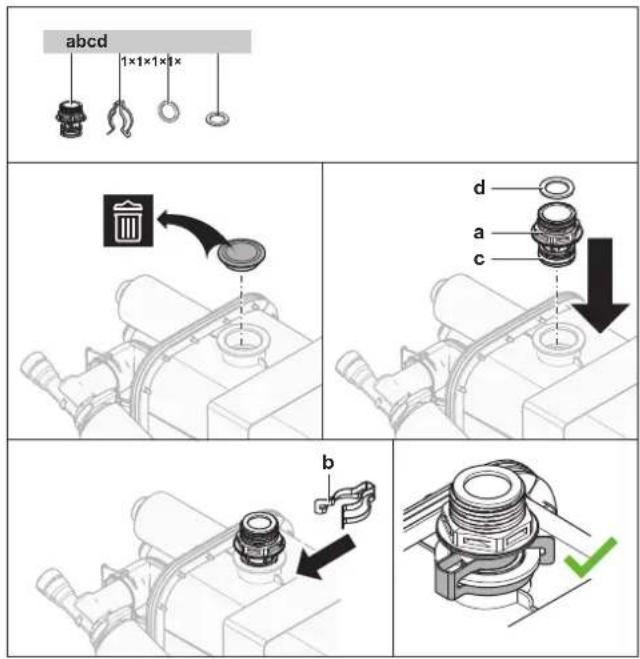
a Chimney socket
b Securing clip
c O-ring
d Flat gasket
- Socket's connection point for the chimney = 1" male thread. Use a compatible counterpart for the chimney.
- Make sure the connection is airtight.
PATTERN 1
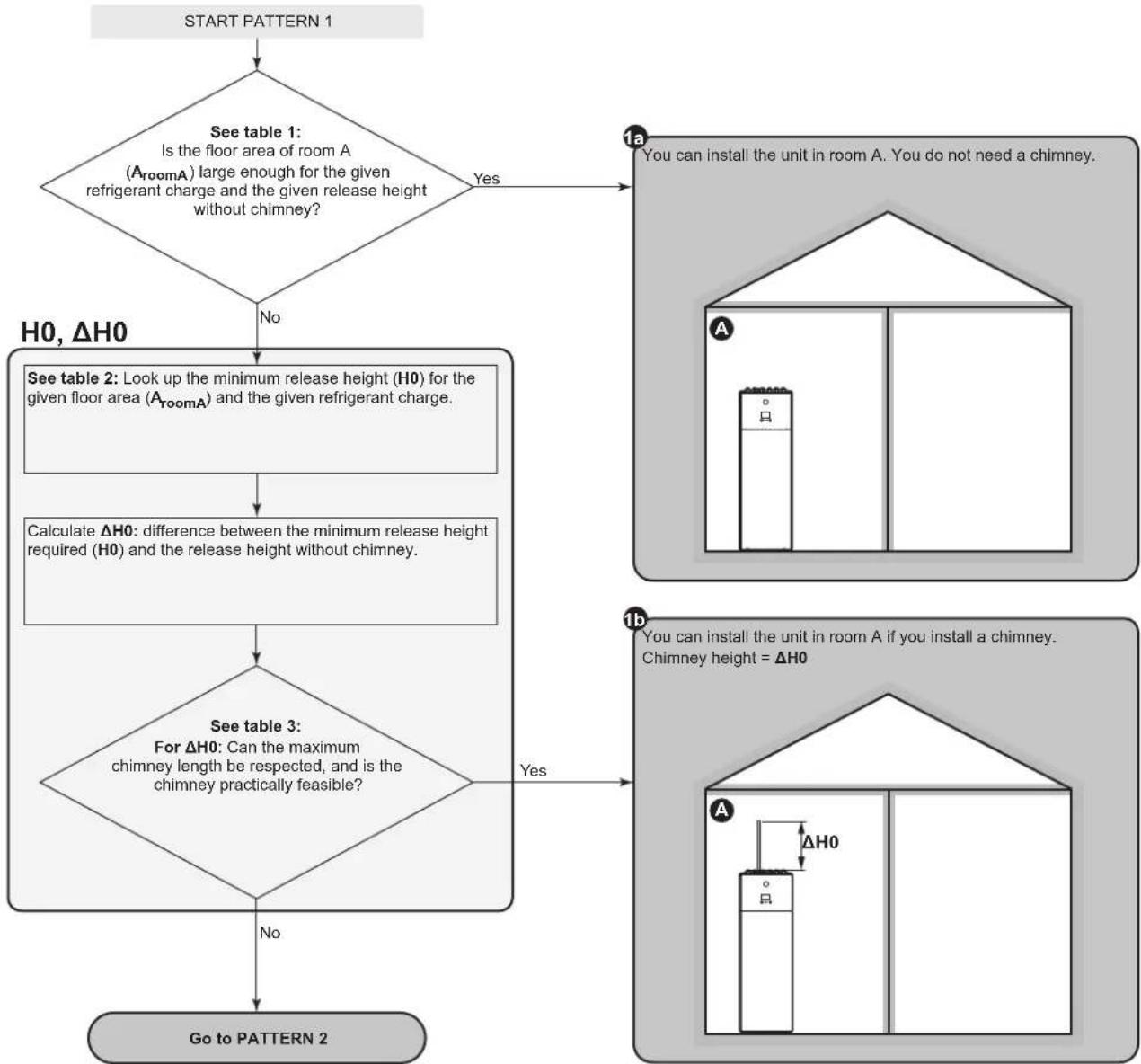
flowchart
graph TD
    A["START PATTERN 1"] --> B{See table 1: Is the floor area of room A (A_roomA) large enough for the given refrigerant charge and the given release height without chimney?}
    B -->|Yes| C["You can install the unit in room A. You do not need a chimney."]
    B -->|No| D["H0, ΔH0"]
    D --> E["See table 2: Look up the minimum release height (H0) for the given floor area (A_roomA) and the given refrigerant charge."]
    E --> F["Calculate ΔH0: difference between the minimum release height required (H0) and the release height without chimney."]
    F --> G["See table 3: For ΔH0: Can the maximum chimney length be respected, and is the chimney practically feasible?"]
    G -->|Yes| H["You can install the unit in room A if you install a chimney. Chimney height = ΔH0"]
    G -->|No| I["Go to PATTERN 2"]
PATTERN 2
PATTERN 2: Conditions ventilation openings
If you want to take advantage of the floor area of the adjacent room, you must provide 2 openings (one at the bottom, one at the top) between the rooms to ensure natural ventilation. The openings must comply with the following conditions:
- Bottom opening (A nv):
- Must be a permanent opening that cannot be closed.
- Must be completely located between 0 and 300 mm from the floor.
- Must be ≥ A ny-min (minimum bottom opening area).
- ≥50% of the required opening area A nv-min must be ≤200 mm from the floor.
- The bottom of the opening must be ≤100 mm from the floor.
- If the opening starts from the floor, the height of the opening must be ≥20 mm.
- Top opening:
- Must be a permanent opening that cannot be closed.
- Must be ≥50% of A nv-min (minimum bottom opening area).
- Must be ≥1.5 m from the floor.
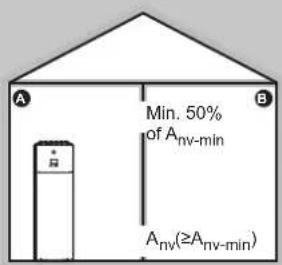
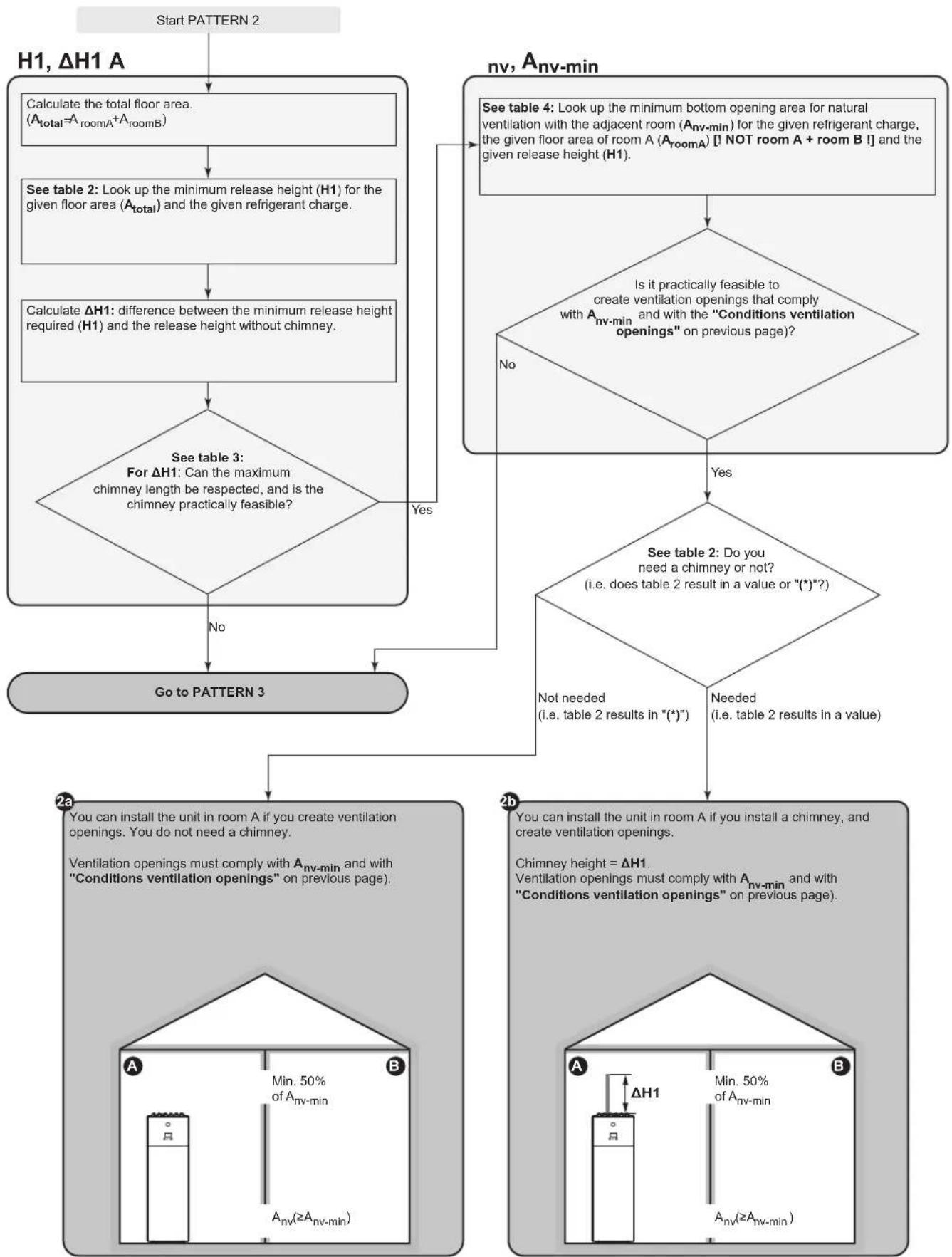
flowchart
graph TD
    A["Start PATTERN 2"] --> B["H1, ΔH1 A"]
    B --> C["Calculate the total floor area. (A_total = A_roomA + A_roomB)"]
    C --> D["See table 2: Look up the minimum release height (H1) for the given floor area (A_total) and the given refrigerant charge."]
    D --> E["Calculate ΔH1: difference between the minimum release height required (H1) and the release height without chimney."]
    E --> F{See table 3: For ΔH1: Can the maximum chimney length be respected, and is the chimney practically feasible?}
    F -->|No| G["Go to PATTERN 3"]
    F -->|Yes| H["See table 4: Look up the minimum bottom opening area for natural ventilation with the adjacent room (A_nv_min) for the given refrigerant charge, the given floor area of room A (A_roomA) [! NOT room A + room B !"] and the given release height (H1).]
    H --> I{Is it practically feasible to create ventilation openings that comply with A_nv_min and with the "Conditions ventilation openings" on previous page?}
    I -->|No| G
    I -->|Yes| J{See table 2: Do you need a chimney or not? (i.e. does table 2 result in a value or "*)?)}
    J -->|Not needed (i.e. table 2 results in "*")| K["Go to PATTERN 3"]
    J -->|Needed (i.e. table 2 results in a value)| L["See table 2: Do you need a chimney or not? (i.e. does table 2 result in a value or "*)?)"]
    L --> M{See table 2: Do you need a chimney or not? (i.e. does table 2 result in a value or "*)?)}
    M -->|No| N["Go to PATTERN 3"]
    M -->|Yes| O["See table 4: Look up the minimum bottom opening area for natural ventilation with the adjacent room (A_nv_min) for the given refrigerant charge, the given floor area of room A (A_roomA) [! NOT room A + room B !"] and the given release height (H1).]
    O --> P["Go to PATTERN 3"]
    P --> Q["2a: You can install the unit in room A if you create ventilation openings. You do not need a chimney. Ventilation openings must comply with A_nv_min and with "Conditions ventilation openings" on previous page."]
    Q --> R["2b: You can install the unit in room A if you install a chimney, and create ventilation openings. Chimney height = ΔH1. Ventilation openings must comply with A_nv_min and with "Conditions ventilation openings" on previous page."]
    R --> S["2c: You can install the unit in room A if you install a chimney, and create ventilation openings. Chimney height = ΔH1. Ventilation openings must comply with A_nv_min and with "Conditions ventilation openings" on previous page."]
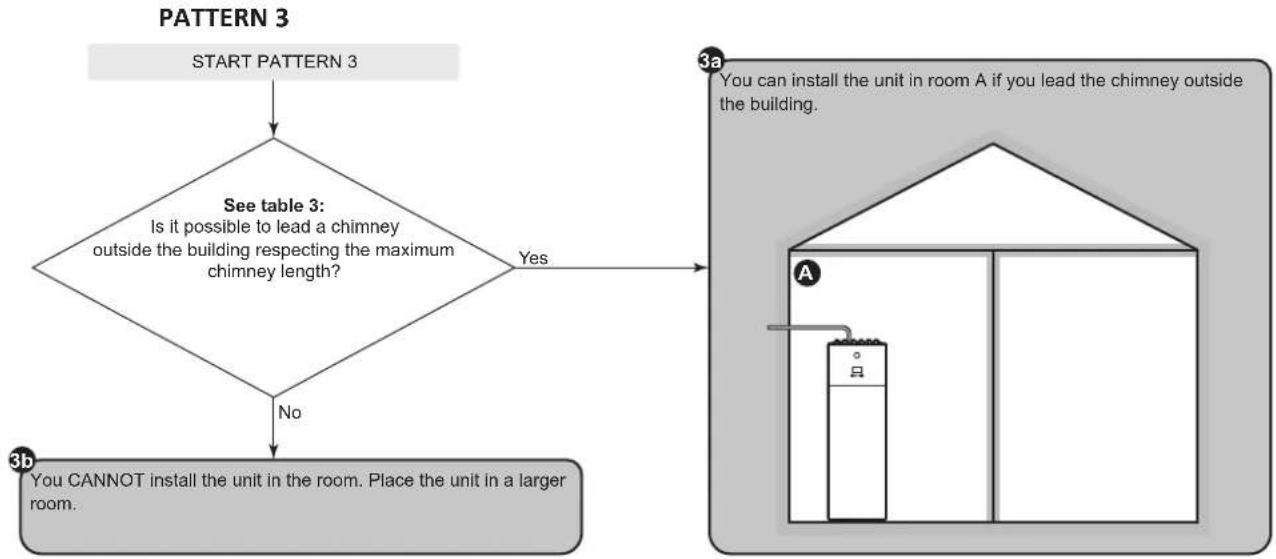
flowchart
graph TD
    A["START PATTERN 3"] --> B{See table 3: Is it possible to lead a chimney outside the building respecting the maximum chimney length?}
    B -->|Yes| C["You can install the unit in room A if you lead the chimney outside the building."]
    B -->|No| D["You cannot install the unit in the room. Place the unit in a larger room."]
Tables for PATTERN 1, 2 and 3
Table 1: Minimum floor area
For intermediate refrigerant charges, use the row with the higher value. Example: If the refrigerant charge is 4.3 kg, use the row of 4.5 kg.
| Minimum floor area (m2) | ||
| Charge (kg) Release height without chimney (m) | ||
| 1.89 (Unit=300 l) 1.90 (Unit=500 l) | ||
| 3.8 12.37 12.18 | ||
| 4 13.71 13.49 | ||
| 4.5 17.35 17.08 | ||
| 5 21.42 21.08 | ||
| 5.5 25.92 25.51 | ||
| 5.8 28.82 28.37 | ||
Table 2: Minimum release height
Take the following into account:
- For intermediate floor areas, use the column with the lower value. Example: If the floor area is 22.50 ~m^2 , use the column of 20.00 ~m^2 .
- For intermediate refrigerant charges, use the row with the higher value. Example: If the refrigerant charge is 4.3 kg, use the row of 4.5 kg.
- (*): The release height of the unit without chimney (for 300 l units: 1.89 m; for 500 l units: 1.90 m) is already higher than the minimum required release height. => OK (no chimney needed).
| Minimum release height (m) | |||||
| Charge (kg) Floor area (m2) | |||||
| 5.00 10.00 15.00 20.00 25.00 | |||||
| 3.8 | 3.30 | 2.10 | (*) | (*) | (*) |
| 4 | 3.47 | 2.21 | (*) | (*) | (*) |
| 4.5 | 3.91 | 2.49 | 2.03 | (*) | (*) |
| 5 | 4.34 | 2.77 | 2.26 | 1.96 | (*) |
| 5.5 | 4.78 | 3.04 | 2.49 | 2.15 | 1.93 |
| 5.8 | 5.04 | 3.21 | 2.62 | 2.27 | 2.03 |
Table 3: Maximum chimney length
When installing a chimney, the chimney length must be less than the maximum chimney length.
- Use the columns with the correct refrigerant charge. For intermediate refrigerant charges, use the columns with the higher value. Example: If the refrigerant charge is 4.0 kg, use the columns of 5.8 kg.
- For intermediate diameters, use the column with the lower value. Example: If the diameter is 23 mm, use the column of 22 mm.
• X: Not allowed
| Maximum chimney length (m) - In case of Refrigerant charge=3.8 kg (and T=60°C) | In case of Refrigerant charge=5.8 kg (and T=60°C) | ||||||||||
| Chimney Inside diameter of chimney (mm) Inside diameter of chimney (mm) | |||||||||||
| Straight pipe 19.03 33.90 55.16 84.54 124 06 3.37 9.47 18.40 30.91 47.91 | |||||||||||
| 1× 90° elbow 17.23 31.92 53.00 82.20 121.54 1.57 7.49 16 24 28.57 45.39 | |||||||||||
| 2× 90° elbow 15.43 29.94 50.84 79.86 119.02 X 5.51 14.08 26.23 42.87 | |||||||||||
| 3× 90° elbow 13.63 27.96 48.68 77.52 118.50 X 3.53 11.92 23.89 40.35 | |||||||||||
Table 4: Minimum bottom opening area for natural ventilation
Take the following into account:
- Use the correct table. For intermediate refrigerant charges, use the table with the higher value. Example: If the refrigerant charge is 4.3 kg, use the table of 4.8 kg.
- For intermediate floor areas, use the column with the lower value. Example: If the floor area is 12.50 ~m^2 , use the column of 10.00 ~m^2 .
- For intermediate release height values, use the row with the lower value. Example: If the release height is 1.95 m, use the row of 1.90 m.
- A_nv : Bottom opening area for natural ventilation.
- A_nv-min : Minimum bottom opening area for natural ventilation.
• (*): Already OK (no ventilation openings needed).
| A_room (dm2) – in case of Refrigerant charge=3.8 kg | |||||
| Release height (m) | Floor area of room A (m2) [I NOT room A + room B I] | ||||
| 5.00 | 10.00 | 15.00 | 20.00 | 25.00 | |
| 1.89 | 3.698 | 0.987 | (*) | (*) | (*) |
| 1.90 | 3.645 | 0.914 | (*) | (*) | (*) |
| 2.00 | 3.318 | 0.467 | (*) | (*) | (*) |
| 2.20 | 2.677 | (*) | (*) | (*) | (*) |
| 2.40 | 2.098 | (*) | (*) | (*) | (*) |
| 2.60 | 1.568 | (*) | (*) | (*) | (*) |
| 2.80 | 1.080 | (*) | (*) | (*) | (*) |
| 3.00 | 0.626 | (*) | (*) | (*) | (*) |
| A_room (dm3) – In case of Refrigerant charge=4.8 kg | |||||
| Release height (m) | Floor area of room A (m3) [! NOT room A + room B !] | ||||
| 5.00 | 10.00 | 15.00 | 20.00 | 25.00 | |
| 1.89 | 5.977 | 3.560 | 1.753 | (*) | (*) |
| 1.90 | 5.914 | 3.476 | 1.652 | (*) | (*) |
| 2.00 | 5.534 | 2.969 | 1.037 | (*) | (*) |
| 2.20 | 4.790 | 2.969 | (*) | (*) | (*) |
| 2.40 | 4.120 | 2.060 | (*) | (*) | (*) |
| 2.60 | 3.511 | 0.226 | (*) | (*) | (*) |
| 2.80 | 2.952 | (*) | (*) | (*) | (*) |
| 3.00 | 2.436 | (*) | (*) | (*) | (*) |
| A_vmin (dm2) – In case of Refrigerant charge=5.8 kg | |||||
| Release height (m) | Floor area of room A (m2) [! NOT room A + room B !] | ||||
| 5.00 | 10.00 | 15.00 | 20.00 | 25.00 | |
| 1.89 | 8.256 | 6.132 | 4.600 | 2.963 | 1.289 |
| 1.90 | 8.184 | 6.038 | 4.488 | 2.835 | 1.146 |
| 2.00 | 7.750 | 5.470 | 3.806 | 2.053 | 0.274 |
| 2.20 | 6.902 | 4.354 | 2.461 | 0.508 | (*) |
| 2.40 | 6.143 | 3.343 | 1.237 | (*) | (*) |
| 2.60 | 5.454 | 2.419 | 0.125 | (*) | (*) |
| A_room (dm2) – In case of Refrigerant charge=5.8 kg | |||||
| Release height (m) Floor area of room A (m2) [I NOT room A + room B ] | |||||
| 5.00 10.00 15.00 20.00 25.00 | |||||
| 2.80 4.825 1.568 (*) (*) (*) | |||||
| 3.00 4.245 0.776 (*) (*) (*) | |||||
PATTERN 4
PATTERN 4 is only allowed for installations in technical rooms (i.e. room that is NEVER occupied by persons). For this pattern there are no requirements to the minimum floor area if you provide 2 openings (one at the bottom, one at the top) between the room and the outside to ensure natural ventilation. The room must be protected from frost.
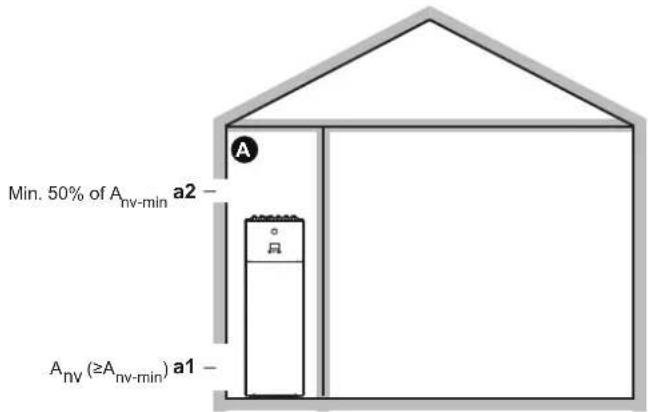
| A | Unoccupied room where the indoor unit is installed. Must be protected from frost. |
| a1 A | _nv : Bottom opening for natural ventilation between the unoccupied room and the outside. ·Must be a permanent opening that cannot be closed. ·Must be above ground level. ·Must be completely located between 0 and 300 mm from the floor of the unoccupied room. ·Must be ≥ A_nv-min (minimum bottom opening area as specified in the table below). ·≥50% of the required opening area A_nv-min must be ≤200 mm from the floor of the unoccupied room. ·The bottom of the opening must be ≤100 mm from the floor of the unoccupied room. ·If the opening starts from the floor, the height of the opening must be ≥20 mm. |
| a2 Top opening for natural ventilation between room A and the outside. ·Must be a permanent opening that cannot be closed. ·Must be ≥50% of A_nv-min (minimum bottom opening area as specified in the table below). ·Must be ≥1.5 m from the floor of the unoccupied room. | |
A_nv-min (minimum bottom opening area for natural ventilation)
The minimum bottom opening area for natural ventilation between the unoccupied room and the outside depends on the total refrigerant in the system. For intermediate refrigerant charges, use the row with the higher value. Example: If the refrigerant charge is 4.3 kg, use the row of 4.4 kg.
| Total refrigerant charge (kg) A | _nv-min ( dm^2 ) |
| 3.8 9.9 | |
| 4 10.1 | |
| Total refrigerant charge (kg) A | _nv-min ( dm^2 ) |
| 4.2 10.4 | |
| 4.4 10.6 | |
| 4.6 10.9 | |
| 4.8 11.1 | |
| 5 11.3 | |
| 5.2 11.5 | |
| 5.4 11.8 | |
| 5.6 12.0 | |
| 5.8 12.2 |
7.2 Opening and closing the units
7.2.1 About opening the units
At certain times, you have to open the unit. Example:
- When connecting the refrigerant piping
- When connecting the electrical wiring
- When maintaining or servicing the unit

DANGER: RISK OF ELECTROCUTION
Do NOT leave the unit unattended when the service cover is removed.
7.2.2 To open the outdoor unit

DANGER: RISK OF ELECTROCUTION

DANGER: RISK OF BURNING/SCALDING
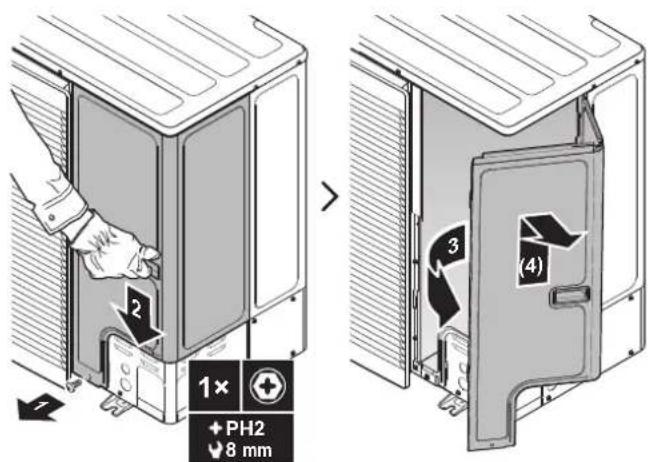
7.2.3 To close the outdoor unit
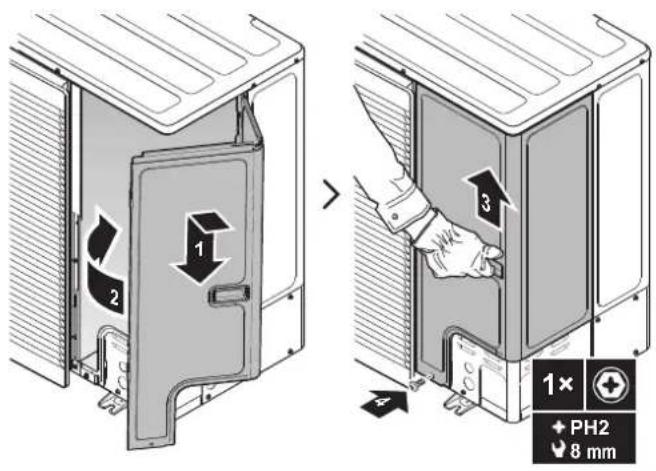
7.2.4 To open the indoor unit

NOTICE
The top cover can only be removed if the switch box is lowered.
Overview
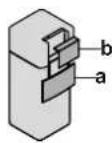
a User interface panel
b Switch box cover
Open
1 Remove the user interface panel. Open the hinges at the top and slide the interface panel downwards.
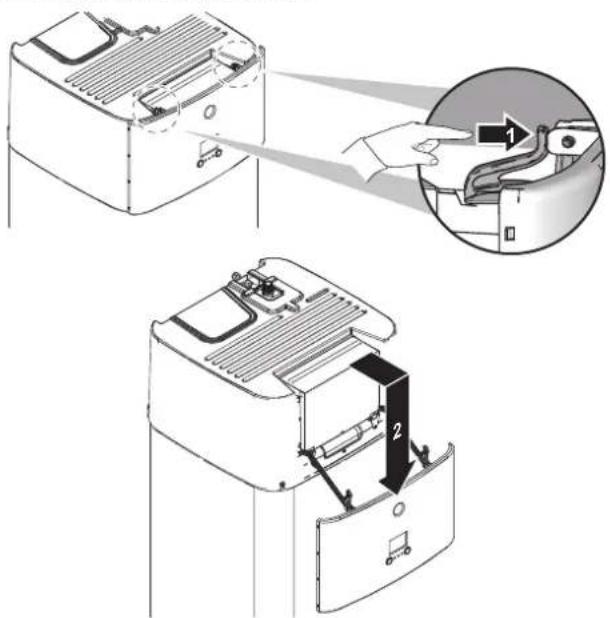
2 Remove the switch box cover.

NOTICE
Do NOT damage or remove the foam sealing of the switch box.
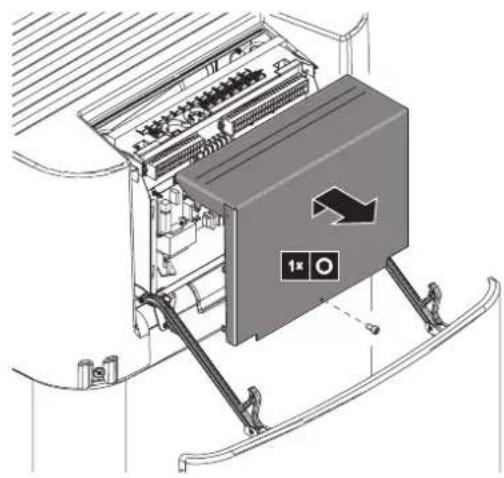
natural_image
Technical diagram of an electrical switchgear assembly with workers and directional arrows (no text labels)7.2.5 To lower the switch box of the indoor unit and remove the top cover
During the installation, you will need access to the inside of the indoor unit. To have easier front access, lower the switch box of the unit as follows:
Prerequisite: The user interface panel has been removed.
1 Loosen the screws.
2 Lift up the switch box.
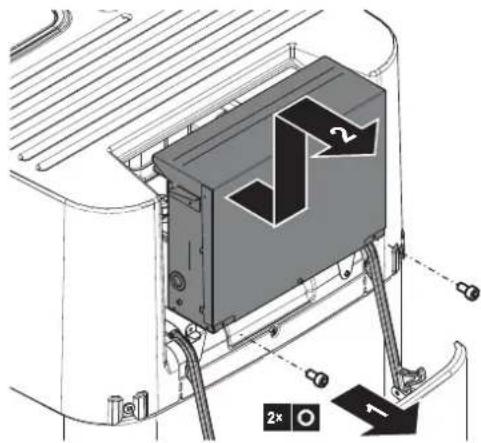
3 Lower the switch box.
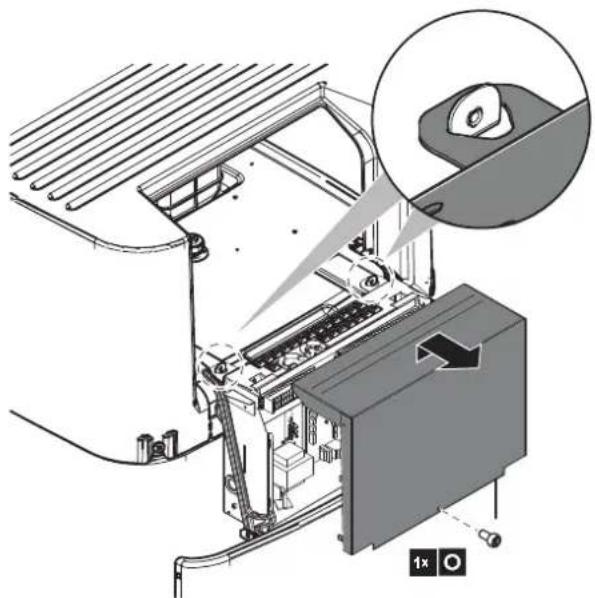
natural_image
Technical illustration of a printer or printer assembly with an inset close-up showing a magnified view of the device (no text or symbols present)4 If necessary, remove the top cover. This is necessary in the following cases:
- Connecting water piping
- Connecting BIV or DB-kit
- Connecting backup heater
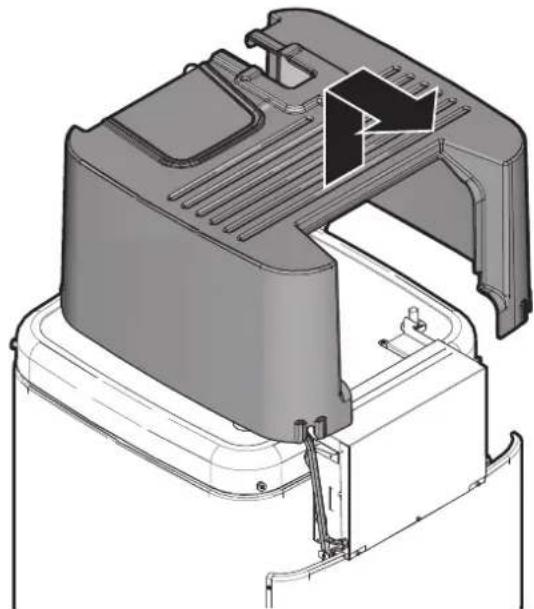
natural_image
3D technical illustration of a mechanical component with internal structure and mounting bracket (no text or symbols)7.2.6 To close the indoor unit
1 Close the cover of the switch box.
2 Reinstall the top cover.
3 Put the switch box back into place.
4 Reinstall the user interface panel.

NOTICE
When closing the indoor unit, make sure that the tightening torque does NOT exceed 4.1 N•m.
7.3 Mounting the outdoor unit
7.3.1 About mounting the outdoor unit
When
You have to mount the outdoor and indoor unit before you can connect the refrigerant and water piping.
Typical workflow
Mounting the outdoor unit typically consists of the following stages:
1 Providing the installation structure.
2 Installing the outdoor unit.
3 Providing drainage.
4 Installing the discharge grille.
5 Protecting the unit against snow and wind by installing a snow cover and baffle plates. See "7.1 Preparing the installation site" [▶ 66].
7.3.2 Precautions when mounting the outdoor unit

INFORMATION
Also read the precautions and requirements in the following chapters:
■ "2 General safety precautions" [▶ 10]
- "7.1 Preparing the installation site" [▶ 66]
7.3.3 To provide the installation structure
Check the strength and level of the installation ground so that the unit will not cause any operating vibration or noise.
Fix the unit securely by means of foundation bolts in accordance with the foundation drawing.
Use 4 sets of M12 anchor bolts, nuts and washers (field supply). Provide at least 150 mm of free space below the unit. Additionally, make sure the unit is positioned at least 100 mm above the maximum expected level of snow.
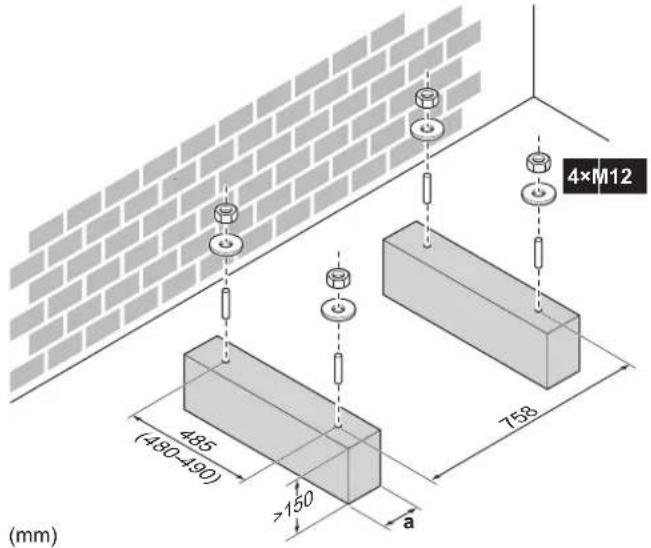
a Make sure not to cover the drain holes. See "Drain holes (dimensions in mm)" [▶ 87].

INFORMATION
The recommended height of the upper protruding part of the bolts is 20 mm.
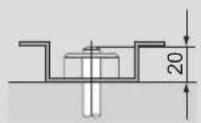

NOTICE
Fix the outdoor unit to the foundation bolts using nuts with resin washers (a). If the coating on the fastening area is stripped off, the metal can rust easily.
7.3.4 To install the outdoor unit
1 To handle the unit and to put in onto the installation structure, see "4.2.1 To handle, unpack and remove accessories – Outdoor unit" [▶ 22].
2 Fix the unit to the installation structure.
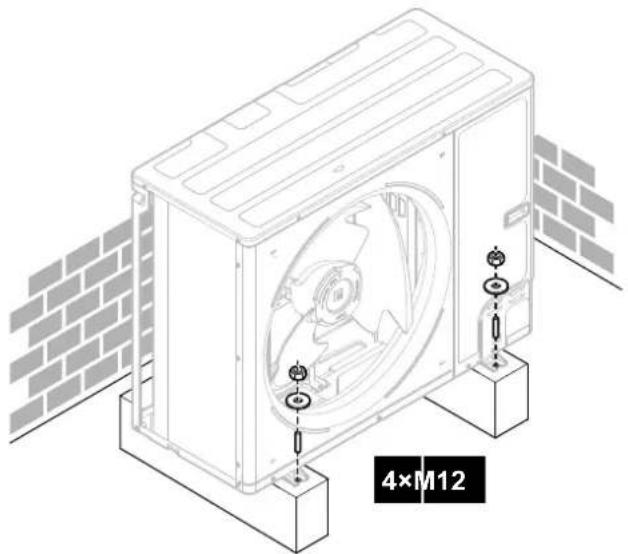
natural_image
Technical line drawing of a mechanical housing assembly with mounting base and brick wall background (no text or symbols)7.3.5 To provide drainage
- Make sure that condensation water can be evacuated properly.
- Install the unit on a base to make sure that there is proper drainage in order to avoid ice accumulation.
- Prepare a water drainage channel around the foundation to drain waste water away from the unit.
- Avoid drain water flowing over the footpath, so that it does NOT become slippery in case of ambient freezing temperatures.
- If you install the unit on a frame, install a waterproof plate within 150 mm of the bottom side of the unit in order to prevent water from getting into the unit and to avoid drain water dripping (see the following figure).
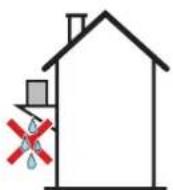

INFORMATION
If necessary, you can use a drain pan (field supply) to prevent drain water from dripping.

NOTICE
If the unit CANNOT be installed fully level, always make sure that the inclination is towards the backside of the unit. This is required to guarantee proper drainage.

NOTICE
If drain holes of the outdoor unit are covered by a mounting base or by floor surface, raise the unit to provide a free space of more than 150 mm under the outdoor unit.
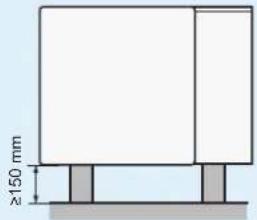
Drain holes (dimensions in mm)
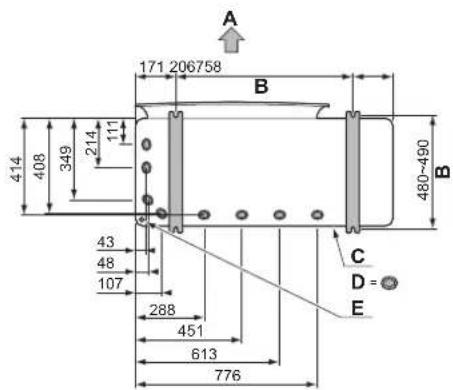
A Discharge side
B Distance between anchor points
C Bottom frame
D Drain holes
E Knockout hole for snow
Snow
In regions with snowfall, snow might build up and freeze between the heat exchanger and the casing of the unit. This might decrease the operating efficiency. To prevent this:
1 Remove the knockout hole (a) by tapping on the attachment points with a flat head screwdriver and a hammer.
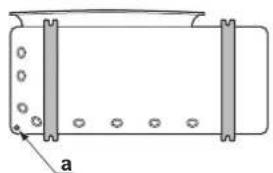
natural_image
Simple line drawing of a rectangular container with side supports and circular holes, labeled 'a' at the bottom (no text or symbols on the diagram itself)2 Remove the burrs, and paint the edges and areas around the edges using repair paint to prevent rusting.

NOTICE
When making knockout holes, do NOT damage the casing and underlying piping.
7.3.6 To install the discharge grille
1 Insert the hooks. To prevent breaking the hooks:
- First insert the bottom hooks (2×).
- Then insert the top hooks (2×).
2 Insert and fix the screws (4×)(delivered as accessory).
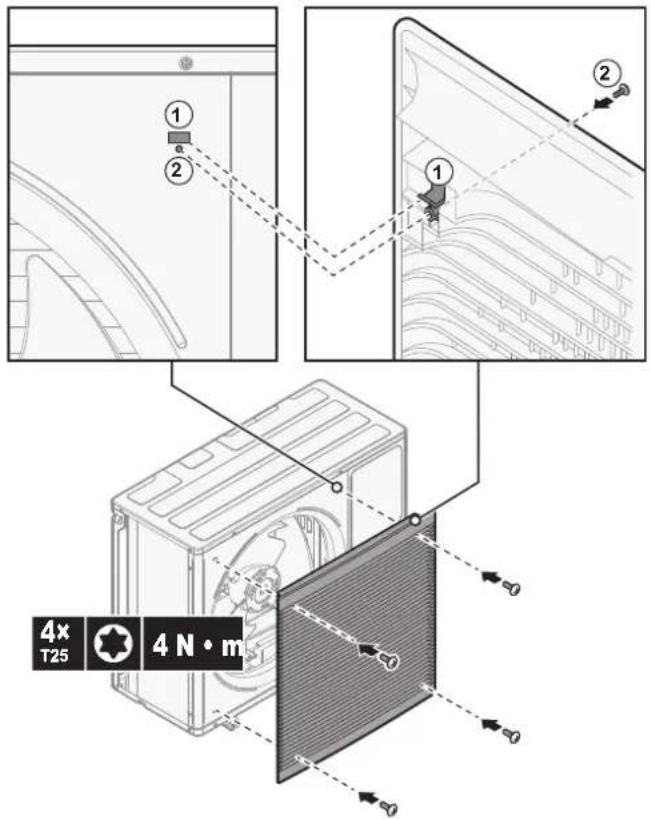
7.4 Mounting the indoor unit
7.4.1 About mounting the indoor unit
When
You have to mount the outdoor and indoor unit before you can connect the refrigerant and water piping.
Typical workflow
Mounting the indoor unit typically consists of the following stages:
1 Installing the indoor unit.
7.4.2 Precautions when mounting the indoor unit

INFORMATION
Also read the precautions and requirements in the following chapters:
- "2 General safety precautions" [▶ 10]
- "7.1 Preparing the installation site" [▶ 66]
7.4.3 To install the indoor unit
1 Lift the indoor unit from the pallet and place it on the floor. Also see "4.3.3 To handle the indoor unit" [▶ 26].
2 Connect the drain hose to the drain. See "7.4.4 To connect the drain hose to the drain" [▶ 89].
3 Slide the indoor unit into position.

NOTICE
Level. Make sure the unit is level.
7.4.4 To connect the drain hose to the drain
Spillover water from the water storage tank as well as water collecting in the drain pan must be drained. You must connect the drain hoses to an appropriate drain according to the applicable legislation.
1 Open the screw plug.
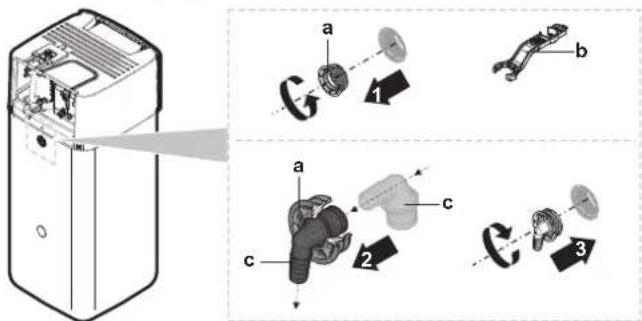
a Screw plug
b Assembly wrench
c Spillover connector
2 Insert the spillover connector into the screw plug.
3 Mount the spillover connector.
4 Attach a drain hose to the spillover connector.
5 Connect the drain hose to an appropriate drain. Ensure the water can flow through the drain hose. Ensure that the water level cannot mount above the overspill.
6 Connect the drain pan hose to the drain pan connection and connect to an appropriate drain.
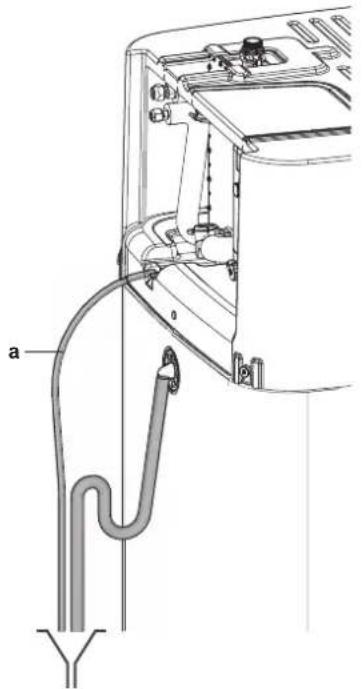
a Drain pan hose
7 Connect the pressure relief valve to an appropriate drain in accordance with the applicable legislation. Ensure that any steam or water that may escape is drained in a frost-protected, safe and observable manner.
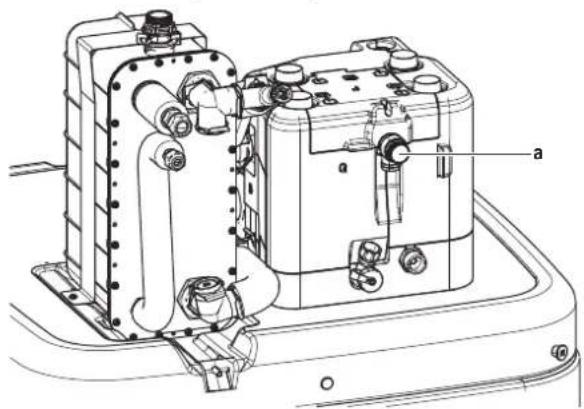
a Pressure relief valve
8 Piping installation
In this chapter
8.1 Preparing refrigerant piping.... 91
8.1.1 Refrigerant piping requirements 91
8.1.2 Refrigerant piping insulation.... 92
8.2 Connecting the refrigerant piping 92
8.2.1 About connecting the refrigerant piping.... 92
8.2.2 Precautions when connecting the refrigerant piping.... 93
8.2.3 Guidelines when connecting the refrigerant piping.... 94
8.2.4 Pipe bending guidelines 94
8.2.5 To flare the pipe end 94
8.2.6 To braze the pipe end 95
8.2.7 Using the stop valve and service port.... 96
8.2.8 To connect the refrigerant piping to the outdoor unit 97
8.2.9 To connect the refrigerant piping to the indoor unit.... 100
8.3 Checking the refrigerant piping.... 100
8.3.1 About checking the refrigerant piping.... 100
8.3.2 Precautions when checking the refrigerant piping 101
8.3.3 Checking refrigerant piping: Setup 101
8.3.4 To check for leaks.... 101
8.3.5 To perform vacuum drying 102
8.4 Charging refrigerant 103
8.4.1 About charging refrigerant 103
8.4.2 Precautions when charging refrigerant 104
8.4.3 Charging additional refrigerant.... 105
8.4.4 Completely recharging refrigerant 105
8.4.5 To fix the fluorinated greenhouse gases label.... 106
8.5 Preparing water piping.... 107
8.5.1 Water circuit requirements 107
8.5.2 To check the water volume and flow rate.... 110
8.6 Connecting water piping 111
8.6.1 About connecting the water piping.... 111
8.6.2 Precautions when connecting the water piping.... 112
8.6.3 To connect the water piping.... 112
8.6.4 To connect a pressure vessel.... 115
8.6.5 To fill the heating system.... 116
8.6.6 To fill the heat exchanger inside the storage tank 117
8.6.7 To fill the storage tank 117
8.6.8 To insulate the water piping 118
8.1 Preparing refrigerant piping
8.1.1 Refrigerant piping requirements

INFORMATION
Also read the precautions and requirements in the "2 General safety precautions" [▶ 10].
Also see "7.1.4 Special requirements for R32 units" [▶ 70] for additional requirements.
- Piping length: See "7.1.3 Installation site requirements of the indoor unit" [▶ 69].
- Piping material: Phosphoric acid deoxidised seamless copper.
-
Piping connections: Only flare and brazed connections are allowed. The indoor and outdoor units have flare connections. Connect both ends without brazing. If brazing should be needed, take the guidelines in the installer reference guide into account.
-
Flare connections: Only use annealed material.
- Piping diameter:
| Liquid piping ∅9.5 mm (3/8") | |
| Gas piping ∅15.9 mm (5/8") |
- Piping temper grade and thickness:
| Outer diameter (∅) | Temper grade Thickness (t) | (a) | |
| 9.5 mm (3/8") Annealed (O) ≥0.8 mm |  | ||
| 15.9 mm (5/8") Annealed (O) ≥1.0 mm | |||
[1] Depending on the applicable legislation and the maximum working pressure of the unit (see "PS High" on the unit name plate), larger piping thickness might be required.
8.1.2 Refrigerant piping insulation
- Use polyethylene foam as insulation material:
- with a heat transfer rate between 0.041 and 0.052 W/mK (0.035 and 0.045 kcal/mh°C)
- with a heat resistance of at least 120°C
- Insulation thickness
| Pipe outer diameter ( _p ) | Insulation inner diameter ( _i ) | Insulation thickness (t) |
| 9.5 mm (3/8") 12~15 mm ≥13 mm | ||
| 15.9 mm (5/8") 17~20 mm ≥13 mm |
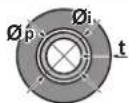
If the temperature is higher than 30^ C and the humidity is higher than RH 80%, the thickness of the insulation materials should be at least 20 mm to prevent condensation on the surface of the insulation.
8.2 Connecting the refrigerant piping

NOTICE
Vibration. To prevent vibration of the refrigerant piping during operation, fixate the piping between the outdoor and indoor unit.
8.2.1 About connecting the refrigerant piping
Before connecting the refrigerant piping
Make sure the outdoor and indoor unit are mounted.
Typical workflow
Connecting the refrigerant piping involves:
- Connecting the refrigerant piping to the outdoor unit
-
Connecting the refrigerant piping to the indoor unit
-
Insulating the refrigerant piping
- Keeping in mind the guidelines for:
- Pipe bending
- Flaring pipe ends
- Brazing
- Using the stop valves
8.2.2 Precautions when connecting the refrigerant piping

INFORMATION
Also read the precautions and requirements in the following chapters:
- "2 General safety precautions" [▶ 10]
- "8.1 Preparing refrigerant piping" [▶ 91]

DANGER: RISK OF BURNING/SCALDING

NOTICE
- Do NOT use mineral oil on flared part.
- Do NOT reuse piping from previous installations.
- NEVER install a drier to this R32 unit to guarantee its lifetime. The drying material may dissolve and damage the system.

NOTICE
Take the following precautions on refrigerant piping into account:
- Avoid anything but the designated refrigerant to get mixed into the refrigerant cycle (e.g. air).
- Only use R32 when adding refrigerant.
- Only use installation tools (e.g. manifold gauge set) that are exclusively used for R32 installations to withstand the pressure and to prevent foreign materials (e.g. mineral oils and moisture) from mixing into the system.
- Install the piping so that the flare is NOT subjected to mechanical stress.
- Protect the piping as described in the following table to prevent dirt, liquid or dust from entering the piping.
- Use caution when passing copper tubes through walls (see figure below).
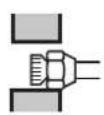
√
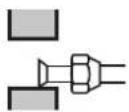
×
√

×
| Unit Installation | period Protection method | |
| Outdoor unit >1 month Pinch | the pipe | |
| <1 month Pinch or tape the pipe | ||
| Indoor unit Regardless of the period | ||

INFORMATION
Do NOT open the refrigerant stop valve before checking the refrigerant piping. When you need to charge additional refrigerant it is recommended to open the refrigerant stop valve after charging.
8.2.3 Guidelines when connecting the refrigerant piping
Take the following guidelines into account when connecting pipes:
- Coat the flare inner surface with ether oil or ester oil when connecting a flare nut. Tighten 3 or 4 turns by hand, before tightening firmly.
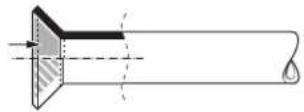
- ALWAYS use 2 wrenches together when loosening a flare nut.
- ALWAYS use a spanner and torque wrench together to tighten the flare nut when connecting the piping. This to prevent nut cracking and leaks.
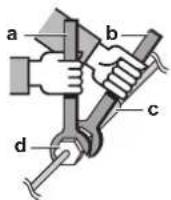
a Torque wrench
b Spanner
c Piping union
d Flare nut
| Piping size (mm) Tightening torque (N•m) | Flare dimensions (A) (mm) | Flare shape (mm) |
| ∅9.5 33~39 12.8~13.2 | 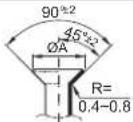 | |
| ∅15.9 62~75 19.3~19.7 |
8.2.4 Pipe bending guidelines
Use a pipe bender for bending. All pipe bends should be as gentle as possible (bending radius should be 30\~40 mm or larger).
8.2.5 To flare the pipe end

NOTICE
- Incomplete flaring may cause refrigerant gas leakage.
- Do NOT re-use flares. Use new flares to prevent refrigerant gas leakage.
- Use flare nuts that are included with the unit. Using different flare nuts may cause refrigerant gas leakage.
1 Cut the pipe end with a pipe cutter.
2 Remove burrs with the cut surface facing down so that the chips do NOT enter the pipe.
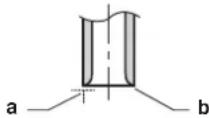
a Cut exactly at right angles.
b Remove burrs.
3 Remove the flare nut from the stop valve and put the flare nut on the pipe.
4 Flare the pipe. Set exactly at the position as shown in the following figure.
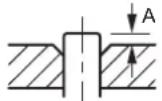
| Flare tool for R32(clutch type) | Conventional flare tool | ||
| Clutch type(Ridgid-type) | Wing nut type(Imperial-type) | ||
| A 0~0.5 | mm 1.0~1.5 mm 1.5~2.0 | mm | |
5 Check that the flaring is properly made.
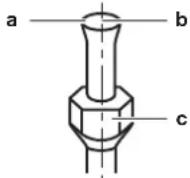
a Flare's inner surface MUST be flawless.
b The pipe end MUST be evenly flared in a perfect circle.
c Make sure the flare nut is fitted.
8.2.6 To braze the pipe end
The indoor unit and outdoor unit have flare connections. Connect both ends without brazing. If brazing should be needed, take the following into account:
- When brazing, blow through with nitrogen to prevent creation of large quantities of oxidised film on the inside of the piping. This film adversely affects valves and compressors in the refrigerating system and prevents proper operation.
- Set the nitrogen pressure to 20 kPa (0.2 bar) (just enough so it can be felt on the skin) with a pressure-reducing valve.
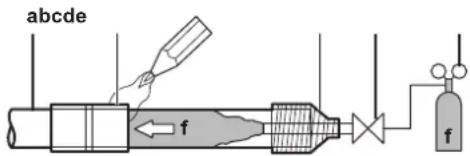
a Refrigerant piping
b Part to be brazed
c Taping
d Manual valve
e Pressure-reducing valve
f Nitrogen
- Do NOT use anti-oxidants when brazing pipe joints.
Residue can clog pipes and break equipment.
- Do NOT use flux when brazing copper-to-copper refrigerant piping. Use phosphor copper brazing filler alloy (BCuP), which does NOT require flux.
Flux has an extremely harmful influence on refrigerant piping systems. For instance, if chlorine based flux is used, it will cause pipe corrosion or, in particular, if the flux contains fluorine, it will deteriorate the refrigerant oil.
- ALWAYS protect the surrounding surfaces (e.g. insulation foam) from heat when brazing.
8.2.7 Using the stop valve and service port
To handle the stop valve
Take the following guidelines into account:
- The stop valves are factory closed.
- The following figure shows the stop valve parts required when handling the valve.
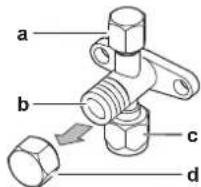
a Service port and service port cap
b Valve stem
c Field piping connection
d Stem cap
- Keep both stop valves open during operation.
- Do NOT apply excessive force to the valve stem. Doing so may break the valve body.
- ALWAYS make sure to secure the stop valve with a spanner, then loosen or tighten the flare nut with a torque wrench. Do NOT place the spanner on the stem cap, as this could cause a refrigerant leak.
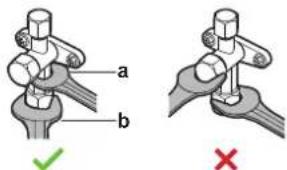
a Spanner
b Torque wrench
- When it is expected that the operating pressure will be low (e.g. when cooling will be performed while the outside air temperature is low), sufficiently seal the flare nut in the stop valve on the gas line with silicon sealant to prevent freezing.
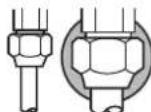
Silicon sealant, make sure there is no gap.
To open/close the stop valve
1 Remove the stop valve cover.
2 Insert a hexagon wrench (liquid side: 4 mm, gas side: 4 mm) into the valve stem and turn the valve stem:
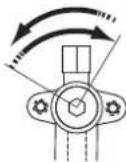
Counterclockwise to open
Clockwise to close
3 When the stop valve CANNOT be turned any further, stop turning.
4 Install the stop valve cover.
Result: The valve is now open/closed.
To handle the stem cap
- The stem cap is sealed where indicated with the arrow. Do NOT damage it.
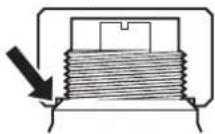
- After handling the stop valve, tighten the stem cap, and check for refrigerant leaks.
| Item Tightening torque (N·m) | |
| Stem cap, liquid side 13.5~16.5 | |
| Stem cap, gas side 22.5~27.5 | |
To handle the service cap
- ALWAYS use a charge hose equipped with a valve depressor pin, since the service port is a Schrader type valve.
- After handling the service port, tighten the service port cap, and check for refrigerant leaks.
| Item Tightening torque (N·m) | |
| Service port cap 11.5~13.9 | |
8.2.8 To connect the refrigerant piping to the outdoor unit
- Piping length. Keep field piping as short as possible.
- Piping protection. Protect the field piping against physical damage.
1 Do the following:
- Remove the service cover (a) with screw (b).
- Remove the piping intake plate (c) with screws (d).
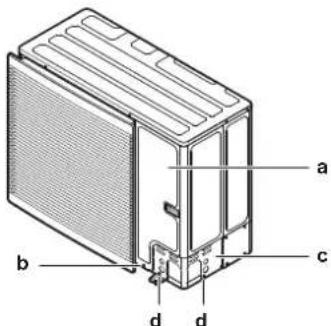
2 Choose a piping route (a, b, c or d).
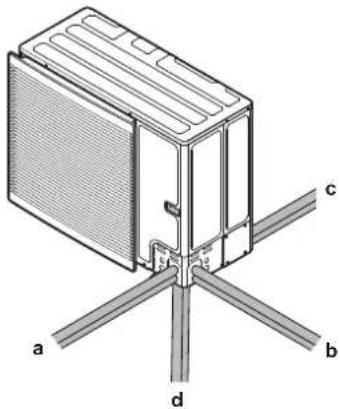
natural_image
Technical diagram of a mechanical or electrical component with labeled parts (a, b, c, d), no readable text or symbols present.a Front
b Side
c Rear
d Bottom

INFORMATION
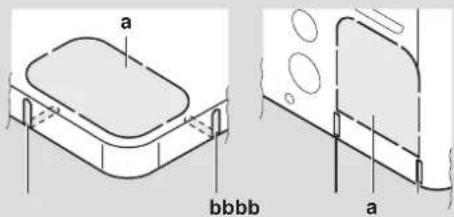
- Remove the knockout hole (a) in the bottom plate or cover plate by tapping on the attachment points with a flat head screwdriver and a hammer.
- Optionally, cut out the slits (b) with a metal saw.

NOTICE
Precautions when making knockout holes:
- Avoid damaging the casing and underlying piping.
■ After making the knockout holes, we recommend to remove the burrs and paint the edges and areas around the edges using repair paint to prevent rusting. - When passing electrical wiring through the knockout holes, wrap the wiring with protective tape to prevent damage.
3 Do the following:
- Connect the liquid pipe (a) to the liquid stop valve.
- Connect the gas pipe (b) to the gas stop valve.
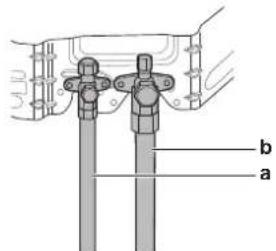
4 Do the following:
- Insulate the liquid piping (a) and the gas piping (b).
- Wind heat insulation around the curves, and then cover it with vinyl tape (c).
- Make sure the field piping does not touch any compressor components.
- Seal the insulation ends (sealant etc.) (d).
- Wrap the field piping with vinyl tape (e) to protect it against sharp edges
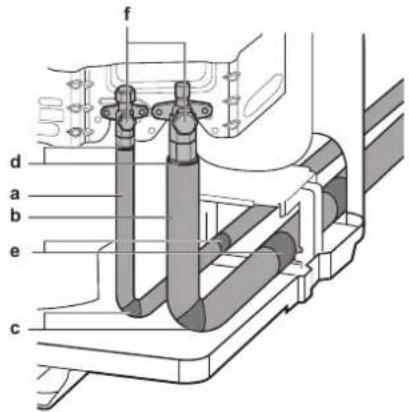
5 If the outdoor unit is installed above the indoor unit, cover the stop valves (f, see above) with sealing material to prevent condensed water on the stop valves from moving to the indoor unit.

NOTICE
Any exposed piping might cause condensation.
6 Reattach the service cover and the piping intake plate.
7 Seal all gaps (example: a) to prevent snow and small animals from entering the system.
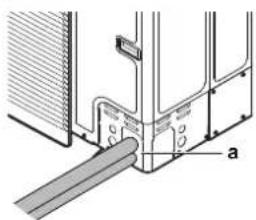
natural_image
Technical diagram of a mechanical joint or bracket assembly with labeled part 'a' (no text or symbols beyond label)
NOTICE
Do not block the air vents. This could affect air circulation inside the unit.
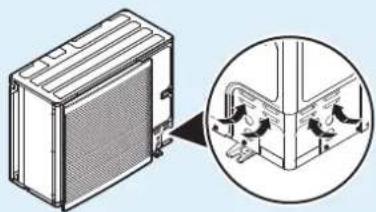
natural_image
Technical illustration of a heat exchanger unit with an inset close-up showing internal components (no text or symbols)
WARNING
Provide adequate measures to prevent that the unit can be used as a shelter by small animals. Small animals that make contact with electrical parts can cause malfunctions, smoke or fire.

NOTICE
Make sure to open the stop valves after installing the refrigerant piping and performing vacuum drying. Running the system with the stop valves closed may break the compressor.
8.2.9 To connect the refrigerant piping to the indoor unit
1 Connect the liquid stop valve from the outdoor unit to the refrigerant liquid connection of the indoor unit.
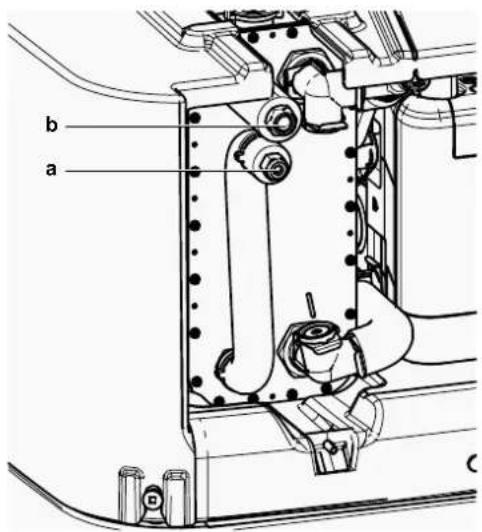
a Refrigerant liquid connection
b Refrigerant gas connection
2 Connect the gas stop valve from the outdoor unit to the refrigerant gas connection of the indoor unit.

NOTICE
It is recommended that the refrigerant piping between indoor and outdoor unit is installed in a ducting or the refrigerant piping is wrapped with finishing tape.
8.3 Checking the refrigerant piping
8.3.1 About checking the refrigerant piping
The outdoor unit's internal refrigerant piping has been factory tested for leaks. You only have to check the outdoor unit's external refrigerant piping.
Before checking the refrigerant piping
Make sure the refrigerant piping is connected between the outdoor unit and the indoor unit.
Typical workflow
Checking the refrigerant piping typically consists of the following stages:
1 Checking for leaks in the refrigerant piping.
2 Performing vacuum drying to remove all moisture, air or nitrogen from the refrigerant piping.
If there is a possibility of moisture being present in the refrigerant piping (for example, water may have entered the piping), first carry out the vacuum drying procedure below until all moisture has been removed.
8.3.2 Precautions when checking the refrigerant piping

INFORMATION
Also read the precautions and requirements in the following chapters:
- "2 General safety precautions" [▶ 10]
- "8.1 Preparing refrigerant piping" [▶ 91]

NOTICE
Use a 2-stage vacuum pump with a non-return valve that can evacuate to a gauge pressure of -100.7 kPa (-1.007 bar)(5 Torr absolute). Make sure the pump oil does not flow oppositely into the system while the pump is not working.

NOTICE
Use this vacuum pump for R32 exclusively. Using the same pump for other refrigerants may damage the pump and the unit.

NOTICE
- Connect the vacuum pump to both the service port of the gas stop valve and the service port of the liquid stop valve to increase efficiency.
■ Make sure that the gas stop valve and liquid stop valve are firmly closed before performing the leak test or vacuum drying.
8.3.3 Checking refrigerant piping: Setup
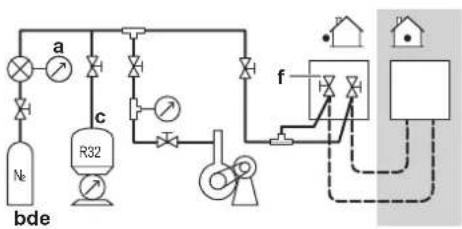
flowchart
graph TD
    A["Valve 1"] --> B["Valve 2"]
    B --> C["Valve 3"]
    C --> D["Valve 4"]
    D --> E["Control Unit f"]
    E --> F["Household Unit"]
    G["Reactor bde"] --> H["R32 Unit"]
    H --> I["Valve 5"]
    I --> J["Valve 6"]
    J --> K["Valve 7"]
    K --> L["Valve 8"]
    L --> M["Valve 9"]
    M --> N["Valve 10"]
    N --> O["Valve 11"]
    O --> P["Valve 12"]
    P --> Q["Valve 13"]
    Q --> R["Valve 14"]
    R --> S["Valve 15"]
    S --> T["Valve 16"]
    T --> U["Valve 17"]
    U --> V["Valve 18"]
    V --> W["Valve 19"]
    W --> X["Valve 20"]
a Pressure gauge
b Nitrogen
c Refrigerant
d Weighing scale
e Vacuum pump
f Stop valve
8.3.4 To check for leaks

NOTICE
Do NOT exceed the unit's maximum working pressure (see "PS High" on the unit name plate).

NOTICE
ALWAYS use a recommended bubble test solution from your wholesaler.
NEVER use soap water:
- Soap water may cause cracking of components, such as flare nuts or stop valve caps.
- Soap water may contain salt, which absorbs moisture that will freeze when the piping gets cold.
- Soap water contains ammonia which may lead to corrosion of flared joints (between the brass flare nut and the copper flare).
1 Charge the system with nitrogen gas up to a gauge pressure of at least 200 kPa (2 bar). It is recommended to pressurize to 3000 kPa (30 bar) in order to detect small leaks.
2 Check for leaks by applying the bubble test solution to all connections.
3 Discharge all nitrogen gas.
8.3.5 To perform vacuum drying

NOTICE
- Connect the vacuum pump to both the service port of the gas stop valve and the service port of the liquid stop valve to increase efficiency.
■ Make sure that the gas stop valve and liquid stop valve are firmly closed before performing the leak test or vacuum drying.
1 Vacuum the system until the pressure on the manifold indicates -0.1 MPa (-1 bar).
2 Leave as is for 4-5 minutes and check the pressure:
| If the pressure... Then... | |
| Does not change There is no moisture in the system. This procedure is finished. | |
| Increases There is moisture in the system. Go to the next step. | |
3 Vacuum the system for at least 2 hours to a manifold pressure of -0.1 MPa (-1 bar).
4 After turning the pump OFF, check the pressure for at least 1 hour.
5 If you do NOT reach the target vacuum or CANNOT maintain the vacuum for 1 hour, do the following:
- Check for leaks again.
- Perform vacuum drying again.

NOTICE
Make sure to open the stop valves after installing the refrigerant piping and performing vacuum drying. Running the system with the stop valves closed may break the compressor.

INFORMATION
After opening the stop valve, it is possible that the pressure in the refrigerant piping does NOT increase. This might be caused by e.g. the closed state of the expansion valve in the outdoor unit circuit, but does NOT present any problem for correct operation of the unit.
8.4 Charging refrigerant
8.4.1 About charging refrigerant
The outdoor unit is factory charged with refrigerant, but in some cases the following might be necessary:
| What When | |
| Charging additional refrigerant When the | total liquid piping length is more than specified (see later). |
| Completely recharging refrigerant Example: ·When relocating the system. ·After a leak. | |
Charging additional refrigerant
Before charging additional refrigerant, make sure the outdoor unit's external refrigerant piping is checked (leak test, vacuum drying).

INFORMATION
Depending on the units and/or the installation conditions, it might be necessary to connect electrical wiring before you can charge refrigerant.
Typical workflow – Charging additional refrigerant typically consists of the following stages:
1 Determining if and how much you have to charge additionally.
2 If necessary, charging additional refrigerant.
3 Filling in the fluorinated greenhouse gases label, and fixing it to the inside of the outdoor unit.
Completely recharging refrigerant
Before completely recharging refrigerant, make sure the following is done:
1 All refrigerant is recovered from the system.
2 The outdoor unit's external refrigerant piping is checked (leak test, vacuum drying).
3 Vacuum drying on the outdoor unit's internal refrigerant piping is performed.

NOTICE
Before completely recharging, perform vacuum drying on the outdoor unit's internal refrigerant piping as well.

NOTICE
To perform vacuum drying or a complete recharge of the outdoor unit's internal refrigerant piping it is necessary to activate the vacuum mode (see "To activate/deactivate the vacuum mode field setting" [▶ 106]) which will open required valves in the refrigerant circuit so the vacuuming process or recharge of refrigerant can be done properly.
Before vacuum drying or recharging, activate field setting "vacuum mode".
- After finishing vacuum drying or recharging, deactivate field setting "vacuum mode".

WARNING
Some sections of the refrigerant circuit may be isolated from other sections caused by components with specific functions (e.g. valves). The refrigerant circuit therefore features additional service ports for vacuuming, pressure relief or pressurizing the circuit.
In case it is required to perform brazing on the unit, ensure that there is no pressure remaining inside the unit. Internal pressures need to be released with ALL the service ports indicated on the figures below opened. The location is depending on model type.
Location of service ports:
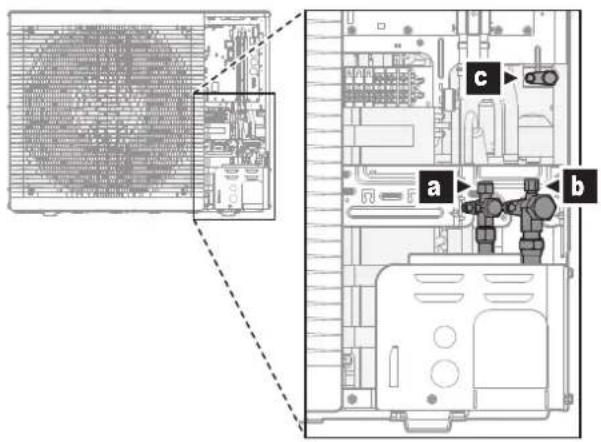
a Stop valve with service port (liquid)
b Stop valve with service port (gas)
c Internal service port
Typical workflow – Completely recharging refrigerant typically consists of the following stages:
1 Determining how much refrigerant to charge.
2 Charging refrigerant.
3 Filling in the fluorinated greenhouse gases label, and fixing it to the inside of the outdoor unit.
8.4.2 Precautions when charging refrigerant

INFORMATION
Also read the precautions and requirements in the following chapters:
■ "2 General safety precautions" [▶ 10]
- "8.1 Preparing refrigerant piping" [▶ 91]
8.4.3 Charging additional refrigerant
To determine the additional refrigerant amount
| If the total liquid piping length is... | Then... |
| ≤10 m Do NOT add additional refrigerant. | |
| >10 m R=(total length (m) of liquid piping-10 m)×0.050R=Additional charge (kg) (rounded in units of 0.01 kg) | |

INFORMATION
Piping length is the one-way length of liquid piping.
Charging refrigerant: Setup
See "8.3.3 Checking refrigerant piping: Setup" [▶ 101].
To charge additional refrigerant

WARNING
- Only use R32 as refrigerant. Other substances may cause explosions and accidents.
- R32 contains fluorinated greenhouse gases. Its global warming potential (GWP) value is 675. Do NOT vent these gases into the atmosphere.
- When charging refrigerant, ALWAYS use protective gloves and safety glasses.

NOTICE
To avoid compressor breakdown, do NOT charge more than the specified amount of refrigerant.
Prerequisite: Before charging refrigerant, make sure the refrigerant piping is connected and checked (leak test and vacuum drying).
1 Connect the refrigerant cylinder to both the service port of the gas stop valve and the service port of the liquid stop valve.
2 Charge the additional refrigerant amount.
3 Open the stop valves.
8.4.4 Completely recharging refrigerant
To determine the complete recharge amount

INFORMATION
If a complete recharge is necessary, the total refrigerant charge is: the factory refrigerant charge (see unit name plate) + the determined additional amount.
To activate/deactivate the vacuum mode field setting
Description
To perform vacuum drying or a complete recharge of the outdoor unit's internal refrigerant piping it is necessary to activate the vacuum mode which will open required valves in the refrigerant circuit so the vacuuming process or recharge of refrigerant can be done properly.
To activate/deactivate vacuum mode
Vacuum mode = Recovery mode. To activate/deactivate vacuum mode, see:
- "16.1.3 Recovery mode — In case of 3N\~ models (7-segments display)" [▶ 277]
- "16.1.4 Recovery mode — In case of 1N\~ models (7-LEDs display)" [▶ 280]
Charging refrigerant: Setup
See "8.3.3 Checking refrigerant piping: Setup" [▶ 101].
To completely recharge refrigerant

WARNING
- Only use R32 as refrigerant. Other substances may cause explosions and accidents.
- R32 contains fluorinated greenhouse gases. Its global warming potential (GWP) value is 675. Do NOT vent these gases into the atmosphere.
- When charging refrigerant, ALWAYS use protective gloves and safety glasses.

NOTICE
To avoid compressor breakdown, do NOT charge more than the specified amount of refrigerant.
Prerequisite: Before completely recharging refrigerant, make sure the system is pumped down, the outdoor unit's external refrigerant piping is checked (leak test, vacuum drying) and vacuum drying on the outdoor unit's internal refrigerant piping is performed.
1 If not already done (for vacuum drying of the unit), activate the vacuum mode (see "To activate/deactivate the vacuum mode field setting" [▶ 106])
2 Connect the refrigerant cylinder to the service port of the liquid stop valve.
3 Open the liquid stop valve.
4 Charge the complete refrigerant amount.
5 Deactivate the vacuum mode (see "To activate/deactivate the vacuum mode field setting" [▶ 106]).
6 Open the gas stop valve.
8.4.5 To fix the fluorinated greenhouse gases label
1 Fill in the label as follows:
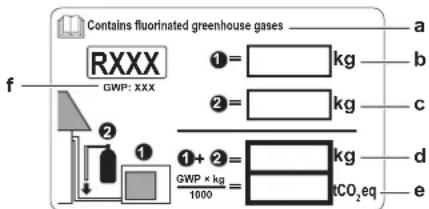
a If a multilingual fluorinated greenhouse gases label is delivered with the unit (see accessories), peel off the applicable language and stick it on top of a.
b Factory refrigerant charge: see unit name plate
c Additional refrigerant amount charged
d Total refrigerant charge
e Quantity of fluorinated greenhouse gases of the total refrigerant charge expressed as tonnes CO_2 equivalent.
f GWP = Global warming potential

NOTICE
Applicable legislation on fluorinated greenhouse gases requires that the refrigerant charge of the unit is indicated both in weight and CO_2 equivalent.
Formula to calculate the quantity in CO_2 equivalent tonnes: GWP value of the refrigerant × total refrigerant charge [in kg] / 1000
Use the GWP value mentioned on the refrigerant charge label.
2 Fix the label on the inside of the outdoor unit. There is a dedicated place for it on the wiring diagram label.
8.5 Preparing water piping
8.5.1 Water circuit requirements

INFORMATION
Also read the precautions and requirements in the "2 General safety precautions" [▶ 10].

NOTICE
In case of plastic pipes, make sure they are fully oxygen diffusion tight according to DIN 4726. The diffusion of oxygen into the piping can lead to excessive corrosion.
- Connecting piping – Legislation. Make all piping connections in accordance with the applicable legislation and the instructions in the "Installation" chapter, respecting the water inlet and outlet.
- Connecting piping – Force. Do NOT use excessive force when connecting the piping. Deformation of the piping can cause malfunctioning of the unit.
- Connecting piping – Tools. Only use appropriate tooling to handle brass, which is a soft material. If NOT, pipes will get damaged.
- Connecting piping – Air, moisture, dust. If air, moisture or dust gets into the circuit, problems may occur. To prevent this:
- ONLY use clean pipes.
- Hold the pipe end downwards when removing burrs.
- Cover the pipe end when inserting it through a wall, to prevent dust and/or particles from entering the pipe.
- Use a decent thread sealant to seal connections.
- When using non-brass metallic piping, make sure to insulate both materials from each other to prevent galvanic corrosion.
- Because brass is a soft material, use appropriate tooling for connecting the water circuit. Inappropriate tooling will cause damage to the pipes.
-
Closed circuit. Use the indoor unit ONLY in a closed water system. Using the system in an open water system will lead to excessive corrosion.
-
Glycol. For safety reasons, it is NOT allowed to add any kind of glycol to the water circuit.
- Piping length. It is recommended to avoid long runs of piping between the storage tank and the hot water end point (shower, bath,...) and to avoid dead ends.
- Piping diameter. Select the water piping diameter in relation to the required water flow and the available external static pressure of the pump. See "17 Technical data" [▶ 285] for the external static pressure curves of the indoor unit.
- Water flow. You can find the minimum required water flow for indoor unit operation in the following table. In all cases, this flow needs to be guaranteed. When the flow is lower, the indoor unit will stop operation and display error 7H.
| If operation is... Then the minimum required flow rate is... | |
| Cooling 16 l/min | |
| Heating/defrost 22 l/min | |
- Field supply components – Water. Only use materials that are compatible with water used in the system and with the materials used in the indoor unit.
- Field supply components – Water pressure and temperature. Check that all components in the field piping can withstand the water pressure and water temperature.
- Water pressure – Space heating/cooling circuit. The maximum water pressure is 3 bar. Provide adequate safeguards in the water circuit to ensure that the maximum pressure is NOT exceeded. The minimum water pressure to operate is 1 bar.
- Water pressure – Domestic hot water. The maximum water pressure is 10 bar. Provide adequate safeguards in the DHW circuit to ensure that the maximum pressure is NOT exceeded. The minimum water pressure to operate is 1 bar.
- Water pressure – Storage tank. The water inside the storage tank is not pressurized. Therefore a visual check of the water level in the storage tank has to be carried out annually, see "14.3.3 Yearly maintenance indoor unit: overview" [▶ 261].
- Water temperature. All installed piping and piping accessories (valve, connections,...) MUST withstand the following temperatures:

INFORMATION
The following illustration is an example and might NOT match your system layout.
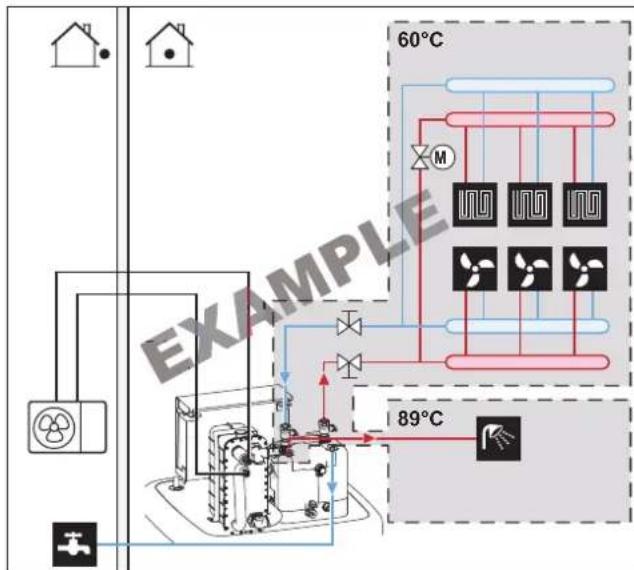
flowchart
graph TD
    A["House"] --> B["Reactor Unit"]
    B --> C["60°C Heat Exchanger"]
    C --> D["100% Air Flow"]
    C --> E["50% Air Flow"]
    C --> F["30% Air Flow"]
    C --> G["20% Air Flow"]
    C --> H["10% Air Flow"]
    C --> I["89°C Power Source"]
    style A fill:#f9f,stroke:#333
    style B fill:#ccf,stroke:#333
    style C fill:#cfc,stroke:#333
    style D fill:#fcc,stroke:#333
    style E fill:#cff,stroke:#333
    style F fill:#ffc,stroke:#333
    style G fill:#cfc,stroke:#333
    style H fill:#fcc,stroke:#333
    style I fill:#ffc,stroke:#333
- Drainage – Low points. Provide drain taps at all low points of the system in order to allow complete drainage of the water circuit.
- Drainage – Pressure relief valve. Connect the drain hose properly to the drain to avoid water dripping out of the unit. See "7.4.4 To connect the drain hose to the drain" [▶ 89].
- Air vents. Provide air vents at all high points of the system, which must also be easily accessible for servicing. An automatic air purge is provided in the indoor unit. Check that the air purge is NOT tightened too much, so that automatic release of air in the water circuit is possible.
- Zn-coated parts. NEVER use zinc coated parts in the water circuit. Because the internal water circuit of the unit uses copper piping, excessive corrosion may occur.
- Non-brass metallic piping. When using non-brass metallic piping, insulate the brass and non-brass properly so that they do NOT make contact with each other. This to prevent galvanic corrosion.
- Expansion vessel. A suitably sized expansion vessel must be installed in the water circuit in accordance with the applicable legislation. No blocking elements (shut-off valves or similar) are allowed between the expansion vessel and the indoor unit.
- Magnetic filter/dirt separator. If the indoor unit is connected to a heating system with radiators, steel pipes, or non-diffusion-proof floor heating pipes, it is necessary to install a magnetic filter/dirt separator into the return flow of the system. If the indoor unit is connected to a domestic cold water supply containing steel pipes, it is necessary to install a magnetic filter/dirt separator before the cold water connection.
- Circulation stop valves. We recommend to use circulation stop valves at the connections of the heat exchanger for domestic hot water. This minimizes heat losses due to temperature-induced circulation in the connecting pipes.
- Storage tank – Water quality. Minimum requirements regarding the quality of water used to fill the storage tank:
- Water hardness (calcium and magnesium, calculated as calcium carbonate): ≤ 3 mmol/l
- Conductivity: ≤1500 (ideal: ≤100) μS/cm
- Chloride: ≤250 mg/l
- Sulphate: ≤250 mg/l
- pH value: 6.5\~8.5
For properties deviating from the minimum requirements, suitable conditioning measures have to be taken.
- Storage tank – Shut-off valve. For easy filling and draining of the storage tank we recommend to install a shut-off valve. See option kit: Fill and drain kit (165215)
- Thermostatic mixing valves. In accordance with the applicable legislation, it may be necessary to install thermostatic mixing valves.
- Hygienic measures. The installation must be in compliance with the applicable legislation and may require additional hygienic installation measures.
- Recirculation pump. In accordance with the applicable legislation, it may be required to connect a recirculation pump in between the hot water end point and the optional recirculation connection of the storage tank. See "6.4.4 DHW pump for instant hot water" [▶ 56].
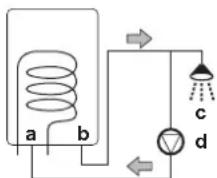
a Recirculation connection
b Hot water connection
c Shower
d Recirculation pump
8.5.2 To check the water volume and flow rate
To make sure that the unit operates properly:
- You MUST check the minimum water volume and the minimum flow rate.
Minimum water volume
Check that the total water volume in the installation is minimum 20 litres, the internal water volume of the outdoor unit NOT included.

INFORMATION
In critical processes, or in rooms with a high heat load, extra water might be required.
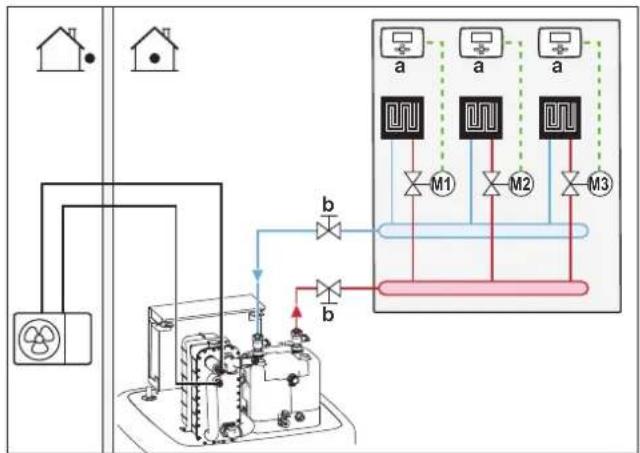
flowchart
graph TD
    A["Power Source"] --> B["Control Unit"]
    B --> C["Units 1,2,3"]
    C --> D["M1"]
    C --> E["M2"]
    C --> F["M3"]
    D --> G["Output"]
    E --> G
    F --> G
    G --> H["Output"]
    style A fill:#f9f,stroke:#333
    style H fill:#ccf,stroke:#333
a Individual room thermostat (optional)
b Shut-off valve
M1...3 Individual motorised valves to control each loop (field supply)
Minimum flow rate
Check that the minimum flow rate in the installation is guaranteed in all conditions.
| If operation is... Then the minimum required flow rate is... | |
| Cooling 16 l/min | |
| Heating/defrost 22 l/min | |

NOTICE
When circulation in each or certain space heating loops is controlled by remotely controlled valves, it is important that the minimum flow rate is guaranteed, even if all valves are closed. In case the minimum flow rate cannot be reached, a flow error 7H will be generated (no heating or operation).
See the recommended procedure as described in "12.4 Checklist during commissioning" [▶ 250].
8.6 Connecting water piping
8.6.1 About connecting the water piping
Before connecting the water piping
Make sure the outdoor and indoor unit are mounted.
Typical workflow
Connecting the water piping typically consists of the following stages:
1 Connecting the water piping to the outdoor unit.
2 Connecting the water piping to the indoor unit.
3 Connecting the recirculation piping.
4 Install pressure vessel at special connection.
5 Connecting the drain hose to the drain.
6 Filling the water circuit.
7 Filling the heat exchanger coils inside the storage tank.
8 Filling the storage tank.
9 Insulating the water piping.
8.6.2 Precautions when connecting the water piping

INFORMATION
Also read the precautions and requirements in the following chapters:
- "2 General safety precautions" [▶ 10]
- "8.5 Preparing water piping" [▶ 107]
8.6.3 To connect the water piping

NOTICE
Do NOT use excessive force when connecting the field piping and make sure the piping is aligned properly. Deformation of the piping can cause malfunctioning of the unit.
1 Remove the thermal insulation of the hydraulic block. Open the vent valve on the pump by one turn. Afterwards put the thermal insulation back on the hydraulic block.

NOTICE
The thermal insulation can easily be damaged if NOT handled correctly.
- ONLY remove parts in the order and direction as indicated here,
do NOT use force, - do NOT use tools,
■ re-install the thermal insulation in reverse order.
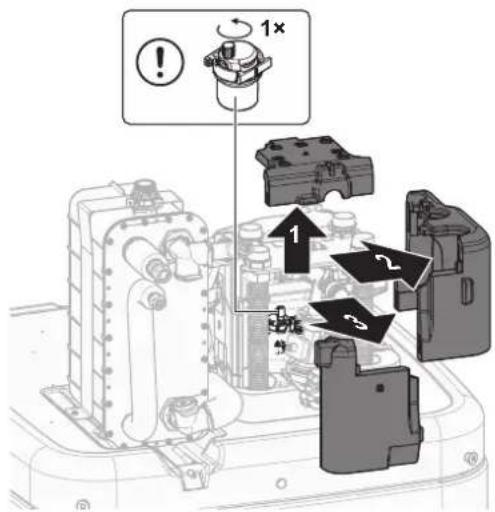
2 Connect the shut-off valves using the flat gaskets (accessory bag) to the space heating/cooling water pipes of the indoor unit.
3 Connect the space heating/cooling field piping to the shut-off valves using a sealing.
Do NOT exceed the maximum tightening torque (Thread size 1", 25-30 N•m). To avoid damage, apply the necessary countertorque with a suitable tool.
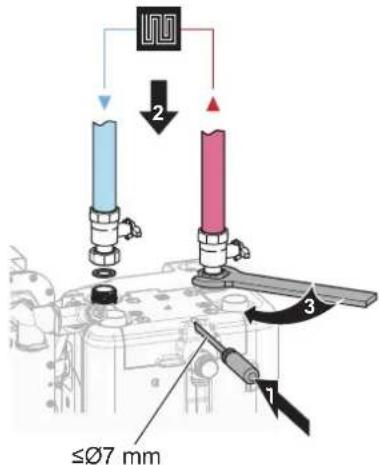
4 Connect the domestic hot water in and out pipes to the indoor unit.
Do NOT exceed the maximum tightening torque (Thread size 1", 25-30 N•m). To avoid damage, apply the necessary countertorque with a suitable tool.
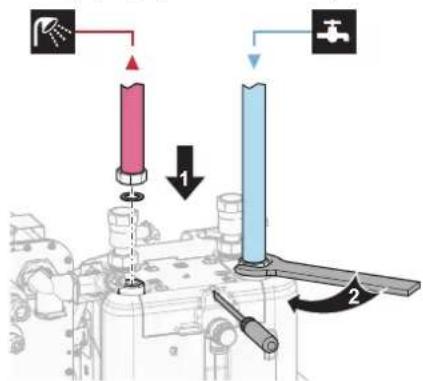
5 Cut open the top cover.
If the space heating/cooling or the domestic hot water pipes are directed upwards, the top cover must be cut along the perforation with a suitable tool.
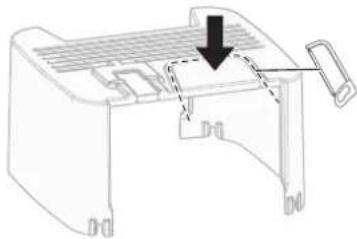
natural_image
Technical line drawing of a mechanical component with a downward arrow indicating a process or assembly (no text or symbols present)6 Support the water piping.
For rearward facing connections: Support hydraulic lines suitably according to the spatial conditions. This is valid for all water pipes.
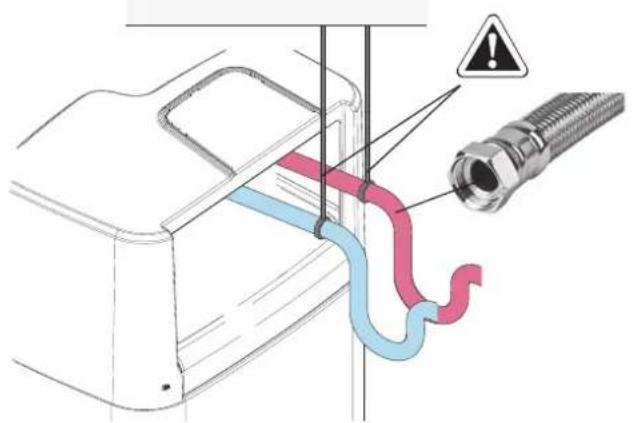
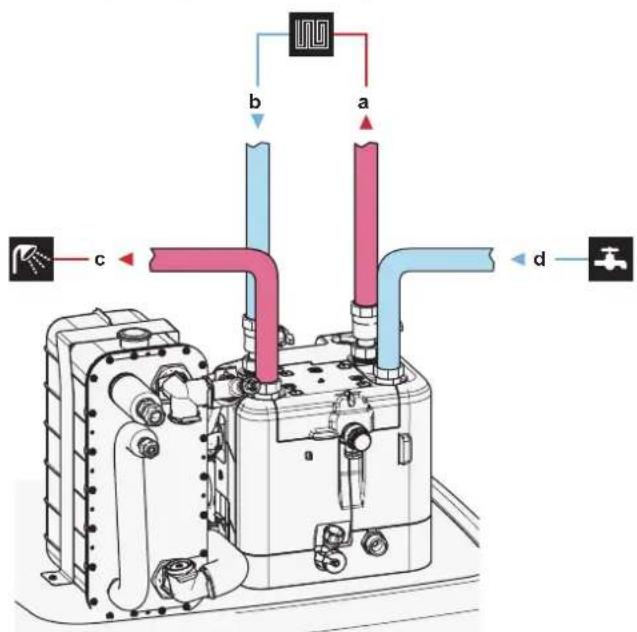
a Space heating/cooling water OUT (screw connection, 1")
b Space heating/cooling water IN (screw connection, 1")
c Domestic hot water OUT (screw connection, 1")
d Domestic cold water IN (cold water supply)(screw connection, 1")

NOTICE
It is recommended to install shut-off valves on the space heating/cooling water in and out connections, as well as on the domestic cold water in and domestic hot water out connections. These shut-off valves are field supplied.

NOTICE
To avoid damage to the surroundings in case of water leakage, it is recommended to close the domestic cold water inlet shut-off valves during periods of absence.

NOTICE
Install air purge valves at all local high points.

NOTICE
A pressure relief valve (field supply) with an opening pressure of maximum 10 bar (=1 MPa) must be installed on the domestic cold water inlet connection in accordance with the applicable legislation.

NOTICE
- A drain device and pressure relief device must be installed on the cold water inlet connection of the storage tank.
- To avoid back siphonage, it is recommended to install a non-return valve on the water inlet of the storage tank in accordance with the applicable legislation.
It is recommended to install a pressure reducing valve on the cold water inlet in accordance with the applicable legislation. - An expansion vessel should be installed on the cold water inlet in accordance with the applicable legislation.
- It is recommended to install the pressure relief valve on a higher position than the top of the storage tank. Heating of the storage tank causes water to expand and without pressure relief valve the water pressure of the domestic hot water heat exchanger inside the tank can rise above design pressure. Also the field installation (piping, tapping points, etc.) connected to the tank is subjected to this high pressure. To prevent this, a pressure relief valve needs to be installed. The overpressure prevention depends on the correct operation of the field installed pressure relief valve. If this is NOT working correctly, water leakage may occur. To confirm good operation, regular maintenance is required.
8.6.4 To connect a pressure vessel
1 Connect a suitably dimensioned and preset pressure vessel for the heating system. There may not be any hydraulic blocking elements between the heat generator and the safety valve.
2 Position the pressure vessel in an easily accessible place (maintenance, parts replacement).
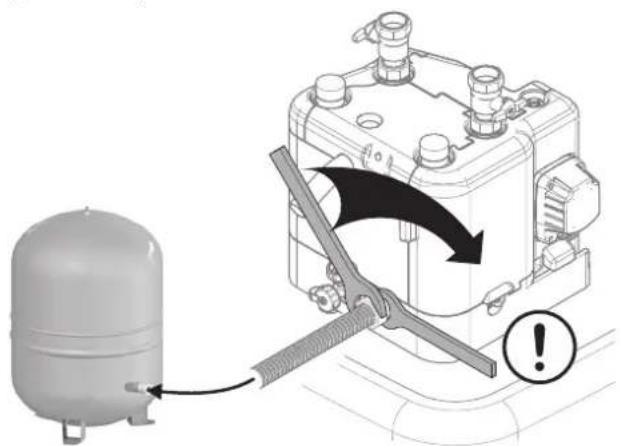
8.6.5 To fill the heating system

DANGER: RISK OF ELECTROCUTION
During the filling process, water can escape from any leaking point and can cause an electrical shock if it comes into contact with live parts.
Before the filling process, de-energise the unit.
■ After the first filling and before switching on the unit with the mains switch, check whether all electric parts and connection points are dry.
1 Connect a hose with a non-return valve (1/2") and an external manometer (field supply) to a water tap and the fill and drain valve. Secure the hose against slipping off.
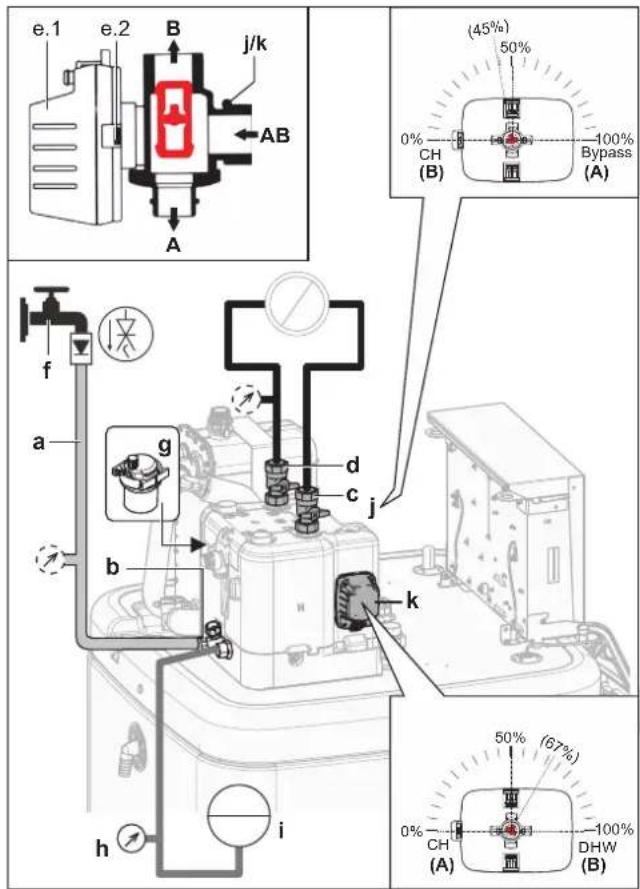
a Hose with a non-return valve (1/2") and an external manometer (field supply)
b Fill and drain valve
c Space heating/cooling water OUT
d Space heating/cooling water IN
e.1 Valve motor
e.2 Valve motor latch
f Water tap
g Automatic air purge valve
h Pressure gauge (field supply)
i Pressure vessel (field supply)
j Bypass valve
k Tank valve
2 Prepare for air purging according to the instructions (see "To purge the air out of the unit with the manual air vent valves" [▶ 252]).
3 Open the water tap.
4 Open fill and drain valve and monitor the manometer.
5 Fill the system with water until the external manometer shows that the system target pressure is reached (system height +2 m; 1 m water column = 0.1 bar). Make sure that the pressure relief valve does not open.
6 Close the manual air vent valves as soon as water emerges free of bubbles.
7 Close the water tap. Keep the fill and drain valve open in case it is necessary to repeat the filling procedure after the air purging of the system. See "12.4.2 Air purge function" [▶ 251].
8 Close the fill and drain valve and remove the hose with non-return valve only after air purging is performed and the system is completely filled.
8.6.6 To fill the heat exchanger inside the storage tank
Following heat exchanger have to be filled with water before the storage tank can be filled:
- The domestic hot water heat exchanger

NOTICE
To fill the domestic hot water heat exchanger, use a field supply filling kit. Make sure you comply with the applicable legislation.
1 Open the shut-off valve for the cold water supply.
2 Open all hot water taps in the system to make sure that the tapped water flow is as high as possible.
3 Keep the hot water taps open and the cold water supply running until no more air is vented from the taps.
4 Check for water leaks.
- The bivalent heat exchanger (only for some models)
5 Fill the bivalent heat exchanger with water by connecting the bivalent heating circuit. If the bivalent heating circuit will be installed on a later stage, fill the bivalent heat exchanger with a filling hose until water comes out of both connections.
6 Do air purge on the bivalent heating circuit.
7 Check for water leaks.
8.6.7 To fill the storage tank

NOTICE
Before the storage tank can be filled, the heat exchangers inside the storage tank have to be filled, see previous chapters.
Fill the storage tank with a water pressure <6 bar and a flow speed <15 l/min.
Without installed drainback solar kit (option)
1 Connect a hose with non-return valve (1/2") to the drainback connection.
2 Fill the storage tank until water spills from the spillover connection.
3 Remove the hose.
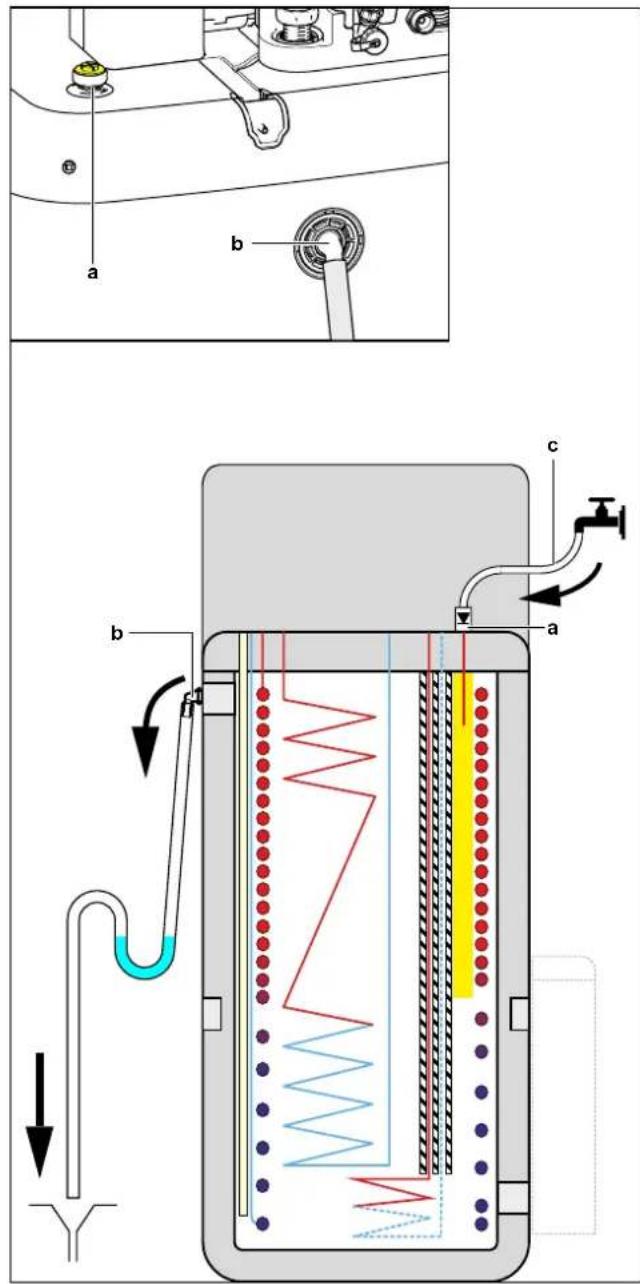
a Drainback connection
b Spillover connection
c Hose with non-return valve (1/2")
With installed drainback solar kit (option)
1 Combine the fill and drain kit (option) with the drainback solar kit (option) to fill the storage tank.
2 Connect the hose with non-return valve to the fill and drain kit.
Follow the steps described in the previous chapter.
8.6.8 To insulate the water piping
The piping in the complete water circuit MUST be insulated to prevent condensation during cooling operation and reduction of the heating and cooling capacity.
If the temperature is higher than 30^ C and the humidity is higher than RH 80%, the thickness of the insulation materials should be at least 20 mm to prevent condensation on the surface of the insulation.
9 Electrical installation
In this chapter
9.1 About connecting the electrical wiring 120
9.1.1 Precautions when connecting the electrical wiring 120
9.1.2 Guidelines when connecting the electrical wiring 121
9.1.3 About electrical compliance 122
9.1.4 About preferential kWh rate power supply.... 123
9.1.5 Overview of electrical connections except external actuators 123
9.2 Connections to the outdoor unit.... 124
9.2.1 Specifications of standard wiring components 125
9.2.2 To connect the electrical wiring to the outdoor unit 125
9.3 Connections to the indoor unit 127
9.3.1 To connect the electrical wiring to the indoor unit.... 130
9.3.2 To connect the main power supply 132
9.3.3 To connect the backup heater power supply 134
9.3.4 To connect the backup heater to the main unit.... 137
9.3.5 To connect the shut-off valve 138
9.3.6 To connect the electricity meters.... 139
9.3.7 To connect the domestic hot water pump 140
9.3.8 To connect the alarm output 141
9.3.9 To connect the space cooling/heating ON/OFF output 142
9.3.10 To connect the changeover to external heat source 143
9.3.11 To connect the power consumption digital inputs 144
9.3.12 To connect the safety thermostat (normally closed contact).... 146
9.3.13 To connect a Smart Grid 147
9.3.14 To connect the WLAN cartridge.... 152
9.3.15 To connect the solar input 153
9.3.16 To connect the DHW output 153
9.1 About connecting the electrical wiring
Before connecting the electrical wiring
Make sure:
- The refrigerant piping is connected and checked
- The water piping is connected
Typical workflow
Connecting the electrical wiring typically consists of the following stages:
- "9.2 Connections to the outdoor unit" [▶ 124]
- "9.3 Connections to the indoor unit" [▶ 127]
9.1.1 Precautions when connecting the electrical wiring

DANGER: RISK OF ELECTROCUTION

WARNING
ALWAYS use multicore cable for power supply cables.

INFORMATION
Also read the precautions and requirements in the "2 General safety precautions" [▶ 10].

WARNING
- All wiring MUST be performed by an authorised electrician and MUST comply with the applicable legislation.
■ Make electrical connections to the fixed wiring. - All components procured on-site and all electrical construction MUST comply with the applicable legislation.

WARNING
- If the power supply has a missing or wrong N-phase, equipment might break down.
- Establish proper earthing. Do NOT earth the unit to a utility pipe, surge absorber, or telephone earth. Incomplete earthing may cause electrical shock.
- Install the required fuses or circuit breakers.
- Secure the electrical wiring with cable ties so that the cables do NOT come in contact with sharp edges or piping, particularly on the high-pressure side.
- Do NOT use taped wires, stranded conductor wires, extension cords, or connections from a star system. They can cause overheating, electrical shock or fire.
- Do NOT install a phase advancing capacitor, because this unit is equipped with an inverter. A phase advancing capacitor will reduce performance and may cause accidents.

WARNING
Rotating fan. Before powering ON the outdoor unit, make sure that the discharge grille covers the fan as protection against a rotating fan. See "7.3.6 To install the discharge grille" [▶ 88].

CAUTION
Do NOT push or place redundant cable length in the unit.

NOTICE
The distance between the high voltage and low voltage cables should be at least 50 mm.
9.1.2 Guidelines when connecting the electrical wiring
Keep the following in mind:
- If stranded conductor wires are used, install a round crimp-style terminal on the end of the wire. Place the round crimp-style terminal on the wire up to the covered part and fasten the terminal with the appropriate tool.
a Stranded conductor wire
b Round crimp-style terminal
- Use the following methods for installing wires:
| Wire type Installation method | |
| Single-core wire | 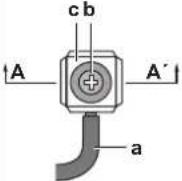 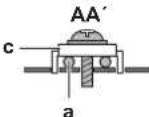 a Curled single-core wireb Screwc Flat washer a Curled single-core wireb Screwc Flat washer |
| Stranded conductor wire with round crimp-style terminal | chbar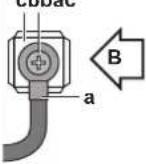 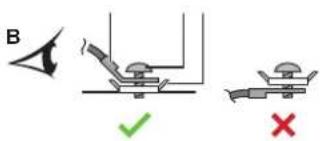 a Terminalb Screwc Flat washer✓ Allowed✗ NOT allowed a Terminalb Screwc Flat washer✓ Allowed✗ NOT allowed |
Tightening torques
Outdoor unit:
| Item Tightening torque (N•m) | |
| M4 (X1M) 1.2~1.8 | |
| M4 (earth) 1.2~1.4 | |
| M5 (X1M) 2.0~3.0 | |
| M5 (earth) 2.4~2.9 | |
Indoor unit:
| Item Tightening torque (N•m) | |
| M4 (X1M) 1.2 | |
| M4 (X12M, X15M) 0.88 ±10% | |
Indoor unit - BUH option:
| Item Tightening torque (N•m) | |
| M4 (X6M) *3V, *6V 2.45 ±10% | |
| M4 (X6M) *9W 1.2 | |
9.1.3 About electrical compliance
Only for ERLA11\~16DAV3
Equipment complying with EN/IEC 61000-3-12 (European/International Technical Standard setting the limits for harmonic currents produced by equipment connected to public low-voltage systems with input current >16 A and ≤75 A per phase.).
Only for the backup heater of the indoor unit
See "9.3.3 To connect the backup heater power supply" [▶ 134].
9.1.4 About preferential kWh rate power supply
Electricity companies throughout the world work hard to provide reliable electric service at competitive prices and are often authorised to bill clients at benefit rates. E.g. time-of-use rates, seasonal rates, Wärmepumpentarif in Germany and Austria, ...
This equipment allows for connection to such preferential kWh rate power supply delivery systems.
Consult with the electricity company acting as provider at the site where this equipment is to be installed to know whether it is appropriate to connect the equipment in one of the preferential kWh rate power supply delivery systems available, if any.
When the equipment is connected to such preferential kWh rate power supply, the electricity company is allowed to:
- interrupt power supply to the equipment for certain periods of time;
- demand that the equipment ONLY consumes a limited amount of electricity during certain periods of time.
The indoor unit is designed to receive an input signal by which the unit switches into forced OFF mode. At that moment, the outdoor unit compressor will NOT operate.
The wiring to the unit is different depending on whether the power supply is interrupted or NOT.
9.1.5 Overview of electrical connections except external actuators

NOTICE
Unlike to other indoor unit model types, Daikin Altherma 3 * ECH₂O always needs a dedicated power supply for the indoor unit. It is NOT possible to use the interconnection cable as power supply for the indoor unit.
| Normal power supply Preferential kWh rate power supply | ||
| Power supply is NOT interrupted | Power supply is interrupted | |
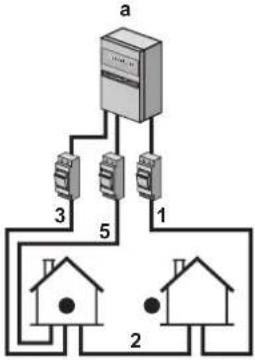 | 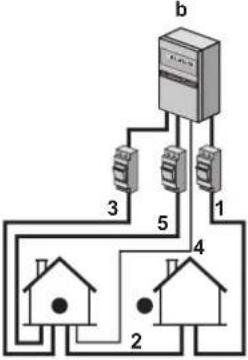 | 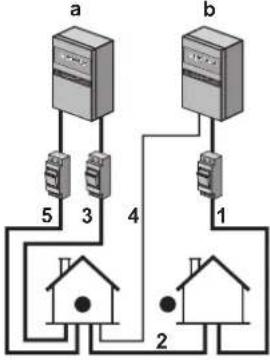 |
| During preferential kWh rate power supply activation, power supply is NOT interrupted. The outdoor unit is turned off by the control.Remark:The electricity company must always allow the power consumption of the indoor unit. | During preferential kWh rate power supply activation, power supply is interrupted immediately or after some time by the electricity company. In this case, the indoor unit must be powered by a separate normal power supply. | |
a Normal power supply
b Preferential kWh rate power supply
1 Power supply for outdoor unit
2 Interconnection cable to indoor unit
3 Power supply for backup heater (optional)
4 Preferential kWh rate power supply (voltage free contact)
5 Power supply for indoor unit
9.2 Connections to the outdoor unit
| Item Description | |
| Power supply cable See "9.2.2 To connect the electrical wiring to the outdoor unit" [ ▶ 125]. | |
| Interconnection cable | |
9.2.1 Specifications of standard wiring components
| Component V3 W1 | |||
| Power supply cable | MCA(a) | 30.8 A 14 A | |
| Voltage range 220~240 V 380~415 V | |||
| Phase 1~ 3N~ | |||
| Frequency 50 Hz | |||
| Wire sizes Must comply with applicable legislation | |||
| Interconnection cable Minimum cable section of 1.5 mm2 and applicable for 230 V | |||
| Recommended field fuse 32 A, C curve | 16 A or 20 A, C curve | ||
| Earth leakage circuit breaker 30 mA – | Must comply with applicable legislation | ||
(a) MCA=Minimum circuit ampacity. Stated values are maximum values (see electrical data of combination with indoor units for exact values).
9.2.2 To connect the electrical wiring to the outdoor unit

NOTICE
- Follow the wiring diagram (delivered with the unit, located at the inside of the service cover).
- Make sure the electrical wiring does NOT obstruct proper reattachment of the service cover.
1 Remove the service cover. See "7.2.2 To open the outdoor unit" [▶ 81].
2 Strip insulation (20 mm) from the wires.
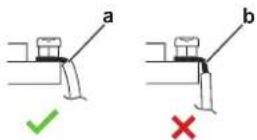
a Strip wire end to this point
b An excessive strip length may cause electrical shock or leakage
3 Connect the interconnection cable and power supply (1N\~or 3N\~ depending on model, see name plate) as follows:
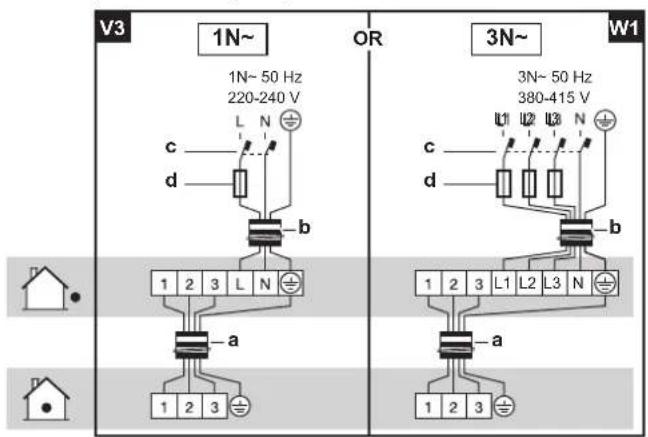
a Interconnection cable
b Power supply cable
c Earth leakage circuit breaker
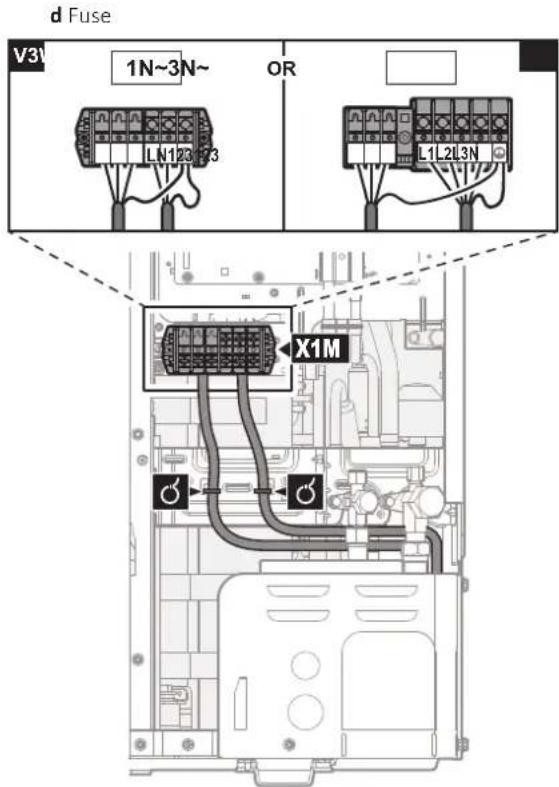
4 Fix the cables (power supply and interconnection cable) with a cable tie to the stop valve attachment plate and route the wiring according to the illustration above.
5 Choose a knockout hole and remove the knockout hole by tapping on the attachment points with a flat head screwdriver and a hammer.
6 Route the wiring through the frame and connect the wiring to the frame at the knockout hole.
Routing through the frame
Choose one of the 3 possibilities:
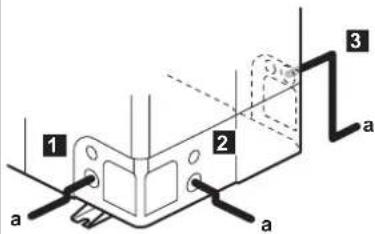
a Power supply cable
Note: Route the interconnection cable together with the refrigerant piping. See "10.2 To finish the outdoor unit installation" [▶ 155].
Connecting to the frame
When cables are routed from the unit, a protection sleeve for the conduits (PG insertions) can be inserted at the knockout hole.
When you do not use a wire conduit, protect the wires with vinyl tubes to prevent the edge of the knockout hole from cutting the wires.
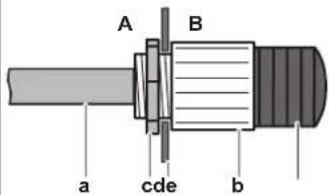
A Inside of the outdoor unit
B Outside of the outdoor unit
a Wire
b Bush
c Nut
d Frame
e Hose

NOTICE
Precautions when making knockout holes:
- Avoid damaging the casing and underlying piping.
■ After making the knockout holes, we recommend to remove the burrs and paint the edges and areas around the edges using repair paint to prevent rusting. - When passing electrical wiring through the knockout holes, wrap the wiring with protective tape to prevent damage.
7 Reattach the service cover. See "7.2.3 To close the outdoor unit" [▶ 82].
8 Connect an earth leakage circuit breaker and fuse to the power supply line.
9.3 Connections to the indoor unit
| Item Description | ||
| Power supply (main) See "9.3.2 To connect the main power supply" [ ▶ 132]. | ||
| Power supply (backup heater) | See "9.3.3 To connect the backup heater power supply" [ ▶ 134]. | |
| Backup heater See "9.3.4 To connect the backup heater to the main unit" [ ▶ 137]. | ||
| Shut-off valve | See "9.3.5 To connect the shut-off valve" [ ▶ 138]. | |
| Electricity meters | See "9.3.6 To connect the electricity meters" [ ▶ 139]. | |
| Domestic hot water pump See "9.3.7 To connect the domestic hot water pump" [ ▶ 140]. | ||
| Alarm output | See "9.3.8 To connect the alarm output" [ ▶ 141]. | |
| Space cooling/heating operation control | See "9.3.9 To connect the space cooling/heating ON/OFF output" [▶ 142]. | |
| Changeover to external heat source control | See "9.3.10 To connect the changeover to external heat source" [▶ 143]. | |
| Power consumption digital inputs | See "9.3.11 To connect the power consumption digital inputs" [▶ 144]. | |
| Safety thermostat See "9.3.12 To connect the safety thermostat (normally closed contact)" [▶ 146]. | ||
| Smart Grid | See "9.3.13 To connect a Smart Grid" [▶ 147]. | |
| WLAN cartridge | See "9.3.14 To connect the WLAN cartridge" [▶ 152]. | |
| Solar input | See "9.3.15 To connect the solar input" [▶ 153]. | |
| DHW output | See "9.3.16 To connect the DHW output" [▶ 153]. | |
| Room thermostat (wired or wireless) |  | See below table. |
 | Wires: 0.75 mm2Maximum running current: 100 mA | |
| [3278] | For the main zone:[2.9] Control[2.A] Thermostat typeFor the additional zone:[3.A] Thermostat type[3.9] (read-only) Control | |
| Heat pump convector There a [DX08] | [DX08] | ifferent controllers and setups possible for the heat pump convectors.Depending on the setup, you also need option EKRELAY1.For more information, see:Installation manual of the heat pump convectorsInstallation manual of the heat pump convector optionsAddendum book for optional equipment |
 | Wires: 0.75 mm2Maximum running current: 100 mA | |
 | For the main zone:[2.9] Control[2.A] Thermostat typeFor the additional zone:[3.A] Thermostat type[3.9] (read-only) Control | |
| Remote outdoor sensor See: |  | Installation manual of the remote outdoor sensorAddendum book for optional equipment |
 | Wires: 2×0.75 mm2 | |
 | [9.B.1]=1 (External sensor = Outdoor)[9.B.2] Ext. amb. sensor offset[9.B.3] Averaging time | |
| Remote indoor sensor See: |  | Installation manual of the remote indoor sensorAddendum book for optional equipment |
 | Wires: 2×0.75 mm2 | |
 | [9.B.1]=2 (External sensor = Room)[1.7] Room sensor offset | |
| Human Comfort Interface See |  | Installation and operation manual of the Human Comfort InterfaceAddendum book for optional equipment |
 | Wires: 2×(0.75~1.25 mm2)Maximum length: 500 m | |
 | [2.9] Control[1.6] Room sensor offset | |
| WLAN module See: |  | Installation manual of the WLAN moduleAddendum book for optional equipment |
 | Use the cable delivered with the WLAN module. | |
 | [D] Wireless gateway | |

for room thermostat (wired or wireless):
| In case of... See... | |
| Wireless room thermostat · Installation manual of the wireless room thermostat · Addendum book for optional equipment | |
| Wired room thermostat without multi-zoning base unit | · Installation manual of the wired room thermostat · Addendum book for optional equipment |
| Wired room thermostat with multi-zoning base unit | Installation manual of the wired room thermostat (digital or analogue) + multi-zoning base unitAddendum book for optional equipmentIn this case:You need to connect the wired room thermostat (digital or analogue) to the multi-zoning base unitYou need to connect the multi-zoning base unit to the outdoor unitFor cooling/heating operation, you also need to implement a relay (field supply, see addendum book for optional equipment) |
9.3.1 To connect the electrical wiring to the indoor unit
Remark: All cables which will be connected to the switch box of the ECH_2O must be fixed by strain relief.
To have easier access to the switch box itself and the routing of cables the switch box can be lowered (see "7.2.4 To open the indoor unit" [▶ 82]).
If the switch box is lowered in service position while the electrical installation is done, additional cable length has to be taken into account adequately. The cable routing in normal position is longer than in service position.
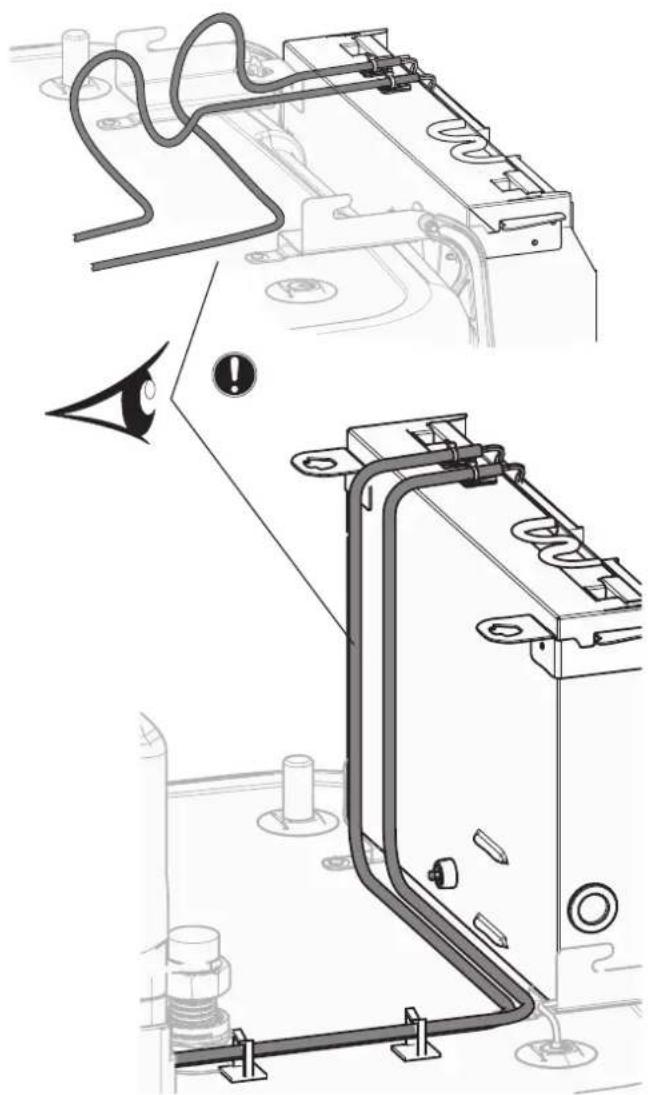
All cables which will be connected to the switch box of the ECH _2 O must be fixed by strain relief.
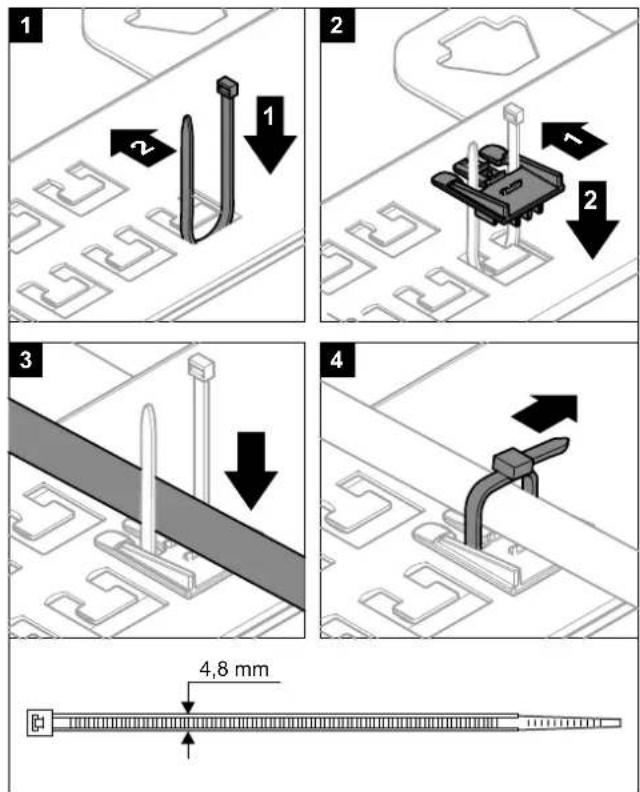
It is important that the fixing plate of terminals is NOT in service position, while cables are connected to one of the terminals. Otherwise the cables could be too short.
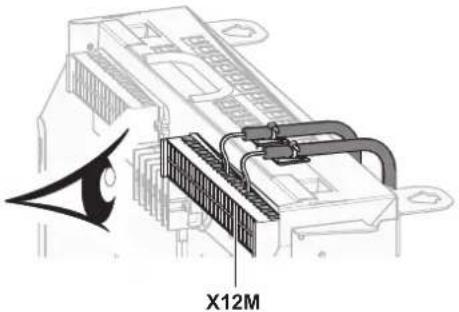
9.3.2 To connect the main power supply
1 Open the following (see "7.2.4 To open the indoor unit" [▶ 82]):
| 1 User interface panel | 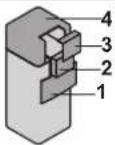 | |
| 2 Switch box | ||
| 3 Switch box cover | ||
| 4 Top cover |
2 Connect the main power supply.
In case of normal kWh rate power supply
| Interconnection cable Wires: (3+GND)×1.5 mm2 | |
| Power supply indoor unitWires: 1N+GNDMaximum running current: 6.3 A | |
| - |
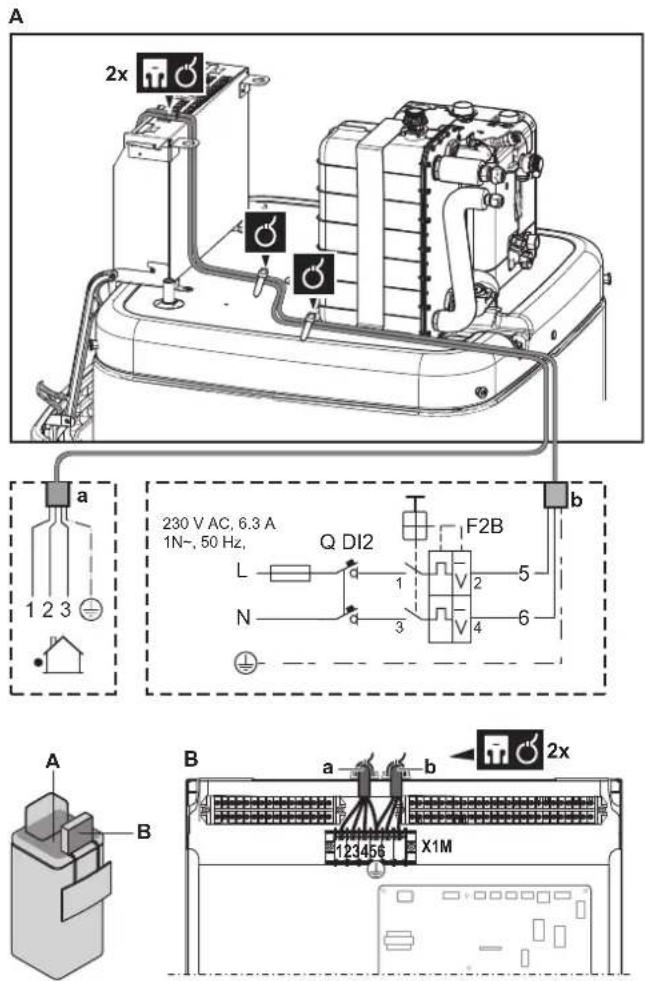
a Interconnection cable
b Power supply indoor unit
In case of preferential kWh rate power supply
 | Interconnection cable Wires: (3+GND)×1.5 mm2 | |
| Power supply indoor unit | Wires: 1N+GNDMaximum running current: 6.3 A | |
| Preferential kWh rate power supply contact | Wires: 2×(0.75~1.25 mm2)Maximum length: 50 m.Preferential kWh rate power supply contact: 16 V DC detection (voltage supplied by PCB). The voltage-free contact shall ensure the minimum applicable load of 15 V DC, 10 mA. | |
 | [9.8] Benefit kWh power supply | |
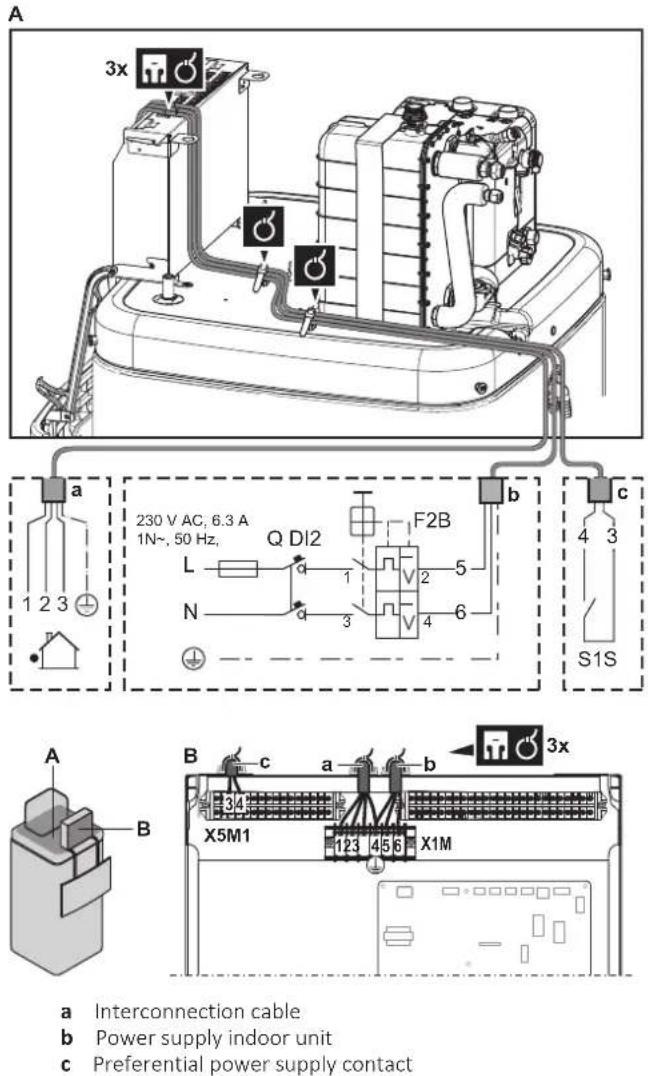
3 Fix the cable with cable ties to the cable tie mountings. General information, see "9.3.1 To connect the electrical wiring to the indoor unit" [▶ 130].
9.3.3 To connect the backup heater power supply
| Backup heater type | Power supply | Wires | |
| EKECBU*3V | 1N~ 230 V | (2+GND)×2.5 mm ^2 (minimum) | |
| EKECBU*6V | 1N~ 230 V | (2+GND)×4 mm ^2 (minimum); ONLY flexible cords | |
| EKECBU*9W | 3N~ 400 V | (4+GND)×2.5 mm ^2 (minimum) | |
 | [9.3] Backup heater | ||

WARNING
The backup heater MUST have a dedicated power supply and MUST be protected by the safety devices required by the applicable legislation.

CAUTION
To guarantee the unit is completely earthed, ALWAYS connect the backup heater power supply and the earth cable.
The backup heater capacity is depending on the chosen BUH option kit. Make sure that the power supply is in accordance with the backup heater capacity, as listed in the table below.
| Backup heater type | Backup heater capacity | Power supply | Maximum running current | Z_max |
| *3V 1 kW 1N~ 230 | V 4.4 A — | |||
| 2 kW 1N~ | 230 V 8.7 A — | |||
| 3 kW 1N~ | 230 V 13.1 A — | |||
| *6V 2 kW 1N~ 230 | V 8.7 A — | |||
| 4 kW 1N~ | 230 V 17.4 A | (a)(b) | 0.22 Ω | |
| 6 kW 1N~ | 230 V 26.1 A | (a)(b) | 0.22 Ω | |
| *9W 3 kW 3N~ 400 | V 4 A — | |||
| 6 kW 3N~ | 400 V 9 A — | |||
| 9 kW 3N~ | 400 V 13 A — |
(a) Electrical equipment complying with EN/IEC 61000-3-12 (European/International Technical Standard setting the limits for harmonic currents produced by equipment connected to public low-voltage systems with input current >16 A and ≤75 A per phase).
(b) This equipment complies with EN/IEC 61000-3-11 (European/International Technical Standard setting the limits for voltage changes, voltage fluctuations and flicker in public low-voltage supply systems for equipment with rated current ≤75 A) provided that the system impedance Z_sys is less than or equal to Z_max at the interface point between the user's supply and the public system. It is the responsibility of the installer or user of the equipment to ensure, by consultation with the distribution network operator if necessary, that the equipment is connected only to a supply with a system impedance Z_sys less than or equal to Z_max .
Connect the backup heater power supply as follows:
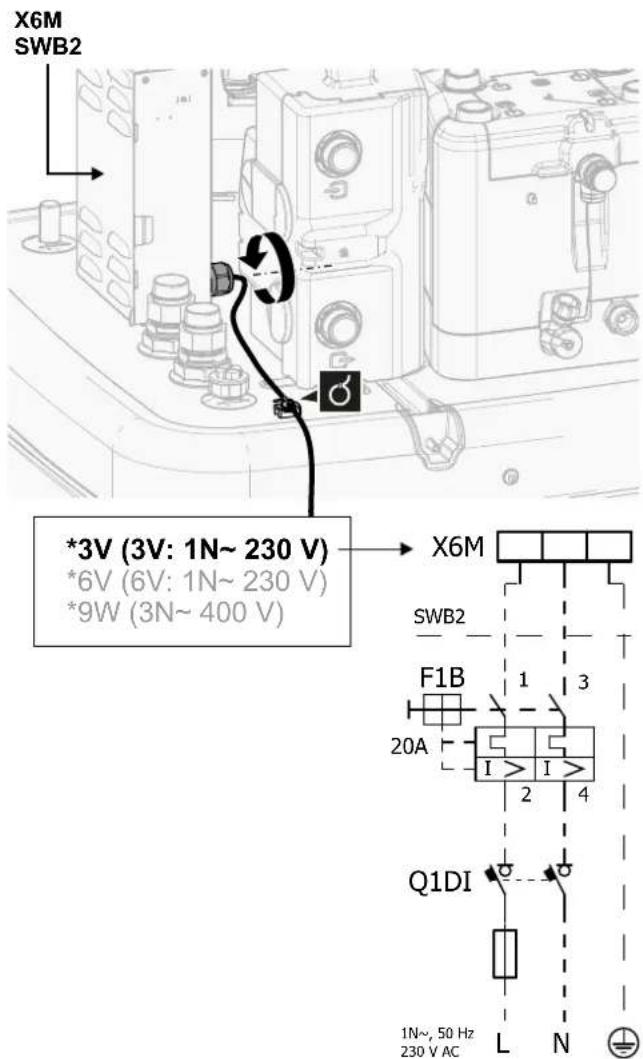
| Model (power supply) Connections to backup heater power supply | |
| *3V (3V: 1N~ 230 V) | 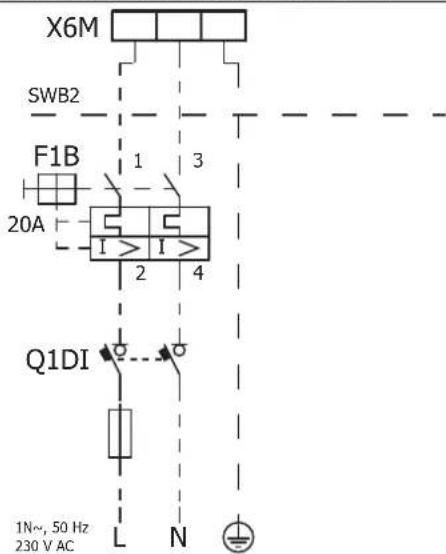 |
| *6V (6V: 1N~ 230 V) | 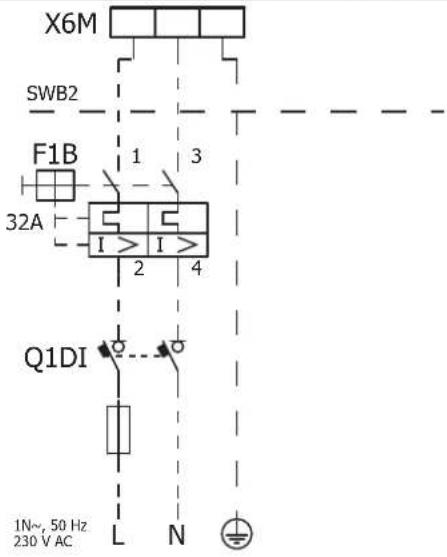 |
| *9W (3N~ 400 V) | 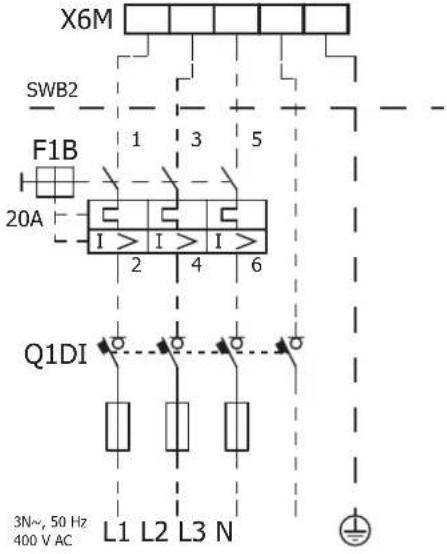 |
F1B Overcurrent fuse (field supply). Recommended fuse: tripping class C.
Q1DI Earth leakage circuit breaker (field supply)
SWB Switch box
X6M Terminal (field supply)
9.3.4 To connect the backup heater to the main unit
 | Wires: The connection cables are already connected to the option backup heater EKECBU*. |
 | [9.3] Backup heater |
1 Open the following (see "7.2.4 To open the indoor unit" [▶ 82]):
| 1 User interface panel | ![DAIKIN ERLA16DAW1 - Open the following (see "7.2.4 To open the indoor unit" [▶ 82]): - 1](/content/2026/05/854961/images/defe6fa0a24f7af3c7b870872fc91f47decd4ba4253b89c4b871ab1b8903921c.jpg) | |
| 2 Switch box | ||
| 3 Switch box cover | ||
| 4 Top cover |
2 Connect both connection cables from the backup heater EKECBU* to the appropriate connectors as shown in the illustration below.
![DAIKIN ERLA16DAW1 - Open the following (see "7.2.4 To open the indoor unit" [▶ 82]): - 2](/content/2026/05/854961/images/be74f125914b6eced27e9d4e509c9c11f3427c1be25b0b3299292fceca7e08ae.jpg)
natural_image
Technical line drawing of an industrial electrical enclosure with visible wiring and components (no text or symbols)3 Fix the cable with cable ties to the cable tie mountings. General information, see "9.3.1 To connect the electrical wiring to the indoor unit" [▶ 130].
9.3.5 To connect the shut-off valve

INFORMATION
Shut-off valve usage example. In case of one LWT zone, and a combination of underfloor heating and heat pump convectors, install a shut-off valve before the underfloor heating to prevent condensation on the floor during cooling operation. For more information, see the installer reference guide.

Wires: 2×0.75 mm²
Maximum running current: 100 mA
230 V AC supplied by PCB

[2.D] Shut off valve
1 Open the following (see "7.2.4 To open the indoor unit" [▶ 82]):
| 1 User interface panel | 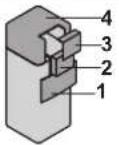 | |
| 2 Switch box | ||
| 3 Switch box cover | ||
| 4 Top cover |
2 Connect the valve control cable to the appropriate terminals as shown in the illustration below.

NOTICE
Wiring is different for a NC (normally closed) valve and a NO (normally open) valve.
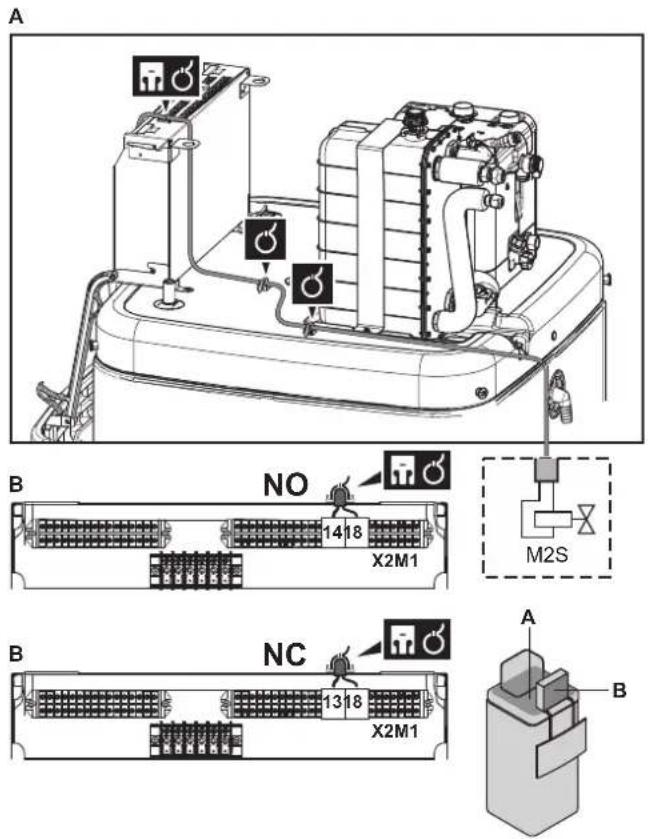
3 Fix the cable with cable ties to the cable tie mountings. General information, see "9.3.1 To connect the electrical wiring to the indoor unit" [▶ 130].
9.3.6 To connect the electricity meters
| Wires: 2 (per meter)×0.75 mm ^2 Electricity meters: 12 V DC pulse detection (voltage supplied by PCB) | |
| [9.A] Energy metering |

INFORMATION
In case of an electricity meter with transistor output, check the polarity. The positive polarity MUST be connected to X15M/5 and X15M/9; the negative polarity to X5M/5 and X5M/3.
1 Open the following (see "7.2.4 To open the indoor unit" [▶ 82]):
| 1 | User interface panel | ![DAIKIN ERLA16DAW1 - Open the following (see "7.2.4 To open the indoor unit" [▶ 82]): - 1](/content/2026/05/854961/images/80137ad0deb9099e52296034df72666f7b55fd5420e67f43bf14ace0732c64a5.jpg) |
| 2 | Switch box | |
| 3 | Switch box cover | |
| 4 | Top cover |
2 Connect the electricity meters cable to the appropriate terminals as shown in the illustration below.
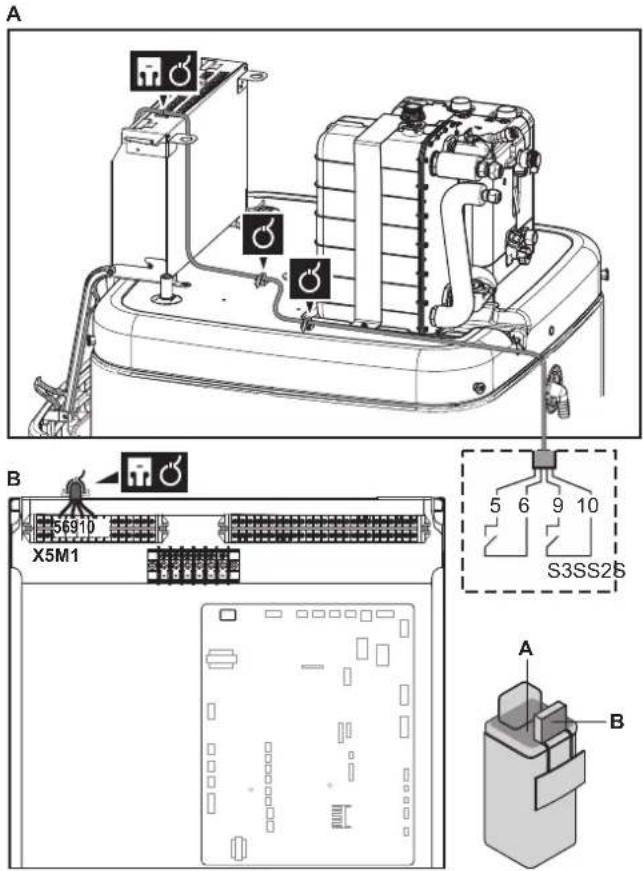
3 Fix the cable with cable ties to the cable tie mountings. General information, see "9.3.1 To connect the electrical wiring to the indoor unit" [▶ 130].
9.3.7 To connect the domestic hot water pump
 | Wires: (2+GND)×0.75 mm ^2 DHW pump output. Maximum load: 2 A (inrush), 230 V AC, 1 A (continuous) |
| [γ556] | [9.2.2] DHW pump[9.2.3] DHW pump schedule |
1 Open the following (see "7.2.4 To open the indoor unit" [▶ 82]):
| 1 | User interface panel | |
| 2 | Switch box | |
| 3 | Switch box cover | |
| 4 | Top cover |
2 Connect the domestic hot water pump cable to the appropriate terminals as shown in the illustration below.
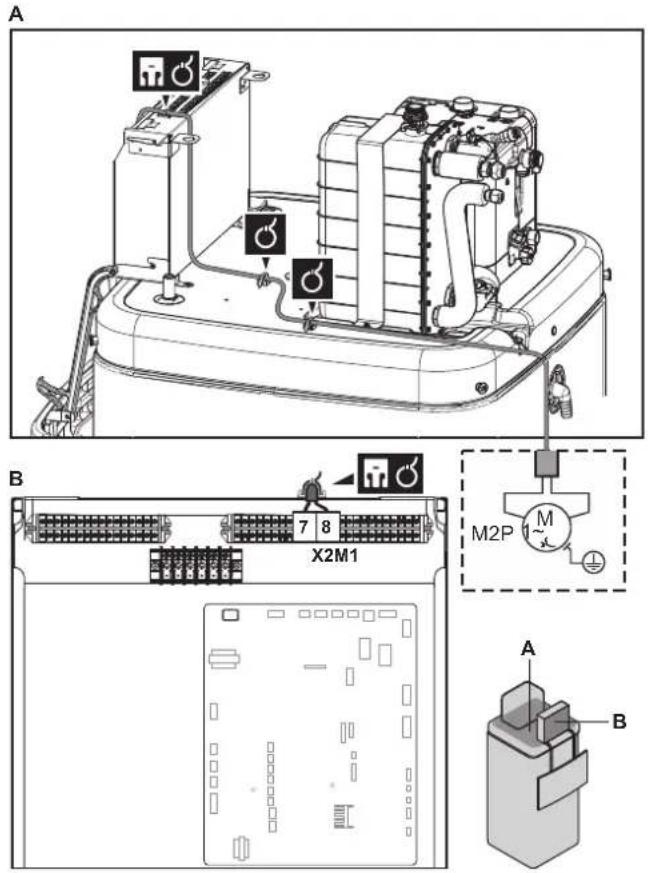
3 Fix the cable with cable ties to the cable tie mountings. General information, see "9.3.1 To connect the electrical wiring to the indoor unit" [▶ 130].
9.3.8 To connect the alarm output
 | Wires: (2)×0.75 mm ^2 Maximum load: 0.3 A, 230 V ACMaximum load: 1 A, 5 V DC |
 | [9.D] Alarm output |
1 Open the following (see "7.2.4 To open the indoor unit" [▶ 82]):
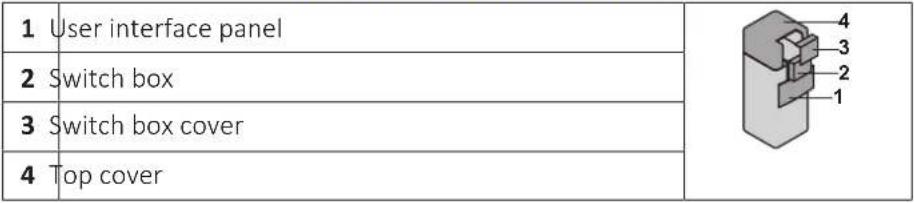 |
2 Connect the alarm output cable to the appropriate terminals as shown in the illustration below.
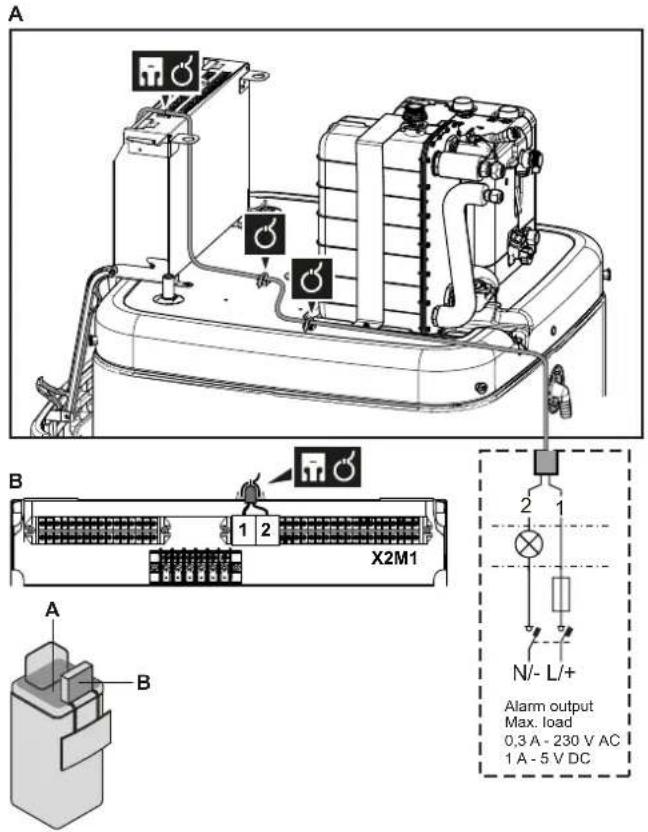
3 Fix the cable with cable ties to the cable tie mountings. General information, see "9.3.1 To connect the electrical wiring to the indoor unit" [▶ 130].
9.3.9 To connect the space cooling/heating ON/OFF output

INFORMATION
Cooling is only applicable in case of reversible models.

Wires: (2)×0.75 mm²
Maximum load: 0.3 A, 230 V AC
Maximum load: 1 A, 5 V DC

一
1 Open the following (see "7.2.4 To open the indoor unit" [▶ 82]):
| 1 | User interface panel | 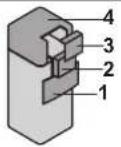 |
| 2 | Switch box | |
| 3 | Switch box cover | |
| 4 | Top cover |
2 Connect the space cooling/heating ON/OFF output cable to the appropriate terminals as shown in the illustration below.
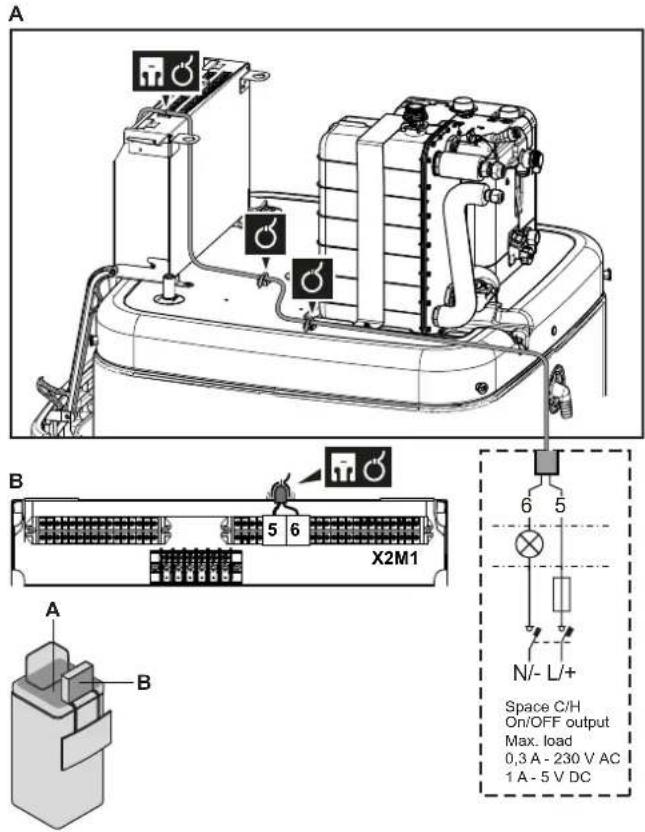
3 Fix the cable with cable ties to the cable tie mountings. General information, see "9.3.1 To connect the electrical wiring to the indoor unit" [▶ 130].
9.3.10 To connect the changeover to external heat source
 | Wires: 2×0.75 mm ^2 Maximum load: 0.3 A, 230 V ACMaximum load: 1 A, 5 V DC |
 | [9.C] Bivalent |
1 Open the following (see "7.2.4 To open the indoor unit" [▶ 82]):
| 1 | User interface panel | 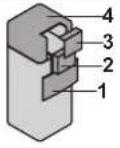 |
| 2 | Switch box | |
| 3 | Switch box cover | |
| 4 | Top cover |
2 Connect the changeover to external heat source cable to the appropriate terminals as shown in the illustration below.
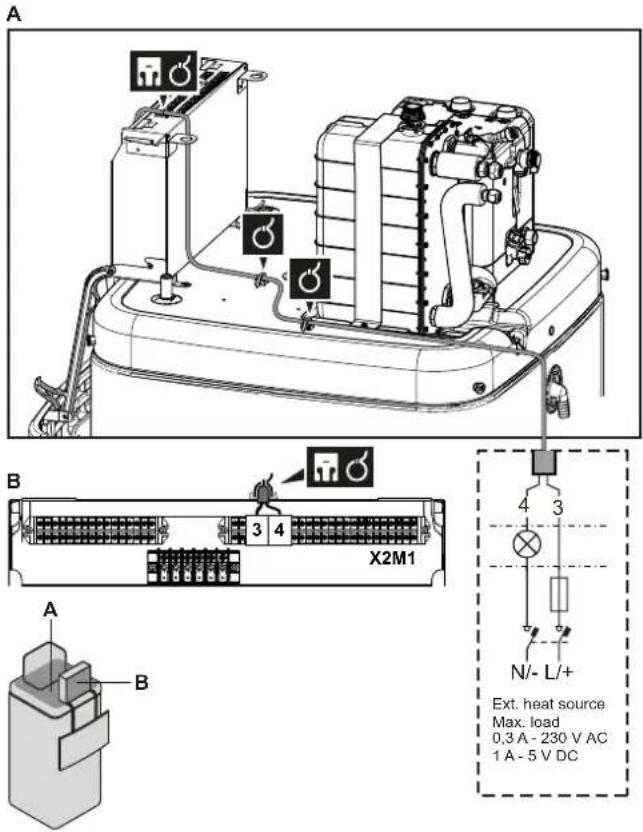
3 Fix the cable with cable ties to the cable tie mountings. General information, see "9.3.1 To connect the electrical wiring to the indoor unit" [▶ 130].
9.3.11 To connect the power consumption digital inputs
 | Wires: 2 (per input signal)×0.75 mm ^2 Power limitation digital inputs: 12 V DC / 12 mA detection (voltage supplied by PCB) |
 | [9.9] Power consumption control. |
1 Open the following (see "7.2.4 To open the indoor unit" [▶ 82]):
| 1 | User interface panel | 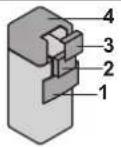 |
| 2 | Switch box | |
| 3 | Switch box cover | |
| 4 | Top cover |
2 Install the switch box metal insert.
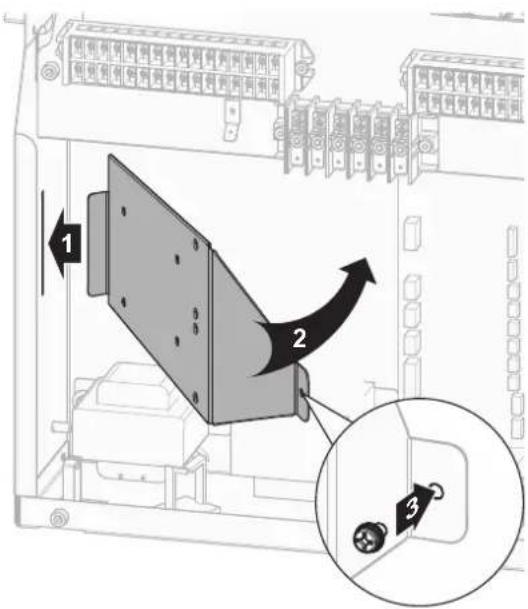
3 Connect the power consumption digital inputs cable to the appropriate terminals as shown in the illustration below.
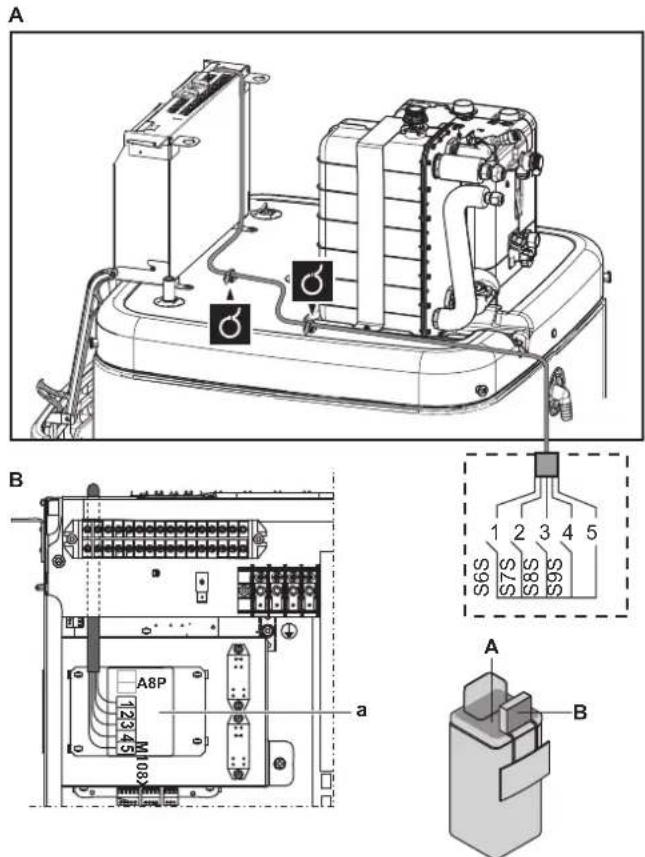
4 Fix the cable with cable ties to the cable tie mountings. General information, see "9.3.1 To connect the electrical wiring to the indoor unit" [▶ 130].
9.3.12 To connect the safety thermostat (normally closed contact)

Wires: 2×0.75 mm ^4
Maximum length: 50 m
Safety thermostat contact: 16 V DC detection (voltage supplied by PCB). The voltage-free contact shall ensure the minimum applicable load of 15 V DC, 10 mA.

[9.8.1]=3 (Benefit kWh power supply = Safety thermostat)
1 Open the following (see "7.2.4 To open the indoor unit" [▶ 82]):
| 1 User interface panel | ![DAIKIN ERLA16DAW1 - Open the following (see "7.2.4 To open the indoor unit" [▶ 82]): - 1](/content/2026/05/854961/images/071d2dce4c526a16d9ce32517af2ff08fa9a5b30af1ff01715a2fe0da4d33be9.jpg) | |
| 2 Switch box | ||
| 3 Switch box cover | ||
| 4 Top cover |
2 Connect the safety thermostat (normally closed) cable to the appropriate terminals as shown in the illustration below.
Note: The jumper wire (factory-mounted) must be removed from the respective terminals.
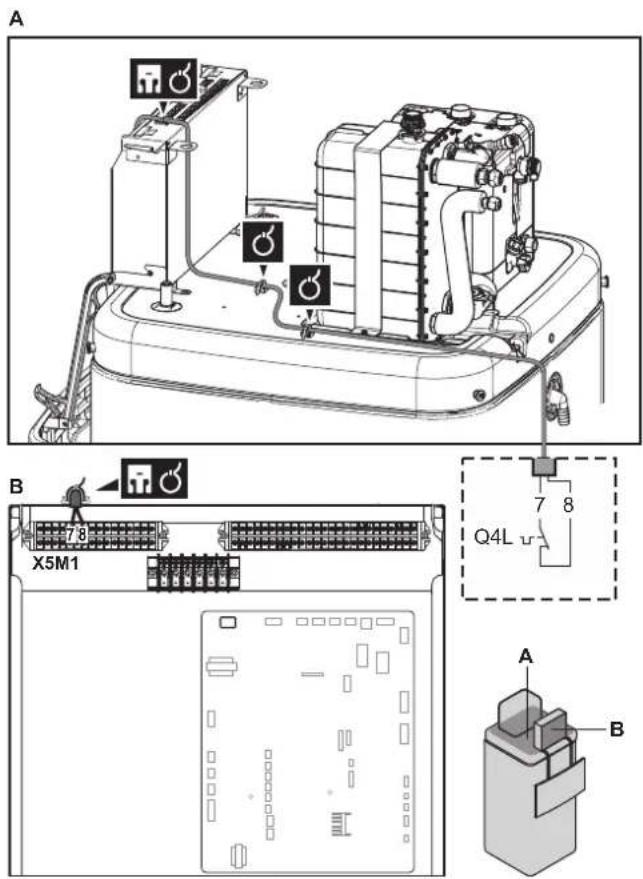
3 Fix the cable with cable ties to the cable tie mountings. General information, see "9.3.1 To connect the electrical wiring to the indoor unit" [▶ 130].

NOTICE
Make sure to select and install the safety thermostat according to the applicable legislation.
In any case, to prevent unnecessary tripping of the safety thermostat, we recommend the following:
- The safety thermostat is automatically resettable.
The safety thermostat has a maximum temperature variation rate of 2^ C/min. - There is a minimum distance of 2 m between the safety thermostat and the 3-way valve.

NOTICE
Error. If you remove the jumper (open circuit) but do NOT connect the safety thermostat, stop error 8H-03 will occur.

INFORMATION
ALWAYS configure the safety thermostat after it is installed. Without configuration, the unit will ignore the safety thermostat contact.
9.3.13 To connect a Smart Grid
This topic describes 2 possible ways to connect the indoor unit to a Smart Grid:
- In case of low voltage Smart Grid contacts
- In case of high voltage Smart Grid contacts. This requires the installation of the Smart Grid relay kit (EKRELSG).
The 2 incoming Smart Grid contacts can activate the following Smart Grid modes:
| Smart Grid contact Smart Grid operation mode | |
| 1 | 2 |
| 0 0 Free running | |
| 0 1 Forced off | |
| 1 0 Recommended on | |
| 1 1 Forced on | |
The use of a Smart Grid pulse meter is not mandatory:
| If Smart Grid pulse meter is... Then | [9.8.8] Limit setting kW is... |
| Used([9.A.2] Electricity meter 2 ≠ None) | Not applicable |
| Not used([9.A.2] Electricity meter 2 = None) | Applicable |
In case of low voltage Smart Grid contacts

Wires (Smart Grid pulse meter): 0.5 mm ^2 Wires (low voltage Smart Grid contacts): 0.5 mm ^2

[9.8.4]=3 (Benefit kWh power supply = Smart grid)
[9.8.5] Smart grid operation mode
[9.8.6] Allow electrical heaters
[9.8.7] Enable room buffering
[9.8.8] Limit setting kW
The wiring of the Smart Grid in case of low voltage contacts is as follows:
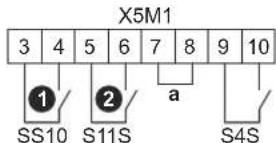
a Jumper (factory-mounted). If you also connect a safety thermostat (Q4L), replace the jumper with the safety thermostat wires.
S4S Smart Grid pulse meter
①/S10S Low voltage Smart Grid contact 1
②/S11S Low voltage Smart Grid contact 2
1 Connect the wiring as follows:
A
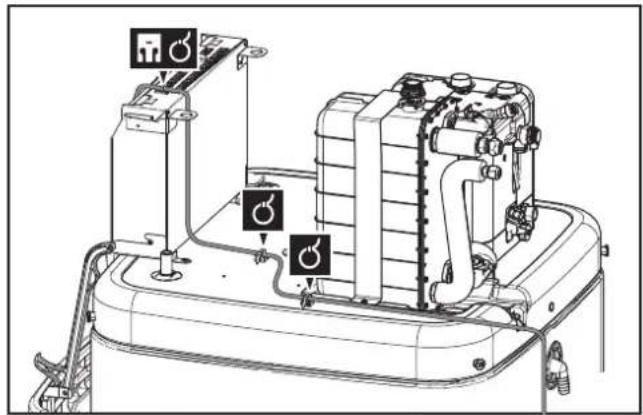
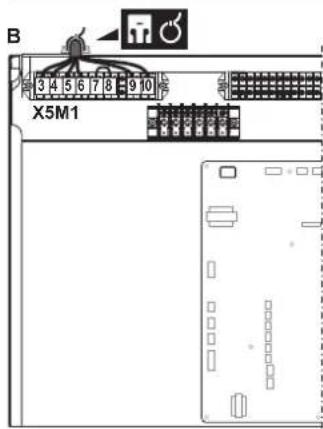
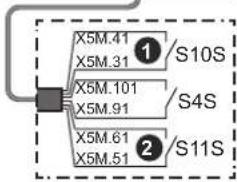
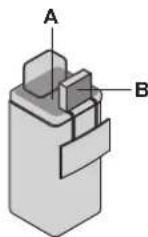
2 Fix the cables with cable ties to the cable tie mountings.
In case of high voltage Smart Grid contacts

Wires (Smart Grid pulse meter): 0.5 mm²
Wires (high voltage Smart Grid contacts): 1 mm ^2

[9.8.4]=3 (Benefit kWh power supply = Smart grid) [9.8.5] Smart grid operation mode [9.8.6] Allow electrical heaters [9.8.7] Enable room buffering [9.8.8] Limit setting kW
The wiring of the Smart Grid in case of high voltage contacts is as follows:
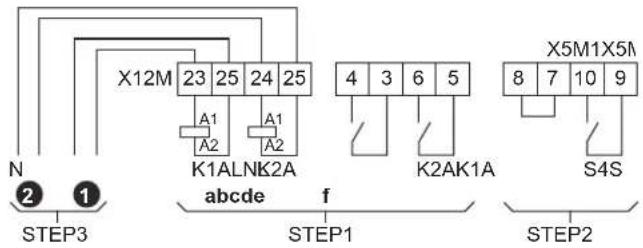
STEP 1 Smart Grid relay kit installation
STEP 2 Low voltage connections
STEP 3 High voltage connections
① High voltage Smart Grid contact 1
2 High voltage Smart Grid contact 2
a, b Coil sides of relays
c, d Contact sides of relays
e Jumper (factory-mounted). If you also connect a safety thermostat (Q4L), replace the jumper with the safety thermostat wires.
f Smart Grid pulse meter
1 Install the switch box metal insert.
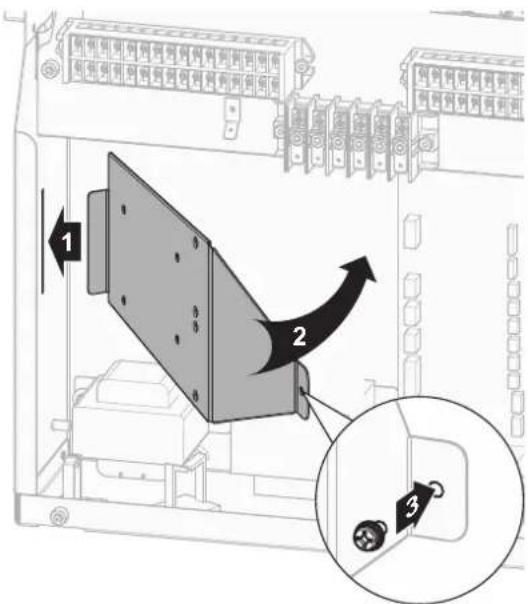
2 Loosen the cables connected to the terminal of the Smart Grid relay kit (EKRELSG) and remove the terminal.
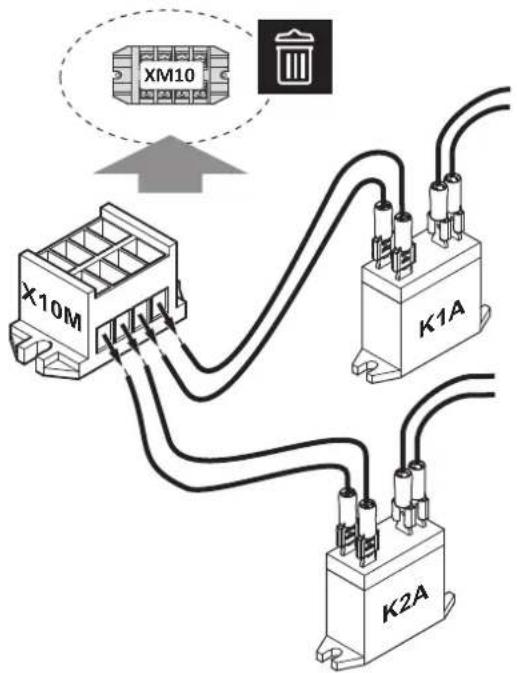
3 Install the components of the Smart Grid relay kit as follows:
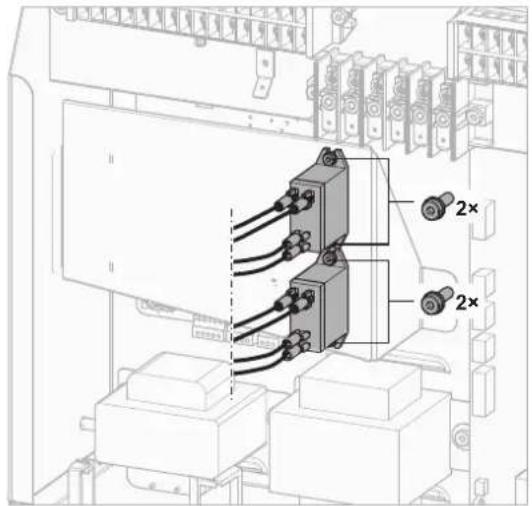
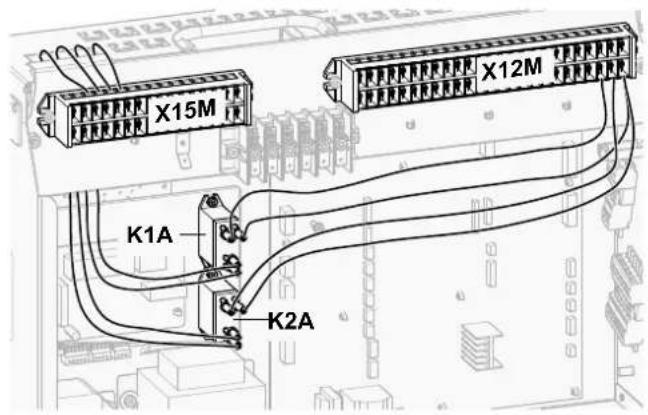
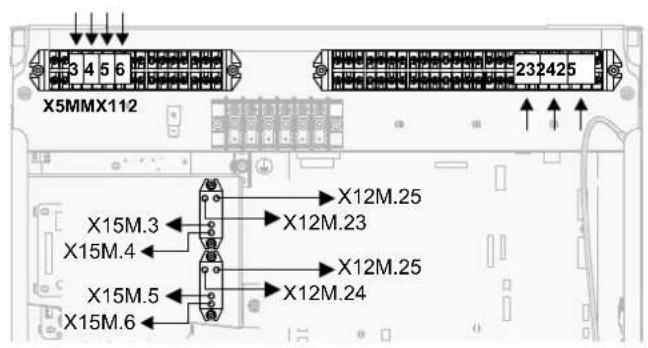
4 Connect the low voltage wiring as follows:
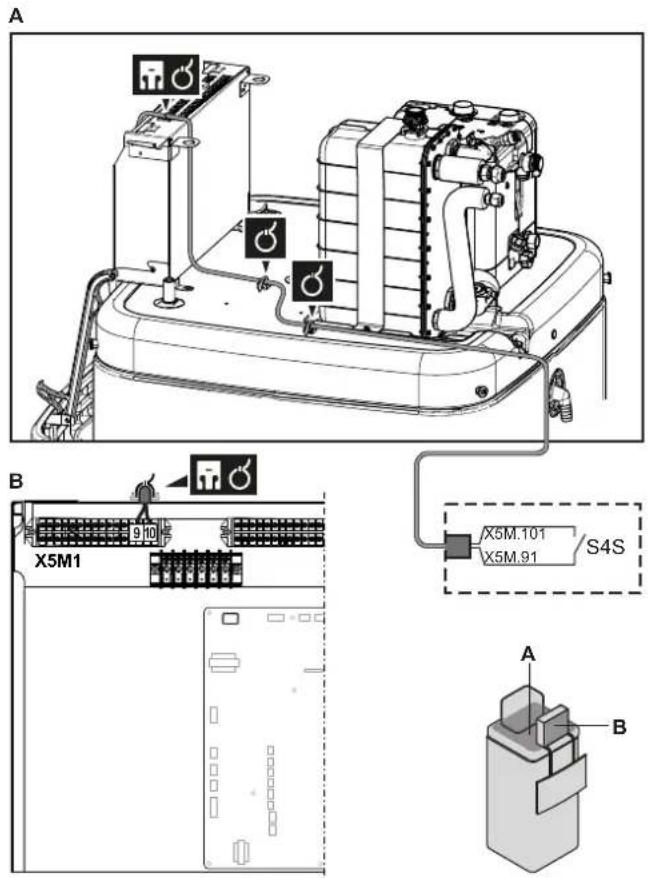
5 Connect the high voltage wiring as follows:
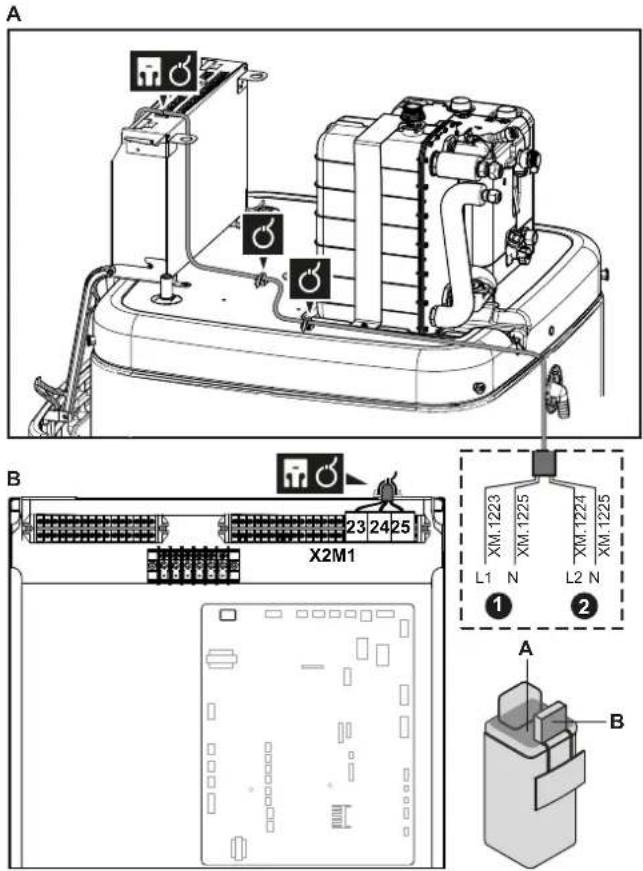
6 Fix the cable with cable ties to the cable tie mountings. General information, see "9.3.1 To connect the electrical wiring to the indoor unit" [▶ 130].
9.3.14 To connect the WLAN cartridge

[D] Wireless gateway
1 Insert the WLAN cartridge into the cartridge slot on the user interface of the indoor unit.
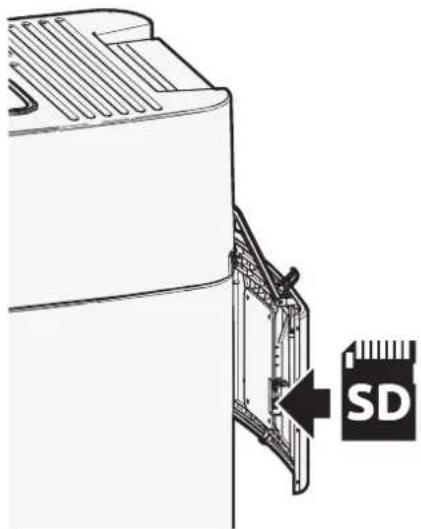
9.3.15 To connect the solar input
 | Wires: 0.5 mm ^2 Solar input contact: 5 V DC (voltage supplied by PCB) |
 | — |
1 Open the following (see "7.2.4 To open the indoor unit" [▶ 82]):
| 1 | User interface panel | 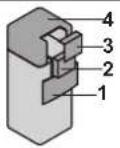 |
| 2 | witch box | |
| 3 | witch box cover | |
| 4 | Top cover |
2 Connect the solar input cable as shown in the illustration below.
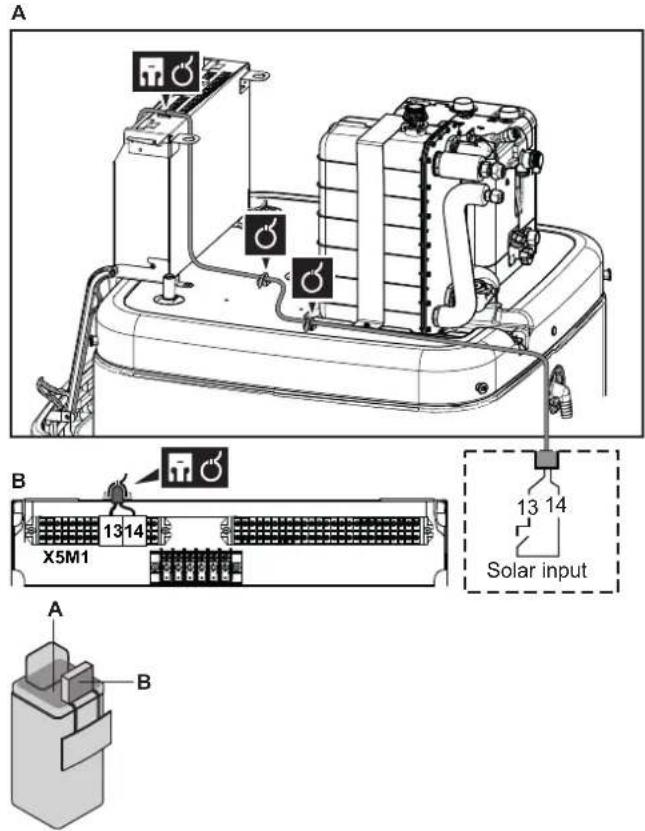
3 Fix the cable with cable ties to the cable tie mountings. General information, see "9.3.1 To connect the electrical wiring to the indoor unit" [▶ 130].
1 Open the following (see "7.2.4 To open the indoor unit" [▶ 82]):
| 1 | User interface panel | 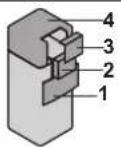 |
| 2 | witch box | |
| 3 | witch box cover | |
| 4 | Top cover |
2 Connect the DHW signal cable as shown in the illustration below.
A
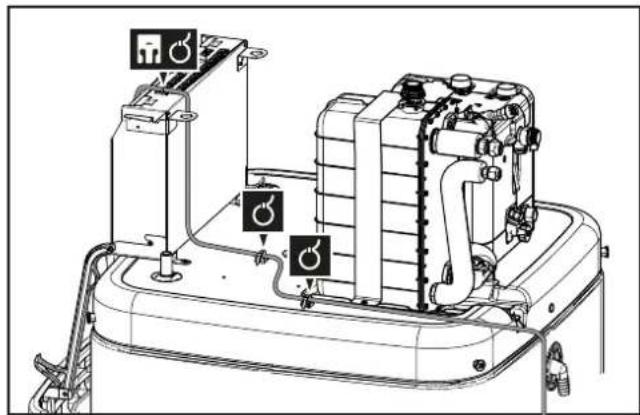
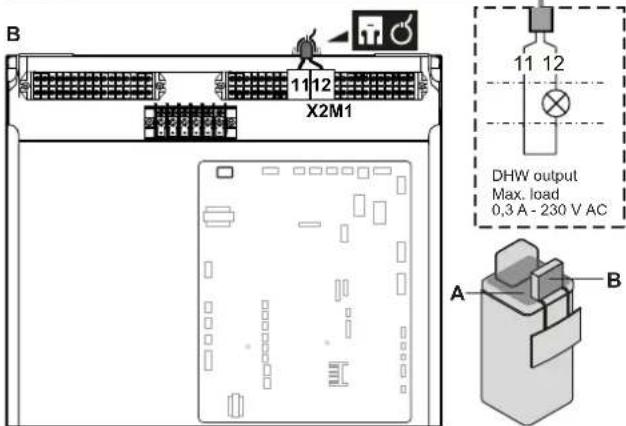
3 Fix the cable with cable ties to the cable tie mountings. General information, see "9.3.1 To connect the electrical wiring to the indoor unit" [▶ 130].
10 Finishing the outdoor unit installation
10.1 To check the insulation resistance of the compressor

NOTICE
If, after installation, refrigerant accumulates in the compressor, the insulation resistance over the poles can drop, but if it is at least 1 MΩ, then the unit will not break down.
- Use a 500 V mega-tester when measuring insulation.
- Do NOT use a mega-tester for low voltage circuits.
1 Measure the insulation resistance over the poles.
| If Then | |
| ≥1 MΩ Insulation resistance | ance is OK. This procedure is finished. |
| <1 MΩ Insulation resistance | ance is not OK. Go to the next step. |
2 Turn ON the power and leave it on for 6 hours.
Result: The compressor will heat up and evaporate any refrigerant in the compressor.
3 Measure the insulation resistance again.
10.2 To finish the outdoor unit installation

NOTICE
It is recommended that the refrigerant piping between indoor and outdoor unit is installed in a ducting or the refrigerant piping is wrapped with finishing tape.

INFORMATION
For the requirements of the refrigerant piping insulation, see "8.1.2 Refrigerant piping insulation" [▶ 92].
1 Insulate and fix the refrigerant piping and cables as follows:
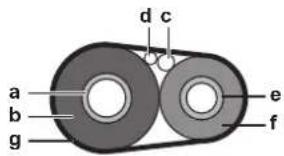
a Gas pipe
b Gas pipe insulation
c Interconnection cable
d Field wiring (if applicable)
e Liquid pipe
f Liquid pipe insulation
g Finishing tape
2 Install the service cover.
11 Configuration

INFORMATION
Cooling is only applicable in case of reversible models.
In this chapter
11.1 Overview: Configuration.... 156
11.1.1 To access the most used commands.... 157
11.1.2 To connect the PC cable to the switch box 159
11.2 Configuration wizard 159
11.3 Possible screens.... 161
11.3.1 Possible screens: Overview.... 161
11.3.2 Home screen 162
11.3.3 Main menu screen 164
11.3.4 Menu screen.... 165
11.3.5 Setpoint screen 165
11.3.6 Detailed screen with values.... 166
11.3.7 Schedule screen: Example 167
11.4 Weather-dependent curve 171
11.4.1 What is a weather-dependent curve? 171
11.4.2 2-points curve.... 171
11.4.3 Slope-offset curve 172
11.4.4 Using weather-dependent curves 174
11.5 Settings menu 176
11.5.1 Malfunctioning.... 176
11.5.2 Room 176
11.5.3 Main zone.... 180
11.5.4 Additional zone 190
11.5.5 Space heating/cooling.... 195
11.5.6 Tank 204
11.5.7 User settings.... 209
11.5.8 Information.... 214
11.5.9 Installer settings 216
11.5.10 Commissioning.... 242
11.5.11 User profile 242
11.5.12 Operation 243
11.5.13 WLAN 243
11.6 Menu structure: Overview user settings.... 246
11.7 Menu structure: Overview installer settings.... 247
11.1 Overview: Configuration
This chapter describes what you have to do and know to configure the system after it is installed.
Why
If you do NOT configure the system correctly, it might NOT work as expected. The configuration influences the following:
■ The calculations of the software
- What you can see on and do with the user interface
How
You can configure the system via the user interface.
- First time – Configuration wizard. When you turn ON the user interface for the first time (via the unit), the configuration wizard starts to help you configure the system.
- Restart the configuration wizard. If the system is already configured, you can restart the configuration wizard. To restart the configuration wizard, go to Installer settings > Configuration wizard. To access Installer settings, see "11.1.1 To access the most used commands" [▶ 157].
- Afterwards. If necessary, you can make changes to the configuration in the menu structure or the overview settings.

INFORMATION
When the configuration wizard is finished, the user interface will show an overview screen and request to confirm. When confirmed, the system will restart and the home screen will be displayed.
Accessing settings – Legend for tables
You can access the installer settings using two different methods. However, NOT all settings are accessible via both methods. If so, the corresponding table columns in this chapter are set to N/A (not applicable).
| Method Column in tables | |
| Accessing settings via the breadcrumb in the home menu screen or the menu structure. To enable breadcrumbs, press the ?button in the home screen. | #For example: [2.9] |
| Accessing settings via the code in the overview field settings. | CodeFor example: [C-07] |
See also:
- "To access the installer settings" [▶ 158]
- "11.7 Menu structure: Overview installer settings" [▶ 247]
11.1.1 To access the most used commands
To change the user permission level
You can change the user permission level as follows:
| 1 Go to [B]: User profile. | ### | |
| 2 Enter the applicable pin code for the user permission level. — | ||
| ·Browse through the list of digits and change the selected digit. | ○···· | |
| ·Move the cursor from left to right. | ○···· | |
| ·Confirm the pin code and proceed. | ### | |
Installer pin code
The Installer pin code is 5678. Additional menu items and installer settings are now available.
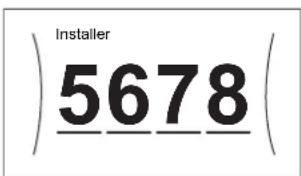
Advanced user pin code
The Advanced user pin code is 1234. Additional menu items for the user are now visible.
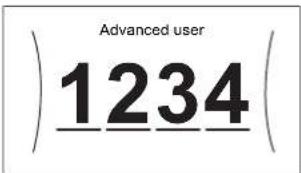
User pin code
The User pin code is 0000.
To access the installer settings
1 Set the user permission level to Installer.
2 Go to [9]: Installer settings.
To modify an overview setting
Example: Modify [1-01] from 15 to 20.
Most settings can be configured via the menu structure. If for any reason it is required to change a setting using the overview settings, then the overview settings can be accessed as follows:
| 1 | Set the user permission level to Installer. See "To change the user permission level" [▶ 157]. | — |
| 2 | Go to [9.1]: Installer settings >Overview field settings. | ###...○ |
| 3 | Turn the left dial to select the first part of the setting and confirm by pressing the dial.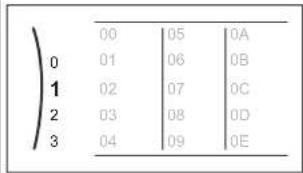 | ###...○ |
| 4 | Turn the left dial to select the second part of the setting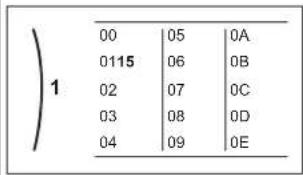 | ●...○ |
| 5 | Turn the right dial to modify the value from 15 to 20.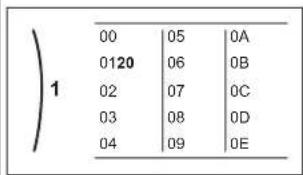 | ○...○ |
| 6 Press the left dial to confirm the new setting. | ### |
| 7 Press the center button to go back to the home screen. | ↑ |

INFORMATION
When you change the overview settings and you go back to the home screen, the user interface will show a popup screen and request to restart the system.
When confirmed, the system will restart and recent changes will be applied.
11.1.2 To connect the PC cable to the switch box
This connection between PC and hydro PCB is needed when updating the hydro software and EEPROM.
Prerequisite: The EKPCCAB4 kit is required.
1 Connect the USB connector of the cable to your PC. 2 Connect the plug of the cable to X10A on A1P of the switch box of the indoor unit.
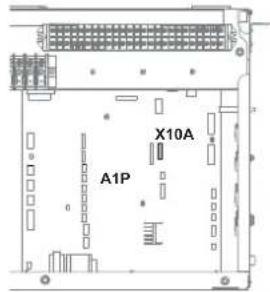
3 Pay special attention to the position of the plug!
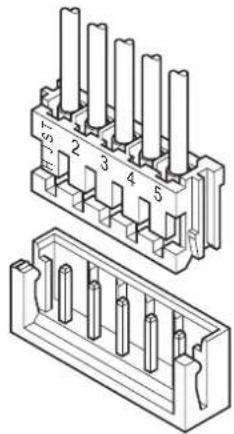
natural_image
Technical line drawing of a dual-pin electrical connector with pin numbering (no text or symbols)11.2 Configuration wizard
After first power ON of the system, the user interface will guide you using the configuration wizard. This way you can set the most important initial settings. This way the unit will be able to run properly. Afterwards, more detailed settings can be done via the menu structure if required.
You can find a short overview of the settings in the configuration here. All the settings can also be adjusted in the settings menu (use the breadcrumbs).
| For the setting... Refer to... | ||
| Language [7.1] | ||
| Time/date [7.2] | ||
| Hours — | ||
| Minutes | ||
| Year | ||
| Month | ||
| Day | ||
| System | ||
| Indoor unit type (read only) | "11.5.9 Installer settings" [▶ 216] | |
| Backup heater type [9.3.1] | ||
| Domestic hot water [9.2.1] | ||
| Emergency [9.5] | ||
| Number of zones [4.4] "11.5.5 Space heating/cooling" [▶ 195] | ||
| Glycol Filled system (overview field setting [E-0D]) | "11.5.9 Installer settings" [▶ 216] | |
| Solar [9.2.4] | "11.5.9 Installer settings" [▶ 216] | |
| Backup heater | ||
| Voltage [9.3.2] | "Backup heater" [▶ 218] | |
| Configuration [9.3.3] | ||
| Capacity step 1 [9.3.4] | ||
| Additional capacity step 2 [9.3.5] (if applicable) | ||
| Main zone | ||
| Emitter type [2.7] | "11.5.3 Main zone" [▶ 180] | |
| Control [2.9] | ||
| Setpoint mode [2.4] | ||
| Heating WD curve [2.5] (if applicable) | ||
| Cooling WD curve [2.6] (if applicable) | ||
| Schedule [2.1] | ||
| WD curve type [2.E] | ||
| Additional zone (only if [4.4]=1) | ||
| Emitter type [3.7] | "11.5.4 Additional zone" [▶ 190] | |
| Control (read only) [3.9] | ||
| Setpoint mode [3.4] | ||
| Heating WD curve [3.5] (if applicable) | ||
| Cooling WD curve [3.6] (if applicable) | ||
| Schedule [3.1] | ||
| WD curve type [3.C] (read only) | ||
| Tank | ||
| Heat up mode [5.6] | "11.5.6 Tank" [▶ 204] | |
| Hysteresis [5.9] | ||
11.3 Possible screens
11.3.1 Possible screens: Overview
The most common screens are as follows:
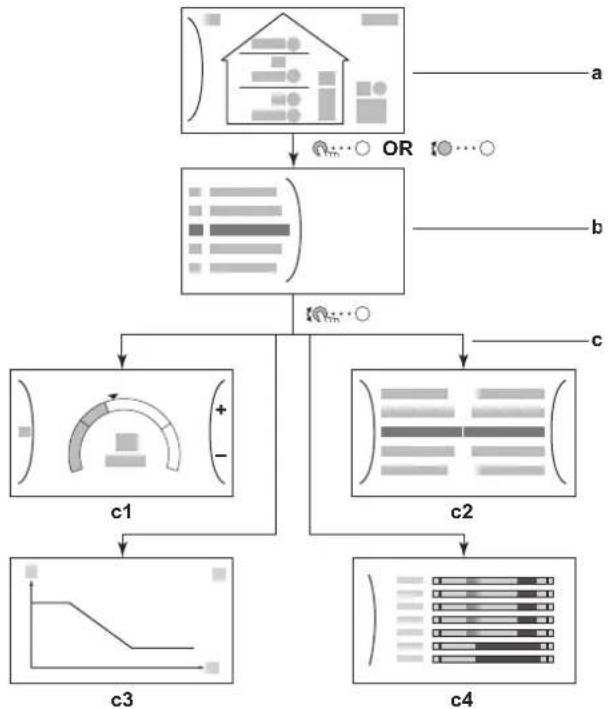
flowchart
graph TD
    A["Input Data"] --> B{OR}
    B --> C["Output 1"]
    B --> D["Output 2"]
    B --> E["Output 3"]
    B --> F["Output 4"]
    C --> G["c1"]
    D --> H["c2"]
    E --> I["c3"]
    F --> J["c4"]
a Home screen
b Main menu screen
c Lower level screens:
c1: Setpoint screen
c2: Detailed screen with values
c3: Screen with weather-dependent curve
c4: Screen with schedule
11.3.2 Home screen
Press the 🔊 button to go back to the home screen. You see an overview of the unit configuration and the room and setpoint temperatures. Only symbols applicable for your configuration are visible on the home screen.
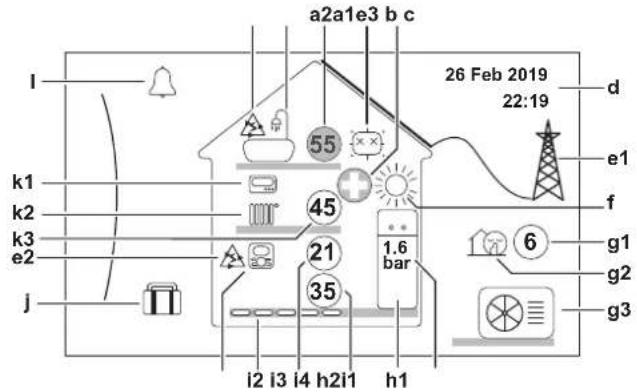
| Possible actions on this screen | |
| ○⋯○ | Go through the list of the main menu. |
| ○⋯○ | Go to the main menu screen. |
| ? | Enable/disable breadcrumbs. |
| Item Description | |||
| a Domestic hot water | |||
| a2 | 55 | Measured tank temperature^(a) | |
| b Disinfection / Powerful | |||
| Disinfection mode active | |||
| Powerful operation mode active | |||
| c Emergency | |||
| Heat pump failure and system operates in Emergency mode or heat pump is forced off. | |||
| d Current date and time | |||
| e Smart energy | |||
| f | Space operation mode | ||
| Cooling | |||
| Heating | |||
| g Outdoor / quiet mode | |||
| h Indoor unit / domestic hot water tank | |||
h1 Flo  | ding indoor unit with integrated tank | ||
 | Wall-mounted indoor unit | ||
 | Wall-mounted indoor unit with separated tank | ||
h2 Wa  | ressure | ||
| i Main zone | |||
| i1 Installed room thermostat type: | |||
| Unit operation is decided based on the ambient temperature of the dedicated Human Comfort Interface (BRC1HHDA used as room thermostat). | |||
| Unit operation is decided by the external room thermostat (wired or wireless). | |||
| — No room thermostat installed or set. Unit operation is decided based on the leaving water temperature regardless of the actual room temperature and/or heating demand of the room. | |||
| i2 Installed heat emitter type: | |||
| Underfloor heating | |||
| Fancoil unit | |||
| Radiator | |||
| i3 | 21 | Measured room temperature^(a) | |
| i4 | 35 | Leaving water temperature setpoint^(a) | |
| j Holiday mode | |||
| Holiday mode active | |||
| k Additional zone | |||
| k1 Installed room thermostat type: | |||
| Unit operation is decided by the external room thermostat (wired or wireless). | |||
| — No room thermostat installed or set. Unit operation is decided based on the leaving water temperature regardless of the actual room temperature and/or heating demand of the room. | |||
| k2 Installed heat emitter type: | |||
| Underfloor heating | |||
| Fancoil unit | |||
| Radiator | |||
| k3 | 45 | Leaving water temperature setpoint^(a) | |
| Item Description | |
| I Malfunction | |
| A malfunction occurred. | |
| See "15.4.1 To display the help text in case of a malfunction" [▶ 270] for more information. | |
(a) If the corresponding operation (for example: space heating) is not active, the circle is greyed out.
11.3.3 Main menu screen
Starting from the home screen, press ( ) or turn ( ) the left dial to open the main menu screen. From the main menu, you can access the different setpoint screens and submenus.
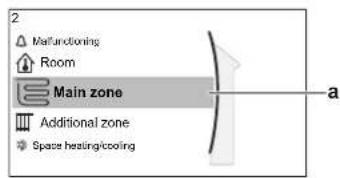
a Selected submenu
| Possible actions on this screen | |
| ○⋯○ | Go through the list. |
| ○⋯○ | Enter the submenu. |
| ? | Enable/disable breadcrumbs. |
| Submenu Description | ||
| [0] | orMalfunctioning | Restriction: Only displayed if a malfunction occurs.See "15.4.1 To display the help text in case of a malfunction" [▶ 270] for more information. |
| [1] | Room | Restriction: Only displayed if a dedicated Human Comfort Interface (BRC1HHDA used as room thermostat) is controlling the indoor unit.Set the room temperature. |
| [2] | Main zone | Shows the applicable symbol for your main zone emitter type.Set the leaving water temperature for the main zone. |
| [3] | Additional zone Restriction | Only displayed if there are two leaving water temperature zones. Shows the applicable symbol for your additional zone emitter type.Set the leaving water temperature for the additional zone (if present). |
| [4] | Space heating/ coolingTank | Shows the applicable symbol of your unit.Put the unit in heating mode or cooling mode.You cannot change the mode on heating only models.Set the storage tank temperature. |
| User settings | Gives access to user settings such as holiday mode and quiet mode. | |
| Information | Displays data and information about the indoor unit. | |
| Installer settings | Restriction: Only for the installer.Gives access to advanced settings. | |
| Commissioning | Restriction: Only for the installer.Perform tests and maintenance. | |
| User profile | Change the active user profile. | |
| Operation | Turn heating/cooling functionality and domestic hot water preparation on or off. | |
| Wireless gateway Restriction: Only displayed if a wireless LAN (WLAN) is installed.Contains settings needed when configuring the Daikin Residential Controller app. | ||


![[5] [7] _[8] _[9] [A] [B] [C] [D] _ - - - - - - - - he eec xar 1] - -](/content/2026/05/854961/images/d4c8538a082bf9fee7ee33191e91cd89c620a72dfa3480838010c277cc42810e.jpg)





[Non-Text]


![[5] [7] [8] [9] [A] [B] [C] [D] The need Exar [1] 1](/content/2026/05/854961/images/15e6cca1001242c58dc89a89c96bfdab6025b42f9e6976eefd4679ef29f7005a.jpg)


[3] Additional zone screen
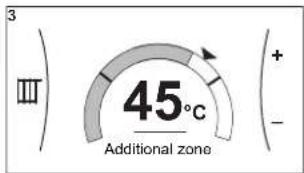
[5] Tank temperature screen
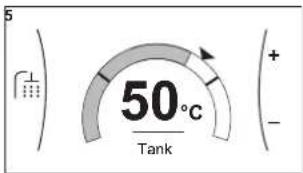
Explanation
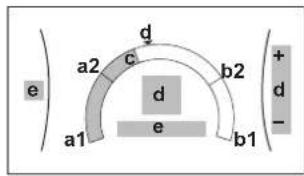
| Possible actions on this screen | |
| ○⋯○ | Go through the list of the submenu. |
| ○⋯○ | Go to the submenu. |
| ○⋯○ | Adjust and automatically apply the desired temperature. |
| Item Description | ||
| Minimum temperature limit a1 Fixed by the unit | ||
| Maximum temperature limit b1 Fixed by the unit | ||
| Current temperature c Measured by the unit | ||
| Desired temperature d Turn the right dial to increase/decrease. | ||
| Submenu e Turn or press the left dial to go to | the submenu. | |
11.3.6 Detailed screen with values
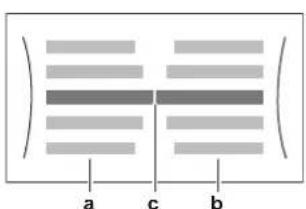
a Settings
b Values
c Selected setting and value
Example:
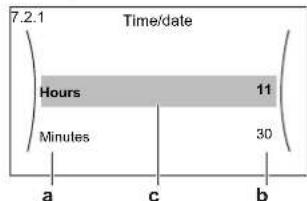
| Possible actions on this screen | |
| ○⋯○ | Go through the list of settings. |
| ○⋯○1 | Change the value. |
| ○⋯○m | Go to the next setting. |
| ○m⋯○ | Confirm changes and proceed. |
11.3.7 Schedule screen: Example
This example shows how to set a room temperature schedule in heating mode for the main zone.

INFORMATION
The procedures to program other schedules are similar.
To program the schedule: overview
Example: You want to program the following schedule:
Prerequisite: The room temperature schedule is only available if room thermostat control is active. If leaving water temperature control is active, you can program the main zone schedule instead.
1 Go to the schedule.
2 (optional) Clear the content of the whole week schedule or the content of a selected day schedule.
3 Program the schedule for Monday.
4 Copy the schedule to the other weekdays.
5 Program the schedule for Saturday and copy it to Sunday.
6 Give the schedule a name.
To go to the schedule
| 1 Go to [1.1]: Room > Schedule. | 100...○ | |
| 2 Set scheduling to Yes. | 100...○ | |
| 3 Go to [1.2]: Room > Heating schedule. | 100...○ | |
To clear the content of the week schedule
| 1 | Select the name of the current schedule. | ### |
 | ||
| 2 | Select Delete. | ### |
 | ||
| 3 | Select OK to confirm. | ### |
To clear the content of a day schedule
1 Select the day of which you want to clear the content. For example Friday | 10...○ |
2 Select Delete.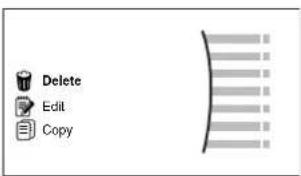 | 10...○ |
| 3 Select OK to confirm. | 10...○ |
To program the schedule for Monday
1 Select Monday.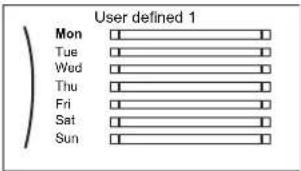 | [IMAGE] |
2 Select Edit.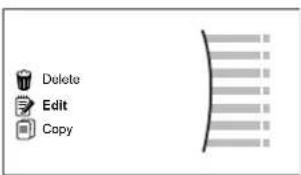 | [IMAGE] |
3 Use the left dial to select an entry and edit the entry with the right dial. You can program up to 6 actions each day. On the bar, a high temperature has a darker colour than a low temperature.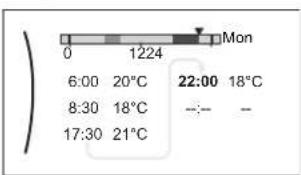 Note:To clear an action, set its time as the time of the previous action. Note:To clear an action, set its time as the time of the previous action. | [IMAGE] |
| 4 Confirm the changes.Result:The schedule for Monday is defined. The value of the last action is valid until the next programmed action. In this example, Monday is the first day you programmed. Thus, the last programmed action is valid up to the first action of next Monday. | [IMAGE] |
To copy the schedule to the other weekdays
1 Select Monday.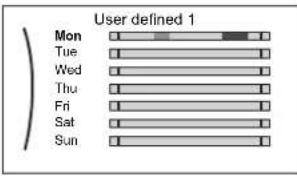 | ### |
2 Select Copy.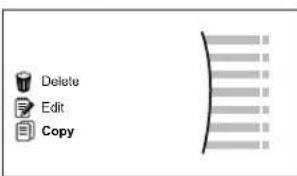 Result: Next to the copied day, "C" is displayed. Result: Next to the copied day, "C" is displayed. | ### |
3 Select Tuesday.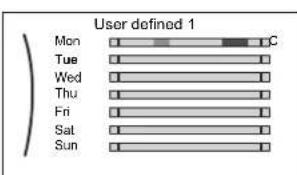 | ### |
4 Select Paste.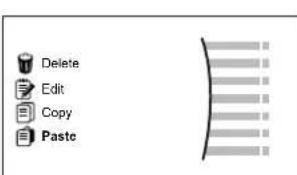 Result: Result: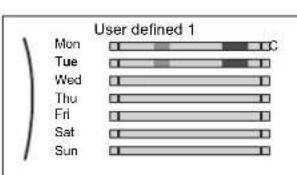 | ### |
5 Repeat this action for all other weekdays.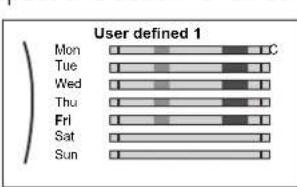 | — |
To program the schedule for Saturday and copy it to Sunday
| 1 Select Saturday. | 10:00 | |
| 2 Select Edit. | 10:00 | |
3 Use the left dial to select an entry and edit the entry with the right dial.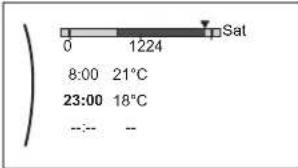 | ○··○○··○ | |
| 4 Confirm the changes. | ○··○ | |
| 5 Select Saturday. | ○··○ | |
| 6 Select Copy. | ○··○ | |
| 7 Select Sunday. | ○··○ | |
8 Select Paste.Result: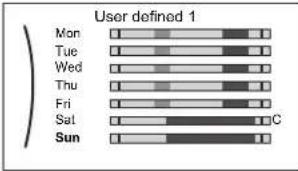 | ○··○ | |
To rename the schedule
| 1 | Select the name of the current schedule.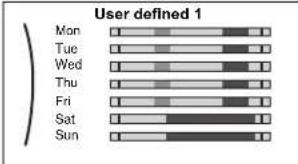 | ### |
| 2 | Select Rename.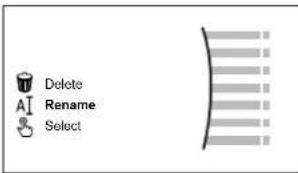 | ### |
| 3 | (optional) To delete the current schedule name, browse through the character list until ← is displayed, then press to remove the previous character. Repeat for each character of the schedule name. | ○···· |
| 4 | To name the current schedule, browse through the character list and confirm the selected character. The schedule name can contain up to 15 characters. | ○···· |
| 5 | Confirm the new name. | ### |

INFORMATION
Not all schedules can be renamed.
11.4 Weather-dependent curve
11.4.1 What is a weather-dependent curve?
Weather-dependent operation
The unit operates 'weather dependent' if the desired leaving water or tank temperature is determined automatically by the outdoor temperature. It therefore is connected to a temperature sensor on the North wall of the building. If the outdoor temperature drops or rises, the unit compensates instantly. Thus, the unit does not have to wait for feedback by the thermostat to increase or decrease the temperature of the leaving water or tank. Because it reacts more quickly, it prevents high rises and drops of the indoor temperature and water temperature at tap points.
Advantage
Weather-dependent operation reduces energy consumption.
Weather-dependent curve
To be able to compensate for differences in temperature, the unit relies on its weather-dependent curve. This curve defines how much the temperature of the tank or leaving water must be at different outdoor temperatures. Because the slope of the curve depends on local circumstances such as climate and the insulation of the house, the curve can be adjusted by an installer or user.
Types of weather-dependent curve
There are 2 types of weather-dependent curves:
2-points curve
- Slope-offset curve
Which type of curve you use to make adjustments, depends on your personal preference. See "11.4.4 Using weather-dependent curves" [▶ 174].
Availability
The weather-dependent curve is available for:
- Main zone - Heating
- Main zone - Cooling
■ Additional zone - Heating
■ Additional zone - Cooling - Tank (only available to installers)

INFORMATION
To operate weather dependent, correctly configure the setpoint of the main zone, additional zone or tank. See "11.4.4 Using weather-dependent curves" [▶ 174].
11.4.2 2-points curve
Define the weather-dependent curve with these two setpoints:
- Setpoint (X1, Y2)
- Setpoint (X2, Y1)
Example
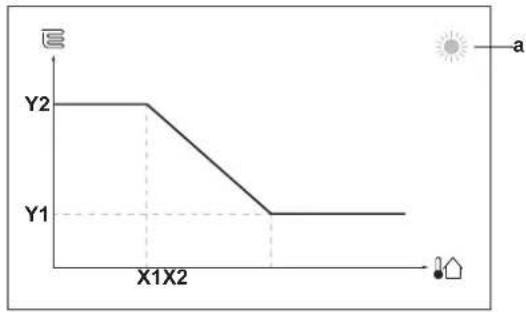
line
| X-axis | Y1 | Y2 | |---|---|---| | 0 | 0 | 0 | | X1X2 | 0 | 0 | | End | 0 | 0 || Item Description | |
| a Selected weather dependent zone:Main zone or additional zone heatingMain zone or additional zone coolingDomestic hot water | |
| X1, X2 Examples of outdoor ambient temperature | |
| Y1, Y2 Examples of desired tank temperature or leaving water temperature.The icon corresponds to the heat emitter for that zone:Underfloor heatingFan coil unitRadiatorStorage tank |
| Possible actions on this screen | |
| ○⋯○ | Go through the temperatures. |
| ○⋯○ | Change the temperature. |
| ○⋯○ | Go to the next temperature. |
| ○⋯○ | Confirm changes and proceed. |
11.4.3 Slope-offset curve
Slope and offset
Define the weather-dependent curve by its slope and offset:
- Change the slope to differently increase or decrease the temperature of the leaving water for different ambient temperatures. For example, if leaving water temperature is in general fine but at low ambient temperatures too cold, raise the slope so that leaving water temperature is heated increasingly more at decreasingly lower ambient temperatures.
- Change the offset to equally increase or decrease the temperature of the leaving water for different ambient temperatures. For example, if leaving water temperature is always a bit too cold at different ambient temperatures, shift the offset up to equally increase the leaving water temperature for all ambient temperatures.
Examples
Weather-dependent curve when slope is selected:
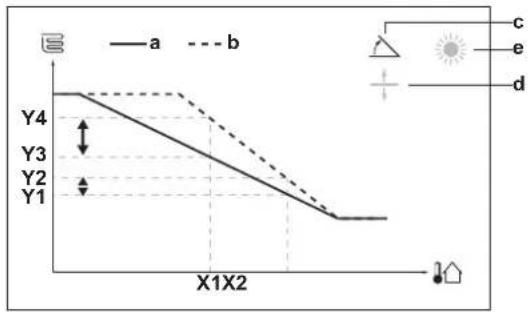
Weather-dependent curve when offset is selected:
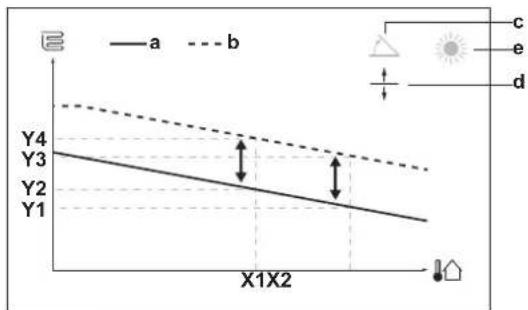
| Item Description | |
| a WD curve before changes. | |
| b WD curve after changes (as example): ·When slope is changed, the new preferred temperature at X1 is unequally higher than the preferred temperature at X2. ·When offset is changed, the new preferred temperature at X1 is equally higher as the preferred temperature at X2. | |
| c Slope | |
| d Offset | |
| e Selected weather dependent zone: ·Main zone or additional zone heating ·Main zone or additional zone cooling ·Domestic hot water | |
| X1, X2 Examples of outdoor ambient temperature | |
| Y1, Y2, Y3, Y4 | Examples of desired tank temperature or leaving water temperature. The icon corresponds to the heat emitter for that zone: ·Underfloor heating ·Can coil unit ·Radiator ·Storage tank |
| Possible actions on this screen | |
| ○···○ | Select slope or offset. |
| ○···○ | Increase or decrease the slope/offset. |
| ○···○m | When slope is selected: set slope and go to offset.When offset is selected: set offset. |
| ○···○ | Confirm changes and return to the submenu. |
11.4.4 Using weather-dependent curves
Configure weather-dependent curves as following:
To define the setpoint mode
To use the weather-dependent curve, you need to define the correct setpoint mode:
| Go to setpoint mode ... Set the setpoint mode to ... | |
| Main zone – Heating | |
| [2.4] Main zone >Setpoint mode WD | heating, fixed cooling OR Weather dependent |
| Main zone – Cooling | |
| [2.4] Main zone >Setpoint mode We | ather dependent |
| Additional zone – Heating | |
| [3.4] Additional zone >Setpoint mode | WD heating, fixed cooling OR Weather dependent |
| Additional zone – Cooling | |
| [3.4] Additional zone >Setpoint mode | Weather dependent |
| Tank | |
| [5.B] Tank >Setpoint mode | Restriction: Only available to installers. Weather dependent |
To change the type of weather-dependent curve
To change the type for all zones (main + additional) and for the tank, go to [2.E] Main zone > WD curve type.
Viewing which type is selected is also possible via:
- [3.C] Additional zone >WD curve type
- [5.E] Tank > WD curve type
Restriction: Only available to installers.
To change the weather-dependent curve
| Zone Go to ... | |
| Main zone – Heating | [2.5] Main zone > Heating WD curve |
| Main zone – Cooling | [2.6] Main zone >Cooling WD curve |
| Additional zone – Heating | [3.5] Additional zone > Heating WD curve |
| Additional zone – Cooling | [3.6] Additional zone > Cooling WD curve |
| Tank Restriction: Only available to installers.[5.C] Tank > WD curve | |

INFORMATION
Maximum and minimum setpoints
You cannot configure the curve with temperatures that are higher or lower than the set maximum and minimum setpoints for that zone or for the tank. When the maximum or minimum setpoint is reached, the curve flattens out.
To fine-tune the weather-dependent curve: slope-offset curve
The following table describes how to fine-tune the weather-dependent curve of a zone or tank:
| You feel ... Fine-tune with slope and offset: | |||
| At regular outdoor temperatures ... | At cold outdoor temperatures ... | Slope Offset | |
| OK Cold ↑ — | |||
| OK Hot ↓ — | |||
| Cold OK ↓ ↑ | |||
| Cold Cold — ↑ | |||
| Cold | Hot ↓ ↑ | ||
| Hot OK ↑ ↓ | |||
| Hot | Cold ↑ ↓ | ||
| Hot Hot — ↓ | |||
To fine-tune the weather-dependent curve: 2-points curve
The following table describes how to fine-tune the weather-dependent curve of a zone or tank:
| You feel ... | Fine-tune with setpoints: | ||||
| At regular outdoor temperatures ... | At cold outdoor temperatures ... | Y2^(a) | Y1^(a) | X1^(a) | X2^(a) |
| OK | Cold | ↑ | — | ↑ | — |
| OK | Hot | ↓ | — | ↓ | — |
| Cold | OK | — | ↑ | — | ↑ |
| Cold | Cold | ↑ | ↑ | ↑ | ↑ |
| Cold | Hot | ↓ | ↑ | ↓ | ↑ |
| Hot | OK | — | ↓ | — | ↓ |
| Hot | Cold | ↑ | ↓ | ↑ | ↓ |
| Hot | Hot | ↓ | ↓ | ↓ | ↓ |
(a) See "11.4.2 2-points curve" [▶ 171].
11.5 Settings menu
You can set additional settings using the main menu screen and its submenus. The most important settings are presented here.
11.5.1 Malfunctioning
In case of a malfunction, or will appear on the home screen. To display the error code, open the menu screen and go to [0] Malfunctioning. Press for more information about the error.
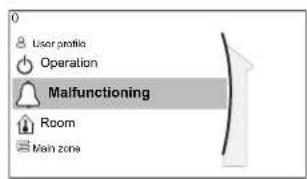
11.5.2 Room
Overview
The following items are listed in the submenu:
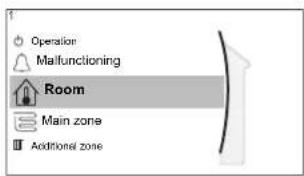

Room

Setpoint screen
[1.1] Schedule
[1.2] Heating schedule
[1.3] Cooling schedule
[1.4] Antifrost
[1.5] Setpoint range
[1.6] Room sensor offset
[1.7] Room sensor offset
Setpoint screen
Control the room temperature of the main zone via setpoint screen [1] Room.
See "11.3.5 Setpoint screen" [▶ 165].
Schedule
Indicate if the room temperature is controlled according to a schedule or not.
| # Code Description | |
| [1.1] N/A Schedule: | No: Room temperature is directly controlled by the user.Yes: Room temperature is controlled by a schedule and can be modified by the user. |
Heating schedule
Applicable for all models.
Define a heating schedule of the room temperature in [1.2] Heating schedule. See "11.3.7 Schedule screen: Example" [▶ 167].
Cooling schedule
Only applicable for reversible models.
Define a cooling schedule of the room temperature in [1.3] Cooling schedule.
See "11.3.7 Schedule screen: Example" [▶ 167].
Antifrost
[1.4] Antifrost prevents the room from getting too cold. This setting is applicable when [2.9] Control=Room thermostat, but also offers functionality for leaving water temperature control and external room thermostat control. In case of the latter two, Antifrost can be activated by setting field setting [2-06]=1 .
Room frost protection, when enabled, is not guaranteed when there is no room thermostat that can activate the heat pump. This is the case when:
- [2.9] Control=External room thermostat and [C.2] Space heating/cooling=Off, or if
• [2.9] Control=Leaving water.
In the above cases, Antifrost will heat the space heating water to a reduced setpoint when the outdoor temperature is lower than 6^ C.
| Main zone unit control method [2.9] | Description |
| Leaving water temperature control ([C-07]=0) | Room frost protection is NOT guaranteed. |
| External room thermostat control ([C-07]=1) | Allow for the external room thermostat to take care of room frost protection:• Set [C.2] Space heating/ cooling=On. |
| Room thermostat control ([C-07]=2) | Allow for the dedicated Human Comfort Interface (BRC1HHDA used as room thermostat) to take care of room frost protection:• Set antifrost [1.4.1] Activation=Yes.• Set the temperature of the antifrost function in [1.4.2] Room setpoint. |

INFORMATION
If a U4 error occurs, room frost protection is NOT guaranteed.

NOTICE
If the room Antifrost setting is active and a U4 error occurs, the unit will automatically start the Antifrost function via the backup heater. If the backup heater is not allowed for room frost protection during a U4 error, the room Antifrost setting MUST be disabled.

NOTICE
Room frost protection. Even if you turn OFF space heating/cooling operation ([C.2]: Operation > Space heating/cooling), room frost protection operation –if enabled– can still activate. However, for leaving water temperature control and external room thermostat control, the protection is NOT guaranteed.
For more detailed information about room frost protection in relation to the applicable unit control method, see the sections below.
Leaving water temperature control ([C-07]=0)
Under leaving water temperature control, room frost protection is NOT guaranteed. However, if room antifrost [2-06] is activated, limited frost protection by the unit is possible:
| If... Then... | |
| ▪ Space heating/cooling=Off, and▪ Outdoor ambient temperature drops below 6°C | ▪ The unit will supply leaving water to the heat emitters to heat up the room again, and▪ the temperature setpoint of the leaving water will be lowered. |
| ▪ Space heating/cooling=On, and▪ Operation mode=Heating | The unit will supply leaving water to the heat emitters to heat up the room according to normal logic. |
| ▪ Space heating/cooling=On, and▪ Operation mode=Cooling | There is no room frost protection. |
External room thermostat control ([C-07]=1)
Under external room thermostat control, room frost protection is guaranteed by the external room thermostat, provided that:
- [C.2] Space heating/cooling=On, and
[9.5.1] Emergency=Automatic or auto SH normal/DHW off.
However, if [1.4.1] Antifrost is activated, limited frost protection by the unit is possible.
In case of 1 leaving water temperature zone:
| If... Then... | |
| ▪ Space heating/cooling=Off, and▪ Outdoor ambient temperature drops below 6°C | ▪ The unit will supply leaving water to the heat emitters to heat up the room again, and▪ the temperature setpoint of the leaving water will be lowered. |
| ▪ Space heating/cooling=On, and▪ The external room thermostat is "Thermo OFF", and▪ Outdoor temperature drops below 6°C | ▪ The unit will supply leaving water to the heat emitters to heat up the room again, and▪ the temperature setpoint of the leaving water will be lowered. |
| ▪ Space heating/cooling=On, and▪ The external room thermostat is "Thermo ON" | Room frost protection is guaranteed by the normal logic. |
In case of 2 leaving water temperature zones:
| If... Then... | |
| Space heating/cooling=Off, andOutdoor ambient temperature drops below 6°C | The unit will supply leaving water to the heat emitters to heat up the room again, andthe temperature setpoint of the leaving water will be lowered. |
| Space heating/cooling=On, andOperation mode=Heating, andThe external room thermostat is "Thermo OFF", andOutdoor temperature drops below 6°C | The unit will supply leaving water to the heat emitters to heat up the room again, andthe temperature setpoint of the leaving water will be lowered. |
| Space heating/cooling=On, andOperation mode=Cooling | There is no room frost protection. |
Room thermostat control ([C-07]=2)
During room thermostat control, room frost protection [2-06] is guaranteed when activated. If so, and the room temperature drops below the room antifrost temperature [2-05] , the unit will supply leaving water to the heat emitters to heat up the room again.
| # Code Description | |
| [1.4.1] [2-06] Activation: | 0 No: Antifrost functionality is OFF.1 Yes: Antifrost functionality is on. |
| [1.4.2] [2-05] Room setpoint: | 4°C~16°C |
![DAIKIN ERLA16DAW1 - Room thermostat control ([C-07]=2) - 1](/content/2026/05/854961/images/49562c81fdb8a670810b6fe63d5dc722e219a81a204c8dc3773f7233925db89e.jpg)
INFORMATION
When the dedicated Human Comfort Interface (BRC1HHDA used as room thermostat) is disconnected (because of incorrect wiring or damage of the cable), then room frost protection is NOT guaranteed.

NOTICE
If Emergency is set to Manual ([9.5.1]=0), and the unit is triggered to start emergency operation, the unit will stop and needs to be recovered manually via the user interface. To recover operation manually, go to the Malfunctioning main menu screen, and confirm emergency operation before starting.
Room frost protection is active even if the user does not confirm emergency operation.
Setpoint range
Only applicable in room thermostat control.
To save energy by preventing overheating or undercooling the room, you can limit the range of the room temperature for heating and/or cooling.

NOTICE
When adjusting the room temperature ranges, all desired room temperatures are also adjusted to guarantee they are between the limits.
| # Code Description | |
| [1.5.1] [3-07] Heating minimum | |
| [1.5.2] [3-06] Heating maximum | |
| [1.5.3] [3-09] Cooling minimum | |
| [1.5.4] [3-08] Cooling maximum |
Room sensor offset
Only applicable in room thermostat control.
To calibrate the (external) room temperature sensor, give an offset to the value of the room thermistor as measured by the Human Comfort Interface (BRC1HHDA used as room thermostat) or by the external room sensor. The setting can be used to compensate for situations where the Human Comfort Interface or the external room sensor cannot be installed at the ideal location.
See "6.7 Setting up an external temperature sensor" [▶ 64].
| # Code Description | ||
| [1.6] [2-0A] Room sensor off | set (Human Comfort Interface (BRC1HHDA used as room thermostat)): Offset on the actual room temperature measured by the Human Comfort Interface. -5°C~5°C, step 0.5°C | |
| [1.7] [2-09] Room sensor off | set (external room sensor option): Only applicable if the external room sensor option is installed and configured. -5°C~5°C, step 0.5°C | |
Room comfort setpoint
Restriction: Only applicable if:
- Smart Grid is enabled ([9.8.4]=Smart grid), and
■ Room buffering is enabled ([9.8.7]=Yes)
If room buffering is enabled, the extra energy from photovoltaic panels is buffered in the storage tank and in the space heating/cooling circuit (i.e. heat up or cool down the room). With the room comfort setpoints (cooling/heating) you can modify the maximum/minimum setpoints that will be used when buffering the extra energy in the space heating/cooling circuit.
| # Code Description | |
| [1.9.1] [9-0A] Heating comfort | [3-07]~[3-06]°C |
| [1.9.2] [9-0B] Cooling comfort | [3-09]~[3-08]°C |
11.5.3 Main zone
Overview
The following items are listed in the submenu:
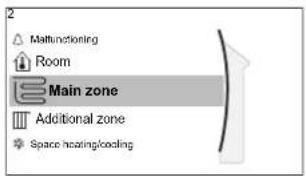
[2] Main zone
Setpoint screen
[2.1] Schedule
[2.2] Heating schedule
[2.3] Cooling schedule
[2.4] Setpoint mode
[2.5] Heating WD curve
[2.6] Cooling WD curve
[2.7] Emitter type
[2.8] Setpoint range
[2.9] Control
[2.A] Thermostat type
[2.B] Delta T
[2.C] Modulation
[2.D] Shut off valve
[2.E] WD curve type
Setpoint screen
Control the leaving water temperature for the main zone via setpoint screen [2] Main zone.
See "11.3.5 Setpoint screen" [▶ 165].
Schedule
Indicate if the temperature of the leaving water is defined according to a schedule or not.
Influence of the LWT setpoint mode [2.4] is as follows:
- In Fixed LWT setpoint mode, the scheduled actions consist of desired leaving water temperatures, either preset or custom.
- In Weather dependent LWT setpoint mode, the scheduled actions consist of desired shift actions, either preset or custom.
| # Code Description | |
| [2.1] N/A Schedule: | 0: No1: Yes |
Heating schedule
Define a heating temperature schedule for the main zone via [2.2] Heating schedule.
See "11.3.7 Schedule screen: Example" [▶ 167].
Cooling schedule
Define a cooling temperature schedule for the main zone via [2.3] Cooling schedule.
See "11.3.7 Schedule screen: Example" [▶ 167].
Setpoint mode
Define the setpoint mode:
- Fixed: the desired leaving water temperature does not depend on the outdoor ambient temperature.
- In WD heating, fixed cooling mode, the desired leaving water temperature:
- depends on the outdoor ambient temperature for heating
- does NOT depend on the outdoor ambient temperature for cooling
- In Weather dependent mode, the desired leaving water temperature depends on the outdoor ambient temperature.
| # Code Description | |
| [2.4] N/A Setpoint mode: | FixedWD heating, fixed coolingWeather dependent |
When weather dependent operation is active, low outdoor temperatures will result in warmer water and vice versa. During weather dependent operation, the user can shift the water temperature up or down by a maximum of 10^ C.
Heating WD curve
Set weather-dependent heating for the main zone (if [2.4]=1 or 2):
| # Code Description | |
| [2.5] [1-00] | Set weather-dependent heating in [2.5] HeatingWD curve: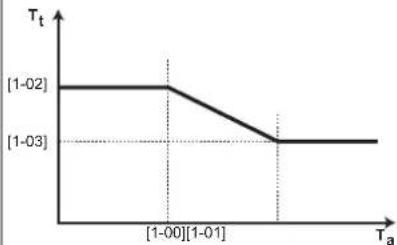 T_t Target leaving water temperature (main zone) T_a Outdoor temperatureSet weather-dependent heating in [9.1]Overview field settings:[1-00]: Low outdoor ambient temperature. -40°C~+5°C[1-01]: High outdoor ambient temperature.10°C~25°C[1-02]: Desired leaving water temperaturewhen the outdoor temperature equals or drops below the low ambient temperature.[9-01]°C~[9-00]°CNote: This value should be higher than [1-03]as for low outdoor temperatures warmer water is required.[1-03]: Desired leaving water temperaturewhen the outdoor temperature equals or rises above the high ambient temperature.[9-01]°C~min(45, [9-00])°CNote: This value should be lower than [1-02] as for high outdoor temperatures less warm water is required. T_t Target leaving water temperature (main zone) T_a Outdoor temperatureSet weather-dependent heating in [9.1]Overview field settings:[1-00]: Low outdoor ambient temperature. -40°C~+5°C[1-01]: High outdoor ambient temperature.10°C~25°C[1-02]: Desired leaving water temperaturewhen the outdoor temperature equals or drops below the low ambient temperature.[9-01]°C~[9-00]°CNote: This value should be higher than [1-03]as for low outdoor temperatures warmer water is required.[1-03]: Desired leaving water temperaturewhen the outdoor temperature equals or rises above the high ambient temperature.[9-01]°C~min(45, [9-00])°CNote: This value should be lower than [1-02] as for high outdoor temperatures less warm water is required. |
Cooling WD curve
Set weather-dependent cooling for the main zone (if [2.4]=2):
| # Code Description | |
| [2.6] [1-06] | Set weather-dependent cooling in [2.6] Cooling WD curve: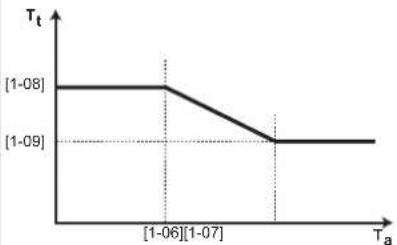 T_L Target leaving water temperature (main zone) T_a Outdoor temperatureSet weather-dependent heating in [9.I]Overview field settings:[1-06]: Low outdoor ambient temperature. 10°C 25°C [1-07]: High outdoor ambient temperature. 25°C 43°C [1-08]: Desired leaving water temperature when the outdoor temperature equals or drops below the low ambient temperature. [9-03]°C [9-02]°C Note: This value should be higher than [1-09] as for low outdoor temperatures less cold water is required.[1-09]: Desired leaving water temperature when the outdoor temperature equals or rises above the high ambient temperature. [9-03]°C [9-02]°C Note: This value should be lower than [1-08] as for high outdoor temperatures colder water is required. T_L Target leaving water temperature (main zone) T_a Outdoor temperatureSet weather-dependent heating in [9.I]Overview field settings:[1-06]: Low outdoor ambient temperature. 10°C 25°C [1-07]: High outdoor ambient temperature. 25°C 43°C [1-08]: Desired leaving water temperature when the outdoor temperature equals or drops below the low ambient temperature. [9-03]°C [9-02]°C Note: This value should be higher than [1-09] as for low outdoor temperatures less cold water is required.[1-09]: Desired leaving water temperature when the outdoor temperature equals or rises above the high ambient temperature. [9-03]°C [9-02]°C Note: This value should be lower than [1-08] as for high outdoor temperatures colder water is required. |
Emitter type
Heating up or cooling down the main zone can take longer. This depends on:
■ The water volume of the system
■ The heater emitter type of the main zone
The setting Emitter type can compensate for a slow or a quick heating/cooling system during the heat up/cool down cycle. In room thermostat control, Emitter type influences the maximum modulation of the desired leaving water temperature, and the possibility for usage of the automatic cooling/heating changeover based on the indoor ambient temperature.
It is important to set Emitter type correctly and in accordance with your system layout. The target delta T for the main zone depends on it.
| # Code Description | |
| [2.7] [2-0C] Emitter type: | 0: Underfloor heating1: Fancoil unit2: Radiator |
The setting Emitter type influences the space heating setpoint range and the target delta T in heating as follows:
| Emitter type Main zone | Space heating setpoint range [9-01]~[9-00] | Target delta T in heating [1-0B] |
| 0: Underfloor heating | Maximum 55°C Variable (see [2.B.1]) | |
| 1: Fancoil unit Maximum | um 55°C Variable (see [2.B.1]) | |
| 2: Radiator Maximum | 70°C Fixed 10°C | |

NOTICE
The maximum setpoint in space heating depends on the emitter type as can be seen in above table. If there are 2 water temperature zones, then the maximum setpoint is the maximum of the 2 zones.

NOTICE
NOT configuring the system in the following way can cause damage to the heat emitters. If there are 2 zones, it is important that in heating:
- the zone with the lowest water temperature is configured as the main zone, and
- the zone with the highest water temperature is configured as the additional zone.

NOTICE
If there are 2 zones and the emitter types are wrongly configured, water of high temperature can be sent towards a low temperature emitter (underfloor heating). To avoid this:
- Install an aquastat/thermostatic valve to avoid too high temperatures towards a low temperature emitter.
- Make sure you set the emitter types for the main zone [2.7] and for the additional zone [3.7] correctly in accordance with the connected emitter.

NOTICE
Average emitter temperature = Leaving water temperature - (Delta T)/2
This means that for a same leaving water temperature setpoint, the average emitter temperature of radiators is lower than that of underfloor heating because of a bigger delta T.
Example radiators: 40–10/2=35°C
Example underfloor heating: 40-5/2=37.5°C
To compensate, you can:
■ Increase the weather-dependent curve desired temperatures [2.5].
- Enable leaving water temperature modulation and increase the maximum modulation [2.C].
Setpoint range
To prevent a wrong (i.e. too hot or too cold) leaving water temperature for the main leaving water temperature zone, limit its temperature range.

NOTICE
In case of a floor heating application it is important to limit the:
- maximum leaving water temperature at heating operation according to the specifications of the floor heating installation.
- the minimum leaving water temperature at cooling operation to 18\~20°C to prevent condensation on the floor.

NOTICE
- When adjusting the leaving water temperature ranges, all desired leaving water temperatures are also adjusted to guarantee they are between the limits.
- Always balance between the desired leaving water temperature with the desired room temperature and/or the capacity (according to the design and selection of the heat emitters). The desired leaving water temperature is the result of several settings (preset values, shift values, weather-dependent curves, modulation). As a result, too high or too low leaving water temperatures could occur which lead to overtemperatures or capacity shortage. By limiting the leaving water temperature range to adequate values (depending on the heat emitter), such situations can be avoided.
Example: In heating mode, leaving water temperatures must be sufficiently higher than the room temperatures. To avoid that the room cannot heat up as desired, set the minimum leaving water temperature to 28^ C.
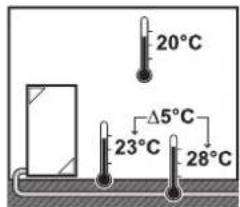
| # Code Description | ||
| Leaving water temperature range for the main leaving water temperature zone (= the leaving water temperature zone with the lowest leaving water temperature in heating operation and the highest leaving water temperature in cooling operation) | ||
| [2.8.1] [9-01] Heating minimum:▪ 15°C~37°C | ||
| [2.8.2] [9-00] Heating maximum:▪ [2-0C]=2 (emitter type main zone = radiator)37°C~70°C▪ Else: 37°C~55°C | ||
| [2.8.3] [9-03] Cooling minimum:▪ 5°C~18°C | ||
| [2.8.4] [9-02] Cooling maximum:▪ 18°C~22°C | ||
Control
Define how the operation of the unit is controlled.
| Control In this control... | |
| Leaving water Unit operation is decided based on the leaving water temperature regardless the actual room temperature and/or heating or cooling demand of the room. | |
| External room thermostat | Unit operation is decided by the external thermostat or equivalent (e.g. heat pump convector). |
| Room thermostat Unit operation is decided based on the ambient temperature of the dedicated Human Comfort Interface (BRC1HHDA used as room thermostat). | |
| # Code Description | |
| [2.9] [C-07] • 0: | Leaving water• 1: External room thermostat• 2: Room thermostat |
Thermostat type
Only applicable in external room thermostat control.

NOTICE
If an external room thermostat is used, the external room thermostat will control the room frost protection. However, the room frost protection is only possible if [C.2] Space heating/cooling=On.
| # Code Description | |
| [2.A] [C-05] External room thermostat type for the main zone:1: 1 contact: The used external room thermostat can only send a thermo ON/OFF condition. There is no separation between heating or cooling demand. The room thermostat is connected to only 1 digital input (X12M/15).Select this value in case of a connection to the heat pump convector (FWXV).2: 2 contacts: The used external room thermostat can send a separate heating/cooling thermo ON/OFF condition. The room thermostat is connected to 2 digital inputs (X12M/15 and X12M/16).Select this value in case of a connection to multi-zoning wired controls (see "5.3.3 Possible options for the indoor unit" [▶ 29]) or wireless room thermostat (EKRTR1). | |
Leaving water temperature: Delta T
In heating for the main zone, the target delta T (temperature difference) depends on the selected emitter type for the main zone.
Delta T is the absolute value of the temperature difference between the leaving water and entering water.
The unit is designed to support underfloor loops operation. The recommended leaving water temperature for underfloor loops is 35^ C. In such case, the unit will realize a temperature difference of 5^ C, which means that the entering water temperature is around 30^ C.
Depending on the installed type of heat emitters (radiators, heat pump convector, underfloor loops) or situation, you can change the difference between entering and leaving water temperature.
Note: The pump will regulate its flow to keep the delta T. In some special cases, the measured delta T can differ from the set value.

INFORMATION
When only the backup heater is active in heating, delta T will be controlled according to the fixed capacity of the backup heater. It is possible that this delta T is different from the selected target delta T.

INFORMATION
In heating, the target delta T will only be achieved after some operation time, when the setpoint is being reached, because of the big difference between leaving water temperature setpoint and inlet temperature at startup.

INFORMATION
If the main zone or the additional zone has a heating demand, and this zone is equipped with radiators, then the target delta T that the unit will use in heating operation will be 10^ C fixed.
If the zones are not equipped with radiators, then in heating the unit will give priority to the target delta T for the additional zone, if there is a heating demand in the additional zone.
In cooling the unit will give priority to the target delta T for the additional zone, if there is a cooling demand in the additional zone.
| # Code Description | |
| [2.B.1] [1-0B] Delta T heating | A minimum temperature difference is required for proper operation of heat emitters in heating mode.If [2-0C]=2, this is fixed to 10°CElse: 3°C~10°C |
| [2.B.2] [1-0D] Delta T cooling | A minimum temperature difference is required for proper operation of heat emitters in cooling mode.3°C~10°C |
Leaving water temperature: Modulation
Only applicable in case of room thermostat control.
When using the room thermostat functionality, the customer needs to set the desired room temperature. The unit will supply hot water to the heat emitters and the room will be heated.
Additionally, also the desired leaving water temperature must be configured: if Modulation is enabled, the unit automatically calculates the desired leaving water temperature. These calculations are based on:
■ the preset temperatures, or
- the desired weather-dependent temperatures (if weather-dependent is enabled)
Moreover, with Modulation enabled, the desired leaving water temperature is lowered or raised in function of the desired room temperature and the difference between the actual and the desired room temperature. This results in:
- stable room temperatures, exactly matching the desired temperature (higher comfort level)
- less on/off cycles (lower noise level, higher comfort and higher efficiency)
- water temperatures as low as possible to match the desired temperature (higher efficiency)
If Modulation is disabled, set the desired leaving water temperature via [2] Main zone.
| # Code Description | |
| [2.C.1] [8-05] Modulation: | 0 No (disabled)1 Yes (enabled)Note:The desired leaving water temperature can only be read out on the user interface. |
| [2.C.2] [8-06] Max modulation: | 0°C~10°CThis is the temperature value by which the desired leaving water temperature is increased or decreased. |

INFORMATION
When leaving water temperature modulation is enabled, the weather-dependent curve needs to be set to a higher position than [8-06] plus the minimum leaving water temperature setpoint required to reach a stable condition on the comfort setpoint for the room. To increase efficiency, modulation can lower the leaving water setpoint. By setting the weather-dependent curve to a higher position, it cannot drop below the minimum setpoint. See the illustration below.
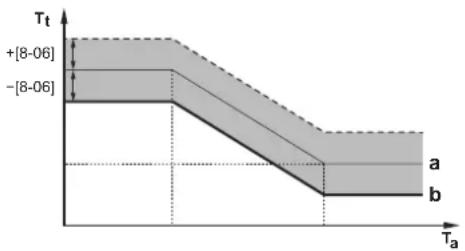
area
| Ta Range | Tt Range | | ------------ | ------------ | | [8-06] | -[8-06] | | >[8-06] | >[8-06] |a Weather-dependent curve
b Minimum leaving water temperature setpoint required to reach a stable condition on the comfort setpoint for the room.
Shut off valve
The following is only applicable in case of 2 leaving water temperature zones. In case of 1 leaving water temperature zone, connect the shut-off valve to the heating/cooling output.
The shut off valve for the main leaving water temperature zone can close under these circumstances:

INFORMATION
During defrost operation, the shut-off valve is ALWAYS opened.
During thermo: If [F-OB] is enabled, the shut off valve closes when there is no heating demand from the main zone. Enable this setting to:
- avoid leaving water supply to the heat emitters in the main LWT zone (through the mixing valve station) when there is request from the additional LWT zone.
- activate the ON/OFF pump of the mixing valve station ONLY when there is demand.
| # Code Description | |
| [2.D.1] [F-0B] The shut off valve: | 0 No: is NOT influenced by heating or cooling demand.1 Yes: closes when there is NO heating or cooling demand. |

INFORMATION
The setting [F-0B] is only valid when there is a thermostat or external room thermostat request setting (NOT in case of leaving water temperature setting).
During cooling: If [F-OB] is enabled, the shut off valve closes when the unit is running in cooling operation mode. Enable this setting to avoid cold leaving water through the heat emitter and the forming of condensation (e.g. under floor heating loops or radiators).
| # Code Description | |
| [2.D.2] [F-0C] The shut off valve: | 0 No: is NOT influenced by changing the space operation mode to cooling.1 Yes: closes when the space operation mode is cooling. |
WD curve type
The weather dependent curve can be defined using the 2-points method or the Slope-Offset method.
See "11.4.2 2-points curve" [▶ 171] and "11.4.3 Slope-offset curve" [▶ 172].
| # Code | Description | |
| [2.E] | N/A | 2-pointsSlope-Offset |
11.5.4 Additional zone
Overview
The following items are listed in the submenu:
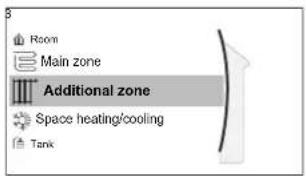
[3] Additional zone
Setpoint screen
[3.1] Schedule
[3.2] Heating schedule
[3.3] Cooling schedule
[3.4] Setpoint mode
[3.5] Heating WD curve
[3.6] Cooling WD curve
[3.7] Emitter type
[3.8] Setpoint range
[3.9] Control
[3.A] Thermostat type
[3.B] Delta T
[3.C] WD curve type
Setpoint screen
Control the leaving water temperature for the additional zone via setpoint screen [3] Additional zone.
See "11.3.5 Setpoint screen" [▶ 165].
Schedule
Indicates if the desired leaving water temperature is according to a schedule.
See "11.5.3 Main zone" [▶ 180].
| # Code Description | |
| [3.1] N/A Schedule: | NoYes |
Heating schedule
Define a heating temperature schedule for the additional zone via [3.2] Heating schedule.
See "11.3.7 Schedule screen: Example" [▶ 167].
Cooling schedule
Define a cooling temperature schedule for the additional zone via [3.3] Cooling schedule.
See "11.3.7 Schedule screen: Example" [▶ 167].
Setpoint mode
The setpoint mode of the additional zone can be independently set from the setpoint mode of the main zone.
See "Setpoint mode" [▶ 182].
| # Code Description | |
| [3.4] N/A Setpoint mode: | FixedWD heating, fixed coolingWeather dependent |
Heating WD curve
Set weather-dependent heating for the additional zone (if [3.4]=1 or 2):
| # Code Description | |
| [3.5] [0-00] | Set weather-dependent heating: |
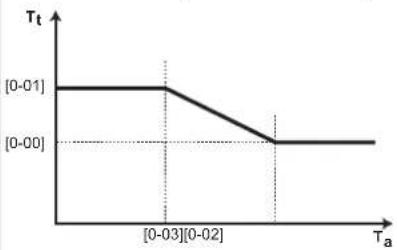 | |
| T1: Target leaving water temperature (additional zone)T2: Outdoor temperature[0-03]: Low outdoor ambient temperature. - 40°C~+5°C[0-02]: High outdoor ambient temperature. 10°C~25°C[0-01]: Desired leaving water temperature when the outdoor temperature equals or drops below the low ambient temperature.[9-05]°C~[9-06]°CNote: This value should be higher than [0-00] as for low outdoor temperatures warmer water is required.[0-00]: Desired leaving water temperature when the outdoor temperature equals or rises above the high ambient temperature.[9-05]~min(45, [9-06])°CNote: This value should be lower than [0-01] as for high outdoor temperatures less warm water is required. |
Cooling WD curve
Set weather-dependent cooling for the additional zone (if [3.4]=2):
| # Code Description | |
| [3.6] [0-04] | Set weather-dependent cooling: T_t Target leaving water temperature (additional zone) T_a : Outdoor temperature[0-07]: Low outdoor ambient temperature. 10^ 25^ [0-06]: High outdoor ambient temperature. 25^ 43^ [0-05]: Desired leaving water temperature when the outdoor temperature equals or drops below the low ambient temperature. [9-07]^ [9-08]^ Note: This value should be higher than [0-04] as for low outdoor temperatures less cold water is required.[0-04]: Desired leaving water temperature when the outdoor temperature equals or rises above the high ambient temperature. [9-07]^ [9-08]^ Note: This value should be lower than [0-05] as for high outdoor temperatures colder water is required. |
Emitter type
For more information about Emitter type, see "11.5.3 Main zone" [▶ 180].
| # Code Description | ||
| [3.7] [2-0D] | Emitter | type:0: Underfloor heating1: Fancoil unit2: Radiator |
The setting of the emitter type has an influence on the space heating setpoint range and the target delta T in heating as follows:
| Emitter typeAdditional zone | Space heating setpoint range [9-05]~[9-06] | Target delta T in heating [1-0C] |
| 0: Underfloor heating | Maximum 55°C | Variable (see [3.B.1]) |
| 1: Fancoil unit | Maximum 55°C | Variable (see [3.B.1]) |
| 2: Radiator | Maximum 70°C | Fixed 10°C |
Setpoint range
For more information about Setpoint range, see "11.5.3 Main zone" [▶ 180].
| # Code Description | |
| Leaving water temperature range for the additional leaving water temperature zone (= the leaving water temperature zone with the highest leaving water temperature in heating operation and the lowest leaving water temperature in cooling operation) | |
| [3.8.1] [9-05] Heating minimum: 15°C~37°C | |
| [3.8.2] [9-06] Heating maximum▪ [2-0D]=2 (emitter type additional zone = radiator)37°C~70°C▪ Else: 37°C~55°C | |
| [3.8.3] [9-07] Cooling minimum▪ 5°C~18°C | |
| [3.8.4] [9-08] Cooling maximum▪ 18°C~22°C | |
Control
The control type for the additional zone is read only. It is determined by the control type of the main zone.
See "11.5.3 Main zone" [▶ 180].
| # Code Description | |
| [3.9] N/A Control: | Leaving water if the control type of the main zone is Leaving water.External room thermostat if the control type of the main zone is:- External room thermostat,or- Room thermostat. |
Thermostat type
Only applicable in external room thermostat control.
Also see "11.5.3 Main zone" [▶ 180].
| # Code Description | ||
| [3.A] | [C-06] External | room thermostat type for the additional zone:1: 1 contact. Connected to only 1 digital input (X12M/19)2: 2 contacts. Connected to 2 digital inputs (X12M/20 and X12M/19) |
Leaving water temperature: Delta T
For more information, see "11.5.3 Main zone" [▶ 180].
| # Code Description | |
| [3.B.1] [1-0C] Delta T heating | A minimum temperature difference is required for the good operation of heat emitters in heating mode.If [2-0D] = 2, this is fixed to 10^ Else: 3^ 10^ |
| [3.B.2] [1-0E] Delta T cooling | A minimum temperature difference is required for the good operation of heat emitters in cooling mode. 3^ 10^ |
WD curve type
There are 2 methods to define the weather-dependent curves:
- 2-points (see "11.4.2 2-points curve" [▶ 171])
- Slope-Offset (see "11.4.3 Slope-offset curve" [▶ 172])
In [2.E] WD curve type, you can choose which method you want to use.
In [3.C] WD curve type, the chosen method is shown read-only (same value as in [2.E]).
| # Code Description | ||
| [2.E] / [3.C] N/A | 2-points | Slope-Offset |
11.5.5 Space heating/cooling
Overview
The following items are listed in the submenu:
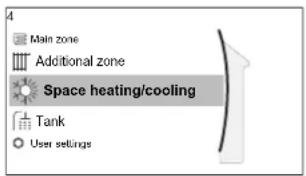
[4] Space heating/cooling
[4.1] Operation mode
[4.2] Operation mode schedule
[4.3] Operation range
[4.4] Number of zones
[4.5] Pump operation mode
[4.6] Unit type
[4.7] or [4.8] Pump limitation
[4.9] Pump outside range
[4.A] Increase around 0^ C
[4.B] Overshoot
[4.C] Antifrost
About space operation modes
Your unit can be a heating or a heating/cooling model:
- If your unit is a heating model, it can heat up a space.
- If your unit is a heating/cooling model, it can both heat up and cool down a space. You have to tell the system which operation mode to use.
To determine if a heating/cooling heat pump model is installed
| 1 Go to [4]: Space heating/cooling. | ### |
| 2 Check if [4.1] Operation mode is listed and editable. If so, a heating/cooling heat pump model is installed. | ### |
To tell the system which space operation to use, you can:
| You can... Location | |
| Check which space operation mode is currently used. Home screen | |
| Set the space operation mode permanently. Main menu | |
| Restrict automatic changeover according to a monthly schedule. |
To check which space operation mode is currently used
The space operation mode is displayed on the home screen:
- When the unit is in heating mode, the icon is shown.
- When the unit is in cooling mode, the icon is shown.
The status indicator shows if the unit is currently in operation:
- When the unit is not in operation, the status indicator will show a blue pulsation with an interval of approximately 5 seconds.
- While the unit is in operation, the status indicator will light up blue constantly.
To set the space operation mode
| 1 | Go to [4.1]: Space heating/cooling >Operation mode | ### |
| 2 | Select one of the following options:Heating: Only heating modeCooling: Only cooling modeAutomatic: The operation mode changes automatically between heating and cooling based on the outdoor temperature. Restricted per month according to the Operation mode schedule [4.2]. | ### |
When Automatic is selected, the unit switches its operation mode, based on the Operation mode schedule [4.2] . In this schedule, the end user indicates which operation is allowed for each month.
To restrict automatic changeover according to a schedule
Conditions: You set the space operation mode to Automatic.
| 1 | Go to [4.2]: Space heating/cooling >Operation mode schedule. | ### |
| 2 | Select a month. | ### |
| 3 | For each month, select an option:Reversible: Not restrictedHeating only: RestrictedCooling only: Restricted | ○···· |
| 4 | Confirm the changes. | ### |
Example: Changeover restrictions
| When Restriction | |
| During cold season.Example:October, November, December, January, February and March. | Heating only |
| During warm season.Example:June, July and August. | Cooling only |
| In-between.Example:April, May and September. | Reversible |
The unit determines its operation mode by the outdoor temperature if:
- Operation mode=Automatic, and
- Operation mode schedule=Reversible.
The unit determines its operation mode in such a way that it will always stay within the following operation ranges:
- Space heating off temperature
- Space cooling off temperature
The outdoor temperature is time-averaged. If the outdoor temperature drops, the operation mode will switch to heating and vice versa.
If the outdoor temperature is between the Space heating off temperature and the Space cooling off temperature, the operation mode remains unchanged.
Operation range
Depending on the average outdoor temperature, the operation of the unit in space heating or space cooling is prohibited.
| # Code Description | |
| [4.3.1] [4-02] Space heating | off temperature: When the averaged outdoor temperature rises above this value, space heating is turned off. ^(a) · 14°C~35°C |
| [4.3.2] [F-01] Space cooling | off temperature: When the averaged outdoor temperature drops below this value, space cooling is turned off. ^(a) · 10°C~35°C |
(e) This setting is also used in automatic heating/cooling changeover.
Exception: If the system is configured in room thermostat control with one leaving water temperature zone and quick heat emitters, the operation mode will change based on the measured indoor temperature. Besides the desired heating/cooling room temperature, the installer sets a hysteresis value (e.g. when in heating, this value is related to the desired cooling temperature) and an offset value (e.g. when in heating, this value is related to the desired heating temperature).
Example: A unit is configured as following:
- Desired room temperature in heating mode: 22°C
- Desired room temperature in cooling mode: 24°C
- Hysteresis value: 1°C
- Offset: 4°C
Changeover from heating to cooling will occur when the room temperature rises above the maximum of the desired cooling temperature added by the hysteresis value (thus 24+1=25^ ) and the desired heating temperature added by the offset value (thus 22+4=26^ ).
Oppositely, changeover from cooling to heating will occur when the room temperature drops below the minimum of the desired heating temperature subtracted by the hysteresis value (thus 22–1=21°C) and the desired cooling temperature subtracted by the offset value (thus 24–4=20°C)
Guard timer to prevent too frequent changing from heating to cooling and vice versa.
| # Code Description | |
| Changeover settings related to the indoor temperature.Only applicable when Automatic is selected and the system is configured in room thermostat control with 1 leaving water temperature zone and quick heat emitters. | |
| N/A [4-0B] Hysteresis: ensures that changeover is only done when necessary.The space operation only changes from heating to cooling when the room temperature rises above the desired cooling temperature added by the hysteresis value.- Range: 1°C~10°C | |
| N/A [4-0D] Offset: ensures that the active desired room temperature is always reached.In heating mode, the space operation only changes when the room temperature rises above the desired heating temperature added by the offset value.- Range: 1°C~10°C | |
Number of zones
The system can supply leaving water to up to 2 water temperature zones. During configuration, the number of water zones must be set.

INFORMATION
Mixing station. If your system layout contains 2 LWT zones, you need to install a mixing station in front of the main LWT zone.
| # Code | Description | |
| [4.4] [7-02]▪ 0: | Single zone | Only one leaving water temperature zone: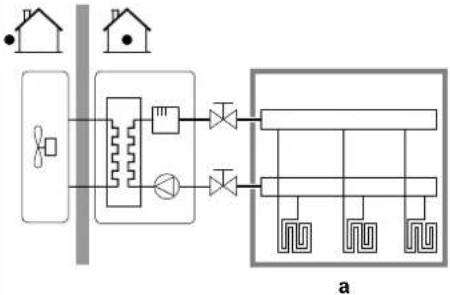 a Main LWT zone a Main LWT zone |
| [4.4] [7-02]▪ 1: | Dual zone | Two leaving water temperature zones. The main leaving water temperature zone consists of the higher load heat emitters and a mixing station to achieve the desired leaving water temperature. In heating: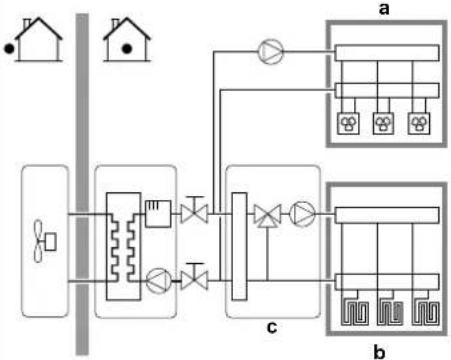 a Additional LWT zone: Highest temperatureb Main LWT zone: Lowest temperaturec Mixing station a Additional LWT zone: Highest temperatureb Main LWT zone: Lowest temperaturec Mixing station |

NOTICE
NOT configuring the system in the following way can cause damage to the heat emitters. If there are 2 zones, it is important that in heating:
- the zone with the lowest water temperature is configured as the main zone, and
- the zone with the highest water temperature is configured as the additional zone.

NOTICE
If there are 2 zones and the emitter types are wrongly configured, water of high temperature can be sent towards a low temperature emitter (underfloor heating). To avoid this:
- Install an aquastat/thermostatic valve to avoid too high temperatures towards a low temperature emitter.
- Make sure you set the emitter types for the main zone [2.7] and for the additional zone [3.7] correctly in accordance with the connected emitter.
Pump operation mode
When the space heating/cooling operation is OFF, the pump is always OFF. When space heating/cooling operation is ON, you have the choice between these operation modes:
| # Code Description | |
| [4.5] [F-0D] Pump operation | mode:▪ 0 Continuous: Continuous pump operation, regardless of thermo ON or OFF condition.Remark: Continuous pump operation requires more energy than sample or request pump operation.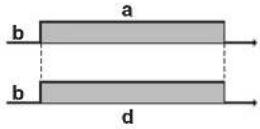 a Space heating/cooling controlb Offc Ond Pump operation a Space heating/cooling controlb Offc Ond Pump operation |
[4.5] [F-0D]▪ 1 Sample: The pump is ON when there is heating or cooling demand as the leaving water temperature has not yet reached the desired temperature yet. When thermo OFF condition occurs, the pump runs every 3 minutes to check the water temperature and demand heating or cooling if necessary.Remark: Sample is ONLY available in leaving water temperature control.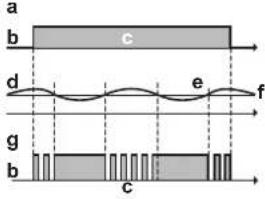 a Space heating/cooling controlb Offc Ond LWT temperaturee Actualf Desiredg Pump operation a Space heating/cooling controlb Offc Ond LWT temperaturee Actualf Desiredg Pump operation | |
[4.5] [F-0D]▪ 2 Request: Pump operation based on request.Example: Using a room thermostat and thermostat creates thermo ON/OFF condition.Remark: NOT available in leaving water temperature control.-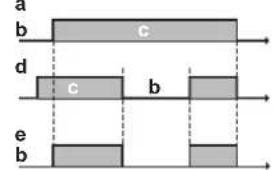 a Space heating/cooling controlb Offc Ond Heating demand (by external room thermostat or room thermostat)e Pump operation a Space heating/cooling controlb Offc Ond Heating demand (by external room thermostat or room thermostat)e Pump operation | |
Unit type
In this part of the menu it can be read out which type of unit is used:
| # Code Description | ||
| [4.6] [E-02] Unit type: | 0 Reversible1 Heating only | |
Pump limitation
The pump speed limitation defines the maximum pump speed. In normal conditions, the default setting should NOT be modified. The pump speed limitation will be overruled when the flow rate is in the range of the minimum flow (error 7H).
In most cases, instead of using [9-0D]/[9-0E], you can prevent flow noises by performing hydraulic balancing.
| # Code Description | |
| [4.7] [9-0D] Restriction: Only displayed when the bizonekit (EKMIKPOA or EKMIKPHA) is NOT installed.Pump limitationPossible values: see below. | |
| [4.8.1] [9-0E] Restriction: Only displayed when the bizonekit (EKMIKPOA or EKMIKPHA) is installed.Pump limitation Main zonePossible values: see below. | |
| [4.8.2] [9-0D] Restriction: Only displayed when the bizonekit (EKMIKPOA or EKMIKPHA) is installed.Pump limitation Additional zonePossible values: see below. | |
Possible values:
| Value Description | |
| 0 No limitation | |
| 1~4 General limitation | There is limitation in all conditions. The required delta T control and comfort are NOT guaranteed.1: 90% pump speed2: 80% pump speed3: 70% pump speed4: 60% pump speed |
| 5~8 Limitation when no actuators. When there is no heating output, the pump speed limitation is applicable. When there is heating output, the pump speed is only determined by delta T in relation to the required capacity. With this limitation range, delta T is possible and the comfort is guaranteed.During sampling operation the pump runs for a short time to measure the water temperatures, which indicate if operation is required or not.5: 90% pump speed during sampling6: 80% pump speed during sampling7: 70% pump speed during sampling8: 60% pump speed during sampling |
The maximum values depend on the unit type:
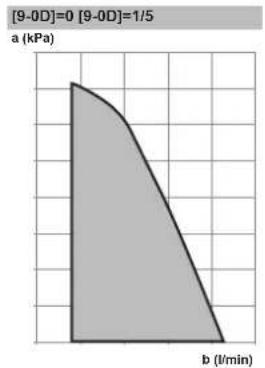
area
| Time (l/min) | Pressure (kPa) | | ------------ | -------------- | | 0 | 3.5 | | 1 | 3.0 | | 2 | 2.5 | | 3 | 2.0 | | 4 | 1.5 | | 5 | 1.0 | | 6 | 0.5 | | 7 | 0.0 |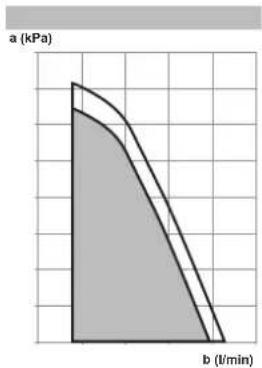
area
| Time (l/min) | Pressure (kPa) | | ------------ | -------------- | | 0 | 1.0 | | 2 | 0.8 | | 4 | 0.6 | | 6 | 0.4 | | 8 | 0.2 | | 10 | 0.0 |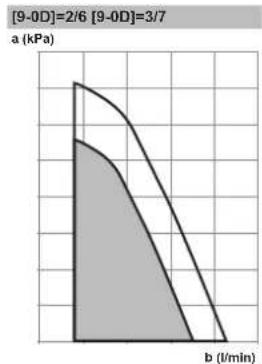
area
| b (l/min) | a (kPa) | | --------- | ------- | | 0 | 1.0 | | 1 | 0.8 | | 2 | 0.6 | | 3 | 0.4 | | 4 | 0.2 | | 5 | 0.0 |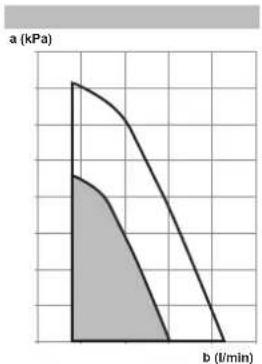
area
| b (l/min) | Value (kPa) | | --------- | ----------- | | 0 | 4 | | 1 | 3 | | 2 | 2 | | 3 | 1 | | 4 | 0 |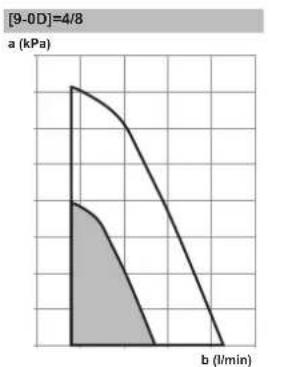
line
| b (l/min) | a (kPa) | | --------- | ------- | | 0 | 4 | | 1 | 3 | | 2 | 2 | | 3 | 1 | | 4 | 0.5 | | 5 | 0.2 | | 6 | 0.1 | | 7 | 0.05 | | 8 | 0.02 | | 9 | 0.01 | | 10 | 0.005 |a External static pressure b Water flow rate
Pump outside range
When the pump operation function is disabled the pump will stop if the outdoor temperature is higher than the value set by the Space heating off temperature [4-02] or if the outdoor temperature drops below the value set by the Space cooling off temperature [F-01]. When the pump operation is enabled, the pump operation is possible at all outdoor temperatures.
| # Code Description | |
| [4.9] [F-00] Pump operation: | 0: Disabled if outdoor temperature is higher than [4-02] or lower than [F-01] depending on heating/cooling operation mode.1: Possible at all outdoor temperatures. |
Increase around 0°C
Use this setting to compensate for possible heat losses of the building due to the evaporation of melted ice or snow. (e.g. in cold region countries).
In heating operation, the desired leaving water temperature is locally increased around an outdoor temperature of 0^ C. This compensation can be selected when using an absolute or a weather dependent desired temperature (see illustration below).
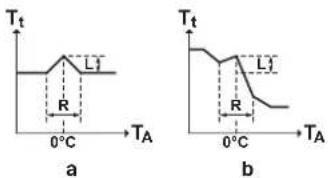
a Absolute desired LWT
b Weather dependent desired LWT
| # Code Description | |
| [4.A] [D-03] | Increase around 0°C:0: No1: increase 2°C, span 4°C2: increase 4°C, span 4°C3: increase 2°C, span 8°C4: increase 4°C, span 8°C |
Overshoot
Restriction: This function is only applicable in heating mode.
This function defines how much the water temperature may rise above the desired leaving water temperature before the compressor stops. The compressor will start up again when the leaving water temperature drops below the desired leaving water temperature.
| # Code Description | |
| [4.B] [9-04] Overshoot: | 1^ 4^ |
Antifrost
Room frost protection [1.4] prevents the room from getting too cold. For more information about room frost protection, see "11.5.2 Room" [▶ 176].
11.5.6 Tank
Overview
The following items are listed in the submenu:
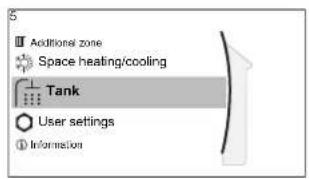
[5] Tank
Setpoint screen
[5.1] Powerful operation
[5.5] Schedule
[5.6] Heat up mode
[5.7] Disinfection
[5.8] Maximum
[5.9] Hysteresis
[5.B] Setpoint mode
[5.C] WD curve
[5.D] Margin
[5.E] WD curve type

INFORMATION
To make tank defrost possible, we recommend a minimum tank temperature of 35^ C.
Tank setpoint screen
You can set the storage tank temperature using the setpoint screen. The resulting domestic hot water temperature depends on this setpoint as well as the actual storage tank temperature. For more information about how to do this, see "11.3.5 Setpoint screen" [▶ 165].
Powerful operation
You can use powerful operation to immediately start heating up the water to the preset value (Storage comfort). However, if no additional bivalent heat generator except the electrical backup heater is installed, this consumes extra energy. If powerful operation is active, will be shown on the home screen.
To activate powerful operation
Activate or deactivate Powerful operation as follows:
| 1 Go to [5.1]: Tank > Powerful operation | ###...○ | |
| 2 Turn powerful operation Off or On. | ###...○ | |
Usage example: You immediately need more hot water
If you are in the following situation:
- You already consumed most of your hot water.
- You cannot wait for the next scheduled action to heat up the storage tank.
Then you can activate DHW powerful operation.
Advantage: The storage tank is immediately heated up to the tank temperature setpoint.

INFORMATION
When powerful operation is active, the risk of space heating/cooling and capacity shortage comfort problems is significant. In case of frequent domestic hot water operation, frequent and long space heating/cooling interruptions will happen.
Schedule
You can set the tank temperature schedule using the schedule screen. For more information about this screen, see "11.3.7 Schedule screen: Example" [▶ 167].
Heat up mode
The domestic hot water can be prepared in 2 different ways. They differ from each other by the way the desired tank temperature is set and how the unit acts upon it.
| # Code Description | |
| [5.6] [6-0D] Heat up mode: | 0: Reheat only: The storage tank temperature is always kept at the setpoint selected in the tank setpoint screen.3: Scheduled reheat: The storage tank temperature varies according to the tank temperature schedule. |
See the operation manual for more details.
Disinfection
The disinfection function disinfects the water inside the domestic hot water heat exchanger coil by periodically heating the storage tank to a specific temperature.

CAUTION
The disinfection function settings MUST be configured by the installer according to the applicable legislation.
| # | Code | Description |
| [5.7.1] | [2-01] | Activation:0: No1: Yes |
| # Code Description | |
| [5.7.2] [2-00] Operation day: | 0: Every day1: Monday2: Tuesday3: Wednesday4: Thursday5: Friday6: Saturday7: Sunday |
| [5.7.3] [2-02] Start time | |
| [5.7.4] [2-03] Tank setpoint: | 60°C |
| [5.7.5] [2-04] Duration: | 40~60 minutes |
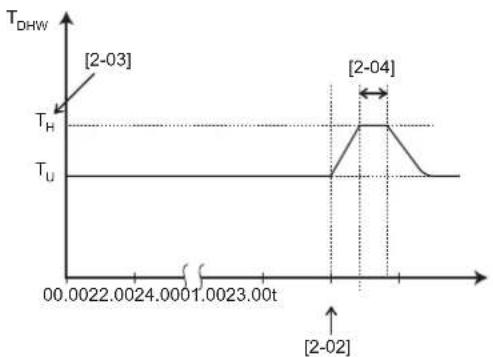
line
| Time (t) | DHW Value | | -------------- | --------- | | 00.0022 | T_H | | 1.0023 | T_U | | 2.0024 | T_H | | 2.004 | T_H | | 2.004 | T_U |T_DHW Domestic hot water temperature T_U User setpoint temperature T_H High setpoint temperature [2-03] t Time

WARNING
Be aware that the domestic hot water temperature at the hot water tap will be equal to the value selected in field setting [2-03] after a disinfection operation.
When the high domestic hot water temperature can be a potential risk for human injuries, a mixing valve (field supply) shall be installed at the domestic hot water out connection of the storage tank. This mixing valve shall secure that the hot water temperature at the hot water tap never rise above a set maximum value. This maximum allowable hot water temperature shall be selected according to the applicable legislation.

CAUTION
Make sure that the disinfection function start time [5.7.3] with defined duration [5.7.5] is NOT interrupted by possible domestic hot water demand.

NOTICE
Disinfection mode. Even if you turn OFF tank heating operation ([C.3]: Operation > Tank), disinfection mode will remain active. However, if you turn it OFF while disinfection is running, an AH error occurs.

INFORMATION
In case of error code AH and no interruption of the disinfection function occurred due to domestic hot water tapping, following actions are recommended:
- It is recommended to program the start-up of the disinfection function at least 4 hours later than the last expected large hot water tapping. This start-up can be set by installer settings (disinfection function).

INFORMATION
Disinfection function is restarted in case the domestic hot water temperature drops 5°C below the disinfection target temperature within the duration time.
Maximum DHW temperature setpoint
The maximum temperature that users can select for the domestic hot water. You can use this setting to limit the temperatures at the hot water taps.

INFORMATION
During disinfection of the water inside the domestic hot water heat exchanger coil by periodically heating the storage tank to a specific temperature, the DHW temperature can exceed this maximum temperature.

INFORMATION
Limit the maximum hot water temperature according to the applicable legislation.
| # Code Description | |
| [5.8] [6-0E] Maxi mum: | The maximum temperature that users can select for the domestic hot water. You can use this setting to limit the temperature at the hot water taps.The maximum temperature is NOT applicable during disinfection function. See disinfection function. |
Hysteresis (heat pump ON hysteresis)
Applicable when domestic hot water preparation is reheat only. When the tank temperature drops below the reheat temperature minus the heat pump ON hysteresis temperature, the tank heats up to the reheat temperature.
| # Code Description | |
| [5.9] [6-00] Heat pump ON hysteresis2°C~40°C |
Setpoint mode
| # Code Description | ||
| [5.B] N/A Setpoint mode: | FixedWeather dependent | |
| [5.C] [0-0E] | WD curve: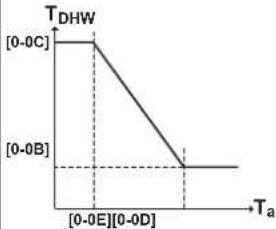 T_DHW : The desired tank temperature. T_a : The (averaged) outdoor ambient temperature [0-0E] : low outdoor ambient temperature: -40^ 5^ [0-0D] : high outdoor ambient temperature: 10^ 25^ [0-0C] : desired tank temperature when the outdoor temperature equals or drops below the low ambient temperature: 45^ [6-0E]^ [0-0B] : desired tank temperature when the outdoor temperature equals or rises above the high ambient temperature: 35^ [6-0E]^ T_DHW : The desired tank temperature. T_a : The (averaged) outdoor ambient temperature [0-0E] : low outdoor ambient temperature: -40^ 5^ [0-0D] : high outdoor ambient temperature: 10^ 25^ [0-0C] : desired tank temperature when the outdoor temperature equals or drops below the low ambient temperature: 45^ [6-0E]^ [0-0B] : desired tank temperature when the outdoor temperature equals or rises above the high ambient temperature: 35^ [6-0E]^ | |
Margin
In domestic hot water operation, the following hysteresis value can be set for the heat pump operation:
| # Code Description | |
| [5.D] [6-01] The temperature difference determining the heat pump OFF temperature. Range: 0°C~10°C | |
Example: setpoint ( T_U )>maximum heat pump temperature-[6-01] ( T_HP MAX-[6-01] )
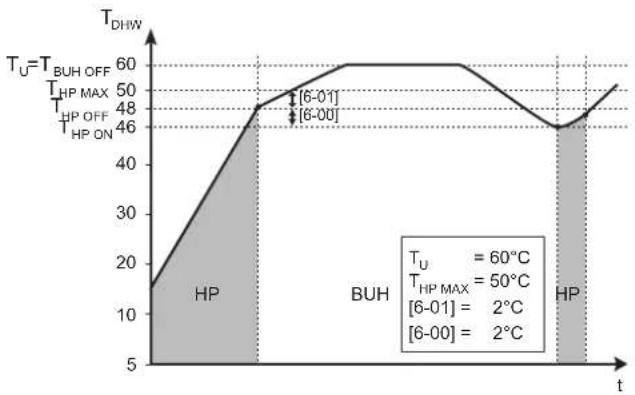
line
| Time Point | Temperature (°C) | | ---------- | ---------------- | | 6-01 | 60 | | 6-00 | 2 | | 6-01 (BAUH)| 50 | | 6-00 (BAUH)| 2 |BUH Backup heater
HP Heat pump. If heating up time by the heat pump takes too long, auxiliary heating by the backup heater can take place
T_BUH OFF Backup heater OFF temperature ( T_u )
T_HP MAX Maximum heat pump temperature at sensor in storage tank
T_HP OFF Heat pump OFF temperature ( T_HPMAX-[6-01] )
T_HPON Heat pump ON temperature (T_HPOFF - [6 - 00])
T_DHW Domestic hot water temperature
T_u User setpoint temperature (as set on the user interface)
t Time
Example: setpoint ( T_U )≤maximum heat pump temperature—[6-01] ( T_HP MAX —[6-01])
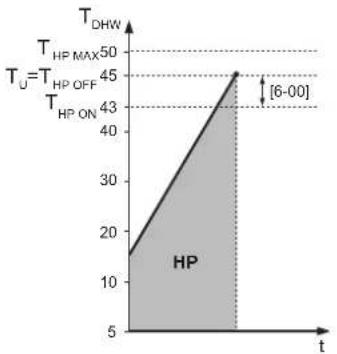
line
| t | T_DHW | | ---- | ----- | | 6-00 | 45 |HP Heat pump. If heating up time by the heat pump takes too long, auxiliary heating by the backup heater can take place
T_HP MAX Maximum heat pump temperature at sensor in storage tank
T_HP OFF Heat pump OFF temperature ( T_HP MAX-[6-01] )
T_HPON Heat pump ON temperature ( T_HPOFF-[6-00] )
T_DHW Domestic hot water temperature
_u User setpoint temperature (as set on the user interface)
t Time

INFORMATION
The maximum heat pump temperature depends on the ambient temperature. For more information, see the operation range.
WD curve
When weather dependent operation is active the desired tank temperature is determined automatically depending on the averaged outdoor temperature: low outdoor temperatures will result in higher desired tank temperatures as the cold water tap is colder and vice versa.
Also see "11.4 Weather-dependent curve" [▶ 171].
WD curve type
There are 2 methods to define the weather-dependent curves:
• 2-points (see "11.4.2 2-points curve" [▶ 171])
- Slope-Offset (see "11.4.3 Slope-offset curve" [▶ 172])
In [2.E] WD curve type, you can choose which method you want to use.
In [5.E] WD curve type, the chosen method is shown read-only (same value as in [2.E]).
| # Code Description | ||
| [2.E] / [5.E] N/A | 0: 2-points | 1: Slope-Offset |
11.5.7 User settings
Overview
The following items are listed in the submenu:
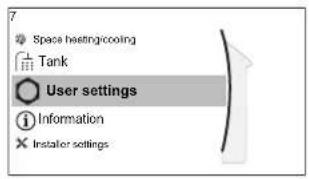
[7] User settings
[7.1] Language
[7.2] Time/date
[7.3] Holiday
[7.4] Quiet
[7.5] Electricity price
[7.6] Gas price
Language
| # Code Description | |
| [7.1] N/A Language |
Time/date
| # Code Description | |
| [7.2] N/A Set the local time and date | |

INFORMATION
By default, daylight savings time is enabled and clock format is set to 24 hours. If you want to change these settings, you can do this in the menu structure (User settings > Time/date) once the unit is initialised.
Holiday
About holiday mode
During your holiday, you can use the holiday mode to deviate from your normal schedules without having to change them. While holiday mode is active, space heating/cooling operation and domestic hot water operation will be turned off. Room frost protection and anti-legionella operation will remain active.
Typical workflow
Using holiday mode typically consists of the following stages:
1 Setting the starting date and ending date of your holiday.
2 Activating the holiday mode.
To check if holiday mode is activated and/or running
If 📄 displayed on the home screen, holiday mode is active.
To configure the holiday
| 1 Activate the holiday mode. — | ||
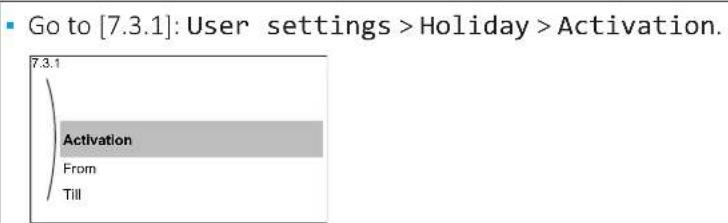 | ### | |
| Select On. | ### | |
| 2 Set the first day of your holiday. — | ||
| Go to [7.3.2]: From. | ⓧ... | |
| Select a date. | Ⓞ... ... | |
| Confirm the changes. | ⓩ... | |
| 3 Set the last day of your holiday. — | ||
| Go to [7.3.3]: Till. | ⓪... | |
| Select a date. | Ⓞ... ... | |
| Confirm the changes. | ⓫... | |
Quiet
About quiet mode
You can use quiet mode to decrease the sound of the outdoor unit. However, this also decreases the heating/cooling capacity of the system. There are multiple quiet mode levels.
You can:
- Completely deactivate quiet mode
- Manually activate a quiet mode level until the next scheduled action
■ Use and program a quiet mode schedule

INFORMATION
If the outdoor temperature is below zero, we recommend to NOT use the most quiet level.
To check if quiet mode is active
If displayed on the home screen, quiet mode is active.
To use quiet mode
| 1 | Go to [7.4.1]: User settings >Quiet >Activation. | 10...○ |
| 2 | Do one of the following: — |
| If you want to... Then... | ||
| Completely deactivate quiet mode | Select Off. | ### |
| Manually activate a quiet mode level | Select the applicable quiet mode level.Example: Most quiet. | ### |
| Use and program a quiet mode schedule | Select Automatic. | ### |
| Go to [7.4.2] Schedule and program the schedule. For more information about scheduling, see "11.3.7 Schedule screen: Example" [ ▶ 167]. | ### | |
Usage example: Baby is sleeping in the afternoon
If you are in the following situation:
- You have programmed a quiet mode schedule:
- During the night: Most quiet.
- During the day: 0ff to ensure the heating/cooling capacity of the system.
- However, during the afternoon the baby is sleeping and you want it to be quiet.
Then you can do the following:
| 1 | Go to [7.4.1]: User settings >Quiet >Activation. | 10...○ |
| 2 | Select Most quiet. | 10...○ |
Advantage:
The outdoor unit runs in its most quiet level.
Electricity prices and gas price
Only applicable in combination with the bivalent function. See also "Bivalent" [▶ 232].
| # Code Description | |
| [7.5.1] N/A Electricity price >High | |
| [7.5.2] N/A Electricity price >Medium | |
| [7.5.3] N/A Electricity price >Low | |
| [7.6] N/A Gas price | |

INFORMATION
Electricity price can only be set when bivalent is ON ([9.C.1] or [C-02]). These values can only be set in menu structure [7.5.1], [7.5.2] and [7.5.3]. Do NOT use overview settings.
To set the gas price
| 1 Go to [7.6]: User settings >Gas price. | t○...○ | |
| 2 Select the correct gas price. | t○...○ | |
| 3 Confirm the changes. | ○...○ | |

INFORMATION
Price value ranging from 0.00\~990 valuta/kWh (with 2 significant values).
To set the electricity price
| 1 | Go to [7.5.1]/[7.5.2]/[7.5.3]: User settings > Electricity price > High/Medium/Low. | ### |
| 2 | Select the correct electricity price. | ### |
| 3 | Confirm the changes. | ### |
| 4 | Repeat this for all three electricity prices. — |

INFORMATION
Price value ranging from 0.00\~990 valuta/kWh (with 2 significant values).

INFORMATION
If no schedule is set, the Electricity price for High is taken into account.
To set the electricity price schedule timer
| 1 | Go to [7.5.4]: User settings > Electricity price > Schedule. | |
| 2 | Program the selection using the scheduling screen. You can set the High, Medium and Low electricity prices according to your electricity supplier. | — |
| 3 | Confirm the changes. |

INFORMATION
The values correspond with the electricity price values for High, Medium and Low previously set. If no schedule is set, the electricity price for High is taken into account.
About energy prices in case of an incentive per kWh renewable energy
An incentive can be taken into account when setting the energy prices. Although the running cost can increase, the total operation cost, taking into account the reimbursement will be optimized.

NOTICE
Make sure to modify the setting of the energy prices at the end of the incentive period.
To set the gas price in case of an incentive per kWh renewable energy
Calculate the value for the gas price with the following formula:
■ Actual gas price+(Incentive/kWh×0.9)
For the procedure to set the gas price, see "To set the gas price" [▶ 212].
To set the electricity price in case of an incentive per kWh renewable energy
Calculate the value for the electricity price with following formula:
■ Actual electricity price+Incentive/kWh
For the procedure to set the electricity price, see "To set the electricity price" [▶ 212].
Example
This is an example and the prices and/or values used in this example are NOT accurate.
| Data Price/kWh | |
| Gas price 4.08 | |
| Electricity price 12.49 | |
| Renewable heat incentive per kWh 5 |
Calculation of the gas price
Gas price=Actual gas price+(Incentive/kWh×0.9)
Gas price=4.08+(5×0.9)
Gas price=8.58
Calculation of the electricity price
Electricity price=Actual electricity price+Incentive/kWh
Electricity price=12.49+5
Electricity price=17.49
| Price Value in breadcrumb | |
| Gas: 4.08 /kWh [7.6]=8.6 | |
| Electricity: 12.49 /kWh [7.5.1]=17 |
11.5.8 Information
Overview
The following items are listed in the submenu:
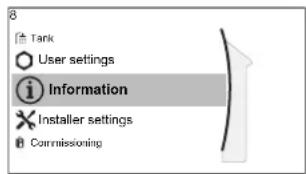
[8] Information
[8.1] Energy data
[8.2] Malfunction history
[8.3] Dealer information
[8.4] Sensors
[8.5] Actuators
[8.6] Operation modes
[8.7] About
[8.8] Connection status
[8.9] Running hours
[8.A] Reset
[8.B] Piping diagram
Energy data
Read out information about energy flows to check and optimize your energy consumption. You can read out electricity input and produced heat divided into space heating, space cooling and storage tank heating. Additionally the storage tank heat (provided e.g. by a solar system) used for space heating can be read out (Produced heat >Tank). This heat is NOT included in the sum of the produced heat.
The energy flow screen (Energy data > Energy flow) visualizes the various energy flows. A highlighted arrow shows a current energy flow, e.g. from the tank to the space heating circuit.
Dealer information
The installer can fill in his contact number here.
| # Code Description | |
| [8.3] N/A Number that users can call in case of problems. | |
Reset
Reset the configuration settings stored in the MMI (user interface of the indoor unit).
Example: Energy meterings, holiday settings.

INFORMATION
This does not reset the configuration settings and field settings of the indoor unit.
| # Code Description | ||
| [8.A] N/A Reset the MMI EEPROM | to factory default | |
Piping diagram
The piping diagram screen visualizes various real-time sensor and actuator information within the piping layout. This allows a check of the system at one glance.
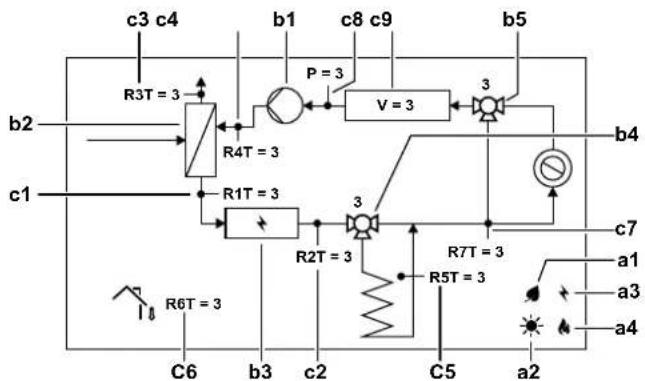
flowchart
graph TD
    A["c3 c4"] --> B["R3T = 3"]
    B --> C["R4T = 3"]
    C --> D["+"]
    D --> E["P = 3"]
    E --> F["V = 3"]
    F --> G["3"]
    G --> H["b5"]
    I["c1"] --> J["R1T = 3"]
    J --> K["+"]
    K --> L["R2T = 3"]
    L --> M["+"]
    M --> N["R7T = 3"]
    N --> O["a1"]
    N --> P["a3"]
    N --> Q["a4"]
    R["R6T = 3"] --> S["C6"]
    T["b1"] --> U["c8 c9"]
    V["b2"] --> W
    X["b4"] --> Y
    Z["c7"] --> AA
    AB["c5"] --> AC
    AD["a2"] --> AE
    AF["a2"] --> AG
    AH["a2"] --> AI
    AJ["a2"] --> AK
    AL["a2"] --> AM
    AN["a2"] --> AO
    AP["a2"] --> AQ
    AR["a2"] --> AS
    AT["a2"] --> AU
    AV["a2"] --> AW
    AX["a2"] --> AY
    AZ["a2"] --> BA
    BB["a2"] --> BC
    BD["a2"] --> BE
    BF["a2"] --> BG
    BH["a2"] --> BI
    BJ["a2"] --> BK
    BL["a2"] --> BL
    BM["a2"] --> BN
    BO["a2"] --> BP
    BQ["b1"] --> BR
    BR --> BS
    BS --> BT
    BT --> BU
    BU --> BV
    BV --> BW
    BW --> BX
    BX --> BY
    BY --> BZ
    CA["b5"] --> CB
    CB --> CC
    CC --> CD
    CE["b4"] --> CF
    CF --> CG
    CG --> CH
    CI["b3"] --> CJ
    CJ --> CK
    CK --> CL
    CM["b2"] --> CN
    CN --> CO
    CO --> CP
    CP --> CQ
    CQ --> CR
    CR --> CS
    CS --> CT
    CU["b1"] --> CV
    CV --> CW
    CW --> CX
    CX --> CY
    CY --> CZ
    CZ --> DA
    DB["b4"] --> DC
    DC --> DD
    DD --> DP
    DP --> QD
    QD --> RQ
    RQ --> SC
    SC --> SD
    SD --> TX
    TX --> UX
    UX --> VX
    VX --> WY
    WY --> XW
    XW --> YW
    YW --> ZW
    ZW --> CA
| Item Description | ||
| a Energy sources | ||
| a1 Heat pump compressor is operating. | ||
| a2 Solar energy is available. | ||
| a3 Backup heater is activated. | ||
| a4 Boiler is activated | ||
| b Actuator status | ||
| b1 Pump is running. | ||
| b2 Heat pump is operating. | ||
| b3 Backup heater is activated. | ||
| b4 Tank valve is turning. Valve position [%]. | ||
| b5 Bypass valve is turning. Valve position [%]. | ||
| c Sensor values | ||
| c1 R 1T Leaving water temperature [°C] | ||
| c2 R 2T Leaving water temperature after BUH [°C] | ||
| c3 R 3T Liquid line refrigerant temperature [°C] | ||
| c4 R 4T Return water temperature [°C] | ||
| c5 R 5T Storage tank temperature [°C] | ||
| c6 R 6T Ambient temperature [°C] | ||
| c7 R 7T Leaving water temperature after storage tank [°C] | ||
| P Water pressure [bar] | ||
| V Water volume flow rate [l/min] | ||
Possible read-out information
| In menu... You can read out... | |
| [8.1] Energy data Produced energy, consumed electricity, and consumed gas, energy flow diagram | |
| [8.2] Malfunction history Malfunction history | |
| [8.3] Dealer information Contact/helpdesk number | |
| [8.4] Sensors Room, tank or domestic hot water, outside, and leaving water temperature (if applicable) | |
| [8.5] Actuators Status/mode of each actuatorExample: Domestic hot water pump ON/OFF | |
| [8.6] Operation modes Current operation modeExample: Defrost/oil return mode | |
| [8.7] About Version information about the system | |
| [8.8] Connection status Information about the connection status of the unit, the room thermostat and the LAN adapter. | |
| [8.9] Running hours Running hours of specific system components | |
| [8.B] Piping diagram | Real-time sensor and actuator information of the main system components |
11.5.9 Installer settings
Overview
The following items are listed in the submenu:
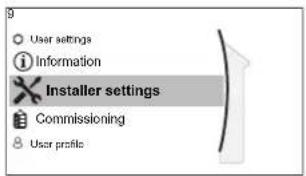
[9] Installer settings
[9.1] Configuration wizard
[9.2] Domestic hot water
[9.3] Backup heater
[9.5] Emergency
[9.6] Balancing
[9.7] Water pipe freeze prevention
[9.8] Benefit kWh power supply
[9.9] Power consumption control
[9.A] Energy metering
[9.B] Sensors
[9.C] Bivalent
[9.D] Alarm output
[9.E] Auto restart
[9.F] Power saving function
[9.G] Disable protections
[9.H] Forced defrost
[9.1] Overview field settings
[9.N] Export MMI settings
[9.0] Intelligent tank management
[9.P] Bizone kit
Configuration wizard
After first power ON of the system, the user interface will guide you using the configuration wizard. This way you can set the most important initial settings. This way the unit will be able to run properly. Afterwards, more detailed settings can be done via the menu structure if required.
To restart the configuration wizard, go to Installer settings > Configuration wizard [9.1].
Domestic hot water
Domestic hot water
The system includes an energy storage tank and can prepare domestic hot water. This setting is read only.
| # Code Description | ||
| [9.2.1] [E-05] | [E-06][E-07] | • IntegratedThe backup heater will also be used for domestic hot water heating. |
DHW pump
| # Code Description | |
| [9.2.2] [D-02] DHW pump: | 0: No DHW pump: NOT installed1: Instant hot water: Installed for instant hot water when water is tapped. The user sets the operation timing of the domestic hot water pump using the schedule. Control of this pump is possible with the user interface.2: Disinfection: Installed for disinfection. It runs when the disinfection function of the storage tank is running. No further settings are needed. |
See also:
- "6.4.4 DHW pump for instant hot water" [▶ 56]
- "6.4.5 DHW pump for disinfection" [▶ 56]
DHW pump schedule
Program a schedule for the DHW pump (only for field supplied domestic hot water pump for secondary return).
Program a domestic hot water pump schedule to determine when to turn on and off the pump.
When turned on, the pump runs and makes sure hot water is instantly available at the tap. To save energy, only turn on the pump during periods of the day when instant hot water is necessary.
Solar
This setting determines, whether a solar system is installed and for which purposes the solar energy should be used.
| # Code Description | |
| [9.2.4] [D-07]▪ 0: None: NOT installed | 1: Yes (DHW) : Solar energy is only used for hot water heating.2: Yes (DHW + SH): Solar energy is used for hot water heating. If enough solar energy is provided, solar energy can also be used for space heating. |
Backup heater
Besides the type of backup heater, the voltage, configuration and capacity must be set on the user interface.
The capacities for the different steps of the backup heater must be set for the energy metering and/or power consumption feature to work properly. When measuring the resistance value of each heater, you can set the exact heater capacity and this will lead to more accurate energy data.
Backup heater type
| # Code Description | |
| [9.3.1] [E-03] ▪ 0: None | 2: 3V3: 6V4: 9W |
Voltage
- For a 3V and 6V model, this is fixed to 230V, 1ph.
- For a 9W model, this is fixed to 400V, 3ph.
| # Code Description | |
| [9.3.2] [5-0D] • 0: 230V, 1ph | • 2: 400V, 3ph |
Configuration
The backup heater can be configured in different ways. For the 3V model, the system variably chooses from 3 available capacity steps the adequate capacity for the given operating conditions. For the 6V and 9W model, it can be chosen to have a 1-step only backup heater or a backup heater with 2 steps. If 2 steps, the capacity of the second step depends on this setting. It can also be chosen to have a higher capacity of the second step in emergency.
| # Code Description | |
| [9.3.3] [4-0A] • 0: Relay 1 | • 1: Relay 1 / Relay 1+2• 2: Relay 1 / Relay 2• 3: Relay 1 / Relay 2 Emergency Relay 1+2 |

INFORMATION
Settings [9.3.3] and [9.3.5] are linked. Changing one setting influences the other. If you change one, check if the other is still as expected.

INFORMATION
During normal operation, the capacity of the second step of the backup heater at nominal voltage is equal to [6-03]+[6-04] .

INFORMATION
If [4-0A]=3 and emergency mode is active, the power usage of the backup heater is maximal and equal to 2×[6-03]+[6-04] .

INFORMATION
If the storage temperature setpoint is higher than 50^ C and no auxiliary boiler is installed, Daikin recommends NOT to disable the backup heater second step because it will have a big impact on the required time for the unit to heat up the storage tank.

INFORMATION
The capacities displayed in the selection menu for [4-0A] are only correctly displayed for correct selection of the capacity steps [6-03] and [6-04] .

INFORMATION
Energy data calculations of the unit will only be correct for settings of [6-03] and [6-04] which fit the actually installed backup heater capacity. Example: For a backup heater with nominal capacity of 6 kW, the first step (2kW) and the second step (4kW) correctly sum up to 6 kW.
Capacity step 1
| # Code Description | |
| [9.3.4] [6-03] • The capacity of | the first step of the backup heater at nominal voltage. |
Additional capacity step 2
| # Code Description | |
| [9.3.5] [6-04] • The capacity difference between the second and first step of the backup heater at nominal voltage. Nominal value depends on backup heater configuration. | |
Maximum capacity
| # Code Description | |
| [9.3.9] [4-07]▪ Maximum capacity that should be delivered by the backup heater.▪ Range: 1 kW~3 kW, Step 1 kW | |
Equilibrium
| # Code Description | ||
| [9.3.6] [5-00] Equilibrium: Deactivate backup heater (and tank heating support in case of a bivalent system) above the equilibrium temperature for space heating?▪ 0: No▪ 1: Yes | ||
| [9.3.7] [5-01] Equilibrium temperature: Outdoor temperature below which operation of the backup heater (and tank heating support in case of a bivalent system) is allowed.Range: -15^ 35^ | ||

INFORMATION
Above 10^ C ambient temperature, the heat pump will operate until 55^ C. Configuring a higher setpoint with an ambient temperature that is higher than the set equilibrium temperature will prevent the backup heater from assisting. The backup heater will ONLY assist if you increase the equilibrium temperature [5-01] to the required ambient temperature you need to reach the higher setpoint.
Operation
| # Code | Description | |
| [9.3.8] [4-00] Backup heater operation: | 0: Restricted1: Allowed2: Only DHW: Backup heater operation is enabled for domestic hot water and disabled for space heating. | |

INFORMATION
If backup heater operation during space heating needs to be limited but can be allowed for domestic hot water operation, then set [4-00] to 2.
Emergency
Emergency
When the heat pump fails to operate, the backup heater or boiler can serve as an emergency heater. It then takes over the heat load either automatically or by manual interaction.
- When Emergency is set to Automatic and a heat pump failure occurs, the backup heater or boiler automatically takes over the domestic hot water production and space heating.
- When Emergency is set to Manual and a heat pump failure occurs, the domestic hot water heating and space heating stops.
To manually recover it via the user interface, go to the Malfunctioning main menu screen and confirm whether the backup heater can take over the heat load or not.
- Alternatively, when Emergency is set to:
- auto SH reduced/DHW on, space heating is reduced but domestic hot water is still available.
- auto SH reduced/DHW off, space heating is reduced and domestic hot water is NOT available.
- auto SH normal/DHW off, space heating operates as normally but domestic hot water is NOT available.
Similarly as in Manual mode, the unit can take the full load with the backup heater or boiler if the user activates this via the Malfunctioning main menu screen.
To keep energy consumption low, we recommend to set Emergency to auto SH reduced/DHW off if the house is unattended for longer periods.
| # Code | Description | |
| [9.5.1] [4-06] | 0: Manual | 1: Automatic2: auto SH reduced/DHW on3: auto SH reduced/DHW off4: auto SH normal/DHW off |

INFORMATION
The auto emergency setting can be set in the menu structure of the user interface only.

INFORMATION
If a heat pump failure occurs and Emergency is set to Manual, the room frost protection function, the underfloor heating screed dryout function, and the water pipe antifreeze function will remain active even if the user does NOT confirm emergency operation.

INFORMATION
If the boiler is connected as auxiliary heat source to the tank (via bivalent coil or via drain back connection), the boiler and NOT the backup heater operates as emergency heater, independent of the boiler capacity. For small capacity boilers this may lead to capacity shortages in case of emergency.
If the boiler is directly connected to the space heating circuit, it does NOT act as emergency heater.
Compressor forced off
Compressor forced off mode can be activated to only allow the backup heater or auxiliary boiler to provide domestic hot water and space heating. When this mode is activated:
- Heat pump operation is NOT possible
- Cooling is NOT possible
| # Code Description | |
| [9.5.2] [7-06] Activation of the Compressor forced off mode:0: disabled1: enabled | |
Balancing
Priorities
| # Code Description | |
| [9.6.1] [5-02] | Space heating priority: Defines whether backup heater or boiler will assist the heat pump during domestic hot water operation.If no auxiliary boiler is connected to the tank: For optimal operation and lowest power consumption, it is strongly recommended to keep the default setting (0).If the backup heater operation is limited ([4-00]=0) and the outdoor temperature is lower than setting [5-03], the domestic hot water will not be heated with the backup heater.If an auxiliary boiler is connected to the tank: At ambient temperatures below [5-03] only the boiler is used for domestic hot water heating. |
| [9.6.2] [5-03] Priority temperature: Used for calculation of anti-recycling timer. If [5-02]=1, it defines the outdoor temperature below which the backup heater will assist during domestic hot water heating.[5-01] Equilibrium temperature and [5-03] Space heating priority temperature are related to backup heater. So, you must set [5-03] equal or a few degrees higher than [5-01]. | |
Timers
For simultaneous space and domestic hot water operation request.
[8-02]: Anti-recycle timer
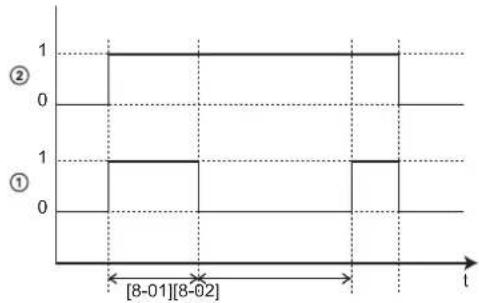
line
| t | Value | |---|---| | 0 | 1 | | 1 | 1 | | 2 | 1 | | 3 | 1 | | 4 | 1 | | 5 | 1 | | 6 | 1 | | 7 | 1 | | 8 | 1 | | 9 | 1 | | 10 | 1 | | 11 | 1 | | 12 | 1 | | 13 | 1 | | 14 | 1 | | 15 | 1 | | 16 | 1 | | 17 | 1 | | 18 | 1 | | 19 | 1 | | 20 | 1 | | 21 | 1 | | 22 | 1 | | 23 | 1 | | 24 | 1 | | 25 | 1 | | 26 | 1 | | 27 | 1 | | 28 | 1 | | 29 | 1 | | 30 | 1 | | 31 | 1 | | 32 | 1 | | 33 | 1 | | 34 | 1 | | 35 | 1 | | 36 | 1 | | 37 | 1 | | 38 | 1 | | 39 | 1 | | 40 | 1 | | 41 | 1 | | 42 | 1 | | 43 | 1 | | 44 | 1 | | 45 | 1 | | 46 | 1 | | 47 | 1 | | 48 | 1 | | 49 | 1 | | 50 | 1 | | 51 | 1 | | 52 | 1 | | 53 | 1 | | 54 | 1 | | 55 | 1 | | 56 | 1 | | 57 | 1 | | 58 | 1 | | 59 | 1 | | 60 | 1 | | 61 | 1 | | 62 | 1 | | 63 | 1 | | 64 | 1 | | 65 | 1 | | 66 | 1 | | 67 | 1 | | 68 | 1 | | 69 | 1 | | 70 | 1 | | 71 | 1 | | 72 | 1 | | 73 | 1 | | 74 | 1 | | 75 | 1 | | 76 | 1 | | 77 | 1 | | 78 | 1 | | 79 | 1 | | 80 | 1 | | 81 | 1 | | 82 | 1 | | 83 | 1 | | 84 | 1 | | 85 | 1 | | 86 | 1 | | 87 | 1 | | 88 | 1 | | 89 | 1 | | 90 | 1 | | 91 | 1 | | 92 | 1 | | 93 | 1 | | 94 | 1 | | 95 | 1 | | 96 | 1 | | 97 | 1 | | 98 | 1 | | 99 | 1 | | [8-01][8-02] | [8-01] (approx) for the first interval; [8-02] (approx) for the second interval; [8-03] (approx) for the third interval; [8-04] (approx) for the fourth interval; [8-05] (approx) for the fifth interval; [8-06] (approx) for the sixth interval; [8-07] (approx) for the seventh interval; [8-08] (approx) for the eight interval; [8-09] (approx) for the nine interval; [8-10] (approx) for the bottom interval; [8-11] (approx) for the top interval; [8-12] (approx) for the bottom interval; [8-13] (approx) for the middle interval; [8-14] (approx) for the middle interval; [8-15] (approx) for the bottom interval; [8-16] (approx) for the top interval; [8-17] (approx) for the top interval; [8-18] (approx) for the bottom interval; [8-19] (approx) for the bottom interval; [8-20] (approx) for the bottom interval; [8-21] (approx) for the bottom interval; [8-22] (approx) for the bottom interval; [8-23] (approx) for the bottom interval; [8-24] (approx) for the bottom interval; [8-25] (approx) for the bottom interval; [8-26] (approx) for the bottom interval; [8-27] (approx) for the bottom interval; [8-28] (approx) for the bottom interval; [8-29] (approx) for the bottom interval; [8-30] (approx) for the bottom interval; [8-31] (approx) for the bottom interval; [8-32] (approx) for the bottom interval; [8-33] (approx) for the bottom interval; [8-34] (approx) for the bottom interval; [8-35] (approx) for the bottom interval; [8-36] (approx) for the bottom interval; [8-37] (approx) for the bottom interval; [8-38] (approx) for the bottom interval; [8-39] (approx) for the bottom interval; [8-40] (approx) for the bottom interval; [8-41] (approx) for the bottom interval; [8-42] (approx) for the bottom interval; [8-43] (approx) for the bottom interval; [8-44] (approx) for the bottom interval; [8-45] (approx) for the bottom interval; [8-46] (approx) for the bottom interval; [8-47] (approx) for the bottom interval; [8-48] (approx) for the bottom interval; [8-49] (approx) for the bottom interval; [8-50] (approx) for the bottom interval; [8-51] (approx) for the bottom interval; [8-52] (approx) for the bottom interval; [8-53] (approx) for the bottom interval; [8-54] (approx) for the bottom interval; [8-55] (approx) for the bottom interval; [8-56] (approx) for the bottom interval; [8-57] (approx) for the bottom interval; [8-58] (approx) for the bottom interval; [8-59] (approx) for the bottom interval; [8-60] (approx) for the bottom interval; [8-61] (approx) for the bottom interval; [8-62] (approx) for the bottom interval; [8-63] (approx) for the bottom interval; [8-64] (approx) for the bottom interval; [8-65] (approx) for the bottom interval; [8-66] (approx) for the bottom interval; [8-67] (approx) for the bottom interval; [8-68] (approx) for the bottom interval; [8-69] (approx) for the bottom interval; [8-70] (approx) for the bottom interval; [8-71] (approx) for the bottom interval; [8-72] (approx) for the bottom interval; [8-73] (approx) for the bottom interval; [8-74] (approx) for the bottom interval; [8-75] (approx) for the bottom interval; [8-76] (approx) for the bottom interval; [8-77] (approx) for the bottom interval; [8-78] (approx) for the bottom interval; [8-79] (approx) for the bottom interval; [8-80] (approx) for the bottom interval; [8-81] (approx) for the bottom interval; [8-82] (approx) for the bottom interval; [8-83] (approx) for the bottom interval; [8-84] (approx) for the bottom interval; [8-85] (approx) for the bottom interval; [8-86] (approx) for the bottom interval; [8-87] (approx) for the bottom interval; [8-88] (approx) for the bottom interval; [8-89] (approx) for the bottom interval; [8-90] (approx) for the bottom interval; [8-91] (approx) for the bottom interval; [8-92] (approx) for the bottom interval; [8-93] (approx) for the bottom interval; [8-94] (approx) for the bottom interval; [8-95] (approx) for the bottom interval; [8-96] (approx) for the bottom interval; [8-97] (approx) for the bottom interval; [8-98] (approx) for the bottom interval; [8-99] (approx) for the bottom interval; [90] (approx), which is calculated as a sum of all four values: (a - b), which is calculated as a sum of all four values: (b - c), which is calculated as a sum of all four values: (a - b), which is calculated as a sum of all four values: (b - c), which is calculated as a sum of all four values: (c - d), which is calculated as a sum of all four values: (d - e), which is calculated as a sum of all four values: (e - f), which is calculated as a sum of all four values: (f - g), which is calculated as a sum of all four values: (g - h), which is calculated as a sum of all four values: (h - i), which is calculated as a sum of all four values: (i - j), which is calculated as a sum of all four values: (j - k), which is calculated as a sum of all four values: (k - l), which is calculated as a sum of all four values: (l - m), which is calculated as a sum of all four values: (m - n), which is calculated as a sum of all four values: (n - o), which is calculated as a sum of all four values: (o - p), which is calculated as a sum of all four values: (p - q), which is calculated as a sum of all four values: (q - r), which is calculated as a sum of all four values: (r - s), which is calculated as a sum of all four values: (s - t), which is calculated as a sum of all four values: (t - u), which is calculated as a sum of all four values: (u - v), which is calculated as a sum of all four values: (v - w), which is calculated as a sum of all four values: (v - x), which is calculated as a sum of all four values: (v - y), which is calculated as a sum of all four values: (v - z), which is calculated as a sum of all four values: (z - u), which is calculated as a sum of all four values: (z - v), which is calculated as a sum of all four values: (z - w), which is calculated as a sum of all four values: (z - r), which is calculated as a sum of all four values: (z - s), which is calculated as a sum of all four values: (z - t), which is calculated as a sum of all four values: (z - u), which is calculated as a sum of all four values: (z - v), which is calculated as a sum of all four values: (z - w), which is calculated as a sum of all four values: (z - y), which is calculated as a sum of all four values: (z - z), which is calculated as a sum of all four values: (z - q), which is calculated as a sum of all four values: (q - r), which is calculated as a sum of all four values: (q - s), which is calculated as a sum of all four values: (q - w), which is calculated as a sum of all four values: (q - r), which is calculated as a sum of all four values: (q - s), which is calculated as a sum of all four values: (q - t), which is calculated as a sum of all four values: (q - u), which is calculated as a sum of all four values: (q - v), which is calculated as a sum of all four values: (q - w), which is calculated as a sum of all four values: (q - r), which is calculated as a sum of all four values: (q - s), which is calculated as a sum of all four values: (q - t), which is calculated as a sum of all four values: (q - u), which is calculated as a sum of all four values: (q - v), which is determined by equation, formula, and type.1 Heat pump domestic water heating mode (1=active, 0=not active)
2 Hot water request for heat pump (1=request, 0=no request)
t Time
[8-04]: Additional timer at [4-02]/[F-01]
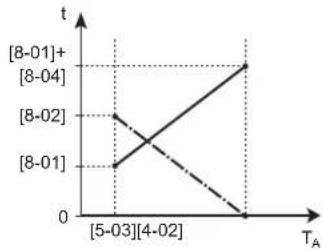
line
| T_A | t | |---|---| | [5-03] | 8-01 | | [4-02] | 8-02 | | [8-01]+ | 8-04 |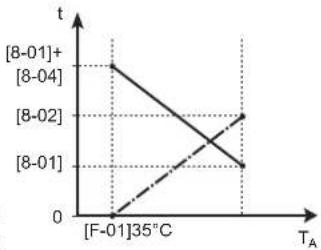
line
| T_A | t | |---|---| | [8-01]+ | 0 | | [8-04] | 0 | | [8-02] | 0 | | [8-01] | 0 | | [F-01]35℃ | 0 |T_A Ambient (outdoor) temperature
t Time
Anti-recycle timer Maximum running time domestic hot water
| # Code Description | |
| [9.6.4] [8-02] Anti-recycle | timer: Minimum time between two cycles for domestic hot water. The actual anti-recycling time also depends on setting [8-04].Range: 0~10 hoursRemark: The minimum time is 0.5 hours even when the selected value is 0. |
| [9.6.5] [8-00] Minimum running | timer:Do NOT change. |
| [9.6.6] [8-01] Maximum running timer for domestic hot water operation. Domestic hot water heating stops even when the target domestic hot water temperature is NOT reached. The actual maximum running time also depends on setting [8-04].When Control=Room thermostat: This preset value is only taken into account if there is a request for space heating or cooling. If there is NO request for space heating/cooling the tank is heated until the setpoint has been reached.When Control≠Room thermostat: This preset value is always taken into account. Range: 5~95 minutesRemark: It is NOT allowed to set [8-01] to a value below 10 minutes. | |
| [9.6.7] [8-04] Additional timer: Additional running time for the maximum running time depending on the outdoor temperature [4-02] or [F-01]. Range: 0~95 minutes | |
Water pipe freeze prevention
Only relevant for installations with water piping outdoors. This function tries to protect outdoor water piping from freezing.
| # Code Description | |
| [9.7] [4-04] Water pipe freeze prevention:▪ 2: Off (read only) | |
Benefit kWh power supply
Allowed heaters during preferential kWh rate power supply
Do NOT use 1 or 3. Setting [D-00] to 1 or 3 when [D-01] is set to 1 or 2 will reset [D-00] back to 0, as the system does not have a booster heater. Only set [D-00] to the values in the table below:
| [D-00] | Backup heater | Compressor |
| 0 | Forced OFF | Forced OFF |
| 2 | Allowed |
Smart Grid operation modes
The 2 incoming Smart Grid contacts (see "9.3.13 To connect a Smart Grid" [▶ 147]) can activate the following Smart Grid modes:
| Smart Grid contact | [9.8.5] Smart grid operation mode | |
| 1 | 2 | |
| 0 | 0 | Free running |
| 0 | 1 | Forced off |
| 1 | 0 | Recommended on |
| Smart Grid contact [9.8.5] Smart grid operation mode | |
| 1 | 2 |
| 1 1 Forced on | |
Free running:
The Smart Grid function is NOT active.
Forced off:
- The unit forces OFF the compressor and the backup heater.
Recommended on:
- In case the space heating/cooling request is OFF and the tank temperature setpoint is reached, the unit can choose to buffer energy from the photovoltaic panels in the room (only in case of room thermostat control) or in the storage tank instead of putting the photovoltaic panel energy on the grid.
In case of room buffering, the room will heat up or cool down to the comfort setpoint. In case of tank buffering, the tank will heat up to the maximum tank temperature.
- The goal is to buffer the energy from the photovoltaic panels. Therefore, the capacity of the unit is limited to what the photovoltaic panels are providing:
| If Smart Grid pulse meter is... Then | the limit is... |
| Available Decided by the unit based on the input of the Smart Grid pulse meter. | |
| Not available Decided by [9.8.8] Limit | settingkw |
Forced on:
Similar to Recommended on, but there is no capacity limitation. The goal is NOT to use the grid as much as possible.
Emergency mode. In case emergency mode is active, buffering with electrical heater is NOT possible in Forced on and Recommended on operation modes.
| # Code Description | |
| [9.8.2] [D-00] Restriction: Only applicable if [9.8.4] is NOT set to Smart grid.Allow heater: Which heaters are allowed to operate during preferential kWh rate power supply?0 No: None1 Only BSH: Booster heater only2 Only BUH: Backup heater only3 All: All heatersSee also below table (Allowed heaters during preferential kWh rate power supply).Setting 2 is only meaningful if the preferential kWh rate power supply is of type 1 or the hydro module is connected to a separate normal kWh rate power supply (via X2M/5-6) and the backup heater is NOT connected to the preferential kWh rate power supply. | |
| [9.8.3] [D-05] Restriction: Only applicable if [9.8.4] is NOT set to Smart grid.Allow pump:▪ 0 No: Pump is forced off▪ 1 Yes: No limitation | |
| [9.8.4] [D-01] Connection to a Benefit kWh power supply or a Smart grid:▪ 0 No: The outdoor unit is connected to a normal power supply.▪ 1 Open: The outdoor unit is connected to a preferential kWh rate power supply. When the preferential kWh rate signal is sent by the electricity company, the contact will open and the unit will go in forced off mode. When the signal is released again, the voltage-free contact will close and the unit will restart operation. Therefore, always enable the auto restart function.▪ 2 Closed: The outdoor unit is connected to a preferential kWh rate power supply. When the preferential kWh rate signal is sent by the electricity company, the contact will close and the unit will go in forced off mode. When the signal is released again, the voltage-free contact will open and the unit will restart operation. Therefore, always enable the auto restart function.▪ 3 Smart grid: A Smart Grid is connected to the system | |
| [9.8.5] N/A Restriction: Only applicable if [9.8.4]=Smart grid.Shows the Smart Grid operation mode sent by the 2 incoming Smart Grid contacts.Smart grid operation mode:▪ Free running▪ Forced off▪ Recommended on▪ Forced onSee also below table (Smart Grid operation modes). | |
| [9.8.6] N/A Restriction: Only applicable if [9.8.4]=Smart grid.To set if electrical heaters are allowed.Allow electrical heaters:▪ No▪ Yes | |
| [9.8.7] N/A Restriction: Only applicable in case of room thermostat control, and if [9.8.4]=Smart grid.To set if room buffering will be enabled.Enable room buffering:No: The extra energy from the photovoltaic panels is only buffered in the storage tank (i.e. heat up the storage tank).Yes: The extra energy from the photovoltaic panels is buffered in the storage tank, and in the space heating/cooling circuit (i.e. heat up or cool down the room). | |
| [9.8.8] N/A Limit setting kWRestriction: Only applicable if:[9.8.4]=Smart grid.There is no pulse meter (power meter) for photovoltaic panels available ([9.A.2] Electricity meter 2=None)Normally, when a pulse meter is available, the following happens:The pulse meter measures the power produced by the photovoltaic panels.The unit limits its power consumption during the Smart Grid's "Recommended ON" mode to only use the power provided by the photovoltaic panels.However, when the pulse meter is not available, you can still limit the unit's power consumption using this setting (Limit setting kW). This prevents overconsumption and thus requiring the use of power from the grid. | |
Power consumption control
Power consumption control
See "6 Application guidelines" [▶ 33] for detailed information about this functionality.
| # Code | Description | |
| [9.9.1] | [4-08] | Power consumption control:▪ 0 No: Disabled.▪ 1 Continuous: Enabled: You can set one power limitation value (in A or kW) to which the system power consumption will be limited for all the time.▪ 2 Inputs: Enabled: You can set up to four different power limitation values (in A or kW) to which the system power consumption will be limited when the corresponding digital input asks. |
| # Code Description | |
| [9.9.2] [4-09] Type: | 0 Amp: The limitation values are set in A.1 kW: The limitation values are set in kW. |
Limit when [9.9.1]=Continuous and [9.9.2]=Amp:
| # Code Description | |
| [9.9.3] [5-05] Limit: Only applicable in case of full time current limitation mode.0 A~50 A | |
Limits when [9.9.1]=Inputs and [9.9.2]=Amp:
| # Code Description | |
| [9.9.4] [5-05] Limit 1: 0 A~50 A | |
| [9.9.5] [5-06] Limit 2: 0 A~50 A | |
| [9.9.6] [5-07] Limit 3: 0 A~50 A | |
| [9.9.7] [5-08] Limit 4: 0 A~50 A |
Limit when [9.9.1]=Continuous and [9.9.2]=kW:
| # Code Description | |
| [9.9.8] [5-09] Limit: Only applicable in case of full time power limitation mode. 0 kW~20 kW | |
Limits when [9.9.1]=Inputs and [9.9.2]=kW:
| # Code Description | ||
| [9.9.9] [5-09] Limit | 1: 0 kW~20 | kW |
| [9.9.A] [5-0A] Limit | 2: 0 kW~20 | kW |
| [9.9.B] [5-0B] Limit | 3: 0 kW~20 | kW |
| [9.9.C] [5-0C] Limit | 4: 0 kW~20 | kW |
Priority heater
| # Code Description | |
| [9.9.D] [4-01] Power consumption control DISABLED[4-08]=00 None: Backup heater and booster heater can operate simultaneously.1 Booster heater: The booster heater is prioritised.2 Backup heater: The backup heater is prioritised.Power consumption control ENABLED[4-08]=1/20 None: Depending on the power limitation level, the booster heater will be limited first, before the backup heater is limited.1 Booster heater: Depending on the power limitation level, the backup heater will be limited first, before the booster heater is limited.2 Backup heater: Depending on the power limitation level, the booster heater will be limited first, before the backup heater is limited. | |
Note: In case power consumption control is DISABLED (for all models) the setting [4-01] defines whether backup heater and booster heater can operate simultaneously, or if the booster heater/backup heater has priority over the backup heater/booster heater.
In case power consumption control is ENABLED, the setting [4-01] defines the priority of the electrical heaters depending on applicable limitation.
BBR16
See "6.6.4 BBR16 power limitation" [▶ 63] for detailed information about this functionality.

INFORMATION
Restriction: BBR16 settings are only visible when the language of the user interface is set to Swedish.

NOTICE
2 weeks to change. After you activated BBR16, you only have 2 weeks to change its settings (BBR16 activation and BBR16 power limit). After 2 weeks, the unit freezes these settings.
Note: This is different from the permanent power limitation, which is always changeable.
BBR16 activation
| # Code Description | |
| [9.9.F] [7-07] BBR16 activation:0: disabled1: enabled | |
BBR16 power limit
| # Code Description | ||
| [9.9.G] [N/A] BBR16 power lim | it: This setting can onlybe modified via the menu structure.▪ 0 kW~25 kW, step 0.1 kW | |
Energy metering
Energy metering
If energy metering is performed by the use of external power meters, configure the settings as described below. Select the pulse frequency output of each power meter in accordance with the power meter specifications. It is possible to connect up to 2 power meters with different pulse frequencies. If only 1 or no power meter is used, select 'None' to indicate the corresponding pulse input is NOT used.
| # Code Description | |
| [9.A.1] [D-08] E | Electricity meter 1:0 None: NOT installed1 1/10kWh: Installed2 1/kWh: Installed3 10/kWh: Installed4 100/kWh: Installed5 1000/kWh: Installed |
| [9.A.2] [D-09] E | Electricity meter 2:0 None: NOT installed1 1/10kWh: Installed2 1/kWh: Installed3 10/kWh: Installed4 100/kWh: Installed5 1000/kWh: Installed |
Sensors
External sensor
| # Code Description | |
| [9.B.1] [C-08] External sensor: When an optional external ambient sensor is connected, the type of the sensor must be set.▪ 0 None : NOT installed. The thermistor in the dedicated Human Comfort Interface and in the outdoor unit are used for measurement.▪ 1 Outdoor: Connected to PCB of the indoor unit measuring the outdoor temperature.Remark: For some functionality, the temperature sensor in the outdoor unit is still used.▪ 2 Room: Connected to PCB of the indoor unit measuring the indoor temperature. The temperature sensor in the dedicated Human Comfort Interface is NOT used anymore.Remark: This value has only meaning in room thermostat control. | |
Ext. amb. sensor offset
ONLY applicable in case an external outdoor ambient sensor is connected and configured.
You can calibrate the external outdoor ambient temperature sensor. It is possible to give an offset to the thermistor value. This setting can be used to compensate for situations where the external outdoor ambient sensor cannot be installed on the ideal installation location.
| # | Code | Description |
| [9.B.2] | [2-0B] | Ext. amb. sensor offset: Offset on the ambient temperature measured on the external outdoor temperature sensor.-5°C~5°C, step 0.5°C |
Averaging time
The average timer corrects the influence of ambient temperature variations. The weather-dependent setpoint calculation is done on the average outdoor temperature.
The outdoor temperature is averaged over the selected time period.
| # | Code Description |
| [9.B.3] [1-0A] | Averaging time:0: No averaging1: 12 hours2: 24 hours3: 48 hours4: 72 hours |
Bivalent
Bivalent
Only applicable in case of auxiliary boiler.
About bivalent
The purpose of this function is to determine which heating source can/will provide the heating, either the heat pump system or the auxiliary boiler.
| # Code Description | |
| [9.C.1] [C-02] Bivalent: Indicates, if space or DHW heating can also be performed by means of another auxiliary heat source than the heat pump system.▪ 0 Off: No auxiliary boiler (gas boiler, oil burner) is installed▪ 1 Direct (SH): Set this value in case that the auxiliary boiler is installed directly in the space heating circuit.▪ 2 Indirect (DHW): Set this value in case that the auxiliary boiler is connected to the storage tank and the heat generated by the auxiliary boiler should be used for domestic hot water heating only.▪ 2 Indirect (DHW + SH): Set this value in case that the auxiliary boiler is connected to the storage tank and the heat generated by the auxiliary boiler should be used for domestic hot water heating as well as space heating support. | |
- If Bivalent is disabled: Heating is done only by the heat pump within the operation range. The permission signal for the auxiliary boiler is always inactive.
- If Direct (SH) is enabled: When the outdoor temperature drops below the bivalent ON temperature (fixed or variable based on energy prices), the space heating by the heat pump stops automatically and the permission signal for the auxiliary boiler is active.

NOTICE
Direct (SH) operation is only possible if:
■ Space heating is turned ON, and
- Tank operation is turned OFF.

INFORMATION
Direct (SH) is only possible in case of 1 leaving water temperature zone with:
■ room thermostat control, OR
■ external room thermostat control.
- If Indirect (DHW) is enabled: When boiler operation is more efficient than heat pump operation (based on energy prices or primary energy efficiency) the auxiliary boiler provides heat for domestic hot water, while the heat pump continues to provide heat for the space heating circuit.
- If Indirect (DHW + SH) is enabled: When boiler operation is more efficient than heat pump operation (based on energy prices or primary energy efficiency) the auxiliary boiler primarily provides heat for domestic hot water heating. If the storage tank temperature is sufficient, the energy provided by the auxiliary boiler is additionally used for space heating, either supporting the heat pump or completely covering the building demand.
The switch-over between the heat pump system and the auxiliary boiler is based on the following settings:
[C-03] and [C-04]
Electricity and gas prices ([7.5.1], [7.5.2], [7.5.3], and [7.6]) or PE factor [7-03]
[C-03], [C-04], T_calc , and T_lim
For space heating switch-over: Based on the settings above, the heat pump system calculates a value T_calc , which is variable between [C-03] and [C-03]+[C-04].
![a 3°C b [C-03] Tcalc [C-03]+[C-04] TA](/content/2026/05/854961/images/17826221609dada2daa04ff9bff00fd62e56c610bb355a1af00698e1a97ec5f2.jpg)
T_A Outdoor temperature T_calc Bivalent ON temperature (variable). Below this temperature, the auxiliary boiler will always be ON. T_calc can never go below [C-03] or above [C-03]+[C-04].
3°C Fixed hysteresis to prevent too much switching between heat pump system and auxiliary boiler
a Auxiliary boiler active
b Auxiliary boiler inactive
| If the outdoor temperature... | Then... | |
| Space heating by the heat pump system... | Bivalent signal for the auxiliary boiler is... | |
| Drops below T_calc | Stops Active | |
| Rises above T_calc +3°C Starts | Inactive | |
| # Code Description | |
| 9.C.3 [C-03] Range: -25^ 25^ | (step: 1^ ) |
| 9.C.4 [C-04] Range: 2^ 10^ (step: 1^ )The higher the value of [C-04], the higher the accuracy of the switch-over between the heat pump system and the auxiliary boiler. | |
To determine the value of [C-03], proceed as follows:
1 Determine the COP (= coefficient of performance) using the formula:
| Formula Example | |
| COP = (Electricity price / gas price) ^(a) × boiler efficiency | If:• Electricity price: 20 c€/kWh• Gas price: 6 c€/kWh• Boiler efficiency: 0.9Then: COP=(20/6)×0.9=3 |
^(a) Make sure to use the same units of measurement for the electricity price and gas price (example: both c€/kWh).
2 Determine the value of [C-03] using the graph. For an example, see the table legend.
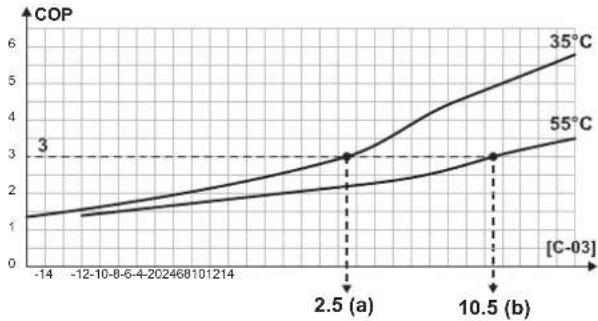
line
| [C-03] | COP (35°C) | COP (55°C) | | ------ | ---------- | ---------- | | -14 | 1.0 | 1.0 | | 2.5 | 3.0 | 2.0 | | 10.5 | 6.0 | 3.0 |a [C-03]=2.5 in case of COP=3 and LWT=35°C
b [C-03]=10.5 in case of COP=3 and LWT=55°C

NOTICE
Make sure to set the value of [5-01] at least 1^ C higher than the value of [C-03].
For DHW heating switch-over:
The heat pump system calculates a value T_lim based on outdoor temperature and COP as defined above. When storage tank temperature reaches T_inv , the boiler is set as primary heat source and heat pump operation is not allowed. Whether the boiler will be activated depends on the intelligent tank management settings.
Electricity and gas prices, PE factor [7-03]
![DAIKIN ERLA16DAW1 - Electricity and gas prices, PE factor [7-03] - 1](/content/2026/05/854961/images/6bee4299346d87e78940db150a7900ff2eb0331bc956a892a15d9352ba58ecee.jpg)
INFORMATION
To set electricity and gas price values, do NOT use overview settings. Set them in the menu structure instead ([7.5.1], [7.5.2], [7.5.3], and [7.6]). For more information on how to set the energy prices, see the operation manual and the user reference guide.

INFORMATION
Solar panels. If solar panels are used, set the electricity price value very low to promote the use of the heat pump.
| # Code Description | ||
| [7.5.1] | N/A | User settings > Electricity price > High |
| [7.5.2] | N/A | User settings > Electricity price > Medium |
| [7.5.3] | N/A | User settings > Electricity price > Low |
| [7.6] | N/A | User settings > Gas price |
| [9.J.2] | [7-03] | If electricity and gas prices are not known, the PE factor (primary energy factor) is used for the calculation instead. Lower values of the PE factor result in increased use of the heat pump. Higher values of the PE factor result in increased use of the auxiliary boiler. |
Boiler efficiency
Depending on the used boiler, this should be chosen as follows:
| # Code Description | |
| [9.C.2] [7-05]▪ 0: Very high | ▪ 1: High▪ 2: Medium▪ 3: Low▪ 4: Very low |
Alarm output
Alarm output
| # Code Description | |
| [9.D] [C-09] Alarm output: Indicates the logic of the alarm output during malfunctioning.0 Abnormal: The alarm output will be powered when an alarm occurs. By setting this value, a distinction is made between the detection of an alarm, and the detection of a power failure.1 Normal: The alarm output will NOT be powered when an alarm occurs.See also table below (Alarm output logic). | |
Alarm output logic
| [C-09] Alarm | No alarm No power supply | to unit | |
| 0 | Closed output | Open output | Open output |
| 1 | Open output | Closed output | |
Auto restart
Auto restart
When power returns after a power supply failure, the auto restart function reapplies the user interface settings at the time of the power failure. Therefore, it is recommended to always enable the function.
If the preferential kWh rate power supply is of the type that power supply is interrupted, always enable the auto restart function. Continuous indoor unit control can be guaranteed independent of the preferential kWh rate power supply status, by connecting the indoor unit to a separate normal kWh rate power supply.
| # | Code Description | |
| [9.E] | [3-00] | Auto restart:0: Manual1: Automatic |
Power saving function
Power saving function
Defines whether the outdoor unit power supply can be interrupted (internally by indoor unit control) during stand-still conditions (no space heating/cooling nor domestic hot water demand). The final decision to allow power interruption of the outdoor unit during standstill depends on the ambient temperature, compressor conditions and minimum internal timers.
To enable the power saving function setting, [E-08] needs to be enabled on the user interface.
| # Code Description | |
| [9.F] [E-08] Power saving function for outdoor unit:0: No1: Yes | |
Disable protections

INFORMATION
Protective functions – "Installer-on-site mode". The software is equipped with protective functions, such as room antifrost. The unit automatically runs these functions when necessary.
During installation or service this behaviour is undesired. Therefore, the protective functions can be disabled:
- At first power-on: The protective functions are disabled by default. After 12 hours they will be automatically enabled.
- Afterwards: An installer can manually disable the protective functions by setting [9.G]: Disable protections=Yes. After his work is done, he can enable the protective functions by setting [9.G]: Disable protections=No.
| # Code Description | |
| [9.G] N/A Disable protections:0: No1: Yes | |
Forced defrost
Forced defrost
Manually start a defrost operation.
| # Code Description | |
| [9.H] N/A Do you want to start a defrost operation?BackOK |

NOTICE
Forced defrost start-up. You can only start forced defrost when the heating operation has been running for a while.
Overview field settings
Almost all settings can be done using the menu structure. If for any reason it is required to change a setting using the overview settings, then the overview settings can be accessed in the field settings overview [9.1]. See "To modify an overview setting" [▶ 158].
Export MMI settings
About exporting the configuration settings
Export the configuration settings of the unit to a USB memory stick, via the MMI (the user interface of the indoor unit). When troubleshooting, these settings can be provided to our Service department.
| # Code Description | |
| [9.N] N/A Your | MMI settings will be exported to the connected storage device:BackOK |
To export MMI settings
| 1 | Open the user interface panel and insert a USB memory stick. | — |
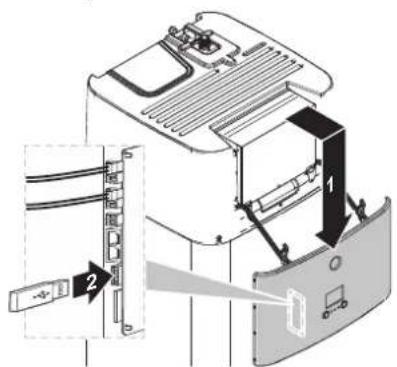 | ||
| 2 | On the user interface, go to [9.N] Export MMI settings. | ###...○ |
| 3 | Select OK. | ###...○ |
| 4 | Remove the USB memory stick and close the user interface panel. | — |
Intelligent tank manager
The intelligent tank manager functions allow for efficient and flexible usage of energy stored in the energy storage tank of the unit, both for domestic hot water generation and space heating.
When the storage tank temperature rises above the temperature required to ensure sufficient domestic hot water, the resulting energy can be used to support space heating. This energy can either be provided by a solar system or an auxiliary boiler connected to the storage tank. The latter is desirable, if the auxiliary heater is at the given conditions more efficient than the heat pump. To ensure optimal energy usage, several parameters should be adjusted according to the individual system setup.

NOTICE
To ensure safe operation of the system, do NOT turn off DHW when space heating is required.
Tank boiler hysteresis
| # Code Description | |
| [9.0.1] [7-0D] Range: 2°C~20°C | (step: 0.5°C) |
The tank boiler hysteresis determines the switch between space heating by heat pump (while boiler is preheating the tank) and space heating by tank heating support (while boiler may or may not operate).
This applies only, when tank energy is allowed to be used for space heating ([C-02]=3) and the auxiliary boiler is deemed more efficient by the efficiency calculation for space heating. For lower tank boiler hysteresis values, the system switches more often between the two operation modes. Higher hysteresis values lead to an increase in boiler operation and the space heating support starts only at higher tank temperatures.
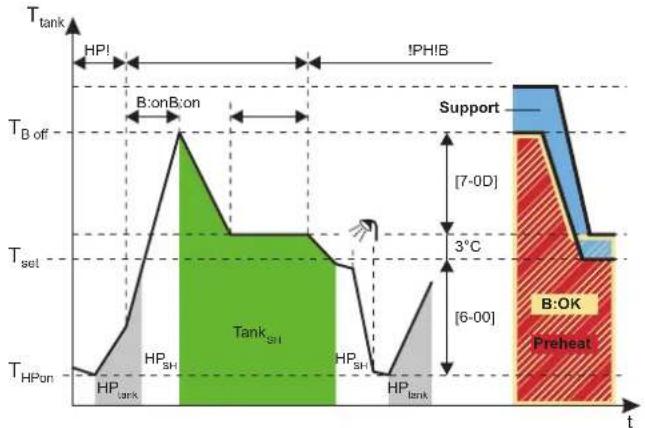
B Boiler
HP Heat pump
HP_tank Tank heating by heat pump
HP SH Space heating by heat pump
Tank SH Space heating by tank heating support
T_tank Storage tank temperature
T_set In this example: Tank setpoint (may differ depending on space heating setpoint)
T_B off Boiler off temperature ( T_set+3+[7-0D] )
T_HP on HP tank heating ON temperature (Tank setpoint—[6-00])
HP! HP more efficient according to efficiency calculation for space heating
B! Boiler more efficient according to efficiency calculation for space heating
B:on Boiler on
B:OK Boiler on allowed
Support Tank state: Support
Preheat Tank state: Pre heating
Tank free energy hysteresis
| # Code Description | ||
| [9.0.2] [7-0E] | Range: 2°C~22°C (step: 0.5°C) | |
The tank free energy hysteresis defines the storage tank limit temperature, above which heat pump and boiler is stopped in case solar energy is provided and solar priority is active ([C-00]=0).
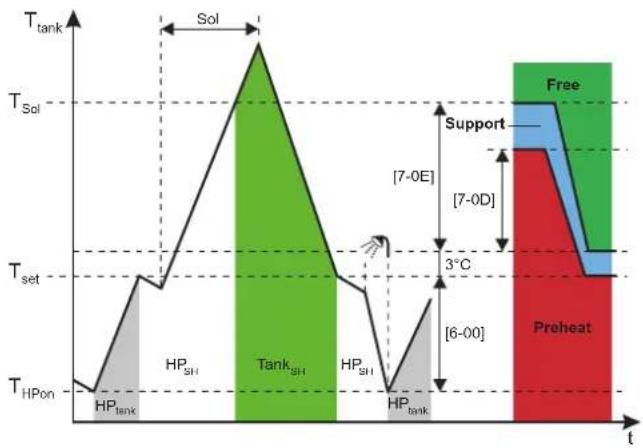
line
| Phase | Time Segment | Temperature | |-----------|--------------|-------------| | Sol | Top Left | High | | Sol | Top Right | High | | T_Sol | Top Right | High | | T_set | Bottom Left | Low | | T_set | Bottom Right | Low | | T_set | Bottom Right | Low | | T_set | Top Right | Low | | T_set | Top Right | Low | | T_set | Top Right | Low | | T_set | Top Right | Low | | T_set | Top Right | Low | | T_set | Top Right | Low | | T_set | Top Right | Low | | T_set | Top Right | Low | | T_set | Top Right | Low |HP Heat pump
Sol Solar energy input
HP_tank Tank heating by heat pump operation
HPSH Space heating by heat pump operation
Ttank Storage tank temperature
Tank SH Space heating by tank heating support
Tset In this example: Tank setpoint (may differ depending on space heating setpoint)
T_sol HP (and boiler) off temperature ( T_set + 3 + [7-0E] )
T_HP on HP tank heating ON temperature (Tank setpoint—[6-00])
Free Tank state: Free energy
Support Tank state: Support
Preheat Tank state: Pre heating

NOTICE
If both solar energy and indirect auxiliary boiler is available, make sure that [7-0E] > [7-0D].
Tank capacity limitation
| # | Code | Description |
| [9.0.3] | [F-0E] | Limiting the capacity used for tank heating support will prevent the heating support function taking too much energy from the tank in a short time.Range: 0 kW~63 kW (step: 1 kW) |
The capacity should be limited to the capacity provided by the heat pump.
Efficiency calculation
| # | Code | Description |
| [9.0.4] | [F-07] | 0 Yes: The auxiliary boiler is large enough to cover the heat demand of the building and can therefore be considered as additional primary heat source. Therefore, the choice between operation of auxiliary boiler and heat pump should be done by efficiency calculation.1 No: The auxiliary boiler is too small to cover the building demand and is used solely as backup heat source. Therefore, the heat pump is the only available primary heat source. |

NOTICE
If you enable the efficiency calculation, make sure that the installed auxiliary boiler capacity is large enough to cover the building's space heating demand. Enabling the function for a too small boiler may lead to undesirable and potentially damaging on/off switching behavior of the heat pump!
Continuous heating
The continuous heating function allows to provide space heating also during unit defrost and can thereby increase space heating comfort. The space heating temperatures provided during defrost depend on actual storage tank temperatures.
| # Code Description | ||
| [9.0.5] | [F-08] | ▪ 0 No: Space heating is interrupted while the heat pump is in defrost operation.▪ 1 Yes: Space heating is provided from energy stored in the tank while the heat pump is in defrost operation. |
Equilibrium
| # Code Description | |
| [9.0.6] [5-00] Equilibrium: Deactivate backup heater (and tank heating support in case of a bivalent system) above the equilibrium temperature for space heating?▪ 0: No▪ 1: Yes | |
| [9.0.7] [5-01] Equilibrium temperature: Outdoor temperature below which operation of the backup heater (and tank heating support in case of a bivalent system) is allowed.Range: -15°C~35°C | |
Solar priority
| # Code Description | ||
| [9.0.8] [C-00]▪ 0 | Yes: When solar energy is provided and storage tank temperature is above limit temperature, heat pump and boiler are switched off.▪ 1 No: Heat pump and boiler can operate also while solar energy is provided. | |
Bizone kit
Bizone kit installed
| # Code Description | |
| [9.P.1] [E-0B] Bi | zone kit installed:0 No : The system only has a main zone.1 N/A2 Yes: A bizone kit is installed in order to add an additional temperature zone. |
Bizone kit system type
| # Code Description | |
| [9.P.2] [E-0C] Bi zone system | type• 0 Without hydraulic separator / no direct pump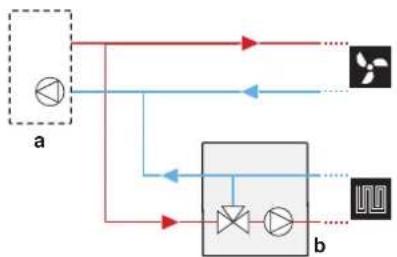 • 1 With hydraulic separator / no direct pump • 1 With hydraulic separator / no direct pump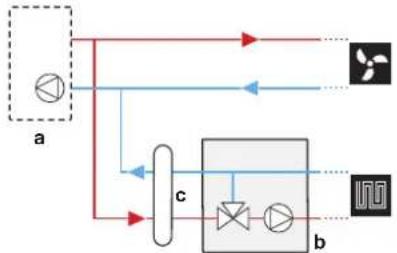 • 2 With hydraulic separator / with direct pump • 2 With hydraulic separator / with direct pump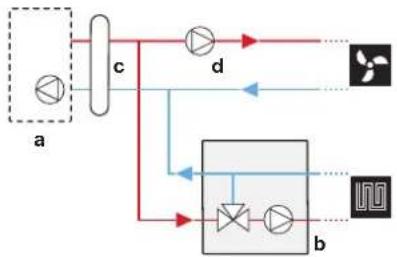 a: Indoor unit; b: Mixing station; c: Hydraulic separator; d: Direct pump a: Indoor unit; b: Mixing station; c: Hydraulic separator; d: Direct pump |
Additional zone pump fixed PWM
The speed of the additional zone pump can be fixed with this setting.
| # Code Description | |
| [9.P.3] [7-0A] Add zone pump | fixed PWM: Fixed pump speed for additional (direct) zone.▪ 20~95% (default: 95) |
Main zone pump fixed PWM
The speed of the main zone pump can be fixed with this setting.
| # Code Description | |
| [9.P.4] [7-0B] Main zone pump | fixed PWM: Fixed pump speed for main (mixed) zone.20~95% (default: 95) |
Mixing valve turning time
If a third party mixing valve is installed in combination with controller EKMIKPOA, the valve turning time must be set accordingly.
For this setting, space heating/cooling and tank operation MUST be off: [C.2] Space heating/cooling=0 (Off) and [C.3] Tank=0 (Off). See "11.5.12 Operation" [▶ 243].
| # Code Description | |
| [9.P.5] [7-0C] Mixing valve | turning time: Time in seconds for the mixing valve to turn from one side to the other.▪ 20~300 sec (default: 125) |
11.5.10 Commissioning
Overview
The following items are listed in the submenu:
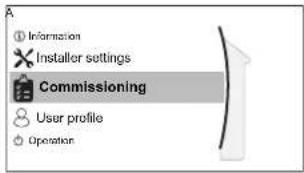
[A] Commissioning
[A.1] Operation test run
[A.2] Actuator test run
[A.3] Air purge
[A.4] UFH screed dryout
About commissioning
See: "12 Commissioning" [▶ 248]
11.5.11 User profile
[B] User profile: See "To change the user permission level" [▶ 157].
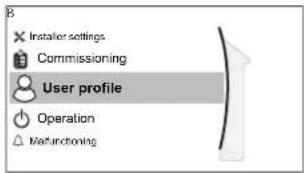
11.5.12 Operation
Overview
The following items are listed in the submenu:
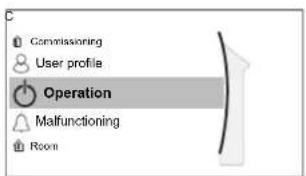
[C] Operation
[C.2] Space heating/cooling
[C.3] Tank
To enable or disable functionalities
In the operation menu, you can separately enable or disable functionalities of the unit.
| # Code Description | ||
| [C.2] N/A Space | heating/cooling:0: Off1: On | |
| [C.3] N/A Tank: | 0: Off1: On | |
11.5.13 WLAN

INFORMATION
Restriction: WLAN settings are only visible when a WLAN cartridge is inserted in the user interface.
About the WLAN cartridge
The WLAN cartridge connects the system to the internet. The user you can then control the system via the Daikin Residential Controller app.
This needs the following components:
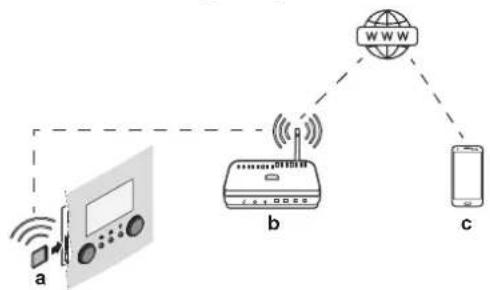
flowchart
graph TD
    A["Device a"] -->|Wireless Signal| B["Router b"]
    B --> C["Mobile Phone c"]
    D["Internet W WWW"] --> B
    style A fill:#f9f,stroke:#333
    style B fill:#ccf,stroke:#333
    style C fill:#cfc,stroke:#333
| a WLAN cartridge The WLAN | cartridge needs to be inserted in the user interface. See the installation manual of the WLAN cartridge. |
| b Router Field supply. |
c Smartphone + app The Daikin Residential Controller app needs to be

installed on the user's smartphone. See:
http://www.onlinecontroller.daikineurope.com/

Configuration
To configure the Daikin Residential Controller app, follow the in-app instructions. While doing this, the following actions and information are needed on the user interface:
Mode: Turn AP mode ON (= WLAN adapter active as access point) or OFF.
| # Code | Description | |
| [D.1] N/A Enable AP mode: | NoYes | |
Reboot: Reboot the WLAN cartridge.
| # Code | Description | |
| [D.2] N/A Reboot the gateway:BackOK | ||
WPS: Connect the WLAN cartridge to the router.
| # Code | Description | |
| [D.3] N/A WPS: | NoYes |

INFORMATION
You can only use this function if it is supported by the software version of the WLAN, and the software version of the Daikin Residential Controller app.
Remove from cloud: Remove the WLAN cartridge from the cloud.
| # Code | Description | |
| [D.4] N/A Remove from cloud: | NoYes | |
Home network connection: Read out the status of the connection to the home network.
| # Code | Description | |
| [D.5] N/A Home | network connection: · Disconnected from [WLAN_SSID] · Connected to [WLAN_SSID] | |
Cloud connection: Read out the status of the connection to the cloud.
| # Code | Description | |
| [D.6] N/A Cloud | connection:Not connectedConnected | |
11.6 Menu structure: Overview user settings
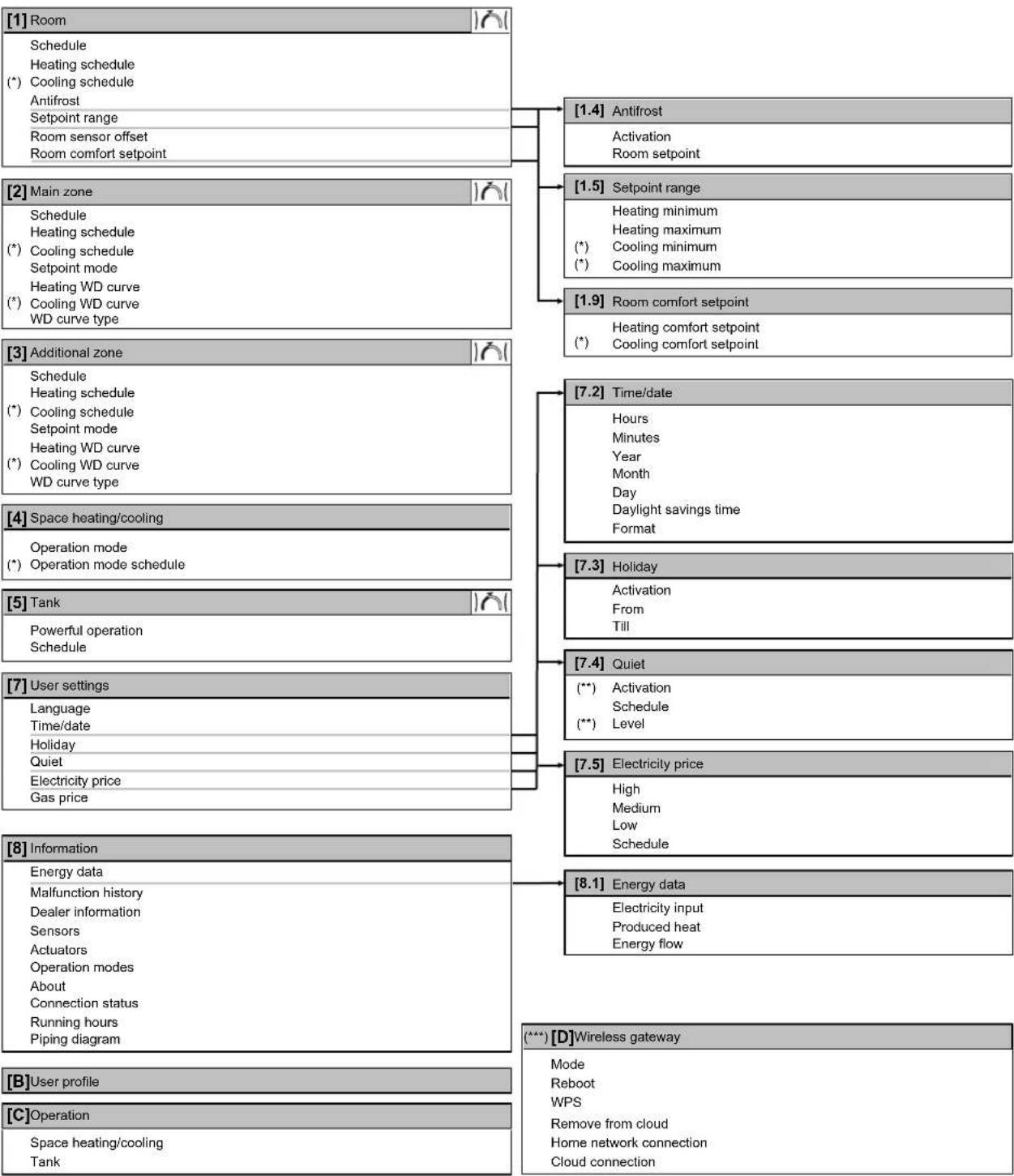
flowchart
graph TD
    A["[1"] Room] --> B["Schedule"]
    B --> C["Heating schedule"]
    C --> D["(*) Cooling schedule"]
    D --> E["Antifrost"]
    E --> F["Setpoint range"]
    F --> G["Room sensor offset"]
    G --> H["Room comfort setpoint"]

    I["[2"] Main zone] --> J["Schedule"]
    J --> K["Heating schedule"]
    K --> L["(*) Cooling schedule"]
    L --> M["Setpoint mode"]
    M --> N["Heating WD curve"]
    N --> O["(*) Cooling WD curve"]
    O --> P["WD curve type"]

    Q["[3"] Additional zone] --> R["Schedule"]
    R --> S["Heating schedule"]
    S --> T["(*) Cooling schedule"]
    T --> U["Setpoint mode"]
    U --> V["Heating WD curve"]
    V --> W["(*) Cooling WD curve"]
    W --> X["WD curve type"]

    Y["[4"] Space heating/cooling] --> Z["Operation mode"]
    Z --> AA["(*) Operation mode schedule"]

    AB["[5"] Tank] --> AC["Powerful operation"]
    AC --> AD["Schedule"]

    AE["[7"] User settings] --> AF["Language"]
    AF --> AG["Time/date"]
    AG --> AH["Holiday"]
    AH --> AI["Quiet"]
    AI --> AJ["Electricity price"]
    AJ --> AK["Gas price"]

    AL["[8"] Information] --> AM["Energy data"]
    AM --> AN["Malfunction history"]
    AN --> AO["Dealer information"]
    AO --> AP["Sensors"]
    AP --> AQ["Actuators"]
    AQ --> AR["Operation modes"]
    AR --> AS["About"]
    AS --> AT["Connection status"]
    AT --> AU["Running hours"]
    AU --> AV["Piping diagram"]

    AW["[B"] User profile] --> AX["C"] Operation
    AY["[1.4"] Antifrost] --> AZ["Activation"]
    AZ --> BA["Room setpoint"]

    BB["[1.5"] Setpoint range] --> BC["Heating minimum"]
    BC --> BD["Heating maximum"]
    BD --> BE["(*) Cooling minimum"]
    BE --> BF["(*) Cooling maximum"]

    BG["[1.9"] Room comfort setpoint] --> BH["Heating comfort setpoint"]
    BH --> BI["(*) Cooling comfort setpoint"]

    BJ["[7.2"] Time/date] --> BK["Hours"]
    BK --> BL["Minutes"]
    BL --> BM["Year"]
    BM --> BN["Month"]
    BN --> BO["Day"]
    BO --> BP["Daylight savings time"]
    BP --> BQ["Format"]

    BR["[7.3"] Holiday] --> BS["Activation"]
    BS --> BT["From"]
    BT --> BU["Till"]

    BV["[7.4"] Quiet] --> BW["(**) Activation"]
    BW --> BX["Schedule"]
    BX --> BY["(**) Level"]

    BZ["[7.5"] Electricity price] --> CA["High"]
    CA --> CB["Medium"]
    CB --> CC["Low"]
    CC --> CD["Schedule"]

    CE["[8.1"] Energy data] --> CF["Electricity input"]
    CF --> CG["Produced heat"]
    CG --> CH["Energy flow"]

    CI["(**) [D"] Wireless gateway] --> CJ["Mode"]
    CJ --> CJ1["Reboot"]
    CJ --> CJ2["WPS"]
    CJ --> CJ3["Remove from cloud"]
    CJ --> CJ4["Home network connection"]
    CJ --> CJ5["Cloud connection"]

Setpoint screen
(*) Only applicable for reversible models, or heating only models + conversion kit
(**) Only accessible by installer
(***) Only applicable when WLAN is installed

INFORMATION
Depending on the selected installer settings and unit type, settings will be visible/invisible.
11.7 Menu structure: Overview installer settings
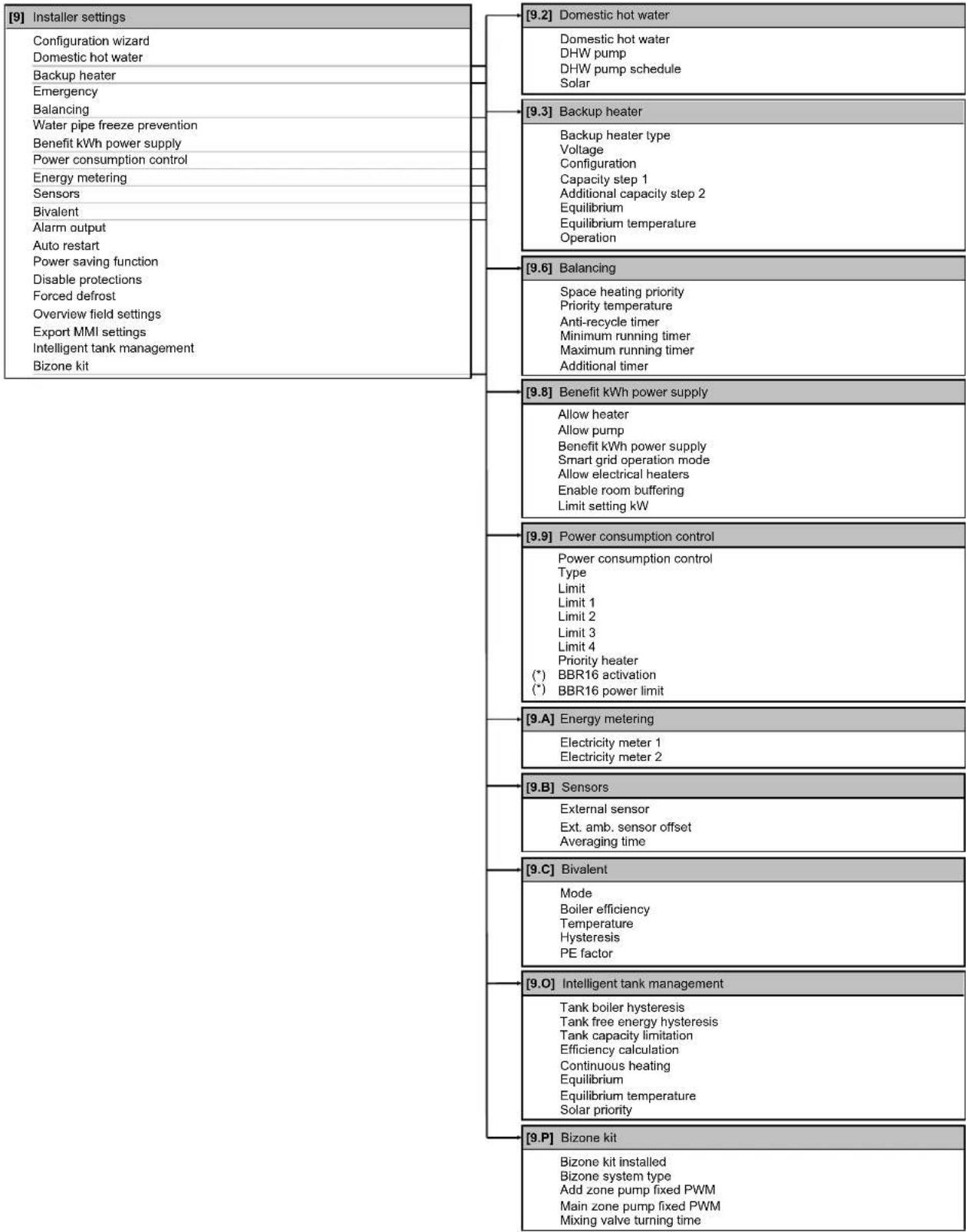
flowchart
graph TD
    A["[9"] Installer settings] --> B["[9.2"] Domestic hot water]
    B --> C["Domestic hot water"]
    B --> D["DHW pump"]
    B --> E["DHW pump schedule"]
    B --> F["Solar"]
    A --> G["[9.3"] Backup heater]
    G --> H["Backup heater type"]
    H --> I["Voltage"]
    H --> J["Configuration"]
    H --> K["Capacity step 1"]
    H --> L["Additional capacity step 2"]
    H --> M["Equilibrium"]
    H --> N["Equilibrium temperature"]
    H --> O["Operation"]
    A --> P["[9.6"] Balancing]
    P --> Q["Space heating priority"]
    Q --> R["Priority temperature"]
    Q --> S["Anti-recycle timer"]
    Q --> T["Minimum running timer"]
    Q --> U["Maximum running timer"]
    Q --> V["Additional timer"]
    A --> W["[9.8"] Benefit kWh power supply]
    W --> X["Allow heater"]
    W --> Y["Allow pump"]
    W --> Z["Benefit kWh power supply"]
    W --> AA["Smart grid operation mode"]
    W --> AB["Allow electrical heaters"]
    W --> AC["Enable room buffering"]
    W --> AD["Limit setting kW"]
    A --> AE["[9.9"] Power consumption control]
    AE --> AF["Power consumption control"]
    AF --> AG["Type"]
    AF --> AH["Limit 1"]
    AF --> AI["Limit 2"]
    AF --> AJ["Limit 3"]
    AF --> AK["Limit 4"]
    AF --> AL["Priority heater (*)<br>BBR16 activation(*)<br>BBR16 power limit"]
    AE --> AM["[9.A"] Energy metering]
    AM --> AN["Electricity meter 1"]
    AM --> AO["Electricity meter 2"]
    AE --> AP["[9.B"] Sensors]
    AP --> AQ["External sensor"]
    AQ --> AR["Ext. amb. sensor offset"]
    AQ --> AS["Averaging time"]
    AE --> AT["[9.C"] Bivalent]
    AT --> AU["Mode"]
    AU --> AV["Boiler efficiency"]
    AV --> AW["Temperature"]
    AW --> AX["Hysteresis"]
    AW --> AY["PE factor"]
    AE --> AZ["[9.O"] Intelligent tank management]
    AZ --> BA["Tank boiler hysteresis"]
    BA --> BB["Tank free energy hysteresis"]
    BA --> BC["Tank capacity limitation"]
    BA --> BD["Efficiency calculation"]
    BA --> BE["Continuous heating"]
    BA --> BF["Equilibrium"]
    BA --> BG["Equilibrium temperature"]
    BA --> BH["Solar priority"]
    AE --> BI["[9.P"] Bizone kit]]
    BI --> BJ["Bizone kit installed"]
    BJ --> BK["Bizone system type"]
    BK --> BL["Add zone pump fixed PWM"]
    BL --> BM["Main zone pump fixed PWM"]
    BL --> BN["Mixing valve turning time"]
(*) Only applicable in Swedish language.

INFORMATION
Depending on the selected installer settings and unit type, settings will be visible/invisible.
12 Commissioning

NOTICE
General commissioning checklist. Next to the commissioning instructions in this chapter, a general commissioning checklist is also available on the Daikin Business Portal (authentication required).
The general commissioning checklist is complementary to the instructions in this chapter and can be used as a guideline and reporting template during the commissioning and hand-over to the user.

NOTICE
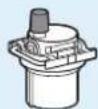
Make sure the automatic air purge valve in the hydraulic block is open.
All automatic air purge valves must remain open after commissioning.

INFORMATION
Protective functions – "Installer-on-site mode". The software is equipped with protective functions, such as room antifrost. The unit automatically runs these functions when necessary.
During installation or service this behaviour is undesired. Therefore, the protective functions can be disabled:
- At first power-on: The protective functions are disabled by default. After 12 hours they will be automatically enabled.
- Afterwards: An installer can manually disable the protective functions by setting [9.G]: Disable protections=Yes. After his work is done, he can enable the protective functions by setting [9.G]: Disable protections=No.
In this chapter
12.1 Overview; Commissioning 248
12.2 Precautions when commissioning.... 249
12.3 Checklist before commissioning.... 249
12.4 Checklist during commissioning.... 250
12.4.1 Minimum flow rate 250
12.4.2 Air purge function 251
12.4.3 Operation test run.... 253
12.4.4 Actuator test run.... 254
12.4.5 Underfloor heating screed dryout 255
12.1 Overview: Commissioning
This chapter describes what you have to do and know to commission the system after it is installed and configured.
Typical workflow
Commissioning typically consists of the following stages:
1 Checking the "Checklist before commissioning".
2 Performing an air purge.
3 Performing a test run for the system.
4 If necessary, performing a test run for one or more actuators.
5 If necessary, performing an underfloor heating screed dryout.
12.2 Precautions when commissioning

INFORMATION
During the first running period of the unit, the required power may be higher than stated on the nameplate of the unit. This phenomenon is caused by the compressor, that needs a continuous run time of 50 hours before reaching smooth operation and stable power consumption.

NOTICE
ALWAYS operate the unit with thermistors and/or pressure sensors/switches. If NOT, burning of the compressor might be the result.
12.3 Checklist before commissioning
After the installation of the unit, first check the items listed below. Once all checks are fulfilled, the unit MUST be closed. Power-up the unit after it is closed.
| You read the complete installation instructions, as described in the installer reference guide. | |
| The indoor unit is properly mounted. | |
| The outdoor unit is properly mounted. | |
| The following field wiring has been carried out according to this document and the applicable legislation:· Between the local supply panel and the outdoor unit· Between indoor unit and outdoor unit· Between the local supply panel and the indoor unit· Between the indoor unit and the valves (if applicable)· Between the indoor unit and the room thermostat (if applicable) | |
| The system is properly earthed and the earth terminals are tightened. | |
| The fuses or locally installed protection devices are installed according to this document, and have NOT been bypassed. | |
| The power supply voltage matches the voltage on the identification label of the unit. | |
| There are NO loose connections or damaged electrical components in the switch box. | |
| There are NO damaged components or squeezed pipes on the inside of the indoor and outdoor units. | |
| Backup heater circuit breaker F1B (field supply) is turned ON. | |
| There are NO refrigerant leaks. | |
| The refrigerant pipes (gas and liquid) are thermally insulated. | |
| The correct pipe size is installed and the pipes are properly insulated. | |
| There is NO water leak inside the indoor unit. All electric components and connections are dry. | |
| The shut-off valves are properly installed and fully open. | |
| The automatic air purge valves are open. | |
| The pressure relief valve purges water when opened. Clean water MUST come out. | |
| The minimum water volume is guaranteed in all conditions. See "To check the water volume and flow rate" in "8.5 Preparing water piping" [▶ 107]. | |
| The storage tank is filled completely. |
12.4 Checklist during commissioning
| The minimum flow rate during backup heater/defrost operation is guaranteed in all conditions. See "To check the water volume and flow rate" in "8.5 Preparing water piping" [ ▶ 107]. | |
| To perform an air purge. | |
| To perform a test run. | |
| To perform an actuator test run. | |
| Underfloor screed dryout functionThe underfloor screed dryout function is started (if necessary). |
12.4.1 Minimum flow rate
Purpose
For a correct operating unit, it is important to check if the minimum flow rate is reached. If needed, modify the bypass valve setting.
| If operation is... Then the minimum required flow rate is... | |
| Cooling 16 l/min | |
| Heating/defrost 22 l/min | |
To check the minimum flow rate
| 1 | Check the hydraulic configuration to find out which space heating loops can be closed by mechanical, electronic, or other valves. | — |
| 2 | Close all space heating loops that can be closed. — | |
| 3 | Start the pump test run (see "12.4.4 Actuator test run" [▶ 254]). | — |
| 4 | Read out the flow rate ^(z) and modify the bypass valve setting to reach the minimum required flow rate + 2 l/min. | — |
(a) During pump test run, the unit can operate below the minimum required flow rate.
12.4.2 Air purge function
Purpose
When commissioning and installing the unit, it is very important to remove all air in the water circuit. When the air purge function is running, the pump operates without actual operation of the unit and the removal of air in the water circuit will start.

NOTICE
Before starting the air purge, open the two manual air purging valves and check if the circuit is sufficiently filled with water. Only if water escapes the valve after opening it, you can start the air purge procedure.

NOTICE
For safety reasons the air purge function does not work for very high storage tank temperatures.
Manual or automatic
There are 2 modes for purging air:
- Manual: You can set the pump speed to low or high. You can set the position of the two mixing valves (tank and bypass valve). Air purge must be performed for both space heating and tank (domestic hot water) circuits.
- Automatic: The unit automatically changes the pump speed and fixes the two mixing valves (tank and bypass valve) at middle position.
Typical workflow
Purging the air from the system should consist of:
1 Purging the air out of the unit with the manual air vent valves
2 Performing a manual air purge
3 Performing an automatic air purge
4 Purging the air out of the unit with the manual air vent valves

INFORMATION
Start by purging the air out of the unit with the manual air vent valves. Only if water escapes the valve after opening it, you can start the manual air purge function. When almost all the air is removed, perform an automatic air purge. If necessary, repeat performing the automatic air purge until you are sure that all air is removed from the system. During air purge function, pump speed limitation [9-0D] is NOT applicable.
Finally open the two manual air purging valves and check if the circuit is sufficiently filled with water.
The air purge function automatically stops after 30 minutes.

INFORMATION
For best results, air purge each loop separately.
To purge the air out of the unit with the manual air vent valves
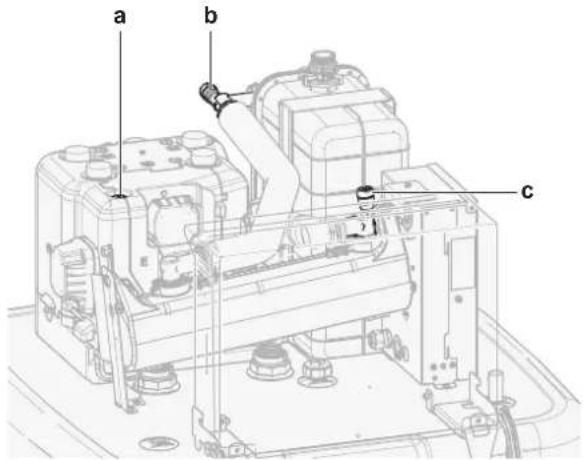
a, b, c Manual air vent valve
1 Connect a hose to the manual air vent valve a. Direct the free end away from the unit.
2 Open the valve by turning until no more air escapes, then close it again.
3 Repeat step 1 and 2 for valve b.
4 In case that an option backup heater is installed, repeat step 1 and 2 for valve c.
To perform a manual air purge
Conditions: Make sure all operation is disabled. Go to [C]: Operation and turn off Space heating/cooling and Tank operation.
| 1 | Set the user permission level to Installer. See "To change the user permission level" [▶ 157]. | — |
| 2 | Go to [A.3]: Commissioning >Air purge. | ○...○ |
| 3 | In the menu, set Type = Manual. | ○...○ |
| 4 | Select Start air purge. | ○...○ |
| 5 | Select OK to confirm.Result: The air purge starts. It stops automatically when ready. | ○...○ |
| 6 | During manual operation:You can change the pump speed.You must change the circuit.To change these settings during the air purge, open the menu and go to [A.3.1.5]: Settings. | ○...○ |
| Scroll to Circuit and set it to Space/Tank. | ○...○○...○ | |
| Scroll to Pump speed and set it to Low/High. | ○...○○...○ | |
| 7 | To stop the air purge manually: — | |
| 1 Open the menu and go to Stop air purge. | ○...○ | |
| 2 Select OK to confirm. | ○...○ |
To perform an automatic air purge
Conditions: Make sure all operation is disabled. Go to [C]: Operation and turn off Space heating/cooling and Tank operation.
| 1 | Set the user permission level to Installer. See "To change the user permission level" [▶ 157]. | — |
| 2 | Go to [A.3]: Commissioning >Air purge. | ○...○ |
| 3 | the menu, set Type = Automatic. | ○...○ |
| 4 | Select Start air purge. | ○...○ |
| 5 | Select OK to confirm.Result: The air purge starts. It stops automatically when done. | ○...○ |
| 6 | To stop the air purge manually: — | |
| 1 In the menu, go to Stop air purge. | ○...○ | |
| 2 Select OK to confirm. | ○...○ |
12.4.3 Operation test run
Purpose
Perform test runs on the unit and monitor the leaving water and tank temperatures to check if the unit is working correctly. The following test runs should be made:
- Heating
- Cooling (if applicable)
Tank
To perform an operation test run
Conditions: Make sure all operation is disabled. Go to [C]: Operation and turn off Space heating/cooling and Tank operation.
| 1 | Set the user permission level to Installer. See "To change the user permission level" [▶ 157]. | — |
| 2 | Go to [A.1]: Commissioning >Operation test run. | ###...○ |
| 3 | Select a test from the list.Example: Heating. | ###...○ |
| 4 | Select OK to confirm.Result:The test run starts. It stops automatically when ready (±30 min). | ###...○ |
| To stop the test run manually: — | ||
| 1 In the menu, go toStop test run. | ###...○ | |
| 2 Select OK to confirm. | ###...○ |

INFORMATION
If the outdoor temperature is outside the range of operation, the unit may NOT operate or may NOT deliver the required capacity.
To monitor leaving water and tank temperatures
During test run, the correct operation of the unit can be checked by monitoring its leaving water temperature (heating/cooling mode) and tank temperature (domestic hot water mode).
To monitor the temperatures:
| 1 In the menu, go to Sensors. | t@...○ | |
| 2 Select the temperature information. | t@...○ | |
12.4.4 Actuator test run
Purpose
Perform an actuator test run to confirm the operation of the different actuators. For example, when you select Pump, a test run of the pump will start.
To perform an actuator test run
Conditions: Make sure all operation is disabled. Go to [C]: Operation and turn off Space heating/cooling and Tank operation.
| 1 Set the user permission level to Installer. See "To change the user permission level" [ ▶ 157]. | — | ||
| 2 | Go to [A.2]: Commissioning >Actuator test run. | :○...○ | |
| 3 Select a test from the list. Example: Pump. | :○...○ | ||
| 4 Select OK to confirm.Result: The actuator test run starts. It stops automatically when ready (±30 min). | :○...○ | ||
Possible actuator test runs

NOTICE
For the backup heater test run, make sure that at least one of the two mixing valves of the unit is open during the test. Otherwise the thermal cut-out of the backup heater may be triggered.
- Backup heater 1 test
■ Backup heater 2 test - Pump test

INFORMATION
Make sure that all air is purged before executing the test run. Also avoid disturbances in the water circuit during the test run.
- Shut off valve test
- DHW signal test
■ Bivalent signal test - Alarm output test
C/H signal test
- DHW pump test
- Tank valve test
- Bypass valve test
- Bizone kit direct pump test (bizone kit EKMIKPOA or EKMIKPHA)
- Bizone kit mixed pump test (bizone kit EKMIKPOA or EKMIKPHA)
- Bizone kit mixing valve test (bizone kit EKMIKPOA or EKMIKPHA)
12.4.5 Underfloor heating screed dryout
About underfloor heating screed dryout
Purpose
The underfloor heating (UFH) screed dryout function is used for drying out the screed of an underfloor heating system during the construction of the building.

NOTICE
The installer is responsible for:
- contacting the screed manufacturer for the maximum allowed water temperature, to avoid cracking the screed,
- programming the underfloor heating screed dryout schedule according to the initial heating instructions of the screed manufacturer,
- checking the proper functioning of the setup on a regular basis,
- performing the correct program complying with the type of the used screed.
UFH screed dryout before or during installation of outdoor unit
The UFH screed dryout function can be executed without finishing the outdoor installation. In this case, the backup heater will perform the screed dryout and supply the leaving water without heat pump operation.
To program an underfloor heating screed dryout schedule
Duration and temperature
The installer can program up to 20 steps. For each step he needs to enter:
1 the duration in hours, up to 72 hours,
2 the desired leaving water temperature, up to 55°C.
Example:
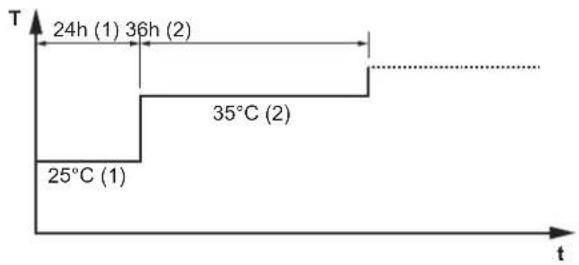
line
| Time | Temperature (°C) | | :--- | :--- | | 24h | 1 | | 36h | 2 | | 35°C | 2 | | 25°C | 1 |T Desired leaving water temperature (15\~55°C)
t Duration (1\~72 h)
(1) Action step 1
(2) Action step 2
Steps
| 1 | Set the user permission level to Installer. See "To change the user permission level" [▶ 157]. | — |
| 2 | Go to [A.4.2]: Commissioning >UFH screed dryout > Program. | ### |
| 3 P | Program the schedule:To add a new step, select the next empty line and change its value. To delete a step and all steps below it, decrease the duration to “—”. | — |
| • Scroll through the schedule. | ### | |
| • Adjust the duration (between 1 and 72 hours) and temperatures (between 15°C and 55°C). | ○... | |
| 4 P | Press the left dial to save the schedule. | ### |
To perform an underfloor heating screed dryout

INFORMATION
- If Emergency is set to Manual ([9.5]=0), and the unit is triggered to start emergency operation, the user interface will ask confirmation before starting. The underfloor heating screed dryout function is active even if the user does NOT confirm emergency operation.
During underfloor heating screed dryout, pump speed limitation [9-0D] is NOT applicable.

NOTICE
To perform an underfloor heating screed dryout, room frost protection needs to be disabled ([2-06]=0). By default, it is enabled ([2-06]=1). However, due to the "installer-on-site" mode (see "Commissioning"), room frost protection will be automatically disabled for 12 hours after the first power-on.
If the screed dryout still needs to be performed after the first 12 hours of power-on, manually disable room frost protection by setting [2-06] to "0", and KEEP it disabled until the screed dryout has finished. Ignoring this notice will result in cracking of the screed.

NOTICE
For the underfloor heating screed dryout to be able to start, make sure the following settings are met:
[4-00]=1
[C-02]=0
[D-01]=0
[4-08]=0
[4-01]≠1
Steps
Conditions: An underfloor heating screed dryout schedule has been programmed. See "To program an underfloor heating screed dryout schedule" [▶ 255].
Conditions: Make sure all operation is disabled. Go to [C]: Operation and turn off Space heating/cooling and Tank operation.
| 1 | Set the user permission level to Installer. See "To change the user permission level" [▶ 157]. | — |
| 2 | Go to [A.4]: Commissioning >UFH screed dryout. | ###...○ |
| 3 | Select Start UFH screed dryout. | ###...○ |
| 4 | Select OK to confirm.Result:The underfloor heating screed dryout starts. It stops automatically when done. | |
| 5 | To stop the underfloor heating screed dryout manually: — | |
| 1 Open the menu and go to Stop UFH screed dryout. | ###...○ | |
| 2 Select OK to confirm. | ###...○ |
To read out the status of an underfloor heating screed dryout
Conditions: You are performing an underfloor heating screed dryout.
| 1 Press the back button.Result: A graph is displayed, highlighting the current step of the screed dryout schedule, the total remaining time, and the current desired leaving water temperature. | ← | |
| 2 Press the left dial to open the menu structure and to: | ### | |
| 1 View the status of sensors and actuators. — | ||
| 2 Adjust the current program — | ||
To stop an underfloor heating (UFH) screed dryout
U3-error
When the program is stopped by an error or an operation switch off, the U3 error will be displayed on the user interface. To resolve the error codes, see "15.4 Solving problems based on error codes" [▶ 270].
In case of a power failure, the U3 error is not generated. When power is restored, the unit automatically restarts the latest step and continues the program.
Stop UFH screed dryout
To manually stop underfloor heating screed dryout:
| 1 | Go to [A.4.3]: Commissioning >UFH screed dryout | — |
| 2 | Select Stop UFH screed dryout. | 10...○ |
| 3 | Select OK to confirm.Result: The underfloor heating screed dryout is stopped. | 10...○ |
Read out UFH screed dryout status
When the program is stopped due to an error, an operation switch-off, or a power failure, you can read out the underfloor heating screed dryout status:
| 1 | Go to [A.4.3]: Commissioning >UFH screed dryout >Status | |
| 2 | You can read out the value here: Stopped at + the step where the underfloor screed dryout was stopped. | — |
12 | Commissioning
3 Modify and restart the execution of the program (a).
^[a] If the UFH screed dryout program was stopped due to a power failure and the power resumes, the program will automatically restart the last implemented step.
13 Hand-over to the user
Once the test run is finished and the unit operates properly, please make sure the following is clear for the user:
- Fill in the installer setting table (in the operation manual) with the actual settings.
- Make sure that the user has the printed documentation and ask him/her to keep it for future reference. Inform the user that he can find the complete documentation at the URL mentioned earlier in this manual.
- Explain the user how to properly operate the system and what to do in case of problems.
- Show the user what to do for the maintenance of the unit.
- Explain the user about energy saving tips as described in the operation manual.
14 Maintenance and service

NOTICE
General maintenance/inspection checklist. Next to the maintenance instructions in this chapter, a general maintenance/inspection checklist is also available on the Daikin Business Portal (authentication required).
The general maintenance/inspection checklist is complementary to the instructions in this chapter and can be used as a guideline and reporting template during maintenance.

NOTICE
Maintenance MUST be done by an authorised installer or service agent.
We recommend performing maintenance at least once a year. However, applicable legislation might require shorter maintenance intervals.
In this chapter
14.1 Overview: Maintenance and service 260
14.2 Maintenance safety precautions.... 260
14.3 Yearly maintenance 261
14.3.1 Yearly maintenance outdoor unit: overview 261
14.3.2 Yearly maintenance outdoor unit: instructions.... 261
14.3.3 Yearly maintenance indoor unit: overview.... 261
14.3.4 Yearly maintenance indoor unit: instructions 261
14.1 Overview: Maintenance and service
This chapter contains information about:
- The yearly maintenance of the outdoor unit
- The yearly maintenance of the indoor unit
14.2 Maintenance safety precautions

DANGER: RISK OF ELECTROCUTION

DANGER: RISK OF BURNING/SCALDING

NOTICE: Risk of electrostatic discharge
Before performing any maintenance or service work, touch a metal part of the unit in order to eliminate static electricity and to protect the PCB.
14.3 Yearly maintenance
14.3.1 Yearly maintenance outdoor unit: overview
Check the following at least once a year:
- Heat exchanger
14.3.2 Yearly maintenance outdoor unit: instructions
Heat exchanger
The heat exchanger of the outdoor unit can get blocked up due to dust, dirt, leaves, etc. It is recommended to clean the heat exchanger yearly. A blocked heat exchanger can lead to too low pressure or too high pressure leading to worse performance.
14.3.3 Yearly maintenance indoor unit: overview

DANGER: RISK OF BURNING/SCALDING
The water in the storage tank and all the connected piping can be very hot.
Water pressure
■ Magnetic filter/dirt separator
■ Water pressure relief valve
- Relief valve hose
- Switch box
■ Storage tank water level
14.3.4 Yearly maintenance indoor unit: instructions
Water pressure – Space heating/cooling circuit
Keep water pressure above 1 bar. If it is lower, add water.
Magnetic filter/dirt separator

NOTICE
The optional magnetic filter/dirt separator requires yearly maintenance. Follow the instruction of the manual of the optional equipment.
Water pressure relief valve
Open the valve and check if it operates correctly. The water may be very hot!
Checkpoints are:
- The water flow coming from the relief valve is high enough, no blockage of the valve or in between piping is suspected.
- Dirty water coming out of the relief valve:
- open the valve until the discharged water does NOT contain dirt anymore
- flush the system
It is recommended to do this maintenance more frequently.
Switch box
- Carry out a thorough visual inspection of the switch box and look for obvious defects such as loose connections or defective wiring.
- Using an ohmmeter, check if contactors K1M, K2M, K3M and K5M (depending on your installation) operate correctly. All contacts of these contactors must be in open position when the power is turned OFF.

WARNING
If the internal wiring is damaged, it has to be replaced by the manufacturer, its service agent or similarly qualified persons.
Storage tank water level
Carry out a visual check of the water level inside the storage tank.
1 Open the following (see "7.2.4 To open the indoor unit" [▶ 82]):
| 1 User interface panel | 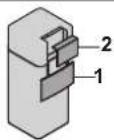 | |
| 2 Switch box |
2 Check if the red level indicator is visible. If NOT, add water to the storage tank (see "8.6.7 To fill the storage tank" [▶ 117]).
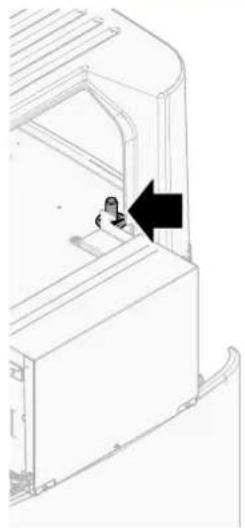
natural_image
Technical line drawing of a mechanical component with an arrow indicating direction (no text or symbols)15 Troubleshooting
Contact
For the symptoms listed below, you can try to solve the problem yourself. For any other problem, contact your installer. You can find the contact/helpdesk number via the user interface.
1 | Go to [8.3]: Information > Dealer information.
10m…O
In this chapter
15.1 Overview: Troubleshooting 263
15.2 Precautions when troubleshooting.... 263
15.3 Solving problems based on symptoms.... 264
15.3.1 Symptom: The unit is NOT heating or cooling as expected 264
15.3.2 Symptom: Hot water does NOT reach the desired temperature 265
15.3.3 Symptom: The compressor does NOT start (space heating or domestic water heating) 265
15.3.4 Symptom: The system is making gurgling noises after commissioning.... 265
15.3.5 Symptom: The pump is blocked.... 267
15.3.6 Symptom: The pump is making noise (cavitation) 267
15.3.7 Symptom: The pressure relief valve opens 268
15.3.8 Symptom: The water pressure relief valve leaks.... 268
15.3.9 Symptom: The space is NOT sufficiently heated at low outdoor temperatures 269
15.3.10 Symptom: Tank disinfection function is NOT completed correctly (AH-error) 270
15.4 Solving problems based on error codes 270
15.4.1 To display the help text in case of a malfunction 270
15.4.2 Error codes: Overview 271
15.1 Overview: Troubleshooting
This chapter describes what you have to do in case of problems.
It contains information about:
■ Solving problems based on symptoms
- Solving problems based on error codes
Before troubleshooting
Carry out a thorough visual inspection of the unit and look for obvious defects such as loose connections or defective wiring.
15.2 Precautions when troubleshooting

WARNING
- When carrying out an inspection on the switch box of the unit, ALWAYS make sure that the unit is disconnected from the mains. Turn off the respective circuit breaker.
- When a safety device was activated, stop the unit and find out why the safety device was activated before resetting it. NEVER shunt safety devices or change their values to a value other than the factory default setting. If you are unable to find the cause of the problem, call your dealer.

DANGER: RISK OF ELECTROCUTION

WARNING
Prevent hazards due to inadvertent resetting of the thermal cut-out: power to this appliance MUST NOT be supplied through an external switching device, such as a timer, or connected to a circuit that is regularly turned ON and OFF by the utility.

DANGER: RISK OF BURNING/SCALDING
15.3 Solving problems based on symptoms
15.3.1 Symptom: The unit is NOT heating or cooling as expected
| Possible causes Corrective action | |
| The temperature setting is NOT correct C | Check the temperature setting on the remote controller. Refer to the operation manual. |
| The water flow is too low Check and make sure that:All shut-off valves of the water circuit are completely open.The water filter is clean. Clean if necessary.There is no air in the system. Purge air if necessary. You can purge air manually (see "To perform a manual air purge" [▶ 252]) or use the automatic air purge function (see "To perform an automatic air purge" [▶ 253]).The water pressure is >1 bar.The expansion vessel is NOT broken.The valve (if equipped) of the water circuit towards the expansion vessel is open.The resistance in the water circuit is NOT too high for the pump (see the ESP curve in the "Technical data" chapter).If the problem persists after you have conducted all of the above checks, contact your dealer. In some cases, it is normal that the unit decides to use a low water flow. | |
| The water volume in the installation is too low | Make sure that the water volume in the installation is above the minimum required value (see "8.5.2 To check the water volume and flow rate" [▶ 110]). |
15.3.2 Symptom: Hot water does NOT reach the desired temperature
| Possible causes Corrective action | |
| One of the tank temperature sensors is broken. | See the service manual of the unit for the corresponding corrective action. |
| The auxiliary boiler is not working correctly. | If an auxiliary boiler is connected directly to the tank, make sure that:• the boiler is operating correctly.• the boiler capacity is sufficient. |
15.3.3 Symptom: The compressor does NOT start (space heating or domestic water heating)
| Possible causes Corrective action | |
| The compressor cannot start if the water temperature is too low. The unit will use the backup heater to reach the minimum water temperature (12°C), after which the compressor can start. | If the backup heater doesn't start either, check and make sure that: ·The power supply to the backup heater is correctly wired. ·The backup heater thermal protector is NOT activated. ·The backup heater contactors are NOT broken.If the problem persists, contact your dealer. |
| The preferential kWh rate power supply settings and electrical connections do NOT match | This should match with the connections as explained in: ·"9.3.2 To connect the main power supply" [▶ 132] ·"9.1.4 About preferential kWh rate power supply" [▶ 123] ·"9.1.5 Overview of electrical connections except external actuators" [▶ 123] |
| The preferential kWh rate signal was sent by the electricity company | In the user interface of the unit, go to [8.5.B] Information >Actuators > Forced off contact.If Forced off contact is On, the unit is operating under the preferential kWh rate. Wait for the power to return (maximum 2 hours). |
15.3.4 Symptom: The system is making gurgling noises after commissioning
| Possible cause Corrective action | |
| There is air in the system. Purge air from the system. | (a) |
| Incorrect hydraulic balance. To be performed by the installer:1 Perform hydraulic balancing to assure that the flow is correctly distributed between the emitters.2 If hydraulic balancing is not sufficient, change the pump limitation settings ([9-0D] and [9-0E] if applicable). | |
| Various malfunctions. | Check iforisdisplayed on the home screen of the user interface. See "15.4.1 To display the help text in case of a malfunction" [▶ 270] for more information about the malfunction. |
^(a) We recommend to purge air with the air purge function of the unit (to be performed by the installer). If you purge air from the heat emitters or collectors, mind the following:

WARNING
Air purging heat emitters or collectors. Before you purge air from heat emitters or collectors, check if or is displayed on the home screen of the user interface.
- If not, you can purge air immediately.
- If yes, make sure that the room where you want to purge air is sufficiently ventilated. Reason: Refrigerant might leak into the water circuit, and subsequently into the room when you purge air from the heat emitters or collectors.
15.3.5 Symptom: The pump is blocked
| Possible causes Corrective action | |
| If the unit has been powered off for a long time, lime might block the rotor of the pump. | Remove the screw of the stator housing and use a screwdriver to turn back and forth the ceramic shaft of the rotor until the rotor is deblocked.(a)Note: Do NOT use excessive force.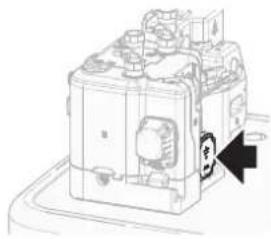 |
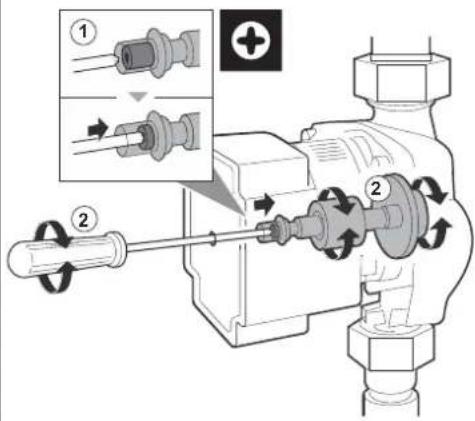 | |
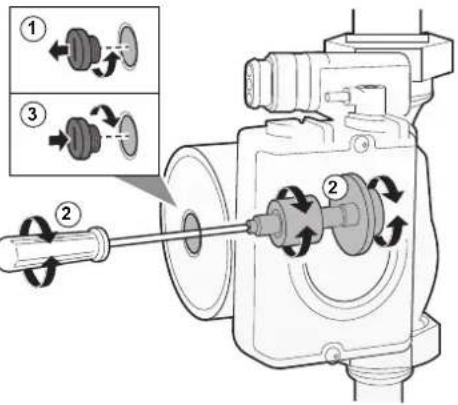 | |
(a) If you cannot deblock the rotor of the pump with this method, you will need to disassemble the pump and turn the rotor by hand.
15.3.6 Symptom: The pump is making noise (cavitation)
| Possible causes Corrective action | |
| There is air in the system Purge air manually (see "To perform a manual air purge" [▶ 252]) or use the automatic air purge function (see "To perform an automatic air purge" [▶ 253]). | |
| The water pressure at the pump inlet is too low | Check and make sure that:• The water pressure is >1 bar.• The water pressure sensor is not broken.• The expansion vessel is NOT broken.• The valve (if equipped) of the water circuit towards the expansion vessel is open.• The pre-pressure setting of the expansion vessel is correct. |
15.3.7 Symptom: The pressure relief valve opens
| Possible causes Corrective action | |
| The valve (if equipped) of the water circuit towards the expansion vessel is closed. | Open the valve. |
| The water circuit head is too high The water circuit head is the difference in height between the indoor unit and the highest point of the water circuit. If the indoor unit is located at the highest point of the installation, the installation height is considered 0 m. The maximum water circuit head is 10 m.Check the installation requirements. | |
15.3.8 Symptom: The water pressure relief valve leaks
| Possible causes Corrective action | |
| Dirt is blocking the water pressure relief valve outlet | Check whether the pressure relief valve works correctly by turning the red knob on the valve counterclockwise:If you do NOT hear a clacking sound, contact your dealer.If the water keeps running out of the unit, close both the water inlet and outlet shut-off valves first and then contact your dealer. |
15.3.9 Symptom: The space is NOT sufficiently heated at low outdoor temperatures
| Possible causes Corrective action | |
| The backup heater operation is not activated | Check the following:▪ The backup heater operation mode is enabled.Go to: [9.3.8]: Installer settings > Backup heater > Operation [4-00]▪ The backup heater overcurrent circuit breaker is on. If not, turn it back on.▪ The thermal protector of the backup heater is NOT activated. If it has, check the following, and then press the reset button in the switch box:- The water pressure- Whether there is air in the system- The air purge operation |
| The auxiliary boiler is not working correctly. | If an auxiliary boiler is connected directly to the tank and space heating support is activated, make sure that:▪ the boiler is operating correctly.▪ the boiler capacity is sufficient. |
| The backup heater equilibrium temperature has not been configured correctly | Increase the equilibrium temperature to activate the backup heater operation at a higher outdoor temperature.Go to: [9.3.7]: Installer settings > Backup heater > Equilibrium temperature [5-01] |
| There is air in the system. Purge air manually or automatically. See the air purge function in the chapter "12 Commissioning" [▶ 248]. | |
| Too much heat pump capacity is used for heating domestic hot water | Check if the Space heating priority settings have been configured appropriately:▪ Make sure that the Space heating priority has been enabled.Go to [9.6.1]: Installer settings > Balancing > Space heating priority [5-02]▪ Increase the "space heating priority temperature" to activate backup heater operation at a higher outdoor temperature.Go to [9.6.3]: Installer settings > Balancing > Priority temperature [5-03] |
15.3.10 Symptom: Tank disinfection function is NOT completed correctly (AH-error)
| Possible causes Corrective action | |
| The disinfection function was interrupted by domestic hot water tapping | Program the start-up of the disinfection function when the coming 4 hours NO domestic hot water tapping is expected. |
| Large domestic hot water tapping happened recently before the programmed start-up of the disinfection function | If in [5.6] Tank > Heat up mode the mode Reheat only is selected, it is recommended to program the start-up of the disinfection function at least 4 hours later than the last expected large hot water tapping. This start-up can be set by installer settings (disinfection function). |
| The disinfection operation was stopped manually: [C.3] Operation > Tank was turned off during disinfection. | Do NOT stop tank operation during disinfection. |
15.4 Solving problems based on error codes
If the unit runs into a problem, the user interface displays an error code. It is important to understand the problem and to take measures before resetting an error code. This should be done by a licensed installer or by your local dealer.
This chapter gives you an overview of most possible error codes and their descriptions as they appear on the user interface.

INFORMATION
See the service manual for:
■ The complete list of error codes
- A more detailed troubleshooting guideline for each error
15.4.1 To display the help text in case of a malfunction
In case of a malfunction, the following will appear on the home screen depending on the severity:
:Error
- :Malfunction
You can get a short and a long description of the malfunction as follows:
| 1 Press the left dial to open the main menu and go to Malfunctioning.Result:A short description of the error and the error code is displayed on the screen. | ### |
| 2 Press in the error screen.Result:A long description of the error is displayed on the screen. | ? |
15.4.2 Error codes: Overview
Error codes of the unit
| Error code | Description | |
| 7H-01 | Water | low problem |
| 7H-04 | Water | low problem during domestic hot water production |
| 7H-05 | Water | low problem during heating/sampling |
| 7H-06 | Water | low problem during cooling/defrost |
| 7H-07 | Water | low problem. Pump deblocking active |
| 7H-08 | Pump | abnormality during operation (pump feedback) |
| 80-00 | Returning | water temperature sensor problem |
| 81-00 | Leaving | water temperature sensor problem |
| 81-01 | Mixed | water thermistor abnormality. |
| 81-06 | Entering | water temperature thermistor abnormality (indoor unit) |
| 81-07 | Mixed | leaving water temperature after the tank thermistor abnormality (DLWA2) |
| 89-01 | Heat | exchanger freeze-up protection activated during defrost (error) |
| 89-02 | Heat | exchanger freeze-up protection activated during heating / DHW |
| 89-03 | Heat | exchanger freeze-up protection activated during defrost (warning) |
| 89-05 | Heat | exchanger freeze-up protection activated during cooling (error) |
| 89-06 | Heat | exchanger freeze-up protection activated during defrost (warning) |
| 8F-00 | Abnormal | increase outlet water temperature (DHW) |
| 8H-00 | Abnormal | increase outlet water temperature |
| 8H-01 | Overheating | ing mixed water circuit |
| 8H-02 | Overheating | ing mixed water circuit (thermostat) |
| 8H-03 | Overheating | ing water circuit (thermostat) |
| 8H-08 | Overheating | ing water circuit |
| A1-00 | Zero | cross detection problem |
| A5-00 | OU: | high pressure peak cut / freeze protection problem |
| AA-01 | Backup | heater overheated or BUH power cable not connected |
| AH-00 Tank | infection function not completed correctly | |
| AJ-03 Too | long | DHW heat-up time required |
| C0-00 Flow | sensor malfunction | |
| C4-00 Heat | changer temperature sensor problem | |
| C5-00 Heat | changer thermistor abnormality | |
| CJ-02 Room | temperature sensor problem | |
| E1-00 OU: | defect | |
| E2-00 Leakage | current detection error | |
| E3-00 OU: | Actuation of high pressure switch (HPS) | |
| E3-24 High | pressure switch abnormality | |
| E4-00 Abnormal | suction pressure | |
| E5-00 OU: | overheat of inverter compressor motor | |
| E6-00 OU: | compressor startup defect | |
| E7-00 OU: | Malfunction of outdoor unit fan motor | |
| E8-00 OU: | Power input overvoltage | |
| E9-00 Malfunction | tion of electronic expansion valve | |
| EA-00 OU: | Cool/heat switchover problem | |
| EC-00 Abnormal | increase tank temperature | |
| EC-04 Tank | breheating | |
| F3-00 OU: | Malfunction of discharge pipe temperature | |
| F6-00 OU: | Abnormal high pressure in cooling | |
| FA-00 OU: | Abnormal high pressure, actuation of HPS | |
| H0-00 OU: | Voltage/current sensor problem | |
| H1-00 External | temperature sensor problem | |
| H3-00 OU: | Malfunction of high pressure switch (HPS) | |
| H4-00 Malfunction | tion of low pressure switch | |
| H5-00 Malfunction | tion of compressor overload protection | |
| H6-00 OU: | Malfunction of position detection sensor | |
| H8-00 OU: | Malfunction of compressor input (CT) system | |
| H9-00 OU: | Malfunction of outdoor air thermistor | |
| HC-00 Tank | temperature sensor problem | |
| HC-01 Second | tank temperature sensor problem | |
| HJ-10 Water pressure sensor abnormality | ||
| J3-00 OU: | Malfunction of discharge pipe thermistor | |
| J3-10 Compressor port thermistor abnormality | ||
| J5-00 Malfunction of suction pipe thermistor | ||
| J6-00 OU: | Malfunction of heat exchanger thermistor | |
| J6-07 OU: | Malfunction of heat exchanger thermistor | |
| J8-00 Malfunction of refrigerant liquid thermistor | ||
| JA-00 OU: | Malfunction of high pressure sensor | |
| JC-00 Low pressure sensor abnormality | ||
| JC-01 Evaporator pressure abnormality | ||
| L1-00 Malfunction of INV PCB | ||
| L3-00 OU: | Electrical box temperature rise problem | |
| L4-00 OU: | Malfunction of inverter radiating fin temperature rise | |
| L5-00 OU: | Inverter instantaneous overcurrent (DC) | |
| L8-00 Malfunction triggered by a thermal protection in the inverter PCB | ||
| L9-00 Prevention of compressor lock | ||
| LC-00 Malfunction in communication system of outdoor unit | ||
| P1-00 Open phase power supply imbalance | ||
| P3-00 Abnormal direct current | ||
| P4-00 OU: | Malfunction of radiating fin temperature sensor | |
| PJ-00 Capacity setting mismatch | ||
| U0-00 OU: | Shortage of refrigerant | |
| U1-00 Malfunction by reverse phase/open-phase | ||
| U2-00 OU: | Defect of power supply voltage | |
| U3-00 Underfloor heating screed dryout function not completed correctly | ||
| U4-00 Indoor/outdoor unit communication problem | ||
| U5-00 User interface communication problem | ||
| U7-00 OU: | Transmission malfunction between main CPU-INV CPU | |
| U8-02 Connection with room thermostat lost | ||
| U8-03 No connection with room thermostat | ||
| U8-04 Unknown | USB device | |
| U8-05 File | mal | function |
| U8-06 MMI/bi | zone | kit communication problem |
| U8-07 P1P2 | communication error | |
| U8-09 MMI | software | version {version_MMI_software} / Indoor unit [version_IU_modelname] compatibility error |
| U8-11 Connection with the Wireless gateway lost | ||
| UA-00 Indoor unit, outdoor unit matching problem | ||
| UA-16 Extension/hydro communication problem | ||
| UA-17 Tank type problem | ||
| UA-59 HPSU/Hydro combination abnormality | ||
| UF-00 Reversed piping or bad communication wiring detection | ||

INFORMATION
In case of error code AH and no interruption of the disinfection function occurred due to domestic hot water tapping, following actions are recommended:
- It is recommended to program the start-up of the disinfection function at least 4 hours later than the last expected large hot water tapping. This start-up can be set by installer settings (disinfection function).

NOTICE
When the minimum water flow is lower than described in the table below, the unit will temporarily stop operation and the user interface will display error 7H-01. After some time, this error will reset automatically and the unit will resume operation.

INFORMATION
Error AJ-03 is reset automatically from the moment there is a normal tank heat-up.

INFORMATION
If an U8-04 error occurs, the error can be reset after a successful update of the software. If the software is not successfully updated then you must make sure that your USB device has the FAT32 format.

INFORMATION
The user interface will display how to reset an error code.
16 Disposal

NOTICE
Do NOT try to dismantle the system yourself: dismantling of the system, treatment of the refrigerant, oil and other parts MUST comply with applicable legislation. Units MUST be treated at a specialised treatment facility for reuse, recycling and recovery.
In this chapter
16.1 To recover refrigerant 275
16.1.1 To open the stop valves 276
16.1.2 To manually open the electronic expansion valves.... 276
16.1.3 Recovery mode — In case of 3N\~ models (7-segments display) 277
16.1.4 Recovery mode — In case of 1N\~ models (7-LEDs display).... 280
16.2 To drain the storage tank 282
16.2.1 To drain the storage tank without a connected pressureless solar system 282
16.2.2 To drain the storage tank with a connected pressureless solar system.... 284
16.1 To recover refrigerant
When disposing of the outdoor unit, you need to recover its refrigerant.
To ensure that no refrigerant remains trapped in the unit:
■ Make sure the stop valves are open (a, b).
- Make sure the electronic expansion valves (Y1E, Y3E) are open.
- Use all 3 service ports (a, b, c) to recover refrigerant.
Components
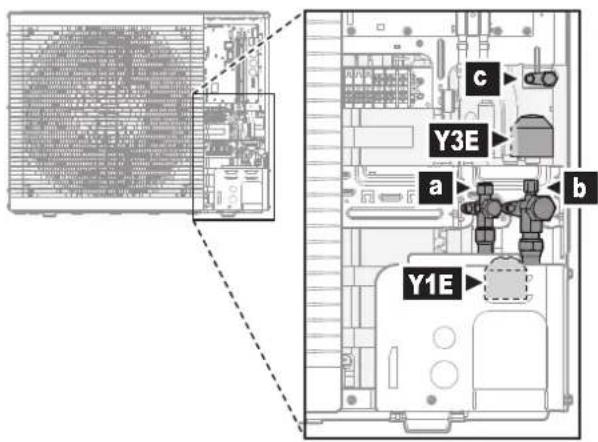
a Liquid stop valve with service port
b Gas stop valve with service port
c Service port 5/16" flare
Y1E Electronic expansion valve (main)
Y3E Electronic expansion valve (injection)
To recover refrigerant when power is OFF
1 Make sure the stop valves are open.
2 Manually open the electronic expansion valves.
3 Recover refrigerant from the 3 service ports.
To recover refrigerant when power is ON
1 Make sure the unit is not running.
2 Make sure the stop valves are open.
3 Activate the recovery mode.
Result: The unit opens the electronic expansion valves.
4 Recover refrigerant from the 3 service ports.
5 Deactivate the recovery mode.
Result: The unit returns the electronic expansion valves to their initial state.
16.1.1 To open the stop valves
Before recovering refrigerant, make sure the stop valves are open.
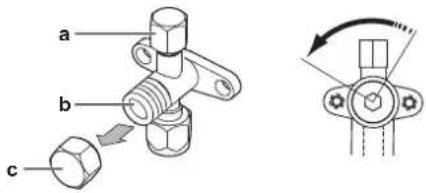
a Service port and service port cover
b Stop valve
c Stop valve cover
1 Remove the stop valve cover.
2 Insert a hexagon wrench into the stop valve and turn counterclockwise to open.
16.1.2 To manually open the electronic expansion valves
Before recovering refrigerant, make sure the electronic expansion valves are open. When power is OFF, this has to be done manually.
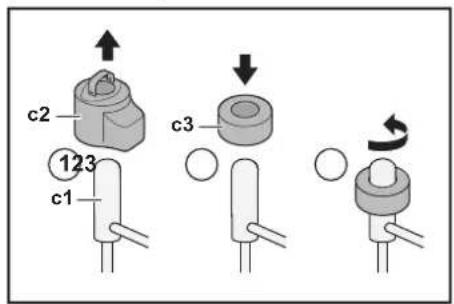
c1 Electronic expansion valve
c2 EEV coil
c3 EEV magnet
1 Remove the EEV coil (c2).
2 Slide an EEV magnet (c3) over the expansion valve (c1).
3 Turn the EEV magnet anticlockwise to the fully open position of the valve. If you are not sure about what the open position is, turn the valve in its middle position so that refrigerant can pass.
16.1.3 Recovery mode — In case of 3N\~ models (7-segments display)
Before recovering refrigerant, make sure the electronic expansion valves are open. When power is ON, this has to be done by using the recovery mode.
Components
To activate/deactivate the recovery mode, you need the following components:
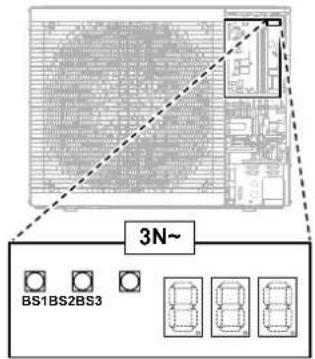

7-segments display
BS1\~BS3 Push buttons. Operate the push buttons with an insulated stick (such as a closed ballpoint pen) to avoid touching of live parts.
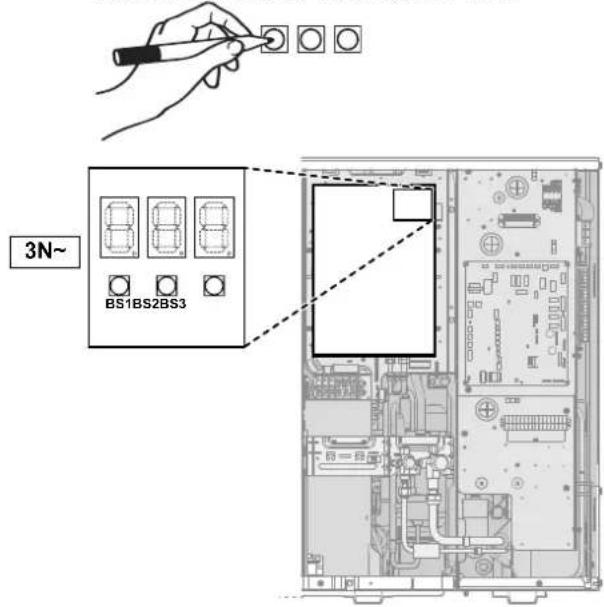

7-segments display
BS1\~BS3 Push buttons. Operate the push buttons with an insulated stick (such as a closed ballpoint pen) to avoid touching of live parts.
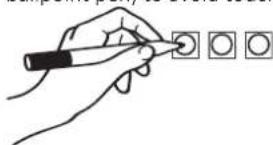
natural_image
Hand holding a pen writing on a grid of square icons (no text or symbols present)To activate the recovery mode

INFORMATION
If you get confused in the middle of the process, press BS1 to return to the default situation.
Before recovering refrigerant, activate the recovery mode as follows:
| # Action 7-segments display | (a) | ||
| 1 Start from the default situation. | 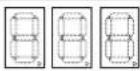 | ||
| 2 Select mode 2. Press and hold BS1 for 5 seconds. | 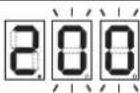 | ||
| 3 Select setting 9. Press BS2 9 times. | 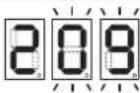 | ||
| 4 Select value 2. | |||
| a D | splay the current value. Press BS3 once. | 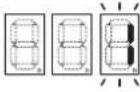 | |
| b Change the value to 2. Press BS2 once. | 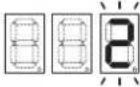 | ||
| c Enter the value in the system. Press BS3 once. | 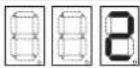 | ||
| d Confirm. Press BS3 once. | 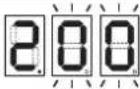 | ||
| 5 Return to the default situation. Press BS1 once. | 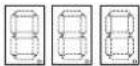 | ||

Result: The recovery mode is activated. The unit opens the electronic expansion valves.
To deactivate the recovery mode
After recovering refrigerant, deactivate the recovery mode as follows:
| # Procedure 7-segments display | (a) | |
| 1 Start from the default situation. | 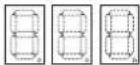 | |
| 2 Select mode 2.Press and hold BS1 for 5 seconds. | 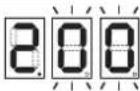 | |
| 3 Select setting 9.Press BS2 9 times. | 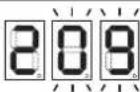 | |
| 4 Select value 2. | ||
| # Procedure 7-segments display | (a) | ||
| a Display the current value. Press BS3 once. |  | ||
| b Change the value to 2. Press BS2 once. |  | ||
| c Enter the value in the system. Press BS3 once. |  | ||
| d Confirm. Press BS3 once. | 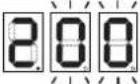 | ||
| 5 Return to the default situation. Press BS1 once. | 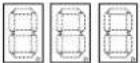 | ||
(e)

OFF, ON, and

=hrashing.
Result: The recovery mode is deactivated. The unit returns the electronic expansion valves to their initial state.

INFORMATION
Power OFF. When power is turned OFF and turned ON again, the recovery mode is deactivated automatically.
16.1.4 Recovery mode — In case of 1N\~ models (7-LEDs display)
Before recovering refrigerant, make sure the electronic expansion valves are open. When power is ON, this has to be done by using the recovery mode.
Components
To activate/deactivate the recovery mode, you need the following components:
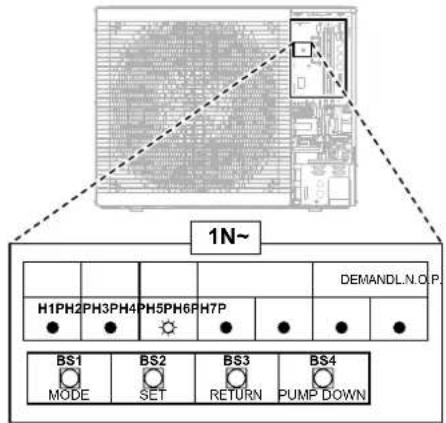
H1P\~H7P 7-LEDs display
BS1\~BS4 Push buttons. Operate the push buttons with an insulated stick (such as a closed ballpoint pen) to avoid touching of live parts.
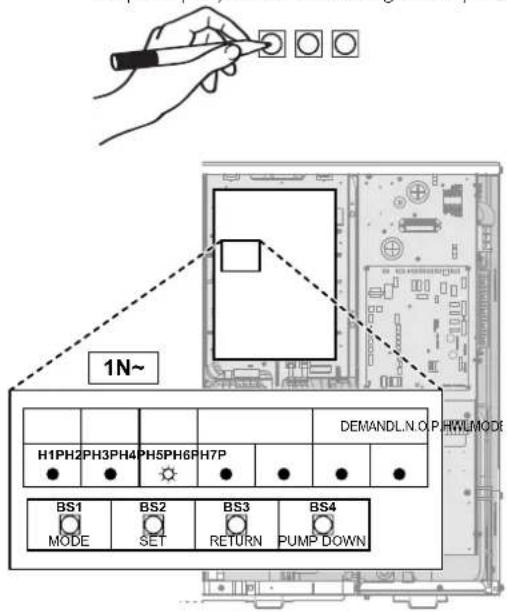
H1P\~H7P 7-LEDs display
BS1\~BS4 Push buttons. Operate the push buttons with an insulated stick (such as a closed ballpoint pen) to avoid touching of live parts.
natural_image
Hand holding a pen with four circular indentations arranged in a grid (no text or symbols)To activate the recovery mode

INFORMATION
If you get confused in the middle of the process, press BS1 to return to the default situation.
Before recovering refrigerant, activate the recovery mode as follows:
| # Action 7-LEDs display | (a) | ||||||
| H1P | H2P | H3P | H4P | H5P | H6P | H7P | |
| 1 Start from the default situation. | ● | ● | ● | ● | ● | ● | ● |
| 2 Press and hold BS1 for 5 seconds. | ○ | ● | ● | ● | ● | ● | ● |
| 3 Press BS2 9 times. | ○ | ● | ● | ○ | ● | ● | ○ |
| 4 Press BS3 once. | ○ | ● | ● | ● | ● | ● | ○ |
| 5 Press BS2 once. | ○ | ● | ● | ● | ● | ○ | ● |
| 6 Press BS3 once. | ○ | ● | ● | ● | ● | ○ | ● |
| 7 Press BS3 once.The flashing H1P indicates the recovery mode has been correctly selected and is activated. | ○ | ● | ● | ● | ● | ● | ● |
| 8 Press BS1 once.H1P keeps flashing, indicating that you are in a mode that does not allow compressor operation. | ○ | ● | ● | ● | ● | ● | ● |
(a) ● = OFF, ⊕ ON, and ● flashing.
Result: The recovery mode is activated. The unit opens the electronic expansion valves.
To deactivate the recovery mode
After recovering refrigerant, deactivate the recovery mode as follows:
| # Procedure 7-LEDs display | (a) | ||||||
| H1P | H2P | H3P | H4P | H5P | H6P | H7P | |
| 1 Press and hold BS1 for 5 seconds. | o | ● | ● | ● | ● | ● | ● |
| 2 Press BS2 9 times. | o | ● | ● | ○ | ● | ● | ○ |
| 3 Press BS3 once. | o | ● | ● | ● | ● | o | ● |
| 4 Press BS2 once. | o | ● | ● | ● | ● | ● | o |
| 5 Press BS3 once. | o | ● | ● | ● | ● | ● | ○ |
| 6 Press BS3 once. | o | ● | ● | ● | ● | ● | ● |
| 7 Press BS1 once to return to the default situation. | ● | ● | ● | ● | ● | ● | ● |
(a) ● = OFF, ⊕ ON, and ● flashing.
Result: The recovery mode is deactivated. The unit returns the electronic expansion valves to their initial state.

INFORMATION
Power OFF. When power is turned OFF and turned ON again, the recovery mode is deactivated automatically.
16.2 To drain the storage tank

DANGER: RISK OF BURNING/SCALDING
The water in the storage tank and all the connected piping can be very hot.
16.2.1 To drain the storage tank without a connected pressureless solar system
To prepare draining when no optional fill and drain kit is available
1 Open the screw plug of the spillover connection.
2 Unplug the spillover connector.
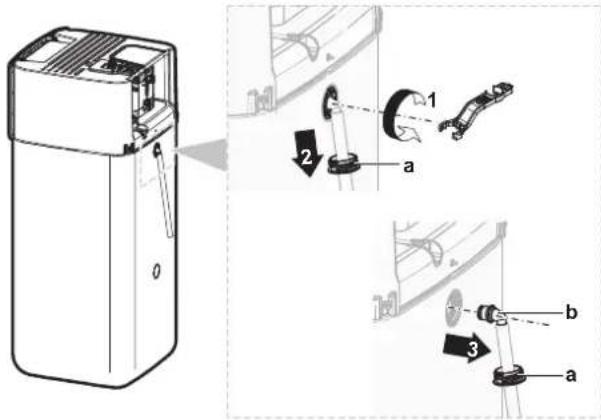
a Spillover connector
b Screw plug
3 Connect the loose end of the spillover drain hose to an appropriate drain.
To prepare draining when an optional fill and drain kit is available
1 Remove the connection cover from the screw plugs on the front.
2 Open the screw plug of the upper connection on the front.
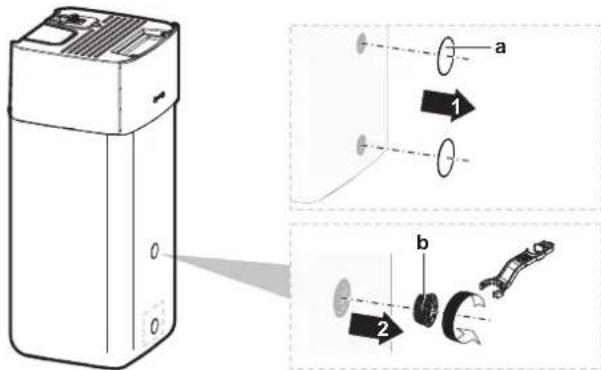
a Connection cover
b Screw plug
3 Insert the screw plug into the fill and drain kit and secure with the clip contained in the option kit.
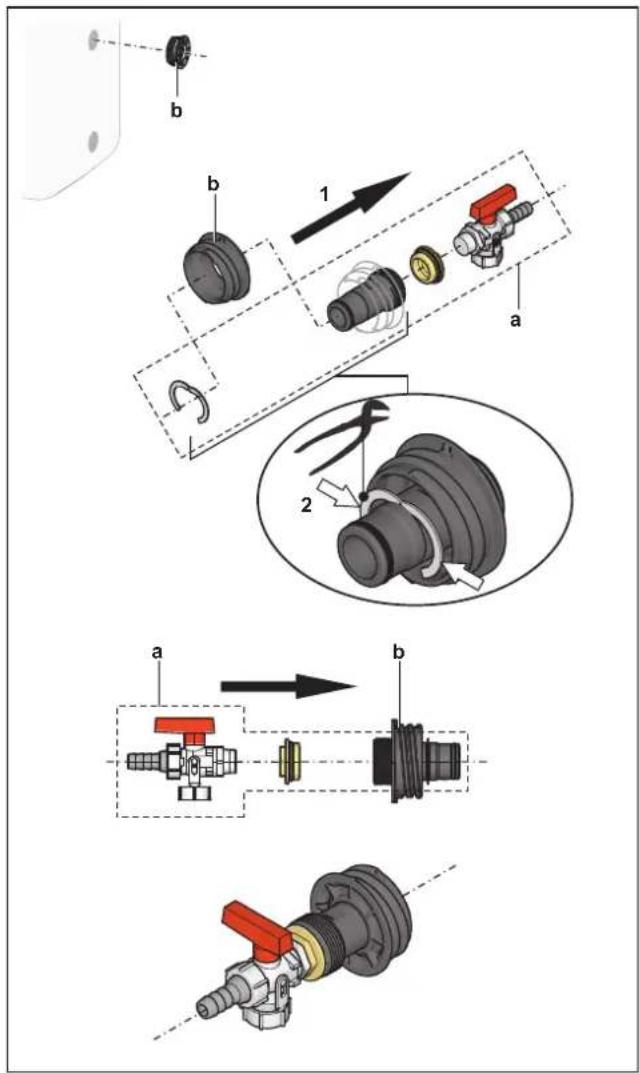
a Fill and drain kit
b Screw plug
4 Connect the loose end of the drain hose to an appropriate drain.
To drain the storage tank

NOTICE
Water immediately surges from the storage tank when the sealing plug of the drain connection is removed. Make sure to adequately collect the spillage.
1 Place an appropriate tray under the drain connection to collect water spillage.
2 Open the screw plug and remove the sealing plug and IMMEDIATELY close with the previously prepared screw plug with drain connection.
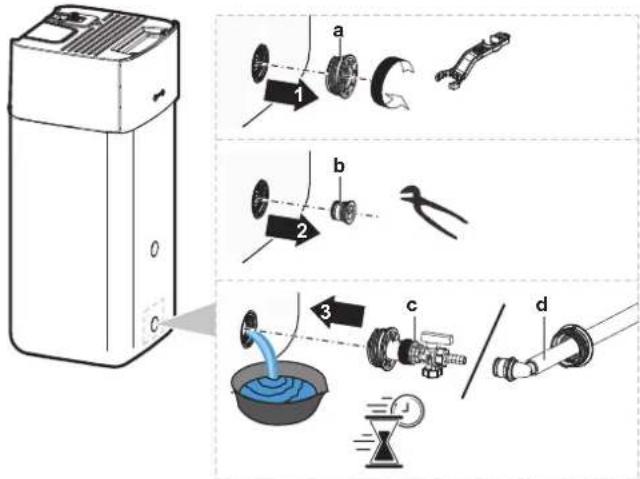
a Screw plug
b Sealing plug
c Screw plug with drain connection (optional fill and drain kit)
d Screw plug with drain connection (spillover connector)
16.2.2 To drain the storage tank with a connected pressureless solar system

NOTICE
You can only drain the storage tank from the drain connection, if an optional fill and drain kit is available (described below). Otherwise, drain with a pump and a hose through the solar return connection.
1 Switch the drain connection valve to shown position.
3 Remove the clip and sealing plug.
4 Insert the fill and drain kit and secure with the clip.
2 Place an appropriate tray under the drain connection to collect water spillage.
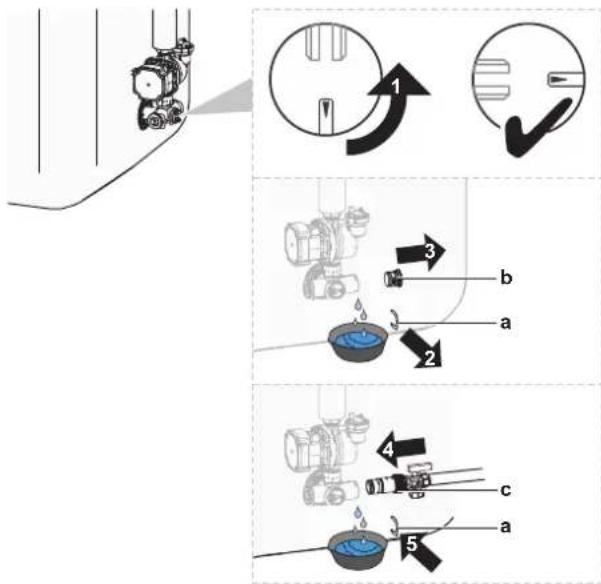
a Clip
b Sealing plug
c Fill and drain kit
5 Open the valve of the fill and drain kit.
6 Switch the drain connection valve to standard position.
17 Technical data
A subset of the latest technical data is available on the regional Daikin website (publicly accessible). The full set of latest technical data is available on the Daikin Business Portal (authentication required).
In this chapter
17.1 Service space: Outdoor unit 286
17.2 Piping diagram: Outdoor unit 288
17.3 Piping diagram: Indoor unit 289
17.4 Wiring diagram: Outdoor unit 290
17.5 Wiring diagram: Indoor unit 291
17.6 ESP curve: Indoor unit 297
17.7 Name plate: Indoor unit 297
17.1 Service space: Outdoor unit
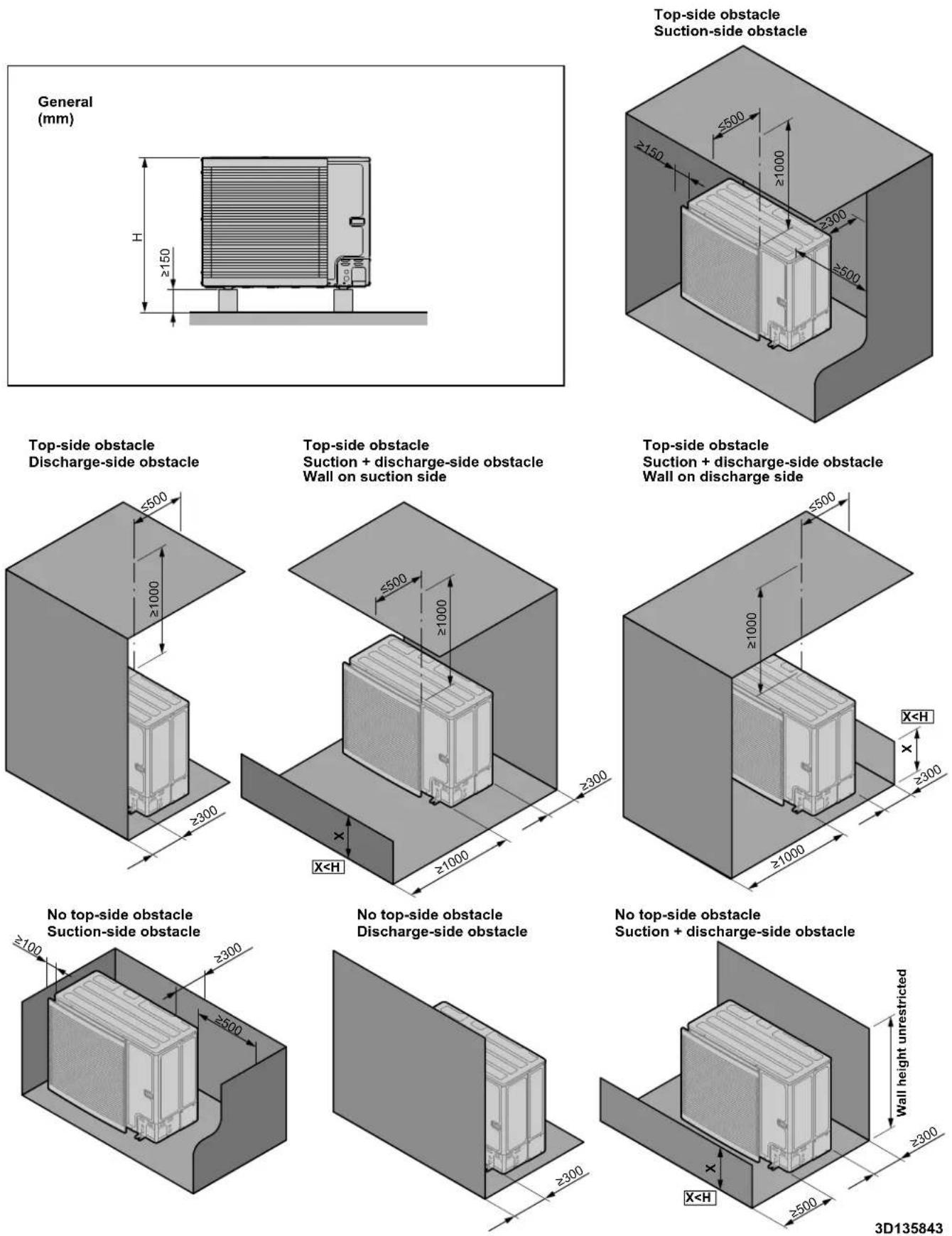
| English Translation | |
| Discharge-side obstacle Discharge-side obstacle | |
| General General | |
| No top-side obstacle No top-side obstacle | |
| Suction + discharge-side obstacle Suction | + discharge-side obstacle |
| Suction-side obstacle Suction-side obstacle | |
| Top-side obstacle Top-side obstacle | |
| Wall height unrestricted Wall height unrestricted | |
| Wall on discharge side Wall on discharge side | |
| Wall on suction side Wall on suction side | |
17.2 Piping diagram: Outdoor unit
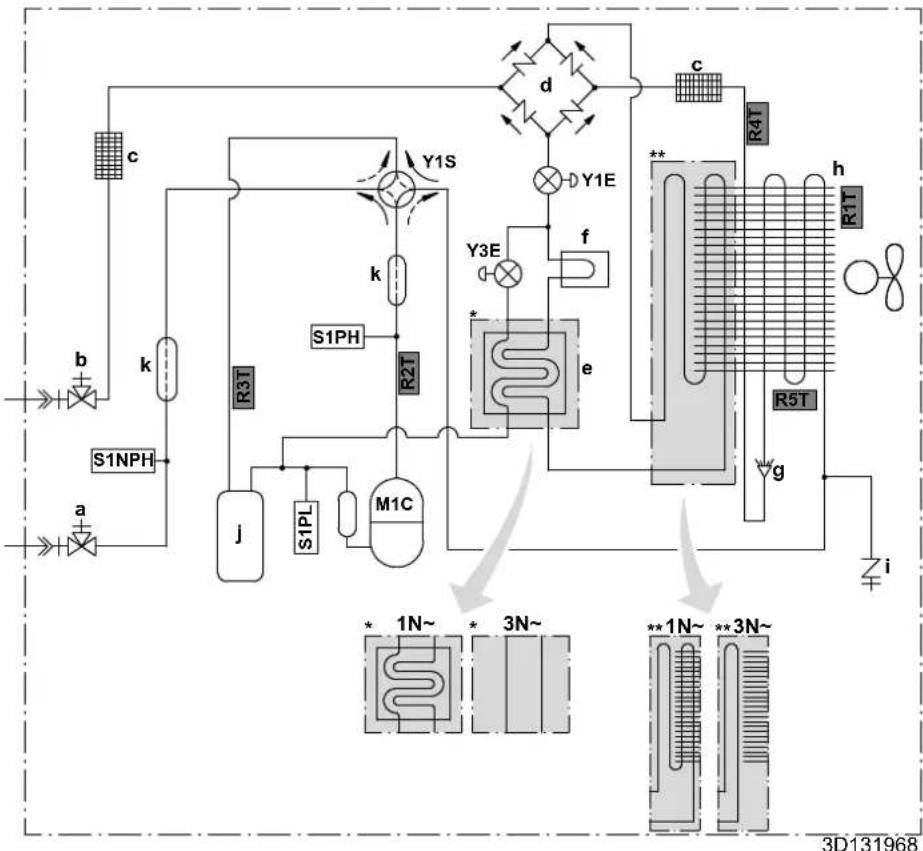
flowchart
graph TD
    A["3D131968"] --> B["1N~"]
    A --> C["3N~"]
    A --> D["1N~"]
    A --> E["3N~"]
    B --> F["S1PH"]
    C --> G["M1C"]
    D --> H["R5T"]
    E --> I["R4T"]
    F --> J["j"]
    G --> K["S1PL"]
    H --> L["e"]
    I --> M["f"]
    J --> N["k"]
    K --> O["Y1S"]
    L --> P["Y3E"]
    M --> Q["c"]
    N --> R["d"]
    O --> S["y1E"]
    P --> T["y3E"]
    Q --> U["c"]
    R --> V["h"]
    S --> W["i"]
    T --> X["g"]
    style A fill:#f9f,stroke:#333
    style B fill:#ccf,stroke:#333
    style C fill:#ccf,stroke:#333
    style D fill:#ccf,stroke:#333
    style E fill:#ccf,stroke:#333
    style F fill:#cfc,stroke:#333
    style G fill:#cfc,stroke:#333
    style H fill:#cfc,stroke:#333
    style I fill:#cfc,stroke:#333
    style J fill:#fcc,stroke:#333
    style K fill:#fcc,stroke:#333
    style L fill:#fcc,stroke:#333
    style M fill:#fcc,stroke:#333
    style N fill:#fcc,stroke:#333
    style O fill:#fcc,stroke:#333
    style P fill:#fcc,stroke:#333
    style Q fill:#fcc,stroke:#333
    style R fill:#fcc,stroke:#333
    style S fill:#fcc,stroke:#333
    style T fill:#fcc,stroke:#333
    style U fill:#fcc,stroke:#333
    style V fill:#fcc,stroke:#333
    style W fill:#fcc,stroke:#333
a Gas stop valve with service port Thermistors:
b Liquid stop valve with service port R1T Outdoor air
c Filter R2T Compressor discharge
d Rectifier R3T Compressor suction
e Economiser R4T Air heat exchanger
f Heat sink R5T Air heat exchanger, middle
g Distributor
h Heat exchanger Refrigerant flow:
i Service port 5/16" flare Heating
j Accumulator Cooling
k Muffler
M1C Compressor Flare connection
S1PH High pressure switch Brazed connection
S1PL Low pressure switch
S1NPH Pressure sensor
Y1E Electronic expansion valve (main)
Y3E Electronic expansion valve (injection)
Y1S Solenoid valve (4-way valve)

Connections:

17.3 Piping diagram: Indoor unit
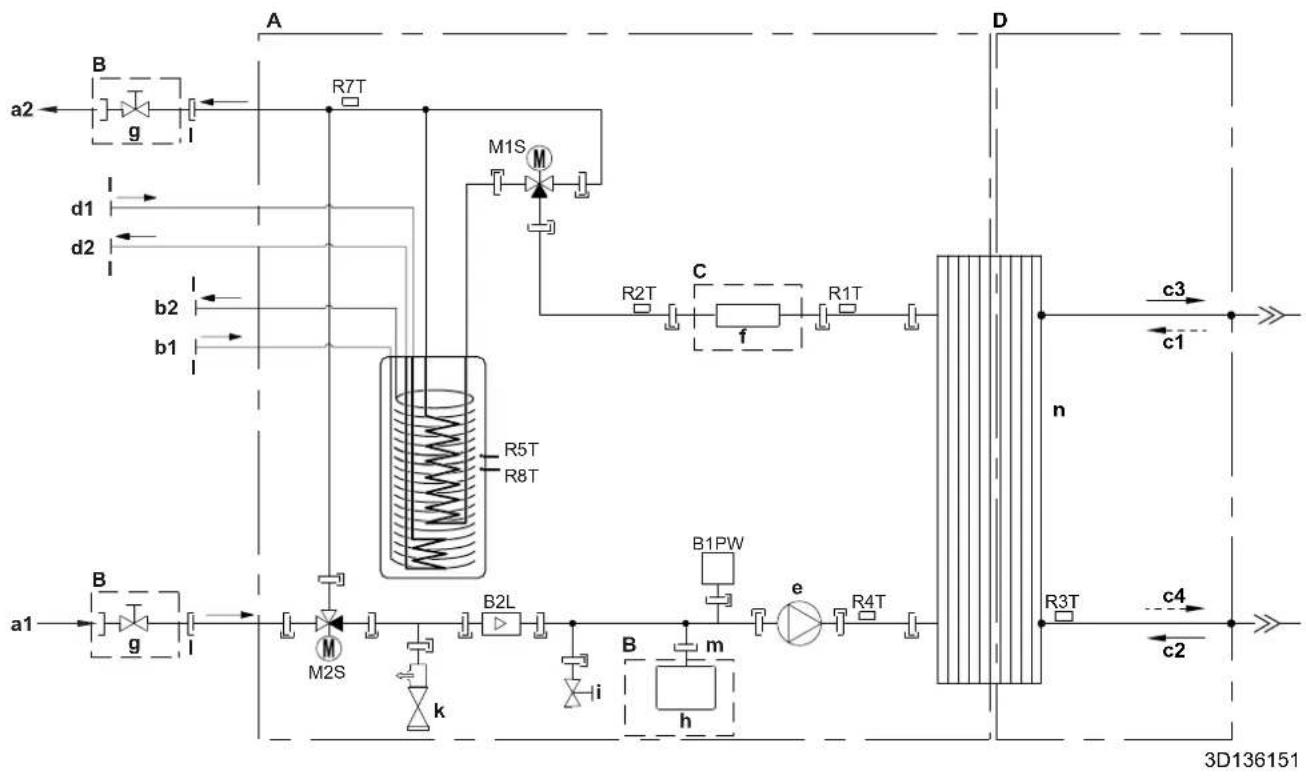
flowchart
graph TD
    A["A"] --> B["B"]
    B --> g["g"]
    g --> A
    A --> D["D"]
    subgraph Inputs
        a2 --> B
        d1 --> B
        d2 --> B
        b2 --> B
        b1 --> B
    end
    subgraph Processors
        M1S["M"] --> C["C"]
        R2T["R2T"] --> f["f"]
        R1T["R1T"] --> n["n"]
    end
    subgraph Outputs
        n --> c3["c3"]
        c1["c1"] --> D
        n --> c4["c4"]
        c2["c2"] --> D
    end
    subgraph Control Units
        B2L["B2L"] --> m["m"]
        h["h"] --> m
        k["k"] --> m
        i["i"] --> m
        B1PW["B1PW"] --> e["e"]
        R4T["R4T"] --> e
    end
A Indoor unit
B Field installed
C Optional
D Refrigerant side
a1 Space heating/cooling – Water IN (screw connection, 1")
a2 Space heating/cooling – Water OUT (screw connection, 1")
b1 DHW - Cold water IN (screw connection, 1")
b2 DHW - Hot water OUT (screw connection, 1")
c1 Gas refrigerant IN (heating mode; condenser)
c2 Liquid refrigerant IN (cooling mode; evaporator)
c3 Gas refrigerant OUT (cooling mode; evaporator)
c4 Liquid refrigerant OUT (heating mode; condenser)
d1 Water IN from bivalent heat source (screw connection, 1")
d2 Water OUT to bivalent heat source (screw connection, 1")
e Pump
f Backup heater
g Shut-off valve, female-female 1"
h Expansion vessel
i Drain valve
k Safety valve
| External thread 1"
n External thread 3/4"
n Plate heat exchanger
B2L Flow sensor
B1PW Space heating water pressure sensor
M1S Tank valve
M2S Bypass valve
R1T Thermistor (plate heat exchanger - water OUT)
R2T Thermistor (backup heater – water OUT)
R3T Thermistor (Refrigerant liquid side)
R4T Thermistor (Inlet water)
R5T, R8T Thermistor (tank)
R7T Thermistor (tank - water OUT)
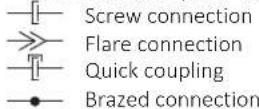
17.4 Wiring diagram: Outdoor unit
The wiring diagram is delivered with the unit, located at the inside of the service cover.
Translation of text on wiring diagram:
| English Translation | ||
| (1) Connection diagram (1) Connection diagram | ||
| Compressor SWB Compressor switch box | ||
| Hydro SWB Hydro switch box | ||
| Indoor Indoor | ||
| Outdoor Outdoor | ||
| (2) Compressor switch box layout (2) Compressor switch box layout | ||
| Front Front | ||
| Rear Rear | ||
| (3) Legend (3) Legend | ||
| *: Optional; #: Field supply | ||
| A1P Printed circuit board (main) | ||
| A2P Printed circuit board (noise filter) | ||
| A3P(only for 1N~ models) | Printed circuit board (flash) | |
| Q1DI # Earth leakage circuit breaker | ||
| X1M Terminal strip | ||
| (4) Notes (4) Notes | ||
| X1M Main terminal | ||
| ---- | Earth wiring | |
| ---- | Field supply | |
| 1 | Several wiring possibilities | |
| [REDACTED] | Option | |
| [REDACTED] | Wiring depending on model | |
| [REDACTED] | Switch box | |
| [REDACTED] | PCB | |
17.5 Wiring diagram: Indoor unit
See the internal wiring diagram supplied with the unit (on the inside of the indoor unit switch box cover). The abbreviations used are listed below.
Notes to go through before starting the unit
| English Translation | |
| Notes to go through before starting the unit | Notes to go through before starting the unit |
| X1M Main terminal | |
| X12M Field wiring terminal for AC | |
| X15M Field wiring terminal for DC | |
| X6M Backup heater power supply terminal | |
| ---- | Earth wiring |
| ---- | Field supply |
| 1 | Several wiring possibilities |
| Option | |
| Not mounted in switch box | |
| Wiring depending on model | |
| PCB | |
| Backup heater power supply Backup heater power supply | |
| ☐3V (1N~, 230 V, 3 kW) 3V (1N~, 230 V, 3 kW) | |
| ☐6V (1N~, 230 V, 6 kW) 6V (1N~, 230 V, 6 kW) | |
| ☐6WN/9WN (3N~, 400 V, 6/9 kW) 6WN/9WN (3N~, 400 V, 6/9 kW) | |
| User installed options User installed options | |
| ☐ Backup heater Backup heater | ☐ |
| ☐ Remote user interface Dedicated Human Comfort Interface(BRC1HHDA used as room thermostat) | |
| ☐ Ext. indoor thermistor External indoor thermistor | |
| ☐ Ext outdoor thermistor External outdoor thermistor | |
| ☐ Demand PCB Demand PCB | ☐ |
| ☐ Smartgrid kit Smart grid kit | ☐ |
| ☐ WLAN adapter module WLAN adapter module | |
| ☐ WLAN cartridge | ☐ WLAN cartridge |
| ☐ Bizone mixing kit | ☐ Bizone mixing kit |
| ☐ Safety thermostat | ☐ Safety thermostat |
| Main LWT | Main leaving water temperature |
| ☐ On/OFF thermostat (wired) | ☐ On/OFF thermostat (wired) |
| ☐ On/OFF thermostat (wireless) | ☐ On/OFF thermostat (wireless) |
| ☐ Ext. thermistor | ☐ External thermistor |
| □ Heat pump convector Heat pump convector | |
| Add LWT Additional leaving water temperature | |
| □ On/OFF thermostat (wired) On/OFF thermostat (wired) | |
| □ On/OFF thermostat (wireless) On/OFF thermostat (wireless) | |
| □ Ext. thermistor External thermistor | □ |
| □ Heat pump convector Heat pump convector | |
Position in switch box
| English Translation | |
| Position in switch box Position in switch box | |
| SWB1 Main switch box | |
| SWB2 Backup heater switch box |
Legend
| A1P Main PCB | ||
| A2P * On/OFF thermostat (PC=power circuit) | ||
| A3P * Heat pump convector | ||
| A8P * Demand PCB | ||
| A11P MMI (= user interface of the indoor unit) – Main PCB | ||
| A14P * PCB of the dedicated Human Comfort Interface(BRC1HHDA used as room thermostat) | ||
| A15P * Receiver PCB (wireless On/OFF thermostat) | ||
| A20P * WLAN module | ||
| A23P Hydro extension PCB | ||
| A30P Bizone mixing kit PCB | ||
| DS1(A8P) * DIP switch | ||
| F1B # Overcurrent fuse backup heater | ||
| F2B # Overcurrent fuse main | ||
| FU1 (A1P) Fuse (T 5 A 250 V for PCB) | ||
| FU1 (A23P) | Fuse (3.15 A 250 V for PCB) | |
| K1A, K2A | * High voltage smartgrid relay | |
| K1M, K2M | Contactor backup heater | |
| K5M | Safety contactor backup heater | |
| M2P | # Domestic hot water pump | |
| M4S # 2-way valve for cooling mode | ||
| PC (A15P) | * Power circuit | |
| Q1L Thermal protector backup heater | ||
| Q4L # Safety thermostat | ||
| Q*DI | # Earth leakage circuit breaker | |
| R1H (A2P) * Humidity sensor | ||
| R1T (A2P) * Ambient sensor | On/OFF thermostat | |
| R2T (A2P) * External sensor | (floor or ambient) | |
| R6T * External indoor or outdoor ambient thermistor | ||
| S1S # Preferential kWh rate | power supply contact | |
| S2S # Electricity meter pulse input 1 | ||
| S3S # Electricity meter pulse input 2 | ||
| S4S # Smart grid feed-in | ||
| S6S~S9S * Digital power limitation inputs | ||
| S10S~S11S # Low voltage Smart grid contact | ||
| S12S Gas meter input | ||
| S13S Solar input | ||
| TR1 Power supply transformer | ||
| X*, X*A, X*Y, Y* Connector | ||
| X*M Terminal strip | ||
* Optional
Field supply
Translation of text on wiring diagram
| English Translation | |
| (1) Main power connection (1) Main power connection | |
| Outdoor unit Outdoor unit | |
| SWB1 Switch box | |
| (2) User interface (2) User interface | |
| Only for remote user interface | Only for the user interface used as room thermostat |
| SD card | Card slot for WLAN cartridge |
| SWB1 Switch box | |
| WLAN cartridge | WLAN cartridge |
| WLAN cartridge option | WLAN cartridge option |
| WLAN adapter module option | WLAN adapter module option |
| (3) Field supplied options | (3) Field supplied options |
| 12 V DC pulse detection (voltage supplied by PCB) | 12 V DC pulse detection (voltage supplied by PCB) |
| 230 V AC Control Device | 230 V AC Control Device |
| 230 V AC supplied by PCB | 230 V AC supplied by PCB |
| Alarm output | Alarm output |
| BUH option | Backup heater option |
| BUH option only for * | Backup heater option only for * |
| Bizone mixing kit | Bizone mixing kit |
| Continuous Continuous current | |
| DHW Output Domestic hot water output | |
| DHW pump Domestic hot water pump | |
| DHW pump output Domestic hot water pump output | |
| Electrical meters Electricity meters | |
| Ext. ambient sensor option (indoor or outdoor) | External ambient sensor option (indoor or outdoor) |
| Ext. heat source External heat source | |
| For external power supply For external power supply | |
| For HP tariff For heat pump tariff | |
| For internal power supply For internal power supply | |
| For HV smartgrid For high voltage Smart Grid | |
| For LV smartgrid For low voltage Smart Grid | |
| For safety thermostat For safety thermostat | |
| For smartgrid For Smart Grid | |
| Gas meter Gas meter | |
| Inrush Inrush current | |
| Max. load | Maximum load |
| Normally closed Normally closed | |
| Normally open | Normally open |
| Note: outputs can be taken from terminal positions X12M.17(L)-18(N) and X12M.17(L)-11(N). Max. 2 outputs at once are possible this way. | Note: outputs can be taken from terminal positions X12M.17(L)-18(N) and X12M.17(L)-11(N). Max. 2 outputs at once are possible this way. |
| Preferential kWh rate power supply contact: 16 V DC detection (voltage supplied by PCB) | Preferential kWh rate power supply contact: 16 V DC detection (voltage supplied by PCB). |
| Safety thermostat contact: 16 V DC detection (voltage supplied by PCB) | Safety thermostat contact: 16 V DC detection (voltage supplied by PCB) |
| Shut-off valve | Shut-off valve |
| Smartgrid contacts | Smart Grid contacts |
| Smartgrid feed-in | Smart Grid feed-in |
| Solar input | Solar input |
| Space C/H On/OFF output | Space cooling/heating On/OFF output |
| SWB1 | Switch box |
| (4) Option PCBs | (4) Option PCBs |
| Only for demand PCB option | Only for demand PCB option |
| Power limitation digital inputs: 12 V DC / 12 mA detection (voltage supplied by PCB) | Power limitation digital inputs: 12 V DC / 12 mA detection (voltage supplied by PCB) |
| SWB Switch box | |
| (5) External On/OFF thermostats and heat pump convector | (5) External On/OFF thermostats and heat pump convector |
| Additional LWT zone Additional leaving water temperature zone | |
| Main LWT zone Main leaving water temperature zone | |
| Only for external sensor (floor/ambient) Only for external sensor (floor or ambient) | |
| Only for heat pump convector Only for heat pump convector | |
| Only for wired On/OFF thermostat Only for wired On/OFF thermostat | |
| Only for wireless On/OFF thermostat Only for wireless On/OFF thermostat | |
| (6) Backup heater power supply (6) Backup heater power supply | |
| Only for *** Only for *** | |
| SWB2 Switch box | |
Electrical connection diagram
For more details, please check the unit wiring.
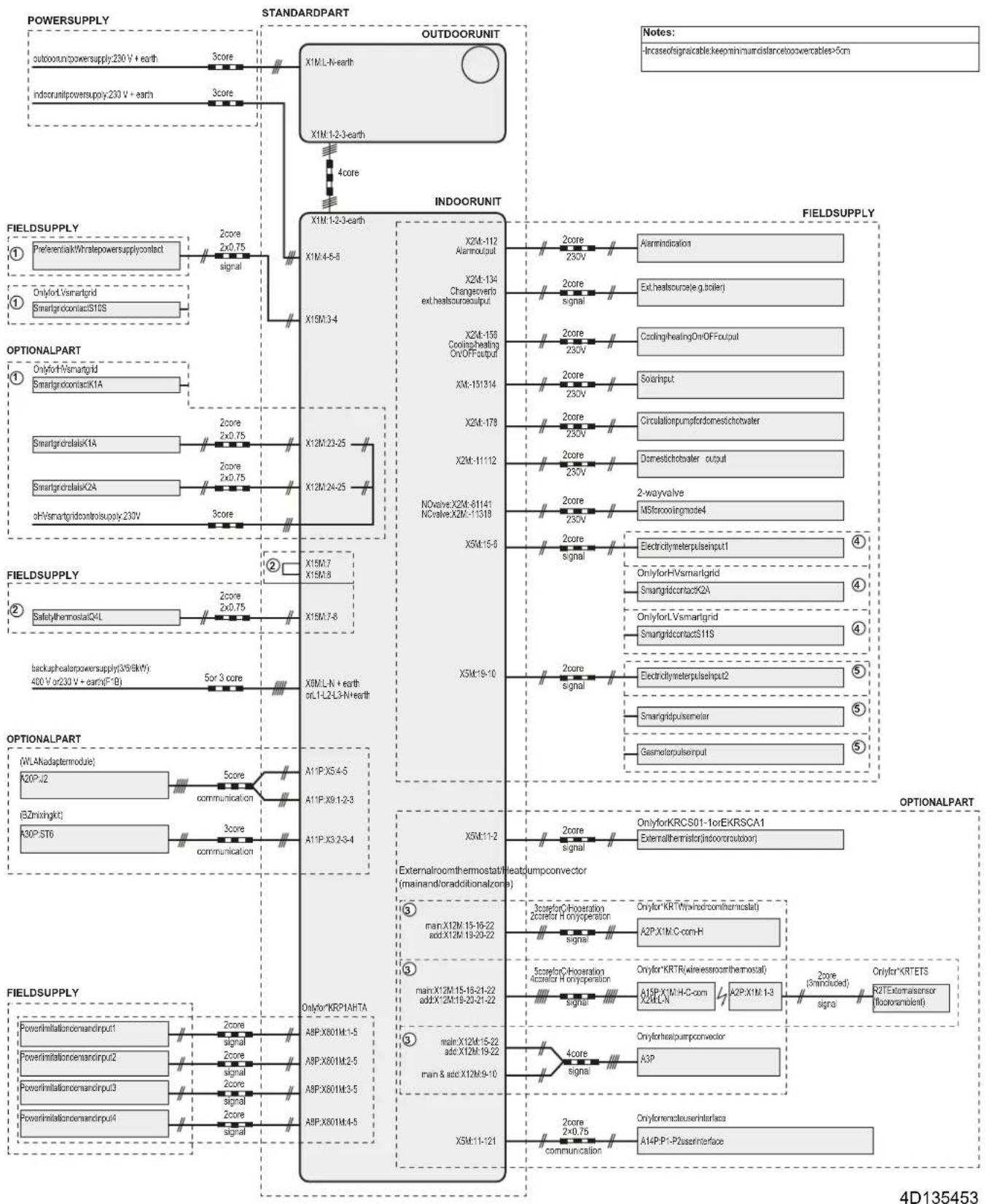
flowchart
graph TD
    subgraph POWERSUPPLY
        A["outdoorunlpowersupply: 230V + earth"] --> B["X1M:L-N-earth"]
        C["indoorunlpowersupply: 230V + earth"] --> D["X1M:1-2-3-earth"]
        E["4core"] --> F["Outdoor Unit"]
        G["FieldSupply"] --> H["Preferencek/Whatepowersupply: contact"]
        I["Onlyfor Smartgrid"] --> J["Smartgridcontact: S18S"]
    end

    subgraph INDORUNIT
        K["X2M-112 Alarmout"] --> L["Alarmindication"]
        M["X2M-134 Changesoverb ext.heatscourse: output"] --> N["Exchtessource(e.g.boiler)"]
        O["X2M-158 Coolinghealing On/OFF: output"] --> P["CoolinghealingOn/OFF: output"]
        Q["XM-151314"] --> R["Solarinput"]
        S["X2M-178"] --> T["Circulationpumpfdomestichotwater"]
        U["X2M-11112"] --> V["Domesticthotwater output"]
        W["NOvalve:X2M-61141 NCvalve:X2M-11318"] --> X["2-way valve MSforcoolingmode4"]
        Y["X5M:15-6"] --> Z["Electricitymeterpulseinput"]
        AA["X5M:15-10"] --> AB["OnlyforHVsmartgrid Smangridcontact: KA"]
        AC["SpecialtythermostatQ4L"] --> AD["OnlyforHVsmartgrid Smangridcontact: KA"]
        AE["Backupheaterpowersupply(S/68kV): 400V or 230V + earth(F*B)"] --> AF["SpecialtythermostatQ4L"]
        AG["5or 3 core"] --> AH["SpecialtythermostatQ4L"]
        AI["X15M:7 X15M:8"] --> AJ["X15M:7-8"]
        AK["X8M:L-N + earth or L-L2-L3-N+earth"] --> AL["X8M:L-N + earth or L-L2-L3-N+earth"]
    end

    subgraph FIELDSUPPLY
        AM["Optional Part (WLAnadapter module)"]
        AN["X20P:2"] --> AO["A11P:X5:4-5"]
        AP["(SZ ringight)"] --> AQ["A11P:X9:1-2-3"]
        AR["K80P:ST6"] --> AS["A11P:X3:2-3-4"]
        AT["FieldSupply"] --> AU["PowerInitiationcomandinput: 2core signal"]
        AV["PowerInitiationcomandinput: 2"] --> AW["PowerInitiationcomandinput: 2core signal"]
        AX["PowerInitiationcomandinput: 3"] --> AY["PowerInitiationcomandinput: 2core signal"]
        AZ["PowerInitiationcomandinput: 4"] --> BA["PowerInitiationcomandinput: 2core signal"]
    end

    subgraph FIELDSUPPLY
        BB["Optional Part (WLA Adapter module)"]
        BC["X20P:2"] --> BD["A11P:X5:4-5"]
        BE["(SZ ringight)"] --> BF["A11P:X9:1-2-3"]
        BG["K80P:ST6"] --> BH["A11P:X3:2-3-4"]
        BI["FieldSupply"] --> BJ["PowerInitiationcomandinput: 2core signal"]
        BK["PowerInitiationcomandinput: 2"] --> BL["A8P:X601M:1-5"]
        BM["PowerInitiationcomandinput: 3"] --> BN["A8P:X601M:2-5"]
        BO["PowerInitiationcomandinput: 4"] --> BP["A8P:X601M:3-5"]
        BZ["FieldSupply"] --> CA["PowerInitiationcomandinput: 2core signal"]
        CB["PowerInitiationcomandinput: 2"] --> CC["A8P:X601M:4-5"]
    end

    subgraph FIELDSUPPLY
        DD["Optional Part (WLA Adapter module)"]
        DE["xual for KRC501-1or EKRSCA1 External thermistor(Indoor circuit)"]
        DF["xual for KRCS01-1or EKRSCA1 External thermistor(Indoor circuit)"]
    end

    subgraph FIELDSUPPLY
        DG["xual for KRCS01-1or EKRSCA1 External thermistor(Indoor circuit)"]
        DH["xual for KRCS01-1or EKRSCA1 External thermistor(Indoor circuit)"]
    end

    subgraph FIELDSUPPLY
        DI["xual for KRCS01-1or EKRSCA1 External thermistor(Indoor circuit)"]
        DJ["xual for KRCS01-1or EKRSCA1 External thermistor(Indoor circuit)"]
    end

    subgraph FIELDSUPPLY
        DK["xual for KRCS01-1or EKRSCA1 External thermistor(Indoor circuit)"]
        DL["xual for KRCS01-1or EKRSCA1 External thermistor(Indoor circuit)"]
    end

    subgraph FIELDSUPPLY
        DM["xual for KRCS01-1or EKRSCA1 External thermistor(Indoor circuit)"]
        DE["xual for KRCS01-1or EKRSCA1 External thermistor(Indoor circuit)"]
    end

    subgraph FIELDSUPPLY
        DF["xual for KRCS01-1or EKRSCA1 External thermistor(Indoor circuit)"]
        DG["xual for KRCS01-1or EKRSCA1 External thermistor(Indoor circuit)"]
    end

    subgraph FIELDSUPPLY
        DH["xual for KRCS01-1or EKRSCA1 External thermistor(Indoor circuit)"]
        DE["xual for KRCS01-1or EKRSCA1 External thermistor(Indoor circuit)"]
    end

    subgraph FIELDSUPPLY
        DF["xual for KRCS01-1or EKRSCA1 External thermistor(Indoor circuit)"]
        DG["xual for KRCS01-1or EKRSCA 1"] --> DE["xual for KRCS01-1or EKRSCA 1"] --> DE["xual for KRCS01-1or EKRSCA 2"]
    end

    subgraph FIELDSUPPLY
        DH["xual for KRCS01-1or EKRSCA 2"] --> DE["xual for KRCS01-1or EKRSCA 2"] --> DE["xual for KRCS01-2 or EKRSCA 3"]
    end

    subgraph FIELDSUPPLY
        DE["xual for KRCS01-2 or EKRSCA 3"] --> DE["xual for KRCS01-2 or EKRSCA 3"] --> DE["xual for KRCS01-3 or EKRSCA 4"]
    end

    subgraph FIELDSUPPLY
        DH["xual for KRCS01-2 or EKRSCA 4"] --> DE["xual for KRCS01-2 or EKRSCA 4"] --> DE["xual for KRCS01-5 or EKRSCA 5"]
    end

    subgraph FIELDSUPPLY
        DE["xual for KRCS01-2 or EKRSCA 6"] --> DE["xual for KRCS01-2 or EKRSCA 6"] --> DE["xual for KRCS01-7 or EKRSCA 7"]
    end

    subgraph FIELDSUPPLY
        DE["xual for KRCS01-2 or EKRSCA 8"] --> DE["xual for KRCS01-2 or EKRSCA 8"] --> DE["xual for KRCS01-9 or EKRSCA 9"]
    end

    subgraph FIELDSUPPLY
        DE["xual for KRCS01-2 or EKRSCA 9"] --> DE["xual for KRCS01-2 or EKRSCA 9"] --> DE["xual for KRCS01-7 or EKRSCA 9"]
    end

    subgraph FIELDSUPPLY
        DE["xual for KRCS01-2 or EKRSCA 9"] --> DE["xual for KRCS01-2 or EKRSCA 9"] --> DE["xual for KRCS01-7 or EKRSCA 9"]
    end

    subgraph FIELDSUPPLY
        DE["xual for KRCS01-2 or EKRScA 9"] --> DE["xual for KRCS01-2 or EKRScA 9"] --> DE["xual for KRCS01-7 or EKRScA 9"]
    end

    subgraph FIELDSUPPLY
        DE["xual for KRCS01-2 or EKRScA 9"] --> DE["xual for KRCS01-2 or EKRScA 9"] --> DE["xual for KRCS01-7 or EKRScA 9"]
    end

    subgraph FIELDSUPPLY
        DE["xual for KRCS01-2 or EKRScA 9 & RTS Externatensor (Focetamolont)"]
        DE["xual for KRCS01-2 or EKRScA 9 & RTS Externatensor (Focetamolont)"]
    end

    subgraph FIELDSUPPLY
        DE["xual for KRCS01-2 or EKRScA 9 & RTS Externatensor (Focetamolont)"]
        DE["xual for KRCS01-2 or EKRScA 9 & RTS Externatensor (Focetamolont)"]
    end

    subgraph FIELDSUPPLY
        DE["xual for KRCS01-2 or EKSCA 9 & RTS Externatensor (Focetamolont)"]
        DE["xual for KRCS01-2 or EKSCA 9 & RTS Externatensor (Focetamolont)"]
    end

    note["Notes:<br>• Incase of signable keep minimum distance power cables >5cm"]
17.6 ESP curve: Indoor unit
Note: A flow error will occur when the minimum water flow rate is not reached.
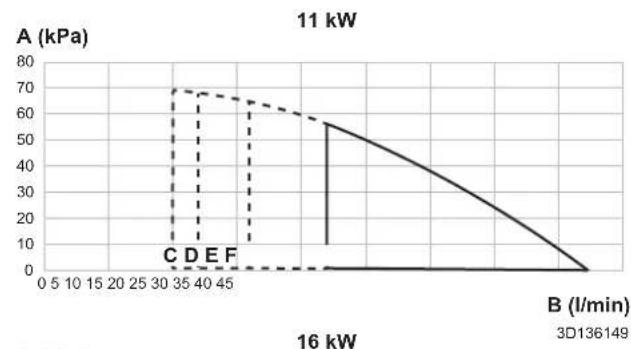
line
| B (l/min) | A (kPa) | | --------- | ------- | | 0 | 0 | | 16 | 0 | | 30 | 70 | | 40 | 65 | | 50 | 60 | | 60 | 55 | | 70 | 50 | | 80 | 40 | | 90 | 30 | | 100 | 20 | | 110 | 10 | | 120 | 0 | | 130 | 0 | | 140 | 0 | | 150 | 0 | | 160 | 0 |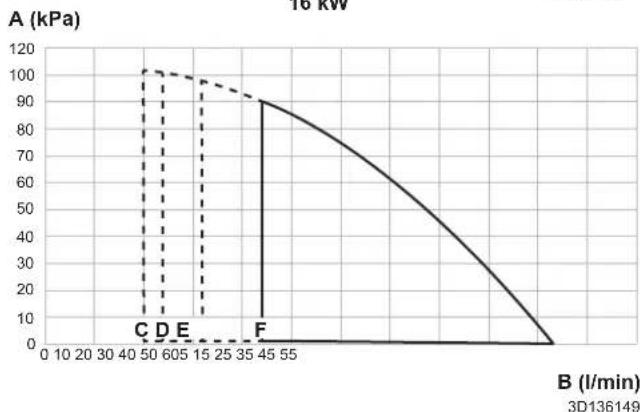
line
| Time (l/min) | Pressure (kPa) | | ------------ | -------------- | | 50 | 100 | | 60 | 100 | | 45 | 90 |A External static pressure in the space heating/cooling circuit
B Water flow rate through the unit in the space heating/cooling circuit
C Minimum water flow rate during normal operation
D Minimum water flow rate during backup heater operation
E Minimum water flow rate during cooling operation
F Minimum water flow rate during defrost operation
Notes:
- Selecting a flow outside the operating area can damage the unit or cause the unit to malfunction. See also the minimum and maximum allowed water flow range in the technical specifications.
- Make sure water quality complies with EU directive 2020/2184.
17.7 Name plate: Indoor unit
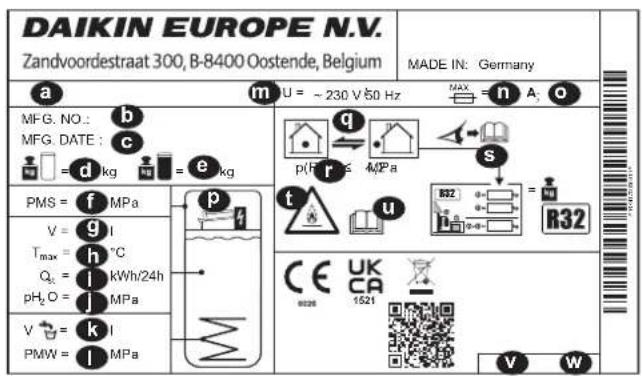
a Modelname
b Manufacturing number
c Manufacturing date
d Empty weight
e Total filled weight
f Max. operating pressure PMS (heating circuit)
g Water volume (storage tank)
h Max. operating temperature T max (storage tank water)
i Standby heat loss in 24 hours at 60°C (storage tank) Q st
j Operating pressure of storage water pH _2 O
k Domestic hot water volume (heat exchanger)
I Max. operating pressure PMS (drinking water installation)
m Nominal voltage U
n Rated current of fuse
o Protection type
p Backup heater (optional)
q Refrigerant circuit
r Max. operating pressure (refrigerant circuit)
s Total refrigerant charge (for information, see installation instructions for the outdoor heat pump unit)
t Attention: Flammable refrigerant
u Further information on the refrigerant: See instructions
v Part number
w Revision
18 Glossary
Dealer
Sales distributor for the product.
Authorised installer
Technical skilled person who is qualified to install the product.
User
Person who is owner of the product and/or operates the product.
Applicable legislation
All international, European, national and local directives, laws, regulations and/or codes that are relevant and applicable for a certain product or domain.
Service company
Qualified company which can perform or coordinate the required service to the product.
Installation manual
Instruction manual specified for a certain product or application, explaining how to install, configure and maintain it.
Operation manual
Instruction manual specified for a certain product or application, explaining how to operate it.
Maintenance instructions
Instruction manual specified for a certain product or application, which explains (if relevant) how to install, configure, operate and/or maintain the product or application.
Accessories
Labels, manuals, information sheets and equipment that are delivered with the product and that need to be installed according to the instructions in the accompanying documentation.
Optional equipment
Equipment made or approved by Daikin that can be combined with the product according to the instructions in the accompanying documentation.
Field supply
Equipment NOT made by Daikin that can be combined with the product according to the instructions in the accompanying documentation.
Applicable indoor units
| EBSH11P30D |
| EBSH16P30D |
| EBSHB11P30D |
| EBSHB16P30D |
| EBSX11P30D |
| EBSX16P30D |
| EBSXB11P30D |
| EBSXB16P30D |
| EBSH11P50D |
| EBSH16P50D |
| EBSHB11P50D |
| EBSHB16P50D |
| EBSX11P50D |
| EBSX16P50D |
| EBSXB11P50D |
| EBSXB16P50D |
Notes
(*1) 300 Tank
(*2) 500 Tank
(*3)*X*
(*4)*H*
(*5)*B*
(*6) EKECBUA3V
(*7) EKECBUA6V
(*8) EKECBUA9W
(*9) BUH less
(*10) 11P
(*11) 16P
| Field settings table | Installer setting at variance with default value | ||||
| Breadcrumb Field code Setting name Range, step | Default value | Date Value | |||
| RoomAntifrost | |||||
| 1.4.1 [2-06] R/W 0: Disabled Activation | 1: Enabled | ||||
| 1.4.2 [2-05] R/W 4-16°C, step Low C setpoint | 8°C | ||||
| Setpoint range | |||||
| 1.5.1 [3-07] R/W 12-18°C, stepping minimum | 12°C | ||||
| 1.5.2 [3-06] R/W 18-30°C, stepping maximum | 30°C | ||||
| 1.5.3 [3-09] R/W 15-25°C, stepping minimum | 15°C | ||||
| 1.5.4 [3-08] R/W 25-35°C, stepping maximum | 35°C | ||||
| Room | |||||
| 1.6 [2-09] R/W 5-5°C, step Low C sensor offset | 0°C | ||||
| 1.7 [2-0A] R/W 5-5°C, step Low C sensor offset | 0°C | ||||
| Room comfort setpoint | |||||
| 1.9.1 [9-0A] R/W [3-07]~[3-08] (damping and Drip) Setpoint | 23°C | ||||
| 1.9.2 [9-0B] R/W [3-09]~[3-08] (damping and Drip) Setpoint | 23°C | ||||
| Main zone | |||||
| 2.4 0: Fixed | Setpoint mode | 1: WD heating, fixed cooling2: Weather dependent | |||
| Heating WD curve | |||||
| 2.5 [1-00] R/W 40-5°C, step Low Ambient temp. for LWT main zone heating WD curve. | -10°C | ||||
| 2.5 [1-01] R/W 10-25°C, step High Ambient temp. for LWT main zone heating WD curve. | 15°C | ||||
| 2.5 [1-02] R/W | Leaving water value for low ambient temp. for LWT main zone heating WD curve. | 9-01]-[9-00], step; 1°C2-0C=0;40°C2-0C=1;45°C2-0C=2;55°C | |||
| 2.5 [1-03] R/W [9-01]-min(40, damping Water pressure for high ambient temp. for LWT main zone heating WD curve. | 2-0C=0;25°C2-0C=1;25°C2-0C=2;25°C | ||||
| Cooling WD curve | |||||
| 2.6 [1-06] R/W 10-25°C, step Low Ambient temp. for LWT main zone cooling WD curve. | 20°C | ||||
| 2.6 [1-07] R/W | High ambient temp. for LWT main zone cooling WD curve. | 25-43°C, step; 1°C35°C | |||
| 2.6 [1-08] R/W [9-03]-[9-02] | Casting water value for low ambient temp. for LWT main zone cooling WD curve. | 22°C | |||
| 2.6 [1-09] R/W [9-03]-[9-02] | Casting water value for high ambient temp. for LWT main zone cooling WD curve. | 2-0C=0;18°C2-0C=1;5°C2-0C=2;18°C | |||
| Main zone | |||||
| 2.7 [2-0C] R/W | Emitter type | D: Underfloor heating1: Fancoil unit2: Radiator | |||
| Setpoint range | |||||
| 2.8.1 [9-01] R/W 15-37°C, stepping minimum | 25°C | ||||
| 2.8.2 [9-00] [2-0C]+2: | Heating maximum | 2-0C=2;37-60, step; 1°C50°C2-0C=2;37-55, step; 1°C55°C | |||
| 2.8.3 [9-03] R/W 5-18°C, stepping minimum | 7°C | ||||
| 2.8.4 [9-02] R/W 18-22°C, stepping maximum | 22°C | ||||
| Main zone | |||||
| 2.9 [C-07] R/W | Control | D: LWT control1: Ext RT control2: RT control | |||
| 2.A [C-05] R/W 0: MMI request the (mobile logistic) | 1: 1 contact2: 2 contacts | ||||
| Delta T | |||||
| 2.B.1 [1-0B] [2-0C]+2: | Delta T heating | 3-10°C, step; 1°C2-0C=2 (Radiator);5°C2-0C=2 (Radiator);10°C | |||
| 2.B.2 [1-0D] R/W 3-10°C, stepping cooling | 5°C | ||||
| Modulation | |||||
| 2.C.1 8-05] R/W Modulation | D: No1: Yes | ||||
| 2.C.2 8-06] R/W 0-Mon contactplatin | 5°C | ||||
(*1) 300 Tank_(*2) 500 Tank_
(*3)*X*_(4)*H*_(5)*B*
| Field settings table | Installer setting at variance with default valueDate Value | ||||
| Breadcrumb Field code Setting name Range, step | |||||
| Default value | |||||
| Shut off valve | |||||
| 2.D.1 [F-0B] R/W | During thermo | 0: No1: Yes | |||
| 2.D.2 [F-0C] R/W 0: No | During cooling | 1: Yes | |||
| Main zone | |||||
| 2.E R/W 0: 2-points | WD curve type | 1: Slope-Offset | |||
| Additional zone | |||||
| 3.4 0: Fixed | Setpoint mode | 1: WD heating, fixed cooling2: Weather de pendent | |||
| Heating WD curve | |||||
| 3.5 [0-00] R/W | Leaving water value for high ambient temp. for LWT add zone heating WD curve. | [9-05]-min(45,[9-06])°C, step: 1°C25°C | |||
| 3.5 [0-01] R/W | [9-05]-[9-06] | Leaving water value for low ambient temp. for LWT add zone heating WD curve. | [2-0C]=0;40°C[2-0C]=1;45°C[2-0C]=2;55°C | ||
| 3.5 [0-02] R/W | 10-25°C, step | high ambient temp. for LWT add zone heating WD curve. | 15°C | ||
| 3.5 [0-03] R/W | -40-5°C, step | low ambient temp. for LWT add zone heating WD curve. | -10°C | ||
| Cooling WD curve | |||||
| 3.6 [0-04] R/W | [9-07]-[9-08] | Leaving water value for high ambient temp. for LWT add zone cooling WD curve. | [2-0C]=0;18°C[2-0C]=1;5°C[2-0C]=2;18°C | ||
| 3.6 [0-05] R/W | [9-07]-[9-08] | Leaving water value for low ambient temp. for LWT add zone cooling WD curve. | 22°C | ||
| 3.6 [0-06] R/W | 25-43°C, step | high ambient temp. for LWT add zone cooling WD curve. | 35°C | ||
| 3.6 [0-07] R/W | 10-25°C, step | low ambient temp. for LWT add zone cooling WD curve. | 20°C | ||
| Additional zone | |||||
| 3.7 [2-0D] R/C | 0: Underfloor | Heating type | 1: Fancoil unit2: Radiator | ||
| Setpoint range | |||||
| 3.8.1 | [9-05] R/W 1 | High ambient temperature | 25°C | ||
| 3.8.2 | [9-06] | Heating maximum | [2-0C]=2;R/W[2-0C]=2;R/O | [2-0C]=2;37-60, step: 1°C80°C[2-0C]=2;37-55, step: 1°C55°C | |
| 3.8.3 | [9-07] R/W 5 | High ambient temperature | 7°C | ||
| 3.8.4 | [9-08] R/W 1 | High ambient temperature | 22°C | ||
| Additional zone | |||||
| 3.A | [C-06] R/W 0 | High ambient temperature (incl. quick logic) | 1: 1 contact2: 2 contacts | ||
| Delta T | |||||
| 3.B.1 | [1-0C] | Delta T heating | [2-0D]=2;R/W[2-0D]=2;R/O | [2-0D]=2 (Radiator):3-10°C, step: 1°C5°C[2-0D]=2 (Radiator):8°C | |
| 3.B.2 | [1-0E] | Delta T cooling | R/W 3-10°C, step: 1°C5°C | ||
| Additional zone | |||||
| 3.C | WD curve type | R/O 0: 2-points1: Slope-Offset | |||
| Space heating / coolingOperation range | |||||
| 4.3.1 | [4-02] R/W 1 | High ambient temperature | 35°C | ||
| 4.3.2 | [F-01] | Space cooling OFF temp | R/W 10-35°C, step: 1°C20°C | ||
| Space heating / cooling | |||||
| 4.4 [7-02] R/W | Number of zones | 0: Single zone1: Dual zone | |||
| 4.5 [F-0D] R/W | 0: Continuous | Bump operation mode | 1: Sample2: Request | ||
| 4.6 [E-02] | Unit type R/W (*3) | R/O (*4) | 0: Reversible (*3)1: Heating only (*4) | ||
| 4.7 [9-0D] R/W | 0-8, step:1 | Pump speed limitation | 0: No limitation1-4: 90-60% pump speed5-8: 90-60% pump speed during sampling6 80% pump speed during sampling | ||
| Space heating / cooling | |||||
| 4.9 [F-00] | Pump outside range R/W | 0: Restricted1: Allowed | |||
(*1) 300 Tank_(*2) 500 Tank_
(*3)*X* (*4)*H* (*5)*B*
| Field settings table | Installier setting at variance with default value Date Value | ||||
| Breadcrumb Field code Setting name Range, step | |||||
| Default value | |||||
| 4.A [D-03] R/W | 0: No | Increase around 0°C | 1: increase 2°C, span 4°C2: increase 4°C, span 4°C3: increase 2°C, span 8°C4: increase 4°C, span 8°C | ||
| 4.B [9-04] R/W | 1~4°C, step | Overshoot | 2°C | ||
| 4.C [2-06] R/W | 0: Disabled | Antifrost | 1: Enabled | ||
| Tank | |||||
| 5.2 [6-0A] R/W | 30~[6-0E]°C | Stapfok/Selpoint | 55°C | ||
| 5.3 [6-0B] R/W | 30~min(50, [ED5]setpoint: 1°C | 45°C | |||
| 5.4 [6-0C] R/W | 30~min(50, [RE]setpoint: °C | 45°C | |||
| 5.6 [6-0D] R/W | Heat up mode | 0: Reheat only3 scheduled reheat | |||
| Disinfection | |||||
| 5.7.1 [2-01] R/W | Activation | 0: No1: Yes | |||
| 5.7.2 [2-00] R/W | 0: Each day | Operation day | 1: Monday2: Tuesday3: Wednesday4: Thursday5: Friday6: Saturday7: Sunday | ||
| 5.7.3 [2-02] R/W | 0~23 hour | Step time | 1 | ||
| 5.7.4 [2-03] R/W | 60°C | Tank setpoint | 60°C | ||
| 5.7.5 [2-04] R/W | 40~60 min | Step time | 40 min | ||
| Tank | |||||
| 5.8 [8-0E] R/W | [E-07]=4 | Maximum | 40~75°C, step: 1°C60°C | ||
| 5.9 [6-00] R/W | 2~40°C, step | Hydaresis | 8°C | ||
| 5.A [6-08] R/W | Reheat hysteresis | 2~20°C, step: 1°C10°C | |||
| 5.B | Setpoint mode | R/W | 0: Fixed1: Weather dependent | ||
| WD curve | |||||
| 5.C [0-0B] R/W | 35~[6-0E]°C | Leasing water value for high ambient temp. for DHW WD curve. | 50°C | ||
| 5.C | 0-0C | Leaving water value for low ambient temp. for DHW WD curve. | R/W | Min(45-[6-0E])~[6-0E]°C, step: 1°C55°C | |
| 5.C [0-0D] R/W | 10~25°C, step | High Ambient temp. for DHW WD curve. | 15°C | ||
| 5.C [0-0E] R/W | -40~5°C, step | Low Ambient temp. for DHW WD curve. | -10°C | ||
| Tank | |||||
| 5.D [6-01] R/W | 0~10°C, step | Margin | 0°C | ||
| 5.E | WD curve type | R/O | 0: 2-points1: Slope-Offset | ||
| User settings | |||||
| Quiet | |||||
| 7.4.1 | Activation | R/W | 0: OFF1: Manual2: Automatic | ||
| 7.4.3 | Level | R/W | 0: Quiet1: More Quiet2: Most Quiet | ||
| Electricity price | |||||
| 7.5.1 | High | R/W 0,00~490kWh1/kWh | |||
| 7.5.2 | Medium | R/W 0,00~490kWh1/kWh | |||
| 7.5.3 | Low | R/W 0,00~490kWh1/kWh | |||
| User settings | |||||
| 7.6 | Gas price | R/W 0,00~490kWh0.00~290/MBtu1.0/kWh | |||
| Installer settings | |||||
| Configuration wizardSystem | |||||
| 9.1.3.2 | [E-03] R/O | BUH type | (*6,7,8)R/W (*9) | 0: no heater (*9)2: 3V (*6)3: 6V (*7)4: 9W (*8) | |
| 9.1.3.3 | [E-05][E-06][E-07] | Domestic hot water | R/O | HPSU 'Integrated' | |
| 9.1.3.4 | [4-06] R/W 0: | Emergency | 1: Automatic2: Auto red SH/ DHW ON3: Auto red SH/ DHW OFF4: Auto normal SH/ DHW OFF | ||
| 9.1.3.5 | [7-02] R/W | Number of zones | 0: Single zone1: Dual zone | ||
| 9.1.3.6 | [E-0D] | Glycol filled system | R/W | 0: No1: Yes | |
| 9.1.3.7 | [6-02] R/W | BSH capacity | D~10kW, step: 0,2kW0kW | ||
(*1) 300 Tank_(*2) 500 Tank_
(*3)*X*_(4)*H*_(5)*B*
| Field settings table | Installer setting at variance with default value | ||||
| Breadcrumb Field code Setting name Range, step | Date Value | ||||
| Default value | |||||
| 9.1.3.8 [C-02] | R/W | Bivalent | 0 none1 bivalent through header2 tank DHW bivalent (*5)3 tank heating + DHW bivalent | ||
| 9.2.4 [D-07] R/W 0: No | Solar | 1: Solar for DHW2: Solar for DHW and SH | |||
| Backup heater | |||||
| 9.1.4.1 [5-03] | R/O | Voltage | D: 230V, 1~(*6, *7, *9)2: 400V, 3~(*8) | ||
| 9.1.4.2 [4-0A] | R/W (*7, | Configuration | *8, *9)R/O (*6) | D: 1 (*6, *9)1: 1/1+2 (*7, *8)2: 1/23: 1/2 + 1/1+2 in emergency | |
| 9.1.4.3 [6-03] | R/W 0~10kW | Capacit2eNp 1 | DKW2kW (*7)3kW (*6, *8, *9) | ||
| 9.1.4.4 [6-04] | R/W (*7, | Additional capacity step 2 | *8)R/O (*6, *9) | D~10kW, step: 0,2kWDkW (*6)3kW (*9)4kW (*7)6kW (*8) | |
| Main zone | |||||
| 9.1.5.1 [2-0C] | R/W | Emitter type | D: Underfloor heating1: Fancoil unit2: Radiator | ||
| 9.1.5.2 [C-07] | R/W | Control | D: LWT control1: Ext RT control2: RT control | ||
| 9.1.5.3 R/W 0 | Fixed | Setpoint mode | 1: WD heating, fixed cooling2: Weather dependent | ||
| 9.1.5.4 R/W | Schedule | D: No1: Yes | |||
| 9.1.5.5 R/W 0: 2-points | WD curve type | 1: Slope-Offset | |||
| 9.1.6 [1-00] R/W -40~5°C, step: 1/6bient temp. for LWT main zone heating WD curve. | -10°C | ||||
| 9.1.6 [1-01] R/W 10~25°C, step: 1/6bient temp. for LWT main zone heating WD curve. | 15°C | ||||
| 9.1.6 [1-02] R/W | Leaving water value for low ambient temp. for LWT main zone heating WD curve. | 9-01)-[9-00], step: 1°C2-0C=0:40°C2-0C=1:45°C2-0C=2:55°C | |||
| 9.1.6 [1-03] R/W [9-01]-min | Eavesightwater value for high ambient temp. for LWT main zone heating WD curve. | 2-0C=0:25°C2-0C=1:25°C2-0C=2:25°C | |||
| 9.1.7 [1-06] R/W 10~25°C, step: 1/6bient temp. for LWT main zone cooling WD curve. | 20°C | ||||
| 9.1.7 [1-07] R/W | High ambient temp. for LWT main zone cooling WD curve. | 25~43°C, step: 1°C35°C | |||
| 9.1.7 [1-08] R/W [9-03]-[9-02] EavesgateValue for low ambient temp. for LWT main zone cooling WD curve. | 22°C | ||||
| 9.1.7 [1-09] R/W [9-03]-[9-02] EavesgateValue for high ambient temp. for LWT main zone cooling WD curve. | 2-0C=0:18°C2-0C=1:5°C2-0C=2:18°C | ||||
| Additional zone | |||||
| 9.1.8.1 [2-0D] R/W 0: Underperform type | 1: Fancoil unit2: Radiator | ||||
| 9.1.8.3 R/W 0: Fixed | Setpoint mode | 1: WD heating, fixed cooling2: Weather dependent | |||
| 9.1.8.4 R/W | Schedule | D: No1: Yes | |||
| 9.1.9 [0-00] R/W | Leaving water value for high ambient temp. for LWT add zone heating WD curve. | 9-05)-min(45,[9-06])°C, step: 1°C25°C | |||
| 9.1.9 [0-01] R/W [9-05]-[9-06] EavesgateValue for low ambient temp. for LWT add zone heating WD curve. | 2-0C=0:40°C2-0C=1:45°C2-0C=2:55°C | ||||
| 9.1.9 [0-02] R/W 10~25°C, step: 1/6bient temp. for LWT add zone heating WD curve. | 15°C | ||||
| 9.1.9 [0-03] R/W -40~5°C, step: 1/6bient temp. for LWT add zone heating WD curve. | -10°C | ||||
| 9.1.A [0-04] R/W [9-07]-[9-08] EavesgateValue for high ambient temp. for LWT add zone cooling WD curve. | 2-0C=0:18°C2-0C=1:5°C2-0C=2:18°C | ||||
| 9.1.A [0-05] R/W [9-07]-[9-08] EavesgateValue for low ambient temp. for LWT add zone cooling WD curve. | 22°C | ||||
| 9.1.A [0-06] R/W 25~43°C, step: 1/6bient temp. for LWT add zone cooling WD curve. | 35°C | ||||
(*1) 300 Tank_(*2) 500 Tank_
(*3)*X* (*4)*H* (*5)*B*
(*6) EKECBUA3V_(*7) EKECBUA6V_(*8) EKECBUA9W_(*9) BUH less_
(*10) 11P_(*11) 16P
| Field settings table | Installar setting at variance with default valueDate Value | ||||
| Breadcrumb Field code Setting name Range, step | |||||
| Default value | |||||
| 9.1.A [0-07] R/W 10-25°C, step in constant temp. for LWT add zone cooling WD curve. | 20°C | ||||
| Tank | |||||
| 9.1.B.1 [6-0D] R/W | Heat up mode | D: Reheat only3 scheduled reheat | |||
| 9.1.B.2 [6-0A] R/W 30-60E | Constepoint | 55°C | |||
| 9.1.B.3 [6-0B] R/W 30-min | Bp (b) 16, step: 1°C | 45°C | |||
| 9.1.B.4 [6-0C] R/W 30-min | Bp (b) 16, step: 1°C | 45°C | |||
| 9.1.B.5 [6-0B] R/W | Reheat hysteresis | 2-20°C, step: 1°C10°C | |||
| Domestic hot water | |||||
| 9.2.1 [E-05][E-06][E-07] | Domestic hot water | R/O | HPSU 'Integrated' | ||
| 9.2.2 [D-02] R/W | DHW pump | D: No DHW pump1: Instant hot water2: Disinfection3: Circulation4: Circulation and disinfection | |||
| 9.2.4 [D-07] R/W 0: No | Solar | 1: Solar for DHW2: Solar for DHW and SH | |||
| Back up heater | |||||
| 9.3.1 [E-03] R/O | BUH type | (*6, *7, *8)RW (*9) | D: no heater (*9)2: 3V (*6)3: 6V (*7)4: 9W (*8) | ||
| 9.3.2 [5-0D] R/O | Voltage | D: 230V, 1~(*6, *7, *9)2: 400V, 3~(*8) | |||
| 9.3.3 [4-0A] R/W (*7, | Configuration | (*8, *9)R/O (*6) | D: 1 (*6, *9)1: 1/1+2 (*7, *8)2: 1/23: 1/2 + 1/1+2 in emergency | ||
| 9.3.4 [6-03] R/W 0-10kW, step 1 capacity step 1 | 0kW2kW (*7)3kW (*6, *8, *9) | ||||
| 9.3.5 [6-04] R/W (*7, | Additional capacity step 2 | (*8)R/O (*6, *9) | D=10kW, step: 0,2kW0kW (*6)3kW (*9)4kW (*7)6kW (*8) | ||
| 9.3.6 [5-00] R/W 0: No | Equilibrium: Deactivate backup heater (or external backup heat source in case of a bivalent system) above the equilibrium temperature for space heating? | 1: Yes | |||
| 9.3.7 [5-01] R/W -15-35°C, step in DQUm temperature | 0°C | ||||
| 9.3.8 [4-00] R/W 0: Disabled Operation | 1: Enabled2: Only DHW | ||||
| Booster heater | |||||
| 9.4.1 [6-02] R/W 0-10kW, step capacity | 0kW | ||||
| 9.4.3 [8-03] R/W 20-95 min, step container | 50 min | ||||
| 9.4.4 [4-03] R/W 0: Restricted Operation | 1: Allowed2: Overlap3: Compressor off4: Legonella only | ||||
| Emergency | |||||
| 9.5.1 [4-06] R/W 0: Manual Emergency | 1: Automatic2: Auto red SH/ DHW ON3: Auto red SH/ DHW OFF4: Auto normal SH/ DHW OFF | ||||
| 9.5.2 [7-06] R/W | Compressor forced OFF | D: Disabled1: Enabled | |||
| Balancing | |||||
| 9.6.1 [5-02] R/W | Space heating priority | D: Disabled1: Enabled | |||
| 9.6.2 [5-03] R/W -15-35°C, step parity Temperature | 0°C | ||||
| 9.6.3 [5-04] R/W 0-20°C, step buffer CBSH salpoint | 10°C | ||||
| 9.6.4 [8-02] R/W 0-10 hour, step buffer blue timer | 0,5 hour | ||||
| 9.6.5 [8-00] R/O | Minimum running timer | D=20 min, step 1 min1 min | |||
| 9.6.6 [8-01] R/W 5-95 min, step maximum running timer | 30 min | ||||
| 9.6.7 [8-04] R/W 0-95 min, step maximum timer | 95 min | ||||
| Installer settings | |||||
| 9.7 [4-04] R/W 0: Continuous pump operation prevention | 1: Non continuous pump operation (*5)2: OFF (if not *5) | ||||
| Benefit kWh power supply | |||||
| 9.8.2 [D-00] R/W | Allow heater | D: None1: BSH only2: BUH only3: All heaters | |||
| 9.8.3 [D-05] R/W 0: Forced allow pump | 1: As normal | ||||
(*1) 300 Tank_(*2) 500 Tank_
(*3)*X*_(4)*H*_(5)*B*
| Field settings table | Installer setting at variance with default value | |||||
| Breadcrumb Field code Setting name Range, step | Default value | Date Value | ||||
| 9.1 [0-01] R/W | [9-05]-[9-06] | Ceasing Water value for low ambient temp. for LWT add zone heating WD curve. | 2-0C=0:40°C2-0C=1:45°C2-0C=2:55°C | |||
| 9.1 [0-02] R/W | 0-25°C, step | High Ambient temp. for LWT add zone heating WD curve. | 15°C | |||
| 9.1 [0-03] R/W | 40-5°C, step | Low Ambient temp. for LWT add zone heating WD curve. | -10°C | |||
| 9.1 [0-04] R/W | [9-07]-[9-08] | Ceasing Water value for high ambient temp. for LWT add zone cooling WD curve. | 2-0C=0:18°C2-0C=1:5°C2-0C=2:18°C | |||
| 9.1 [0-05] R/W | [9-07]-[9-08] | Ceasing Water value for low ambient temp. for LWT add zone cooling WD curve. | 22°C | |||
| 9.1 [0-06] R/W | 25-43°C, step | High Ambient temp. for LWT add zone cooling WD curve. | 35°C | |||
| 9.1 [0-07] R/W | 0-25°C, step | Low Ambient temp. for LWT add zone cooling WD curve. | 20°C | |||
| 9.1 [0-08] R/W | 35-[6-0E]°C, step | Leaving water value for high ambient temp. for DHW WD curve. | 55°C | |||
| 9.1 | 0-0C] | Leaving water value for low ambient temp. for DHW WD curve. | R/W | Min(45-[6-0E])~[6-0E]°C, step: 1°C55°C | ||
| 9.1 [0-0D] R/W | 10-25°C, step | High Ambient temp. for DHW WD curve. | 15°C | |||
| 9.1 [0-0E] R/W | 40-5°C, step | Low Ambient temp. for DHW WD curve. | -10°C | |||
| 9.1 [1-0D] R/W | 40-5°C, step | Low Ambient temp. for LWT main zone heating WD curve. | -10°C | |||
| 9.1 [1-01] R/W | 10-25°C, step | High Ambient temp. for LWT main zone heating WD curve. | 15°C | |||
| 9.1 [1-02] R/W | Leaving water value for low ambient temp. for LWT main zone heating WD curve. | 9-01]-[9-00], step: 1°C2-0C=0:40°C2-0C=1:45°C2-0C=2:55°C | ||||
| 9.1 [1-03] R/W | [9-01]-min(45 | Leaving Water value for high ambient temp. for LWT main zone heating WD curve. | 2-0C=0:25°C2-0C=1:25°C2-0C=2:25°C | |||
| 9.1 [1-04] R/W | Disabled | Weather dependent cooling of the main leaving water temperature zone. | 1: Enabled | |||
| 9.1 [1-05] R/W | Disabled | Weather dependent cooling of the additional leaving water temperature zone | 1: Enabled | |||
| 9.1 [1-06] R/W | 10-25°C, step | Low Ambient temp. for LWT main zone cooling WD curve. | 20°C | |||
| 9.1 [1-07] R/W | High ambient temp. for LWT main zone cooling WD curve. | 25-43°C, step: 1°C35°C | ||||
| 9.1 [1-08] R/W | [9-03]-[9-02]° | Ceasing Water value for low ambient temp. for LWT main zone cooling WD curve. | 22°C | |||
| 9.1 [1-09] R/W | [9-03]-[9-02]° | Ceasing Water value for high ambient temp. for LWT main zone cooling WD curve. | 2-0C=0:18°C2-0C=1:5°C2-0C=2:18°C | |||
| 9.1 [1-0A] R/W | What is the averaging time for the outdoor temp? | 0: No averaging1: 12 hours2: 24 hours3: 48 hours4: 72 hours | ||||
| 9.1 [1-0B] [2-0C]#2: | What is the desired delta T in heating for the main zone? | 3-10°C, step: 1°C2-0C#2 (Radiator):5°C2-0C=2 (Radiator):10°C | ||||
| 9.1 [1-0C] [2-0D]#2: | What is the desired delta T in heating for the additional zone? | 2-0D#2 (Radiator):3-10°C, step: 1°C5°C2-0D=2 (Radiator):8°C | ||||
| 9.1 [1-0D] R/W | 3-10°C, step | What is the desired delta T in cooling for the main zone? | 5°C | |||
| 9.1 [1-0E] R/W | 3-10°C, step | What is the desired delta T in cooling for the additional zone? | 5°C | |||
| 9.1 [2-0D] R/W | Each day | When should the disinfection function be executed? | 1: Monday2: Tuesday3: Wednesday4: Thursday5: Friday6: Saturday7: Sunday | |||
| 9.1 [2-01] R/W | Should the disinfection function be executed? | 0: No1: Yes | ||||
| 9.1 [2-02] R/W | 0-23 hour, step | Which should the disinfection function start? | 1 | |||
| 9.1 [2-03] R/W | 60°C | What is the disinfection target temperature? | 60°C | |||
(*1) 300 Tank_(*2) 500 Tank_
(*3)*X*_(4)*H*_(5)*B*
| Field settings table | Installer setting at variance with default value | ||||
| Breadcrumb Field code Setting name Range, step | Default value | Date Value | |||
| 9.I [2-04] R/W | 40~60 min, step | What is the maximum desired room temperature in heating? | 40 min | ||
| 9.I [2-05] R/W | 4~16°C, step | R/6m antifrost temperature | 3°C | ||
| 9.I [2-06] R/W | 0: Disabled | Room frost protection | 1: Enabled | ||
| 9.I [2-09] R/W | 5~5°C, step | Adjusted the offset on the measured room temperature | 0°C | ||
| 9.I [2-0A] R/W | 5~5°C, step | Adjusted the offset on the measured room temperature | 0°C | ||
| 9.I [2-0B] R/W | 5~5°C, step | What is the required offset on the measured outdoor temp.? | 0°C | ||
| 9.I [2-0C] R/W | What emitter type is connected to the main LWT zone? | 0: Underfloor heating1: Fancoil unit2: Radiator | |||
| 9.I [2-0D] R/W | 0: Underfloor | What emitter type is connected to the additional LWT zone? | 1: Fancoil unit2: Radiator | ||
| 9.I [2-0E] R/W | 20~50 A, step | What is the maximum allowed current over the heat pump ? | 50 A | ||
| 9.I [3-00] R/W | 0: No | Is auto restart of the unit allowed? | 1: Yes | ||
| 9.I [3-01] R/W | -- | 0 | |||
| 9.I [3-02] R/W | -- | 1 | |||
| 9.I [3-03] R/W | -- | 4 | |||
| 9.I [3-04] R/W | -- | 2 | |||
| 9.I [3-05] R/W | -- | 1 | |||
| 9.I [3-06] R/W | 18~30°C, step | What is the maximum desired room temperature in heating? | 30°C | ||
| 9.I [3-07] R/W | 12~18°C, step | What is the minimum desired room temperature in heating? | 12°C | ||
| 9.I [3-08] R/W | 25~35°C, step | What is the maximum desired room temperature in cooling? | 35°C | ||
| 9.I [3-09] R/W | 15~25°C, step | What is the minimum desired room temperature in cooling? | 15°C | ||
| 9.I [3-0A] What is the pump model R/O | 0: pump model 0 (*10)1: pump model 1 (*11) | ||||
| 9.I [4-00] R/W | 0: Disabled | What is the BUH operation mode? | 1: Enabled2: Only DHW | ||
| 9.I [4-01] R/W | Which electric heater has priority? | 0: None1: BSH2: BUH | |||
| 9.I [4-02] R/W | 14~35°C, step | Below which outdoor temperature is heating allowed? | 35°C | ||
| 9.I [4-03] R/W | 0: Restricted | Operation permission of the booster heater. | 1: Allowed2: Overlap3: Compressor off4: Legionella only | ||
| 9.I [4-04] R/W | Water pipe freeze prevention | 0: Continuous pump operation1: Non continuous pump operation (*5)2: OFF (if not *5) | |||
| 9.I [4-05] | -- | 0 | |||
| 9.I [4-06] R/W | 0: Manual | Emergency | 1: Automatic2: Auto red SH/ DHW ON3: Auto red SH/ DHW OFF4: Auto normal SH/ DHW OFF | ||
| 9.I [4-07] | -- | 3 | |||
| 9.I [4-08] R/W | Which power limitation mode is required on the system? | 0: No limitation1: Continuous2: Digital Inputs3: Load Monitor | |||
| 9.I [4-09] R/W | 0: Current | Which power limitation type is required? | 1: Power | ||
| 9.I [4-0A] R/W | (*7, | Backup heater configuration | *8, *9)R/O (*6) | 0: 1 (*6, *9)1: 1/1+2 (*7, *8)2: 1/23: 1/2 + 1/1+2 in emergency | |
| 9.I [4-0B] R/W | 1~10°C, step | Auto Baltic cooling/heating changeover hysteresis. | 1°C | ||
| 9.I [4-0D] R/W | 1~10°C, step | Auto Baltic cooling/heating changeover offset. | 3°C | ||
| 9.I [4-0E] | -- | 6 | |||
| 9.I [5-00] R/W | 0: No | Equilibrium: Deactivate backup heater (or external backup heat source in case of a bivalent system) above the equilibrium temperature for space heating? | 1: Yes | ||
| 9.I [5-01] R/W | -15~35°C, step | What is the equilibrium temperature for the building? | 0°C | ||
| 9.I [5-02] R/W | Space heating priority. | 0: Disabled1: Enabled | |||
| 9.I [5-03] R/W | -15~35°C, step | Space heating priority temperature. | 0°C | ||
| 9.I [5-04] R/W | 0~20°C, step | St/Point correction for domestic hot water temperature. | 10°C | ||
| 9.I [5-05] R/W | 0~50 A, step | What is the requested limit for D11? | 50 A | ||
| 9.I [5-06] R/W | 0~50 A, step | What is the requested limit for D12? | 50 A | ||
| 9.I [5-07] R/W | 0~50 A, step | What is the requested limit for D13? | 50 A | ||
| 9.I [5-08] R/W | 0~50 A, step | What is the requested limit for D14? | 50 A | ||
| 9.I [5-09] R/W | 0~20 kW, step | What is the requested limit for D11? | 20 kW | ||
| 9.I [5-0A] R/W | 0~20 kW, step | What is the requested limit for D12? | 20 kW | ||
(*1) 300 Tank_(*2) 500 Tank_
(*3)*X*_(4)*H*_(5)*B*
(*6) EKECBUA3V_(*7) EKECBUA6V_(*8) EKECBUA9W_(*9) BUH less_
(*10) 11P_(*11) 16P
| Field settings table | Installier setting at variance with default value | ||||
| Breadcrumb Field code Setting name Range, step | |||||
| Default value | Date Value | ||||
| 9.1 [5-08] R/W | 0~20 kW, step | What is the requested limit for DI3? | 20 kW | ||
| 9.1 [5-0C] R/W | 0~20 kW, step | What is the requested limit for DI4? | 20 kW | ||
| 9.1 [5-0D] R/O | Backup heater voltage | D: 230V, 1~ (*6, *7, *9)2: 400V, 3~ (*8) | |||
| 9.1 [5-0E] | -- | 1 | |||
| 9.1 [6-00] R/W | 2~40°C, step | The temperature difference determining the heat pump ON temperature. | 8°C | ||
| 9.1 [6-01] R/W | 0~10°C, step | The temperature difference determining the heat pump OFF temperature. | 0°C | ||
| 9.1 [6-02] R/W | What is the capacity of the booster heater? | D~10kW, step: 0,2kW0kW | |||
| 9.1 [6-03] R/W | 0~10kW, step | What is the capacity of the backup heater step 1? | 0kW2kW (*7)3kW (*6, *8, *9) | ||
| 9.1 [6-04] R/W | *7, | What is the capacity of the backup heater step 2? | 8)R/O (*6, *9) | D~10kW, step: 0,2kW0kW (*6)3kW (*9)4kW (*7)6kW (*8) | |
| 9.1 [6-07] 0 | -- | ||||
| 9.1 [6-08] R/W | What is the hysteresis to be used in reheat mode? | 2~20°C, step: 1°C10°C | |||
| 9.1 [6-09] | --haatertapecapacity | 0 | |||
| 9.1 [6-0A] R/W | 30-[6-0E]*C | What is the desired comfort storage temperature? | 55°C | ||
| 9.1 [6-0B] R/W | 30-min(50, [ | What is the desired comfort storage temperature? | 45°C | ||
| 9.1 [6-0C] R/W | 30-min(50, [ | What is the desired DHW production type? | 45°C | ||
| 9.1 [6-0D] R/W | What is the maximum temperature setpoint? | D: Reheat only3 scheduled reheat | |||
| 9.1 [6-0E] R/W | E-07 = 4 | What is the maximum temperature setpoint? | 40~75°C, step: 1°C60°C | ||
| 9.1 [7-00] R/W | 0~4°C, step: | Domestic hot water booster heater overshoot temperature. | 0°C | ||
| 9.1 [7-01] R/W | 2~40°C, step: | Domestic hot water booster heater hysteresis. | 2°C | ||
| 9.1 [7-02] R/W | How many leaving water temperature zones are there? | D: 1 LWT zone1: 2 LWT zones | |||
| 9.1 [7-03] | -- | 2.5 | |||
| 9.1 [7-04] | -- | 0 | |||
| 9.1 [7-05] R/W | Boiler efficiency | D: Very high1: High2: Medium3: Low4: Very low | |||
| 9.1 [7-06] R/W | Compressor forced OFF | D: Disabled1: Enabled | |||
| 9.1 [7-07] R/W | BBR16 activation*BBR16 settings are only visible when the language of the user interface is set to Swedish. | D: Disabled1: Enabled | |||
| 9.1 [7-08] DHW | stratification | R/W | D: Disabled (*2)1: Enabled (*1) | ||
| 9.1 [7-09] | -- | 20 | |||
| 9.1 [7-0A] R/W | Additional zone fixed pump PWM, in case a bizone kit is installed. | 20~95%, step 5%95% | |||
| 9.1 [7-0B] R/W | Main zone fixed pump PWM, in case a bizone kit is installed. | 20~95%, step 5%95% | |||
| 9.1 [7-0C] R/W | Time needed by the mixing valve to turn from one side to the other, in case a bizone kit is installed. | 20~300 seconds, step 5 sec125 seconds. | |||
| 9.1 [7-0D] R/W | Hysteresis value used to control the tank bivalent in case it's supporting space heating operation | 2~20, step 0,5 °C4 °C | |||
| 9.1 [7-0E] R/W | Offset on the setpoint to determine when the tank is high enough to go the excess state | 2~22, step 0,5 °C7 °C | |||
| 9.1 [8-00] R/O | Minimum running time for domestic hot water operation. | D~20 min, step 1 min1 min | |||
| 9.1 [8-01] R/W | 5~95 min, step | Maximum running time for domestic hot water operation. | 30 min | ||
| 9.1 [8-02] R/W | 0~10 hour, step | Not staying time. | 0,5 hour | ||
| 9.1 [8-03] R/W | 20~95 min, step | Not staying time. | 50 min | ||
| 9.1 [8-04] R/W | 0~95 min, step | Additional running time for the maximum running time. | 95 min | ||
| 9.1 [8-05] R/W | Allow modulation of the LWT to control the room temp? | D: No1: Yes | |||
| 9.1 [8-06] R/W | 0~10°C, step | Using water temperature maximum modulation. | 5°C | ||
| 9.1 [8-07] R/W | 9-03-[9-02], | What is the desired comfort main LWT in cooling? | 18°C | ||
| 9.1 [8-08] R/W | 9-03-[9-02], | What is the desired comfort main LWT in cooling? | 20°C | ||
| 9.1 [8-09] R/W | 9-01-[9-00], | What is the desired comfort main LWT in heating? | 35°C | ||
| 9.1 [8-0A] R/W | 9-01-[9-00], | What is the desired comfort main LWT in heating? | 33°C | ||
| 9.1 [8-0B] | -- | 13 | |||
| 9.1 [8-0C] | -- | 10 | |||
| 9.1 [8-0D] | -- | 16 | |||
| 9.1 [9-00] [2-0C] | P2: | What is the maximum desired LWT for main zone in heating? | 2-0C=2:37~60, step: 1°C60°C2-0C=2:37~55, step: 1°C55°C | ||
(*1) 300 Tank_(*2) 500 Tank_
(*3)*X*_(4)*H*_(5)*B*
| Field settings table | Installer setting at variance with default value Date Value | ||||
| Breadcrumb Field code Setting name Range, step | |||||
| Default value | |||||
| 9.I [9-01] R/W | 15~37°C, step | What is the minimum desired LWT for main zone in heating? | 25°C | ||
| 9.I [9-02] R/W | 18~22°C, step | What is the maximum desired LWT for main zone in cooling? | 22°C | ||
| 9.I [9-03] R/W | 5~18°C, step | What is the minimum desired LWT for main zone in cooling? | 7°C | ||
| 9.I [9-04] R/W | 1~4°C, step: | Deaving water temperature overshoot temperature. | 2°C | ||
| 9.I [9-05] R/W | 15~37°C, step | What is the minimum desired LWT for add. zone in heating? | 25°C | ||
| 9.I [9-06] [2-0C]#2: | What is the maximum desired LWT for add. zone in heating? | R/W[2-0C]=2:R/O | 2-0C=2:37~60, step: 1°C60°C2-0C#2:37~55, step: 1°C55°C | ||
| 9.I [9-07] R/W | 5~18°C, step | What is the minimum desired LWT for add. zone in cooling? | 7°C | ||
| 9.I [9-08] R/W | 18~22°C, step | What is the maximum desired LWT for add. zone in cooling? | 22°C | ||
| 9.I [9-09] R/W | 1~18°C, step | What is the allowed LWT undershoot during cooling start-up? | 18°C | ||
| 9.I [9-0A] R/W | [3-07]~[3-06] | What is the minimum desired LWT for add. zone in cooling? | 23°C | ||
| 9.I [9-0B] R/W | [3-09]~[3-08] | What is the minimum desired LWT for add. zone in cooling? | 23°C | ||
| 9.I [9-0C] R/W | 1~6°C, step: | R/60°C temperature hysteresis. | 1°C | ||
| 9.I [9-0D] R/W | 0~8, step:1 | Pump speed limitation | D: No limitation1~4: 90~60% pump speed5~8: 90~60% pump speed during sampling6 80% pump speed during sampling | ||
| 9.I [9-0E] | -- | 6 | |||
| 9.I [C-00] R/W | 0: Solar prior | Domestic heating water priority. | 1: Heat pump priority | ||
| 9.I [C-01] | -- | D | |||
| 9.I [C-02] R/W | Is an external backup heat source connected? | D none1 bivalent through header2 tank DHW bivalent (*5)3 tank heating + DHW bivalent | |||
| 9.I [C-03] R/W | -25~25°C, step | Divalent activation temperature. | 0°C | ||
| 9.I [C-04] R/W | 2~10°C, step | Divalent hysteresis temperature. | 3°C | ||
| 9.I [C-05] R/W | 0:- | What is the thermo request contact type for the main zone? | 1: 1 contact2: 2 contacts | ||
| 9.I [C-06] R/W | 0: MWI request | Where and the demand request contact type for the add. zone? | 1: 1 contact2: 2 contacts | ||
| 9.I [C-07] R/W | What is the unit control method in space operation? | D: LWT control1: Ext RT control2: RT control | |||
| 9.I [C-08] R/W | Which type of external sensor is installed? | D: No1: Outdoor sensor2: Room sensor | |||
| 9.I [C-09] R/W | What is the required alarm output contact type? | D: Normally open1: Normally closed | |||
| 9.I [C-0A] | -- | D | |||
| 9.I [C-0B] | -- | D | |||
| 9.I [C-0C] | -- | D | |||
| 9.I [C-0D] | -- | D | |||
| 9.I [C-0E] | -- | D | |||
| 9.I [D-00] R/W | Which heaters are permitted if prefer. kWh rate PS is cut? | D: None1: BSH only2: BUH only3: All heaters | |||
| 9.I [D-01] R/W | Contact type of preferential kWh rate PS installation? | D: No1: Active open2: Active closed3: Smart Grid | |||
| 9.I [D-02] R/W | Which type of DHW pump is installed? | D: No DHW pump1: Instant hot water2: Disinfection3: Circulation4: Circulation and disinfection | |||
| 9.I [D-03] R/W | 0: No | Leaving water temperature compensation around 0°C. | 1: increase 2°C, span 4°C2: increase 4°C, span 4°C3: increase 2°C, span 8°C4: Increase 4°C, span 8°C | ||
| 9.I [D-04] R/W | Is a demand PCB connected? | D: No1: Pwr consmp ctrl | |||
| 9.I [D-05] R/W | 0: Forced off | Is the pump allowed to run if prefer. kWh rate PS is cut? | 1: As normal | ||
| 9.I [D-07] R/W | 0: No | Is a solar kit connected? | 1: Solar for DHW2: Solar for DHW and SH | ||
| 9.I [D-08] R/W | Is an external kWh meter used for power measurement? | D: No1: 0,1 pulse/kWh2: 1 pulse/kWh3: 10 pulse/kWh4: 100 pulse/kWh5: 1000 pulse/kWh | |||
(*1) 300 Tank_(*2) 500 Tank_
(*3)*X* (*4)*H* (*5)*B*
| Field settings table | Installer setting at variance with default valueDate Value | ||||
| Breadcrumb Field code Setting name Range, step | |||||
| Default value | |||||
| 9.1 [D-09] R/W | Is an external kWh meter used for power measurement, kWh meter used for smart grid or a gas meter for hybrid unit? | D: No1: 0,1 pulse/kWh2: 1 pulse/kWh3: 10 pulse/kWh4: 100 pulse/kWh5: 1000 pulse/kWh6: 100 pulse/kWh (PV meter)7: 1000 pulse/kWh (PV meter)8: 1 pulse/m3 (gas monitoring)9: 10 pulse/m3 (gas monitoring)10: 100 pulse/m3 (gas monitoring) | |||
| 9.1 [D-0A] | -- | D | |||
| 9.1 [D-0B] | -- | 2 | |||
| 9.1 [D-0C] | -- | D | |||
| 9.1 [D-0D] | -- | D | |||
| 9.1 [D-0E] | -- | D | |||
| 9.1 [E-00] R/O | Which type of unit is installed? | D~5D: LT split | |||
| 9.1 [E-01] R/O | Which type of compressor is installed? | 1 | |||
| 9.1 [E-02] R/W *3) | What is the indoor unit software type? | R/O (*4) | D: Reversible (*3)1: Heating only (*4) | ||
| 9.1 [E-03] R/O | What is the number of backup heater steps? | *6,*7,*8)R/W (*9) | D: no heater (*9)1: ext heater2: 3V (*6)3: 6V (*7)4: 9W (*8) | ||
| 9.1 [E-04] R/O | 0: No | Is the power saving function available on the outdoor unit? | 1: Yes | ||
| 9.1 [E-05] R/O | 0: No | Can the system prepare domestic hot water? | 1: Yes | ||
| 9.1 [E-06] | -- | 1 | |||
| 9.1 [E-07] R/W | What kind of DHW tank is installed? | D~8D OSO tank 150/1801 FS with BUH2 FS with BSH3 OSO tank 200/250/3004 Rotex without BSH (HYB)5 Rotex with BSH6 Third party tank for HYB7 Third party tank, coil >= 1,05m28 Third party tank, coil >= 1,8m2 | |||
| 9.1 [E-08] R/W | Power saving function for outdoor unit. | D: disabled1: Enabled | |||
| 9.1 [E-09] | -- | 1 | |||
| 9.1 [E-0A] R/O | Tank volume | 30 (*1)50 (*2) | |||
| 9.1 [E-0B] R/W | Is a bizone kit installed? | D: Not installed1:-2: Bizone kit installed | |||
| 9.1 [E-0C] R/W | What bizone system type is installed? | D: Without hydraulic separator / no direct pump1: With hydraulic separator / no direct pump2: With hydraulic separator / with direct pump | |||
| 9.1 [E-0D] R/W | Is the system filled with glycol ? | D: No1: Yes | |||
| 9.1 [E-0E] | -- | D | |||
| 9.1 [F-00] R/W | Pump operation allowed outside range. | D: Disabled1: Enabled | |||
| 9.1 [F-01] R/W | 10~35°C, step | AD 100e which outdoor temperature is cooling allowed? | 20°C | ||
| 9.1 [F-02] | -- | 3 | |||
| 9.1 [F-03] | -- | 5 | |||
| 9.1 [F-04] | -- | D | |||
| 9.1 [F-05] | -- | D | |||
| 9.1 [F-06] R/W | Enable Tank Boiler? | D: Disabled1: Enabled | |||
| 9.1 [F-07] R/W | Efficiency calculation | D: Enabled1: Disabled | |||
| 9.1 [F-08] R/W | Continuous heating defrost enable | D: Disabled1: Enabled | |||
| 9.1 [F-09] R/W | Pump operation during flow abnormality. | D: Disabled1: Enabled | |||
| 9.1 [F-0A] | -- | D | |||
| 9.1 [F-0B] R/W | Close shut-off valve during thermo OFF? | D: No1: Yes | |||
| 9.1 [F-0C] R/W | 0: No | Close shut-off valve during cooling? | 1: Yes | ||
| 9.1 [F-0D] R/W | 0: Continuous | What is the pump operation mode? | 1: Sample2: Request | ||
| 9.1 [F-0E] R/W | 10~35 kW, step | Turnal heating support_max | 20 kW | ||
| Bizone kit settings | |||||
| 9.P.1 [E-0B] R/W | Bizone kit installed | D: Not installed1:-2: Bizone kit installed | |||
| 9.P.2 [E-0C] R/W | Bizone system type | D: Without hydraulic separator / no direct pump1: With hydraulic separator / no direct pump2: With hydraulic separator / with direct Pump | |||
| 9.P.3 [T-0A] R/W | Add zone pump fixed PWM | 20~95%, step 5%95% | |||
(*1) 300 Tank_(*2) 500 Tank_
(*3)*X*_(4)*H*_(5)*B*
| Field settings table | Installer setting at variance with default value Date Value | ||||
| Breadcrumbs Field code Setting name Range, step Default value | |||||
| 9.P.4 [7-0B] R/W | Main zone pump fixed PWM | 20~95%, step 5%35% | |||
| 9.P.5 [7-0C] R/W | Mixing valve turning time | 20~300 sec, step 5 sec125 sec | |||

natural_image
Blank grid paper with no text, numbers, or symbols

natural_image
Blank grid paper with no text, numbers, or symbols

natural_image
Blank grid paper with no text, numbers, or symbols- Table of contents
- About the documentation 6
- General safety precautions 10
- Specific installer safety instructions 16
- About the box 22
- About the units and options 27
- Application guidelines 33
- Unit installation
- Preparing the installation site.... 66
- Opening and closing the units 81
- Mounting the outdoor unit 85
- Mounting the indoor unit 88
- Piping installation 91
- Preparing refrigerant piping 91
- Connecting the refrigerant piping 92
- Checking the refrigerant piping.... 100
- Charging refrigerant.... 103
- Preparing water piping 107
- Connecting water piping.... 111
- Electrical installation 120
- About connecting the electrical wiring 120
- Finishing the outdoor unit installation 155
- Configuration 156
- Commissioning 248
- Hand-over to the user 259
- Maintenance and service 260
- Troubleshooting 263
- Disposal 275
- Technical data 285
- Glossary 299
- About the documentation
- In this chapter
- About this document
- Target audience
- Documentation set
- Technical engineering data
- Online tools
- ■ Daikin Technical Data Hub
- ■ Heating Solutions Navigator
- - Daikin e-Care
- Meaning of warnings and symbols
- WARNING
- WARNING: FLAMMABLE MATERIAL
- CAUTION
- NOTICE
- INFORMATION
- Installer reference guide at a glance
- General safety precautions
- For the installer
- General
- DANGER: RISK OF BURNING/SCALDING
- Installation site
- Refrigerant — in case of R410A or R32
- DANGER: RISK OF EXPLOSION
- Water
- Electrical
- DANGER: RISK OF ELECTROCUTION
- Specific installer safety instructions
- Opening and closing the units (see "7.2 Opening and closing the units" [▶ 81])
- Mounting the outdoor unit (see "7.3 Mounting the outdoor unit" [▶ 85])
- Mounting the indoor unit (see "7.4 Mounting the indoor unit" [▶ 88])
- Piping installation (see "8 Piping installation" [▶ 91])
- | Specific installer safety instructions
- Configuration (see "11 Configuration" [▶ 156])
- Commissioning (see "12 Commissioning" [▶ 248])
- Maintenance and service (see "14 Maintenance and service" [▶ 260])
- About the box
- Overview: About the box
- Outdoor unit
- To remove the transportation stay
- Indoor unit
- To unpack the indoor unit
- To remove the accessories from the indoor unit
- To handle the indoor unit
- About the units and options
- Overview: About the units and options
- Identification
- Model identification
- Identification label: Indoor unit
- Combining units and options
- Possible combinations of indoor unit and outdoor unit
- Possible options for the outdoor unit
- Possible options for the indoor unit
- Multi-zoning wired controls
- Room thermostat (EKRTWA, EKRTR1)
- Remote sensor for wireless thermostat (EKRTETS)
- Demand PCB (EKRP1AHTA)
- Remote indoor sensor (KRCS01-1)
- Remote outdoor sensor (EKRSCA1)
- PC cable (EKPCCAB4)
- Heat pump convector (FWX\*)
- WLAN cartridge (BRP069A78)
- WLAN module (BRP069A71)
- Universal centralised controller (EKCC8-W)
- Bizone kit (EKMIKPOA or EKMIKPHA)
- Human Comfort Interface (BRC1HHDA) used as room thermostat
- Smart grid relay kit (EKRELSG)
- Backup Heater (EKECBU\*)
- DB connector kit (EKECDBCO\*)
- BIV connector kit (EKECBIVCO\*)
- Fill and drain kit (165215)
- Recirculation kit (141554)
- Dirt Separator (156021 or 156023)
- Solar drainback kit (EKSRPS4)
- Application guidelines
- Overview: Application guidelines
- Setting up the space heating/cooling system
- Single room
- Underfloor heating or radiators – Wired room thermostat
- Benefits
- Underfloor heating or radiators – Wireless room thermostat
- Heat pump convectors
- Setup
- Configuration
- Combination: Underfloor heating + Heat pump convectors
- Multiple rooms – One LWT zone
- Underfloor heating or radiators – Thermostatic valves
- Underfloor heating or radiators – Multiple external room thermostats
- Heat pump convectors – Multiple rooms
- Combination: Underfloor heating + Heat pump convectors – Multiple rooms
- Multiple rooms – Two LWT zones
- E Room 3
- If allowed:
- Comfort.
- Efficiency.
- Setting up bivalent heat sources
- Setting up a direct auxiliary heat source for space heating
- Changeover to external heat source decided by an auxiliary contact
- Setpoint of the auxiliary gas boiler
- Setting up an indirect auxiliary heat source for domestic hot water and space heating
- Setting up a solar system via drainback connection
- Setting up a solar system via bivalent heat exchanger
- Setting up an electric backup heater
- Setting up the storage tank
- System layout – Integrated storage tank
- Selecting the volume and desired temperature for the storage tank
- Determining the DHW consumption
- Energy saving tips
- Setup and configuration – storage tank
- DHW pump for instant hot water
- Setting up the energy metering
- Produced heat
- Consumed energy
- Calculating the consumed energy
- Measuring the consumed energy
- Normal kWh rate power supply
- General rule
- Example
- Single-phase power meter Three-phase power meter
- Exception
- Preferential kWh rate power supply
- Power meter types
- Setting up the power consumption control
- # Power consumption control
- 3
- Permanent power limitation
- Setup and configuration
- Power limitation activated by digital inputs
- Power limitation process
- BBR16 power limitation
- Setting up an external temperature sensor
- Indoor ambient temperature
- Outdoor ambient temperature
- Preparing the installation site
- Installation site requirements of the outdoor unit
- Additional installation site requirements of the outdoor unit in cold climates
- d Air outlet
- Installation site requirements of the indoor unit
- Special requirements for R32 units
- Installation patterns
- When connecting a chimney
- PATTERN 2
- PATTERN 2: Conditions ventilation openings
- - Bottom opening (A nv):
- - Top opening:
- Table 3: Maximum chimney length
- Table 4: Minimum bottom opening area for natural ventilation
- PATTERN 4
- A_nv-min (minimum bottom opening area for natural ventilation)
- Opening and closing the units
- About opening the units
- To open the outdoor unit
- To close the outdoor unit
- To open the indoor unit
- Overview
- Open
- To lower the switch box of the indoor unit and remove the top cover
- To close the indoor unit
- Mounting the outdoor unit
- About mounting the outdoor unit
- When
- Typical workflow
- Precautions when mounting the outdoor unit
- To provide the installation structure
- To install the outdoor unit
- To provide drainage
- Snow
- To install the discharge grille
- Mounting the indoor unit
- About mounting the indoor unit
- Precautions when mounting the indoor unit
- To install the indoor unit
- To connect the drain hose to the drain
- Piping installation
- Preparing refrigerant piping
- Refrigerant piping requirements
- Refrigerant piping insulation
- Connecting the refrigerant piping
- About connecting the refrigerant piping
- Before connecting the refrigerant piping
- Precautions when connecting the refrigerant piping
- Guidelines when connecting the refrigerant piping
- Pipe bending guidelines
- To flare the pipe end
- To braze the pipe end
- Using the stop valve and service port
- To handle the stop valve
- To open/close the stop valve
- To handle the stem cap
- To handle the service cap
- To connect the refrigerant piping to the outdoor unit
- To connect the refrigerant piping to the indoor unit
- Checking the refrigerant piping
- Before checking the refrigerant piping
- Precautions when checking the refrigerant piping
- Checking refrigerant piping: Setup
- To check for leaks
- To perform vacuum drying
- Charging refrigerant
- About charging refrigerant
- Charging additional refrigerant
- Completely recharging refrigerant
- Precautions when charging refrigerant
- Charging additional refrigerant
- Charging refrigerant: Setup
- To charge additional refrigerant
- Completely recharging refrigerant
- To determine the complete recharge amount
- To activate/deactivate the vacuum mode field setting
- Description
- To activate/deactivate vacuum mode
- To completely recharge refrigerant
- To fix the fluorinated greenhouse gases label
- Preparing water piping
- Water circuit requirements
- To check the water volume and flow rate
- Minimum water volume
- Minimum flow rate
- Connecting water piping
- About connecting the water piping
- Before connecting the water piping
- Precautions when connecting the water piping
- To connect the water piping
- Support the water piping.
- To connect a pressure vessel
- To fill the heating system
- To fill the heat exchanger inside the storage tank
- To fill the storage tank
- Without installed drainback solar kit (option)
- With installed drainback solar kit (option)
- To insulate the water piping
- Electrical installation
- About connecting the electrical wiring
- Before connecting the electrical wiring
- Precautions when connecting the electrical wiring
- Guidelines when connecting the electrical wiring
- Tightening torques
- About electrical compliance
- Only for ERLA11\~16DAV3
- Only for the backup heater of the indoor unit
- About preferential kWh rate power supply
- Overview of electrical connections except external actuators
- Connections to the outdoor unit
- Specifications of standard wiring components
- To connect the electrical wiring to the outdoor unit
- Connections to the indoor unit
- To connect the electrical wiring to the indoor unit
- To connect the main power supply
- To connect the backup heater power supply
- To connect the backup heater to the main unit
- Open the following (see "7.2.4 To open the indoor unit" [▶ 82]):
- To connect the shut-off valve
- To connect the electricity meters
- To connect the domestic hot water pump
- Connect the domestic hot water pump cable to the appropriate terminals as shown in the illustration below.
- To connect the alarm output
- To connect the safety thermostat (normally closed contact)
- Connect the safety thermostat (normally closed) cable to the appropriate terminals as shown in the illustration below.
- To connect a Smart Grid
- In case of low voltage Smart Grid contacts
- To connect the WLAN cartridge
- To connect the solar input
- Finishing the outdoor unit installation
- To check the insulation resistance of the compressor
- To finish the outdoor unit installation
- Configuration
- Overview: Configuration
- Why
- How
- Accessing settings – Legend for tables
- To access the most used commands
- To change the user permission level
- Installer pin code
- Advanced user pin code
- User pin code
- To access the installer settings
- To modify an overview setting
- To connect the PC cable to the switch box
- Configuration wizard
- Possible screens
- Possible screens: Overview
- Home screen
- Main menu screen
- Detailed screen with values
- Schedule screen: Example
- To program the schedule: overview
- Weather-dependent curve
- What is a weather-dependent curve?
- Weather-dependent operation
- Advantage
- Weather-dependent curve
- Types of weather-dependent curve
- Availability
- 2-points curve
- Slope-offset curve
- Slope and offset
- Examples
- Using weather-dependent curves
- To define the setpoint mode
- To change the type of weather-dependent curve
- Maximum and minimum setpoints
- To fine-tune the weather-dependent curve: slope-offset curve
- To fine-tune the weather-dependent curve: 2-points curve
- Settings menu
- Malfunctioning
- Room
- Setpoint screen
- Schedule
- Heating schedule
- Cooling schedule
- Antifrost
- Leaving water temperature control ([C-07]=0)
- External room thermostat control ([C-07]=1)
- Room thermostat control ([C-07]=2)
- Setpoint range
- Room sensor offset
- Room comfort setpoint
- Main zone
- [2] Main zone
- Setpoint mode
- Heating WD curve
- Cooling WD curve
- Emitter type
- Control
- Thermostat type
- Leaving water temperature: Delta T
- Leaving water temperature: Modulation
- Shut off valve
- WD curve type
- Additional zone
- [3] Additional zone
- Space heating/cooling
- About space operation modes
- To check which space operation mode is currently used
- To restrict automatic changeover according to a schedule
- Operation range
- Number of zones
- Pump operation mode
- Unit type
- Pump limitation
- Pump outside range
- Increase around 0°C
- Overshoot
- Tank setpoint screen
- Powerful operation
- To activate powerful operation
- Heat up mode
- Disinfection
- Maximum DHW temperature setpoint
- Hysteresis (heat pump ON hysteresis)
- Margin
- WD curve
- User settings
- Language
- Time/date
- Holiday
- About holiday mode
- To check if holiday mode is activated and/or running
- To configure the holiday
- Quiet
- About quiet mode
- To check if quiet mode is active
- Usage example: Baby is sleeping in the afternoon
- Electricity prices and gas price
- To set the gas price
- To set the electricity price
- About energy prices in case of an incentive per kWh renewable energy
- To set the gas price in case of an incentive per kWh renewable energy
- To set the electricity price in case of an incentive per kWh renewable energy
- Calculation of the gas price
- Calculation of the electricity price
- Information
- Energy data
- Dealer information
- Reset
- Piping diagram
- Installer settings
- Configuration wizard
- Domestic hot water
- DHW pump schedule
- Solar
- Backup heater
- Voltage
- Emergency
- Compressor forced off
- Balancing
- Timers
- Water pipe freeze prevention
- Benefit kWh power supply
- Allowed heaters during preferential kWh rate power supply
- Smart Grid operation modes
- Free running:
- Forced off:
- Recommended on:
- Forced on:
- Power consumption control
- BBR16
- Energy metering
- Sensors
- Ext. amb. sensor offset
- Averaging time
- Bivalent
- About bivalent
- Electricity and gas prices, PE factor [7-03]
- Boiler efficiency
- Alarm output
- Auto restart
- Power saving function
- Disable protections
- Forced defrost
- Overview field settings
- Export MMI settings
- About exporting the configuration settings
- To export MMI settings
- Intelligent tank manager
- Continuous heating
- Bizone kit
- Additional zone pump fixed PWM
- Main zone pump fixed PWM
- Mixing valve turning time
- Commissioning
- About commissioning
- User profile
- Operation
- To enable or disable functionalities
- WLAN
- About the WLAN cartridge
- Menu structure: Overview user settings
- Menu structure: Overview installer settings
- Commissioning
- Overview: Commissioning
- Precautions when commissioning
- Checklist before commissioning
- Checklist during commissioning
- Minimum flow rate
- Purpose
- Air purge function
- Manual or automatic
- To perform a manual air purge
- To perform an automatic air purge
- Operation test run
- To perform an operation test run
- To monitor leaving water and tank temperatures
- Actuator test run
- To perform an actuator test run
- Possible actuator test runs
- Underfloor heating screed dryout
- About underfloor heating screed dryout
- UFH screed dryout before or during installation of outdoor unit
- To program an underfloor heating screed dryout schedule
- Duration and temperature
- To perform an underfloor heating screed dryout
- Steps
- To read out the status of an underfloor heating screed dryout
- To stop an underfloor heating (UFH) screed dryout
- U3-error
- Stop UFH screed dryout
- Read out UFH screed dryout status
- | Commissioning
- Hand-over to the user
- Maintenance and service
- Overview: Maintenance and service
- Maintenance safety precautions
- NOTICE: Risk of electrostatic discharge
- Yearly maintenance
- Yearly maintenance outdoor unit: overview
- Yearly maintenance outdoor unit: instructions
- Heat exchanger
- Yearly maintenance indoor unit: overview
- Yearly maintenance indoor unit: instructions
- Water pressure – Space heating/cooling circuit
- Magnetic filter/dirt separator
- Water pressure relief valve
- Switch box
- Storage tank water level
- Troubleshooting
- Contact
- Overview: Troubleshooting
- Before troubleshooting
- Precautions when troubleshooting
- Solving problems based on symptoms
- Symptom: Hot water does NOT reach the desired temperature
- Symptom: The compressor does NOT start (space heating or domestic water heating)
- Symptom: The system is making gurgling noises after commissioning
- Symptom: The pump is blocked
- Symptom: The pump is making noise (cavitation)
- Symptom: The pressure relief valve opens
- Symptom: The water pressure relief valve leaks
- Solving problems based on error codes
- To display the help text in case of a malfunction
- Error codes: Overview
- Disposal
- To recover refrigerant
- Components
- To recover refrigerant when power is OFF
- To recover refrigerant when power is ON
- To open the stop valves
- To manually open the electronic expansion valves
- Recovery mode — In case of 3N\~ models (7-segments display)
- To activate the recovery mode
- To deactivate the recovery mode
- Recovery mode — In case of 1N\~ models (7-LEDs display)
- To drain the storage tank
- To drain the storage tank without a connected pressureless solar system
- To prepare draining when no optional fill and drain kit is available
- To prepare draining when an optional fill and drain kit is available
- To drain the storage tank
- To drain the storage tank with a connected pressureless solar system
- Technical data
- Service space: Outdoor unit
- Piping diagram: Outdoor unit
- Piping diagram: Indoor unit
- Wiring diagram: Outdoor unit
- Wiring diagram: Indoor unit
- Field supply
- Electrical connection diagram
- ESP curve: Indoor unit
- Notes:
- Name plate: Indoor unit
- Glossary
- Dealer
- Authorised installer
- User
- Applicable legislation
- Service company
- Installation manual
- Operation manual
- Maintenance instructions
- Accessories
- Optional equipment
- Notes
Brand : DAIKIN
Model : ERLA16DAW1
Category : Uncategorized