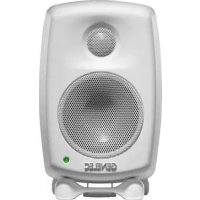
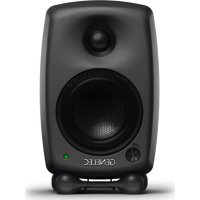
3440A - Speaker GENELEC - Free user manual and instructions
Find the device manual for free 3440A GENELEC in PDF.


Pick your language and provide your email: we'll send you a specifically translated version.
| Product Type | Active Studio Monitor Speaker |
| Brand | Genelec |
| Model | 3440A |
| Dimensions (H x W x D) | 280 mm x 183 mm x 230 mm |
| Weight | 6.8 kg |
| Amplifier Power | 50 W + 30 W (Bi-amplified) |
| Frequency Response | 52 Hz – 20 kHz (-6 dB) |
| Maximum SPL | 105 dB |
| Woofer Size | 5.0 inches (127 mm) |
| Tweeter Size | 0.75 inches (19 mm) metal dome |
| Input Connectors | XLR balanced, RCA unbalanced |
| Input Impedance | 10 kΩ (balanced), 20 kΩ (unbalanced) |
| Power Consumption | Idle: 10 W, Max: 80 W |
| Power Supply | AC 100-240 V, 50/60 Hz |
| Protection Features | Overload protection, thermal shutdown |
| Mounting Options | Iso-Pod stand, wall mount with optional bracket |
| Recommended Usage | Studio monitoring, nearfield listening |
| Cleaning Instructions | Wipe with dry cloth; do not use solvents |
| Safety Certifications | CE, RoHS |
| Package Contents | Speaker, power cord, user manual |
Frequently Asked Questions - 3440A GENELEC
How do I connect the Genelec 3440A to my audio interface?
Use the XLR balanced input for best signal integrity. Connect XLR cable from your interface's balanced output to the speaker's input. If your interface only has RCA outputs, use the RCA input on the speaker.
What is the recommended placement for the 3440A?
Place speakers at ear level, forming an equilateral triangle with your listening position. Keep at least 20 cm from walls to avoid bass buildup. Use the Iso-Pod stand to decouple and tilt the speaker optimally.
Can I use the 3440A as a home theater speaker?
Yes, but it's designed for nearfield monitoring. For home theater, consider a subwoofer and ensure adequate power handling. The 3440A can be used as a front speaker when paired with a center.
How do I adjust the volume and EQ on the 3440A?
The 3440A has rear panel controls: a volume knob, bass tilt, and treble tilt. Adjust bass/tilt switches based on room acoustics. Refer to the manual for recommended settings.
What is the power consumption of the 3440A?
Idle consumption is 10 W, maximum consumption is 80 W. It has an auto-standby feature that reduces power when no signal is detected.
How do I mount the 3440A on a wall?
Use the optional Genelec wall mount bracket. Remove the Iso-Pod stand, attach the bracket to the back of the speaker and to a sturdy wall. Ensure screws are rated for the speaker weight (6.8 kg).
Why is my 3440A not producing any sound?
Check that the power cable is connected and the power switch is on. Verify the audio source is sending signal and the volume is turned up. If using balanced cables, ensure proper pinout. Reset by unplugging for 10 seconds.
Can I use the 3440A in a humid environment?
The 3440A is not weatherproof. Keep it in a dry, dust-free environment. Avoid exposure to rain or high humidity to prevent damage to electronics.
What is the warranty on the Genelec 3440A?
Genelec offers a 2-year warranty from date of purchase. Register your product online to activate. Warranty covers manufacturing defects but not misuse or accidents.
How do I clean the 3440A cabinet?
Wipe with a soft, dry cloth. For stubborn dirt, slightly dampen cloth with water. Do not use alcohol or abrasive cleaners. Avoid liquid entering the ports.
User questions about 3440A GENELEC
0 question about this device. Answer the ones you know or ask your own.
Ask a new question about this device
No questions yet. Be the first to ask one.
Download the instructions for your Speaker in PDF format for free! Find your manual 3440A - GENELEC and take your electronic device back in hand. On this page are published all the documents necessary for the use of your device. 3440A by GENELEC.