
TWS BUDDIES evo 2 - Earphones GoGen - Free user manual and instructions
Find the device manual for free TWS BUDDIES evo 2 GoGen in PDF.


| Product Type | True Wireless Stereo (TWS) Earphones |
| Model | TWS BUDDIES evo 2 |
| Brand | GoGen |
| Driver Size | 6 mm |
| Bluetooth Version | 5.0 |
| Supported Codecs | SBC, AAC |
| Battery Life (Earbuds) | Up to 4 hours |
| Battery Life (with Case) | Up to 16 hours |
| Charging Case Battery | 300 mAh |
| Charging Time | 1.5 hours for earbuds, 2 hours for case |
| Charging Port | Micro USB |
| Water Resistance | IPX4 (sweat and splash resistant) |
| Controls | Touch controls (play/pause, answer call, voice assistant) |
| Audio Features | Built-in microphone, noise isolation |
| Dimensions (Earbud) | 23 x 17 x 14 mm |
| Weight (Earbud) | 4.5 g each |
| Dimensions (Charging Case) | 60 x 45 x 22 mm |
| Weight (Charging Case) | 38 g |
| Cleaning | Wipe with dry cloth; do not use liquids or abrasives |
| Storage | Keep in charging case in a cool, dry place |
| Safety | Do not expose to extreme heat or moisture; keep away from children |
| Spare Parts & Repair | Contact GoGen support for replacement ear tips or battery service |
| General Information | Compatible with smartphones, tablets, and other Bluetooth devices |
Frequently Asked Questions - TWS BUDDIES evo 2 GoGen
User questions about TWS BUDDIES evo 2 GoGen
0 question about this device. Answer the ones you know or ask your own.
Ask a new question about this device
Download the instructions for your Earphones in PDF format for free! Find your manual TWS BUDDIES evo 2 - GoGen and take your electronic device back in hand. On this page are published all the documents necessary for the use of your device. TWS BUDDIES evo 2 by GoGen.
USER MANUAL TWS BUDDIES evo 2 GoGen
natural_image
Abstract logo design with a stylized white 'S' inside a circle on black background (no text or symbols)TWS BUDDIES 02
GoGEN
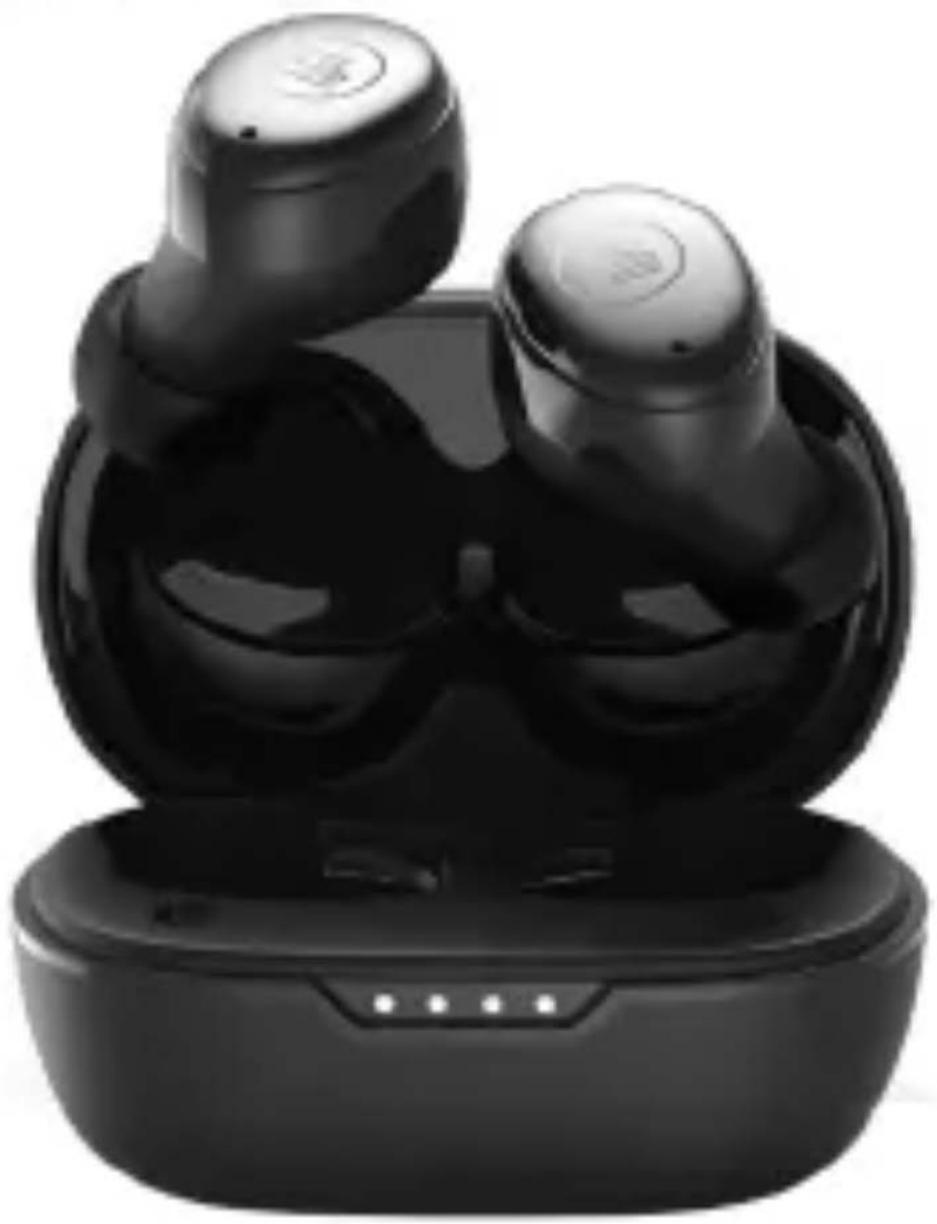
natural_image
Black wireless earbuds with charging case, no visible text or symbolsBEZPEČNOSTNÍ OPATŘENÍ
Impedance: 16 Ω ± 15%
EIRP: 6,59 dBm
Odolnost: IPX5
ZAPNUTÍ & PÁROVÁNÍ
NEBEZPEČÍ UDUŠENÍ. PE SÁČEK ODKLÁDEJTE MIMO DOSAH DĚTÍ. SÁČEK NENÍ NA HRANÍ. NEPOUŽÍVEJTE TENTO SÁČEK V KOLÉBKÁCH, POSTÝLKÁCH, KOČÁRCÍCH
NEBO DĚTSKÝCH OHRÁDKÁCH.
natural_image
Simple line drawing of a trash bin with crossed lines indicating no waste or discharge (no text or symbols)ZAPNUTIE & PÁROVANIE
NEBEZPEČENSTVO UDUSENIA. PE VRECKO ODKLADAJTE MIMO DOSAHU DETÍ. VRECKO NIE JE NA HRANIE. NEPOUŽÍVAJTE TOTO VRECÚŠKO V KOLÍSKACH,
POSTIEL'KACH, KOČÍKOCH ALEBO DETSKÝCH OHRÁDKACH. POSTÝLKÁCH, KOČÁRCÍCH NEBO DĚTSKÝCH OHRÁDKÁCH.
natural_image
Symbol of a trash bin crossed with two diagonal lines, no text or numbers presentWŁĄCZANIE I PAROWANIE
NIEBEZPIECZEŃSTWO UDUSZENIA. TOREBKE Z PE POŁOŻYĆ W MIEJSCU BĘDĄCYM POZA ZASIĘGIEM DZIECI. TOREBKA NIE SŁUŻY DO ZABAWY! TEGO WORKA
NIE NALEŻY UŻYWAĆ W KOŁYSKACH, ŁÓŻECZKACH, WÓZKACH LUB KOJCACH DZIECIĘCYCH.
natural_image
Simple line drawing of a trash bin with crossed lines indicating no waste or discharge (no text or symbols)In order to have a proper and safe use of the headset, please read this user manual in detail and save it. Be aware of the following guidelines when using your headset:
WARNING
- You should adjust the volume carefully when using the headset to prevent hearing damage.
- Please stop using the headset in potentially hazardous situations to ensure your safety.
- Please avoid using the headset to listen to music, make or receive calls which may cause a distraction while driving.
- Put this product and its accessories somewhere out of the reach of children, to avoid a fatal danger caused by inappropriate use.
- You should keep water from entering the headset, which may cause damage to the sound quality or the headset.
- You should avoid turning the volume so high that you can't hear anything around you. If you feel a tinnitus or the volume is too high, please reduce the volume.
- Stop using the headset if you feel obvious discomfort, irritation or have other adverse reactions.
- The headset should not be stored or used at temperatures below -10°C or above 40°C which may shorten headset or battery life.
TECHNICAL SPECIFICATIONS
Bluetooth Version: V 5.1
Bluetooth Profile: SPP, HFP, A2DP, AVCTP, AVDTP, SMP
Audio codecs: SBC, AAC
Frequency range: 2402 MHz - 2480 MHz
Operating range: 10 m
Frequency Response: 20 Hz - 20 KHz
Rated Power: 5 mW
Sensitivity: 98,5 dB ( ± 3 dB) @ 1 KHz
Impedance: 16 Ω ± 15%
EIRP: 6,59 dBm
Battery: Li-Polymer 320 mAh Charging Case + 50 mAh x 2 earbuds
Music playing time: up to 7 hours + 21 hours with charging case
N.W.: 4 g / earbud, 33 g including charging case
ACCESSORIES
Eartips, USB Charge Cable, Charging Case
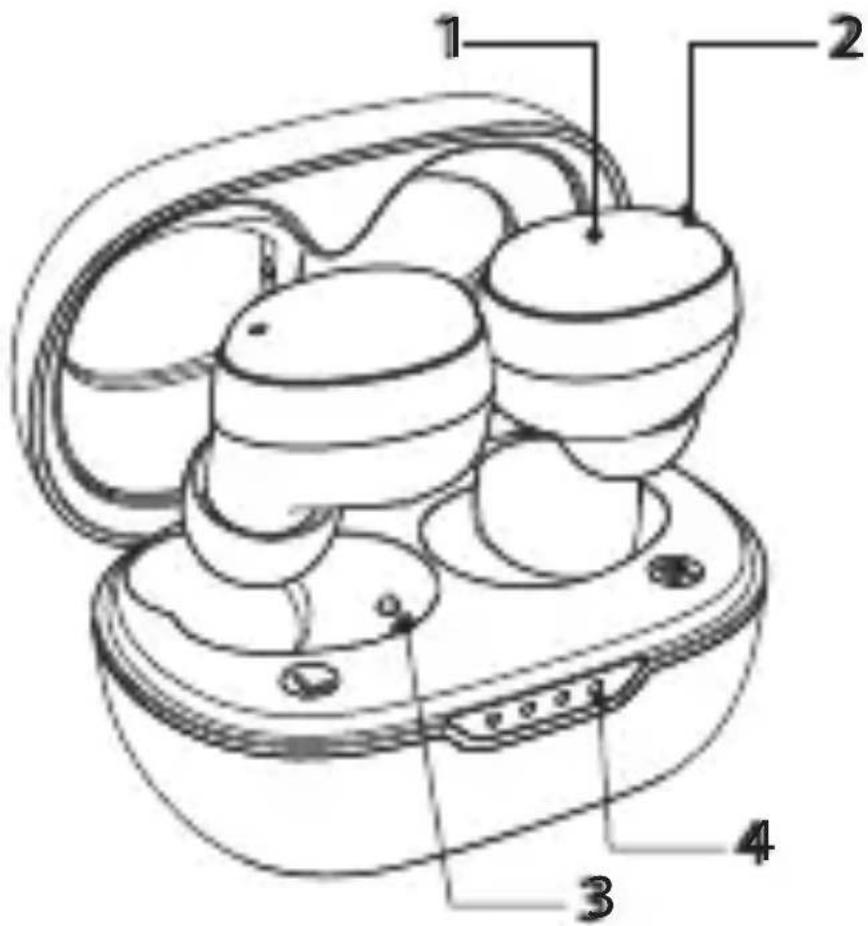
DEVICE LAYOUT
1) Touch control area
2) LED
3) Charging interface
4) Charging battery indicator
POWER ON & PAIRING
The headphones automatically turn on when removed from the charging case. Alternatively, they can be turned on by long-pressing the touch surface of both headphones. When turned on, the left earbud flashes red and blue.
BLUETOOTH CONNECTION STEPS
1) Please keep your headset and mobile phone as close as you can, within 1 meter.
2) Turn on "Bluetooth" in setting on your phone or other devices, and then find and select GOGTWSBUDDIES02.
3) Click on GOGTWSBUDDIES02 and Bluetooth Headset gets connected with your phone or devices automatically. (Some may require pass code which is "0000" (4 zeros)).
4) After a successful pairing of the headphones, no diode lights up.
RESET
In case of failure pairing or unnormal working, you need to RESET the headphones as following:
Remove the headphones from the charging case and unpair them from the mobile device. Press the left or right earpiece 5 times. After a successful restart, the LED on each handset will flash 5 times.
TAP CONTROL INSTRUCTIONS
| FUNCTION ACTION | |
| POWER ON Take out L/R earphones from charging case or press long for 1,5 seconds manually | |
| POWER OFF Place the headphones in the charging case and close the lid. | |
| ACTIVATOR ON Press 3 times on the L or R earphone to enter Siri or Go-ogle Assistance | |
| ANSWER/END CALL | Press the L or R earphone |
| REJECT CALL Long press L or R earphone | |
| PLAY & PAUSE MUSIC | Press L or R earphone |
| PREVIOUS TRACK Long press L earphone | |
| NEXT TRACK Long press R earphone | |
| VOLUME + Press 2x R earphone | |
| VOLUME - Pres 2x L earphone | |
CHARGING
CHARGING OF HEADSET
Place the headphones in the charging case and close the lid. The headset indicator light turns red when charging and turns off automatically when fully charged.
CHARGING OF CHARGING BASE
Connect the USB cable to the charging case. Connect the other end of the USB cable to a computer or charger. The LED indicator on the case lights up white during charging. It glows white when fully charged.
WARNING:
- You must select a qualified charger from a regular manufacturer. (Charging Voltage: 5V, Charging Current: 300mA for charging case)
- A fully charged headset will lose its power automatically if left unused. It is recommended to charge the headset each three months.
- Do not leave the headset in a too hot or too cold condition (best between -10^ and +40^ ) which may affect the headset's operations although it is fully.
- Please wear this Headset properly for best tone quality. Do not disassemble hardware. Please use soft and dry cottons for cleaning.
- Make sure the headset is fully charged before first use.
- This Headset is not waterproof. Do not use it while swimming or diving.
- If do not use this Headset for long time, please charge once a week to extend battery life.
- Keep your Headset and device as close as you can to avoid interference of signal path.
WARRANTY
Our product is warranted for 2 full year from the date of purchase. The warranty is provided on all material defects and workmanship. Guarantee of 24 months does not apply to decrease in the accumulator's effective capacity caused by its use or age. Effective capacity gradually decreases depending on the method of use of the accumulator.
WE RESERVE THE RIGHT TO CHANGE TECHNICAL SPECIFICATIONS.
natural_image
Prohibition sign with a computer monitor icon and diagonal line (no text or symbols)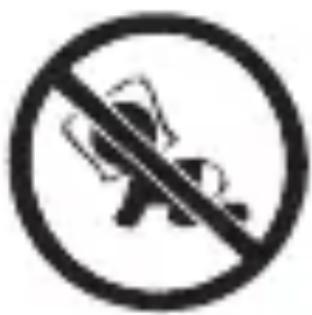
natural_image
Prohibition sign with a crossed-out robot figure inside a circle (no text or symbols)NOT A TOY.
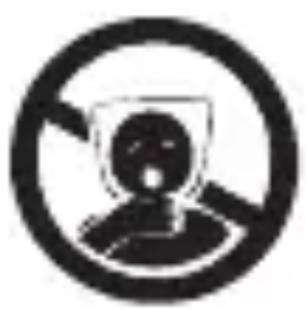
TO AVOID DANGER OF SUFFOCATION, KEEP THE PLASTIC BAG AWAY FROM BABIES AND CHILDREN. DO NOT USE THIS BAG IN CRIBS, BEDS, CARRIAGES OR PLAYPENS. THIS BAG IS
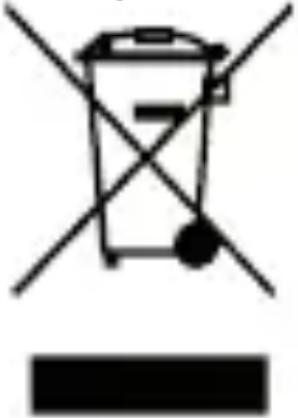
Disposal of old Electrical & Electronic Equipment (Applicable in the European Union and other European countries with separate collection systems)
natural_image
Symbol of a trash bin crossed with a diagonal line and a horizontal bar below (no text or numbers present)This symbol on the product or on its packaging indicates that this product shall not be treated as household waste. Instead it shall be handed over to the applicable collection point for the recycling of electrical and electronic equipment. By ensuring this product is disposed of correctly, you will help prevent potential negative consequences for the environment and human
health, which could otherwise be caused by inappropriate waste handling of this product. The recycling of materials will help to conserve natural resources. For more detailed information about recycling of this product, please contact your local Civic Office, your household waste disposal service or the shop where you purchased the product.
Hereby, ETA a.s. declares that the radio equipment type TWSBUDDIES02 is in compliance with Directive 2014/53/EU. The full text of the EU declaration of conformity is available at the following internet address: http://www.gogen.cz/declaration_of_conformity
BIZTONSÁGI ÓVINTÉZKEDÉSEK
natural_image
Symbol of a person inside a circle with diagonal lines, representing no violation or restriction (no text present)
natural_image
Prohibition sign with a crossed-out robot figure inside a circle (no text)FULLADÁSVESZÉLY. TARTSA A PE ZACSKÓT GYERMEKEKTÓL ELZÁRT HELYEN. A ZACSKÓ NEM JÁTÉKSZER. NE HASZNÁLJA EZT A ZACSKÓT BÖLCSŐKBEN,
KISÁGYAKBAN, BABAKOCSIKBAN, VAGY GYEREK JÁRÓKÁKBAN.
natural_image
Abstract logo design with a stylized white 'S' inside a black circle (no text or symbols)GoGEN
- TWS BUDDIES 02
- GoGEN
- BEZPEČNOSTNÍ OPATŘENÍ
- ZAPNUTÍ & PÁROVÁNÍ
- ZAPNUTIE & PÁROVANIE
- WŁĄCZANIE I PAROWANIE
- WARNING
- TECHNICAL SPECIFICATIONS
- ACCESSORIES
- DEVICE LAYOUT
- POWER ON & PAIRING
- BLUETOOTH CONNECTION STEPS
- RESET
- CHARGING
- CHARGING OF HEADSET
- CHARGING OF CHARGING BASE
- WARNING:
- WARRANTY
- WE RESERVE THE RIGHT TO CHANGE TECHNICAL SPECIFICATIONS.
- Disposal of old Electrical & Electronic Equipment (Applicable in the European Union and other European countries with separate collection systems)
- BIZTONSÁGI ÓVINTÉZKEDÉSEK
Brand : GoGen
Model : TWS BUDDIES evo 2
Category : Earphones