
CK8001 - Multicooker Concept - Free user manual and instructions
Find the device manual for free CK8001 Concept in PDF.


| Product Type | Multicooker / Pressure Cooker |
| Brand | Concept |
| Model | CK8001 |
| Voltage | 220-240 V~50/60 Hz |
| Power Input | 1000 W |
| Inner Pot Capacity | 5 L |
| Adjustable Temperature Range | 60-80 °C (keep warm) |
| Timer Range | 1 min - 24 hours |
| Preset Programs | Rice, Oatmeal, Soup, Grain, Sterilize, Slow Cooking, Saute, Bean, Meat, Chicken, Steam, Cake, Yoghurt |
| Pressure Settings | High (70 kPa) and Low (50 kPa) |
| Wireless Connectivity | Wi-Fi 2.4 GHz IEEE 802.11 b/g/n |
| Compatible App | Concept Home (Android 5.0+, iOS 9.0+) |
| Accessories Included | Inner container, steamer basket, measuring cup, spoon, condensate container, pressure lid with seal, protective cover |
| Dimensions (H x W x D) | Approx. 30 x 35 x 35 cm |
| Weight | Approx. 6 kg |
| Inner Pot Material | Stainless steel |
| Safety Features | Lid lock, pressure release valve, automatic pressure control, overheat protection |
| Cleaning and Maintenance | Wipe exterior; wash inner pot and accessories with mild detergent; do not immerse base |
| Warranty | 2 years (standard) |
Frequently Asked Questions - CK8001 Concept
User questions about CK8001 Concept
0 question about this device. Answer the ones you know or ask your own.
Ask a new question about this device
Download the instructions for your Multicooker in PDF format for free! Find your manual CK8001 - Concept and take your electronic device back in hand. On this page are published all the documents necessary for the use of your device. CK8001 by Concept.
USER MANUAL CK8001 Concept
POPIS PRODUKTU/ POPIS PRODUKTU/ OPIS PRODUKTU/ PRODUCT DESCRIPTION
concept
CZ
PODĚKOVÁNÍ
POUŽITÍ HRNCE S TLAKOVOU POKLICÍ
CZ
concept
concept
SK
OCHRANA ŽIVOTNÍHO PROSTŘEDÍ

SK
concept
concept
PL
OCHRANA ŽIVOTNÉHO PROSTREDIA
8 Poiemnik wewnętrzny
WSTĘPNIE USTAWIONE PROGRAMY
| Programy | Ustawienia czasu/ Min | Pressure Cook Time Range | Ciśnienie Opóźniony | start (Y/N) | Czas trzymania temperatury | °C | ||
| Wysokie/ kPa | Niskie/ kPa | |||||||
| Ryz 12 1-99 | min 50~60 | 30-45 Y 0.5-24H | 24H | 60-80 | ||||
| Platki owsiane | 15 | 1-99 min | 50~60 | 30-45 | Y | 0.5-24H | 24H | 60-80 |
| Zupa | 30 | 1-99 min | 50~60 | 30-45 | Y | 0.5-24H | 24H | 60-80 |
| Ziarno | 40 | 1-99 min | 50-60 | 30-45 | Y | 0.5-24H | 24h | 60-80 |
| Gotowanie | 35 | 1-99 min | 50~60 | 30-45 | Y | 0.5-24H | 24H | 60-80 |
| Powolne gotowanie | 6 H | 0.5-9.5 H | / | / | Y | 0.5-24H | 24H | 60-80 |
| Smażenie | 5 | 1-30min | / | / | / | / | 24H | 60-80 |
| Rośliny strączkowe | 30 1-99 | min 50~60 | 30-45 Y 0.5-24H | 24H | 60-80 | |||
| Mięso | 35 | 1-99 min | 50~60 | 30-45 | Y | 0.5-24H | 24H | 60-80 |
| Drób | 15 | 1-99 min | 50~60 | 30-45 | Y | 0.5-24H | 24H | 60-80 |
| Para | 10 | 1-99 min | 50~60 | 30-45 | Y | 0.5-24H | 24H | 60-80 |
| Ciasto | 40 | 1-99 min | / | / | Y | 0.5-24H | 24H | 60-80 |
| Jogurt | 12 H | 8-24 H | / | / | / | / | / | / |
CZYSZCZENIE I KONSERWACJA
PL
concept
concept
EN
OCHRONA ŚRODOWISKA
Thank you for purchasing a Concept product. We wish you much joy with your new appliance every day you use it. Please read the instruction manual carefully before initial use. To refer to this manual any time you need to, we recommend you to keep it in a safe place. And please pass it to any future owner of the appliance.
| Technical specifications | |
| Voltage 220-240 V~50-60 Hz | |
| Input 1000 W | |
| Basket capacity 5/61 | |
| Adjustable temperature 60 - 80 °C | |
| Timer 1 min - 24 hours | |
| Frequency range 2412 - 2472 MHz | |
| Transmitter power ≤ 20 dBm | |

Caution!
Hot surface
IMPORTANT
Before connecting to the mains, make a visual check to ensure that the unit is intact and that no damage occurred during transport.
IMPORTANT SAFETY PRECAUTIONS
- Do not use the appliance in any other way than as described in this manual.
- Remove all the covering and marketing materials from the appliance before the first use.
- Make sure the mains voltage corresponds to the values on the rating plate of the product.
- Place the appliance on a stable, flat surface away from other heat sources.
- When disconnecting the appliance from the wall outlet, never pull the power cord, grasp the plug end and disconnect it by removing it from the receptacle.
- Do not allow children or unauthorized people to handle the appliance, use it out of their reach.
- Persons with reduced mobility, reduced sensory perception, mental disadvantage or persons not familiar with the operation must use the appliance only under the supervision of responsible person, who is familiar with the instructions.
- Pay extra attention if the appliance is used near children.
- Do not use the appliance as a toy.
EN
concept
concept
EN
- Do not cover the appliance.
- Before assembly and disassembly, disconnect the power cord from the wall outlet.
- Before cleaning and after use of the appliance, switch the appliance off and disconnect it from the mains.
- Keep the appliance clean, do not allow foreign objects to into the grid openings. It could cause serious injury, short circuit, damage to the appliance or cause fire.
- Do not use the appliance with a damaged cord or plug and have it repaired immediately by an authorized service centre.
- Do not use the appliance if it is not working properly, has been dropped, damaged or immersed in liquid. Have it checked and repaired by an authorized service centre.
- The appliance is only suitable for home use and is not intended for commercial use.
- Do not touch the appliance with wet hands.
- Do not immerse the power cord, plug or appliance in water or any other liquid.
- Do not repair the appliance yourself. Contact an authorized service centre.
- This appliance can be used by children aged from 8 years and above and persons with reduced physical, sensory or mental capabilities or lack of experience and knowledge if they have been given supervision or instruction concerning the use of the appliance in a safe way and understand the hazards involved. Cleaning and maintenance performed by the user must not be carried out by children unless they are at least 8 years old and under supervision. Children aged under 8 years of age must be kept away from the appliance and its power cord. Do not let children play with the appliance.
- Do not touch hot surfaces
- Do not let the power cord hang freely over the edge of a table or kitchen unit. Do not let the power cord touch hot surfaces.
- Do not place the appliance near a gas or electric burner.
- NOTICE: The surfaces of the appliance may be very hot. Hold the appliance by the handle only and wear protective equipment such as a kitchen glove.
- Pay special attention to prevent water or other liquid from entering the appliance. This could cause an electric shock.
• Always place the ingredients in the appliance basket to prevent them from coming into contact with the heater.
- Never touch the inner surfaces of the appliance during operation or immediately after switching off. Allow the appliance to cool down sufficiently.
- Do not plug in or operate the appliance with wet hands.
- During frying with hot air, hot steam is released through the air outlets, keep your hands and face at a safe distance from the water vapour coming from the air outlets.
- If you see dark smoke coming out of the appliance during operation, switch it off immediately and contact an authorized service centre.
- Before cleaning the appliance allow it to cool down for at least 30 minutes.
Damages from failure to follow the manufacturer's instructions (see safety precautions) are not covered by the warranty.
EN
concept
concept
EN
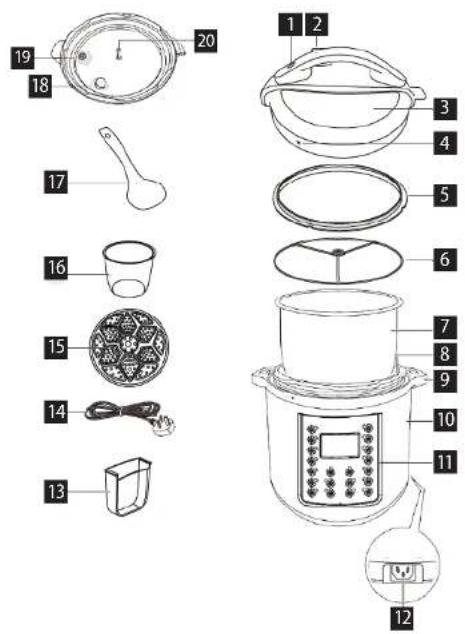
PRODUCT DESCRIPTION
1 Lid release button
2 Steam outlet
3 Lid
4 Lock symbol
5 Lid
6 Seal holder
7 Inner container
8 Inner container
9 Appliance handles
10 Appliance body
11 Display
12 Power cord plug
13 Condensate container
14 Supply cable
15 Steamer
16 Measuring cup
17 Spoon
18 Bottom of steam outlet
19 Pressure relief valve
20 Accessory holder
CONTROL PANEL LAYOUT
-
Programs
-
- and - button
-
Wifi button
-
Delayed start
-
Pressure button
-
Temperature control/end
BEFORE FIRST USE
- Remove all packaging materials from the appliance.
- Remove all labels and stickers from the appliance.
- Wash the inner container with hot water.
- Wipe the appliance thoroughly from the inside and outside with a cloth.
OPERATING INSTRUCTIONS
USING THE COOKER WITH PRESSURE LID
- Place the appliance in a dry, level place.
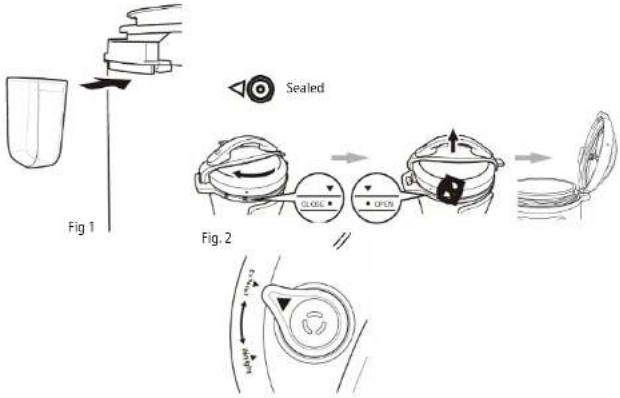
- Place the condensate container in the appliance as shown in the Fig. 1.
- Prepare the pressure lid as shown in the Fig. 2.
- Pull the metal protrusion on the underside of the lid to remove the protective cover on which the sealing is fitted. The sealing can be removed and cleaned. Make sure that the sealing is not damaged or torn. If so, it needs to be replaced. Make sure that the float valve is clean and can move freely.
- Grab the pressure lid, turn the handle clockwise and lift the lid vertically upwards.
- Take out the inner container. The total volume of foods and water should not exceed 2/3 of the volume of the inner container.
- Make sure that the inner surface of the appliance is dry and place the inner container in the body of the appliance.
- Place the pressure cover on the appliance and turn it couterclockwise until you hear a click. The lid is now in the correct position.
- Please bear in mind that the pressure valve must be freely movable for the cooker to function properly.
- Set the pressure valve to the "AIRTIGHT, the cooker is now ready for use.
- For the "Delayed start" program, set the pressure valve to the "EXHAUST" position.
- Plug the power cord into a power outlet.
- Press the button with name of the required program to select the program from the menu for pressure cooker. Press the Start button to confirm. The cooker will start to heat to the required temperature and the float valve will start to rise. Once the cooker reaches the required temperature, it will start to count down the set time. At this point the appliance is already cooking under pressure, the lid is locked and the cooker cannot be opened. NEVER TRY TO OPEN THE COOKER BY FORCE!
- When cooking is complete, you will hear a sound signal and the cooker will automatically switch to the "Keep Warm" mode to keep the food warm.
- You can cancel the setting of the cooker at any time by pressing the Temperature hold/end.
EN
concept
concept
EN
When cooking is complete, the pressure can be released in two ways:
- When cooking is complete, the pressure will gradually decrease. Depending on the amount of liquid, this may take 15-30 minutes. The float valve gradually drops, the lid unlocks and can be opened easily. If it cannot be opened, wait for a bit longer. NEVER OPEN THE COOKER BY FORCE!
- When cooking is complete, press the Temperature hold/end button, wear a pot holder and turn the float valve to the "EXHAUST" position, the float valve will drop, the lid will unlock and can be opened easily. BE VERY CAREFUL AND USE PROTECTIVE EQUIPMENT, RISK OF STEAM SCALDING!
Delay Start function:
- Using the Delayed start function, you can delay the start of cooking by up to 24 hours.
- Follow the operating instructions, press the button with the name of the selected program, then press the Delayed start button and use the ^+ and ^- buttons to set the time by which you want to delay the start of cooking. The default setting for delayed start is 30 minutes.
- Then press the Start button. After the set time has elapsed, the selected program starts.
Tips
- If you select the "Slow Cook" program, you can use the cooker with or without a lid.
- We recommend using the "Keep Warm" function for a maximum of 1 hour, after that the food will start to lose its quality.
- The programs are pre-set to prepare food weighing less than 1200 g. If you want to prepare larger portions, use your own custom setting.
- Use the Delayed start function only for foods that cannot spoil during this time.
PRESSURE SETTING
After selecting the program, press this button to select between high and low pressure, see the table. Press once - the appliance is set to low pressure; press twice - the appliance is set to high pressure.
Note: basic setting to high pressure
Make sure the appliance, router and your mobile phone are close to one another so that pairing can take place seamlessly. Long press the wifi symbol on the appliance
PRE-SET PROGRAMSCLEANING AND MAINTENANCE
| Programs | Time setting/ Min | Pressure Cook Time Range | Pressure Delayed start | (Y/N) Temperature holding time | °C | |||
| High/ kPa | Low/ kPa | |||||||
| Rice 12 1-99 min | 50~60 30 | 45 Y 0.5-24H | 24H 60-80 | |||||
| Oatmeal | 15 1-99 min | 50~60 30 | 45 Y 0.5-24H | 24H 60-80 | ||||
| Soup | 30 1-99 min | 50~60 30 | 45 Y 0.5-24H | 24H 60-80 | ||||
| Grain | 40 | 1-99 min | 50-60 | 30-45 | Y | 0.5-24H | 24h | 60-80 |
| Sterilize | 35 1-99 min | 50~60 30 | 45 Y 0.5-24H | 24H 60-80 | ||||
| Slow cooking | 6 H | 0.5-9.5 H | / | / | Y | 0.5-24H | 24H | 60-80 |
| Saute | 5 | 1-30min | / | / | / | / | 24H | 60-80 |
| Bean | 30 1-99 min | 50~60 30 | 45 Y 0.5-24H | 24H 60-80 | ||||
| Meat | 35 | 1-99 min | 50~60 | 30-45 | Y | 0.5-24H | 24H | 60-80 |
| Chicken | 15 1-99 min | 50~60 30 | 45 Y 0.5-24H | 24H 60-80 | ||||
| Steam | 10 1-99 min | 50~60 30 | 45 Y 0.5-24H | 24H 60-80 | ||||
| Cake | 40 | 1-99 min | / | / | Y | 0.5-24H | 24H | 60-80 |
| Yoghurt | 12 H | 8-24 H | / | / | / | / | / | / |
CLEANING AND MAINTENANCE
Clean the appliance after each use.
Do not use coarse and chemically aggressive substances such as: sharp objects, scrapers, chemical solvents, thinners, etc.
- Before cleaning always disconnect the appliance from the mains. Never immerse the appliance, hot-air lid or heater in water or any other liquid!
• Before cleaning the appliance allow it to cool down. - Wipe the outside of the appliance with a damp cloth.
- Fill the inner container with hot water and leave to stand for a while. Then it can be washed with a soft cloth in water with a detergent or in a dishwasher.
- Other parts of the appliance can be washed in water with a detergent.
EN
concept
concept
EN
SERVICE
Extensive maintenance or repair, which requires access to internal parts of the product, has to be performed by a qualified service centre.
WIRELESS CONNECTION AND COMPATIBILITY
Company Jindlich Valenta - CONCEPT cannot be held liable for incidental, indirect or consequential damages, loss of data or losses resulting from divulgence of information in the course of wireless communication.
Successful wireless communication cannot be fully guaranteed in all Smart units and Wi-Fi networks (routers). Considering wide variety of available devices, there may be cases, where the character or specification of the relevant Smart unit or Wi-Fi network (router) does not allow the connection or, as the case may be, the connection may be disturbed. The success of wireless communication via Wi-Fi networks can also be affected by various factors, including hardware and software configuration. The connection between the robot vacuum and your Wi-Fi network can also be affected by neighbouring Wi-Fi networks that are using the same channel, thus affecting the connection (typically, in housing estates, apartment houses etc.). In this event, quality complaints are not accepted.
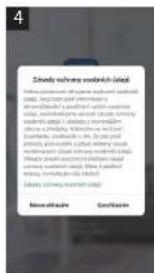
The app is owned and operated by an independent operator (hereinafter: Operator), which is not controlled by Jindlich Valenta - CONCEPT (hereinafter: Seller). The Operator does not receive any personal data from the Seller. When accessing to the app, the customer is sending personal data directly to the Subject, hence, the Subject becomes personal data administrator. The app and relevant personal data protection measures are controlled by the Subject
Compatibility:
Operation system of smart units - Android 5.0 and higher
- IOS 9.0 and higher
Wi-Fi network - 2.4 GHz
- protection WPA1 and WPA2 (WPA2 recommended)
NOTE: The system cannot be operated in Wi-Fi networks with protocol IEEE 802.1X (as a rule, corporate Wi-Fi networks).
Before operation using the app, your unit will have to be connected to your smartphone allowing access to your Wi-Fi network.
Recommended distance during the adjustment: less than 4 meters.
Be sure your robot vacuum, router and your smartphone are not far from each other, thus avoiding problems at pairing the units.
Downloading and installation of the app and pairing with the robot vacuum
-
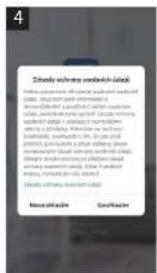
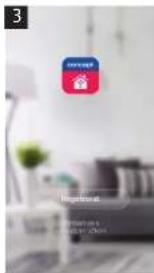
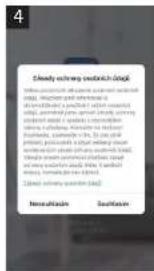
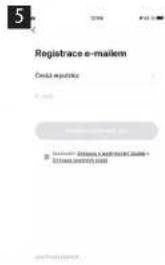
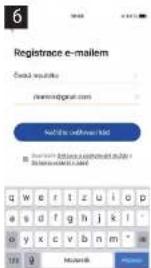
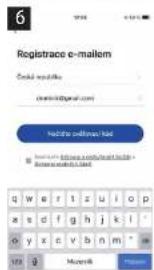
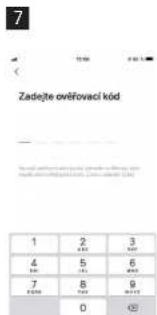
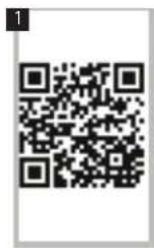
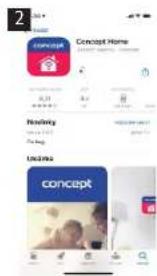
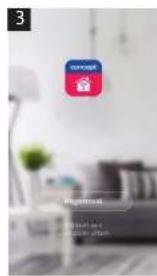
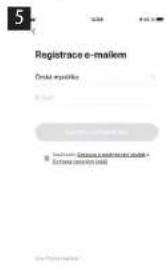
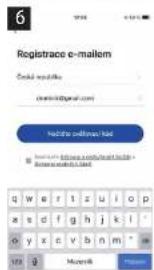
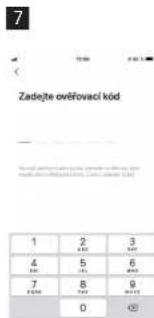
Scan QR code, see below (fig. 1) or find Concept Home app in Google Play or App Store and download the app to your smartphone. If you already have Concept Home, open the app, log in and follow the instructions for correct pairing.
-
Press long the Mode symbol on the robot vacuum, Wi-Fi symbol starts flashing.
-
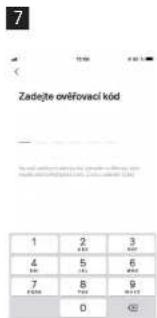
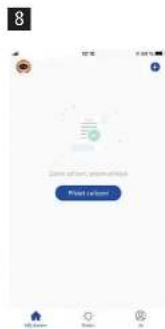
Then press + or Add device in the app.
-
A list of devices will be displayed. Select the device.
-
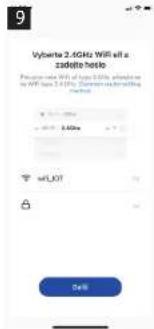
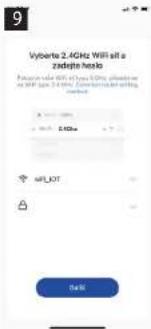
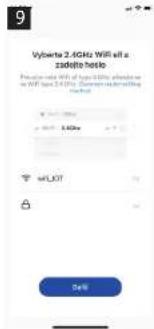
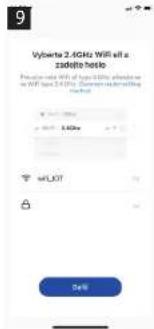
Enter your Wi-Fi network and the password, or it will be added automatically.
-
Press Next
-
Confirm your selection, the device is flashing, press Next.
-
Wait until the device has been paired. After finalisation of pairing, you can start using your robot vacuum using mobile app.
Make sure your device, router and mobile phone are close to each other for a smooth pairing. Long press on the wifi symbol on your device.
ENVIRONMENTAL CONCERNS
- Packaging materials and old appliances should be recycled.
- Packaging materials may be disposed of as sorted waste.
- Dispose the plastic bags made of polyethylene (PE) of as sorted waste.
Recycling of the appliance at the end of its lifespan
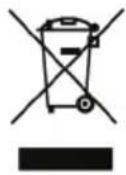
This appliance is labelled in accordance with European Directive 2012/19/EU concerning used electrical and electronic appliances (Waste Electrical and Electronic Equipment - WEEE). The symbol on the product or on its packaging indicates that this product may not be treated as household waste. Instead, it should be taken to the appropriate collection point for the recycling of electrical and electronic equipment. By ensuring this product is disposed of correctly, you will help prevent potential negative consequences for the environment and human health, which could otherwise be caused by inappropriate waste handling of this product. The disposal of such material has to be done according to the recycling regulations. For more detailed information about recycling of this appliance see the authorized local office or service for household waste disposal or the shop, where you purchased the appliance.

The product meets all the necessary requirements of the EU directives applicable to the specific product.
Changes in text, design, and technical specifications are subject to change without notice and we reserve the right to change them.


- POPIS PRODUKTU/ POPIS PRODUKTU/ OPIS PRODUKTU/ PRODUCT DESCRIPTION
- concept
- PODĚKOVÁNÍ
- POUŽITÍ HRNCE S TLAKOVOU POKLICÍ
- OCHRANA ŽIVOTNÍHO PROSTŘEDÍ
- OCHRANA ŽIVOTNÉHO PROSTREDIA
- CZYSZCZENIE I KONSERWACJA
- OCHRONA ŚRODOWISKA
- IMPORTANT
- IMPORTANT SAFETY PRECAUTIONS
- EN
- PRODUCT DESCRIPTION
- CONTROL PANEL LAYOUT
- BEFORE FIRST USE
- OPERATING INSTRUCTIONS
- USING THE COOKER WITH PRESSURE LID
- When cooking is complete, the pressure can be released in two ways:
- Delay Start function:
- Tips
- PRESSURE SETTING
- CLEANING AND MAINTENANCE
- SERVICE
- WIRELESS CONNECTION AND COMPATIBILITY
- Compatibility:
- Downloading and installation of the app and pairing with the robot vacuum
- ENVIRONMENTAL CONCERNS
- Recycling of the appliance at the end of its lifespan
Brand : Concept
Model : CK8001
Category : Multicooker