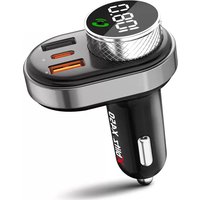
X1000 - Phone Xblitz - Free user manual and instructions
Find the device manual for free X1000 Xblitz in PDF.


Pick your language and provide your email: we'll send you a specifically translated version.
| Product Type | Mobile Phone |
| Brand | Xblitz |
| Model | X1000 |
| Dimensions | 120 x 50 x 15 mm |
| Weight | 100 g |
| Display | 2.4-inch TFT LCD |
| Resolution | 240 x 320 pixels |
| Battery Type | Lithium-ion |
| Battery Capacity | 1500 mAh |
| Talk Time | Up to 5 hours |
| Standby Time | Up to 200 hours |
| SIM Card | Dual SIM |
| Memory | 64 MB RAM, 128 MB ROM |
| Expandable Storage | microSD up to 32 GB |
| Camera | VGA (0.3 MP) |
| Connectivity | Bluetooth 2.1, Micro USB |
| Radio | FM Radio |
| Audio | 3.5mm headphone jack |
| Main Functions | Calling, SMS, Contacts, Calendar, Alarm, Calculator, FM Radio, Camera, Video Player, Music Player, Torch |
| Maintenance | Clean with soft dry cloth; avoid liquids |
| Safety | Keep away from extreme temperatures; do not disassemble; use approved accessories |
| Spare Parts | Battery, charger, USB cable (available separately) |
| Repairability | Professional repair recommended; limited user self-repair |
| General Information | User manual available in PDF; software updates via computer |
Frequently Asked Questions - X1000 Xblitz
How do I insert the SIM card?
Turn off the phone and remove the back cover. Locate the SIM card slot(s) and insert the SIM card with the gold contacts facing down. Replace the cover and turn on the phone.
How do I charge the Xblitz X1000?
Connect the micro USB cable to the phone and plug the charger into a power outlet. The battery icon will indicate charging. A full charge takes approximately 2-3 hours.
How to turn on/off the torch?
On the home screen or when the phone is unlocked, look for a torch icon (often on the keypad or in the menu). Press and hold the torch button or select the torch app to toggle the light on/off.
How do I set the alarm?
Go to the menu, select ‘Alarm’ or ‘Clock’. Choose an alarm slot, set the time, and select the days. Save the alarm. Ensure the phone is turned on at the set time for the alarm to ring.
How can I listen to FM radio?
Connect the headset (which acts as an antenna) to the 3.5mm jack. Open the FM Radio app from the menu. Auto-scan to find stations. Use the keypad to adjust volume or switch channels.
How to transfer files via Bluetooth?
Go to Settings > Bluetooth, turn it on. Make your device visible to others. On the source device, search for the X1000 and pair using the displayed PIN (usually 0000). Then select a file and choose Bluetooth to send.
How to reset the phone to factory settings?
Go to Settings > Phone > Factory Reset (or Restore Defaults). You may be prompted to enter a password (default 0000). Confirm the reset. This will erase all user data, so back up important files first.
How to take a screenshot?
The X1000 may not support screenshots natively. If needed, try pressing and holding a specific key combination (check your manual). Alternatively, use an external camera to capture the screen.
How do I clean the phone?
Use a soft, lint-free cloth slightly dampened with water or a mild cleaning solution. Do not spray liquids directly on the phone. Avoid abrasive materials. Keep ports dry.
Where can I download the user manual?
The official user manual for the Xblitz X1000 is available for free download on the website notice-facile.com. Search for ‘Xblitz X1000’ and download the PDF. You can also request a translated version by providing your email.
User questions about X1000 Xblitz
0 question about this device. Answer the ones you know or ask your own.
Ask a new question about this device
No questions yet. Be the first to ask one.
Download the instructions for your Phone in PDF format for free! Find your manual X1000 - Xblitz and take your electronic device back in hand. On this page are published all the documents necessary for the use of your device. X1000 by Xblitz.