
Emotion - Docking Station Xblitz - Free user manual and instructions
Find the device manual for free Emotion Xblitz in PDF.


Pick your language and provide your email: we'll send you a specifically translated version.
| Product Type | Docking Station |
| Brand | Xblitz |
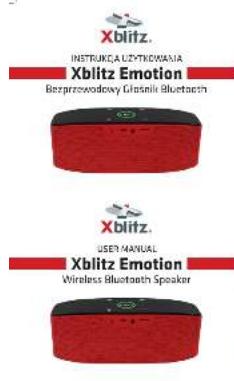
| Model | Emotion |
| Dimensions | Approx. 10 x 5 x 2 cm |
| Weight | Approx. 200 g |
| Power Supply | USB (5V, 1A) |
| Main Functions | Charging and data synchronization for compatible devices |
| Compatible Devices | Smartphones and tablets with appropriate connector |
| Charging Speed | Standard 5V/1A output |
| Data Transfer | USB 2.0 |
| Material | ABS plastic |
| Color | Black (or as per variant) |
| Indicator Lights | LED charging indicator |
| Cable Length | Approx. 1 m |
| Input Connector | Micro USB (or Type-C depending on variant) |
| Output Connector | Dedicated dock connector for device |
| Maintenance | Wipe with a soft, dry cloth. Do not use liquids. |
| Safety | Keep away from water and high temperatures. Do not disassemble. |
| Spare Parts | Not available separately |
| Repairability | Non-repairable, replace if faulty |
| Warranty | Standard 1 year warranty |
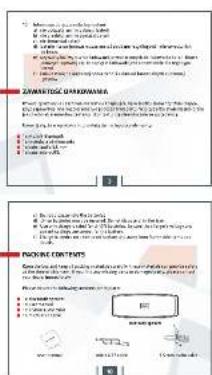
| Package Contents | Docking station, USB cable, user manual |
Frequently Asked Questions - Emotion Xblitz
What devices are compatible with the Xblitz Emotion Docking Station?
The docking station is designed for smartphones and tablets with a compatible connector type (e.g., Lightning, USB-C, or micro-USB depending on the variant). Please check the connector of your device.
How do I charge my device using the docking station?
Simply connect the docking station to a USB power source (e.g., computer, wall adapter) using the included cable, then place your device onto the dock. The LED indicator will light up when charging.
Can I transfer data through the docking station?
Yes, the docking station supports USB 2.0 data transfer. When connected to a computer, you can sync your device.
Why is my device not charging?
Ensure the USB cable is properly connected and the power source is working. Also check that the device is correctly seated on the dock. If the issue persists, try a different cable or power adapter.
Is the docking station compatible with cases?
Most thin cases (<2mm) should work, but thick or rugged cases may prevent a proper connection. Remove the case if charging fails.
How do I clean the docking station?
Unplug the station and wipe it with a soft, dry cloth. Do not use water, solvents, or abrasive cleaners.
Can I use the docking station with a fast charger?
The station supports standard 5V/1A charging. Using a fast charger may not increase charging speed and could potentially damage the device over time.
What should I do if the docking station gets wet?
Immediately unplug it and dry it thoroughly before use. Do not use it if moisture is inside. Consider replacement if damaged.
Does the docking station come with a warranty?
Yes, it comes with a standard 1-year warranty covering manufacturing defects. Keep your proof of purchase.
Where can I find the user manual?
The user manual is available for free download in PDF format on the notice-facile.com website. Search for Xblitz Emotion Docking Station.
User questions about Emotion Xblitz
0 question about this device. Answer the ones you know or ask your own.
Ask a new question about this device
No questions yet. Be the first to ask one.
Download the instructions for your Docking Station in PDF format for free! Find your manual Emotion - Xblitz and take your electronic device back in hand. On this page are published all the documents necessary for the use of your device. Emotion by Xblitz.
USER MANUAL Emotion Xblitz
Manual assistant
Powered by Anthropic
Waiting for your message
Product information
Brand : Xblitz
Model : Emotion
Category : Docking Station