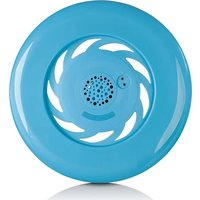
AXBB-010 - Mp3 player Axxion - Free user manual and instructions
Find the device manual for free AXBB-010 Axxion in PDF.


Pick your language and provide your email: we'll send you a specifically translated version.
| Product Type | MP3 Player |
| Brand | Axxion |
| Model | AXBB-010 |
| Dimensions (approx.) | 4.2 x 1.8 x 0.5 inches (107 x 45 x 12 mm) |
| Weight (approx.) | 1.2 oz (34 g) |
| Display | 1.8-inch LCD (128 x 160 pixels) |
| Storage Capacity | 8 GB internal, expandable via microSD up to 32 GB |
| Battery Type | Rechargeable Li-ion, 300 mAh |
| Battery Life | Up to 20 hours music playback |
| Charging | USB 2.0, 5V, 2 hours full charge |
| Audio Formats Supported | MP3, WMA, WAV, FLAC |
| Playback Modes | Normal, Repeat One, Repeat All, Shuffle, Intro |
| FM Radio | Yes, 87.5-108 MHz, presets up to 20 |
| Voice Recording | Built-in microphone, WAV format |
| Equalizer Presets | Normal, Rock, Pop, Classical, Soft, Jazz, DBass |
| Headphone Jack | 3.5 mm stereo |
| USB Interface | Micro USB 2.0 for charging and data transfer |
| Power Source | Internal Li-ion battery or USB power |
| Warranty | 1 year limited |
Frequently Asked Questions - AXBB-010 Axxion
How do I turn on the AXBB-010 MP3 player?
Press and hold the Power button for 2-3 seconds until the screen lights up.
How to charge the device?
Connect the included Micro USB cable to a computer or USB power adapter. The battery charges fully in about 2 hours.
How to transfer music to the player?
Connect the player to a computer via USB. The device will appear as a removable drive. Drag and drop music files into the Music folder.
What audio formats are supported?
The player supports MP3, WMA, WAV, and FLAC formats.
How to expand storage?
Insert a microSD card (up to 32 GB) into the slot on the side of the player. The card is recognized automatically.
How to reset the player if it freezes?
Use a pin to press the Reset button (small hole on the bottom). Then power on again.
Can I listen to FM radio?
Yes, select FM Radio from the menu. Use the earphone cable as an antenna for better reception.
How to record voice?
Go to the Voice Recorder function and press the Play button to start recording. Press again to stop and save.
How to change the equalizer settings?
During playback, press the EQ button to cycle through presets: Normal, Rock, Pop, Classical, Soft, Jazz, DBass.
What is the battery life?
With a full charge, the player provides up to 20 hours of continuous music playback.
User questions about AXBB-010 Axxion
0 question about this device. Answer the ones you know or ask your own.
Ask a new question about this device
No questions yet. Be the first to ask one.
Download the instructions for your Mp3 player in PDF format for free! Find your manual AXBB-010 - Axxion and take your electronic device back in hand. On this page are published all the documents necessary for the use of your device. AXBB-010 by Axxion.