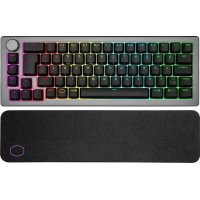
QuickFire Ultimate - Keyboard COOLER MASTER - Free user manual and instructions
Find the device manual for free QuickFire Ultimate COOLER MASTER in PDF.


| Product Type | Mechanical Gaming Keyboard |
| Brand | Cooler Master |
| Model | QuickFire Ultimate |
| Dimensions (W x D x H) | 450 x 150 x 40 mm |
| Weight | 1.2 kg |
| Power Supply | USB 2.0 (5V, 500mA) |
| Switch Type | Cherry MX (Red, Blue, Brown available) |
| Key Rollover | Full N-Key Rollover |
| Backlighting | Adjustable red backlight with multiple brightness levels |
| Macro Keys | Yes, programmable via on-the-fly recording |
| Cable | Detachable braided USB cable, 1.5m |
| Polling Rate | 1000 Hz |
| Main Functions | Backlight control, macro recording, gaming mode (Windows key lock), media keys (via Fn) |
| Cleaning & Maintenance | Use a soft, damp cloth; disconnect before cleaning; avoid liquids |
| Safety | Do not expose to water or extreme temperatures; keep away from children |
| Spare Parts & Repairability | Keycaps are replaceable; includes keycap puller; switches are soldered, not hot-swappable |
| General Information | Compatible with Windows 7/8/10, USB powered, 2-year warranty |
Frequently Asked Questions - QuickFire Ultimate COOLER MASTER
User questions about QuickFire Ultimate COOLER MASTER
0 question about this device. Answer the ones you know or ask your own.
Ask a new question about this device
Download the instructions for your Keyboard in PDF format for free! Find your manual QuickFire Ultimate - COOLER MASTER and take your electronic device back in hand. On this page are published all the documents necessary for the use of your device. QuickFire Ultimate by COOLER MASTER.
USER MANUAL QuickFire Ultimate COOLER MASTER
natural_image
Black computer keyboard with red and black buttons, no visible text or symbols on the keys themselvesSGK-4011-GKCM1-(Language)
SGK-4011-GKCR1-(Language)
SGK-4011-GKCL1-(Language)
GKCL1
CHERRY MX Blue

Low resistance Force Feedback (click)
GKCM1
CHERRY MX Brown

Medium resistance Force Feedback (bump)
GKCR1
CHERRY MX Red

Very low resistance Linear Feedback
Features
- Mechanical CHERRY MX switches with a lifespan of over 50 million key presses
- Full LED backlight, with 3 modes and 5 brightness levels
- NKRO over USB for unlimited simultaneous keystrokes
- Embedded steel plate for maximum stability and durability
- Super Grip pads and Keyboard stand-offs with rubber feet
- Windows keys can be disabled
- 7 easy-access multimedia shortcuts
- Detachable braided USB cable and cable routing groves at the underside of the keyboard
Package Information
Blue Switch
| EAN Code | 4719512040768 |
| UPC Code | 884102020001 |
Red Switch
| EAN Code | 4719512040751 |
| UPC Code | 884102019999 |
Brown Switch
| EAN Code | 4719512040935 |
| UPC Code | 884102020124 |
Specifications
| Key Switch | Cherry MX Blue/ Brown/ Red |
| Keycaps | ABS, grip coated, removable |
| Keycap Puller | Yes, ring-puller |
| Backlight | All keys, Red, 5 Levels, 3 Modes |
| Key Rollover | NKRO (windows only) |
| Polling Rate | 1000 Hz /1 ms |
| Interface | USB 2.0 full speed |
| USB cable | 1.8m, braided, gold plated, removable |
| Dimensions | 454(L)*155(W)*31(H)mm |
| 17.9(L)*6.1(W)*1.2(H)inch | |
| Weight | 1380 g/3.04 lbs |
| Carton Size (L x W x H) | 489*313*266MM |
| 19.3*12.3*10.5 inch |
| Pallet Size (L x W x H) | 1010*980*205 mm |
| 39.7*38.6*8.1 inch |
| Unit/Carton | 5 PCS |
| Carton/Pallet | 42 |
Container
| 20' | 2100 | PCS |
| 40' | 5040 | PCS |
Warranty
2 years Worldwide
Photos taken: 1017, 2012

natural_image
Black and white computer keyboard with blue lightning bolt background (no text or symbols)
natural_image
Black and white photo of a computer keyboard with a visible screwdriver, set against a dark background with lightning-like light effects (no text or symbols)
natural_image
Black computer keyboard with red function keys and black buttons, no visible text or symbols on the keys themselves.
natural_image
Black computer keyboard with red LED highlights, no visible text or symbols
natural_image
Close-up of a dark, beige keyboard with blue control buttons and a 'OMSTERM' logo (no readable text beyond branding)
natural_image
Close-up of a black computer keyboard with red scroll buttons and standard keys (no visible text or symbols)