Elite V2 - Computer Adapter COOLER MASTER - Free user manual and instructions
Find the device manual for free Elite V2 COOLER MASTER in PDF.


Pick your language and provide your email: we'll send you a specifically translated version.
| Product Type | Power Supply Unit (PSU) |
| Brand | Cooler Master |
| Model | Elite V2 |
| Form Factor | ATX |
| Compatibility | ATX12V v2.31 and EPS12V v2.92 |
| Output Power | 400W |
| Input Voltage | 100-240V AC |
| Input Frequency | 50-60Hz |
| Output Voltages | +3.3V, +5V, +12V, -12V, +5VSB |
| Fan Size | 120mm silent fan |
| Dimensions (W x L x H) | 150 x 140 x 86 mm |
| Weight | 1.6 kg |
| Connectors | 24-pin ATX, 4+4-pin CPU, SATA, PCIe, Peripheral |
| Efficiency | Up to 80% typical |
| Protections | Over Voltage, Over Power, Short Circuit |
| Certifications | CE, FCC, RoHS |
| Operating Temperature | 0-40 deg C |
| Noise Level | Below 25 dBA |
| Cleaning and Maintenance | Carefully remove dust with a dry cloth or air blower |
| Repairability | Do not open the PSU; contact certified support for repairs |
Frequently Asked Questions - Elite V2 COOLER MASTER
What type of power supply is the Cooler Master Elite V2?
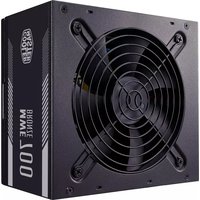
The Elite V2 is an ATX power supply unit compliant with ATX12V v2.31 and EPS12V v2.92 standards. It delivers stable power for desktop computers and comes with a 120mm silent fan for efficient cooling.
How do I install the Elite V2 in my PC case?
First, ensure the PSU is switched off and the power cord is unplugged. Mount the PSU in the dedicated bay, usually at the top or bottom of the case, using the included screws. Connect the 24-pin ATX cable to the motherboard, the 4+4-pin CPU cable, and then attach the necessary SATA, PCIe, or peripheral cables to your components. Finally, connect the power cord and switch the PSU on.
Which connectors are included with the Elite V2?
The PSU includes a 24-pin ATX motherboard connector, a 4+4-pin CPU connector, SATA power connectors for drives, PCIe connectors for graphics cards, and peripheral connectors for legacy devices. The exact number may vary by model.
Is the Elite V2 compatible with my motherboard?
The Elite V2 supports standard ATX motherboards with a 24-pin main power connector. It also provides a 4+4-pin CPU connector that works with both 4-pin and 8-pin CPU power sockets found on most modern motherboards.
How much power do I need from a PSU for my system?
For a typical office PC, 300W is often enough, but the Elite V2's 400W output is suitable for systems with a mid-range graphics card. For higher-end gaming builds, consider a higher-capacity PSU. Always calculate your system's total power draw.
How should I clean and maintain my power supply?
Unplug the PSU and wait a few minutes for the capacitors to discharge. Use a soft dry cloth or a compressed air blower to remove dust from the fan grille and vents. Never open the PSU casing because it contains high-voltage components. Regular cleaning improves airflow and extends the lifespan.
What safety features does the Elite V2 have?
It includes Over Voltage Protection (OVP) that shuts down the PSU if the voltage exceeds safe limits, Over Power Protection (OPP) for excess load, and Short Circuit Protection (SCP) to prevent damage from short circuits. These safeguards protect both the PSU and your system components.
Can I use the Elite V2 with a dedicated graphics card?
Yes, the Elite V2 provides PCIe connectors to power graphics cards. A 400W unit can support entry-level to mid-range GPUs. Check the graphics card's requirement and ensure your total system power consumption stays within the PSU's capacity.
What should I do if the fan is noisy?
First, check if the fan is obstructed by cables or accumulated dust. Clean the PSU fan grille with a soft brush or air blower. If the noise persists, the fan may be failing. Do not attempt to open the PSU. Contact Cooler Master support or an authorized repair center.
Does the Elite V2 include a power cord?
Most retail units come with an AC power cord and mounting screws. If your unit does not include one, use any standard 3-prong computer power cord with a C13 connector, which is widely available.
User questions about Elite V2 COOLER MASTER
0 question about this device. Answer the ones you know or ask your own.
Ask a new question about this device
No questions yet. Be the first to ask one.
Download the instructions for your Computer Adapter in PDF format for free! Find your manual Elite V2 - COOLER MASTER and take your electronic device back in hand. On this page are published all the documents necessary for the use of your device. Elite V2 by COOLER MASTER.
USER MANUAL Elite V2 COOLER MASTER


Manual assistant
Powered by Anthropic
Waiting for your message
Product information
Brand : COOLER MASTER
Model : Elite V2
Category : Computer Adapter