
RTCC 808 SURIP - DJ Mixer HYUNDAI - Free user manual and instructions
Find the device manual for free RTCC 808 SURIP HYUNDAI in PDF.


| Product Type | All-in-One Hi-Fi Stereo System with Turntable, CD, Cassette, Radio, USB/SD |
| Brand | Hyundai |
| Model | RTCC 808 SURIP |
| Dimensions (W x H x D) | 425 x 350 x 240 mm |
| Weight (Net) | 7950 g |
| Power Output | 2 x 3 W (stereo) |
| Turntable Speeds | 33 ⅓, 45, 78 RPM |
| Disc Playback | CD, CD-R, CD-RW, MP3 |
| USB/SD Playback | MP3 (USB 2.0, SD card up to 32 GB) |
| Cassette Tape | Normal, Chrome, Metal (auto detection) |
| Radio | AM/FM with LED indicator, stereo indicator |
| Recording Function | Record from turntable, tape, radio, CD, or USB/SD to USB or SD; format & erase tracks |
| Inputs | AUX-IN (3.5 mm) |
| Outputs | Line Out (RCA), Headphone (3.5 mm) |
| Power Supply | AC 230 V, 50 Hz |
| Stylus Replacement | Required after approx. 50 hours; replace via screwdriver removal/installation |
| Safety | Do not expose to rain/moisture; no user-serviceable parts; use only specified attachments |
| Maintenance | Clean with dry cloth; avoid chemical solvents; clean disc/record with soft cloth |
Frequently Asked Questions - RTCC 808 SURIP HYUNDAI
User questions about RTCC 808 SURIP HYUNDAI
0 question about this device. Answer the ones you know or ask your own.
Ask a new question about this device
Download the instructions for your DJ Mixer in PDF format for free! Find your manual RTCC 808 SURIP - HYUNDAI and take your electronic device back in hand. On this page are published all the documents necessary for the use of your device. RTCC 808 SURIP by HYUNDAI.
USER MANUAL RTCC 808 SURIP HYUNDAI
natural_image
Black-and-white photo of a Hyundai portable radio with digital display and fan grille (no visible text or symbols on main body)NÁVOD K POUŽITÍ / NÁVOD NA POUŽITIE INSTRUKCJA OBSŁUGI / INSTRUCTION MANUAL
HI-FI STEREOFONNÍ SYSTÉM "7 V JEDNOM"
HI-FI STEREOFÓNNY SYSTÉM "7 V JEDNOM"
HI-FI STEREO SYSTEM 7 W JEDNYM
ALL 7 IN ONE HI-FI STEREO SYSTEM
POZOR
NEBEZPEČÍ ÚRAZU EL. PROUDEM. NEOTVÍRAT

UPOZORNĚNÍ: Z DŮVODU ZAMEZENÍ RI ZIKA ÚRAZU ELEKTRICKÝM PROUDEM NEODNÍMEJTE KRYT ANI ZADNÍ KRYT PŘÍSTROJE. UVNITŘ SE NENACHÁZÍ ŽÁDNÉ SOUČÁSTI URČENÉ K OBSLUZE UŽIVATELEM. PŘENECHEJTE SERVIS KVALIFIKOVANÉMU SERVISNÍMU PERSONÁLU.

natural_image
Four-panel diagram showing a heart shape with two cross marks, each paired with a blank circle (no text or symbols)natural_image
Illustration of hands using a tool to cut a circular component with a loop (no text or symbols)natural_image
Illustration of a hand pressing down on a surface with an arrow indicating motion (no text or symbols)JAK VYMĚNIT JEHLU
OTEVŘÍT:
natural_image
Line drawing of a hand pressing down on a circular component with a downward arrow (no text or symbols)natural_image
Line drawing of a box with an open lid and a hand holding a pointer, containing a circular object inside (no text or symbols)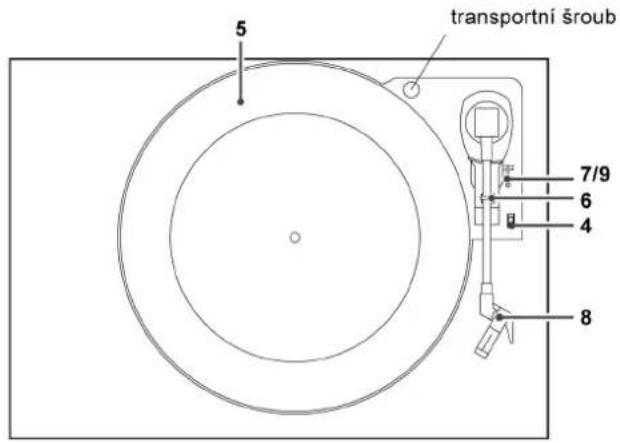
natural_image
Diagram of a CD inside a box with an open lid, showing disc and ring (no text or symbols)natural_image
Illustration of a hand holding a cable with a curved arrow indicating direction (no text or symbols)natural_image
Symbol of a trash bin crossed with a diagonal line and a horizontal bar below (no text or labels)DÔLEŽITÉ BEZPEČNOSTNÉ POKYNY
natural_image
Four-panel image showing a heart-shaped object with a cross mark, each paired with a separate abstract shape (no text or symbols)natural_image
Illustration of hands using a tool to cut a circular component with a pen (no text or symbols present)natural_image
Illustration of a hand holding a small object over a plate, with an arrow indicating rotation (no text or symbols)AKO VYMENIŠ IHLU
OTVORIŠ:
natural_image
Line drawing of a hand pressing down on a circular component with a downward arrow (no text or symbols)natural_image
Line drawing of a hand opening a box with a circular base and handle, no text or symbols present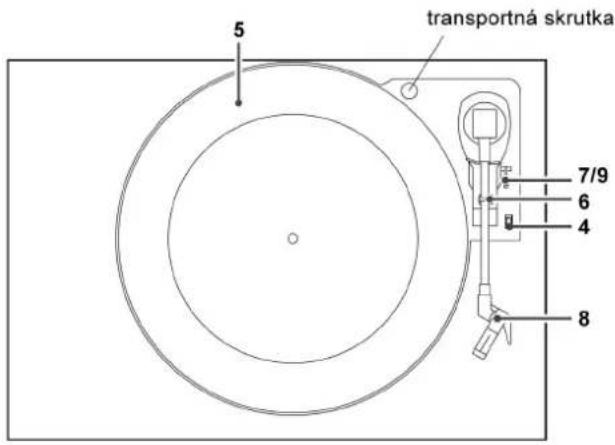
natural_image
Diagram of a CD inside a box with an open lid, showing disc and ring structure (no text or symbols)natural_image
Illustration of a hand holding a tool with an arrow indicating direction (no text or symbols)9) Opatrne spust'te rameno prenosky sklopením páčky.
natural_image
Symbol of a trash bin crossed with a diagonal line and a horizontal bar below (no text or labels)natural_image
Four abstract diagrams showing heart-shaped and irregular shapes with cross marks, no text or symbols present.natural_image
Illustration of hands using a tool to cut a circular component with a ring (no text or symbols)natural_image
Illustration of a hand holding a small object over a plate, with an arrow indicating rotation (no text or symbols)WYMIANA IGŁY W GRAMOFONIE
PODŁĄCZENIA
OTWIERANIE
natural_image
Line drawing of a hand pressing down on a circular component with a downward arrow (no text or symbols)natural_image
Line drawing of a hand opening a square box containing a circular object, with no text or symbols present.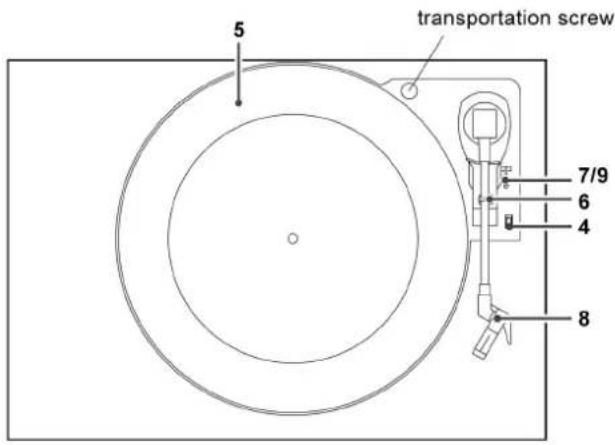
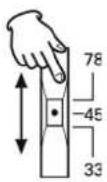
4) Wybrać prędkość.
natural_image
Diagram of a CD inside a box with an open lid, showing disc and ring (no text or symbols)natural_image
Illustration of a hand holding a tool with an arrow indicating direction (no text or symbols)natural_image
Technical line drawing of a mechanical assembly with labeled component 3 (no text or symbols beyond labels)natural_image
Symbol of a trash bin crossed with a diagonal line and a horizontal bar below (no text or labels)The lightning flash with arrowhead symbol, within an equilateral triangle, is intended to alert the user to the presence of uninsulated “dangerous voltage” within the product’s enclosure that may be of sufficient magnitude to constitute a risk of electric shock to persons.

The exclamation point within an equilateral triangle is intended to alert the user to the presence of important operating and maintenance (servicing) instructions in the literature accompanying the appliance.
WARNING: TO PREVENT FIRE OR SHOCK HAZARD, DO NOT EXPOSE THIS APPLIANCE TO RAIN OR MOISTURE.
CAUTION
• DO NOT REMOVE THE EXTERNAL CASES OR CABINETS TO EXPOSE THE ELECTRONICS. NO USER SERVICEABLE PARTS ARE WITHIN!
- USE OF CONTROLS OR ADJUSTMENTS OR PERFORMANCE OF PROCEDURES OTHER THAN THOSE SPECIFIED HEREIN MAY RESULT IN HAZARDOUS RADIATION EXPOSURE.
CAUTION
The product shall not be exposed to dripping or splashing and that no object filled with liquids, such as vases, shall be placed on the product.
Do not install this equipment in a confined space such as a book case or similar unit.
IMPORTANT SAFETY INSTRUALONS
1) Read these instructions.
2) Keep these instructions.
3) Heed all warnings.
4) Follow all instructions.
5) Do not use this apparatus near water.
6) Clean only with dry cloth.
7) Do not block any ventilation openings. Install in accordance with the manufacturer's instructions.
8) Do not install near any heat sources such as radiators, heat registers, stoves, or other apparatus (including amplifiers) that produce heat.
9) Do not defeat the safety purpose of the polarized or grounding-type plug. A polarized plug has two blades with one wider than the other. A grounding type plug has two blades and a third grounding prong. The wide blade or the third prong are provided for your safety. If the provided plug does not fit into your outlet, consult an electrician for replacement of the obsolete outlet.
10) Protect the power cord from being walked on or pinched particularly at plugs, convenience receptacles, and the point where they exit from the apparatus.
11) Only use attachments / accessories specified by the manufacturer.
12) Use only with the cart,
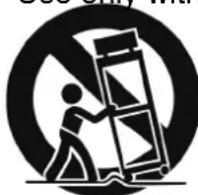
stand, tripod, bracket, or table specified by the til manufacturer, or sold with the apparatus. When a cart is used, use caution when moving the cart/apparatus cornbination to avoid injury from tip-over.
13) Unplug this apparatus during lightning storms or when unused for long periods of time.
14) Refer all servicing to qualified service personnel. Servicing is required when the apparatus has been damaged in any way, such as power-supply cord or plug is damaged, liquid has been spilled or objects have fallen into the apparatus, the apparatus has been exposed to rain or moisture, does not operate normally, or has been dropped.
- Do not expose this apparatus to dripps or splashes.
- Do not place any objects filled with liquids, such as vases, on the apparatus.
- Do not install this apparatus in a confined space such as a book case or sirnilar unit.
- The apparatus draws nominal non-operating power from the AC outlet with its POWER switch in the off position.
CONTENTS
Read this manual carefully to get the best performance from this unit.
Contents 66
Before Using the Unit 66
Discs 67
Cassette Tape 68
Handling Records 68
How to Replace the Stylus 69
Connections 69
How to open/close the turntable cover ..... 70
Parts of the Turntable 70
Unit Functions 71
Listening to a CD 73
Listening to a Record 76
Listening to the Radio 78
Listening to a Tape 78
Listening to a USB disk or SD card 80
USB and SD RECORDING 80
Troubleshooting 83
BEFORE USING THE UNIT
Read this before attempting any operations
- As the unit may become warm during operation. always leave sufficient space around the unit for ventilation.
- The voltage supplied to the unit should match the voltage as printed on the rear panel. If you are in any doubt regarding this matter, consult an electrician.
- Choose the installation location of your unit carefully. Avoid placing it in direct sunlight or close to a source of heat. Also avoid locations subject to vibrations and excessive dust, heat, cold or moisture.
-
Do not place the unit on an amplifier /receiver.
-
Do not open the cabinet as this might result in damage to the circuitry or electrical shock. If a foreign object should get into the unit, contact your dealer or service company.
- When removing the power plug from the wall outlet, always pull directly on the plug, never yank the cord.
- To keep the laser pickup clean, do not touch it, and always close the disc tray.
- Do not attempt to clean the unit with chemical solvents as this might damage the finish. Use a clean, dry cloth.
- Keep this manual in a safe place for future reference.
DO NOT MOVE THE UNIT DURING PLAYBACK
During playback, the disc rotates at high speed. Do NOT lift or move the unit during playback. Doing so may damage the disc or the unit.
WHEN MOVING THIS UNIT
When changing the unit's location or packing the unit for moving, be sure to remove the record or disc. Moving this unit with the record or disc loaded may result in damage to this unit. If the unit is to be packed and moved a great distance, it is also advisable to tighten the turntable transport locking screw. See Page 70 for instructions.
DISCS
Discs which can be played on this unit:
- Conventional audio CDs bearing the CD-DA logo on the label:

• Properly finalized CD-R and CD-RW discs
• Always place the disc on the disc tray with the label side up. (Compact discs can be played or recorded only on one side.)
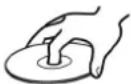
- To remove a disc from its storage case, press down on the center of the case and lift the disc out, holding it carefully by the edges.
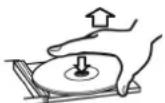
How to remove the disc the
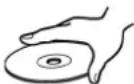
How to hold
isc
- Should the disc become dirty, wipe the surface radially (from the center hole outward towards the outer edge) with a soft, dry cloth:
- Never use such chemicals as record sprays, antistatic sprays or fluid, benzine or thinner to clean the discs. Such chemicals will do irreparable damage to the disc's plastic surface.
- Discs should be returned to their cases after use to avoid dust and scratches that could cause the laser pickup to "skip."
- Do not expose discs to direct sunlight or high humidity and temperature for extended periods. Long exposure to high temperatures will warp the disc.
-
Do not play any disc that is warped, deformed or damaged. Playing such discs may cause irreparable harm to the playing mechanisms.
-
CD-R and CD-RW discs are more sensitive to the effects of heat and ultraviolet rays than ordinary CDs. It is important that they are not stored in a location where direct sunlight will fall on them, and away from sources of heat such as radiators or heat-generating electrical devices.
- Printable CD-R and CD-RW discs aren't recommended, as the label side might be sticky and damage the unit.
- Do not stick papers or protective sheets on the discs and do not use any protective coating spray.
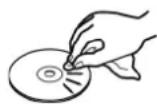
- Use a soft oil-based felt-tipped pen to write the information on the label side. Never use a ball-point or hard-tipped pen, as this may cause damage to the recorded side.
- Never use a stabilizer. Using commercially available CD stabilizers with this unit will damage the mechanisms and cause them to malfunction.
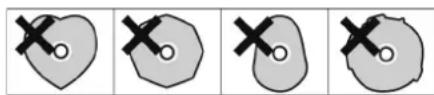
- Do not use CDs with an irregular shape (octagonal, heart shaped, business card size, etc.). CDs of this sort can damage the unit:
natural_image
Four identical abstract diagrams showing a heart shape with cross marks, each containing a circle and an X symbol (no text or labels)- If you are in any doubt as to the care and handling of a CDR/CD-RW disc, read the precautions supplied with the disc, or contact the disc manufacturer directly.
CASSETTE TAPE
Tape Seledion
Metal and chrome (cobalt) tapes have identification holes.
Tape Handling
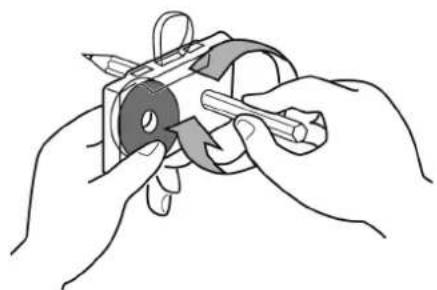
Use your finger or a pencil to turn the cassette's hub and take up any slack tape.
natural_image
Illustration of hands using a tool to adjust or install a mechanical component (no text or symbols visible)- Avoid touching the tape. Fingerprints attract dust and dirt.
- Avoid dropping or subjecting cassettes to excessive shocks.
- As C - 120 tapes are physically weak and could become entangled in the transport mechanism, do not use them.
Do not store tapes in the following places:
On top of heaters, exposed to direct sunlight or in any other places with high temperatures. Near speakers, on TV sets or amplifiers or where they would be exposed to strong magnetic fields. Where humidity is high and in dirty, dusty places.
Head Maintenance
The head and tape path should be cleaned and demagnetized periodically. Please use a cassette type head cleaning tape and demagnetizer. For specific details on the proper use of either item, please read each item's instruction manual.
HANDLING RECORDS
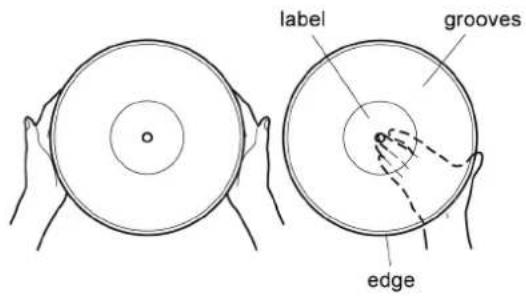
- Do not touch the record's grooves. Only handle records, by the edges or the label. Make sure your hands are clean. Skin oils from even clean hands can leave a residue on the record surface that will gradually deteriorate the quality of your record.
- Keep your records away from dust. Keep them in a cool, dry place.
- To avoid dust and scratches, keep records in their sleeves and jackets when not in use.
- Store records upright on their edges. Records stored horizontally will eventually bend and warp.
- Do not expose records to direct sunlight or high humidity and temperature. Long exposure to high temperatures will warp the record.
- Do not store your records in the trunk of your car. The temperature in a closed trunk can ruin your collection.
- Store records in an area with a stable temperature and low humidity.
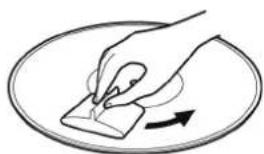
- Should the record become dirty, gently wipe the surface in a circular motion, using a soft anti-static cloth.
natural_image
Illustration of a hand holding a small object over a surface, with an arrow indicating direction (no text or symbols)HOW TO REPLACE THE STYLUS
The stylus should last about 50 hours under normal use. However, it is recommended that the stylus be replaced as soon as you notice a change in sound quality. Prolonged use of a worn-out stylus may damage the record. Wear and tear on the stylus will be accelerated when playing 78 RPM records. The higher speed of 78 RPM records can wear the stylus more quickly.
Caution:
- Do not remove or bend the stylus.
• To avoid injury, do not touch the needle. - Turn off the unit's power before you replace the stylus.
- Keep out of the reach of children.
- Handle with care, as the stylus is delicate. Use of a bent or broken stylus may damage the record and cause the turntable to malfunction.
- Do not expose stylus to extreme heat.
- Contact a qualified repair company if you experience difficulty in changing the stylus.
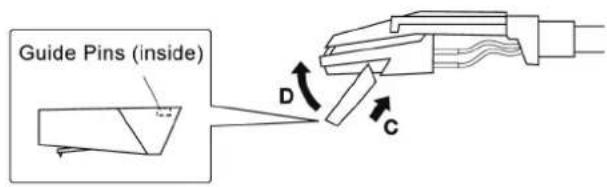
Removing an old stylus
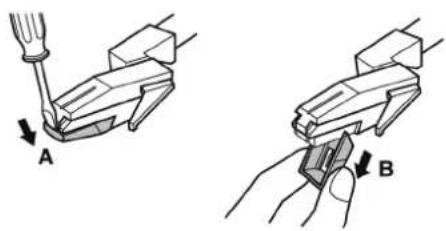
1) Set a screwdriver at the tip of the stylus and push down to the direction" A".
2) Pull the stylus out toward direction“ B”.
Installing a new stylus
1) Hold the tip of the stylus and insert the other edge by pressing toward direction "C".
2) Push the stylus up toward direction "D" until it locks at the tip.
CONNECTIONS
HOW TO OPEN/CLOSE THE TURNTABLE COVER
TO OPEN:
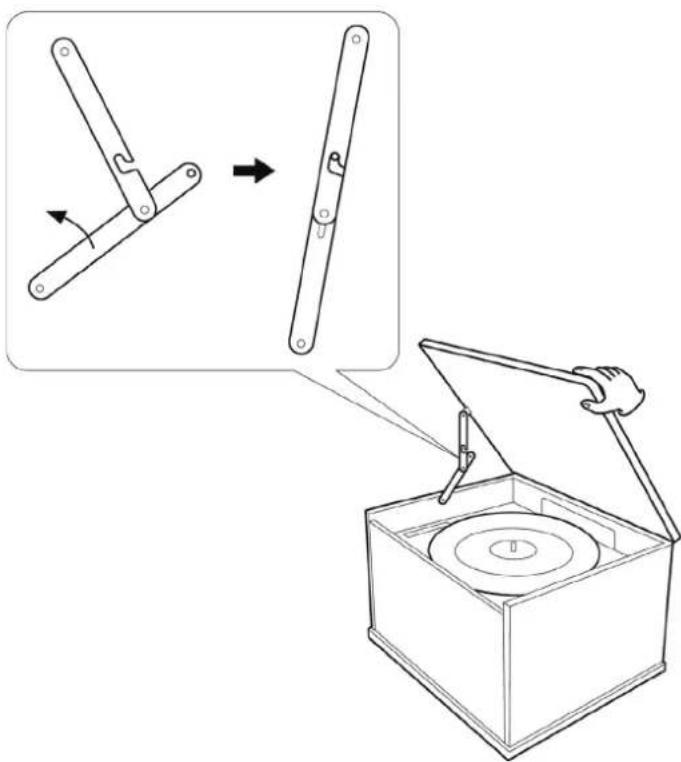
1) Lift the turntable cover all the way up until it stops.
2) Lower the cover slowly until the latch engages.
If the latch does not engage, pull the lower bar by hand.
3) The cover will now stay open.
TO CLOSE:
1) Lift the cover all the way up until it stops.
2) The latch should disengage and you may now slowly lower the cover.
If the latch does not disengage, push the lower bar by hand.
3) Make sure you grasp the cover by the edges to avoid pinching your fingers as it closes.
PARTS OF THE TURNTABLE
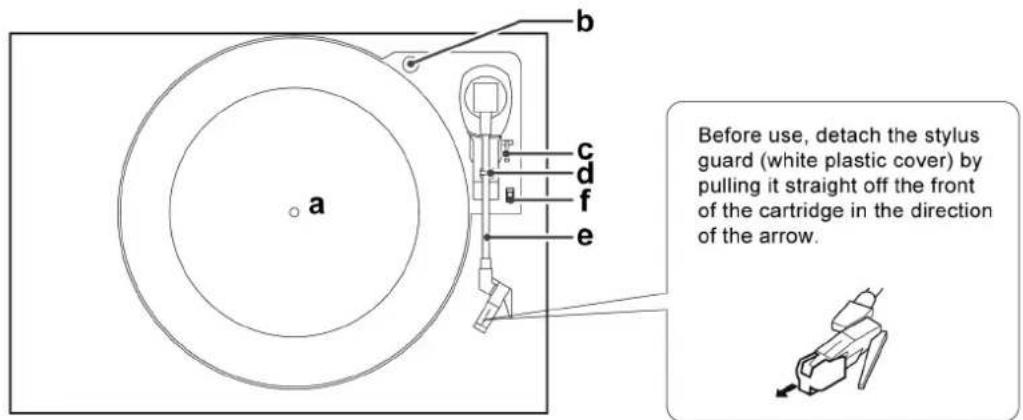
a) turntable
b) screw fixing the turntable for transportation
Before use, completely loosen the screw by turning it clockwise with a coin or screwdriver.
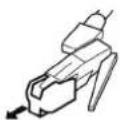
Before use, detach the stylus guard (white plastic cover) by pulling it straight off the front of the cartridge in the direction of the arrow.
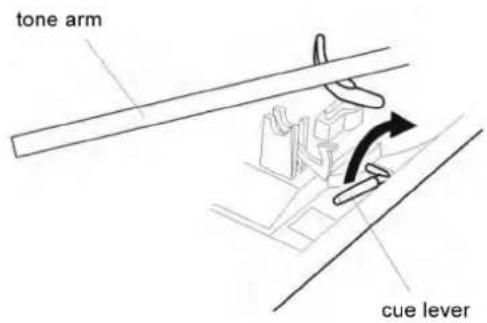
c) cue-lever
Use this lever to lift the tone arm.
d) tone arm holder
e) tone arm
f) speed selector
g) 45 RPM adaptor(supplied)

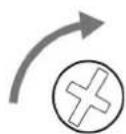
When you transport the unit, turn the screw counterclockwise to secure the turntable.
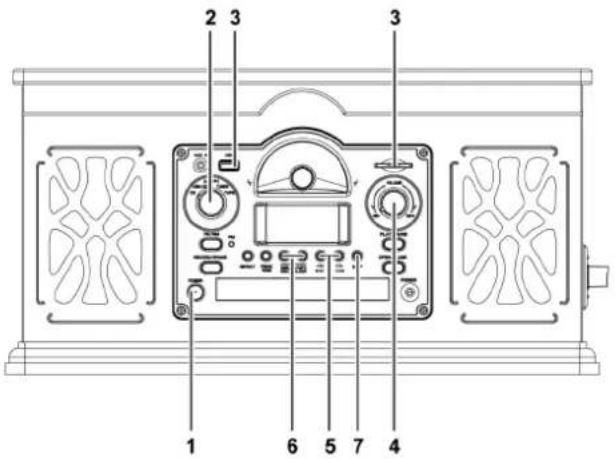
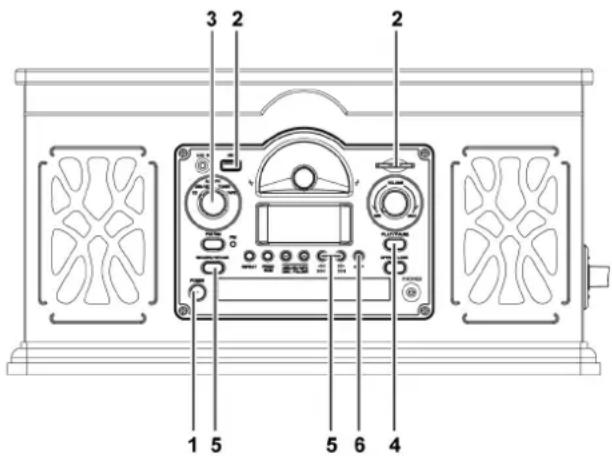
UNIT FUNCTIONS
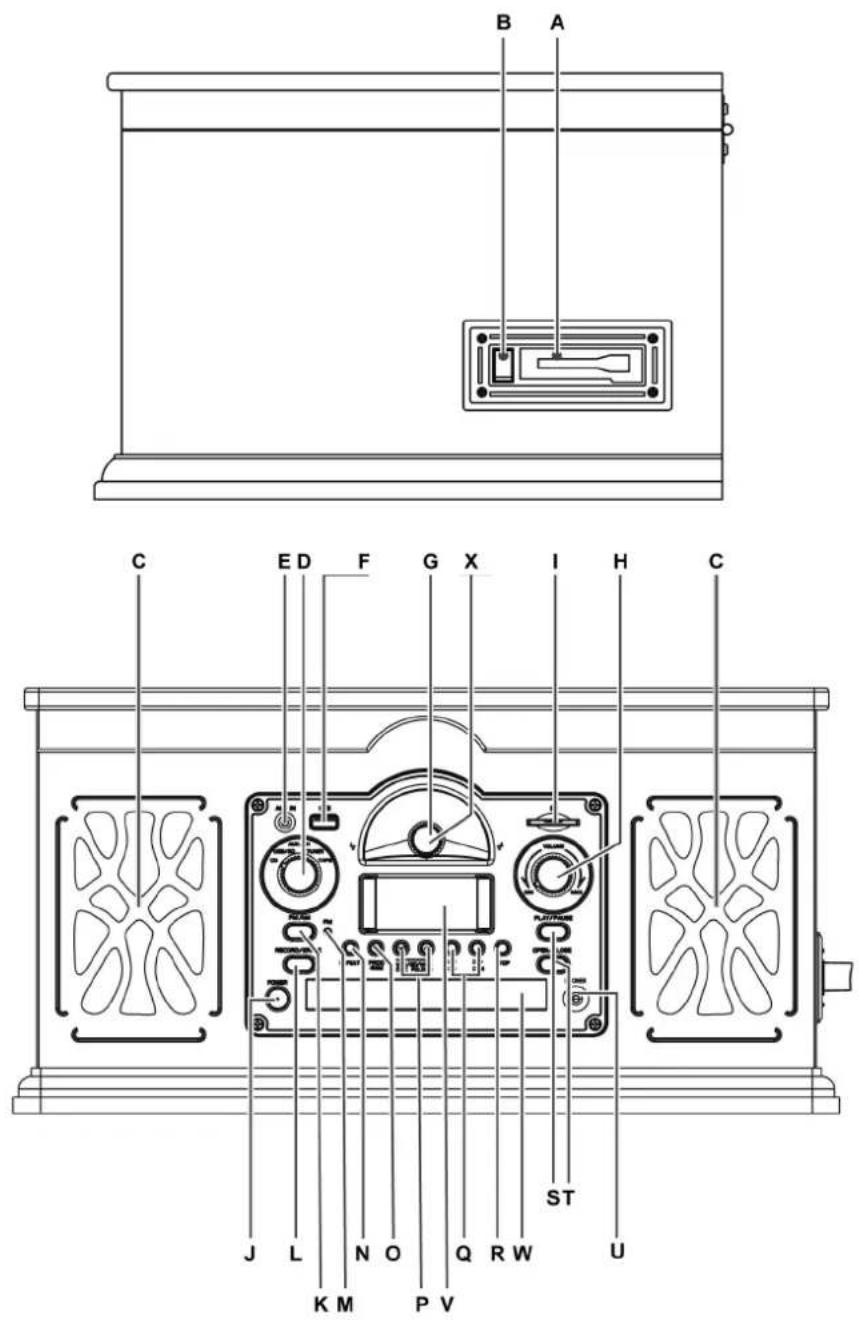
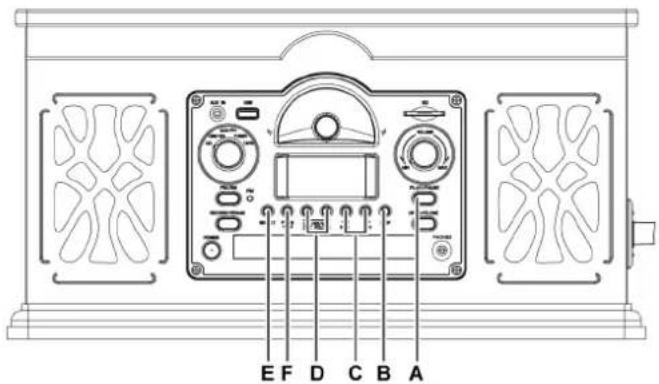
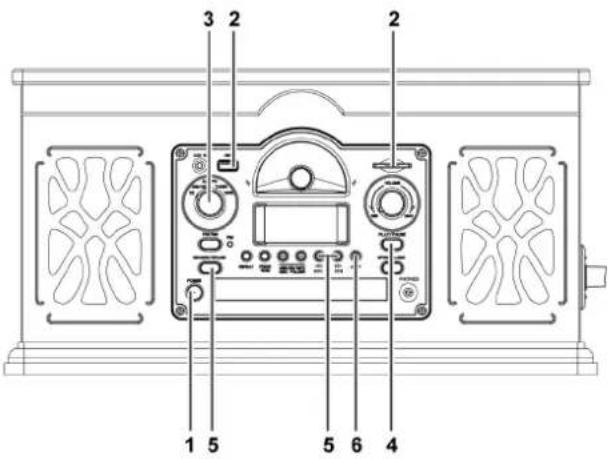
A) Cassette tape holder
B) Tape operation button
C) Speakers (stereo)
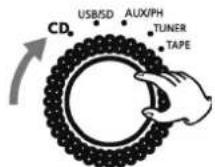
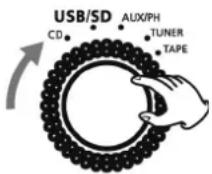
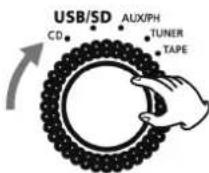
D) CD/USB-SD/AUX-PH/TUNER/TAPE knob
Turn the knob to CD to playa CD
Turn the knob to USB-SD to play the music from USB or SD
Turn the knob to AUX-PH to playa audio device or a record
Turn the knob to TUNER to listen to radio
Turn the knob to TAPE to playa cassette tape
E) AUX IN Jack
When the phono playing, insert a audio device to AUX IN JACK the phono will stop automatically
F) USB slot
G) TUNING Display Panel
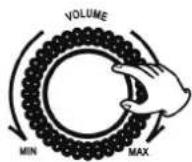
H) VOLUME knob
Turn the knob clockwise and counterclockwise to adjust the volume
I) SD CARD slot
J) POWER button
Press the button to turn the unit "on" "off"
K) FM/AM button
PUSH this button to select FM or AM mode
L) RECORD/ERASE button
M) FM LED light
In FM mode the LED light will on
N) REPEAT button
O) PROGRAM button
P) USB/SD/MP3 DISC FOLDER button
Q) ◀◀ ▶▶
◀◀ (F. F/F. R)
R) STOP button
S) PLAY IPAUSE button
T) OPEN/CLOSE button
U) PHONES (EARPHONE jack)
V) LCD display
When the unit is on, this display will light.
W) Dis ctray
X) TUNING knob
In TUNER mode, turn this knob to tune in a station.
LISTENING TO A CD
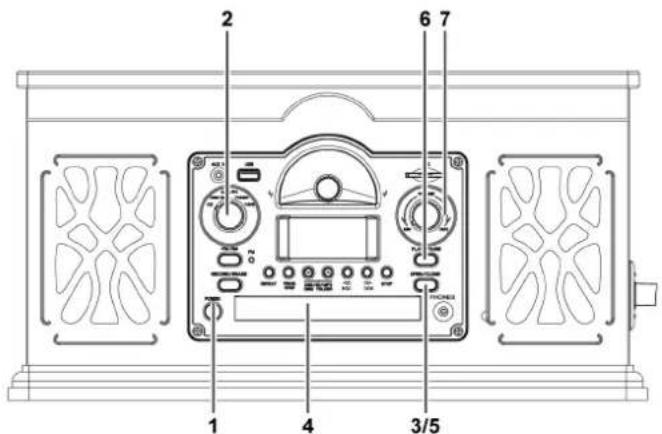
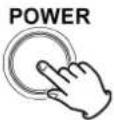
1) PUSH the POWER button to turn the unit "on"
2) Set the function knob (CD/USB-SD/AUX-PH/TUNER/TAPE) to the CD in position.
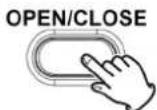
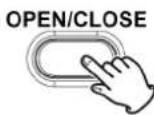
3) Press the OPEN/CLOSE button ( ♠
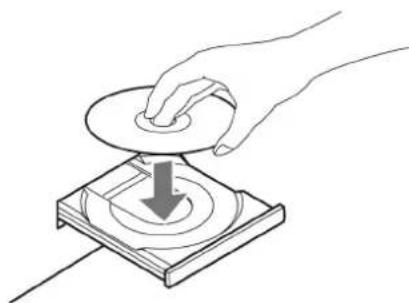
4) Place a disc on the tray with the printed label face up.
natural_image
Line drawing of a hand pressing down on a circular component with a downward arrow (no text or symbols)- Never place more than one disc on the tray.
- The disc must be placed in the center of the disc tray. If the disc is not correctly loaded, it may not be possible to open the tray again once it has closed. To avoid this possibility you should be sure that the disc is always centered on the tray. - Do not force the tray by hand during opening and closing operations.
5) Press the OPEN/CLOSE button ( ♦ to close the tray.
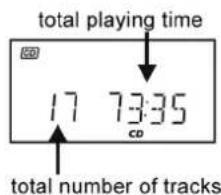
If you play CD Several seconds later the total number of tracks and total playing time will appear on the display.
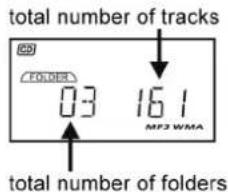
If you play MP3 disc. several seconds later the total number of folders and total Number of tracks will appear on the display.
6) Press the PLAY/PAUSE button (▶ / II ) to start playback.
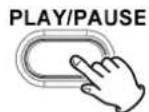
- Disc playback starts from the first track. - During playback. the number of the track currently playing and playing time will appear on the display.
- If you load the disc, and then press the PLAY button without having first closed the disc tray, the disc tray closes and playback starts automatically.
7) Turn the VOLUME knob to adjust the volume.
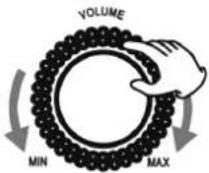
A) To suspend playback temporarily (pause mode)
Press the PLAY/PAUSE button (▶ / II) during playback. Playback stops at the current position, and the track number blinks in the display. To resume playback, press the PLAY/PAUSE button (▶ / II) again.
B) To stop playback
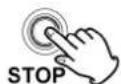
Press the STOP button (■) to stop playback.
C) To skip to the next or a previous track
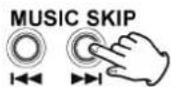
During playback, repeatedly press the MUSIC SKIP button ( ◀◀ or ▶▶ ) until the desired track is found. The selected track will be played from the beginning.
In the stop mode, press the MUSIC SKIP button (◀ or ▶) repeatedly until the track you want to listen to is found. Press the PLAY/PAUSE button (▶ / II) within 5 seconds to start playback from the selected track.
- When the ◀ button is pressed during playback, the track being played will restart from the beginning. To return to the beginning of the previous track, press the ▶ button twice.
D) Search for a part of a track
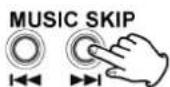
During playback, hold down the MUSIC SKIP button ( ◀◀ or ▶▶ ) and release it when the part you want to listen to is found.
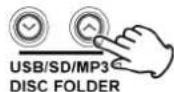
E) Search for a folder of a disc if you play a USB/SD/disc with folders press this to choose the folder you want.
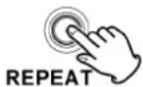
F) REPEAT Function If the USB/SD/disc has no folder Press "REPEAT" button once to repeat one single track. Press "REPEAT" button one more time to repeat all tracks. Press "REPEAT" button three times to cancel the repeat function.
If the disc/USB/SD has folder
Press "REPEAT" button once to repeat one single track. Press "REPEAT" button one more time to repeat the currently, playing folder.
Press "REPEAT" button three times to repeat all tracks of the disc.
Press "REPEAT" button four times to cancel the repeat function.
G) Program Function In stop mode.
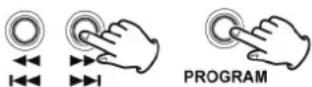
If the USB/SD/Disc has no folders, press the PROGRAM button, the display will show "MEMORY" and blinking "TOO". Press the F.F. or F.R. button to select your ideal track and press the PROGRAM button again to save the track.
If you want to save another track, repeat the above steps.
This unit can program up to 20 tracks.
To playback the programmed track, press the PLAY/PAUSE button. Press the STOP button one time to stop the playback. Press the STOP button one more time to erase the programmed track, and the "MEMORY" will disappear on the display. If turn off the power of the unit, or set the function knob to other modes (USB-SD/AUX-PH/TUNER/TAPE), the programmed tracks will be automatically erased.
If the USB/SO/Disc has folders,
press the PROGRAM button, the display will show "MEMORY" and blinking "FOO". Press the EE or F.R. button to select your ideal folder and press the PROGRAM button again to save the folder.
Then "TOO" will blink again. Press the F.F. or F.R. button to select your ideal track and press the PROGRAM button once more to save the track. You can repeat the above steps to select all your ideal tracks.
This unit can program up to 20 tracks.
To playback the programmed track, press the PLAY/PAUSE button.
Press the STOP button one time to stop the playback. Press the STOP button one more time to erase the programmed track, and the "MEMORY" will disappear on the display. If turn off the power of the unit, or set the function knob to other modes
(USB-SD/AUX-PHITUNERITAPE), the programmed tracks will be automatically erased.
PLAYING AUX-IN
Press the power button to turn the unit "on".
Set the function knob
(CD/USB-SD/AUX-PHITUNERITAPE)
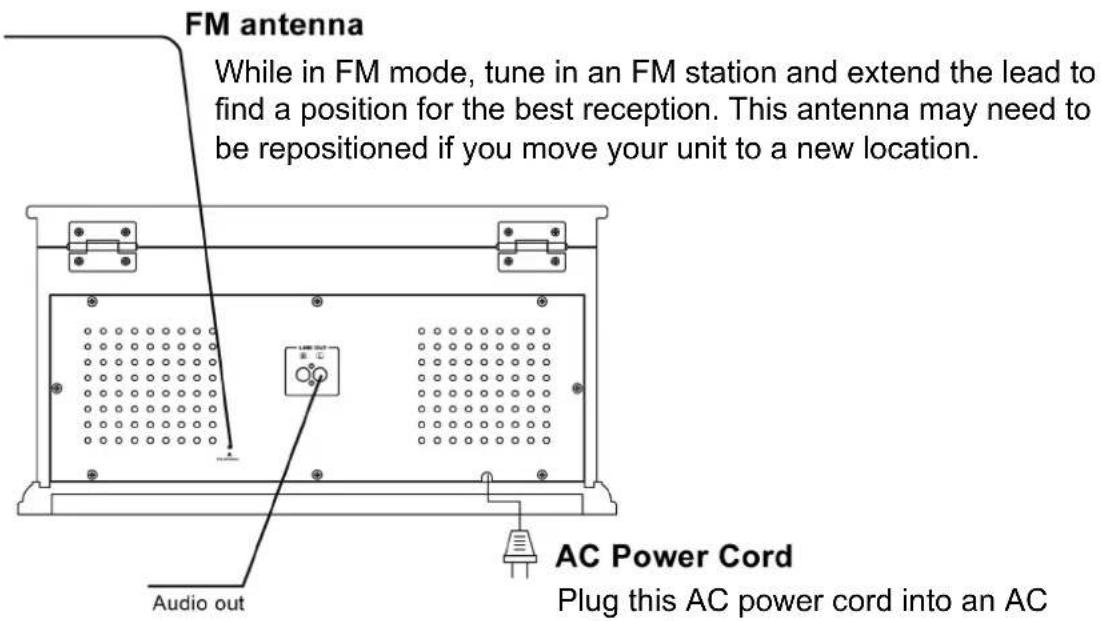
to the AUX-PH in position. Connect AUX-IN cord into the AUX-in jack to play the external source, such as CD player, cassette tape deck, "MP3" etc ...

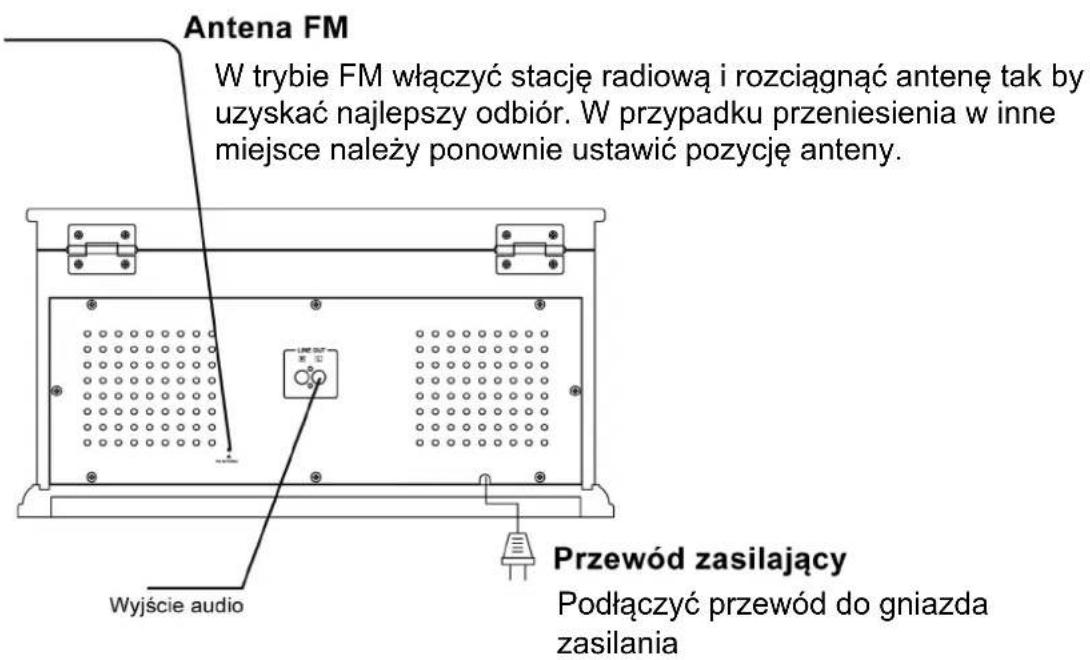
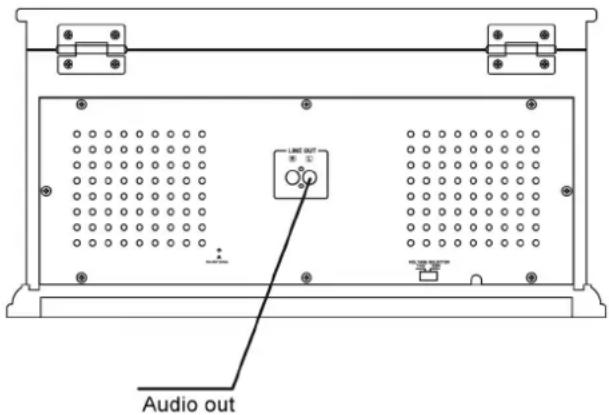
• LINE OUT JACKS
Using the LINE OUT will allow you to run the audio from you unit into a home stereo or other stereo source with amplifier. Make sure to connect the white plug to white jacks (Left) and the red plug to the red jacks (Right).
Before use, completely loosen the transportation screw by turning it clockwise with a coin.
Detach the stylus guard (white plastic cover).
1) PUSH the POWER button to turn the unit "on"
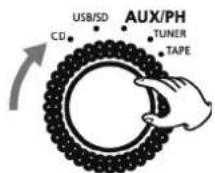
2) Set the function knob (CD/USB-SD/AUX-PH/TUNER/TAPE) to the AUX-PH
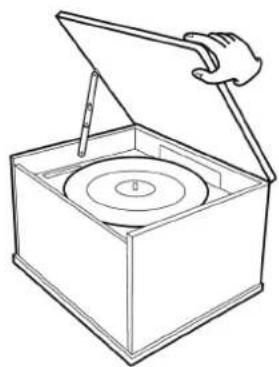
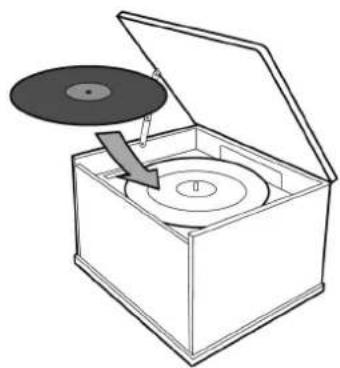
3) Gently open the dust cover. Be careful not to pinch your finger.
natural_image
Line drawing of a box with an open lid and a hand holding a pointer, containing a circular object (no text or symbols)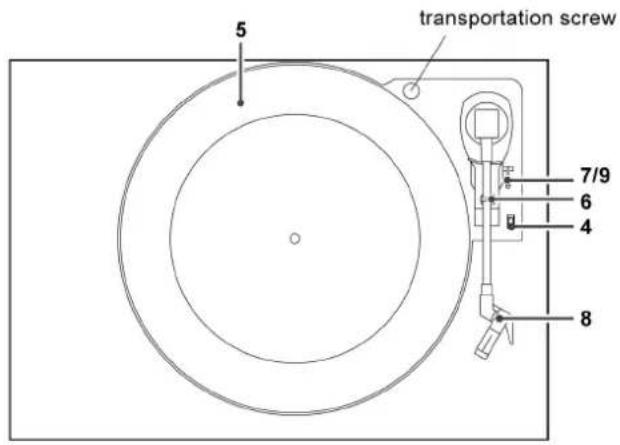
4) Select the speed.
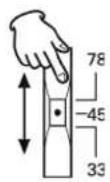
5) Put the record on the turntable. When playing a 45 RPM record, use the included adaptor.
natural_image
Diagram of a CD inside a box with an open lid, showing disc and ring structure (no text or symbols)6) Gently push the clamper to the right to release the tone arm.
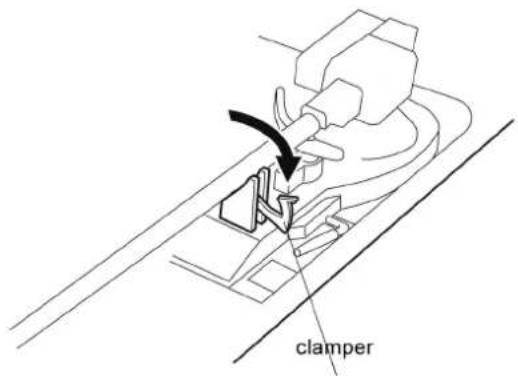
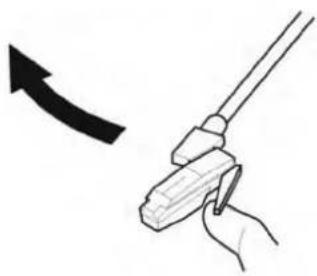
7) Raise the cue lever to lift the tone arm off the tone arm support.
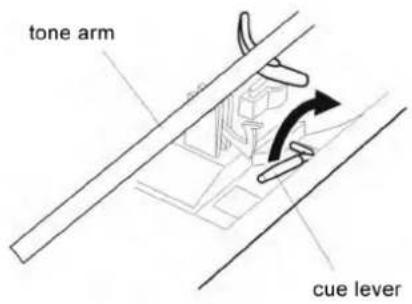
8) Move the tone arm gently to the edge of the record (or the starting point of a track).
The turntable will begin to turn.
natural_image
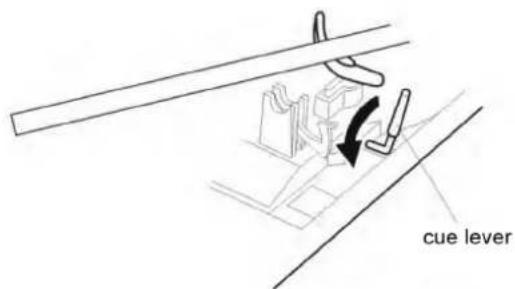
Illustration of a hand holding a tool with an arrow indicating direction (no text or symbols)9) Gently lower the tone arm by slowly releasing the cue lever.
You can lower the tone arm manually if the cue lever has not been raised.
10) Turn the VOLUME knob to adjust the volume.
- Playing records with the dust cover down will prevent dust from settling on the turntable.
- When the tone arm reaches the end of the record it automatically returns to the tone arm hold and the record player stops.
1) PUSH the power button to turn the unit "on"
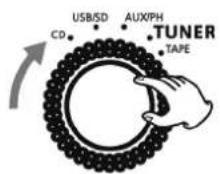
2) Set the function knob (CD/USB-SD/AUX-PH/TUNER/TAPE) to the Tuner.
3) Select AM or FM using this button.
4) Select FM, the LED light of FM will "on". If the signal is strong, "STEREO" will be appeared on the LCD display.
5) Turn the tuning knob to tune in a station.
6) Turn the VOLUME knob to adjust the volume
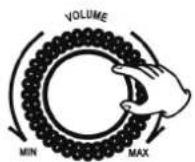
If the reception is poor
AM broadcast
Turn around the unit to find the best position for AM stations.
FM broadcast
Extend and turn around the FM antenna so that you can receive the stations clearly.
LISTENING TO A TAPE
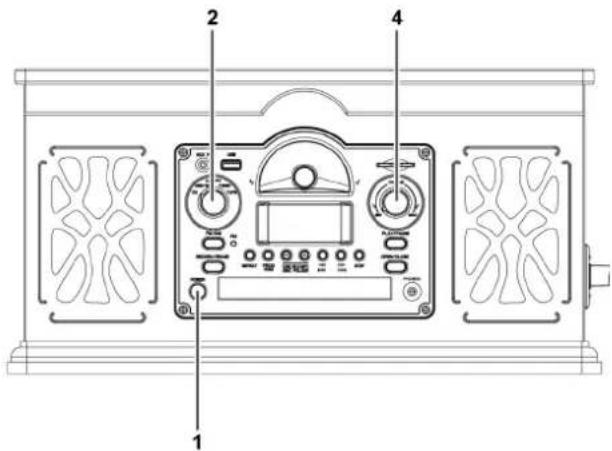
1) PUSH the power button to turn the unit "on".
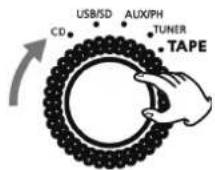
2) Set the function knob (CD/USB-SD/AUX-PH/TUNER/TAPE) to the TAPE
3) Insert a pre-recorded cassette tape with its exposed side facing away and playback side facing right.
When inserting the tape, slightly tilt it to the right, and push down until a CLICK is heard.
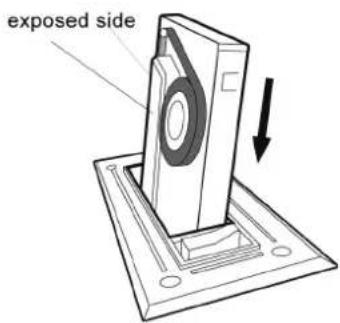
Playback starts automatically. When the tape reaches the end, playback stops.
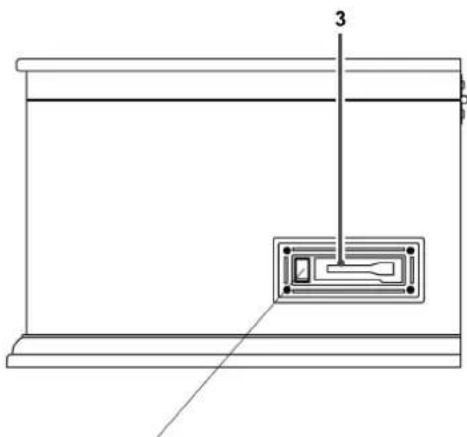
natural_image
Technical line drawing of a mechanical assembly with labeled component 3 (no text or symbols present)Tape operation button (Ejct/Fast Forward)
4) Turn the VOLUME knob to adjust the volume.
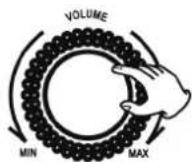
To stop playback and eject the tape
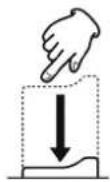
Push down the button to the end until the tape is ejected.
• To stop playback, you have to eject the tape.
Fast forward
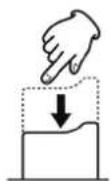
During playback, press and hold the button lightly and release it when the part you want to listen to is found. Or push down the button about 1/4" (5 mm) to start the fast forward operation, and press the button again to release it and resume normal speed playback.
- When the tape has wound to the end, be sure to release the button to stop the unit.
LISTENING TO A USB DISK OR SD CARD
USB and SD playing
1) PUSH the power button to turn the unit "on".
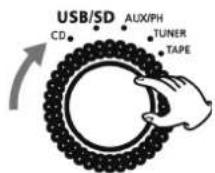
2) Set the function knob (CD/USB-SD/AUX·PH/TUNER/TAPE) to the USB/SD.
3) Insert USB disk or SO card into slot. "WAITING" is displayed. After 1 second, the LCD will display the total folder and tracks.
If no USB disk or SD card, "NO DEV" will show on the display.
4) Press "PLAY/PAUSE" to start music playback. Turn the volume knob to adjust to volume.
5) Press the ◀/▶ once or repeatedly until the desired track number appears on the display. Playback will begin automatically.
6) You can press v/^ USB/SD/MP3 DISC FOLDER button to choose the desired folder.
7) Press STOP to stop playback
To pause the music, press PLAYER/
PAUSE, press it again to resume play.
If USB disk and SD Card both
in the port, please long press
"PLAY/PAUSE" button to choose
the playing of USB disk or SD Card.
USB AND SD RECORDING
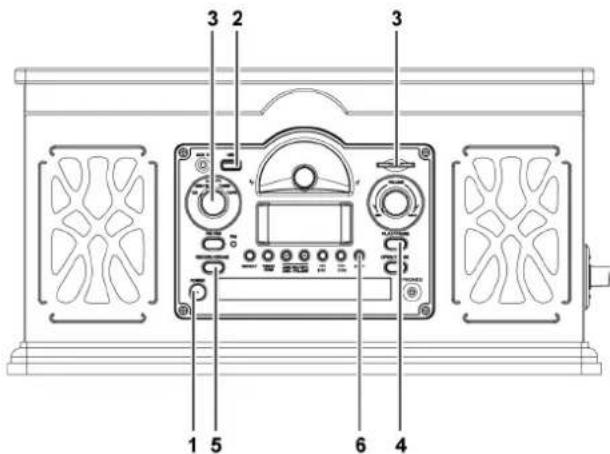
Recording AUX Record/Tape/Radio to USB/SD
1) PUSH the POWER button to turn the unit on.
2) Insert USB device or SD card to the disk.
3) Set the function knob (CD/USB-SD/AUX-PH/TUNER/TAPE) to the AUX-PH/TAPE/TUNER in position.
4) Start playback of the record/tape/radio atm the point you want to start recording.
5) Press the RECORD/ERASE button one time to start recording and "SEL-USB (SEL-CARD)" will blink on the display, press <</▶ button to choose the USB disk or SD card. (If the device just has USB disk or SD card, "SEL-USB/ SEL-CARD" will not display on the LCD).
Press the RECORD/ERASE button one more time to confirm, and the recording process starts.
6) Press the STOP button to stop the recording process, and "END REC" will appear on the display.
Recording CO/MP3/WMA to USB/SD
1) PUSH the POWER button to turn the unit on.
2) Insert USB device or SD card to the unit.
3) Set the function knob (CD/USB-SD/AUX-PH/TUNER/TAPE) to the CD in position.
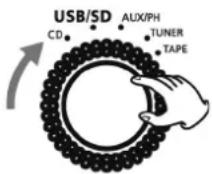
4) Start playback of the CD/MP3/WMA at the point you want to start recording.
5) Press the RECORD/ERASE button to start recording.
If the CD/MP3/WMA has no folders, press the ◀/▶ button to select the content you want to record (the currently playing track or all tracks in the CD/MP3/WMA). Press the RECORD/ERASE button one time to start recording and "SEL-USB (SEL-CARD)" will blink on the display, press ◀/▶ button to choose the USB disk or SD card. (If the device just has USB disk or SD card. "SEL-USB/SELCARD" will not display on the LCD).
Press the RECORD/ERASE button one more time to confirm and the recording process starts.
If the CD/MP3IWMA has folders,
press the ◀/▶ button to select the content you want to record (the currently playing track or tracks in the currently selected folder or all tracks in the CD/MP3/WMA). Press the RECORD/ERASE button one time to start recording and "SEL-USB (SEL-CARD)" will blink on the display press ◀/▶ button to choose the USB disk or SD card. (If the device just has USB disk or SD card "SEL-USB/SEL-CARD" will not display on the LCD)
After selecting recording content. press the RECORD/ERASE button to confirm, and the recording process starts.
Recording USB to SD or SD to USB
1) PUSH the POWER button to turn the unit on.
2) Insert USB device and SD card to the unit.
3) Set the function knob (CD/USB-SD/AUX-PH/TUNER/TAPE) to the USB/SD in position.
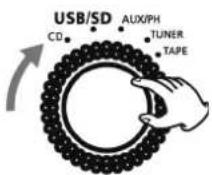
4) Start playback of the USB/SD at the point you want to start recording.
5) Press the RECORD/ERASE button to start recording. If the USB/SO has no folder, press the ◀◀/▶◀ button to select the content you want to record (the currently playing track or all tracks) If the USB/SO has folder, press the ◀◀/▶◀ button to select the content you want to record (the currently playing track, or tracks in the currently selected folder or all tracks)
6) Press the STOP button to stop the recording process and "END REC" will be shown on the display.
Deleting MP3/WMA tracks on the USB disk or SD card
1) PUSH the POWER button to turn the unit on.
2) Insert USB device or SD card to the unit.
3) Set the function knob (CD/USB-SD/AUX-PH/TUNER/TAPE) to the USB/SD in position.
4) Select the track you would like to delete and begin the playback.
5) Press and hold the "RECORD/ERASE" button for approximately two seconds and "ERASE" will blink on the display. Press the "RECORD/ERASE" button again and "ERASE" will not blink. The track will be deleted and the next track will play.
6) In stop mode. long press the "RECORD/ERASE" button.
"FORMAT" will blink on the display. long Press the "RECORD/ERASE" button again all tracks will be deleted and "NO SONG" will be shown on the display.
NOTE: ALL THE FILES ON THE USB DISK OR SO CARD WILL BE ERASED IF YOU CHOOSE "FORMAT".
TROUBLESHOOTING
If you experience any problems with the unit, please take a moment to look through this chart and see if you can solve the problem yourself before you call your dealer.
No power.
- Check the connection to the AC power source. Check and make sure the AC source is not a switched outlet and if it is, the switch is turned on. Make sure there is power to the AC outlet by plugging another item such as a lamp or fan.
No sound.
- Adjust the volume.
The sound is noisy.
- The unit is too close to a TV set or similar appliances. Relocate the unit further away from them, or turn the other appliances off.
TUNER
Cannot listen to any station, or signal is too weak.
- Tune in the station properly.
• If a TV is near the unit, turn it off. - Rotate the unit or antenna wire for the best reception position.
RECORD PLAYER
Will not play.
- Turn the VOLUME knob clockwise and turn the function to AUXIPH mode
- Loosen the screw, and detach the stylus guard. (The stylus guard is a white plastic cover that protects the stylus during transportation. Failing to remove this guard will not allow the needle to contact the grooves of the record and no sound will be heard!)
• If the stylus is worn-out, change the stylus. - Select the correct playback speed.
Sound skips.
- Place the unit on a stable surface to avoid vibration and shock. Make sure the unit is level both front to back and side to side.
- Clean the surface of the record/disc.
- Don't use scratched, damaged or warped records/discs.
CD PLAYER
Will not play.
- Turn the VOLUME knob clockwise and turn the function to CD mode
- Load a disc with the playback side facing down.
- If the disc is dirty, clean the surface of the disc.
- A blank disc has been loaded. Load a prerecorded disc.
- Depending on the disc, etc. it may not be possible to play back CD-RICD-RW discs. Try again with another disc.
- You cannot play back unfinalized CD-RICD-RW discs. Finalize such a disc in a CD recorder and try again.
CASSETTE TAPE PLAYER
The button doesn't work.
- Insert a cassette tape securely.
Sound is distorted or noisy.
- Clean and demagnetize the heads.
- Use Normal tape.
USB/SD PLAYER
Will not play
- Some USB flash drives and SD cards may not be compatible with this unit.
- Pis check the specification on the last page of this manual.
If normal operation cannot be obtained, unplug the power cord from the outlet and plug it again.
BEWARE OF CONDENSATION
When the unit (or a record/disc) is moved from a cold to a warm place, or used after a sudden temperature change, there is the danger of condensation; vapor in the air could condense on the internal mechanism, making correct operation erratic or impossible. To prevent this, or if this occurs, leave the unit turned on for one or two hours. The unit will stabilize at the temperature of its surroundings.
MAINTENANCE
Always keep the turntable clean.
If the surface of the unit gets dirty, wipe with a soft cloth or use a diluted mild liquid soap. Be sure to remove any excess liquid completely. Do not use thinner benzine or alcohol as they may damage the surface of the unit. Allow the surface of the unit to dry completely before using.
TECHNICAL SPECIFICATIONS
- Radio AM/FM
- Turntable speed:33/45/78 RPM can play disc
- Cd can play CD/CD-R/CD-RW/MP3
- USB/SD connector play MP3
- Output power: 2 x 3W
- Dimensions: 425 x 240 x 350 mm
- Weight (NETTO): 7950g
We reserve the right to change technical specifications.
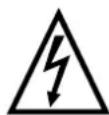
WARNING: Do not use this product near water, in wet areas to avoid fire or injury of electric current. Always turn off the product when you don't use it or before a revision. There aren't any parts in this appliance which are reparable by consumer. Always appeal to a qualified authorized service. The product is under a dangerous tention.
Old electrical appliances, used batteries and accumulators disposal
natural_image
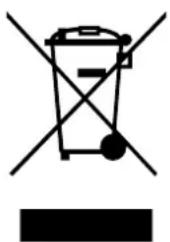
Symbol of a trash bin crossed with a diagonal line and a horizontal bar below (no text or labels)This symbol appearing on the product, on the product accessories or on the product packing means that the product must not be disposed as household waste. When the product/ battery durability is over, please, deliver the product or battery (if it is enclosed) to the respective collection point, where the electrical appliances or batteries will be recycled. The places, where the used electrical appliances are collected, exist in the European Union and in other European countries as well. By proper disposal of the product you can prevent possible negative impact
on environment and human health, which might otherwise occur as a consequence of improper manipulation with the product or battery/ accumulator. Recycling of materials contributes to protection of natural resources. Therefore, please, do not throw the old electrical appliances and batteries/ accumulators in the household waste. Information, where it is possible to leave the old electrical appliances for free, is provided at your local authority, at the store where you have bought the product. Information, where you can leave the batteries and accumulators for free, is provided to you at the store, at your local authority.
Poznámky / Notatka / Notes:
Poznámky / Notatka / Notes: