
STYLUS 710 - Digital Camera OLYMPUS - Free user manual and instructions
Find the device manual for free STYLUS 710 OLYMPUS in PDF.


Pick your language and provide your email: we'll send you a specifically translated version.
| Product type | Digital compact camera |
| Brand | OLYMPUS |
| Model | STYLUS 710 |
| Resolution | 7.1 megapixels |
| Optical zoom | 3x |
| Digital zoom | Up to 4x |
| Screen | LCD 2.5 inches (approx. 115,000 pixels) |
| Storage | xD-Picture Card (16 MB to 2 GB) |
| Power | Rechargeable lithium-ion battery LI-42B |
| Dimensions (L x H x D) | 94.8 x 55.9 x 22.7 mm |
| Weight | 141 g (without battery and card) |
| Main features | Scene modes, digital image stabilization, video recording (VGA), face detection |
| Care and cleaning | Clean the lens with a soft dry cloth; avoid moisture and shocks |
| Safety | Turn off the camera before removing the battery or memory card; use only recommended accessories |
| Spare parts and repairability | LI-42B battery, USB charger, USB cable, xD memory card (not included); repair by authorized service center |
| General information | Made in Japan; PC compatibility: Windows/Mac via USB cable |
Frequently Asked Questions - STYLUS 710 OLYMPUS
What type of memory card to use with the STYLUS 710?
The camera uses xD-Picture Card (16 MB to 2 GB). It is not compatible with SD or CompactFlash cards.
How to charge the battery?
Use the supplied USB charger or an optional AC charger. Connect the USB cable to the camera or place the battery in the dedicated charger.
What is the battery life?
The LI-42B battery provides approximately 200 shots per charge under normal conditions (with flash 50% of shots).
How to transfer photos to a computer?
Connect the camera via the supplied USB cable. The computer recognizes it as a removable disk. You can also use an xD card reader.
What to do if the camera does not turn on?
Check that the battery is charged and inserted correctly. If the problem persists, remove the battery, wait 30 seconds, and reinsert it.
How to reset to factory settings?
In the menu, go to 'Setup' then 'Reset'. Confirm to restore default settings.
Can I use the camera without a memory card?
Yes, internal memory allows storing about 10 photos at low resolution. For normal use, an xD card is recommended.
How to clean the lens?
Use a soft, dry microfiber cloth. Avoid liquid products. For stubborn spots, gently blow with a blower.
What shooting modes are available?
Modes include: Auto, Program, Scene (Portrait, Landscape, Sports, etc.), Video, and Assisted Panorama.
How to view photos on a TV?
Use the AV cable (not included) to connect the camera to a composite video input on the TV. Select the AV source on your TV.
User questions about STYLUS 710 OLYMPUS
0 question about this device. Answer the ones you know or ask your own.
Ask a new question about this device
No questions yet. Be the first to ask one.
Download the instructions for your Digital Camera in PDF format for free! Find your manual STYLUS 710 - OLYMPUS and take your electronic device back in hand. On this page are published all the documents necessary for the use of your device. STYLUS 710 by OLYMPUS.
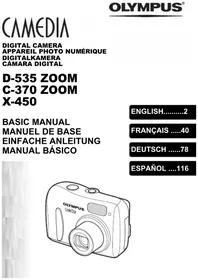
USER MANUAL STYLUS 710 OLYMPUS
Manual assistant
Powered by Anthropic
Waiting for your message
Product information
Brand : OLYMPUS
Model : STYLUS 710
Category : Digital Camera