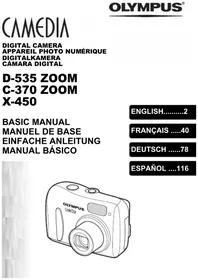
C-2040 ZOOM - Digital Camera OLYMPUS - Free user manual and instructions
Find the device manual for free C-2040 ZOOM OLYMPUS in PDF.


Pick your language and provide your email: we'll send you a specifically translated version.
| Brand | Olympus |
| Model | C-2040 ZOOM |
| Product type | Compact digital camera |
| Sensor resolution | 2.1 megapixels (1600 x 1200) |
| Optical zoom | 3x (35-105mm equivalent) |
| Aperture | f/1.8 - f/2.6 |
| LCD screen | 1.8 inches (114,000 pixels) |
| Viewfinder | Optical (rangefinder) |
| Storage media | SmartMedia card |
| Image formats | JPEG, TIFF |
| Video recording | 320 x 240 pixels (35 seconds max) |
| Power source | 4 AA batteries (LR6) or optional lithium-ion battery |
| Dimensions | 110 x 76 x 70 mm |
| Weight (without batteries) | 285 g |
| Main functions | Program, Aperture priority, Shutter priority, Manual modes; White balance; ISO 100-400; Built-in flash; Self-timer; Remote control connector |
| Maintenance and cleaning | Clean the exterior with a soft dry cloth; use a blower for the sensor; avoid solvents |
| Safety | Do not expose to shocks, humidity or high temperatures; remove batteries during prolonged storage |
| Spare parts and repairability | Parts available from authorized Olympus centers; repair possible by a qualified technician |
| General information | 148-page user manual available for download; manufacturer warranty 1 year |
Frequently Asked Questions - C-2040 ZOOM OLYMPUS
How to transfer photos from the Olympus C-2040 ZOOM to a computer?
Use a SmartMedia card reader or a USB cable (if your camera is equipped with the port). Connect the camera to the computer, turn it on in PC mode and copy the files.
What type of memory card to use?
The camera uses SmartMedia cards (3.3V) with a maximum capacity of 128 MB. SD cards are not compatible.
How to set manual focus?
Turn the focus ring on the lens after switching the AF/MF selector to MF. Use the focus aid (magnification) on the LCD screen.
What battery life with 4 AA batteries?
With new alkaline batteries, you can take about 200 to 300 photos depending on flash and LCD use. Use NiMH rechargeable batteries for better battery life.
How to reset to factory settings?
Go to the SETUP menu, select RESET and confirm. This clears all custom settings but not the photos on the card.
Can the camera record videos with sound?
Yes, the Olympus C-2040 ZOOM can record videos up to 35 seconds at 320x240 pixels with built-in mono sound.
How to use the self-timer?
Press the Self-timer button (clock) until the icon appears on the screen. Choose 12 seconds or 2 seconds. Press the shutter button to start the countdown.
What exposure modes are available?
The modes are: Program (P), Aperture priority (A), Shutter priority (S), Manual (M) and preset scenes (Portrait, Landscape, etc.).
Where to find the battery charger?
The charger is not included in the box. You can purchase a charger for AA NiMH batteries or the specific Olympus charger for the optional lithium-ion battery (LB-01).
How to clean the lens?
Use a special optical microfiber cloth and a blower to remove dust. Do not touch the lens with fingers. Do not use chemicals.
User questions about C-2040 ZOOM OLYMPUS
0 question about this device. Answer the ones you know or ask your own.
Ask a new question about this device
No questions yet. Be the first to ask one.
Download the instructions for your Digital Camera in PDF format for free! Find your manual C-2040 ZOOM - OLYMPUS and take your electronic device back in hand. On this page are published all the documents necessary for the use of your device. C-2040 ZOOM by OLYMPUS.