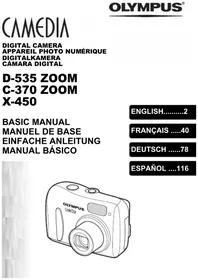
![OLYMPUS Μ [MJU:]-III 80 - Digital Camera](/assets/marques/52.png "Notice OLYMPUS Μ [MJU:]-III 80 — Digital Camera — Mode d'emploi PDF")
Μ [MJU:]-III 80 - Digital Camera OLYMPUS - Free user manual and instructions
Find the device manual for free Μ [MJU:]-III 80 OLYMPUS in PDF.

![Notice OLYMPUS Μ [MJU:]-III 80 - page 2](/file/2024/12/84388/page-02.webp)


Pick your language and provide your email: we'll send you a specifically translated version.
| Product type | Compact digital camera |
| Brand | OLYMPUS |
| Model | μ [MJU:]-III 80 |
| Dimensions (L x H x D) | 112 x 62 x 38 mm |
| Weight (without batteries) | 180 g |
| Power supply | 2 AA batteries or rechargeable lithium-ion battery |
| Sensor resolution | 3.2 megapixels |
| Optical zoom | 3x (equivalent 38-114 mm) |
| Digital zoom | 4x |
| LCD screen | 1.5 inches |
| Storage media | xD-Picture Card |
| Built-in flash | Yes (auto, red-eye reduction, forced, off) |
| Shooting modes | Auto, portrait, landscape, sports, night |
| Focus | Automatic (AF) with contrast detection |
| Exposure compensation | ±2 EV in 1/3 EV steps |
| White balance | Auto, daylight, cloudy, tungsten, fluorescent |
| Video output | NTSC/PAL |
| PC connection | USB 1.1 |
| Maintenance and cleaning | Clean the lens with a microfiber cloth; use a soft, dry cloth for the body |
| Safety | Avoid moisture and shocks; do not open the casing; use only approved accessories |
| Spare parts and repairability | Battery, charger, USB cable, memory card; repair possible at an authorized center |
| General information | Manual available for free download in PDF format at notice-facile.com |
Frequently Asked Questions - Μ [MJU:]-III 80 OLYMPUS
How to turn on the device?
Press the power button located on the top of the device. Wait for the screen to turn on.
What type of memory card is compatible?
The device uses Olympus xD-Picture Card (16 MB to 512 MB).
How to transfer photos to a computer?
Connect the device to the computer via the supplied USB cable, or use an xD card reader.
What to do if the screen remains black?
Check that the battery is charged and properly inserted. If the problem persists, contact an authorized repair center.
How to use the flash?
The flash fires automatically in Auto mode. You can disable or force it via the menu or dedicated button.
How to set the date and time?
Access the menu, select 'Settings' then 'Date/Time'. Use the directional keys to adjust.
The lens does not retract, what to do?
Turn the device off and on again. If the problem persists, remove the batteries, wait a few minutes, then reinsert them.
How to clean the lens?
Use a dry microfiber cloth. If dirt persists, slightly dampen the cloth with an optical cleaner.
Can I use rechargeable batteries?
Yes, NiMH AA rechargeable batteries can be used. Make sure to charge them fully before use.
Where to find the full manual?
Download the manual in PDF format for free at notice-facile.com by searching for the model OLYMPUS μ [MJU:]-III 80.
User questions about Μ [MJU:]-III 80 OLYMPUS
0 question about this device. Answer the ones you know or ask your own.
Ask a new question about this device
No questions yet. Be the first to ask one.
Download the instructions for your Digital Camera in PDF format for free! Find your manual Μ [MJU:]-III 80 - OLYMPUS and take your electronic device back in hand. On this page are published all the documents necessary for the use of your device. Μ [MJU:]-III 80 by OLYMPUS.