
Gammix S11 Pro - SSD XPG - Free user manual and instructions
Find the device manual for free Gammix S11 Pro XPG in PDF.


| Product Type | Internal SSD |
| Capacity | Up to 2TB |
| Interface | PCIe 3.0 x4, NVMe 1.3 |
| Form Factor | M.2 2280 |
| NAND Flash | 3D TLC NAND |
| Controller | Phison PS5012-E12 |
| Sequential Read Speed | Up to 3500 MB/s |
| Sequential Write Speed | Up to 3000 MB/s |
| Dimensions | 80 x 22 x 8.6 mm (with heatsink) |
| Weight | 18 g |
| Power Consumption (Active) | 3.0 W (typical) |
| Operating Temperature | 0°C to 70°C |
| Storage Temperature | -40°C to 85°C |
| Shock Resistance | 1500 G / 0.5 ms |
| Warranty | 5 years limited |
| Included Heatsink | Yes, aluminum heatsink with thermal pads |
| Supported Technologies | NVMe 1.3, TRIM, S.M.A.R.T., ECC, LDPC |
| Maintenance & Cleaning | No regular maintenance required. Keep away from dust and moisture. |
| Safety | Handle with care; avoid physical shock and static discharge. Do not disassemble. |
| Spare Parts & Repairability | Not user-serviceable. No spare parts available. |
Frequently Asked Questions - Gammix S11 Pro XPG
User questions about Gammix S11 Pro XPG
0 question about this device. Answer the ones you know or ask your own.
Ask a new question about this device
Download the instructions for your SSD in PDF format for free! Find your manual Gammix S11 Pro - XPG and take your electronic device back in hand. On this page are published all the documents necessary for the use of your device. Gammix S11 Pro by XPG.
USER MANUAL Gammix S11 Pro XPG
Chinese traditional 03 Portuguese 27
Chinese simple 07 Russian 31
English 11 Romanian 35
German 15 Spanish 39
Japanese 19 Turkish 43
Korean 23
INSTALLING AN M.2 SSD ON A LAPTOP PC
Chinese traditional 47 Portuguese 71
Chinese simple 51 Russian 75
English 55 Romanian 79
German 59 Spanish 83
Japanese 63 Turkish 87
Korean 67
HOW TO INSTALL AN M.2 SSD ON PLAYSTATION 5
Chinese traditional 91 Portuguese 127
Chinese simple 97 Russian 133
English 103 Romanian 139
German 109 Spanish 145
Japanese 115 Turkish 151
Korean 121
如何在桌機安裝
M.2 固態硬碟

natural_image
Exterior view of a computer monitor displaying a colorful circular light pattern, next to a black GPU RAM module labeled XPG (no text or symbols on the device itself)更換前準備步驟

natural_image
Interior view of a computer case with visible internal components and wiring (no text or symbols)1. 準備工具
2. 備份資料
natural_image
Hand inserting a socket into a server rack (no visible text or labels)natural_image
Hand placing a hard drive into a black server rack with visible internal components (no text or symbols)1. 將主機機殼卸下
natural_image
Interior view of a computer motherboard with CPU socket, RAM slots, and visible indicator lights (no text or symbols)natural_image
Close-up of a hand holding a computer monitor with visible circuit board and hardware (no readable text or symbols)3. 對準 M.2 插槽、插上固態硬碟
natural_image
Close-up of hands assembling electronic components with a computer motherboard (no visible text or symbols)4. 拴上螺絲固態硬碟
再以螺絲起子固定M.2固態硬碟。
natural_image
Close-up of a hand inserting a component into a black server rack (no visible text or symbols)5.重新裝上機殼
natural_image
Close-up of a hand inserting a black rack into a server rack with multiple drive bays (no visible text or labels)natural_image
Exterior view of a computer RAM module with a colorful circular lens and XPG chip, set against a red background (no text or symbols on main components)更换前准备步骤

natural_image
Interior view of a computer tower case showing exposed wiring and internal components (no visible text or labels)1. 准备工具
2.备份数据
natural_image
Hand inserting a rack into a server rack with ventilation grilles (no visible text or labels)natural_image
Hand placing a hard drive into a black server rack with visible internal components (no text or symbols)1. 将机箱侧板卸下
natural_image
Interior view of a computer motherboard with CPU socket, RAM slots, and visible indicator lights (no text or symbols)natural_image
Close-up of a hand holding a computer monitor with visible circuit board and hardware (no readable text or symbols)3.对准M.2插槽、插上固态硬盘
natural_image
Close-up of hands assembling electronic components with a computer motherboard (no visible text or symbols)4.拧上螺丝以固定固态硬盘
再以螺丝起子固定M.2固态硬盘。
natural_image
Close-up of a hand inserting a component into a black server rack (no visible text or symbols)5.重新装上机箱侧板
natural_image
Close-up of a hand inserting a black rack into a server rack with multiple drive bays (no visible text or labels)natural_image
Exterior view of a computer RAM module with a colorful circular lens and XPG chip, set against a red background (no text or symbols on main components)BEFORE INSTALLATION
natural_image
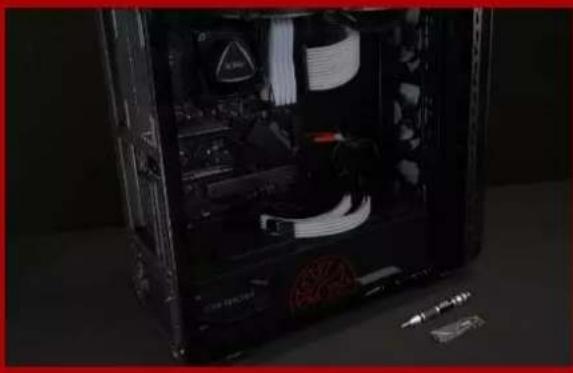
Interior view of a computer case with visible internal components and connectors (no text or symbols)1. GATHER THE THINGS YOU'LL NEED
PC, Phillips screwdrivers, and XPG M.2 SSD
*Please use a standard Phillips screwdriver (3.5mm) for disassembling the case; and a smaller Phillips screwdriver for installing the M.2 solid state drive as it uses screws with a diameter of 1.85-1.98mm

Make sure to backup the important data on your PC to an external device, such as an external HDD, before starting installation.

After backing up your data, power off your PC to avoid data loss or damage to other components during installation.

natural_image
Hand inserting a rack into a server rack unit (no visible text or labels)4. SWITCH OFF THE POWER SWITCH AND UNPLUG POWER CORD
This action is necessary to discharge residual power that can damage your PC and its components.
*The location of the power switch may vary by PC, please check your user manual.
INSTALLATION

natural_image
Hand placing a hard disk into a black computer tower case with visible internal components (no text or symbols)1. REMOVE THE PC CASE
Use the standard Philips screwdriver to remove the screws and then remove the PC case

natural_image
Interior view of a computer motherboard showing CPU socket, RAM slots, and drive bays (no visible text or symbols)2. LOCATE THE M.2 PCIE SLOT AND CONFIRM THERE ARE SCREWS
Locate the M.2 PCIe slot, ensure the SSD will fit, and confirm there are screws present.
*The location of slots may vary by PC. Please check your PC's user manual for more information.
**Generally speaking, the screws that secure the SSD in place will be installed on the motherboard when the PC is shipped from the factory.
natural_image
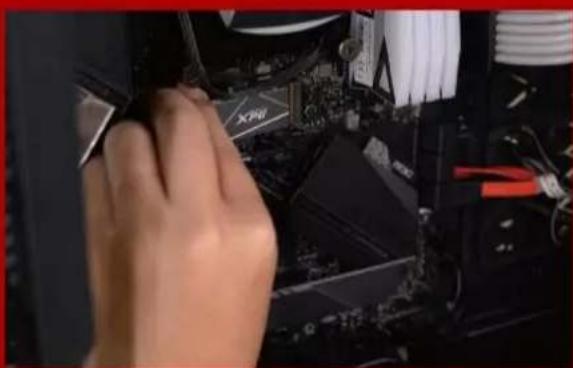
Close-up of a hand holding a computer motherboard with visible CPU socket and drive lights (no text or symbols)3. ALIGN THE M.2 SLOT AND INSERT THE SOLID STATE DRIVE
Use your small Phillips screwdriver to remove the screws on the motherboard. Align the notches in the SSD with the ridges in the PCIe slot, then insert at a an angle. Give it a final push to ensure it is securely in place.
* The slot has a foolproof design. Please insert the SSD in the direction corresponding to the pins on the solid state drive and the slot. Do not insert it forcibly to avoid damage to the product.

natural_image
Close-up of a hand using a tool to adjust or install electronic components (no visible text or symbols)4. FASTEN THE SCREWS TO SECURE THE SSD
Use your small Phillips screwdriver to secure the SSD into place.

natural_image
Close-up of a hand inserting a component into a black server rack (no visible text or symbols)5. RESEMBLE THE CASE
*Do not overtighten the screws as it may damage the screws ad back plate

natural_image
Close-up of a hand inserting a black rack into a server rack with multiple drive bays (no visible text or labels)6. PLUG IN THE POWER CORD AND POWER ON THE PC TO COMPLETE INSTALLATION
EINE M.2-SSD AN EINEM
DESKTOP-PC INSTALLIEREN
natural_image
Exterior view of a computer RAM module with a colorful circular lens and XPG chip, set against a red background (no text or symbols on main components)VOR DER INSTALLATION
1. ALLES NÖ TIGE ZUSAMMENTRAGEN

natural_image
Interior view of a computer case with visible internal components and connectors (no text or symbols)2. IHRE DATEN SICHERN
natural_image
Hand inserting a rack into a server rack unit (no visible text or labels)natural_image
Hand placing a hard drive into a black internal computer tower case (no visible text or symbols)1. PC-GEHÄ USE ENTFERNEN
natural_image
Interior view of a computer motherboard showing CPU socket, RAM slots, and motherboard (no visible text or symbols)2. M.2-PCIE-STECKPLATZ AUSFINDIG MACHEN UND SICHERSTELLEN, DASS SCHRAUBENVORHANDENSIND
natural_image
Close-up of a hand holding a computer monitor, with visible CPU socket and motherboard (no text or symbols)natural_image
Close-up of a hand inserting a component into a computer motherboard (no visible text or symbols)natural_image
Close-up of a hand inserting a device into a black server rack with visible internal components (no text or symbols)5. GEHÄ USE WIEDER ZUSAMMENBAUEN
natural_image
Close-up of a hand pressing a black rack-mounted server unit with multiple drive bays (no visible text or labels)natural_image
Exterior view of a computer RAM module with a colorful circular light source on its screen, next to a black GPU RAM card labeled 'XPG' (no text or symbols on the hardware itself)交換前の準備
natural_image
Interior view of a computer tower case showing exposed circuitry and internal components (no visible text or labels)1. 準備するもの
2. データのバックアップ
natural_image
Hand inserting a rack into a server rack with ventilation grilles (no visible text or labels)natural_image
Hand placing a hard drive into a black server rack with visible internal components (no text or symbols)1. パソコン本体のケースを取り外す
natural_image
Interior view of a computer motherboard with CPU socket, RAM slots, and visible wiring (no text or symbols)natural_image
Close-up of a hand holding a computer monitor with visible circuit board and hardware (no readable text or symbols)3. M.2スロットにSSDを差し込む
natural_image
Close-up of hands assembling electronic components with a computer motherboard (no visible text or symbols)4. SSDをねじで 固 定する
natural_image
Close-up of a hand inserting a component into a black server rack (no visible text or symbols)5. ケースを元の位置に取り付ける
natural_image
Close-up of a hand inserting a black rack into a server rack with multiple drive bays (no visible text or labels)natural_image
Interior view of a computer tower case showing exposed circuitry and internal components (no visible text or labels)1.필요한 도구 준비
2.데이터 백업
3.PC전원 끄기
natural_image
Hand inserting a rack into a server rack with ventilation grilles (no visible text or labels)natural_image
Hand placing a hard drive into a black server rack with visible internal components (no text or symbols)1.PC케이스 제거
natural_image
Interior view of a computer motherboard with CPU socket, RAM slots, and visible CPU socket (no text or symbols)natural_image
Close-up of a hand holding a computer monitor with visible circuit board and hardware (no readable text or symbols)natural_image
Close-up of hands assembling electronic components with a computer motherboard (no visible text or symbols)4. 나사를 조여서 SSD 고정
natural_image
Close-up of a hand holding a black server rack with visible internal components and a small tool nearby (no text or symbols)5.케이스 재조립
natural_image
Close-up of a hand pressing a button on a black server rack with multiple ports (no visible text or labels)natural_image
Exterior view of a computer RAM module with a colorful circular lens and XPG chip, set against a red background (no text or symbols on main components)natural_image
Interior view of a computer case with visible internal components and connectors (no text or symbols)1. REÚ NA AS COISAS QUE VOCÊ PRECISA
PC, chaves de fenda Phillips e SSD XPG M.2
2. FAÇ A BACKUP DE SEUS DADOS
natural_image
Hand inserting a rack into a server rack unit (no visible text or labels)natural_image
Hand placing a hard drive into a black internal computer tower case (no visible text or symbols)1. REMOVA O GABINETE DO PC
natural_image
Interior view of a computer motherboard showing CPU socket, RAM slots, and motherboard (no visible text or symbols)2. LOCALIZE O SLOT M.2 PCIE E CONFIRME SE HÁ PARAFUSOS
natural_image
Close-up of a hand holding a computer monitor, with visible CPU socket and motherboard (no text or symbols)3. ALINHE O SLOT M.2 E INSIRA A UNIDADE DE ESTADO SÓ LIDO
natural_image
Close-up of a hand inserting a component into a computer motherboard (no visible text or symbols)4. APERTE OS PARAFUSOS PARA PRENDER O SSD
natural_image
Close-up of a hand holding a black CPU tower case with visible internal components and a small tool nearby (no text or symbols)natural_image
Close-up of a hand pressing a black rack-mounted server unit with multiple drive bays (no visible text or labels)natural_image
Interior view of a computer case with visible internal components and wiring (no text or symbols)2.ЗАРЕЗЕРВИРУЙТЕ ДАННЫЕ
natural_image
Hand inserting a rack into a server rack unit (no visible text or labels)4.ОТКЛЮЧИТЕ ШНУР ПИТАНИЯ БАТАРЕЮ
natural_image
Hand placing a hard drive into a black server rack with visible internal components (no text or symbols)1. СНИМИТЕ ЗАДНЮЮ ПЛАСТИНУ ПК
natural_image
Interior view of a computer motherboard showing CPU socket, RAM slots, and drive bays (no visible text or symbols)natural_image
Close-up of a hand holding a computer monitor with visible circuit board and hardware (no readable text or symbols)natural_image
Close-up of hands assembling electronic components with a computer motherboard (no visible text or symbols)natural_image
Close-up of a hand holding a black CPU tower case with visible internal components and a small tool nearby (no text or symbols)5.ЗАКРЕПИТЕ ЗАДНЮЮ ПЛАСТИН НА МЕСТЕ
natural_image
Close-up of a hand pressing a black rack-mounted server unit with multiple drive bays (no visible text or labels)natural_image
Exterior view of a computer RAM module next to a colorful circular display with a glowing ring, set against a red background (no text or symbols on the main components)Î NAINTE DE INSTALARE

natural_image
Interior view of a computer case with visible internal components and a small tool on the right (no text or symbols)1. ADUNATI LUCRURILE DE CARE VEȚI AVEA NEVOIE
2. FACETI O COPIE DE REZERVĂ A DATELOR
natural_image
Hand inserting a black rack into a server rack with multiple drive bays (no visible text or labels)4. DECONECTATI ALIMENTAREA CU ENERGIE ŞI CABLUL DE ALIMENTARE
natural_image
Hand placing a hard drive into a black computer tower case (no visible text or symbols)1. SCOATEȚI CARCASA PC-ULUI
natural_image
Interior view of a computer motherboard showing CPU socket, RAM slots, and drive bays (no visible text or symbols)2. LOCALIZATI FANTA M.2 PCIE ŞI CONFIRMAȚI CĂ EXISTĂ ŞURUBURI
natural_image
Close-up of a hand holding a computer motherboard with CPU socket and monitor (no visible text or symbols)3.ALINIATI FANTA M.2 ŞI INTRODUCETI UNITATEA SOLID STATE
natural_image
Close-up of hands operating a computer motherboard with a computer monitor and keyboard (no visible text or symbols)4. STRÂ NGETI ŞURUBURILE PENTRU À FIXA SSD
natural_image
Close-up of a hand inserting a device into a black server tower case, with visible internal components and no text or symbols.5.REASAMBLATICARCASA
natural_image
Close-up of a hand inserting a rack-mounted server into a black rack unit (no visible text or labels)6.CONECTATICABLULDE ALIMENTARE ŞI PORNITI PC-UL PENTRUAFINALIZA INSTALAREA
INSTALARUNAUNIDAD
DEESTADOSÓLIDOM.2
ENUNEQUIPODE
SOBREMESA
natural_image
Interior view of a computer case with visible internal components and connectors (no text or symbols)1. REUNIR LOS ELEMENTOS QUE NECESITARÁ
natural_image
Hand inserting a rack into a server rack unit (no visible text or labels)natural_image
Hand placing a hard drive into a black server rack with visible internal components (no text or symbols)1. QUITAR LA CARCASA DELEQUIPO
natural_image
Interior view of a computer motherboard with CPU socket, RAM slots, and visible wiring (no text or symbols)natural_image
Close-up of a hand holding a computer monitor with visible circuit board and hardware (no readable text or symbols)3. ALINEARLARANURAM.2EINSERTA LA UNIDAD DE ESTADO SÓLIDO
natural_image
Close-up of hands assembling electronic components with a computer motherboard (no visible text or symbols)natural_image
Close-up of a hand holding a black CPU tower case with visible internal components and a small tool nearby (no text or symbols)5. VOLVER A MONTAR LA CARCASA
natural_image
Close-up of a hand pressing a black rack-mounted server unit with multiple drive bays (no visible text or labels)natural_image
Exterior view of a computer RAM module and a XPG processor on a red surface (no text or symbols on main components)KURULUM
natural_image
Interior view of a computer case with visible internal components and connectors (no text or symbols)1. İHTIYACINIZ OLACAK ŞEYLERI TOPLAYIN
PC, Phillips tornavidalar ve XPG M.2 SSD
2. VERILERINIZI YEDEKLEYIN
natural_image
Hand inserting a rack into a server rack unit (no visible text or labels)4. GÜ Ç ANAHTARINI KAPATIN VE GÜ Ç KABLOSUNU Ç IKARIN
natural_image
Hand placing a hard drive into a black internal computer tower case (no visible text or symbols)1. PC KASASINI Ç IKARIN
natural_image
Interior view of a computer motherboard showing CPU socket, RAM slots, and motherboard (no visible text or symbols)2. M.2 PCIE YUVASINI BULUN VE VIDALARIN BULUNDUĞUNU DOĞRULAYIN
natural_image
Close-up of a hand holding a computer monitor, with visible CPU socket and motherboard (no text or symbols)3. M.2 YUVASINI HIZALAYIN VE KATI HAL SÜ RÜ CÜ SÜ NÜ TAKIN
natural_image
Close-up of a hand inserting a component into a computer motherboard (no visible text or symbols)4. SSD'YI SABITLEMEK IÇ IN VIDALARI SIKIN
natural_image
Close-up of a hand holding a black CPU tower case with visible internal components and a small tool nearby (no text or symbols)5. DAVAYA BENZEYEN
natural_image
Close-up of a hand pressing a black rack-mounted server unit with multiple drive bays (no visible text or labels)6. KURULUMU TAMAMLAMAK IÇ IN GÜ Ç KABLOSUNU TAKIN VE BILGISAYARI AÇ IN
如何在筆電安裝
M.2固態硬碟
更換前準備步驟

1. 準備工具
2. 備份資料
natural_image
Close-up of human hands and foot resting on a dark surface, with no visible text or symbols4.將電源線及電池拔除
natural_image
Close-up of hands installing a small electronic component on a laptop back (no visible text or symbols)1. 將主機背板卸下
natural_image
Top-down view of a laptop showing internal circuit board and ventilation ducts (no text or symbols visible)natural_image
Close-up of a hand inserting a XPG into a computer motherboard with visible circuit board (no text or symbols)3.對準M.2插槽、插上固態硬碟
natural_image
Close-up of hands using a screwdriver to adjust or install electronic components on a circuit board (no visible text or symbols)4.拴上螺絲以固定固態硬碟
再以螺絲起子固定M.2固態硬碟。
5.重新蓋上背板
natural_image
Close-up of a person's lower body and upper leg resting on a dark surface, with no visible text or symbols.2.备份数据
natural_image
Close-up of human hands and foot resting on a dark surface, with no visible text or symbols4. 将电源线及电池拔除
natural_image
Close-up of hands installing a small electronic component on a laptop back (no visible text or symbols)1. 将电脑背板卸下
natural_image
Top-down view of a laptop showing internal circuit board and ventilation ducts (no text or symbols visible)natural_image
Close-up of a hand inserting a XPG into a computer motherboard with visible circuit board (no text or symbols)3. 对准M.2插槽、插上固态硬盘
natural_image
Close-up of hands using a screwdriver to adjust a XPG chip on a computer motherboard (no visible text or symbols)4.拴上螺丝以固定固态硬盘
再以螺丝起子固定M.2固态硬盘。
5.重新盖上背板
natural_image
Close-up of hands resting on a dark surface, possibly a laptop or tablet device (no visible text or symbols)1. GATHER THE THINGS YOU'LL NEED
PC, Phillips screwdrivers, and XPG M.2 SSD
*Please use a standard Phillips screwdriver (3.5mm) for disassembling the case; and a smaller Phillips screwdriver for installing the M.2 solid state drive as it uses screws with a diameter of 1.85-1.98mm.

Make sure to backup the important data on your PC to an external device, such as an external HDD, before starting installation.
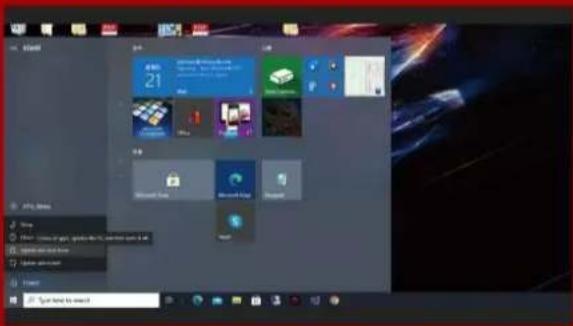
After backing up your data, power off your PC to avoid data loss or damage to other components during installation.
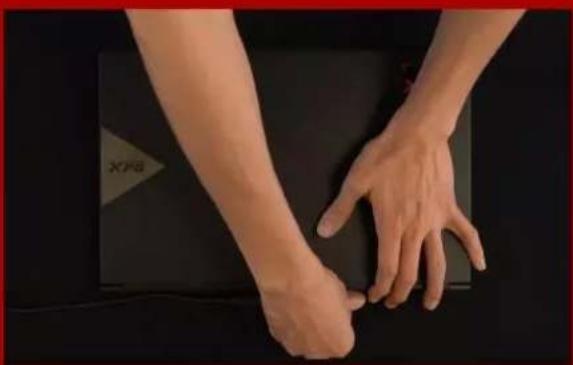
natural_image
Close-up of human hands resting on a dark surface, no visible text or symbols4. UNPLUG POWER CORD AND BATTERY
This action is necessary to discharge residual power that can damage your PC and its components.
*The battery removal step applies only to laptops when it's possible to remove the battery. To see how to remove the battery, refer to your user manual.
INSTALLATION

1. REMOVE YOUR PC'S BACK PLATE
Use your standard Phillips screwdriver to remove the screws from the back plate.
*If you are unsure how to do this, refer to your user manual
natural_image
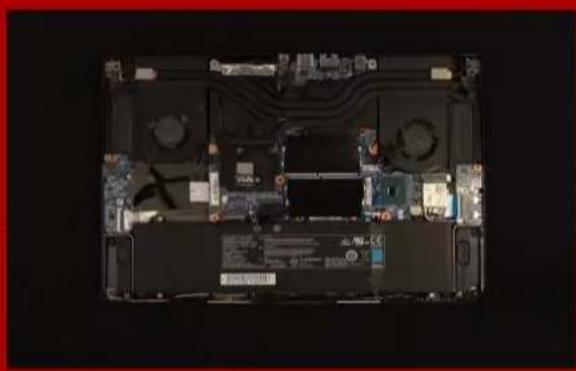
Top-down view of a laptop's front open showing internal circuitry and ventilation (no visible text or symbols)2. LOCATE THE M.2 PCIe SLOT AND CONFIRM THERE ARE SCREWS
Locate the M.2 PCIe slot, ensure the SSD will fit and confirm there are screws present.
*The location of slots may vary by PC. Please check your PC's user manual for more information.
**Generally speaking, the screws that secure the SSD in place will be installed on the motherboard when the laptop is shipped from the factory.

natural_image
Close-up of a hand pressing a component labeled 'XPG' on a computer motherboard (no readable text or symbols beyond label)3. ALIGN THE M.2 SLOT AND INSERT THE SOLID STATE DRIVE
Use your small Phillips screwdriver to remove the screws on the motherboard. Align the notches in the SSD with the ridges in the PCIe slot, then insert at a an angle. Give it a final push to ensure it is securely in place.
*The slot has a foolproof design. Please insert the SSD in the direction corresponding to the pins on the solid state drive and the slot. Do not insert it forcibly to avoid damage to the product.
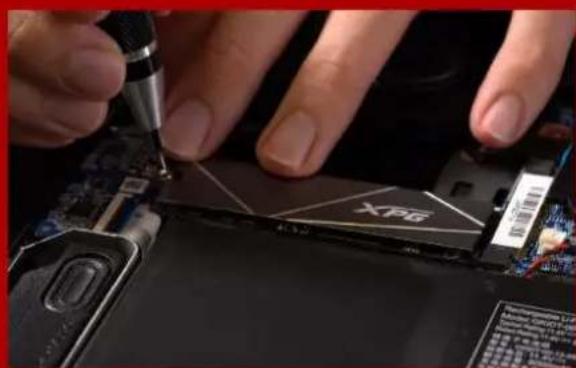
natural_image
Close-up of hands using a screwdriver to adjust a device into a black CPU socket (no visible text or symbols)4. FASTEN THE SCREWS TO SECURE THE SSD
Use your small Phillips screwdriver to secure the SSD into place.
*Do not overtighten the screws

5. SECURE THE BACK PLATE INTO PLACE
*Do not overtighten the screws as it may cause damage
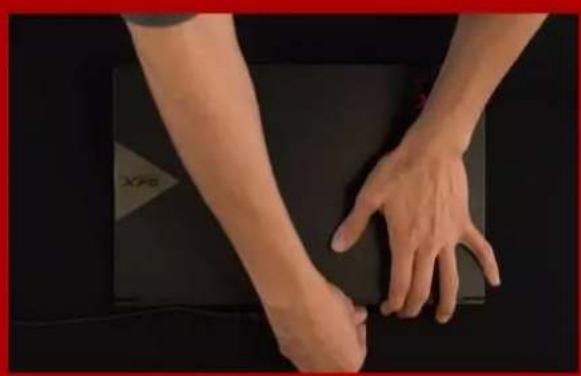
natural_image
Close-up of a person's lower legs and hands resting on a dark surface, with no visible text or symbols.6. PLUG IN THE POWER CORD AND POWER ON THE PC TO COMPLETE INSTALLATION
EINE M.2-SSD AN EINEM LAPTOP-PC INSTALLIEREN
VOR DER INSTALLATION

1. ALLES NÖ TIGE ZUSAMMENTRAGEN
2.IHRE DATEN SICHERN
3.IHREN PC ABSCHALTEN
natural_image
Close-up of human hands and foot resting on a dark surface, with no visible text or symbols4.NETZKABEL UND AKKU TRENNEN
1. RÜ CKPLATTE IHRES PCS ENTFERNEN
natural_image
Top-down view of a laptop's internal circuit board showing battery, CPU, and drive components (no text or symbols visible)2.M.2-PCIE-STECKPLATZ AUSFINDIG MACHENUND SICHERSTELLEN, DASS SCHRAUBEN VORHANDEN SIND
natural_image
Close-up of a hand inserting a XPG into a computer motherboard (no visible text or symbols)natural_image
Close-up of hands using a screwdriver to adjust a 3D graphics card into a circuit board (no visible text or symbols)5.RÜCKPLATTE WIEDER EINSETZEN
natural_image
Close-up of human hands resting on a dark surface, no visible text or symbols2. データのバックアップ
natural_image
Close-up of human hands resting on a dark surface, no visible text or symbols4. 電源ーブルとバッテリーを取り外す
1. パソコンのバックパネルを取り外す
natural_image
Top-down view of a laptop's internal circuit board showing components like CPU, memory, and drive lights (no text or symbols visible)natural_image
Close-up of a hand pressing a black XPG chip into a computer motherboard (no visible text or symbols)3. M.2スロットにSSDを差し込む
natural_image
Close-up of hands using a tool to adjust or repair a device component labeled 'XPG' (no readable text beyond label)4. SSDをねじで固定する
natural_image
Close-up of a person's lower legs and hands resting on a dark surface, with no visible text or symbols.2.데이터 백업
natural_image
Close-up of human hands and foot resting on a dark surface, with no visible text or symbols4.전원 코드와 배터리 분리
1.PC뒤판 제거
natural_image
Top-down view of a laptop's internal circuit board showing components like CPU, memory, and drive lights (no text or symbols visible)natural_image
Close-up of a hand pressing a black XPG chip into a computer motherboard (no visible text or symbols)natural_image
Close-up of hands using a tool to adjust or repair a device component labeled 'XPG' (no readable text beyond label)4.나사를 조여서SSD고정
5.뒤판 제자리에 고정
natural_image
Close-up of a person's lower body and upper leg resting on a dark surface, with no visible text or symbols.1. REÚ NA AS COISAS QUE VOCÊ PRECISA
PC, chaves de fenda Phillips e SSD XPG M.2
2. FAÇ A BACKUP DE SEUS DADOS
3. DESLIGUE SEU PC
natural_image
Close-up of human hands resting on a dark surface, no visible text or symbols1. REMOVA A PLACA TRASEIRA DO SEU PC
natural_image
Top-down view of a laptop's internal circuit board showing battery, CPU, and drive components (no text or symbols visible)2. LOCALIZE O SLOT M.2 PCIE E CONFIRME SE HÁ PARAFUSOS
natural_image
Close-up of a hand inserting a XPG into a computer motherboard (no visible text or symbols)3. ALINHE O SLOT M.2 E INSIRA A UNIDADE DE ESTADO SÓ LIDO
natural_image
Close-up of hands using a screwdriver to adjust a XPG chip on a computer motherboard (no visible text or symbols)4.APERTE OS PARAFUSOS PARA PRENDER O SSD
5. PRENDA A PLACA TRASEIRA NO LUGAR
natural_image
Close-up of human hands resting on a dark surface, no visible text or symbols2.ЗАРЕЗЕРВИРУЙТЕ ДАННЫЕ
natural_image
Close-up of human hands and foot resting on a dark surface, with no visible text or symbolsnatural_image
Top-down view of a laptop's front open showing internal circuit board and drive components (no text or symbols visible)natural_image
Close-up of a hand inserting a CPU into a motherboard with visible drive bays and a logo (no readable text or symbols)natural_image
Close-up of hands using a tool to adjust or install electronic components on a circuit board (no visible text or symbols)5.ЗАКРЕПИТЕ ЗАДНЮЮ ПЛАСТИН НА МЕСТЕ
natural_image
Close-up of human hands resting on a dark surface, no visible text or symbols2. FACETI O COPIE DE REZERVĂ A DATELOR
3.OPRIȚI PC-UL
natural_image
Close-up of human hands resting on a dark surface, no visible text or symbols4. DECONECTATI CABLUL DE ALIMENTARE ŞI BATERIA
natural_image
Close-up of hands installing a small electronic component on a black laptop back (no visible text or symbols)1. SCOATEȚI PLACA DIN SPATE A PC-ULUI
natural_image
Top-down view of a laptop chassis showing internal circuitry and ventilation (no text or symbols visible)natural_image
Close-up of a hand pressing a component labeled 'XPG' on a computer motherboard (no readable text or symbols beyond label)3. ALINIATI FANTA M.2 Ş INTRODUCETI UNITATEA SOLID STATE
natural_image
Close-up of hands using a screwdriver to adjust a device on a circuit board (no visible text or symbols)4. STRÂ NGETI ŞURUBURILE PENTRU À FIXA SSD
5. FIXAREA PLĂCII DIN SPATE ÎN POZIȚIE
natural_image
Close-up of hands performing a physical maneuver on a dark surface, no visible text or symbols6.CONECTATI CABLUL DE ALIMENTARE ŞI PORNITI PC-UL PENTRU A FINALIZA INSTALAREA
INSTALAR UNA UNIDAD DE ESTADO SÓ LIDO M.2 EN UN EQUIPO PORTÁTIL
natural_image
Close-up of human hands and foot resting on a dark surface, with no visible text or symbols1. RETIRAR LA PLACA POSTERIOR DE SU PC
natural_image
Top-down view of a laptop's internal circuit board showing battery, CPU, and drive components (no text or symbols visible)2. LOCALIZAR LA RANURA PCIE M.2 Y CONFIRMAR QUE TIENE TORNILLOS
natural_image
Close-up of a hand inserting a XPG into a computer motherboard (no visible text or symbols)3.ALINEAR LA RANURA M.2 E INSERTAR LA UNIDAD DE ESTADO SÓ LIDO
natural_image
Close-up of hands using a screwdriver to adjust a 3D graphics card into a circuit board (no visible text or symbols)5. ASEGURAR LA PLACA POSTERIOR EN SU LUGAR
natural_image
Close-up of human hands resting on a dark surface, no visible text or symbols6. ENCHUFAR EL CABLE DE ALIMENTACIÓ N Y ENCENDER EL EQUIPO PARA COMPLETAR LA INSTALACIÓ N
2. VERILERINIZI YEDEKLEYIN
3. PC'NIZI KAPATIN
natural_image
Close-up of human hands and foot resting on a dark surface, with a small triangular symbol in the background (no readable text or symbols)4. GÜ Ç KABLOSUNU VE PILI Ç IKARIN
natural_image
Top-down view of a laptop showing internal circuit board and ventilation system (no text or symbols visible)2. M.2 PCIE YUVASINI BULUN VE VIDALARIN BULUNDUĞUNU DOĞRULAYIN
natural_image
Close-up of a hand inserting a XPG into a computer motherboard (no visible text or symbols)3. M.2 YUVASINI HIZALAYIN VE KATI HAL SÜ RÜ CÜ SÜ NÜ TAKIN
natural_image
Close-up of hands using a screwdriver to adjust a 3D graphics card into a circuit board (no visible text or symbols)4. SSD'YI SABITLEMEK IÇ IN VIDALARI SIKIN
5. ARKA PLAKAYI YERINE SABITLEYIN
natural_image
Close-up of human hands resting on a dark surface, no visible text or symbols4. KURULUMU TAMAMLAMAK IÇ IN GÜ Ç KABLOSUNU TAKIN VE BILGISAYARI AÇ IN
如何在PS5主機安裝
M.2固態硬碟

natural_image
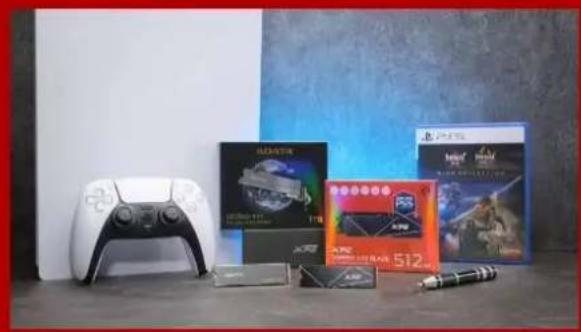
Blue-tinted image of a PlayStation 3 console and a game controller, no visible text or symbols on the device surfaces.安裝前準備步驟

natural_image
Product display featuring PlayStation 5.12, Xbox Series 10.3, and various gaming consoles on a table (no visible text or symbols)需要的工具有:
- 將PS5主機關機。

natural_image
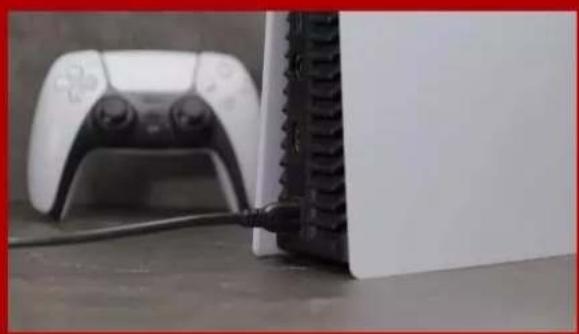
Close-up of a white gaming controller next to a black Sony PC, with cable inserted (no visible text or symbols)3.移除所有主機上的線材跟裝置。
安裝固態硬碟步驟

natural_image
Hands holding a white rectangular object on a dark surface, no visible text or symbolsnatural_image
Close-up of a white plastic panel edge with a slot, resting on a gray surface (no text or symbols visible)2.用左手緊握PS5主機的左上角。

natural_image
Hand holding a white sheet of paper against a dark tiled background (no text or symbols visible)natural_image
Close-up of a mechanical component with a screwdriver inserted, showing internal structure (no text or symbols visible)natural_image
Close-up of a mechanical component with mounting holes and a green panel, mounted on a metal frame (no visible text or symbols)- 接著會看到綠色底的固態硬碟擴充插槽。
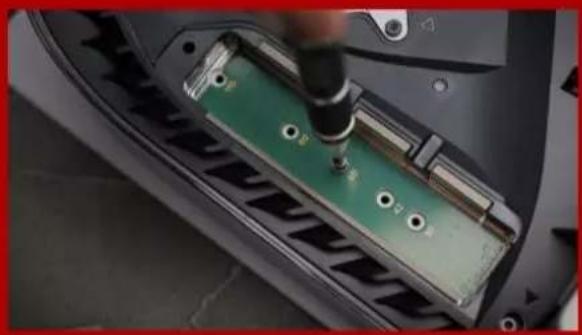
natural_image
Close-up of a car's front panel with a green circuit board being inserted, no visible text or symbolsnatural_image
Close-up of a car's front panel showing internal components and battery pack (no text or symbols visible)natural_image
Close-up of a 3D printer's internal structure with XPG logo and metallic frame (no readable text or symbols beyond branding)natural_image
Close-up of a hand using a screwdriver to adjust or install electronic components on a device casing (no visible text or symbols)- 再將螺絲旋緊,固定固態硬碟。
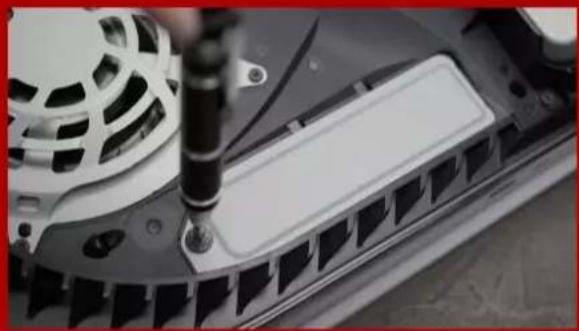
natural_image
Close-up of a mechanical component with a screwdriver inserted, showing internal structure (no visible text or symbols)- 重新蓋上擴充插上蓋。

natural_image
Close-up of a black electronic device with a circular fan and ventilation grille, placed on a flat surface (no visible text or symbols)natural_image
Close-up of a white gaming device with black buttons and a game controller on a textured floor (no visible text or symbols)- 重新連接電線並啟動您的PS5主機。
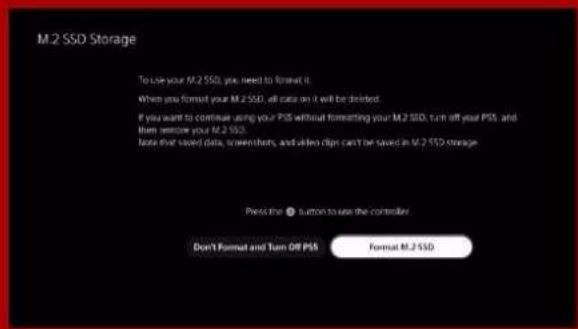
13. 按照重新格式化說明操作。

14. 您已完成!
natural_image
Blue-tinted image of a PlayStation 3 console and a game controller, no visible text or symbols on the device surfaces.安装前准备步骤

natural_image
Product display featuring a game controller, multiple video and DVD units, and a pen on a table (no visible text or symbols)需要的工具有:
-XPG M.2固态硬盘
-十字型螺丝刀
-PS5主机

- 将PS5主机关机。

natural_image
Close-up of a white game controller and a black Sony PC connected to a cable, no visible text or symbols- 移除所有主机上的线材跟装置。
安装固态硬盘步骤
natural_image
Hands holding a white rectangular object on a dark surface, no visible text or symbolsnatural_image
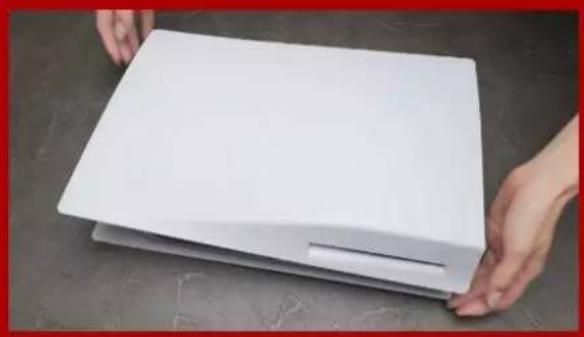
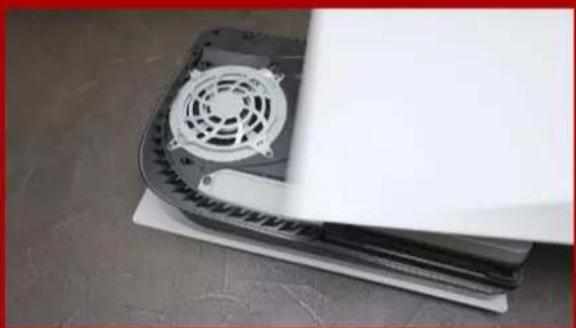
Close-up of a white plastic panel edge with a slot, resting on a gray surface (no text or symbols visible)- 用左手紧握PS5主机的左上角。

natural_image
Hand holding a white sheet of paper against a dark tiled background (no text or symbols visible)- 用右手拉动,然后向左滑动背板以拆除机壳上盖。

natural_image
Close-up of a mechanical component with a screwdriver inserted, showing internal structure (no text or symbols visible)- 松开螺丝以拆除固态硬盘扩充槽的盖子。

natural_image
Close-up of a mechanical component with mounting holes and a green panel, mounted on a metal frame (no visible text or symbols)- 接着会看到绿色底的固态硬盘扩充插槽。

natural_image
Close-up of a car's front panel with a green circuit board being inserted, no visible text or symbolsnatural_image
Close-up of a car's front panel showing internal components and battery pack (no text or symbols visible)natural_image
Close-up of a 3D printer's internal structure with XPG logo and metallic frame (no readable text or symbols beyond branding)natural_image
Close-up of a hand using a screwdriver to adjust internal components on a device (no visible text or symbols)- 再将螺丝旋紧,固定固态硬盘。

natural_image
Close-up of a mechanical component with a screwdriver inserted, showing internal structure (no visible text or symbols)- 重新盖上扩充插上盖。
natural_image
Close-up of a black electronic device with a circular fan and ventilation grille, placed on a flat surface (no visible text or symbols)natural_image
Close-up of a white gaming device with black buttons and a game controller on a textured floor (no visible text or symbols)- 重新连接电线并启动您的PS5主机。

13. 按照重新格式化说明操作。

natural_image
Blue-tinted image of a PlayStation 3 console and a game controller, no visible text or symbols on the device surfaces.BEFORE INSTALLATION

natural_image
Product display of PlayStation 5.12 and Xbox consoles on a table, including a game controller, hard drives, and a pen (no visible text or symbols)WHAT YOU'LL NEED :
- XPG M.2 SSD
- Phillips head screwdriver
- PS5

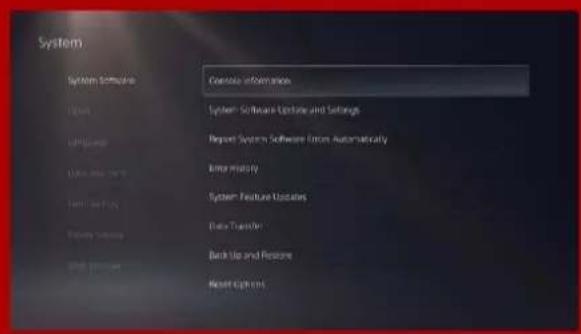
- ENSURE YOU HAVE THE LATESTPS5 SOFTWARE UPDATES.

- TURN OFF YOUR PS5.

natural_image
Close-up of a white gaming controller connected to a black electronic device (no visible text or symbols)- DISCONNECT ALL CABLES AND DEVICES.
INSTALLATION
natural_image
Hands holding a white rectangular object on a dark surface (no text or symbols visible)- LAY THE PS5 FLAT WITH THE LOGO SIDE FACING DOWNWARDS.
natural_image
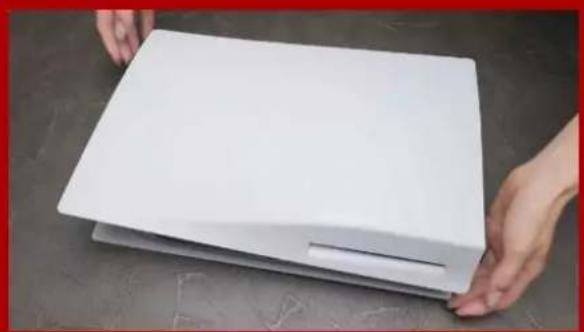
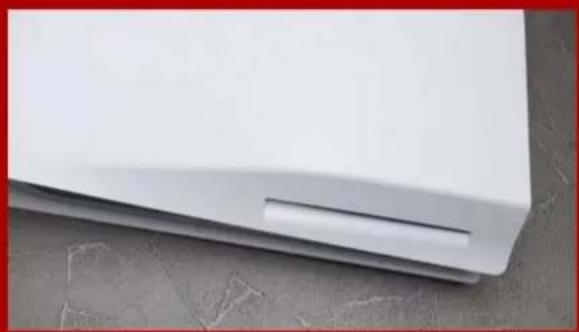
Close-up of a white plastic panel edge with a small slot, resting on a concrete surface (no text or symbols visible)- FIRMLY GRAB THE UPPER LEFT HAND CORNER OF THE PS5 WITH YOUR LEFT HAND.

natural_image
Hand holding a white sheet of paper against a dark textured background (no text or symbols visible)3.WITH YOUR RIGHT HAND, PULL AND THEN SLIDE THE BACKING PLATE TO THE LEFT TO REMOVE.

natural_image
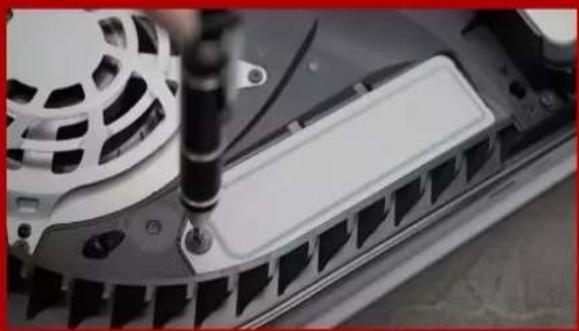
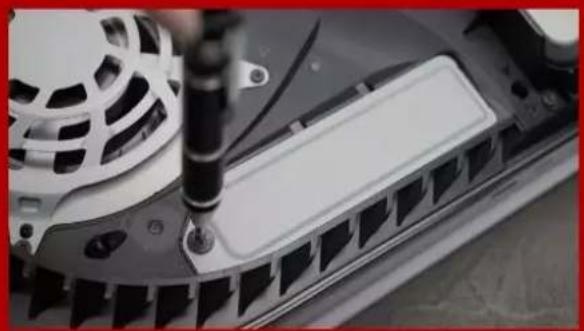
Close-up of a mechanical component with a screwdriver inserted, showing internal structure (no visible text or symbols)- LOOSEN THE SCREW TO REMOVE THE EXPANSION SLOT COVER.

natural_image
Close-up of a car's front panel with visible battery, screw holes, and mounting bracket (no text or symbols)natural_image
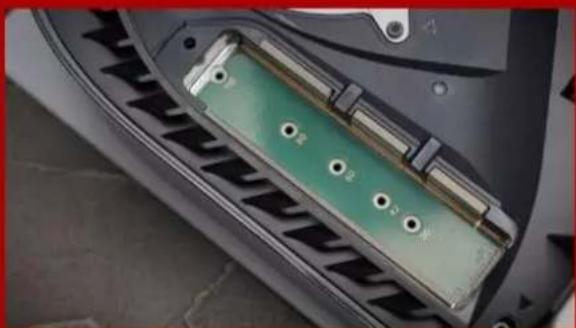
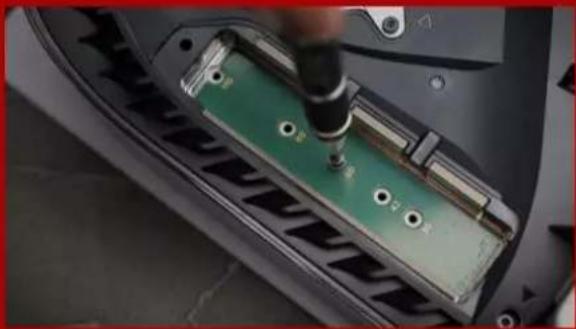
Close-up of a green printed circuit board being inserted into a black plastic component, with no visible text or symbols.- REMOVE THE SINGLE SCREW AND THE WASHER-LIKE STANDOFF UNDERNEATH.
natural_image
Close-up of a car's front panel showing internal components and battery modules (no text or symbols visible)- PLACE THE STANDOFF IN THE HOLE THAT CORRESPONDS TO THE M.2 FORM FACTOR.

- CLICK THE GOLD CONNECTOR OF THE SSD INTO THE MATCHING INPUT NOTCH.

natural_image
Close-up of a hand using a screwdriver to adjust or install electronic components on a device casing (no visible text or symbols)- FASTEN THE SSD WITH THE SCREW.

natural_image
Close-up of a mechanical component with a screwdriver inserted, showing internal structure (no visible text or symbols)10.REINSTALL THE EXPANSION SLOT COVER.

natural_image
Close-up of a black electronic device with a circular fan and ventilation grille, placed on a flat surface (no visible text or symbols)- REINSTALL THE BACKING PLATE BY SLIDING IT BACK AND PUSHING DOWNWARDS.

natural_image
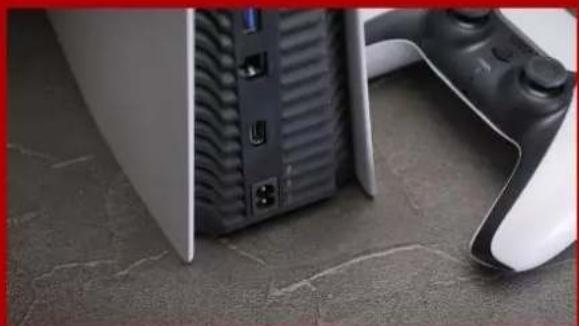
Close-up of a white electronic device with black buttons and a game controller on a textured floor (no visible text or symbols)- RE-ATTACH CABLES AND TURN ON YOUR PS5.

13. FOLLOW THE REFORMATTING INSTRUCTIONS.

14. YOU'RE DONE! YOU CAN NOW STORE GAMES AND APPS ONTO THE ADATA LEGEND 840.
INSTALLATION EINER M.2 SSD AUF PLAYSTATION®5

natural_image
Blue-tinted image of a PlayStation 3 console and a game controller, no visible text or symbols on the device surfaces.VOR DER INSTALLATION

natural_image
Product display of gaming consoles including a controller, 512x7 video card, and a pen on a table against a blue-and-white backdrop (no visible text or symbols)WAS SIE BENÖ TIGEN:
- STELLEN SIE SICHER, DASS SIE DIE NEUESTEN PS5-SOFTWARE-UPDATES INSTALLLIERT HABEN.
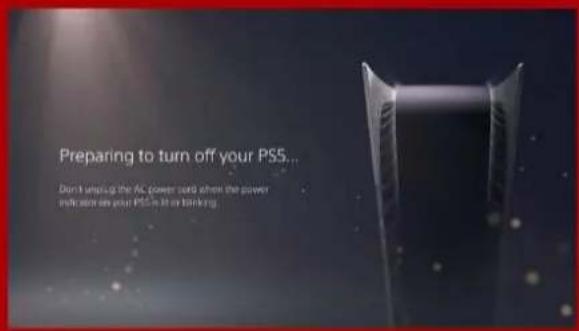
- SCHALTEN SIE IHRE PS5 AUS.
natural_image
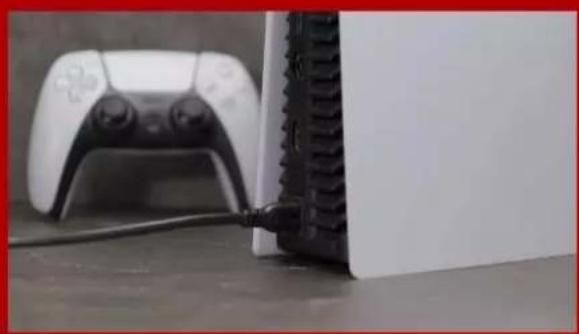
Close-up of a white gaming controller next to a black Sony PC, with cable inserted (no visible text or symbols)- TRENNEN SIE ALLE KABEL UND GERÄ TE AB.
INSTALLATION

natural_image
Hands holding a white rectangular object on a dark surface (no text or symbols visible)- LEGEN SIE DIE PS5 FLACH HIN, SO DASS DAS LOGO NACH UNTEN ZEIGT.

natural_image
Close-up of a white plastic panel with a small slot, resting on a gray surface (no text or symbols visible)- GREIFEN SIE MIT IHRER LINKEN HAND FEST IN DIE LINKE OBERE ECKE DER PS5.
natural_image
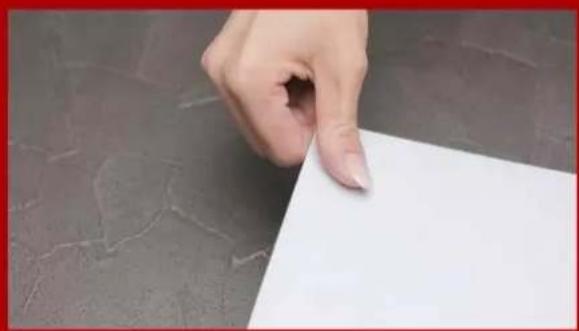
Hand holding a white sheet of paper against a dark textured background (no text or symbols visible)- ZIEHEN SIE MIT DER RECHTEN HAND AN DER TRÄ GERPLATTE UND SCHIEBEN SIE DIESE NACH LINKS, UM SIE ZU ENTFERNEN.

natural_image
Close-up of a mechanical component with a screwdriver inserted, showing internal structure (no visible text or symbols)natural_image
Close-up of a mechanical component with mounting holes and a green panel, mounted on a metal frame (no visible text or symbols)natural_image
Close-up of a green electronic component being inserted into a car's door panel, with a hand using a screwdriver (no visible text or symbols)natural_image
Close-up of a car's front panel showing internal components and battery pack (no text or symbols visible)- SETZEN SIE DEN ABSTANDHALTER IN DAS LOCH IM M.2-FORMFAKTOR.
natural_image
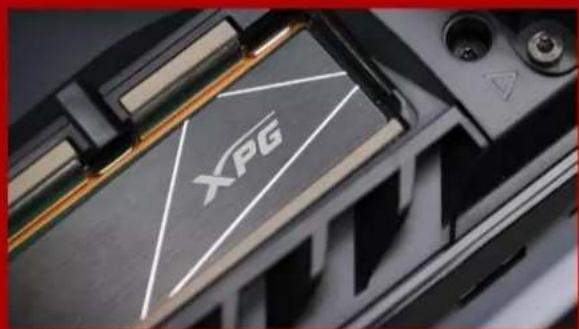
Close-up of a 3D printer's internal structure with XPG logo and warning symbol (no readable text beyond logo)- SETZEN SIE DEN GOLDENEN STECKER DER SSD IN DIE ENTSPRECHENDE AUSSPARUNG AM EINGANG EIN

natural_image
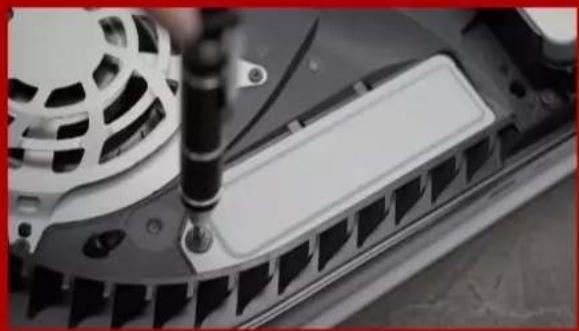
Close-up of a hand using a screwdriver to adjust or install electronic components on a device casing (no visible text or symbols)- BEFESTIGEN SIE DIE SSD MITHILFE DER SCHRAUBE.
natural_image
Close-up of a mechanical component with a screwdriver inserted, showing internal structure (no visible text or symbols)natural_image
Close-up of a black electronic device with a circular fan and ventilation grille, placed on a flat surface (no visible text or symbols)natural_image
Close-up of a white electronic device with black buttons and a game controller on a textured floor (no visible text or symbols)natural_image
Blue-tinted image of a PlayStation 3 console with a Sony logo, next to a game controller (no visible text or symbols on the device body)設置前の準備

natural_image
Product display of PlayStation 5.12 and other gaming consoles on a table, including a game controller, hard drives, and a pen (no visible text or symbols)必要なもの:
- XPG M.2 SSD
- プラスドライバー
- PS5

- PS5の電源を切ります。

natural_image
Close-up of a white game controller next to a black Sony 3.0 video player with cable, placed on a surface (no visible text or symbols)natural_image
Hands holding a white rectangular object on a dark surface, no visible text or symbolsnatural_image
Close-up of a white plastic panel edge with a small slot, resting on a dark surface (no text or symbols visible)natural_image
Hand holding a white sheet of paper against a dark tiled background (no text or symbols visible)natural_image
Close-up of a mechanical component with a screwdriver inserted, showing internal structure (no visible text or symbols)natural_image
Close-up of a mechanical component with mounting holes and a green panel, mounted on a metal frame (no visible text or symbols)natural_image
Close-up of a car's front panel with a green circuit board being inserted, no visible text or symbolsnatural_image
Close-up of a car's front panel showing internal components and battery pack (no text or symbols visible)natural_image
Close-up of a 3D printer's internal structure with XPG logo and metallic frame (no readable text or symbols beyond branding)natural_image
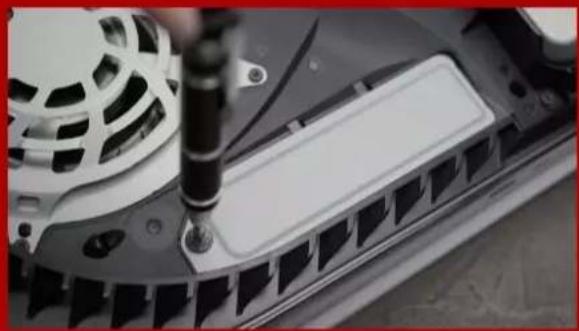
Close-up of a hand using a screwdriver to adjust the internal components of an electronic device (no visible text or symbols)- SSDをネジで固定します。
natural_image
Close-up of a mechanical component with a screwdriver inserted, showing internal structure (no visible text or symbols)- 拡張スロットカバーを元に戻します。

natural_image
Close-up of a black electronic device with a circular fan and ventilation grille, placed on a flat surface (no visible text or symbols)natural_image
Close-up of a white gaming device with black buttons and a game controller on a textured floor (no visible text or symbols)- 再フォーマットの指示に従ってください。

natural_image
Blue-tinted image of a PlayStation 3 console with Sony logo, next to a game controller (no visible text or symbols on device)설치하기 전에
natural_image
Product display of PlayStation 5.12 and other gaming consoles on a table, including a game controller, hard drives, and a pen (no visible text or symbols)준비물:
- PS5를 꿈니다.
natural_image
Close-up of a white gaming controller next to a black Sony PC with visible cord and cable (no text or symbols)natural_image
Hands holding a white rectangular object on a dark surface (no text or symbols visible)natural_image
Close-up of a white plastic panel edge with a small slot, resting on a gray surface (no text or symbols visible)natural_image
Hand holding a white sheet on a dark surface, with no visible text or symbolsnatural_image
Close-up of a mechanical component with a screwdriver inserted, showing internal structure (no visible text or symbols)natural_image
Close-up of a mechanical component with green and black surfaces, no visible text or symbols5.이제 녹색 확장 슬롯이 보입니다

natural_image
Close-up of a green printed circuit board being inserted into a car's seat, with a hand using a tool (no visible text or symbols)natural_image
Close-up of a car's front panel showing internal components and battery pack (no text or symbols visible)natural_image
Close-up of a 3D printer's internal structure with XPG logo and warning symbol (no readable text or symbols beyond branding)natural_image
Close-up of a hand using a screwdriver to adjust the internal components of an electronic device (no visible text or symbols)- 나사를 조여서 SSD를 고정합니다

natural_image
Close-up of a mechanical component with a screwdriver inserted, showing internal structure (no visible text or symbols)natural_image
Close-up of a black electronic device with a circular fan and ventilation grille, placed on a flat surface (no visible text or symbols)natural_image
Close-up of a gaming device with visible buttons and a game controller on a textured floor (no text or symbols)natural_image
Blue-tinted image of a PlayStation 3 console with a Sony logo, next to a game controller (no visible text or symbols on the device body)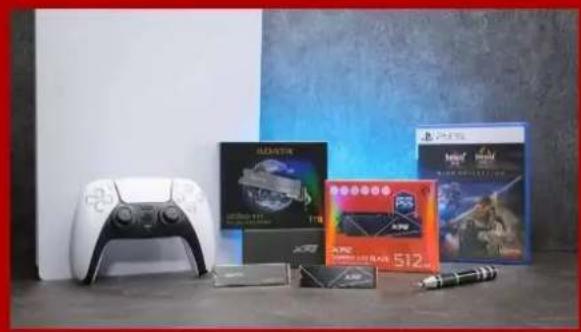
natural_image
Product display of gaming consoles including a controller, 512x7 video card, and a pen on a table against a blue-and-white backdrop (no visible text or symbols)- CERTIFIQUE-SE DE TER AS ATUALIZAÇÃO ES DE SOFTWARE DO PS5 MAIS RECENTES.

- DESLIGUE SEU PS5.

natural_image
Close-up of a white gaming controller next to a black Sony PC, with cable inserted (no visible text or symbols)- DESCONECTE TODOS OS CABOS E DISPOSITIVOS.

natural_image
Hands holding a white rectangular object on a dark surface (no text or symbols visible)- COLOQUE O PS5 NA HORIZONTAL COM O LADO DO LOGOTIPO VOLTADO PARA BAIXO.

natural_image
Close-up of a white plastic panel edge with a small slot, resting on a gray surface (no text or symbols visible)- SEGURE FIRMEMENTE O CANTO SUPERIOR ESQUERDO DO PS5 COM A MÃ O ESQUERDA.

natural_image
Hand holding a white sheet of paper against a dark textured background (no text or symbols visible)- COM A MÃ O DIREITA, PUXE E DESLIZE A PLACA TRASEIRA PARA A ESQUERDA PARA RETIRA-LA.
natural_image
Close-up of a mechanical component with a screwdriver inserted, showing internal structure (no visible text or symbols)- AFROUXE O PARAFUSO PARA RETIRAR A TAMPA DO SLOT DE EXPANSÃ O.

natural_image
Close-up of a mechanical component with mounting holes and a green panel, mounted on a metal frame (no visible text or symbols)- VOCÊ DEVERÁ VER AGORA O SLOT DE EXPANSÃ O VERDE.

natural_image
Close-up of a car tire repair operation showing a green circuit board being inserted into a mechanical component (no visible text or symbols)- REMOVA O Ú NICO PARAFUSO E O ESPAÇ ADOR EM FORMA DE ARRUELA EMBAIXO.

natural_image
Close-up of a car's front panel showing internal components and battery pack (no text or symbols visible)- COLOQUE O ESPAÇ ADOR NO ORIFÍ CIO QUE CORRESPONDE AO FATOR DE FORMA M.2.
natural_image
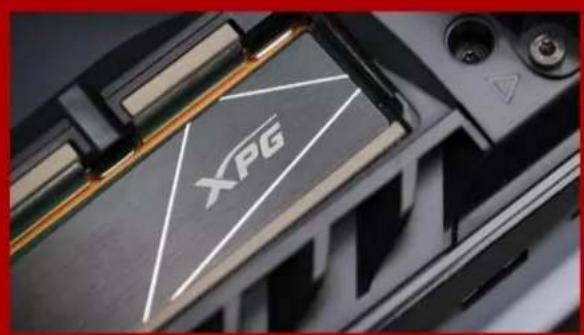
Close-up of a black CPU socket with a white XPG logo on its side (no readable text or symbols beyond branding)- CLIQUE NO CONECTOR DOURADO DO SSD NO ENTALHE DE ENTRADA CORRESPONDENTE.

natural_image
Close-up of a hand using a screwdriver to adjust or install electronic components on a device casing (no visible text or symbols)- FIXE O SSD COM O PARAFUSO.

natural_image
Close-up of a mechanical component with a screwdriver inserted, showing internal structure (no visible text or symbols)- RECOLOQUE A TAMPA DO SLOT DE EXPANSÃ O.
natural_image
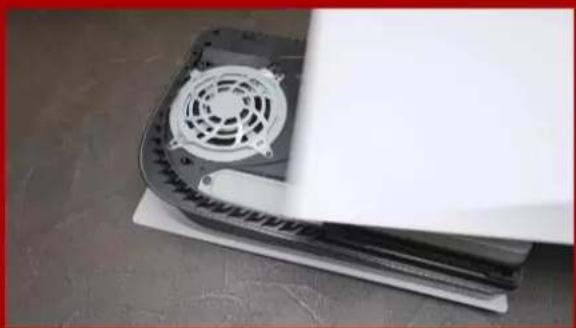
Close-up of a black electronic device with a circular fan and ventilation grille, placed on a flat surface (no visible text or symbols)- RECOLOQUE A PLACA TRASEIRA DESLIZANDO-A PARA TRÁ S E EMPURRANDO PARA BAIXO.

natural_image
Close-up of a white electronic device with black buttons and a game controller on a textured floor (no visible text or symbols)- RECONECTE OS CABOS E LIGUE SEU PS5.

- SIGA AS INSTRUÇ Ô ES DE REFORMATAÇ Â O.
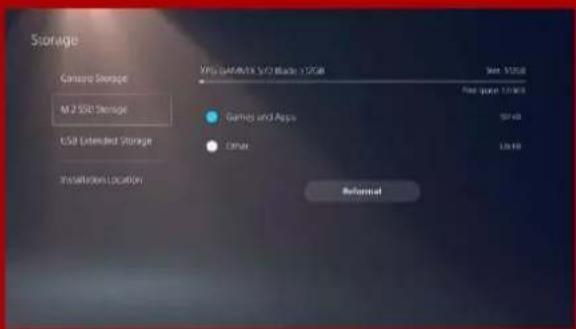
- PRONTO! AGORA VOCÊ PODE ARMAZENAR JOGOS E APLICATIVOS NO SSD.
natural_image
Blue-tinted image of a PlayStation 3 console with a Google controller, no visible text or symbols on the device itself.natural_image
Product display of PlayStation 5.12 and Xbox consoles on a table, including a game controller, hard drives, and a pen (no visible text or symbols)- ВЫКЛЮЧИТЕ PS5.
natural_image
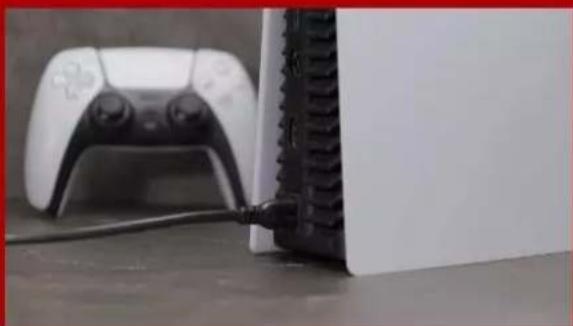
Close-up of a white gaming controller connected to a black electronic device with cable (no visible text or symbols)- ОТСОЕДИНИТЕ ВСЕ КАБЕЛИ И УСТРОЙСТВА.
УСТАНОВКА

natural_image
Hands holding a white rectangular object on a dark surface, no visible text or symbolsnatural_image
Close-up of a white plastic panel with a slot, resting on a textured surface (no text or symbols visible)- ВОЗЬМИТЕСЬ ЗА ВЕРХНИЙ ЛЕВЫЙ УГОЛ PS5 ЛЕВОЙ РУКОЙ.

natural_image
Hand holding a white sheet on a dark surface, with no visible text or symbolsnatural_image
Close-up of a mechanical component with a screwdriver inserted, showing internal slots and mounting holes (no text or symbols visible)natural_image
Close-up of a green electronic component with mounting holes and metallic fittings, mounted on a dark surface (no visible text or symbols)natural_image
Close-up of a green printed circuit board being inserted into a black plastic component, with no visible text or symbols.natural_image
Close-up of a car's front panel showing internal components and battery modules (no text or symbols visible)natural_image
Close-up of a hand using a screwdriver to adjust or install electronic components on a device casing (no visible text or symbols)natural_image
Close-up of a mechanical component with a screwdriver inserted, showing internal structure (no visible text or symbols)natural_image
Close-up of a black electronic device with a circular fan and ventilation grille, placed on a flat surface (no visible text or symbols)natural_image
Close-up of a white gaming device with black buttons and a game controller on a textured floor (no visible text or symbols)- ПОДКЛЮЧИТЕ КАБЕЛИ И ВКЛЮЧИТЕ PS5.

natural_image
Blue-tinted image of a PlayStation 3 console and a game controller, no visible text or symbols on the device surfaces.
natural_image
Product display of gaming consoles including a controller, 512x7 video card, and a pen on a table against a blue-and-white backdrop (no visible text or symbols)DE CE AVETI NEVOIE:
- ASIGURATI-VĂ CĂ AVETI CELE MAI RECENTE ACTUALIZĂRI DE SOFTWARE PS5.

- OPRITI PS5.

natural_image
Close-up of a white PlayStation controller and a black Sony PC connected by cable (no visible text or symbols)- DECONECTAȚI TOATE CABLURILE ȘI DISPOZITIVELE.
INSTALARE
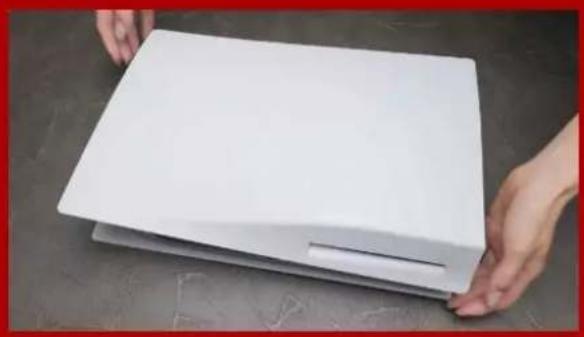
natural_image
Hands holding a white rectangular object on a dark surface (no text or symbols visible)- AŞEZATI PS5 LA ORIZONTALĂ, CU PARTEA CU SIGLA ORIENTATĂ ÎN JOS.
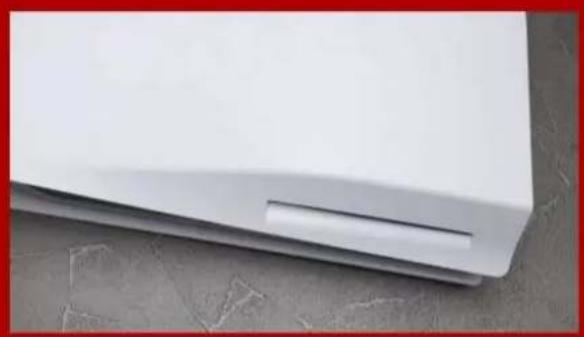
natural_image
Close-up of a white plastic panel edge with a small slot, resting on a concrete surface (no text or symbols visible)- PRINDEȚI FERM COLȚUL DIN STĂ NGA SUS AL PS5 CĂ MĂ NA STĂNGĂ.

natural_image
Hand holding a white sheet of paper against a dark tiled background (no text or symbols visible)- CU MÂNA DREAPTĂ, TRAGEȚI ȘI APOI GLISAȚI PLACA DE SUPPORT SPRE STĂ NGA PENTRU A O SCOATE.

natural_image
Close-up of a mechanical component with a screwdriver inserted, showing internal slots and a textured surface (no text or symbols visible)- SLĂBIȚI ȘURUBUL PENTRU A SCOATE CAPACUL FANTEI DE EXPANSIUNE.

natural_image
Close-up of a car's front panel with visible battery, screw holes, and mounting bracket (no text or symbols)- ACUM AR TREBUI SĂ VEDEȚI SLOTUL DE EXPANSIUNE VERDE.

natural_image
Close-up of a car's internal electronic component being inserted into a green circuit board (no visible text or symbols)- ÎNDEPĂRTAȚI UN SINGUR ȘURUB ȘI DISTANȚIERUL DE TIP ȘAIBĂ DE DEDESUBT.

natural_image
Close-up of a car's front panel showing internal components and battery pack (no text or symbols visible)- AŞEZATI DISTANTIERUL ÎN ORIFICIUL CARE CORESPUNDE FORMEI M.2.

natural_image
Close-up of a black electronic device with a white triangular logo and 'XPG' branding, no readable text or symbols beyond the logo.- FACETI CLIC PE CONECTORUL AURIU AL SSD- ULUI ÎN CRESTĂTURA DE INTRARE CORESPUNZĂTOARE.

natural_image
Close-up of a hand using a screwdriver to adjust or install electronic components on a device casing (no visible text or symbols)- FIXATI SSD-UL CU AJUTORUL ŞURUBULUI.
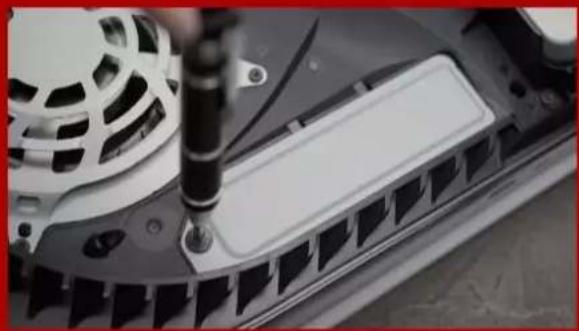
natural_image
Close-up of a mechanical component with a screwdriver inserted, showing internal structure (no visible text or symbols)- REINSTALATI CAPACUL FANTEI DE EXPANSIUNE.

natural_image
Close-up of a black electronic device with a circular fan and ventilation grille, placed on a flat surface (no visible text or symbols)natural_image
Close-up of a white electronic device with black buttons and a game controller on a textured floor (no visible text or symbols)- RECONECTAȚI CABLURILE ȘI PÓRNITI PS5.
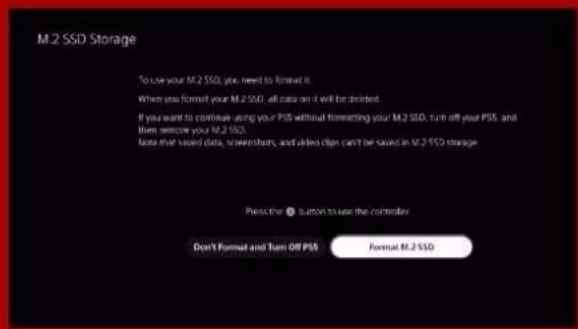
- URMAȚI INSTRUCTIUNILE DE REFORMATARE.

- AȚI TERMINAT! ACUM PUTETI STOCA JOCURI ȘI APLICATII PE SSD.
natural_image
Blue-tinted image of PlayStation 5 with a Sony logo, next to a PlayStation controller and a branded console (no visible text or symbols on the device itself)natural_image
Product display of gaming consoles including a controller, 512x7 video card, and a pen on a table against a blue-and-white backdrop (no visible text or symbols)LO QUE VAS A NECESITAR:
- SSD M.2 DE XPG
- Destornillador Phillips
- PS5
- APAGA TU PS5.

natural_image
Close-up of a white gaming controller next to a black Sony PC, with a cable inserted (no visible text or symbols)- DESCONECTE TODOS LOS CABLES Y DISPOSITIVOS.
INSTALACIÓ N

natural_image
Hands holding a white rectangular object on a dark surface (no text or symbols visible)- APOYA EL PS5 EN POSICIÓ N HORIZONTAL CON EL LOGOTIPO HACIA ABAJO.

natural_image
Close-up of a white plastic panel edge with a small slot, resting on a concrete surface (no text or symbols visible)- AGARRE FIRMEMENTE LA ESQUINA SUPERIOR IZQUIERDA DEL PS5 CON LA MANO IZQUIERDA.

natural_image
Hand holding a white sheet of paper against a dark tiled background (no text or symbols visible)- TIRE DE LA PLACA DE APOYO CON LA MANO DERECHA Y DESLÍ CELA HACIA LA IZQUIERDA PARA EXTRAERLA.
natural_image
Close-up of a mechanical component with a screwdriver inserted, showing internal slots and a textured surface (no visible text or symbols)- AFLOJE EL TORNILLO PARA RETIRAR LA TAPA DE LA RANURA DE EXPANSIÓ N.

natural_image
Close-up of a car's front panel with visible battery, screw holes, and mounting bracket (no text or symbols)- AHORA VERÁ S LA RANURA DE EXPANSIÓ N DE COLOR VERDE.
natural_image
Close-up of a green printed circuit board being inserted into a black plastic component, with no visible text or symbols.natural_image
Close-up of a car's front panel showing internal components and battery modules (no text or symbols visible)natural_image
Close-up of a hand using a screwdriver to adjust or install electronic components on a device casing (no visible text or symbols)- SUJETE EL SSD CON EL TORNILLO.

natural_image
Close-up of a mechanical component with a screwdriver inserted, showing internal structure (no visible text or symbols)- REINSTALE LA TAPA DE LA RANURA DE EXPANSIÓ N.

natural_image
Close-up of a black electronic device with a circular fan and ventilation grille, placed on a flat surface (no visible text or symbols)- REINSTALE LA PLACA DE APOYO DESLIZÁ NDOLA HACIA ATRÁ S Y EMPUJÁ NDOLA HACIA ABAJO.
natural_image
Close-up of a white electronic device with black buttons and a game controller on a textured floor (no visible text or symbols)- VUELVE A CONECTAR LOS CABLES Y ENCIENDE TU PS5.

- SIGA LAS INSTRUCCIONES DE REFORMATEO.

natural_image
Blue-tinted image of a PlayStation 3 console with a Google controller, no visible text or symbols on the device itself.KURULUMDAN Ö NCE

natural_image
Product display of gaming consoles including a controller, 512x7 video card, and a pen on a table against a blue-and-white backdrop (no visible text or symbols)GEREKENLER:
- EN SON PS5 YAZILIM GÜ NCELLEMELERINE SAHIP OLDUĞUNUZDAN EMIN OLUN.
- PS5'INIZI KAPATIN.

natural_image
Close-up of a white gaming controller next to a black Sony PC, with cable inserted (no visible text or symbols)- TÜ M KABLOLARI VE CIHAZLARI Ç IKARIN.
KURULUM
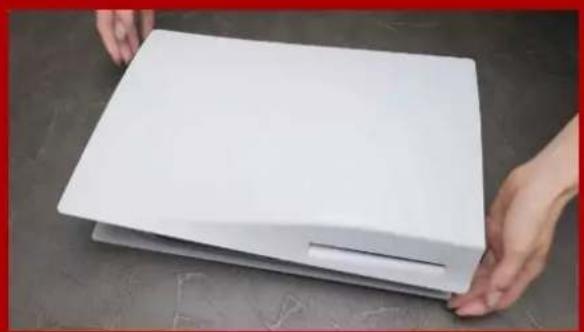
natural_image
Hands holding a white rectangular object on a dark surface (no text or symbols visible)- PS5'I LOGOLU TARAFI AŞAĞI BAKACAK ŞEKILDE DÜZ BIR ŞEKİLDE YATIRIN.
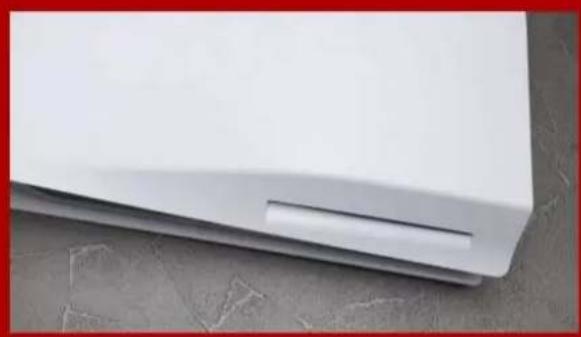
natural_image
Close-up of a white plastic panel or cover with a small slot, resting on a concrete surface (no text or symbols visible)- SOL ELINIZLE PS5'IN SOL ÜST KÖŞESINI SIKICA TUTUN.

natural_image
Hand holding a white sheet of paper against a dark tiled background (no text or symbols visible)- SAĞ ELINIZLE DESTEK PLAKASINI Ç EKIP Ç IKARMAK İÇ IN SOLA KAYDIRIN.

natural_image
Close-up of a mechanical component with a screwdriver inserted, showing internal slots and a textured surface (no visible text or symbols)- GENİŞLETME YUVASI KAPAĞINI ÇIKARMAK IÇIN VIDAYI GEVŞETIN.

natural_image
Close-up of a green electronic component with mounting holes and metallic fittings, mounted on a dark surface (no visible text or symbols)- ARTIK YEŞIL GENİŞLETME YUVASINI GÖ RMELISINIZ.

natural_image
Close-up of a green printed circuit board being inserted into a car's door panel using a screwdriver (no visible text or symbols)- TEK VIDAYI VE ALTINDAKI RONDELA BENZERI AYIRICIYI Ç IKARIN.

natural_image
Close-up of a car's front panel showing internal components and battery pack (no text or symbols visible)- AYIRICIYI M.2 FORM FAKTÖRÜNE KARŞILIK GELEN DELIĞE YERLEŞTIRIN.

natural_image
Close-up of a 3D printer's internal structure with XPG logo and warning symbol (no readable text or symbols beyond branding)- SSD'NIN ALTIN KONEKTÖRÜNÜ EŞLEŞEN GIRİŞ ÇENTIĞINE TIKLAYIN.

natural_image
Close-up of a hand using a screwdriver to adjust or install electronic components on a device casing (no visible text or symbols)- SSD'YI VIDAYLA SABITLEYIN.

natural_image
Close-up of a mechanical component with a screwdriver inserted, showing internal structure (no visible text or symbols)- GENİŞLETME YUVASI KAPAĞINI YENIDEN TAKIN.

natural_image
Close-up of a black electronic device with a circular fan and paper base, placed on a surface (no visible text or symbols)- DESTEK PLAKASINI GERIYE DOĞRU KAYDIRIP AŞAĞI DOĞRU ITEREK YENIDEN TAKIN.

natural_image
Close-up of a white gaming device with visible ports and a black game controller on a textured floor (no text or symbols)- KABLOLARI YENIDEN TAKIN VE PS5'INIZI AÇ IN.

- YENIDEN BIÇ IMLENDIRME TALIMATLARINI IZLEYIN.
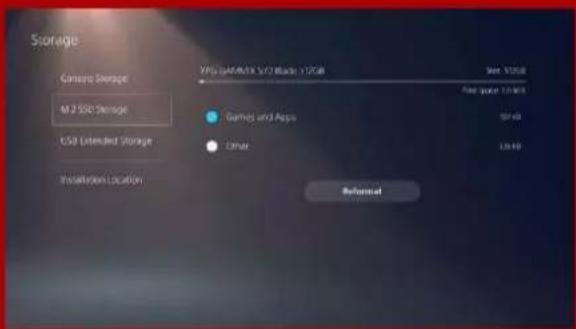
- TAMAMLADINIZ! ARTIK OYUNLARI VE UYGULAMALARI SSD'DE DEPOLAYABILIRSINIZ.



- INSTALLING AN M.2 SSD ON A LAPTOP PC
- HOW TO INSTALL AN M.2 SSD ON PLAYSTATION 5
- 如何在桌機安裝
- M.2 固態硬碟
- 更換前準備步驟
- 準備工具
- 備份資料
- 將主機機殼卸下
- 對準 M.2 插槽、插上固態硬碟
- 拴上螺絲固態硬碟
- 5.重新裝上機殼
- 更换前准备步骤
- 准备工具
- 2.备份数据
- 将机箱侧板卸下
- 3.对准M.2插槽、插上固态硬盘
- 4.拧上螺丝以固定固态硬盘
- 5.重新装上机箱侧板
- BEFORE INSTALLATION
- GATHER THE THINGS YOU'LL NEED
- SWITCH OFF THE POWER SWITCH AND UNPLUG POWER CORD
- INSTALLATION
- REMOVE THE PC CASE
- LOCATE THE M.2 PCIE SLOT AND CONFIRM THERE ARE SCREWS
- ALIGN THE M.2 SLOT AND INSERT THE SOLID STATE DRIVE
- FASTEN THE SCREWS TO SECURE THE SSD
- RESEMBLE THE CASE
- PLUG IN THE POWER CORD AND POWER ON THE PC TO COMPLETE INSTALLATION
- EINE M.2-SSD AN EINEM
- DESKTOP-PC INSTALLIEREN
- VOR DER INSTALLATION
- ALLES NÖ TIGE ZUSAMMENTRAGEN
- IHRE DATEN SICHERN
- PC-GEHÄ USE ENTFERNEN
- M.2-PCIE-STECKPLATZ AUSFINDIG MACHEN UND SICHERSTELLEN, DASS SCHRAUBENVORHANDENSIND
- GEHÄ USE WIEDER ZUSAMMENBAUEN
- 交換前の準備
- 準備するもの
- データのバックアップ
- パソコン本体のケースを取り外す
- M.2スロットにSSDを差し込む
- SSDをねじで 固 定する
- ケースを元の位置に取り付ける
- 1.필요한 도구 준비
- 2.데이터 백업
- 3.PC전원 끄기
- 1.PC케이스 제거
- 나사를 조여서 SSD 고정
- 5.케이스 재조립
- REÚ NA AS COISAS QUE VOCÊ PRECISA
- FAÇ A BACKUP DE SEUS DADOS
- REMOVA O GABINETE DO PC
- LOCALIZE O SLOT M.2 PCIE E CONFIRME SE HÁ PARAFUSOS
- ALINHE O SLOT M.2 E INSIRA A UNIDADE DE ESTADO SÓ LIDO
- APERTE OS PARAFUSOS PARA PRENDER O SSD
- 2.ЗАРЕЗЕРВИРУЙТЕ ДАННЫЕ
- 4.ОТКЛЮЧИТЕ ШНУР ПИТАНИЯ БАТАРЕЮ
- СНИМИТЕ ЗАДНЮЮ ПЛАСТИНУ ПК
- 5.ЗАКРЕПИТЕ ЗАДНЮЮ ПЛАСТИН НА МЕСТЕ
- Î NAINTE DE INSTALARE
- ADUNATI LUCRURILE DE CARE VEȚI AVEA NEVOIE
- FACETI O COPIE DE REZERVĂ A DATELOR
- DECONECTATI ALIMENTAREA CU ENERGIE ŞI CABLUL DE ALIMENTARE
- SCOATEȚI CARCASA PC-ULUI
- LOCALIZATI FANTA M.2 PCIE ŞI CONFIRMAȚI CĂ EXISTĂ ŞURUBURI
- 3.ALINIATI FANTA M.2 ŞI INTRODUCETI UNITATEA SOLID STATE
- STRÂ NGETI ŞURUBURILE PENTRU À FIXA SSD
- 5.REASAMBLATICARCASA
- 6.CONECTATICABLULDE ALIMENTARE ŞI PORNITI PC-UL PENTRUAFINALIZA INSTALAREA
- INSTALARUNAUNIDAD
- DEESTADOSÓLIDOM.2
- ENUNEQUIPODE
- SOBREMESA
- REUNIR LOS ELEMENTOS QUE NECESITARÁ
- QUITAR LA CARCASA DELEQUIPO
- ALINEARLARANURAM.2EINSERTA LA UNIDAD DE ESTADO SÓLIDO
- VOLVER A MONTAR LA CARCASA
- KURULUM
- İHTIYACINIZ OLACAK ŞEYLERI TOPLAYIN
- VERILERINIZI YEDEKLEYIN
- GÜ Ç ANAHTARINI KAPATIN VE GÜ Ç KABLOSUNU Ç IKARIN
- PC KASASINI Ç IKARIN
- M.2 PCIE YUVASINI BULUN VE VIDALARIN BULUNDUĞUNU DOĞRULAYIN
- M.2 YUVASINI HIZALAYIN VE KATI HAL SÜ RÜ CÜ SÜ NÜ TAKIN
- SSD'YI SABITLEMEK IÇ IN VIDALARI SIKIN
- DAVAYA BENZEYEN
- KURULUMU TAMAMLAMAK IÇ IN GÜ Ç KABLOSUNU TAKIN VE BILGISAYARI AÇ IN
- 如何在筆電安裝
- M.2固態硬碟
- 4.將電源線及電池拔除
- 將主機背板卸下
- 3.對準M.2插槽、插上固態硬碟
- 4.拴上螺絲以固定固態硬碟
- 5.重新蓋上背板
- 将电源线及电池拔除
- 将电脑背板卸下
- 对准M.2插槽、插上固态硬盘
- 4.拴上螺丝以固定固态硬盘
- 5.重新盖上背板
- UNPLUG POWER CORD AND BATTERY
- REMOVE YOUR PC'S BACK PLATE
- SECURE THE BACK PLATE INTO PLACE
- EINE M.2-SSD AN EINEM LAPTOP-PC INSTALLIEREN
- 2.IHRE DATEN SICHERN
- 3.IHREN PC ABSCHALTEN
- 4.NETZKABEL UND AKKU TRENNEN
- RÜ CKPLATTE IHRES PCS ENTFERNEN
- 2.M.2-PCIE-STECKPLATZ AUSFINDIG MACHENUND SICHERSTELLEN, DASS SCHRAUBEN VORHANDEN SIND
- 5.RÜCKPLATTE WIEDER EINSETZEN
- 電源ーブルとバッテリーを取り外す
- パソコンのバックパネルを取り外す
- SSDをねじで固定する
- 4.전원 코드와 배터리 분리
- 1.PC뒤판 제거
- 4.나사를 조여서SSD고정
- 5.뒤판 제자리에 고정
- DESLIGUE SEU PC
- REMOVA A PLACA TRASEIRA DO SEU PC
- 4.APERTE OS PARAFUSOS PARA PRENDER O SSD
- PRENDA A PLACA TRASEIRA NO LUGAR
- 3.OPRIȚI PC-UL
- DECONECTATI CABLUL DE ALIMENTARE ŞI BATERIA
- SCOATEȚI PLACA DIN SPATE A PC-ULUI
- ALINIATI FANTA M.2 Ş INTRODUCETI UNITATEA SOLID STATE
- FIXAREA PLĂCII DIN SPATE ÎN POZIȚIE
- 6.CONECTATI CABLUL DE ALIMENTARE ŞI PORNITI PC-UL PENTRU A FINALIZA INSTALAREA
- INSTALAR UNA UNIDAD DE ESTADO SÓ LIDO M.2 EN UN EQUIPO PORTÁTIL
- RETIRAR LA PLACA POSTERIOR DE SU PC
- LOCALIZAR LA RANURA PCIE M.2 Y CONFIRMAR QUE TIENE TORNILLOS
- 3.ALINEAR LA RANURA M.2 E INSERTAR LA UNIDAD DE ESTADO SÓ LIDO
- ASEGURAR LA PLACA POSTERIOR EN SU LUGAR
- ENCHUFAR EL CABLE DE ALIMENTACIÓ N Y ENCENDER EL EQUIPO PARA COMPLETAR LA INSTALACIÓ N
- PC'NIZI KAPATIN
- GÜ Ç KABLOSUNU VE PILI Ç IKARIN
- ARKA PLAKAYI YERINE SABITLEYIN
- KURULUMU TAMAMLAMAK IÇ IN GÜ Ç KABLOSUNU TAKIN VE BILGISAYARI AÇ IN
- 如何在PS5主機安裝
- 安裝前準備步驟
- 需要的工具有:
- 安裝固態硬碟步驟
- 按照重新格式化說明操作。
- 您已完成!
- 安装前准备步骤
- 安装固态硬盘步骤
- 按照重新格式化说明操作。
- WHAT YOU'LL NEED :
- FOLLOW THE REFORMATTING INSTRUCTIONS.
- YOU'RE DONE! YOU CAN NOW STORE GAMES AND APPS ONTO THE ADATA LEGEND 840.
- INSTALLATION EINER M.2 SSD AUF PLAYSTATION®5
- WAS SIE BENÖ TIGEN:
- 設置前の準備
- 必要なもの:
- 설치하기 전에
- 준비물:
- УСТАНОВКА
- DE CE AVETI NEVOIE:
- INSTALARE
- LO QUE VAS A NECESITAR:
- INSTALACIÓ N
- KURULUMDAN Ö NCE
- GEREKENLER:
Brand : XPG
Model : Gammix S11 Pro
Category : SSD