
STVM 30 B1 - Fan SILVERCREST - Free user manual and instructions
Find the device manual for free STVM 30 B1 SILVERCREST in PDF.


| Product Type | Desk Fan |
| Brand | SilverCrest |
| Model | STVM 30 B1 |
| Power Supply | 220–240 V ~ 50–60 Hz |
| Power Consumption | 45 W |
| Number of Fan Speeds | 4 (0, I, II, III) |
| Maximum Airflow | 59.11 m³/min |
| Maximum Air Velocity | 3.44 m/s |
| Service Value | 1.36 (m³/min)/W |
| Fan Sound Power Level | 59.12 dB(A) |
| Standby Power Consumption | 0.0 W |
| Oscillation | Yes, controlled by oscillation knob |
| Tilt Adjustment | Yes, manual tilt with knob |
| Safety Features | Front and rear grilles, blade guard, overheating protection (assumed) |
| Cleaning | Wipe with damp cloth; remove front grille for blade cleaning |
| Warranty | 3 years from date of purchase |
| Scope of Delivery | Motor unit with pole, base, front and rear grilles, blade, lock screws, knurled screw, grille clips |
| Intended Use | Private household use for cooling airflow |
Frequently Asked Questions - STVM 30 B1 SILVERCREST
User questions about STVM 30 B1 SILVERCREST
0 question about this device. Answer the ones you know or ask your own.
Ask a new question about this device
Download the instructions for your Fan in PDF format for free! Find your manual STVM 30 B1 - SILVERCREST and take your electronic device back in hand. On this page are published all the documents necessary for the use of your device. STVM 30 B1 by SILVERCREST.
USER MANUAL STVM 30 B1 SILVERCREST

DESK FAN STVM 30 B1
GB
DESK FAN
Operation and safety notes
FI
PÖYTÄTUULETIN
GB Operation and safety notes Page 5
Warnings and symbols used Page 6
Introduction Page 6
Intended use....Page 6
Scope of delivery....Page 7
Description of parts ...... Page 7
Technical data Page 7
Safety instructions....Page 8
Before use Page 9
Unpacking Page 9
Assembly Page 10
Tilt adjustment....Page 10
Operation....Page 10
Fan speed Page 10
Oscillation Page 11
Cleaning and care Page 11
Cleaning the blade and the grilles....Page 11
Storage Page 11
Disposal Page 11
Warranty Page 12
| Warnings and symbols usedThe following warnings are used in this user manual and on the packaging: | |||
 | DANGER! This symbol in combination with the signal word “Danger” marks a high-risk hazard that if not prevented could result in death or serious injury. |  | NOTE: This symbol in combination with “Note” provides additional useful information. |
 | WARNING! This symbol in combination with the signal word “Warning” marks a medium-risk hazard that if not prevented could result in death or serious injury. |  | Danger - Risk of electric shock! |
 | CAUTION! This symbol in combination with the signal word “Caution” marks a low-risk hazard that if not prevented could result in minor or moderate injury. |  | Only use the product in dry indoor rooms. |
 | Do not put fingers through the grille. | ||
DESK FAN
Introduction
We congratulate you on the purchase of your new product. You have chosen a high quality product. The instructions for use are part of the product. They contain important information concerning safety, use and disposal. Before using the product, please familiarise yourself with all of the safety information and instructions for use. Only use the product as described and for the specified applications. If you pass the product on to anyone else, please ensure that you also pass on all the documentation with it.
Intended use
This product is intended to produce a cooling airflow. Any other use not mentioned in these instructions may cause a damage to the product or create a serious risk of injury.
This product is only intended for private household use, not for commercial purposes.
The manufacturer accepts no liability for damages caused by improper use.
- Scope of delivery
■ Unpack the product. Remove the transport locks. Accessory needed: Pair of scissors (Fig. B)
■ After unpacking the product, check if all parts are complete and in good condition. Remove all packaging materials, including protective foils, before use.
1x Motor unit (with lock cap and lock screws (x 4)) and pole (with knurled screw)
1x Base
1x Front grille (with lock screw and lock nut)
1x Rear grille
1x Blade
NOTE: Various removable components are delivered pre-assembled (see "Description of parts").
• Description of parts
Before reading, unfold the page containing the illustrations and familiarise yourself with all the functions of the product.
Fig. A
| 1 | *Lock cap |
| 2 | Blade |
| 3 | Groove |
| 4 | Rear grille |
| 5 | Handle |
| 6 | Motor shaft |
| 7 | Speed control knob (0, I, II, III) |
| 8 | Oscillation control knob |
| 9 | Motor unit |
| 10 | Power cord with power plug |
| 11 | *Screw and nut |
| 12 | *Knob (tilt adjustment) |
| 13 | Base |
| 14 | *Knurled screw |
| 15 | *Lock screws (M5 x 8 mm) (x 4) (rear grille) |
| 16 | Grille clips (x 4) |
| 17 | *Lock screw (M2.5 x 10 mm) and lock nut (grille) |
| 18 | Front grille |
| 19 | Hanging device |
* pre-assembled
- Technical data
Input voltage: 220-240 V \~50-60 Hz
Power consumption: 45 W
Description Symbol Value Unit
| Maximum fan flow rate | F | 59.11 | m3/min |
| Fan power input | P | 43.4 | W |
| Service value | SV | 1.36 | (m3/min)/W |
| Standby power consumption | PSB | 0.0 | W |
| Fan sound power level | IWA | 59.12 | dB(A) |
| Maximum air velocity | C | 3.44 | meters/sec |
| Measurement standard for service value | IEC 60879:1986 (corr. 1992) | ||
| Contact details for obtaining more information | OWIM GmbH & Co. KG Stiftsbergstraße 1 74167 Neckarsulm GERMANY www.owim.com | ||

Safety instructions
BEFORE USING THE PRODUCT, PLEASE FAMILIARISE YOURSELF WITH ALL OF THE SAFETY INFORMATION AND INSTRUCTIONS FOR USE! WHEN PASSING THIS PRODUCT ON TO OTHERS, PLEASE ALSO INCLUDE ALL THE DOCUMENTS!
In the case of damage resulting from non-compliance with these operating instructions the warranty claim becomes invalid! No liability is accepted for consequential damage! In the case of material damage or personal injury caused by incorrect handling or non-compliance with the safety instructions, no liability is accepted!
Children and persons with disabilities
⚠️DANGER! Risk of suffocation! Never leave children unsupervised with the packaging material. The packaging material represents a danger of suffocation. Children frequently underestimate the dangers. Always keep children away from the packaging material.
This product can be used by children aged from 8 years and above and persons with reduced physical, sensory or mental capabilities, or lack of experience and knowledge if they have been given supervision or instruction concerning use of the product in a safe way and understand the hazards involved.
Cleaning and user maintenance shall not be made by children without supervision.
Children shall not play with the product.
Electrical safety
⚠ WARNING! Risk of injury!
Switch the product off and disconnect it from the power supply before cleaning work and when not in use.
⚠ WARNING! Risk of electric
shock! Ensure the rated voltage shown on the rating label corresponds with the voltage of the power supply.
⚠ WARNING! Risk of electric
shock! If the supply cord is damaged, it must be replaced by the manufacturer, its service agent or similarly qualified persons in order to avoid a hazard.
Operation
■ Only use the product in dry indoor rooms.
■ Protect the product, its power cord and power plug against dust, direct sunlight, dripping and splashing water.
⚠️CAUTION! Risk of injury!
Ensure that the fan is switched off from the supply mains before removing the guard.
⚠️CAUTION! Risk of injury!
Never use the product without the safety grille or with a damaged safety grille.
⚠️CAUTION! Risk of injury!
During use, keep hands, hair, clothing and utensils away from the safety grille to avoid injuries and damage of the product.
Before use
Unpacking
■ Remove the packaging. Check if the product is damaged.
Assembly
■ Accessory needed: Cross head screwdriver
■ Number of persons needed for assembly: 1 adult
Fig. Step
| C | 1. Remove the knurled screw 14 from the pole on the motor unit 9.2. Place the pole on the base 13.3. Fasten with the knurled screw 14. |
| D | Pull off the protective sleeve from the motor shaft 6. Discard the protective sleeve. |
| E | Remove the 4 lock screws 15 from the motor unit 9. |
| F | 1. Align the rear grille handle 5 upwards and to the rear. Attach the rear grille 4 to the motor unit 9.2. Tighten with the 4 lock screws 15. |
| G | 1. Place the blade 2 on the motor shaft 6. Insert the pins on the motor shaft into the groove 3 on the rear of the blade.2. Tighten the lock cap 1 on the motor shaft 6 (direction of rotation: ⚠ |
Fig. Step
H
- Remove the lock screw and the lock nut 17 from the front grille 18.
- Loosen the grille clips 16 from the front grille 18.
- Centre the hanging device 19 of the front grille 18 on the rear grille 4.
NOTE: The 4 grille clips 16 must fit over the frame of both grilles 4 18.
Insert and fasten the lock screw and the lock nut 17. Close the 4 grille clips 16 over the frame of both grilles 4 18.
|
NOTE: The lock screw and the lock nut 17 are very small. Do not lose or drop these fasteners.
- Tilt adjustment
■ Loosen the knob 12.
■ Adjust the tilt angle manually.
■ Tighten the knob 12 again.
- Do not perform the tilt adjustment when the product is in operation.
Operation
- Place the product on a flat, stable ground.
■ Connect the power plug 10 to a suitable socket-outlet.
Fan speed
■ Rotate the speed control knob 7 to turn the product on/off and to select the fan speed setting:
Position Function
Before cleaning: Rotate the speed control knob 7 to the 0 position. Disconnect the power plug 10 from the socket-outlet.
■ Clean the product with a slightly moistened cloth.
Do not allow any water or other liquids to enter the motor unit 9.
⚠ WARNING! Do not immerse the electrical parts of the product in water or other liquids. Never hold the product under running water.
● Cleaning the blade and the grilles
■ Remove collected dust on the blade 2 and grilles 4 18 with a brush (not supplied).
For thorough cleaning: Remove the front grille [18] (fig. J, I).
⚠️ DANGER! Before removing the front grille 18: Disconnect the power plug 10 from the socket-outlet.
Wipe the grilles 4 18 and the blade 2 with a moistened cloth. Use a mild detergent on the cloth.
NOTE: The grilles 4 18 act as safety guards to protect the user from touching the blade 2.
- Do not use abrasives, harsh cleaning solutions or hard brushes for cleaning.
■ After cleaning: Let all parts dry. Mount the front grille 18 back onto the product (fig. I, J).
Storage
- When not in use, store the product in its original packaging.
■ Store the product in a dry, secure location away from children.
Disposal
The packaging is made entirely of recyclable materials, which you may dispose of at local recycling facilities.

Observe the marking of the packaging materials for waste separation, which are marked with abbreviations (a) and numbers (b) with following meaning: 1–7: plastics / 20–22: paper and fibreboard / 80–98: composite materials.

The product and packaging materials are recyclable, dispose of it separately for better waste treatment.
The Triman logo is valid in France only.

Contact your local refuse disposal authority for more details of how to dispose of your worn-out product.
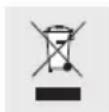
To help protect the environment, please dispose of the product properly when it has reached the end of its useful life and not in the household waste. Information on collection points and their opening hours can be obtained from your local authority.
Warranty
The product has been manufactured to strict quality guidelines and meticulously examined before delivery. In the event of product defects you have legal rights against the retailer of this product. Your legal rights are not limited in any way by our warranty detailed below.
The warranty for this product is 3 years from the date of purchase. Should this product show any fault in materials or manufacture within 3 years from the date of purchase, we will repair or replace it – at our choice – free of charge to you.
The warranty period begins on the date of purchase. Please keep the original sales receipt in a safe location. This document is required as your proof of purchase. This warranty becomes void if the product has been damaged, or used or maintained improperly.
The warranty applies to defects in material or manufacture. This warranty does not cover product parts subject to normal wear, thus possibly considered consumables (e.g. batteries) or for damage to fragile parts, e.g. switches, rechargeable batteries or glass parts.
Warranty claim procedure
To ensure quick processing of your case, please observe the following instructions:
Please have the till receipt and the item number (e.g. IAN 123456_7890) available as proof of purchase.
You will find the item number on the rating plate, an engraving, on the front page of the instructions for use (bottom left), or as a sticker on the rear or bottom of the product.
If functional or other defects occur, please contact the service department listed either by telephone or by e-mail.
You can return a defective product to us free of charge to the service address that will be provided to you. Ensure that you enclose the proof of purchase (till receipt) and information about what the defect is and when it occurred.
Service
GB Service Great Britain
Tel.:08000569216
E-Mail:owim@lidl.co.uk
CE
Oscillation ....Sidan 27


- DESK FAN STVM 30 B1
- DESK FAN
- PÖYTÄTUULETIN
- WARNINGS AND SYMBOLS USED PAGE 6
- INTRODUCTION PAGE 6
- SAFETY INSTRUCTIONS....PAGE 8
- BEFORE USE PAGE 9
- OPERATION....PAGE 10
- CLEANING AND CARE PAGE 11
- STORAGE PAGE 11
- DISPOSAL PAGE 11
- WARRANTY PAGE 12
- INTRODUCTION
- INTENDED USE
- SCOPE OF DELIVERY
- DESCRIPTION OF PARTS
- TECHNICAL DATA
- SAFETY INSTRUCTIONS
- CHILDREN AND PERSONS WITH DISABILITIES
- ELECTRICAL SAFETY
- ⚠ WARNING! RISK OF INJURY
- ⚠ WARNING! RISK OF ELECTRIC
- OPERATION
- ⚠️CAUTION! RISK OF INJURY
- BEFORE USE
- UNPACKING
- ASSEMBLY
- FIG. STEP
- TILT ADJUSTMENT
- FAN SPEED
- ● CLEANING THE BLADE AND THE GRILLES
- STORAGE
- DISPOSAL
- WARRANTY
- WARRANTY CLAIM PROCEDURE
- SERVICE
Brand : SILVERCREST
Model : STVM 30 B1
Category : Fan